
Tuple in Python Tuple Creation Tuple in Python In
LV
Published · 53 slides · 0 views

1 / 1




Description
Tuple in Python Tuple Creation Tuple in Python In python, a tuple is a sequence of immutable elements or items. Tuple is similar to list since the items stored in the list can be changed whereas the tuple is immutable and the items stored
Related Topics
Share
Embed code
Download this presentation From Below
"Tuple in Python Tuple Creation Tuple in Python In" is the property of its rightful owner. Permission is granted to download and print the materials on this website for personal, non-commercial use only, and to display it on your personal computer provided you do not modify the materials and that you retain all copyright notices contained in the materials. By downloading content from our website, you accept the terms of this agreement.
Presentation Transcript
01
Tuple in Python<br>
02
Tuple Creation<br>
03
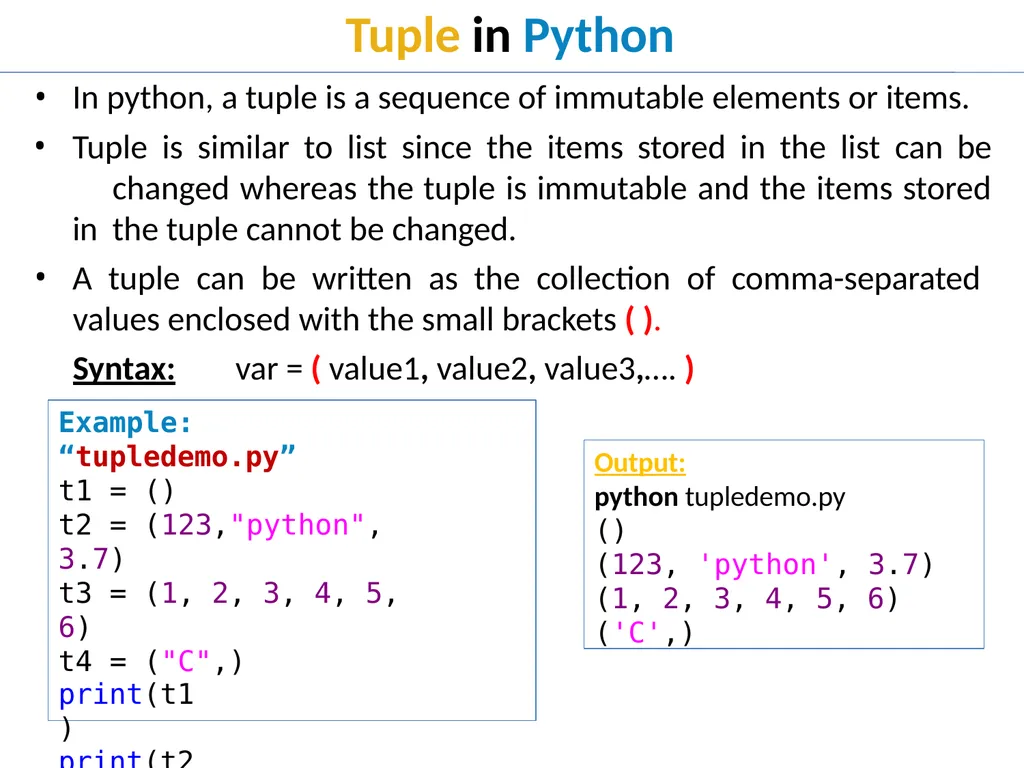
Tuple in Python In python, a tuple is a sequence of immutable elements or items.
Tuple is similar to list since the items stored in the list can be changed whereas the tuple is immutable and the items stored in the tuple cannot be changed.
A tuple can be written as the collection of comma-separated
values enclosed with the small brackets ( ).
Syntax: var = ( value1, value2, value3,…. ) Example: “tupledemo.py”
t1 = ()
t2 = (123,"python", 3.7)
t3 = (1, 2, 3, 4, 5, 6)
t4 = ("C",)
print(t1) print(t2) print(t3) print(t4) Output:
python tupledemo.py
()
(123, 'python', 3.7)
(1, 2, 3, 4, 5, 6)
('C',)<br>
Tuple is similar to list since the items stored in the list can be changed whereas the tuple is immutable and the items stored in the tuple cannot be changed.
A tuple can be written as the collection of comma-separated
values enclosed with the small brackets ( ).
Syntax: var = ( value1, value2, value3,…. ) Example: “tupledemo.py”
t1 = ()
t2 = (123,"python", 3.7)
t3 = (1, 2, 3, 4, 5, 6)
t4 = ("C",)
print(t1) print(t2) print(t3) print(t4) Output:
python tupledemo.py
()
(123, 'python', 3.7)
(1, 2, 3, 4, 5, 6)
('C',)<br>
04
Tuple Indexing<br>
05
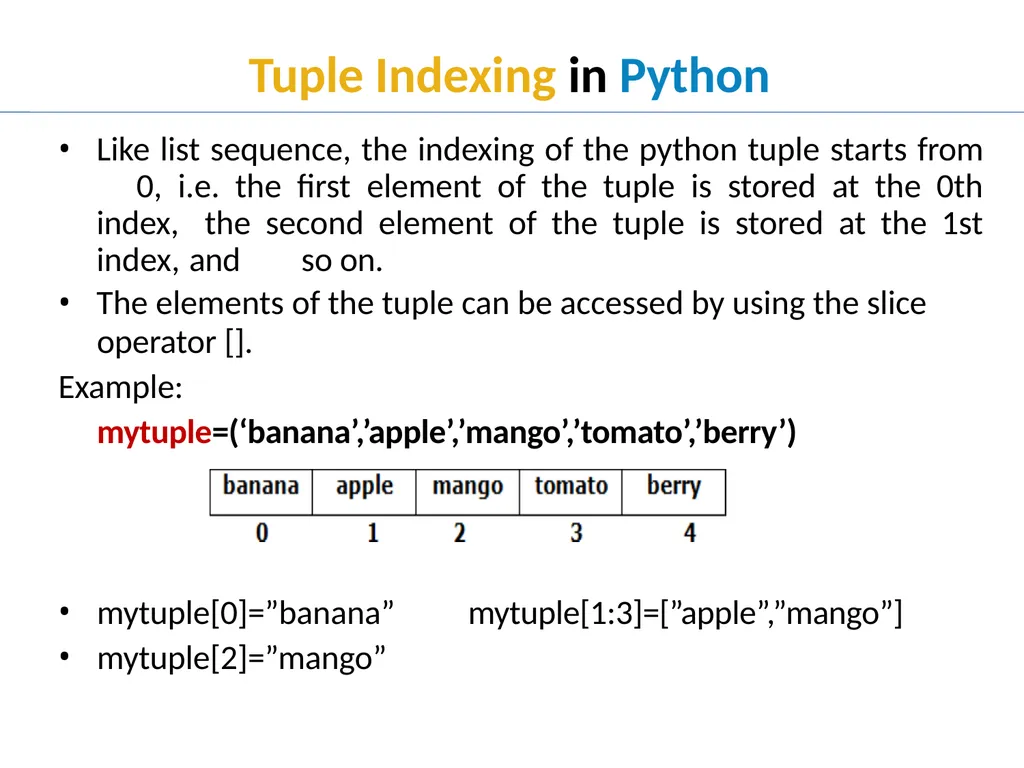
Tuple Indexing in Python Like list sequence, the indexing of the python tuple starts from 0, i.e. the first element of the tuple is stored at the 0th index, the second element of the tuple is stored at the 1st index, and so on.
The elements of the tuple can be accessed by using the slice
operator [].
Example:
mytuple=(‘banana’,’apple’,’mango’,’tomato’,’berry’) mytuple[0]=”banana”
mytuple[2]=”mango” mytuple[1:3]=[”apple”,”mango”]<br>
The elements of the tuple can be accessed by using the slice
operator [].
Example:
mytuple=(‘banana’,’apple’,’mango’,’tomato’,’berry’) mytuple[0]=”banana”
mytuple[2]=”mango” mytuple[1:3]=[”apple”,”mango”]<br>
06
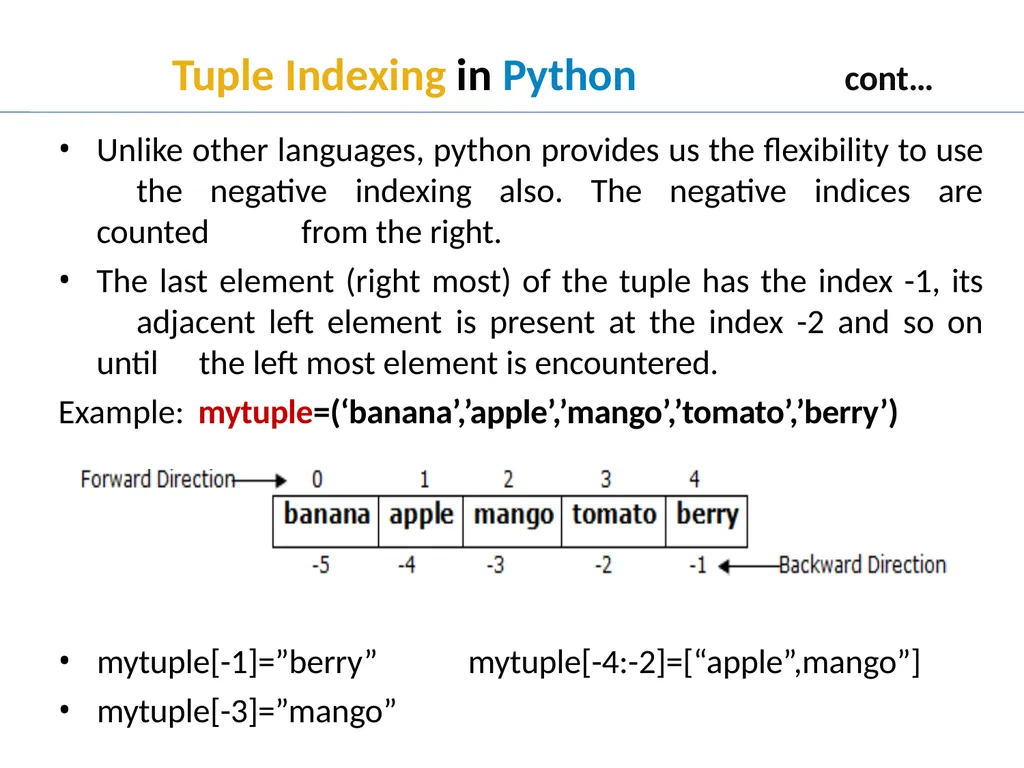
Tuple Indexing in Python cont… Unlike other languages, python provides us the flexibility to use the negative indexing also. The negative indices are counted from the right.
The last element (right most) of the tuple has the index -1, its adjacent left element is present at the index -2 and so on until the left most element is encountered.
Example: mytuple=(‘banana’,’apple’,’mango’,’tomato’,’berry’) mytuple[-1]=”berry”
mytuple[-3]=”mango” mytuple[-4:-2]=[“apple”,mango”]<br>
The last element (right most) of the tuple has the index -1, its adjacent left element is present at the index -2 and so on until the left most element is encountered.
Example: mytuple=(‘banana’,’apple’,’mango’,’tomato’,’berry’) mytuple[-1]=”berry”
mytuple[-3]=”mango” mytuple[-4:-2]=[“apple”,mango”]<br>
07
Tuple Operators<br>
08
Tuple Operators in Python<br>
09
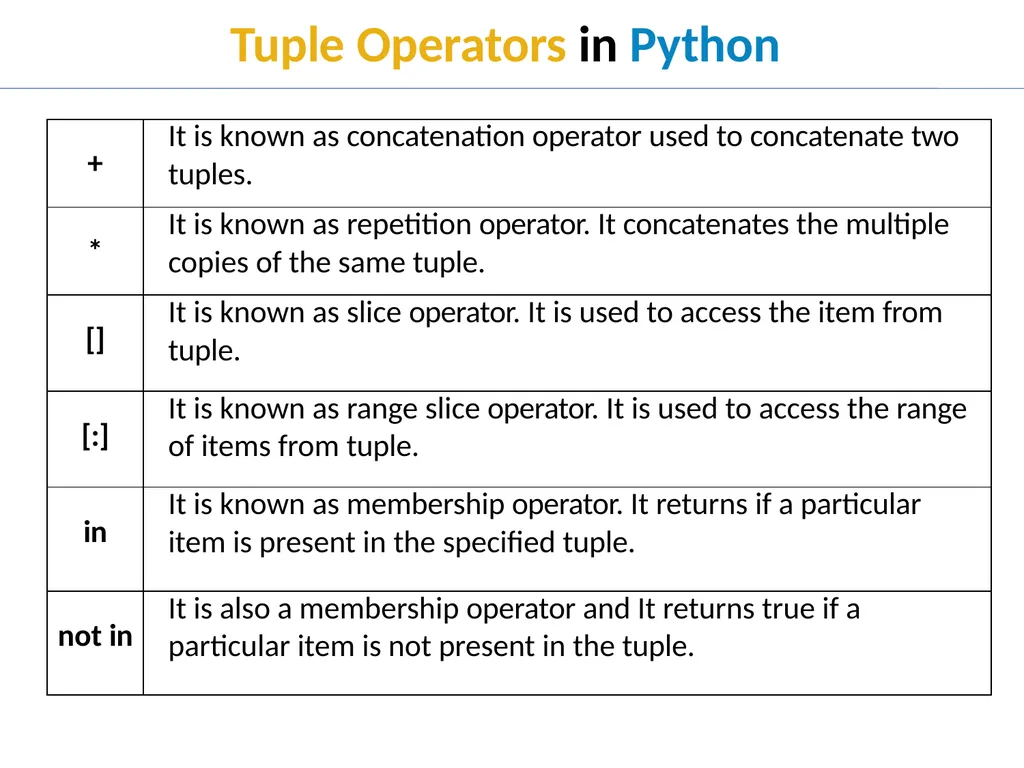
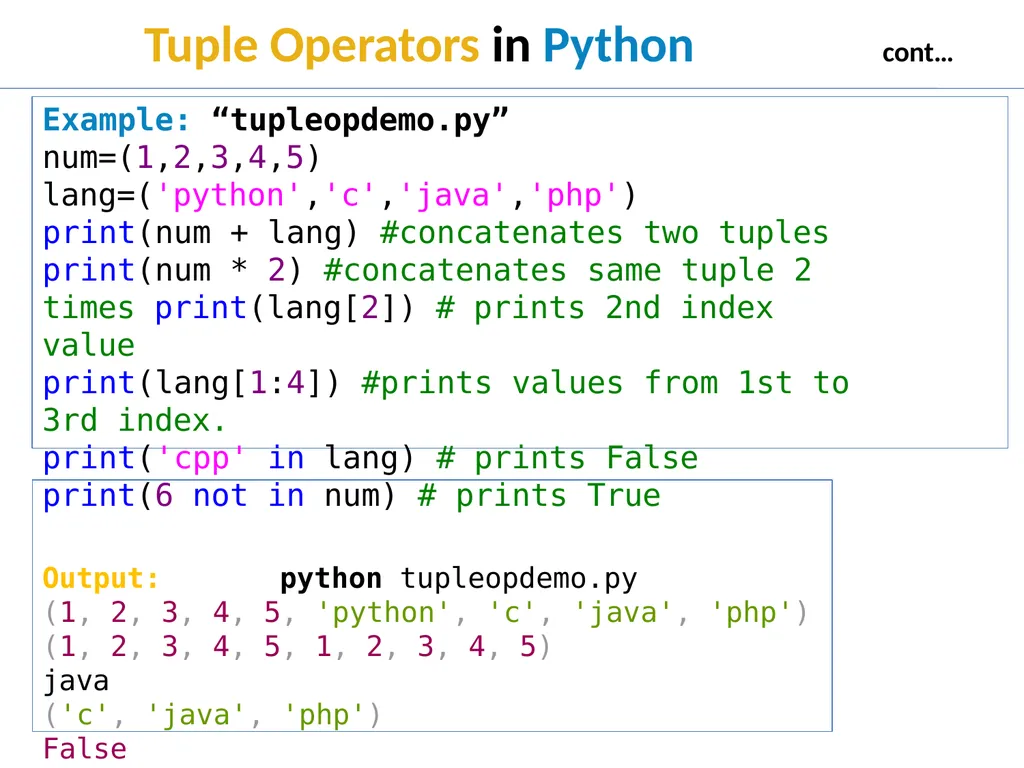
Tuple Operators in Python cont… Example: “tupleopdemo.py”
num=(1,2,3,4,5)
lang=('python','c','java','php')
print(num + lang) #concatenates two tuples print(num * 2) #concatenates same tuple 2 times print(lang[2]) # prints 2nd index value
print(lang[1:4]) #prints values from 1st to 3rd index.
print('cpp' in lang) # prints False
print(6 not in num) # prints True
Output: python tupleopdemo.py
(1, 2, 3, 4, 5, 'python', 'c', 'java', 'php')
(1, 2, 3, 4, 5, 1, 2, 3, 4, 5)
java
('c', 'java', 'php')
False
True<br>
num=(1,2,3,4,5)
lang=('python','c','java','php')
print(num + lang) #concatenates two tuples print(num * 2) #concatenates same tuple 2 times print(lang[2]) # prints 2nd index value
print(lang[1:4]) #prints values from 1st to 3rd index.
print('cpp' in lang) # prints False
print(6 not in num) # prints True
Output: python tupleopdemo.py
(1, 2, 3, 4, 5, 'python', 'c', 'java', 'php')
(1, 2, 3, 4, 5, 1, 2, 3, 4, 5)
java
('c', 'java', 'php')
False
True<br>
10
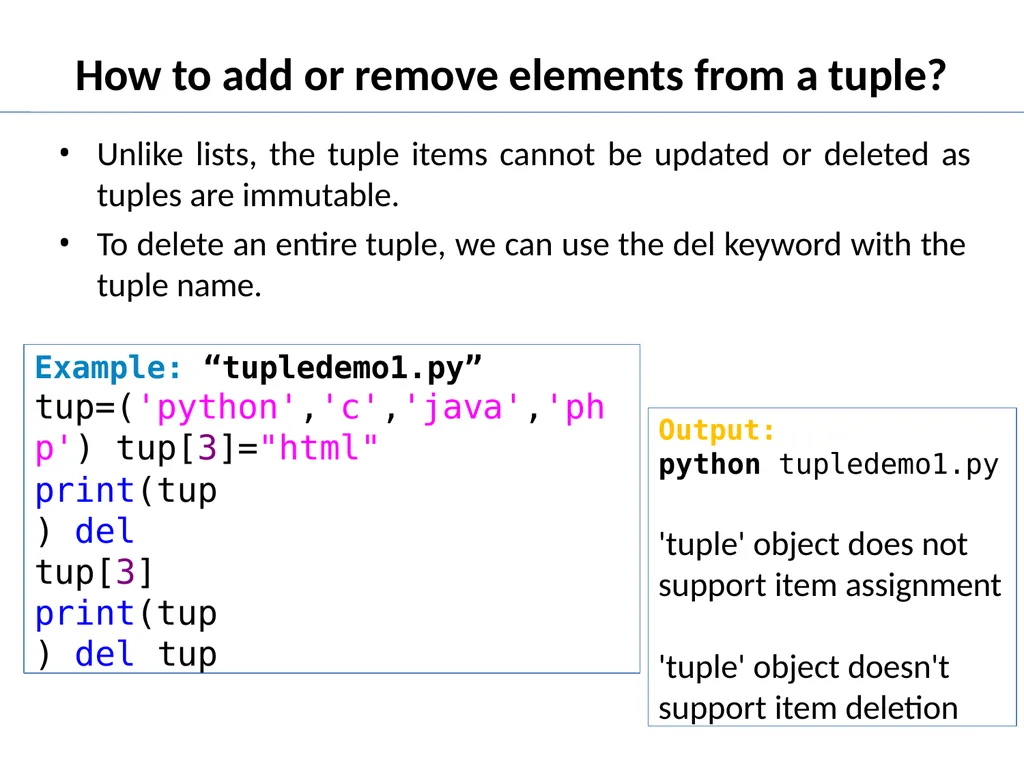
How to add or remove elements from a tuple? Unlike lists, the tuple items cannot be updated or deleted as
tuples are immutable.
To delete an entire tuple, we can use the del keyword with the
tuple name. Example: “tupledemo1.py” tup=('python','c','java','php') tup[3]="html"
print(tup) del tup[3]
print(tup) del tup Output:
python tupledemo1.py
'tuple' object does not support item assignment
'tuple' object doesn't
support item deletion<br>
tuples are immutable.
To delete an entire tuple, we can use the del keyword with the
tuple name. Example: “tupledemo1.py” tup=('python','c','java','php') tup[3]="html"
print(tup) del tup[3]
print(tup) del tup Output:
python tupledemo1.py
'tuple' object does not support item assignment
'tuple' object doesn't
support item deletion<br>
11
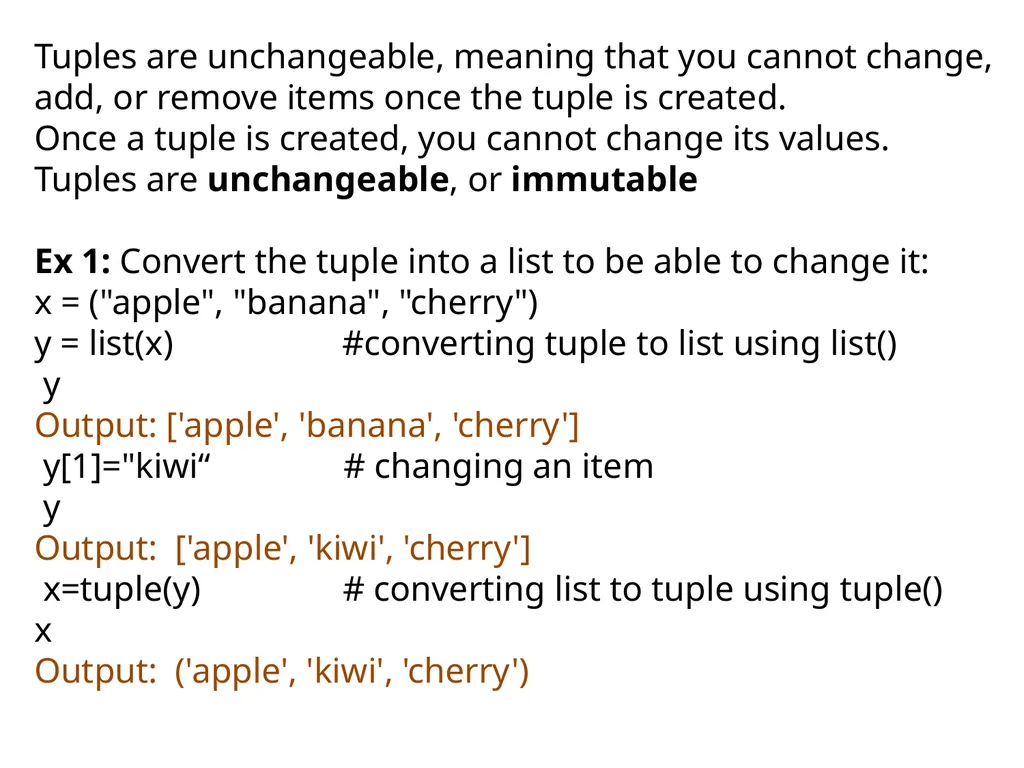
Tuples are unchangeable, meaning that you cannot change, add, or remove items once the tuple is created.
Once a tuple is created, you cannot change its values. Tuples are unchangeable, or immutable
Ex 1: Convert the tuple into a list to be able to change it:
x = ("apple", "banana", "cherry")
y = list(x) #converting tuple to list using list()
y
Output: ['apple', 'banana', 'cherry']
y[1]="kiwi“ # changing an item
y
Output: ['apple', 'kiwi', 'cherry']
x=tuple(y) # converting list to tuple using tuple()
x
Output: ('apple', 'kiwi', 'cherry')<br>
Once a tuple is created, you cannot change its values. Tuples are unchangeable, or immutable
Ex 1: Convert the tuple into a list to be able to change it:
x = ("apple", "banana", "cherry")
y = list(x) #converting tuple to list using list()
y
Output: ['apple', 'banana', 'cherry']
y[1]="kiwi“ # changing an item
y
Output: ['apple', 'kiwi', 'cherry']
x=tuple(y) # converting list to tuple using tuple()
x
Output: ('apple', 'kiwi', 'cherry')<br>
12
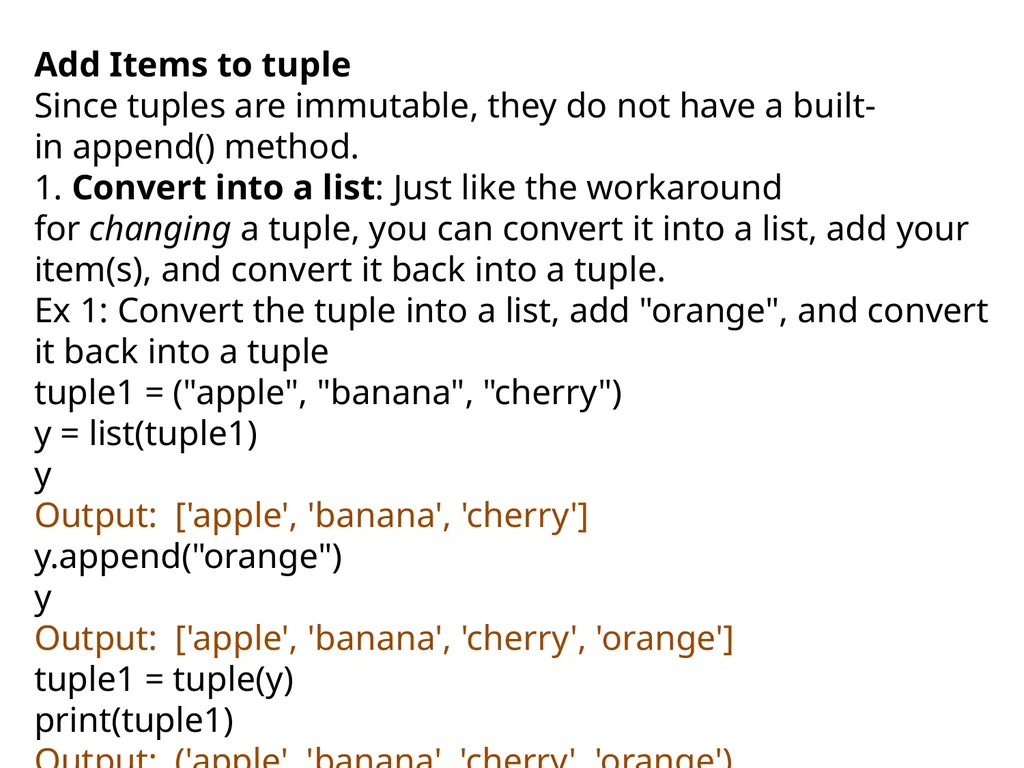
Add Items to tuple
Since tuples are immutable, they do not have a built-in append() method.
1. Convert into a list: Just like the workaround for changing a tuple, you can convert it into a list, add your item(s), and convert it back into a tuple.
Ex 1: Convert the tuple into a list, add "orange", and convert it back into a tuple
tuple1 = ("apple", "banana", "cherry")
y = list(tuple1)
y
Output: ['apple', 'banana', 'cherry']
y.append("orange")
y
Output: ['apple', 'banana', 'cherry', 'orange']
tuple1 = tuple(y)
print(tuple1)
Output: ('apple', 'banana', 'cherry', 'orange')<br>
Since tuples are immutable, they do not have a built-in append() method.
1. Convert into a list: Just like the workaround for changing a tuple, you can convert it into a list, add your item(s), and convert it back into a tuple.
Ex 1: Convert the tuple into a list, add "orange", and convert it back into a tuple
tuple1 = ("apple", "banana", "cherry")
y = list(tuple1)
y
Output: ['apple', 'banana', 'cherry']
y.append("orange")
y
Output: ['apple', 'banana', 'cherry', 'orange']
tuple1 = tuple(y)
print(tuple1)
Output: ('apple', 'banana', 'cherry', 'orange')<br>
13
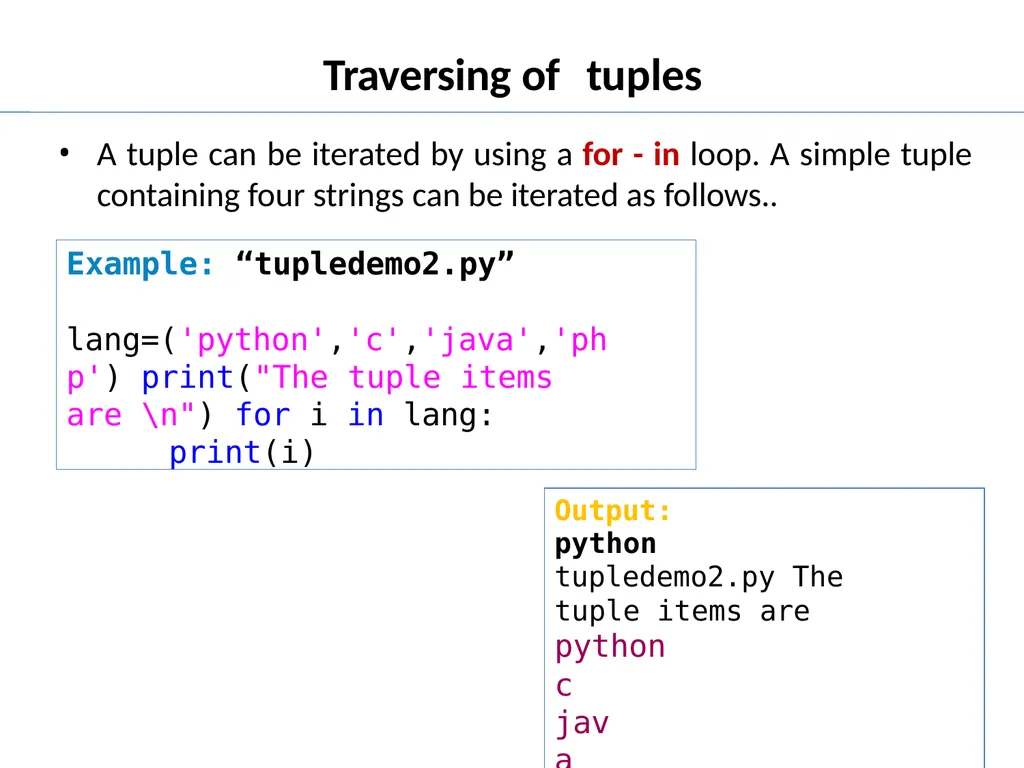
Traversing of tuples A tuple can be iterated by using a for - in loop. A simple tuple
containing four strings can be iterated as follows.. Example: “tupledemo2.py”
lang=('python','c','java','php') print("The tuple items are \n") for i in lang:
print(i) Output:
python tupledemo2.py The tuple items are python
c java php<br>
containing four strings can be iterated as follows.. Example: “tupledemo2.py”
lang=('python','c','java','php') print("The tuple items are \n") for i in lang:
print(i) Output:
python tupledemo2.py The tuple items are python
c java php<br>
14
Built in functions used on tuples<br>
15
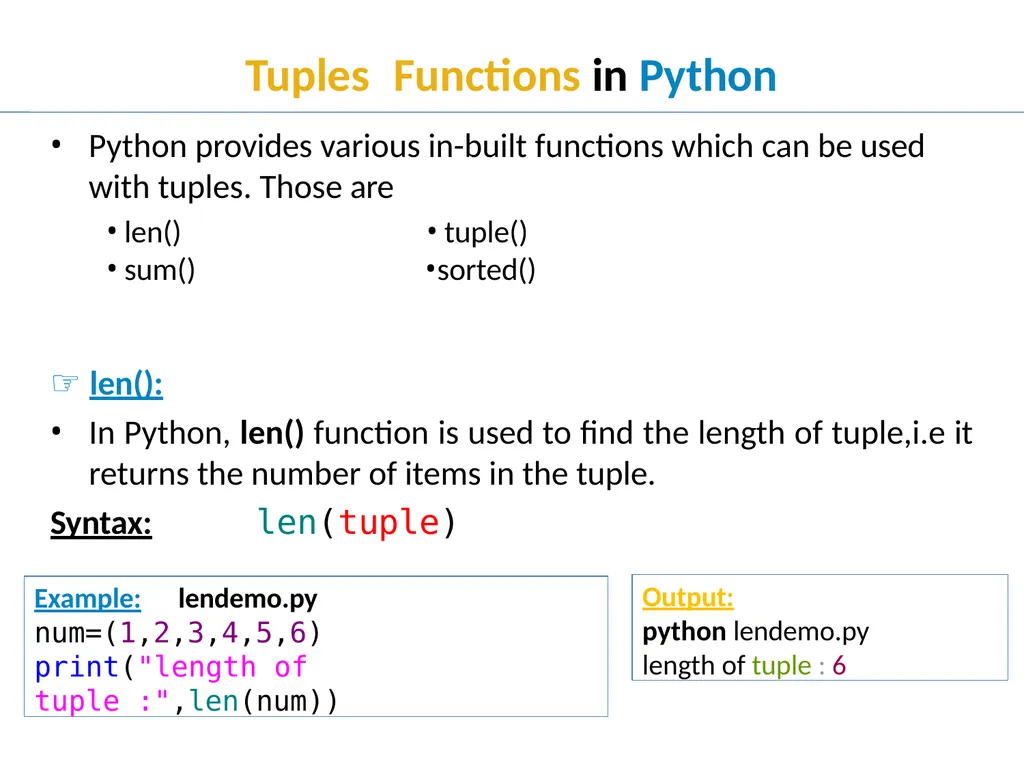
Tuples Functions in Python Python provides various in-built functions which can be used with tuples. Those are ☞ len():
In Python, len() function is used to find the length of tuple,i.e it returns the number of items in the tuple.
Syntax: len(tuple) len()
sum() Example: lendemo.py
num=(1,2,3,4,5,6)
print("length of tuple :",len(num)) Output:
python lendemo.py
length of tuple : 6 tuple()
sorted()<br>
In Python, len() function is used to find the length of tuple,i.e it returns the number of items in the tuple.
Syntax: len(tuple) len()
sum() Example: lendemo.py
num=(1,2,3,4,5,6)
print("length of tuple :",len(num)) Output:
python lendemo.py
length of tuple : 6 tuple()
sorted()<br>
16
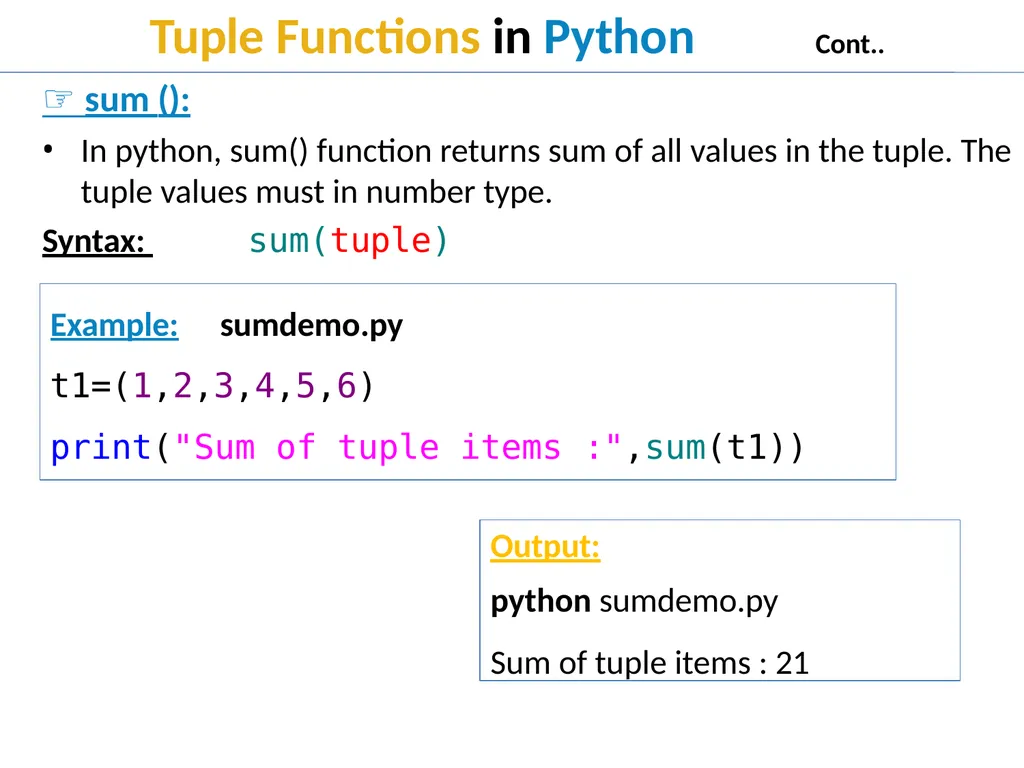
Tuple Functions in Python Cont.. ☞ sum ():
In python, sum() function returns sum of all values in the tuple. The tuple values must in number type.
Syntax: sum(tuple)
Example: sumdemo.py
t1=(1,2,3,4,5,6)
print("Sum of tuple items :",sum(t1)) Output:
python sumdemo.py
Sum of tuple items : 21<br>
In python, sum() function returns sum of all values in the tuple. The tuple values must in number type.
Syntax: sum(tuple)
Example: sumdemo.py
t1=(1,2,3,4,5,6)
print("Sum of tuple items :",sum(t1)) Output:
python sumdemo.py
Sum of tuple items : 21<br>
17
Tuple Functions in Python Cont.. ☞ sorted ():
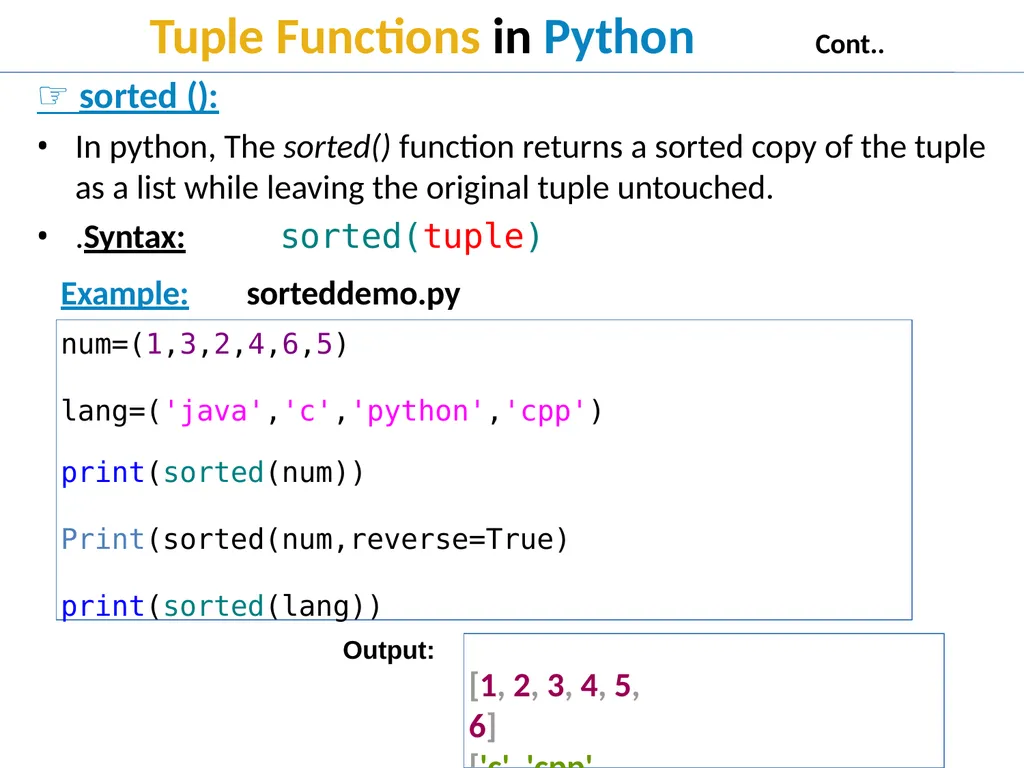
In python, The sorted() function returns a sorted copy of the tuple as a list while leaving the original tuple untouched.
.Syntax: sorted(tuple)
Example: sorteddemo.py
num=(1,3,2,4,6,5)
lang=('java','c','python','cpp') print(sorted(num))
Print(sorted(num,reverse=True)
print(sorted(lang))
[1, 2, 3, 4, 5, 6]
['c', 'cpp', 'java', 'python‘] Output:<br>
In python, The sorted() function returns a sorted copy of the tuple as a list while leaving the original tuple untouched.
.Syntax: sorted(tuple)
Example: sorteddemo.py
num=(1,3,2,4,6,5)
lang=('java','c','python','cpp') print(sorted(num))
Print(sorted(num,reverse=True)
print(sorted(lang))
[1, 2, 3, 4, 5, 6]
['c', 'cpp', 'java', 'python‘] Output:<br>
18
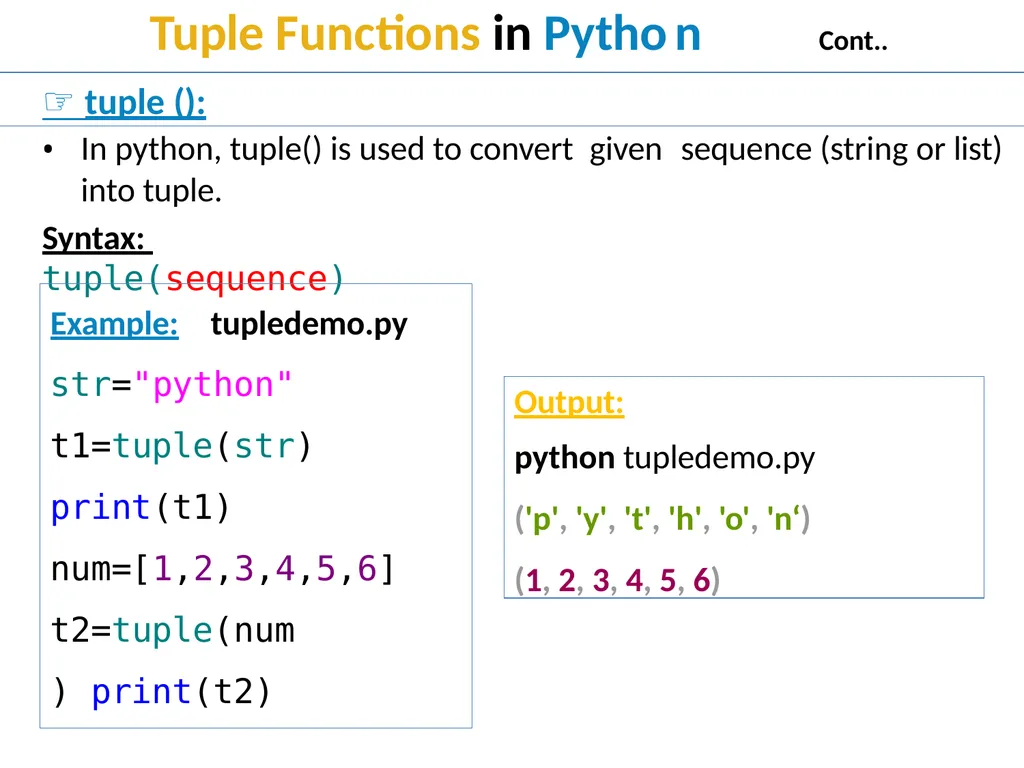
Example: tupledemo.py str="python" t1=tuple(str) print(t1) num=[1,2,3,4,5,6]
t2=tuple(num) print(t2) Output:
python tupledemo.py
('p', 'y', 't', 'h', 'o', 'n‘) (1, 2, 3, 4, 5, 6)<br>
t2=tuple(num) print(t2) Output:
python tupledemo.py
('p', 'y', 't', 'h', 'o', 'n‘) (1, 2, 3, 4, 5, 6)<br>
19
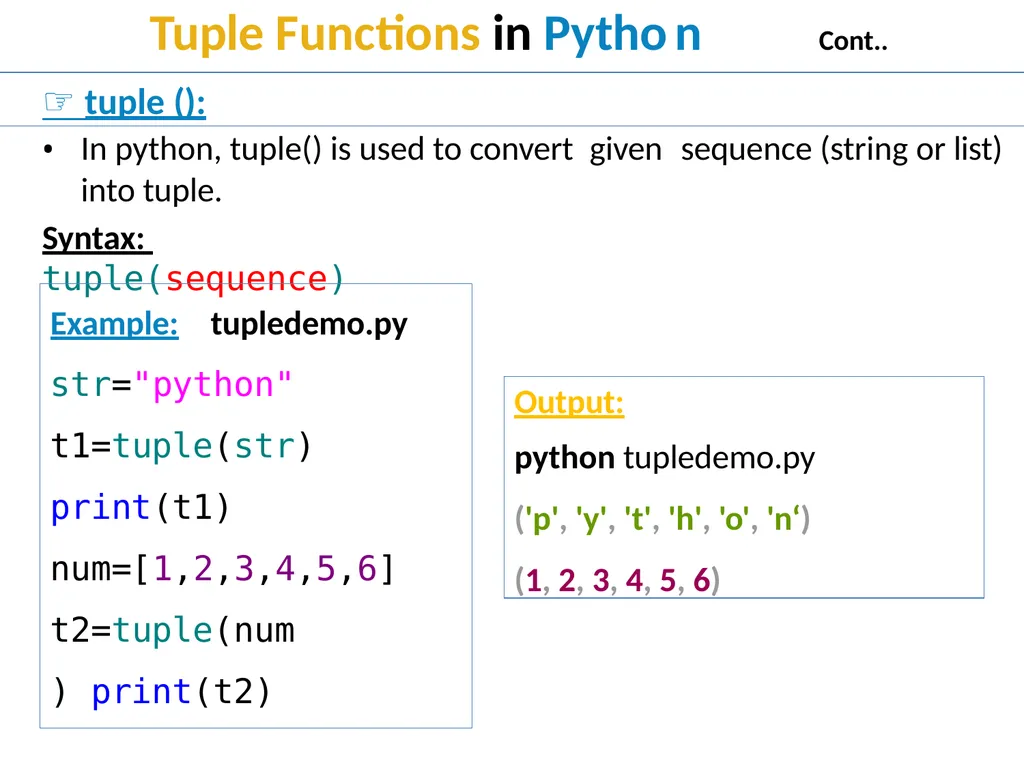
Example: tupledemo.py str="python" t1=tuple(str) print(t1) num=[1,2,3,4,5,6]
t2=tuple(num) print(t2) Output:
python tupledemo.py
('p', 'y', 't', 'h', 'o', 'n‘) (1, 2, 3, 4, 5, 6)<br>
t2=tuple(num) print(t2) Output:
python tupledemo.py
('p', 'y', 't', 'h', 'o', 'n‘) (1, 2, 3, 4, 5, 6)<br>
20
Tuple Methods in Python Cont.. ☞ count():
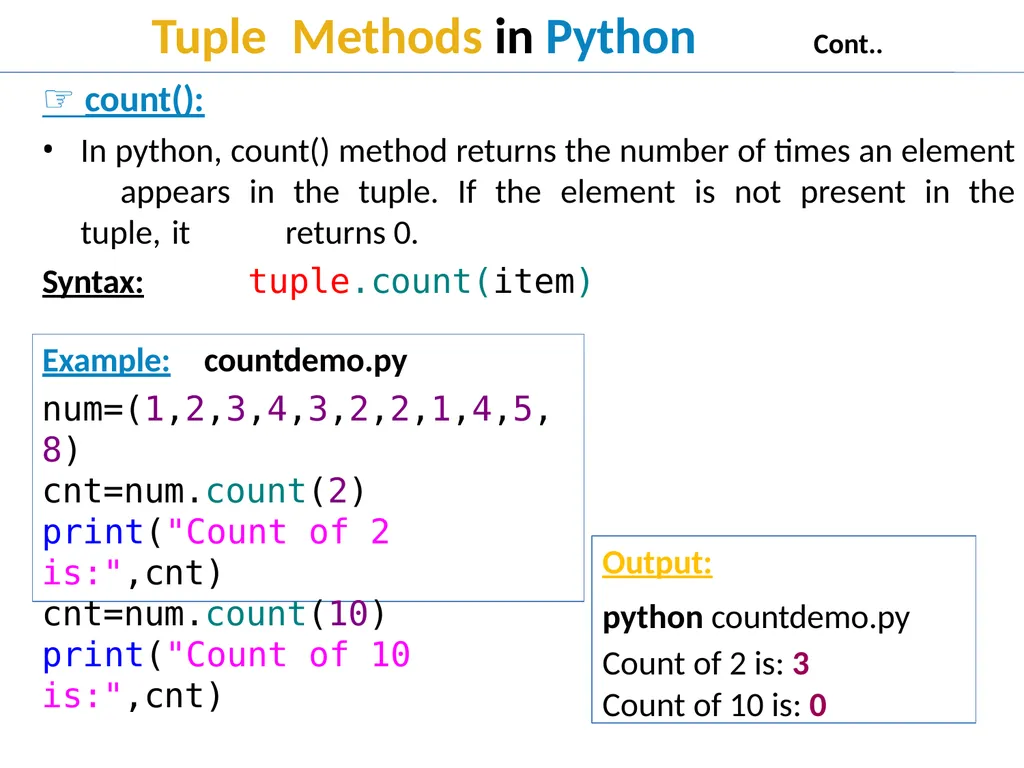
In python, count() method returns the number of times an element appears in the tuple. If the element is not present in the tuple, it returns 0.
Syntax: tuple.count(item)
Example: countdemo.py num=(1,2,3,4,3,2,2,1,4,5,8)
cnt=num.count(2) print("Count of 2 is:",cnt) cnt=num.count(10) print("Count of 10 is:",cnt) Output:
python countdemo.py Count of 2 is: 3
Count of 10 is: 0<br>
In python, count() method returns the number of times an element appears in the tuple. If the element is not present in the tuple, it returns 0.
Syntax: tuple.count(item)
Example: countdemo.py num=(1,2,3,4,3,2,2,1,4,5,8)
cnt=num.count(2) print("Count of 2 is:",cnt) cnt=num.count(10) print("Count of 10 is:",cnt) Output:
python countdemo.py Count of 2 is: 3
Count of 10 is: 0<br>
21
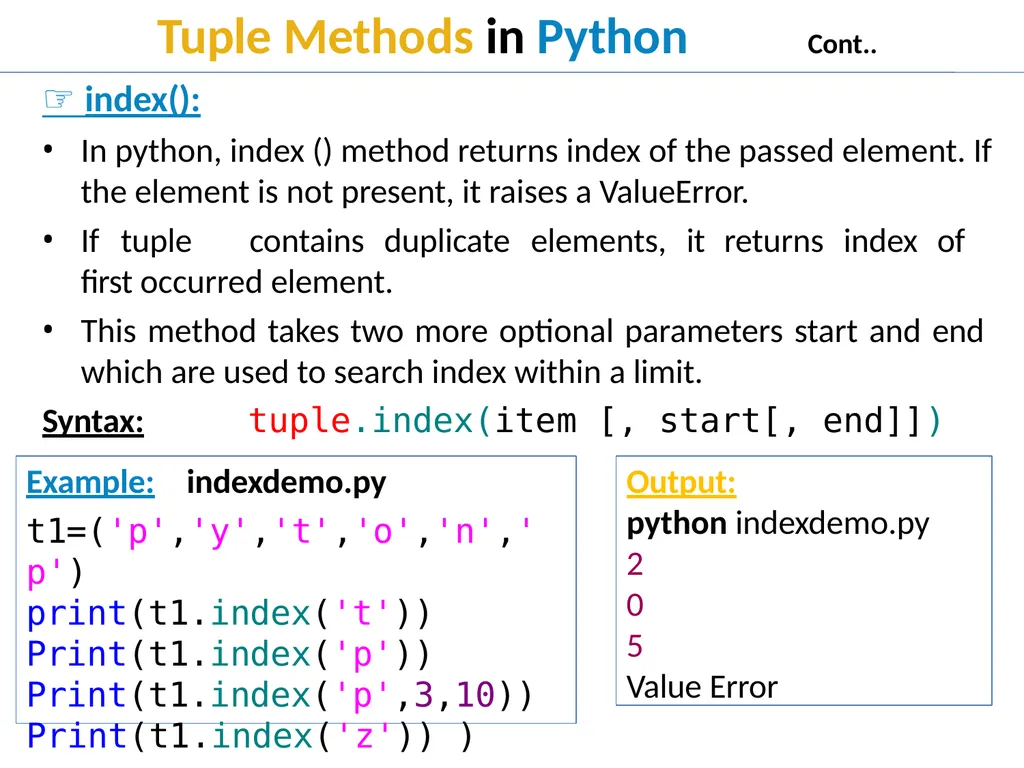
Tuple Methods in Python Cont.. ☞ index():
In python, index () method returns index of the passed element. If the element is not present, it raises a ValueError.
If tuple contains duplicate elements, it returns index of first occurred element.
This method takes two more optional parameters start and end which are used to search index within a limit.
Syntax: tuple.index(item [, start[, end]]) Example: indexdemo.py
t1=('p','y','t','o','n','p')
print(t1.index('t'))
Print(t1.index('p'))
Print(t1.index('p',3,10))
Print(t1.index('z')) ) Output:
python indexdemo.py 2
0
5
Value Error<br>
In python, index () method returns index of the passed element. If the element is not present, it raises a ValueError.
If tuple contains duplicate elements, it returns index of first occurred element.
This method takes two more optional parameters start and end which are used to search index within a limit.
Syntax: tuple.index(item [, start[, end]]) Example: indexdemo.py
t1=('p','y','t','o','n','p')
print(t1.index('t'))
Print(t1.index('p'))
Print(t1.index('p',3,10))
Print(t1.index('z')) ) Output:
python indexdemo.py 2
0
5
Value Error<br>
22
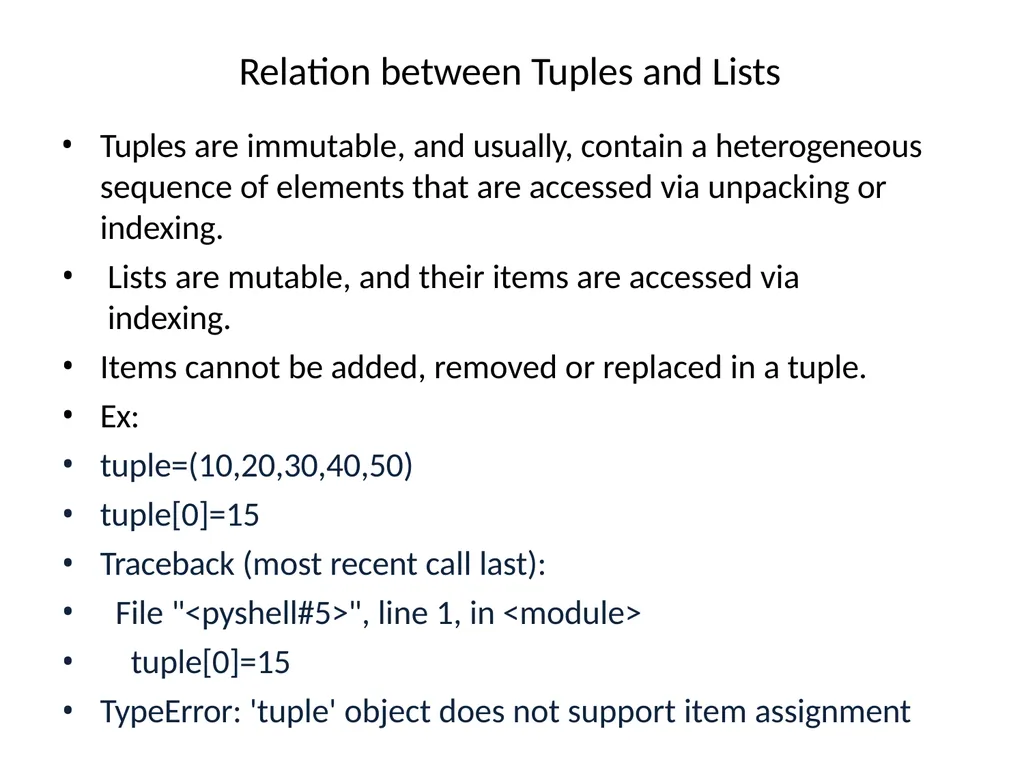
Relation between Tuples and Lists Tuples are immutable, and usually, contain a heterogeneous sequence of elements that are accessed via unpacking or indexing.
Lists are mutable, and their items are accessed via indexing.
Items cannot be added, removed or replaced in a tuple.
Ex:
tuple=(10,20,30,40,50)
tuple[0]=15
Traceback (most recent call last):
File "<pyshell#5>", line 1, in <module>
tuple[0]=15
TypeError: 'tuple' object does not support item assignment<br>
Lists are mutable, and their items are accessed via indexing.
Items cannot be added, removed or replaced in a tuple.
Ex:
tuple=(10,20,30,40,50)
tuple[0]=15
Traceback (most recent call last):
File "<pyshell#5>", line 1, in <module>
tuple[0]=15
TypeError: 'tuple' object does not support item assignment<br>
23
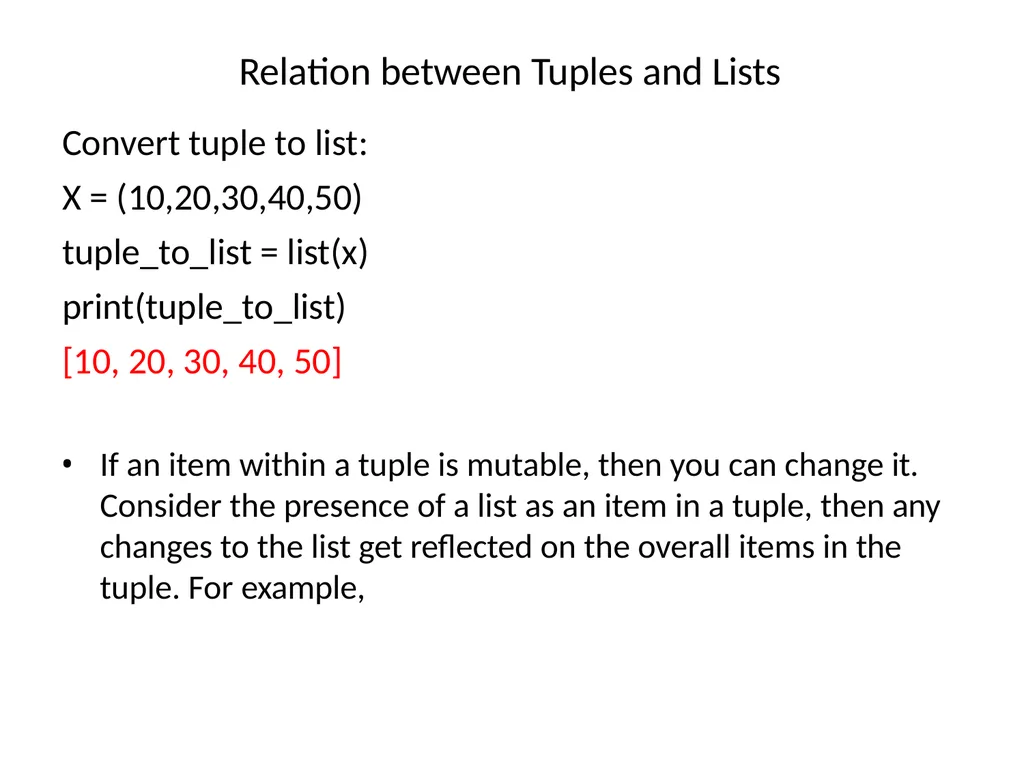
Relation between Tuples and Lists Convert tuple to list:
X = (10,20,30,40,50)
tuple_to_list = list(x)
print(tuple_to_list)
[10, 20, 30, 40, 50] If an item within a tuple is mutable, then you can change it. Consider the presence of a list as an item in a tuple, then any changes to the list get reflected on the overall items in the tuple. For example,<br>
X = (10,20,30,40,50)
tuple_to_list = list(x)
print(tuple_to_list)
[10, 20, 30, 40, 50] If an item within a tuple is mutable, then you can change it. Consider the presence of a list as an item in a tuple, then any changes to the list get reflected on the overall items in the tuple. For example,<br>
24
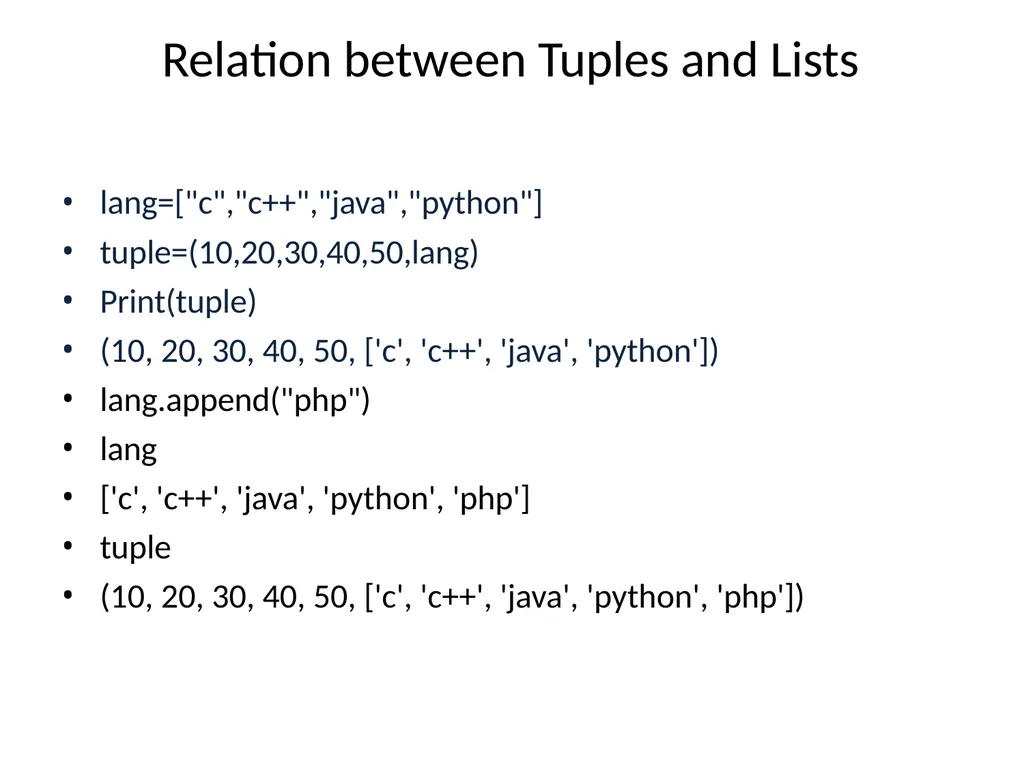
Relation between Tuples and Lists lang=["c","c++","java","python"]
tuple=(10,20,30,40,50,lang)
Print(tuple)
(10, 20, 30, 40, 50, ['c', 'c++', 'java', 'python'])
lang.append("php")
lang
['c', 'c++', 'java', 'python', 'php']
tuple
(10, 20, 30, 40, 50, ['c', 'c++', 'java', 'python', 'php'])<br>
tuple=(10,20,30,40,50,lang)
Print(tuple)
(10, 20, 30, 40, 50, ['c', 'c++', 'java', 'python'])
lang.append("php")
lang
['c', 'c++', 'java', 'python', 'php']
tuple
(10, 20, 30, 40, 50, ['c', 'c++', 'java', 'python', 'php'])<br>
25
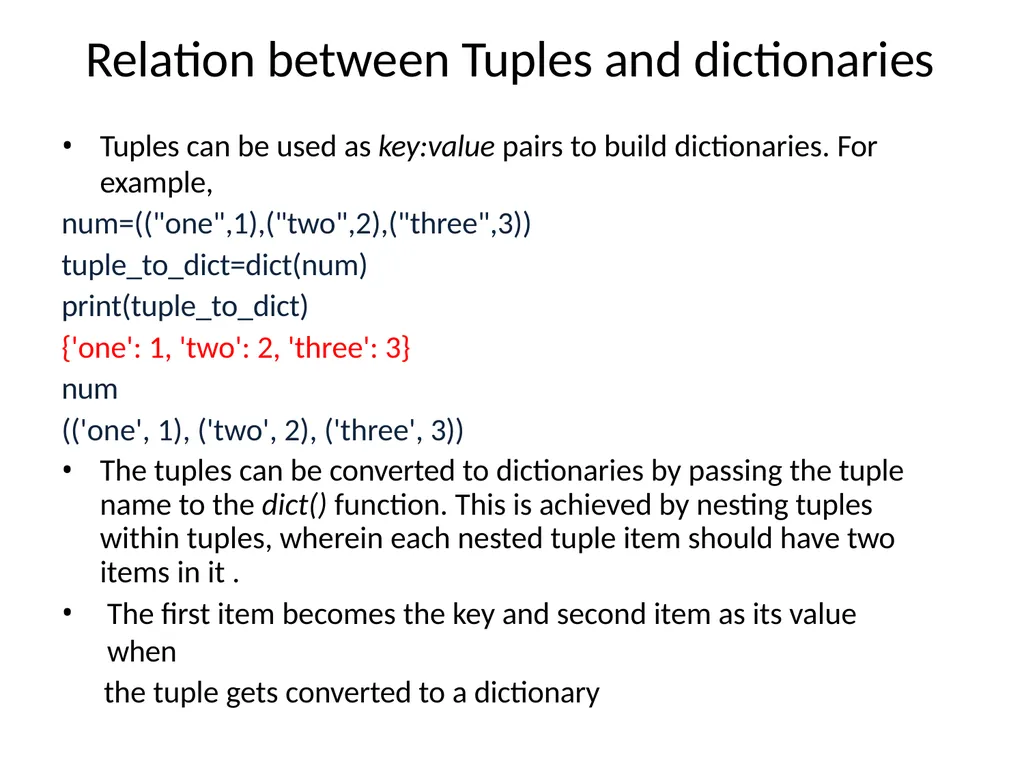
Relation between Tuples and dictionaries Tuples can be used as key:value pairs to build dictionaries. For
example,
num=(("one",1),("two",2),("three",3))
tuple_to_dict=dict(num)
print(tuple_to_dict)
{'one': 1, 'two': 2, 'three': 3}
num
(('one', 1), ('two', 2), ('three', 3))
The tuples can be converted to dictionaries by passing the tuple name to the dict() function. This is achieved by nesting tuples within tuples, wherein each nested tuple item should have two items in it .
The first item becomes the key and second item as its value when
the tuple gets converted to a dictionary<br>
example,
num=(("one",1),("two",2),("three",3))
tuple_to_dict=dict(num)
print(tuple_to_dict)
{'one': 1, 'two': 2, 'three': 3}
num
(('one', 1), ('two', 2), ('three', 3))
The tuples can be converted to dictionaries by passing the tuple name to the dict() function. This is achieved by nesting tuples within tuples, wherein each nested tuple item should have two items in it .
The first item becomes the key and second item as its value when
the tuple gets converted to a dictionary<br>
26
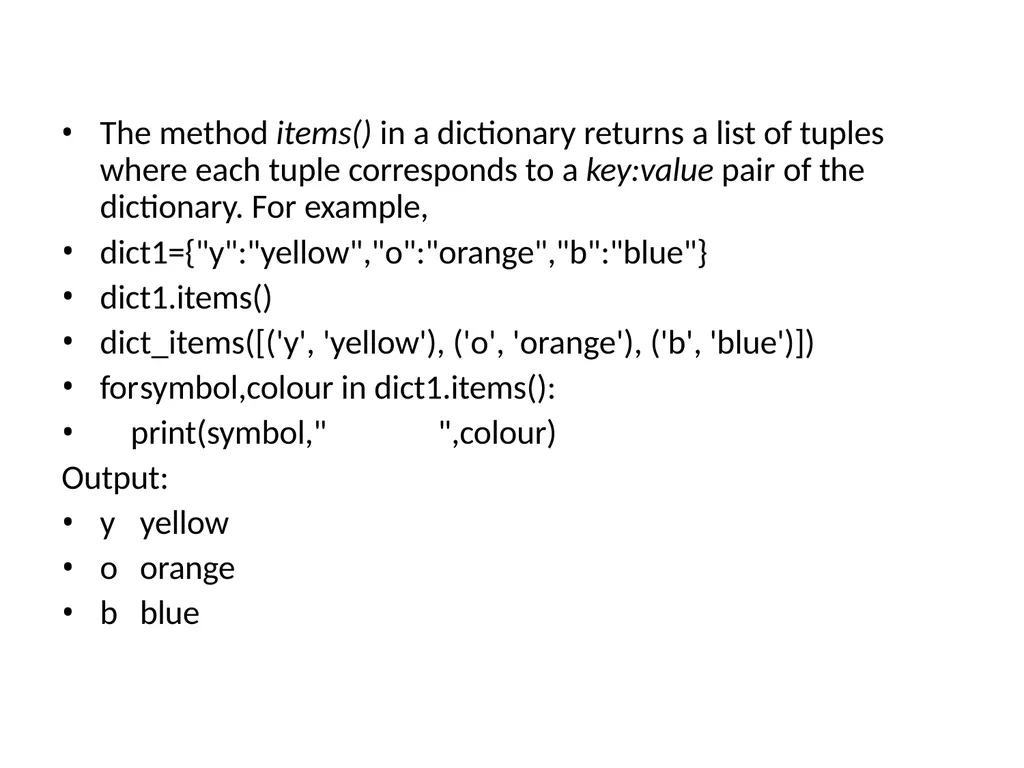
The method items() in a dictionary returns a list of tuples where each tuple corresponds to a key:value pair of the dictionary. For example,
dict1={"y":"yellow","o":"orange","b":"blue"}
dict1.items()
dict_items([('y', 'yellow'), ('o', 'orange'), ('b', 'blue')])
for symbol,colour in dict1.items():
print(symbol," ",colour)
Output:
y yellow
o orange
b blue<br>
dict1={"y":"yellow","o":"orange","b":"blue"}
dict1.items()
dict_items([('y', 'yellow'), ('o', 'orange'), ('b', 'blue')])
for symbol,colour in dict1.items():
print(symbol," ",colour)
Output:
y yellow
o orange
b blue<br>
27
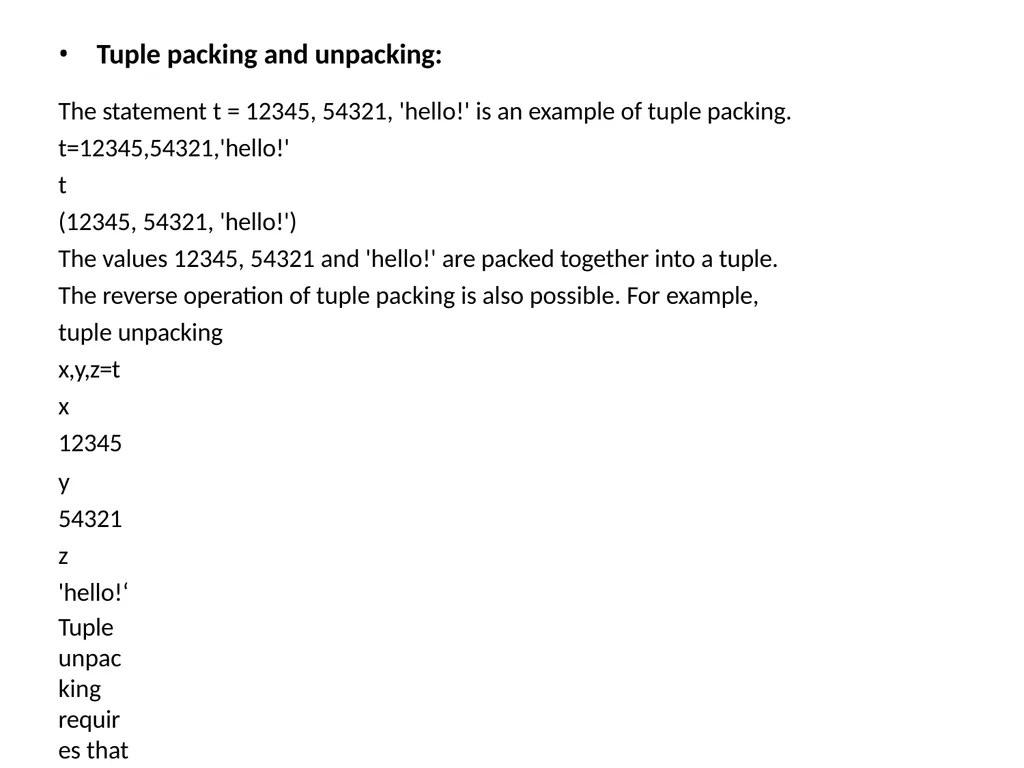
Tuple packing and unpacking:
The statement t = 12345, 54321, 'hello!' is an example of tuple packing. t=12345,54321,'hello!'
t
(12345, 54321, 'hello!')
The values 12345, 54321 and 'hello!' are packed together into a tuple.
The reverse operation of tuple packing is also possible. For example, tuple unpacking
x,y,z=t x 12345
y 54321
z 'hello!‘
Tuple unpacking requires that there are as many variables on the left side of the
equals sign as there are items in the tuple.
Note that multiple assignments are really just a combination of tuple packing and
unpacking.<br>
The statement t = 12345, 54321, 'hello!' is an example of tuple packing. t=12345,54321,'hello!'
t
(12345, 54321, 'hello!')
The values 12345, 54321 and 'hello!' are packed together into a tuple.
The reverse operation of tuple packing is also possible. For example, tuple unpacking
x,y,z=t x 12345
y 54321
z 'hello!‘
Tuple unpacking requires that there are as many variables on the left side of the
equals sign as there are items in the tuple.
Note that multiple assignments are really just a combination of tuple packing and
unpacking.<br>
28
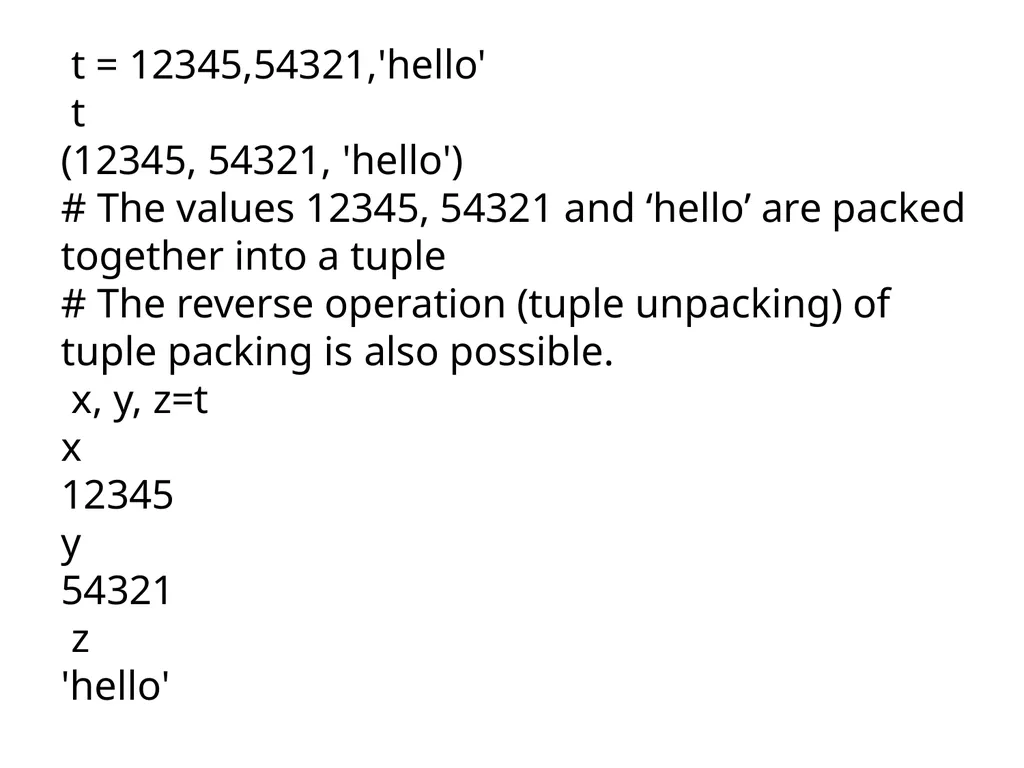
t = 12345,54321,'hello'
t
(12345, 54321, 'hello')
# The values 12345, 54321 and ‘hello’ are packed together into a tuple
# The reverse operation (tuple unpacking) of tuple packing is also possible.
x, y, z=t
x
12345
y
54321
z
'hello'<br>
t
(12345, 54321, 'hello')
# The values 12345, 54321 and ‘hello’ are packed together into a tuple
# The reverse operation (tuple unpacking) of tuple packing is also possible.
x, y, z=t
x
12345
y
54321
z
'hello'<br>
29
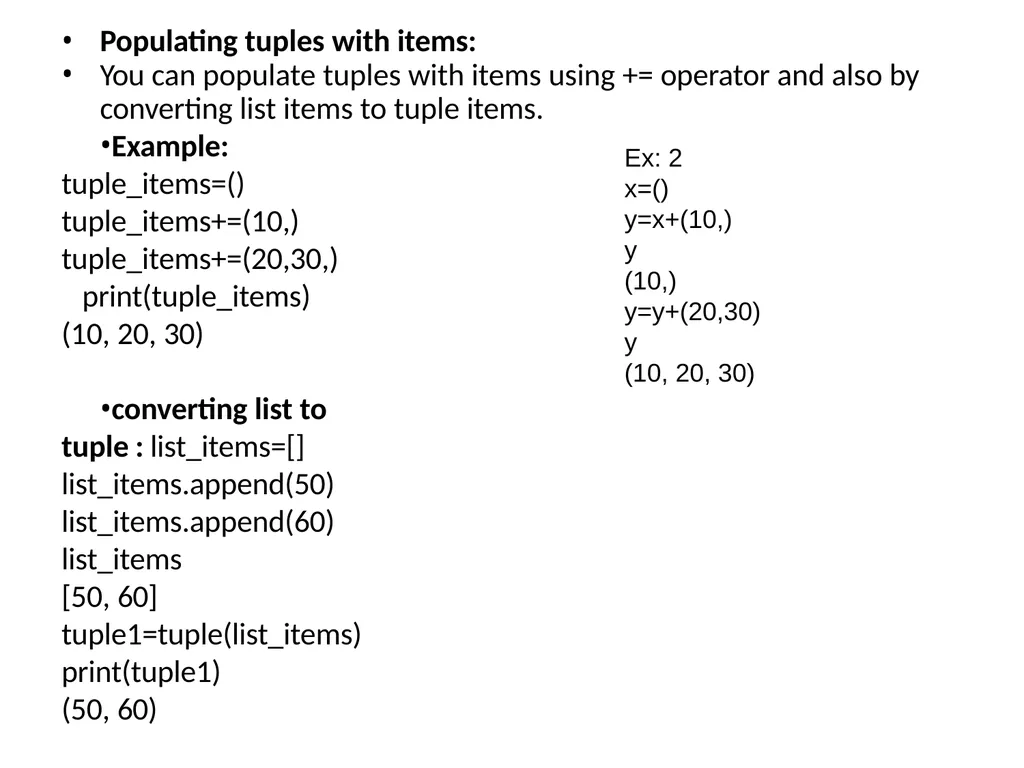
Populating tuples with items:
You can populate tuples with items using += operator and also by
converting list items to tuple items.
Example: tuple_items=() tuple_items+=(10,) tuple_items+=(20,30,) print(tuple_items) (10, 20, 30)
converting list to tuple : list_items=[] list_items.append(50) list_items.append(60) list_items
[50, 60]
tuple1=tuple(list_items)
print(tuple1)
(50, 60) Ex: 2
x=()
y=x+(10,)
y
(10,)
y=y+(20,30)
y
(10, 20, 30)<br>
You can populate tuples with items using += operator and also by
converting list items to tuple items.
Example: tuple_items=() tuple_items+=(10,) tuple_items+=(20,30,) print(tuple_items) (10, 20, 30)
converting list to tuple : list_items=[] list_items.append(50) list_items.append(60) list_items
[50, 60]
tuple1=tuple(list_items)
print(tuple1)
(50, 60) Ex: 2
x=()
y=x+(10,)
y
(10,)
y=y+(20,30)
y
(10, 20, 30)<br>
30
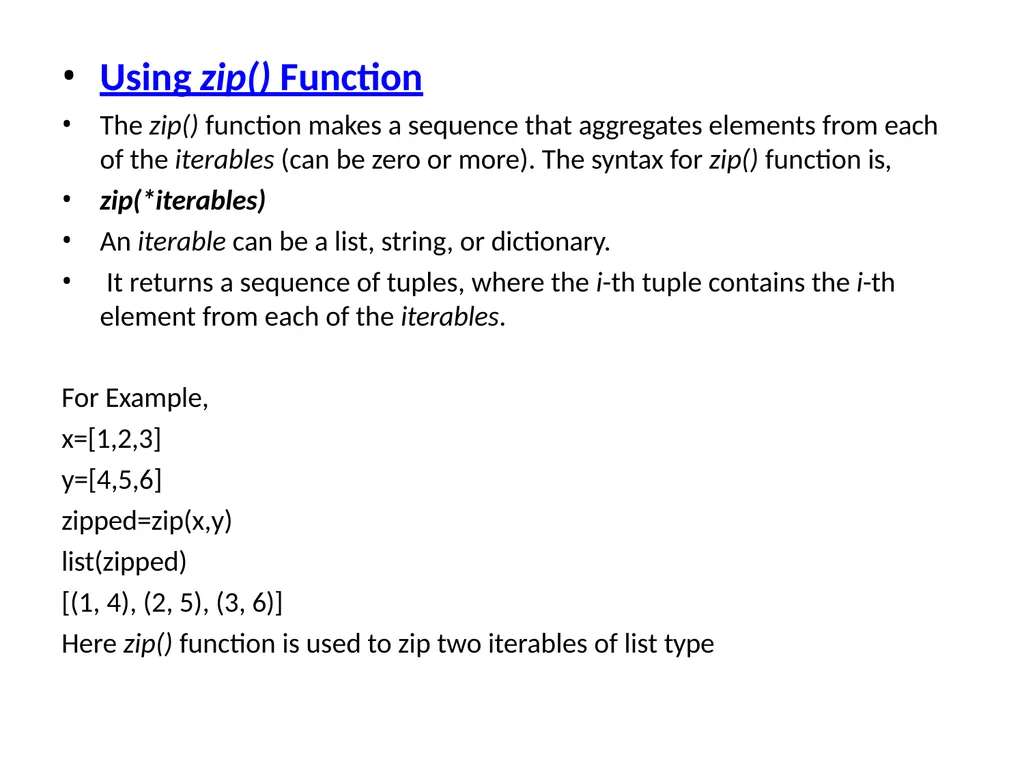
Using zip() Function
The zip() function makes a sequence that aggregates elements from each
of the iterables (can be zero or more). The syntax for zip() function is,
zip(*iterables)
An iterable can be a list, string, or dictionary.
It returns a sequence of tuples, where the i-th tuple contains the i-th
element from each of the iterables.
For Example,
x=[1,2,3]
y=[4,5,6]
zipped=zip(x,y)
list(zipped)
[(1, 4), (2, 5), (3, 6)]
Here zip() function is used to zip two iterables of list type<br>
The zip() function makes a sequence that aggregates elements from each
of the iterables (can be zero or more). The syntax for zip() function is,
zip(*iterables)
An iterable can be a list, string, or dictionary.
It returns a sequence of tuples, where the i-th tuple contains the i-th
element from each of the iterables.
For Example,
x=[1,2,3]
y=[4,5,6]
zipped=zip(x,y)
list(zipped)
[(1, 4), (2, 5), (3, 6)]
Here zip() function is used to zip two iterables of list type<br>
31
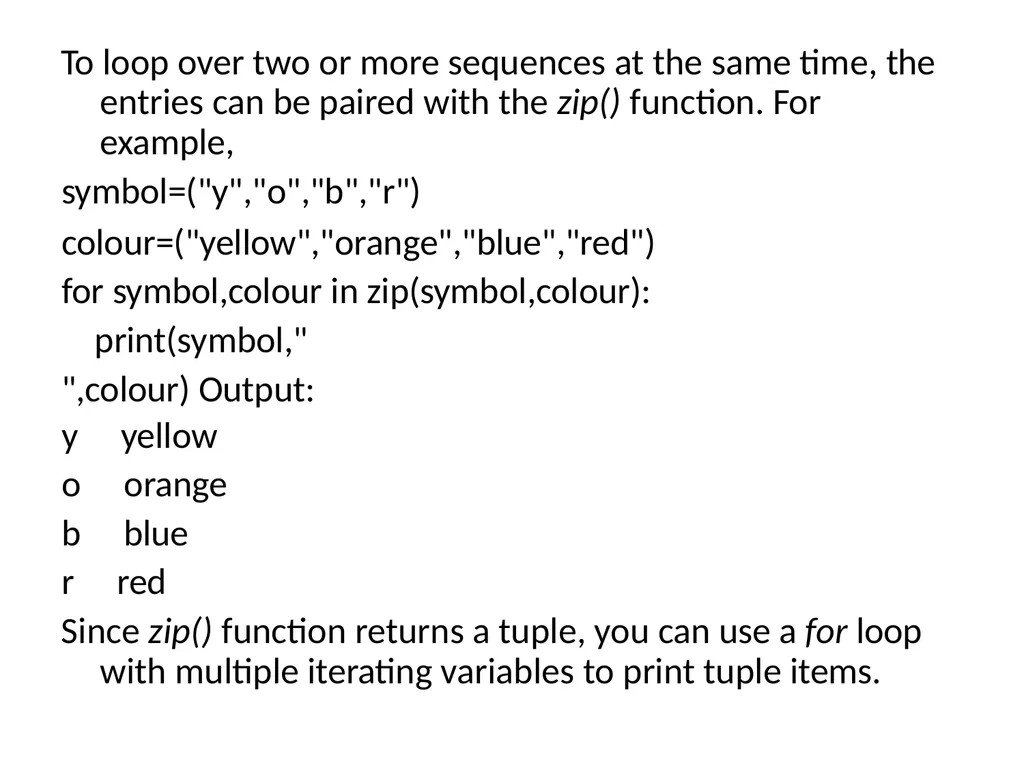
To loop over two or more sequences at the same time, the entries can be paired with the zip() function. For example,
symbol=("y","o","b","r")
colour=("yellow","orange","blue","red") for symbol,colour in zip(symbol,colour):
print(symbol," ",colour) Output:
y yellow
o orange
b blue
r red
Since zip() function returns a tuple, you can use a for loop with multiple iterating variables to print tuple items.<br>
symbol=("y","o","b","r")
colour=("yellow","orange","blue","red") for symbol,colour in zip(symbol,colour):
print(symbol," ",colour) Output:
y yellow
o orange
b blue
r red
Since zip() function returns a tuple, you can use a for loop with multiple iterating variables to print tuple items.<br>
32
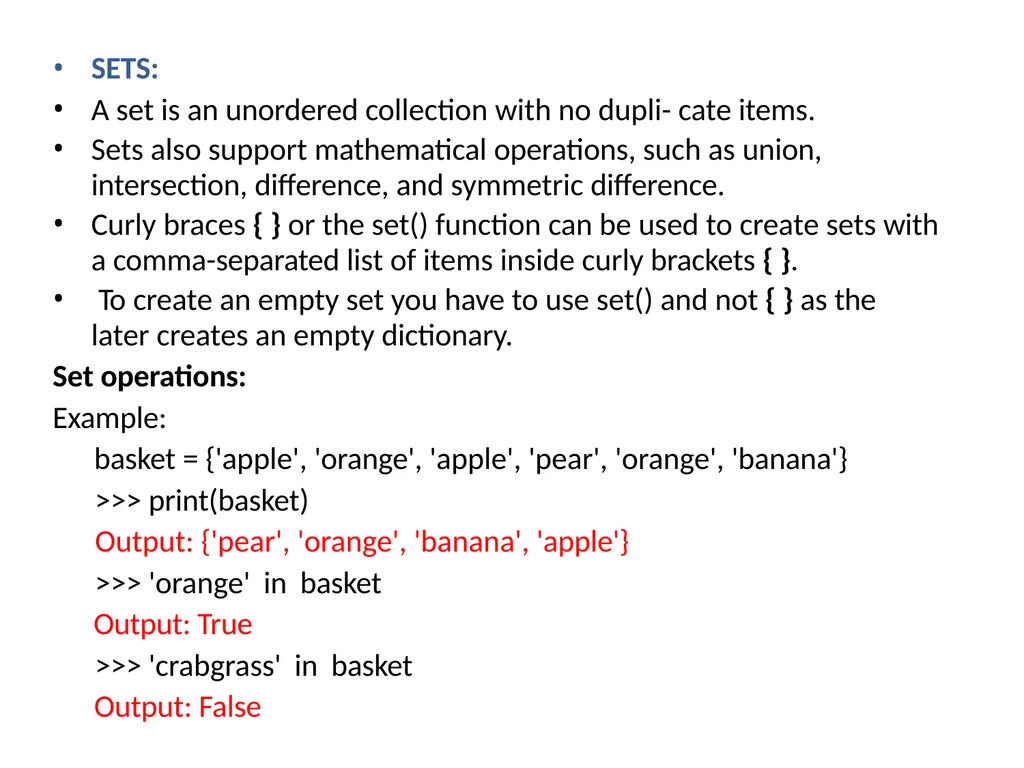
SETS:
A set is an unordered collection with no dupli- cate items.
Sets also support mathematical operations, such as union,
intersection, difference, and symmetric difference.
Curly braces { } or the set() function can be used to create sets with
a comma-separated list of items inside curly brackets { }.
To create an empty set you have to use set() and not { } as the
later creates an empty dictionary.
Set operations:
Example:
basket = {'apple', 'orange', 'apple', 'pear', 'orange', 'banana'}
>>> print(basket)
Output: {'pear', 'orange', 'banana', 'apple'}
>>> 'orange' in basket
Output: True
>>> 'crabgrass' in basket
Output: False<br>
A set is an unordered collection with no dupli- cate items.
Sets also support mathematical operations, such as union,
intersection, difference, and symmetric difference.
Curly braces { } or the set() function can be used to create sets with
a comma-separated list of items inside curly brackets { }.
To create an empty set you have to use set() and not { } as the
later creates an empty dictionary.
Set operations:
Example:
basket = {'apple', 'orange', 'apple', 'pear', 'orange', 'banana'}
>>> print(basket)
Output: {'pear', 'orange', 'banana', 'apple'}
>>> 'orange' in basket
Output: True
>>> 'crabgrass' in basket
Output: False<br>
33
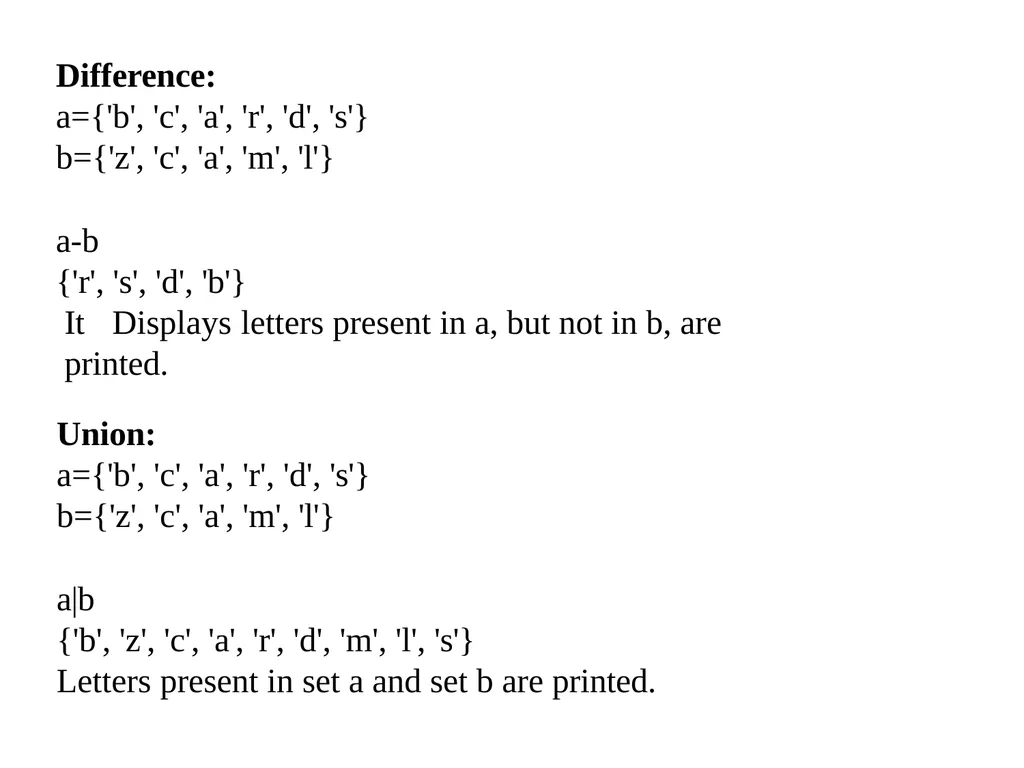
Difference:
a={'b', 'c', 'a', 'r', 'd', 's'}
b={'z', 'c', 'a', 'm', 'l'}
a-b
{'r', 's', 'd', 'b'}
It Displays letters present in a, but not in b, are printed. Union:
a={'b', 'c', 'a', 'r', 'd', 's'}
b={'z', 'c', 'a', 'm', 'l'}
a|b
{'b', 'z', 'c', 'a', 'r', 'd', 'm', 'l', 's'}
Letters present in set a and set b are printed.<br>
a={'b', 'c', 'a', 'r', 'd', 's'}
b={'z', 'c', 'a', 'm', 'l'}
a-b
{'r', 's', 'd', 'b'}
It Displays letters present in a, but not in b, are printed. Union:
a={'b', 'c', 'a', 'r', 'd', 's'}
b={'z', 'c', 'a', 'm', 'l'}
a|b
{'b', 'z', 'c', 'a', 'r', 'd', 'm', 'l', 's'}
Letters present in set a and set b are printed.<br>
34
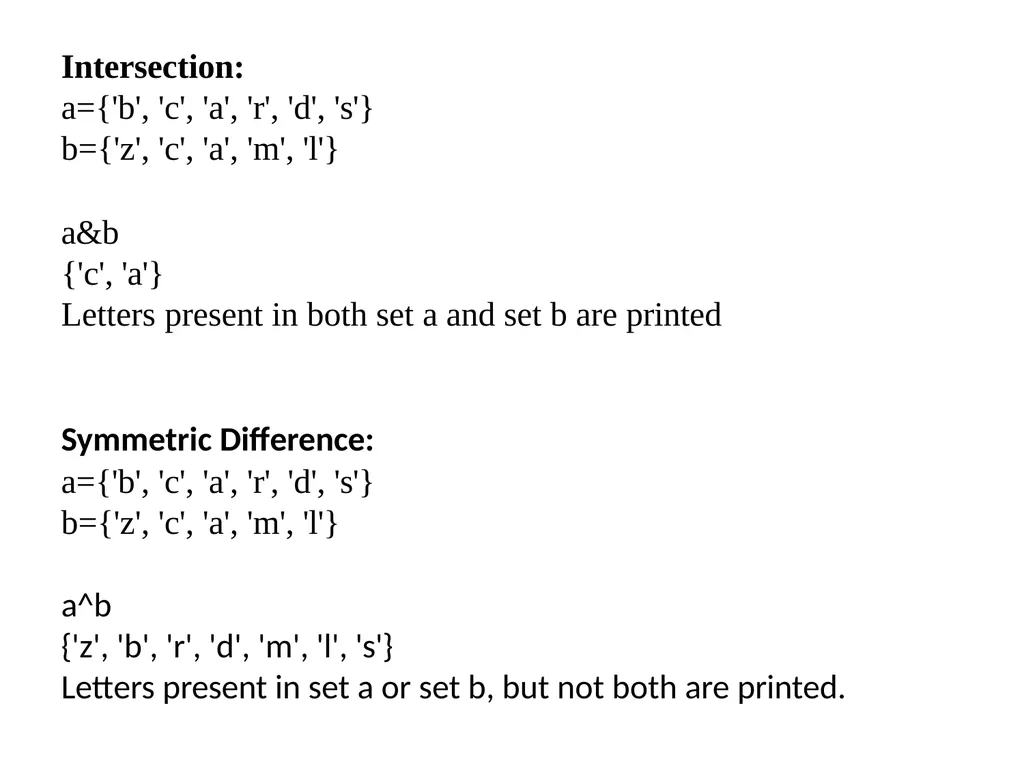
Intersection:
a={'b', 'c', 'a', 'r', 'd', 's'}
b={'z', 'c', 'a', 'm', 'l'}
a&b
{'c', 'a'}
Letters present in both set a and set b are printed
Symmetric Difference:
a={'b', 'c', 'a', 'r', 'd', 's'}
b={'z', 'c', 'a', 'm', 'l'}
a^b
{'z', 'b', 'r', 'd', 'm', 'l', 's'}
Letters present in set a or set b, but not both are printed.<br>
a={'b', 'c', 'a', 'r', 'd', 's'}
b={'z', 'c', 'a', 'm', 'l'}
a&b
{'c', 'a'}
Letters present in both set a and set b are printed
Symmetric Difference:
a={'b', 'c', 'a', 'r', 'd', 's'}
b={'z', 'c', 'a', 'm', 'l'}
a^b
{'z', 'b', 'r', 'd', 'm', 'l', 's'}
Letters present in set a or set b, but not both are printed.<br>
35
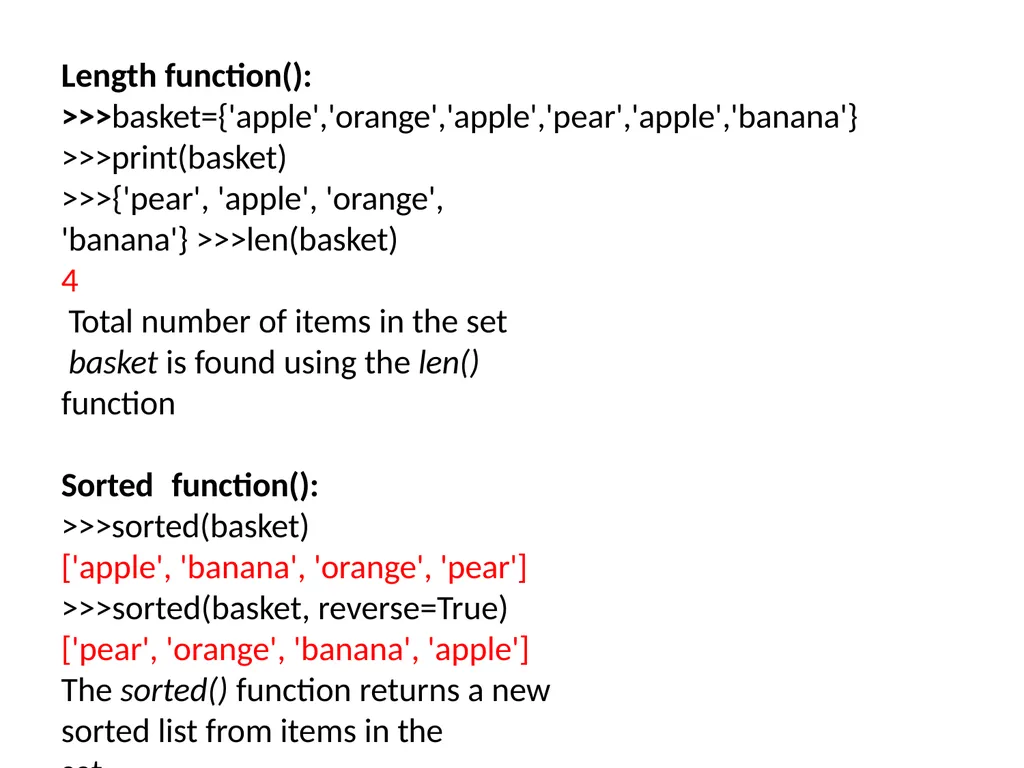
Length function(): >>>basket={'apple','orange','apple','pear','apple','banana'} >>>print(basket)
>>>{'pear', 'apple', 'orange', 'banana'} >>>len(basket)
4
Total number of items in the set basket is found using the len()
function
Sorted function():
>>>sorted(basket)
['apple', 'banana', 'orange', 'pear']
>>>sorted(basket, reverse=True)
['pear', 'orange', 'banana', 'apple']
The sorted() function returns a new sorted list from items in the
set .<br>
>>>{'pear', 'apple', 'orange', 'banana'} >>>len(basket)
4
Total number of items in the set basket is found using the len()
function
Sorted function():
>>>sorted(basket)
['apple', 'banana', 'orange', 'pear']
>>>sorted(basket, reverse=True)
['pear', 'orange', 'banana', 'apple']
The sorted() function returns a new sorted list from items in the
set .<br>
36
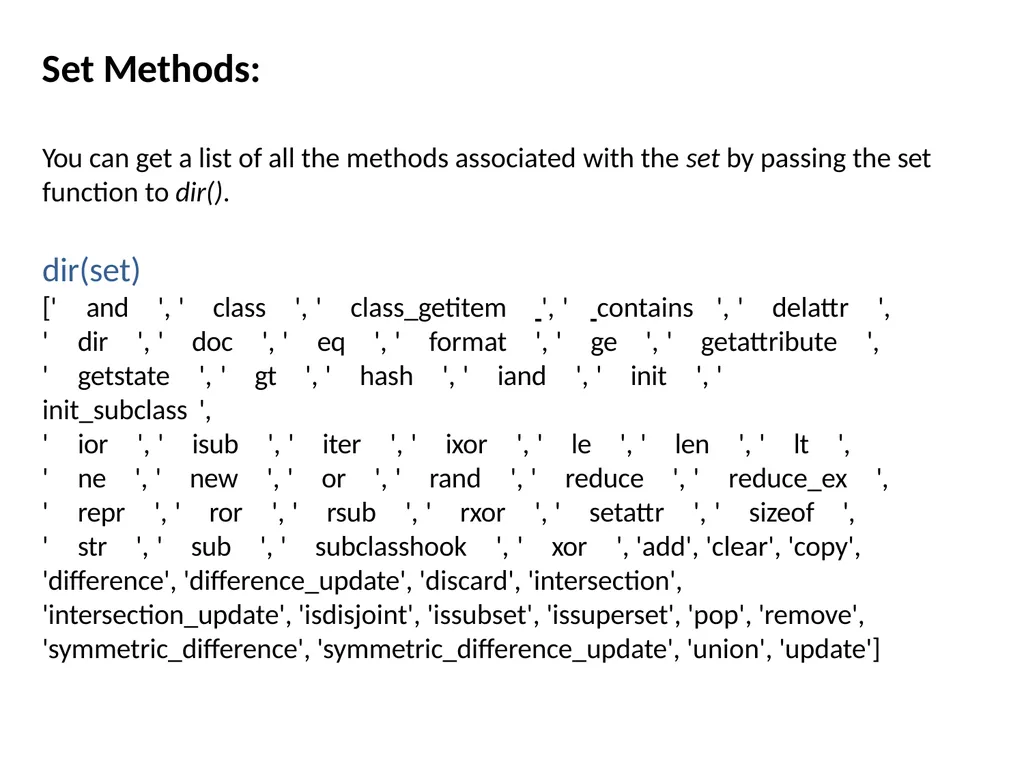
Set Methods: You can get a list of all the methods associated with the set by passing the set function to dir().
dir(set)
[' and ', ' class ', ' class_getitem ', ' contains ', ' delattr ', ' dir ', ' doc ', ' eq ', ' format ', ' ge ', ' getattribute ',
' getstate ', ' gt ', ' hash ', ' iand ', ' init ', ' init_subclass ',
' ior ', ' isub ', ' iter ', ' ixor ', ' le ', ' len ', ' lt ',
' ne ', ' new ', ' or ', ' rand ', ' reduce ', ' reduce_ex ',
' repr ', ' ror ', ' rsub ', ' rxor ', ' setattr ', ' sizeof ',
' str ', ' sub ', ' subclasshook ', ' xor ', 'add', 'clear', 'copy', 'difference', 'difference_update', 'discard', 'intersection', 'intersection_update', 'isdisjoint', 'issubset', 'issuperset', 'pop', 'remove', 'symmetric_difference', 'symmetric_difference_update', 'union', 'update']<br>
dir(set)
[' and ', ' class ', ' class_getitem ', ' contains ', ' delattr ', ' dir ', ' doc ', ' eq ', ' format ', ' ge ', ' getattribute ',
' getstate ', ' gt ', ' hash ', ' iand ', ' init ', ' init_subclass ',
' ior ', ' isub ', ' iter ', ' ixor ', ' le ', ' len ', ' lt ',
' ne ', ' new ', ' or ', ' rand ', ' reduce ', ' reduce_ex ',
' repr ', ' ror ', ' rsub ', ' rxor ', ' setattr ', ' sizeof ',
' str ', ' sub ', ' subclasshook ', ' xor ', 'add', 'clear', 'copy', 'difference', 'difference_update', 'discard', 'intersection', 'intersection_update', 'isdisjoint', 'issubset', 'issuperset', 'pop', 'remove', 'symmetric_difference', 'symmetric_difference_update', 'union', 'update']<br>
37
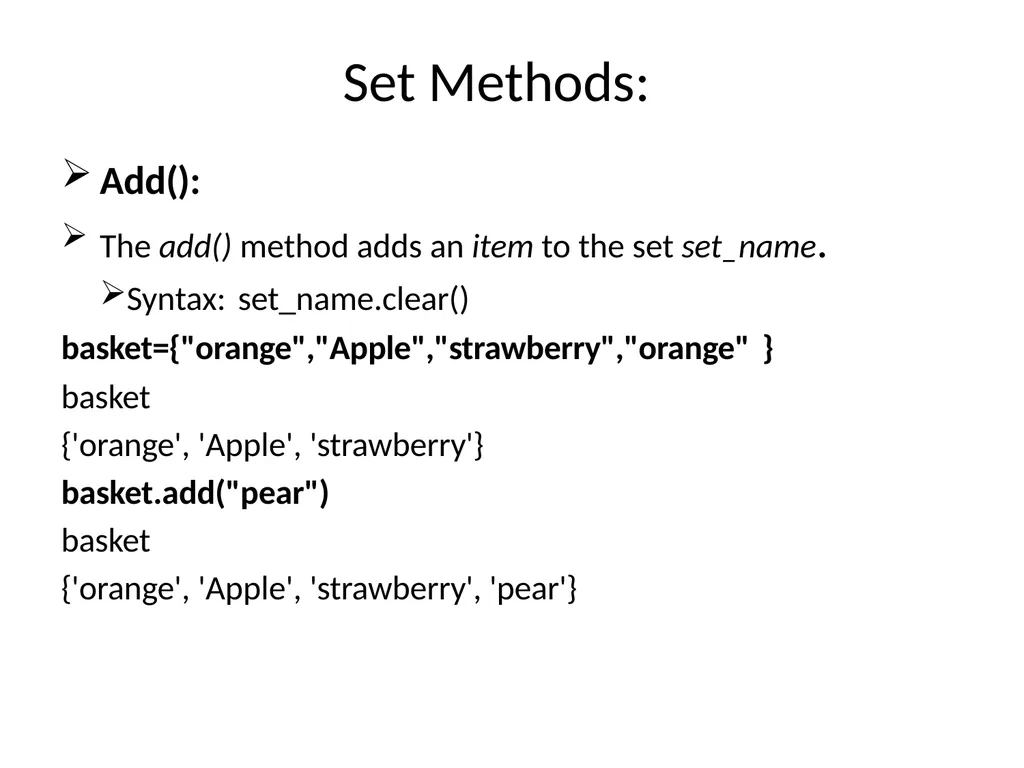
Set Methods: Add():
The add() method adds an item to the set set_name.
Syntax: set_name.clear() basket={"orange","Apple","strawberry","orange" } basket
{'orange', 'Apple', 'strawberry'}
basket.add("pear")
basket
{'orange', 'Apple', 'strawberry', 'pear'}<br>
The add() method adds an item to the set set_name.
Syntax: set_name.clear() basket={"orange","Apple","strawberry","orange" } basket
{'orange', 'Apple', 'strawberry'}
basket.add("pear")
basket
{'orange', 'Apple', 'strawberry', 'pear'}<br>
38
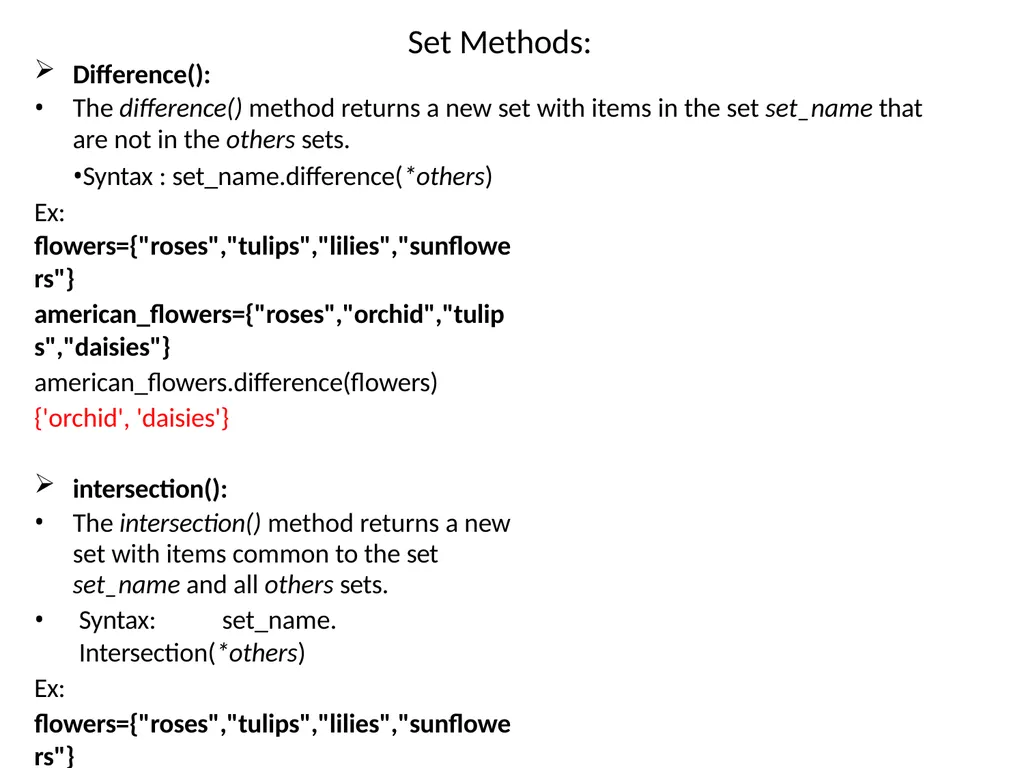
Set Methods: Difference():
The difference() method returns a new set with items in the set set_name that
are not in the others sets.
Syntax : set_name.difference(*others) Ex:
flowers={"roses","tulips","lilies","sunflowers"}
american_flowers={"roses","orchid","tulips","daisies"}
american_flowers.difference(flowers)
{'orchid', 'daisies'}
intersection():
The intersection() method returns a new set with items common to the set
set_name and all others sets.
Syntax: set_name. Intersection(*others)
Ex:
flowers={"roses","tulips","lilies","sunflowers"}
american_flowers={"roses","orchid","tulips","daisies"}
american_flowers.intersection(flowers)
{'roses', 'tulips'}<br>
The difference() method returns a new set with items in the set set_name that
are not in the others sets.
Syntax : set_name.difference(*others) Ex:
flowers={"roses","tulips","lilies","sunflowers"}
american_flowers={"roses","orchid","tulips","daisies"}
american_flowers.difference(flowers)
{'orchid', 'daisies'}
intersection():
The intersection() method returns a new set with items common to the set
set_name and all others sets.
Syntax: set_name. Intersection(*others)
Ex:
flowers={"roses","tulips","lilies","sunflowers"}
american_flowers={"roses","orchid","tulips","daisies"}
american_flowers.intersection(flowers)
{'roses', 'tulips'}<br>
39
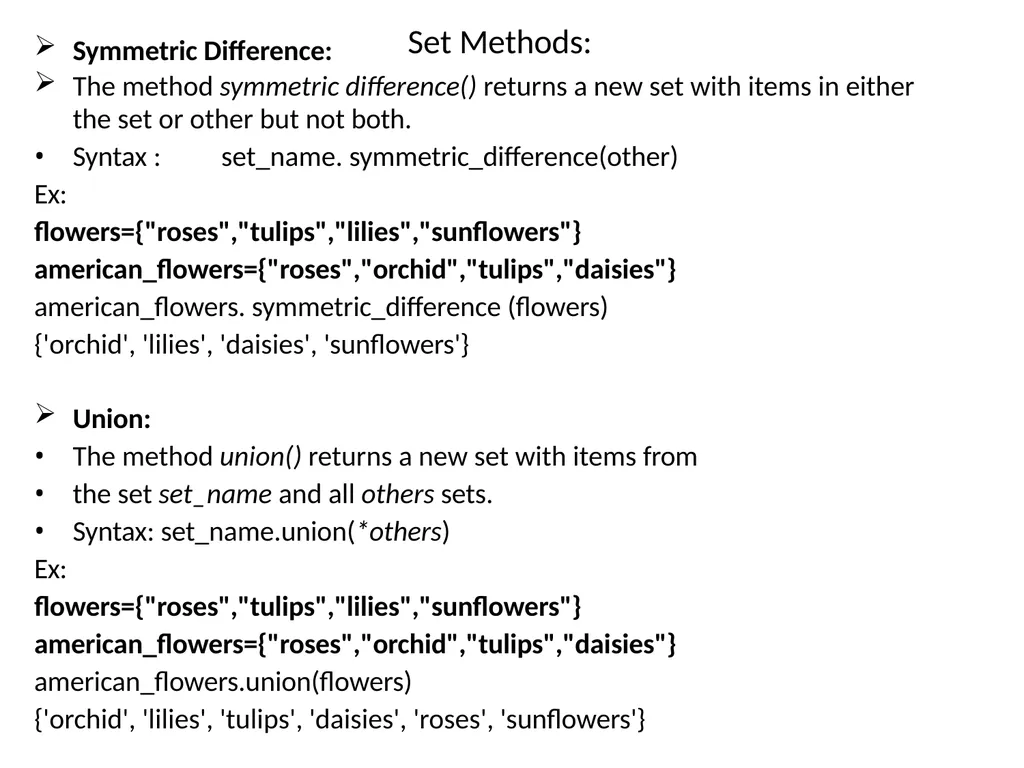
Set Methods: Symmetric Difference: The method symmetric difference() returns a new set with items in either
the set or other but not both.
Syntax : set_name. symmetric_difference(other)
Ex:
flowers={"roses","tulips","lilies","sunflowers"} american_flowers={"roses","orchid","tulips","daisies"} american_flowers. symmetric_difference (flowers)
{'orchid', 'lilies', 'daisies', 'sunflowers'}
Union:
The method union() returns a new set with items from
the set set_name and all others sets.
Syntax: set_name.union(*others)
Ex:
flowers={"roses","tulips","lilies","sunflowers"} american_flowers={"roses","orchid","tulips","daisies"} american_flowers.union(flowers)
{'orchid', 'lilies', 'tulips', 'daisies', 'roses', 'sunflowers'}<br>
the set or other but not both.
Syntax : set_name. symmetric_difference(other)
Ex:
flowers={"roses","tulips","lilies","sunflowers"} american_flowers={"roses","orchid","tulips","daisies"} american_flowers. symmetric_difference (flowers)
{'orchid', 'lilies', 'daisies', 'sunflowers'}
Union:
The method union() returns a new set with items from
the set set_name and all others sets.
Syntax: set_name.union(*others)
Ex:
flowers={"roses","tulips","lilies","sunflowers"} american_flowers={"roses","orchid","tulips","daisies"} american_flowers.union(flowers)
{'orchid', 'lilies', 'tulips', 'daisies', 'roses', 'sunflowers'}<br>
40
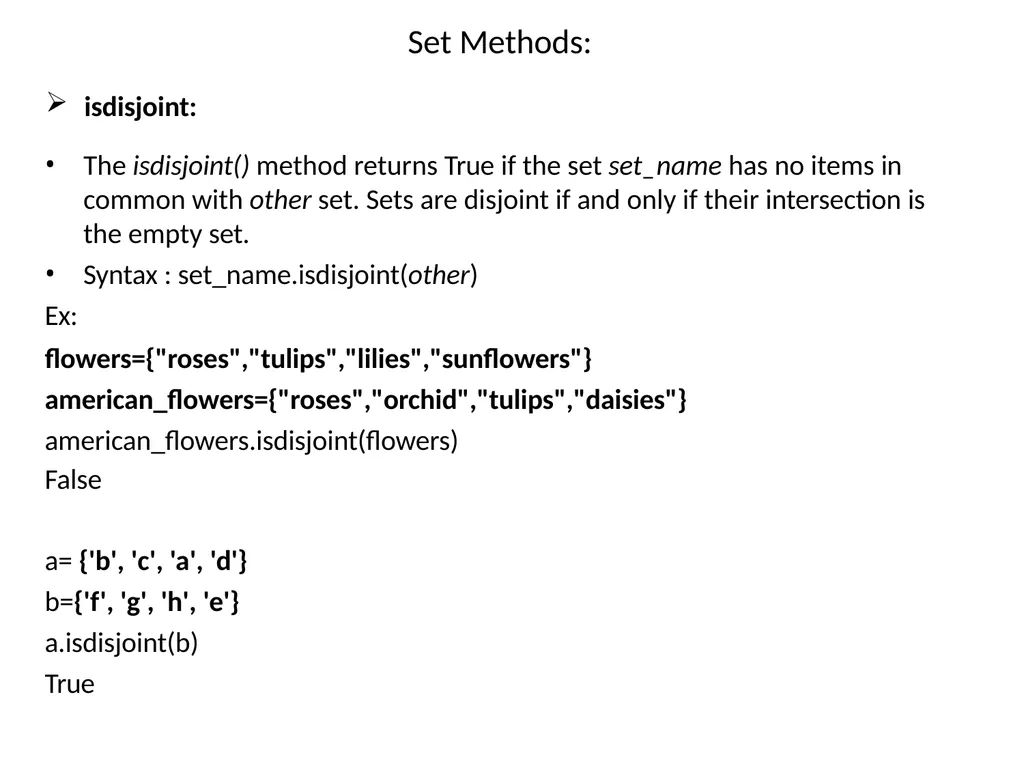
Set Methods: isdisjoint: The isdisjoint() method returns True if the set set_name has no items in common with other set. Sets are disjoint if and only if their intersection is the empty set.
Syntax : set_name.isdisjoint(other)
Ex:
flowers={"roses","tulips","lilies","sunflowers"} american_flowers={"roses","orchid","tulips","daisies"} american_flowers.isdisjoint(flowers)
False
a= {'b', 'c', 'a', 'd'}
b={'f', 'g', 'h', 'e'}
a.isdisjoint(b)
True<br>
Syntax : set_name.isdisjoint(other)
Ex:
flowers={"roses","tulips","lilies","sunflowers"} american_flowers={"roses","orchid","tulips","daisies"} american_flowers.isdisjoint(flowers)
False
a= {'b', 'c', 'a', 'd'}
b={'f', 'g', 'h', 'e'}
a.isdisjoint(b)
True<br>
41
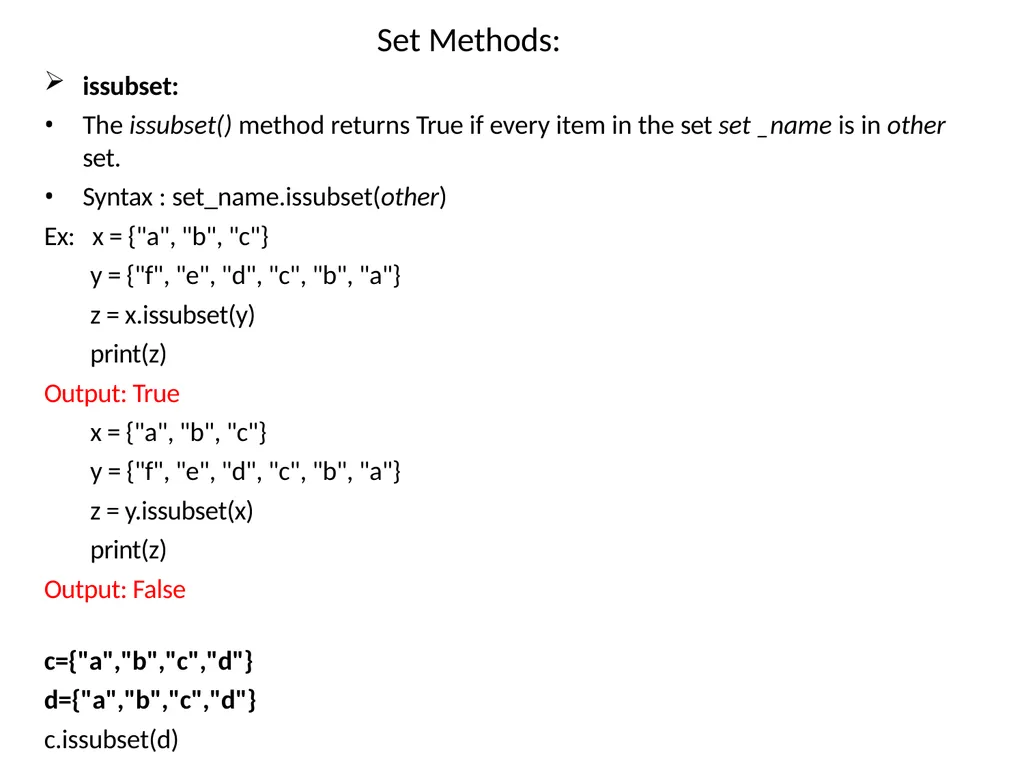
Set Methods: issubset:
The issubset() method returns True if every item in the set set _name is in other set.
Syntax : set_name.issubset(other)
Ex: x = {"a", "b", "c"}
y = {"f", "e", "d", "c", "b", "a"}
z = x.issubset(y)
print(z)
Output: True
x = {"a", "b", "c"}
y = {"f", "e", "d", "c", "b", "a"}
z = y.issubset(x)
print(z)
Output: False
c={"a","b","c","d"}
d={"a","b","c","d"}
c.issubset(d)
True<br>
The issubset() method returns True if every item in the set set _name is in other set.
Syntax : set_name.issubset(other)
Ex: x = {"a", "b", "c"}
y = {"f", "e", "d", "c", "b", "a"}
z = x.issubset(y)
print(z)
Output: True
x = {"a", "b", "c"}
y = {"f", "e", "d", "c", "b", "a"}
z = y.issubset(x)
print(z)
Output: False
c={"a","b","c","d"}
d={"a","b","c","d"}
c.issubset(d)
True<br>
42
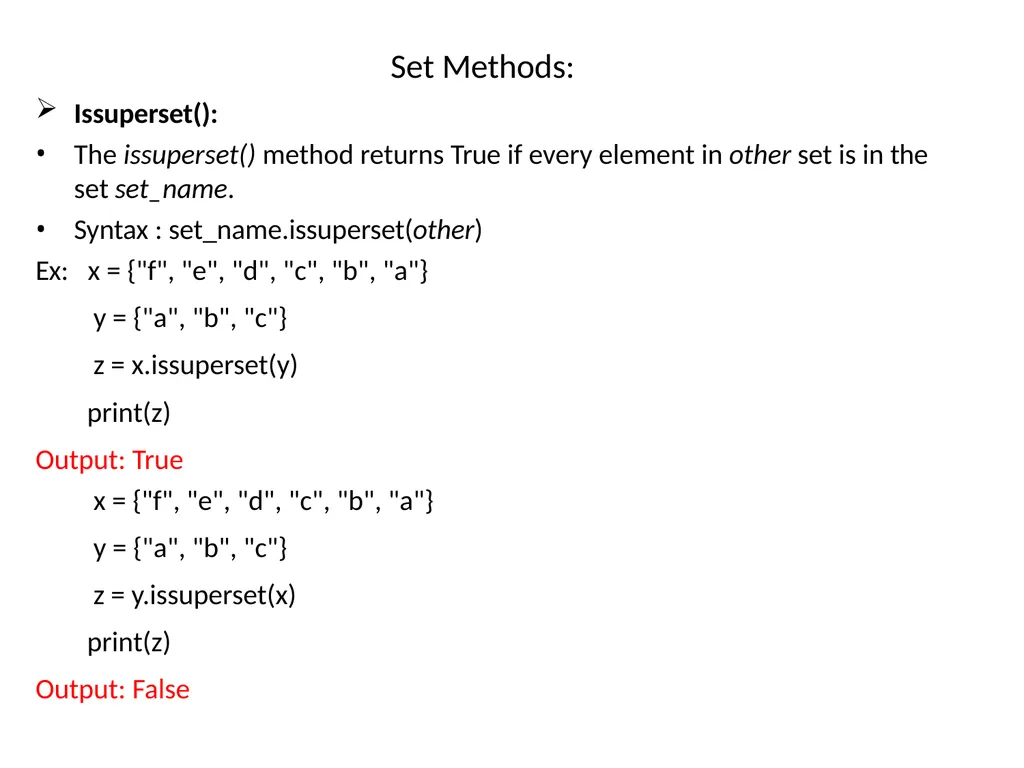
Set Methods: Issuperset():
The issuperset() method returns True if every element in other set is in the
set set_name.
Syntax : set_name.issuperset(other)
Ex: x = {"f", "e", "d", "c", "b", "a"}
y = {"a", "b", "c"}
z = x.issuperset(y)
print(z)
Output: True
x = {"f", "e", "d", "c", "b", "a"}
y = {"a", "b", "c"}
z = y.issuperset(x)
print(z)
Output: False<br>
The issuperset() method returns True if every element in other set is in the
set set_name.
Syntax : set_name.issuperset(other)
Ex: x = {"f", "e", "d", "c", "b", "a"}
y = {"a", "b", "c"}
z = x.issuperset(y)
print(z)
Output: True
x = {"f", "e", "d", "c", "b", "a"}
y = {"a", "b", "c"}
z = y.issuperset(x)
print(z)
Output: False<br>
43
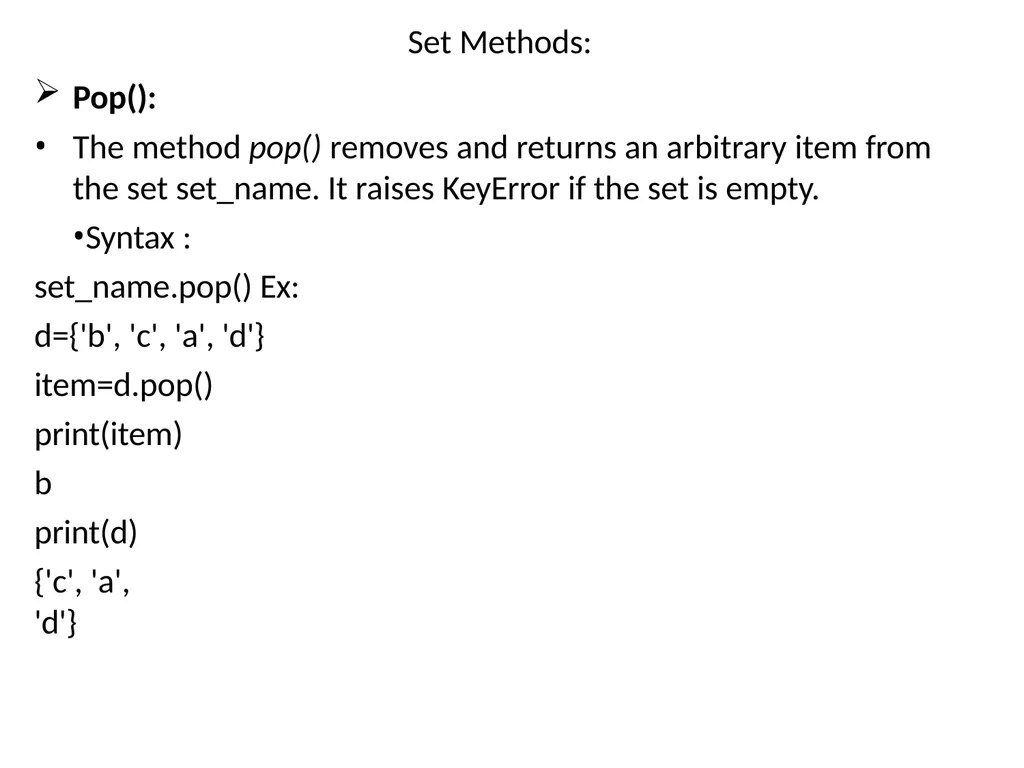
Set Methods: Pop():
The method pop() removes and returns an arbitrary item from
the set set_name. It raises KeyError if the set is empty.
Syntax : set_name.pop() Ex:
d={'b', 'c', 'a', 'd'}
item=d.pop() print(item)
b print(d)
{'c', 'a', 'd'}<br>
The method pop() removes and returns an arbitrary item from
the set set_name. It raises KeyError if the set is empty.
Syntax : set_name.pop() Ex:
d={'b', 'c', 'a', 'd'}
item=d.pop() print(item)
b print(d)
{'c', 'a', 'd'}<br>
44
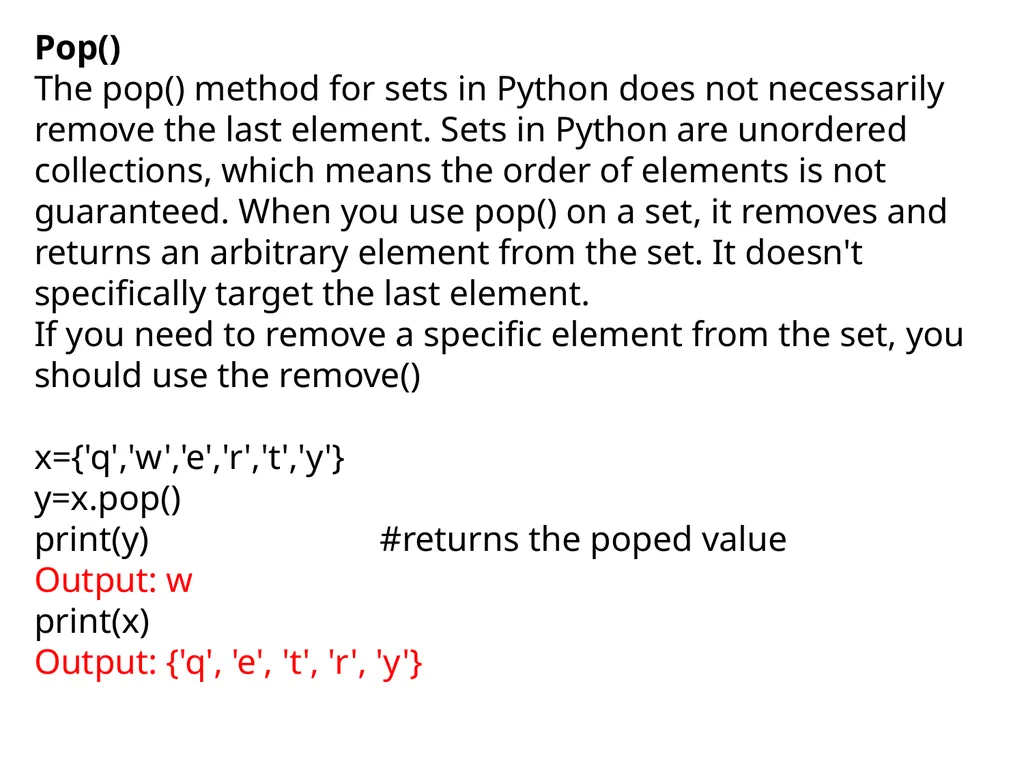
Pop()
The pop() method for sets in Python does not necessarily remove the last element. Sets in Python are unordered collections, which means the order of elements is not guaranteed. When you use pop() on a set, it removes and returns an arbitrary element from the set. It doesn't specifically target the last element.
If you need to remove a specific element from the set, you should use the remove()
x={'q','w','e','r','t','y'}
y=x.pop()
print(y) #returns the poped value
Output: w
print(x)
Output: {'q', 'e', 't', 'r', 'y'}<br>
The pop() method for sets in Python does not necessarily remove the last element. Sets in Python are unordered collections, which means the order of elements is not guaranteed. When you use pop() on a set, it removes and returns an arbitrary element from the set. It doesn't specifically target the last element.
If you need to remove a specific element from the set, you should use the remove()
x={'q','w','e','r','t','y'}
y=x.pop()
print(y) #returns the poped value
Output: w
print(x)
Output: {'q', 'e', 't', 'r', 'y'}<br>
45
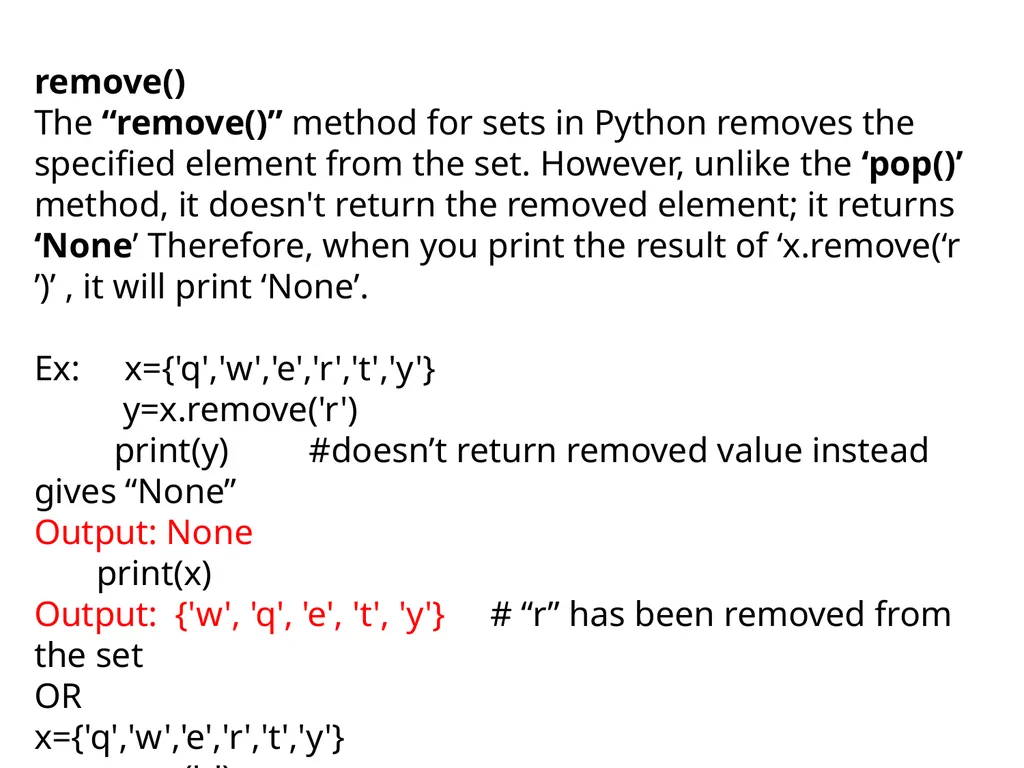
remove()
The “remove()” method for sets in Python removes the specified element from the set. However, unlike the ‘pop()’ method, it doesn't return the removed element; it returns ‘None’ Therefore, when you print the result of ‘x.remove(‘r ’)’ , it will print ‘None’.
Ex: x={'q','w','e','r','t','y'}
y=x.remove('r')
print(y) #doesn’t return removed value instead gives “None”
Output: None
print(x)
Output: {'w', 'q', 'e', 't', 'y'} # “r” has been removed from the set
OR
x={'q','w','e','r','t','y'}
x.remove('r')
print(x)
{'w', 'q', 'e', 't', 'y'}<br>
The “remove()” method for sets in Python removes the specified element from the set. However, unlike the ‘pop()’ method, it doesn't return the removed element; it returns ‘None’ Therefore, when you print the result of ‘x.remove(‘r ’)’ , it will print ‘None’.
Ex: x={'q','w','e','r','t','y'}
y=x.remove('r')
print(y) #doesn’t return removed value instead gives “None”
Output: None
print(x)
Output: {'w', 'q', 'e', 't', 'y'} # “r” has been removed from the set
OR
x={'q','w','e','r','t','y'}
x.remove('r')
print(x)
{'w', 'q', 'e', 't', 'y'}<br>
46
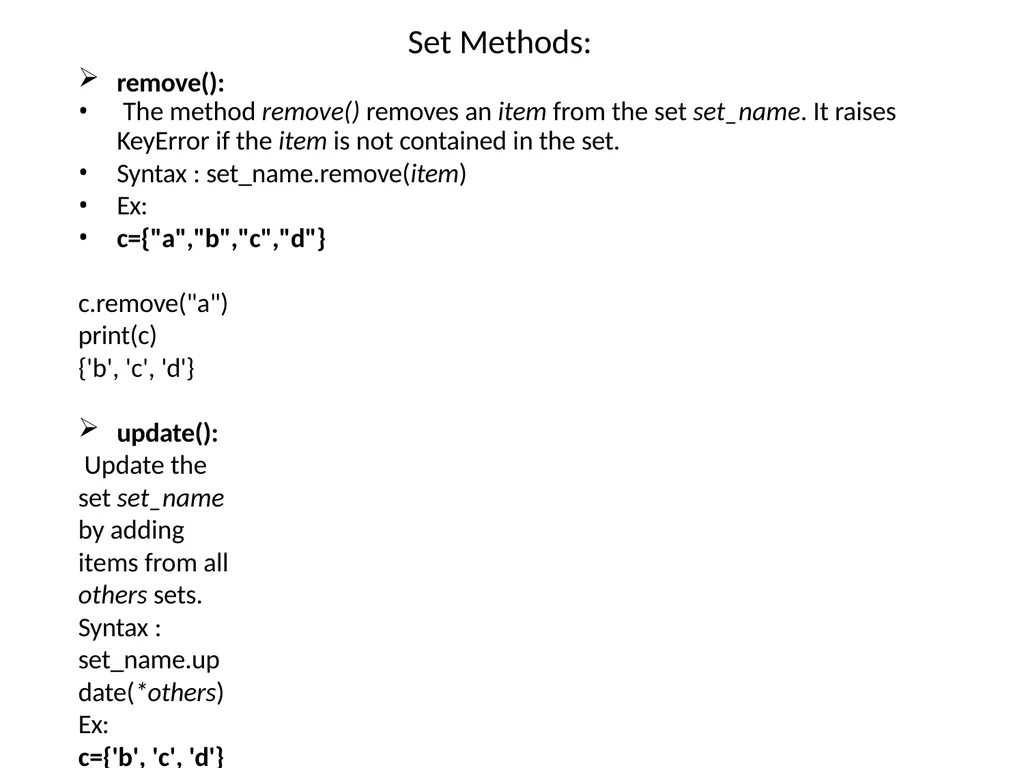
Set Methods: remove():
The method remove() removes an item from the set set_name. It raises
KeyError if the item is not contained in the set.
Syntax : set_name.remove(item)
Ex:
c={"a","b","c","d"}
c.remove("a") print(c)
{'b', 'c', 'd'}
update():
Update the set set_name by adding items from all others sets.
Syntax : set_name.update(*others)
Ex:
c={'b', 'c', 'd'}
d={"e","f","g"}
c.update(d)
print(c)
{'b', 'c', 'f', 'g', 'd', 'e'}<br>
The method remove() removes an item from the set set_name. It raises
KeyError if the item is not contained in the set.
Syntax : set_name.remove(item)
Ex:
c={"a","b","c","d"}
c.remove("a") print(c)
{'b', 'c', 'd'}
update():
Update the set set_name by adding items from all others sets.
Syntax : set_name.update(*others)
Ex:
c={'b', 'c', 'd'}
d={"e","f","g"}
c.update(d)
print(c)
{'b', 'c', 'f', 'g', 'd', 'e'}<br>
47
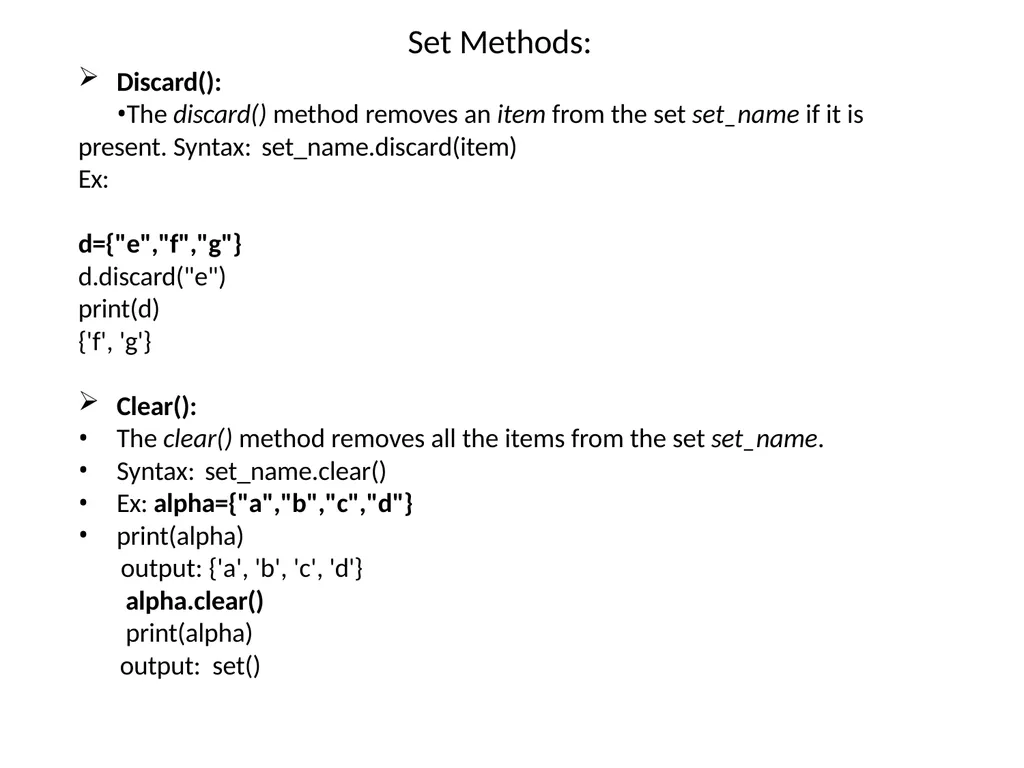
Set Methods: Discard():
The discard() method removes an item from the set set_name if it is present. Syntax: set_name.discard(item)
Ex:
d={"e","f","g"}
d.discard("e")
print(d)
{'f', 'g'}
Clear():
The clear() method removes all the items from the set set_name.
Syntax: set_name.clear()
Ex: alpha={"a","b","c","d"}
print(alpha)
output: {'a', 'b', 'c', 'd'}
alpha.clear()
print(alpha)
output: set()<br>
The discard() method removes an item from the set set_name if it is present. Syntax: set_name.discard(item)
Ex:
d={"e","f","g"}
d.discard("e")
print(d)
{'f', 'g'}
Clear():
The clear() method removes all the items from the set set_name.
Syntax: set_name.clear()
Ex: alpha={"a","b","c","d"}
print(alpha)
output: {'a', 'b', 'c', 'd'}
alpha.clear()
print(alpha)
output: set()<br>
48
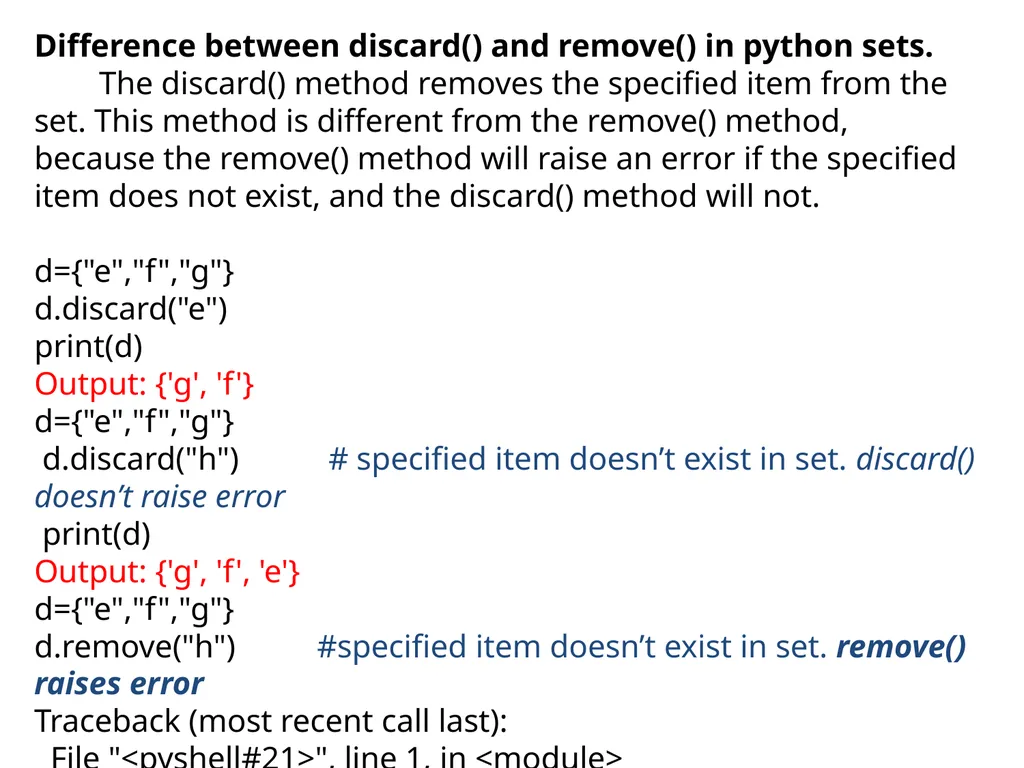
Difference between discard() and remove() in python sets.
The discard() method removes the specified item from the set. This method is different from the remove() method, because the remove() method will raise an error if the specified item does not exist, and the discard() method will not.
d={"e","f","g"}
d.discard("e")
print(d)
Output: {'g', 'f'}
d={"e","f","g"}
d.discard("h") # specified item doesn’t exist in set. discard() doesn’t raise error
print(d)
Output: {'g', 'f', 'e'}
d={"e","f","g"}
d.remove("h") #specified item doesn’t exist in set. remove() raises error
Traceback (most recent call last):
File "<pyshell#21>", line 1, in <module>
d.remove("h")
KeyError: 'h'<br>
The discard() method removes the specified item from the set. This method is different from the remove() method, because the remove() method will raise an error if the specified item does not exist, and the discard() method will not.
d={"e","f","g"}
d.discard("e")
print(d)
Output: {'g', 'f'}
d={"e","f","g"}
d.discard("h") # specified item doesn’t exist in set. discard() doesn’t raise error
print(d)
Output: {'g', 'f', 'e'}
d={"e","f","g"}
d.remove("h") #specified item doesn’t exist in set. remove() raises error
Traceback (most recent call last):
File "<pyshell#21>", line 1, in <module>
d.remove("h")
KeyError: 'h'<br>
49
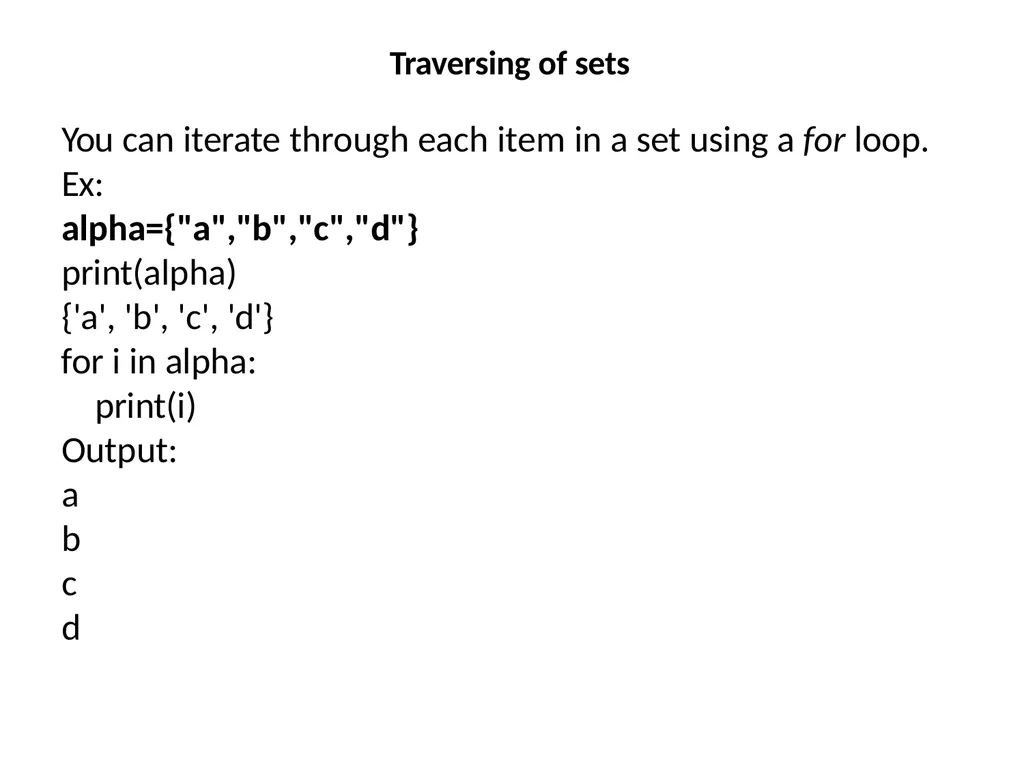
Traversing of sets You can iterate through each item in a set using a for loop. Ex:
alpha={"a","b","c","d"}
print(alpha)
{'a', 'b', 'c', 'd'}
for i in alpha: print(i)
Output: a
b c d<br>
alpha={"a","b","c","d"}
print(alpha)
{'a', 'b', 'c', 'd'}
for i in alpha: print(i)
Output: a
b c d<br>
50
Frozenset
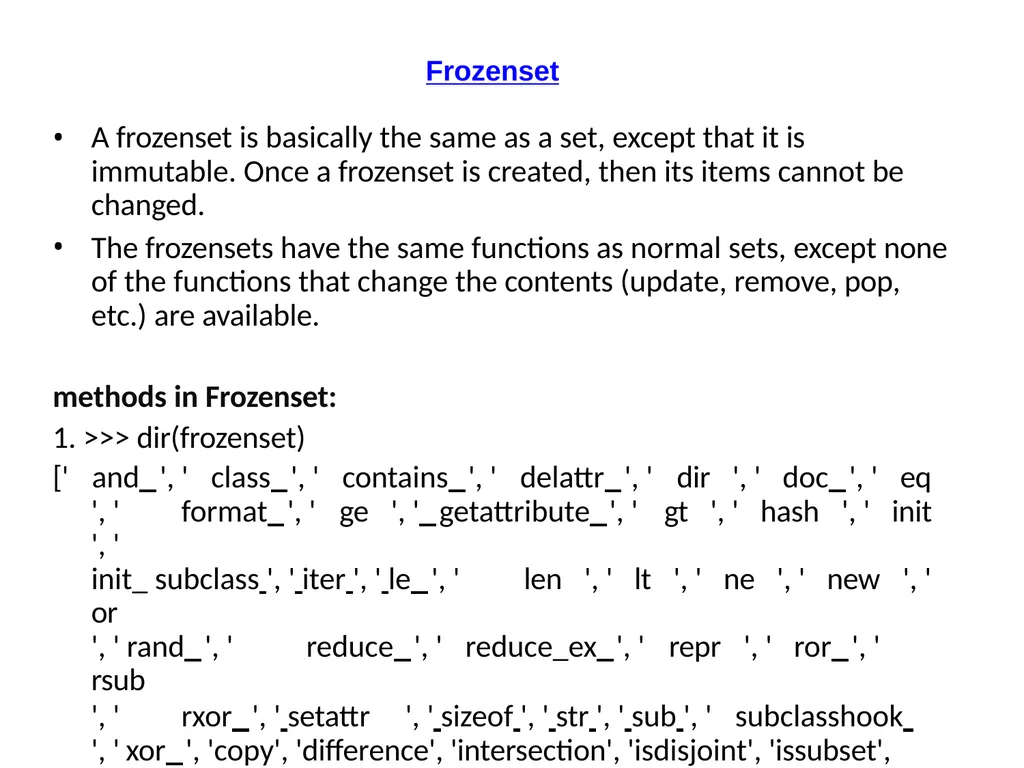
A frozenset is basically the same as a set, except that it is immutable. Once a frozenset is created, then its items cannot be changed.
The frozensets have the same functions as normal sets, except none of the functions that change the contents (update, remove, pop, etc.) are available.
methods in Frozenset:
1. >>> dir(frozenset)
[' and ', ' class ', ' contains ', ' delattr ', ' dir ', ' doc ', ' eq
', ' format ', ' ge ', ' getattribute ', ' gt ', ' hash ', ' init ', '
init_ subclass ', ' iter ', ' le ', ' len ', ' lt ', ' ne ', ' new ', ' or
', ' rand ', ' reduce ', ' reduce_ex ', ' repr ', ' ror ', ' rsub
', ' rxor ', ' setattr ', ' sizeof ', ' str ', ' sub ', ' subclasshook ', ' xor ', 'copy', 'difference', 'intersection', 'isdisjoint', 'issubset', 'issuperset', 'symmetric_difference', 'union']<br>
A frozenset is basically the same as a set, except that it is immutable. Once a frozenset is created, then its items cannot be changed.
The frozensets have the same functions as normal sets, except none of the functions that change the contents (update, remove, pop, etc.) are available.
methods in Frozenset:
1. >>> dir(frozenset)
[' and ', ' class ', ' contains ', ' delattr ', ' dir ', ' doc ', ' eq
', ' format ', ' ge ', ' getattribute ', ' gt ', ' hash ', ' init ', '
init_ subclass ', ' iter ', ' le ', ' len ', ' lt ', ' ne ', ' new ', ' or
', ' rand ', ' reduce ', ' reduce_ex ', ' repr ', ' ror ', ' rsub
', ' rxor ', ' setattr ', ' sizeof ', ' str ', ' sub ', ' subclasshook ', ' xor ', 'copy', 'difference', 'intersection', 'isdisjoint', 'issubset', 'issuperset', 'symmetric_difference', 'union']<br>
51
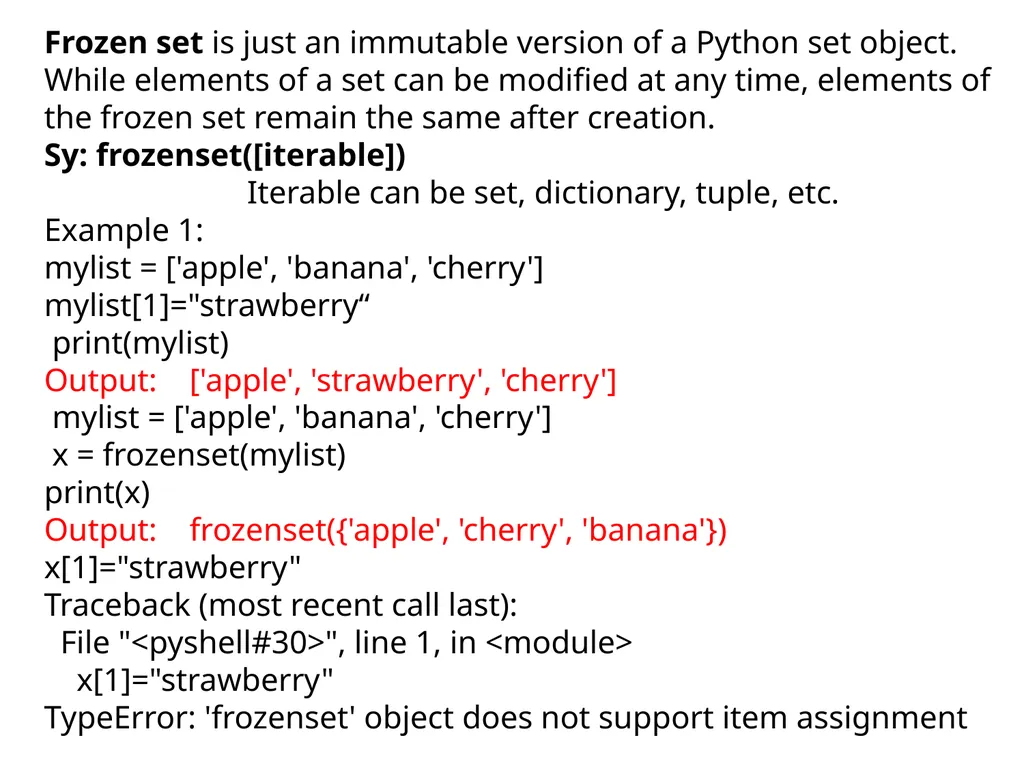
Frozen set is just an immutable version of a Python set object. While elements of a set can be modified at any time, elements of the frozen set remain the same after creation.
Sy: frozenset([iterable])
Iterable can be set, dictionary, tuple, etc.
Example 1:
mylist = ['apple', 'banana', 'cherry']
mylist[1]="strawberry“
print(mylist)
Output: ['apple', 'strawberry', 'cherry']
mylist = ['apple', 'banana', 'cherry']
x = frozenset(mylist)
print(x)
Output: frozenset({'apple', 'cherry', 'banana'})
x[1]="strawberry"
Traceback (most recent call last):
File "<pyshell#30>", line 1, in <module>
x[1]="strawberry"
TypeError: 'frozenset' object does not support item assignment<br>
Sy: frozenset([iterable])
Iterable can be set, dictionary, tuple, etc.
Example 1:
mylist = ['apple', 'banana', 'cherry']
mylist[1]="strawberry“
print(mylist)
Output: ['apple', 'strawberry', 'cherry']
mylist = ['apple', 'banana', 'cherry']
x = frozenset(mylist)
print(x)
Output: frozenset({'apple', 'cherry', 'banana'})
x[1]="strawberry"
Traceback (most recent call last):
File "<pyshell#30>", line 1, in <module>
x[1]="strawberry"
TypeError: 'frozenset' object does not support item assignment<br>
52
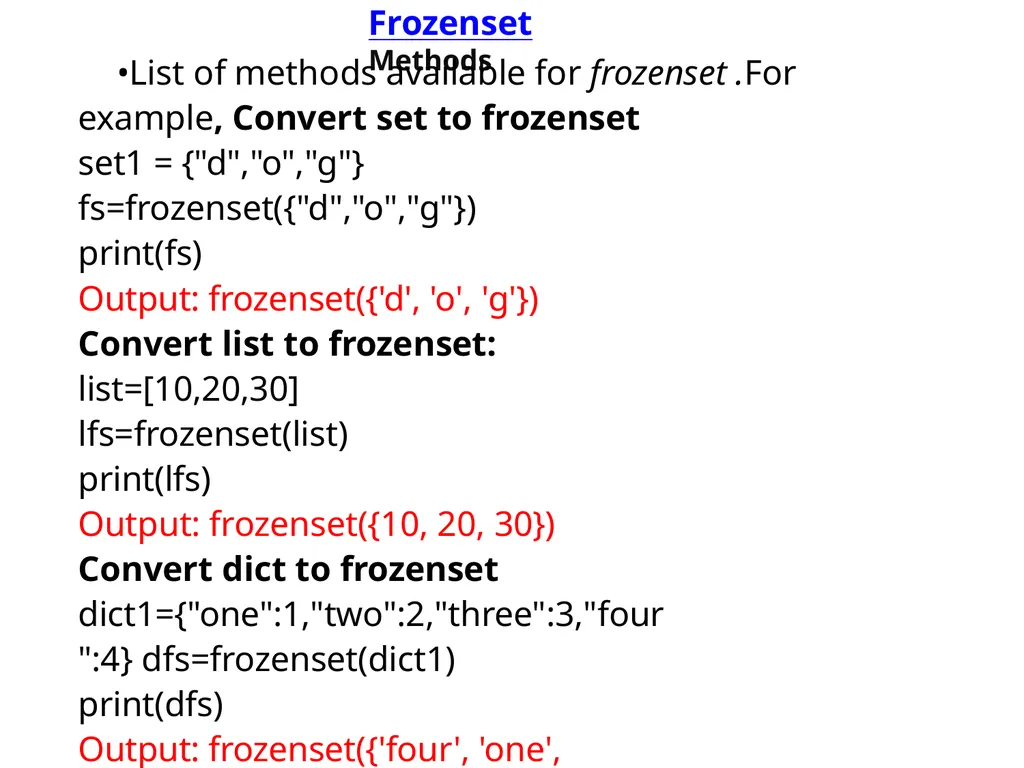
Frozenset Methods List of methods available for frozenset .For example, Convert set to frozenset
set1 = {"d","o","g"}
fs=frozenset({"d","o","g"})
print(fs)
Output: frozenset({'d', 'o', 'g'})
Convert list to frozenset:
list=[10,20,30]
lfs=frozenset(list)
print(lfs)
Output: frozenset({10, 20, 30})
Convert dict to frozenset dict1={"one":1,"two":2,"three":3,"four":4} dfs=frozenset(dict1)
print(dfs)
Output: frozenset({'four', 'one', 'three', 'two'})<br>
set1 = {"d","o","g"}
fs=frozenset({"d","o","g"})
print(fs)
Output: frozenset({'d', 'o', 'g'})
Convert list to frozenset:
list=[10,20,30]
lfs=frozenset(list)
print(lfs)
Output: frozenset({10, 20, 30})
Convert dict to frozenset dict1={"one":1,"two":2,"three":3,"four":4} dfs=frozenset(dict1)
print(dfs)
Output: frozenset({'four', 'one', 'three', 'two'})<br>
53
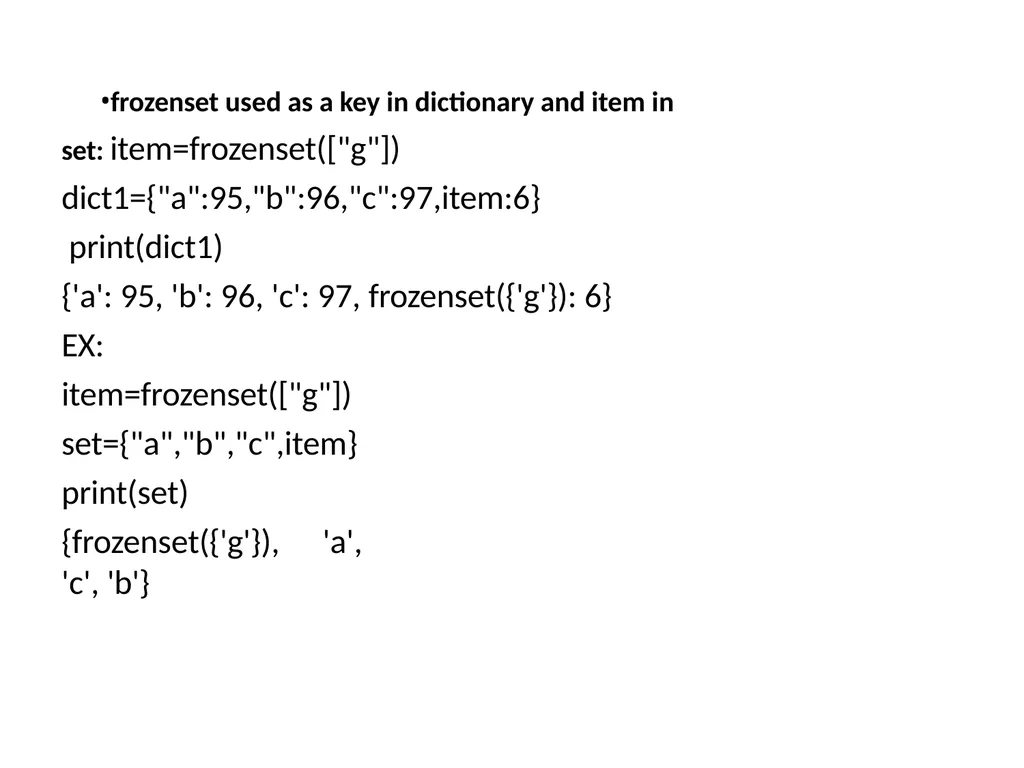
frozenset used as a key in dictionary and item in set: item=frozenset(["g"]) dict1={"a":95,"b":96,"c":97,item:6}
print(dict1)
{'a': 95, 'b': 96, 'c': 97, frozenset({'g'}): 6} EX:
item=frozenset(["g"]) set={"a","b","c",item} print(set)
{frozenset({'g'}), 'a', 'c', 'b'}<br>
print(dict1)
{'a': 95, 'b': 96, 'c': 97, frozenset({'g'}): 6} EX:
item=frozenset(["g"]) set={"a","b","c",item} print(set)
{frozenset({'g'}), 'a', 'c', 'b'}<br>