UI Design parts for Low Fidelity prototyping 2 Device Frame User Experience (UX) Centre of Excellence 3 UI parts: Link, Text Input, Text Area User Experience (UX) Centre of Excellence Label text Hint Text Error Text Label text
"UI Design parts for Low Fidelity prototyping | 2 |" is the property of its rightful owner. Permission is granted to
download and print the materials on this website for personal, non-commercial use only, and to display it
on your personal computer provided you do not modify the materials and that you retain all copyright
notices contained in the materials. By downloading content from our website, you accept the terms of this
agreement.
Presentation Transcript
01
UI Design parts for Low Fidelity prototyping<br>
02
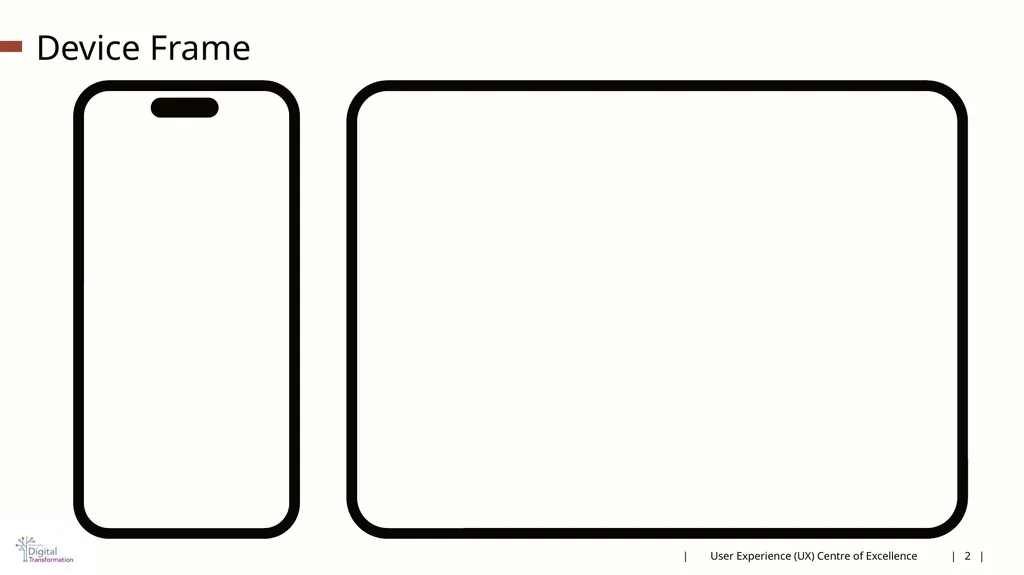
| 2 | Device Frame | User Experience (UX) Centre of Excellence<br>
03
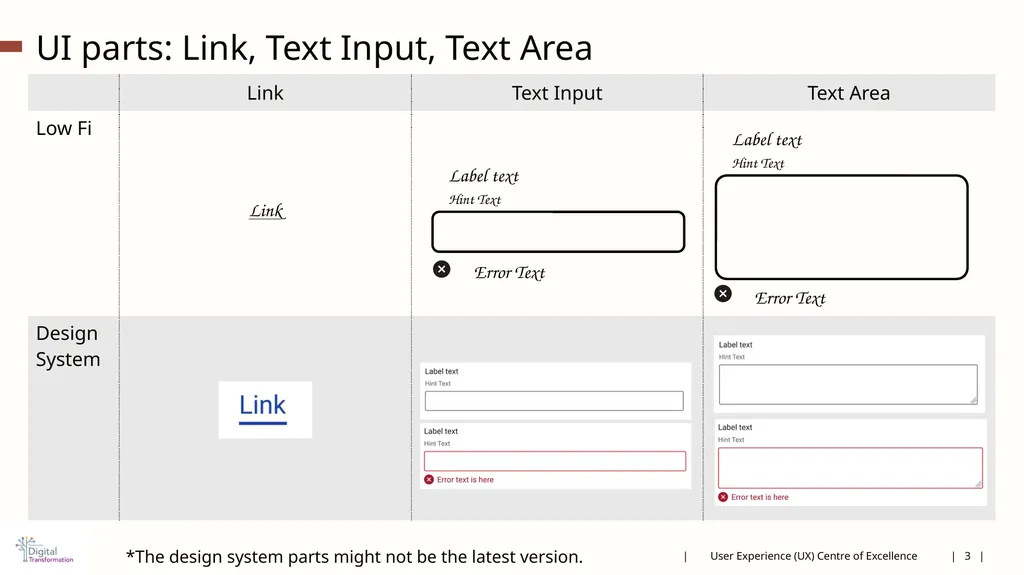
| 3 | UI parts: Link, Text Input, Text Area | User Experience (UX) Centre of Excellence Label text
Hint Text Error Text Label text
Hint Text Error Text *The design system parts might not be the latest version.<br>
04
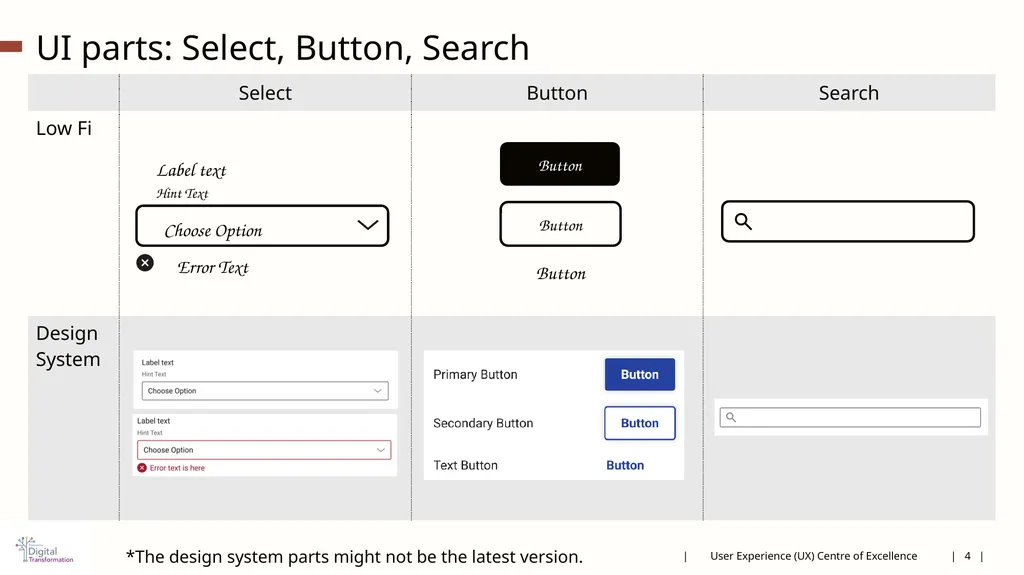
| 4 | UI parts: Select, Button, Search | User Experience (UX) Centre of Excellence Button Button Button Label text
Hint Text Choose Option Error Text *The design system parts might not be the latest version.<br>
05
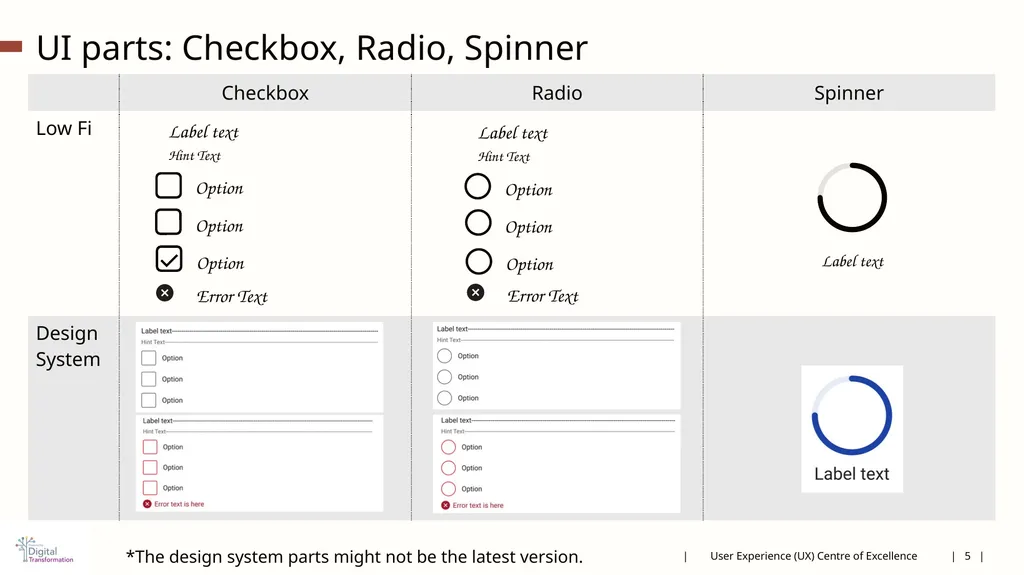
| 5 | UI parts: Checkbox, Radio, Spinner | User Experience (UX) Centre of Excellence Label text
Hint Text Error Text Option Option Option Label text
Hint Text Option Option Option Error Text Label text *The design system parts might not be the latest version.<br>
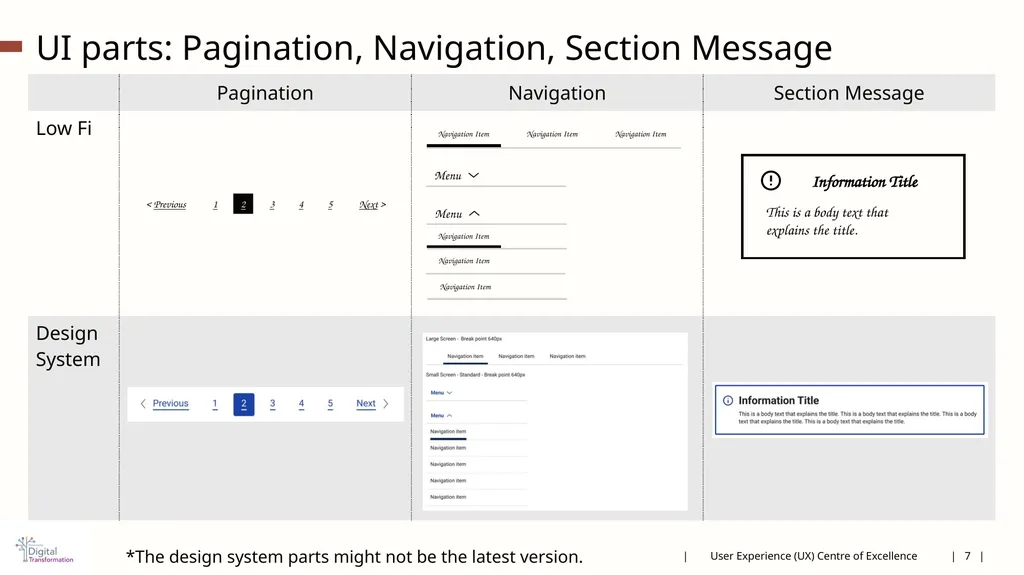
UI parts: Pagination, Navigation, Section Message | 7 | | User Experience (UX) Centre of Excellence < Previous Next > 1 2 3 4 5 Navigation Item Navigation Item Navigation Item Menu Menu Navigation Item Navigation Item Navigation Item Information Title This is a body text that explains the title. *The design system parts might not be the latest version.<br>
08
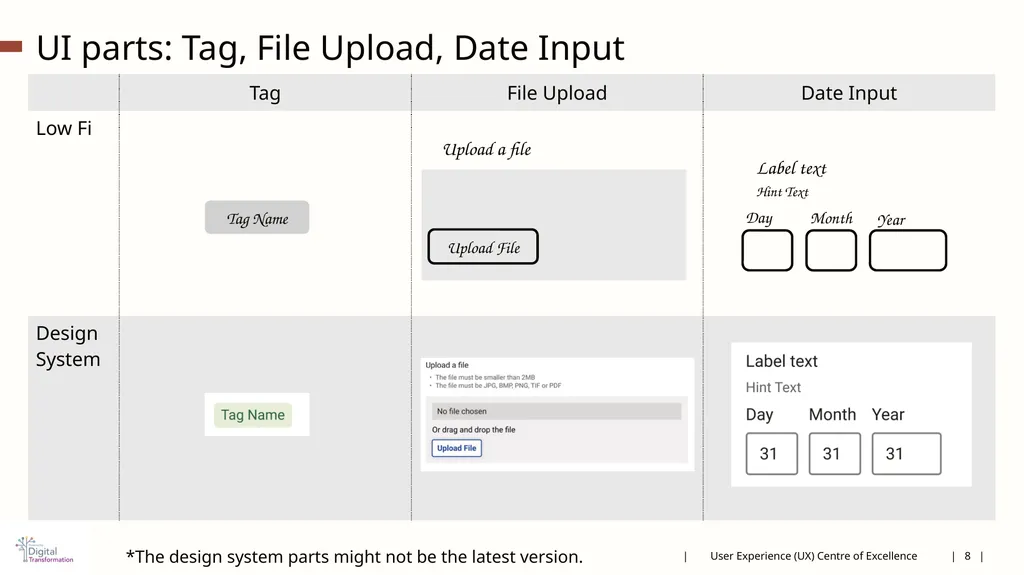
UI parts: Tag, File Upload, Date Input | User Experience (UX) Centre of Excellence | 8 | Tag Name Upload a file Upload File Label text
Hint Text Day Month Year *The design system parts might not be the latest version.<br>
09
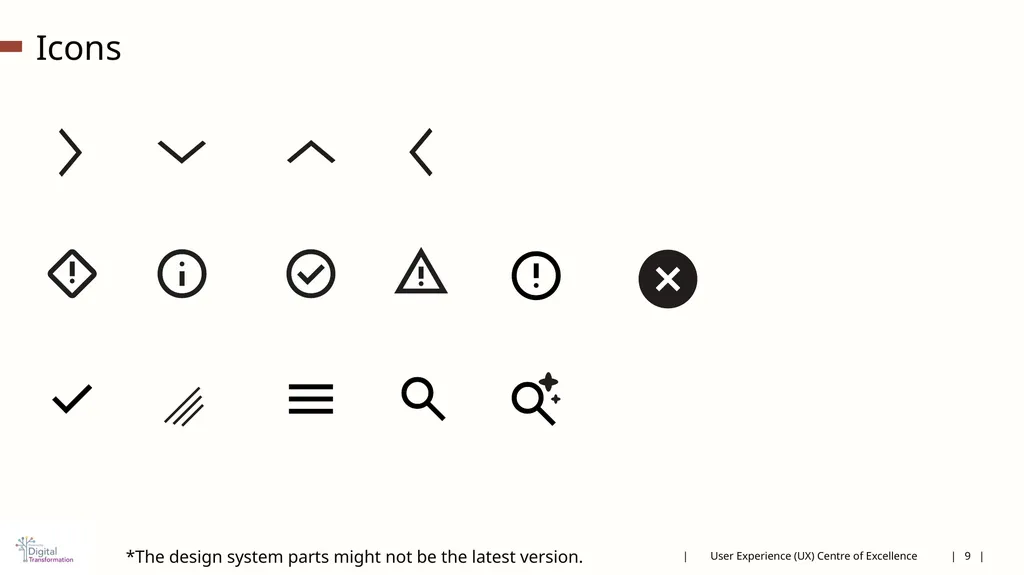
Icons | User Experience (UX) Centre of Excellence | 9 | *The design system parts might not be the latest version.<br>
10
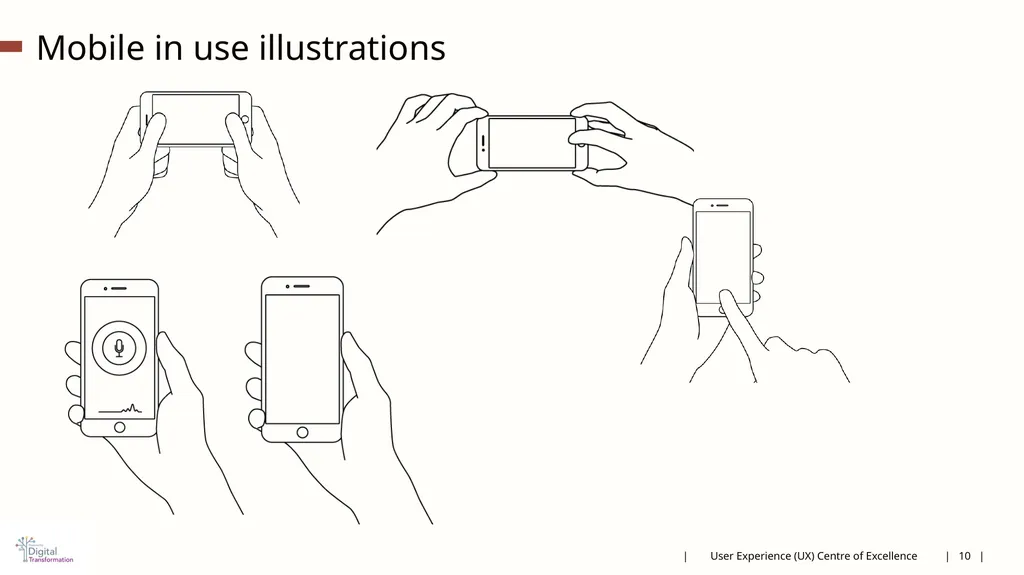
Mobile in use illustrations | User Experience (UX) Centre of Excellence | 10 |<br>
11
Low Fi prototype mobile template<br>
12
Low Fi prototyping PC template<br>
13
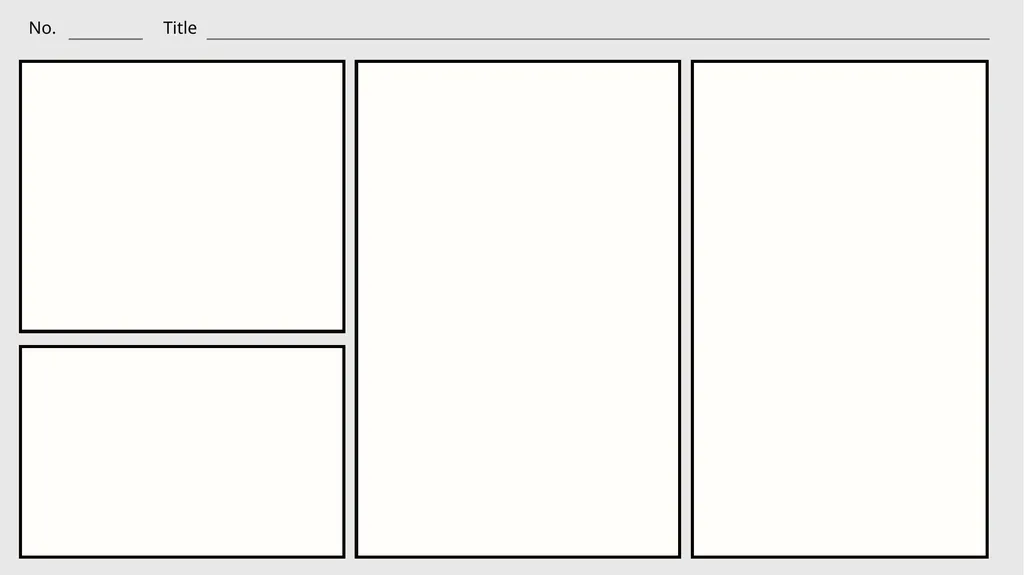
User Story board comic panel template<br>
14
Examples<br>
15
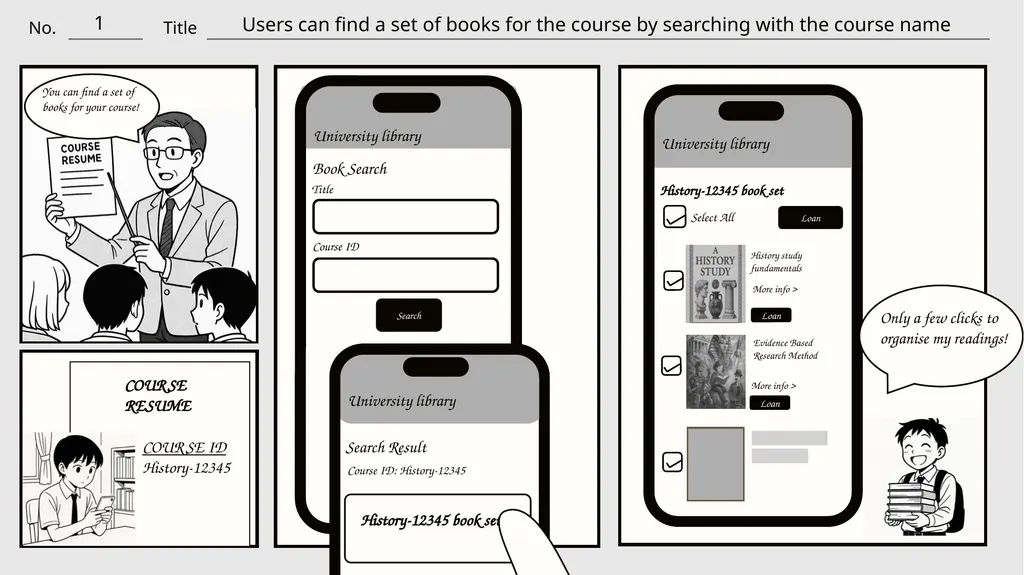
1 Users can find a set of books for the course by searching with the course name COURSE
RESUME COURSE ID
History-12345 You can find a set of books for your course! University library Book Search Title Search Course ID Select All History study fundamentals Evidence Based Research Method More info > More info > Loan Loan University library Search Result Course ID: History-12345 History-12345 book set Only a few clicks to organise my readings!<br>
16
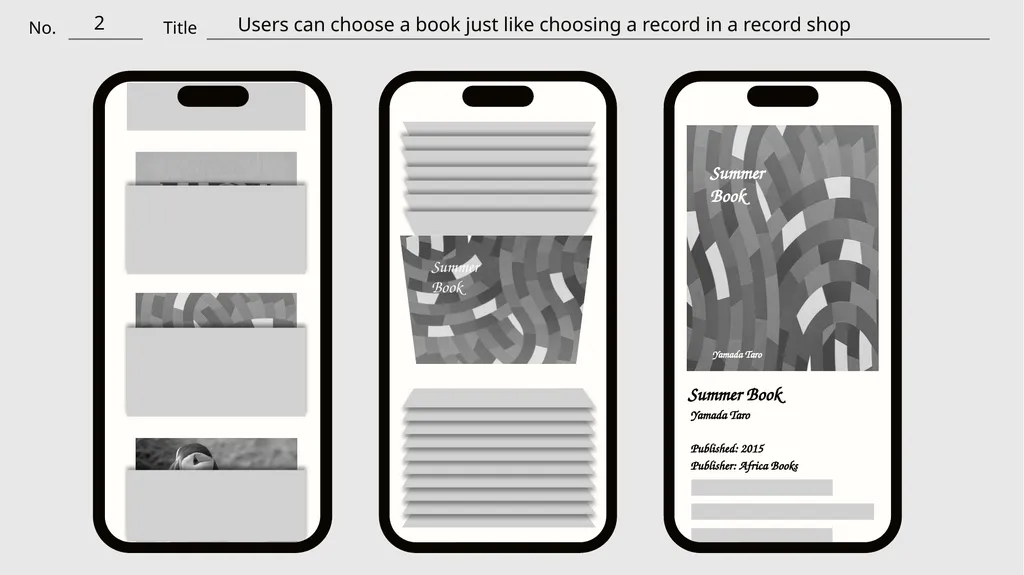
2 Users can choose a book just like choosing a record in a record shop Summer
Book Yamada Taro Summer Book Yamada Taro Published: 2015 Publisher: Africa Books A low Fi prototype to express the idea that users can choose a book just like choosing a record in a record shop<br>
17
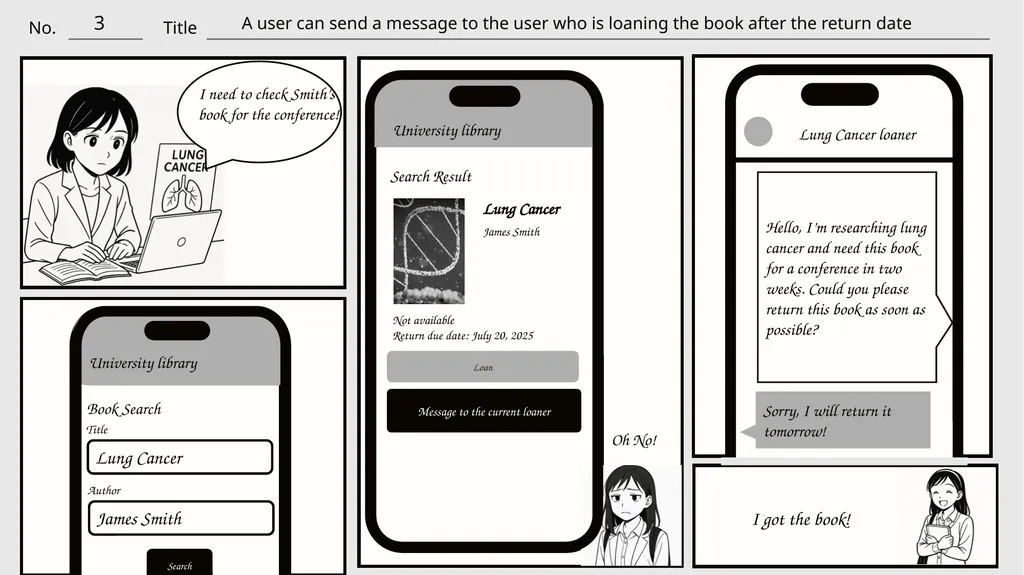
3 A user can send a message to the user who is loaning the book after the return date University library Book Search Title Search Lung Cancer Author James Smith I need to check Smith’s book for the conference! Search Result Loan Lung Cancer James Smith Not available
Return due date: July 20, 2025 Message to the current loaner Oh No! Lung Cancer loaner Sorry, I will return it tomorrow! Hello, I’m researching lung cancer and need this book for a conference in two weeks. Could you please return this book as soon as possible? I got the book! University library A comic style story board to express the idea that a user can send a message to the user who is loaning the book after the return date<br>