
Week 2, Programming in machine learning: Python &
SB
Published · 41 slides · 0 views
1 / 1

Description
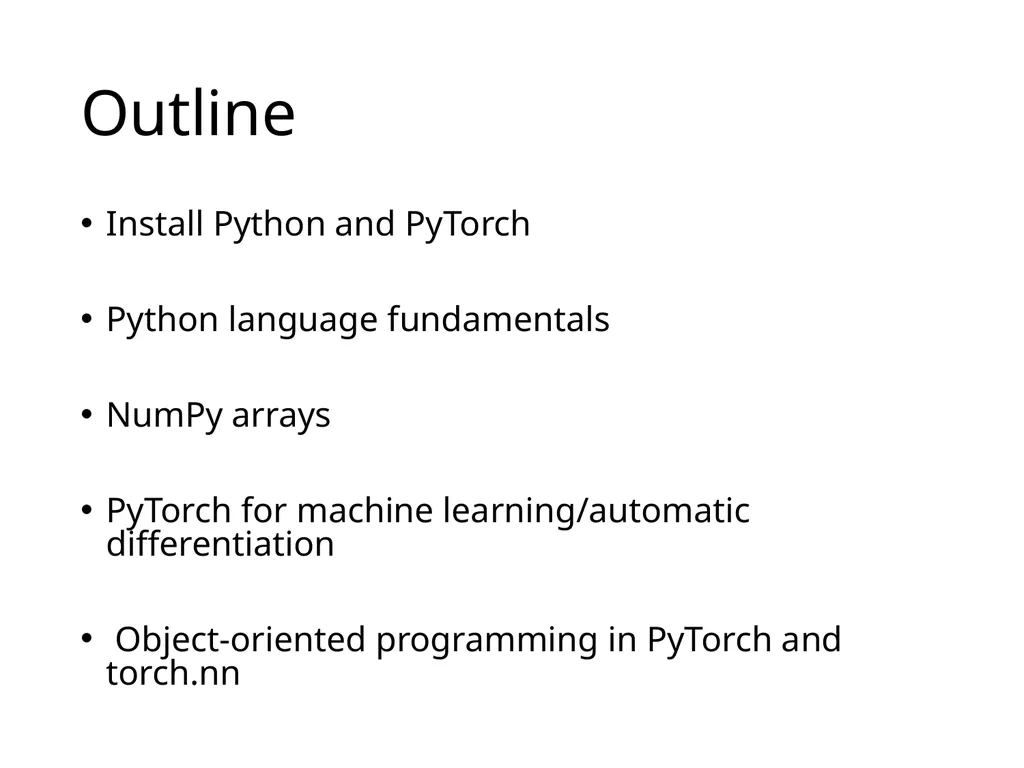
Week 2, Programming in machine learning: Python PyTorch Outline Install Python and PyTorch Python language fundamentals NumPy arrays PyTorch for machine learningautomatic differentiation Object-oriented programming in PyTorch and
Related Topics
Share
Embed code
Download this presentation From Below
"Week 2, Programming in machine learning: Python &" is the property of its rightful owner. Permission is granted to download and print the materials on this website for personal, non-commercial use only, and to display it on your personal computer provided you do not modify the materials and that you retain all copyright notices contained in the materials. By downloading content from our website, you accept the terms of this agreement.
Presentation Transcript
01
Week 2,
Programming in machine learning: Python & PyTorch<br>
02
Outline Install Python and PyTorch
Python language fundamentals
NumPy arrays
PyTorch for machine learning/automatic differentiation
Object-oriented programming in PyTorch and torch.nn<br>
Python language fundamentals
NumPy arrays
PyTorch for machine learning/automatic differentiation
Object-oriented programming in PyTorch and torch.nn<br>
03
Install Python/PyTorch www.python.org Go to the download tab
Download the latest installer for your operating system (Windows, macOS, or Linux)
Follow the instructions to execute the installer
Use IDLE www.anaconda.com/download Choose your OS (Windows, Mac or Linux)
Download the graphical installer
Advantage: you get jupyter notebook, numpy, as well as many other packages %pip install torch torchvision torchaudio Inside the Jupyter notebook do:<br>
Download the latest installer for your operating system (Windows, macOS, or Linux)
Follow the instructions to execute the installer
Use IDLE www.anaconda.com/download Choose your OS (Windows, Mac or Linux)
Download the graphical installer
Advantage: you get jupyter notebook, numpy, as well as many other packages %pip install torch torchvision torchaudio Inside the Jupyter notebook do:<br>
04
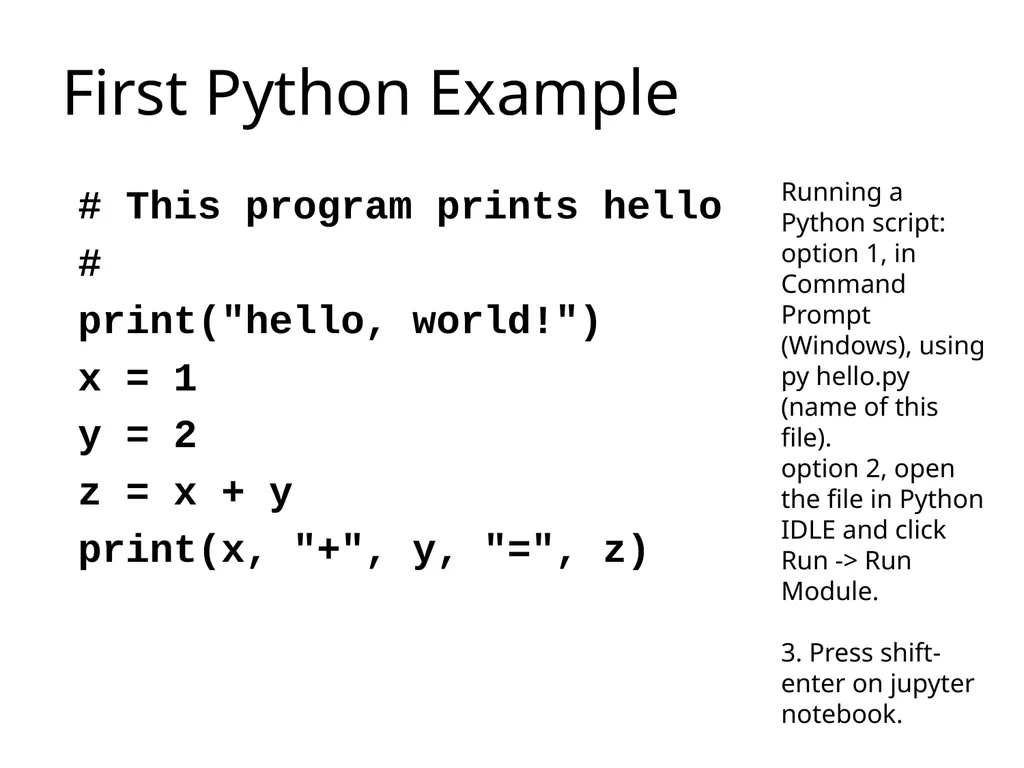
First Python Example # This program prints hello
#
print("hello, world!")
x = 1
y = 2
z = x + y
print(x, "+", y, "=", z) Running a Python script: option 1, in Command Prompt (Windows), using py hello.py (name of this file).
option 2, open the file in Python IDLE and click Run -> Run Module.
3. Press shift-enter on jupyter notebook.<br>
#
print("hello, world!")
x = 1
y = 2
z = x + y
print(x, "+", y, "=", z) Running a Python script: option 1, in Command Prompt (Windows), using py hello.py (name of this file).
option 2, open the file in Python IDLE and click Run -> Run Module.
3. Press shift-enter on jupyter notebook.<br>
05
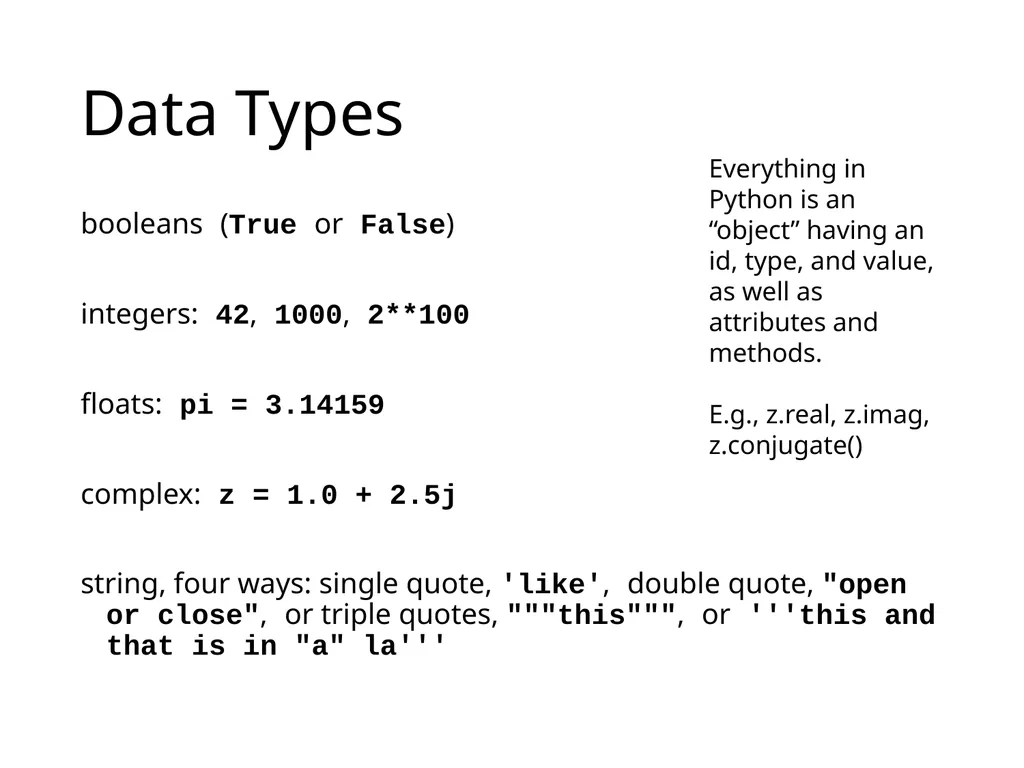
Data Types booleans (True or False)
integers: 42, 1000, 2**100
floats: pi = 3.14159
complex: z = 1.0 + 2.5j
string, four ways: single quote, 'like', double quote, "open or close", or triple quotes, """this""", or '''this and that is in "a" la''' Everything in Python is an “object” having an id, type, and value, as well as attributes and methods.
E.g., z.real, z.imag, z.conjugate()<br>
integers: 42, 1000, 2**100
floats: pi = 3.14159
complex: z = 1.0 + 2.5j
string, four ways: single quote, 'like', double quote, "open or close", or triple quotes, """this""", or '''this and that is in "a" la''' Everything in Python is an “object” having an id, type, and value, as well as attributes and methods.
E.g., z.real, z.imag, z.conjugate()<br>
06
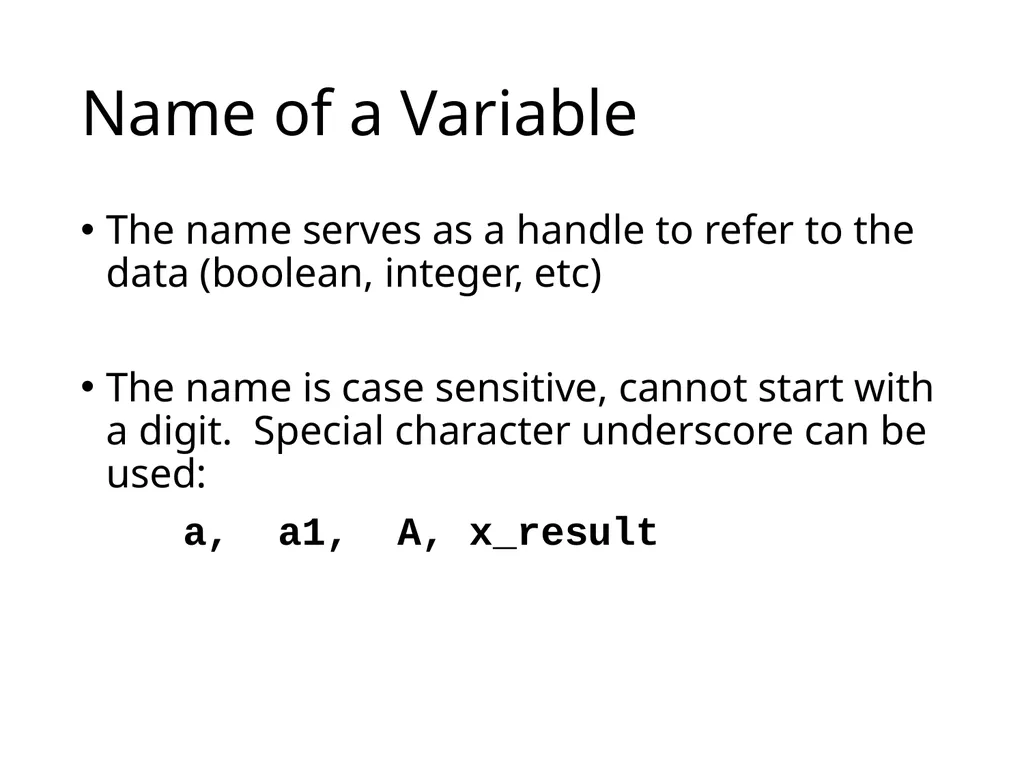
Name of a Variable The name serves as a handle to refer to the data (boolean, integer, etc)
The name is case sensitive, cannot start with a digit. Special character underscore can be used:
a, a1, A, x_result<br>
The name is case sensitive, cannot start with a digit. Special character underscore can be used:
a, a1, A, x_result<br>
07
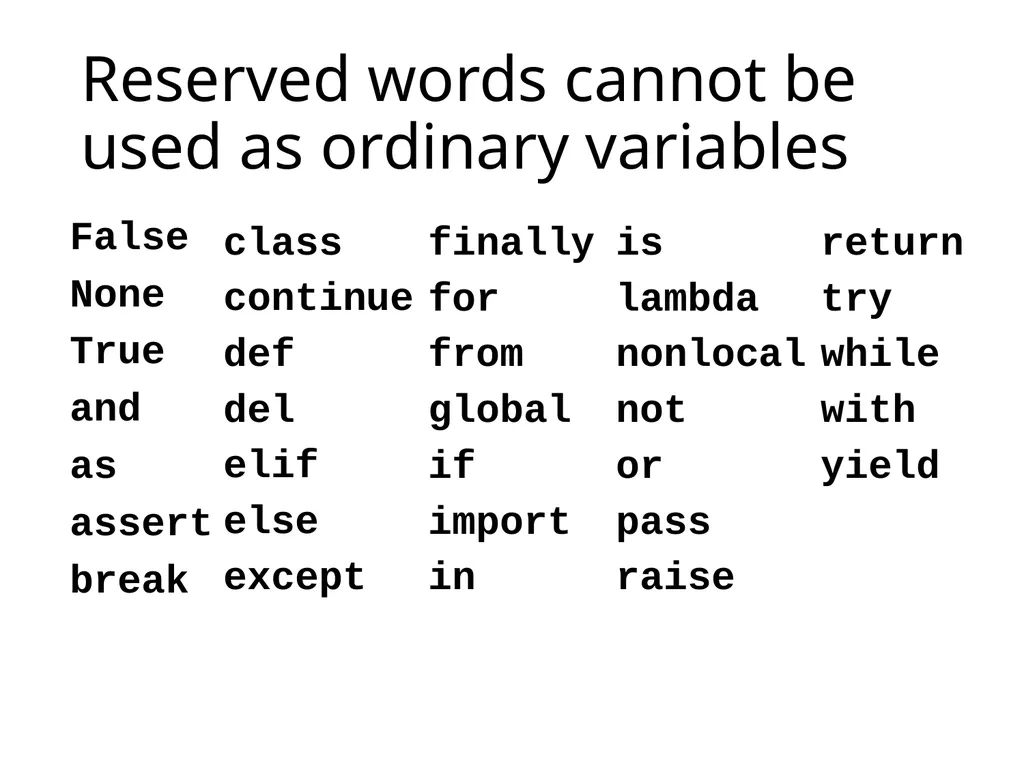
Reserved words cannot be used as ordinary variables False
None
True
and
as
assert
break class
continue
def
del
elif
else
except finally
for
from
global
if
import
in is
lambda
nonlocal
not
or
pass
raise return
try
while
with
yield<br>
None
True
and
as
assert
break class
continue
def
del
elif
else
except finally
for
from
global
if
import
in is
lambda
nonlocal
not
or
pass
raise return
try
while
with
yield<br>
08
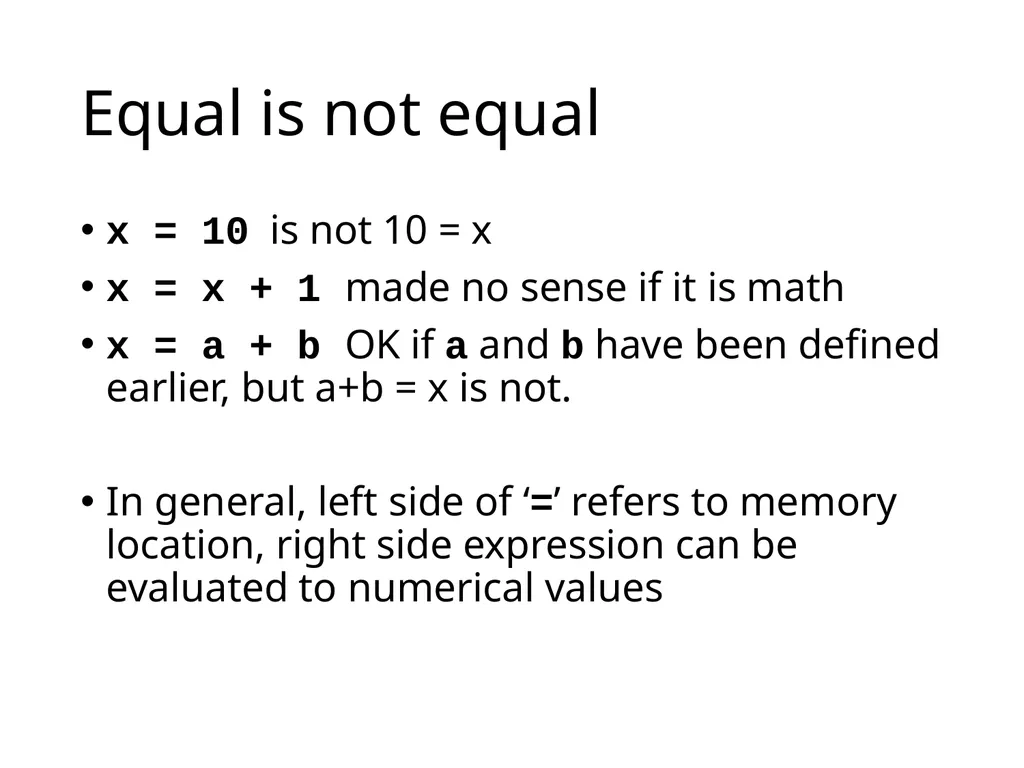
Equal is not equal x = 10 is not 10 = x
x = x + 1 made no sense if it is math
x = a + b OK if a and b have been defined earlier, but a+b = x is not.
In general, left side of ‘=’ refers to memory location, right side expression can be evaluated to numerical values<br>
x = x + 1 made no sense if it is math
x = a + b OK if a and b have been defined earlier, but a+b = x is not.
In general, left side of ‘=’ refers to memory location, right side expression can be evaluated to numerical values<br>
09
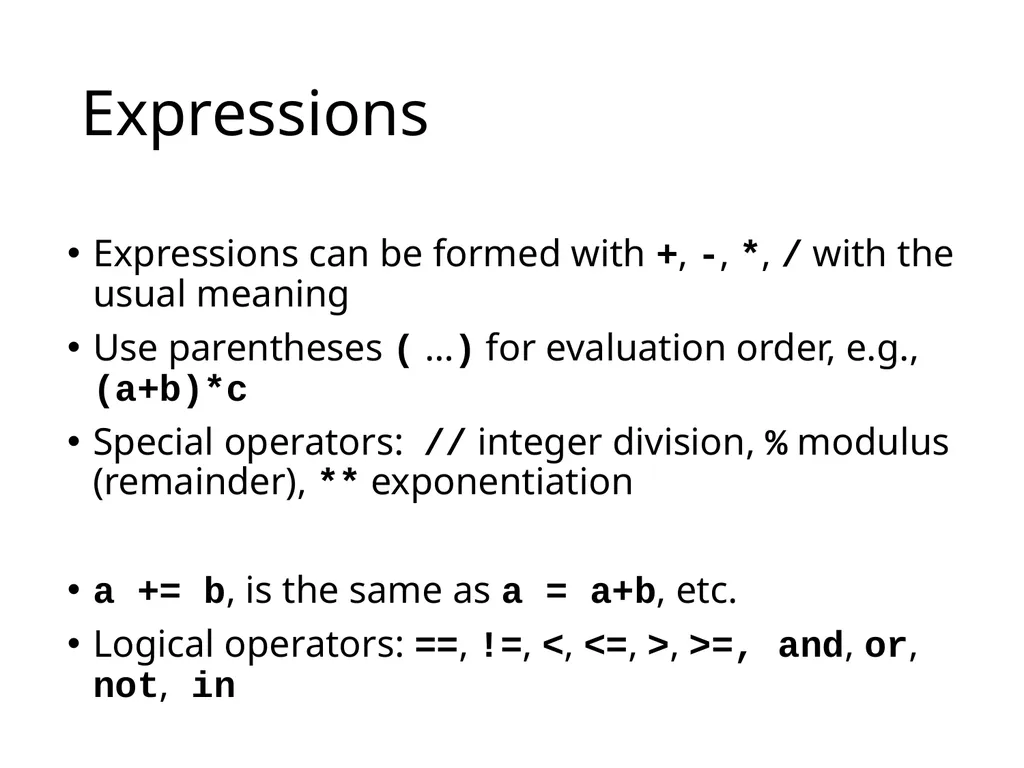
Expressions Expressions can be formed with +, -, *, / with the usual meaning
Use parentheses ( …) for evaluation order, e.g., (a+b)*c
Special operators: // integer division, % modulus (remainder), ** exponentiation
a += b, is the same as a = a+b, etc.
Logical operators: ==, !=, <, <=, >, >=, and, or, not, in<br>
Use parentheses ( …) for evaluation order, e.g., (a+b)*c
Special operators: // integer division, % modulus (remainder), ** exponentiation
a += b, is the same as a = a+b, etc.
Logical operators: ==, !=, <, <=, >, >=, and, or, not, in<br>
10
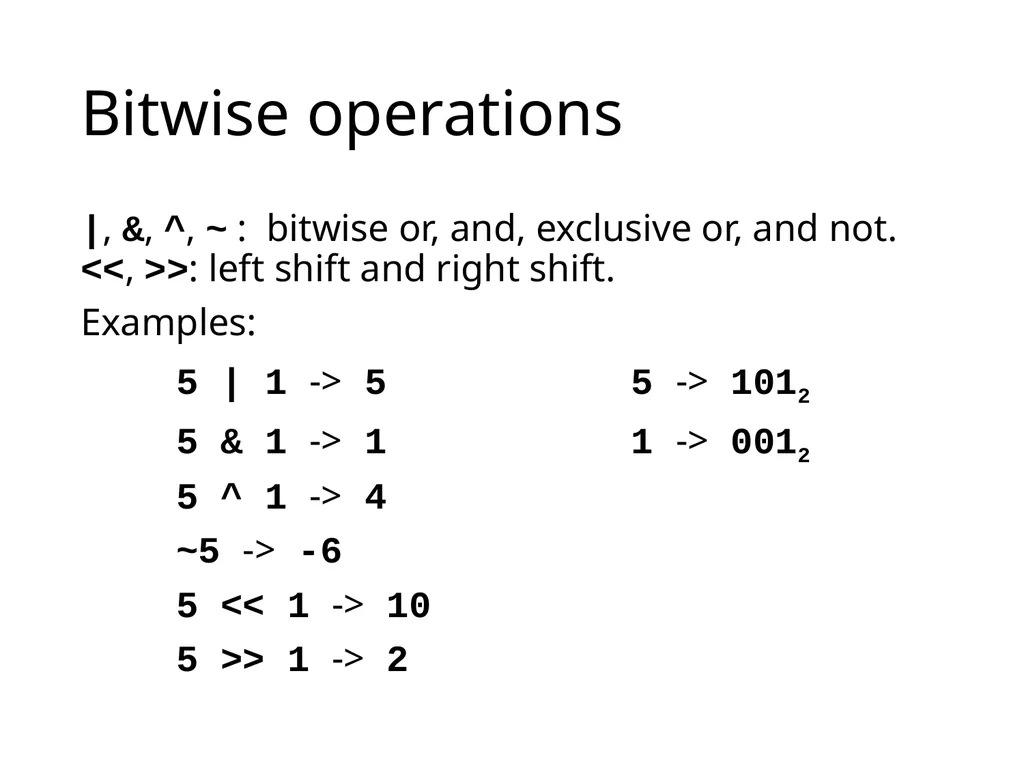
Bitwise operations |, &, ^, ~ : bitwise or, and, exclusive or, and not. <<, >>: left shift and right shift.
Examples:
5 | 1 -> 5 5 -> 1012
5 & 1 -> 1 1 -> 0012
5 ^ 1 -> 4
~5 -> -6
5 << 1 -> 10
5 >> 1 -> 2<br>
Examples:
5 | 1 -> 5 5 -> 1012
5 & 1 -> 1 1 -> 0012
5 ^ 1 -> 4
~5 -> -6
5 << 1 -> 10
5 >> 1 -> 2<br>
11
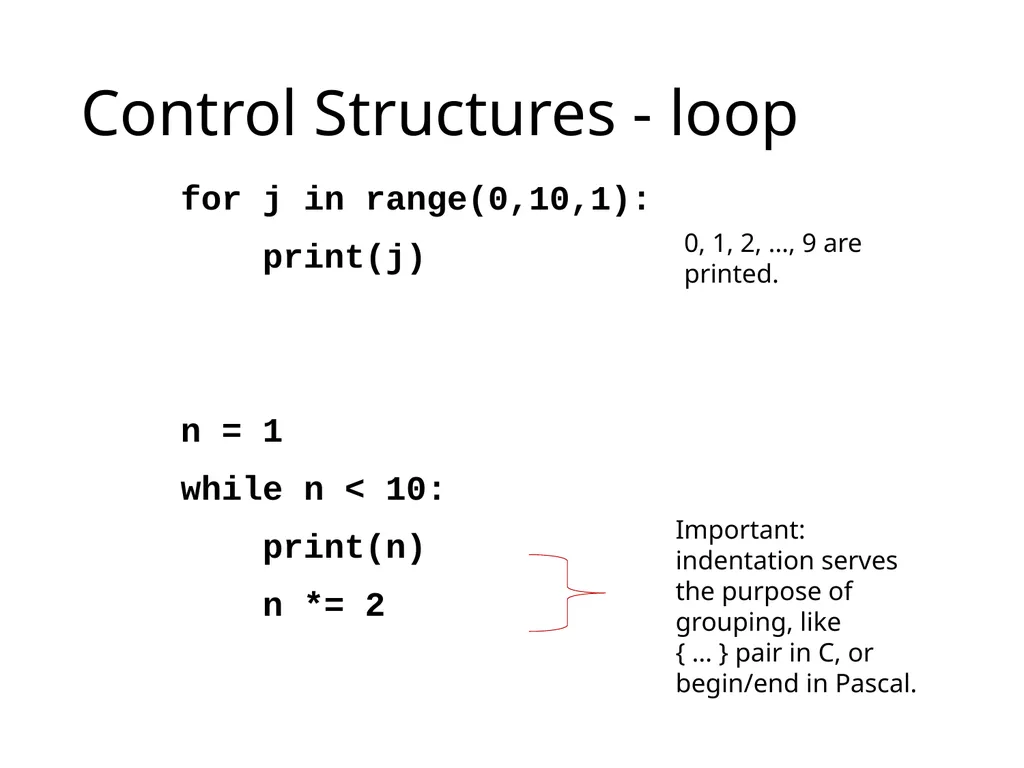
Control Structures - loop for j in range(0,10,1):
print(j)
n = 1
while n < 10:
print(n)
n *= 2 Important: indentation serves the purpose of grouping, like
{ … } pair in C, or begin/end in Pascal. 0, 1, 2, …, 9 are printed.<br>
print(j)
n = 1
while n < 10:
print(n)
n *= 2 Important: indentation serves the purpose of grouping, like
{ … } pair in C, or begin/end in Pascal. 0, 1, 2, …, 9 are printed.<br>
12
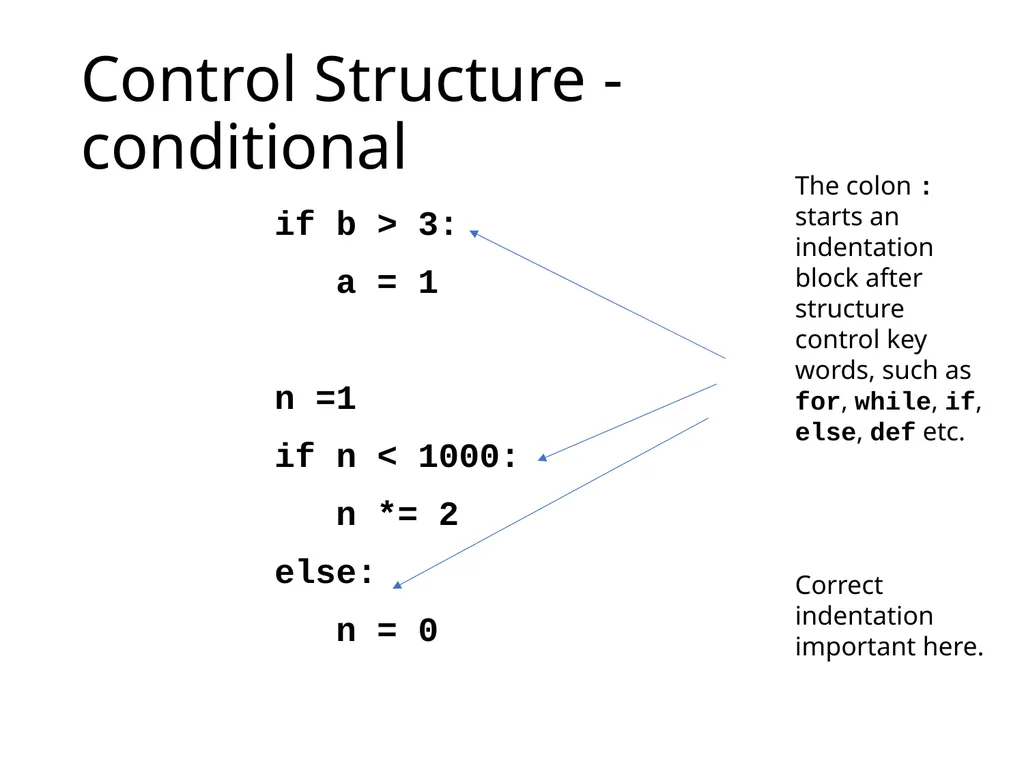
Control Structure - conditional if b > 3:
a = 1
n =1
if n < 1000:
n *= 2
else:
n = 0 The colon : starts an indentation block after structure control key words, such as for, while, if, else, def etc.
Correct indentation important here.<br>
a = 1
n =1
if n < 1000:
n *= 2
else:
n = 0 The colon : starts an indentation block after structure control key words, such as for, while, if, else, def etc.
Correct indentation important here.<br>
13
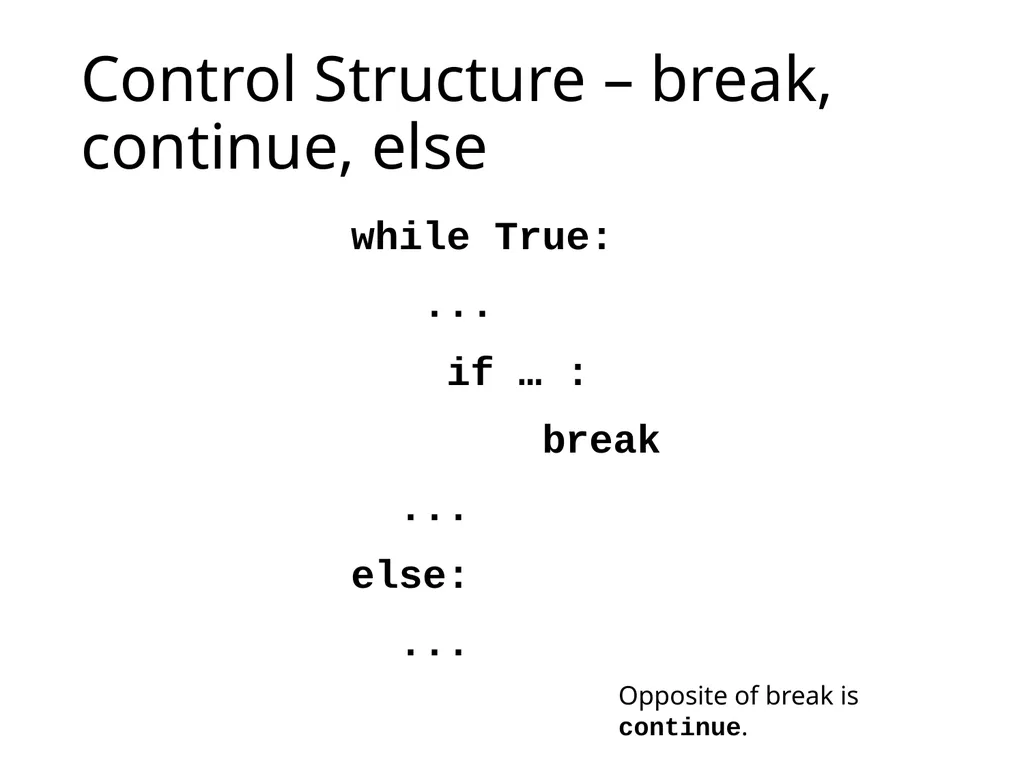
Control Structure – break, continue, else while True:
...
if … :
break
...
else:
... Opposite of break is continue.<br>
...
if … :
break
...
else:
... Opposite of break is continue.<br>
14
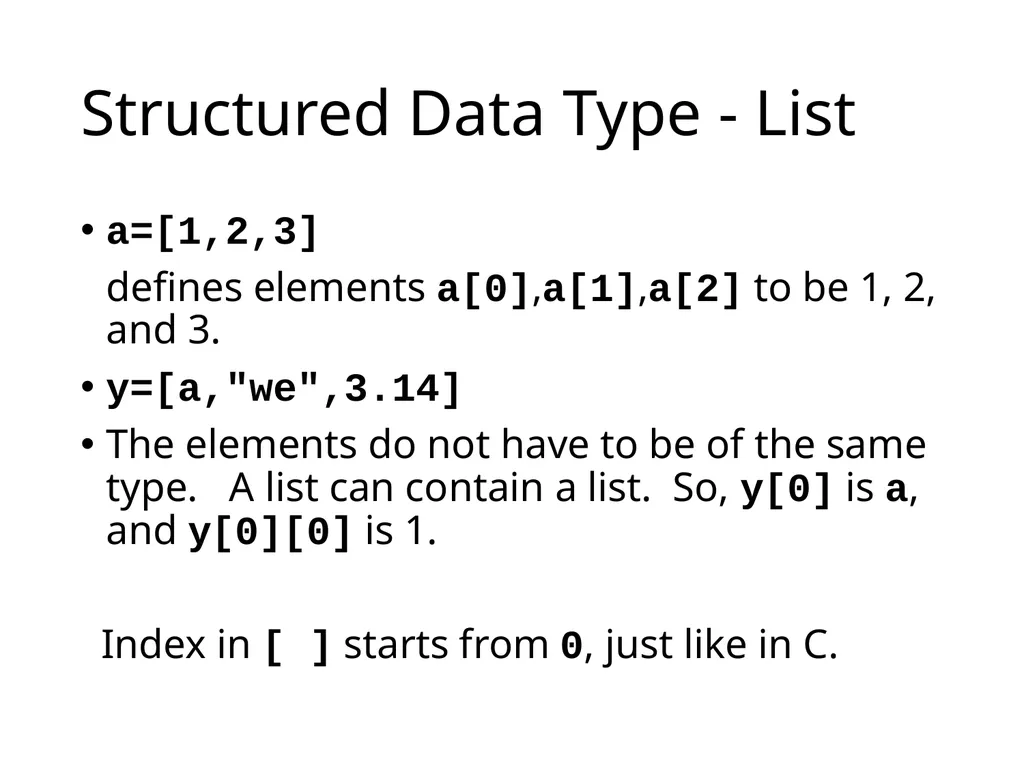
Structured Data Type - List a=[1,2,3]
defines elements a[0],a[1],a[2] to be 1, 2, and 3.
y=[a,"we",3.14]
The elements do not have to be of the same type. A list can contain a list. So, y[0] is a, and y[0][0] is 1.
Index in [ ] starts from 0, just like in C.<br>
defines elements a[0],a[1],a[2] to be 1, 2, and 3.
y=[a,"we",3.14]
The elements do not have to be of the same type. A list can contain a list. So, y[0] is a, and y[0][0] is 1.
Index in [ ] starts from 0, just like in C.<br>
15
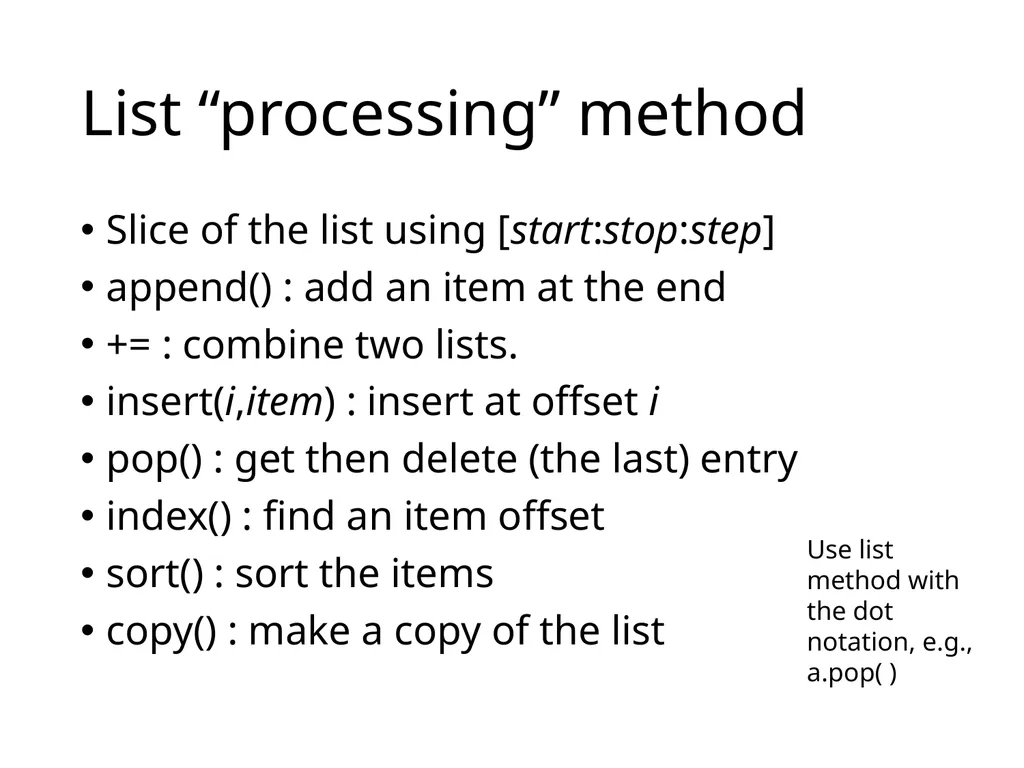
List “processing” method Slice of the list using [start:stop:step]
append() : add an item at the end
+= : combine two lists.
insert(i,item) : insert at offset i
pop() : get then delete (the last) entry
index() : find an item offset
sort() : sort the items
copy() : make a copy of the list Use list method with the dot notation, e.g.,
a.pop( )<br>
append() : add an item at the end
+= : combine two lists.
insert(i,item) : insert at offset i
pop() : get then delete (the last) entry
index() : find an item offset
sort() : sort the items
copy() : make a copy of the list Use list method with the dot notation, e.g.,
a.pop( )<br>
16
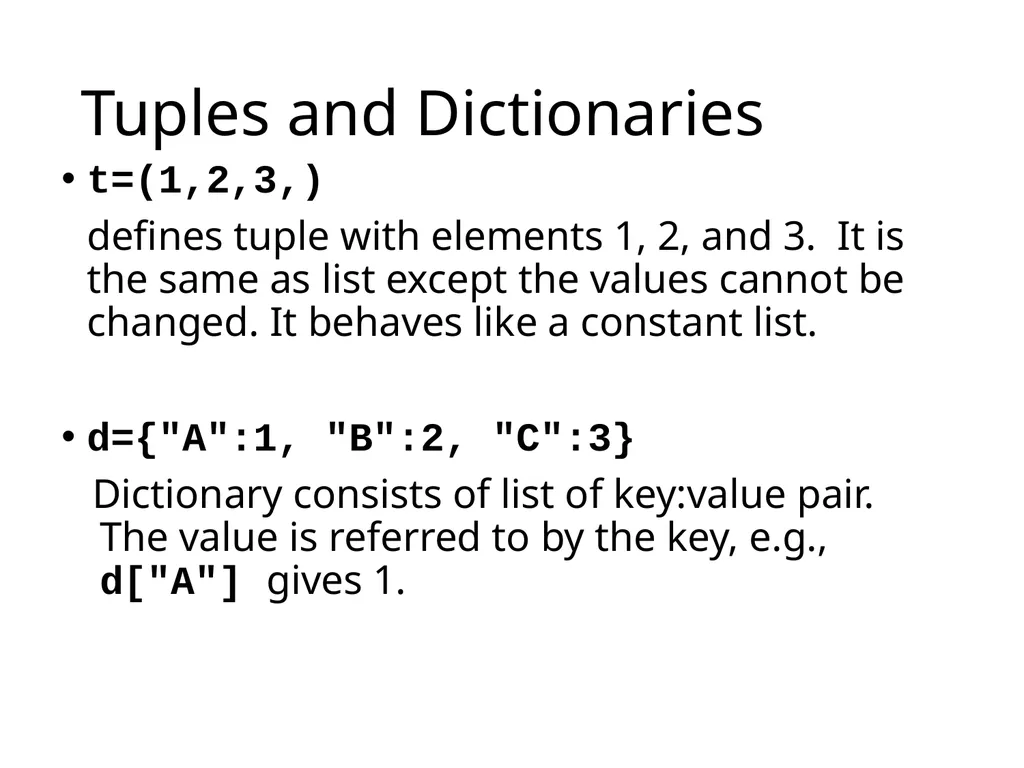
Tuples and Dictionaries t=(1,2,3,)
defines tuple with elements 1, 2, and 3. It is the same as list except the values cannot be changed. It behaves like a constant list.
d={"A":1, "B":2, "C":3}
Dictionary consists of list of key:value pair. The value is referred to by the key, e.g., d["A"] gives 1.<br>
defines tuple with elements 1, 2, and 3. It is the same as list except the values cannot be changed. It behaves like a constant list.
d={"A":1, "B":2, "C":3}
Dictionary consists of list of key:value pair. The value is referred to by the key, e.g., d["A"] gives 1.<br>
17
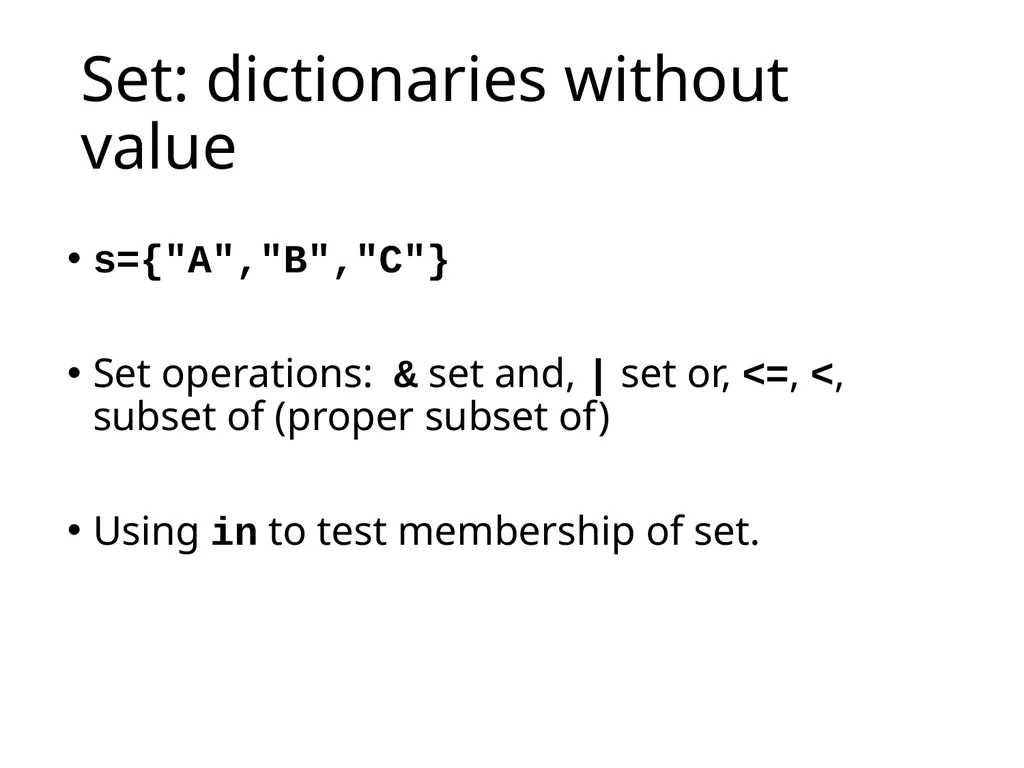
Set: dictionaries without value s={"A","B","C"}
Set operations: & set and, | set or, <=, <, subset of (proper subset of)
Using in to test membership of set.<br>
Set operations: & set and, | set or, <=, <, subset of (proper subset of)
Using in to test membership of set.<br>
18
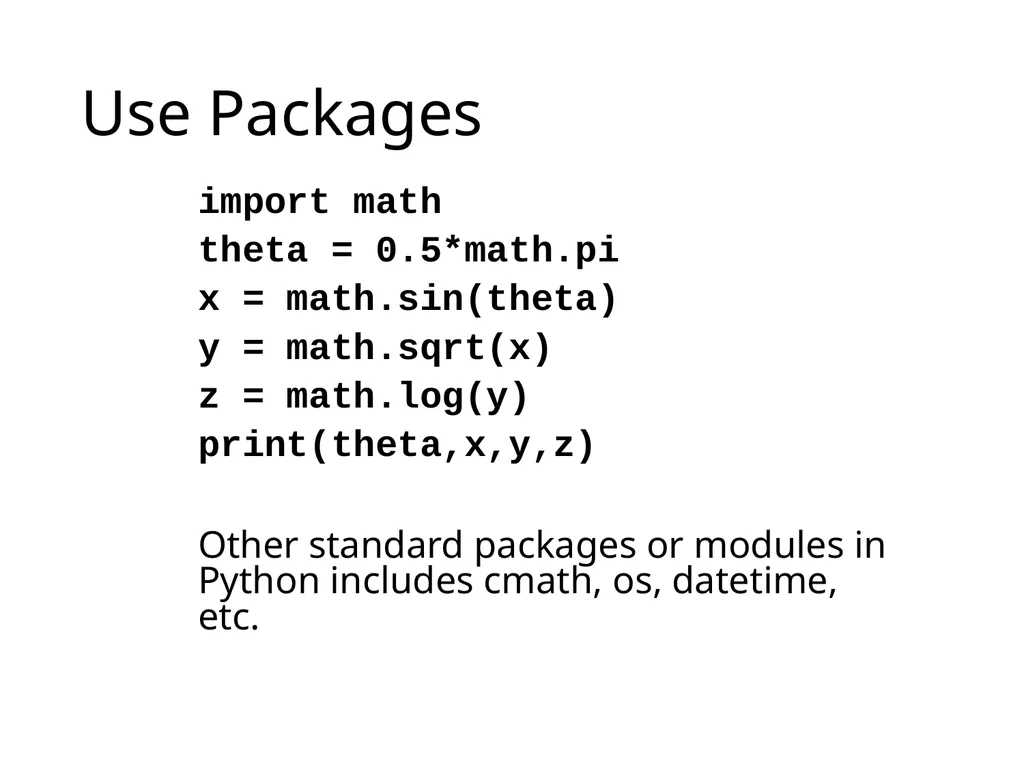
Use Packages import math
theta = 0.5*math.pi
x = math.sin(theta)
y = math.sqrt(x)
z = math.log(y)
print(theta,x,y,z)
Other standard packages or modules in Python includes cmath, os, datetime, etc.<br>
theta = 0.5*math.pi
x = math.sin(theta)
y = math.sqrt(x)
z = math.log(y)
print(theta,x,y,z)
Other standard packages or modules in Python includes cmath, os, datetime, etc.<br>
19
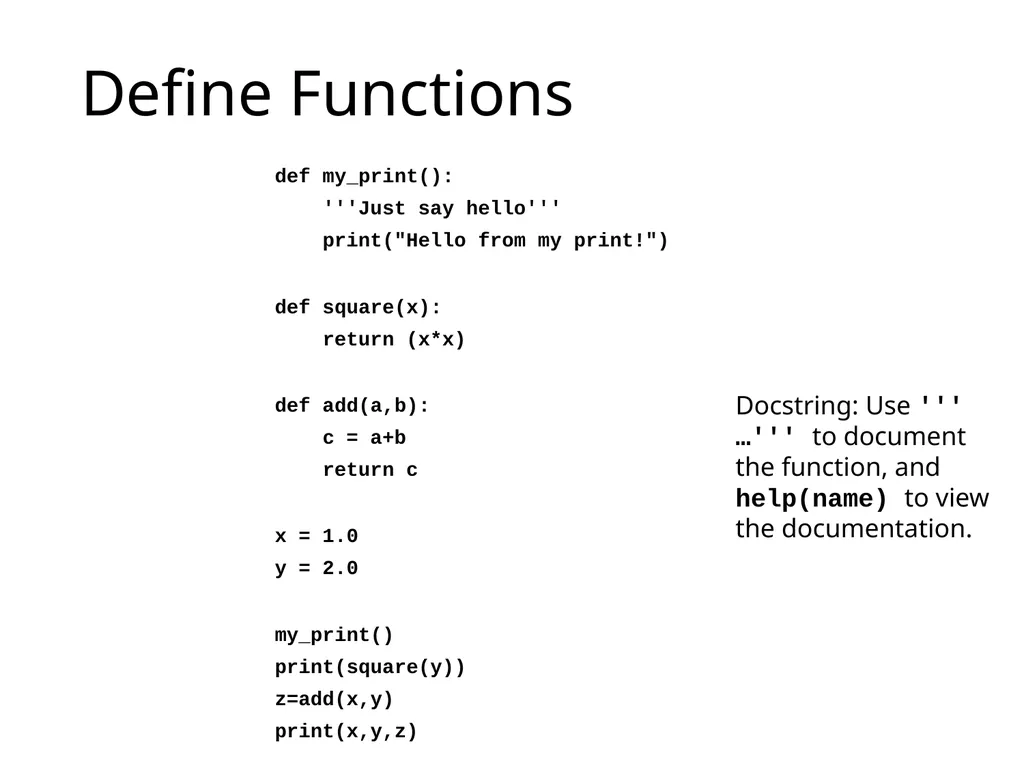
Define Functions def my_print():
'''Just say hello'''
print("Hello from my print!")
def square(x):
return (x*x)
def add(a,b):
c = a+b
return c
x = 1.0
y = 2.0
my_print()
print(square(y))
z=add(x,y)
print(x,y,z) Docstring: Use ''' …''' to document the function, and help(name) to view the documentation.<br>
'''Just say hello'''
print("Hello from my print!")
def square(x):
return (x*x)
def add(a,b):
c = a+b
return c
x = 1.0
y = 2.0
my_print()
print(square(y))
z=add(x,y)
print(x,y,z) Docstring: Use ''' …''' to document the function, and help(name) to view the documentation.<br>
20
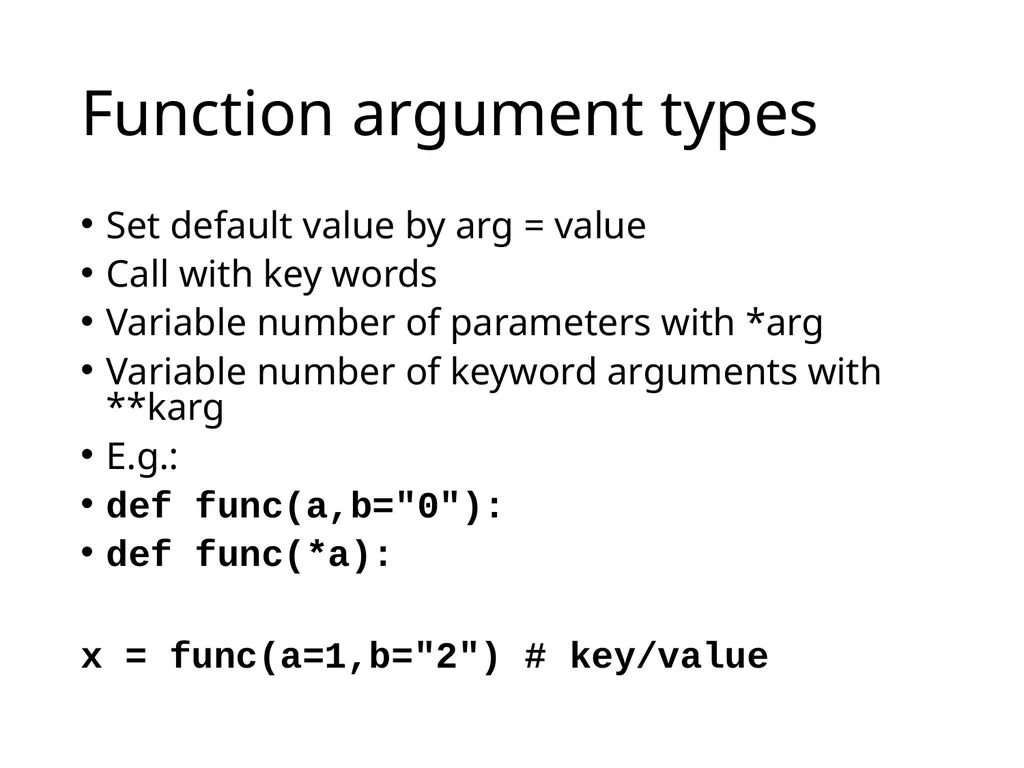
Function argument types Set default value by arg = value
Call with key words
Variable number of parameters with *arg
Variable number of keyword arguments with **karg
E.g.:
def func(a,b="0"):
def func(*a):
x = func(a=1,b="2") # key/value<br>
Call with key words
Variable number of parameters with *arg
Variable number of keyword arguments with **karg
E.g.:
def func(a,b="0"):
def func(*a):
x = func(a=1,b="2") # key/value<br>
21
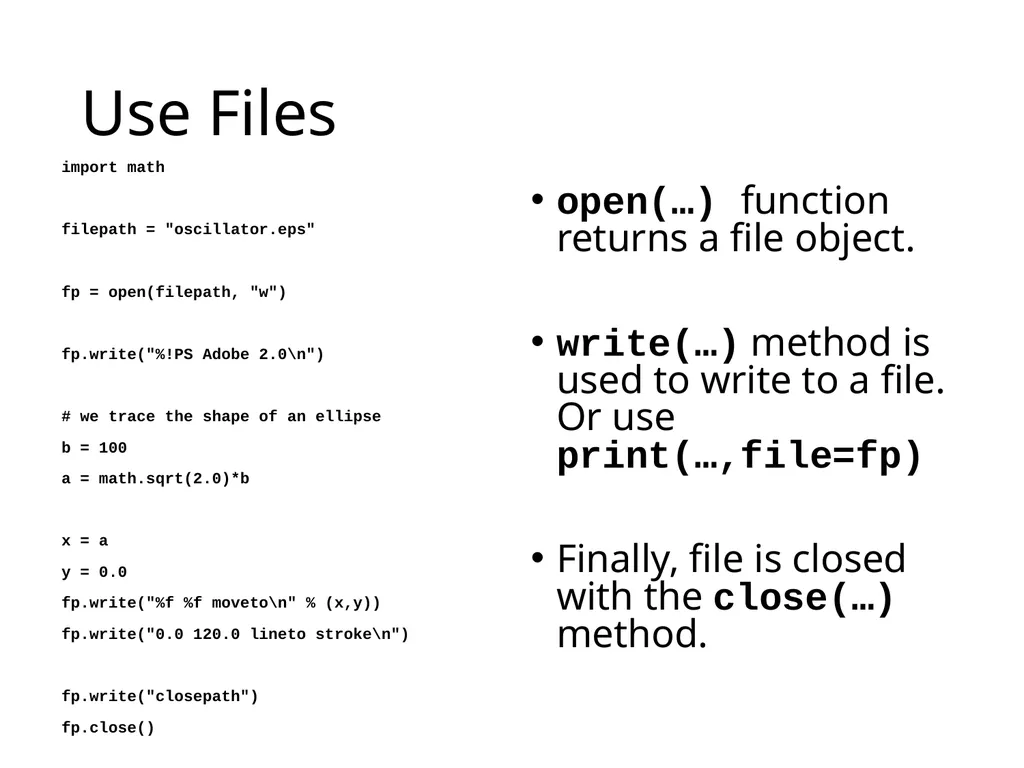
Use Files import math
filepath = "oscillator.eps"
fp = open(filepath, "w")
fp.write("%!PS Adobe 2.0\n")
# we trace the shape of an ellipse
b = 100
a = math.sqrt(2.0)*b
x = a
y = 0.0
fp.write("%f %f moveto\n" % (x,y))
fp.write("0.0 120.0 lineto stroke\n")
fp.write("closepath")
fp.close() open(…) function returns a file object.
write(…) method is used to write to a file. Or use print(…,file=fp)
Finally, file is closed with the close(…) method.<br>
filepath = "oscillator.eps"
fp = open(filepath, "w")
fp.write("%!PS Adobe 2.0\n")
# we trace the shape of an ellipse
b = 100
a = math.sqrt(2.0)*b
x = a
y = 0.0
fp.write("%f %f moveto\n" % (x,y))
fp.write("0.0 120.0 lineto stroke\n")
fp.write("closepath")
fp.close() open(…) function returns a file object.
write(…) method is used to write to a file. Or use print(…,file=fp)
Finally, file is closed with the close(…) method.<br>
22
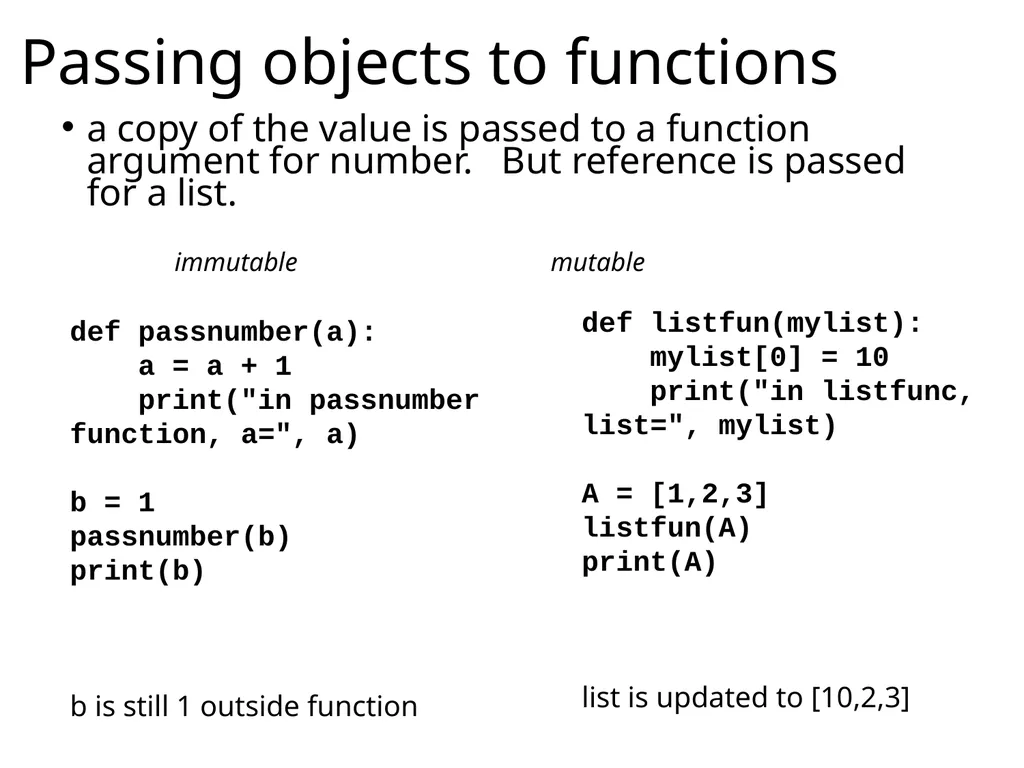
Passing objects to functions a copy of the value is passed to a function argument for number. But reference is passed for a list. def passnumber(a):
a = a + 1
print("in passnumber function, a=", a)
b = 1
passnumber(b)
print(b)
b is still 1 outside function def listfun(mylist):
mylist[0] = 10
print("in listfunc, list=", mylist)
A = [1,2,3]
listfun(A)
print(A)
list is updated to [10,2,3] immutable mutable<br>
a = a + 1
print("in passnumber function, a=", a)
b = 1
passnumber(b)
print(b)
b is still 1 outside function def listfun(mylist):
mylist[0] = 10
print("in listfunc, list=", mylist)
A = [1,2,3]
listfun(A)
print(A)
list is updated to [10,2,3] immutable mutable<br>
23
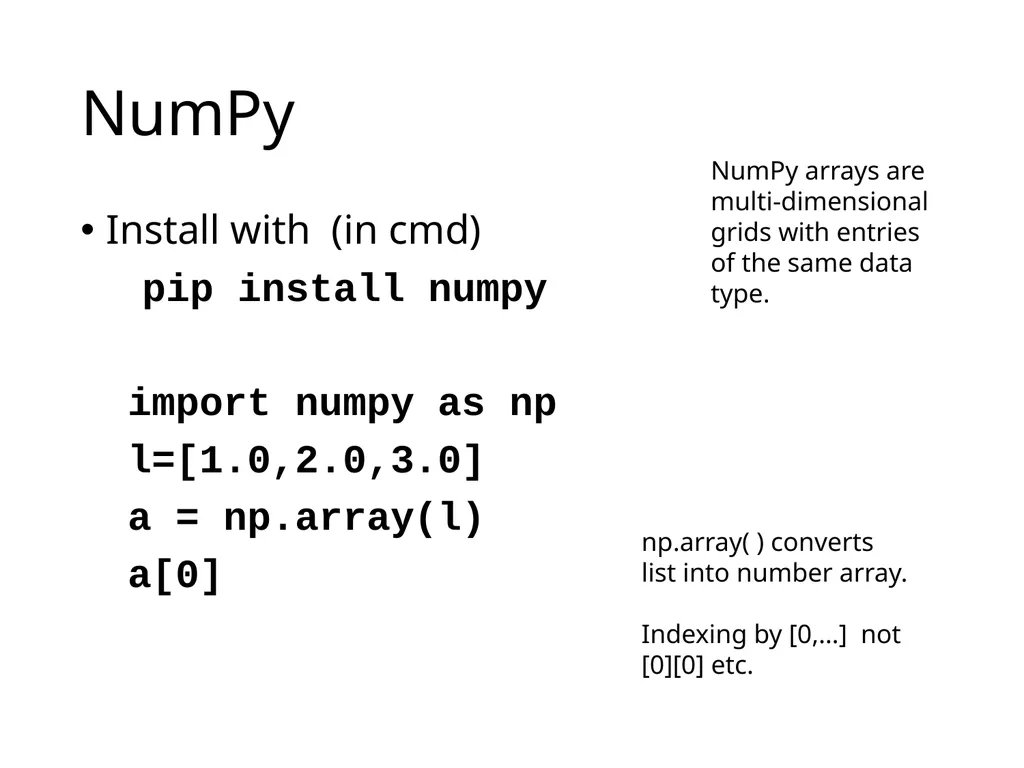
NumPy Install with (in cmd)
pip install numpy
import numpy as np
l=[1.0,2.0,3.0]
a = np.array(l)
a[0] np.array( ) converts list into number array.
Indexing by [0,…] not [0][0] etc. NumPy arrays are multi-dimensional grids with entries of the same data type.<br>
pip install numpy
import numpy as np
l=[1.0,2.0,3.0]
a = np.array(l)
a[0] np.array( ) converts list into number array.
Indexing by [0,…] not [0][0] etc. NumPy arrays are multi-dimensional grids with entries of the same data type.<br>
24
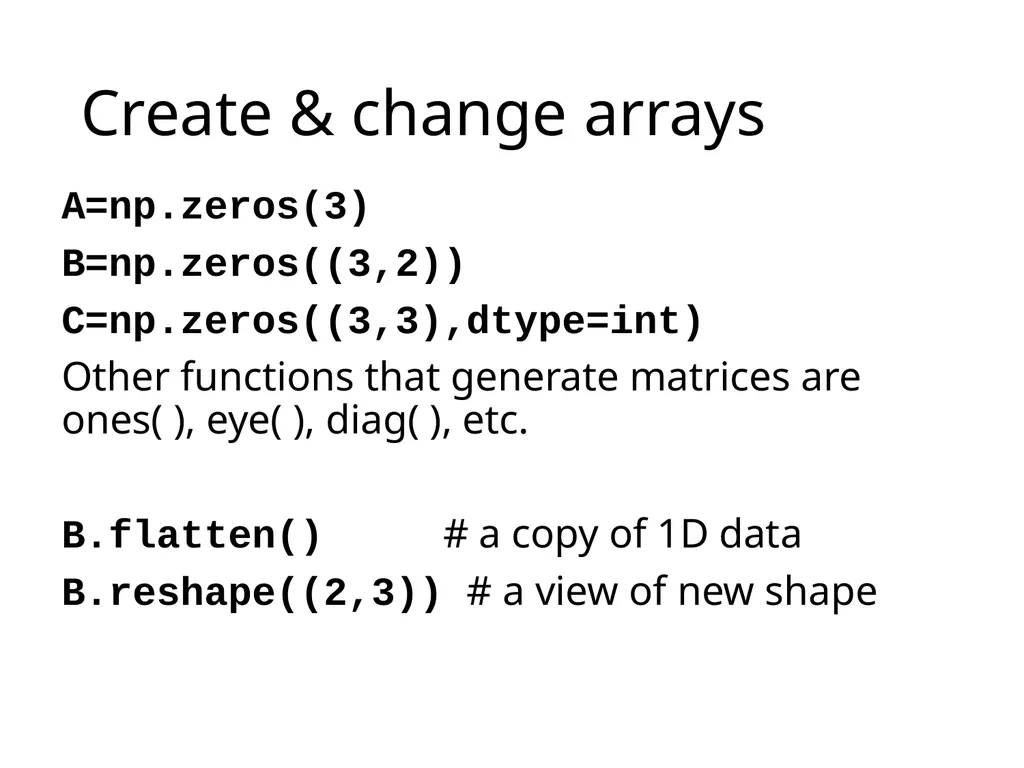
Create & change arrays A=np.zeros(3)
B=np.zeros((3,2))
C=np.zeros((3,3),dtype=int)
Other functions that generate matrices are ones( ), eye( ), diag( ), etc.
B.flatten() # a copy of 1D data
B.reshape((2,3)) # a view of new shape<br>
B=np.zeros((3,2))
C=np.zeros((3,3),dtype=int)
Other functions that generate matrices are ones( ), eye( ), diag( ), etc.
B.flatten() # a copy of 1D data
B.reshape((2,3)) # a view of new shape<br>
25
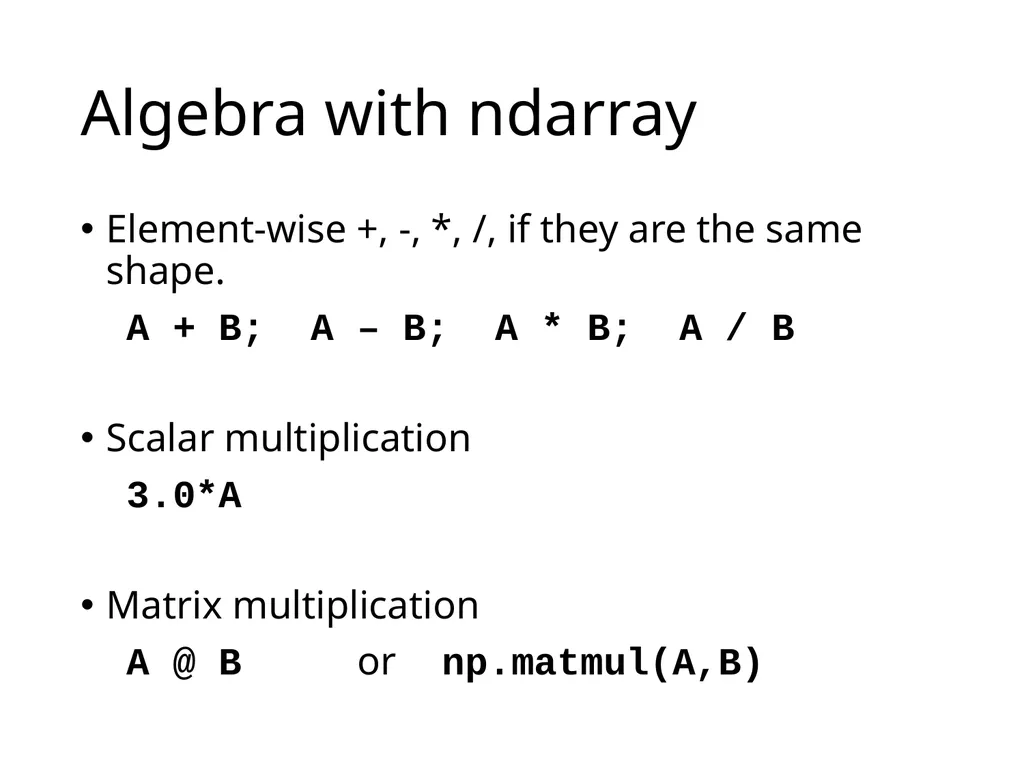
Algebra with ndarray Element-wise +, -, *, /, if they are the same shape.
A + B; A – B; A * B; A / B
Scalar multiplication
3.0*A
Matrix multiplication
A @ B or np.matmul(A,B)<br>
A + B; A – B; A * B; A / B
Scalar multiplication
3.0*A
Matrix multiplication
A @ B or np.matmul(A,B)<br>
26
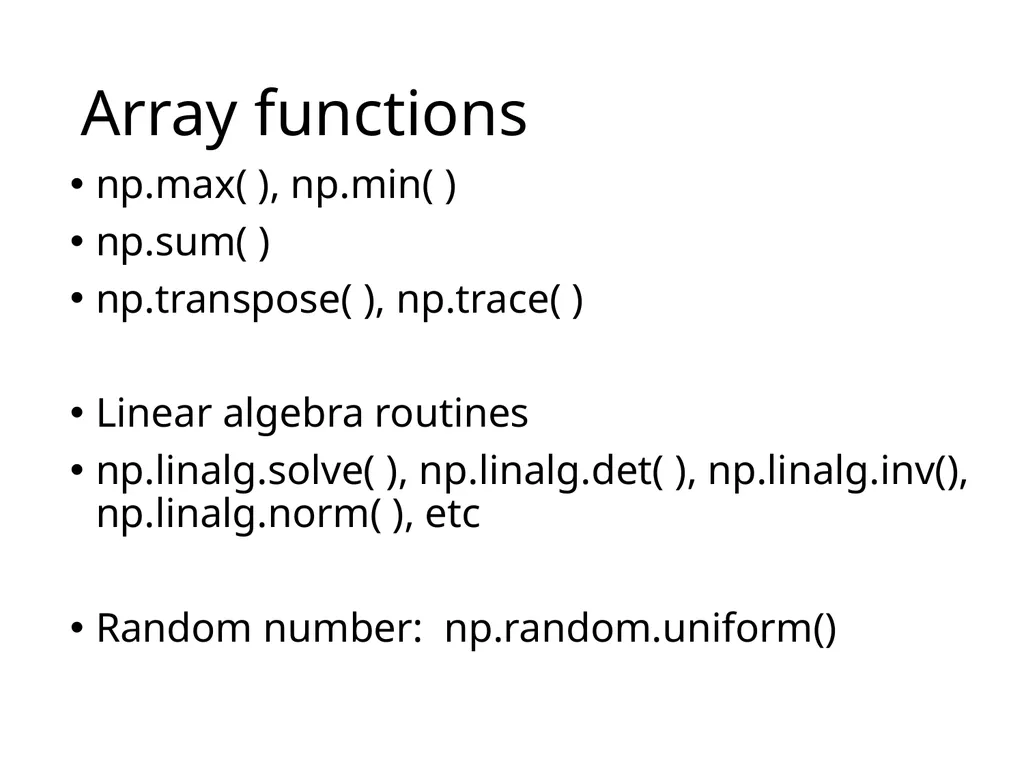
Array functions np.max( ), np.min( )
np.sum( )
np.transpose( ), np.trace( )
Linear algebra routines
np.linalg.solve( ), np.linalg.det( ), np.linalg.inv(), np.linalg.norm( ), etc
Random number: np.random.uniform()<br>
np.sum( )
np.transpose( ), np.trace( )
Linear algebra routines
np.linalg.solve( ), np.linalg.det( ), np.linalg.inv(), np.linalg.norm( ), etc
Random number: np.random.uniform()<br>
27
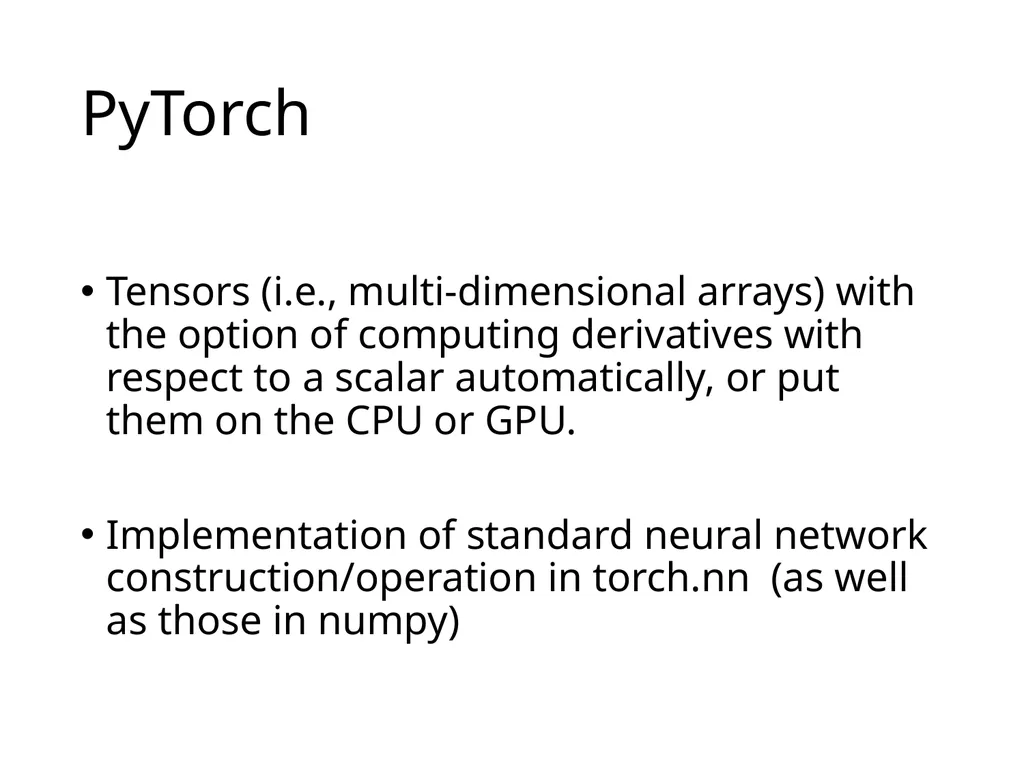
PyTorch Tensors (i.e., multi-dimensional arrays) with the option of computing derivatives with respect to a scalar automatically, or put them on the CPU or GPU.
Implementation of standard neural network construction/operation in torch.nn (as well as those in numpy)<br>
Implementation of standard neural network construction/operation in torch.nn (as well as those in numpy)<br>
28
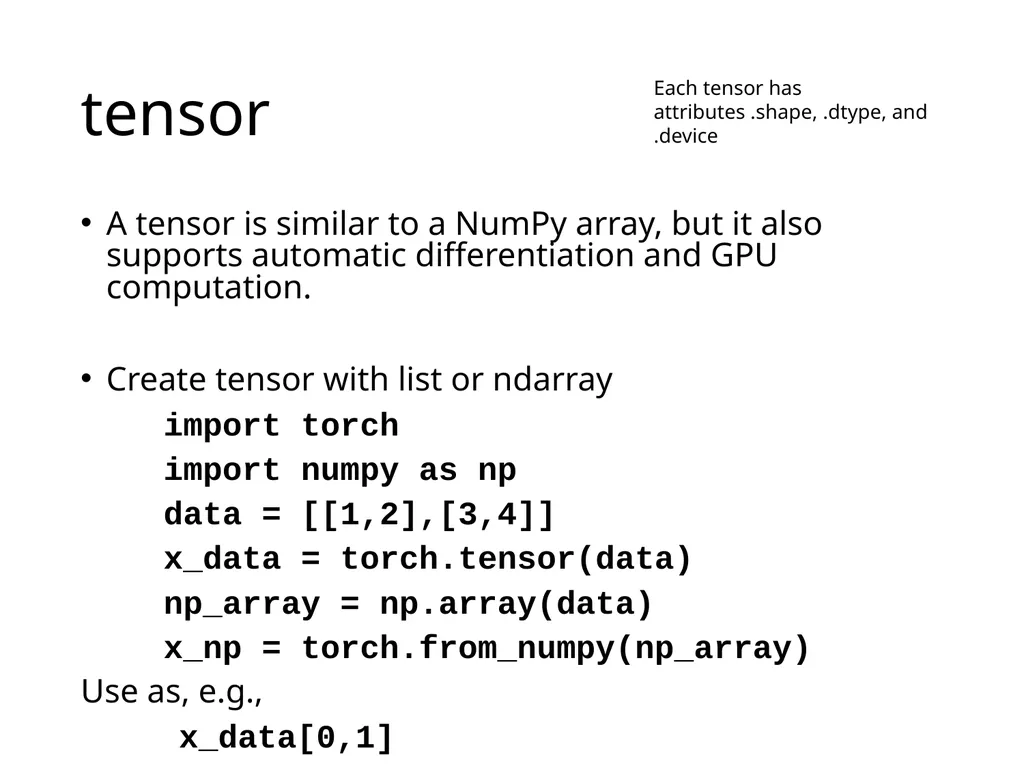
tensor A tensor is similar to a NumPy array, but it also supports automatic differentiation and GPU computation.
Create tensor with list or ndarray
import torch
import numpy as np
data = [[1,2],[3,4]]
x_data = torch.tensor(data)
np_array = np.array(data)
x_np = torch.from_numpy(np_array)
Use as, e.g.,
x_data[0,1] Each tensor has attributes .shape, .dtype, and .device<br>
Create tensor with list or ndarray
import torch
import numpy as np
data = [[1,2],[3,4]]
x_data = torch.tensor(data)
np_array = np.array(data)
x_np = torch.from_numpy(np_array)
Use as, e.g.,
x_data[0,1] Each tensor has attributes .shape, .dtype, and .device<br>
29
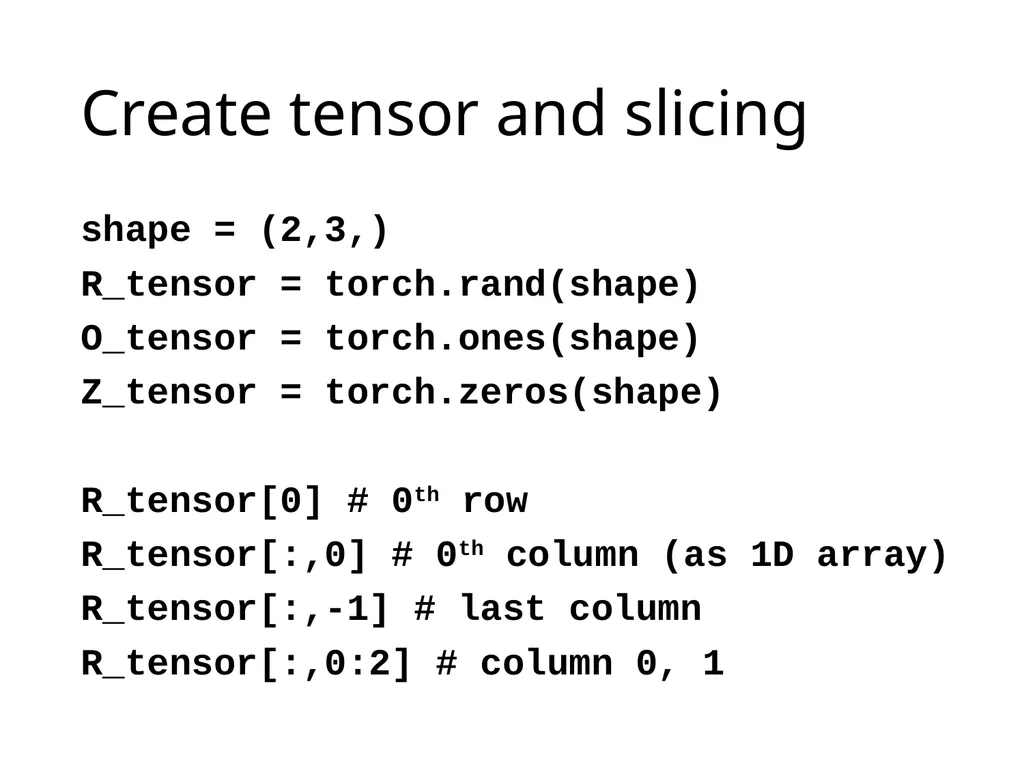
Create tensor and slicing shape = (2,3,)
R_tensor = torch.rand(shape)
O_tensor = torch.ones(shape)
Z_tensor = torch.zeros(shape)
R_tensor[0] # 0th row
R_tensor[:,0] # 0th column (as 1D array)
R_tensor[:,-1] # last column
R_tensor[:,0:2] # column 0, 1<br>
R_tensor = torch.rand(shape)
O_tensor = torch.ones(shape)
Z_tensor = torch.zeros(shape)
R_tensor[0] # 0th row
R_tensor[:,0] # 0th column (as 1D array)
R_tensor[:,-1] # last column
R_tensor[:,0:2] # column 0, 1<br>
30
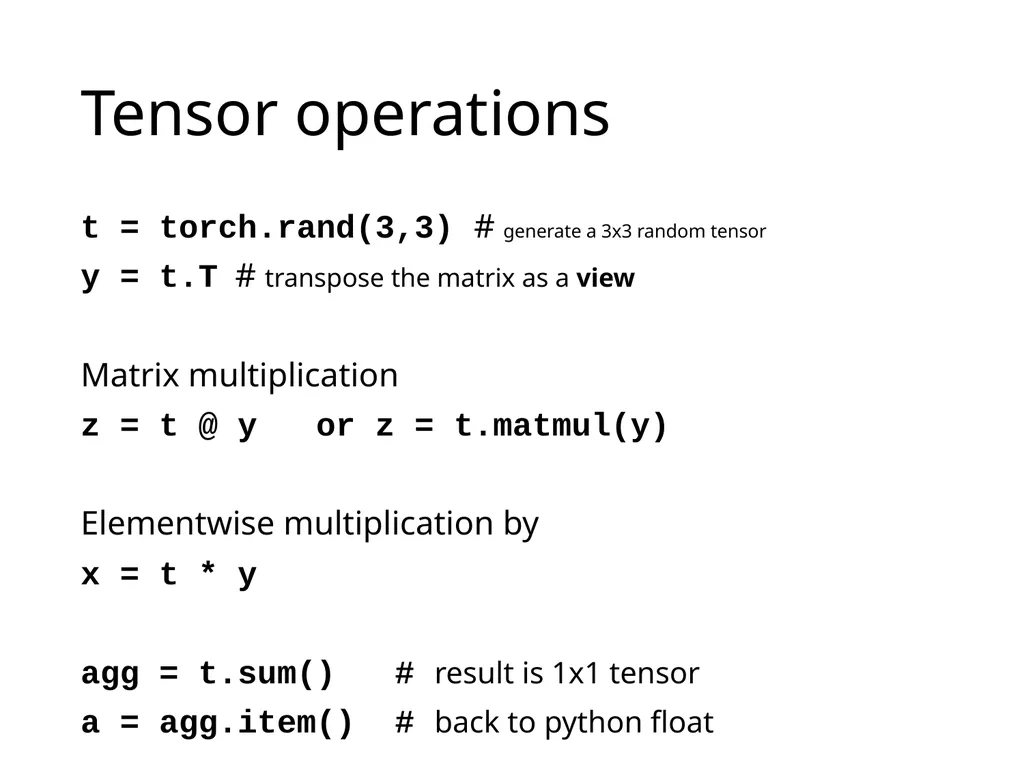
Tensor operations t = torch.rand(3,3) # generate a 3x3 random tensor
y = t.T # transpose the matrix as a view
Matrix multiplication
z = t @ y or z = t.matmul(y)
Elementwise multiplication by
x = t * y
agg = t.sum() # result is 1x1 tensor
a = agg.item() # back to python float<br>
y = t.T # transpose the matrix as a view
Matrix multiplication
z = t @ y or z = t.matmul(y)
Elementwise multiplication by
x = t * y
agg = t.sum() # result is 1x1 tensor
a = agg.item() # back to python float<br>
31
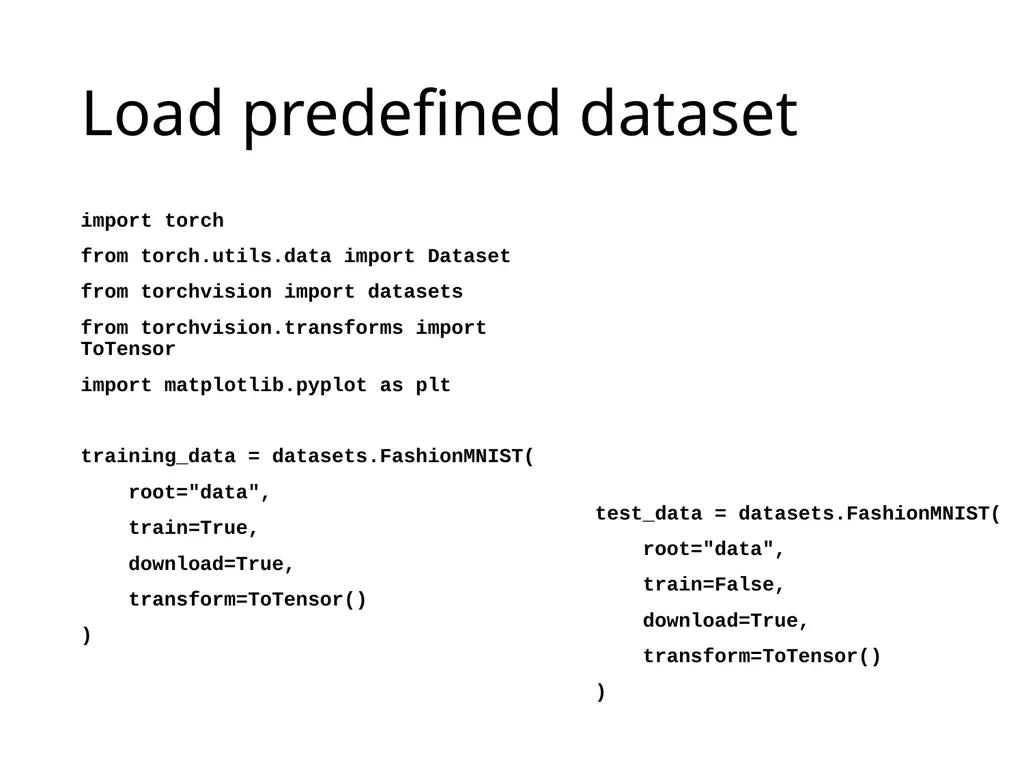
Load predefined dataset import torch
from torch.utils.data import Dataset
from torchvision import datasets
from torchvision.transforms import ToTensor
import matplotlib.pyplot as plt
training_data = datasets.FashionMNIST(
root="data",
train=True,
download=True,
transform=ToTensor()
) test_data = datasets.FashionMNIST(
root="data",
train=False,
download=True,
transform=ToTensor()
)<br>
from torch.utils.data import Dataset
from torchvision import datasets
from torchvision.transforms import ToTensor
import matplotlib.pyplot as plt
training_data = datasets.FashionMNIST(
root="data",
train=True,
download=True,
transform=ToTensor()
) test_data = datasets.FashionMNIST(
root="data",
train=False,
download=True,
transform=ToTensor()
)<br>
32
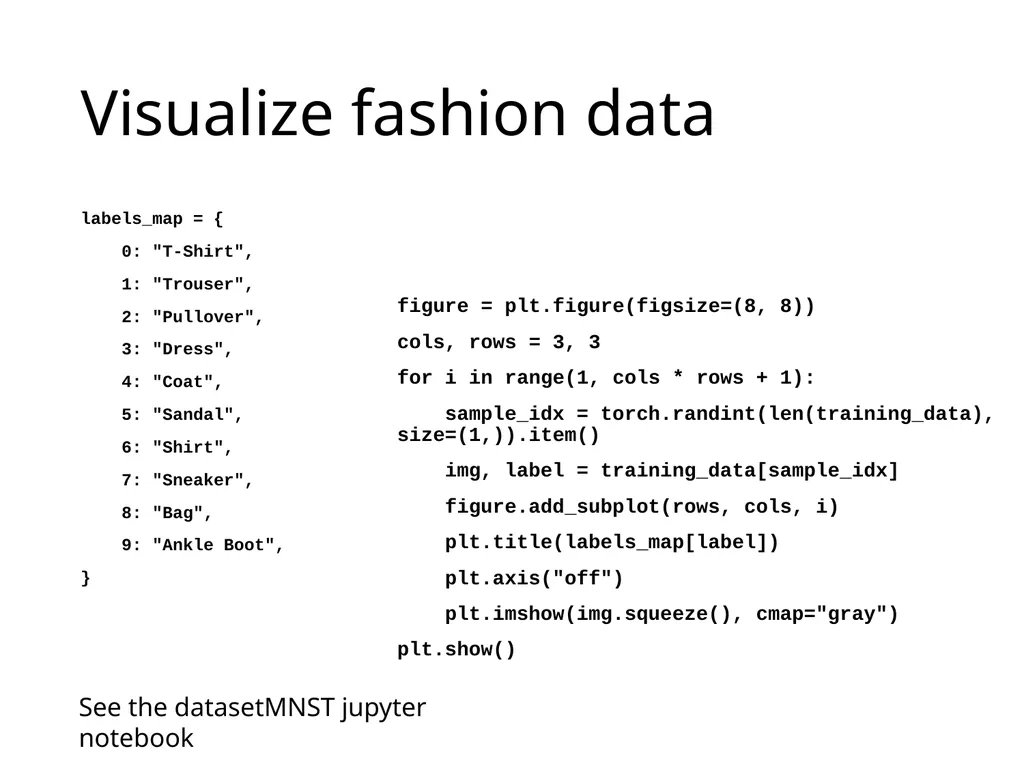
Visualize fashion data labels_map = {
0: "T-Shirt",
1: "Trouser",
2: "Pullover",
3: "Dress",
4: "Coat",
5: "Sandal",
6: "Shirt",
7: "Sneaker",
8: "Bag",
9: "Ankle Boot",
} figure = plt.figure(figsize=(8, 8))
cols, rows = 3, 3
for i in range(1, cols * rows + 1):
sample_idx = torch.randint(len(training_data), size=(1,)).item()
img, label = training_data[sample_idx]
figure.add_subplot(rows, cols, i)
plt.title(labels_map[label])
plt.axis("off")
plt.imshow(img.squeeze(), cmap="gray")
plt.show() See the datasetMNST jupyter notebook<br>
0: "T-Shirt",
1: "Trouser",
2: "Pullover",
3: "Dress",
4: "Coat",
5: "Sandal",
6: "Shirt",
7: "Sneaker",
8: "Bag",
9: "Ankle Boot",
} figure = plt.figure(figsize=(8, 8))
cols, rows = 3, 3
for i in range(1, cols * rows + 1):
sample_idx = torch.randint(len(training_data), size=(1,)).item()
img, label = training_data[sample_idx]
figure.add_subplot(rows, cols, i)
plt.title(labels_map[label])
plt.axis("off")
plt.imshow(img.squeeze(), cmap="gray")
plt.show() See the datasetMNST jupyter notebook<br>
33
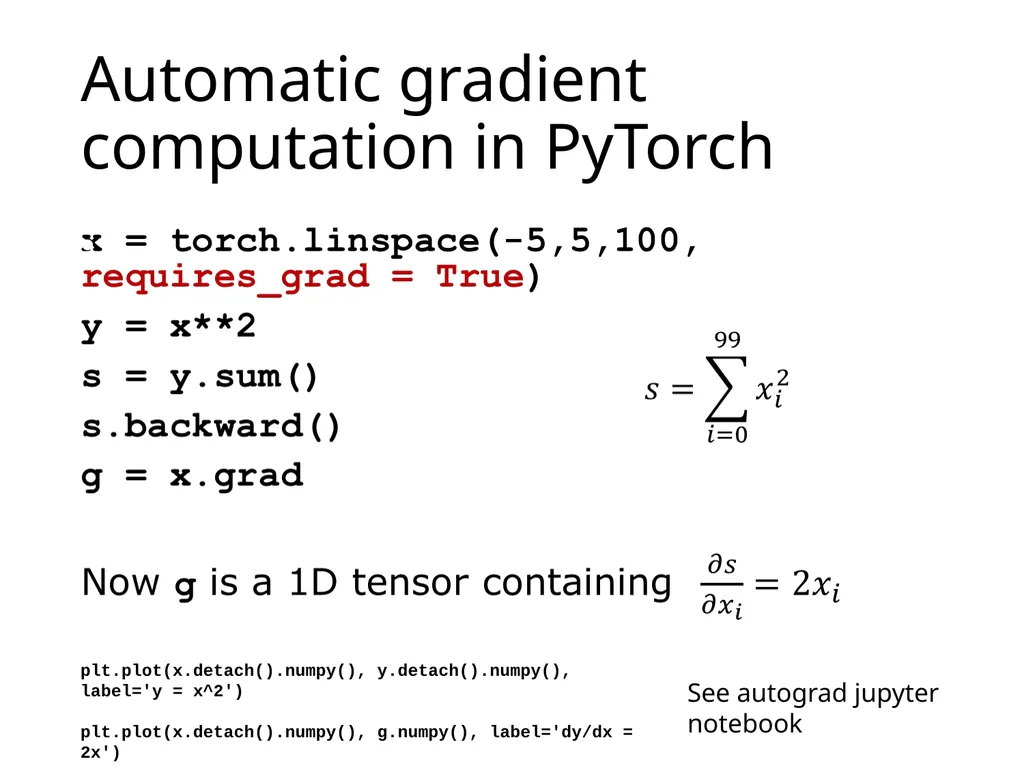
Automatic gradient computation in PyTorch See autograd jupyter notebook plt.plot(x.detach().numpy(), y.detach().numpy(), label='y = x^2')
plt.plot(x.detach().numpy(), g.numpy(), label='dy/dx = 2x')<br>
plt.plot(x.detach().numpy(), g.numpy(), label='dy/dx = 2x')<br>
34
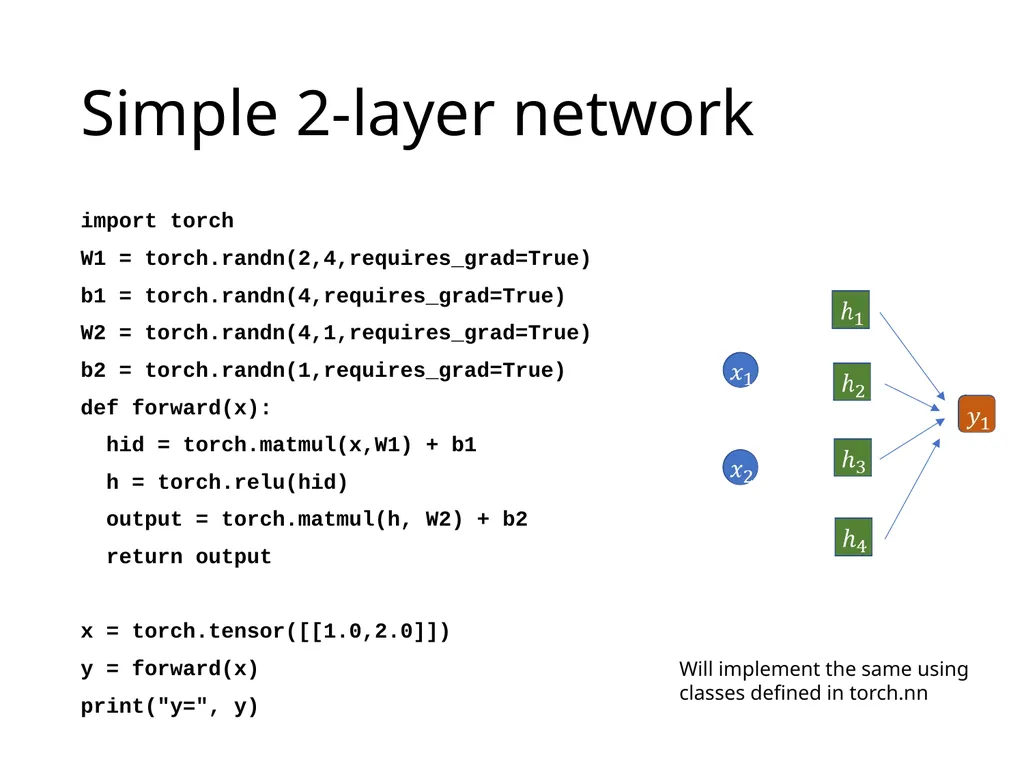
Simple 2-layer network import torch
W1 = torch.randn(2,4,requires_grad=True)
b1 = torch.randn(4,requires_grad=True)
W2 = torch.randn(4,1,requires_grad=True)
b2 = torch.randn(1,requires_grad=True)
def forward(x):
hid = torch.matmul(x,W1) + b1
h = torch.relu(hid)
output = torch.matmul(h, W2) + b2
return output
x = torch.tensor([[1.0,2.0]])
y = forward(x)
print("y=", y) Will implement the same using classes defined in torch.nn<br>
W1 = torch.randn(2,4,requires_grad=True)
b1 = torch.randn(4,requires_grad=True)
W2 = torch.randn(4,1,requires_grad=True)
b2 = torch.randn(1,requires_grad=True)
def forward(x):
hid = torch.matmul(x,W1) + b1
h = torch.relu(hid)
output = torch.matmul(h, W2) + b2
return output
x = torch.tensor([[1.0,2.0]])
y = forward(x)
print("y=", y) Will implement the same using classes defined in torch.nn<br>
35
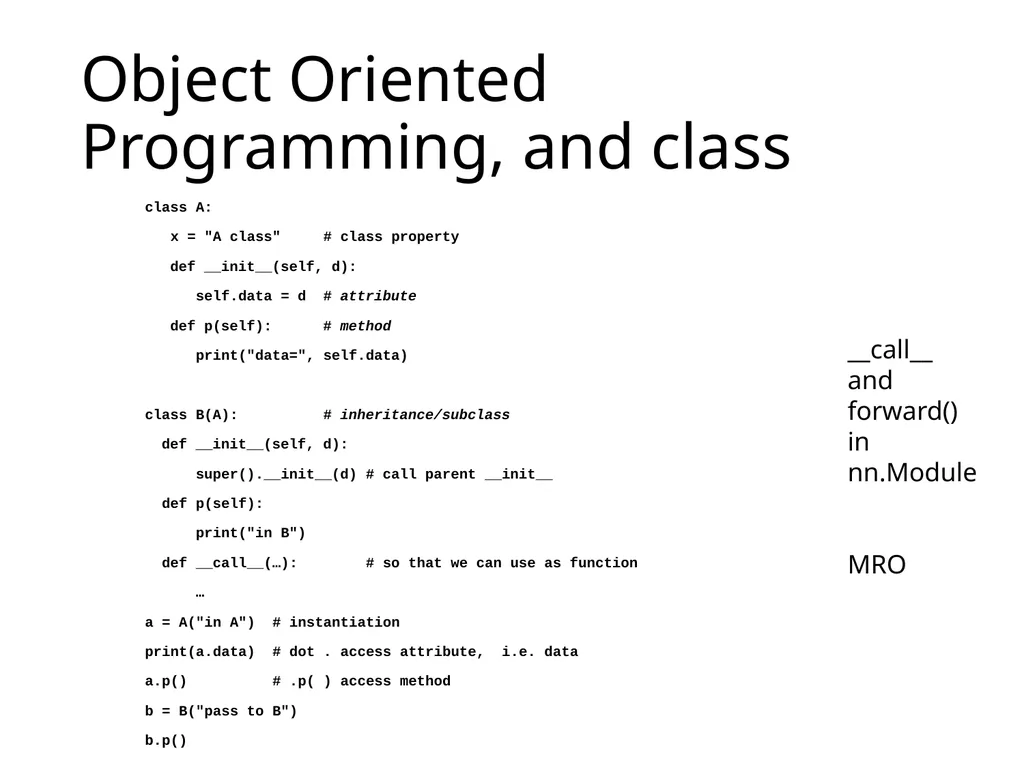
Object Oriented Programming, and class class A:
x = "A class" # class property
def __init__(self, d):
self.data = d # attribute
def p(self): # method
print("data=", self.data)
class B(A): # inheritance/subclass
def __init__(self, d):
super().__init__(d) # call parent __init__
def p(self):
print("in B")
def __call__(…): # so that we can use as function
…
a = A("in A") # instantiation
print(a.data) # dot . access attribute, i.e. data
a.p() # .p( ) access method
b = B("pass to B")
b.p() __call__
and forward()
in nn.Module
MRO<br>
x = "A class" # class property
def __init__(self, d):
self.data = d # attribute
def p(self): # method
print("data=", self.data)
class B(A): # inheritance/subclass
def __init__(self, d):
super().__init__(d) # call parent __init__
def p(self):
print("in B")
def __call__(…): # so that we can use as function
…
a = A("in A") # instantiation
print(a.data) # dot . access attribute, i.e. data
a.p() # .p( ) access method
b = B("pass to B")
b.p() __call__
and forward()
in nn.Module
MRO<br>
36
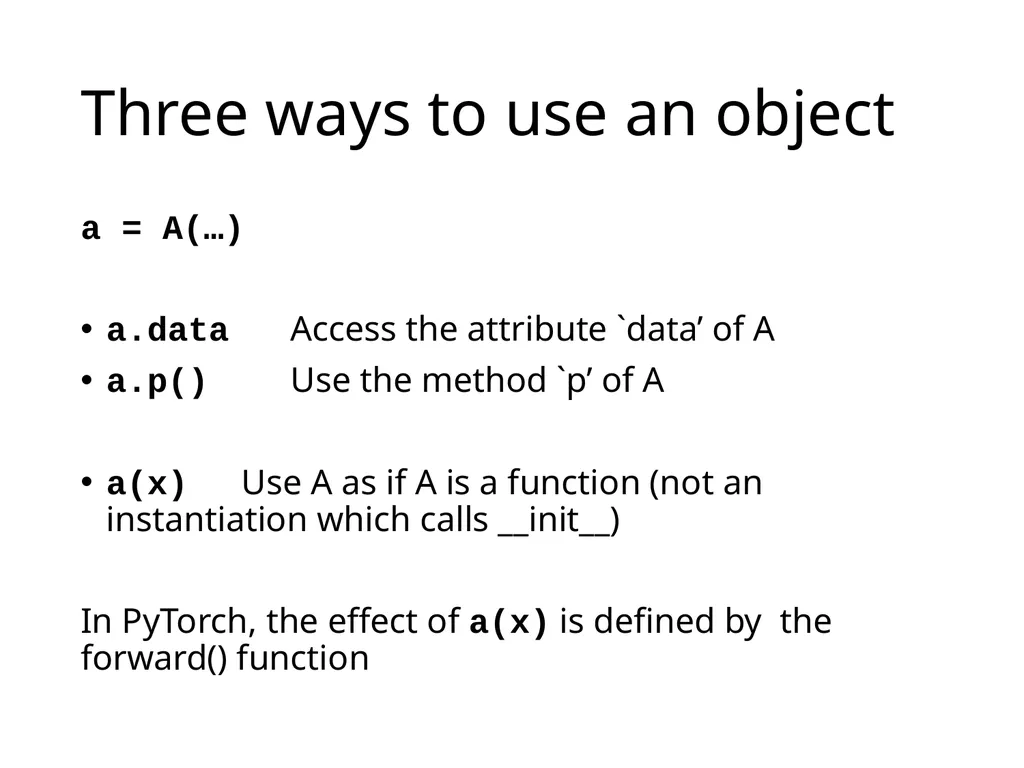
Three ways to use an object a = A(…)
a.data Access the attribute `data’ of A
a.p() Use the method `p’ of A
a(x) Use A as if A is a function (not an instantiation which calls __init__)
In PyTorch, the effect of a(x) is defined by the forward() function<br>
a.data Access the attribute `data’ of A
a.p() Use the method `p’ of A
a(x) Use A as if A is a function (not an instantiation which calls __init__)
In PyTorch, the effect of a(x) is defined by the forward() function<br>
37
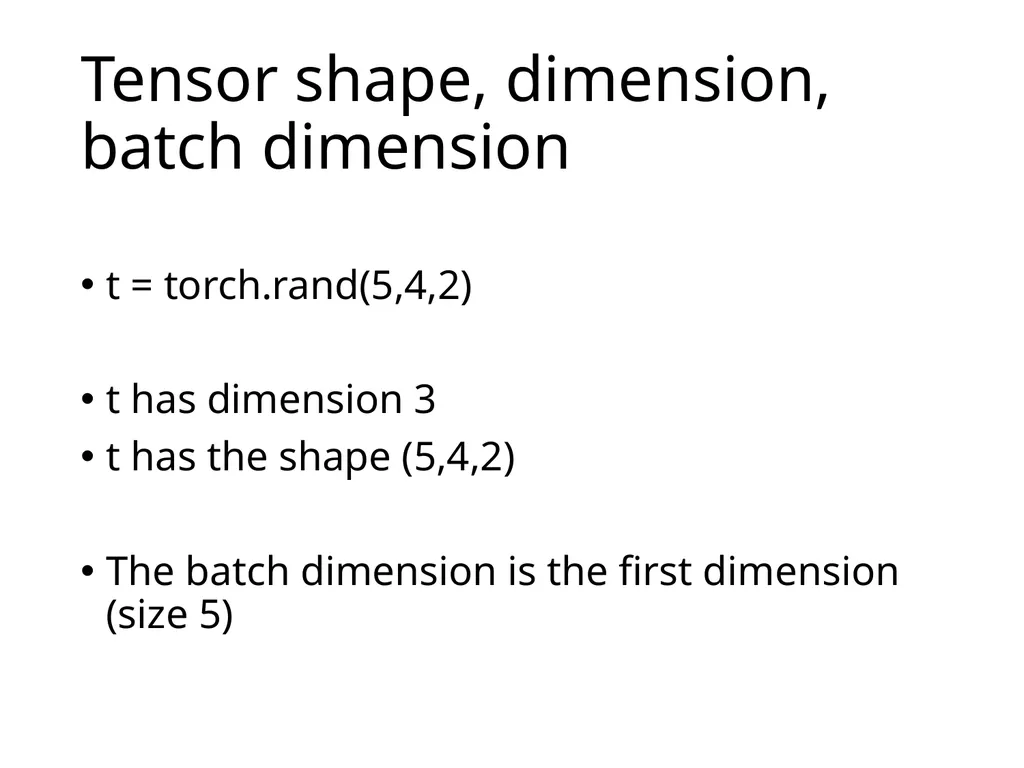
Tensor shape, dimension, batch dimension t = torch.rand(5,4,2)
t has dimension 3
t has the shape (5,4,2)
The batch dimension is the first dimension (size 5)<br>
t has dimension 3
t has the shape (5,4,2)
The batch dimension is the first dimension (size 5)<br>
38
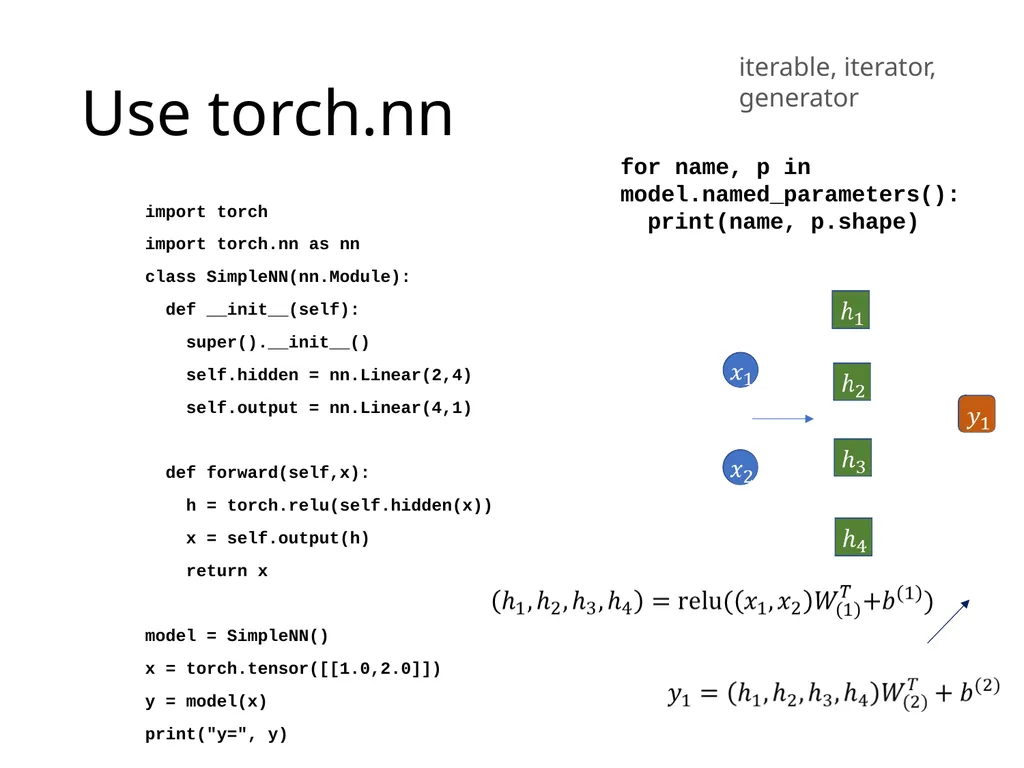
Use torch.nn import torch
import torch.nn as nn
class SimpleNN(nn.Module):
def __init__(self):
super().__init__()
self.hidden = nn.Linear(2,4)
self.output = nn.Linear(4,1)
def forward(self,x):
h = torch.relu(self.hidden(x))
x = self.output(h)
return x
model = SimpleNN()
x = torch.tensor([[1.0,2.0]])
y = model(x)
print("y=", y) for name, p in model.named_parameters():
print(name, p.shape) iterable, iterator, generator<br>
import torch.nn as nn
class SimpleNN(nn.Module):
def __init__(self):
super().__init__()
self.hidden = nn.Linear(2,4)
self.output = nn.Linear(4,1)
def forward(self,x):
h = torch.relu(self.hidden(x))
x = self.output(h)
return x
model = SimpleNN()
x = torch.tensor([[1.0,2.0]])
y = model(x)
print("y=", y) for name, p in model.named_parameters():
print(name, p.shape) iterable, iterator, generator<br>
39
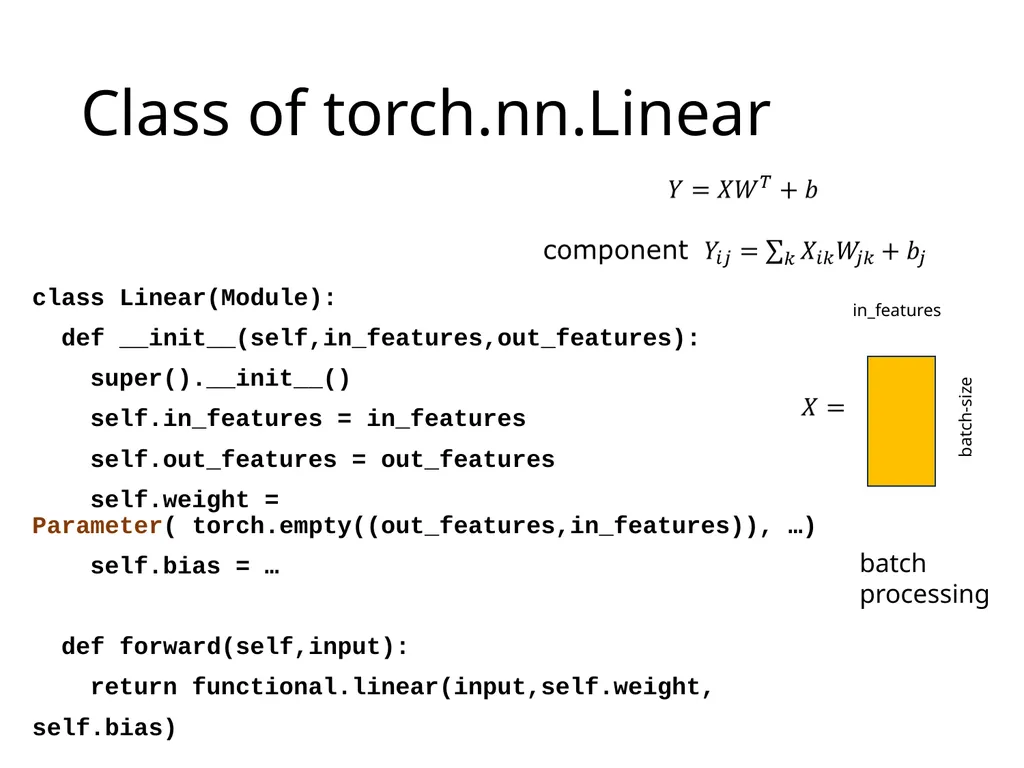
Class of torch.nn.Linear class Linear(Module):
def __init__(self,in_features,out_features):
super().__init__()
self.in_features = in_features
self.out_features = out_features
self.weight = Parameter( torch.empty((out_features,in_features)), …)
self.bias = …
def forward(self,input):
return functional.linear(input,self.weight,
self.bias) in_features batch-size batch processing<br>
def __init__(self,in_features,out_features):
super().__init__()
self.in_features = in_features
self.out_features = out_features
self.weight = Parameter( torch.empty((out_features,in_features)), …)
self.bias = …
def forward(self,input):
return functional.linear(input,self.weight,
self.bias) in_features batch-size batch processing<br>
40
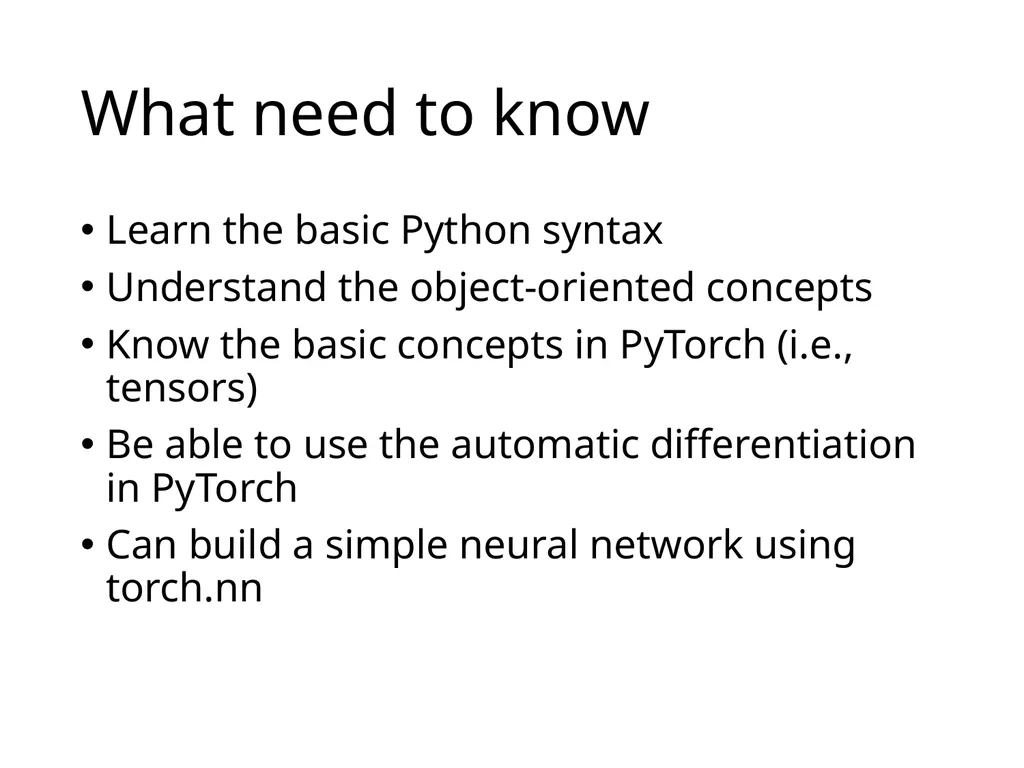
What need to know Learn the basic Python syntax
Understand the object-oriented concepts
Know the basic concepts in PyTorch (i.e., tensors)
Be able to use the automatic differentiation in PyTorch
Can build a simple neural network using torch.nn<br>
Understand the object-oriented concepts
Know the basic concepts in PyTorch (i.e., tensors)
Be able to use the automatic differentiation in PyTorch
Can build a simple neural network using torch.nn<br>
41
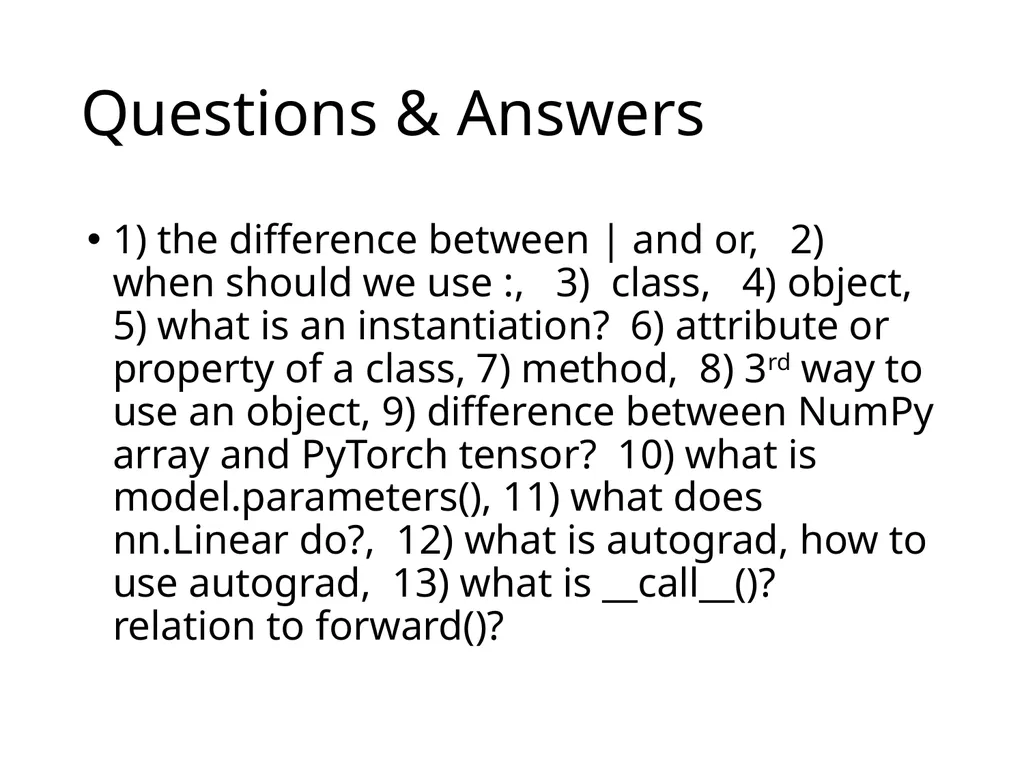
Questions & Answers 1) the difference between | and or, 2) when should we use :, 3) class, 4) object, 5) what is an instantiation? 6) attribute or property of a class, 7) method, 8) 3rd way to use an object, 9) difference between NumPy array and PyTorch tensor? 10) what is model.parameters(), 11) what does nn.Linear do?, 12) what is autograd, how to use autograd, 13) what is __call__()? relation to forward()?<br>