WIGOS Webinar 27 OSCARSurface release 1.7.1 WMO Secretariat MeteoSwiss Outline Implementation of assessed statuses in OSCARSurface New features in the GUI The new GUI layout How WDQMS produces an assessed status The new filter map and
"WIGOS Webinar #27 OSCAR/Surface release 1.7.1 WMO" is the property of its rightful owner. Permission is granted to
download and print the materials on this website for personal, non-commercial use only, and to display it
on your personal computer provided you do not modify the materials and that you retain all copyright
notices contained in the materials. By downloading content from our website, you accept the terms of this
agreement.
Presentation Transcript
01
WIGOS Webinar #27
OSCAR/Surface release 1.7.1
WMO Secretariat & MeteoSwiss<br>
02
Outline Implementation of assessed statuses in OSCAR/Surface
New features in the GUI
The new GUI layout
How WDQMS produces an assessed status
The new filter map and the info box
The search tab
The Programs / network affiliations table
Station status vs. program status
Changes for NFPs and MEs
New option to edit station names
Automatic assignment of machine user role
Summary and final remarks<br>
03
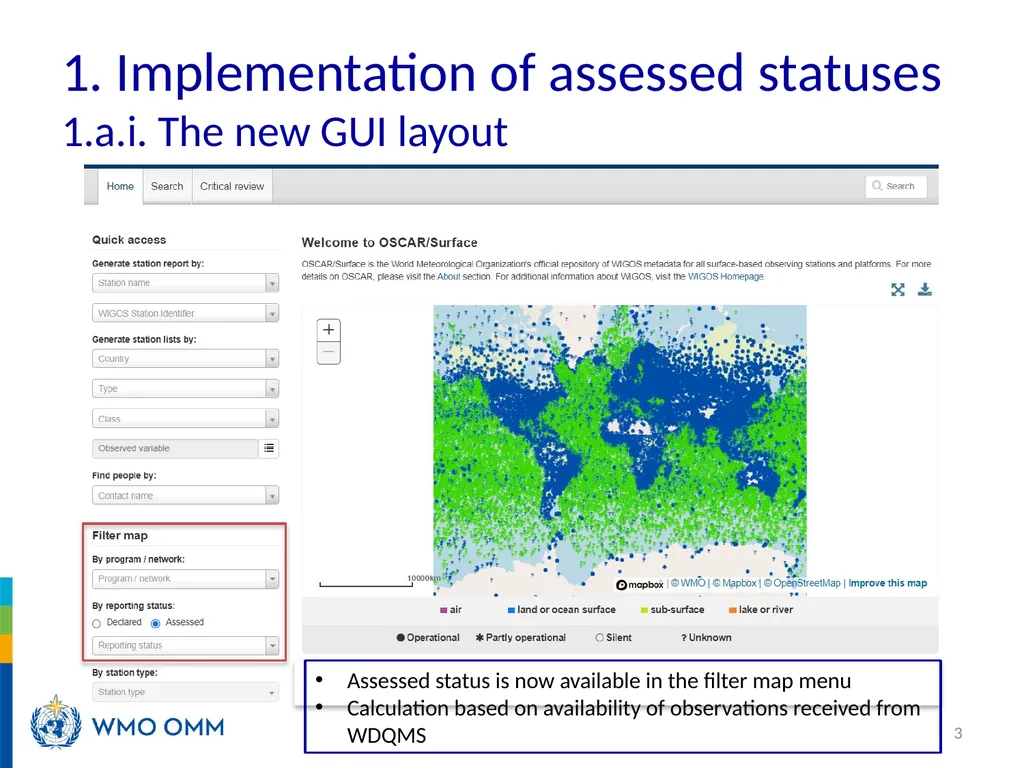
1. Implementation of assessed statuses 1.a.i. The new GUI layout 3 Assessed status is now available in the filter map menu
Calculation based on availability of observations received from WDQMS<br>
04
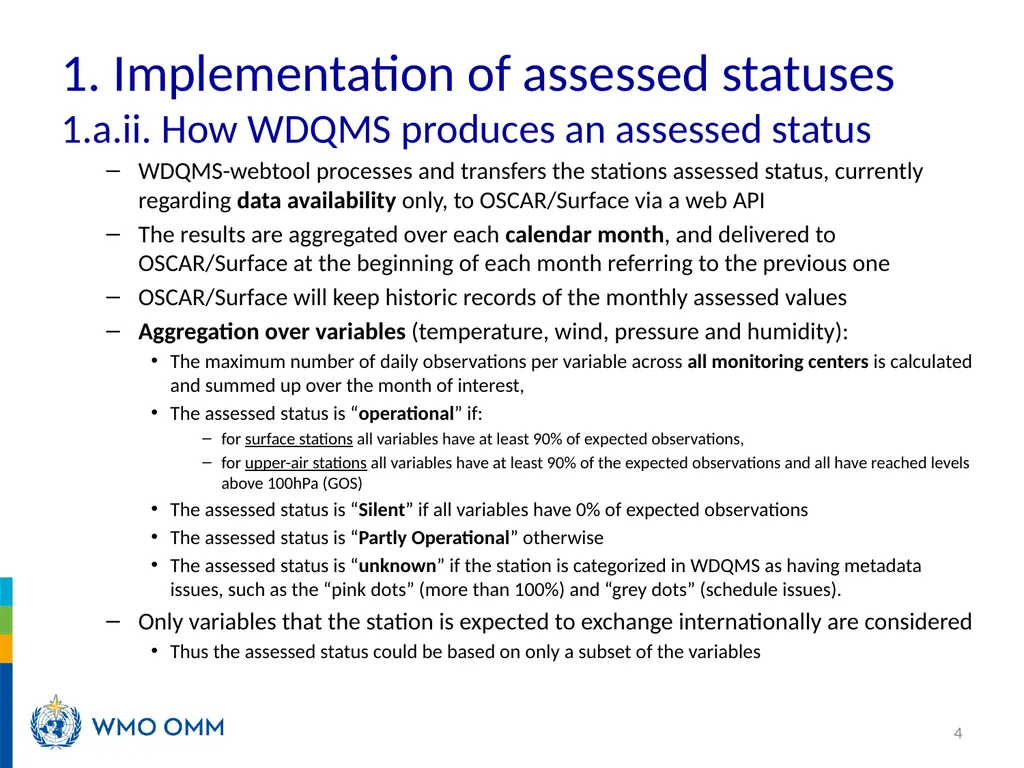
WDQMS-webtool processes and transfers the stations assessed status, currently regarding data availability only, to OSCAR/Surface via a web API
The results are aggregated over each calendar month, and delivered to OSCAR/Surface at the beginning of each month referring to the previous one
OSCAR/Surface will keep historic records of the monthly assessed values
Aggregation over variables (temperature, wind, pressure and humidity):
The maximum number of daily observations per variable across all monitoring centers is calculated and summed up over the month of interest,
The assessed status is “operational” if:
for surface stations all variables have at least 90% of expected observations,
for upper-air stations all variables have at least 90% of the expected observations and all have reached levels above 100hPa (GOS)
The assessed status is “Silent” if all variables have 0% of expected observations
The assessed status is “Partly Operational” otherwise
The assessed status is “unknown” if the station is categorized in WDQMS as having metadata issues, such as the “pink dots” (more than 100%) and “grey dots” (schedule issues).
Only variables that the station is expected to exchange internationally are considered
Thus the assessed status could be based on only a subset of the variables 4 1. Implementation of assessed statuses 1.a.ii. How WDQMS produces an assessed status<br>
05
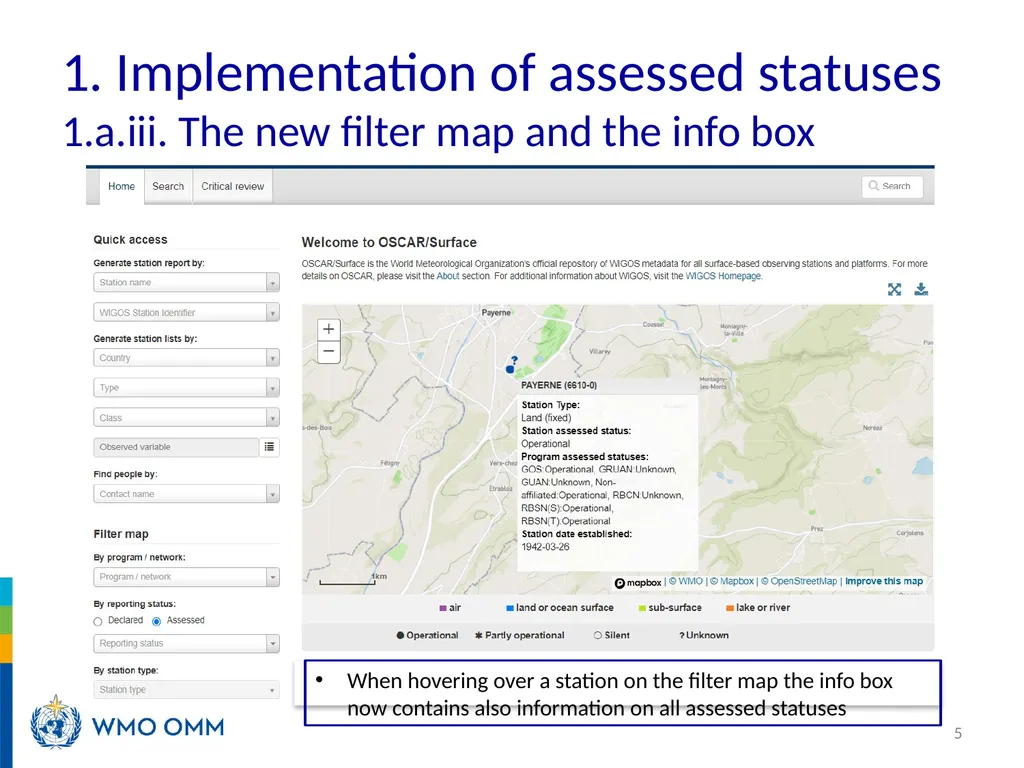
1. Implementation of assessed statuses 1.a.iii. The new filter map and the info box 5 When hovering over a station on the filter map the info box now contains also information on all assessed statuses<br>
06
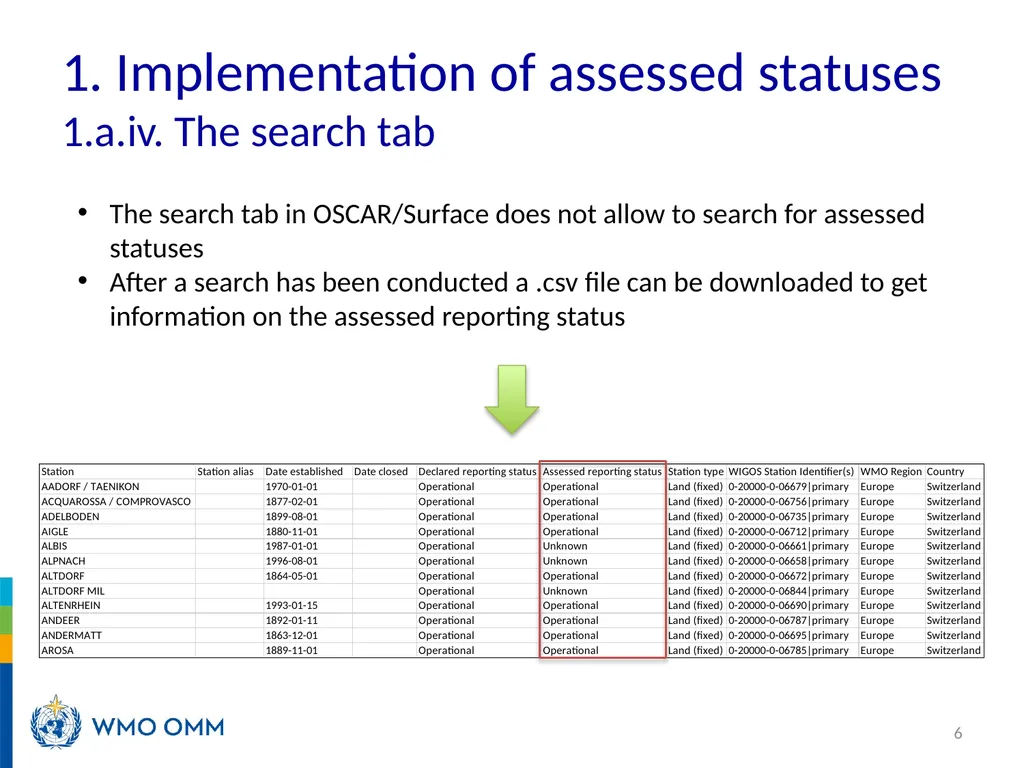
1. Implementation of assessed statuses 1.a.iv. The search tab 6 The search tab in OSCAR/Surface does not allow to search for assessed statuses
After a search has been conducted a .csv file can be downloaded to get information on the assessed reporting status<br>
07
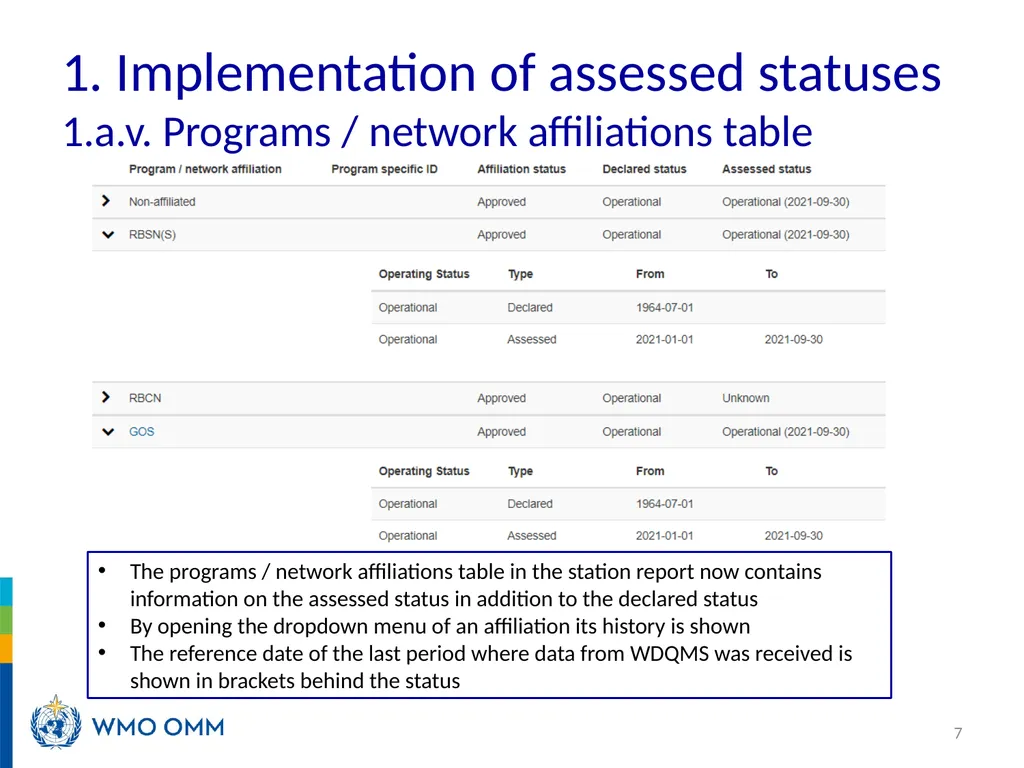
1. Implementation of assessed statuses 1.a.v. Programs / network affiliations table 7 The programs / network affiliations table in the station report now contains information on the assessed status in addition to the declared status
By opening the dropdown menu of an affiliation its history is shown
The reference date of the last period where data from WDQMS was received is shown in brackets behind the status<br>
08
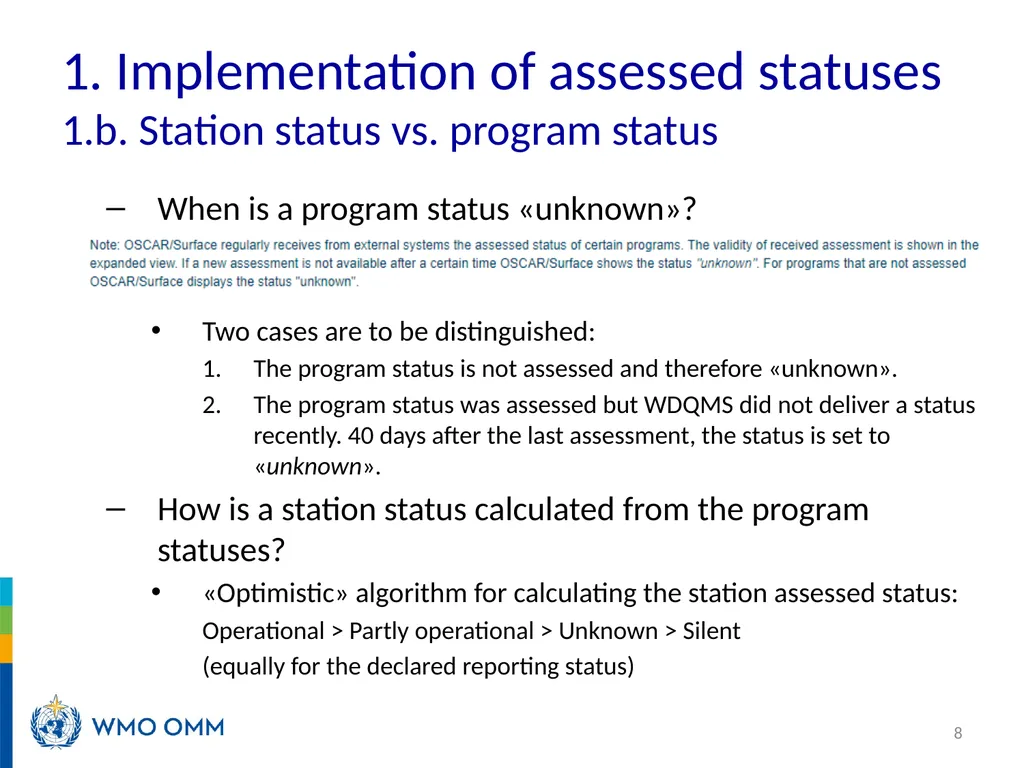
1. Implementation of assessed statuses 1.b. Station status vs. program status When is a program status «unknown»?
Two cases are to be distinguished:
The program status is not assessed and therefore «unknown».
The program status was assessed but WDQMS did not deliver a status recently. 40 days after the last assessment, the status is set to «unknown».
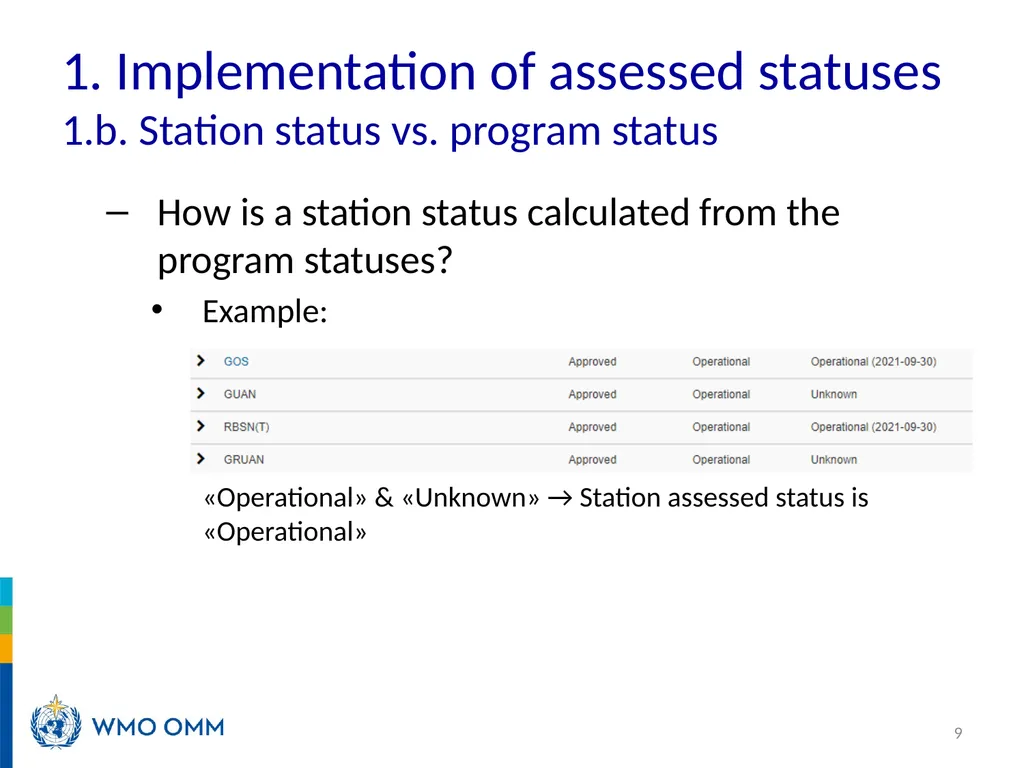
How is a station status calculated from the program statuses?
«Optimistic» algorithm for calculating the station assessed status:
Operational > Partly operational > Unknown > Silent
(equally for the declared reporting status) 8<br>
09
1. Implementation of assessed statuses 1.b. Station status vs. program status How is a station status calculated from the program statuses?
Example:
«Operational» & «Unknown» → Station assessed status is «Operational» 9<br>
10
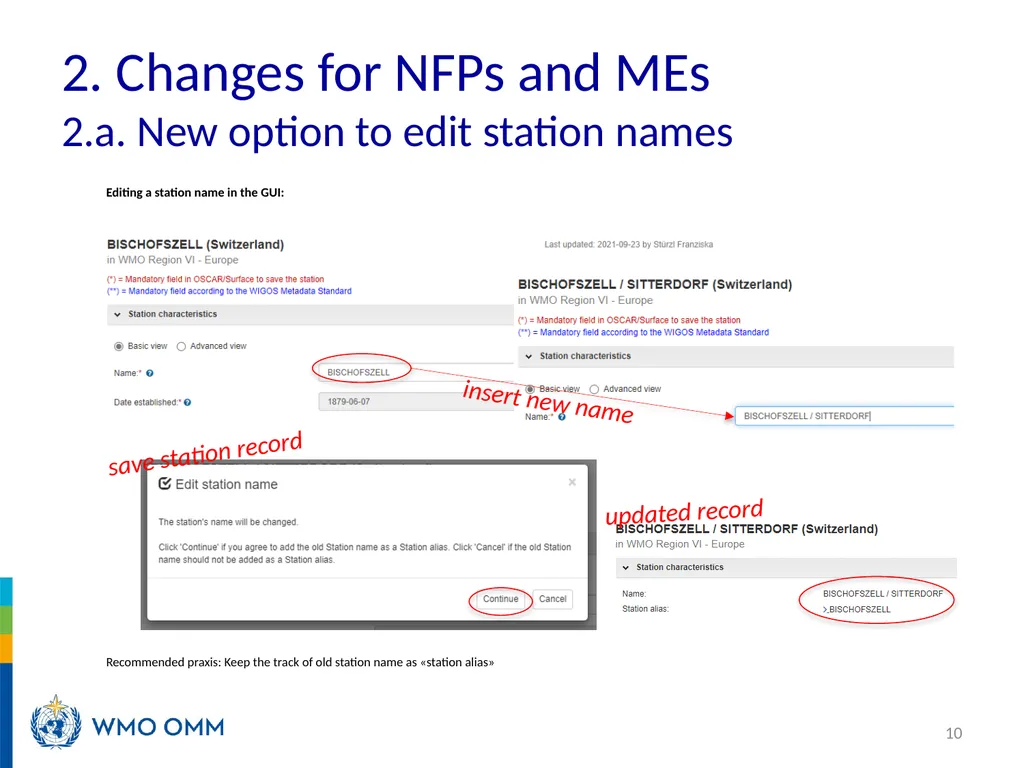
2. Changes for NFPs and MEs 2.a. New option to edit station names Editing a station name in the GUI:
Recommended praxis: Keep the track of old station name as «station alias» 10 insert new name save station record updated record<br>
11
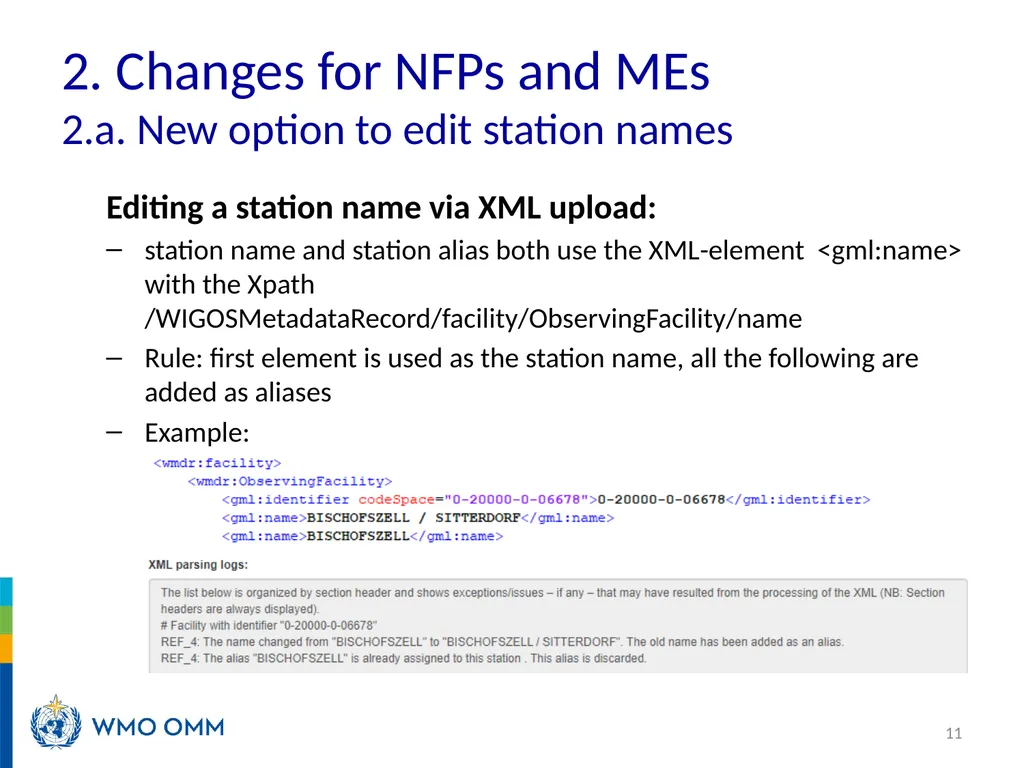
2. Changes for NFPs and MEs 2.a. New option to edit station names Editing a station name via XML upload:
station name and station alias both use the XML-element <gml:name> with the Xpath /WIGOSMetadataRecord/facility/ObservingFacility/name
Rule: first element is used as the station name, all the following are added as aliases
Example: 11<br>
12
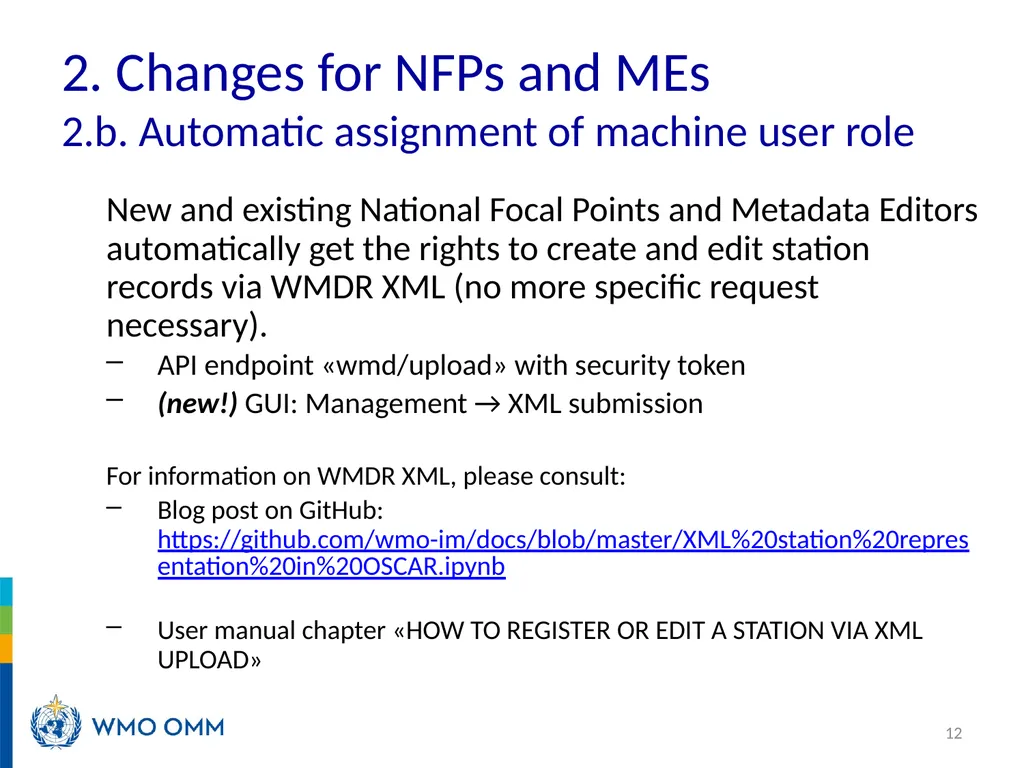
2. Changes for NFPs and MEs 2.b. Automatic assignment of machine user role New and existing National Focal Points and Metadata Editors automatically get the rights to create and edit station records via WMDR XML (no more specific request necessary).
API endpoint «wmd/upload» with security token
(new!) GUI: Management → XML submission
For information on WMDR XML, please consult:
Blog post on GitHub: https://github.com/wmo-im/docs/blob/master/XML%20station%20representation%20in%20OSCAR.ipynb
User manual chapter «HOW TO REGISTER OR EDIT A STATION VIA XML UPLOAD» 12<br>
13
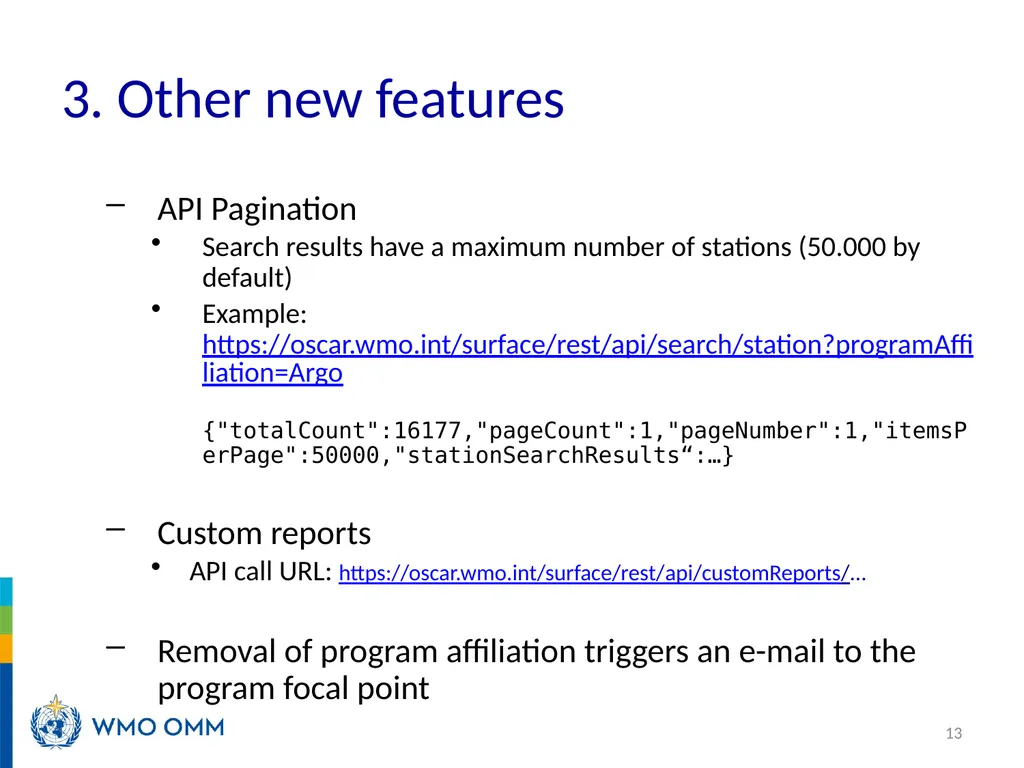
3. Other new features API Pagination
Search results have a maximum number of stations (50.000 by default)
Example: https://oscar.wmo.int/surface/rest/api/search/station?programAffiliation=Argo {"totalCount":16177,"pageCount":1,"pageNumber":1,"itemsPerPage":50000,"stationSearchResults“:…}
Custom reports
API call URL: https://oscar.wmo.int/surface/rest/api/customReports/...
Removal of program affiliation triggers an e-mail to the program focal point 13<br>
14
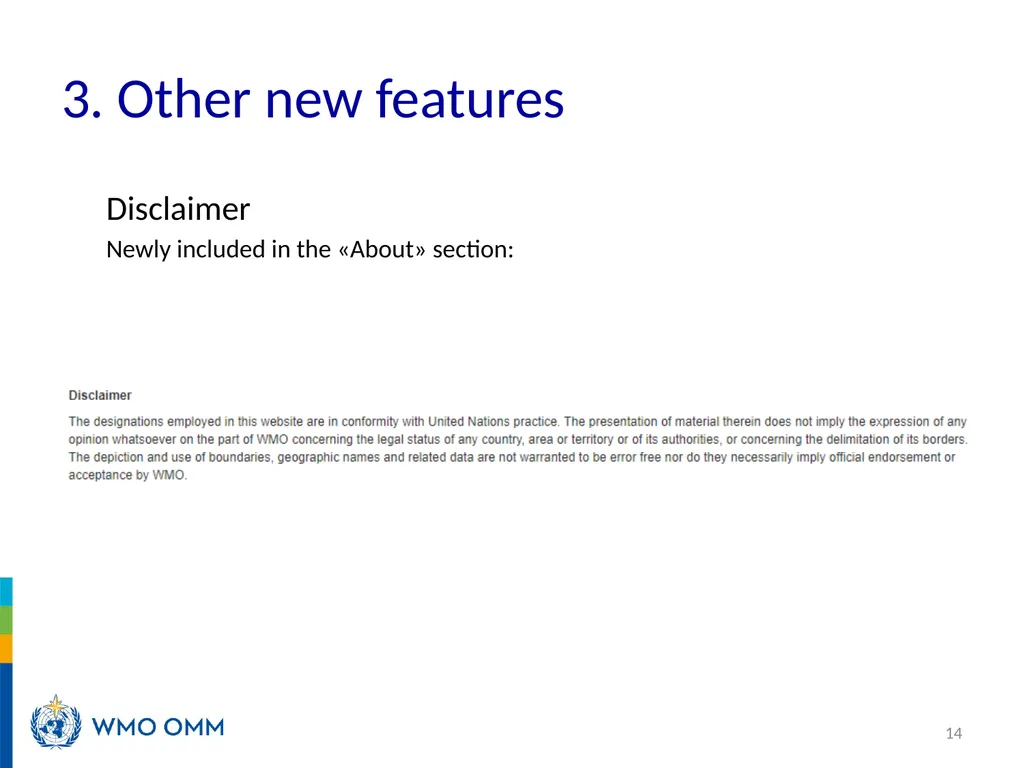
3. Other new features Disclaimer
Newly included in the «About» section: 14<br>
15
4. Summary Assessed statuses
Edit station names
Automatic assignment of machine user role for NFPs and MEs
API Pagination
Custom reports
Removal of program affiliation triggers an e-mail to the program focal point
Disclaimer 15<br>