1 How to go about it 2 The ITU-D Study Group Case Study Library: Is available at: http:www.itu.intenITU-DStudy-Groups2010-2014Pagescase-study-library.aspx May be accessed simply with a TIES account. 2 www.itu.intITU-Dstudy-groups
"1 How to go about it… 2 The ITU-D Study" is the property of its rightful owner. Permission is granted to
download and print the materials on this website for personal, non-commercial use only, and to display it
on your personal computer provided you do not modify the materials and that you retain all copyright
notices contained in the materials. By downloading content from our website, you accept the terms of this
agreement.
Presentation Transcript
01
1 How to go about it…<br>
02
2 The ITU-D Study Group Case Study Library:
Is available at:
http://www.itu.int/en/ITU-D/Study-Groups/2010-2014/Pages/case-study-library.aspx
May be accessed simply with a TIES account. 2 www.itu.int/ITU-D/study-groups<br>
03
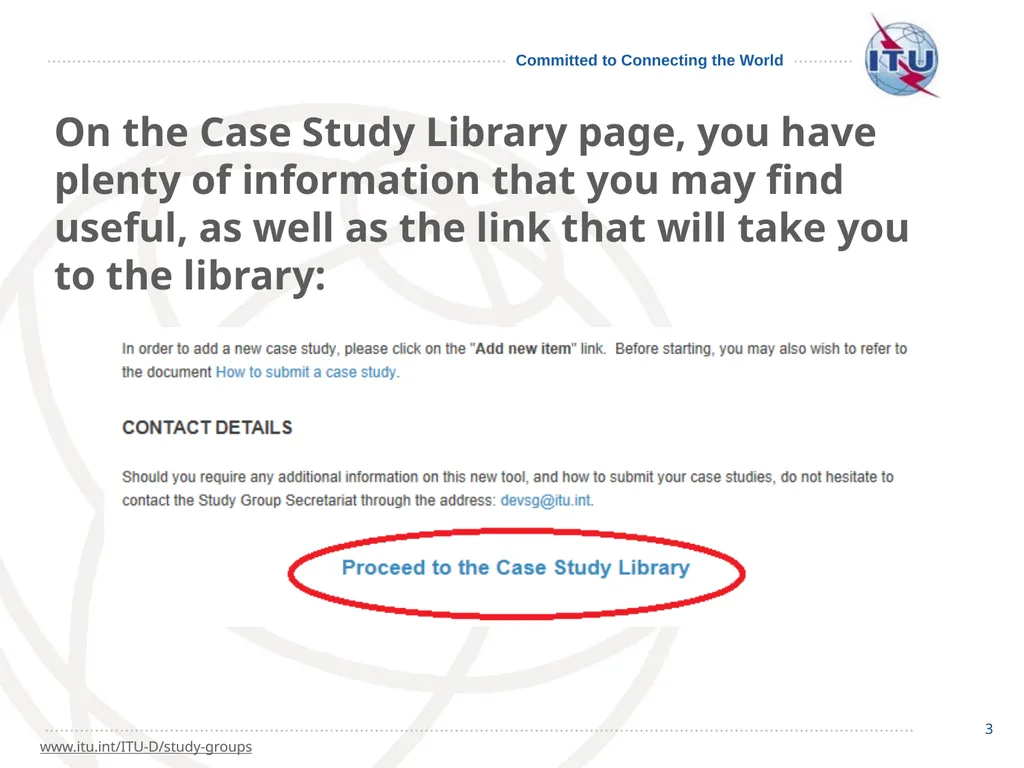
3 3 www.itu.int/ITU-D/study-groups On the Case Study Library page, you have plenty of information that you may find useful, as well as the link that will take you to the library:<br>
04
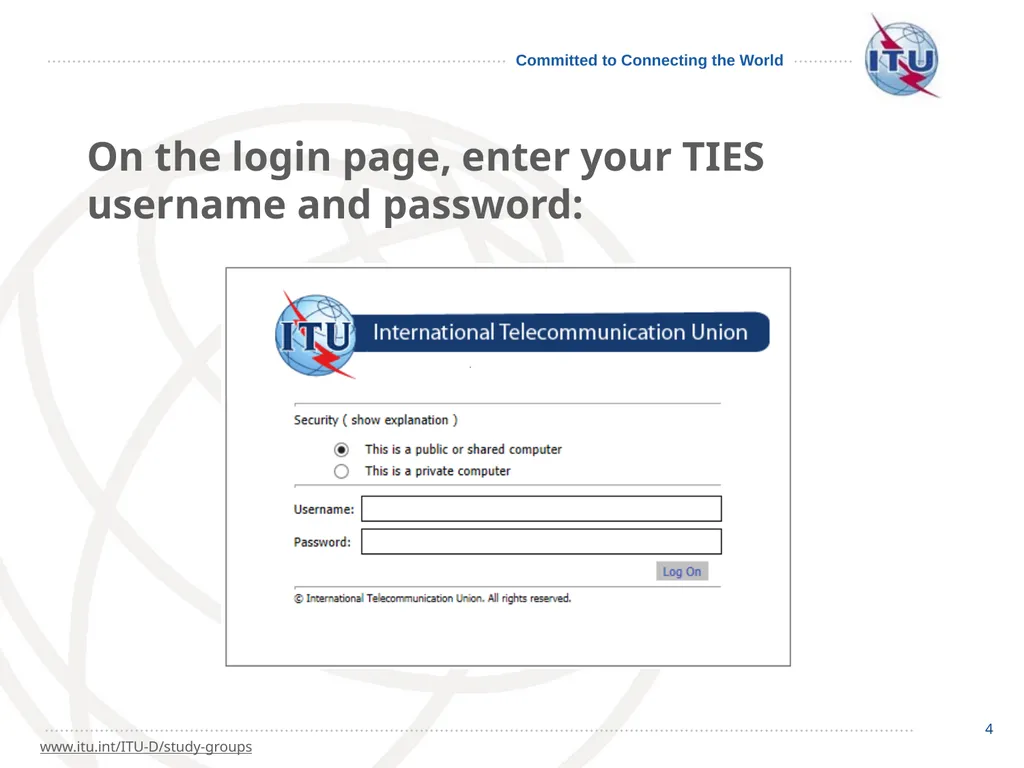
4 4 www.itu.int/ITU-D/study-groups On the login page, enter your TIES username and password:<br>
05
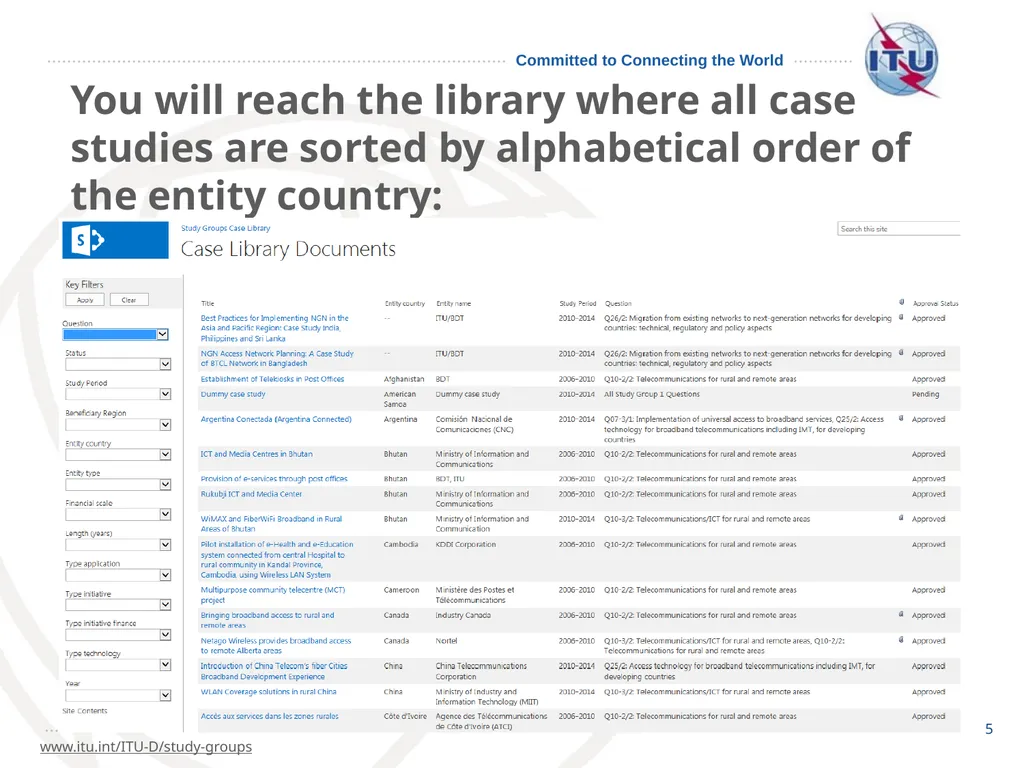
5 5 www.itu.int/ITU-D/study-groups You will reach the library where all case studies are sorted by alphabetical order of the entity country:<br>
06
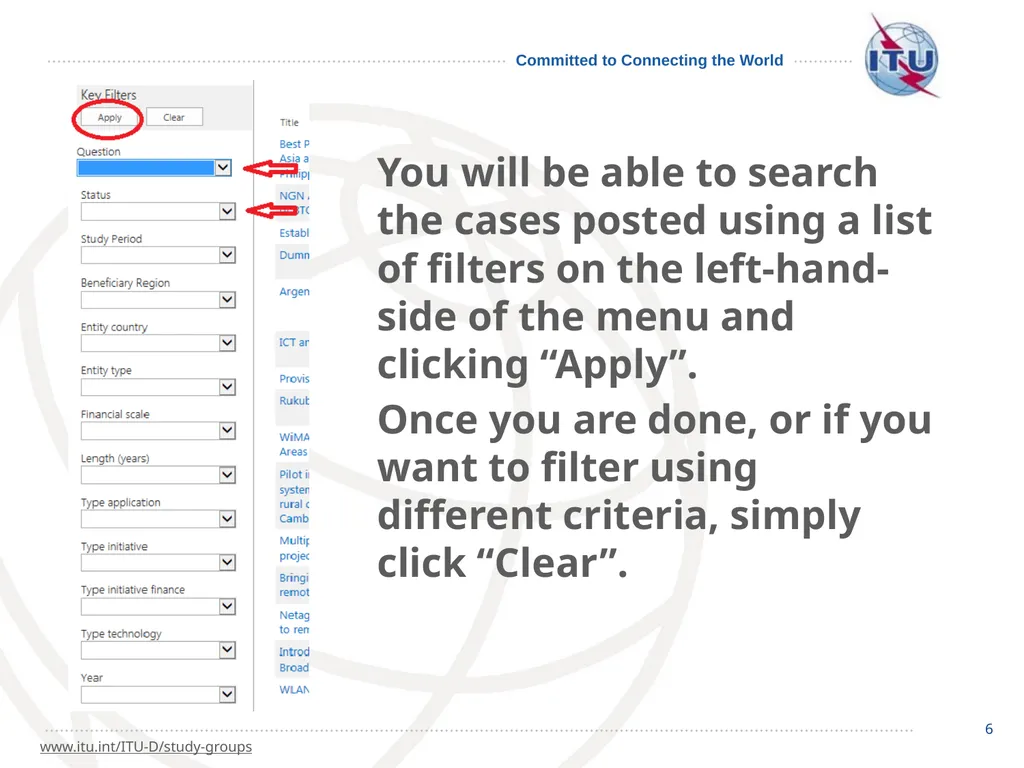
6 6 www.itu.int/ITU-D/study-groups You will be able to search the cases posted using a list of filters on the left-hand-side of the menu and clicking “Apply”.
Once you are done, or if you want to filter using different criteria, simply click “Clear”.<br>
07
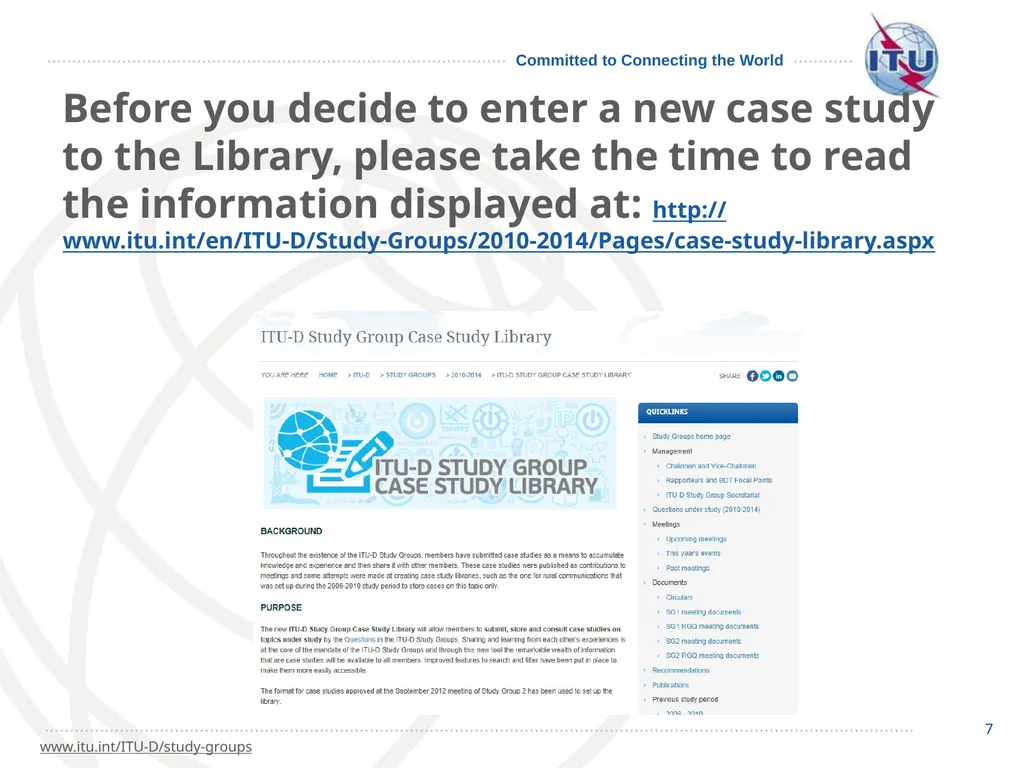
7 7 www.itu.int/ITU-D/study-groups Before you decide to enter a new case study to the Library, please take the time to read the information displayed at: http://www.itu.int/en/ITU-D/Study-Groups/2010-2014/Pages/case-study-library.aspx<br>
08
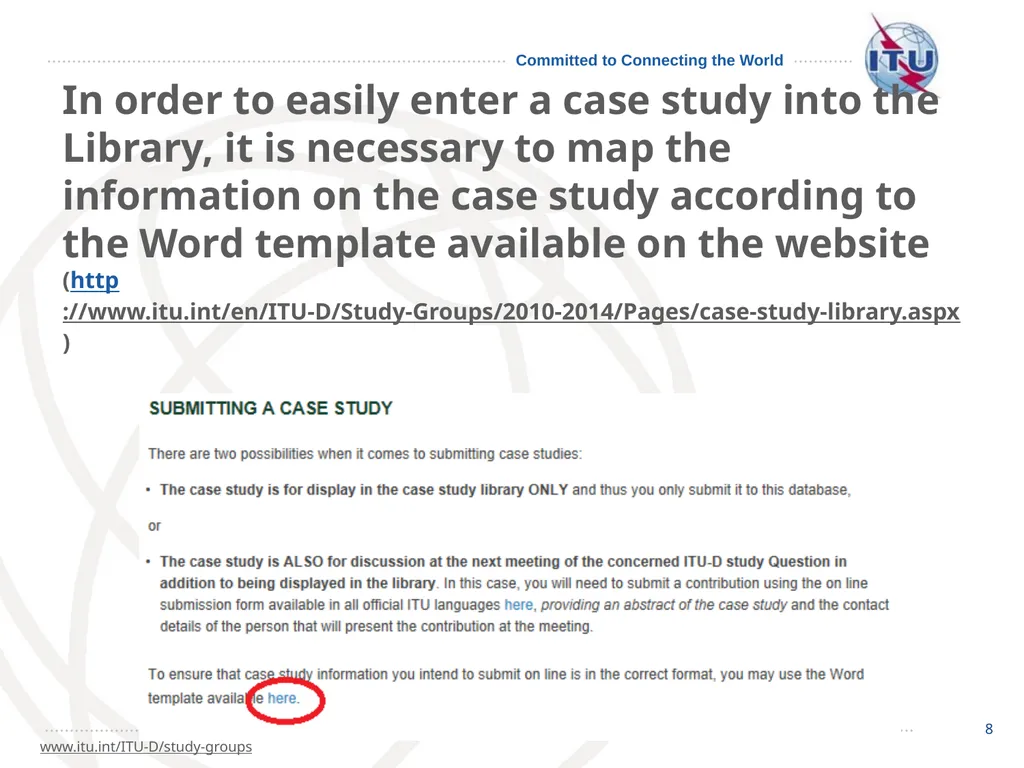
8 8 www.itu.int/ITU-D/study-groups In order to easily enter a case study into the Library, it is necessary to map the information on the case study according to the Word template available on the website (http://www.itu.int/en/ITU-D/Study-Groups/2010-2014/Pages/case-study-library.aspx)<br>
09
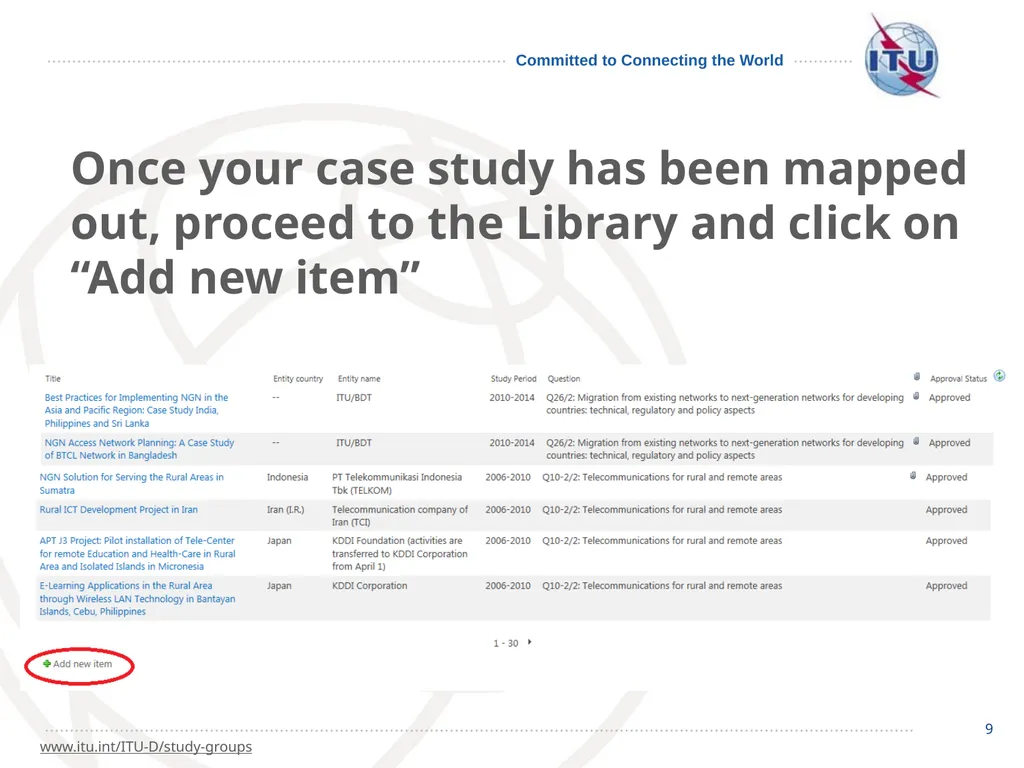
9 9 www.itu.int/ITU-D/study-groups Once your case study has been mapped out, proceed to the Library and click on “Add new item”<br>
10
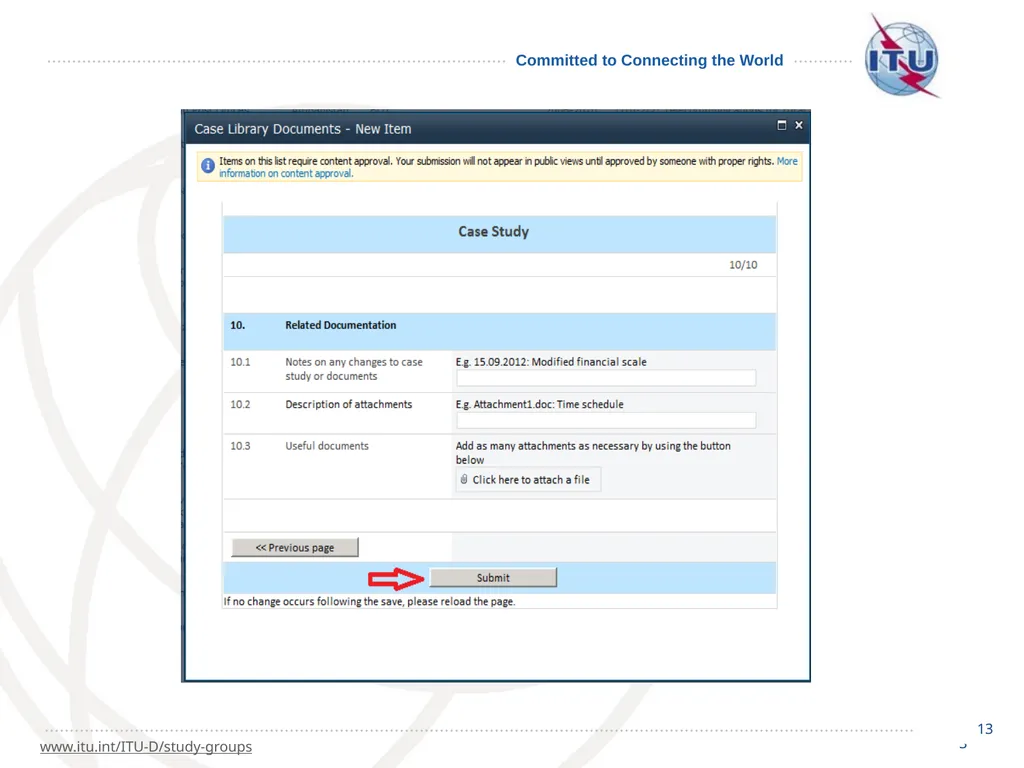
10 10 www.itu.int/ITU-D/study-groups Fill in the on line form one page at a time.
For the time being, the “Submit button” is only available on the last page (page 10).<br>
11
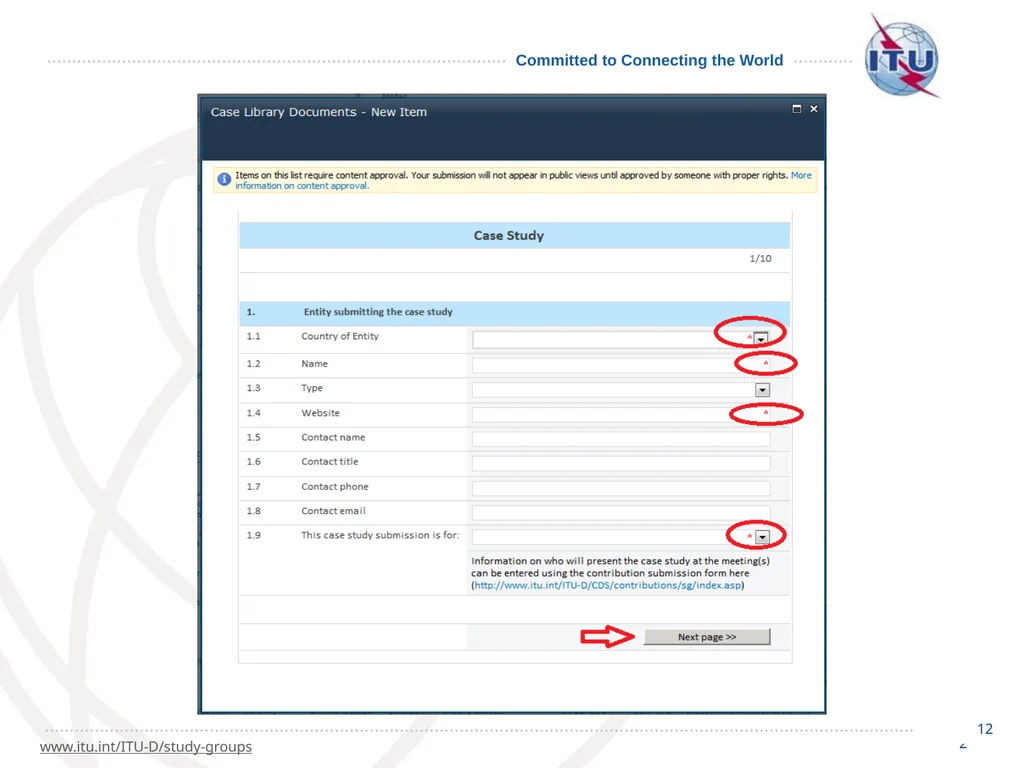
11 11 www.itu.int/ITU-D/study-groups In order not to lose the information should you be disconnected, you may decide to proceed to the last page (page 10) and submit the form once you have completed all the mandatory fields (indicated with a red asterisk*).
Note: The last mandatory field is on page 3.<br>
12
12 12 www.itu.int/ITU-D/study-groups<br>
13
13 13 www.itu.int/ITU-D/study-groups<br>
14
14 14 www.itu.int/ITU-D/study-groups You will then need to go back to the library’s main page and edit the case study you just submitted.<br>
15
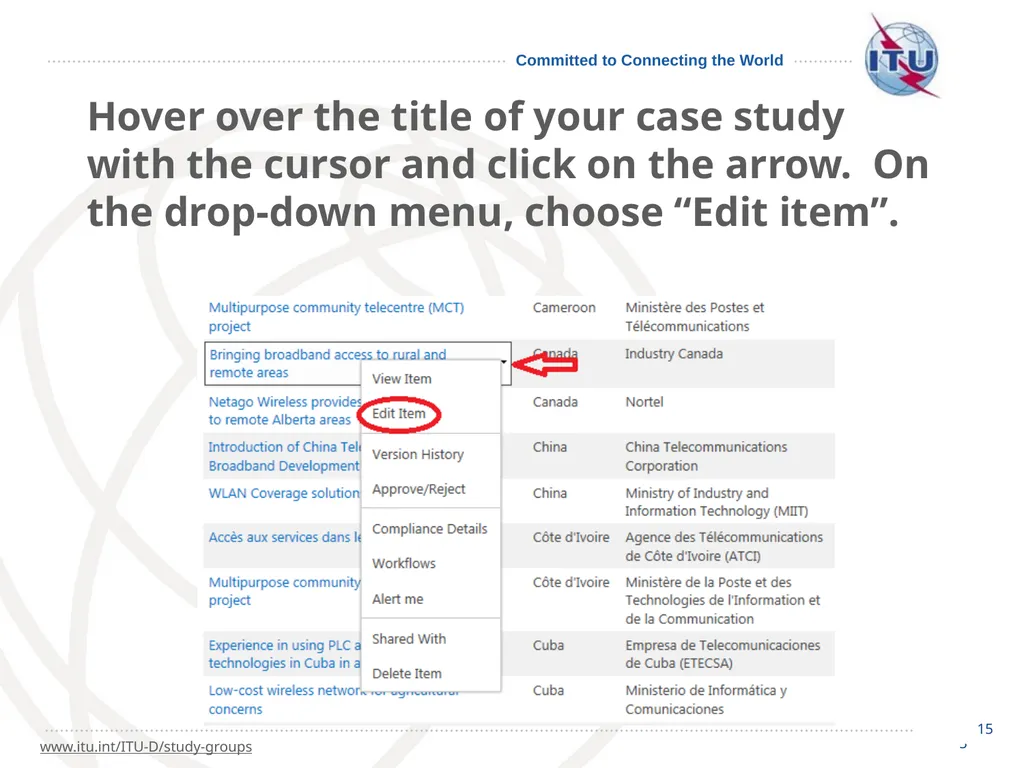
15 15 www.itu.int/ITU-D/study-groups Hover over the title of your case study with the cursor and click on the arrow. On the drop-down menu, choose “Edit item”.<br>
16
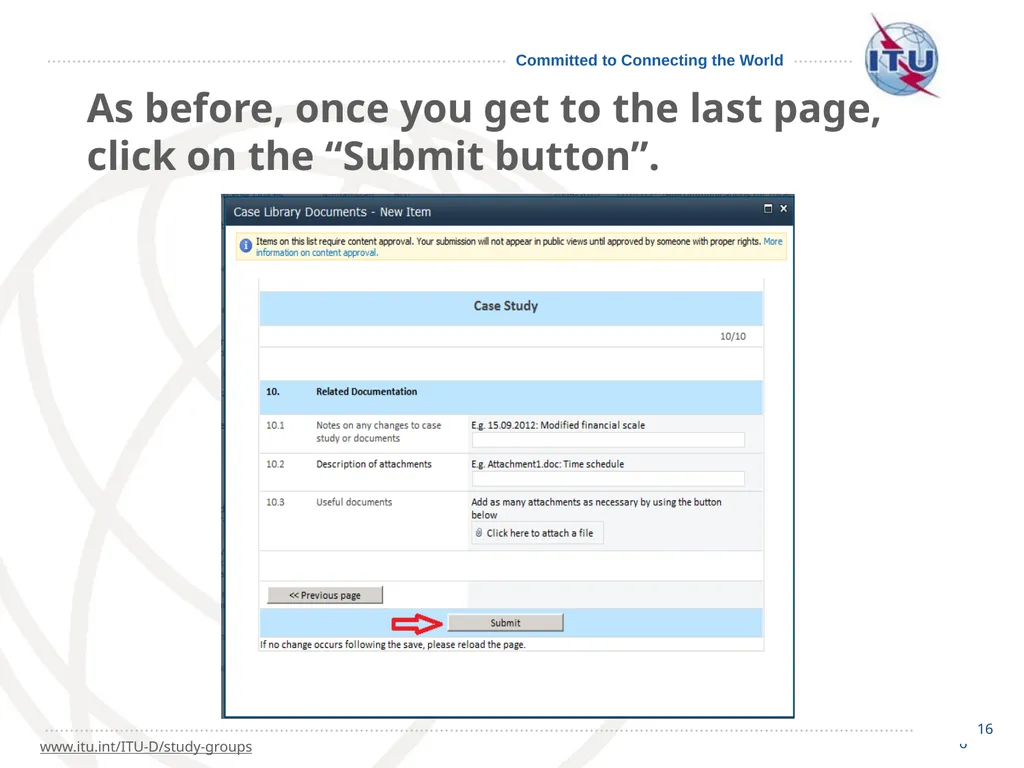
16 16 www.itu.int/ITU-D/study-groups As before, once you get to the last page, click on the “Submit button”.<br>
17
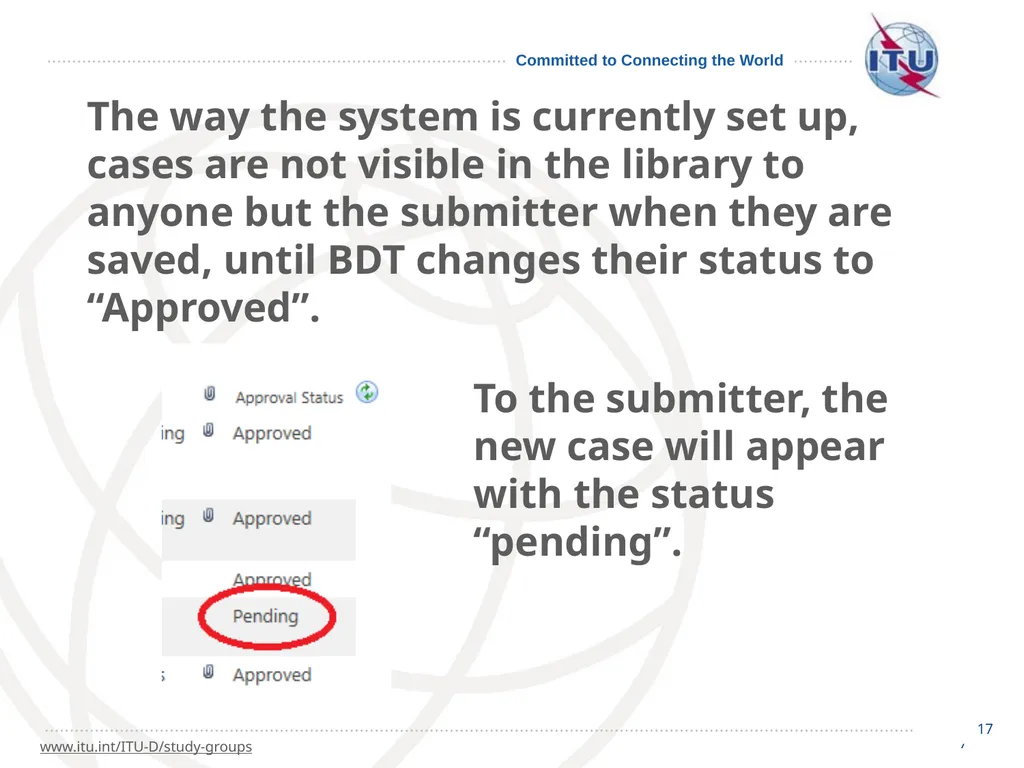
17 17 www.itu.int/ITU-D/study-groups The way the system is currently set up, cases are not visible in the library to anyone but the submitter when they are saved, until BDT changes their status to “Approved”. To the submitter, the new case will appear with the status “pending”.<br>
18
18 18 www.itu.int/ITU-D/study-groups Case studies are also not visible to persons other than the submitter once the “Submit” button is clicked after editing, until BDT changes their status to “Approved”.<br>
19
19 19 www.itu.int/ITU-D/study-groups We trust this will assist you when using the ITU-D Study Group Case Study Library.
For any questions, do not hesitate to contact the secretariat at:
devsg@itu.int<br>