
© 2022 CodeMonkey Studios Ltd. LESSON PLANS 1 A
PC
Published · 44 slides · 0 views
1 / 1
Description
2022 CodeMonkey Studios Ltd. LESSON PLANS 1 A pre-coding game for 4-6 year olds Advanced Sequencing loops Lesson plans 1-7 Copyright 2022 by CodeMonkey Studios Ltd. All rights reserved. This book or any portion thereof may not be
Related Topics
Share
Embed code
Download this presentation From Below
"© 2022 CodeMonkey Studios Ltd. LESSON PLANS 1 A" is the property of its rightful owner. Permission is granted to download and print the materials on this website for personal, non-commercial use only, and to display it on your personal computer provided you do not modify the materials and that you retain all copyright notices contained in the materials. By downloading content from our website, you accept the terms of this agreement.
Presentation Transcript
01
© 2022 CodeMonkey Studios Ltd. LESSON PLANS 1 A pre-coding game for 4-6 year olds Advanced Sequencing & loops Lesson plans
1-7<br>
1-7<br>
02
Copyright © 2022 by CodeMonkey Studios Ltd.
All rights reserved. This book or any portion thereof
may not be reproduced or used in any manner whatsoever
without the expressed written permission of the publisher.
2345 Yale St., 1st floor
Palo Alto, CA 94306
info@codemonkey.com
www.codemonkey.com 2 LESSON PLANS © 2022 CodeMonkey Studios Ltd.<br>
All rights reserved. This book or any portion thereof
may not be reproduced or used in any manner whatsoever
without the expressed written permission of the publisher.
2345 Yale St., 1st floor
Palo Alto, CA 94306
info@codemonkey.com
www.codemonkey.com 2 LESSON PLANS © 2022 CodeMonkey Studios Ltd.<br>
03
Introduction © 2022 CodeMonkey Studios Ltd. Let’s continue the adventure with . The following 7 lessons will cover 2 chapters (advanced sequencing and advanced loops), which include a total of 30 challenges. These challenges will help students practice more the fundamental concepts and terms from the world of computers and programming.
Each lesson is set to be 35 minutes long and is made up of 3 parts: an Introduction, Playtime and Debriefing. If you think you need more time to complete a lesson, feel free to split it into 2 sessions. Most of the lessons are based upon playing the game itself, the first lesson is more theoretical and teach new concepts. All of the lessons are playful and designed for younger students.
Before you get into the lesson plans, we recommend reading CodeMonkey Jr.’s Teacher Guide. At the end of this file, you will find a Glossary that summarizes each coding concept. Please refer to it throughout the course. Feel free to email us with any questions or comments.
Good Luck!
The CodeMonkey Team 3 LESSON PLANS<br>
Each lesson is set to be 35 minutes long and is made up of 3 parts: an Introduction, Playtime and Debriefing. If you think you need more time to complete a lesson, feel free to split it into 2 sessions. Most of the lessons are based upon playing the game itself, the first lesson is more theoretical and teach new concepts. All of the lessons are playful and designed for younger students.
Before you get into the lesson plans, we recommend reading CodeMonkey Jr.’s Teacher Guide. At the end of this file, you will find a Glossary that summarizes each coding concept. Please refer to it throughout the course. Feel free to email us with any questions or comments.
Good Luck!
The CodeMonkey Team 3 LESSON PLANS<br>
04
some notes on teaching codemonkey jr. ALL Beginners are welcome!
We will provide you with everything you need in order to learn the basics of coding and enjoy teaching the game. You do not need any background in Computer Science!
A love of learning is a plus
A love of learning is key for learning new topics like programming, which may seem intimidating at first. Don’t worry though, we will provide you all the information you need to successfully teach your students coding.
A love for playing is also a plus!
We believe learning through playing is a joyful and engaging way to introduce concepts to your students. CodeMonkey Jr. will open up a new world for your students so give them time to replay the game if they want. Afterall, we want students to have fun.
Mistakes are OK!
Mistakes are the best way to learn so use them to challenge and engage your class. You can even encourage students to play with wrong sequences to see where the monkey will go. 4 LESSON PLANS<br>
We will provide you with everything you need in order to learn the basics of coding and enjoy teaching the game. You do not need any background in Computer Science!
A love of learning is a plus
A love of learning is key for learning new topics like programming, which may seem intimidating at first. Don’t worry though, we will provide you all the information you need to successfully teach your students coding.
A love for playing is also a plus!
We believe learning through playing is a joyful and engaging way to introduce concepts to your students. CodeMonkey Jr. will open up a new world for your students so give them time to replay the game if they want. Afterall, we want students to have fun.
Mistakes are OK!
Mistakes are the best way to learn so use them to challenge and engage your class. You can even encourage students to play with wrong sequences to see where the monkey will go. 4 LESSON PLANS<br>
05
Guidelines We recommend going over the Teacher Guide and the entire lesson plans before starting the course
The following lesson plans are only suggestions so feel free to change, edit and adjust them to your class. At the end of the day, only you know what is best for your students! 5 LESSON PLANS<br>
The following lesson plans are only suggestions so feel free to change, edit and adjust them to your class. At the end of the day, only you know what is best for your students! 5 LESSON PLANS<br>
06
Technical Requirements You will need tablets or desktops for students. You can use 1 device per 2 students.
It is best if your computer is connected to a projector or screen so that you can present challenges
An Internet connection is required 6 LESSON PLANS<br>
It is best if your computer is connected to a projector or screen so that you can present challenges
An Internet connection is required 6 LESSON PLANS<br>
07
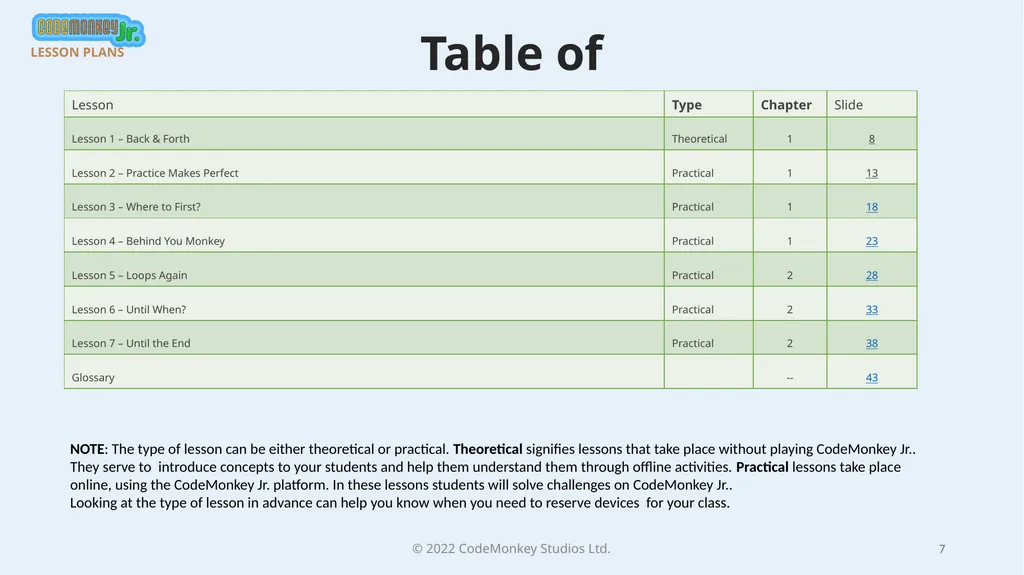
Table of Contents © 2022 CodeMonkey Studios Ltd. 7 LESSON PLANS NOTE: The type of lesson can be either theoretical or practical. Theoretical signifies lessons that take place without playing CodeMonkey Jr.. They serve to introduce concepts to your students and help them understand them through offline activities. Practical lessons take place online, using the CodeMonkey Jr. platform. In these lessons students will solve challenges on CodeMonkey Jr..
Looking at the type of lesson in advance can help you know when you need to reserve devices for your class.<br>
Looking at the type of lesson in advance can help you know when you need to reserve devices for your class.<br>
08
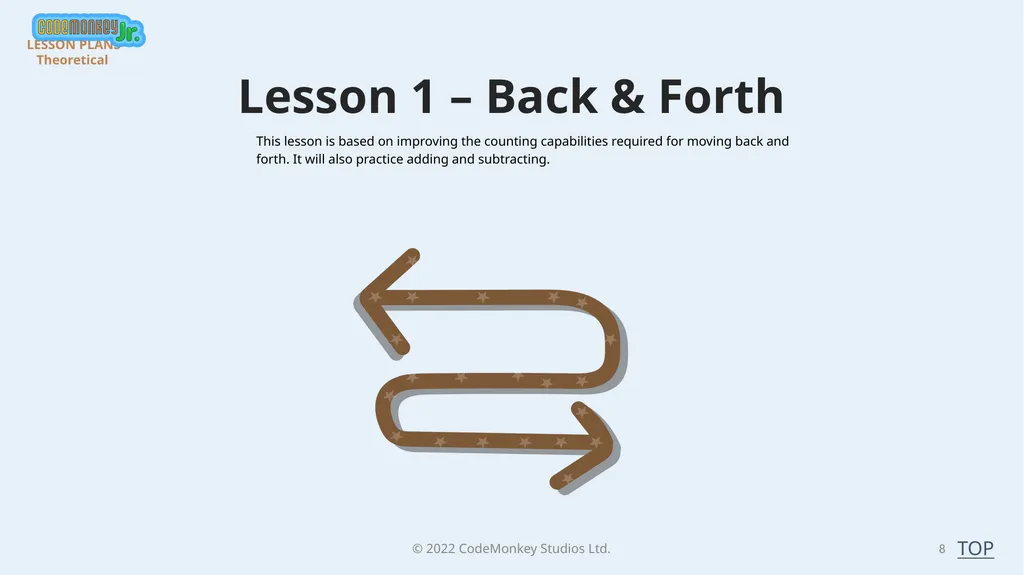
© 2022 CodeMonkey Studios Ltd. Lesson 1 – Back & Forth 8 This lesson is based on improving the counting capabilities required for moving back and forth. It will also practice adding and subtracting. LESSON PLANS - Theoretical TOP<br>
09
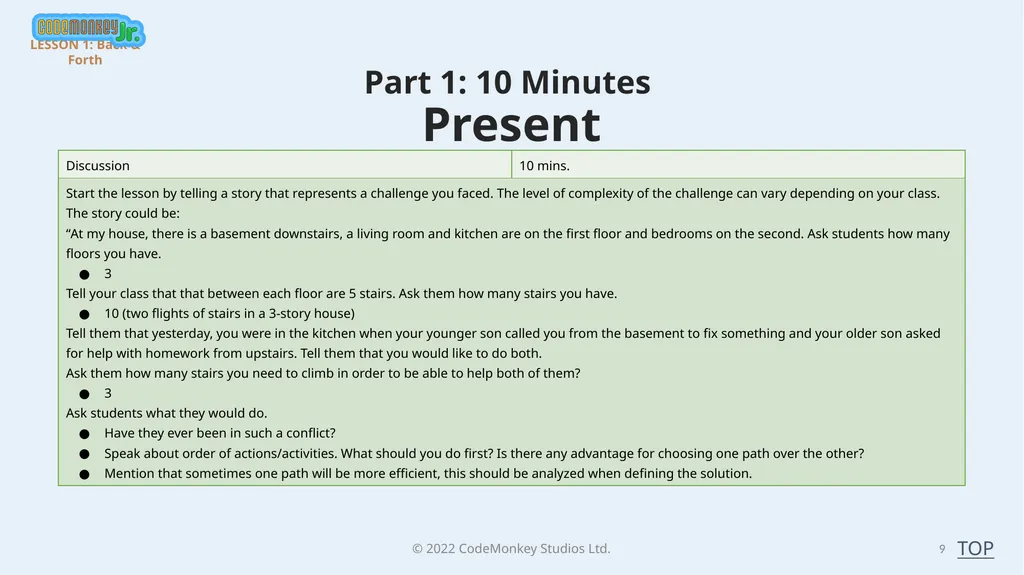
© 2022 CodeMonkey Studios Ltd. 9 Part 1: 10 Minutes
Present LESSON 1: Back & Forth TOP<br>
Present LESSON 1: Back & Forth TOP<br>
10
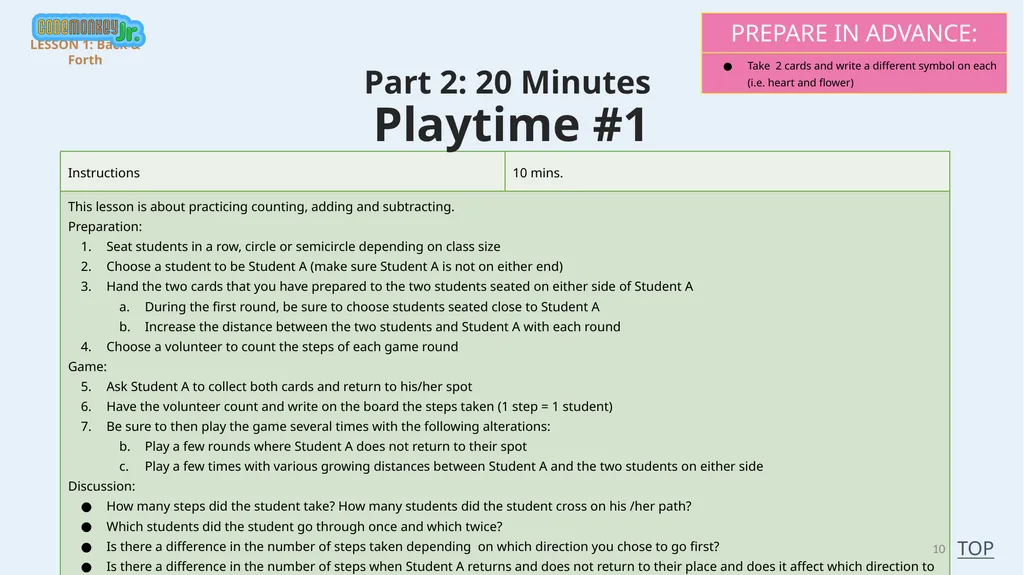
© 2022 CodeMonkey Studios Ltd. 10 Part 2: 20 Minutes
Playtime #1 LESSON 1: Back & Forth TOP<br>
Playtime #1 LESSON 1: Back & Forth TOP<br>
11
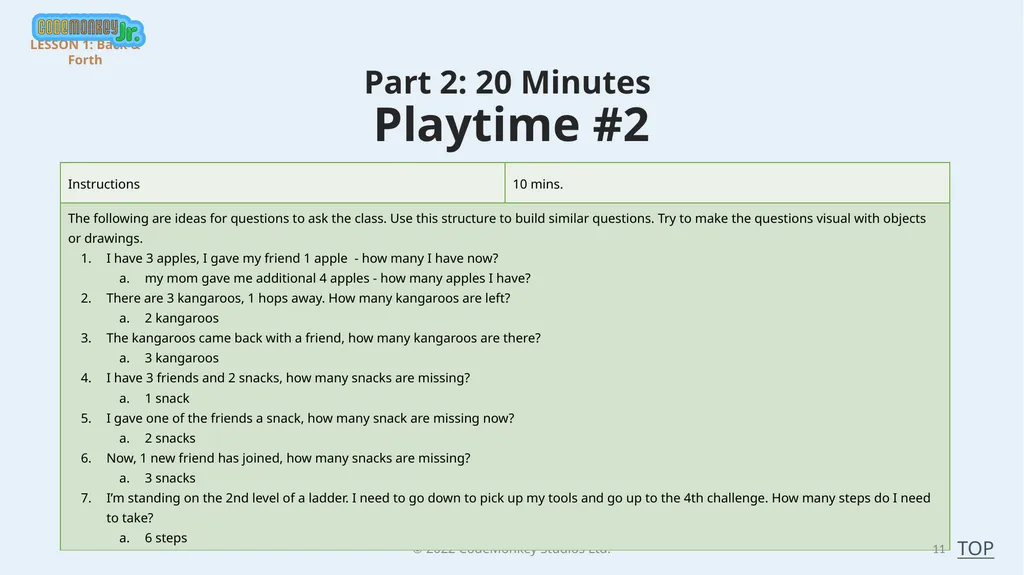
© 2022 CodeMonkey Studios Ltd. 11 Part 2: 20 Minutes
Playtime #2 LESSON 1: Back & Forth TOP<br>
Playtime #2 LESSON 1: Back & Forth TOP<br>
12
© 2022 CodeMonkey Studios Ltd. Part 3: 5 Minutes
Debriefing 12 LESSON 2: Back & Forth TOP<br>
Debriefing 12 LESSON 2: Back & Forth TOP<br>
13
© 2022 CodeMonkey Studios Ltd. Lesson 2 – Practice makes Perfect 13 Please note that the minimum class time required for this lesson is 35 minutes. If you are rushed for time, please skip to Part 2. In this lesson, students will start a new chapter of CodeMonkey Jr., which focuses on advanced sequencing. In the scope of this game, Advanced Sequencing is when students need to plan their journey as they will need to go one direction first and then return to get to the treasure chest.
By end of this lesson, students will complete challenges 1-5.
Note: you might get to this chapter after completing the Loops chapter. We do not have the loop block here, as in most challenges there is no pattern to get the bananas and treasure chest. We will get back to loops in the next chapter. LESSON PLANS - Practical TOP<br>
By end of this lesson, students will complete challenges 1-5.
Note: you might get to this chapter after completing the Loops chapter. We do not have the loop block here, as in most challenges there is no pattern to get the bananas and treasure chest. We will get back to loops in the next chapter. LESSON PLANS - Practical TOP<br>
14
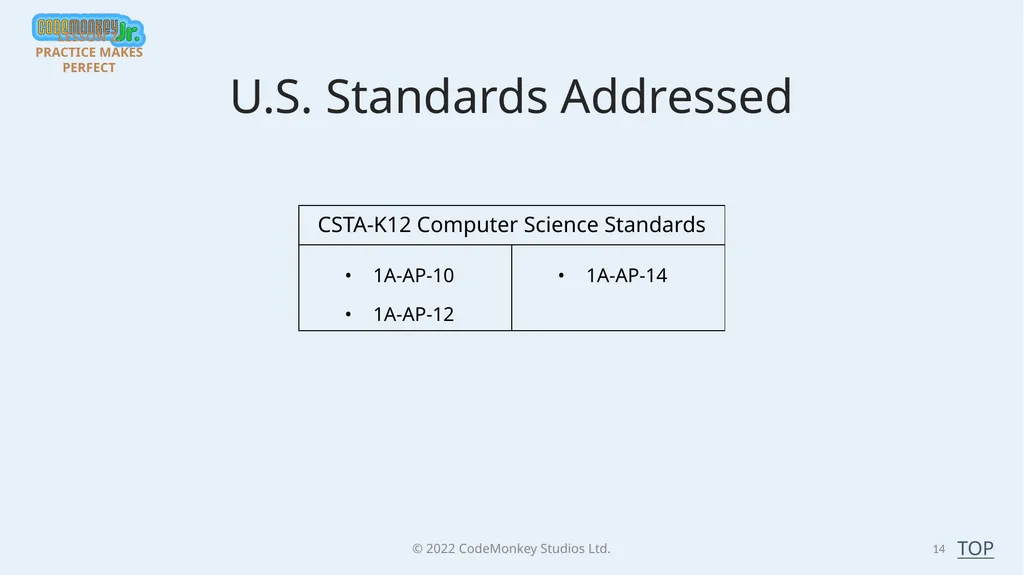
© 2022 CodeMonkey Studios Ltd. 14 TOP U.S. Standards Addressed LESSON 2: PRACTICE MAKES PERFECT<br>
15
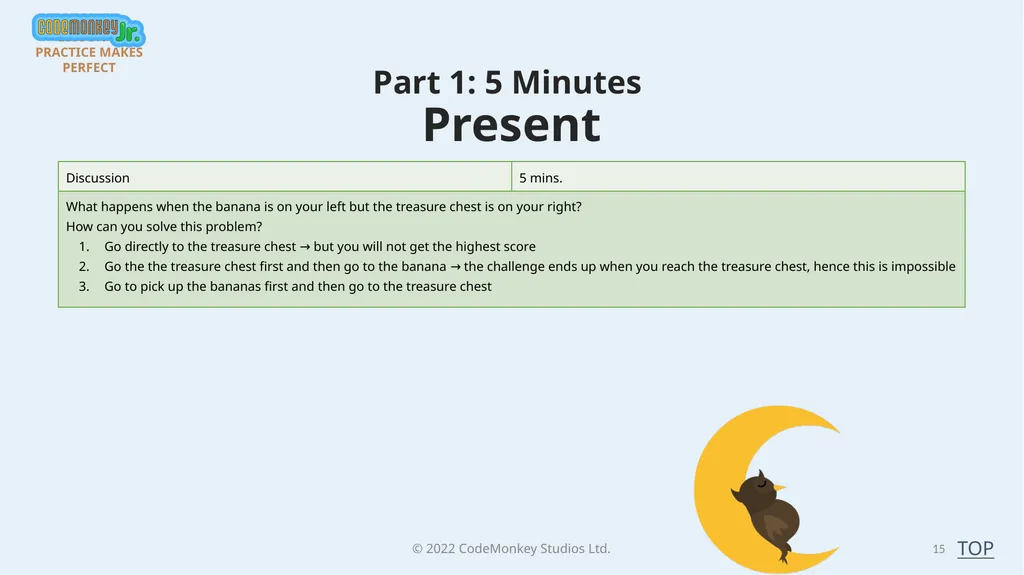
© 2022 CodeMonkey Studios Ltd. 15 Part 1: 5 Minutes
Present LESSON 2: PRACTICE MAKES PERFECT TOP<br>
Present LESSON 2: PRACTICE MAKES PERFECT TOP<br>
16
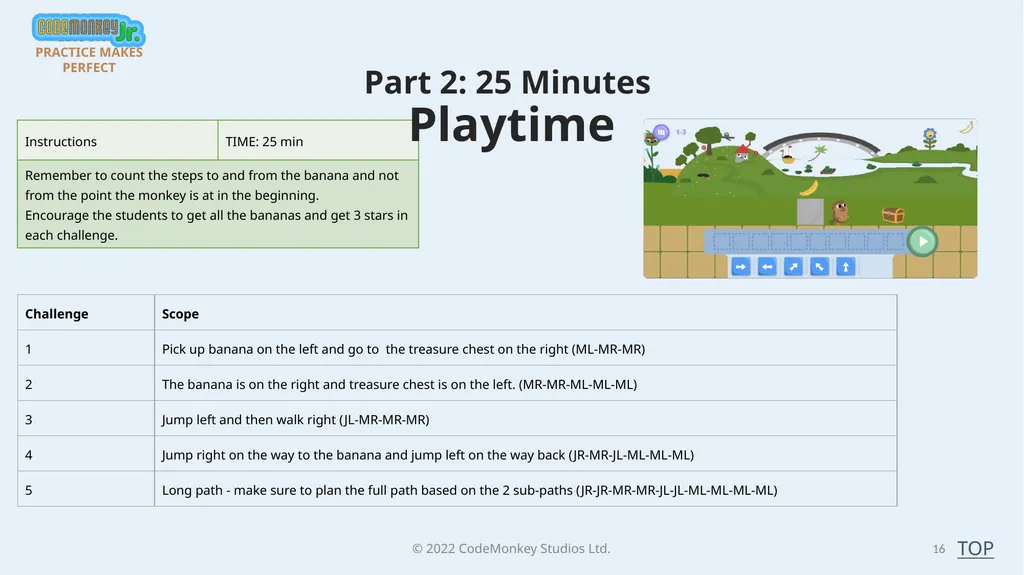
© 2022 CodeMonkey Studios Ltd. 16 Part 2: 25 Minutes
Playtime LESSON 2: PRACTICE MAKES PERFECT TOP<br>
Playtime LESSON 2: PRACTICE MAKES PERFECT TOP<br>
17
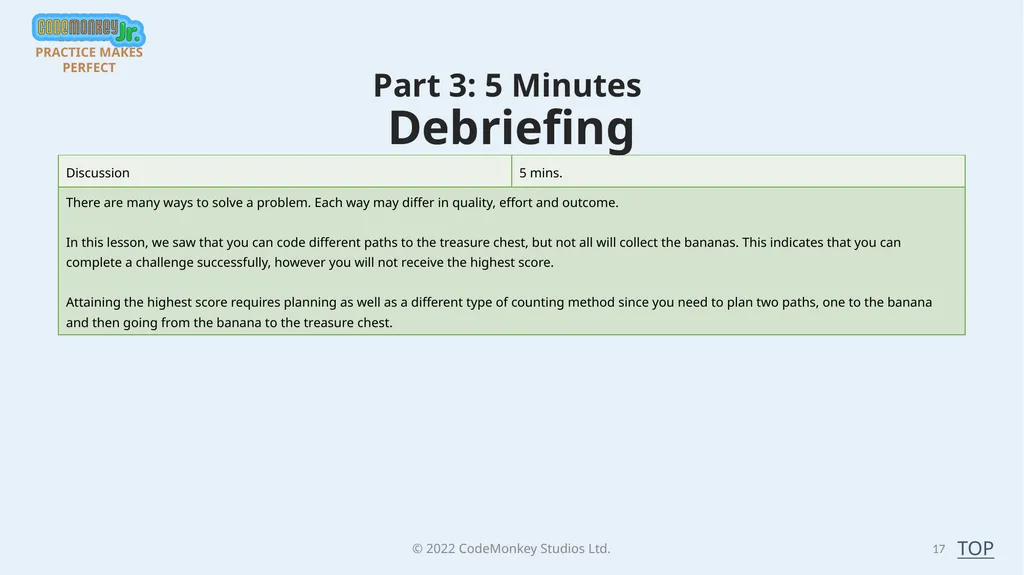
© 2022 CodeMonkey Studios Ltd. Part 3: 5 Minutes
Debriefing 17 LESSON 2: PRACTICE MAKES PERFECT TOP<br>
Debriefing 17 LESSON 2: PRACTICE MAKES PERFECT TOP<br>
18
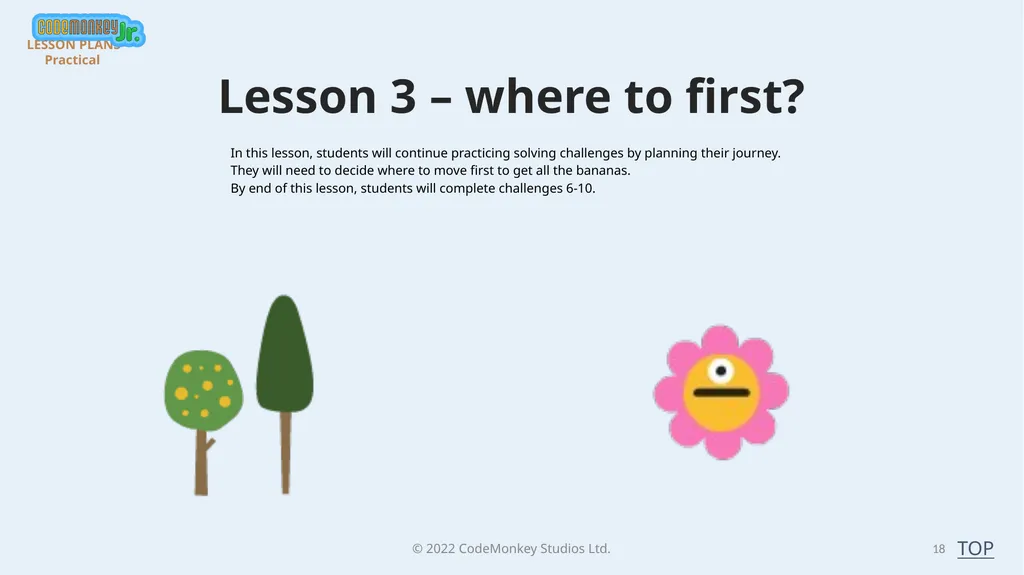
© 2022 CodeMonkey Studios Ltd. Lesson 3 – where to first? 18 In this lesson, students will continue practicing solving challenges by planning their journey. They will need to decide where to move first to get all the bananas.
By end of this lesson, students will complete challenges 6-10. LESSON PLANS - Practical TOP<br>
By end of this lesson, students will complete challenges 6-10. LESSON PLANS - Practical TOP<br>
19
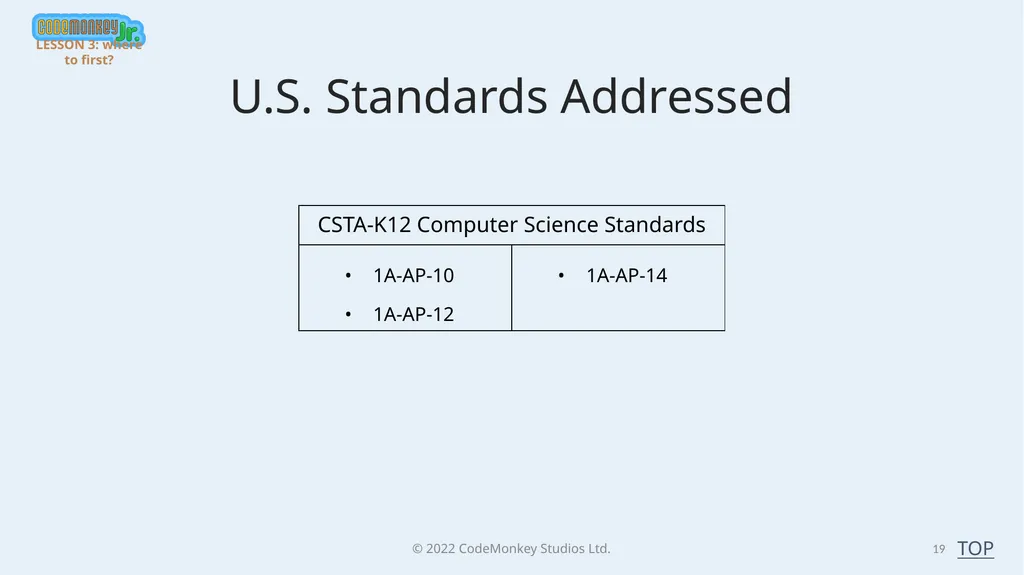
© 2022 CodeMonkey Studios Ltd. 19 TOP U.S. Standards Addressed LESSON 3: where to first?<br>
20
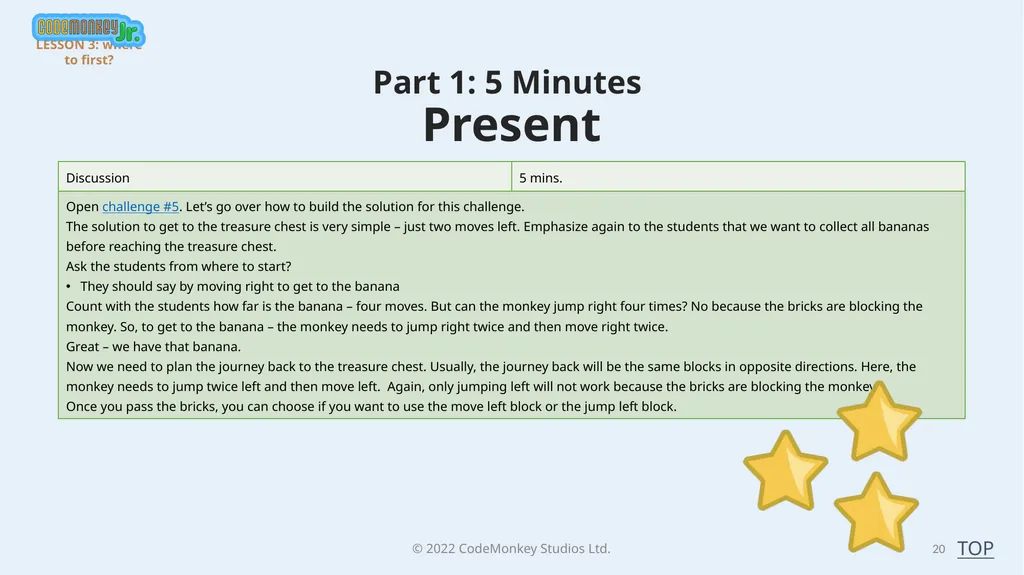
© 2022 CodeMonkey Studios Ltd. 20 Part 1: 5 Minutes
Present LESSON 3: where to first? TOP<br>
Present LESSON 3: where to first? TOP<br>
21
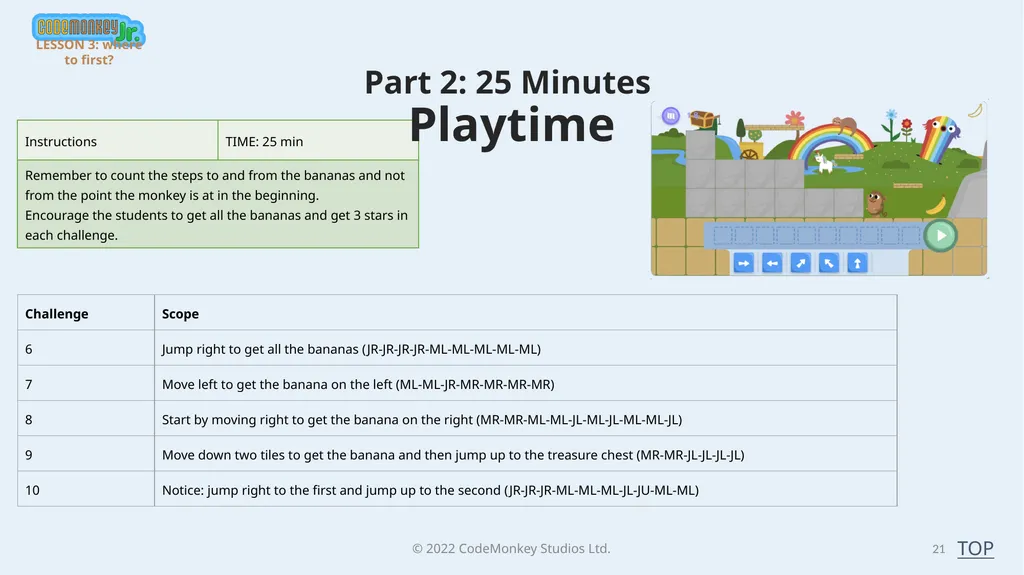
© 2022 CodeMonkey Studios Ltd. 21 Part 2: 25 Minutes
Playtime TOP LESSON 3: where to first?<br>
Playtime TOP LESSON 3: where to first?<br>
22
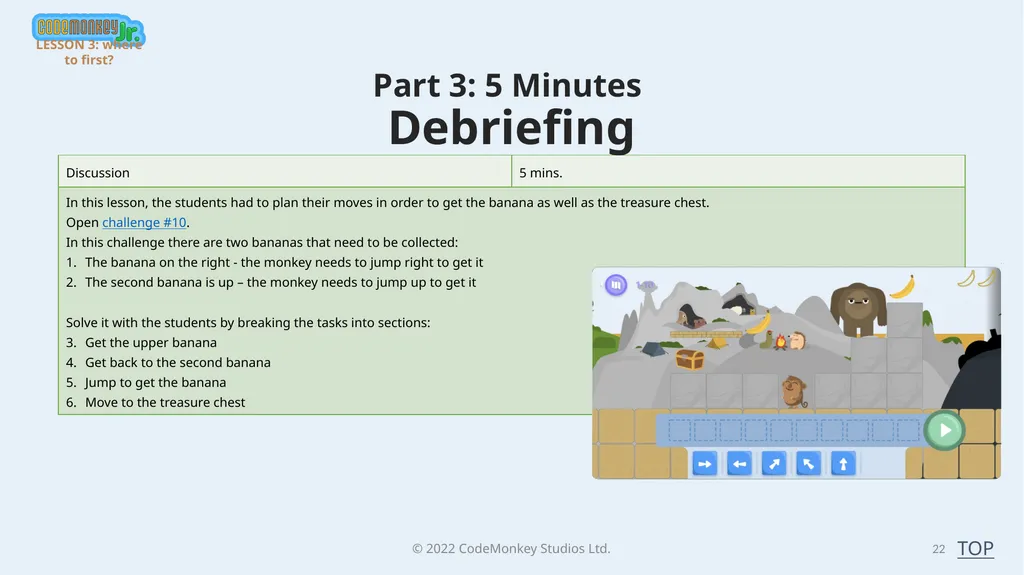
© 2022 CodeMonkey Studios Ltd. Part 3: 5 Minutes
Debriefing 22 TOP LESSON 3: where to first?<br>
Debriefing 22 TOP LESSON 3: where to first?<br>
23
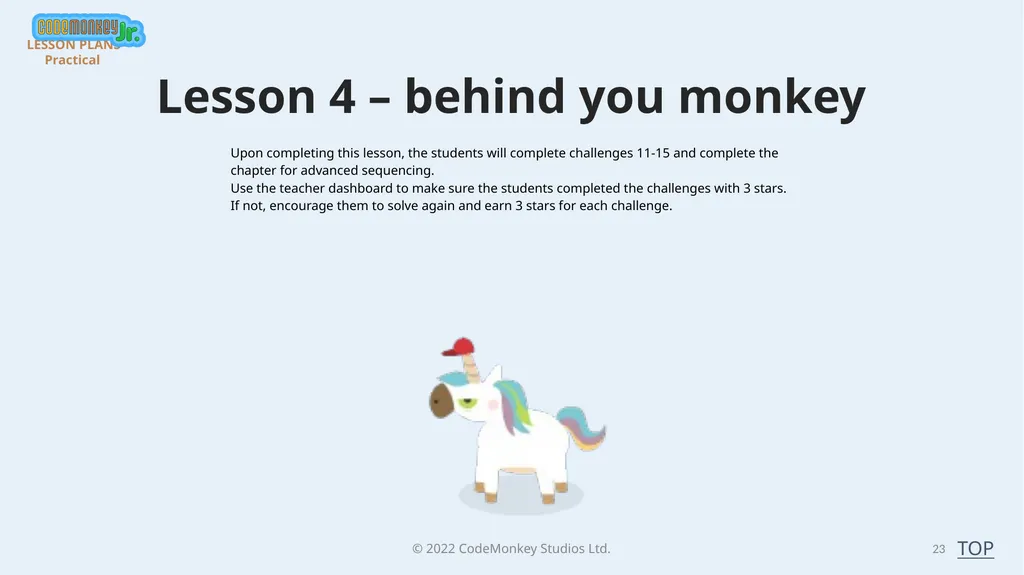
© 2022 CodeMonkey Studios Ltd. Lesson 4 – behind you monkey 23 Upon completing this lesson, the students will complete challenges 11-15 and complete the chapter for advanced sequencing.
Use the teacher dashboard to make sure the students completed the challenges with 3 stars. If not, encourage them to solve again and earn 3 stars for each challenge. LESSON PLANS - Practical TOP<br>
Use the teacher dashboard to make sure the students completed the challenges with 3 stars. If not, encourage them to solve again and earn 3 stars for each challenge. LESSON PLANS - Practical TOP<br>
24
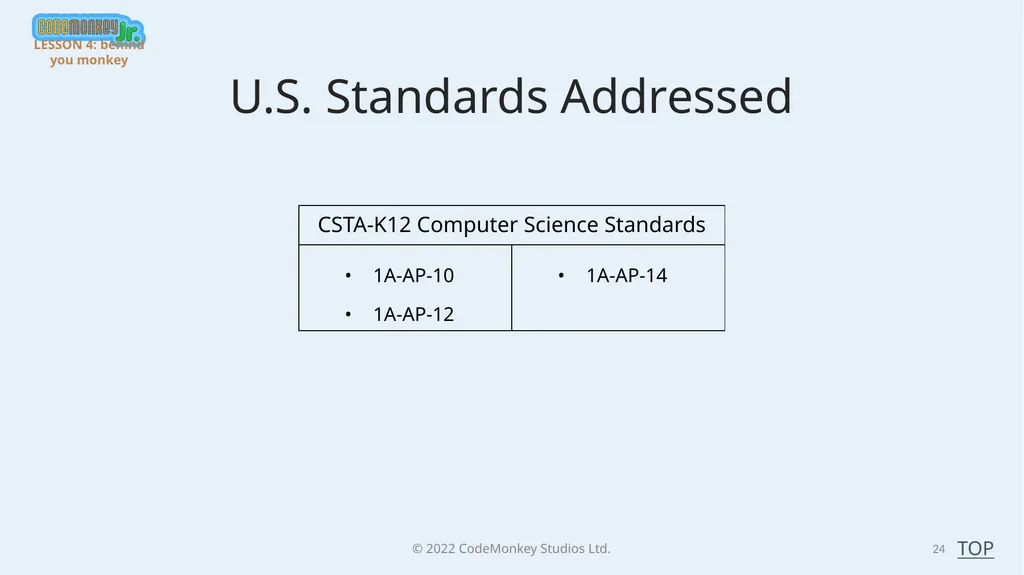
© 2022 CodeMonkey Studios Ltd. 24 TOP U.S. Standards Addressed LESSON 4: behind you monkey<br>
25
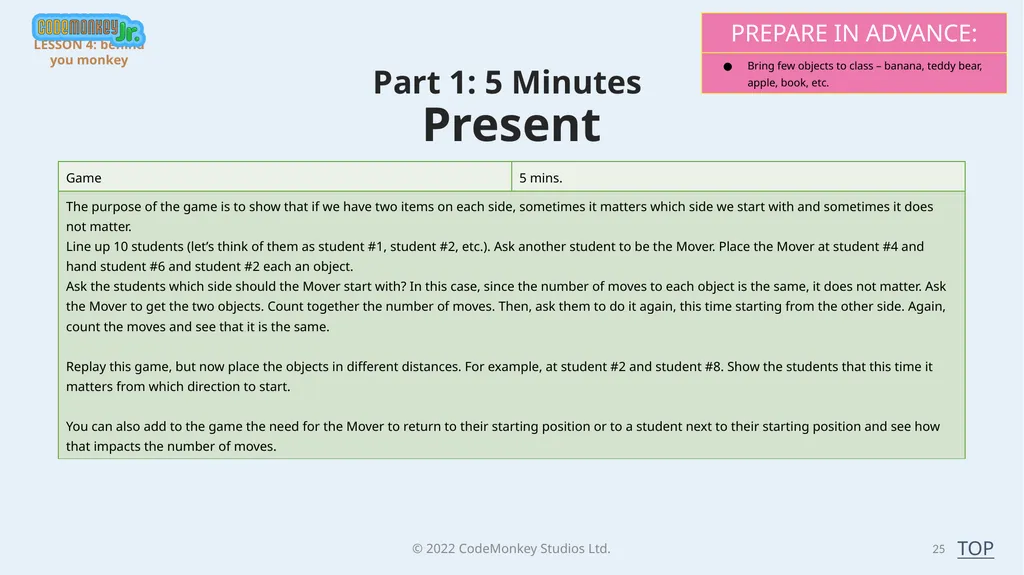
© 2022 CodeMonkey Studios Ltd. 25 Part 1: 5 Minutes
Present LESSON 4: behind you monkey TOP<br>
Present LESSON 4: behind you monkey TOP<br>
26
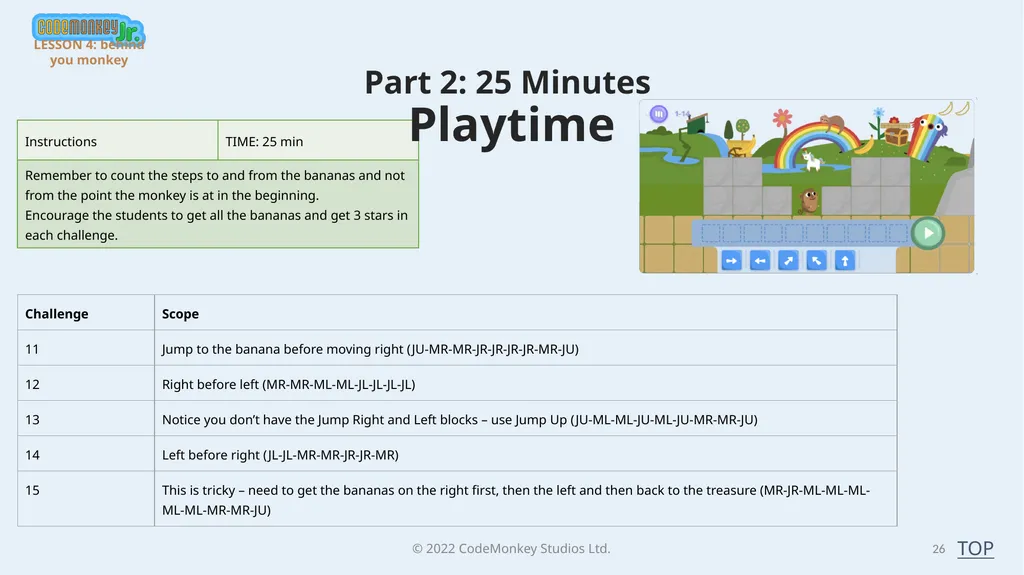
© 2022 CodeMonkey Studios Ltd. 26 Part 2: 25 Minutes
Playtime TOP LESSON 4: behind you monkey<br>
Playtime TOP LESSON 4: behind you monkey<br>
27
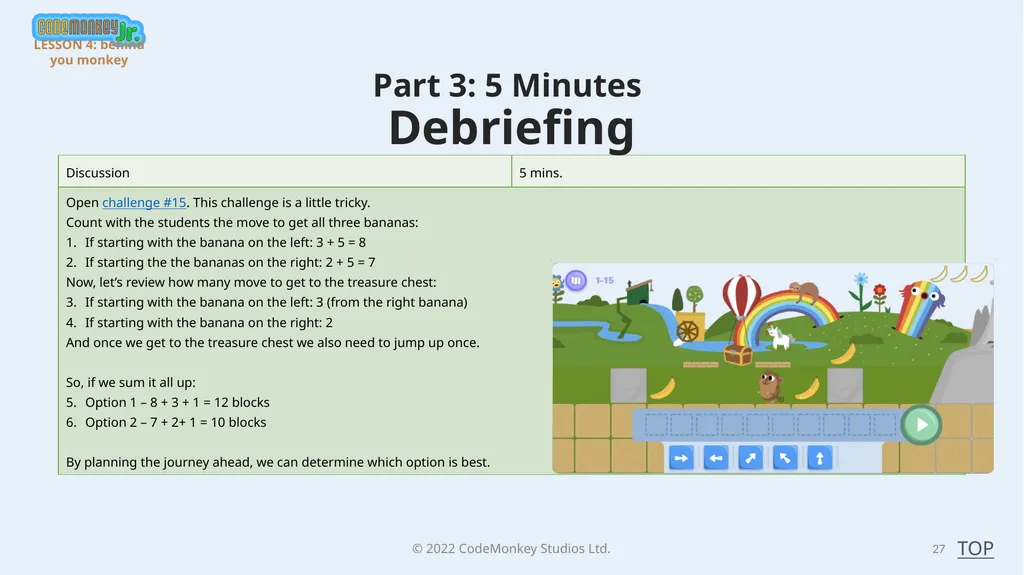
© 2022 CodeMonkey Studios Ltd. Part 3: 5 Minutes
Debriefing 27 TOP LESSON 4: behind you monkey<br>
Debriefing 27 TOP LESSON 4: behind you monkey<br>
28
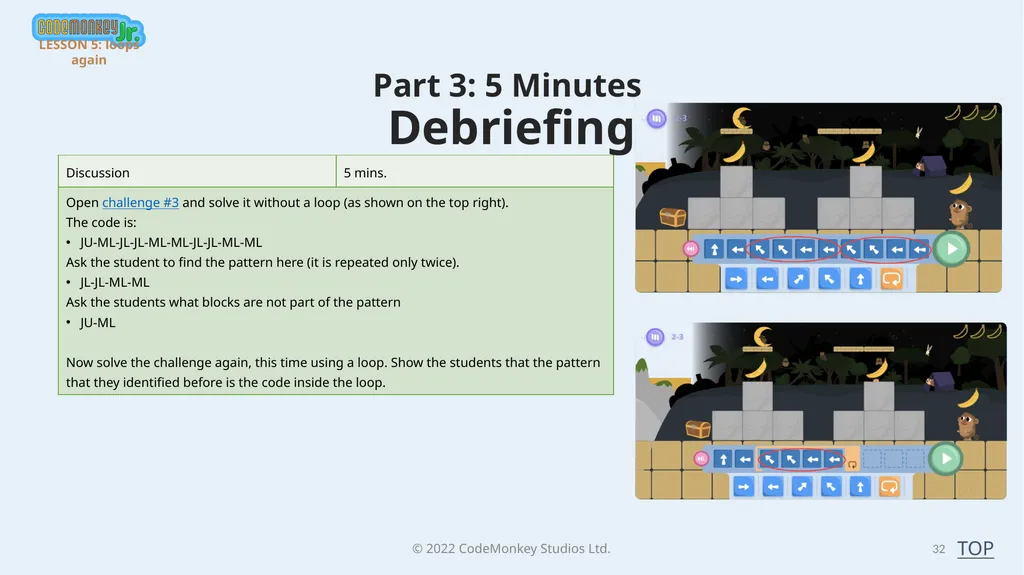
© 2022 CodeMonkey Studios Ltd. Lesson 5 –loops again 28 In this lesson, students will start the Advanced Loops chapter.
By end of this lesson, students will complete challenges 1-5.
Up until now, the students solved the challenges using a loop and blocks inside the loop. In this lesson, students will add blocks before the loop. They will need to see the pattern in order to use a loop. They will need to identify where the loop starts and how to get the monkey to the starting point. LESSON PLANS - Practical TOP<br>
By end of this lesson, students will complete challenges 1-5.
Up until now, the students solved the challenges using a loop and blocks inside the loop. In this lesson, students will add blocks before the loop. They will need to see the pattern in order to use a loop. They will need to identify where the loop starts and how to get the monkey to the starting point. LESSON PLANS - Practical TOP<br>
29
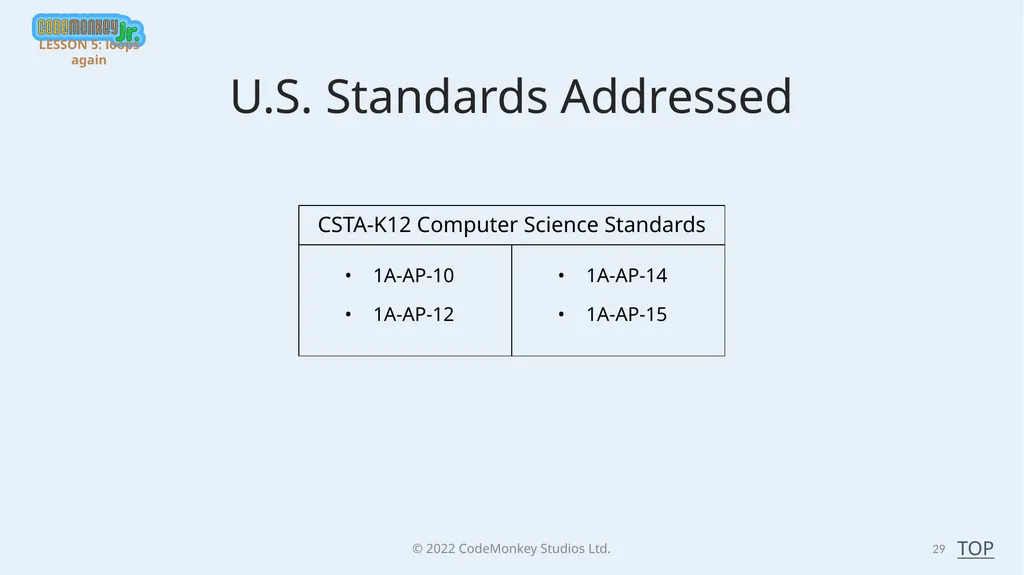
© 2022 CodeMonkey Studios Ltd. 29 TOP U.S. Standards Addressed LESSON 5: loops again<br>
30
© 2022 CodeMonkey Studios Ltd. 30 Part 1: 5 Minutes
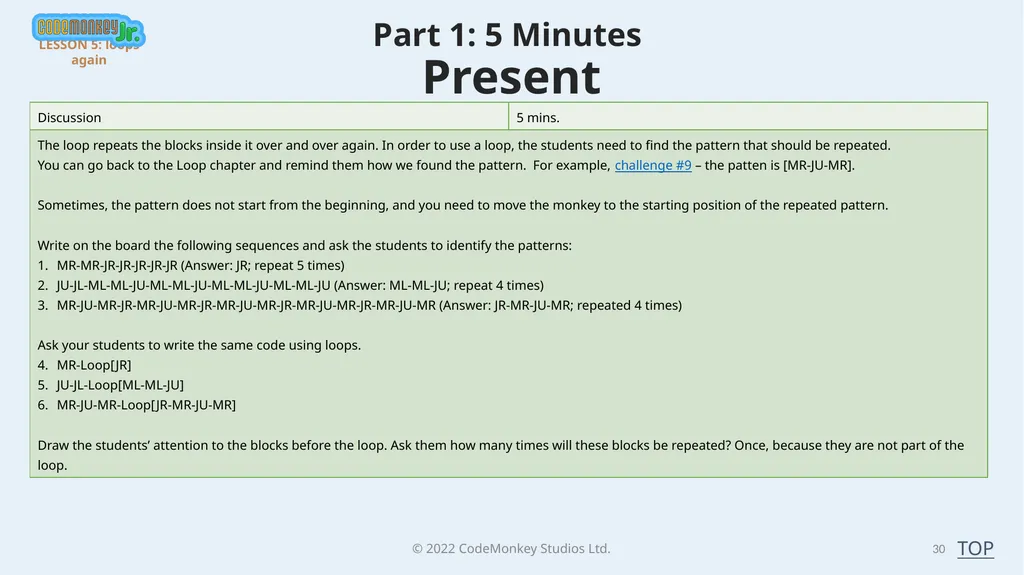
Present LESSON 5: loops again TOP<br>
Present LESSON 5: loops again TOP<br>
31
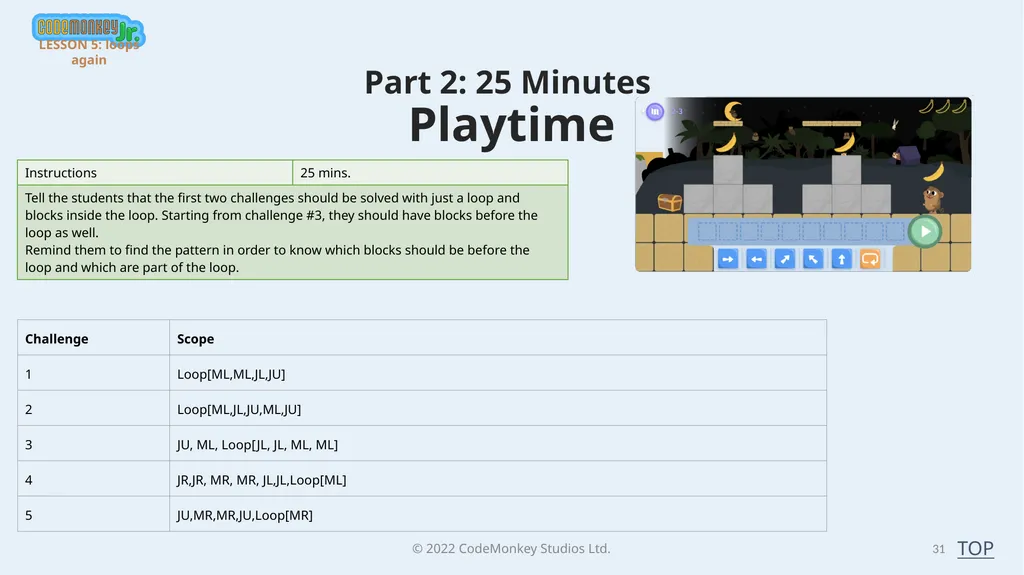
© 2022 CodeMonkey Studios Ltd. 31 Part 2: 25 Minutes
Playtime TOP LESSON 5: loops again<br>
Playtime TOP LESSON 5: loops again<br>
32
© 2022 CodeMonkey Studios Ltd. Part 3: 5 Minutes
Debriefing 32 TOP LESSON 5: loops again<br>
Debriefing 32 TOP LESSON 5: loops again<br>
33
© 2022 CodeMonkey Studios Ltd. Lesson 6 – until when? 33 In this lesson, students will continue solving challenges using loops. They will need to identify the repetitive pattern and the blocks that should be before the loop.
By end of this lesson, students will complete challenges 6-10. LESSON PLANS - Practical TOP<br>
By end of this lesson, students will complete challenges 6-10. LESSON PLANS - Practical TOP<br>
34
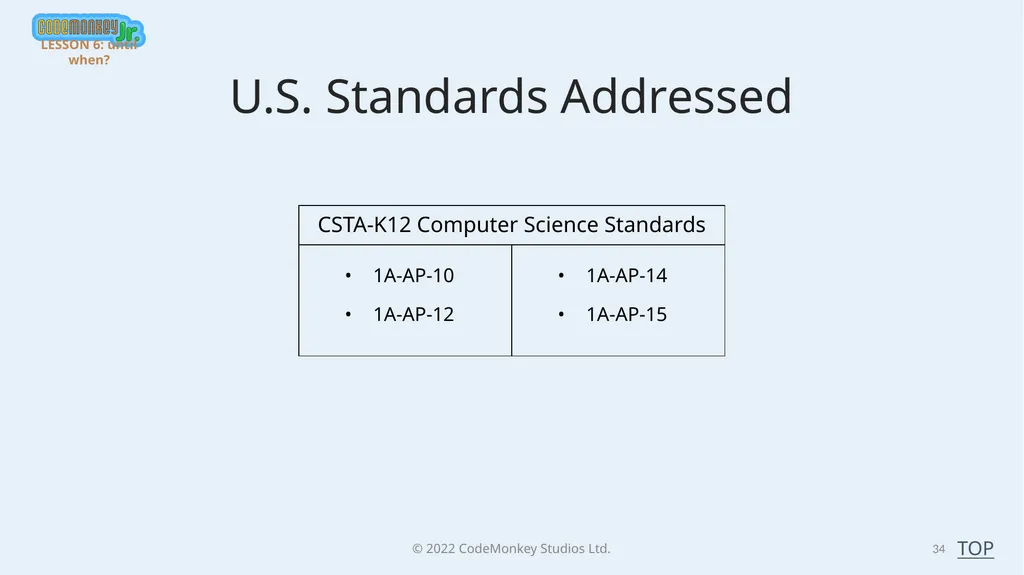
© 2022 CodeMonkey Studios Ltd. 34 TOP U.S. Standards Addressed LESSON 6: until when?<br>
35
© 2022 CodeMonkey Studios Ltd. 35 Part 1: 5 Minutes
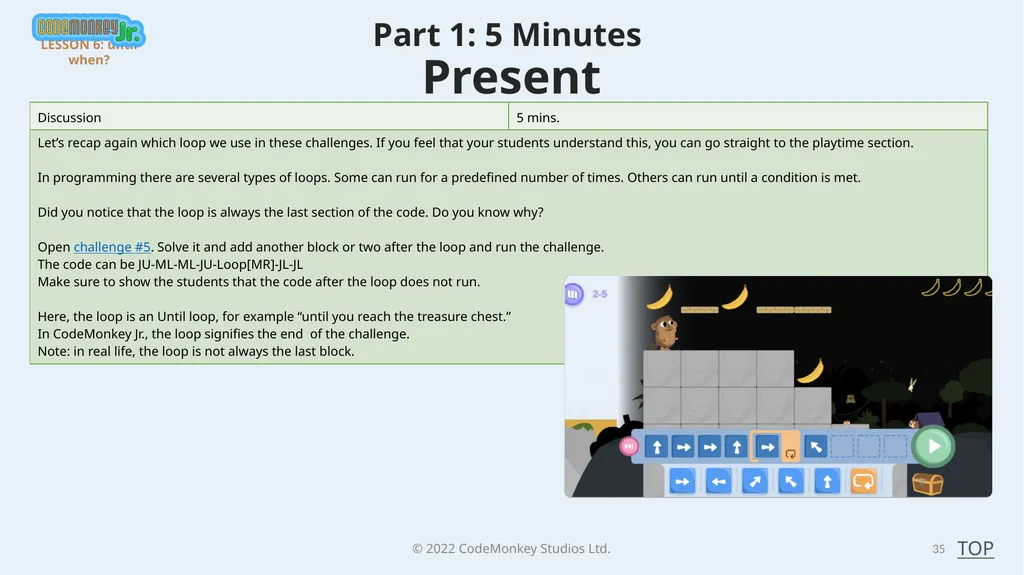
Present LESSON 6: until when? TOP<br>
Present LESSON 6: until when? TOP<br>
36
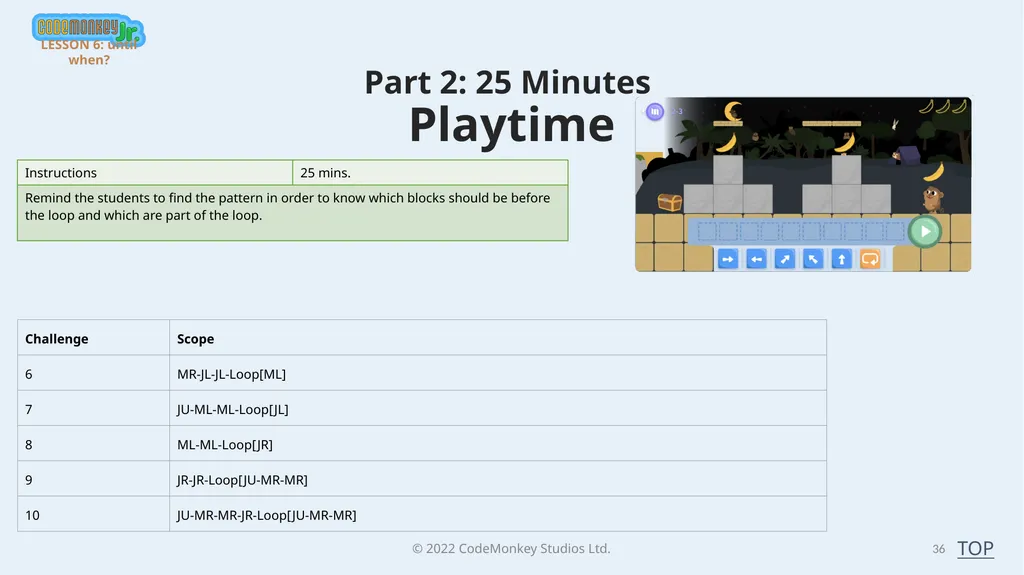
© 2022 CodeMonkey Studios Ltd. 36 Part 2: 25 Minutes
Playtime TOP LESSON 6: until when?<br>
Playtime TOP LESSON 6: until when?<br>
37
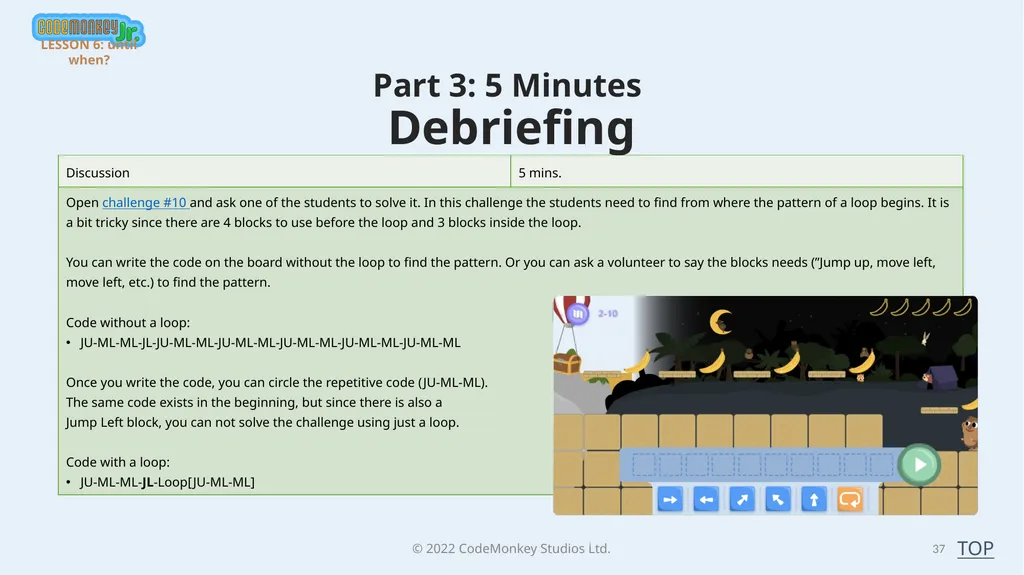
© 2022 CodeMonkey Studios Ltd. Part 3: 5 Minutes
Debriefing 37 TOP LESSON 6: until when?<br>
Debriefing 37 TOP LESSON 6: until when?<br>
38
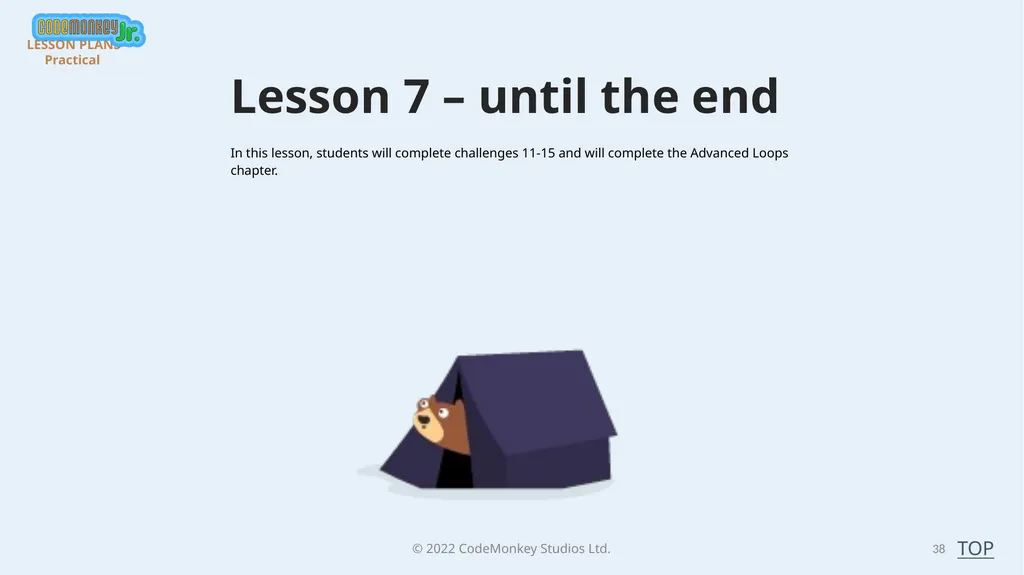
© 2022 CodeMonkey Studios Ltd. Lesson 7 – until the end 38 In this lesson, students will complete challenges 11-15 and will complete the Advanced Loops chapter. LESSON PLANS - Practical TOP<br>
39
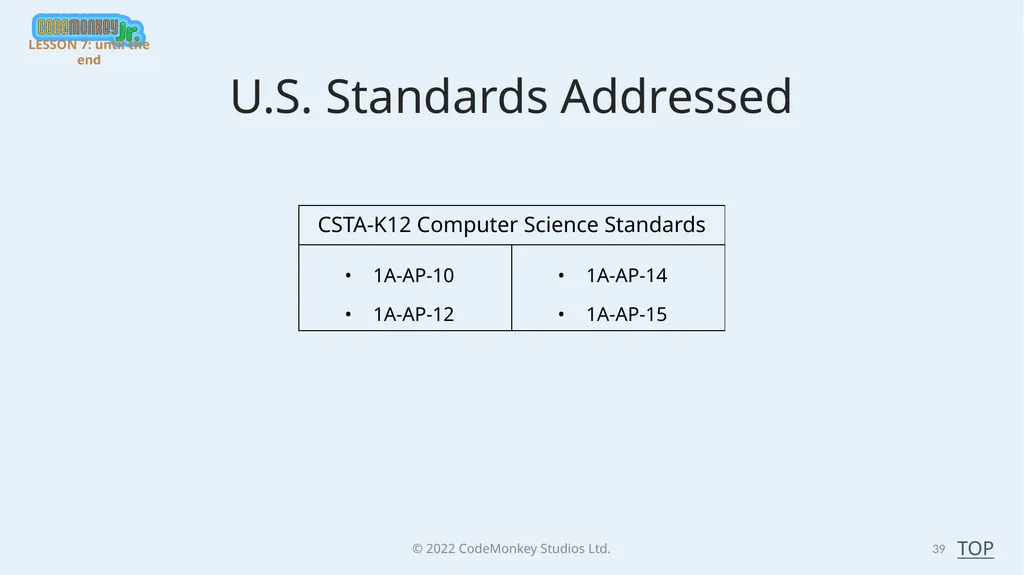
© 2022 CodeMonkey Studios Ltd. 39 TOP U.S. Standards Addressed LESSON 7: until the end<br>
40
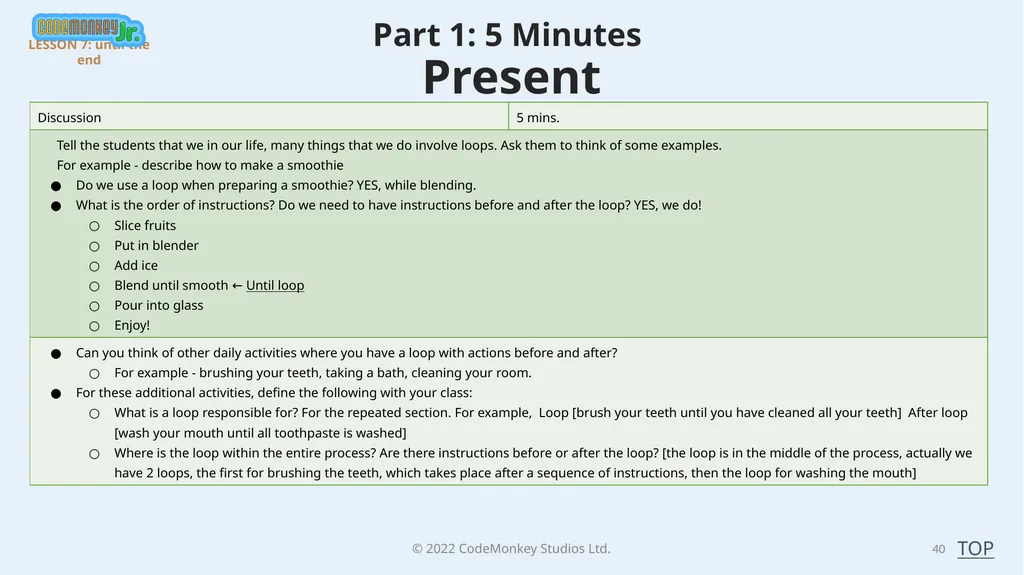
© 2022 CodeMonkey Studios Ltd. 40 Part 1: 5 Minutes
Present LESSON 7: until the end TOP<br>
Present LESSON 7: until the end TOP<br>
41
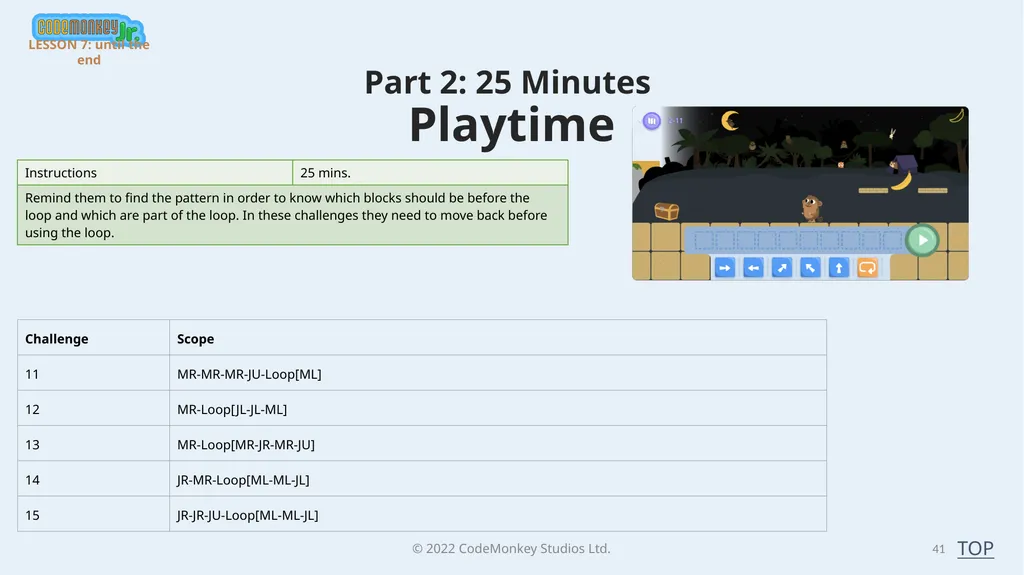
© 2022 CodeMonkey Studios Ltd. 41 Part 2: 25 Minutes
Playtime TOP LESSON 7: until the end<br>
Playtime TOP LESSON 7: until the end<br>
42
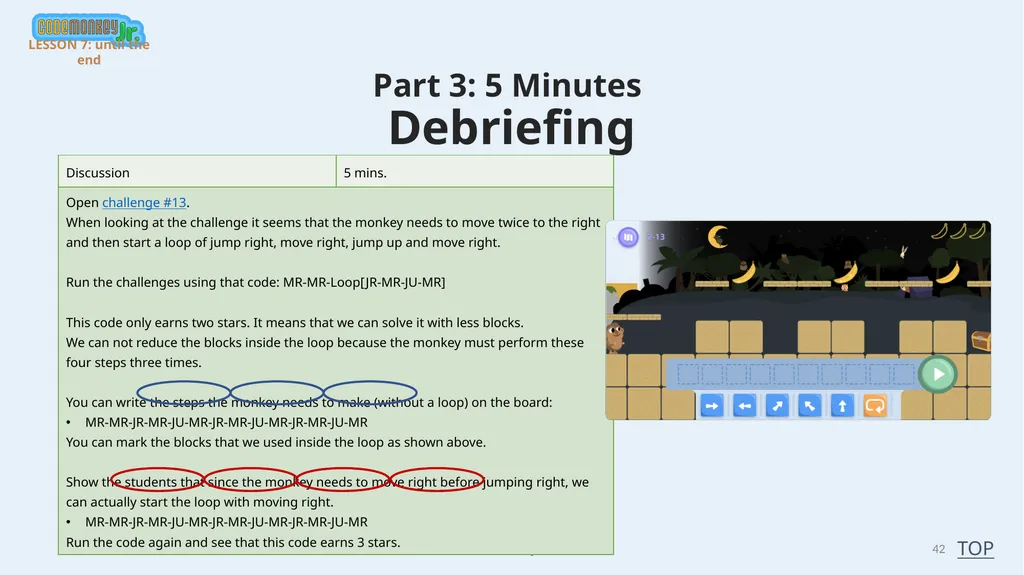
© 2022 CodeMonkey Studios Ltd. Part 3: 5 Minutes
Debriefing 42 TOP LESSON 7: until the end<br>
Debriefing 42 TOP LESSON 7: until the end<br>
43
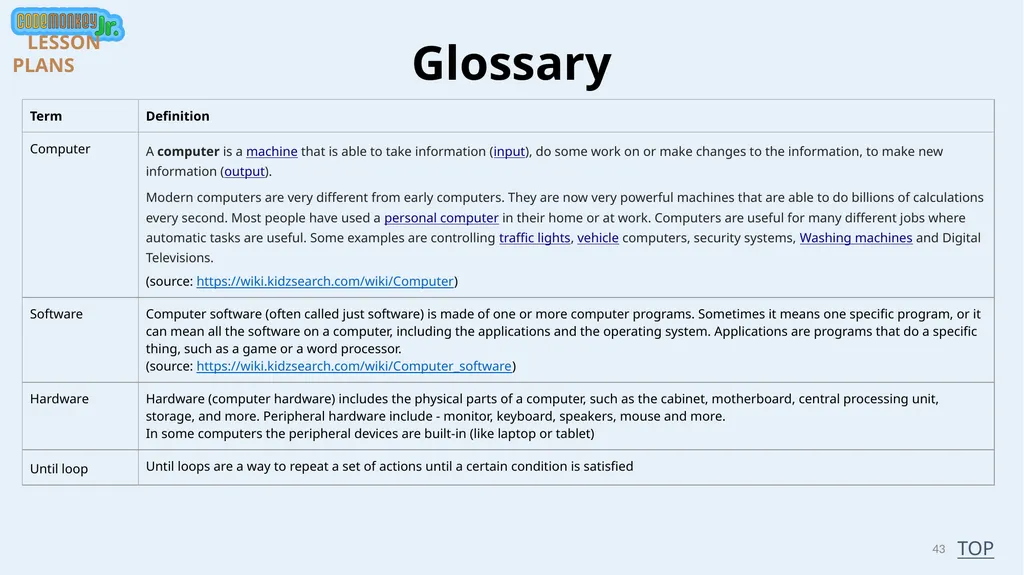
43 Glossary TOP LESSON PLANS<br>
44
© 2022 CodeMonkey Studios Ltd. 44 Great Job! You have Completed TOP LESSON PLANS<br>