\nLet's place a mark X in the cell:\nin .. code .. write element.innerHTML = \"X\" clicked!\nputs a mark X \nslide13. Tic Tac Toe: sample7.html No overwriting! Only write in an empty
cell\n\nWhat's the empty condition?\nelement.innerHTML == \"\"\nrecall == is equality \nslide14. Homework 6 Question 1: modify sample7.html to make an interactive tic tac toe player\nUsing the random number generator described in the previous lecture, add a button \"Click!\" that inserts a O in an empty cell.\nvar o = Math.floor(Math.random()*9)+1;\nhttps://developer.mozilla.org/en-US/docs/Web/JavaScript/Reference/Global_Objects/Math/random\nNote A:\nuse onclick with a new function, e.g. insert_"
}
408508 Computational Techniques for Linguists Lecture 14 Todays Topics More Javascript functionality: strings, operators, conditionals, loops a quirk with assignment () Tic-tac-toe example contd. (step by step) Files: sample3.html,
"408/508 Computational Techniques for Linguists" is the property of its rightful owner. Permission is granted to
download and print the materials on this website for personal, non-commercial use only, and to display it
on your personal computer provided you do not modify the materials and that you retain all copyright
notices contained in the materials. By downloading content from our website, you accept the terms of this
agreement.
Presentation Transcript
01
408/508 Computational Techniques for Linguists Lecture 14<br>
02
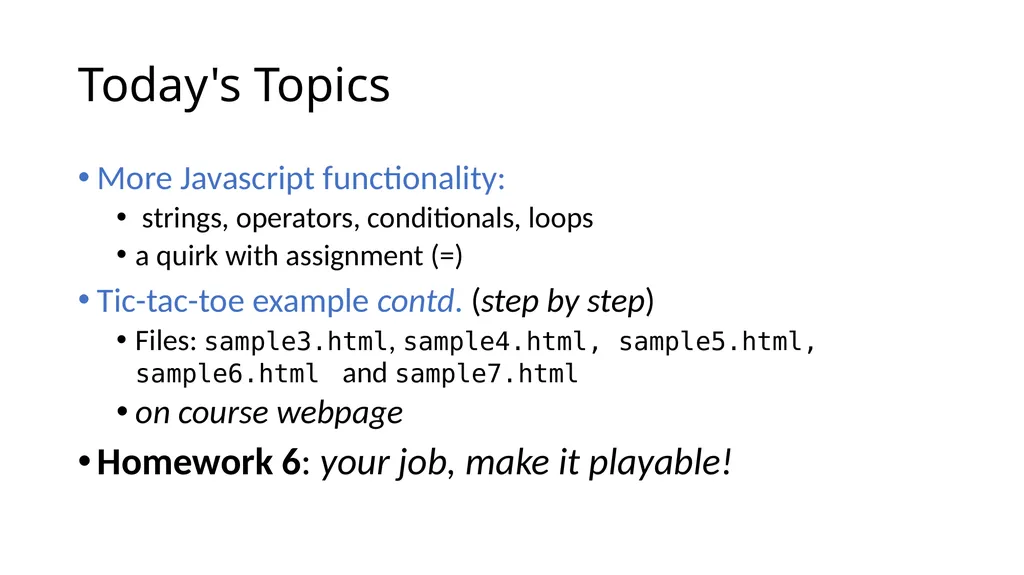
Today's Topics More Javascript functionality:
strings, operators, conditionals, loops
a quirk with assignment (=)
Tic-tac-toe example contd. (step by step)
Files: sample3.html, sample4.html, sample5.html, sample6.html and sample7.html
on course webpage
Homework 6: your job, make it playable!<br>
03
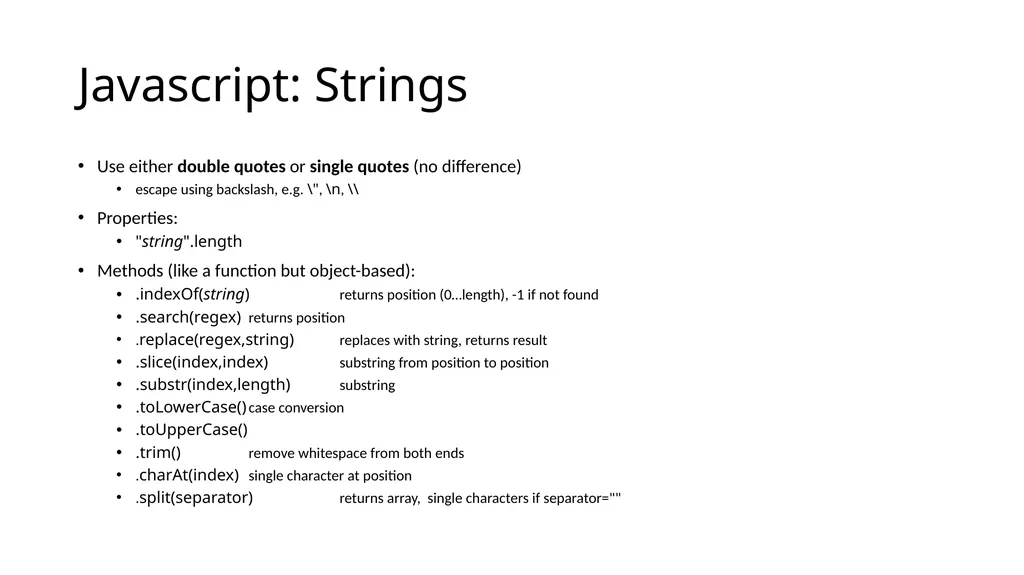
Javascript: Strings Use either double quotes or single quotes (no difference)
escape using backslash, e.g. \", \n, \\
Properties:
"string".length
Methods (like a function but object-based):
.indexOf(string) returns position (0…length), -1 if not found
.search(regex) returns position
.replace(regex,string) replaces with string, returns result
.slice(index,index) substring from position to position
.substr(index,length) substring
.toLowerCase() case conversion
.toUpperCase()
.trim() remove whitespace from both ends
.charAt(index) single character at position
.split(separator) returns array, single characters if separator=""<br>
04
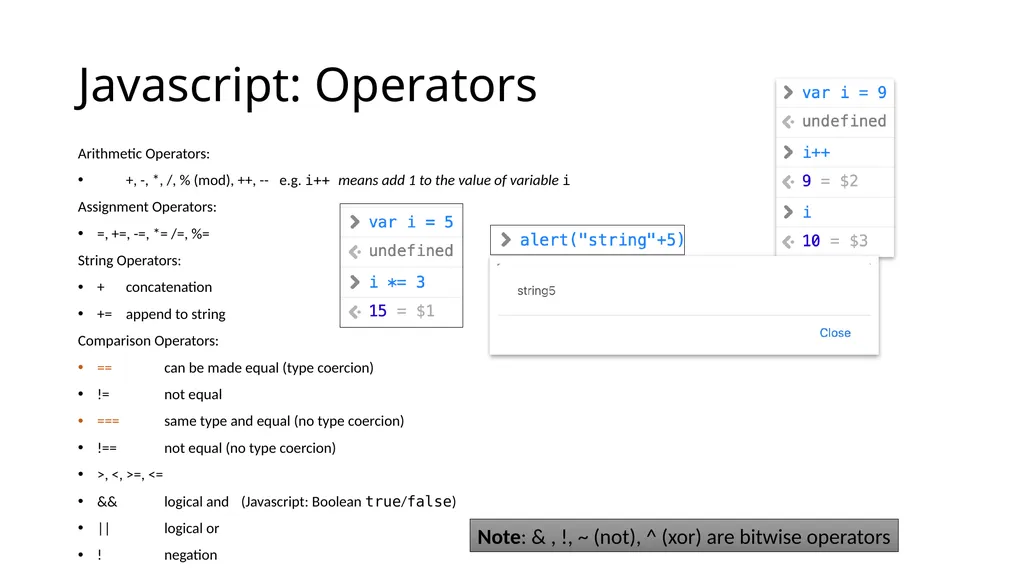
Javascript: Operators Arithmetic Operators:
+, -, *, /, % (mod), ++, -- e.g. i++ means add 1 to the value of variable i
Assignment Operators:
=, +=, -=, *= /=, %=
String Operators:
+ concatenation
+= append to string
Comparison Operators:
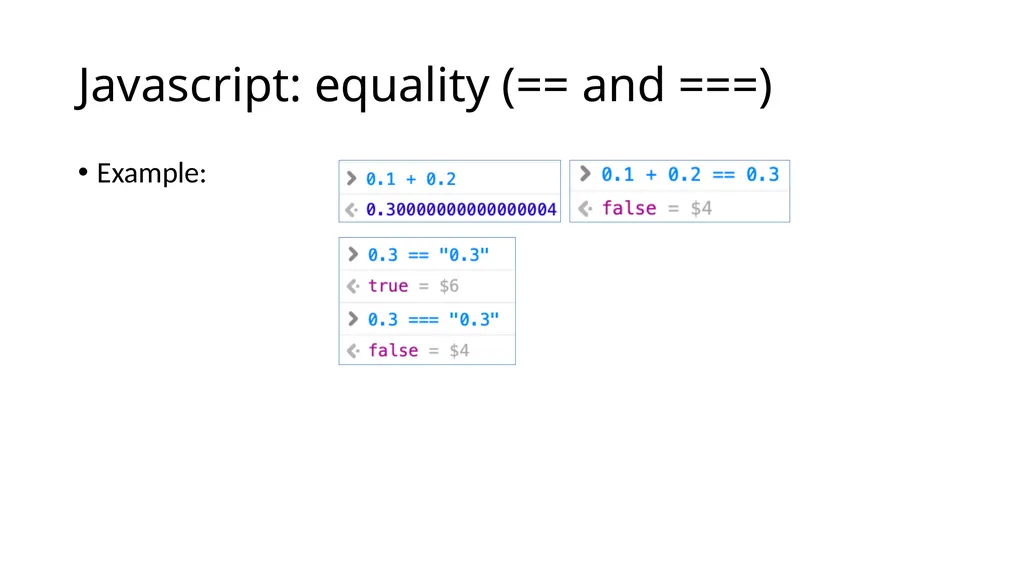
== can be made equal (type coercion)
!= not equal
=== same type and equal (no type coercion)
!== not equal (no type coercion)
>, <, >=, <=
&& logical and (Javascript: Boolean true/false)
|| logical or
! negation Note: & , !, ~ (not), ^ (xor) are bitwise operators<br>
05
Javascript: equality (== and ===) Example:<br>
06
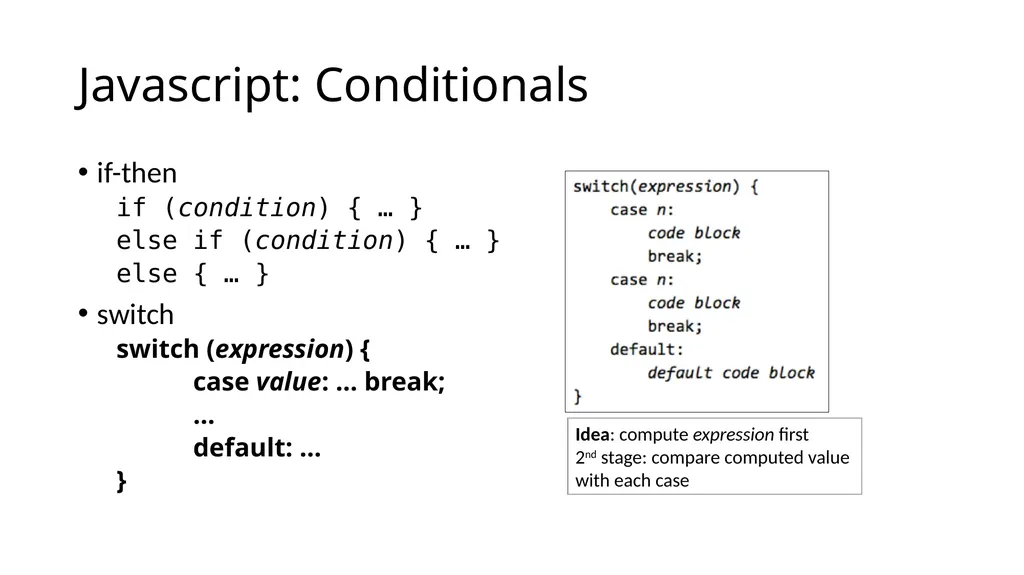
Javascript: Conditionals if-then
if (condition) { … }
else if (condition) { … }
else { … }
switch
switch (expression) {
case value: … break;
…
default: …
} Idea: compute expression first
2nd stage: compare computed value
with each case<br>
07
Javascript: Loops for loop (just like C):
example:
for (i = 0; i < 100; i++) { … }
for/in loop (object properties):
for (x in object) { … }
while loop:
example:
while (true) { … }
do/while loop (like traditional repeat/until):
do { … } while (condition)
loop exit:
break (jump out of loop immediately)
continue (skip rest of current iteration)<br>
08
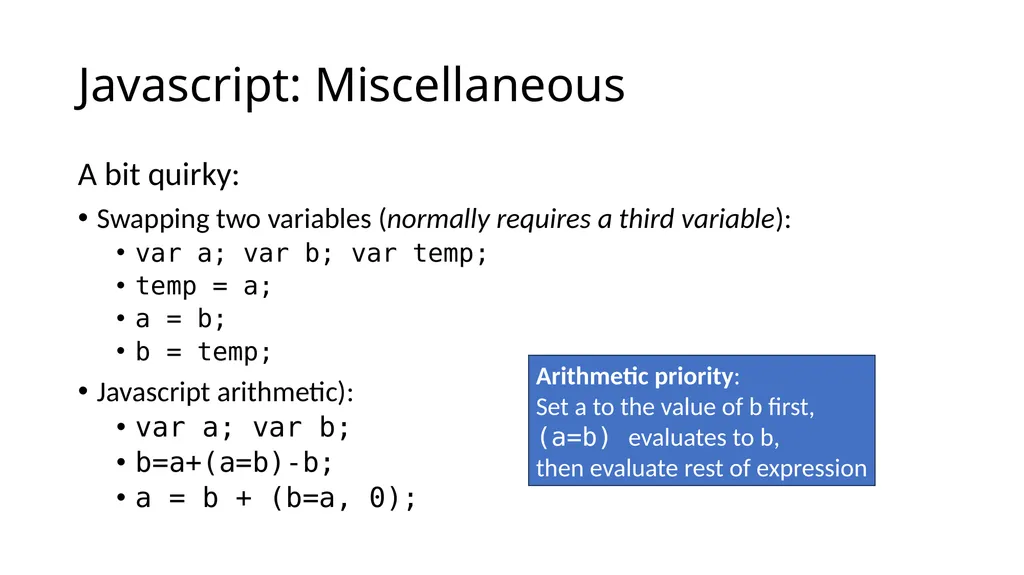
Javascript: Miscellaneous A bit quirky:
Swapping two variables (normally requires a third variable):
var a; var b; var temp;
temp = a;
a = b;
b = temp;
Javascript arithmetic):
var a; var b;
b=a+(a=b)-b;
a = b + (b=a, 0); Arithmetic priority:
Set a to the value of b first,
(a=b) evaluates to b,
then evaluate rest of expression<br>
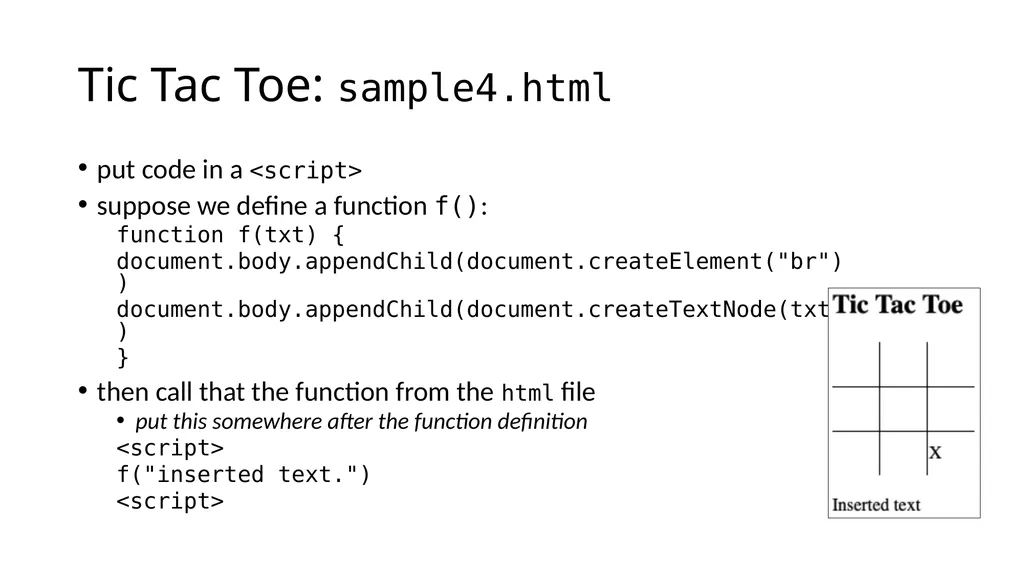
Tic Tac Toe: sample4.html put code in a <script>
suppose we define a function f():
function f(txt) {
document.body.appendChild(document.createElement("br"))
document.body.appendChild(document.createTextNode(txt))
}
then call that the function from the html file
put this somewhere after the function definition
<script>
f("inserted text.")
<script><br>
11
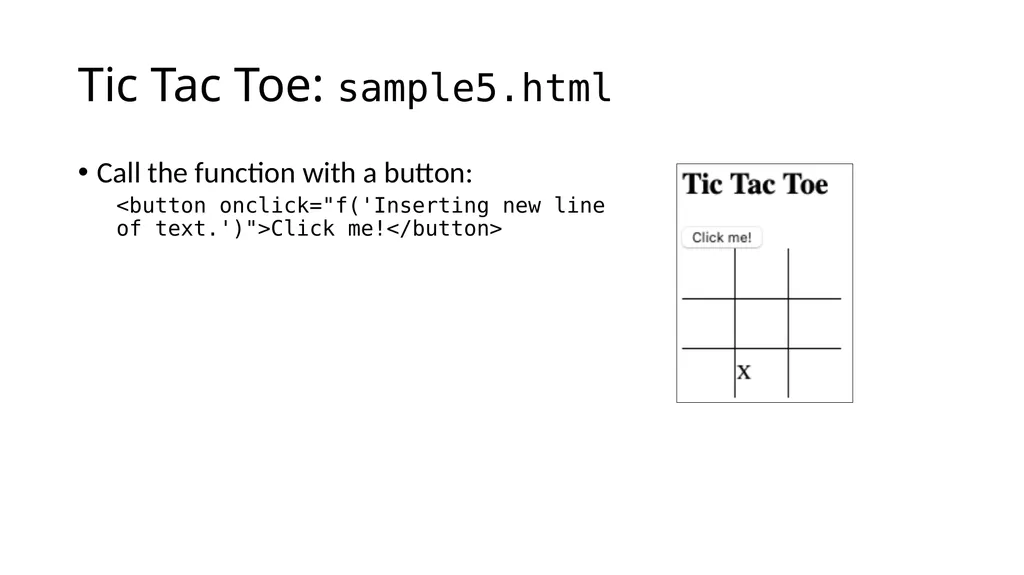
Tic Tac Toe: sample5.html Call the function with a button:
<button onclick="f('Inserting new line of text.')">Click me!</button><br>
12
Tic Tac Toe: sample6.html make a <td> cell clickable using the onclick attribute
table cell:
<td onclick="mark(this)">..</td>
this: a special identifier containing the <td> element
necessary why?
function mark() needs to know which cell it came from
(to set the mark X).
function definition:
<script>
function mark(element) {
.. code ..
}
</script>
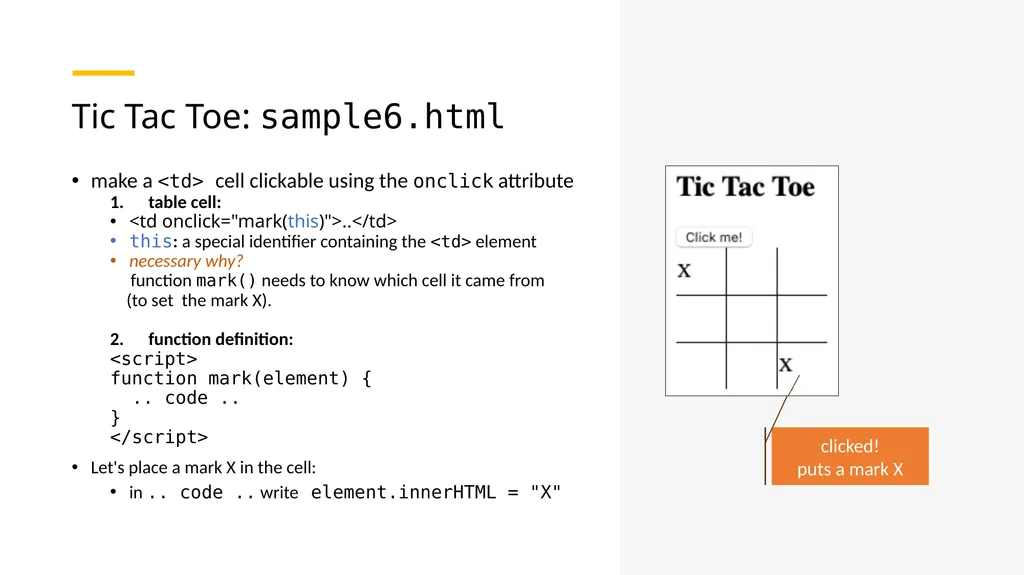
Let's place a mark X in the cell:
in .. code .. write element.innerHTML = "X" clicked!
puts a mark X<br>
13
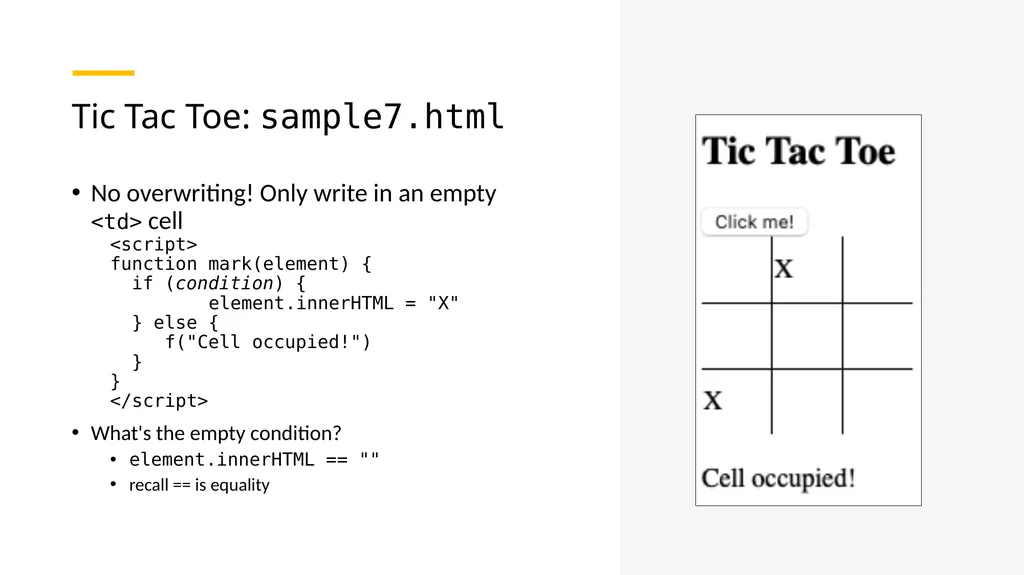
Tic Tac Toe: sample7.html No overwriting! Only write in an empty <td> cell
<script>
function mark(element) {
if (condition) {
element.innerHTML = "X"
} else {
f("Cell occupied!")
}
}
</script>
What's the empty condition?
element.innerHTML == ""
recall == is equality<br>
14
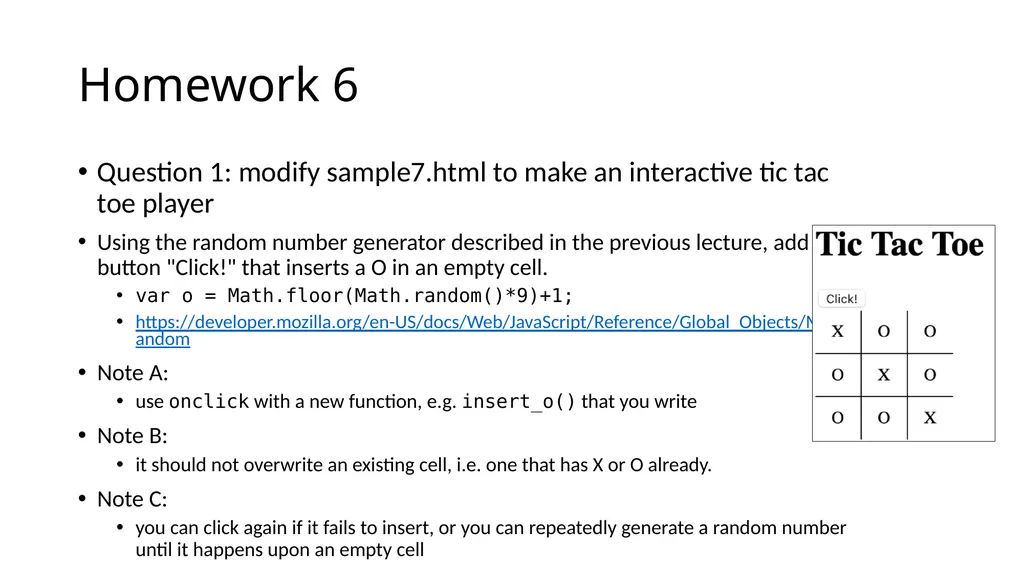
Homework 6 Question 1: modify sample7.html to make an interactive tic tac toe player
Using the random number generator described in the previous lecture, add a button "Click!" that inserts a O in an empty cell.
var o = Math.floor(Math.random()*9)+1;
https://developer.mozilla.org/en-US/docs/Web/JavaScript/Reference/Global_Objects/Math/random
Note A:
use onclick with a new function, e.g. insert_o() that you write
Note B:
it should not overwrite an existing cell, i.e. one that has X or O already.
Note C:
you can click again if it fails to insert, or you can repeatedly generate a random number until it happens upon an empty cell<br>
15
Homework 6 Question 2: attempt only after you successfully complete Q1!
add a variable called total that counts the number of cells already filled. Start with:
var total = 0
Note:
function mark(), which inserts an X, should increment total by 1 (assuming you click on an empty cell correctly)
function insert_o(), which inserts an O, should also increment total
total += 1<br>
16
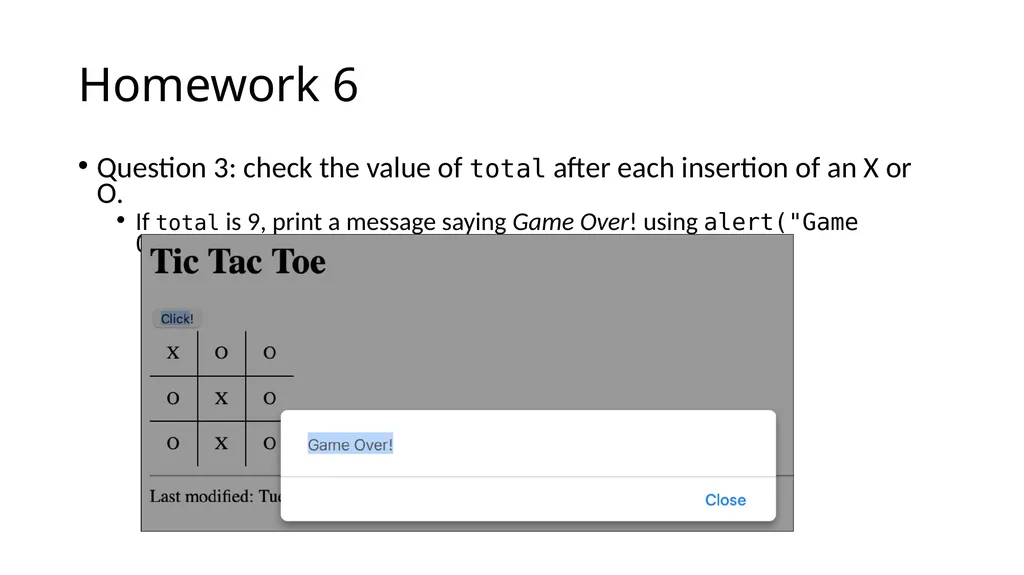
Homework 6 Question 3: check the value of total after each insertion of an X or O.
If total is 9, print a message saying Game Over! using alert("Game Over!").<br>
17
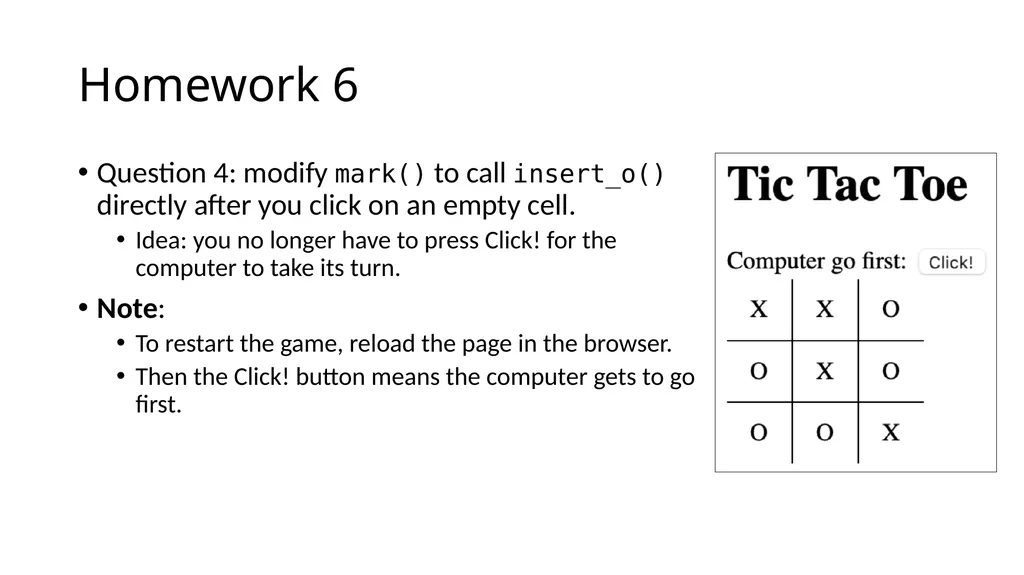
Homework 6 Question 4: modify mark() to call insert_o() directly after you click on an empty cell.
Idea: you no longer have to press Click! for the computer to take its turn.
Note:
To restart the game, reload the page in the browser.
Then the Click! button means the computer gets to go first.<br>
18
Homework 6 Extra Credit Question 5:
modify your program to spot when the game has been won and print a message
Note: to solve this you need a big if-condition
e.g. when:
cells: 1 2 3 have the same non-zero value (X or O)
cells: 4 5 6 have the same non-zero value (X or O)
cells: 7 8 9 have the same non-zero value (X or O)
cells: 1 4 7 have the same non-zero value (X or O)
cells: 2 5 8 have the same non-zero value (X or O)
cells: 3 6 9 have the same non-zero value (X or O)
cells: 1 5 9 have the same non-zero value (X or O)
cells: 3 5 7 have the same non-zero value (X or O)
&& is conjunction, || is disjunction, != is not equals<br>
19
Homework 6 Do as many questions as you can.
Due date NEXT SUNDAY midnight
Subject: 408/508 Homework 6 YOUR NAME
Submit screenshots in your PDF
If you have errors, you can screenshot the Javascript console
Attach a copy of your .html file separately to your email
(so I can play your tic-tac-toe program)<br>