Accessible by Design ADA in STEM Equations Presenters Andrea Leonard Senior Instructional Designer Office of Distance Learning University of Louisiana at Lafayette Dr. J. Calvin Berry Associate Professor, Statistics Department of
"Accessible by Design ADA in STEM & Equations" is the property of its rightful owner. Permission is granted to
download and print the materials on this website for personal, non-commercial use only, and to display it
on your personal computer provided you do not modify the materials and that you retain all copyright
notices contained in the materials. By downloading content from our website, you accept the terms of this
agreement.
Presentation Transcript
01
Accessible by Design ADA in STEM & Equations<br>
02
Presenters Andrea Leonard
Senior Instructional Designer
Office of Distance Learning
University of Louisiana at Lafayette
Dr. J. “Calvin” Berry
Associate Professor, Statistics
Department of Mathematics
University of Louisiana at Lafayette<br>
03
Agenda Equation Building in Documents
Equation Building in LMS Pages
Making Accessible LaTeX documents<br>
04
Equation Building in Documents<br>
05
Equations and Screen Readers Formulas, symbols, notations, and equations are notably difficult to make accessible.
Screen readers can read math and science formulas if they are created in specific ways.
MathType is a powerful, effective program that:
Creates accessible equations
Offers a paid subscription service
Equations are saved as MathML, a markup language specifically written for math equations.<br>
06
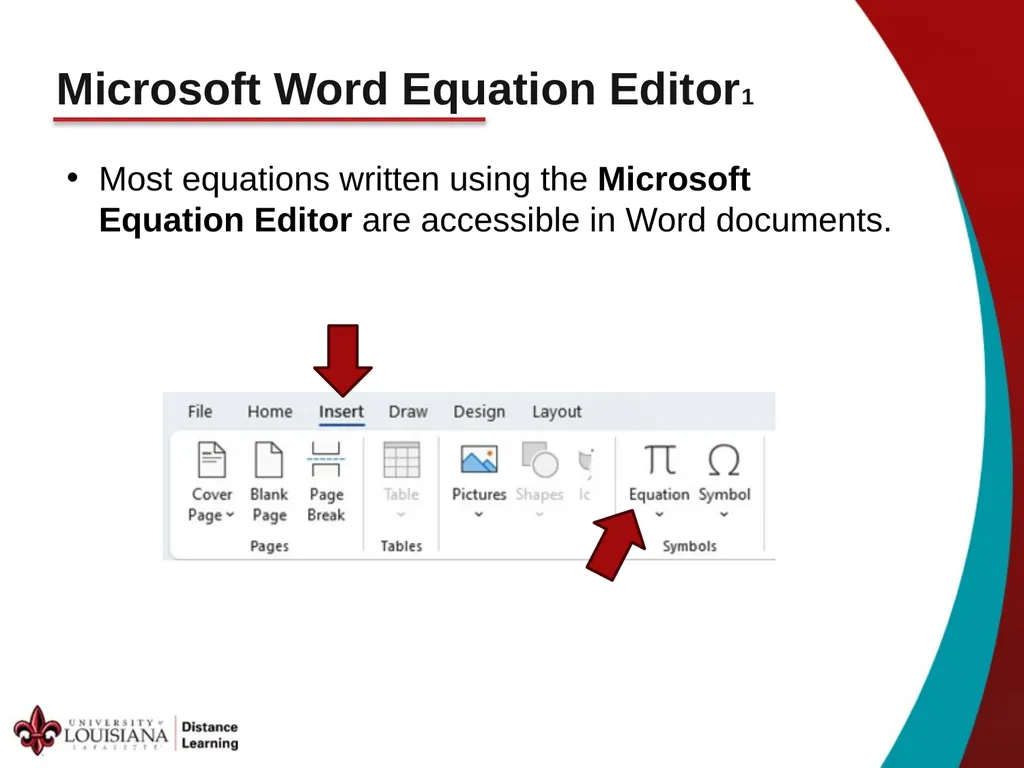
Microsoft Word Equation Editor1 Most equations written using the Microsoft Equation Editor are accessible in Word documents.<br>
07
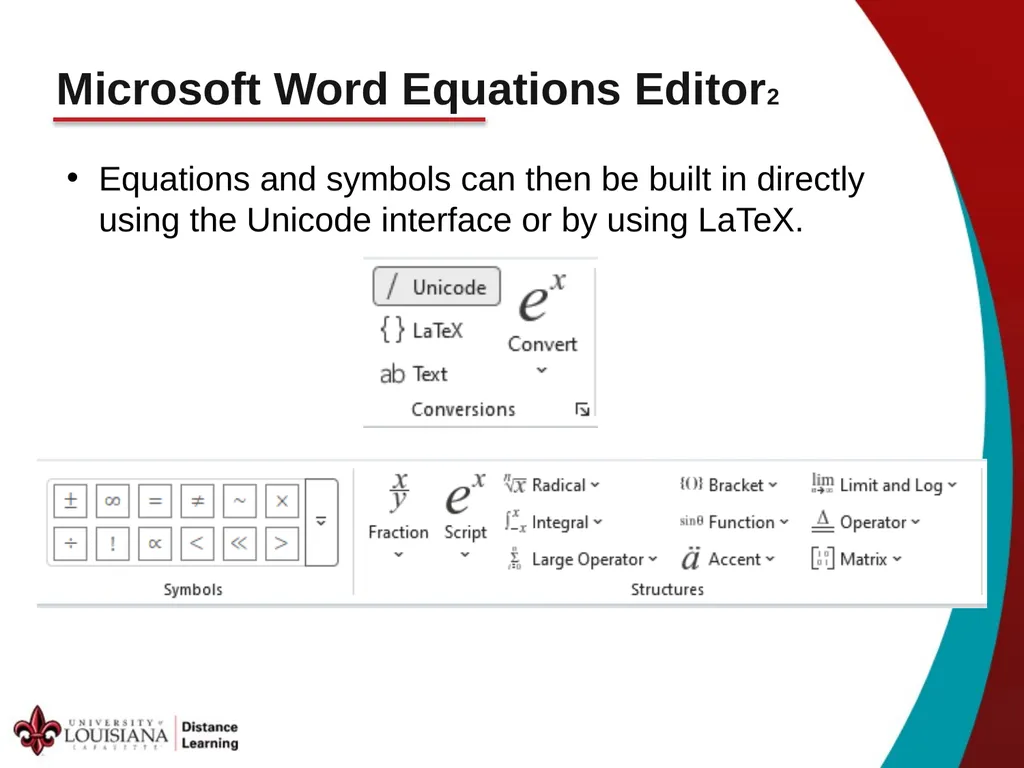
Microsoft Word Equations Editor2 Equations and symbols can then be built in directly using the Unicode interface or by using LaTeX.<br>
08
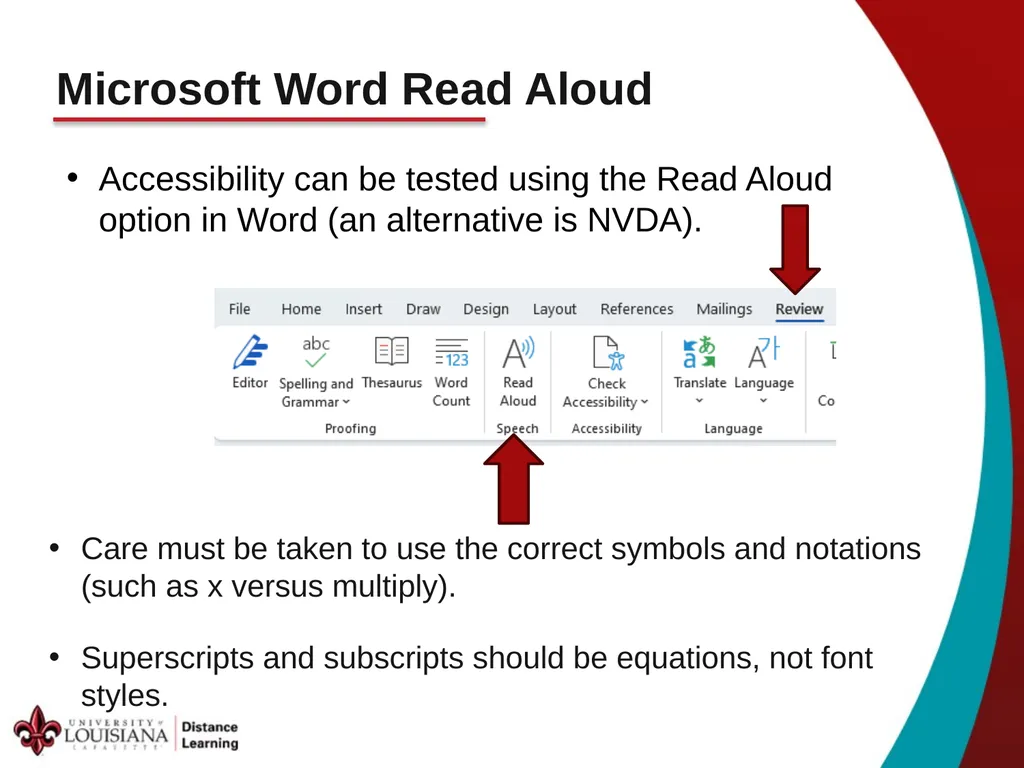
Microsoft Word Read Aloud Accessibility can be tested using the Read Aloud option in Word (an alternative is NVDA). Care must be taken to use the correct symbols and notations (such as x versus multiply).
Superscripts and subscripts should be equations, not font styles.<br>
09
Equations in PowerPoint and PDFs PowerPoint:
The PowerPoint version of the Microsoft Equation Editor is not accessible.
PowerPoint equations would need to be entered from MathType or included as an image.
PDF:
Documents saved as PDF lose the MathML markups, and the equations become inaccessible.
Avoid saving files as PDF for accessibility.<br>
10
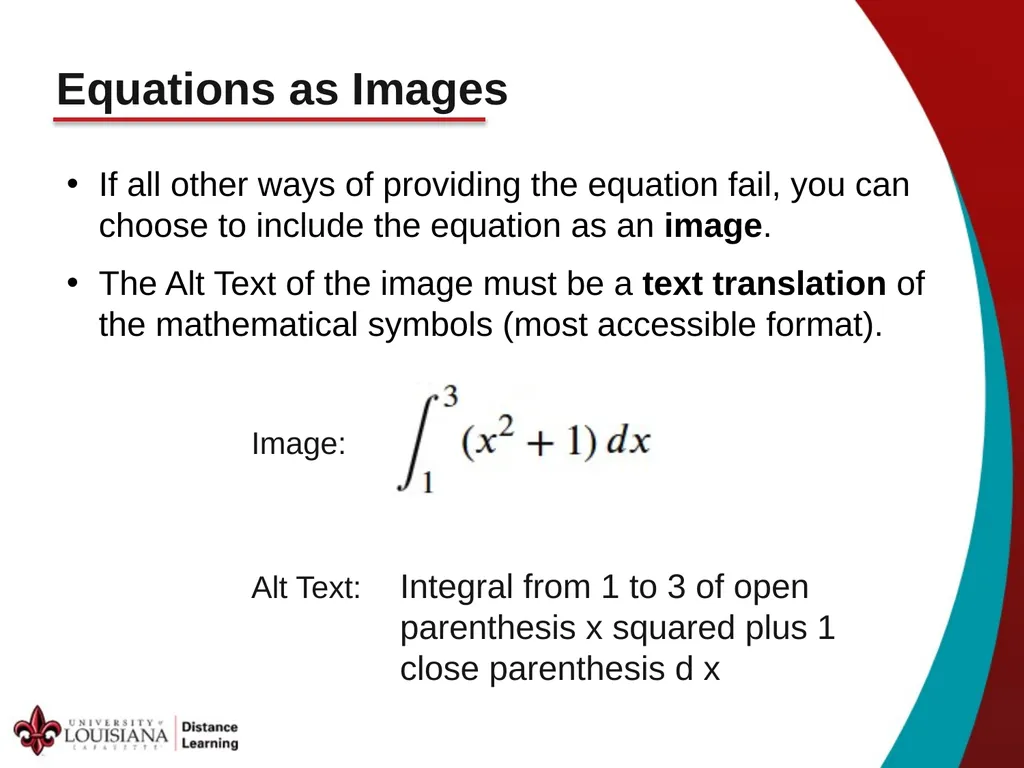
Equations as Images If all other ways of providing the equation fail, you can choose to include the equation as an image.
The Alt Text of the image must be a text translation of the mathematical symbols (most accessible format). Image: Alt Text: Integral from 1 to 3 of open parenthesis x squared plus 1 close parenthesis d x<br>
11
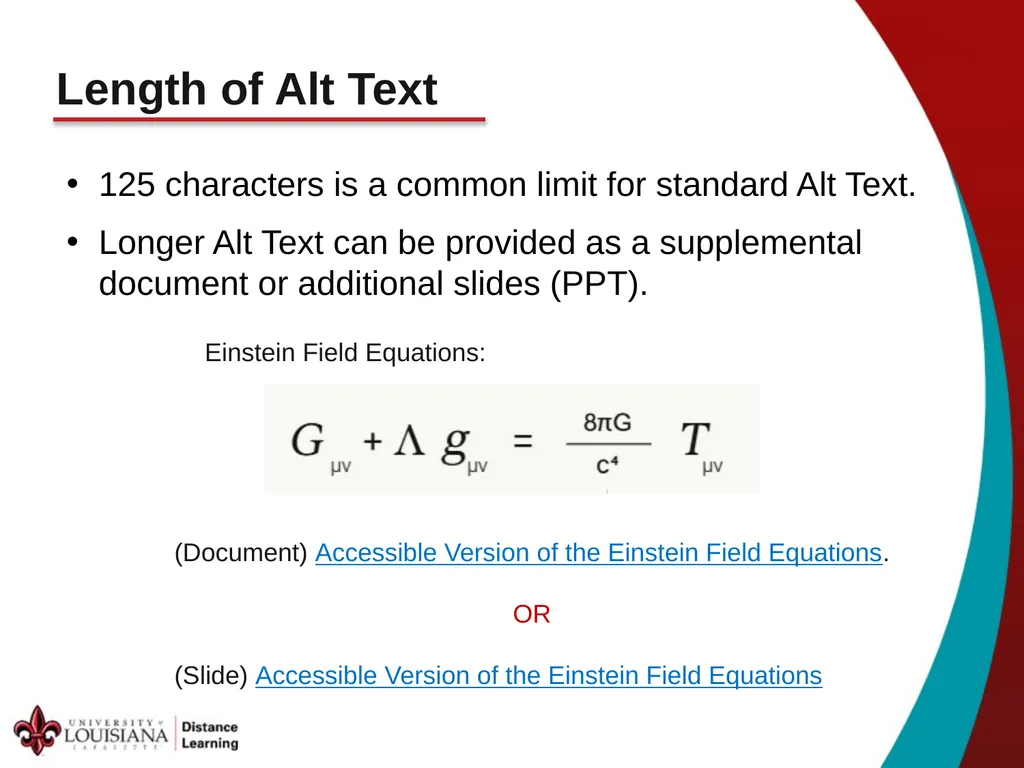
Length of Alt Text 125 characters is a common limit for standard Alt Text.
Longer Alt Text can be provided as a supplemental document or additional slides (PPT). Einstein Field Equations: (Document) Accessible Version of the Einstein Field Equations.
OR
(Slide) Accessible Version of the Einstein Field Equations<br>
12
Equation Building in LMS Pages<br>
13
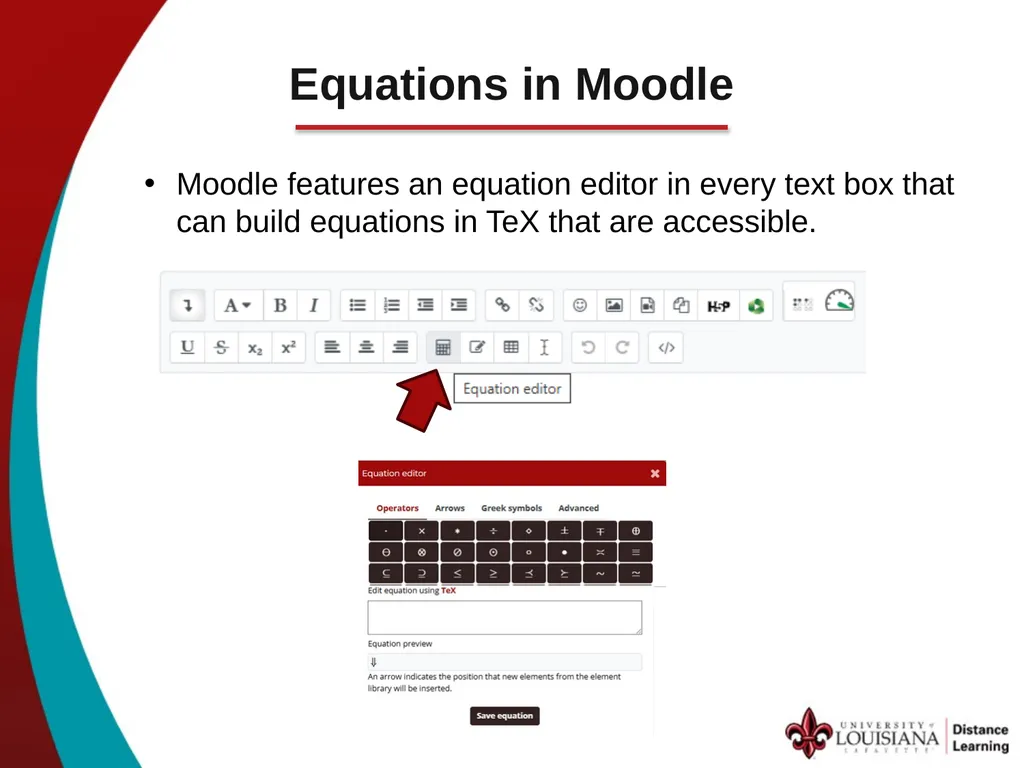
Equations in Moodle Moodle features an equation editor in every text box that can build equations in TeX that are accessible.<br>
14
Questions & Comments Thank you for your participation!
Please send questions and comments to distancelearning@louisiana.edu<br>
15
Accessible Description of the Einstein Field Equation G sub mu-nu, plus capital Lambda times g sub mu-nu, equals the fraction 8-pi-G over c-to-the-fourth, multiplied by T sub mu-nu. The left side represents the curvature of spacetime via the Einstein tensor and cosmological constant term, while the right side represents the distribution of energy and momentum via the stress-energy tensor, coupled by a constant involving Newton's gravitational constant and the speed of light. Return to the Presentation<br>