Adding a New Customer and Managing subscriptions in Partner Center Creating a new customer From the Dashboard, click Add new customer To create a new customer, go to the Dashboard and click Add new customer. Or, from the Customers page
"Adding a New Customer and Managing subscriptions" is the property of its rightful owner. Permission is granted to
download and print the materials on this website for personal, non-commercial use only, and to display it
on your personal computer provided you do not modify the materials and that you retain all copyright
notices contained in the materials. By downloading content from our website, you accept the terms of this
agreement.
Presentation Transcript
01
Adding a New Customer and Managing subscriptions in Partner Center<br>
02
Creating a new customer<br>
03
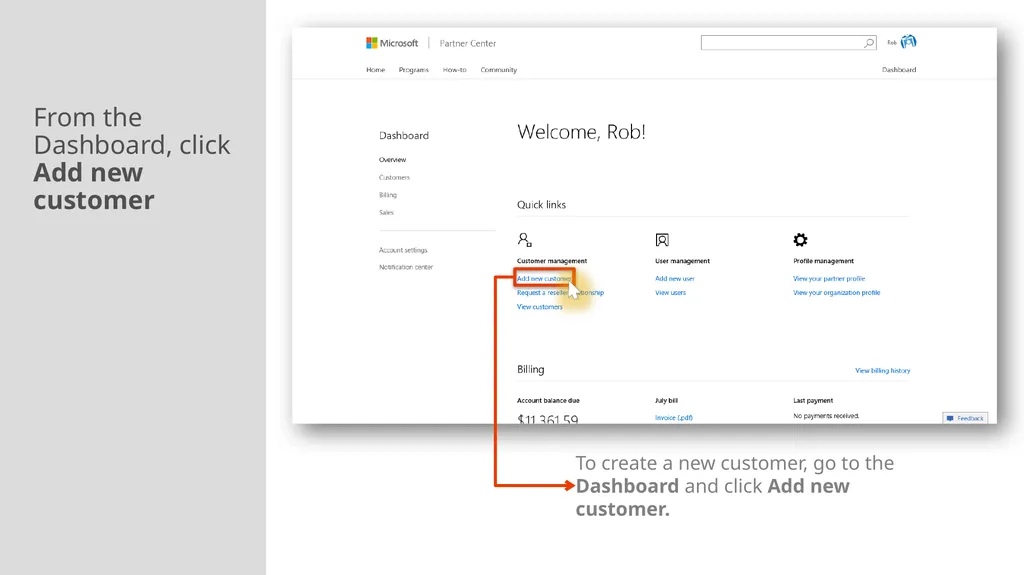
From the Dashboard, click Add new customer To create a new customer, go to the Dashboard and click Add new customer.<br>
04
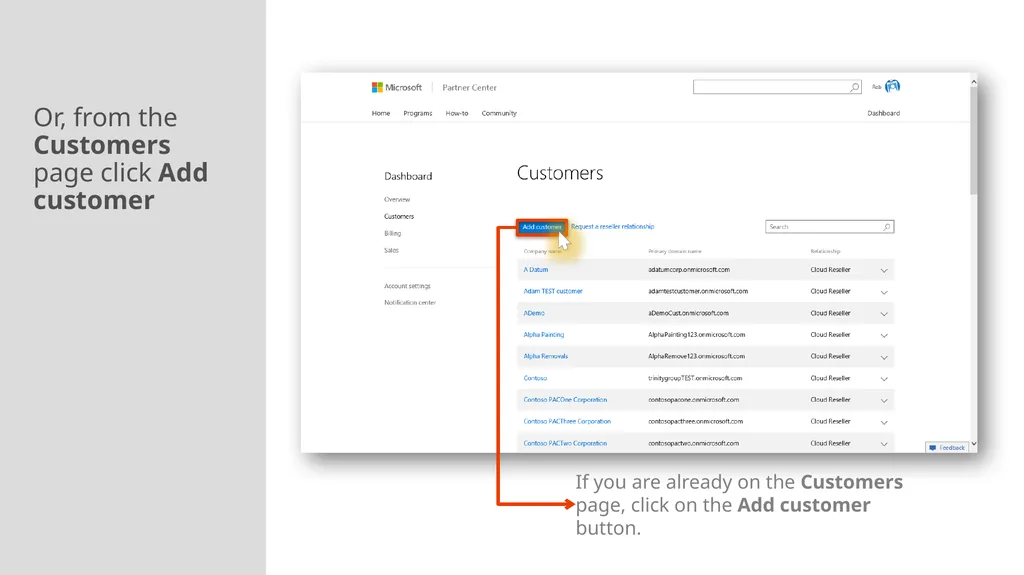
Or, from the Customers page click Add customer If you are already on the Customers page, click on the Add customer button.<br>
05
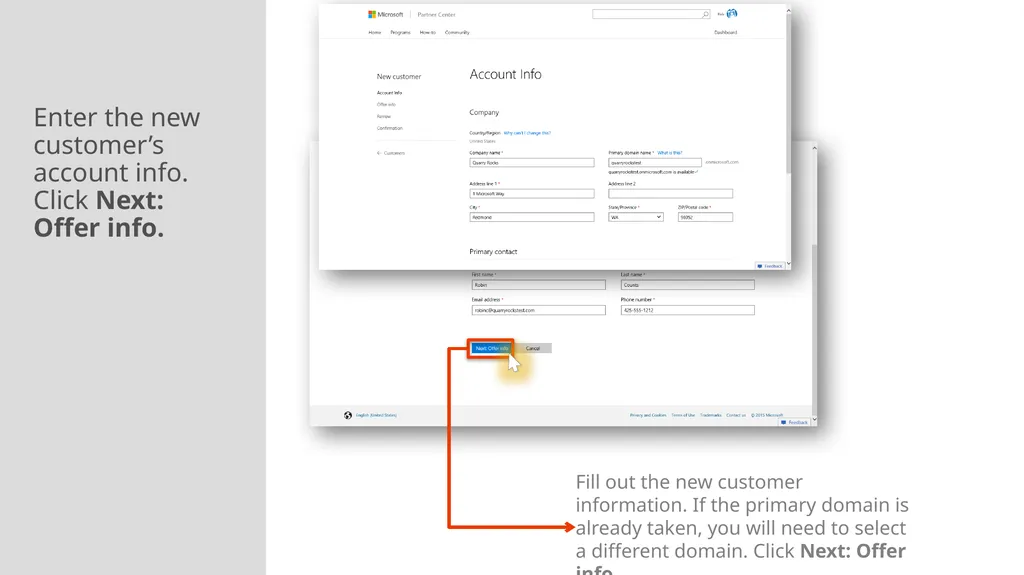
Enter the new customer’s account info. Click Next: Offer info. Fill out the new customer information. If the primary domain is already taken, you will need to select a different domain. Click Next: Offer info.<br>
06
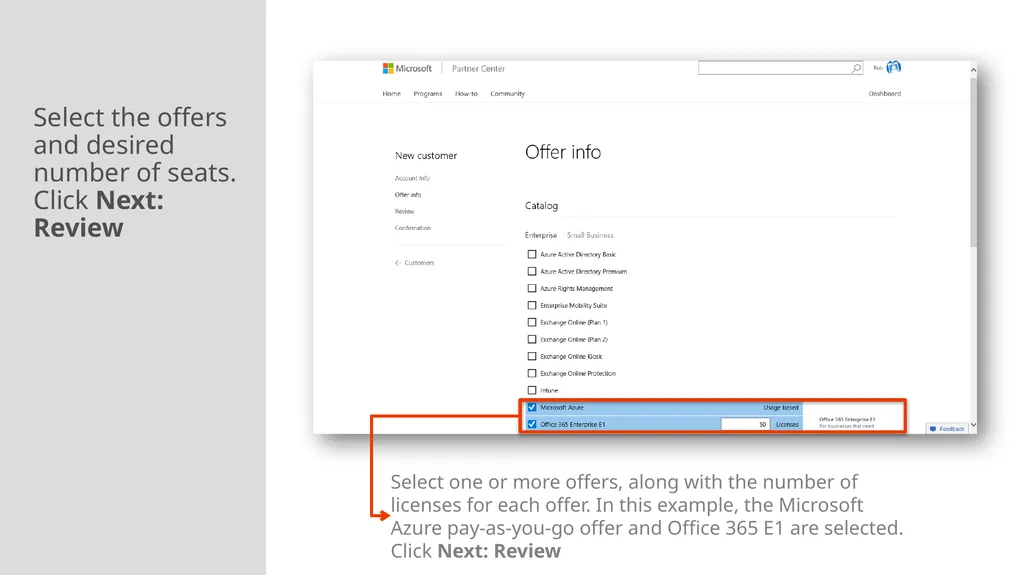
Select the offers and desired number of seats. Click Next: Review Select one or more offers, along with the number of licenses for each offer. In this example, the Microsoft Azure pay-as-you-go offer and Office 365 E1 are selected. Click Next: Review<br>
07
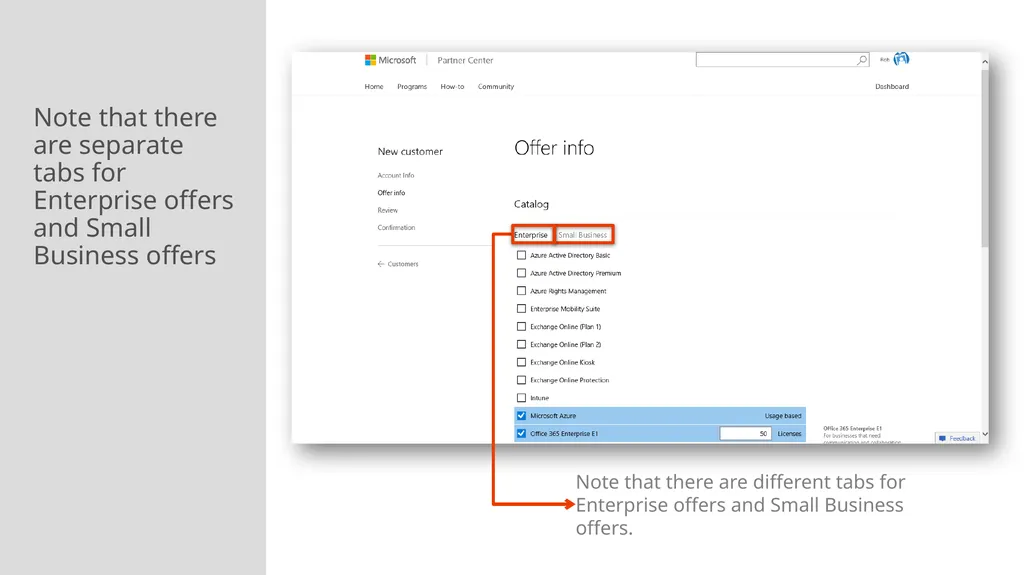
Note that there are separate tabs for Enterprise offers and Small Business offers Note that there are different tabs for Enterprise offers and Small Business offers.<br>
08
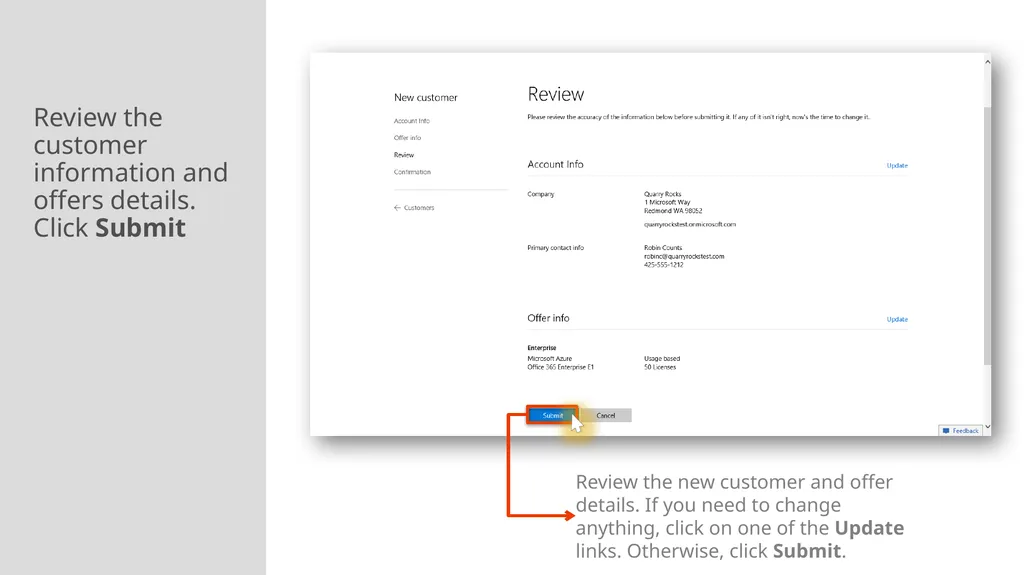
Review the customer information and offers details. Click Submit Review the new customer and offer details. If you need to change anything, click on one of the Update links. Otherwise, click Submit.<br>
09
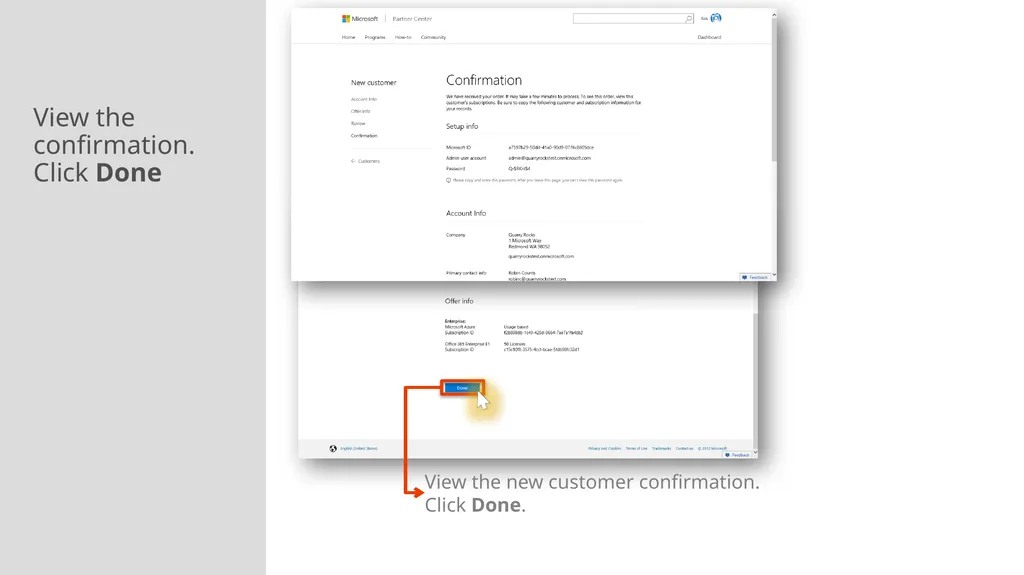
View the confirmation. Click Done View the new customer confirmation. Click Done.<br>
10
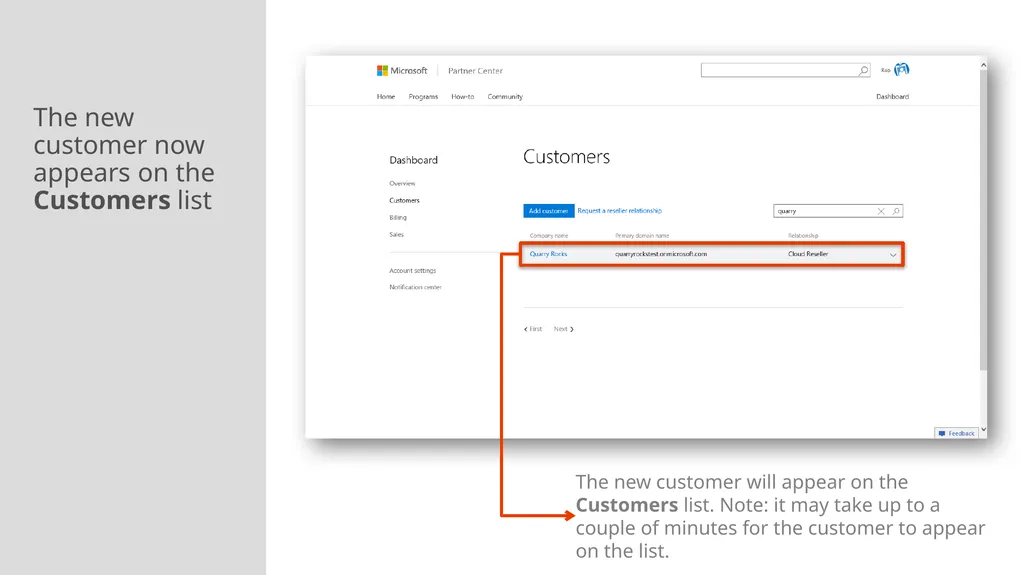
The new customer now appears on the Customers list The new customer will appear on the Customers list. Note: it may take up to a couple of minutes for the customer to appear on the list.<br>
11
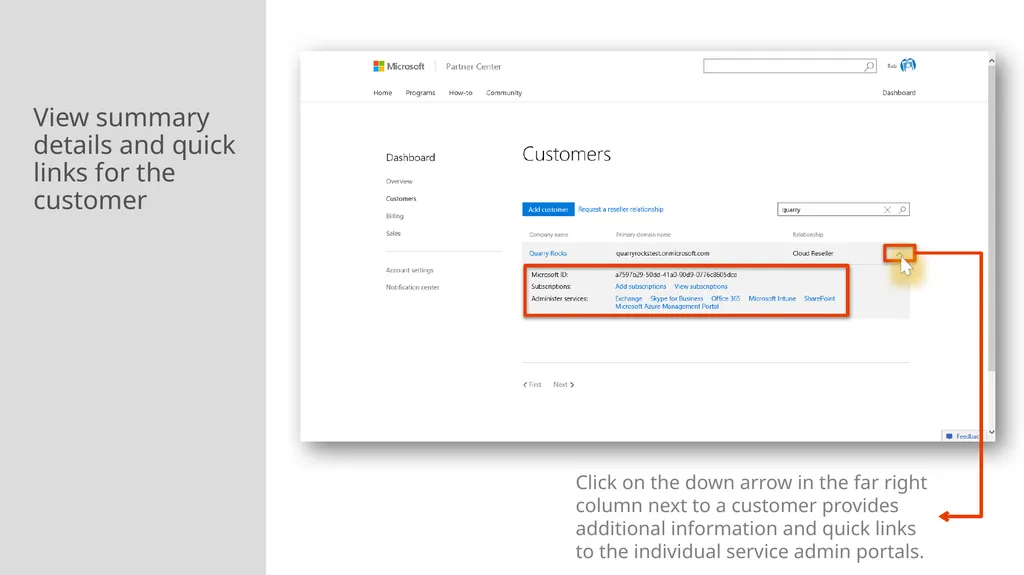
View summary details and quick links for the customer Click on the down arrow in the far right column next to a customer provides additional information and quick links to the individual service admin portals.<br>
12
Managing subscriptions
Creating a new subscription
Ordering add-ons
Changing number of seats<br>
13
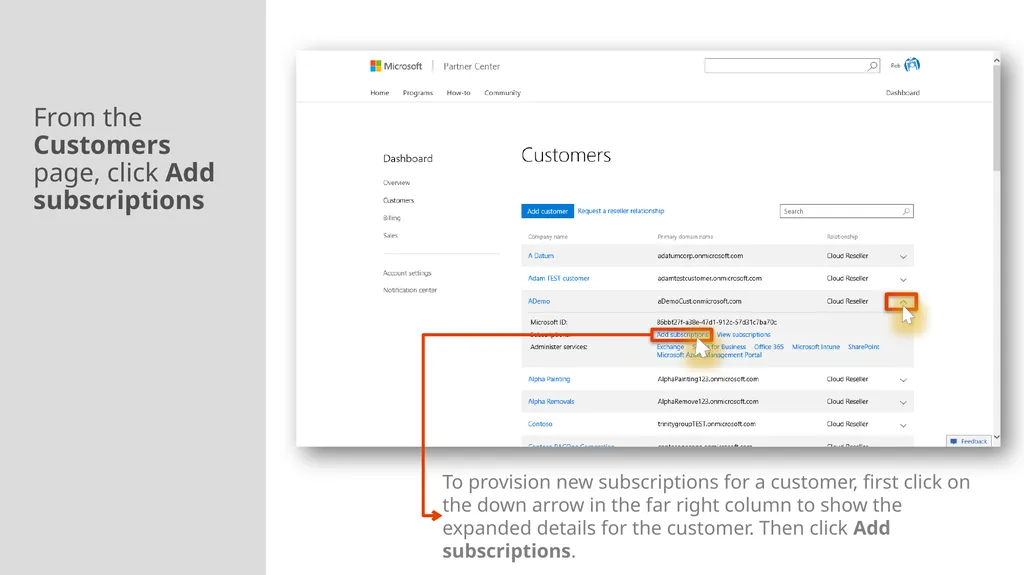
From the Customers page, click Add subscriptions To provision new subscriptions for a customer, first click on the down arrow in the far right column to show the expanded details for the customer. Then click Add subscriptions.<br>
14
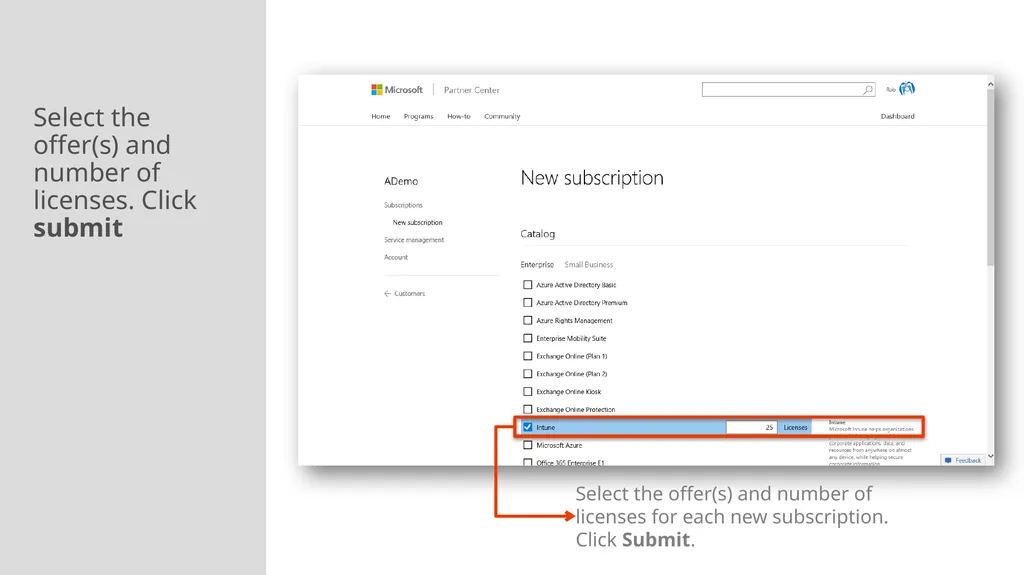
Select the offer(s) and number of licenses. Click submit Select the offer(s) and number of licenses for each new subscription. Click Submit.<br>
15
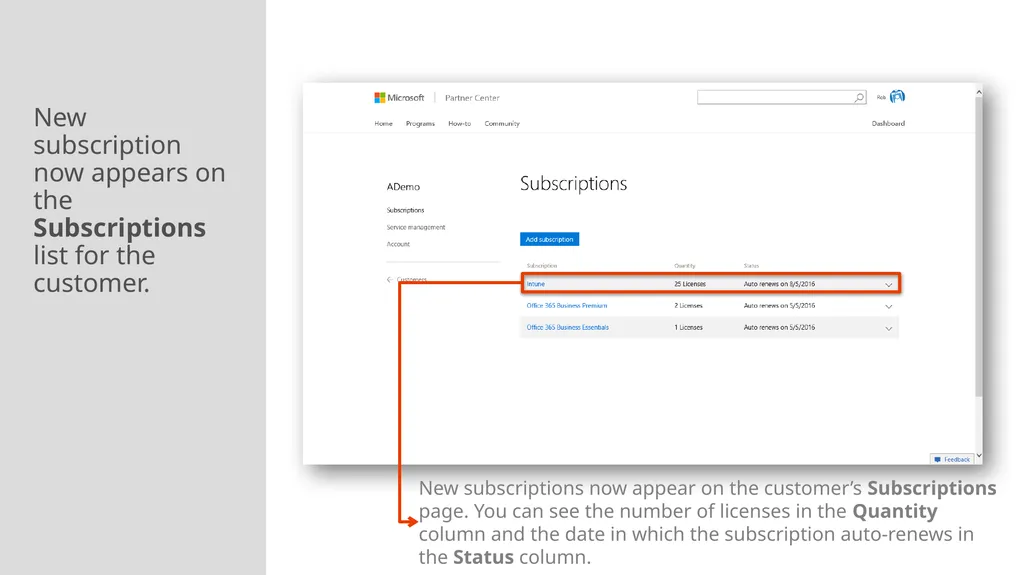
New subscription now appears on the Subscriptions list for the customer. New subscriptions now appear on the customer’s Subscriptions page. You can see the number of licenses in the Quantity column and the date in which the subscription auto-renews in the Status column.<br>
16
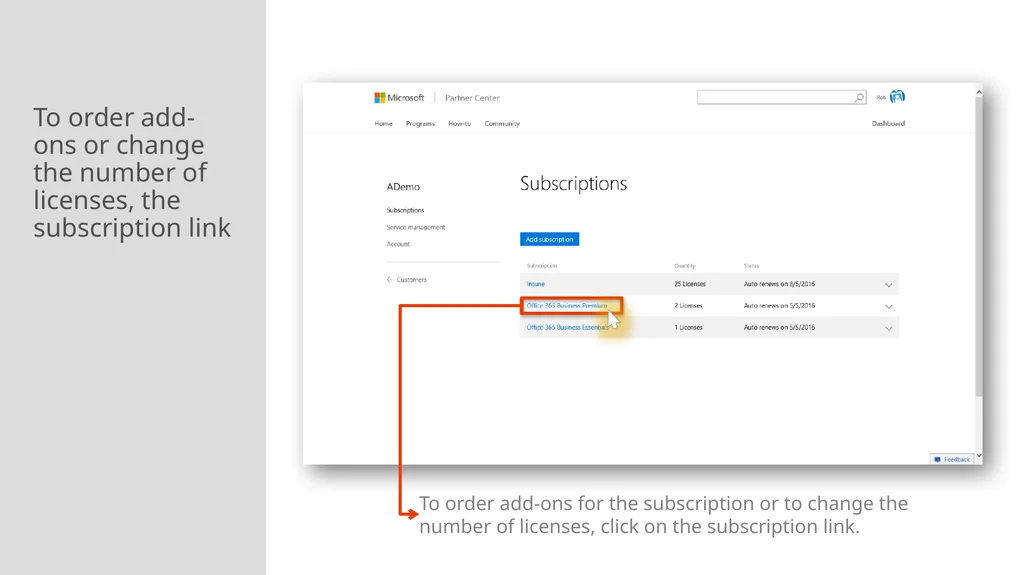
To order add-ons or change the number of licenses, the subscription link To order add-ons for the subscription or to change the number of licenses, click on the subscription link.<br>
17
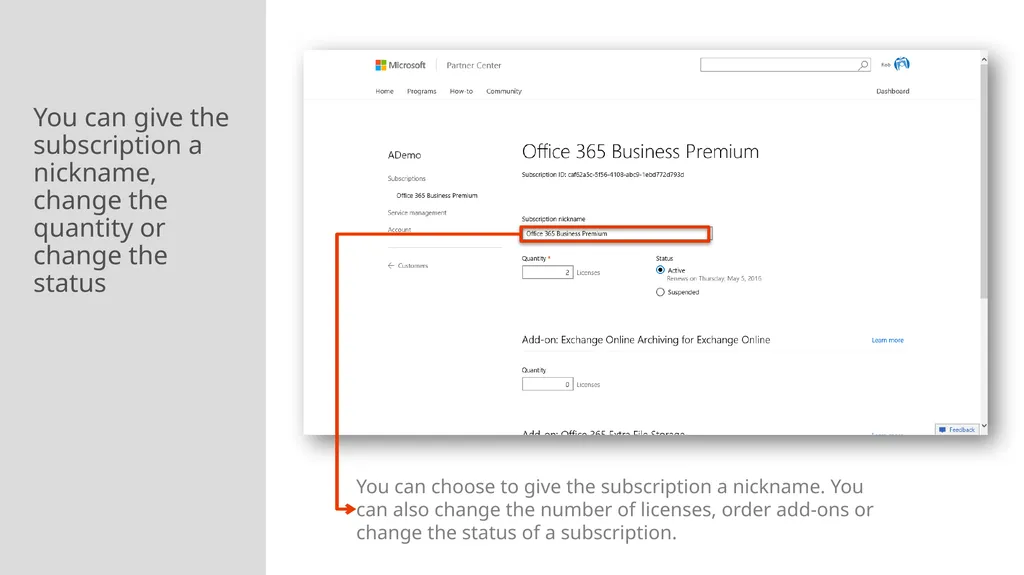
You can give the subscription a nickname, change the quantity or change the status You can choose to give the subscription a nickname. You can also change the number of licenses, order add-ons or change the status of a subscription.<br>
18
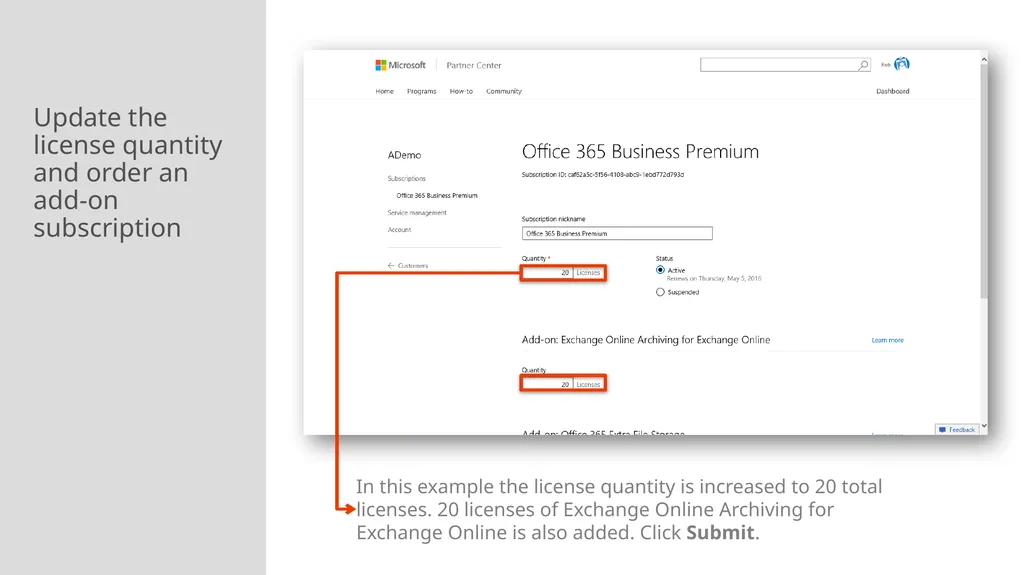
Update the license quantity and order an add-on subscription In this example the license quantity is increased to 20 total licenses. 20 licenses of Exchange Online Archiving for Exchange Online is also added. Click Submit.<br>
19
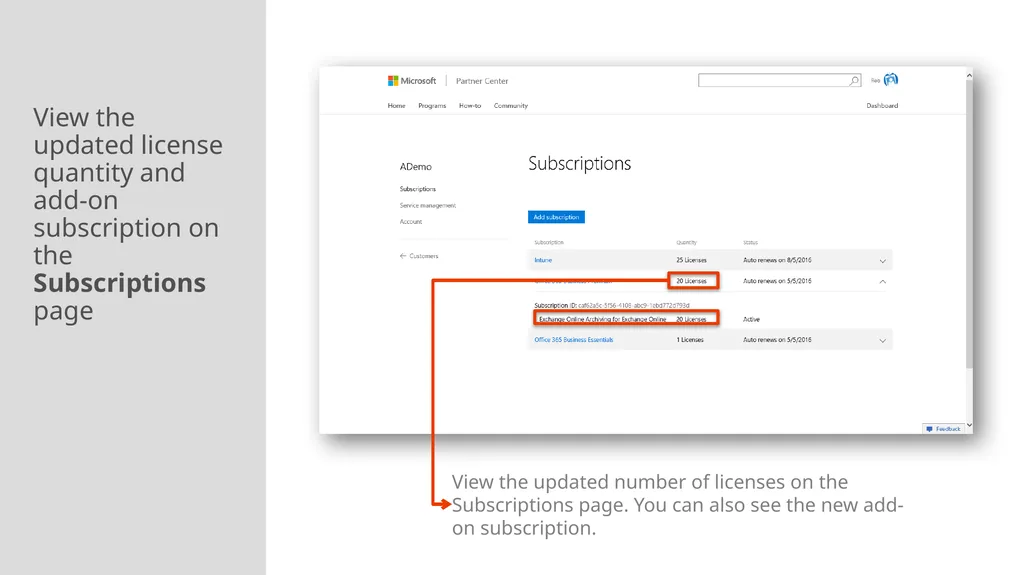
View the updated license quantity and add-on subscription on the Subscriptions page View the updated number of licenses on the Subscriptions page. You can also see the new add-on subscription.<br>
20
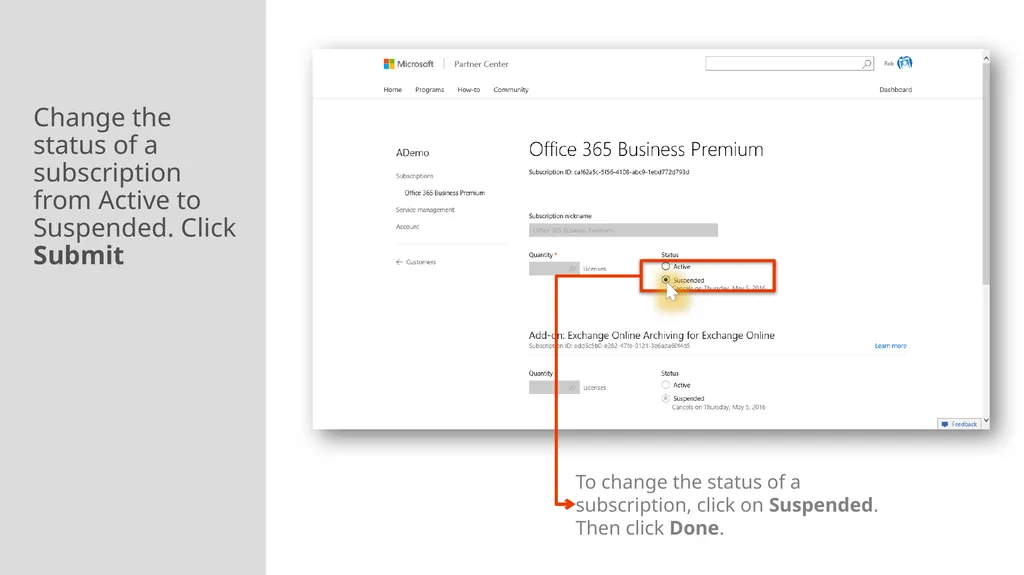
Change the status of a subscription from Active to Suspended. Click Submit To change the status of a subscription, click on Suspended. Then click Done.<br>
21
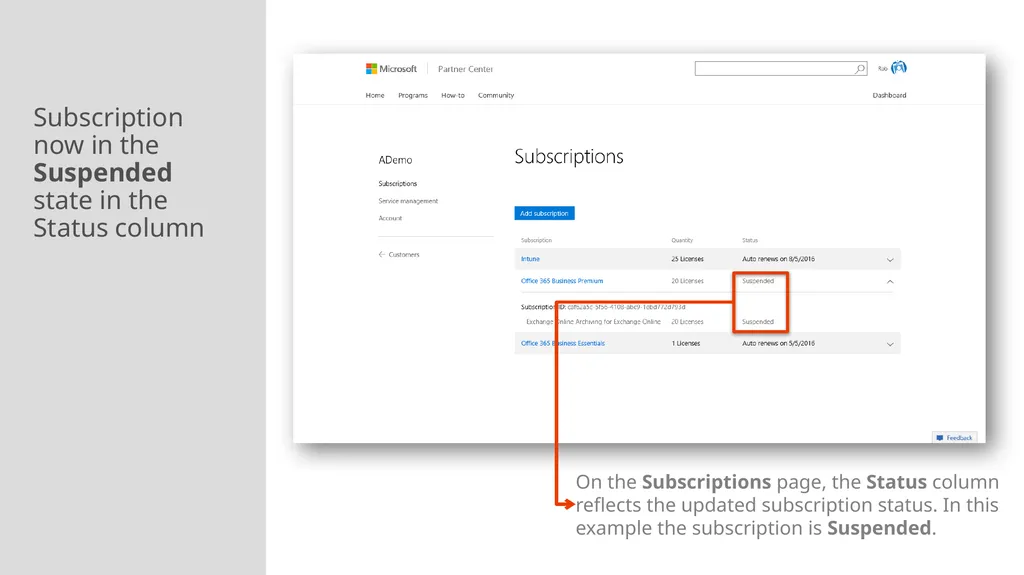
Subscription now in the Suspended state in the Status column On the Subscriptions page, the Status column reflects the updated subscription status. In this example the subscription is Suspended.<br>