
Admin Supplier User Guide Logging in to web3 Admin

Admin Supplier User Guide Logging in to web3 Admin
1 / 1
Admin Supplier User Guide Logging in to web3 Admin - slide 1 of 19 Admin Supplier User Guide Logging in to web3 Admin - slide 2 of 19 Admin Supplier User Guide Logging in to web3 Admin - slide 3 of 19 Admin Supplier User Guide Logging in to web3 Admin - slide 4 of 19 Admin Supplier User Guide Logging in to web3 Admin - slide 5 of 19 Admin Supplier User Guide Logging in to web3 Admin - slide 6 of 19 Admin Supplier User Guide Logging in to web3 Admin - slide 7 of 19 Admin Supplier User Guide Logging in to web3 Admin - slide 8 of 19 Admin Supplier User Guide Logging in to web3 Admin - slide 9 of 19 Admin Supplier User Guide Logging in to web3 Admin - slide 10 of 19 Admin Supplier User Guide Logging in to web3 Admin - slide 11 of 19 Admin Supplier User Guide Logging in to web3 Admin - slide 12 of 19 Admin Supplier User Guide Logging in to web3 Admin - slide 13 of 19 Admin Supplier User Guide Logging in to web3 Admin - slide 14 of 19 Admin Supplier User Guide Logging in to web3 Admin - slide 15 of 19 Admin Supplier User Guide Logging in to web3 Admin - slide 16 of 19 Admin Supplier User Guide Logging in to web3 Admin - slide 17 of 19 Admin Supplier User Guide Logging in to web3 Admin - slide 18 of 19 Admin Supplier User Guide Logging in to web3 Admin - slide 19 of 19
Admin Supplier User Guide Logging in to web3 Admin Supplier User Guide Once Registered Admin Supplier User Guide The first thing you will see is a request to set the time. Once this has been set you will enter the system in the Sourcing

Related Topics

Download this presentation From Below

"Admin Supplier User Guide Logging in to web3 Admin" is the property of its rightful owner. Permission is granted to download and print the materials on this website for personal, non-commercial use only, and to display it on your personal computer provided you do not modify the materials and that you retain all copyright notices contained in the materials. By downloading content from our website, you accept the terms of this agreement.

Presentation Transcript

01
Admin Supplier User Guide<br>
02
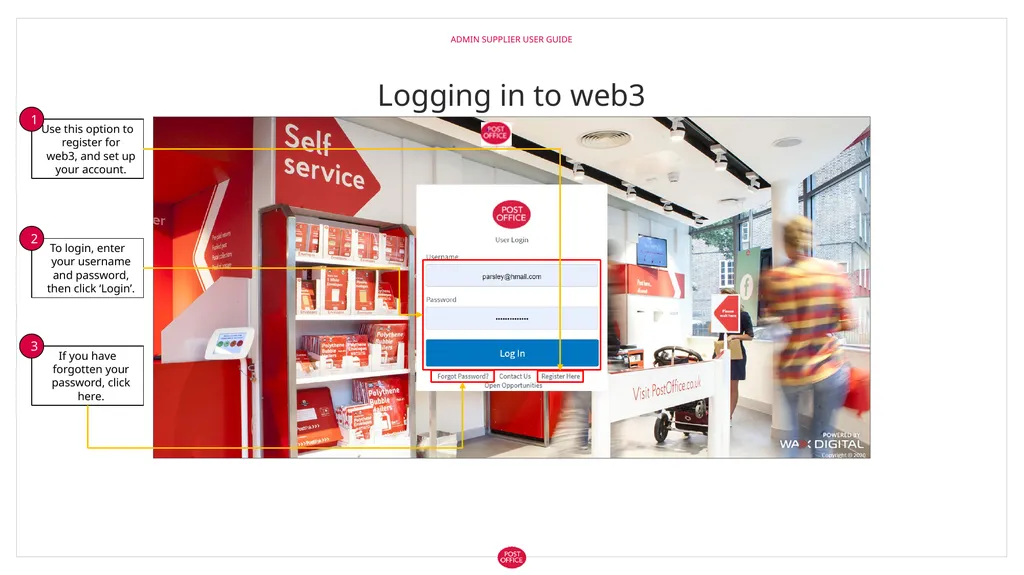
Logging in to web3 Admin Supplier User Guide<br>
03
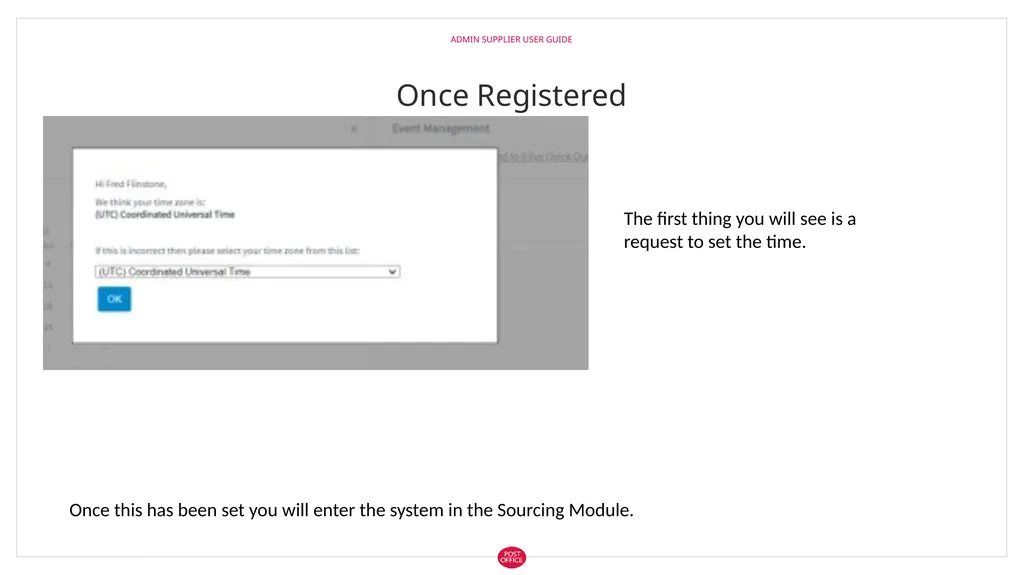
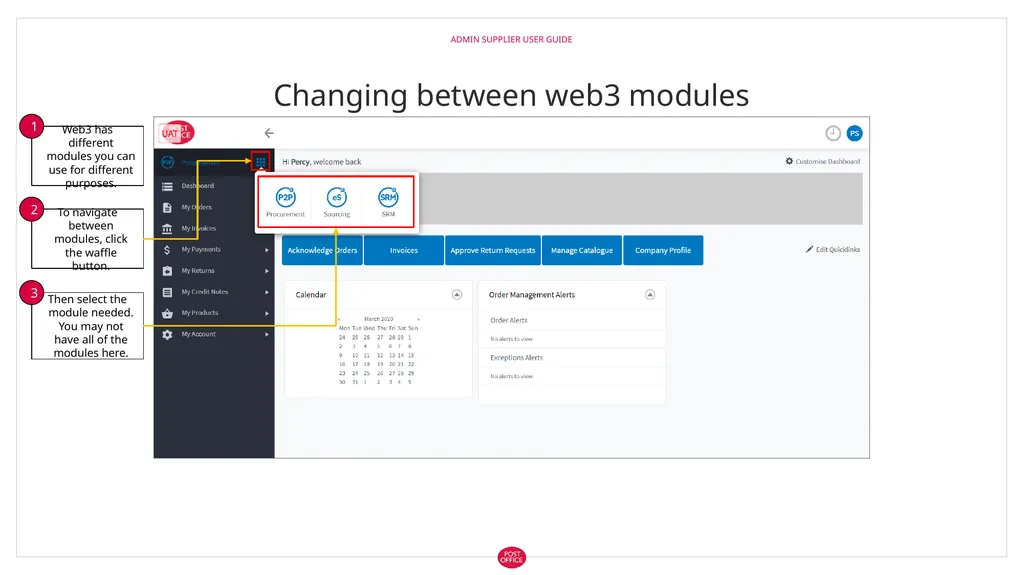
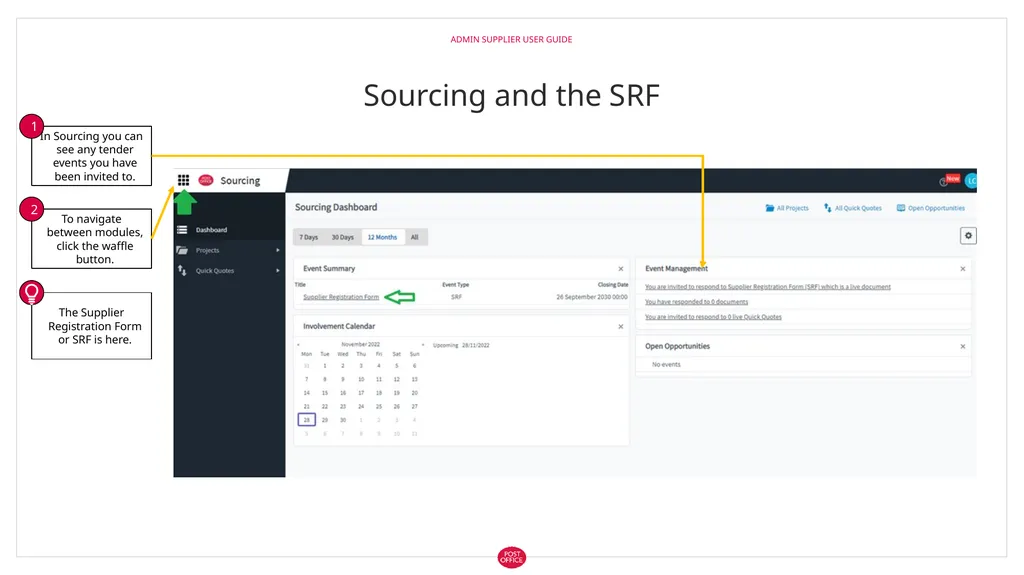
Once Registered Admin Supplier User Guide The first thing you will see is a request to set the time. Once this has been set you will enter the system in the Sourcing Module.<br>