
Agent Governance for Builders Copilot Studio

Description: Agent Governance for Builders Copilot Studio Architecture Bootcamp Whats blocking you, why, and what to do about it The moment it breaks A story youve lived A colleague shows you something cool they built in Copilot Studio 2 You watch a
Related Topics
Download Presentation
"Agent Governance for Builders Copilot Studio" is the property of its rightful owner. Permission is granted to download and print the materials on this website for personal, non-commercial use only, and to display it on your personal computer provided you do not modify the materials and that you retain all copyright notices contained in the materials. By downloading content from our website, you accept the terms of this agreement.
Presentation Transcript
slide1. Agent Governance for Builders Copilot Studio Architecture Bootcamp What's blocking you, why, and what to do about it<br>
slide2. The moment it breaks A story you've lived<br>
slide3. A colleague shows you something cool they built in Copilot Studio<br>
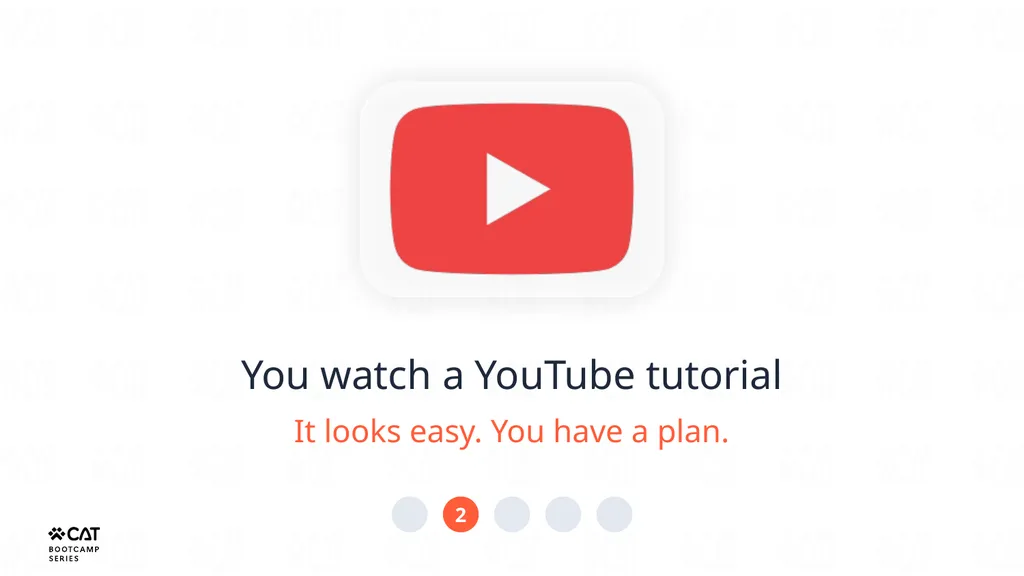
slide4. 2 You watch a YouTube tutorial It looks easy. You have a plan.<br>
slide5. 3 You open your personal environment in your company's tenant and start building the same thing<br>
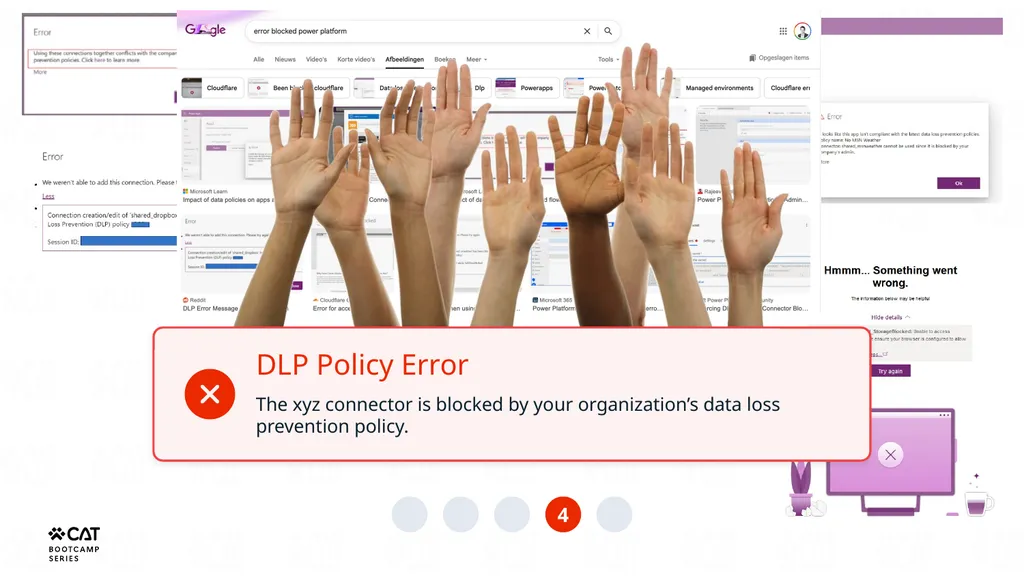
slide6. 4 DLP Policy Error The xyz connector is blocked by your organization’s data loss prevention policy.<br>
slide7. 5 You Bing/Google it. Nothing useful. You blame Microsoft. Fair enough. But wrong.<br>
slide8. Microsoft didn’t block you. Your organization did. On purpose. For reasons that actually make sense. This session explains what those reasons are and how to work with them.<br>
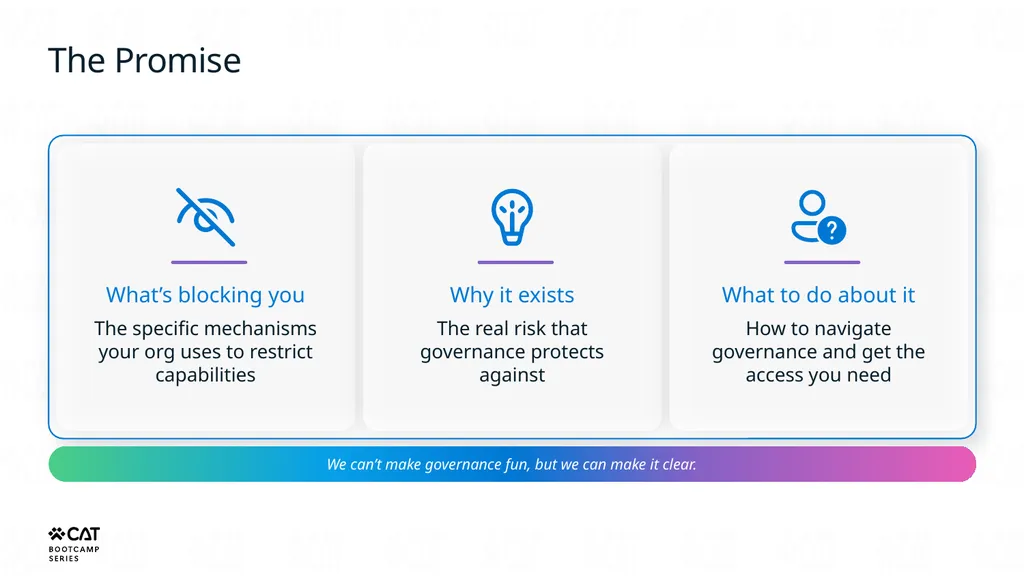
slide9. The Promise What’s blocking you The specific mechanisms your org uses to restrict capabilities Why it exists The real risk that governance protects against What to do about it How to navigate governance and get the access you need We can’t make governance fun, but we can make it clear.<br>
slide10. What governance actually is Myth busting time<br>
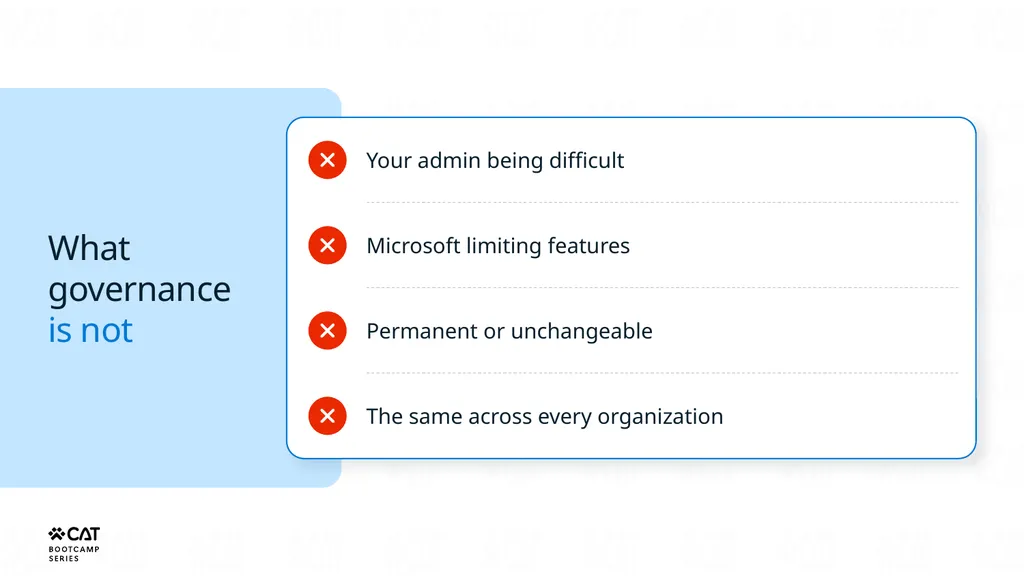
slide11. What governance is not Your admin being difficult Microsoft limiting features Permanent or unchangeable The same across every organization<br>
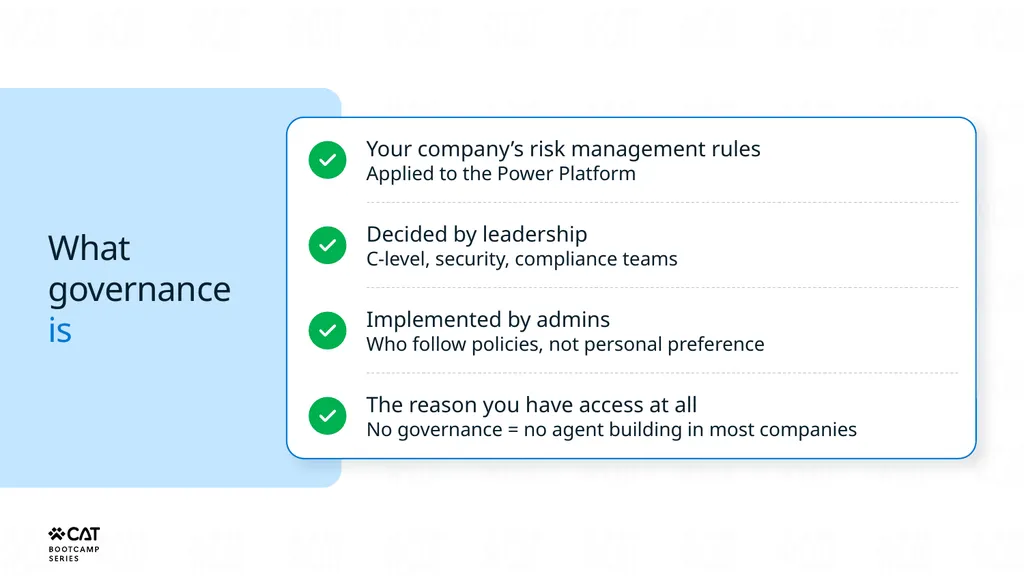
slide12. What governance is Your company’s risk management rules
Applied to the Power Platform Decided by leadership
C-level, security, compliance teams Implemented by admins
Who follow policies, not personal preference The reason you have access at all
No governance = no agent building in most companies<br>
slide13. Why governance exists Risk, trust, and that one Excel file<br>
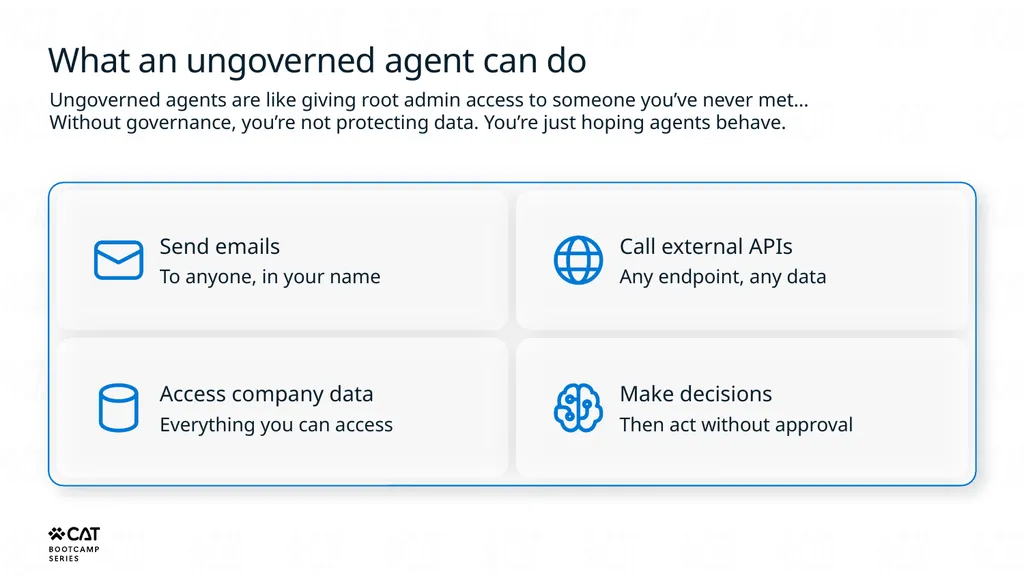
slide14. What an ungoverned agent can do Ungoverned agents are like giving root admin access to someone you’ve never met…
Without governance, you’re not protecting data. You’re just hoping agents behave. Send emails
To anyone, in your name Access company data
Everything you can access Call external APIs
Any endpoint, any data Make decisions
Then act without approval<br>
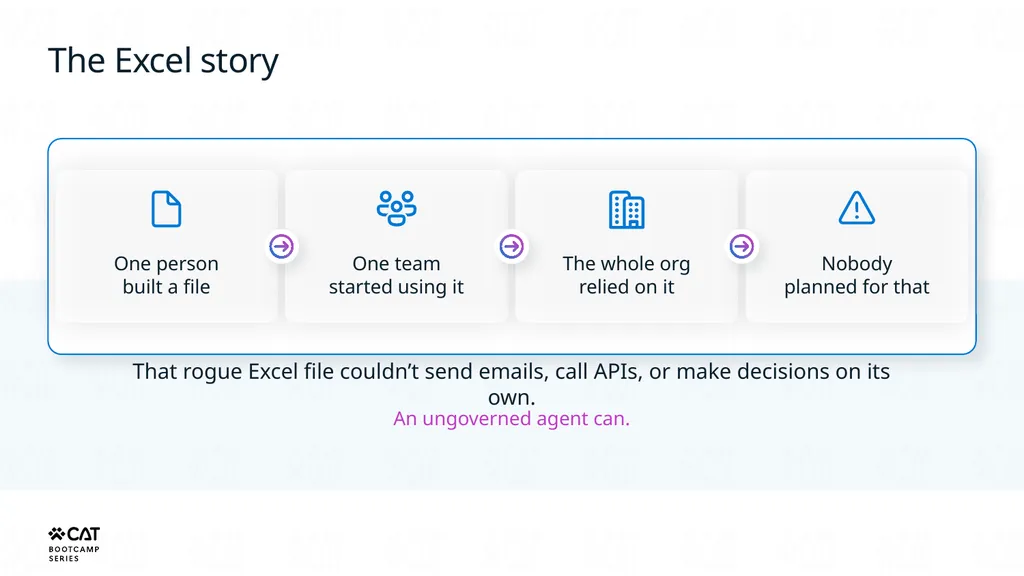
slide15. The Excel story One person
built a file One team
started using it The whole org
relied on it Nobody
planned for that That rogue Excel file couldn’t send emails, call APIs, or make decisions on its own. An ungoverned agent can.<br>
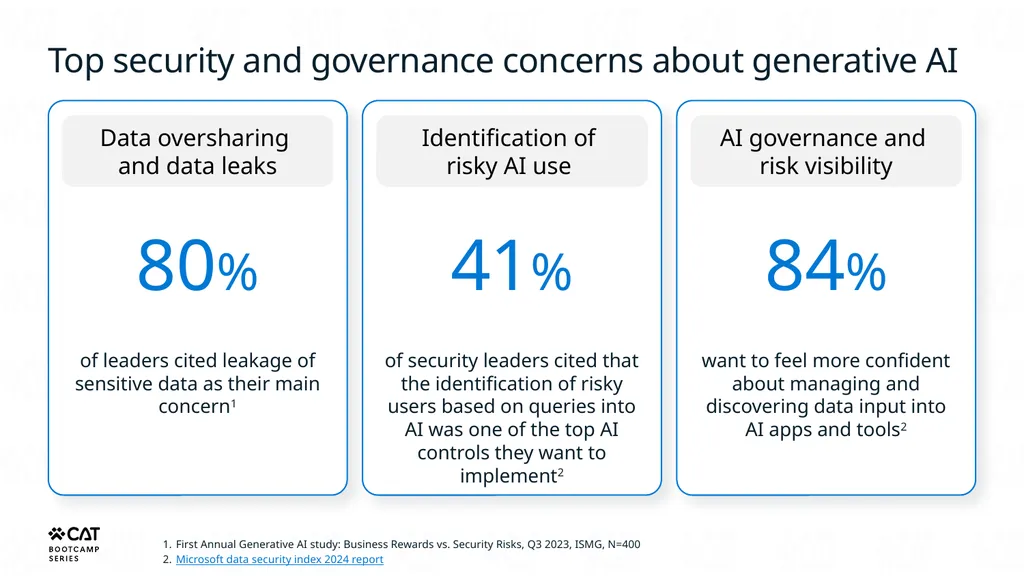
slide16. Top security and governance concerns about generative AI Data oversharing and data leaks 80% of leaders cited leakage of sensitive data as their main concern1 Identification of risky AI use 41% of security leaders cited that the identification of risky users based on queries into AI was one of the top AI controls they want to implement2 AI governance and risk visibility 84% want to feel more confident about managing and discovering data input into AI apps and tools2 First Annual Generative AI study: Business Rewards vs. Security Risks, Q3 2023, ISMG, N=400
Microsoft data security index 2024 report<br>
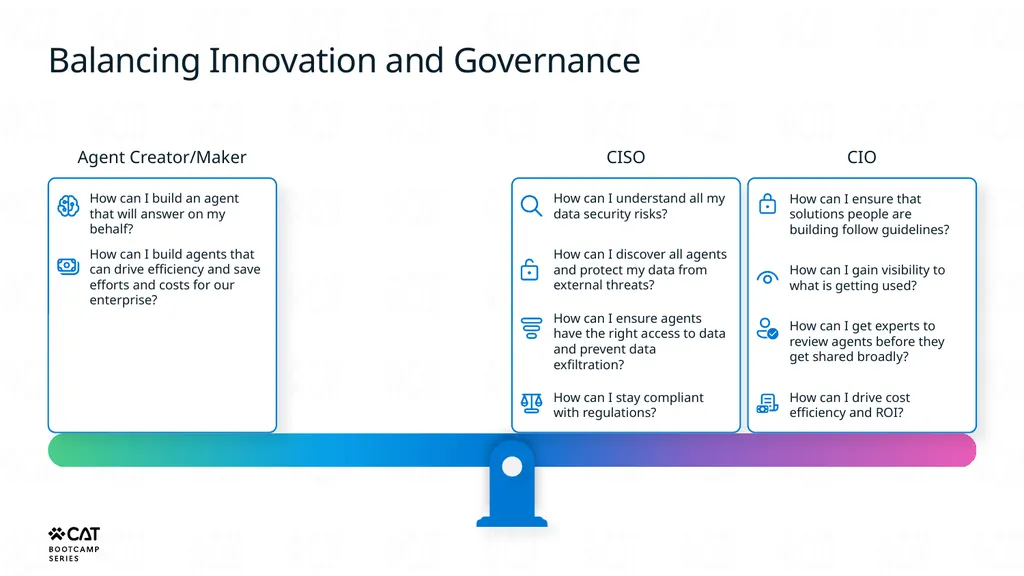
slide17. Balancing Innovation and Governance Agent Creator/Maker How can I build an agent that will answer on my behalf? How can I build agents that can drive efficiency and save efforts and costs for our enterprise? CISO How can I understand all my data security risks? How can I discover all agents and protect my data from external threats? How can I ensure agents have the right access to data and prevent data exfiltration? How can I stay compliant with regulations? CIO How can I ensure that solutions people are building follow guidelines? How can I gain visibility to what is getting used? How can I get experts to review agents before they get shared broadly? How can I drive cost efficiency and ROI?<br>
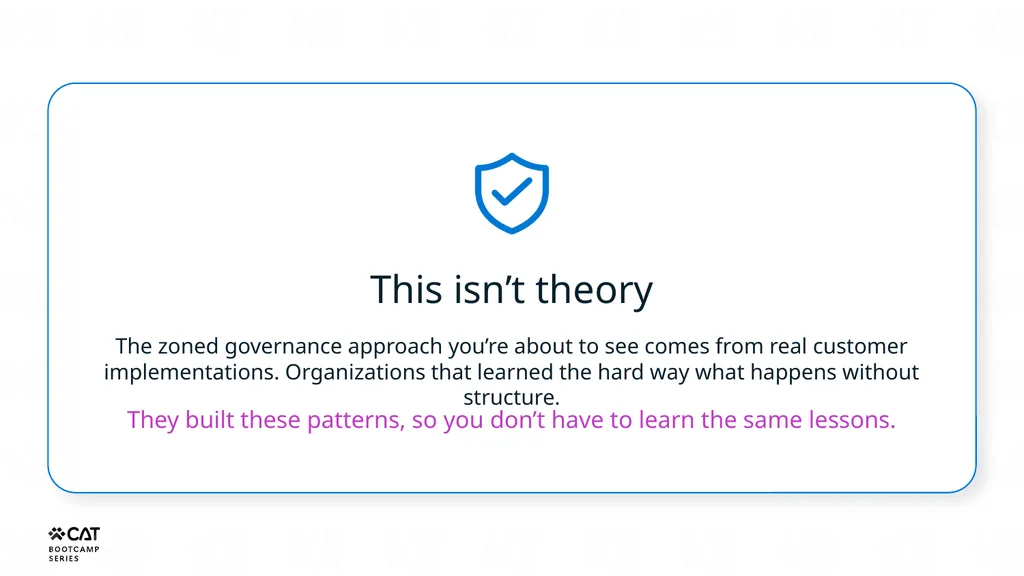
slide18. This isn’t theory The zoned governance approach you’re about to see comes from real customer implementations. Organizations that learned the hard way what happens without structure. They built these patterns, so you don’t have to learn the same lessons.<br>
slide19. The three zones Green, Yellow, Red<br>
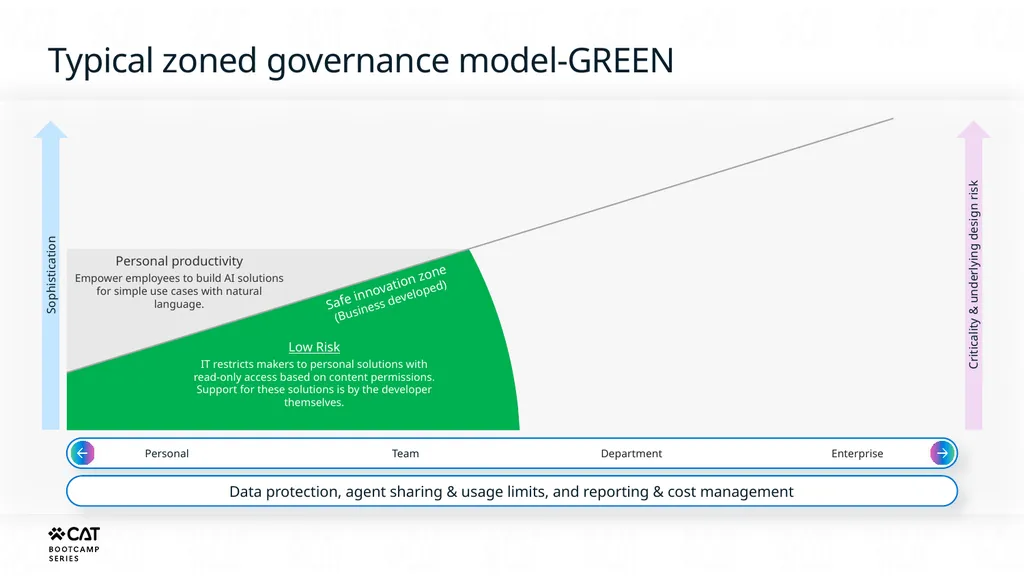
slide20. Personal Team Department Enterprise Data protection, agent sharing & usage limits, and reporting & cost management Criticality & underlying design risk Safe innovation zone
(Business developed) Low Risk
IT restricts makers to personal solutions with read-only access based on content permissions. Support for these solutions is by the developer themselves. Typical zoned governance model-GREEN<br>
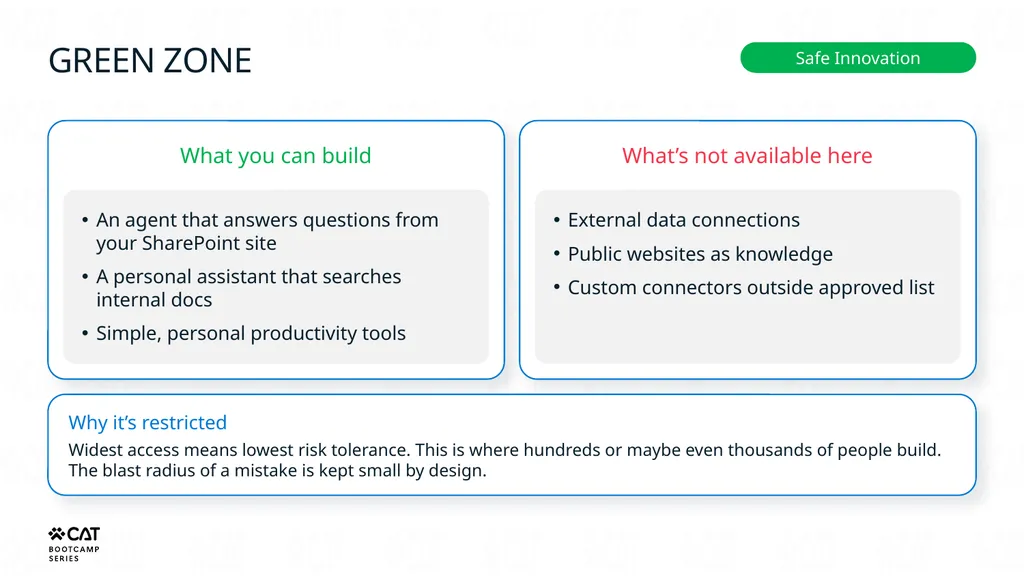
slide21. GREEN ZONE Safe Innovation What you can build An agent that answers questions from your SharePoint site
A personal assistant that searches internal docs
Simple, personal productivity tools What’s not available here External data connections
Public websites as knowledge
Custom connectors outside approved list Why it’s restricted Widest access means lowest risk tolerance. This is where hundreds or maybe even thousands of people build. The blast radius of a mistake is kept small by design.<br>
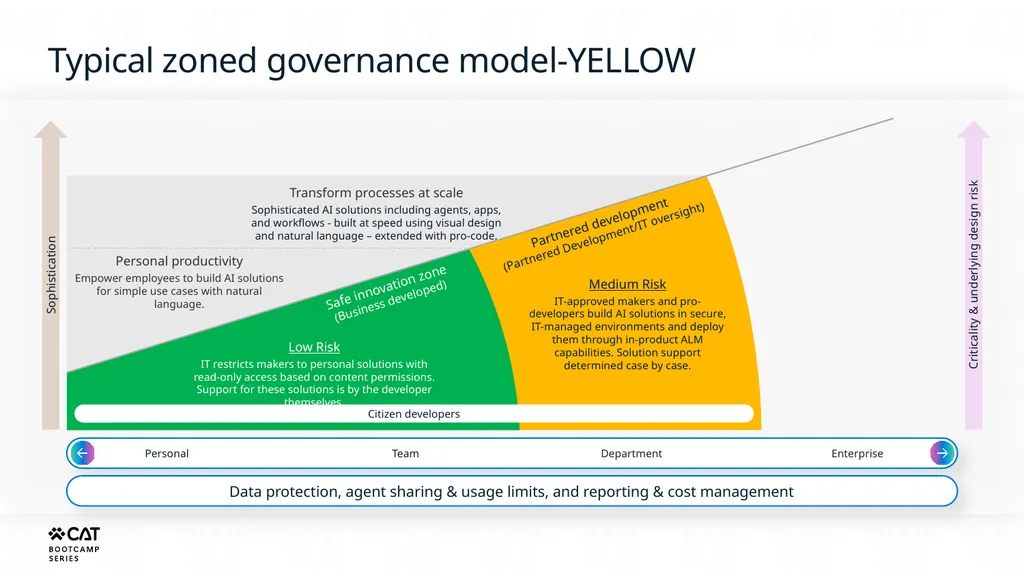
slide22. Personal productivity
Empower employees to build AI solutions for simple use cases with natural language. Personal Team Department Enterprise Data protection, agent sharing & usage limits, and reporting & cost management Criticality & underlying design risk Citizen developers Safe innovation zone
(Business developed) Low Risk
IT restricts makers to personal solutions with read-only access based on content permissions. Support for these solutions is by the developer themselves. Partnered development
(Partnered Development/IT oversight) Medium Risk
IT-approved makers and pro-developers build AI solutions in secure, IT-managed environments and deploy them through in-product ALM capabilities. Solution support determined case by case. Typical zoned governance model-YELLOW<br>
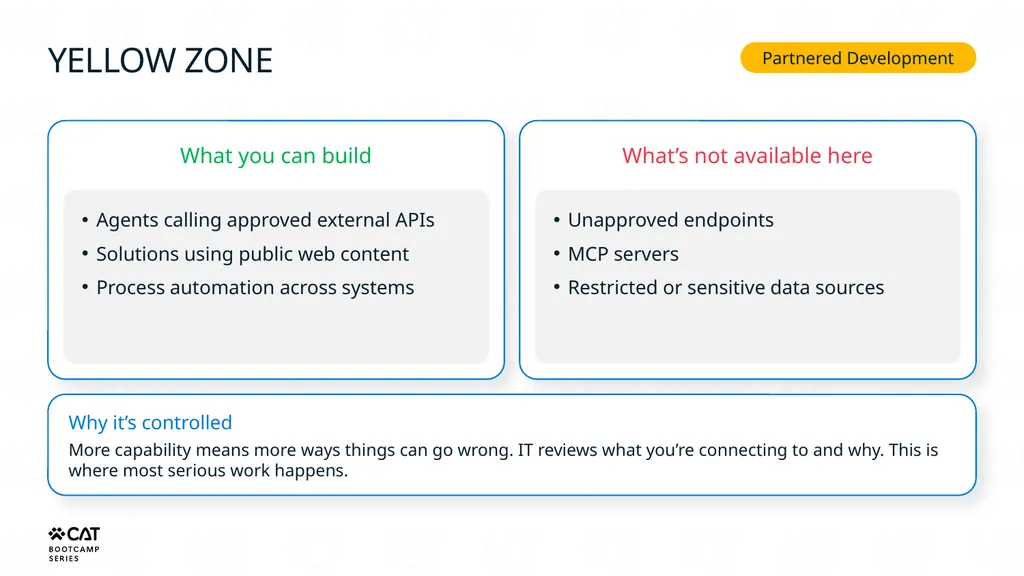
slide23. YELLOW ZONE Partnered Development What you can build Agents calling approved external APIs
Solutions using public web content
Process automation across systems What’s not available here Unapproved endpoints
MCP servers
Restricted or sensitive data sources Why it’s controlled More capability means more ways things can go wrong. IT reviews what you’re connecting to and why. This is where most serious work happens.<br>
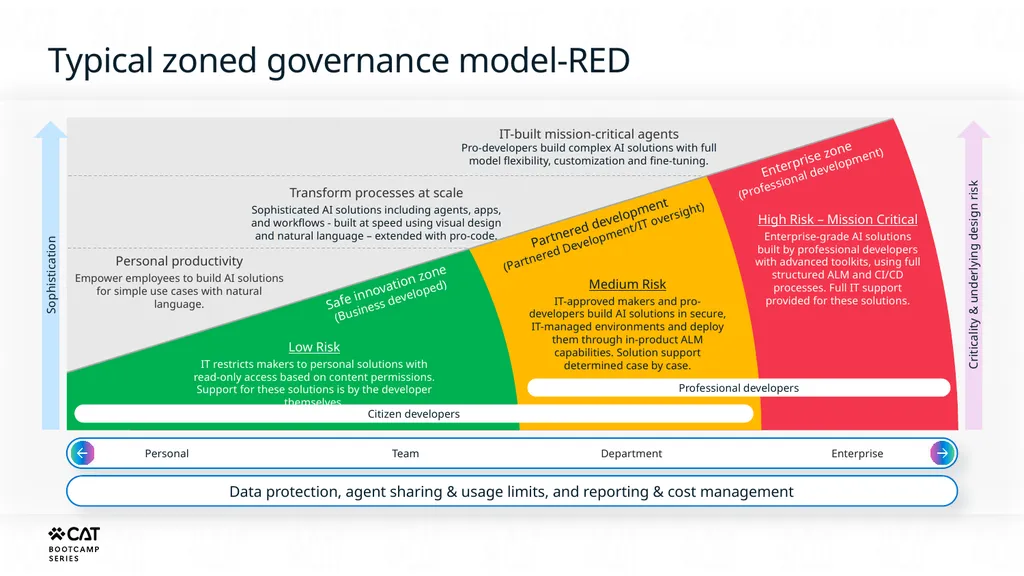
slide24. Personal productivity
Empower employees to build AI solutions for simple use cases with natural language. Transform processes at scale
Sophisticated AI solutions including agents, apps, and workflows - built at speed using visual design and natural language – extended with pro-code. Personal Team Department Enterprise Data protection, agent sharing & usage limits, and reporting & cost management Criticality & underlying design risk Citizen developers Professional developers Safe innovation zone
(Business developed) Low Risk
IT restricts makers to personal solutions with read-only access based on content permissions. Support for these solutions is by the developer themselves. Partnered development
(Partnered Development/IT oversight) Enterprise zone
(Professional development) Medium Risk
IT-approved makers and pro-developers build AI solutions in secure, IT-managed environments and deploy them through in-product ALM capabilities. Solution support determined case by case. High Risk – Mission Critical
Enterprise-grade AI solutions built by professional developers with advanced toolkits, using full structured ALM and CI/CD processes. Full IT support provided for these solutions. Typical zoned governance model-RED<br>
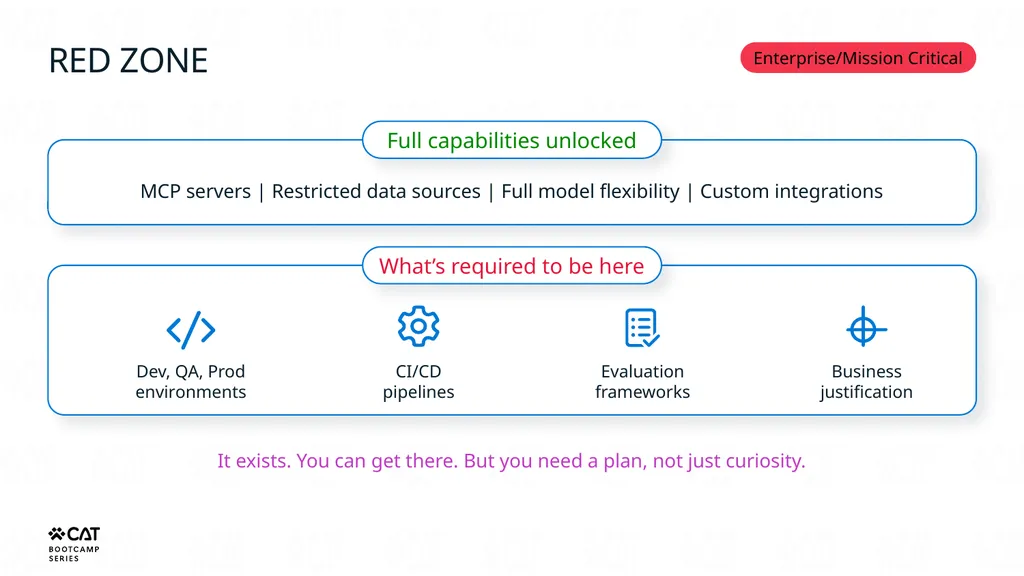
slide25. RED ZONE Enterprise/Mission Critical Full capabilities unlocked MCP servers | Restricted data sources | Full model flexibility | Custom integrations What’s required to be here Dev, QA, Prod environments CI/CD pipelines Evaluation frameworks Business justification It exists. You can get there. But you need a plan, not just curiosity.<br>
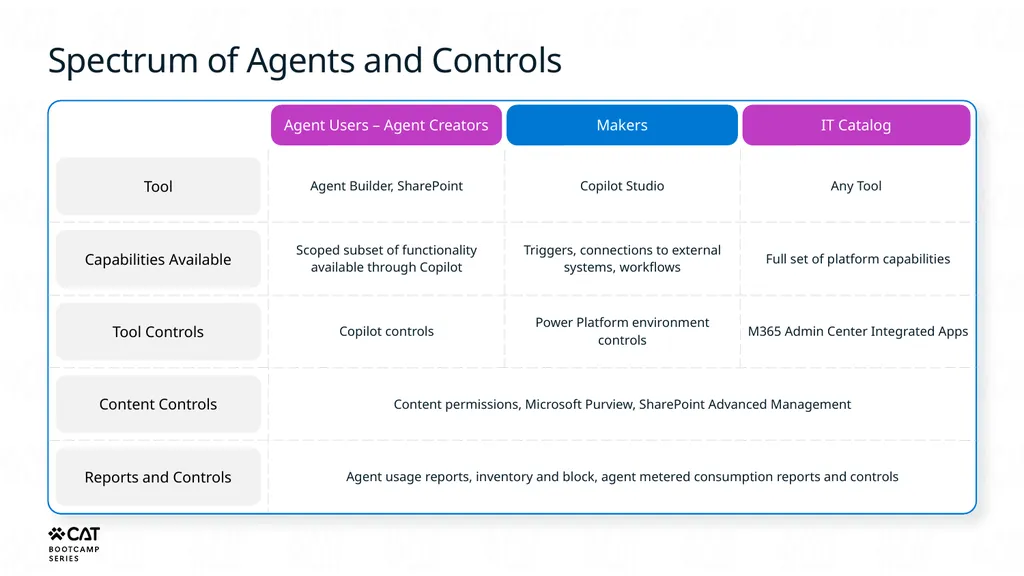
slide26. Tool Capabilities Available Tool Controls Content Controls Reports and Controls Spectrum of Agents and Controls Agent Users – Agent Creators Makers IT Catalog<br>
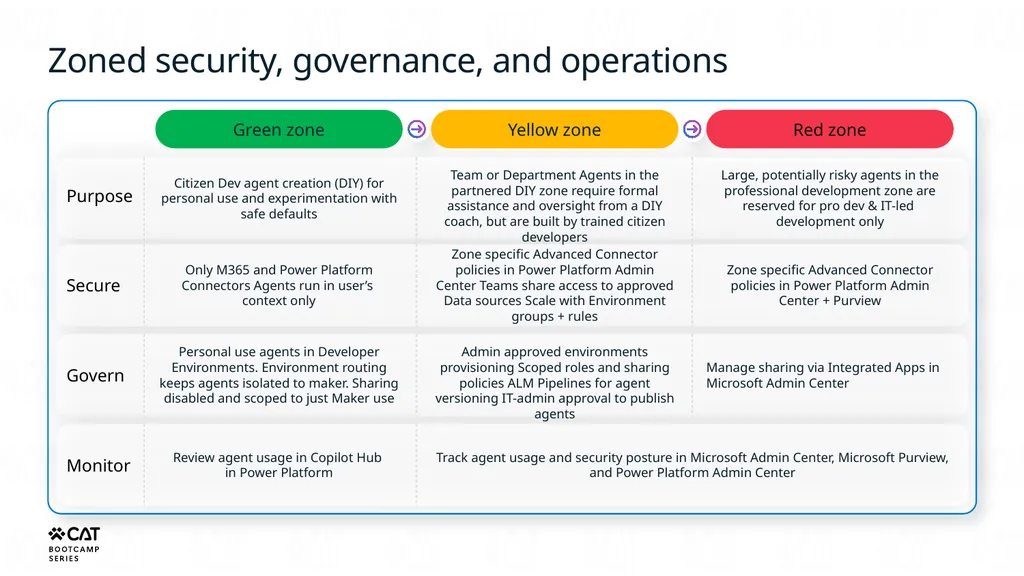
slide27. Zoned security, governance, and operations Green zone Yellow zone Red zone Purpose Citizen Dev agent creation (DIY) for personal use and experimentation with safe defaults Team or Department Agents in the partnered DIY zone require formal assistance and oversight from a DIY coach, but are built by trained citizen developers Large, potentially risky agents in the professional development zone are reserved for pro dev & IT-led development only Secure Only M365 and Power Platform Connectors Agents run in user’s context only Zone specific Advanced Connector policies in Power Platform Admin Center Teams share access to approved Data sources Scale with Environment groups + rules Zone specific Advanced Connector policies in Power Platform Admin Center + Purview Govern Personal use agents in Developer Environments. Environment routing keeps agents isolated to maker. Sharing disabled and scoped to just Maker use Admin approved environments provisioning Scoped roles and sharing policies ALM Pipelines for agent versioning IT-admin approval to publish agents Manage sharing via Integrated Apps in Microsoft Admin Center Monitor Review agent usage in Copilot Hub in Power Platform Track agent usage and security posture in Microsoft Admin Center, Microsoft Purview, and Power Platform Admin Center<br>
slide28. How to navigate governance The most important part of this session<br>
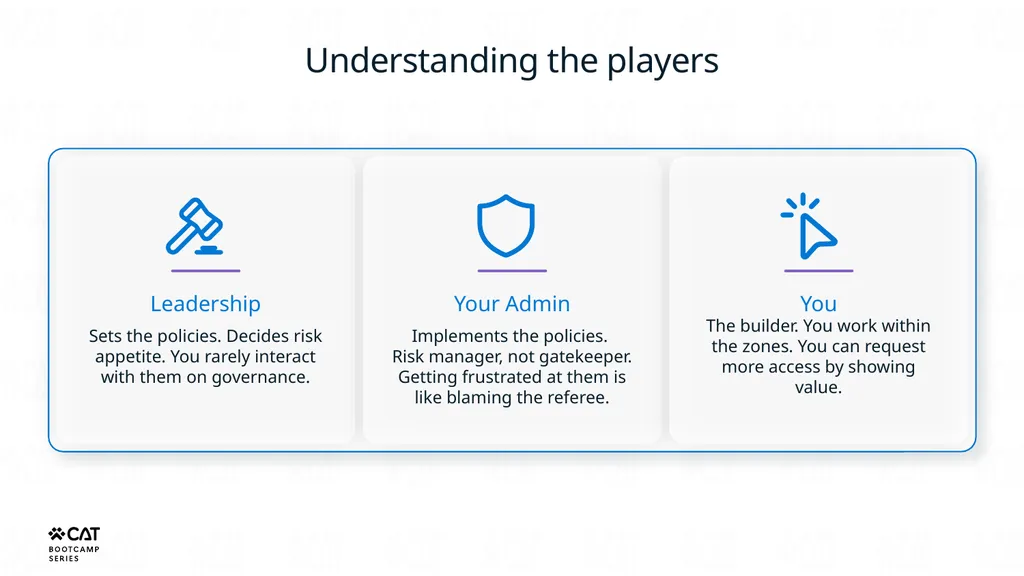
slide29. Understanding the players Leadership Sets the policies. Decides risk appetite. You rarely interact with them on governance. Your Admin Implements the policies. Risk manager, not gatekeeper. Getting frustrated at them is like blaming the referee. You The builder. You work within the zones. You can request more access by showing value.<br>
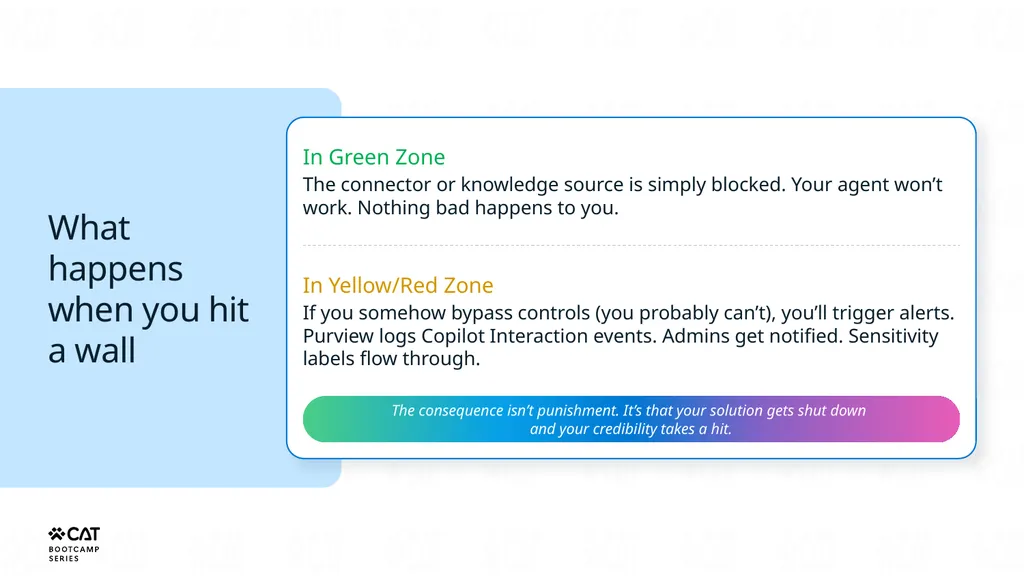
slide30. What happens when you hit a wall In Green Zone
The connector or knowledge source is simply blocked. Your agent won’t work. Nothing bad happens to you. In Yellow/Red Zone
If you somehow bypass controls (you probably can’t), you’ll trigger alerts. Purview logs Copilot Interaction events. Admins get notified. Sensitivity labels flow through. The consequence isn’t punishment. It’s that your solution gets shut down and your credibility takes a hit.<br>
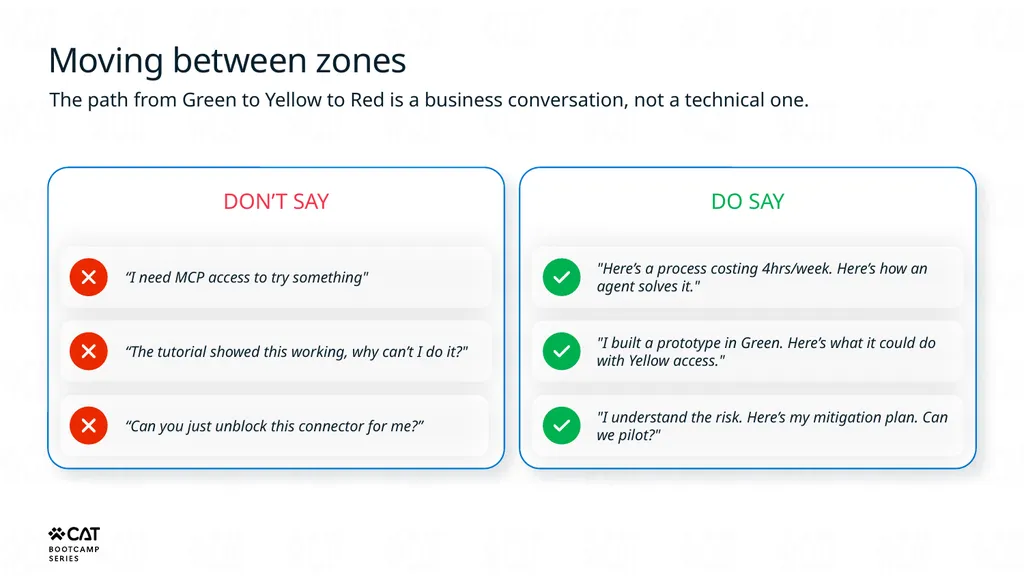
slide31. Moving between zones The path from Green to Yellow to Red is a business conversation, not a technical one. DON’T SAY “I need MCP access to try something" “The tutorial showed this working, why can’t I do it?" “Can you just unblock this connector for me?” DO SAY "Here’s a process costing 4hrs/week. Here’s how an agent solves it." "I built a prototype in Green. Here’s what it could do with Yellow access." "I understand the risk. Here’s my mitigation plan. Can we pilot?"<br>
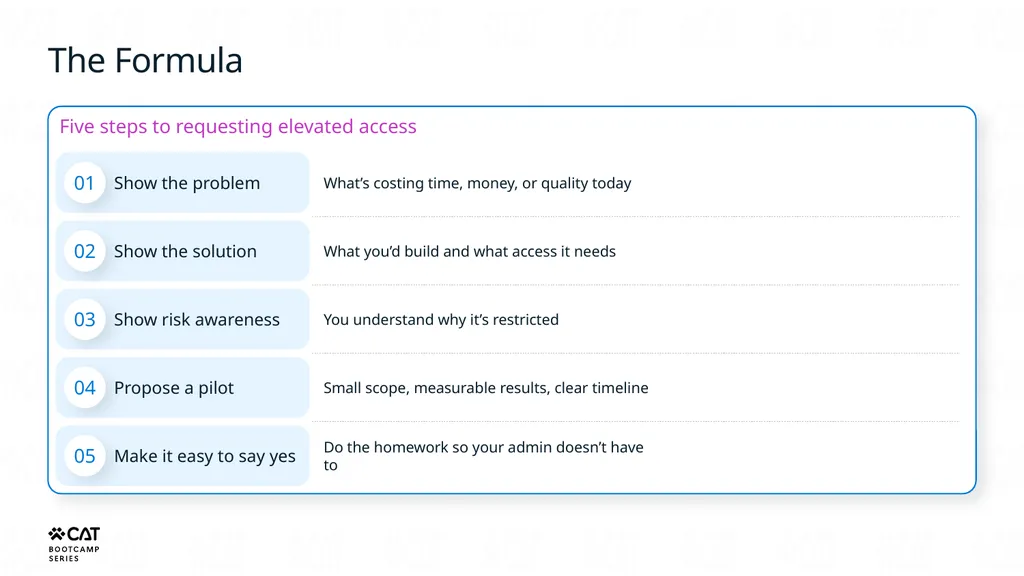
slide32. The Formula Five steps to requesting elevated access 01 Show the problem What’s costing time, money, or quality today 02 Show the solution What you’d build and what access it needs 03 Show risk awareness You understand why it’s restricted 04 Propose a pilot Small scope, measurable results, clear timeline 05 Make it easy to say yes Do the homework so your admin doesn’t have to<br>
slide33. Know what’s possible There are real options in Yellow and Red zones if you bring a plan.
Admins can create scoped exceptions, dedicated environments, and targeted DLP policies. The goal: Move from “why can’t I” to "here’s why we should”<br>
slide34. Key takeaways<br>
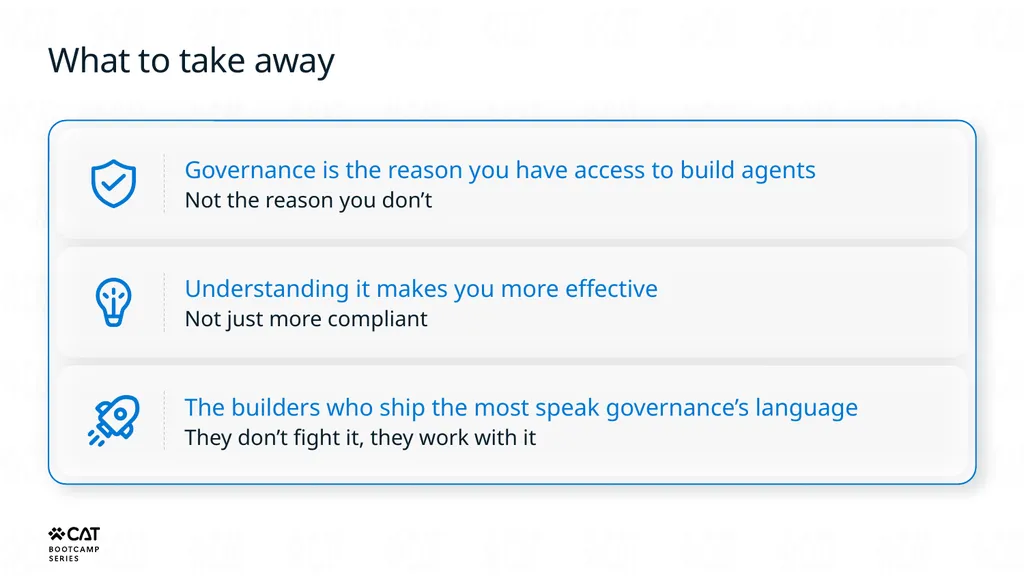
slide35. What to take away Governance is the reason you have access to build agents
Not the reason you don’t Understanding it makes you more effective
Not just more compliant The builders who ship the most speak governance’s language
They don’t fight it, they work with it<br>
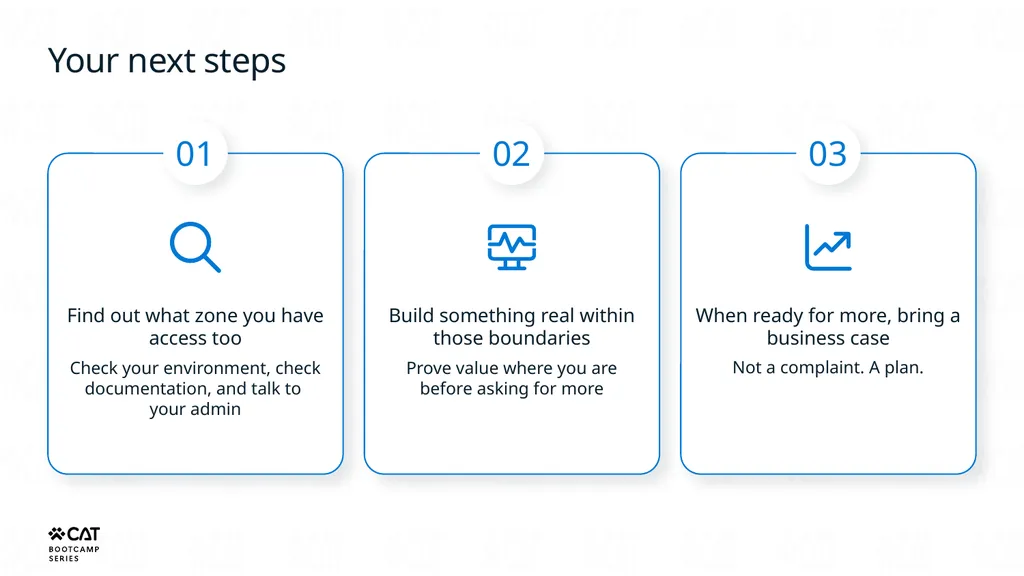
slide36. Your next steps 01 Find out what zone you have access too Check your environment, check documentation, and talk to your admin 02 Build something real within those boundaries Prove value where you are before asking for more 03 When ready for more, bring a business case Not a complaint. A plan.<br>
slide37. Questions? Governance exists. Understand it, live with it, navigate it. MCS Bootcamp | Agent Governance for Builders<br>
slide38. Lab: Governance lab • Build agents across Green, Yellow, and Red zones
• Experience how DLP policies restrict knowledge access
• Compare trade-offs between access and control Timer 45 min<br>
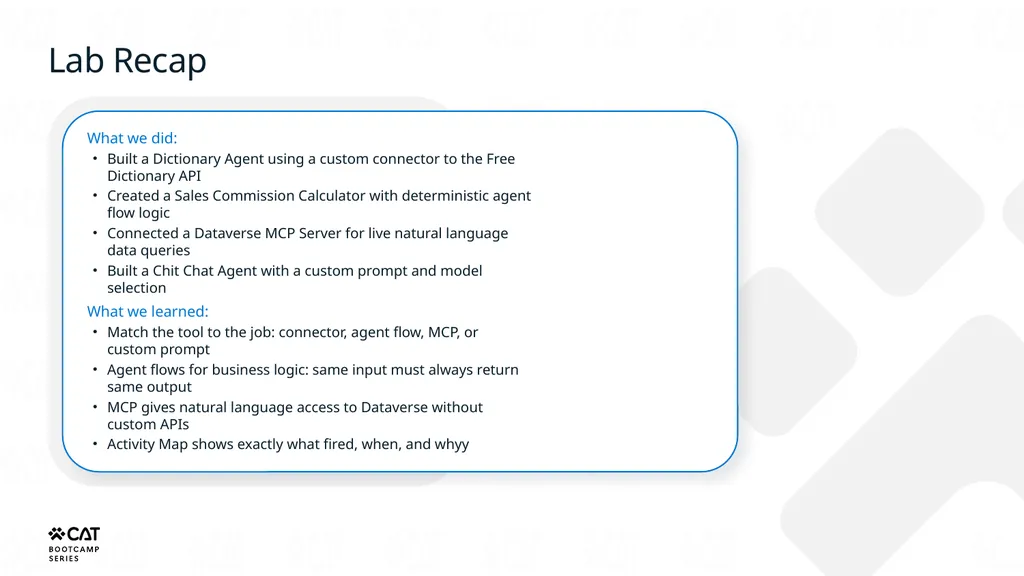
slide39. Lab Recap What we did:
Built a Dictionary Agent using a custom connector to the Free Dictionary API
Created a Sales Commission Calculator with deterministic agent flow logic
Connected a Dataverse MCP Server for live natural language data queries
Built a Chit Chat Agent with a custom prompt and model selection
What we learned:
Match the tool to the job: connector, agent flow, MCP, or custom prompt
Agent flows for business logic: same input must always return same output
MCP gives natural language access to Dataverse without custom APIs
Activity Map shows exactly what fired, when, and whyy<br>
slide2. The moment it breaks A story you've lived<br>
slide3. A colleague shows you something cool they built in Copilot Studio<br>
slide4. 2 You watch a YouTube tutorial It looks easy. You have a plan.<br>
slide5. 3 You open your personal environment in your company's tenant and start building the same thing<br>
slide6. 4 DLP Policy Error The xyz connector is blocked by your organization’s data loss prevention policy.<br>
slide7. 5 You Bing/Google it. Nothing useful. You blame Microsoft. Fair enough. But wrong.<br>
slide8. Microsoft didn’t block you. Your organization did. On purpose. For reasons that actually make sense. This session explains what those reasons are and how to work with them.<br>
slide9. The Promise What’s blocking you The specific mechanisms your org uses to restrict capabilities Why it exists The real risk that governance protects against What to do about it How to navigate governance and get the access you need We can’t make governance fun, but we can make it clear.<br>
slide10. What governance actually is Myth busting time<br>
slide11. What governance is not Your admin being difficult Microsoft limiting features Permanent or unchangeable The same across every organization<br>
slide12. What governance is Your company’s risk management rules
Applied to the Power Platform Decided by leadership
C-level, security, compliance teams Implemented by admins
Who follow policies, not personal preference The reason you have access at all
No governance = no agent building in most companies<br>
slide13. Why governance exists Risk, trust, and that one Excel file<br>
slide14. What an ungoverned agent can do Ungoverned agents are like giving root admin access to someone you’ve never met…
Without governance, you’re not protecting data. You’re just hoping agents behave. Send emails
To anyone, in your name Access company data
Everything you can access Call external APIs
Any endpoint, any data Make decisions
Then act without approval<br>
slide15. The Excel story One person
built a file One team
started using it The whole org
relied on it Nobody
planned for that That rogue Excel file couldn’t send emails, call APIs, or make decisions on its own. An ungoverned agent can.<br>
slide16. Top security and governance concerns about generative AI Data oversharing and data leaks 80% of leaders cited leakage of sensitive data as their main concern1 Identification of risky AI use 41% of security leaders cited that the identification of risky users based on queries into AI was one of the top AI controls they want to implement2 AI governance and risk visibility 84% want to feel more confident about managing and discovering data input into AI apps and tools2 First Annual Generative AI study: Business Rewards vs. Security Risks, Q3 2023, ISMG, N=400
Microsoft data security index 2024 report<br>
slide17. Balancing Innovation and Governance Agent Creator/Maker How can I build an agent that will answer on my behalf? How can I build agents that can drive efficiency and save efforts and costs for our enterprise? CISO How can I understand all my data security risks? How can I discover all agents and protect my data from external threats? How can I ensure agents have the right access to data and prevent data exfiltration? How can I stay compliant with regulations? CIO How can I ensure that solutions people are building follow guidelines? How can I gain visibility to what is getting used? How can I get experts to review agents before they get shared broadly? How can I drive cost efficiency and ROI?<br>
slide18. This isn’t theory The zoned governance approach you’re about to see comes from real customer implementations. Organizations that learned the hard way what happens without structure. They built these patterns, so you don’t have to learn the same lessons.<br>
slide19. The three zones Green, Yellow, Red<br>
slide20. Personal Team Department Enterprise Data protection, agent sharing & usage limits, and reporting & cost management Criticality & underlying design risk Safe innovation zone
(Business developed) Low Risk
IT restricts makers to personal solutions with read-only access based on content permissions. Support for these solutions is by the developer themselves. Typical zoned governance model-GREEN<br>
slide21. GREEN ZONE Safe Innovation What you can build An agent that answers questions from your SharePoint site
A personal assistant that searches internal docs
Simple, personal productivity tools What’s not available here External data connections
Public websites as knowledge
Custom connectors outside approved list Why it’s restricted Widest access means lowest risk tolerance. This is where hundreds or maybe even thousands of people build. The blast radius of a mistake is kept small by design.<br>
slide22. Personal productivity
Empower employees to build AI solutions for simple use cases with natural language. Personal Team Department Enterprise Data protection, agent sharing & usage limits, and reporting & cost management Criticality & underlying design risk Citizen developers Safe innovation zone
(Business developed) Low Risk
IT restricts makers to personal solutions with read-only access based on content permissions. Support for these solutions is by the developer themselves. Partnered development
(Partnered Development/IT oversight) Medium Risk
IT-approved makers and pro-developers build AI solutions in secure, IT-managed environments and deploy them through in-product ALM capabilities. Solution support determined case by case. Typical zoned governance model-YELLOW<br>
slide23. YELLOW ZONE Partnered Development What you can build Agents calling approved external APIs
Solutions using public web content
Process automation across systems What’s not available here Unapproved endpoints
MCP servers
Restricted or sensitive data sources Why it’s controlled More capability means more ways things can go wrong. IT reviews what you’re connecting to and why. This is where most serious work happens.<br>
slide24. Personal productivity
Empower employees to build AI solutions for simple use cases with natural language. Transform processes at scale
Sophisticated AI solutions including agents, apps, and workflows - built at speed using visual design and natural language – extended with pro-code. Personal Team Department Enterprise Data protection, agent sharing & usage limits, and reporting & cost management Criticality & underlying design risk Citizen developers Professional developers Safe innovation zone
(Business developed) Low Risk
IT restricts makers to personal solutions with read-only access based on content permissions. Support for these solutions is by the developer themselves. Partnered development
(Partnered Development/IT oversight) Enterprise zone
(Professional development) Medium Risk
IT-approved makers and pro-developers build AI solutions in secure, IT-managed environments and deploy them through in-product ALM capabilities. Solution support determined case by case. High Risk – Mission Critical
Enterprise-grade AI solutions built by professional developers with advanced toolkits, using full structured ALM and CI/CD processes. Full IT support provided for these solutions. Typical zoned governance model-RED<br>
slide25. RED ZONE Enterprise/Mission Critical Full capabilities unlocked MCP servers | Restricted data sources | Full model flexibility | Custom integrations What’s required to be here Dev, QA, Prod environments CI/CD pipelines Evaluation frameworks Business justification It exists. You can get there. But you need a plan, not just curiosity.<br>
slide26. Tool Capabilities Available Tool Controls Content Controls Reports and Controls Spectrum of Agents and Controls Agent Users – Agent Creators Makers IT Catalog<br>
slide27. Zoned security, governance, and operations Green zone Yellow zone Red zone Purpose Citizen Dev agent creation (DIY) for personal use and experimentation with safe defaults Team or Department Agents in the partnered DIY zone require formal assistance and oversight from a DIY coach, but are built by trained citizen developers Large, potentially risky agents in the professional development zone are reserved for pro dev & IT-led development only Secure Only M365 and Power Platform Connectors Agents run in user’s context only Zone specific Advanced Connector policies in Power Platform Admin Center Teams share access to approved Data sources Scale with Environment groups + rules Zone specific Advanced Connector policies in Power Platform Admin Center + Purview Govern Personal use agents in Developer Environments. Environment routing keeps agents isolated to maker. Sharing disabled and scoped to just Maker use Admin approved environments provisioning Scoped roles and sharing policies ALM Pipelines for agent versioning IT-admin approval to publish agents Manage sharing via Integrated Apps in Microsoft Admin Center Monitor Review agent usage in Copilot Hub in Power Platform Track agent usage and security posture in Microsoft Admin Center, Microsoft Purview, and Power Platform Admin Center<br>
slide28. How to navigate governance The most important part of this session<br>
slide29. Understanding the players Leadership Sets the policies. Decides risk appetite. You rarely interact with them on governance. Your Admin Implements the policies. Risk manager, not gatekeeper. Getting frustrated at them is like blaming the referee. You The builder. You work within the zones. You can request more access by showing value.<br>
slide30. What happens when you hit a wall In Green Zone
The connector or knowledge source is simply blocked. Your agent won’t work. Nothing bad happens to you. In Yellow/Red Zone
If you somehow bypass controls (you probably can’t), you’ll trigger alerts. Purview logs Copilot Interaction events. Admins get notified. Sensitivity labels flow through. The consequence isn’t punishment. It’s that your solution gets shut down and your credibility takes a hit.<br>
slide31. Moving between zones The path from Green to Yellow to Red is a business conversation, not a technical one. DON’T SAY “I need MCP access to try something" “The tutorial showed this working, why can’t I do it?" “Can you just unblock this connector for me?” DO SAY "Here’s a process costing 4hrs/week. Here’s how an agent solves it." "I built a prototype in Green. Here’s what it could do with Yellow access." "I understand the risk. Here’s my mitigation plan. Can we pilot?"<br>
slide32. The Formula Five steps to requesting elevated access 01 Show the problem What’s costing time, money, or quality today 02 Show the solution What you’d build and what access it needs 03 Show risk awareness You understand why it’s restricted 04 Propose a pilot Small scope, measurable results, clear timeline 05 Make it easy to say yes Do the homework so your admin doesn’t have to<br>
slide33. Know what’s possible There are real options in Yellow and Red zones if you bring a plan.
Admins can create scoped exceptions, dedicated environments, and targeted DLP policies. The goal: Move from “why can’t I” to "here’s why we should”<br>
slide34. Key takeaways<br>
slide35. What to take away Governance is the reason you have access to build agents
Not the reason you don’t Understanding it makes you more effective
Not just more compliant The builders who ship the most speak governance’s language
They don’t fight it, they work with it<br>
slide36. Your next steps 01 Find out what zone you have access too Check your environment, check documentation, and talk to your admin 02 Build something real within those boundaries Prove value where you are before asking for more 03 When ready for more, bring a business case Not a complaint. A plan.<br>
slide37. Questions? Governance exists. Understand it, live with it, navigate it. MCS Bootcamp | Agent Governance for Builders<br>
slide38. Lab: Governance lab • Build agents across Green, Yellow, and Red zones
• Experience how DLP policies restrict knowledge access
• Compare trade-offs between access and control Timer 45 min<br>
slide39. Lab Recap What we did:
Built a Dictionary Agent using a custom connector to the Free Dictionary API
Created a Sales Commission Calculator with deterministic agent flow logic
Connected a Dataverse MCP Server for live natural language data queries
Built a Chit Chat Agent with a custom prompt and model selection
What we learned:
Match the tool to the job: connector, agent flow, MCP, or custom prompt
Agent flows for business logic: same input must always return same output
MCP gives natural language access to Dataverse without custom APIs
Activity Map shows exactly what fired, when, and whyy<br>