
Agentic Threat Hunting with Microsoft Sentinel:
OM
Published · 44 slides · 0 views
1 / 1














Description
Agentic Threat Hunting with Microsoft Sentinel: From MCP Server to Graph Insights MMS MOA 2026 The Alert Nobody Read 4,484 - Average daily alerts per security team 19 - Percentage that get fully investigated 16 days - Average attacker
Related Topics
Share
Embed code
Download this presentation From Below
"Agentic Threat Hunting with Microsoft Sentinel:" is the property of its rightful owner. Permission is granted to download and print the materials on this website for personal, non-commercial use only, and to display it on your personal computer provided you do not modify the materials and that you retain all copyright notices contained in the materials. By downloading content from our website, you accept the terms of this agreement.
Presentation Transcript
01
Agentic Threat Hunting with Microsoft Sentinel: From MCP Server to Graph Insights MMS MOA 2026<br>
02
The Alert Nobody Read 4,484 - Average daily alerts per security team
19% - Percentage that get fully investigated
16 days - Average attacker dwell time in cloud environments in 2024
Your analysts aren't burned out because they work too hard.
They're burned out because the signal-to-noise ratio is broken.
Today we fix that.<br>
19% - Percentage that get fully investigated
16 days - Average attacker dwell time in cloud environments in 2024
Your analysts aren't burned out because they work too hard.
They're burned out because the signal-to-noise ratio is broken.
Today we fix that.<br>
03
Before We Get Started MMS sessions are 60-75 minutes followed by Q&A
Please hold detailed questions until the Q&A period
Feel free to ask clarification questions at any time
Session slides will be available after the event
Code and demos available on GitHub (links in resources slide)<br>
Please hold detailed questions until the Q&A period
Feel free to ask clarification questions at any time
Session slides will be available after the event
Code and demos available on GitHub (links in resources slide)<br>
04
Sergey Chubarov Rod Trent @SergeyTheMVP | linkedin.com/in/schubarov @rodtrent | linkedin.com/in/rodtrent Microsoft MVP | Cloud Security Sr. Program Manager/Security MVP Program Lead Microsoft<br>
05
What We'll Cover Today The Threat Hunting Imperative — Why the old ways aren't enough
Agentic Hunting with MCP Server — KQL tools + Copilot integration
Graph-Based Investigation — Thinking in entity relationships
Fortifying Your Data Lake — ASIM, enrichment, cost control
From Pilot to Production — Roles, metrics, and adoption roadmap<br>
Agentic Hunting with MCP Server — KQL tools + Copilot integration
Graph-Based Investigation — Thinking in entity relationships
Fortifying Your Data Lake — ASIM, enrichment, cost control
From Pilot to Production — Roles, metrics, and adoption roadmap<br>
06
Quick Pulse Check Raise your hand if...
You're running Microsoft Sentinel in production today
You've used any AI assistant (ChatGPT, Copilot, Claude) for security work
You've heard of the Model Context Protocol (MCP) before this session
Keep those answers in mind - we'll come back to them.<br>
You're running Microsoft Sentinel in production today
You've used any AI assistant (ChatGPT, Copilot, Claude) for security work
You've heard of the Model Context Protocol (MCP) before this session
Keep those answers in mind - we'll come back to them.<br>
07
The Modern Security Operations Reality Average dwell time before detection: 197 days (IBM CBRX 2024)
SOC analysts spend 27% of time on manual, repetitive triage tasks
Alert volume has increased 300% in 3 years while headcount grows 8%
70% of organizations report alert fatigue as top SOC challenge
Attackers have embraced AI — defenders must respond in kind<br>
SOC analysts spend 27% of time on manual, repetitive triage tasks
Alert volume has increased 300% in 3 years while headcount grows 8%
70% of organizations report alert fatigue as top SOC challenge
Attackers have embraced AI — defenders must respond in kind<br>
08
The Threat Hunting Imperative Why traditional detection-only approaches leave gaps — and how agentic hunting fills them<br>
09
Traditional Hunting vs. Agentic Hunting TRADITIONAL
Rule-based detections only
Analyst writes every KQL query
One query = one answer
Manual pivot across data sources
Days to complete investigation
Knowledge locked in individual analyst heads AGENTIC
Natural language + structured queries
KQL queries become reusable tools
One prompt = multi-step investigation
Automatic entity pivots
Minutes to complete investigation
Institutional knowledge encoded in tools<br>
Rule-based detections only
Analyst writes every KQL query
One query = one answer
Manual pivot across data sources
Days to complete investigation
Knowledge locked in individual analyst heads AGENTIC
Natural language + structured queries
KQL queries become reusable tools
One prompt = multi-step investigation
Automatic entity pivots
Minutes to complete investigation
Institutional knowledge encoded in tools<br>
10
The Analyst's Daily Reality Typical SOC analyst manages 200-500 alerts per day
Average triage time: 7 minutes per alert — most never fully investigated
Investigation pivots: analyst manually queries 5-8 separate tables per incident
KQL expertise varies widely — critical hunting logic lives in expert heads
MTTD (Mean Time to Detect): organizational average 21 days for complex attacks
Context switching between Sentinel, Defender, Entra — compounding tool fatigue<br>
Average triage time: 7 minutes per alert — most never fully investigated
Investigation pivots: analyst manually queries 5-8 separate tables per incident
KQL expertise varies widely — critical hunting logic lives in expert heads
MTTD (Mean Time to Detect): organizational average 21 days for complex attacks
Context switching between Sentinel, Defender, Entra — compounding tool fatigue<br>
11
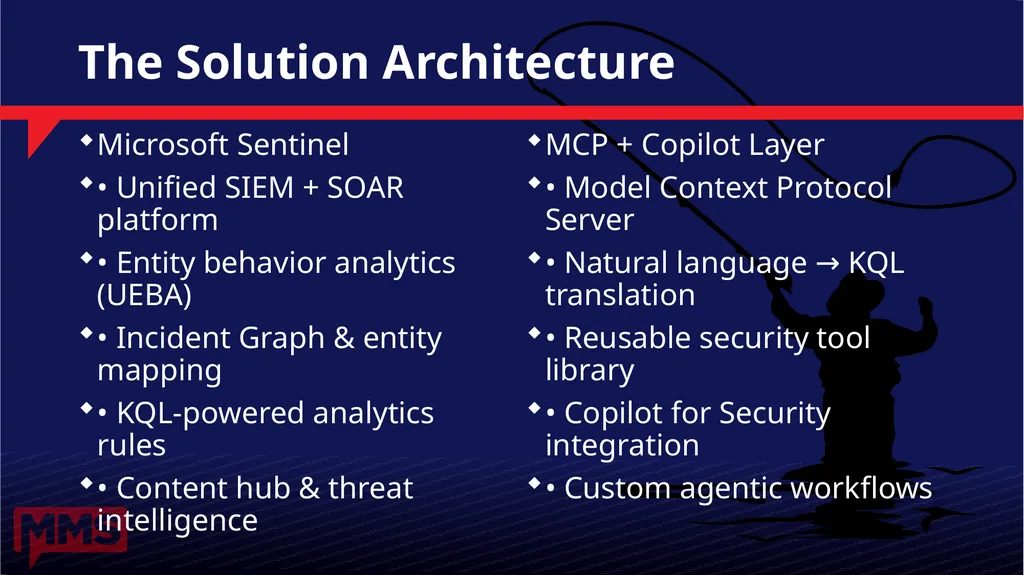
The Solution Architecture Microsoft Sentinel
• Unified SIEM + SOAR platform
• Entity behavior analytics (UEBA)
• Incident Graph & entity mapping
• KQL-powered analytics rules
• Content hub & threat intelligence MCP + Copilot Layer
• Model Context Protocol Server
• Natural language → KQL translation
• Reusable security tool library
• Copilot for Security integration
• Custom agentic workflows<br>
• Unified SIEM + SOAR platform
• Entity behavior analytics (UEBA)
• Incident Graph & entity mapping
• KQL-powered analytics rules
• Content hub & threat intelligence MCP + Copilot Layer
• Model Context Protocol Server
• Natural language → KQL translation
• Reusable security tool library
• Copilot for Security integration
• Custom agentic workflows<br>
12
How It All Fits Together<br>
13
Agentic Hunting with MCP Server Transform your KQL queries into reusable AI tools and connect them with Copilot for Security<br>
14
Model Context Protocol: The Foundation MCP is an open protocol by Anthropic — adopted across the AI ecosystem
Defines a standard way for AI models to call external tools and data sources
Architecture: MCP Host (AI agent) ↔ MCP Client ↔ MCP Server ↔ Resources
Resources can be: APIs, databases, functions, or your Sentinel workspace
Microsoft has embraced MCP across Copilot for Security, Azure AI Foundry, and more
Key concept: 'Tools' are functions the AI can call; 'Resources' are data it can access
Security implication: full audit trail of every AI tool invocation<br>
Defines a standard way for AI models to call external tools and data sources
Architecture: MCP Host (AI agent) ↔ MCP Client ↔ MCP Server ↔ Resources
Resources can be: APIs, databases, functions, or your Sentinel workspace
Microsoft has embraced MCP across Copilot for Security, Azure AI Foundry, and more
Key concept: 'Tools' are functions the AI can call; 'Resources' are data it can access
Security implication: full audit trail of every AI tool invocation<br>
15
MCP Server Architecture for Sentinel MCP SERVER COMPONENTS
Tool definitions (KQL wrappers)
Authentication (Entra ID / service principal)
Rate limiting and cost controls
Input validation and sanitization
Response formatting and enrichment
Audit logging of all tool calls SENTINEL TOOLS EXAMPLES
run_kql_query(query, timespan)
get_incident_details(incident_id)
search_entity(entity_type, value)
get_ueba_score(account_upn)
list_watchlist_items(watchlist_name)
get_threat_intel(indicator_value)<br>
Tool definitions (KQL wrappers)
Authentication (Entra ID / service principal)
Rate limiting and cost controls
Input validation and sanitization
Response formatting and enrichment
Audit logging of all tool calls SENTINEL TOOLS EXAMPLES
run_kql_query(query, timespan)
get_incident_details(incident_id)
search_entity(entity_type, value)
get_ueba_score(account_upn)
list_watchlist_items(watchlist_name)
get_threat_intel(indicator_value)<br>
16
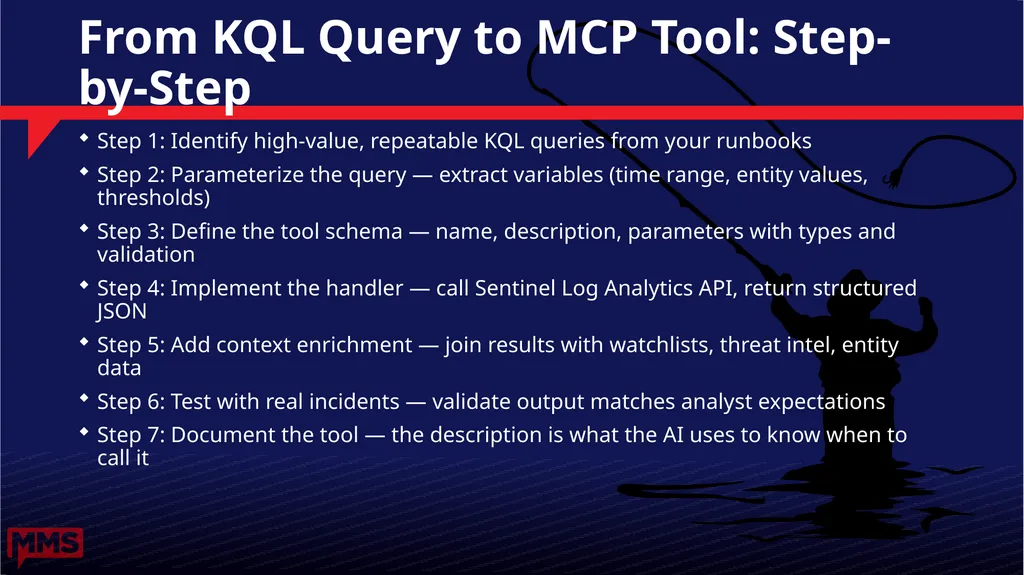
From KQL Query to MCP Tool: Step-by-Step Step 1: Identify high-value, repeatable KQL queries from your runbooks
Step 2: Parameterize the query — extract variables (time range, entity values, thresholds)
Step 3: Define the tool schema — name, description, parameters with types and validation
Step 4: Implement the handler — call Sentinel Log Analytics API, return structured JSON
Step 5: Add context enrichment — join results with watchlists, threat intel, entity data
Step 6: Test with real incidents — validate output matches analyst expectations
Step 7: Document the tool — the description is what the AI uses to know when to call it<br>
Step 2: Parameterize the query — extract variables (time range, entity values, thresholds)
Step 3: Define the tool schema — name, description, parameters with types and validation
Step 4: Implement the handler — call Sentinel Log Analytics API, return structured JSON
Step 5: Add context enrichment — join results with watchlists, threat intel, entity data
Step 6: Test with real incidents — validate output matches analyst expectations
Step 7: Document the tool — the description is what the AI uses to know when to call it<br>
17
DEMO: Building Your First MCP Tool Transforming a failed sign-in KQL query into a callable MCP tool 📁 Demo code & scripts: github.com/rod-trent/MMSMOA<br>
18
Microsoft Copilot for Security: The AI Layer Copilot for Security is Microsoft's security-specialized AI assistant
Built on GPT-4 + Microsoft Security Graph with 65 trillion threat signals
Supports MCP tools natively — add your custom tools alongside built-in Sentinel skills
Orchestration: Copilot decides which tools to call, in what order, based on context
Session memory: maintains context across a multi-step investigation
Integration points: Sentinel incidents, Defender XDR, Entra ID, Intune, external feeds
Access via: Copilot for Security standalone portal, embedded experiences, APIs<br>
Built on GPT-4 + Microsoft Security Graph with 65 trillion threat signals
Supports MCP tools natively — add your custom tools alongside built-in Sentinel skills
Orchestration: Copilot decides which tools to call, in what order, based on context
Session memory: maintains context across a multi-step investigation
Integration points: Sentinel incidents, Defender XDR, Entra ID, Intune, external feeds
Access via: Copilot for Security standalone portal, embedded experiences, APIs<br>
19
Building Custom Security Agents AGENT TYPES
Investigation Agent
→ Triage and root cause in <5 min
Hunting Agent
→ Proactive threat searches on schedule
Enrichment Agent
→ Auto-enrich incidents with OSINT
Response Agent
→ Trigger SOAR playbooks based on findings AGENT COMPONENTS
System prompt (role and scope)
Tool library (MCP tools)
Orchestration logic (ReAct pattern)
Memory (session + long-term)
Output format (incident notes, tickets)
Human-in-the-loop gates
Audit trail (all tool calls logged)<br>
Investigation Agent
→ Triage and root cause in <5 min
Hunting Agent
→ Proactive threat searches on schedule
Enrichment Agent
→ Auto-enrich incidents with OSINT
Response Agent
→ Trigger SOAR playbooks based on findings AGENT COMPONENTS
System prompt (role and scope)
Tool library (MCP tools)
Orchestration logic (ReAct pattern)
Memory (session + long-term)
Output format (incident notes, tickets)
Human-in-the-loop gates
Audit trail (all tool calls logged)<br>
20
DEMO: Natural Language Threat Hunt Using Copilot for Security with MCP tools to investigate a suspicious sign-in incident 📁 Demo code & scripts: github.com/rod-trent/MMSMOA<br>
21
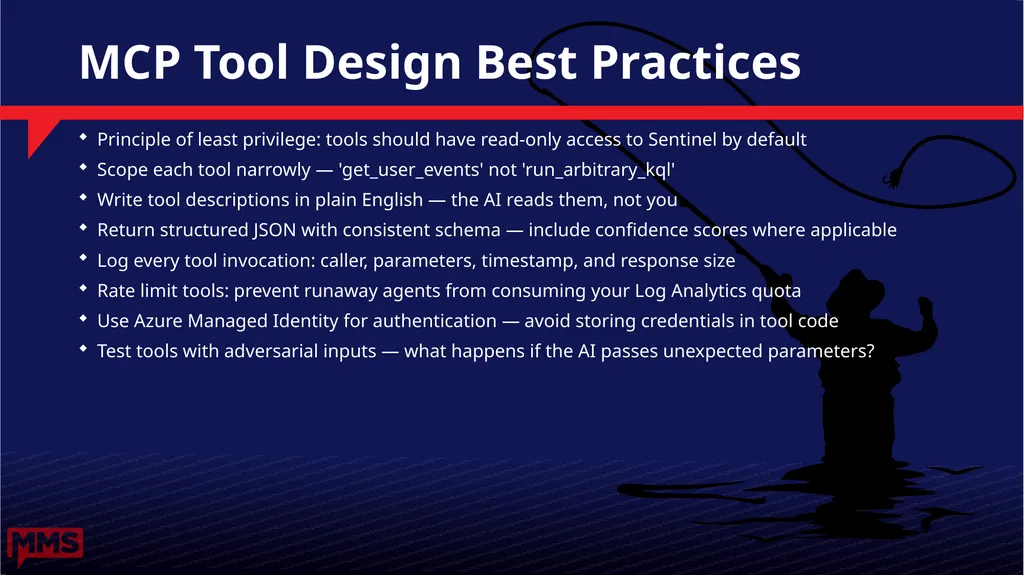
MCP Tool Design Best Practices Principle of least privilege: tools should have read-only access to Sentinel by default
Scope each tool narrowly — 'get_user_events' not 'run_arbitrary_kql'
Write tool descriptions in plain English — the AI reads them, not you
Return structured JSON with consistent schema — include confidence scores where applicable
Log every tool invocation: caller, parameters, timestamp, and response size
Rate limit tools: prevent runaway agents from consuming your Log Analytics quota
Use Azure Managed Identity for authentication — avoid storing credentials in tool code
Test tools with adversarial inputs — what happens if the AI passes unexpected parameters?<br>
Scope each tool narrowly — 'get_user_events' not 'run_arbitrary_kql'
Write tool descriptions in plain English — the AI reads them, not you
Return structured JSON with consistent schema — include confidence scores where applicable
Log every tool invocation: caller, parameters, timestamp, and response size
Rate limit tools: prevent runaway agents from consuming your Log Analytics quota
Use Azure Managed Identity for authentication — avoid storing credentials in tool code
Test tools with adversarial inputs — what happens if the AI passes unexpected parameters?<br>
22
Think in Graphs, Not Tables Using entity mapping and UEBA to uncover relationships between identities, devices, IPs, and applications<br>
23
The Limits of Table-Based Analysis Traditional SIEM: every investigation starts from scratch — individual log queries
Table thinking: 'Show me events WHERE user=X AND time>Y' — one dimension at a time
Attacker tactics are multi-hop: they pivot from one entity to another
Example: Compromised user → malicious OAuth app → exfiltrated SharePoint files
Lateral movement: attacker touches dozens of entities across days or weeks
Key insight: the relationships between entities tell you more than any single event
Graph thinking: 'Show me everything connected to entity X within N hops'<br>
Table thinking: 'Show me events WHERE user=X AND time>Y' — one dimension at a time
Attacker tactics are multi-hop: they pivot from one entity to another
Example: Compromised user → malicious OAuth app → exfiltrated SharePoint files
Lateral movement: attacker touches dozens of entities across days or weeks
Key insight: the relationships between entities tell you more than any single event
Graph thinking: 'Show me everything connected to entity X within N hops'<br>
24
Entity Types in Microsoft Sentinel IDENTITY ENTITIES
Account (user, service principal)
Security Group
Host / Device
IP Address
DNS Name / URL
IoT Device BEHAVIORAL ENTITIES
File Hash
Process
Mail Cluster / Message
Cloud Application
Azure Resource
Malware / Threat Intel<br>
Account (user, service principal)
Security Group
Host / Device
IP Address
DNS Name / URL
IoT Device BEHAVIORAL ENTITIES
File Hash
Process
Mail Cluster / Message
Cloud Application
Azure Resource
Malware / Threat Intel<br>
25
UEBA: Behavioral Baselines at Scale UEBA = User and Entity Behavior Analytics — Microsoft Sentinel's built-in ML engine
Establishes behavioral baselines for users, devices, and applications over 30-90 days
Generates investigation priority scores (0-10) based on anomaly severity
Key scores: Entity Behavior Score (EBS) + Peer Group Anomaly + Temporal Anomaly
UEBA tables in Sentinel: BehaviorAnalytics, UserPeerAnalytics, UserAccessAnalytics
Alert enrichment: UEBA insights automatically attached to related incidents
Advanced query: BehaviorAnalytics | where ActivityInsights has 'MFA' and InvestigationPriority > 7<br>
Establishes behavioral baselines for users, devices, and applications over 30-90 days
Generates investigation priority scores (0-10) based on anomaly severity
Key scores: Entity Behavior Score (EBS) + Peer Group Anomaly + Temporal Anomaly
UEBA tables in Sentinel: BehaviorAnalytics, UserPeerAnalytics, UserAccessAnalytics
Alert enrichment: UEBA insights automatically attached to related incidents
Advanced query: BehaviorAnalytics | where ActivityInsights has 'MFA' and InvestigationPriority > 7<br>
26
Reading the Incident Graph in Sentinel Every Sentinel incident has an entity graph — accessible from the incident details pane
Graph nodes: entities involved in the incident (accounts, devices, IPs, alerts)
Graph edges: relationships between entities (same IP, same device, same time window)
Cluster analysis: Sentinel groups related alerts into incidents using ML correlation
Alert → Entity mapping is automatic — based on your analytics rules' entity definitions
Investigation Graph view: temporal + relationship view of all entities in an incident
Key action: look for entities that appear in multiple disconnected alerts — these are pivots<br>
Graph nodes: entities involved in the incident (accounts, devices, IPs, alerts)
Graph edges: relationships between entities (same IP, same device, same time window)
Cluster analysis: Sentinel groups related alerts into incidents using ML correlation
Alert → Entity mapping is automatic — based on your analytics rules' entity definitions
Investigation Graph view: temporal + relationship view of all entities in an incident
Key action: look for entities that appear in multiple disconnected alerts — these are pivots<br>
27
DEMO: Graph Investigation Walkthrough Walking through a multi-stage attack using the Sentinel Investigation Graph and UEBA insights 📁 Demo code & scripts: github.com/rod-trent/MMSMOA<br>
28
Detecting Lateral Movement via Graph Analysis Lateral movement = attacker using compromised credentials to spread through the network
MITRE ATT&CK T1021: Remote Services — most common lateral movement technique
Sentinel analytics rules for lateral movement: 'Unusual Process Execution on Multiple Hosts'
Graph pattern: one account touching 3+ devices in unusual time window = suspicious
KQL approach: join SecurityEvent (logon) with DeviceNetworkEvents (connections)
UEBA enrichment: UserPeerAnalytics identifies deviations from peer group behavior
Response recommendation: isolate the pivot device immediately upon detection<br>
MITRE ATT&CK T1021: Remote Services — most common lateral movement technique
Sentinel analytics rules for lateral movement: 'Unusual Process Execution on Multiple Hosts'
Graph pattern: one account touching 3+ devices in unusual time window = suspicious
KQL approach: join SecurityEvent (logon) with DeviceNetworkEvents (connections)
UEBA enrichment: UserPeerAnalytics identifies deviations from peer group behavior
Response recommendation: isolate the pivot device immediately upon detection<br>
29
Entity Timeline Analysis Entity Timeline: chronological view of all events associated with an entity across all log sources
Access via: Sentinel Entities page → select entity → Timeline tab
Timeline shows: alerts, activities, and threat intel hits for the entity
Timeline KQL: IdentityInfo | join kind=leftouter BehaviorAnalytics on AccountObjectId
Temporal analysis: identify the 'first seen' for each entity relationship (new IP, new device)
Cross-entity timeline: 'Show me all activity by User A and Device B in the same 4-hour window'
Key indicator: a burst of new entity relationships in a short time window = compromise indicator<br>
Access via: Sentinel Entities page → select entity → Timeline tab
Timeline shows: alerts, activities, and threat intel hits for the entity
Timeline KQL: IdentityInfo | join kind=leftouter BehaviorAnalytics on AccountObjectId
Temporal analysis: identify the 'first seen' for each entity relationship (new IP, new device)
Cross-entity timeline: 'Show me all activity by User A and Device B in the same 4-hour window'
Key indicator: a burst of new entity relationships in a short time window = compromise indicator<br>
30
Fortifying Your Data Lake ASIM normalization, enrichment strategies, and cost control for a reliable Sentinel ingestion pipeline<br>
31
ASIM: Advanced Security Information Model ASIM = Microsoft's normalization schema for security data in Sentinel
Problem it solves: Different vendors use different field names for the same concept
Without ASIM: separate KQL queries for each data source (Windows vs Syslog vs CEF)
With ASIM: unified queries that work across all normalized data sources
ASIM parsers: Transform raw data into normalized schemas at query time (no copy!)
Key schemas: Network Session, DNS, Authentication, Process, File, Registry Event
ASIM usage: imNetworkSession, imAuthentication, imDns — 'im' prefix = source-agnostic query<br>
Problem it solves: Different vendors use different field names for the same concept
Without ASIM: separate KQL queries for each data source (Windows vs Syslog vs CEF)
With ASIM: unified queries that work across all normalized data sources
ASIM parsers: Transform raw data into normalized schemas at query time (no copy!)
Key schemas: Network Session, DNS, Authentication, Process, File, Registry Event
ASIM usage: imNetworkSession, imAuthentication, imDns — 'im' prefix = source-agnostic query<br>
32
Enrichment: Making Every Alert Smarter ENRICHMENT SOURCES
Microsoft Threat Intelligence (TI)
Third-party TI feeds (TAXII)
Watchlists (custom reference data)
WHOIS and GeoIP data
Azure Resource Manager metadata
Entra ID (user attributes, group membership)
Asset inventory from Defender / Intune ENRICHMENT TECHNIQUES
TI Mapping: flag known bad IOCs automatically
Watchlists: VIP users, critical assets, trusted IPs
Union with IdentityInfo table
Enrich with asset classification (crown jewels)
UEBA score join on every user entity
Threat landscape context via Copilot
Custom enrichment via Logic App / Function<br>
Microsoft Threat Intelligence (TI)
Third-party TI feeds (TAXII)
Watchlists (custom reference data)
WHOIS and GeoIP data
Azure Resource Manager metadata
Entra ID (user attributes, group membership)
Asset inventory from Defender / Intune ENRICHMENT TECHNIQUES
TI Mapping: flag known bad IOCs automatically
Watchlists: VIP users, critical assets, trusted IPs
Union with IdentityInfo table
Enrich with asset classification (crown jewels)
UEBA score join on every user entity
Threat landscape context via Copilot
Custom enrichment via Logic App / Function<br>
33
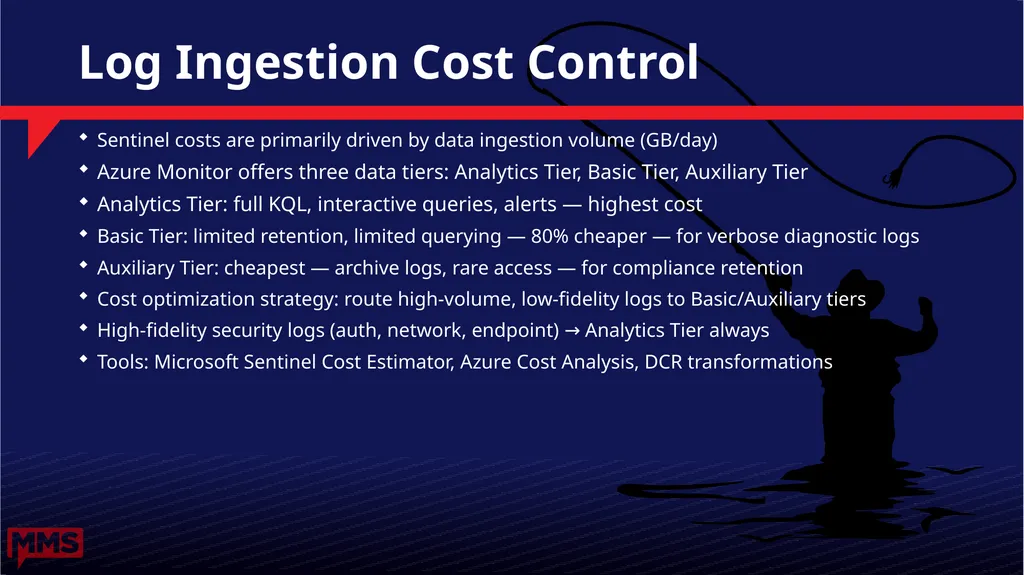
Log Ingestion Cost Control Sentinel costs are primarily driven by data ingestion volume (GB/day)
Azure Monitor offers three data tiers: Analytics Tier, Basic Tier, Auxiliary Tier
Analytics Tier: full KQL, interactive queries, alerts — highest cost
Basic Tier: limited retention, limited querying — 80% cheaper — for verbose diagnostic logs
Auxiliary Tier: cheapest — archive logs, rare access — for compliance retention
Cost optimization strategy: route high-volume, low-fidelity logs to Basic/Auxiliary tiers
High-fidelity security logs (auth, network, endpoint) → Analytics Tier always
Tools: Microsoft Sentinel Cost Estimator, Azure Cost Analysis, DCR transformations<br>
Azure Monitor offers three data tiers: Analytics Tier, Basic Tier, Auxiliary Tier
Analytics Tier: full KQL, interactive queries, alerts — highest cost
Basic Tier: limited retention, limited querying — 80% cheaper — for verbose diagnostic logs
Auxiliary Tier: cheapest — archive logs, rare access — for compliance retention
Cost optimization strategy: route high-volume, low-fidelity logs to Basic/Auxiliary tiers
High-fidelity security logs (auth, network, endpoint) → Analytics Tier always
Tools: Microsoft Sentinel Cost Estimator, Azure Cost Analysis, DCR transformations<br>
34
From Pilot to Production Roles, permissions, change management, and metrics for a successful MCP and graph hunting rollout<br>
35
Roles and Permissions Model SENTINEL ROLES
Microsoft Sentinel Reader
→ View incidents, dashboards, workbooks
Microsoft Sentinel Responder
→ Respond to incidents, update status
Microsoft Sentinel Contributor
→ Create analytics rules, workbooks
Microsoft Sentinel Automation Contributor
→ Manage automation rules and playbooks MCP / COPILOT ROLES
Copilot for Security Contributor
→ Use Copilot — requires SCU allocation
Security Administrator
→ Manage Copilot settings and plugins
MCP Server Service Principal
→ Sentinel Reader + Log Analytics Reader
Azure Function/Logic App Managed Identity
→ Minimal scope — specific workspace only<br>
Microsoft Sentinel Reader
→ View incidents, dashboards, workbooks
Microsoft Sentinel Responder
→ Respond to incidents, update status
Microsoft Sentinel Contributor
→ Create analytics rules, workbooks
Microsoft Sentinel Automation Contributor
→ Manage automation rules and playbooks MCP / COPILOT ROLES
Copilot for Security Contributor
→ Use Copilot — requires SCU allocation
Security Administrator
→ Manage Copilot settings and plugins
MCP Server Service Principal
→ Sentinel Reader + Log Analytics Reader
Azure Function/Logic App Managed Identity
→ Minimal scope — specific workspace only<br>
36
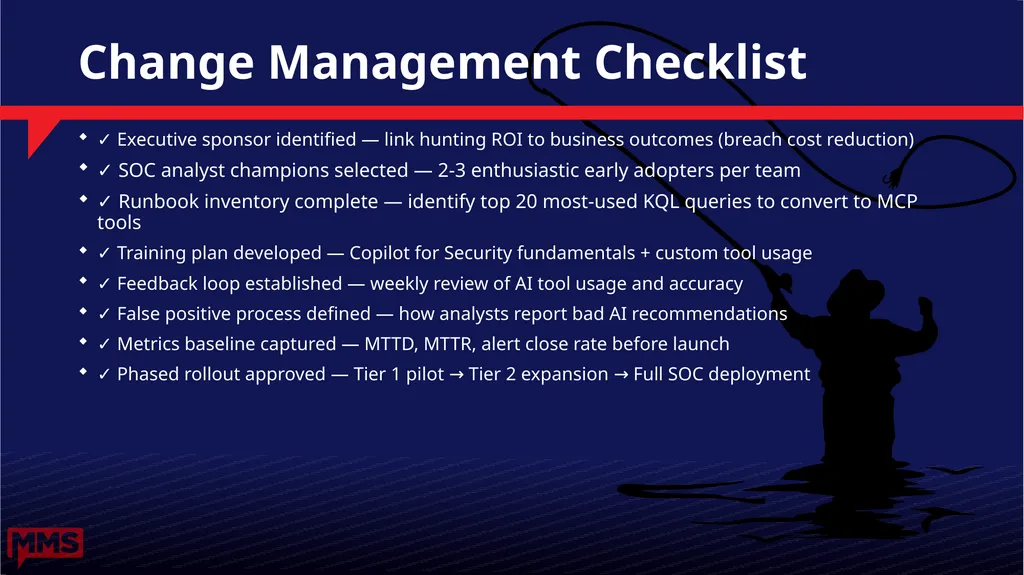
Change Management Checklist ✓ Executive sponsor identified — link hunting ROI to business outcomes (breach cost reduction)
✓ SOC analyst champions selected — 2-3 enthusiastic early adopters per team
✓ Runbook inventory complete — identify top 20 most-used KQL queries to convert to MCP tools
✓ Training plan developed — Copilot for Security fundamentals + custom tool usage
✓ Feedback loop established — weekly review of AI tool usage and accuracy
✓ False positive process defined — how analysts report bad AI recommendations
✓ Metrics baseline captured — MTTD, MTTR, alert close rate before launch
✓ Phased rollout approved — Tier 1 pilot → Tier 2 expansion → Full SOC deployment<br>
✓ SOC analyst champions selected — 2-3 enthusiastic early adopters per team
✓ Runbook inventory complete — identify top 20 most-used KQL queries to convert to MCP tools
✓ Training plan developed — Copilot for Security fundamentals + custom tool usage
✓ Feedback loop established — weekly review of AI tool usage and accuracy
✓ False positive process defined — how analysts report bad AI recommendations
✓ Metrics baseline captured — MTTD, MTTR, alert close rate before launch
✓ Phased rollout approved — Tier 1 pilot → Tier 2 expansion → Full SOC deployment<br>
37
Success Metrics and KPIs OPERATIONAL METRICS
Mean Time to Detect (MTTD)
Mean Time to Respond (MTTR)
Alert-to-Incident Ratio
False Positive Rate per Rule
Analyst Time per Investigation
KQL Queries Written per Day
Tool Call Success Rate ADOPTION METRICS
Copilot Sessions per Analyst per Day
MCP Tool Call Volume Trend
Analyst CSAT Score (monthly survey)
Training Completion Rate
New MCP Tools Created per Sprint
Graph Investigations per Incident
UEBA Score Actioned Rate<br>
Mean Time to Detect (MTTD)
Mean Time to Respond (MTTR)
Alert-to-Incident Ratio
False Positive Rate per Rule
Analyst Time per Investigation
KQL Queries Written per Day
Tool Call Success Rate ADOPTION METRICS
Copilot Sessions per Analyst per Day
MCP Tool Call Volume Trend
Analyst CSAT Score (monthly survey)
Training Completion Rate
New MCP Tools Created per Sprint
Graph Investigations per Incident
UEBA Score Actioned Rate<br>
38
Adoption Roadmap: 90-Day Plan Week 1-2: Foundation — Sentinel health check, ASIM parser validation, MCP server setup
Week 3-4: Tool Library — Convert top 10 KQL queries to MCP tools, test in dev workspace
Week 5-6: Pilot — 3 analyst champions use tools on live incidents, collect feedback
Week 7-8: Expand — Add 5 more analysts, run UEBA enablement workshop, refine tools
Week 9-10: Automation — Build first investigation agent, run in shadow mode (no auto-action)
Week 11-12: Review — Full team rollout, measure KPIs vs baseline, plan Phase 2
Phase 2: Custom agents, automated enrichment, proactive hunting schedules<br>
Week 3-4: Tool Library — Convert top 10 KQL queries to MCP tools, test in dev workspace
Week 5-6: Pilot — 3 analyst champions use tools on live incidents, collect feedback
Week 7-8: Expand — Add 5 more analysts, run UEBA enablement workshop, refine tools
Week 9-10: Automation — Build first investigation agent, run in shadow mode (no auto-action)
Week 11-12: Review — Full team rollout, measure KPIs vs baseline, plan Phase 2
Phase 2: Custom agents, automated enrichment, proactive hunting schedules<br>
39
Key Takeaways 1. Agentic hunting is not a future vision — you can start with Sentinel + MCP today
2. MCP tools are your KQL queries with a standard interface — start by wrapping your top 10
3. Graph thinking transforms investigations from hours to minutes — enable UEBA and use it
4. Data quality is everything — invest in ASIM normalization and enrichment pipelines
5. Change management matters as much as the technology — champions + metrics + iteration
6. Security Copilot orchestrates so analysts can investigate, not query<br>
2. MCP tools are your KQL queries with a standard interface — start by wrapping your top 10
3. Graph thinking transforms investigations from hours to minutes — enable UEBA and use it
4. Data quality is everything — invest in ASIM normalization and enrichment pipelines
5. Change management matters as much as the technology — champions + metrics + iteration
6. Security Copilot orchestrates so analysts can investigate, not query<br>
40
If You Only Remember One Thing You don't need to redesign your SOC.
Connect your existing Sentinel data to MCP and let AI do the correlation work your analysts don't have time for.
Every KQL query you've ever written is now a conversational tool.<br>
Connect your existing Sentinel data to MCP and let AI do the correlation work your analysts don't have time for.
Every KQL query you've ever written is now a conversational tool.<br>
41
3 Things to Do Monday Morning 1 Deploy the Sentinel MCP Server
github.com/rod-trent/MMSMOA -> agentic-threat-hunting folder
Connect Claude Desktop or Microsoft Copilot to your Sentinel workspace
2 Enable UEBA in Microsoft Sentinel
Settings -> Entity Behavior -> Turn on entity analytics
Start building behavioral baselines on high-risk accounts
3 Investigate One Real Incident as a Graph
Open any active incident -> Entity graph view
Trace the relationships manually - so you know what AI is seeing<br>
github.com/rod-trent/MMSMOA -> agentic-threat-hunting folder
Connect Claude Desktop or Microsoft Copilot to your Sentinel workspace
2 Enable UEBA in Microsoft Sentinel
Settings -> Entity Behavior -> Turn on entity analytics
Start building behavioral baselines on high-risk accounts
3 Investigate One Real Incident as a Graph
Open any active incident -> Entity graph view
Trace the relationships manually - so you know what AI is seeing<br>
42
Resources and Next Steps Microsoft Sentinel documentation: aka.ms/sentinel-docs
Copilot for Security: aka.ms/security-copilot
MCP Server for Sentinel (GitHub): aka.ms/sentinel-mcp
ASIM documentation: aka.ms/sentinel-asim
Sentinel Training Lab: aka.ms/sentinel-training-lab
UEBA documentation: aka.ms/sentinel-ueba
Copilot for Security Promptbook library: aka.ms/copilot-security-prompts
This deck + demo code: aka.ms/mms-moa-sentinel-2026
Demo code & scripts: https://github.com/rod-trent/MMSMOA<br>
Copilot for Security: aka.ms/security-copilot
MCP Server for Sentinel (GitHub): aka.ms/sentinel-mcp
ASIM documentation: aka.ms/sentinel-asim
Sentinel Training Lab: aka.ms/sentinel-training-lab
UEBA documentation: aka.ms/sentinel-ueba
Copilot for Security Promptbook library: aka.ms/copilot-security-prompts
This deck + demo code: aka.ms/mms-moa-sentinel-2026
Demo code & scripts: https://github.com/rod-trent/MMSMOA<br>
43
Thank You #MMSMOA2026 • @rodtrent • @SergeyTheMVP
Demo code & scripts:
github.com/rod-trent/MMSMOA
Microsoft Sentinel documentation: aka.ms/sentinel-docs
MCP Server for Security: aka.ms/security-copilot
Rate this session on the MMS app!
Connect on LinkedIn: linkedin.com/in/rodtrent<br>
Demo code & scripts:
github.com/rod-trent/MMSMOA
Microsoft Sentinel documentation: aka.ms/sentinel-docs
MCP Server for Security: aka.ms/security-copilot
Rate this session on the MMS app!
Connect on LinkedIn: linkedin.com/in/rodtrent<br>