
An Intro to Puppet-Swift Deployment automation for
YM
Published · 24 slides · 0 views
1 / 1
Description
An Intro to Puppet-Swift Deployment automation for object storage. Adam Vinsh - Time Warner Cable IRC: vinsh SLIDES!!! TWC openstack cloud Internal Swift cluster 4 replicas 2 regions 2 replicasregion. High availability Disaster recovery
Related Topics
Share
Embed code
Download this presentation From Below
"An Intro to Puppet-Swift Deployment automation for" is the property of its rightful owner. Permission is granted to download and print the materials on this website for personal, non-commercial use only, and to display it on your personal computer provided you do not modify the materials and that you retain all copyright notices contained in the materials. By downloading content from our website, you accept the terms of this agreement.
Presentation Transcript
01
An Intro to Puppet-Swift
Deployment automation for object storage.
Adam Vinsh - Time Warner Cable
IRC: vinsh
SLIDES!!! →<br>
Deployment automation for object storage.
Adam Vinsh - Time Warner Cable
IRC: vinsh
SLIDES!!! →<br>
02
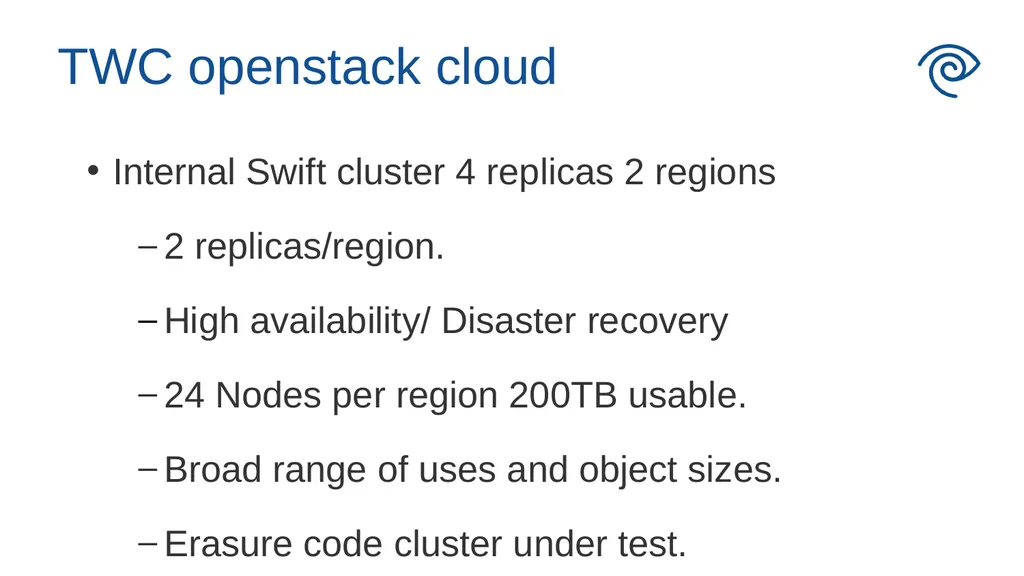
TWC openstack cloud Internal Swift cluster 4 replicas 2 regions
2 replicas/region.
High availability/ Disaster recovery
24 Nodes per region 200TB usable.
Broad range of uses and object sizes.
Erasure code cluster under test.<br>
2 replicas/region.
High availability/ Disaster recovery
24 Nodes per region 200TB usable.
Broad range of uses and object sizes.
Erasure code cluster under test.<br>
03
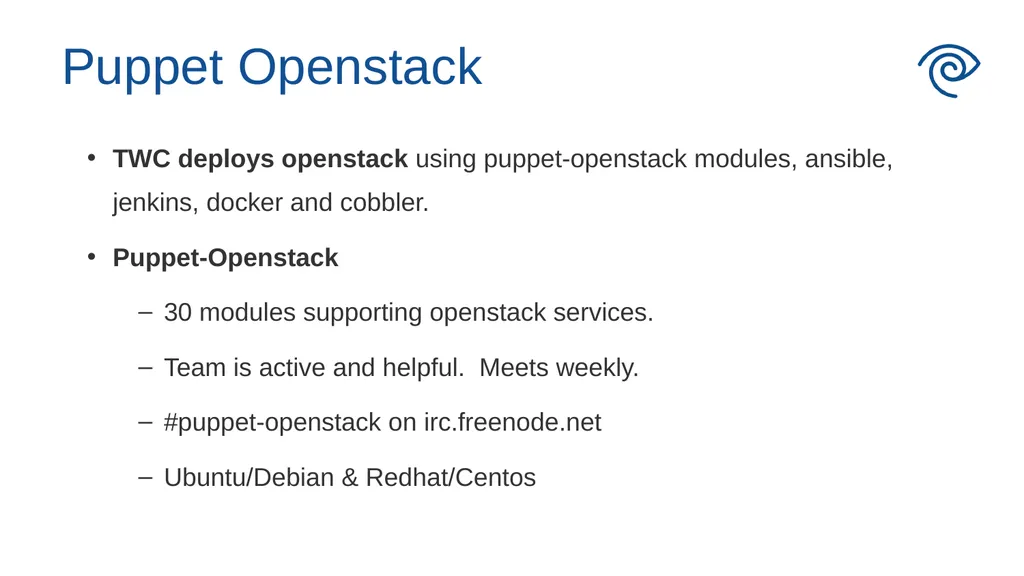
Puppet Openstack TWC deploys openstack using puppet-openstack modules, ansible, jenkins, docker and cobbler.
Puppet-Openstack
30 modules supporting openstack services.
Team is active and helpful. Meets weekly.
#puppet-openstack on irc.freenode.net
Ubuntu/Debian & Redhat/Centos<br>
Puppet-Openstack
30 modules supporting openstack services.
Team is active and helpful. Meets weekly.
#puppet-openstack on irc.freenode.net
Ubuntu/Debian & Redhat/Centos<br>
04
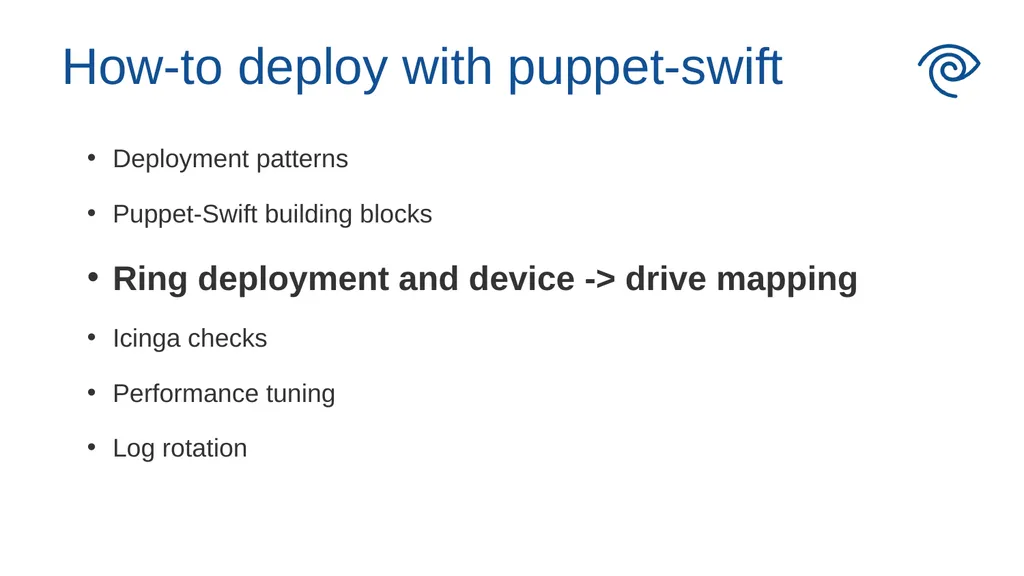
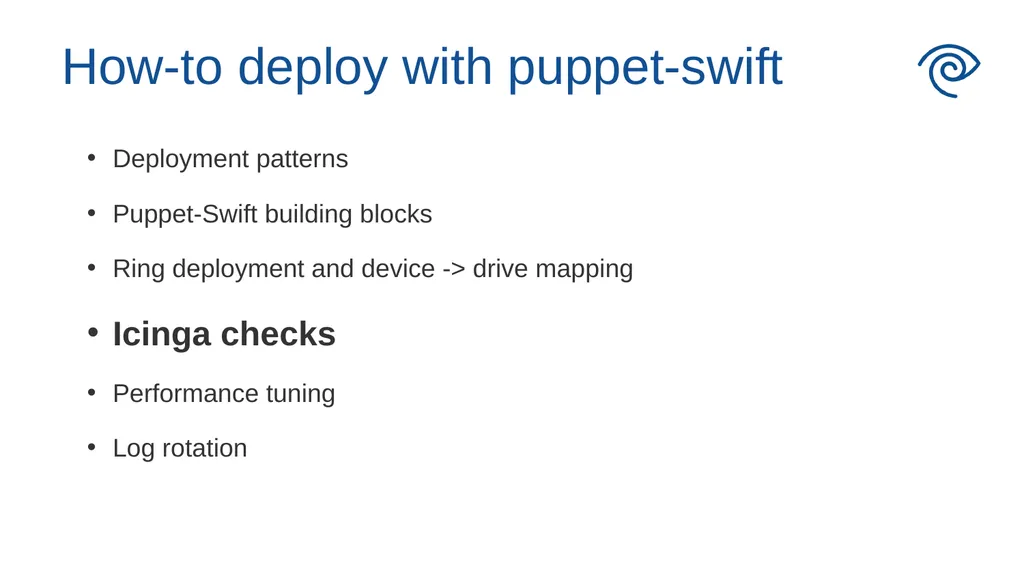
How-to deploy with puppet-swift Deployment patterns
Puppet-Swift building blocks
Ring deployment and device -> drive mapping
Icinga checks
Performance tuning
Log rotation<br>
Puppet-Swift building blocks
Ring deployment and device -> drive mapping
Icinga checks
Performance tuning
Log rotation<br>
05
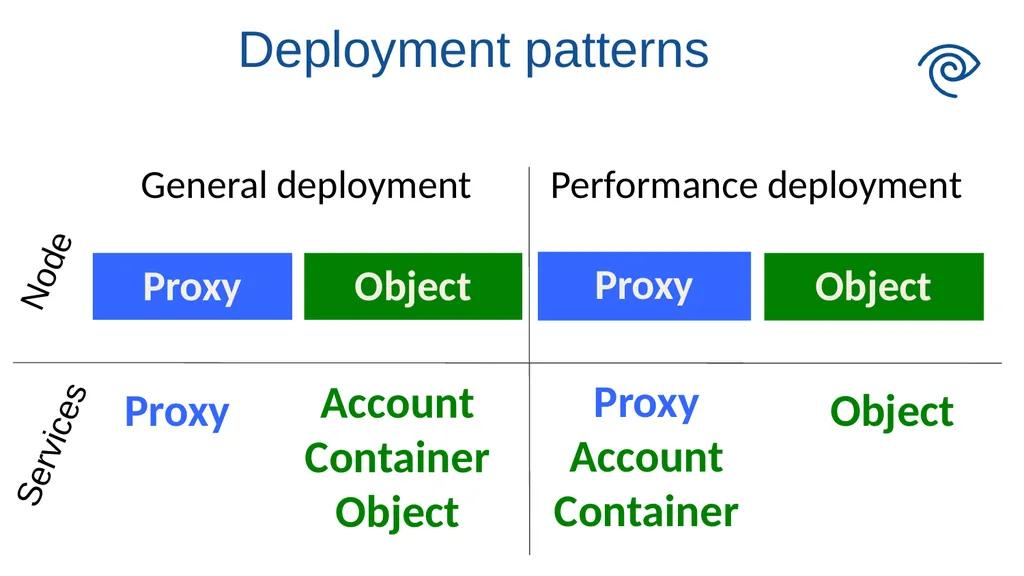
Deployment patterns Services Node<br>
06
How-to deploy with puppet-swift Deployment patterns
Puppet-Swift building blocks
Ring deployment and device -> drive mapping
Icinga checks
Performance tuning
Log rotation<br>
Puppet-Swift building blocks
Ring deployment and device -> drive mapping
Icinga checks
Performance tuning
Log rotation<br>
07
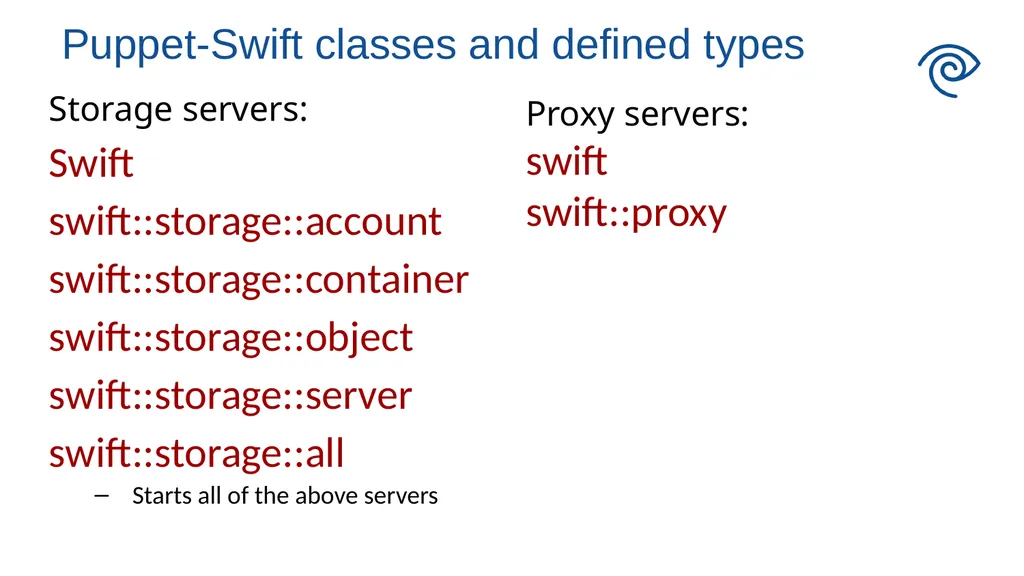
Storage servers:
Swift
swift::storage::account
swift::storage::container
swift::storage::object
swift::storage::server
swift::storage::all
Starts all of the above servers Proxy servers:
swift
swift::proxy Puppet-Swift classes and defined types<br>
Swift
swift::storage::account
swift::storage::container
swift::storage::object
swift::storage::server
swift::storage::all
Starts all of the above servers Proxy servers:
swift
swift::proxy Puppet-Swift classes and defined types<br>
08
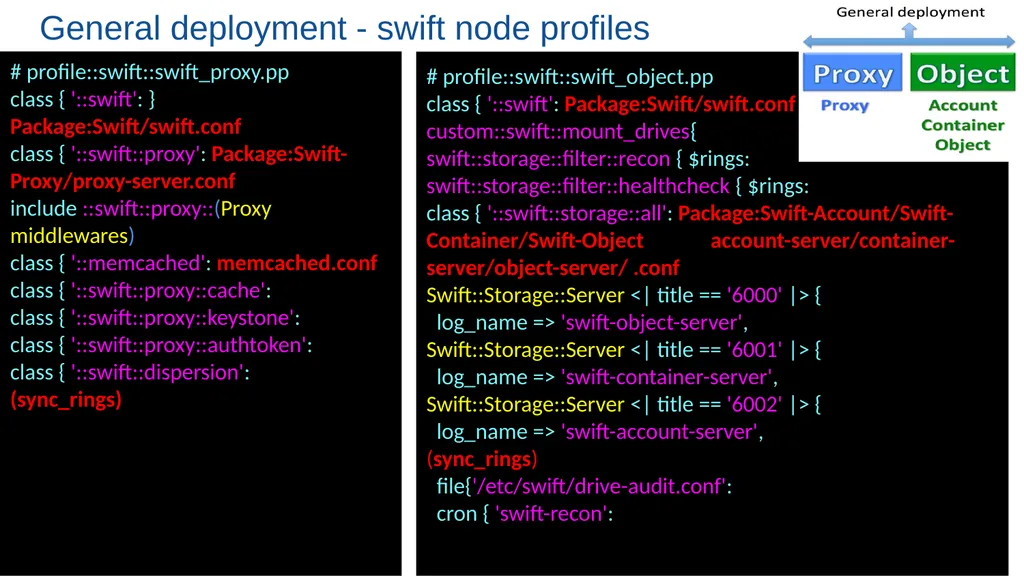
General deployment - swift node profiles # profile::swift::swift_object.pp
class { '::swift': Package:Swift/swift.conf
custom::swift::mount_drives{
swift::storage::filter::recon { $rings:
swift::storage::filter::healthcheck { $rings:
class { '::swift::storage::all': Package:Swift-Account/Swift-Container/Swift-Object account-server/container-server/object-server/ .conf
Swift::Storage::Server <| title == '6000' |> {
log_name => 'swift-object-server',
Swift::Storage::Server <| title == '6001' |> {
log_name => 'swift-container-server',
Swift::Storage::Server <| title == '6002' |> {
log_name => 'swift-account-server',
(sync_rings)
file{'/etc/swift/drive-audit.conf':
cron { 'swift-recon': # profile::swift::swift_proxy.pp
class { '::swift': } Package:Swift/swift.conf
class { '::swift::proxy': Package:Swift-Proxy/proxy-server.conf
include ::swift::proxy::(Proxy middlewares)
class { '::memcached': memcached.conf
class { '::swift::proxy::cache':
class { '::swift::proxy::keystone':
class { '::swift::proxy::authtoken':
class { '::swift::dispersion':
(sync_rings)<br>
class { '::swift': Package:Swift/swift.conf
custom::swift::mount_drives{
swift::storage::filter::recon { $rings:
swift::storage::filter::healthcheck { $rings:
class { '::swift::storage::all': Package:Swift-Account/Swift-Container/Swift-Object account-server/container-server/object-server/ .conf
Swift::Storage::Server <| title == '6000' |> {
log_name => 'swift-object-server',
Swift::Storage::Server <| title == '6001' |> {
log_name => 'swift-container-server',
Swift::Storage::Server <| title == '6002' |> {
log_name => 'swift-account-server',
(sync_rings)
file{'/etc/swift/drive-audit.conf':
cron { 'swift-recon': # profile::swift::swift_proxy.pp
class { '::swift': } Package:Swift/swift.conf
class { '::swift::proxy': Package:Swift-Proxy/proxy-server.conf
include ::swift::proxy::(Proxy middlewares)
class { '::memcached': memcached.conf
class { '::swift::proxy::cache':
class { '::swift::proxy::keystone':
class { '::swift::proxy::authtoken':
class { '::swift::dispersion':
(sync_rings)<br>
09
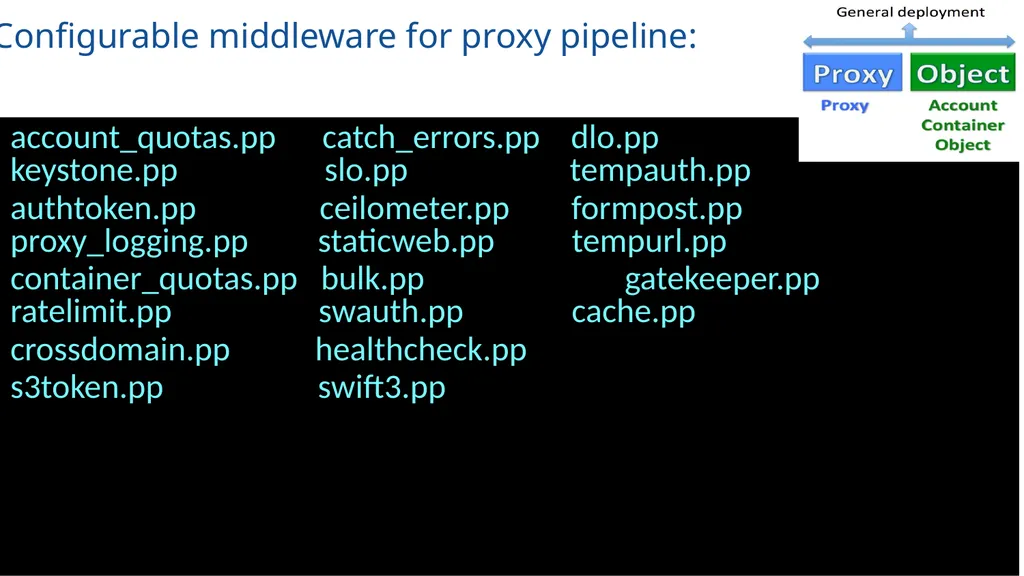
Configurable middleware for proxy pipeline: account_quotas.pp catch_errors.pp dlo.pp keystone.pp slo.pp tempauth.pp
authtoken.pp ceilometer.pp formpost.pp proxy_logging.pp staticweb.pp tempurl.pp
container_quotas.pp bulk.pp gatekeeper.pp ratelimit.pp swauth.pp cache.pp
crossdomain.pp healthcheck.pp
s3token.pp swift3.pp<br>
authtoken.pp ceilometer.pp formpost.pp proxy_logging.pp staticweb.pp tempurl.pp
container_quotas.pp bulk.pp gatekeeper.pp ratelimit.pp swauth.pp cache.pp
crossdomain.pp healthcheck.pp
s3token.pp swift3.pp<br>
10
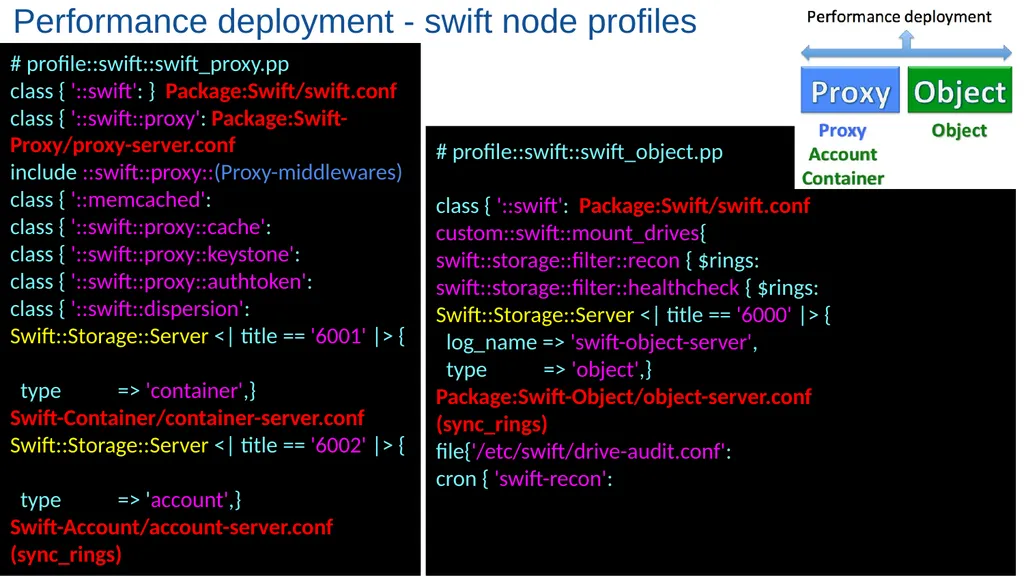
# profile::swift::swift_proxy.pp
class { '::swift': } Package:Swift/swift.conf
class { '::swift::proxy': Package:Swift-Proxy/proxy-server.conf
include ::swift::proxy::(Proxy-middlewares)
class { '::memcached':
class { '::swift::proxy::cache':
class { '::swift::proxy::keystone':
class { '::swift::proxy::authtoken':
class { '::swift::dispersion':
Swift::Storage::Server <| title == '6001' |> {
type => 'container',}
Swift-Container/container-server.conf
Swift::Storage::Server <| title == '6002' |> {
type => 'account',}
Swift-Account/account-server.conf
(sync_rings) Performance deployment - swift node profiles # profile::swift::swift_object.pp
class { '::swift': Package:Swift/swift.conf
custom::swift::mount_drives{
swift::storage::filter::recon { $rings:
swift::storage::filter::healthcheck { $rings:
Swift::Storage::Server <| title == '6000' |> {
log_name => 'swift-object-server',
type => 'object',}
Package:Swift-Object/object-server.conf
(sync_rings)
file{'/etc/swift/drive-audit.conf':
cron { 'swift-recon':<br>
class { '::swift': } Package:Swift/swift.conf
class { '::swift::proxy': Package:Swift-Proxy/proxy-server.conf
include ::swift::proxy::(Proxy-middlewares)
class { '::memcached':
class { '::swift::proxy::cache':
class { '::swift::proxy::keystone':
class { '::swift::proxy::authtoken':
class { '::swift::dispersion':
Swift::Storage::Server <| title == '6001' |> {
type => 'container',}
Swift-Container/container-server.conf
Swift::Storage::Server <| title == '6002' |> {
type => 'account',}
Swift-Account/account-server.conf
(sync_rings) Performance deployment - swift node profiles # profile::swift::swift_object.pp
class { '::swift': Package:Swift/swift.conf
custom::swift::mount_drives{
swift::storage::filter::recon { $rings:
swift::storage::filter::healthcheck { $rings:
Swift::Storage::Server <| title == '6000' |> {
log_name => 'swift-object-server',
type => 'object',}
Package:Swift-Object/object-server.conf
(sync_rings)
file{'/etc/swift/drive-audit.conf':
cron { 'swift-recon':<br>
11
How-to deploy with puppet-swift Deployment patterns
Puppet-Swift building blocks
Ring deployment and device -> drive mapping
Icinga checks
Performance tuning
Log rotation<br>
Puppet-Swift building blocks
Ring deployment and device -> drive mapping
Icinga checks
Performance tuning
Log rotation<br>
12
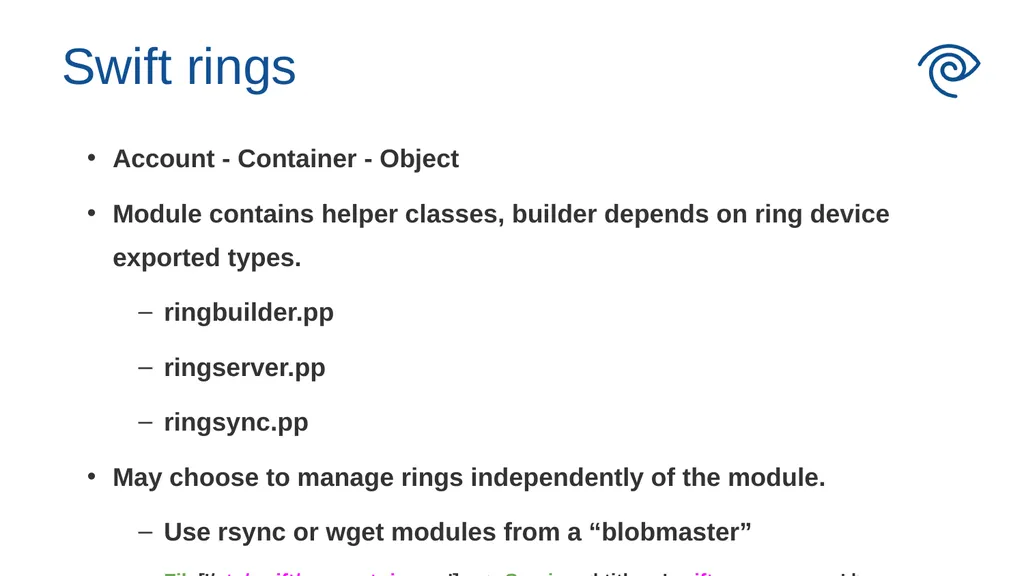
Swift rings Account - Container - Object
Module contains helper classes, builder depends on ring device exported types.
ringbuilder.pp
ringserver.pp
ringsync.pp
May choose to manage rings independently of the module.
Use rsync or wget modules from a “blobmaster”
File['/etc/swift/account.ring.gz'] ~> Service <| title=='swift-proxy-server' |><br>
Module contains helper classes, builder depends on ring device exported types.
ringbuilder.pp
ringserver.pp
ringsync.pp
May choose to manage rings independently of the module.
Use rsync or wget modules from a “blobmaster”
File['/etc/swift/account.ring.gz'] ~> Service <| title=='swift-proxy-server' |><br>
13
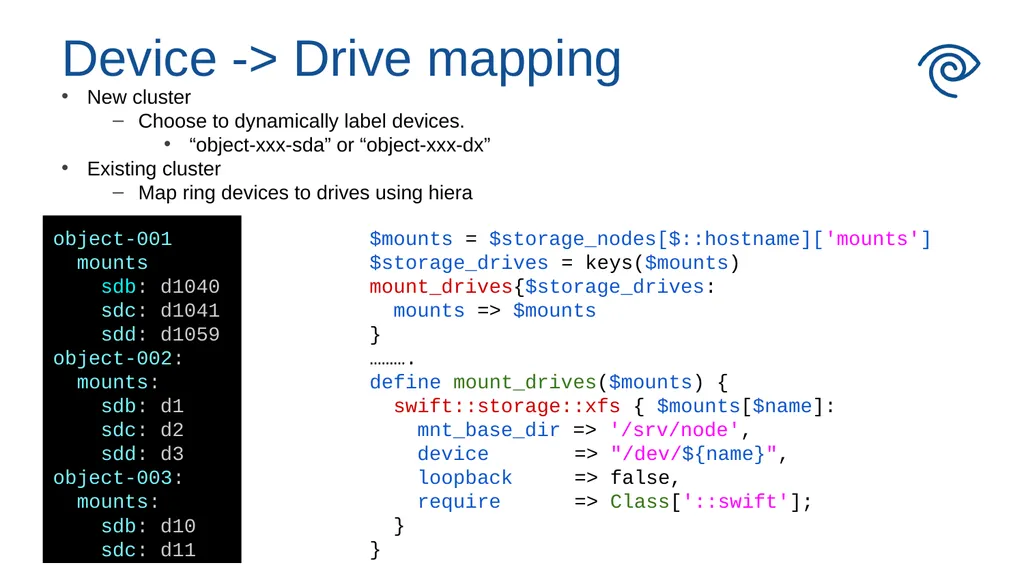
Device -> Drive mapping New cluster
Choose to dynamically label devices.
“object-xxx-sda” or “object-xxx-dx”
Existing cluster
Map ring devices to drives using hiera object-001:
mounts:
sdb: d1040
sdc: d1041
sdd: d1059
object-002:
mounts:
sdb: d1
sdc: d2
sdd: d3
object-003:
mounts:
sdb: d10
sdc: d11 $mounts = $storage_nodes[$::hostname]['mounts']
$storage_drives = keys($mounts)
mount_drives{$storage_drives:
mounts => $mounts
}
……….
define mount_drives($mounts) {
swift::storage::xfs { $mounts[$name]:
mnt_base_dir => '/srv/node',
device => "/dev/${name}",
loopback => false,
require => Class['::swift'];
}
}<br>
Choose to dynamically label devices.
“object-xxx-sda” or “object-xxx-dx”
Existing cluster
Map ring devices to drives using hiera object-001:
mounts:
sdb: d1040
sdc: d1041
sdd: d1059
object-002:
mounts:
sdb: d1
sdc: d2
sdd: d3
object-003:
mounts:
sdb: d10
sdc: d11 $mounts = $storage_nodes[$::hostname]['mounts']
$storage_drives = keys($mounts)
mount_drives{$storage_drives:
mounts => $mounts
}
……….
define mount_drives($mounts) {
swift::storage::xfs { $mounts[$name]:
mnt_base_dir => '/srv/node',
device => "/dev/${name}",
loopback => false,
require => Class['::swift'];
}
}<br>
14
How-to deploy with puppet-swift Deployment patterns
Puppet-Swift building blocks
Ring deployment and device -> drive mapping
Icinga checks
Performance tuning
Log rotation<br>
Puppet-Swift building blocks
Ring deployment and device -> drive mapping
Icinga checks
Performance tuning
Log rotation<br>
15
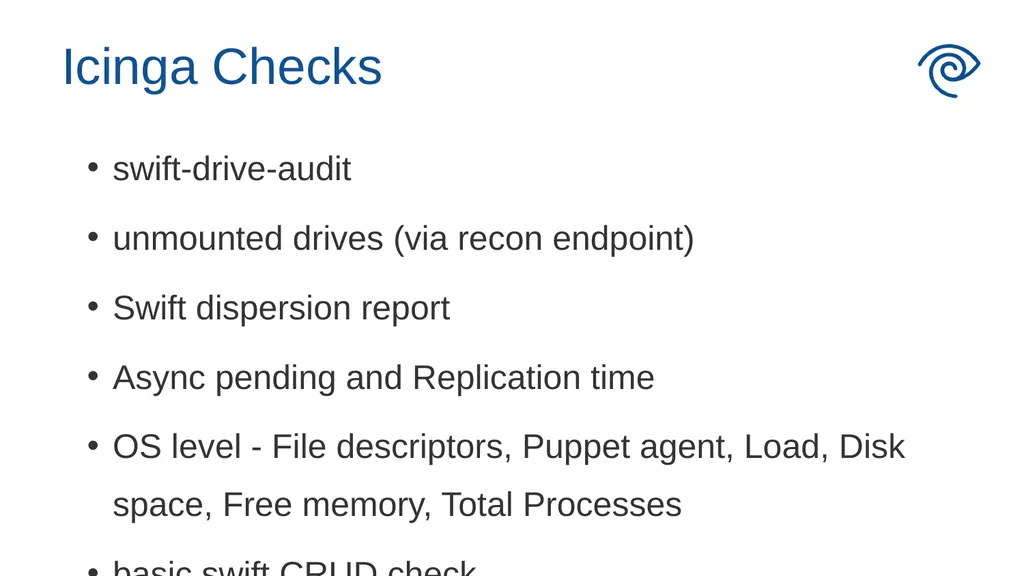
swift-drive-audit
unmounted drives (via recon endpoint)
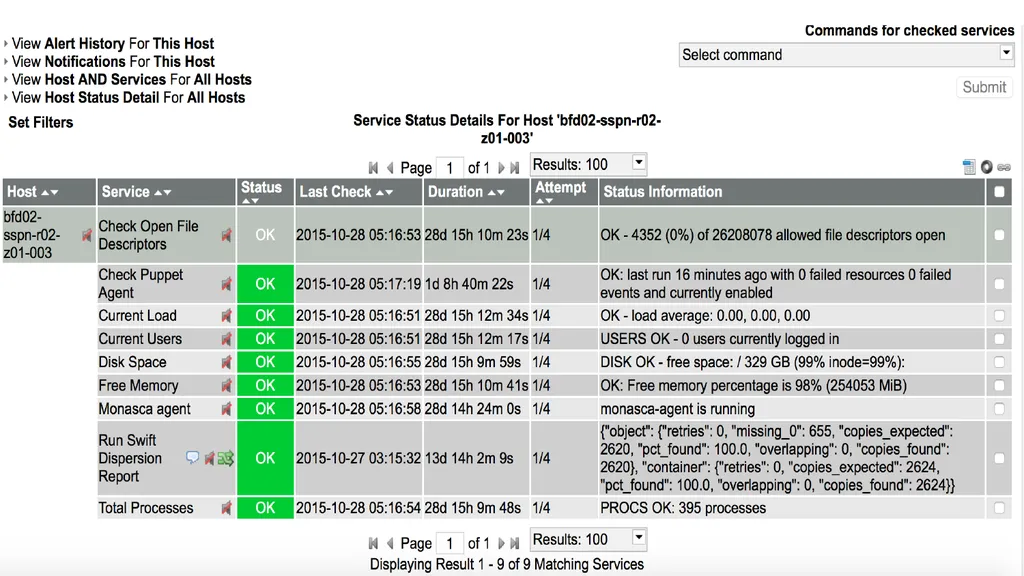
Swift dispersion report
Async pending and Replication time
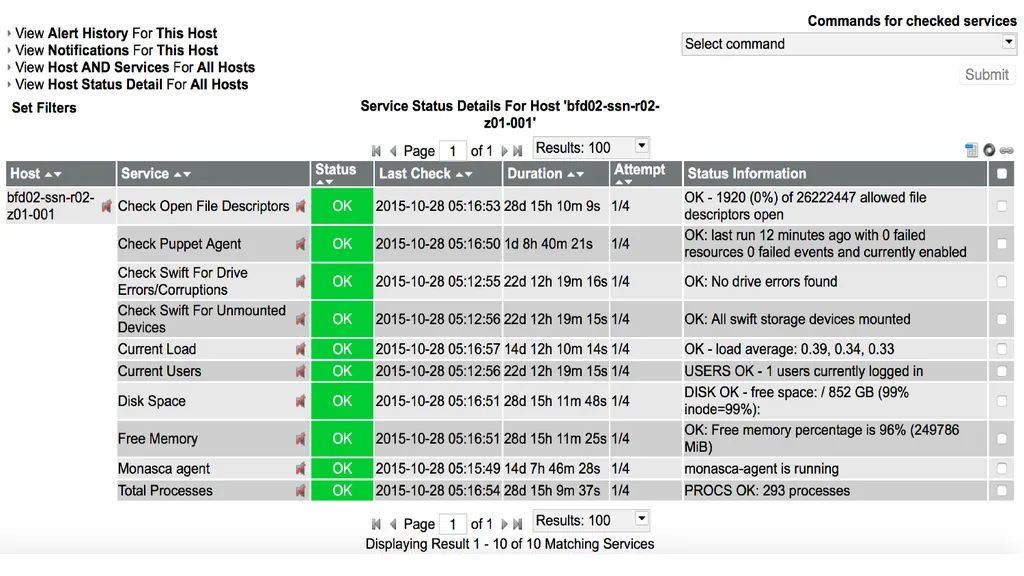
OS level - File descriptors, Puppet agent, Load, Disk space, Free memory, Total Processes
basic swift CRUD check Icinga Checks<br>
unmounted drives (via recon endpoint)
Swift dispersion report
Async pending and Replication time
OS level - File descriptors, Puppet agent, Load, Disk space, Free memory, Total Processes
basic swift CRUD check Icinga Checks<br>
16
Icinga Checks<br>
17
How-to deploy with puppet-swift Deployment patterns
Puppet-Swift building blocks
Ring deployment and device -> drive mapping
Icinga checks
Performance tuning
Log rotation<br>
Puppet-Swift building blocks
Ring deployment and device -> drive mapping
Icinga checks
Performance tuning
Log rotation<br>
18
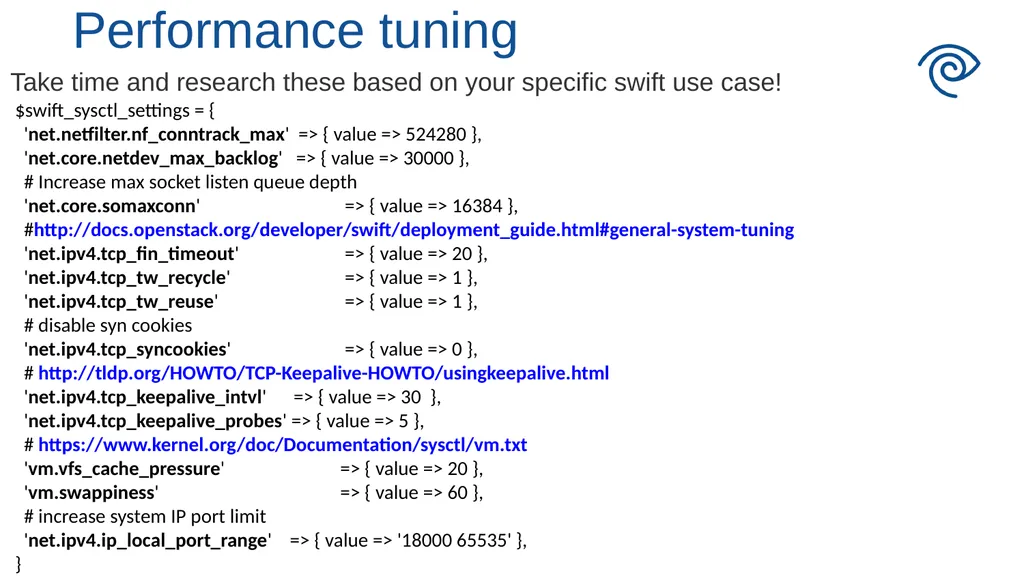
Take time and research these based on your specific swift use case! Performance tuning $swift_sysctl_settings = {
'net.netfilter.nf_conntrack_max' => { value => 524280 },
'net.core.netdev_max_backlog' => { value => 30000 },
# Increase max socket listen queue depth
'net.core.somaxconn' => { value => 16384 },
#http://docs.openstack.org/developer/swift/deployment_guide.html#general-system-tuning
'net.ipv4.tcp_fin_timeout' => { value => 20 },
'net.ipv4.tcp_tw_recycle' => { value => 1 },
'net.ipv4.tcp_tw_reuse' => { value => 1 },
# disable syn cookies
'net.ipv4.tcp_syncookies' => { value => 0 },
# http://tldp.org/HOWTO/TCP-Keepalive-HOWTO/usingkeepalive.html
'net.ipv4.tcp_keepalive_intvl' => { value => 30 },
'net.ipv4.tcp_keepalive_probes' => { value => 5 },
# https://www.kernel.org/doc/Documentation/sysctl/vm.txt
'vm.vfs_cache_pressure' => { value => 20 },
'vm.swappiness' => { value => 60 },
# increase system IP port limit
'net.ipv4.ip_local_port_range' => { value => '18000 65535' },
}<br>
'net.netfilter.nf_conntrack_max' => { value => 524280 },
'net.core.netdev_max_backlog' => { value => 30000 },
# Increase max socket listen queue depth
'net.core.somaxconn' => { value => 16384 },
#http://docs.openstack.org/developer/swift/deployment_guide.html#general-system-tuning
'net.ipv4.tcp_fin_timeout' => { value => 20 },
'net.ipv4.tcp_tw_recycle' => { value => 1 },
'net.ipv4.tcp_tw_reuse' => { value => 1 },
# disable syn cookies
'net.ipv4.tcp_syncookies' => { value => 0 },
# http://tldp.org/HOWTO/TCP-Keepalive-HOWTO/usingkeepalive.html
'net.ipv4.tcp_keepalive_intvl' => { value => 30 },
'net.ipv4.tcp_keepalive_probes' => { value => 5 },
# https://www.kernel.org/doc/Documentation/sysctl/vm.txt
'vm.vfs_cache_pressure' => { value => 20 },
'vm.swappiness' => { value => 60 },
# increase system IP port limit
'net.ipv4.ip_local_port_range' => { value => '18000 65535' },
}<br>
19
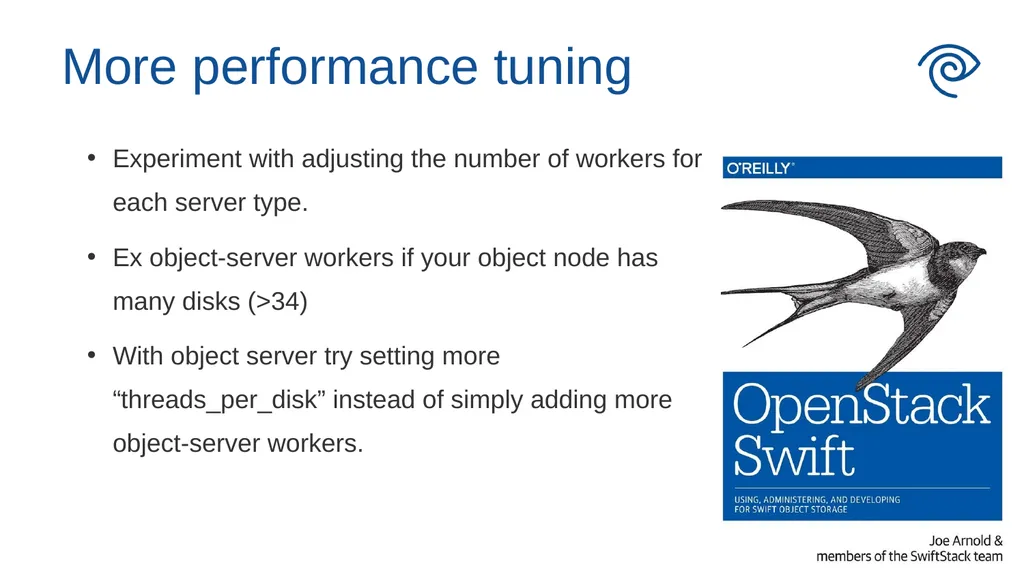
More performance tuning Experiment with adjusting the number of workers for each server type.
Ex object-server workers if your object node has many disks (>34)
With object server try setting more “threads_per_disk” instead of simply adding more object-server workers.<br>
Ex object-server workers if your object node has many disks (>34)
With object server try setting more “threads_per_disk” instead of simply adding more object-server workers.<br>
20
How-to deploy with puppet-swift Deployment patterns
Puppet-Swift building blocks
Ring deployment and device -> drive mapping
Icinga checks
Performance tuning
Log rotation<br>
Puppet-Swift building blocks
Ring deployment and device -> drive mapping
Icinga checks
Performance tuning
Log rotation<br>
21
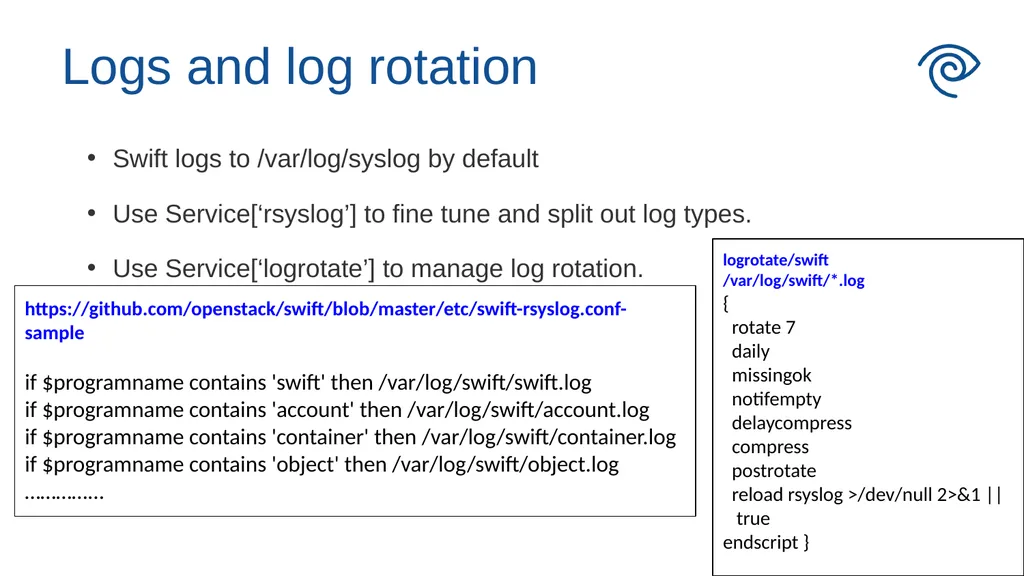
Swift logs to /var/log/syslog by default
Use Service[‘rsyslog’] to fine tune and split out log types.
Use Service[‘logrotate’] to manage log rotation. Logs and log rotation logrotate/swift
/var/log/swift/*.log
{
rotate 7
daily
missingok
notifempty
delaycompress
compress
postrotate
reload rsyslog >/dev/null 2>&1 || true
endscript } https://github.com/openstack/swift/blob/master/etc/swift-rsyslog.conf-sample
if $programname contains 'swift' then /var/log/swift/swift.log
if $programname contains 'account' then /var/log/swift/account.log
if $programname contains 'container' then /var/log/swift/container.log
if $programname contains 'object' then /var/log/swift/object.log
…………...<br>
Use Service[‘rsyslog’] to fine tune and split out log types.
Use Service[‘logrotate’] to manage log rotation. Logs and log rotation logrotate/swift
/var/log/swift/*.log
{
rotate 7
daily
missingok
notifempty
delaycompress
compress
postrotate
reload rsyslog >/dev/null 2>&1 || true
endscript } https://github.com/openstack/swift/blob/master/etc/swift-rsyslog.conf-sample
if $programname contains 'swift' then /var/log/swift/swift.log
if $programname contains 'account' then /var/log/swift/account.log
if $programname contains 'container' then /var/log/swift/container.log
if $programname contains 'object' then /var/log/swift/object.log
…………...<br>
22
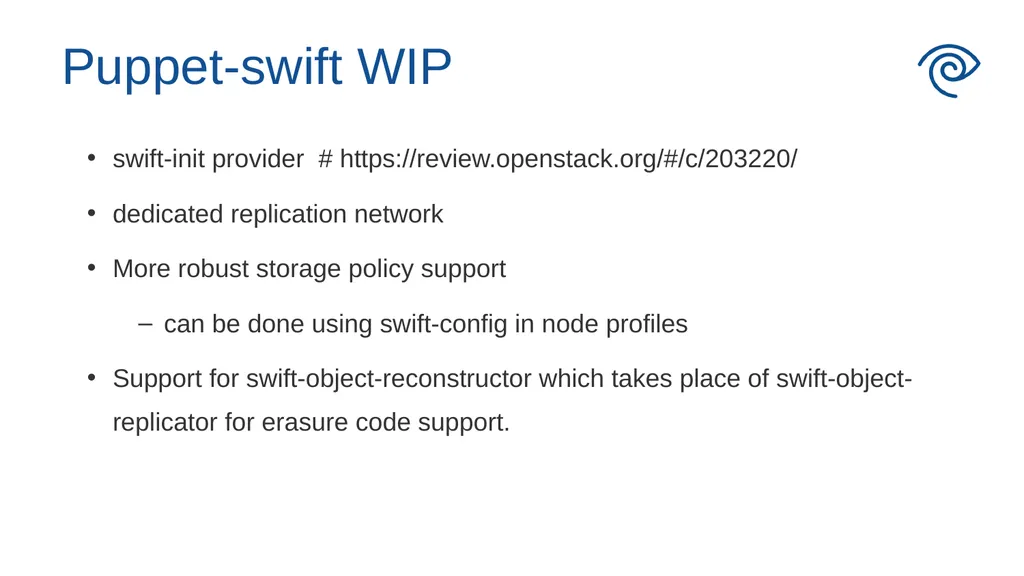
swift-init provider # https://review.openstack.org/#/c/203220/
dedicated replication network
More robust storage policy support
can be done using swift-config in node profiles
Support for swift-object-reconstructor which takes place of swift-object-replicator for erasure code support. Puppet-swift WIP<br>
dedicated replication network
More robust storage policy support
can be done using swift-config in node profiles
Support for swift-object-reconstructor which takes place of swift-object-replicator for erasure code support. Puppet-swift WIP<br>
23
For More Info:
https://wiki.openstack.org/wiki/Puppet
https://github.com/openstack/puppet-swift<br>
https://wiki.openstack.org/wiki/Puppet
https://github.com/openstack/puppet-swift<br>