
Arts & Sciences Travel Process An Overview OSU
JO
Published · 37 slides · 0 views
1 / 1




Description
Arts Sciences Travel Process An Overview OSU TRAVEL POLICY VS. ASC TRAVEL POLICY The OSU travel policy is the overarching policy that guides Arts Sciences (ASC). ASC then has additional policies for the 38 departments within the
Related Topics
Share
Embed code
Download this presentation From Below
"Arts & Sciences Travel Process An Overview OSU" is the property of its rightful owner. Permission is granted to download and print the materials on this website for personal, non-commercial use only, and to display it on your personal computer provided you do not modify the materials and that you retain all copyright notices contained in the materials. By downloading content from our website, you accept the terms of this agreement.
Presentation Transcript
01
Arts & Sciences Travel Process An Overview<br>
02
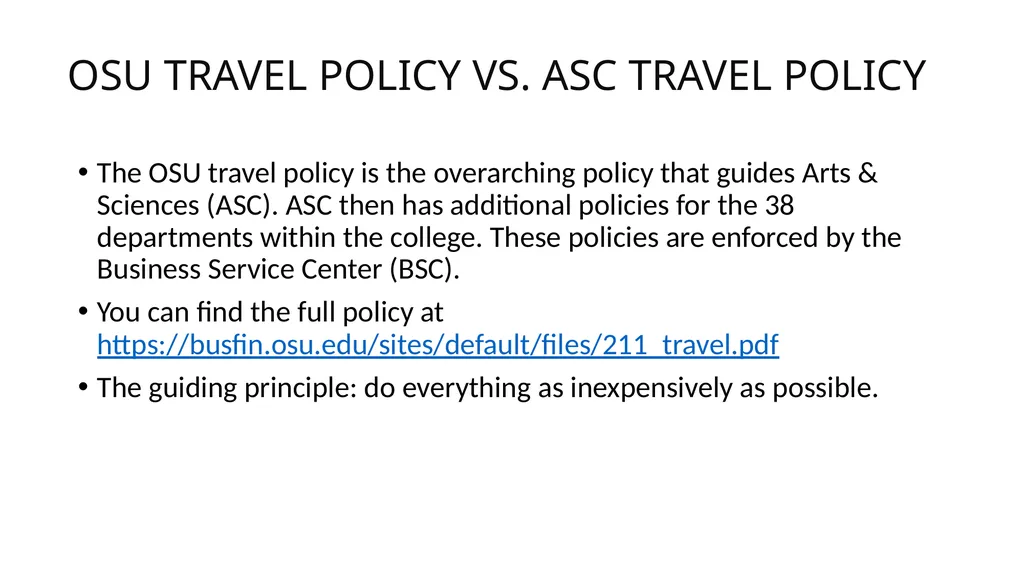
OSU TRAVEL POLICY VS. ASC TRAVEL POLICY The OSU travel policy is the overarching policy that guides Arts & Sciences (ASC). ASC then has additional policies for the 38 departments within the college. These policies are enforced by the Business Service Center (BSC).
You can find the full policy at https://busfin.osu.edu/sites/default/files/211_travel.pdf
The guiding principle: do everything as inexpensively as possible.<br>
You can find the full policy at https://busfin.osu.edu/sites/default/files/211_travel.pdf
The guiding principle: do everything as inexpensively as possible.<br>
03
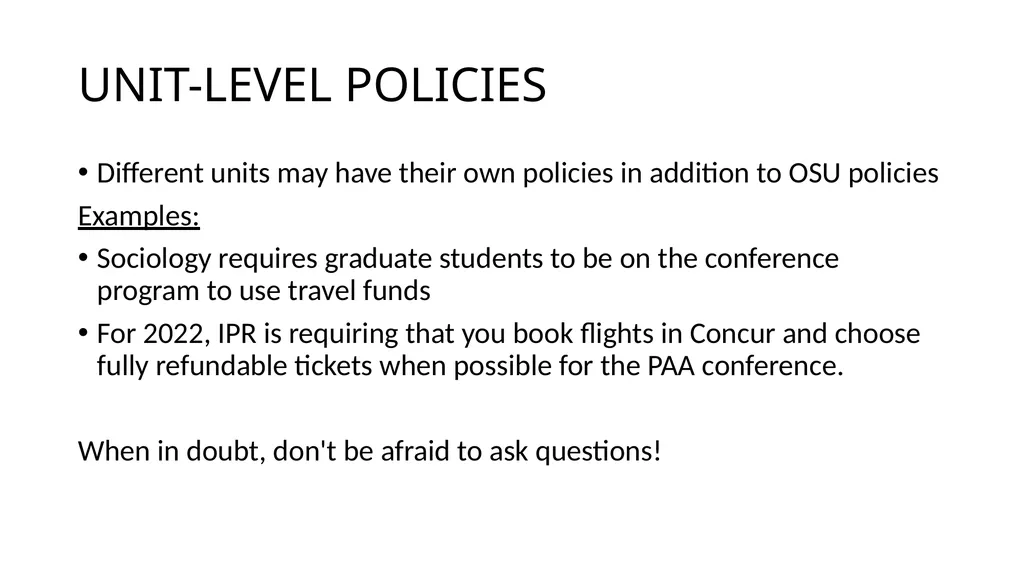
UNIT-LEVEL POLICIES Different units may have their own policies in addition to OSU policies
Examples:
Sociology requires graduate students to be on the conference program to use travel funds
For 2022, IPR is requiring that you book flights in Concur and choose fully refundable tickets when possible for the PAA conference.
When in doubt, don't be afraid to ask questions!<br>
Examples:
Sociology requires graduate students to be on the conference program to use travel funds
For 2022, IPR is requiring that you book flights in Concur and choose fully refundable tickets when possible for the PAA conference.
When in doubt, don't be afraid to ask questions!<br>
04
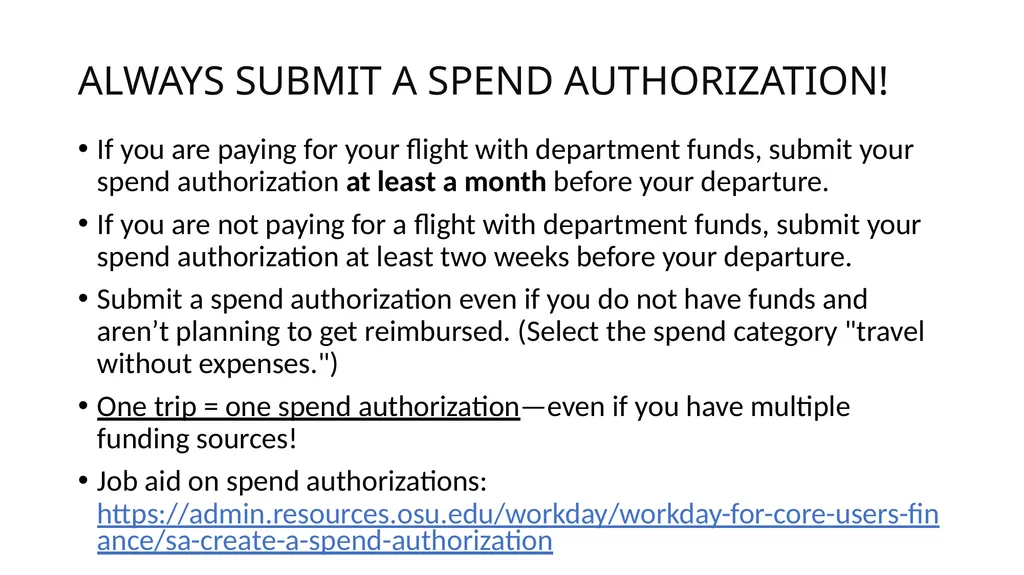
ALWAYS SUBMIT A SPEND AUTHORIZATION! If you are paying for your flight with department funds, submit your spend authorization at least a month before your departure.
If you are not paying for a flight with department funds, submit your spend authorization at least two weeks before your departure.
Submit a spend authorization even if you do not have funds and aren’t planning to get reimbursed. (Select the spend category "travel without expenses.")
One trip = one spend authorization—even if you have multiple funding sources!
Job aid on spend authorizations: https://admin.resources.osu.edu/workday/workday-for-core-users-finance/sa-create-a-spend-authorization<br>
If you are not paying for a flight with department funds, submit your spend authorization at least two weeks before your departure.
Submit a spend authorization even if you do not have funds and aren’t planning to get reimbursed. (Select the spend category "travel without expenses.")
One trip = one spend authorization—even if you have multiple funding sources!
Job aid on spend authorizations: https://admin.resources.osu.edu/workday/workday-for-core-users-finance/sa-create-a-spend-authorization<br>
05
The Travel Life Cycle<br>
06
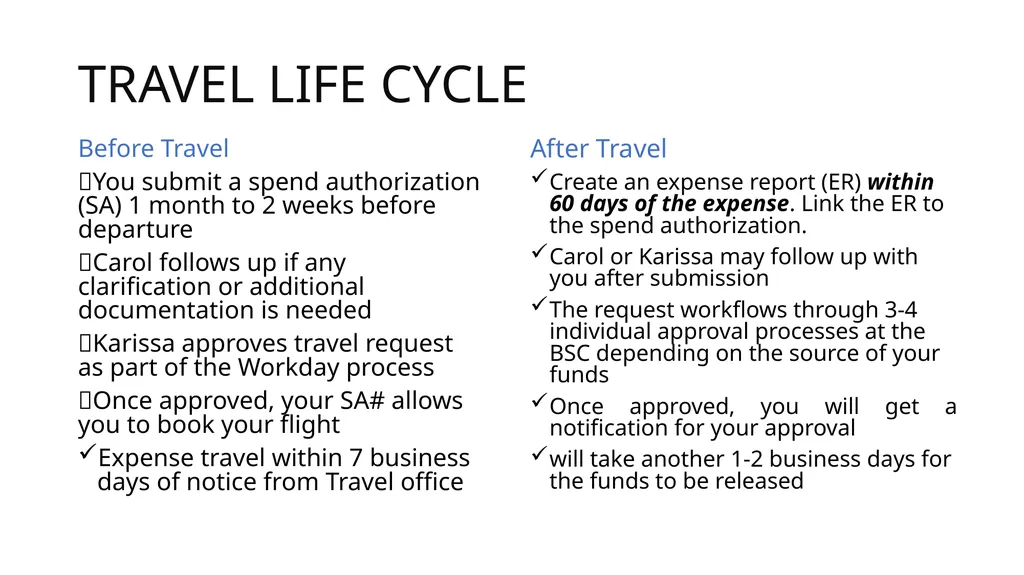
TRAVEL LIFE CYCLE Before Travel
You submit a spend authorization (SA) 1 month to 2 weeks before departure
Carol follows up if any clarification or additional documentation is needed
Karissa approves travel request as part of the Workday process
Once approved, your SA# allows you to book your flight
Expense travel within 7 business days of notice from Travel office After Travel
Create an expense report (ER) within 60 days of the expense. Link the ER to the spend authorization.
Carol or Karissa may follow up with you after submission
The request workflows through 3-4 individual approval processes at the BSC depending on the source of your funds
Once approved, you will get a notification for your approval
will take another 1-2 business days for the funds to be released<br>
You submit a spend authorization (SA) 1 month to 2 weeks before departure
Carol follows up if any clarification or additional documentation is needed
Karissa approves travel request as part of the Workday process
Once approved, your SA# allows you to book your flight
Expense travel within 7 business days of notice from Travel office After Travel
Create an expense report (ER) within 60 days of the expense. Link the ER to the spend authorization.
Carol or Karissa may follow up with you after submission
The request workflows through 3-4 individual approval processes at the BSC depending on the source of your funds
Once approved, you will get a notification for your approval
will take another 1-2 business days for the funds to be released<br>
07
BOOKING A FLIGHT IN CONCUR When to book, payment methods<br>
08
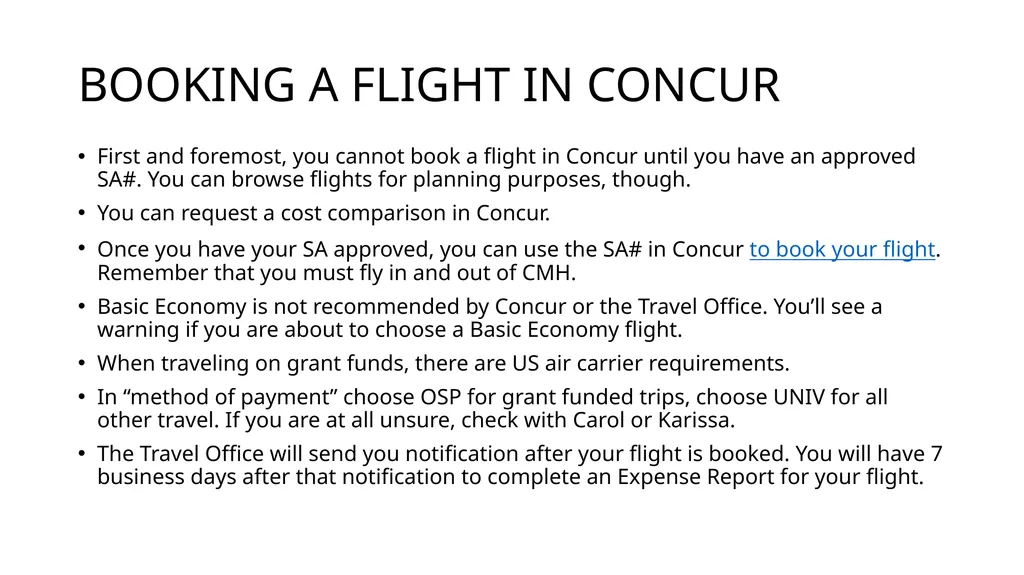
BOOKING A FLIGHT IN CONCUR First and foremost, you cannot book a flight in Concur until you have an approved SA#. You can browse flights for planning purposes, though.
You can request a cost comparison in Concur.
Once you have your SA approved, you can use the SA# in Concur to book your flight. Remember that you must fly in and out of CMH.
Basic Economy is not recommended by Concur or the Travel Office. You’ll see a warning if you are about to choose a Basic Economy flight.
When traveling on grant funds, there are US air carrier requirements.
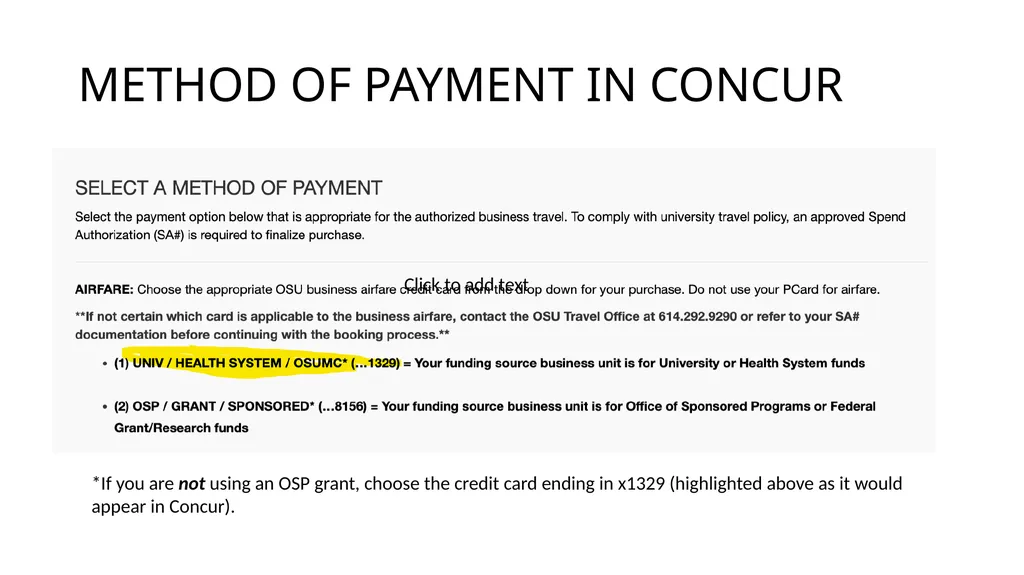
In “method of payment” choose OSP for grant funded trips, choose UNIV for all other travel. If you are at all unsure, check with Carol or Karissa.
The Travel Office will send you notification after your flight is booked. You will have 7 business days after that notification to complete an Expense Report for your flight.<br>
You can request a cost comparison in Concur.
Once you have your SA approved, you can use the SA# in Concur to book your flight. Remember that you must fly in and out of CMH.
Basic Economy is not recommended by Concur or the Travel Office. You’ll see a warning if you are about to choose a Basic Economy flight.
When traveling on grant funds, there are US air carrier requirements.
In “method of payment” choose OSP for grant funded trips, choose UNIV for all other travel. If you are at all unsure, check with Carol or Karissa.
The Travel Office will send you notification after your flight is booked. You will have 7 business days after that notification to complete an Expense Report for your flight.<br>
09
METHOD OF PAYMENT IN CONCUR Click to add text *If you are not using an OSP grant, choose the credit card ending in x1329 (highlighted above as it would appear in Concur).<br>
10
ADDITIONAL FLIGHT CONSIDERATIONS Flight Changes, International Flights, and Group Travel If you need to make changes to a booked flight for any reason, reach out to a CTP agent.
After booking and making changes, you may receive multiple notifications to expense flights from the Travel office.
It is strongly encouraged that you work with a CTP agent for all international travel.
If you are planning group travel (i.e. study abroad programs), you must work with ScholarTrip.
Please contact Carol or Karissa well in advance of any planned group travel so we can ensure that all pre-trip steps are completed. Flight Credits and Cancellations Flight credits may be available, and it’s a good idea to check with Carol or Karissa to see whether these can be used before booking.
Utilizing credits will not add to your travel budget, but they do help the department use funds efficiently.
Most likely to be available for airlines in contract with the university (Delta, American, United, and Southwest)
Flight credits must be utilized by calling or emailing with a CTP agent.
If you need to cancel a flight for any reason, you can do so through Concur. However, you may want to work with a CTP agent directly to discuss possible credits or refunds.
Let Karissa or Carol know ASAP if your travel plans have changed so we can help make the necessary updates to your spend authorizations and account balances.
Nonrefundable flights must be canceled within 24 hours to avoid charges<br>
After booking and making changes, you may receive multiple notifications to expense flights from the Travel office.
It is strongly encouraged that you work with a CTP agent for all international travel.
If you are planning group travel (i.e. study abroad programs), you must work with ScholarTrip.
Please contact Carol or Karissa well in advance of any planned group travel so we can ensure that all pre-trip steps are completed. Flight Credits and Cancellations Flight credits may be available, and it’s a good idea to check with Carol or Karissa to see whether these can be used before booking.
Utilizing credits will not add to your travel budget, but they do help the department use funds efficiently.
Most likely to be available for airlines in contract with the university (Delta, American, United, and Southwest)
Flight credits must be utilized by calling or emailing with a CTP agent.
If you need to cancel a flight for any reason, you can do so through Concur. However, you may want to work with a CTP agent directly to discuss possible credits or refunds.
Let Karissa or Carol know ASAP if your travel plans have changed so we can help make the necessary updates to your spend authorizations and account balances.
Nonrefundable flights must be canceled within 24 hours to avoid charges<br>
11
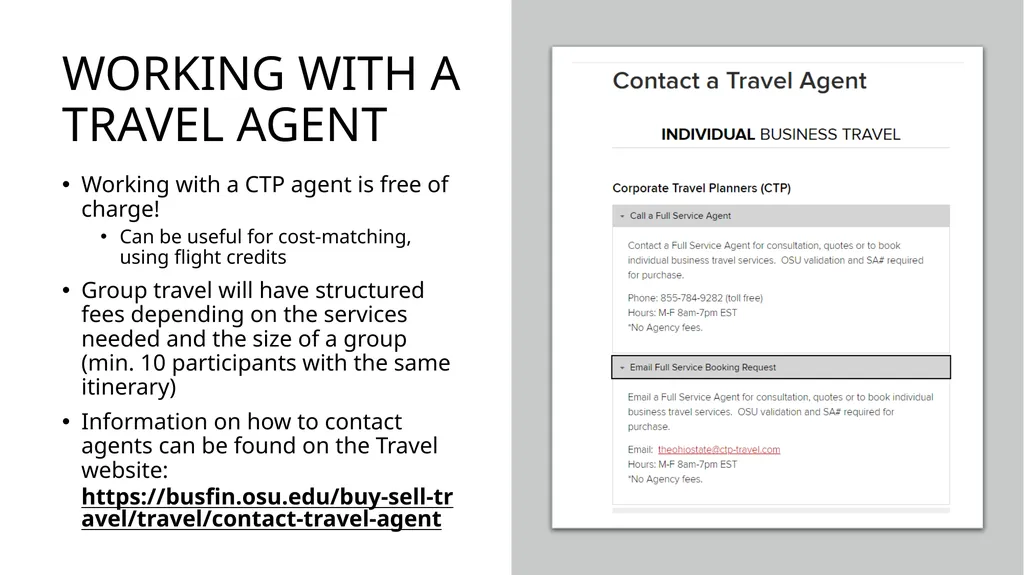
WORKING WITH A TRAVEL AGENT Working with a CTP agent is free of charge!
Can be useful for cost-matching, using flight credits
Group travel will have structured fees depending on the services needed and the size of a group (min. 10 participants with the same itinerary)
Information on how to contact agents can be found on the Travel website: https://busfin.osu.edu/buy-sell-travel/travel/contact-travel-agent<br>
Can be useful for cost-matching, using flight credits
Group travel will have structured fees depending on the services needed and the size of a group (min. 10 participants with the same itinerary)
Information on how to contact agents can be found on the Travel website: https://busfin.osu.edu/buy-sell-travel/travel/contact-travel-agent<br>
12
EXPENSE REPORTS FOR FLIGHTS Before booking travel arrangements in Concur, you can designate a travel assistant (Carol!). This will automatically send all confirmations to Carol so she can better assist you with the expense reports.
As a reminder, you will receive notice from the Travel office confirming the flight transaction within approximately one week of booking. After receiving this notice, you must create an expense report within 7 business days.
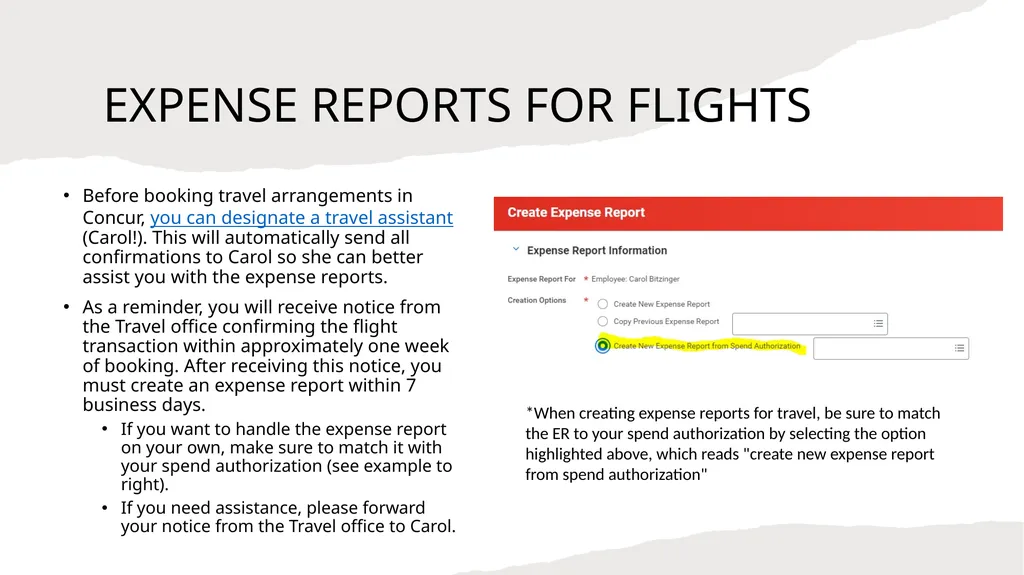
If you want to handle the expense report on your own, make sure to match it with your spend authorization (see example to right).
If you need assistance, please forward your notice from the Travel office to Carol. *When creating expense reports for travel, be sure to match the ER to your spend authorization by selecting the option highlighted above, which reads "create new expense report from spend authorization"<br>
As a reminder, you will receive notice from the Travel office confirming the flight transaction within approximately one week of booking. After receiving this notice, you must create an expense report within 7 business days.
If you want to handle the expense report on your own, make sure to match it with your spend authorization (see example to right).
If you need assistance, please forward your notice from the Travel office to Carol. *When creating expense reports for travel, be sure to match the ER to your spend authorization by selecting the option highlighted above, which reads "create new expense report from spend authorization"<br>
13
SPLITTING TRAVEL COSTS Designate one person as the primary traveler<br>
14
SPLITTING COSTS 1. Expenses you can split: lodging, rental car, mileage (only one person can claim it), ride-shares/taxis
2. Figure out the details. One person will need to pay upfront and everyone else will need to reimburse them. You can use PayPal, Square Cash, or Venmo to easily track transactions. You can also pay by check. You will just need copies of the check and confirmation that the check was deposited.
Do not pay each other back by covering a different expense. This causes a lot of problems at the service center and may not be approved for reimbursement.
3. Make a paper trail. Have one person send an email to Carol or Karissa with the details you worked out above.
4. Get receipts. If you’re staying at a hotel, ask them to put everyone’s name on it. If you’re using AirBnB, you can manually add guest names. Getting all the names on your receipts helps speed up the reimbursement process at the service center.<br>
2. Figure out the details. One person will need to pay upfront and everyone else will need to reimburse them. You can use PayPal, Square Cash, or Venmo to easily track transactions. You can also pay by check. You will just need copies of the check and confirmation that the check was deposited.
Do not pay each other back by covering a different expense. This causes a lot of problems at the service center and may not be approved for reimbursement.
3. Make a paper trail. Have one person send an email to Carol or Karissa with the details you worked out above.
4. Get receipts. If you’re staying at a hotel, ask them to put everyone’s name on it. If you’re using AirBnB, you can manually add guest names. Getting all the names on your receipts helps speed up the reimbursement process at the service center.<br>
15
Per Diem Rates<br>
16
PER DIEM Instead of using meal receipts, you will include per diem in every travel. If you do not want to be reimbursed for the full per diem amount, for whatever reason, let Carol or Karissa know how much you would like to request when you turn in the rest of your documentation.
Example: constraints with your department funds; may use the spend category of “actual meals (in lieu of per diem)”
• If you are going to a conference and the registration/program indicates meals are provided, that meal will not be a reimbursable expense.
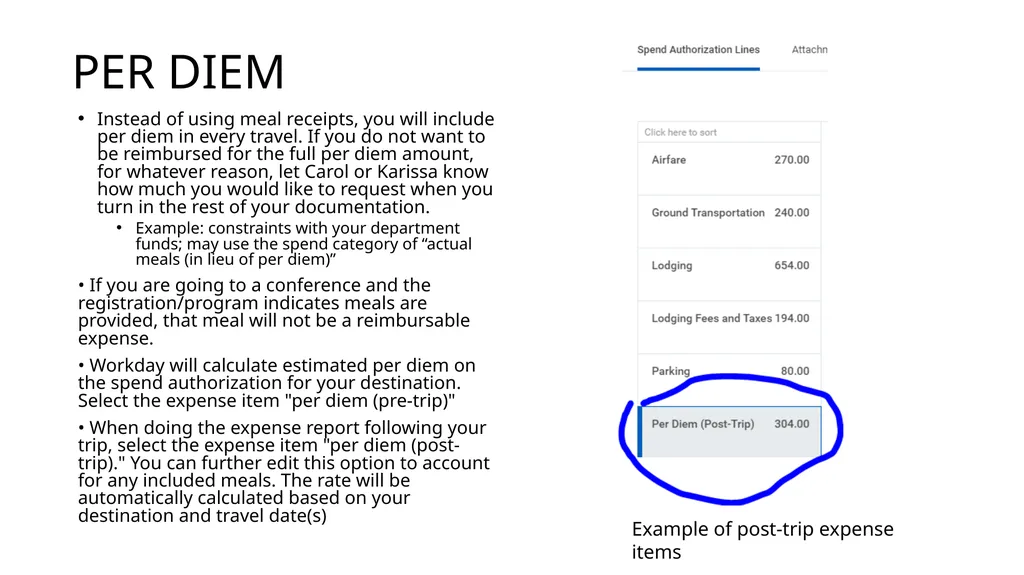
• Workday will calculate estimated per diem on the spend authorization for your destination. Select the expense item "per diem (pre-trip)"
• When doing the expense report following your trip, select the expense item "per diem (post-trip)." You can further edit this option to account for any included meals. The rate will be automatically calculated based on your destination and travel date(s) Example of post-trip expense items<br>
Example: constraints with your department funds; may use the spend category of “actual meals (in lieu of per diem)”
• If you are going to a conference and the registration/program indicates meals are provided, that meal will not be a reimbursable expense.
• Workday will calculate estimated per diem on the spend authorization for your destination. Select the expense item "per diem (pre-trip)"
• When doing the expense report following your trip, select the expense item "per diem (post-trip)." You can further edit this option to account for any included meals. The rate will be automatically calculated based on your destination and travel date(s) Example of post-trip expense items<br>
17
RECEIPTS Itemized, foreign, and tipping<br>
18
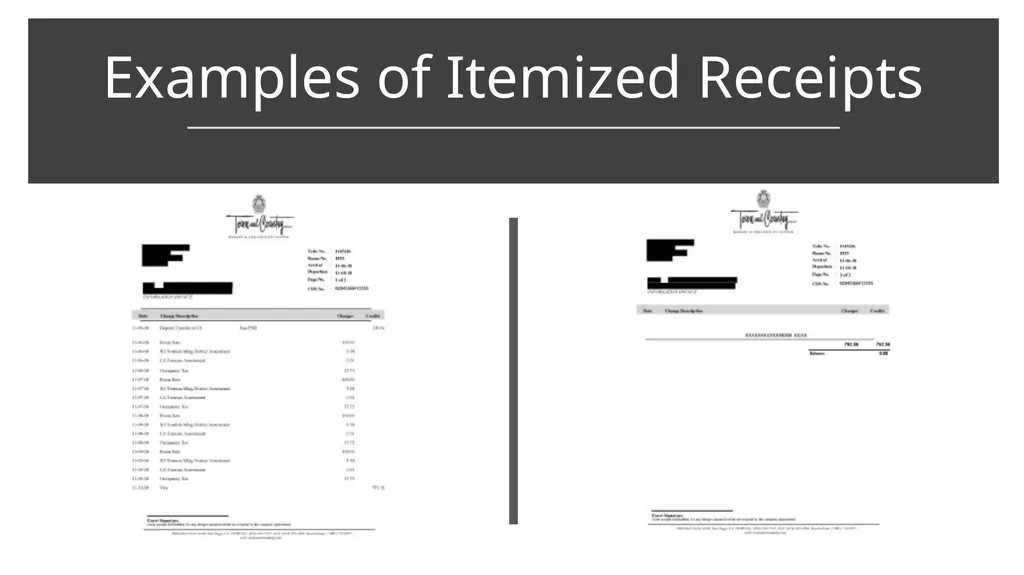
Examples of Itemized Receipts<br>
19
RECEIPTS CONT’D In the event you have receipts in a foreign language, you need to get a translation.
For all cash receipts in a foreign currency, you need to convert it to USD via Oanda for the date of the expense.
If you paid with credit/debit card, attach your statement and use the exchange rate your card issuer charged.
Tipping: 20% is the max amount for tipping, any amount over that will be deducted from your reimbursement
Main things to remember: your name needs to be on it, you need to be able to see proof of payment, and the receipt needs to be itemized.<br>
For all cash receipts in a foreign currency, you need to convert it to USD via Oanda for the date of the expense.
If you paid with credit/debit card, attach your statement and use the exchange rate your card issuer charged.
Tipping: 20% is the max amount for tipping, any amount over that will be deducted from your reimbursement
Main things to remember: your name needs to be on it, you need to be able to see proof of payment, and the receipt needs to be itemized.<br>
20
RENTAL CARS Extra insurance requirements, OSU Codes<br>
21
RENTAL CAR INSURANCE The OSU rental car codes through Enterprise, Hertz, and National each have been negotiated to include specific insurance when booking in Concur. Each include:
Damage Waiver or Collison Damage Waiver or Loss Damage Waiver
Liability Insurance Coverage
Any additional insurance that you add to your rental will not be reimbursed by the university, per the travel policy.
OSU Code for Enterprise, Hertz, and National:
XZ38Y09
PIN: OHI<br>
Damage Waiver or Collison Damage Waiver or Loss Damage Waiver
Liability Insurance Coverage
Any additional insurance that you add to your rental will not be reimbursed by the university, per the travel policy.
OSU Code for Enterprise, Hertz, and National:
XZ38Y09
PIN: OHI<br>
22
LODGING Non-commercial lodging, per-diem rates<br>
23
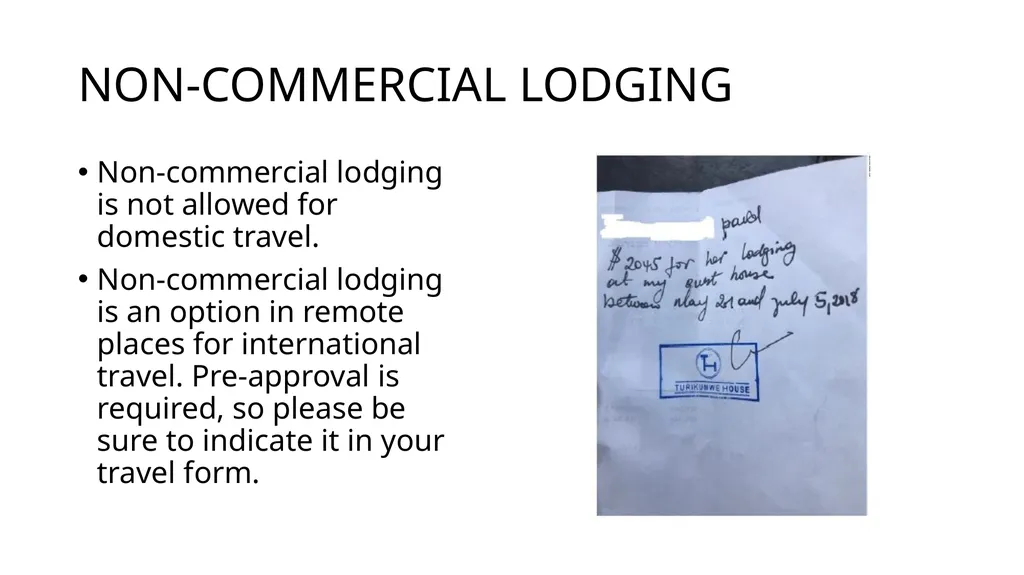
NON-COMMERCIAL LODGING Non-commercial lodging is not allowed for domestic travel.
Non-commercial lodging is an option in remote places for international travel. Pre-approval is required, so please be sure to indicate it in your travel form.<br>
Non-commercial lodging is an option in remote places for international travel. Pre-approval is required, so please be sure to indicate it in your travel form.<br>
24
LODGING PER DIEM Please keep in mind there are lodging per diem rates, which dictate the maximum amount you can be reimbursed for lodging.
If you are attending a conference and using the conference rate, it is okay if it is more than the per diem rate for that city.
Otherwise, if you are having trouble finding lodging at the per diem rate, come talk to Carol or Karissa.<br>
If you are attending a conference and using the conference rate, it is okay if it is more than the per diem rate for that city.
Otherwise, if you are having trouble finding lodging at the per diem rate, come talk to Carol or Karissa.<br>
25
International Travel<br>
26
ADDITIONAL INFO FOR INTERNATIONAL TRAVEL You are required to attach a signed copy of the International Acknowledgment of Understanding to your Spend Authorization when planning your travel.
Recommended: enroll in the DOS Smart Traveler Enrollment Program (STEP). Non-U.S. citizens can enroll their travel with the nearest embassy or consulate of their home country.
Supplemental Insurance is required for graduate and undergraduate students; recommended for faculty and staff
In case of emergencies:
Save your spend authorization number in case of flight changes
Save Ohio State's 24/7 International Emergency line and GeoBlue Global Health and Safety Services line; this information can be found on the OIA website.<br>
Recommended: enroll in the DOS Smart Traveler Enrollment Program (STEP). Non-U.S. citizens can enroll their travel with the nearest embassy or consulate of their home country.
Supplemental Insurance is required for graduate and undergraduate students; recommended for faculty and staff
In case of emergencies:
Save your spend authorization number in case of flight changes
Save Ohio State's 24/7 International Emergency line and GeoBlue Global Health and Safety Services line; this information can be found on the OIA website.<br>
27
Cost Comparisons Tools and Forms<br>
28
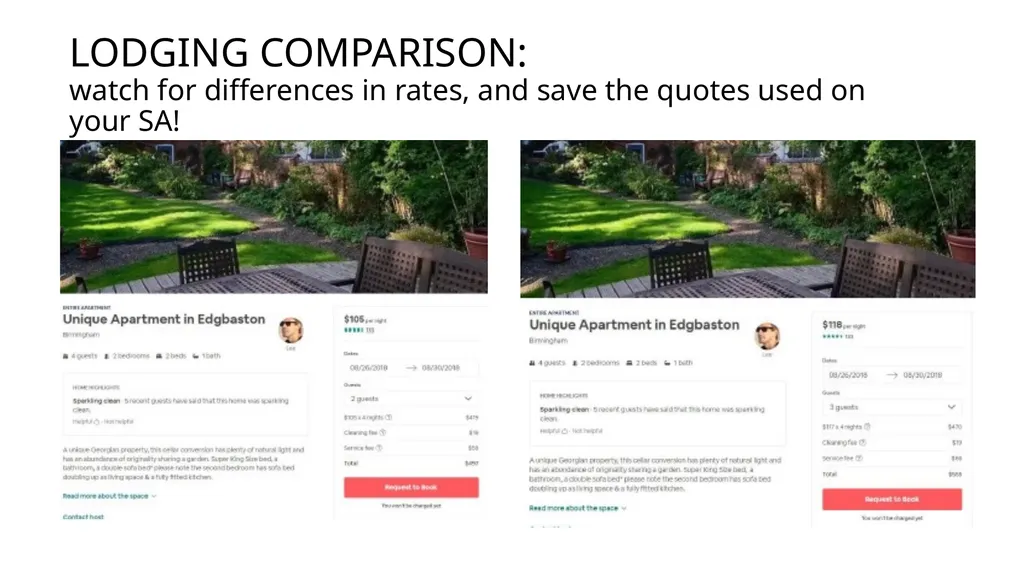
LODGING COMPARISON:
watch for differences in rates, and save the quotes used on your SA!<br>
29
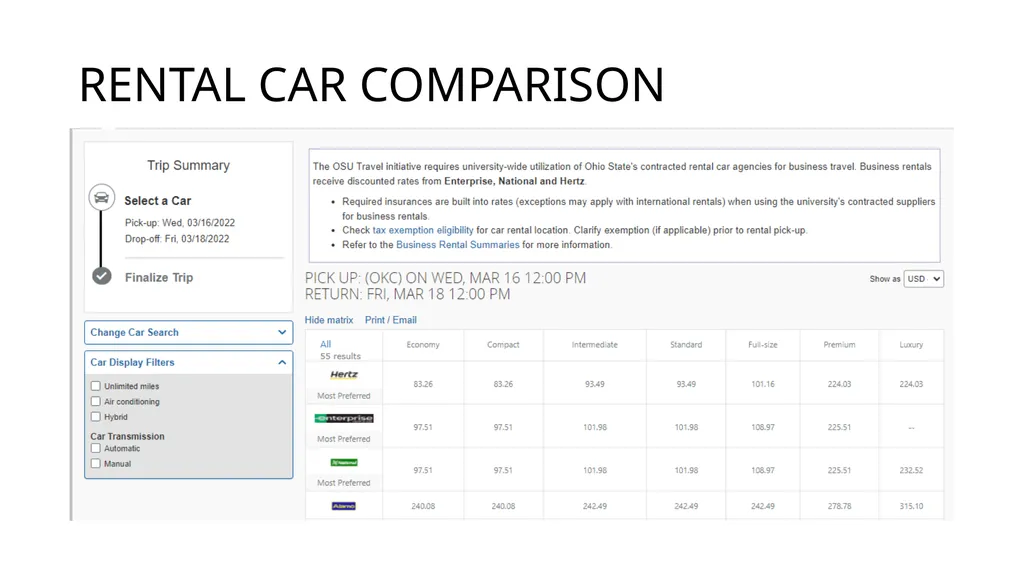
RENTAL CAR COMPARISON<br>
30
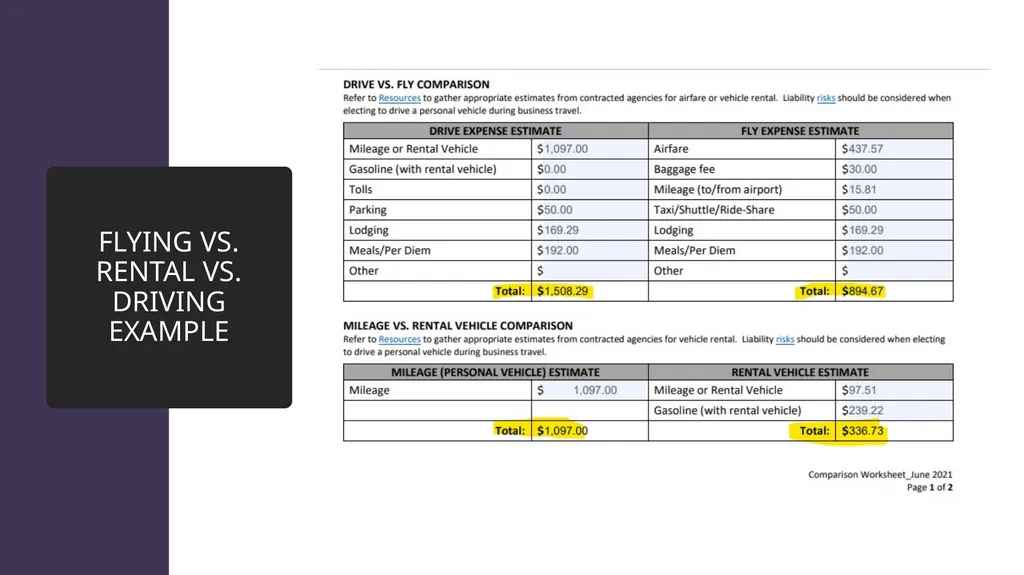
FLYING VS RENTAL VS DRIVING It may often seem cheaper to drive or get a rental than to fly, but there are many hidden costs to these options. Things to consider before choosing a rental or driving your personal vehicle:
Parking
Valet
Gas
Tolls
Additional taxis
Note: If you do decide to drive your personal vehicle, you may claim mileage OR turn in gas receipts, but not both.<br>
Parking
Valet
Gas
Tolls
Additional taxis
Note: If you do decide to drive your personal vehicle, you may claim mileage OR turn in gas receipts, but not both.<br>
31
FLYING VS. RENTAL VS. DRIVING EXAMPLE<br>
32
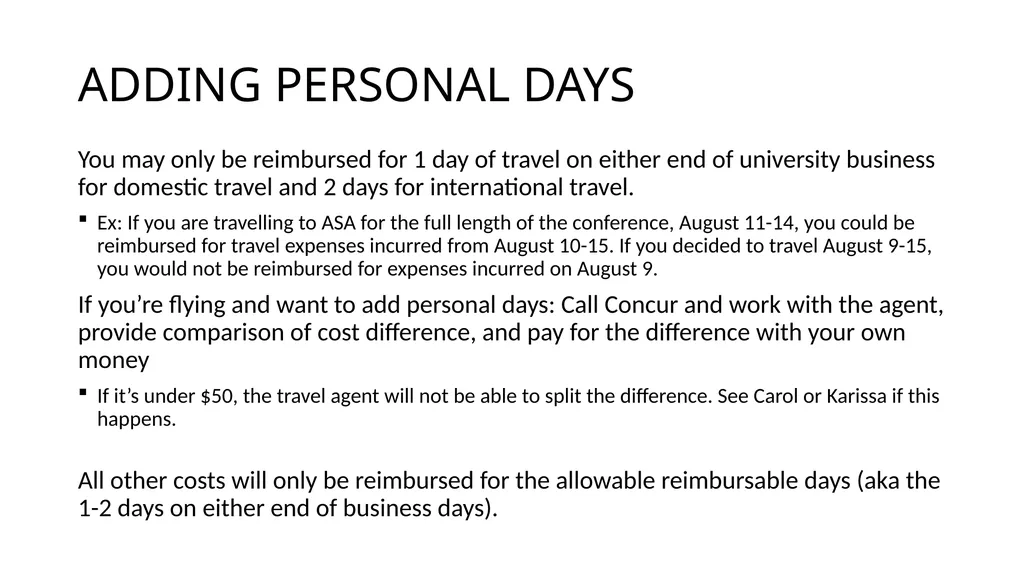
ADDING PERSONAL DAYS You may only be reimbursed for 1 day of travel on either end of university business for domestic travel and 2 days for international travel.
Ex: If you are travelling to ASA for the full length of the conference, August 11-14, you could be reimbursed for travel expenses incurred from August 10-15. If you decided to travel August 9-15, you would not be reimbursed for expenses incurred on August 9.
If you’re flying and want to add personal days: Call Concur and work with the agent, provide comparison of cost difference, and pay for the difference with your own money
If it’s under $50, the travel agent will not be able to split the difference. See Carol or Karissa if this happens.
All other costs will only be reimbursed for the allowable reimbursable days (aka the 1-2 days on either end of business days).<br>
Ex: If you are travelling to ASA for the full length of the conference, August 11-14, you could be reimbursed for travel expenses incurred from August 10-15. If you decided to travel August 9-15, you would not be reimbursed for expenses incurred on August 9.
If you’re flying and want to add personal days: Call Concur and work with the agent, provide comparison of cost difference, and pay for the difference with your own money
If it’s under $50, the travel agent will not be able to split the difference. See Carol or Karissa if this happens.
All other costs will only be reimbursed for the allowable reimbursable days (aka the 1-2 days on either end of business days).<br>
33
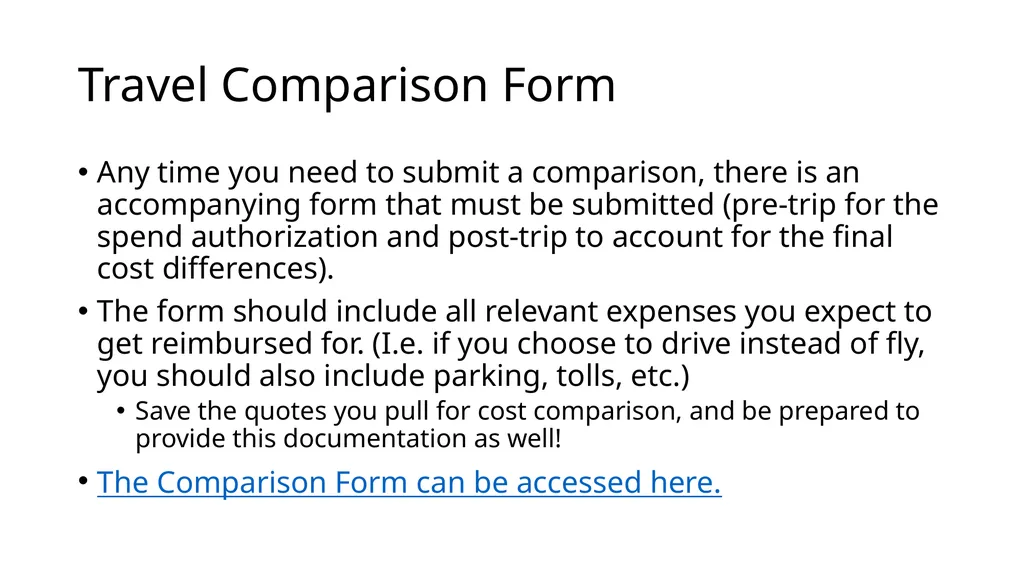
Travel Comparison Form Any time you need to submit a comparison, there is an accompanying form that must be submitted (pre-trip for the spend authorization and post-trip to account for the final cost differences).
The form should include all relevant expenses you expect to get reimbursed for. (I.e. if you choose to drive instead of fly, you should also include parking, tolls, etc.)
Save the quotes you pull for cost comparison, and be prepared to provide this documentation as well!
The Comparison Form can be accessed here.<br>
The form should include all relevant expenses you expect to get reimbursed for. (I.e. if you choose to drive instead of fly, you should also include parking, tolls, etc.)
Save the quotes you pull for cost comparison, and be prepared to provide this documentation as well!
The Comparison Form can be accessed here.<br>
34
Expense Reports After Travel<br>
35
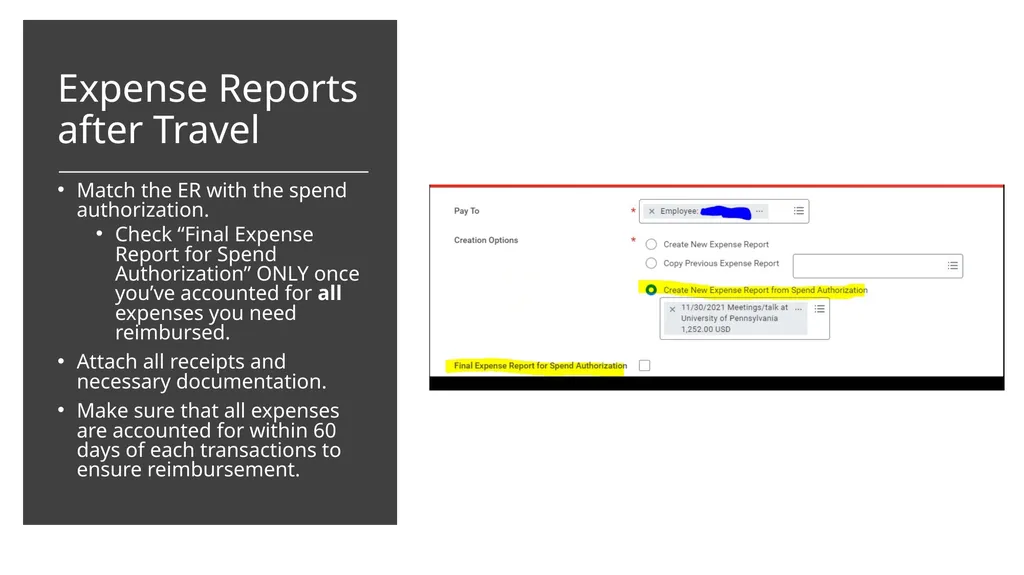
Expense Reports after Travel Match the ER with the spend authorization.
Check “Final Expense Report for Spend Authorization” ONLY once you’ve accounted for all expenses you need reimbursed.
Attach all receipts and necessary documentation.
Make sure that all expenses are accounted for within 60 days of each transactions to ensure reimbursement.<br>
Check “Final Expense Report for Spend Authorization” ONLY once you’ve accounted for all expenses you need reimbursed.
Attach all receipts and necessary documentation.
Make sure that all expenses are accounted for within 60 days of each transactions to ensure reimbursement.<br>
36
Exceptions<br>
37
EXCEPTIONS TO POLICY Our goal is to minimize exceptions.
If you do need an exception to policy, it will increase the time until your reimbursement is processed. An exception may keep your reimbursement from being approved.<br>
If you do need an exception to policy, it will increase the time until your reimbursement is processed. An exception may keep your reimbursement from being approved.<br>