base curve calculator Base Curve Calculator Overview Used with the Tangential Curvature Map from a topographer Based on natural corneal shape Not suitable for corneas altered by scarring or surgery Axial maps do NOT give accurate results
"base curve calculator Base Curve Calculator" is the property of its rightful owner. Permission is granted to
download and print the materials on this website for personal, non-commercial use only, and to display it
on your personal computer provided you do not modify the materials and that you retain all copyright
notices contained in the materials. By downloading content from our website, you accept the terms of this
agreement.
Share
Embed code
Presentation Transcript
01
base curve calculator<br>
02
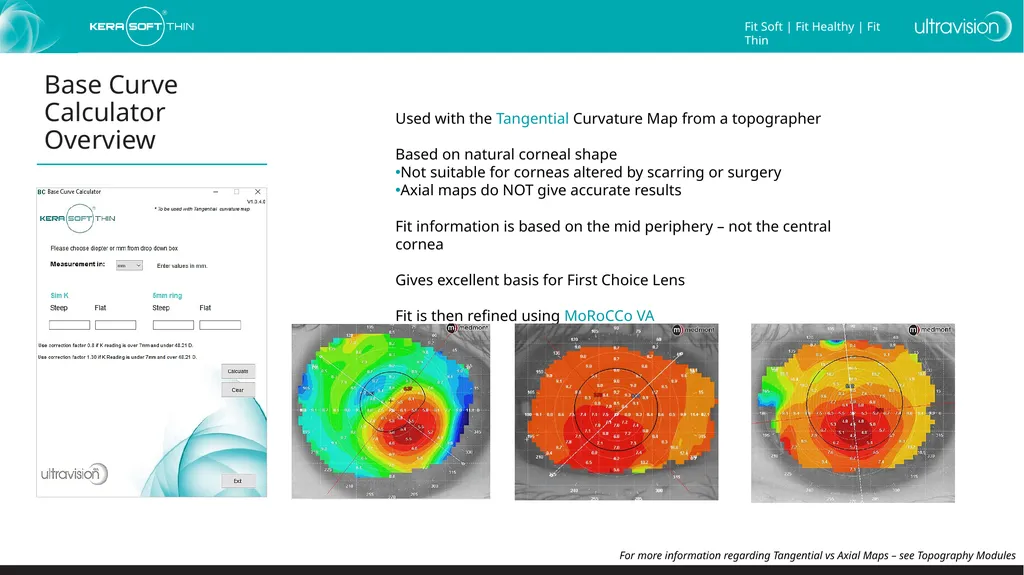
Base Curve Calculator Overview Used with the Tangential Curvature Map from a topographer
Based on natural corneal shape
Not suitable for corneas altered by scarring or surgery
Axial maps do NOT give accurate results
Fit information is based on the mid periphery – not the central cornea
Gives excellent basis for First Choice Lens
Fit is then refined using MoRoCCo VA For more information regarding Tangential vs Axial Maps – see Topography Modules<br>
03
Base Curve Calculator Step 1 Topography machine
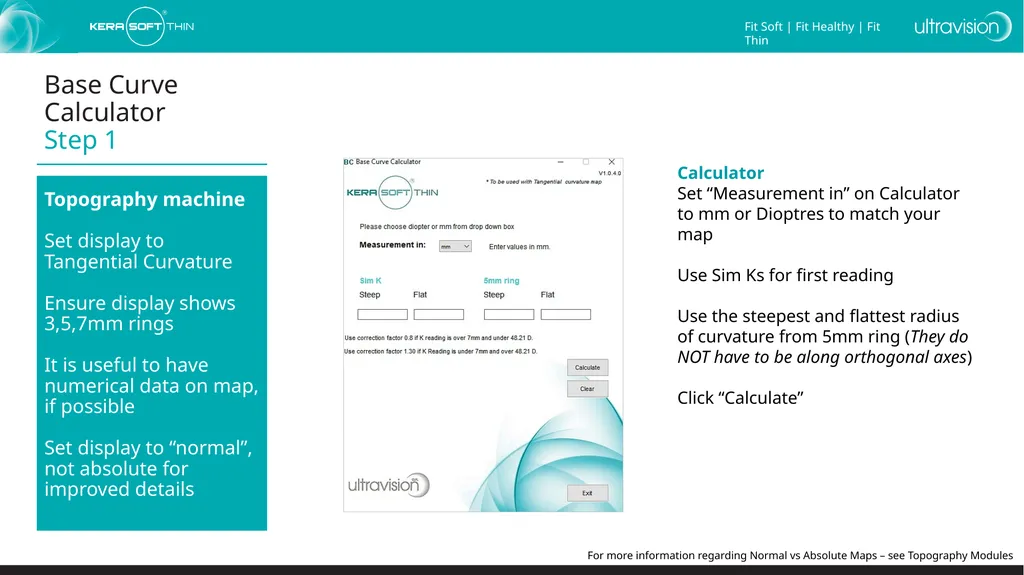
Set display to Tangential Curvature
Ensure display shows 3,5,7mm rings
It is useful to have numerical data on map, if possible
Set display to “normal”, not absolute for improved details Calculator
Set “Measurement in” on Calculator to mm or Dioptres to match your map
Use Sim Ks for first reading
Use the steepest and flattest radius of curvature from 5mm ring (They do NOT have to be along orthogonal axes)
Click “Calculate” For more information regarding Normal vs Absolute Maps – see Topography Modules<br>
04
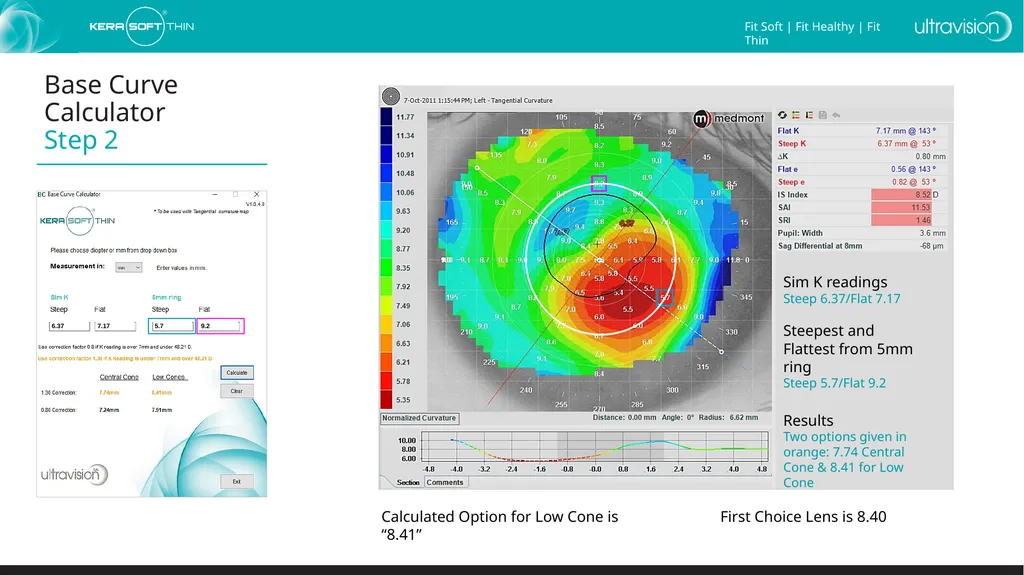
Base Curve Calculator Step 2 Sim K readings
Steep 6.37/Flat 7.17
Steepest and Flattest from 5mm ring
Steep 5.7/Flat 9.2
Results
Two options given in orange: 7.74 Central Cone & 8.41 for Low Cone Calculated Option for Low Cone is “8.41” First Choice Lens is 8.40 6.37 7.17 5.7 9.2<br>
05
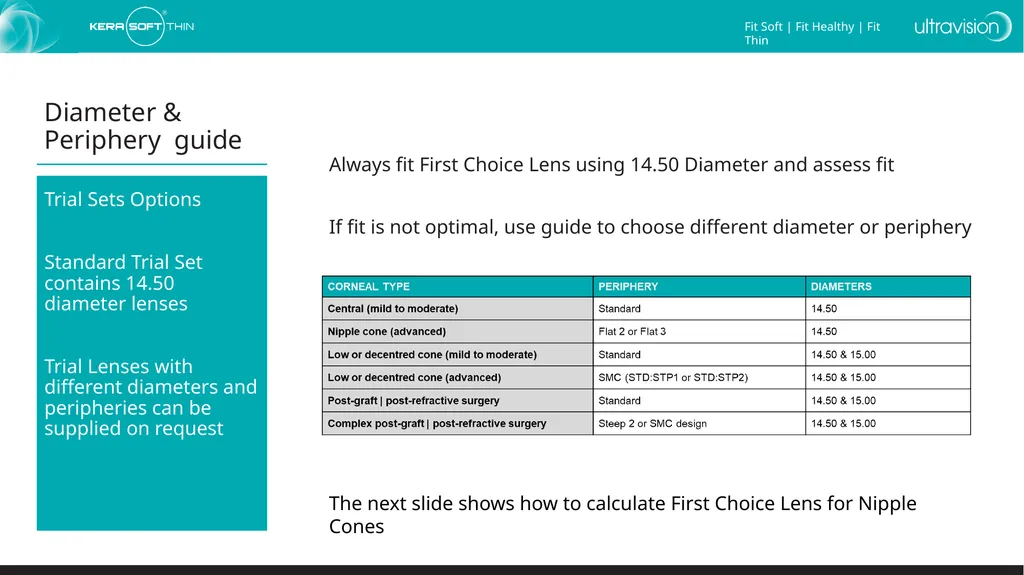
Diameter & Periphery guide Trial Sets Options
Standard Trial Set contains 14.50 diameter lenses
Trial Lenses with different diameters and peripheries can be supplied on request Always fit First Choice Lens using 14.50 Diameter and assess fit
If fit is not optimal, use guide to choose different diameter or periphery The next slide shows how to calculate First Choice Lens for Nipple Cones<br>
06
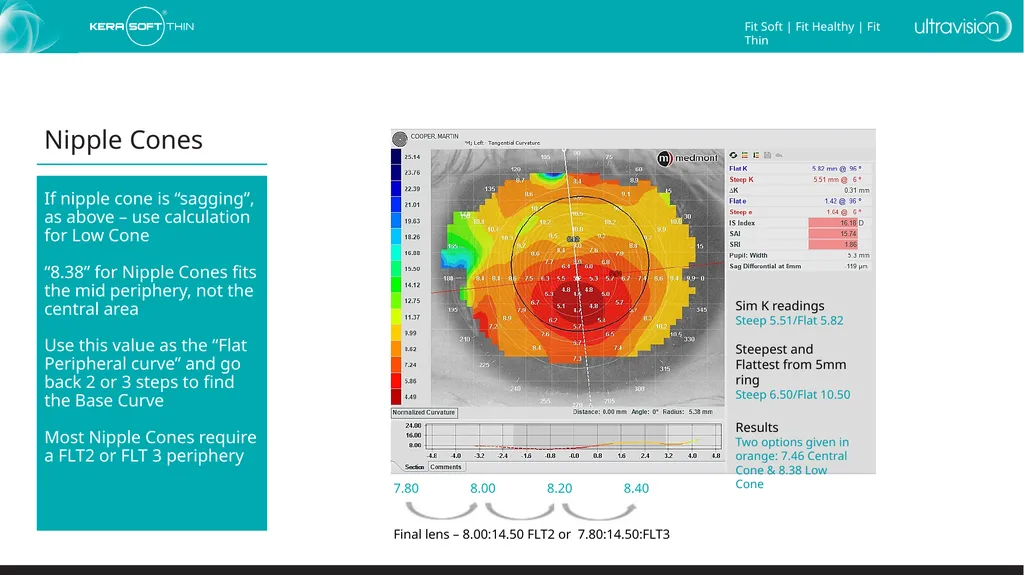
Nipple Cones If nipple cone is “sagging”, as above – use calculation for Low Cone
“8.38” for Nipple Cones fits the mid periphery, not the central area
Use this value as the “Flat Peripheral curve” and go back 2 or 3 steps to find the Base Curve
Most Nipple Cones require a FLT2 or FLT 3 periphery 7.80 8.00 8.20 8.40
Final lens – 8.00:14.50 FLT2 or 7.80:14.50:FLT3<br>
07
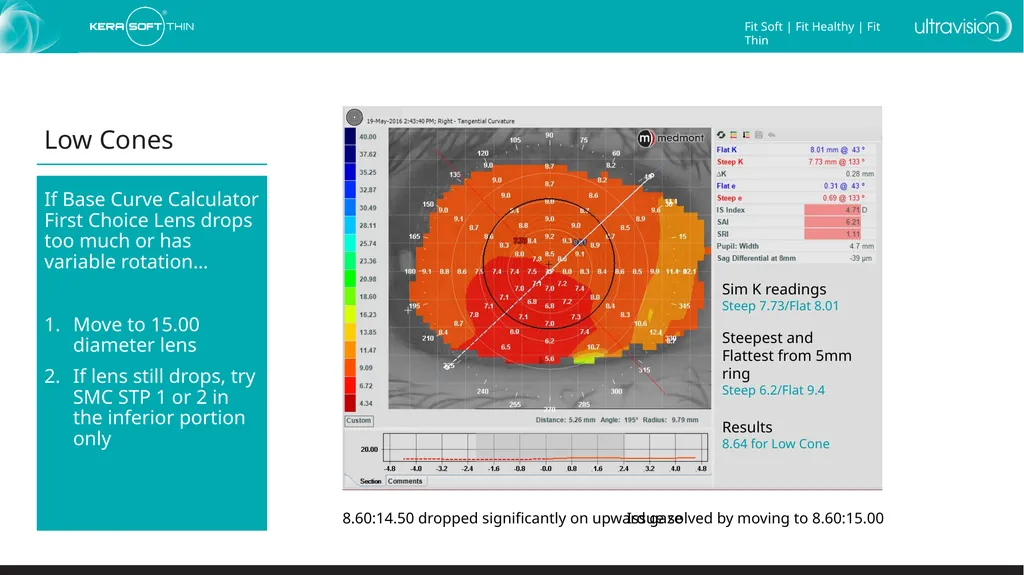
Low Cones If Base Curve Calculator First Choice Lens drops too much or has variable rotation…
Move to 15.00 diameter lens
If lens still drops, try SMC STP 1 or 2 in the inferior portion only Sim K readings
Steep 7.73/Flat 8.01
Steepest and Flattest from 5mm ring
Steep 6.2/Flat 9.4
Results
8.64 for Low Cone 8.60:14.50 dropped significantly on upward gaze Issue solved by moving to 8.60:15.00<br>
08
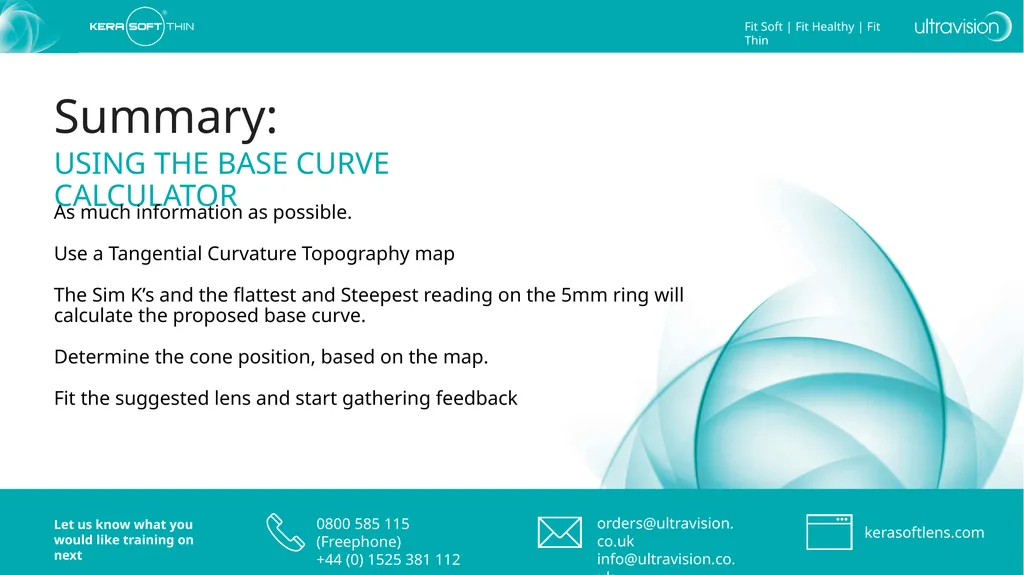
Summary: USING THE BASE CURVE CALCULATOR As much information as possible.
Use a Tangential Curvature Topography map
The Sim K’s and the flattest and Steepest reading on the 5mm ring will calculate the proposed base curve.
Determine the cone position, based on the map.
Fit the suggested lens and start gathering feedback<br>