Canopy 101 An Introduction to CanopyFAMIS Access Log in through SSO (single sign on; UIN as user) The first time you log into Canopy youll be asked to sign the Statement of Responsibility (annual after initial login; enter your SSN or UIN
"Canopy 101 An Introduction to Canopy/FAMIS Access" is the property of its rightful owner. Permission is granted to
download and print the materials on this website for personal, non-commercial use only, and to display it
on your personal computer provided you do not modify the materials and that you retain all copyright
notices contained in the materials. By downloading content from our website, you accept the terms of this
agreement.
Presentation Transcript
01
Canopy 101 An Introduction to Canopy/FAMIS<br>
02
Access Log in through SSO (single sign on; UIN as user)
The first time you log into Canopy you’ll be asked to sign the Statement of Responsibility (annual after initial login; enter your SSN or UIN to sign)
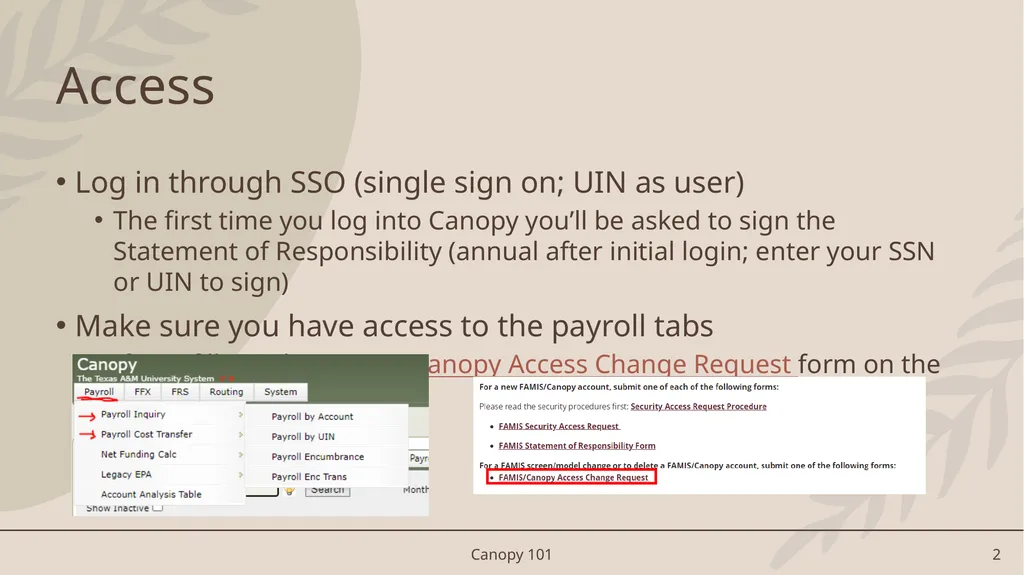
Make sure you have access to the payroll tabs
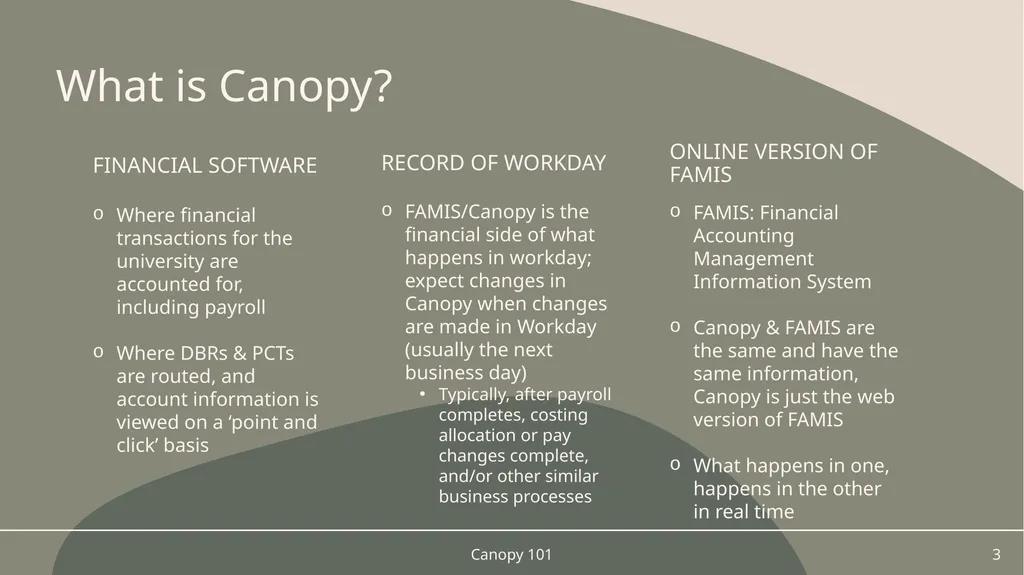
If not, fill out the FAMIS /Canopy Access Change Request form on the IT website Canopy 101 2<br>
03
Online Version of FAMIS FAMIS: Financial Accounting Management Information System
Canopy & FAMIS are the same and have the same information, Canopy is just the web version of FAMIS
What happens in one, happens in the other in real time Financial Software Where financial transactions for the university are accounted for, including payroll
Where DBRs & PCTs are routed, and account information is viewed on a ‘point and click’ basis What is Canopy? Record of Workday FAMIS/Canopy is the financial side of what happens in workday; expect changes in Canopy when changes are made in Workday (usually the next business day)
Typically, after payroll completes, costing allocation or pay changes complete, and/or other similar business processes Canopy 101 3<br>
04
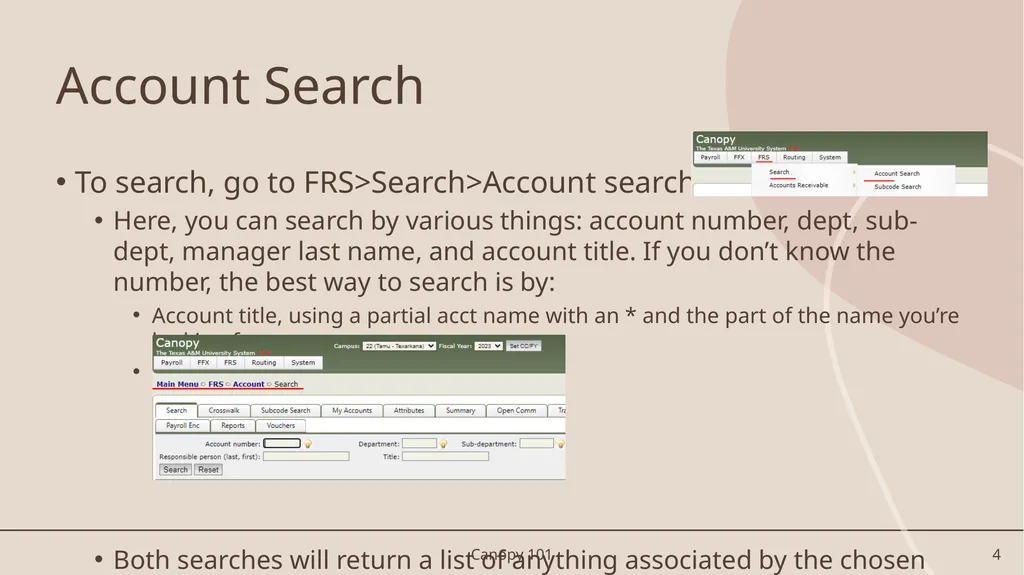
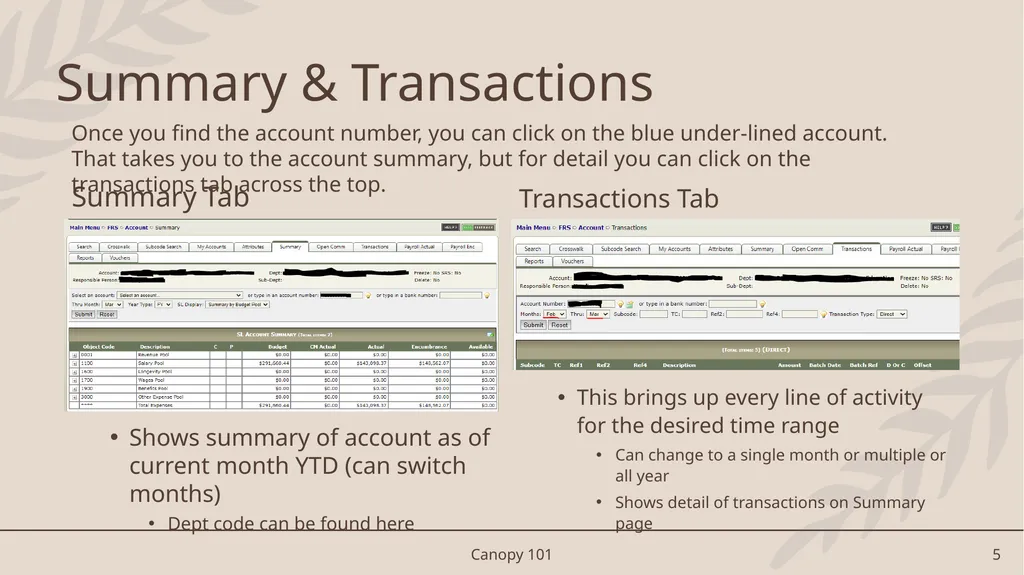
Account Search To search, go to FRS>Search>Account search
Here, you can search by various things: account number, dept, sub-dept, manager last name, and account title. If you don’t know the number, the best way to search is by:
Account title, using a partial acct name with an * and the part of the name you’re looking for
Manager/responsible person’s last name
Both searches will return a list of anything associated by the chosen search criteria Canopy 101 4<br>
05
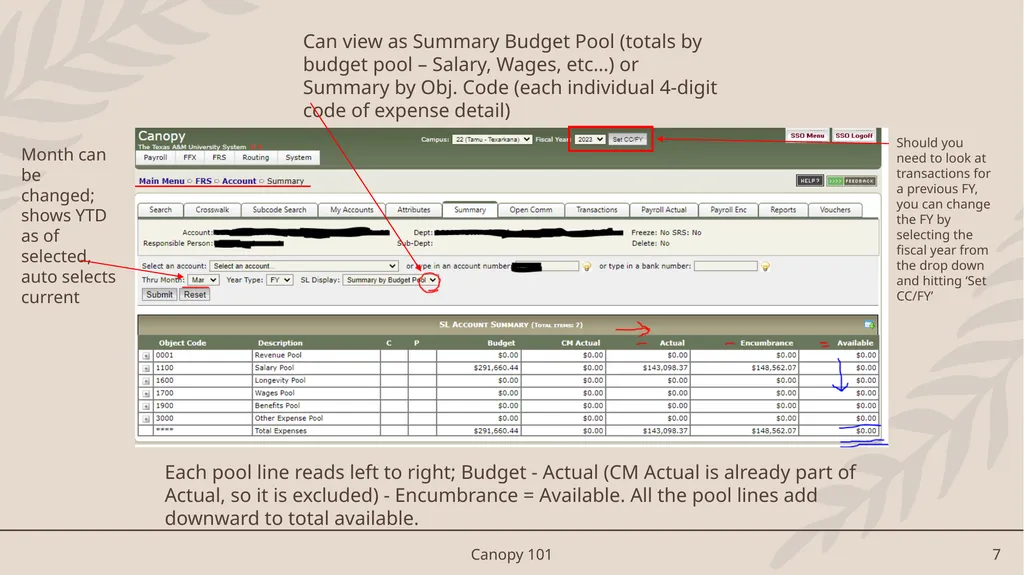
Summary Tab
Shows summary of account as of current month YTD (can switch months)
Dept code can be found here Transactions Tab
This brings up every line of activity for the desired time range
Can change to a single month or multiple or all year
Shows detail of transactions on Summary page Summary & Transactions Once you find the account number, you can click on the blue under-lined account. That takes you to the account summary, but for detail you can click on the transactions tab across the top. Canopy 101 5<br>
06
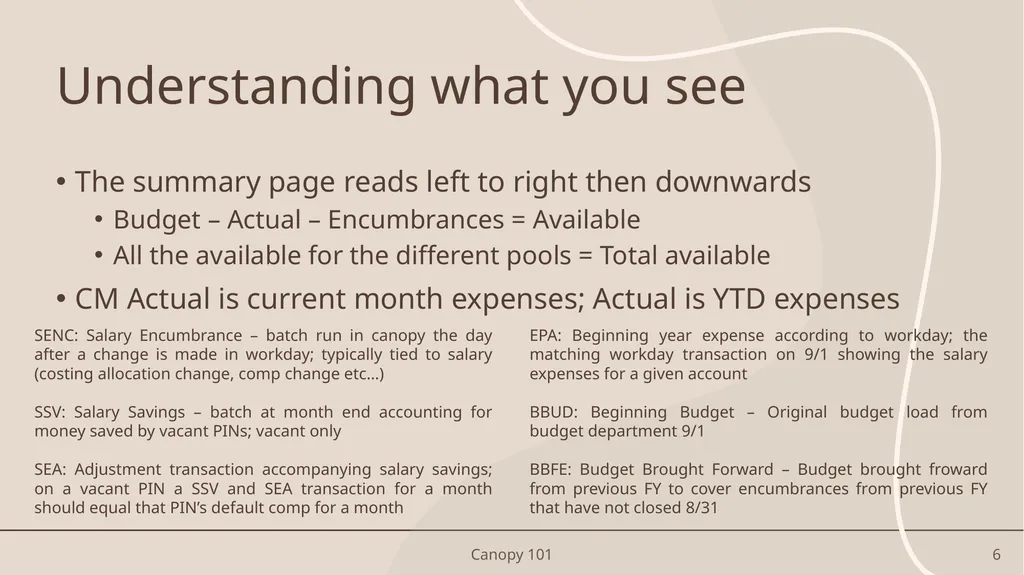
Understanding what you see The summary page reads left to right then downwards
Budget – Actual – Encumbrances = Available
All the available for the different pools = Total available
CM Actual is current month expenses; Actual is YTD expenses SENC: Salary Encumbrance – batch run in canopy the day after a change is made in workday; typically tied to salary (costing allocation change, comp change etc…)
SSV: Salary Savings – batch at month end accounting for money saved by vacant PINs; vacant only
SEA: Adjustment transaction accompanying salary savings; on a vacant PIN a SSV and SEA transaction for a month should equal that PIN’s default comp for a month EPA: Beginning year expense according to workday; the matching workday transaction on 9/1 showing the salary expenses for a given account
BBUD: Beginning Budget – Original budget load from budget department 9/1
BBFE: Budget Brought Forward – Budget brought froward from previous FY to cover encumbrances from previous FY that have not closed 8/31 Canopy 101 6<br>
07
Canopy 101 7 Shows where you are and steps to return<br>
08
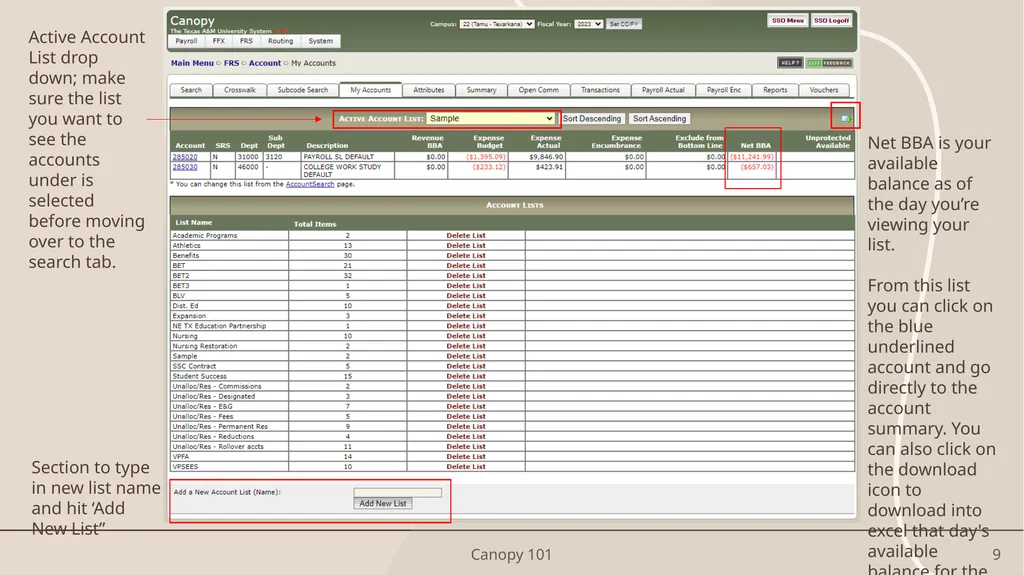
If you spend a lot of time in a cluster of accounts and want to be able to see a quick balance of them all at once, you can create ‘My Accounts’ lists.
Go to FRS>Account>My Accounts
Type in the group name of the accounts you want to view and hit ‘Add New List’. Make sure that new account name is selected under the ‘Active Account List:’ drop down menu and go to the search tab.
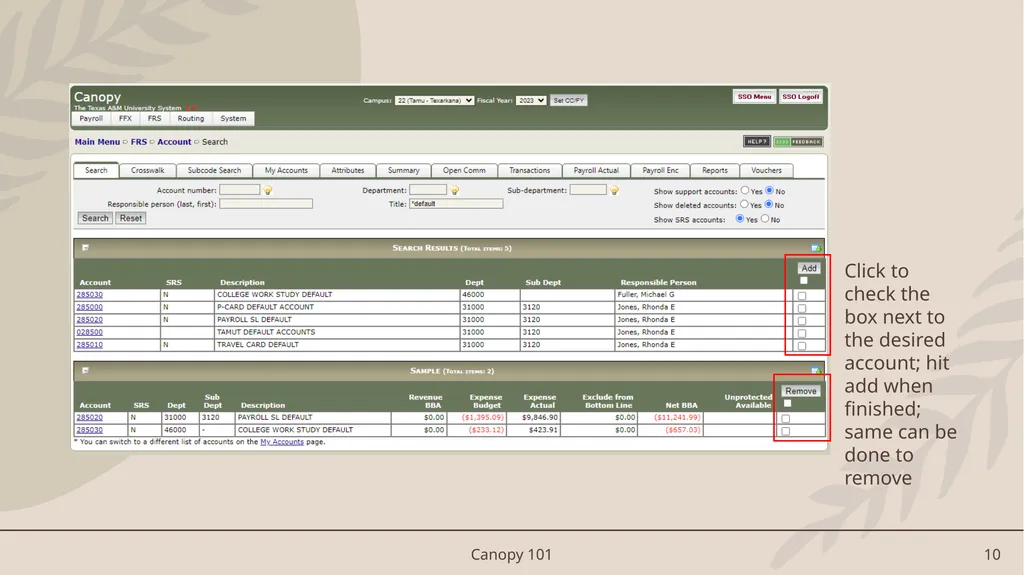
Search to find the accounts you want on the list and click the check box to the far right of the account line. Hit ‘Add’. Do this all at once or each individual until all your accounts have been added.
You should then be able to go back over to the ‘My Accounts’ tab and see all your accounts listed. My Accounts List(s) Canopy 101 8<br>
09
Canopy 101 9<br>
10
Canopy 101 10 Click to check the box next to the desired account; hit add when finished; same can be done to remove<br>
11
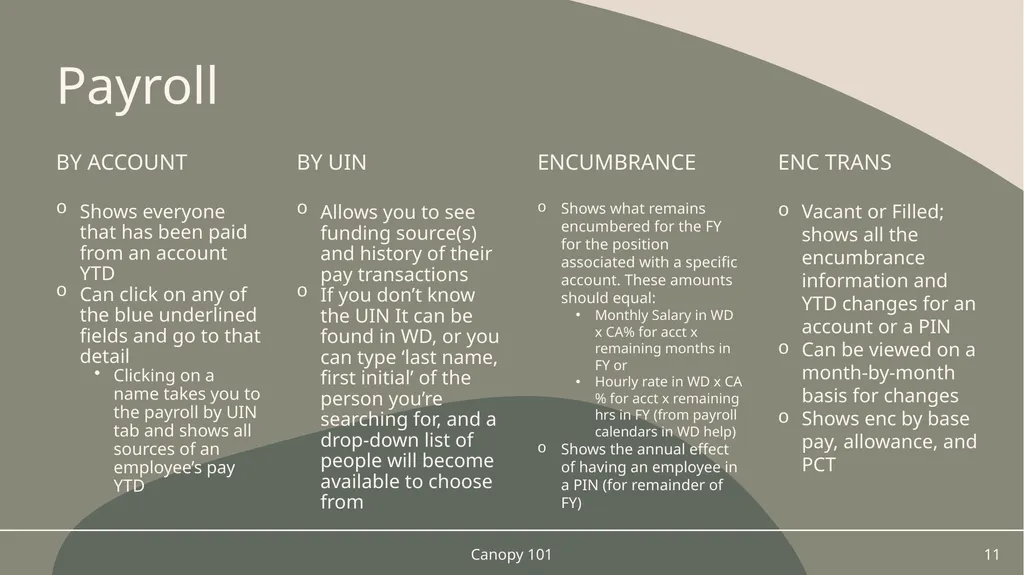
Payroll By Account Shows everyone that has been paid from an account YTD
Can click on any of the blue underlined fields and go to that detail
Clicking on a name takes you to the payroll by UIN tab and shows all sources of an employee’s pay YTD Allows you to see funding source(s) and history of their pay transactions
If you don’t know the UIN It can be found in WD, or you can type ‘last name, first initial’ of the person you’re searching for, and a drop-down list of people will become available to choose from BY UIN Encumbrance Shows what remains encumbered for the FY for the position associated with a specific account. These amounts should equal:
Monthly Salary in WD x CA% for acct x remaining months in FY or
Hourly rate in WD x CA% for acct x remaining hrs in FY (from payroll calendars in WD help)
Shows the annual effect of having an employee in a PIN (for remainder of FY) Canopy 101 11 Enc Trans Vacant or Filled; shows all the encumbrance information and YTD changes for an account or a PIN
Can be viewed on a month-by-month basis for changes
Shows enc by base pay, allowance, and PCT<br>
12
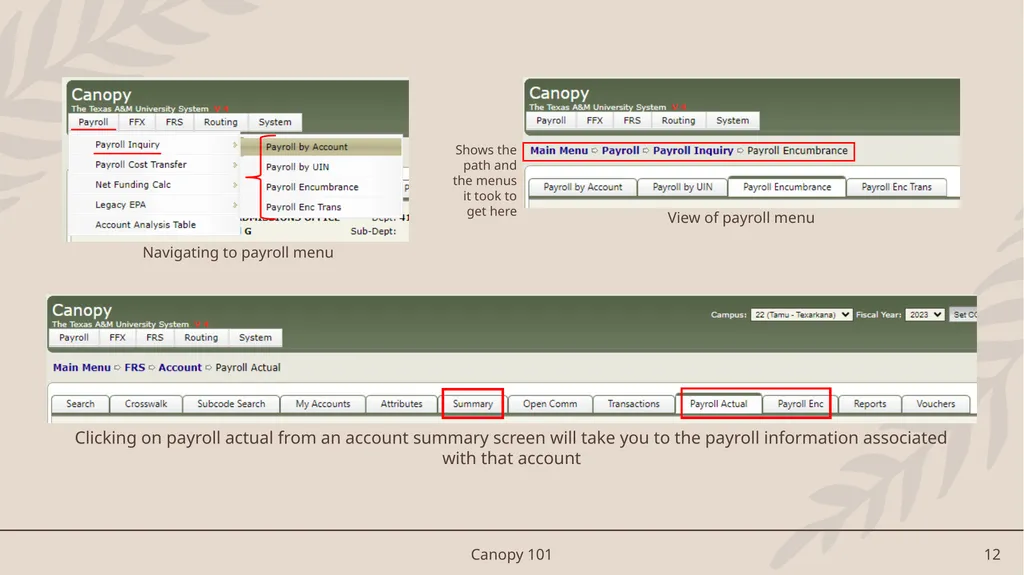
Canopy 101 12 Navigating to payroll menu View of payroll menu Shows the path and the menus it took to get here Clicking on payroll actual from an account summary screen will take you to the payroll information associated with that account<br>
13
Account Recons It is important to maintain a schedule of reviewing the accounts you and/or your supervisor are responsible for, to:
Keep accounts balanced and avoid deficits
Make sure expenditures post in the correct account
Stay on budget with expenses and personnel
If you see something you aren’t familiar with:
Isolate the data – find what transactions are causing the issue, look month by month to see when the change occurred, look for batch reference names that stand out to you as unusual
Download into excel by clicking on the icon, and make as many notes as possible to:
Build your knowledge base
Maintain a historical record of activity in this account of A) what happened and, and B) how you were able to fix it Canopy 101 13<br>
14
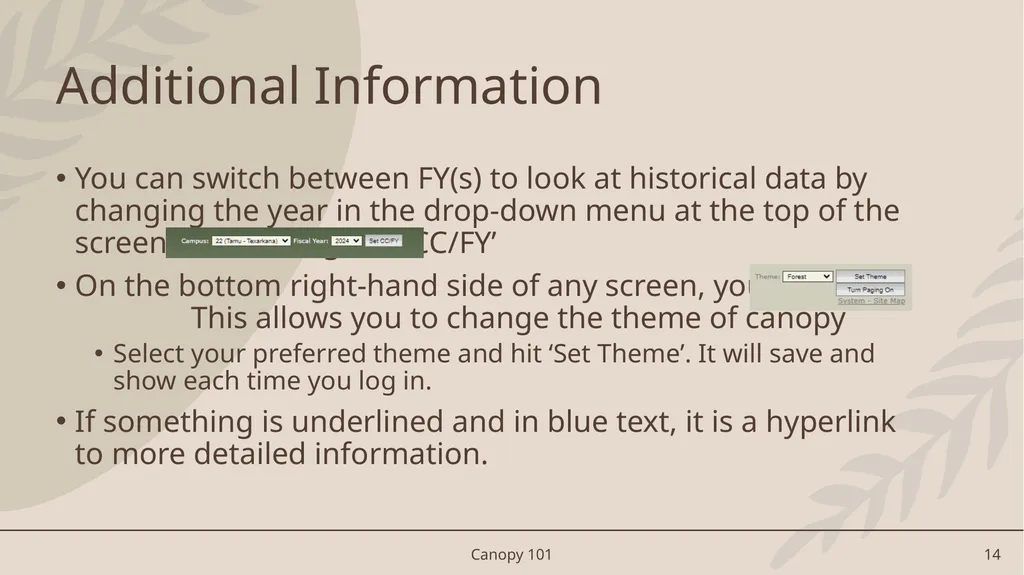
Canopy 101 14 Additional Information You can switch between FY(s) to look at historical data by changing the year in the drop-down menu at the top of the screen and clicking “Set CC/FY’
On the bottom right-hand side of any screen, you will see This allows you to change the theme of canopy
Select your preferred theme and hit ‘Set Theme’. It will save and show each time you log in.
If something is underlined and in blue text, it is a hyperlink to more detailed information.<br>
15
Find out which transaction(s) are causing the problem(s)
Get as close as you can to identifying what numbers make up the deficit
SAVE YOUR WORK; Will help you build your knowledge base
Will make future recons faster if you have notes to look back on Step 1: Attempt to isolate the main issue STEP 2: Send Budget@tamut.edu an email Send an email identifying the problem (or as close as you can get) with any error screen shots and account numbers.
The budget team can assist with identifying contributing factors and suggest ways to avoid future issues of the same variety. Help Canopy 101 15 If you need assistance with an account<br>
16
Helpful Links DBR instructions PCT Video FAMIS/Canopy Access Change Form FAMIS/Canopy Security Access Form Canopy 101 16<br>