
Chapter 12 – Class design Functional, durable,
DJ
Published · 32 slides · 0 views
1 / 1
Description
Chapter 12 Class design Functional, durable, beautiful. Vitruvius Abstract We have discussed classes in previous lectures Here, we discuss design of classes Library design considerations Abstract classes and data hiding Class
Related Topics
Share
Embed code
Download this presentation From Below
"Chapter 12 – Class design Functional, durable," is the property of its rightful owner. Permission is granted to download and print the materials on this website for personal, non-commercial use only, and to display it on your personal computer provided you do not modify the materials and that you retain all copyright notices contained in the materials. By downloading content from our website, you accept the terms of this agreement.
Presentation Transcript
01
Chapter 12 – Class design Functional, durable, beautiful.
– Vitruvius<br>
– Vitruvius<br>
02
Abstract We have discussed classes in previous lectures
Here, we discuss design of classes
Library design considerations
Abstract classes and data hiding
Class hierarchies (object-oriented programming)
Some technicalities Stroustrup/Programming/2024/Ch12 2<br>
Here, we discuss design of classes
Library design considerations
Abstract classes and data hiding
Class hierarchies (object-oriented programming)
Some technicalities Stroustrup/Programming/2024/Ch12 2<br>
03
A library A collection of classes and functions meant to be used together
As building blocks for applications
To build more such “building blocks”
A good library models some aspect of a domain
It doesn’t try to do everything
Our library aims at simplicity and small size for graphing data and for very simple GUI
We can’t define each library class and function in isolation
A good library exhibits a uniform style (“regularity”)
Our Graphics/GUI library is an example Stroustrup/Programming/2024/Ch12 3<br>
As building blocks for applications
To build more such “building blocks”
A good library models some aspect of a domain
It doesn’t try to do everything
Our library aims at simplicity and small size for graphing data and for very simple GUI
We can’t define each library class and function in isolation
A good library exhibits a uniform style (“regularity”)
Our Graphics/GUI library is an example Stroustrup/Programming/2024/Ch12 3<br>
04
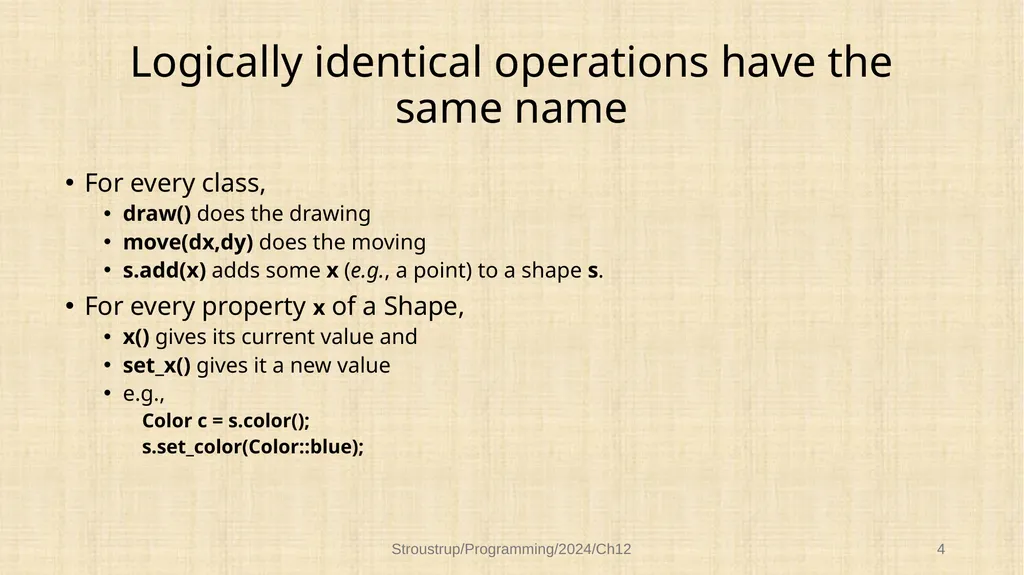
Logically identical operations have the same name For every class,
draw() does the drawing
move(dx,dy) does the moving
s.add(x) adds some x (e.g., a point) to a shape s.
For every property x of a Shape,
x() gives its current value and
set_x() gives it a new value
e.g.,
Color c = s.color();
s.set_color(Color::blue); Stroustrup/Programming/2024/Ch12 4<br>
draw() does the drawing
move(dx,dy) does the moving
s.add(x) adds some x (e.g., a point) to a shape s.
For every property x of a Shape,
x() gives its current value and
set_x() gives it a new value
e.g.,
Color c = s.color();
s.set_color(Color::blue); Stroustrup/Programming/2024/Ch12 4<br>
05
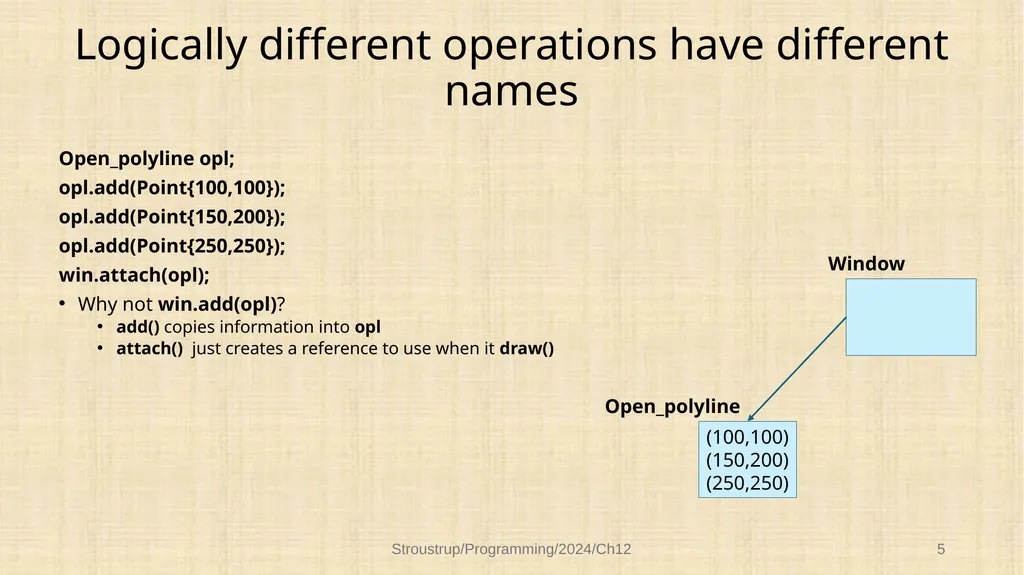
Logically different operations have different names Open_polyline opl;
opl.add(Point{100,100});
opl.add(Point{150,200});
opl.add(Point{250,250});
win.attach(opl);
Why not win.add(opl)?
add() copies information into opl
attach() just creates a reference to use when it draw() Stroustrup/Programming/2024/Ch12 5 (100,100)
(150,200)
(250,250) Open_polyline Window<br>
opl.add(Point{100,100});
opl.add(Point{150,200});
opl.add(Point{250,250});
win.attach(opl);
Why not win.add(opl)?
add() copies information into opl
attach() just creates a reference to use when it draw() Stroustrup/Programming/2024/Ch12 5 (100,100)
(150,200)
(250,250) Open_polyline Window<br>
06
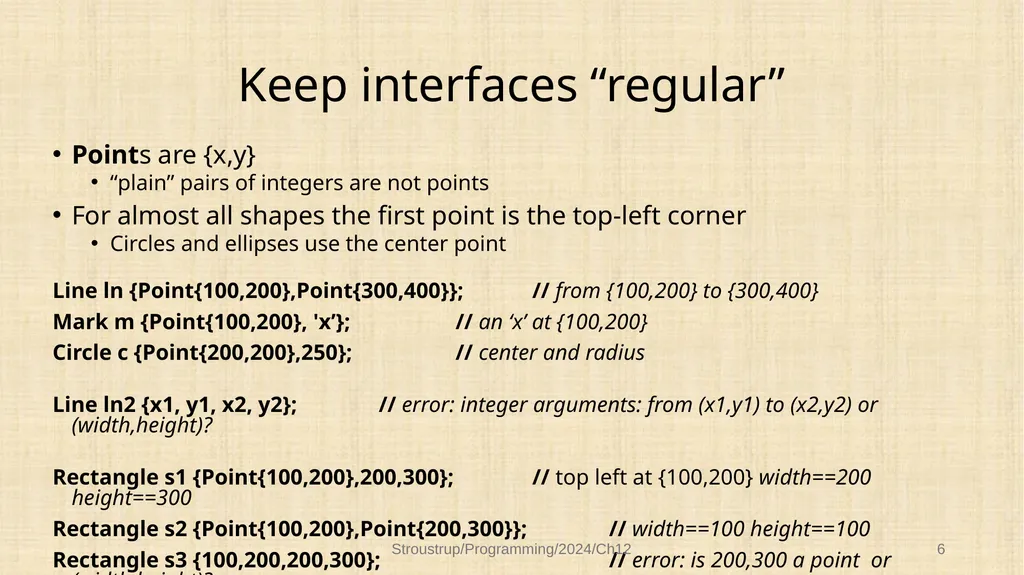
Keep interfaces “regular” Points are {x,y}
“plain” pairs of integers are not points
For almost all shapes the first point is the top-left corner
Circles and ellipses use the center point
Line ln {Point{100,200},Point{300,400}}; // from {100,200} to {300,400}
Mark m {Point{100,200}, 'x’}; // an ‘x’ at {100,200}
Circle c {Point{200,200},250}; // center and radius
Line ln2 {x1, y1, x2, y2}; // error: integer arguments: from (x1,y1) to (x2,y2) or (width,height)?
Rectangle s1 {Point{100,200},200,300}; // top left at {100,200} width==200 height==300
Rectangle s2 {Point{100,200},Point{200,300}}; // width==100 height==100
Rectangle s3 {100,200,200,300}; // error: is 200,300 a point or (width,height)? Stroustrup/Programming/2024/Ch12 6<br>
“plain” pairs of integers are not points
For almost all shapes the first point is the top-left corner
Circles and ellipses use the center point
Line ln {Point{100,200},Point{300,400}}; // from {100,200} to {300,400}
Mark m {Point{100,200}, 'x’}; // an ‘x’ at {100,200}
Circle c {Point{200,200},250}; // center and radius
Line ln2 {x1, y1, x2, y2}; // error: integer arguments: from (x1,y1) to (x2,y2) or (width,height)?
Rectangle s1 {Point{100,200},200,300}; // top left at {100,200} width==200 height==300
Rectangle s2 {Point{100,200},Point{200,300}}; // width==100 height==100
Rectangle s3 {100,200,200,300}; // error: is 200,300 a point or (width,height)? Stroustrup/Programming/2024/Ch12 6<br>
07
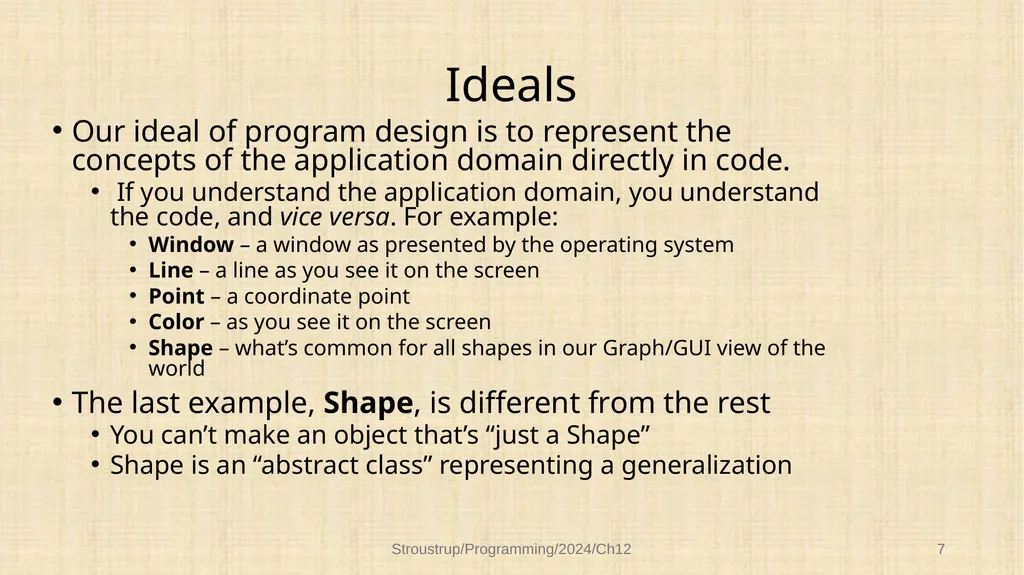
Ideals Our ideal of program design is to represent the concepts of the application domain directly in code.
If you understand the application domain, you understand the code, and vice versa. For example:
Window – a window as presented by the operating system
Line – a line as you see it on the screen
Point – a coordinate point
Color – as you see it on the screen
Shape – what’s common for all shapes in our Graph/GUI view of the world
The last example, Shape, is different from the rest
You can’t make an object that’s “just a Shape”
Shape is an “abstract class” representing a generalization Stroustrup/Programming/2024/Ch12 7<br>
If you understand the application domain, you understand the code, and vice versa. For example:
Window – a window as presented by the operating system
Line – a line as you see it on the screen
Point – a coordinate point
Color – as you see it on the screen
Shape – what’s common for all shapes in our Graph/GUI view of the world
The last example, Shape, is different from the rest
You can’t make an object that’s “just a Shape”
Shape is an “abstract class” representing a generalization Stroustrup/Programming/2024/Ch12 7<br>
08
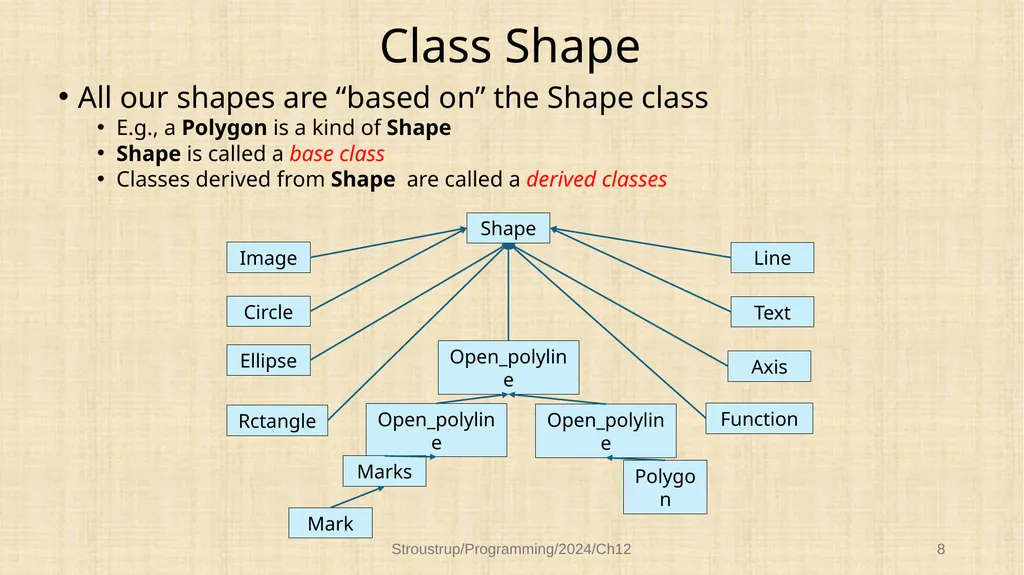
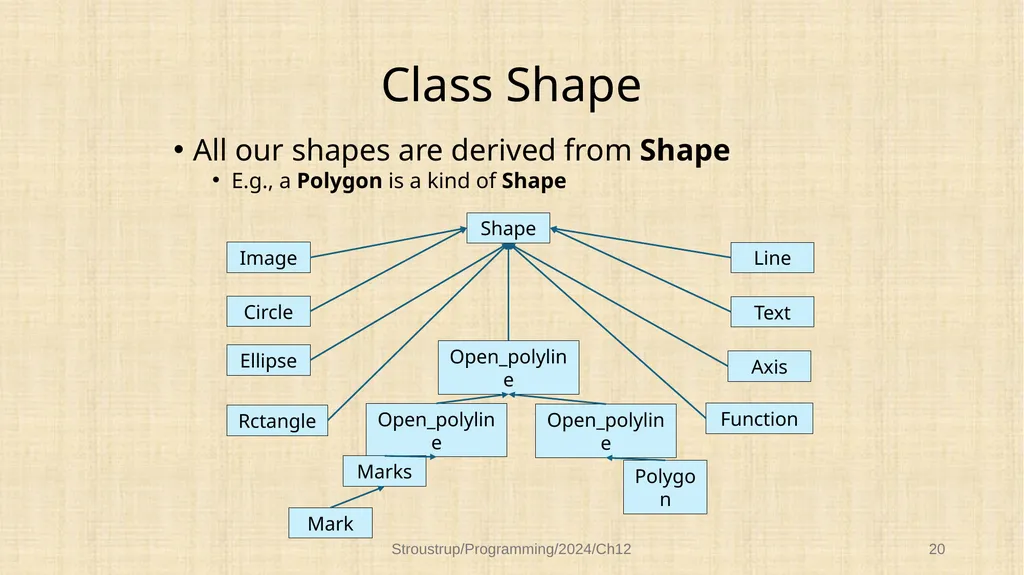
Class Shape All our shapes are “based on” the Shape class
E.g., a Polygon is a kind of Shape
Shape is called a base class
Classes derived from Shape are called a derived classes Stroustrup/Programming/2024/Ch12 8 Shape Function Ellipse Text Line Circle Image Rctangle Open_polyline Axis Open_polyline Open_polyline Polygon Mark Marks<br>
E.g., a Polygon is a kind of Shape
Shape is called a base class
Classes derived from Shape are called a derived classes Stroustrup/Programming/2024/Ch12 8 Shape Function Ellipse Text Line Circle Image Rctangle Open_polyline Axis Open_polyline Open_polyline Polygon Mark Marks<br>
09
Class Shape Shape represents the general notion of something that can appear in a Window on a screen:
ties our graphical objects to our Window abstraction
Window provides the connection to the operating system and the physical screen
deals with color and the style used to draw lines
To do that it holds a Line_style, a Color for lines, and a Color for filling closed shades
can hold a sequence of Points and has a basic notion of how to draw them
Many, but not all, Shapes, have some points Stroustrup/Programming/2024/Ch12 9<br>
ties our graphical objects to our Window abstraction
Window provides the connection to the operating system and the physical screen
deals with color and the style used to draw lines
To do that it holds a Line_style, a Color for lines, and a Color for filling closed shades
can hold a sequence of Points and has a basic notion of how to draw them
Many, but not all, Shapes, have some points Stroustrup/Programming/2024/Ch12 9<br>
10
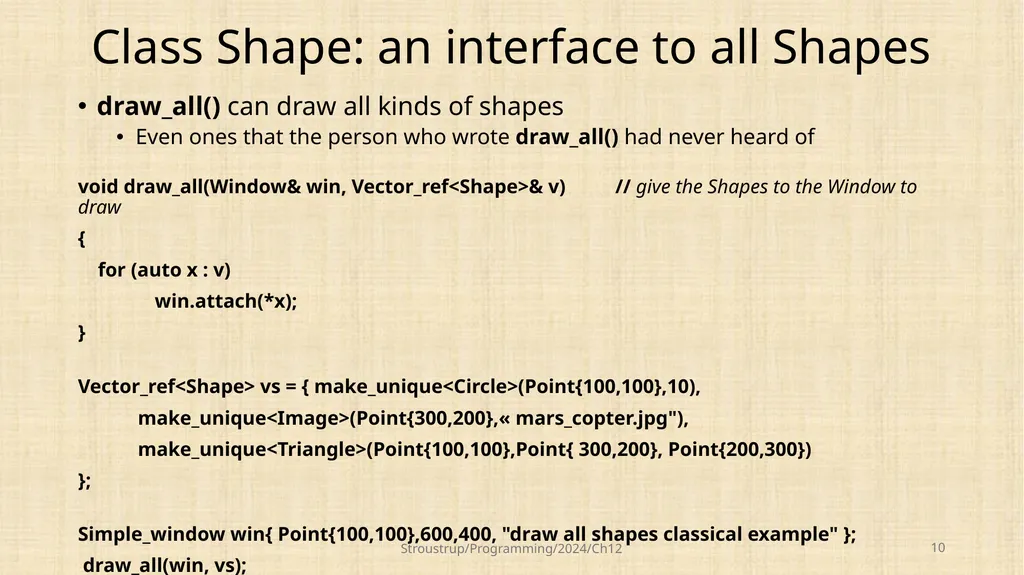
Class Shape: an interface to all Shapes draw_all() can draw all kinds of shapes
Even ones that the person who wrote draw_all() had never heard of
void draw_all(Window& win, Vector_ref<Shape>& v) // give the Shapes to the Window to draw
{
for (auto x : v)
win.attach(*x);
}
Vector_ref<Shape> vs = { make_unique<Circle>(Point{100,100},10),
make_unique<Image>(Point{300,200},« mars_copter.jpg"),
make_unique<Triangle>(Point{100,100},Point{ 300,200}, Point{200,300})
};
Simple_window win{ Point{100,100},600,400, "draw all shapes classical example" };
draw_all(win, vs); Stroustrup/Programming/2024/Ch12 10<br>
Even ones that the person who wrote draw_all() had never heard of
void draw_all(Window& win, Vector_ref<Shape>& v) // give the Shapes to the Window to draw
{
for (auto x : v)
win.attach(*x);
}
Vector_ref<Shape> vs = { make_unique<Circle>(Point{100,100},10),
make_unique<Image>(Point{300,200},« mars_copter.jpg"),
make_unique<Triangle>(Point{100,100},Point{ 300,200}, Point{200,300})
};
Simple_window win{ Point{100,100},600,400, "draw all shapes classical example" };
draw_all(win, vs); Stroustrup/Programming/2024/Ch12 10<br>
11
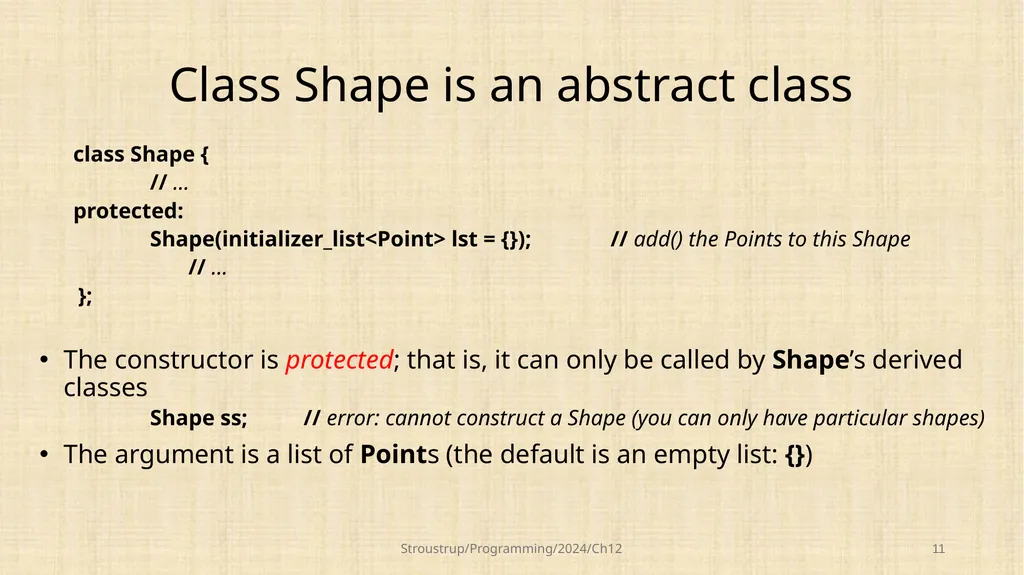
Class Shape is an abstract class class Shape {
// …
protected:
Shape(initializer_list<Point> lst = {}); // add() the Points to this Shape
// …
};
The constructor is protected; that is, it can only be called by Shape’s derived classes
Shape ss; // error: cannot construct a Shape (you can only have particular shapes)
The argument is a list of Points (the default is an empty list: {}) Stroustrup/Programming/2024/Ch12 11<br>
// …
protected:
Shape(initializer_list<Point> lst = {}); // add() the Points to this Shape
// …
};
The constructor is protected; that is, it can only be called by Shape’s derived classes
Shape ss; // error: cannot construct a Shape (you can only have particular shapes)
The argument is a list of Points (the default is an empty list: {}) Stroustrup/Programming/2024/Ch12 11<br>
12
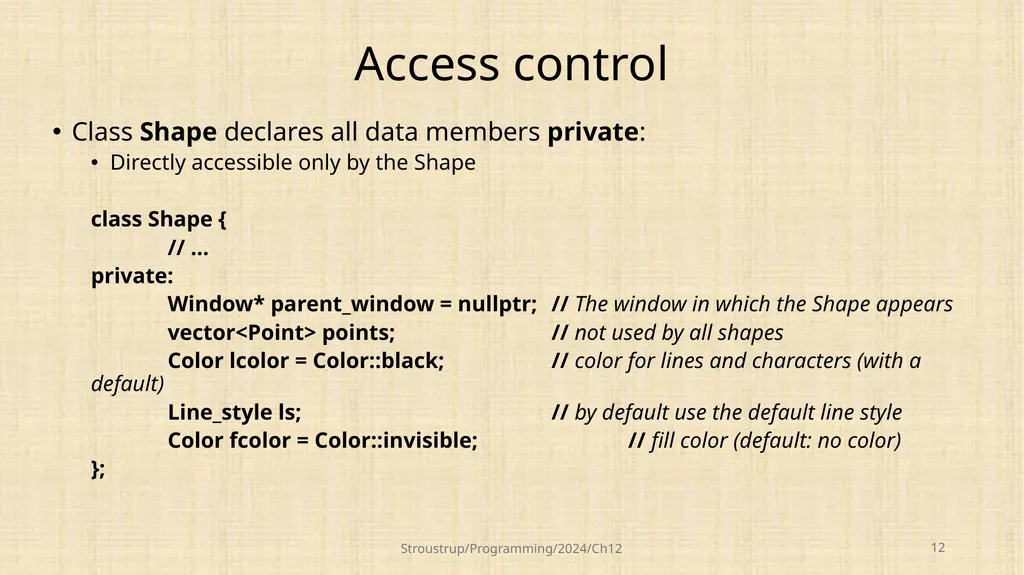
Access control Class Shape declares all data members private:
Directly accessible only by the Shape
class Shape {
// …
private:
Window* parent_window = nullptr; // The window in which the Shape appears
vector<Point> points; // not used by all shapes
Color lcolor = Color::black; // color for lines and characters (with a default)
Line_style ls; // by default use the default line style
Color fcolor = Color::invisible; // fill color (default: no color)
}; Stroustrup/Programming/2024/Ch12 12<br>
Directly accessible only by the Shape
class Shape {
// …
private:
Window* parent_window = nullptr; // The window in which the Shape appears
vector<Point> points; // not used by all shapes
Color lcolor = Color::black; // color for lines and characters (with a default)
Line_style ls; // by default use the default line style
Color fcolor = Color::invisible; // fill color (default: no color)
}; Stroustrup/Programming/2024/Ch12 12<br>
13
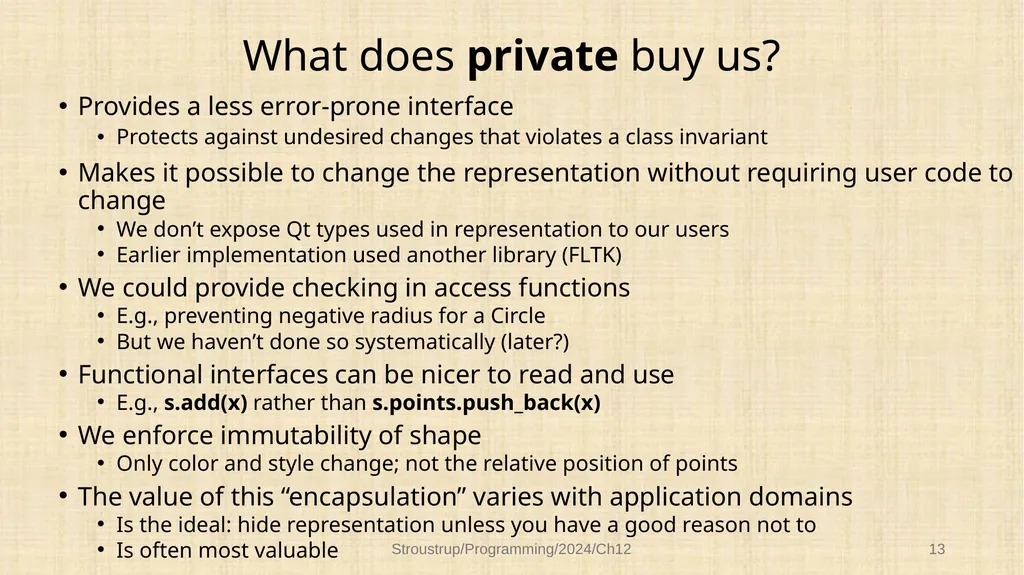
What does private buy us? Provides a less error-prone interface
Protects against undesired changes that violates a class invariant
Makes it possible to change the representation without requiring user code to change
We don’t expose Qt types used in representation to our users
Earlier implementation used another library (FLTK)
We could provide checking in access functions
E.g., preventing negative radius for a Circle
But we haven’t done so systematically (later?)
Functional interfaces can be nicer to read and use
E.g., s.add(x) rather than s.points.push_back(x)
We enforce immutability of shape
Only color and style change; not the relative position of points
The value of this “encapsulation” varies with application domains
Is the ideal: hide representation unless you have a good reason not to
Is often most valuable Stroustrup/Programming/2024/Ch12 13<br>
Protects against undesired changes that violates a class invariant
Makes it possible to change the representation without requiring user code to change
We don’t expose Qt types used in representation to our users
Earlier implementation used another library (FLTK)
We could provide checking in access functions
E.g., preventing negative radius for a Circle
But we haven’t done so systematically (later?)
Functional interfaces can be nicer to read and use
E.g., s.add(x) rather than s.points.push_back(x)
We enforce immutability of shape
Only color and style change; not the relative position of points
The value of this “encapsulation” varies with application domains
Is the ideal: hide representation unless you have a good reason not to
Is often most valuable Stroustrup/Programming/2024/Ch12 13<br>
14
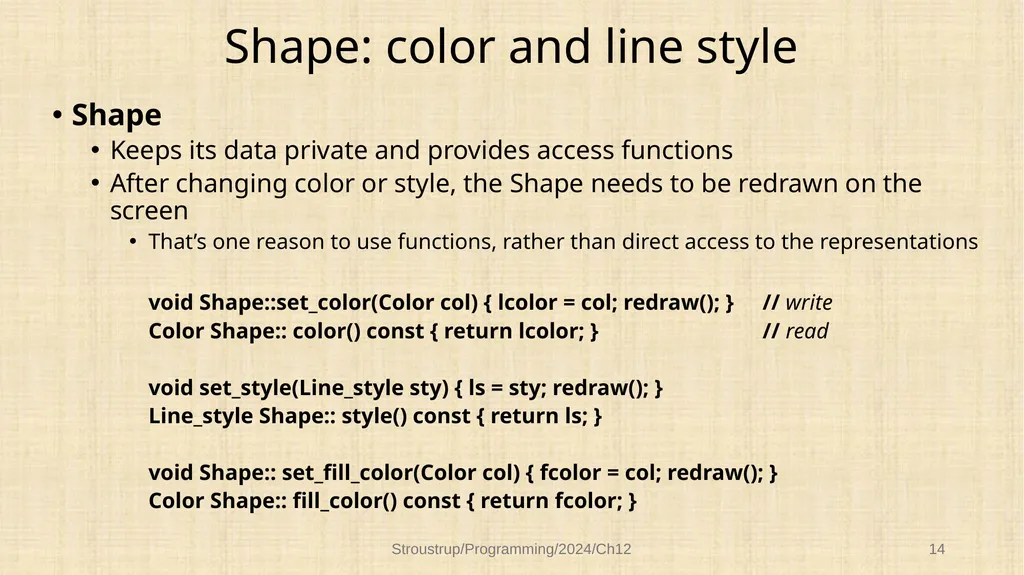
Shape: color and line style Shape
Keeps its data private and provides access functions
After changing color or style, the Shape needs to be redrawn on the screen
That’s one reason to use functions, rather than direct access to the representations
void Shape::set_color(Color col) { lcolor = col; redraw(); } // write
Color Shape:: color() const { return lcolor; } // read
void set_style(Line_style sty) { ls = sty; redraw(); }
Line_style Shape:: style() const { return ls; }
void Shape:: set_fill_color(Color col) { fcolor = col; redraw(); }
Color Shape:: fill_color() const { return fcolor; } Stroustrup/Programming/2024/Ch12 14<br>
Keeps its data private and provides access functions
After changing color or style, the Shape needs to be redrawn on the screen
That’s one reason to use functions, rather than direct access to the representations
void Shape::set_color(Color col) { lcolor = col; redraw(); } // write
Color Shape:: color() const { return lcolor; } // read
void set_style(Line_style sty) { ls = sty; redraw(); }
Line_style Shape:: style() const { return ls; }
void Shape:: set_fill_color(Color col) { fcolor = col; redraw(); }
Color Shape:: fill_color() const { return fcolor; } Stroustrup/Programming/2024/Ch12 14<br>
15
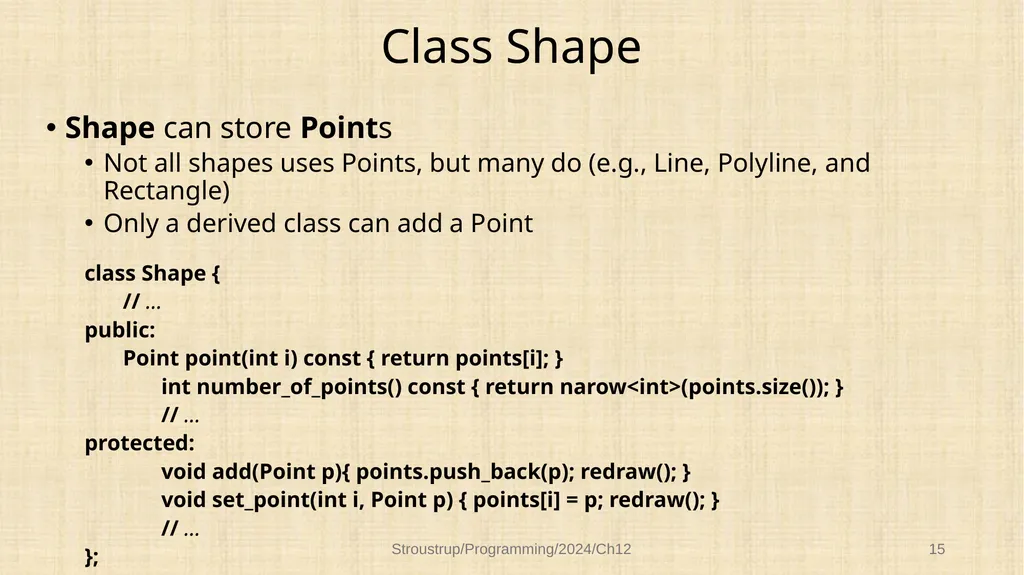
Class Shape Shape can store Points
Not all shapes uses Points, but many do (e.g., Line, Polyline, and Rectangle)
Only a derived class can add a Point
class Shape {
// …
public:
Point point(int i) const { return points[i]; }
int number_of_points() const { return narow<int>(points.size()); }
// …
protected:
void add(Point p){ points.push_back(p); redraw(); }
void set_point(int i, Point p) { points[i] = p; redraw(); }
// …
}; Stroustrup/Programming/2024/Ch12 15<br>
Not all shapes uses Points, but many do (e.g., Line, Polyline, and Rectangle)
Only a derived class can add a Point
class Shape {
// …
public:
Point point(int i) const { return points[i]; }
int number_of_points() const { return narow<int>(points.size()); }
// …
protected:
void add(Point p){ points.push_back(p); redraw(); }
void set_point(int i, Point p) { points[i] = p; redraw(); }
// …
}; Stroustrup/Programming/2024/Ch12 15<br>
16
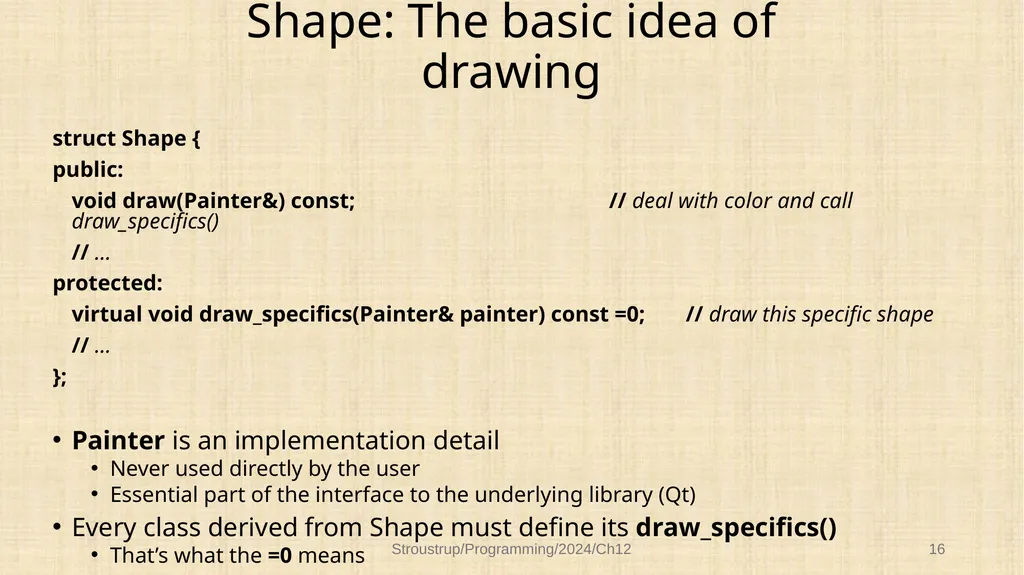
Shape: The basic idea of drawing struct Shape {
public:
void draw(Painter&) const; // deal with color and call draw_specifics()
// …
protected:
virtual void draw_specifics(Painter& painter) const =0; // draw this specific shape
// …
};
Painter is an implementation detail
Never used directly by the user
Essential part of the interface to the underlying library (Qt)
Every class derived from Shape must define its draw_specifics()
That’s what the =0 means Stroustrup/Programming/2024/Ch12 16<br>
public:
void draw(Painter&) const; // deal with color and call draw_specifics()
// …
protected:
virtual void draw_specifics(Painter& painter) const =0; // draw this specific shape
// …
};
Painter is an implementation detail
Never used directly by the user
Essential part of the interface to the underlying library (Qt)
Every class derived from Shape must define its draw_specifics()
That’s what the =0 means Stroustrup/Programming/2024/Ch12 16<br>
17
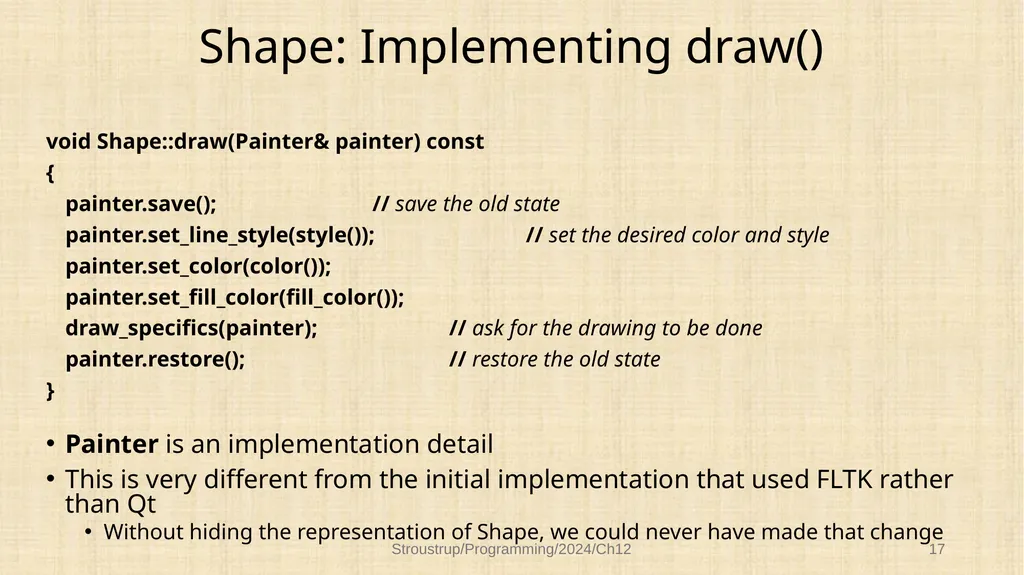
Shape: Implementing draw() void Shape::draw(Painter& painter) const
{
painter.save(); // save the old state
painter.set_line_style(style()); // set the desired color and style
painter.set_color(color());
painter.set_fill_color(fill_color());
draw_specifics(painter); // ask for the drawing to be done
painter.restore(); // restore the old state
}
Painter is an implementation detail
This is very different from the initial implementation that used FLTK rather than Qt
Without hiding the representation of Shape, we could never have made that change Stroustrup/Programming/2024/Ch12 17<br>
{
painter.save(); // save the old state
painter.set_line_style(style()); // set the desired color and style
painter.set_color(color());
painter.set_fill_color(fill_color());
draw_specifics(painter); // ask for the drawing to be done
painter.restore(); // restore the old state
}
Painter is an implementation detail
This is very different from the initial implementation that used FLTK rather than Qt
Without hiding the representation of Shape, we could never have made that change Stroustrup/Programming/2024/Ch12 17<br>
18
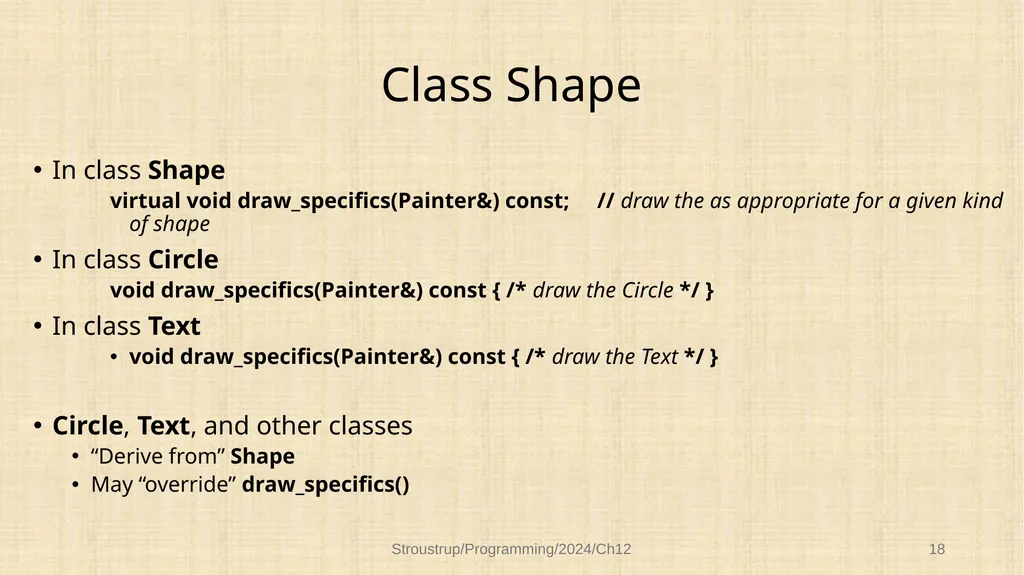
Class Shape In class Shape
virtual void draw_specifics(Painter&) const; // draw the as appropriate for a given kind of shape
In class Circle
void draw_specifics(Painter&) const { /* draw the Circle */ }
In class Text
void draw_specifics(Painter&) const { /* draw the Text */ }
Circle, Text, and other classes
“Derive from” Shape
May “override” draw_specifics() Stroustrup/Programming/2024/Ch12 18<br>
virtual void draw_specifics(Painter&) const; // draw the as appropriate for a given kind of shape
In class Circle
void draw_specifics(Painter&) const { /* draw the Circle */ }
In class Text
void draw_specifics(Painter&) const { /* draw the Text */ }
Circle, Text, and other classes
“Derive from” Shape
May “override” draw_specifics() Stroustrup/Programming/2024/Ch12 18<br>
19
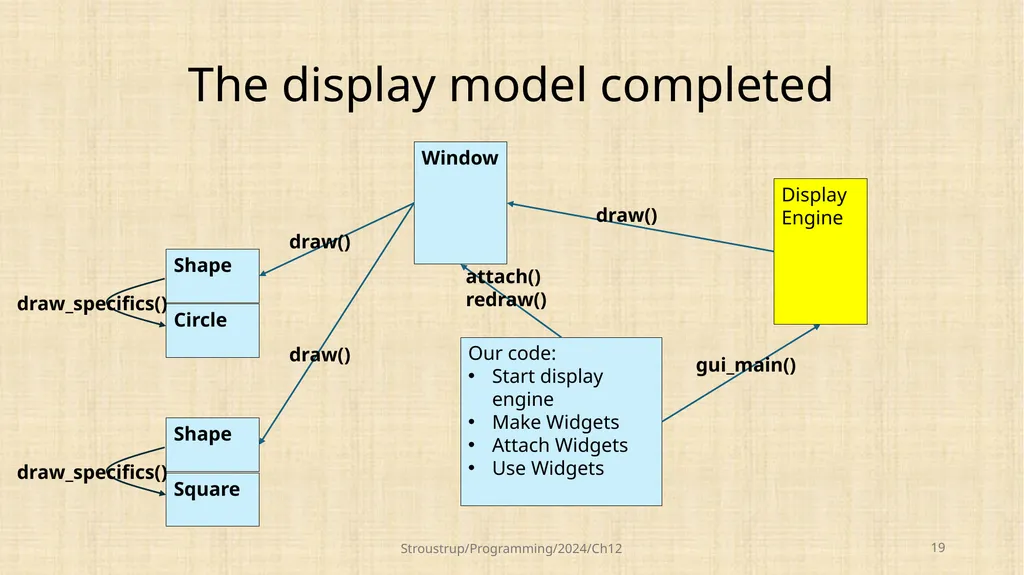
The display model completed Stroustrup/Programming/2024/Ch12 19 Shape Circle draw_specifics() Shape Square draw_specifics() Display
Engine Our code:
Start display engine
Make Widgets
Attach Widgets
Use Widgets Window gui_main() attach()
redraw() draw() draw() draw()<br>
Engine Our code:
Start display engine
Make Widgets
Attach Widgets
Use Widgets Window gui_main() attach()
redraw() draw() draw() draw()<br>
20
Class Shape All our shapes are derived from Shape
E.g., a Polygon is a kind of Shape Stroustrup/Programming/2024/Ch12 20 Shape Function Ellipse Text Line Circle Image Rctangle Open_polyline Axis Open_polyline Open_polyline Polygon Mark Marks<br>
E.g., a Polygon is a kind of Shape Stroustrup/Programming/2024/Ch12 20 Shape Function Ellipse Text Line Circle Image Rctangle Open_polyline Axis Open_polyline Open_polyline Polygon Mark Marks<br>
21
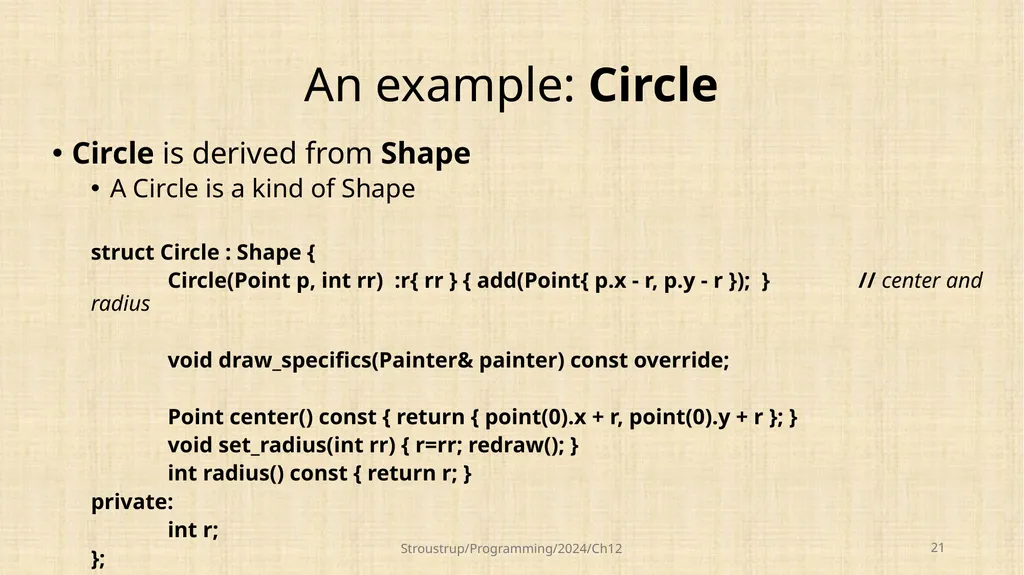
An example: Circle Circle is derived from Shape
A Circle is a kind of Shape
struct Circle : Shape {
Circle(Point p, int rr) :r{ rr } { add(Point{ p.x - r, p.y - r }); } // center and radius
void draw_specifics(Painter& painter) const override;
Point center() const { return { point(0).x + r, point(0).y + r }; }
void set_radius(int rr) { r=rr; redraw(); }
int radius() const { return r; }
private:
int r;
}; Stroustrup/Programming/2024/Ch12 21<br>
A Circle is a kind of Shape
struct Circle : Shape {
Circle(Point p, int rr) :r{ rr } { add(Point{ p.x - r, p.y - r }); } // center and radius
void draw_specifics(Painter& painter) const override;
Point center() const { return { point(0).x + r, point(0).y + r }; }
void set_radius(int rr) { r=rr; redraw(); }
int radius() const { return r; }
private:
int r;
}; Stroustrup/Programming/2024/Ch12 21<br>
22
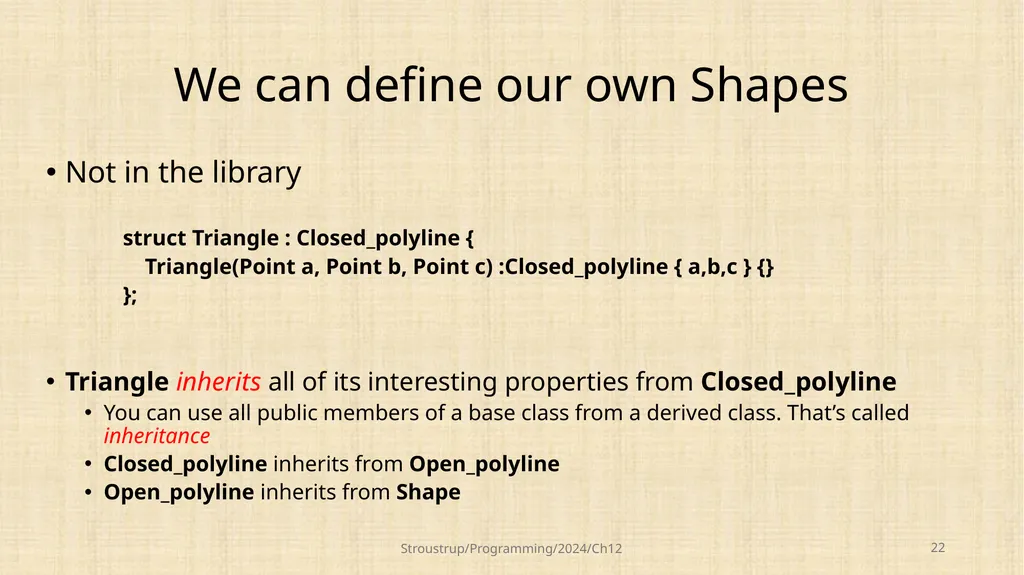
We can define our own Shapes Not in the library
struct Triangle : Closed_polyline {
Triangle(Point a, Point b, Point c) :Closed_polyline { a,b,c } {}
};
Triangle inherits all of its interesting properties from Closed_polyline
You can use all public members of a base class from a derived class. That’s called inheritance
Closed_polyline inherits from Open_polyline
Open_polyline inherits from Shape Stroustrup/Programming/2024/Ch12 22<br>
struct Triangle : Closed_polyline {
Triangle(Point a, Point b, Point c) :Closed_polyline { a,b,c } {}
};
Triangle inherits all of its interesting properties from Closed_polyline
You can use all public members of a base class from a derived class. That’s called inheritance
Closed_polyline inherits from Open_polyline
Open_polyline inherits from Shape Stroustrup/Programming/2024/Ch12 22<br>
23
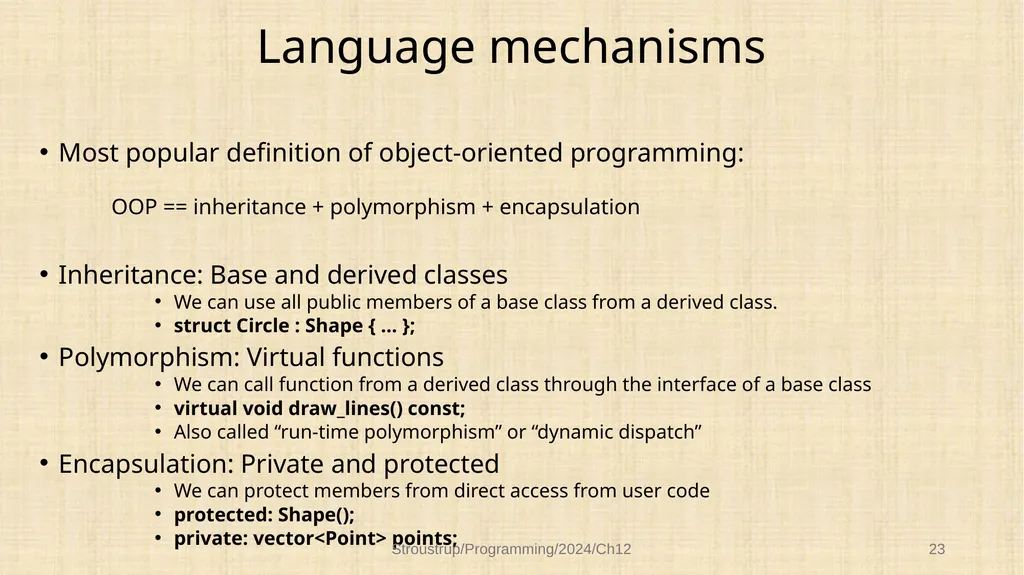
Language mechanisms Most popular definition of object-oriented programming:
OOP == inheritance + polymorphism + encapsulation
Inheritance: Base and derived classes
We can use all public members of a base class from a derived class.
struct Circle : Shape { … };
Polymorphism: Virtual functions
We can call function from a derived class through the interface of a base class
virtual void draw_lines() const;
Also called “run-time polymorphism” or “dynamic dispatch”
Encapsulation: Private and protected
We can protect members from direct access from user code
protected: Shape();
private: vector<Point> points; Stroustrup/Programming/2024/Ch12 23<br>
OOP == inheritance + polymorphism + encapsulation
Inheritance: Base and derived classes
We can use all public members of a base class from a derived class.
struct Circle : Shape { … };
Polymorphism: Virtual functions
We can call function from a derived class through the interface of a base class
virtual void draw_lines() const;
Also called “run-time polymorphism” or “dynamic dispatch”
Encapsulation: Private and protected
We can protect members from direct access from user code
protected: Shape();
private: vector<Point> points; Stroustrup/Programming/2024/Ch12 23<br>
24
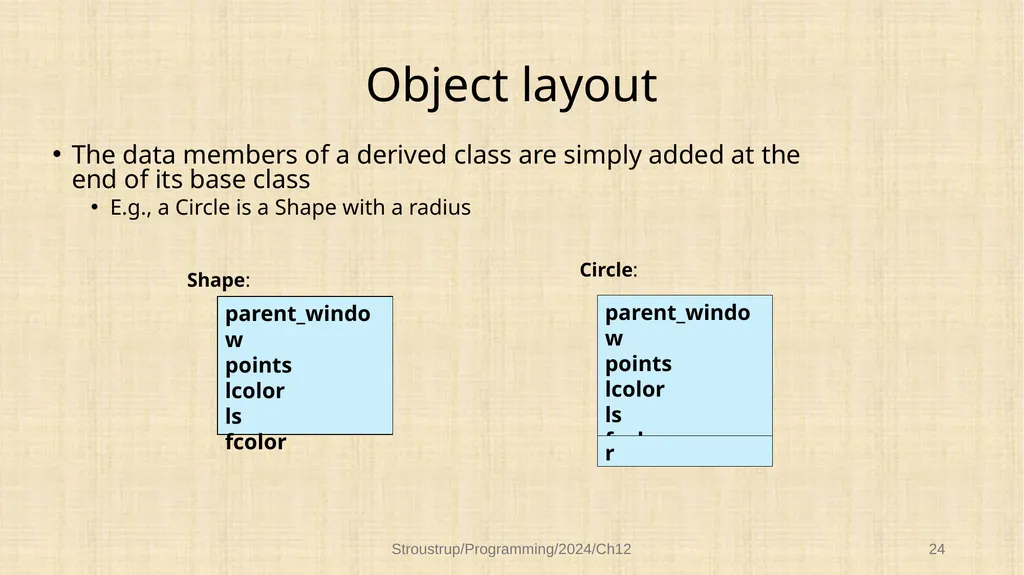
Object layout The data members of a derived class are simply added at the end of its base class
E.g., a Circle is a Shape with a radius Stroustrup/Programming/2024/Ch12 24 parent_window
points
lcolor
ls
fcolor parent_window
points
lcolor
ls
fcolor r Shape: Circle:<br>
E.g., a Circle is a Shape with a radius Stroustrup/Programming/2024/Ch12 24 parent_window
points
lcolor
ls
fcolor parent_window
points
lcolor
ls
fcolor r Shape: Circle:<br>
25
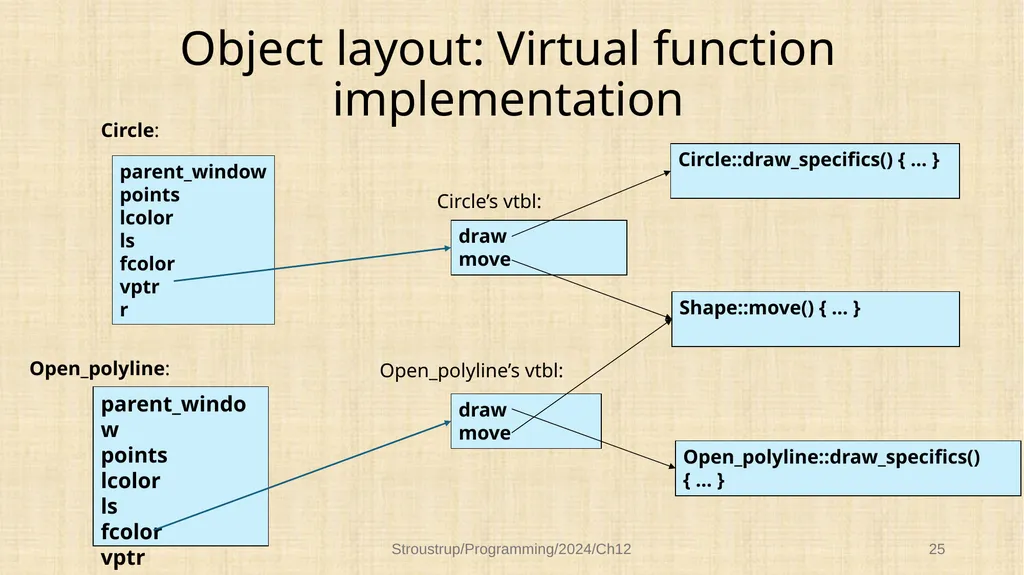
Object layout: Virtual function implementation Stroustrup/Programming/2024/Ch12 25 draw
move draw
move Open_polyline::draw_specifics() { … } Shape::move() { … } Circle::draw_specifics() { … } parent_window
points
lcolor
ls
fcolor
vptr Open_polyline: Circle: parent_window
points
lcolor
ls
fcolor
vptr
r Circle’s vtbl: Open_polyline’s vtbl:<br>
move draw
move Open_polyline::draw_specifics() { … } Shape::move() { … } Circle::draw_specifics() { … } parent_window
points
lcolor
ls
fcolor
vptr Open_polyline: Circle: parent_window
points
lcolor
ls
fcolor
vptr
r Circle’s vtbl: Open_polyline’s vtbl:<br>
26
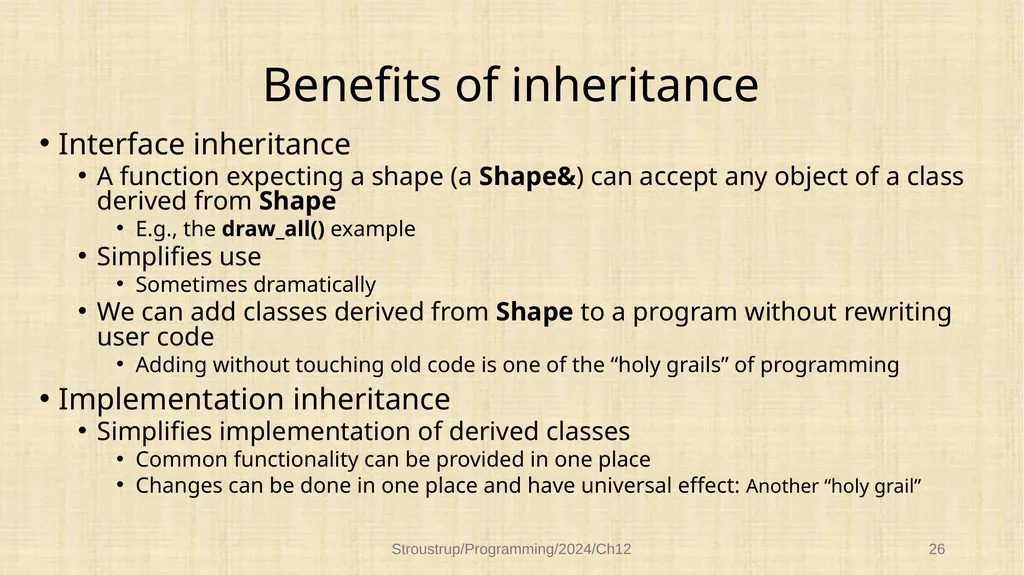
Benefits of inheritance Interface inheritance
A function expecting a shape (a Shape&) can accept any object of a class derived from Shape
E.g., the draw_all() example
Simplifies use
Sometimes dramatically
We can add classes derived from Shape to a program without rewriting user code
Adding without touching old code is one of the “holy grails” of programming
Implementation inheritance
Simplifies implementation of derived classes
Common functionality can be provided in one place
Changes can be done in one place and have universal effect: Another “holy grail” Stroustrup/Programming/2024/Ch12 26<br>
A function expecting a shape (a Shape&) can accept any object of a class derived from Shape
E.g., the draw_all() example
Simplifies use
Sometimes dramatically
We can add classes derived from Shape to a program without rewriting user code
Adding without touching old code is one of the “holy grails” of programming
Implementation inheritance
Simplifies implementation of derived classes
Common functionality can be provided in one place
Changes can be done in one place and have universal effect: Another “holy grail” Stroustrup/Programming/2024/Ch12 26<br>
27
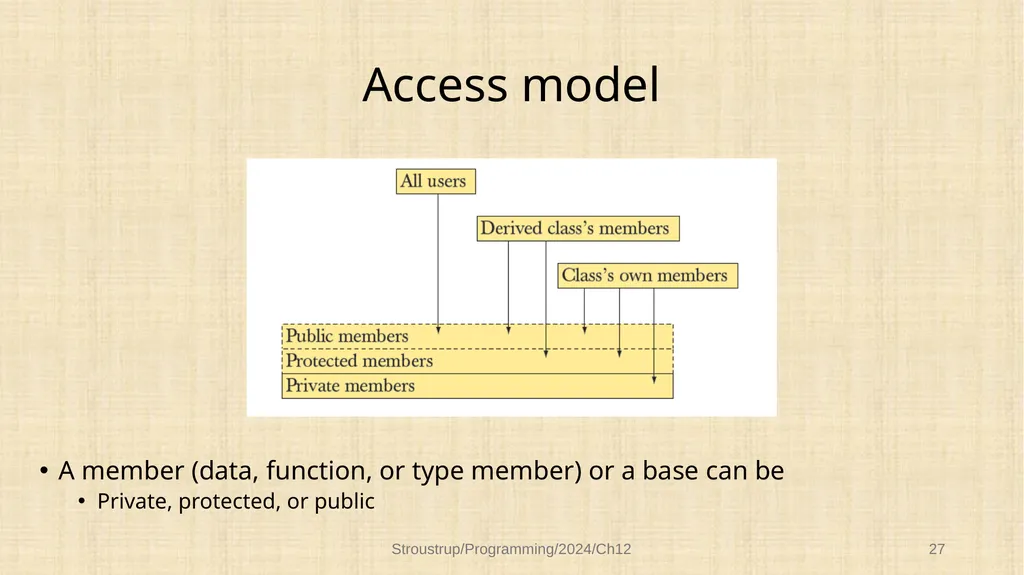
Access model A member (data, function, or type member) or a base can be
Private, protected, or public Stroustrup/Programming/2024/Ch12 27<br>
Private, protected, or public Stroustrup/Programming/2024/Ch12 27<br>
28
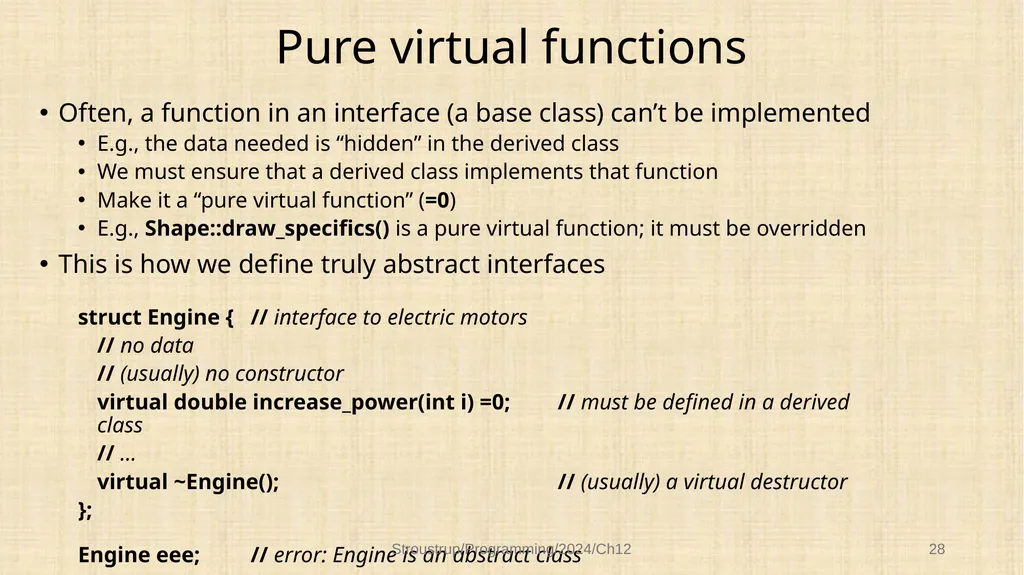
Pure virtual functions Often, a function in an interface (a base class) can’t be implemented
E.g., the data needed is “hidden” in the derived class
We must ensure that a derived class implements that function
Make it a “pure virtual function” (=0)
E.g., Shape::draw_specifics() is a pure virtual function; it must be overridden
This is how we define truly abstract interfaces
struct Engine { // interface to electric motors
// no data
// (usually) no constructor
virtual double increase_power(int i) =0; // must be defined in a derived class
// …
virtual ~Engine(); // (usually) a virtual destructor
};
Engine eee; // error: Engine is an abstract class Stroustrup/Programming/2024/Ch12 28<br>
E.g., the data needed is “hidden” in the derived class
We must ensure that a derived class implements that function
Make it a “pure virtual function” (=0)
E.g., Shape::draw_specifics() is a pure virtual function; it must be overridden
This is how we define truly abstract interfaces
struct Engine { // interface to electric motors
// no data
// (usually) no constructor
virtual double increase_power(int i) =0; // must be defined in a derived class
// …
virtual ~Engine(); // (usually) a virtual destructor
};
Engine eee; // error: Engine is an abstract class Stroustrup/Programming/2024/Ch12 28<br>
29
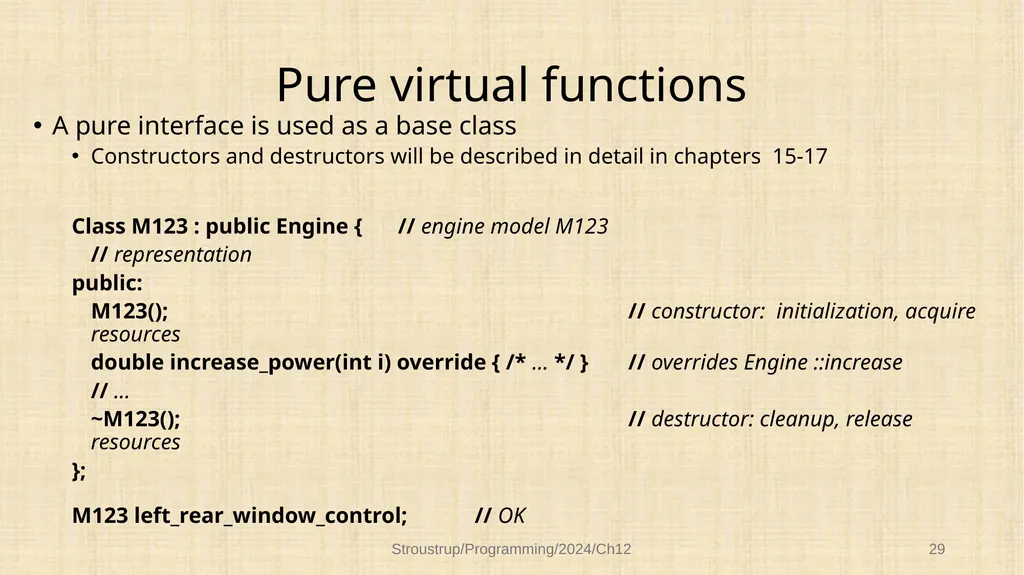
Pure virtual functions A pure interface is used as a base class
Constructors and destructors will be described in detail in chapters 15-17
Class M123 : public Engine { // engine model M123
// representation
public:
M123(); // constructor: initialization, acquire resources
double increase_power(int i) override { /* … */ } // overrides Engine ::increase
// …
~M123(); // destructor: cleanup, release resources
};
M123 left_rear_window_control; // OK Stroustrup/Programming/2024/Ch12 29<br>
Constructors and destructors will be described in detail in chapters 15-17
Class M123 : public Engine { // engine model M123
// representation
public:
M123(); // constructor: initialization, acquire resources
double increase_power(int i) override { /* … */ } // overrides Engine ::increase
// …
~M123(); // destructor: cleanup, release resources
};
M123 left_rear_window_control; // OK Stroustrup/Programming/2024/Ch12 29<br>
30
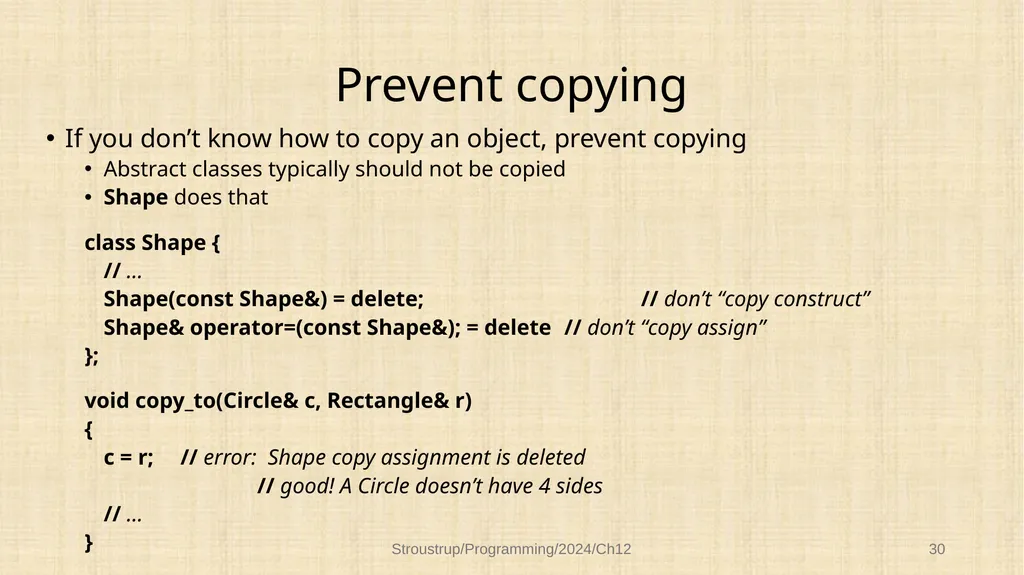
Prevent copying If you don’t know how to copy an object, prevent copying
Abstract classes typically should not be copied
Shape does that
class Shape {
// …
Shape(const Shape&) = delete; // don’t “copy construct”
Shape& operator=(const Shape&); = delete // don’t “copy assign”
};
void copy_to(Circle& c, Rectangle& r)
{
c = r; // error: Shape copy assignment is deleted
// good! A Circle doesn’t have 4 sides
// …
} Stroustrup/Programming/2024/Ch12 30<br>
Abstract classes typically should not be copied
Shape does that
class Shape {
// …
Shape(const Shape&) = delete; // don’t “copy construct”
Shape& operator=(const Shape&); = delete // don’t “copy assign”
};
void copy_to(Circle& c, Rectangle& r)
{
c = r; // error: Shape copy assignment is deleted
// good! A Circle doesn’t have 4 sides
// …
} Stroustrup/Programming/2024/Ch12 30<br>
31
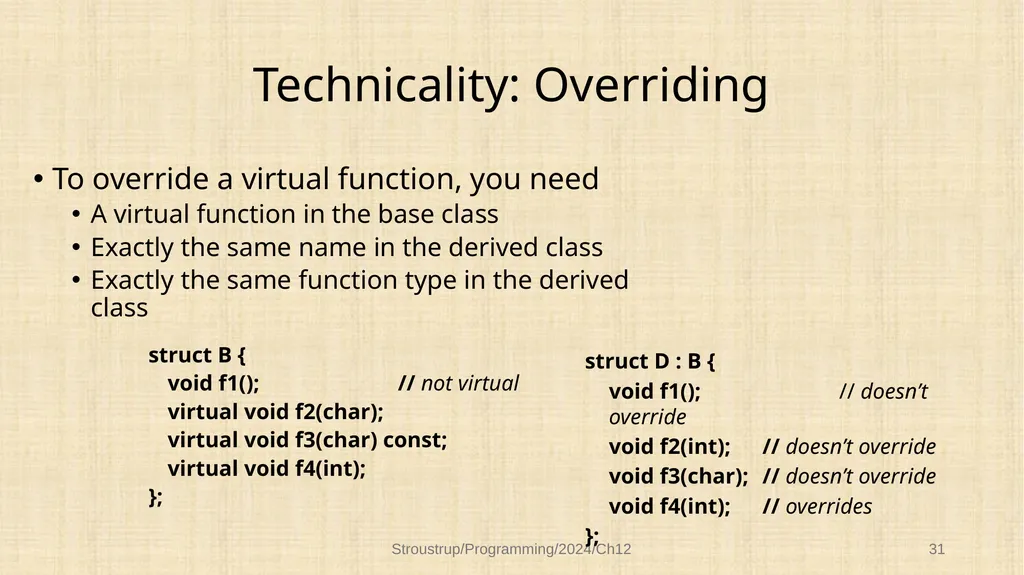
Technicality: Overriding To override a virtual function, you need
A virtual function in the base class
Exactly the same name in the derived class
Exactly the same function type in the derived class
struct B {
void f1(); // not virtual
virtual void f2(char);
virtual void f3(char) const;
virtual void f4(int);
}; Stroustrup/Programming/2024/Ch12 31 struct D : B {
void f1(); // doesn’t override
void f2(int); // doesn’t override
void f3(char); // doesn’t override
void f4(int); // overrides
};<br>
A virtual function in the base class
Exactly the same name in the derived class
Exactly the same function type in the derived class
struct B {
void f1(); // not virtual
virtual void f2(char);
virtual void f3(char) const;
virtual void f4(int);
}; Stroustrup/Programming/2024/Ch12 31 struct D : B {
void f1(); // doesn’t override
void f2(int); // doesn’t override
void f3(char); // doesn’t override
void f4(int); // overrides
};<br>
32
Next lecture Graphing functions and data Stroustrup/Programming/2024/Ch12 32<br>