02
ChromeRiver Disclaimer ChromeRiver provides a different method for submitting travel requests and expense reports (electronic vs paper)
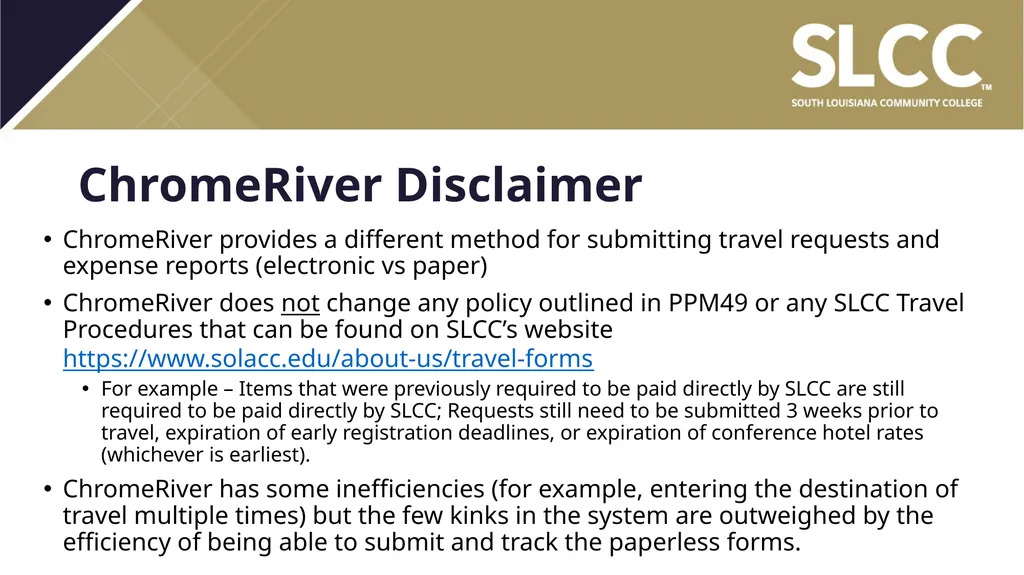
ChromeRiver does not change any policy outlined in PPM49 or any SLCC Travel Procedures that can be found on SLCC’s website https://www.solacc.edu/about-us/travel-forms
For example – Items that were previously required to be paid directly by SLCC are still required to be paid directly by SLCC; Requests still need to be submitted 3 weeks prior to travel, expiration of early registration deadlines, or expiration of conference hotel rates (whichever is earliest).
ChromeRiver has some inefficiencies (for example, entering the destination of travel multiple times) but the few kinks in the system are outweighed by the efficiency of being able to submit and track the paperless forms.<br>
04
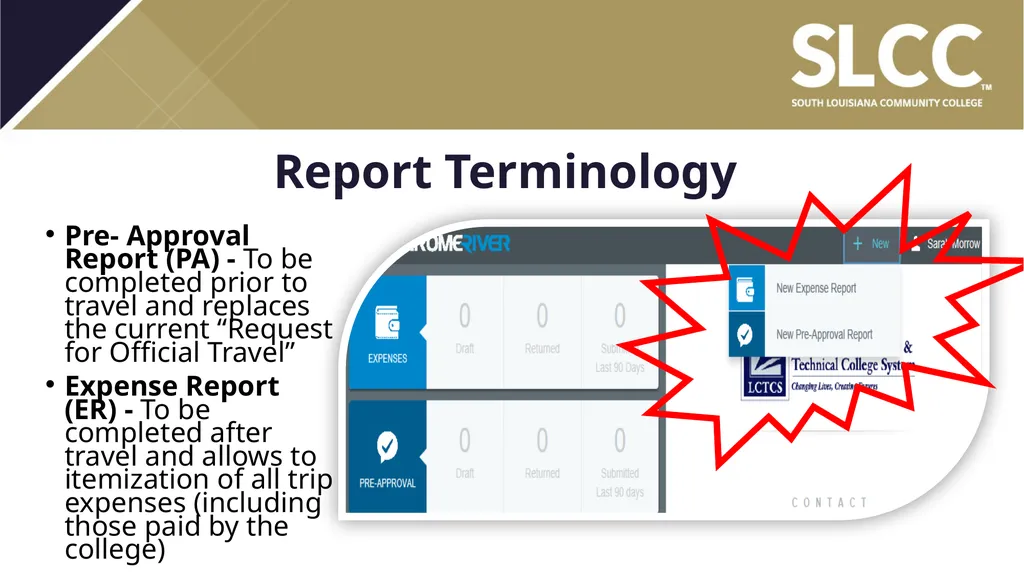
Report Terminology Pre- Approval Report (PA) - To be completed prior to travel and replaces the current “Request for Official Travel”
Expense Report (ER) - To be completed after travel and allows to itemization of all trip expenses (including those paid by the college)<br>
05
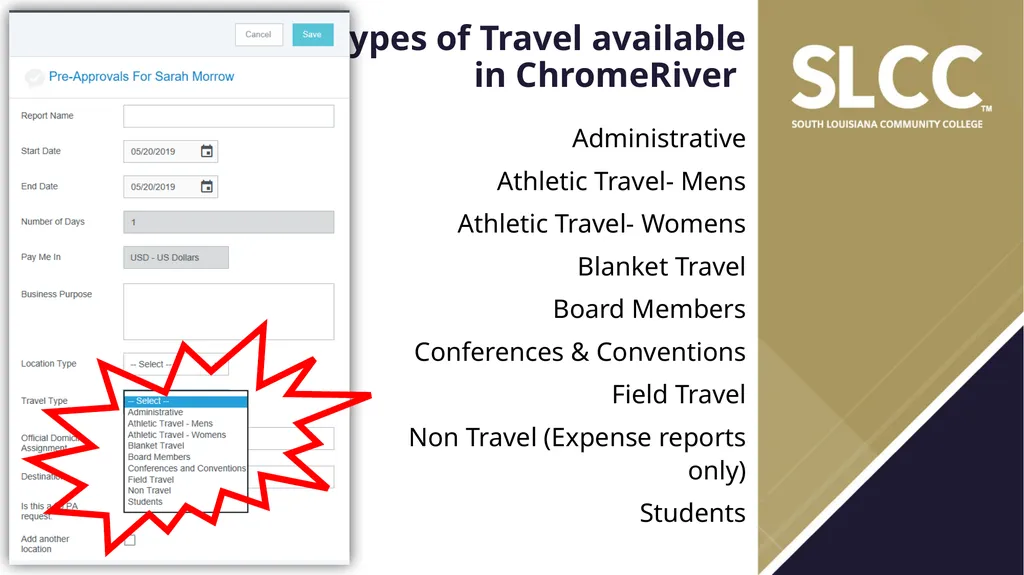
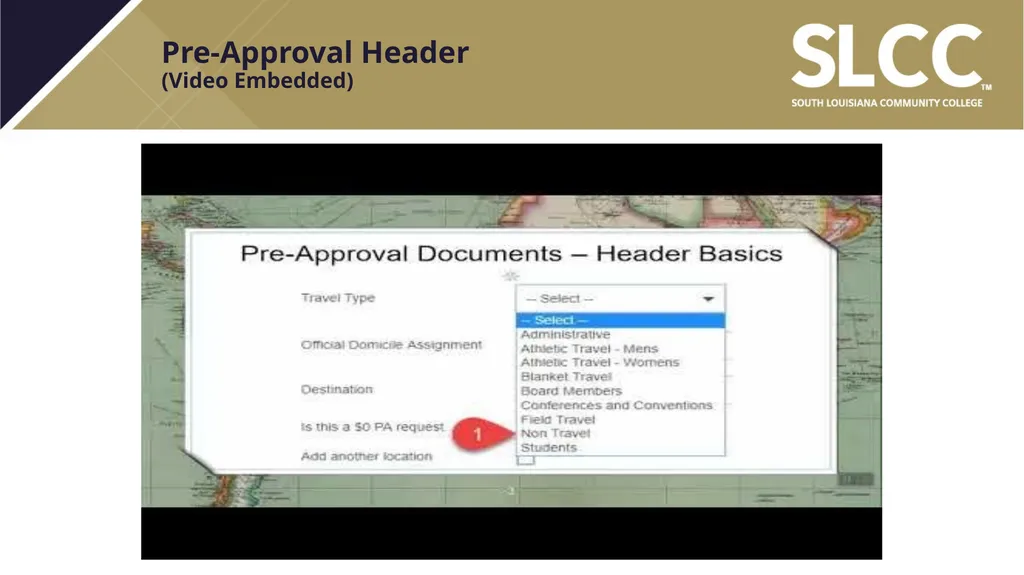
Types of Travel available�in ChromeRiver Administrative
Athletic Travel- Mens
Athletic Travel- Womens
Blanket Travel
Board Members
Conferences & Conventions
Field Travel
Non Travel (Expense reports only)
Students<br>
06
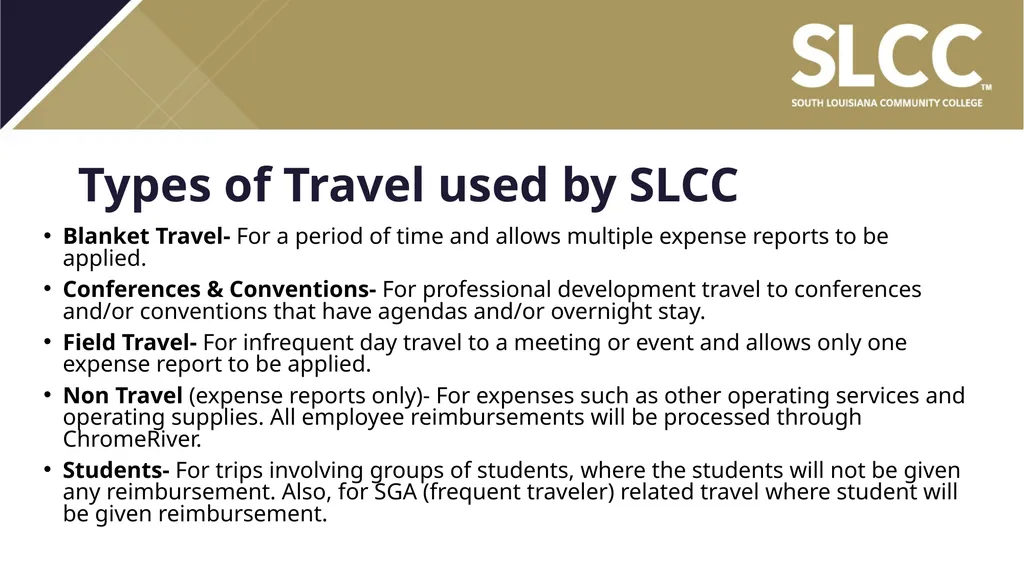
Types of Travel used by SLCC Blanket Travel- For a period of time and allows multiple expense reports to be applied.
Conferences & Conventions- For professional development travel to conferences and/or conventions that have agendas and/or overnight stay.
Field Travel- For infrequent day travel to a meeting or event and allows only one expense report to be applied.
Non Travel (expense reports only)- For expenses such as other operating services and operating supplies. All employee reimbursements will be processed through ChromeRiver.
Students- For trips involving groups of students, where the students will not be given any reimbursement. Also, for SGA (frequent traveler) related travel where student will be given reimbursement.<br>
08
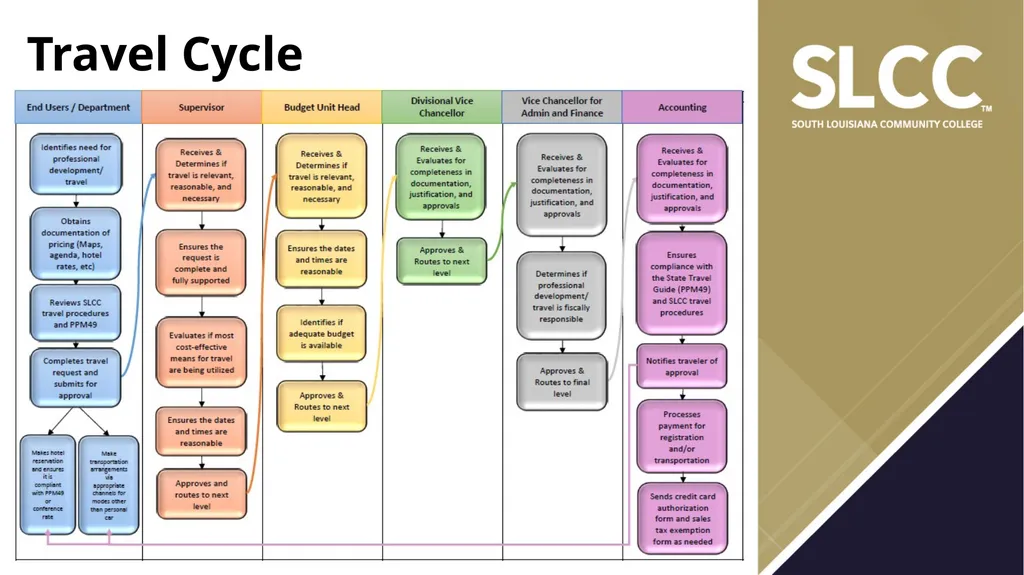
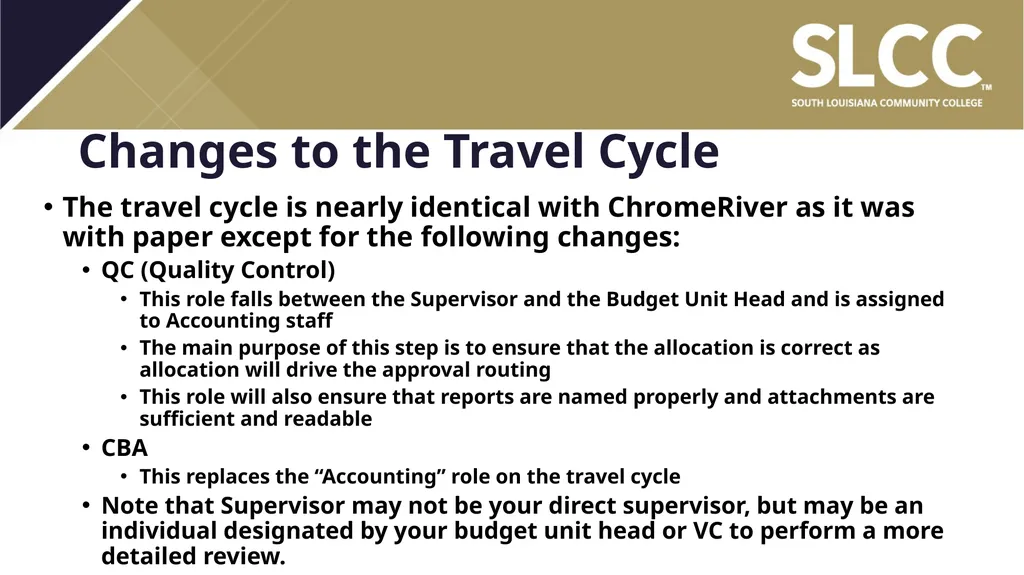
Changes to the Travel Cycle The travel cycle is nearly identical with ChromeRiver as it was with paper except for the following changes:
QC (Quality Control)
This role falls between the Supervisor and the Budget Unit Head and is assigned to Accounting staff
The main purpose of this step is to ensure that the allocation is correct as allocation will drive the approval routing
This role will also ensure that reports are named properly and attachments are sufficient and readable
CBA
This replaces the “Accounting” role on the travel cycle
Note that Supervisor may not be your direct supervisor, but may be an individual designated by your budget unit head or VC to perform a more detailed review.<br>
09
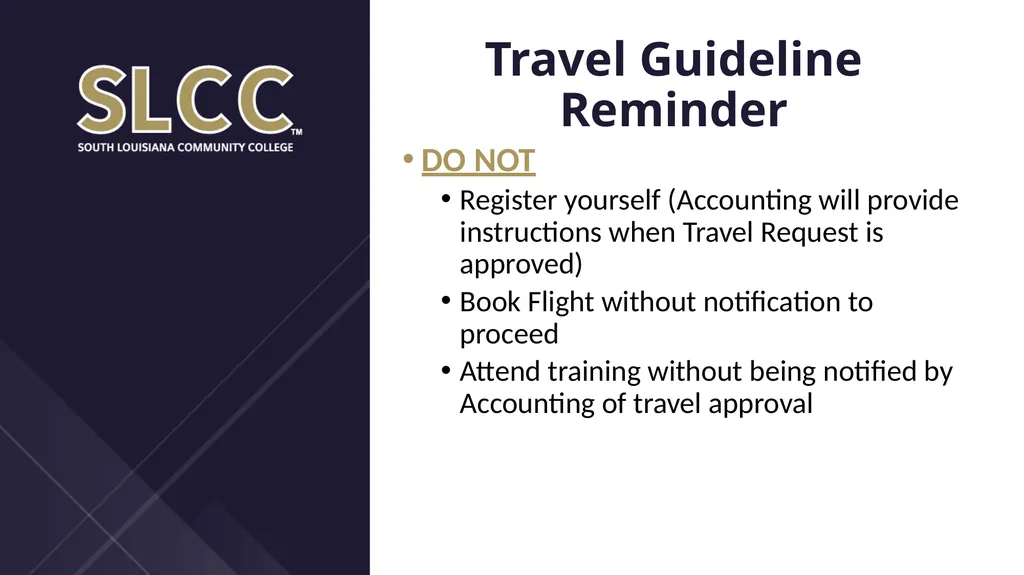
Travel Guideline Reminder DO NOT
Register yourself (Accounting will provide instructions when Travel Request is approved)
Book Flight without notification to proceed
Attend training without being notified by Accounting of travel approval<br>
10
Travel Guideline Reminder (cont’d) DO
Complete your Travel Request EARLY (at least 3 weeks in advance of travel and before early registration ends and conference hotel rates expire)
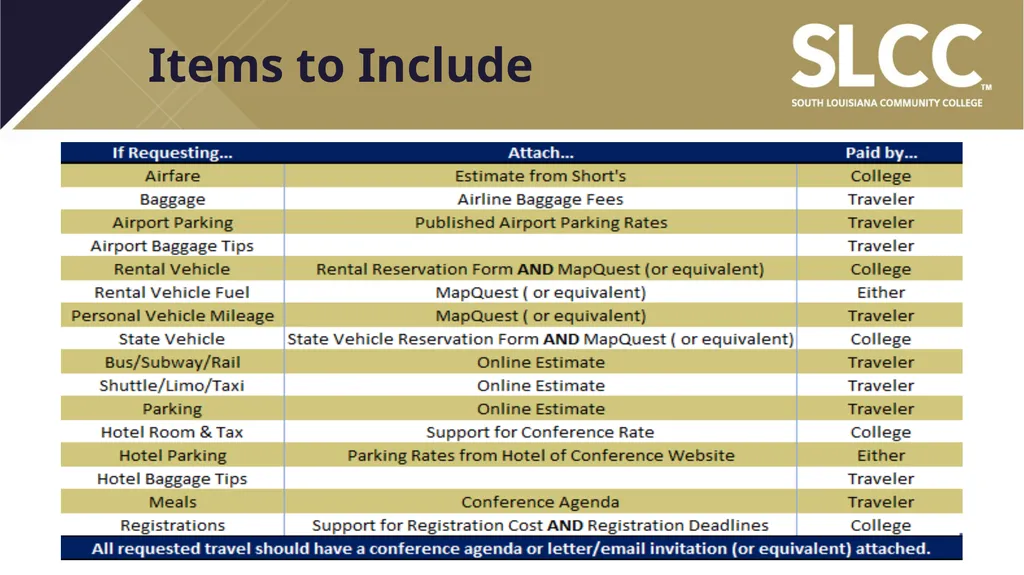
Attach documentation to support travel costs
Book conference hotel (only if cancellable)<br>
11
Pre-Approval Header�(Video Embedded)<br>
12
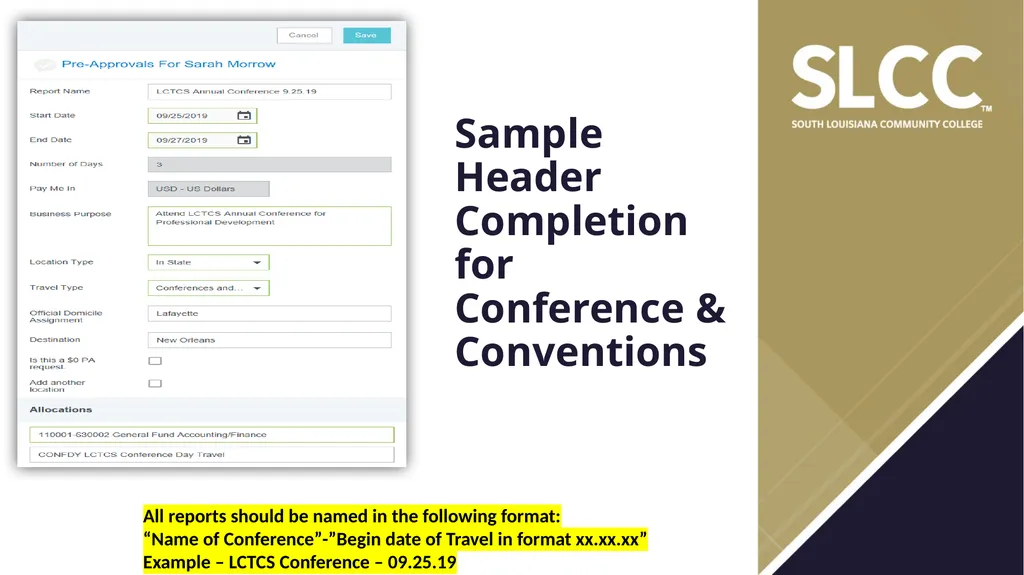
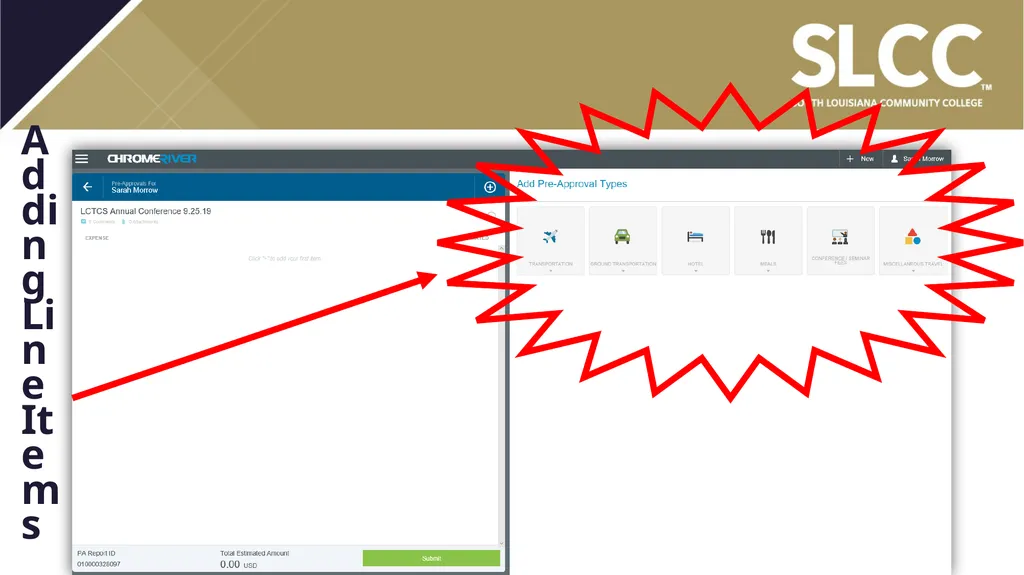
Sample Header Completion for Conference & Conventions All reports should be named in the following format:
“Name of Conference”-”Begin date of Travel in format xx.xx.xx”
Example – LCTCS Conference – 09.25.19<br>
13
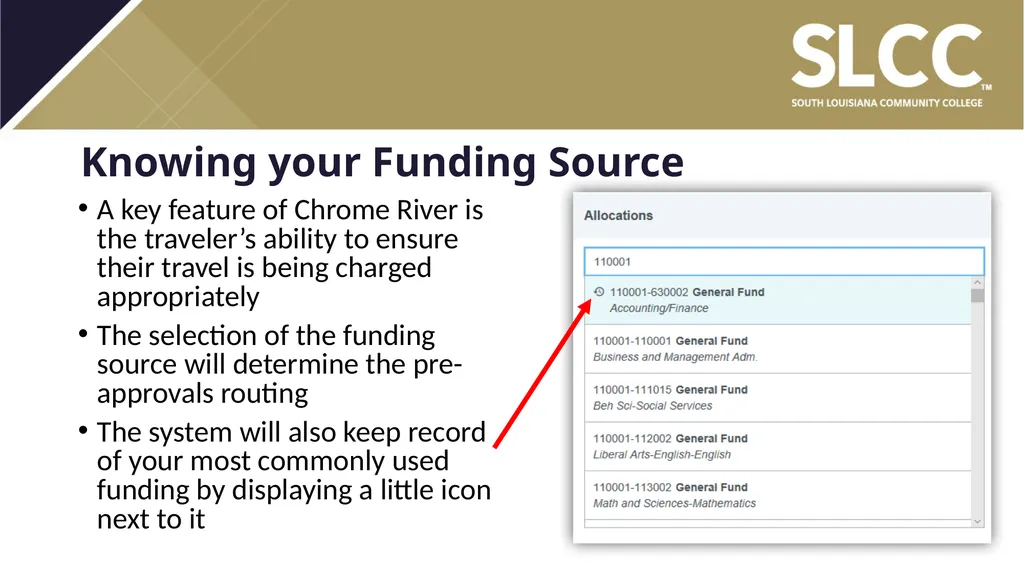
Knowing your Funding Source A key feature of Chrome River is the traveler’s ability to ensure their travel is being charged appropriately
The selection of the funding source will determine the pre-approvals routing
The system will also keep record of your most commonly used funding by displaying a little icon next to it<br>
15
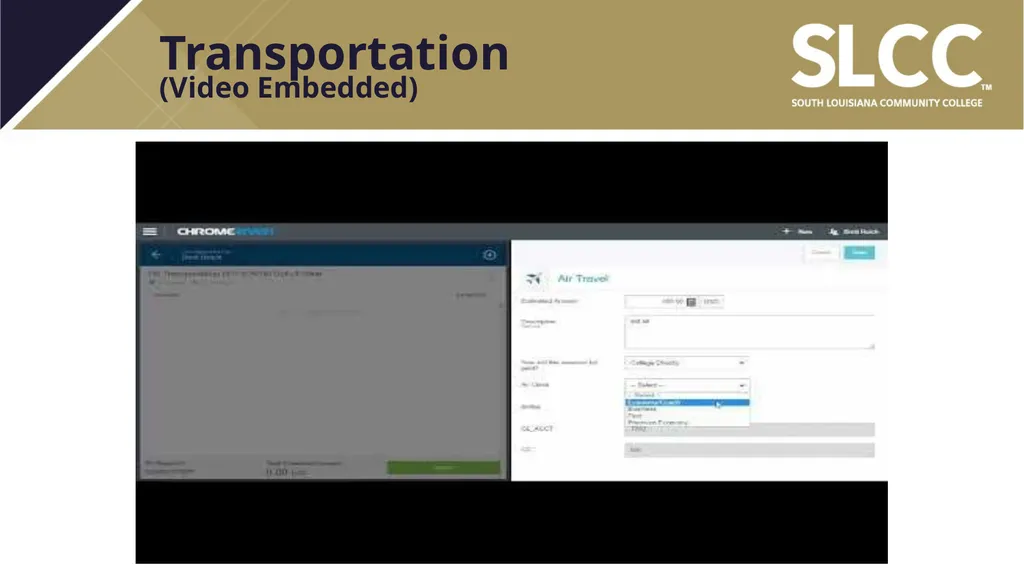
Transportation�(Video Embedded)<br>
16
Transportation (cont’d) Flights:
Short’s estimates will still be required
You will be able to upload attachments prior to submitting
Baggage fees will be requested under transportation, not other
Only the first checked bag each way is reimbursable. If an additional bag is necessary for bringing any presentation material, please use the description box to explain
The description will not be optional for any change ticket fees requested
The employee should explain the circumstances of the change request<br>
17
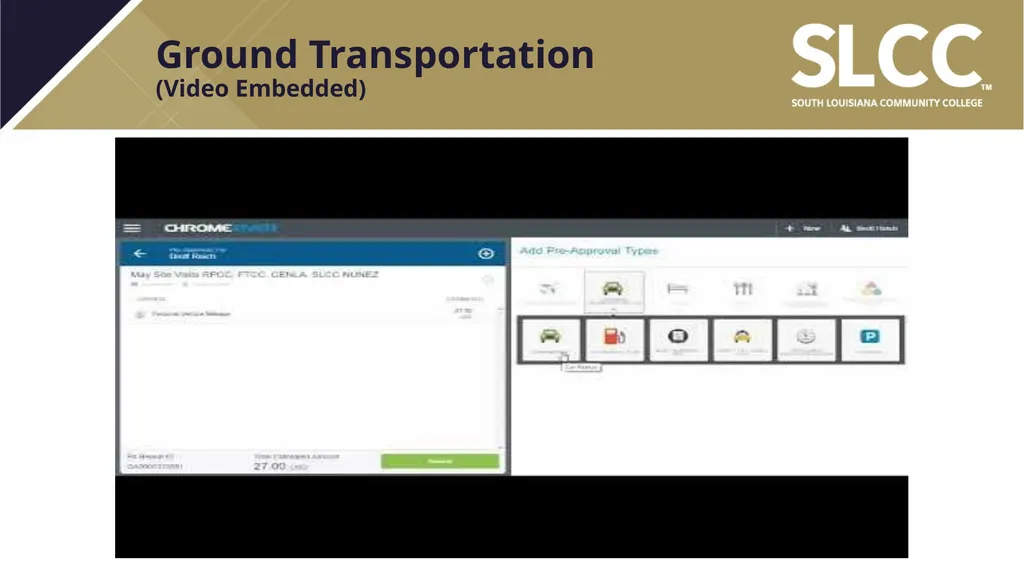
Ground Transportation�(Video Embedded)<br>
18
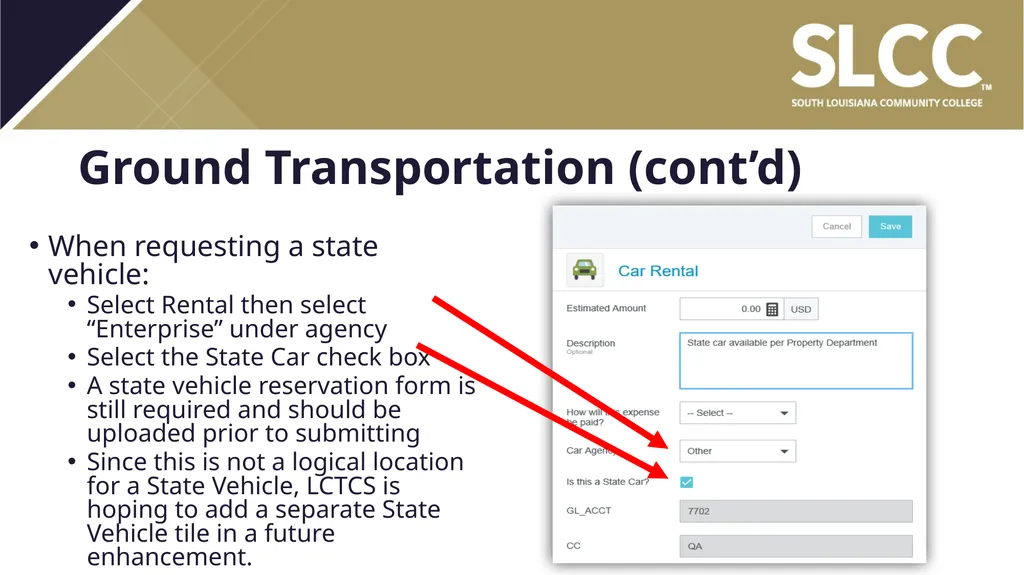
Ground Transportation (cont’d) When requesting a state vehicle:
Select Rental then select “Enterprise” under agency
Select the State Car check box
A state vehicle reservation form is still required and should be uploaded prior to submitting
Since this is not a logical location for a State Vehicle, LCTCS is hoping to add a separate State Vehicle tile in a future enhancement.<br>
19
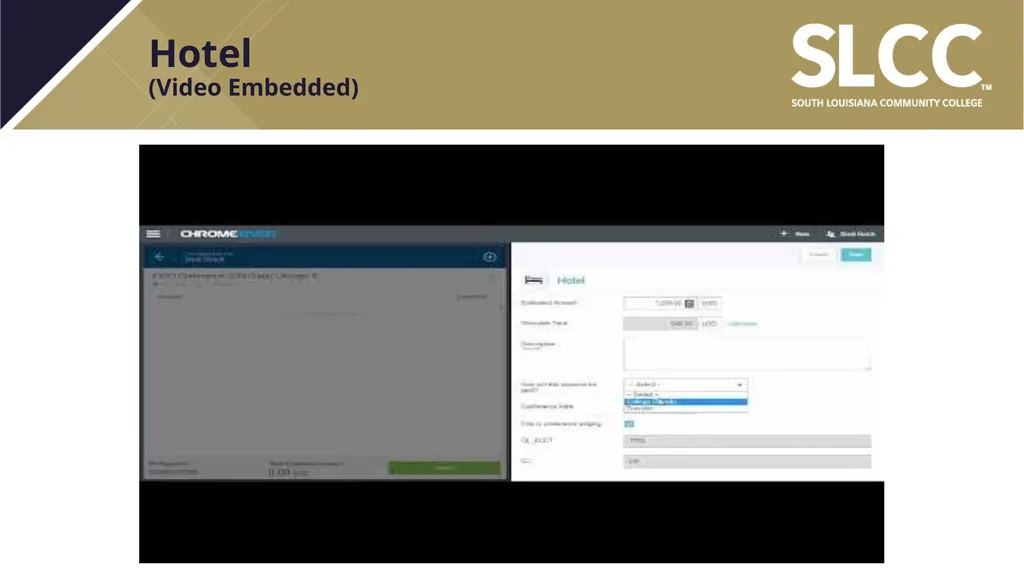
Hotel �(Video Embedded)<br>
20
Hotel (cont’d) It is imperative that taxes are estimated correctly.
Please be fully aware of any resort fees, occupancy taxes, and other fees assessed by the hotel and enter an amount for them in taxes with an explanation.
You will have to fully itemize your expenses on the expense report, and if you do not accurately estimate, there will be a delay in reimbursement because you cannot exceed your pre-approval by even a dollar.
The calculate button is ALWAYS mandatory, even when selecting conference lodging.<br>
21
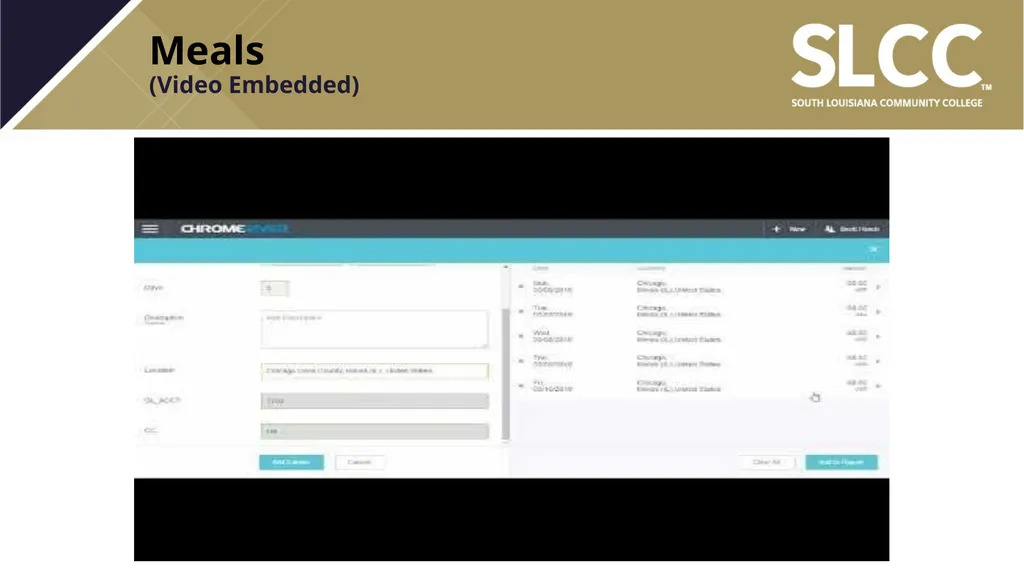
Meals�(Video Embedded)<br>
22
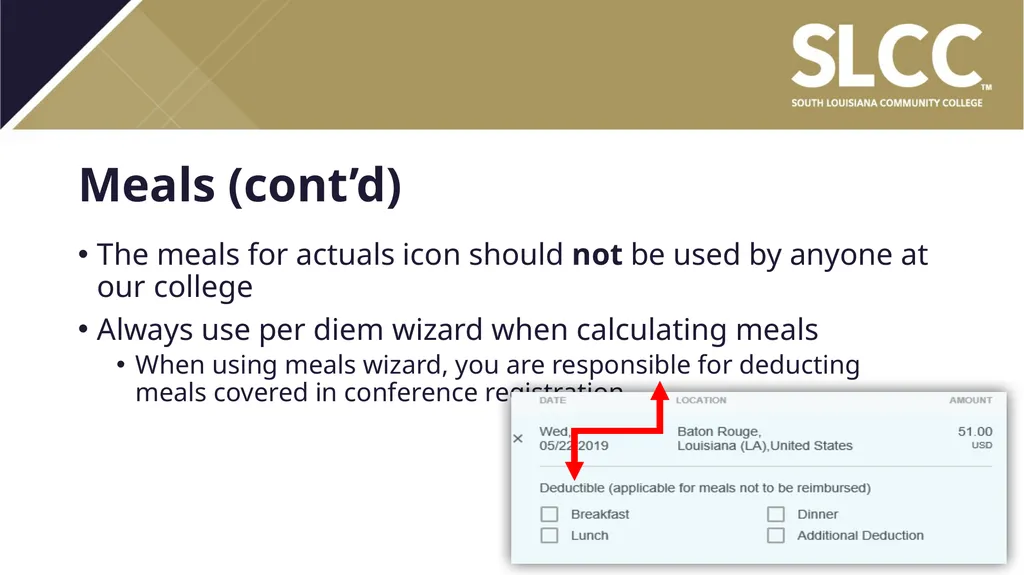
Meals (cont’d) The meals for actuals icon should not be used by anyone at our college
Always use per diem wizard when calculating meals
When using meals wizard, you are responsible for deducting meals covered in conference registration<br>
23
Conferences & Seminars�(Video Embedded)<br>
24
Conferences & Seminars (cont’d) Things to attached prior to submitting:
Agenda
Proof of cost of attendance
Any membership information needed to register
Any preconference selections that need to be made<br>
25
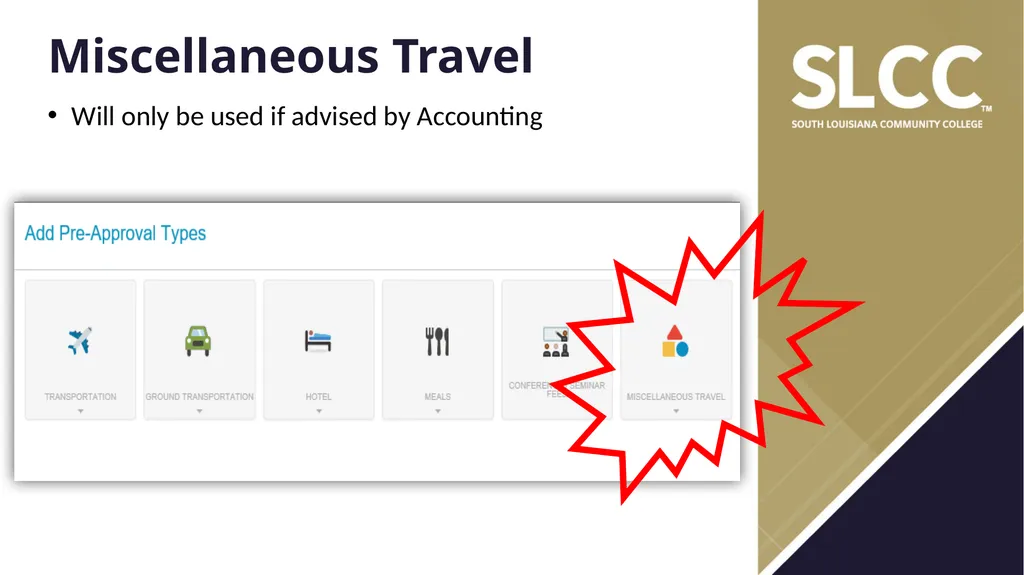
Miscellaneous Travel Will only be used if advised by Accounting<br>
26
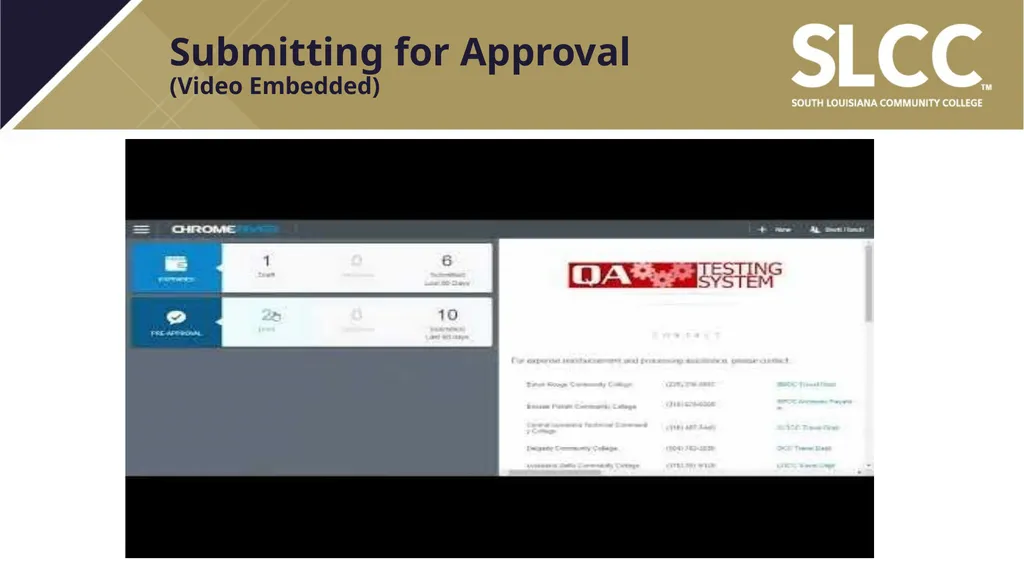
Submitting for Approval�(Video Embedded)<br>
28
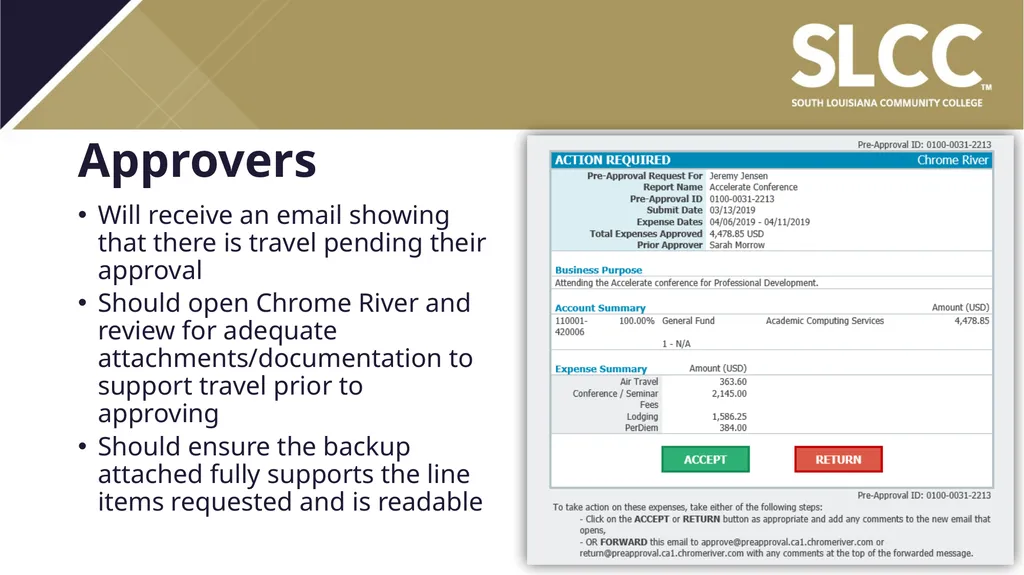
Approvers Will receive an email showing that there is travel pending their approval
Should open Chrome River and review for adequate attachments/documentation to support travel prior to approving
Should ensure the backup attached fully supports the line items requested and is readable<br>
29
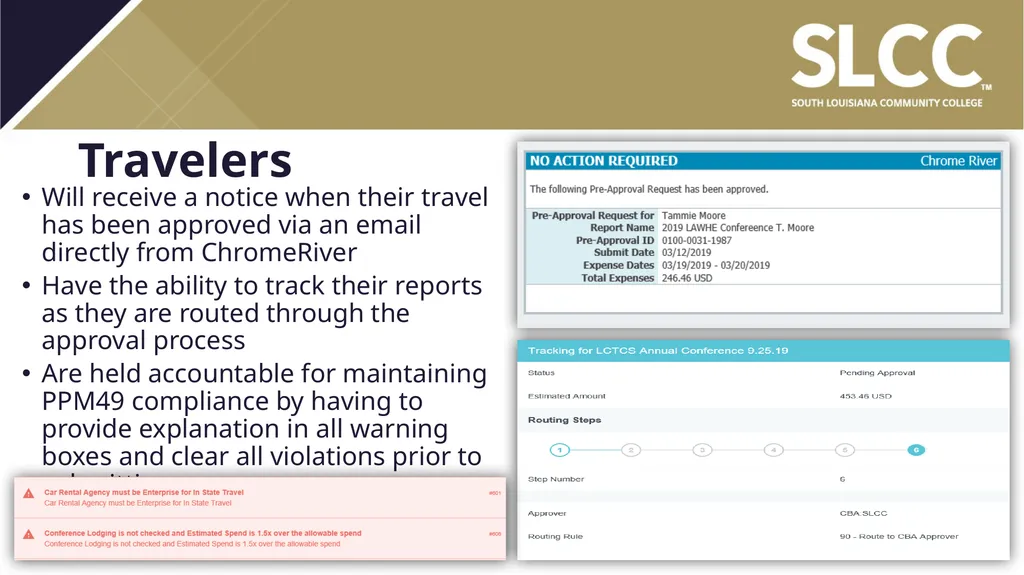
Travelers Will receive a notice when their travel has been approved via an email directly from ChromeRiver
Have the ability to track their reports as they are routed through the approval process
Are held accountable for maintaining PPM49 compliance by having to provide explanation in all warning boxes and clear all violations prior to submitting<br>
30
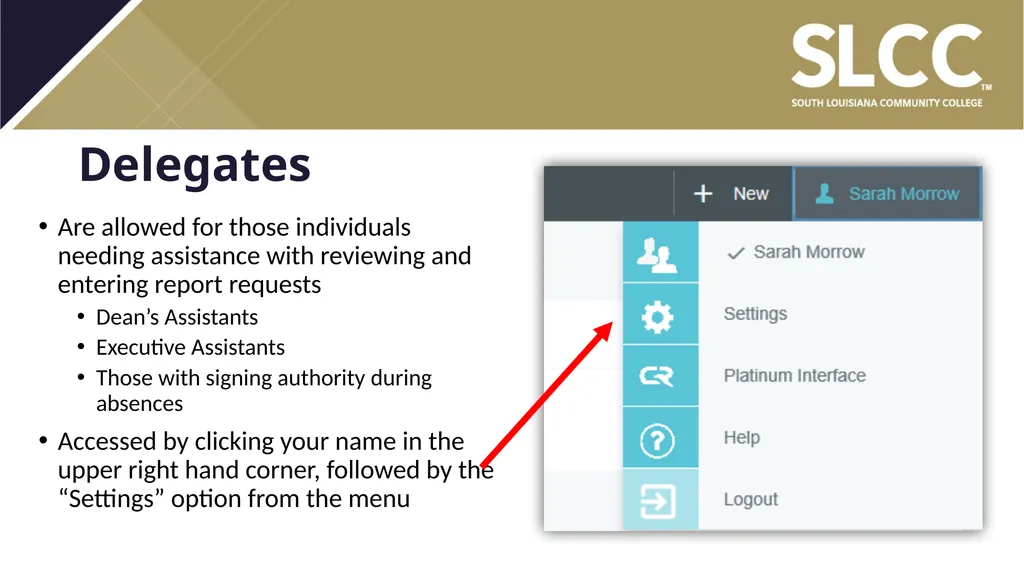
Delegates Are allowed for those individuals needing assistance with reviewing and entering report requests
Dean’s Assistants
Executive Assistants
Those with signing authority during absences
Accessed by clicking your name in the upper right hand corner, followed by the “Settings” option from the menu<br>
31
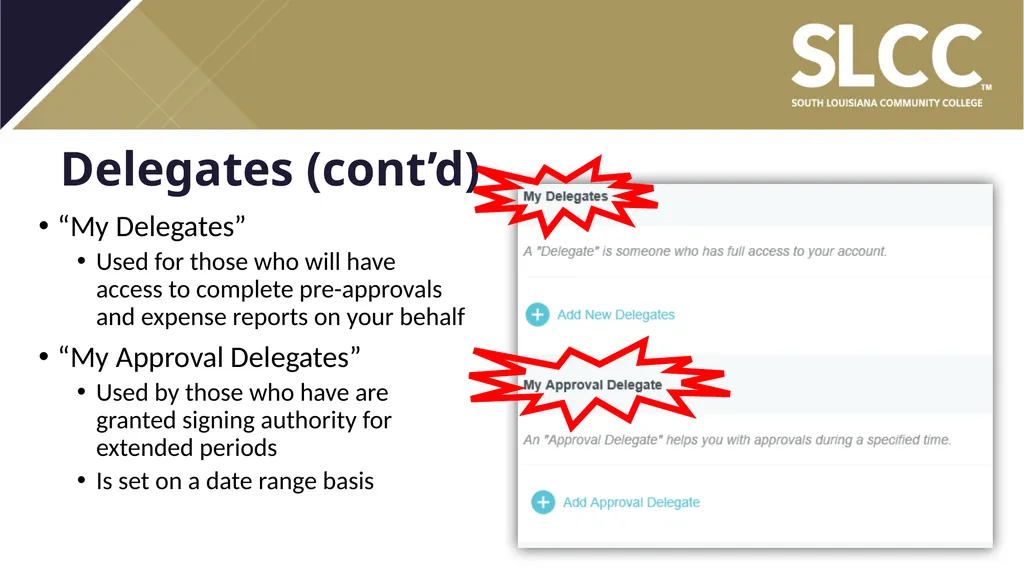
Delegates (cont’d) “My Delegates”
Used for those who will have access to complete pre-approvals and expense reports on your behalf
“My Approval Delegates”
Used by those who have are granted signing authority for extended periods
Is set on a date range basis<br>
32
Contacts Travel Related Inquiries:
Travel Email: travel@solacc.edu
Travel Phone: 337-521-6676
Travel Fax Line: 337-521-6683<br>