
Computer Fundamentals مرحلة اولى Introduction to
GB
Published · 24 slides · 0 views
1 / 1

Description
Computer Fundamentals مرحلة اولى Introduction to Computer System In todays world, computers have become an integral part of our lives, spreading across various industries and daily activities. Here are three essential points highlighting
Related Topics
Share
Embed code
Download this presentation From Below
"Computer Fundamentals مرحلة اولى Introduction to" is the property of its rightful owner. Permission is granted to download and print the materials on this website for personal, non-commercial use only, and to display it on your personal computer provided you do not modify the materials and that you retain all copyright notices contained in the materials. By downloading content from our website, you accept the terms of this agreement.
Presentation Transcript
01
Computer Fundamentals مرحلة اولى<br>
02
Introduction to Computer System In today's world, computers have become an integral part of our lives, spreading across various industries and daily activities. Here are three essential points highlighting their significance:
Universal Adoption: Computers are universally utilized across diverse fields like engineering, medicine, and commerce, as well as in everyday devices and tasks.
Everyday Essential: From smartphones to household appliances, computers are indispensable in our daily lives, facilitating tasks like banking, communication, and internet access.
Global Influence: Their widespread integration has profoundly impacted global connectivity and efficiency, reshaping how we work, communicate, and interact with the world.<br>
Universal Adoption: Computers are universally utilized across diverse fields like engineering, medicine, and commerce, as well as in everyday devices and tasks.
Everyday Essential: From smartphones to household appliances, computers are indispensable in our daily lives, facilitating tasks like banking, communication, and internet access.
Global Influence: Their widespread integration has profoundly impacted global connectivity and efficiency, reshaping how we work, communicate, and interact with the world.<br>
03
Development of Computer Modern computers look and work very differently compared to older ones.
But where did they come from and where are they heading?
To understand how computers affect our world today and what they might do in the future, it is important to know how they have changed over time.
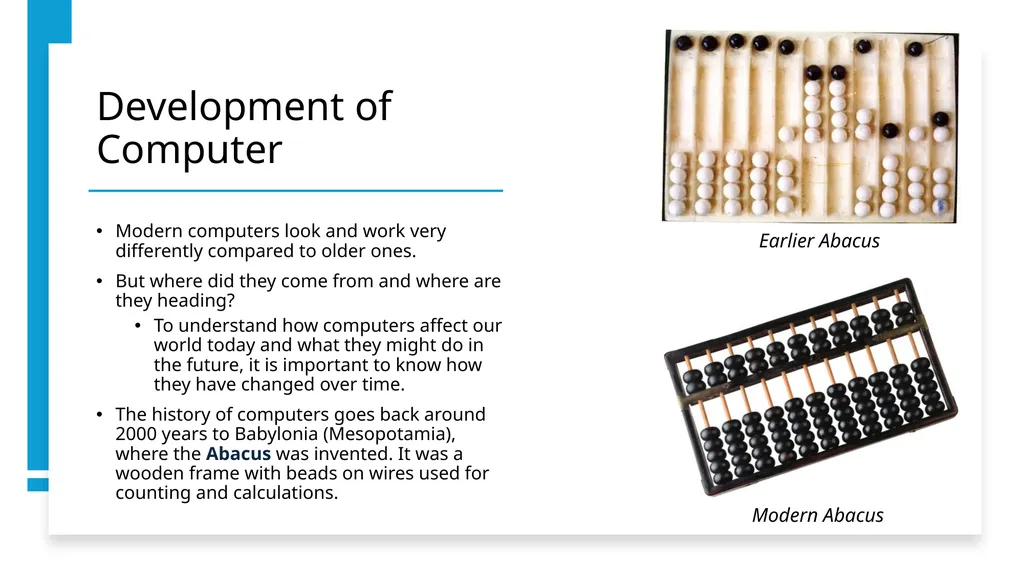
The history of computers goes back around 2000 years to Babylonia (Mesopotamia), where the Abacus was invented. It was a wooden frame with beads on wires used for counting and calculations. Modern Abacus Earlier Abacus<br>
But where did they come from and where are they heading?
To understand how computers affect our world today and what they might do in the future, it is important to know how they have changed over time.
The history of computers goes back around 2000 years to Babylonia (Mesopotamia), where the Abacus was invented. It was a wooden frame with beads on wires used for counting and calculations. Modern Abacus Earlier Abacus<br>
04
Development of Computer Blaise Pascal
Built the first digital computer in 1640 to assist his father, a tax collector.
It used dials to add numbers and operated on the same principle as modern water meters and odometers.
Instead of a wheel turning the gears, each wheel could be turned by hand, producing a sum through a series of numbers entered in sequence.
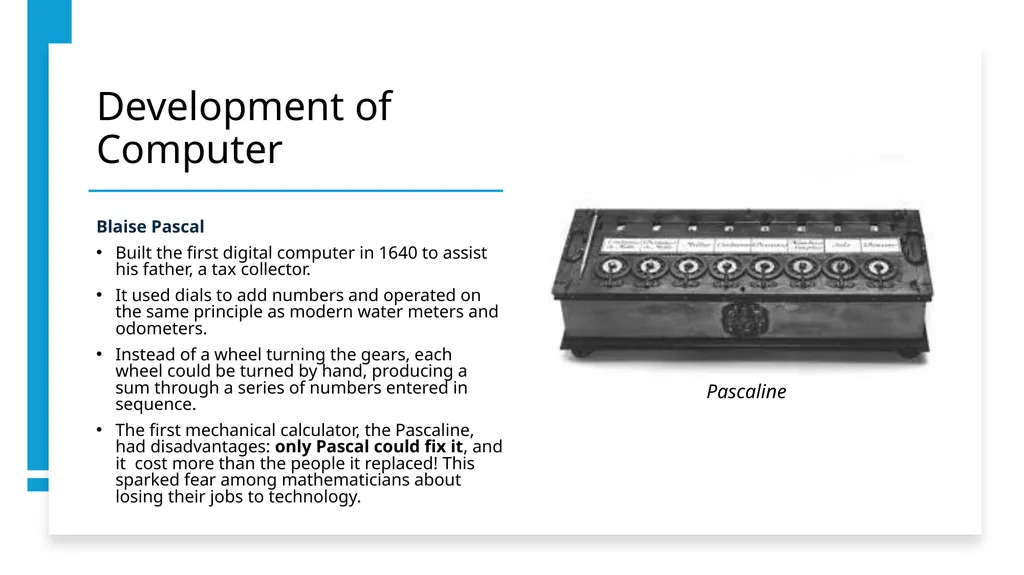
The first mechanical calculator, the Pascaline, had disadvantages: only Pascal could fix it, and it cost more than the people it replaced! This sparked fear among mathematicians about losing their jobs to technology. Pascaline<br>
Built the first digital computer in 1640 to assist his father, a tax collector.
It used dials to add numbers and operated on the same principle as modern water meters and odometers.
Instead of a wheel turning the gears, each wheel could be turned by hand, producing a sum through a series of numbers entered in sequence.
The first mechanical calculator, the Pascaline, had disadvantages: only Pascal could fix it, and it cost more than the people it replaced! This sparked fear among mathematicians about losing their jobs to technology. Pascaline<br>
05
Development of Computer Leibniz (1646-1716)
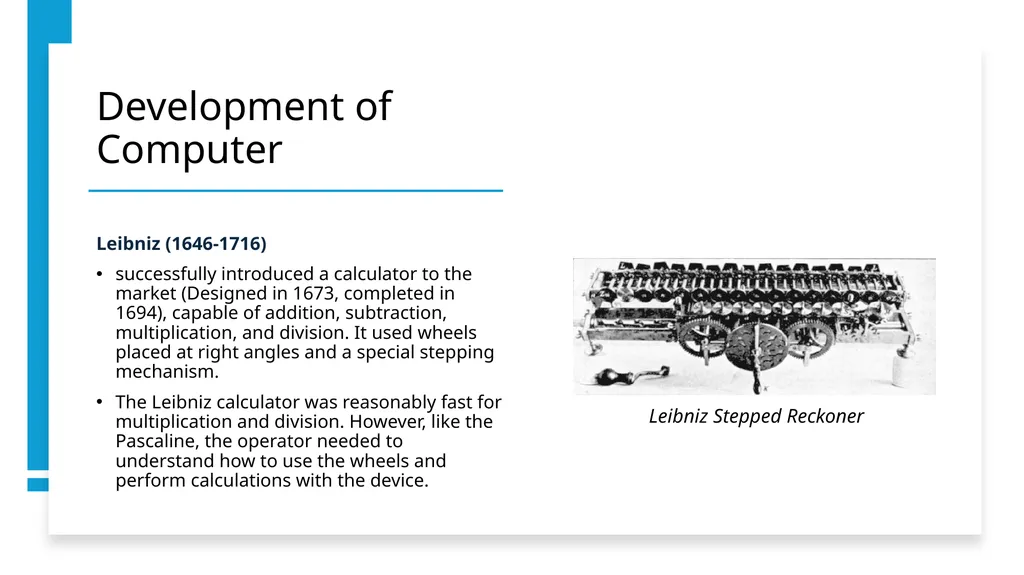
successfully introduced a calculator to the market (Designed in 1673, completed in 1694), capable of addition, subtraction, multiplication, and division. It used wheels placed at right angles and a special stepping mechanism.
The Leibniz calculator was reasonably fast for multiplication and division. However, like the Pascaline, the operator needed to understand how to use the wheels and perform calculations with the device. Leibniz Stepped Reckoner<br>
successfully introduced a calculator to the market (Designed in 1673, completed in 1694), capable of addition, subtraction, multiplication, and division. It used wheels placed at right angles and a special stepping mechanism.
The Leibniz calculator was reasonably fast for multiplication and division. However, like the Pascaline, the operator needed to understand how to use the wheels and perform calculations with the device. Leibniz Stepped Reckoner<br>
06
Development of Computer Charles Babbage
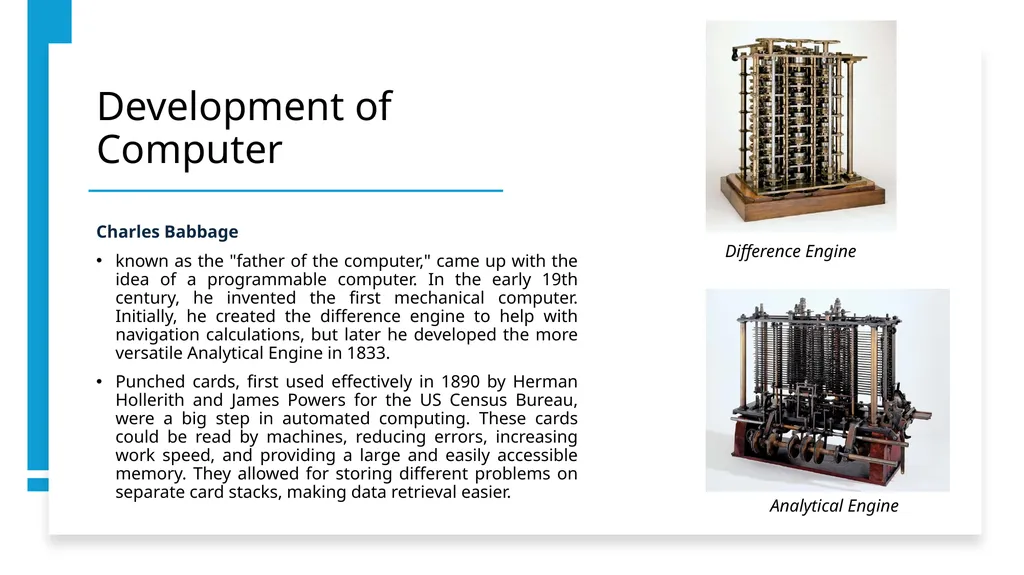
known as the "father of the computer," came up with the idea of a programmable computer. In the early 19th century, he invented the first mechanical computer. Initially, he created the difference engine to help with navigation calculations, but later he developed the more versatile Analytical Engine in 1833.
Punched cards, first used effectively in 1890 by Herman Hollerith and James Powers for the US Census Bureau, were a big step in automated computing. These cards could be read by machines, reducing errors, increasing work speed, and providing a large and easily accessible memory. They allowed for storing different problems on separate card stacks, making data retrieval easier. Difference Engine Analytical Engine<br>
known as the "father of the computer," came up with the idea of a programmable computer. In the early 19th century, he invented the first mechanical computer. Initially, he created the difference engine to help with navigation calculations, but later he developed the more versatile Analytical Engine in 1833.
Punched cards, first used effectively in 1890 by Herman Hollerith and James Powers for the US Census Bureau, were a big step in automated computing. These cards could be read by machines, reducing errors, increasing work speed, and providing a large and easily accessible memory. They allowed for storing different problems on separate card stacks, making data retrieval easier. Difference Engine Analytical Engine<br>
07
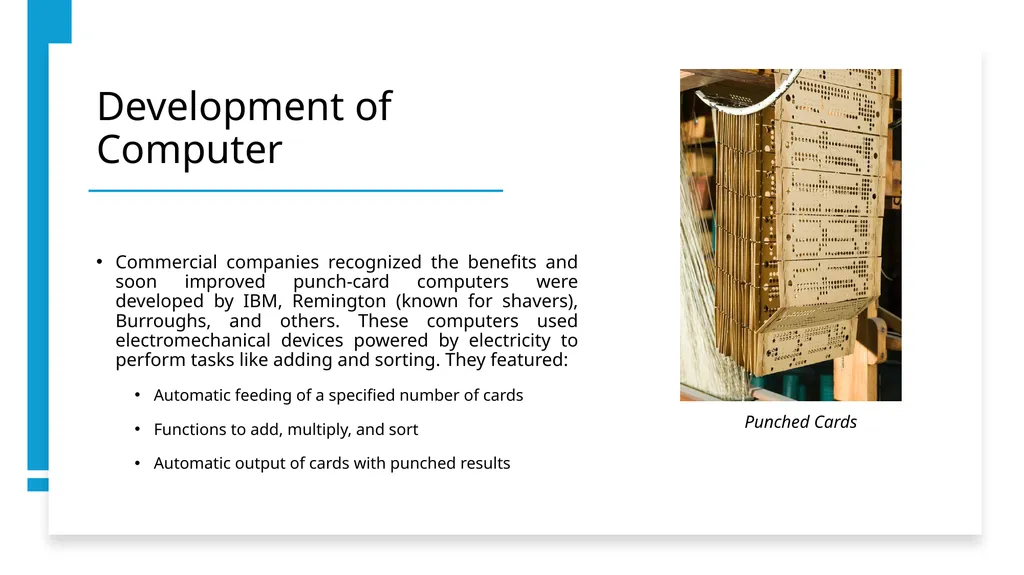
Development of Computer Commercial companies recognized the benefits and soon improved punch-card computers were developed by IBM, Remington (known for shavers), Burroughs, and others. These computers used electromechanical devices powered by electricity to perform tasks like adding and sorting. They featured:
Automatic feeding of a specified number of cards
Functions to add, multiply, and sort
Automatic output of cards with punched results Punched Cards<br>
Automatic feeding of a specified number of cards
Functions to add, multiply, and sort
Automatic output of cards with punched results Punched Cards<br>
08
Development of Computer ENIAC
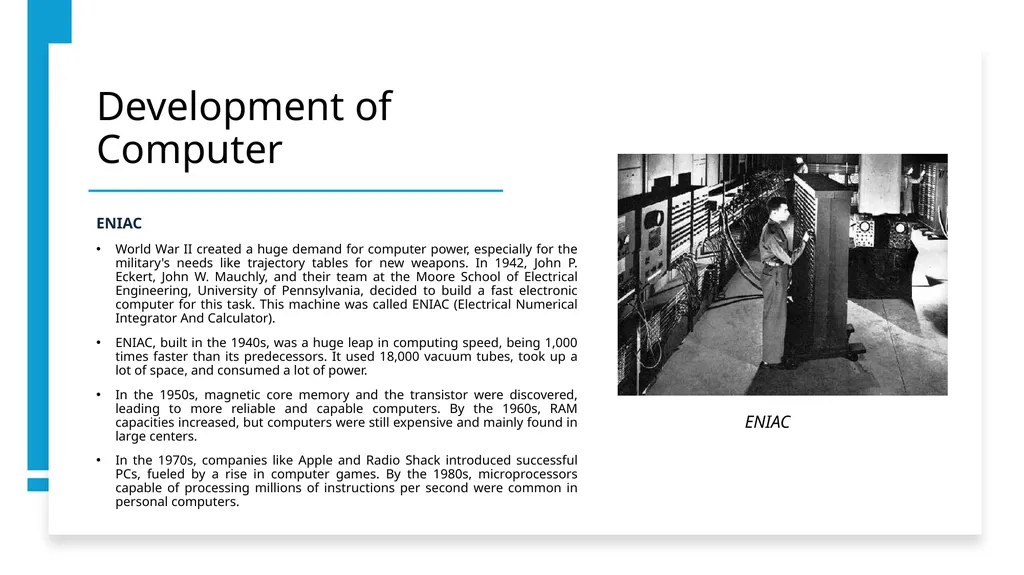
World War II created a huge demand for computer power, especially for the military's needs like trajectory tables for new weapons. In 1942, John P. Eckert, John W. Mauchly, and their team at the Moore School of Electrical Engineering, University of Pennsylvania, decided to build a fast electronic computer for this task. This machine was called ENIAC (Electrical Numerical Integrator And Calculator).
ENIAC, built in the 1940s, was a huge leap in computing speed, being 1,000 times faster than its predecessors. It used 18,000 vacuum tubes, took up a lot of space, and consumed a lot of power.
In the 1950s, magnetic core memory and the transistor were discovered, leading to more reliable and capable computers. By the 1960s, RAM capacities increased, but computers were still expensive and mainly found in large centers.
In the 1970s, companies like Apple and Radio Shack introduced successful PCs, fueled by a rise in computer games. By the 1980s, microprocessors capable of processing millions of instructions per second were common in personal computers. ENIAC<br>
World War II created a huge demand for computer power, especially for the military's needs like trajectory tables for new weapons. In 1942, John P. Eckert, John W. Mauchly, and their team at the Moore School of Electrical Engineering, University of Pennsylvania, decided to build a fast electronic computer for this task. This machine was called ENIAC (Electrical Numerical Integrator And Calculator).
ENIAC, built in the 1940s, was a huge leap in computing speed, being 1,000 times faster than its predecessors. It used 18,000 vacuum tubes, took up a lot of space, and consumed a lot of power.
In the 1950s, magnetic core memory and the transistor were discovered, leading to more reliable and capable computers. By the 1960s, RAM capacities increased, but computers were still expensive and mainly found in large centers.
In the 1970s, companies like Apple and Radio Shack introduced successful PCs, fueled by a rise in computer games. By the 1980s, microprocessors capable of processing millions of instructions per second were common in personal computers. ENIAC<br>
09
Computation machines- Second half of 19th century First generation computers
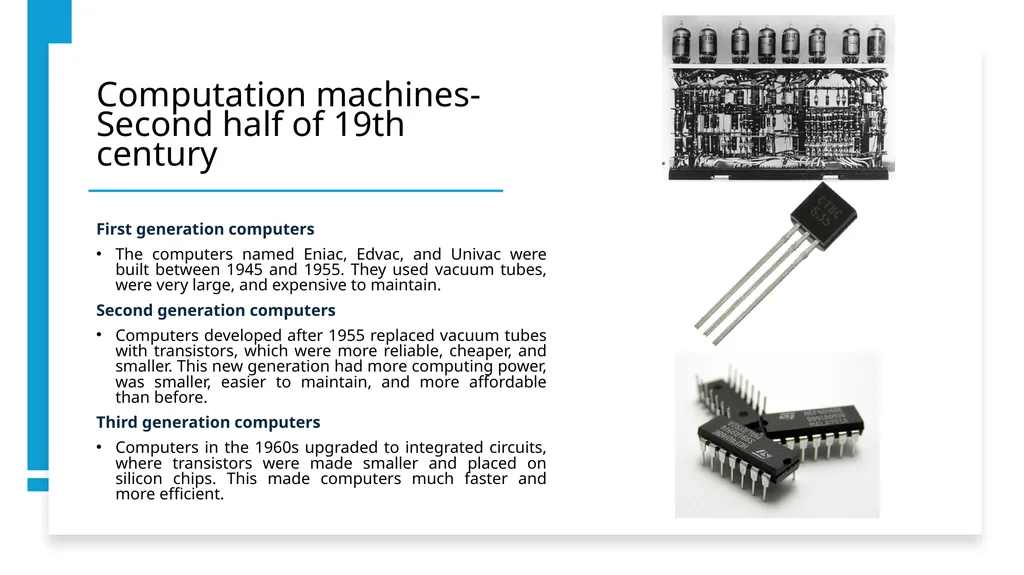
The computers named Eniac, Edvac, and Univac were built between 1945 and 1955. They used vacuum tubes, were very large, and expensive to maintain.
Second generation computers
Computers developed after 1955 replaced vacuum tubes with transistors, which were more reliable, cheaper, and smaller. This new generation had more computing power, was smaller, easier to maintain, and more affordable than before.
Third generation computers
Computers in the 1960s upgraded to integrated circuits, where transistors were made smaller and placed on silicon chips. This made computers much faster and more efficient.<br>
The computers named Eniac, Edvac, and Univac were built between 1945 and 1955. They used vacuum tubes, were very large, and expensive to maintain.
Second generation computers
Computers developed after 1955 replaced vacuum tubes with transistors, which were more reliable, cheaper, and smaller. This new generation had more computing power, was smaller, easier to maintain, and more affordable than before.
Third generation computers
Computers in the 1960s upgraded to integrated circuits, where transistors were made smaller and placed on silicon chips. This made computers much faster and more efficient.<br>
10
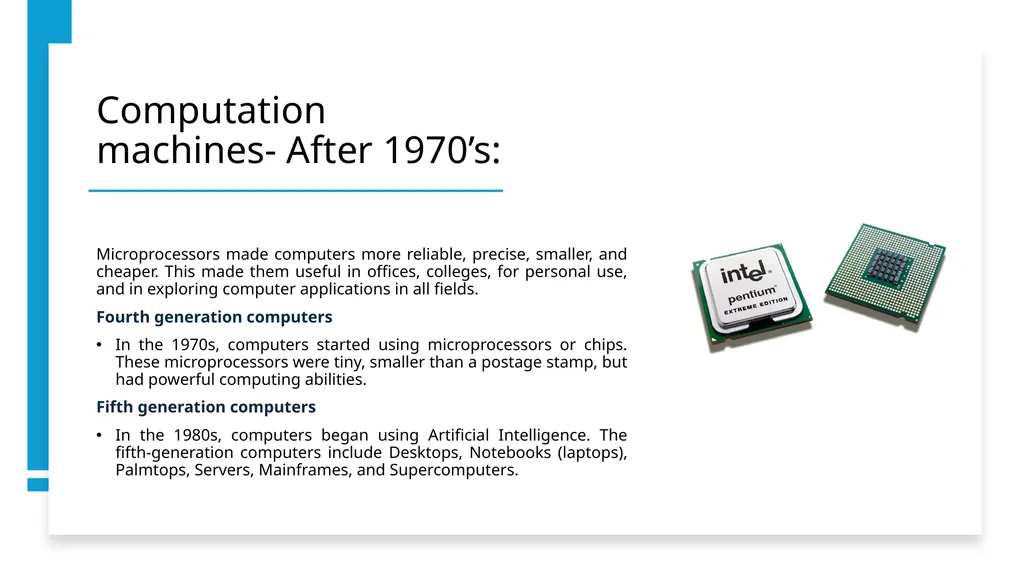
Computation machines- After 1970’s: Microprocessors made computers more reliable, precise, smaller, and cheaper. This made them useful in offices, colleges, for personal use, and in exploring computer applications in all fields.
Fourth generation computers
In the 1970s, computers started using microprocessors or chips. These microprocessors were tiny, smaller than a postage stamp, but had powerful computing abilities.
Fifth generation computers
In the 1980s, computers began using Artificial Intelligence. The fifth-generation computers include Desktops, Notebooks (laptops), Palmtops, Servers, Mainframes, and Supercomputers.<br>
Fourth generation computers
In the 1970s, computers started using microprocessors or chips. These microprocessors were tiny, smaller than a postage stamp, but had powerful computing abilities.
Fifth generation computers
In the 1980s, computers began using Artificial Intelligence. The fifth-generation computers include Desktops, Notebooks (laptops), Palmtops, Servers, Mainframes, and Supercomputers.<br>
11
Computer System What Is a Computer?
A computer is a machine that takes in information, which is usually in the form of digital data, and changes it according to a program or set of instructions. These instructions tell the computer how to process the data to get a specific result.
Components of a Computer System
A computer is a system of two main parts (hardware & software) working together.<br>
A computer is a machine that takes in information, which is usually in the form of digital data, and changes it according to a program or set of instructions. These instructions tell the computer how to process the data to get a specific result.
Components of a Computer System
A computer is a system of two main parts (hardware & software) working together.<br>
12
Computer System Hardware
Hardware refers to physical components that can be touched. There are five types:
Input Devices: These get data into the computer, like keyboards, mice, microphones, and cameras.
Processing Devices: Usually the CPU, it carries out program instructions.
Storage Devices: These store data until it's needed, like computer memory or hard drives.
Communication Devices: Transfer data between computers, like routers and modems.
Output Devices: Provide data in a useful format to users, like monitors, speakers, and printers.<br>
Hardware refers to physical components that can be touched. There are five types:
Input Devices: These get data into the computer, like keyboards, mice, microphones, and cameras.
Processing Devices: Usually the CPU, it carries out program instructions.
Storage Devices: These store data until it's needed, like computer memory or hard drives.
Communication Devices: Transfer data between computers, like routers and modems.
Output Devices: Provide data in a useful format to users, like monitors, speakers, and printers.<br>
13
Computer System Software
Software are instructions that tell hardware what to do. There are two main types:
Application Software: Programs designed for specific tasks such as text editing or chatting on PCs and smartphones.
System Software: Controls the computer hardware and provides a platform for running application software. The most basic types of system software are the computer BIOS and device firmware, and the operating system (prominent examples being Microsoft Windows, Android, Mac OS and Linux).<br>
Software are instructions that tell hardware what to do. There are two main types:
Application Software: Programs designed for specific tasks such as text editing or chatting on PCs and smartphones.
System Software: Controls the computer hardware and provides a platform for running application software. The most basic types of system software are the computer BIOS and device firmware, and the operating system (prominent examples being Microsoft Windows, Android, Mac OS and Linux).<br>
14
Categories of Computers Computers vary in size, power, and capabilities. They generally fit into these categories:
Supercomputers: These are the fastest and most powerful computers, used for complex tasks like weather forecasting and geological data processing. They have multiple processors for parallel processing.
Mainframe Computers: Very large computers that process data quickly, often used by large organizations and government departments.
Mini Computers: More powerful than microcomputers, used in process control systems and applications like payroll and accounting.
Microcomputers: Also known as Personal Computers (PCs), these are smaller and less powerful, used in everyday applications like office work and professional tasks. Common operating systems for personal computers include Windows, Mac OS X, Linux, iOS, and Android. Personal computers come in categories like desktops, mobile computers, and wearable computers.<br>
Supercomputers: These are the fastest and most powerful computers, used for complex tasks like weather forecasting and geological data processing. They have multiple processors for parallel processing.
Mainframe Computers: Very large computers that process data quickly, often used by large organizations and government departments.
Mini Computers: More powerful than microcomputers, used in process control systems and applications like payroll and accounting.
Microcomputers: Also known as Personal Computers (PCs), these are smaller and less powerful, used in everyday applications like office work and professional tasks. Common operating systems for personal computers include Windows, Mac OS X, Linux, iOS, and Android. Personal computers come in categories like desktops, mobile computers, and wearable computers.<br>
15
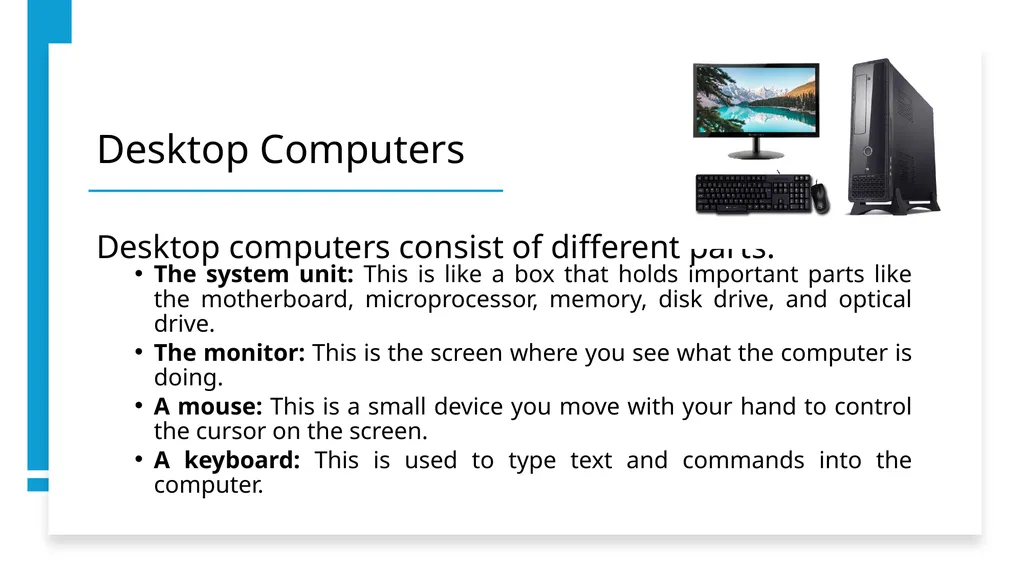
Desktop Computers Desktop computers consist of different parts:
The system unit: This is like a box that holds important parts like the motherboard, microprocessor, memory, disk drive, and optical drive.
The monitor: This is the screen where you see what the computer is doing.
A mouse: This is a small device you move with your hand to control the cursor on the screen.
A keyboard: This is used to type text and commands into the computer.<br>
The system unit: This is like a box that holds important parts like the motherboard, microprocessor, memory, disk drive, and optical drive.
The monitor: This is the screen where you see what the computer is doing.
A mouse: This is a small device you move with your hand to control the cursor on the screen.
A keyboard: This is used to type text and commands into the computer.<br>
16
Mobile Computers (Laptops, Smartphones, Etc.) Mobile devices like laptops and tablets have become popular because they're easy to use on the go and have long battery life.
Key features include:
extended battery use, Wi-Fi capabilities, and mobility.
Common types of mobile computers include:
laptops, tablets, smartphones, and Personal Digital Assistants (PDAs).<br>
Key features include:
extended battery use, Wi-Fi capabilities, and mobility.
Common types of mobile computers include:
laptops, tablets, smartphones, and Personal Digital Assistants (PDAs).<br>
17
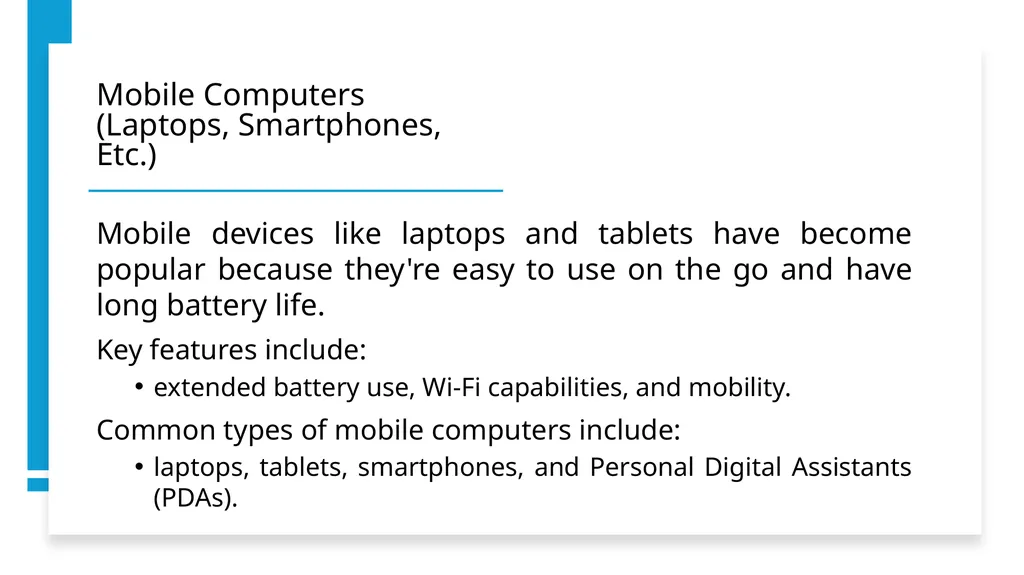
Mobile Computers (Laptops, Smartphones, Etc.) Laptops:
Laptops are lightweight and have a thin screen.
Originally called notebook computers due to their small size.
Operate on batteries for portability.
Combine the microprocessor, screen, and keyboard in a single case.
The screen folds down onto the keyboard when not in use.<br>
Laptops are lightweight and have a thin screen.
Originally called notebook computers due to their small size.
Operate on batteries for portability.
Combine the microprocessor, screen, and keyboard in a single case.
The screen folds down onto the keyboard when not in use.<br>
18
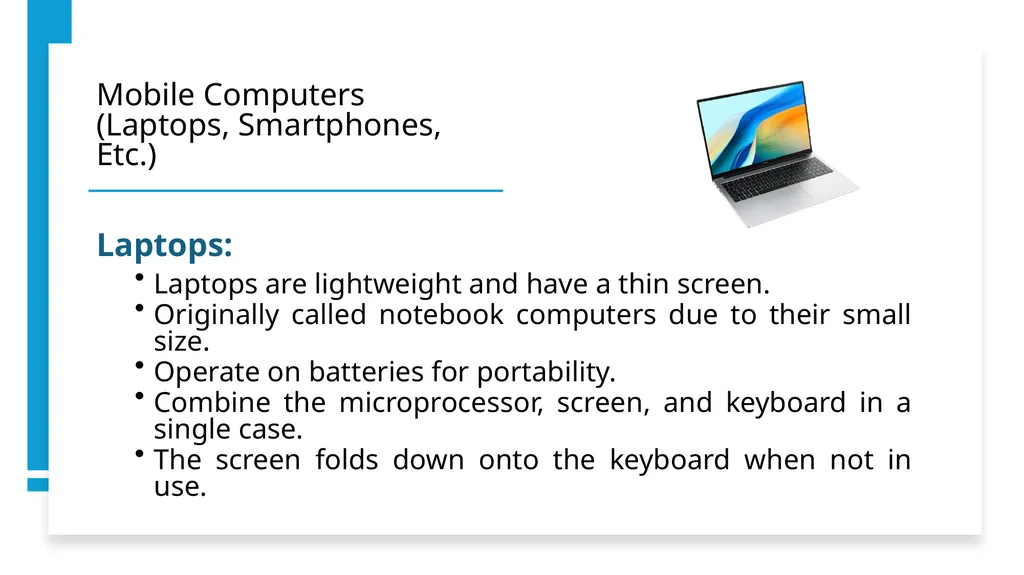
Mobile Computers (Laptops, Smartphones, Etc.) Tablets:
Tablets are mobile computers with a touch screen.
They can be operated using a digital pen or fingertip.
Many tablets today support multi-touch and multi-tasking.
Tablets are convenient, especially when regular notebooks and laptops are too big for on-the-go use.<br>
Tablets are mobile computers with a touch screen.
They can be operated using a digital pen or fingertip.
Many tablets today support multi-touch and multi-tasking.
Tablets are convenient, especially when regular notebooks and laptops are too big for on-the-go use.<br>
19
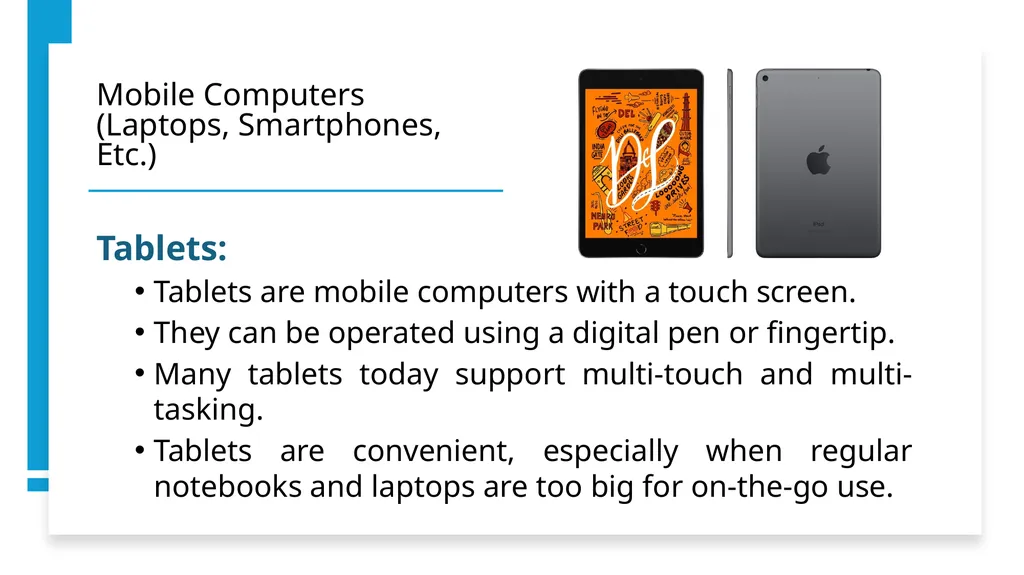
Mobile Computers (Laptops, Smartphones, Etc.) Smartphones:
The iPhone, launched in 2007, was the first true smartphone and was hugely popular.
It started the smartphone industry that continues today.
Smartphones typically use operating systems like iOS and Android.
They can add applications, unlike regular cell phones which only support limited apps.
Smartphones have features like full email capabilities and serve as complete personal organizers.<br>
The iPhone, launched in 2007, was the first true smartphone and was hugely popular.
It started the smartphone industry that continues today.
Smartphones typically use operating systems like iOS and Android.
They can add applications, unlike regular cell phones which only support limited apps.
Smartphones have features like full email capabilities and serve as complete personal organizers.<br>
20
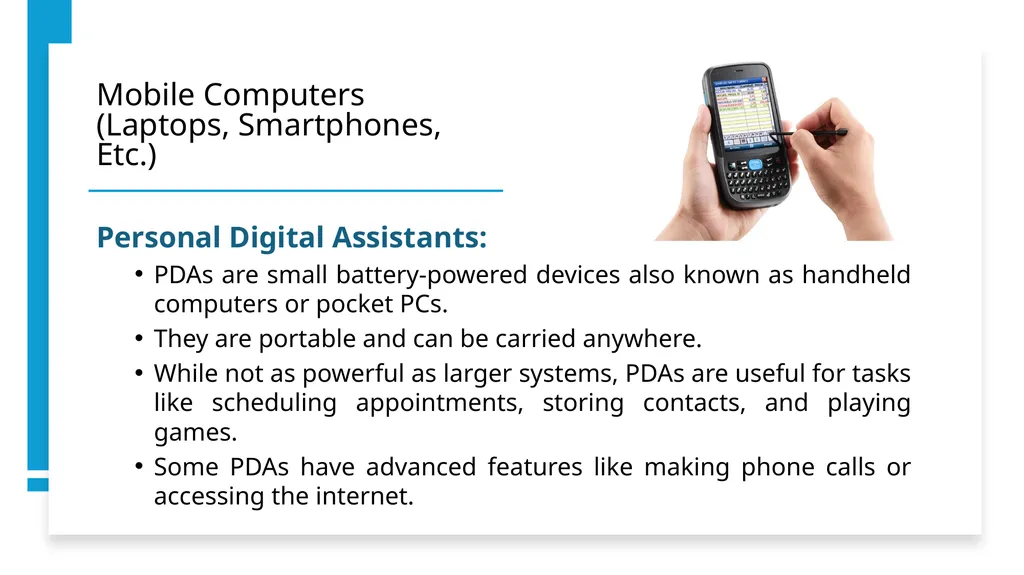
Mobile Computers (Laptops, Smartphones, Etc.) Personal Digital Assistants:
PDAs are small battery-powered devices also known as handheld computers or pocket PCs.
They are portable and can be carried anywhere.
While not as powerful as larger systems, PDAs are useful for tasks like scheduling appointments, storing contacts, and playing games.
Some PDAs have advanced features like making phone calls or accessing the internet.<br>
PDAs are small battery-powered devices also known as handheld computers or pocket PCs.
They are portable and can be carried anywhere.
While not as powerful as larger systems, PDAs are useful for tasks like scheduling appointments, storing contacts, and playing games.
Some PDAs have advanced features like making phone calls or accessing the internet.<br>
21
Mobile Computers (Laptops, Smartphones, Etc.) Wearable computers:
Wearable computers, or wearables, are tiny devices designed to be worn or attached to the body.
They function like smartphones, often with specific features such as health monitoring.
Some offer full computing experiences, including reading emails, while others have minimal functions.
Examples include smartwatches, smart glasses, smart clothes, and smart shoes.<br>
Wearable computers, or wearables, are tiny devices designed to be worn or attached to the body.
They function like smartphones, often with specific features such as health monitoring.
Some offer full computing experiences, including reading emails, while others have minimal functions.
Examples include smartwatches, smart glasses, smart clothes, and smart shoes.<br>
22
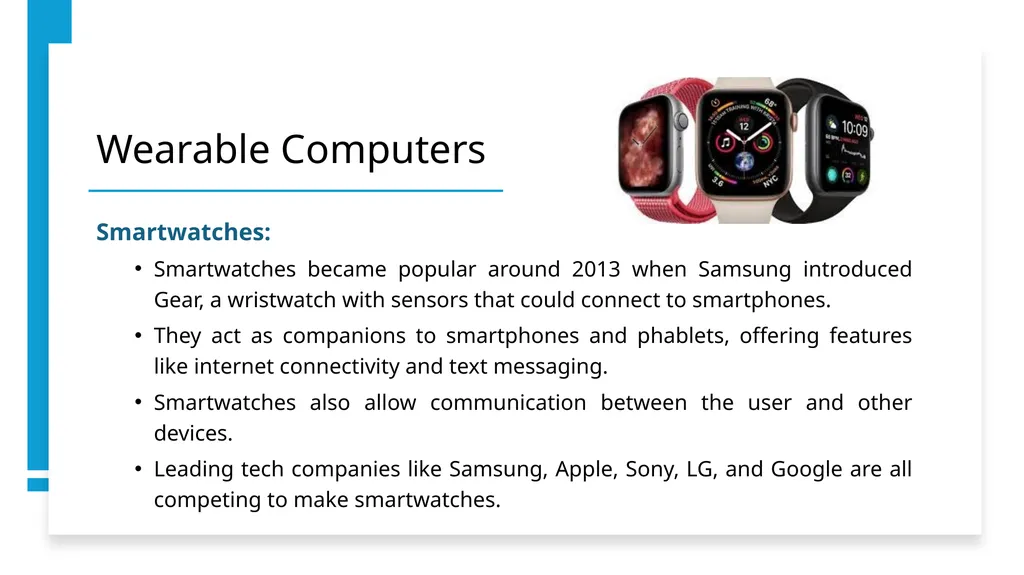
Wearable Computers Smartwatches:
Smartwatches became popular around 2013 when Samsung introduced Gear, a wristwatch with sensors that could connect to smartphones.
They act as companions to smartphones and phablets, offering features like internet connectivity and text messaging.
Smartwatches also allow communication between the user and other devices.
Leading tech companies like Samsung, Apple, Sony, LG, and Google are all competing to make smartwatches.<br>
Smartwatches became popular around 2013 when Samsung introduced Gear, a wristwatch with sensors that could connect to smartphones.
They act as companions to smartphones and phablets, offering features like internet connectivity and text messaging.
Smartwatches also allow communication between the user and other devices.
Leading tech companies like Samsung, Apple, Sony, LG, and Google are all competing to make smartwatches.<br>
23
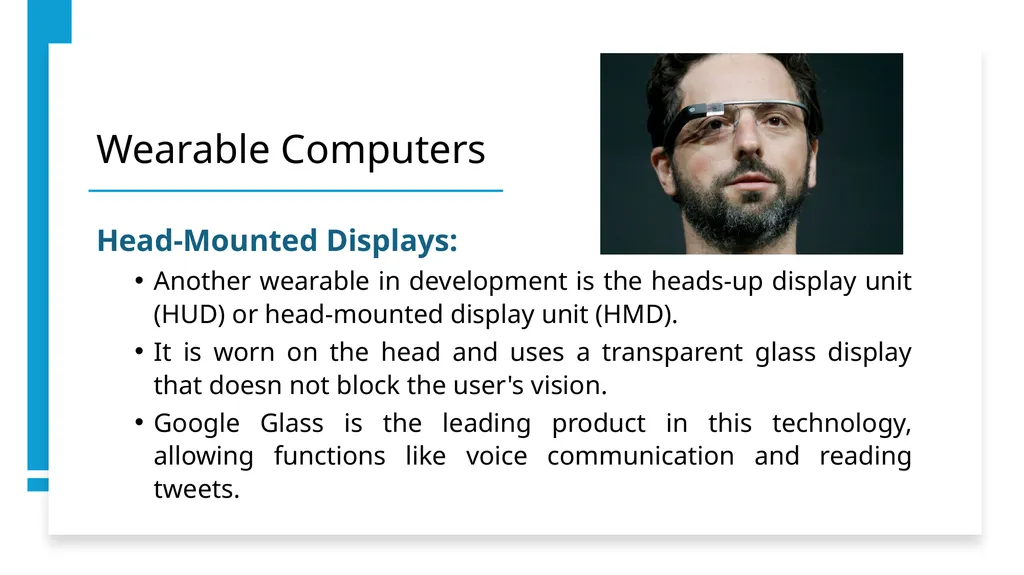
Wearable Computers Head-Mounted Displays:
Another wearable in development is the heads-up display unit (HUD) or head-mounted display unit (HMD).
It is worn on the head and uses a transparent glass display that doesn not block the user's vision.
Google Glass is the leading product in this technology, allowing functions like voice communication and reading tweets.<br>
Another wearable in development is the heads-up display unit (HUD) or head-mounted display unit (HMD).
It is worn on the head and uses a transparent glass display that doesn not block the user's vision.
Google Glass is the leading product in this technology, allowing functions like voice communication and reading tweets.<br>
24
Thanks for listening
Any Questions?<br>