
COMPUTER INPUT DEVICES Following are some of the
CB
Published · 49 slides · 0 views

1 / 1

Description
COMPUTER INPUT DEVICES Following are some of the important input devices which are used in a computer Keyboard Mouse Joy Stick Light pen Track Ball Scanner Graphic Tablet Microphone Magnetic Ink Card Reader(MICR) Optical Character
Related Topics
Share
Embed code
Download this presentation From Below
"COMPUTER INPUT DEVICES Following are some of the" is the property of its rightful owner. Permission is granted to download and print the materials on this website for personal, non-commercial use only, and to display it on your personal computer provided you do not modify the materials and that you retain all copyright notices contained in the materials. By downloading content from our website, you accept the terms of this agreement.
Presentation Transcript
01
COMPUTER INPUT DEVICES Following are some of the important input devices which are used in a computer −
Keyboard
Mouse
Joy Stick
Light pen
Track Ball
Scanner
Graphic Tablet Microphone
Magnetic Ink Card Reader(MICR)
Optical Character Reader(OCR)
Bar Code Reader
Optical Mark Reader(OMR)<br>
Keyboard
Mouse
Joy Stick
Light pen
Track Ball
Scanner
Graphic Tablet Microphone
Magnetic Ink Card Reader(MICR)
Optical Character Reader(OCR)
Bar Code Reader
Optical Mark Reader(OMR)<br>
02
Keyboard
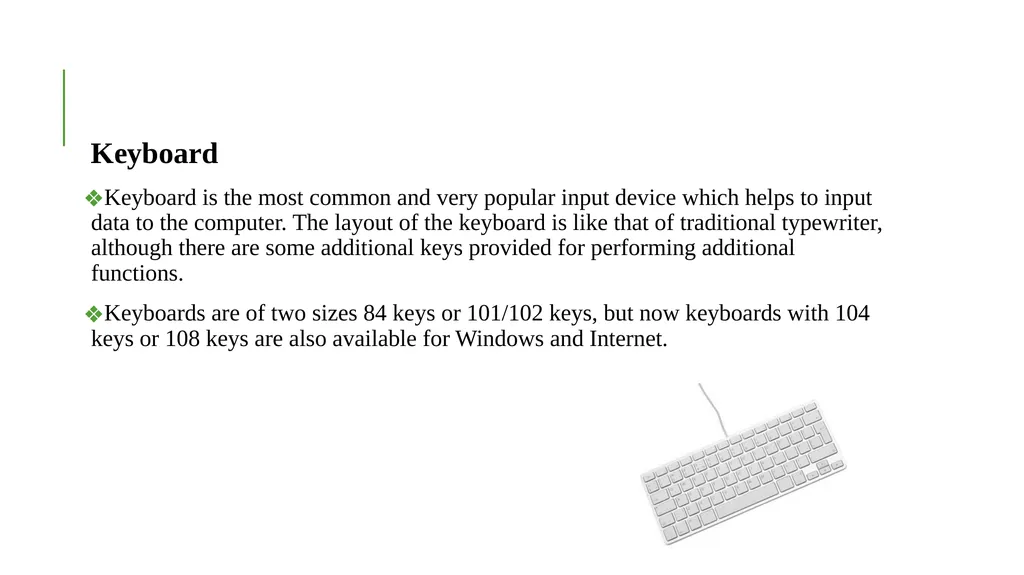
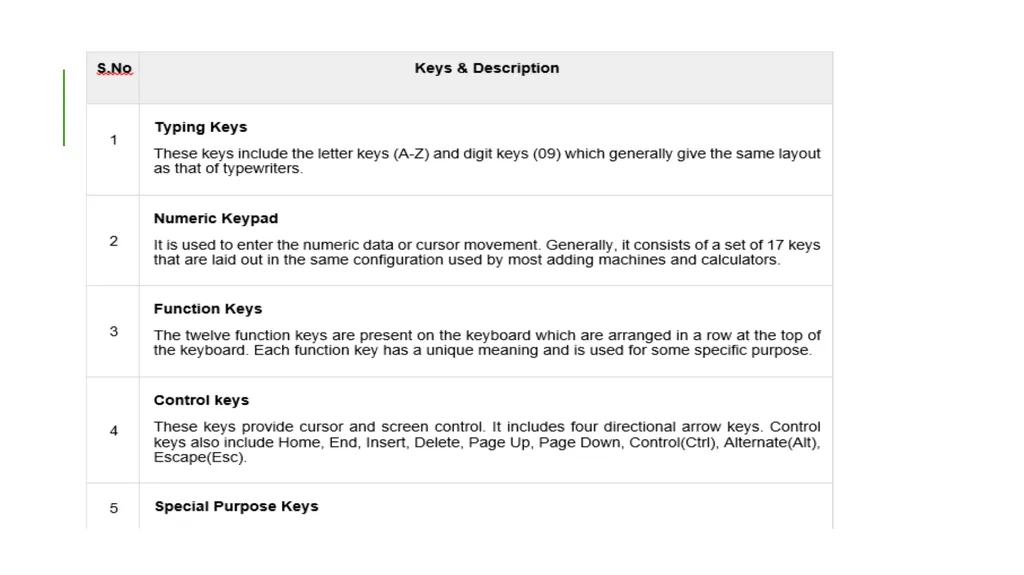
Keyboard is the most common and very popular input device which helps to input data to the computer. The layout of the keyboard is like that of traditional typewriter, although there are some additional keys provided for performing additional functions.
Keyboards are of two sizes 84 keys or 101/102 keys, but now keyboards with 104 keys or 108 keys are also available for Windows and Internet.<br>
Keyboard is the most common and very popular input device which helps to input data to the computer. The layout of the keyboard is like that of traditional typewriter, although there are some additional keys provided for performing additional functions.
Keyboards are of two sizes 84 keys or 101/102 keys, but now keyboards with 104 keys or 108 keys are also available for Windows and Internet.<br>
03
Mouse
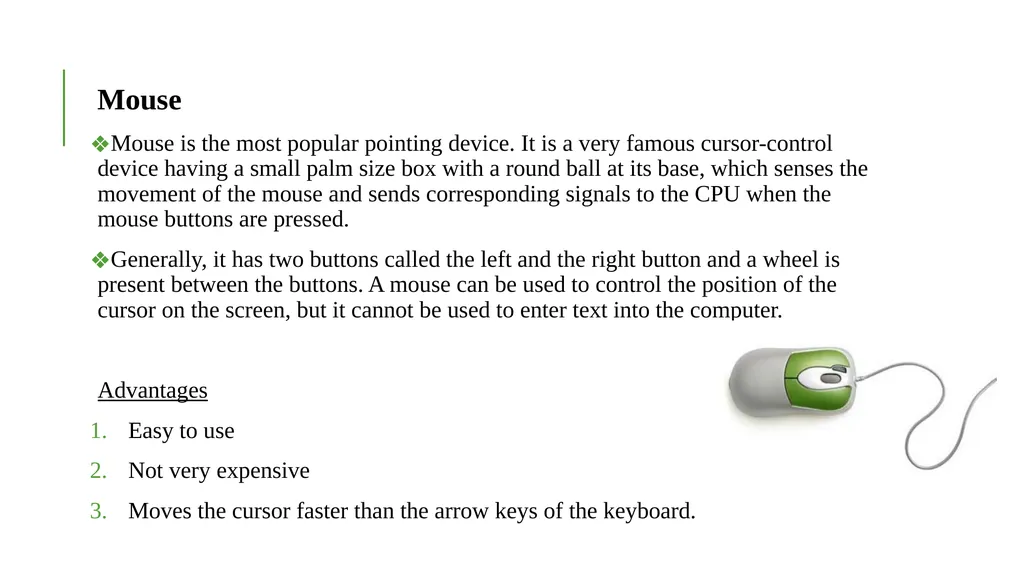
Mouse is the most popular pointing device. It is a very famous cursor-control device having a small palm size box with a round ball at its base, which senses the movement of the mouse and sends corresponding signals to the CPU when the mouse buttons are pressed.
Generally, it has two buttons called the left and the right button and a wheel is present between the buttons. A mouse can be used to control the position of the cursor on the screen, but it cannot be used to enter text into the computer.
Advantages
Easy to use
Not very expensive
Moves the cursor faster than the arrow keys of the keyboard.<br>
Mouse is the most popular pointing device. It is a very famous cursor-control device having a small palm size box with a round ball at its base, which senses the movement of the mouse and sends corresponding signals to the CPU when the mouse buttons are pressed.
Generally, it has two buttons called the left and the right button and a wheel is present between the buttons. A mouse can be used to control the position of the cursor on the screen, but it cannot be used to enter text into the computer.
Advantages
Easy to use
Not very expensive
Moves the cursor faster than the arrow keys of the keyboard.<br>
04
Track Ball
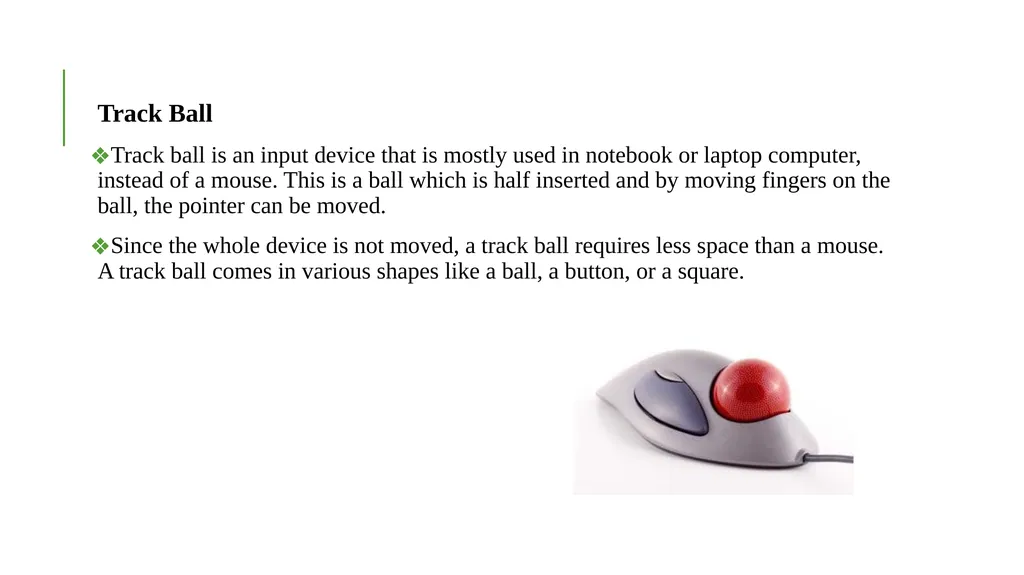
Track ball is an input device that is mostly used in notebook or laptop computer, instead of a mouse. This is a ball which is half inserted and by moving fingers on the ball, the pointer can be moved.
Since the whole device is not moved, a track ball requires less space than a mouse. A track ball comes in various shapes like a ball, a button, or a square.<br>
Track ball is an input device that is mostly used in notebook or laptop computer, instead of a mouse. This is a ball which is half inserted and by moving fingers on the ball, the pointer can be moved.
Since the whole device is not moved, a track ball requires less space than a mouse. A track ball comes in various shapes like a ball, a button, or a square.<br>
05
Joystick
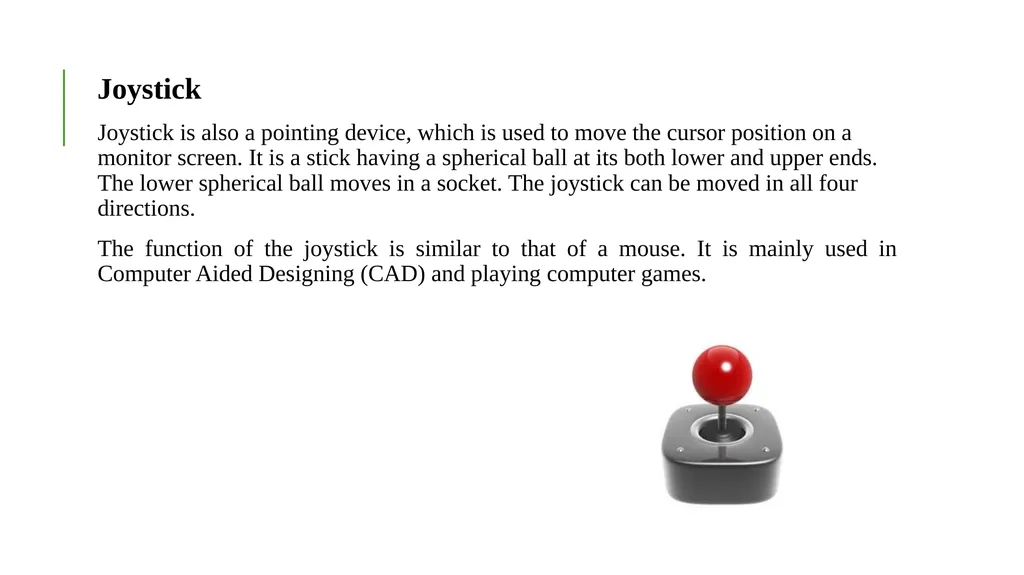
Joystick is also a pointing device, which is used to move the cursor position on a monitor screen. It is a stick having a spherical ball at its both lower and upper ends. The lower spherical ball moves in a socket. The joystick can be moved in all four directions.
The function of the joystick is similar to that of a mouse. It is mainly used in Computer Aided Designing (CAD) and playing computer games.<br>
Joystick is also a pointing device, which is used to move the cursor position on a monitor screen. It is a stick having a spherical ball at its both lower and upper ends. The lower spherical ball moves in a socket. The joystick can be moved in all four directions.
The function of the joystick is similar to that of a mouse. It is mainly used in Computer Aided Designing (CAD) and playing computer games.<br>
06
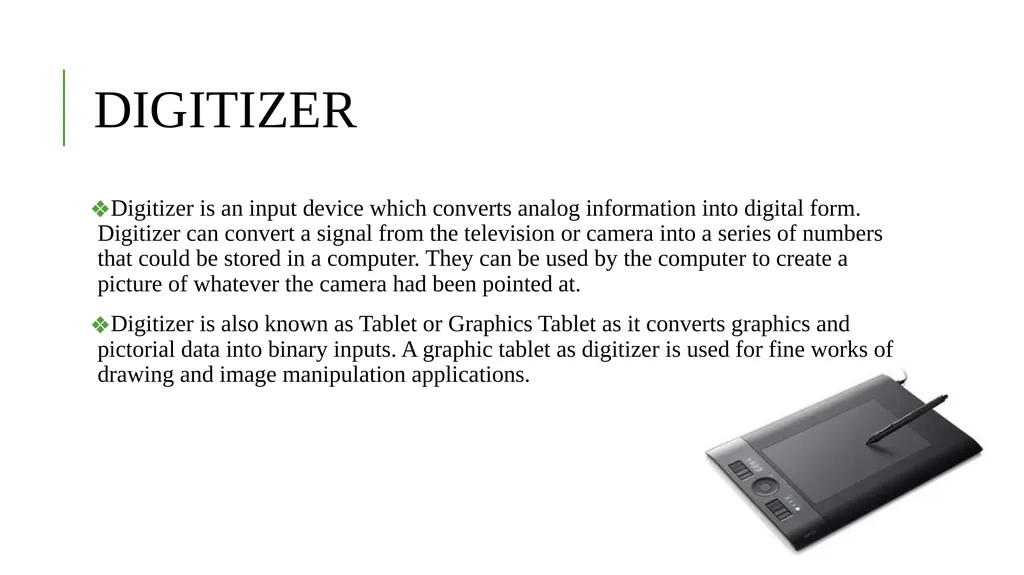
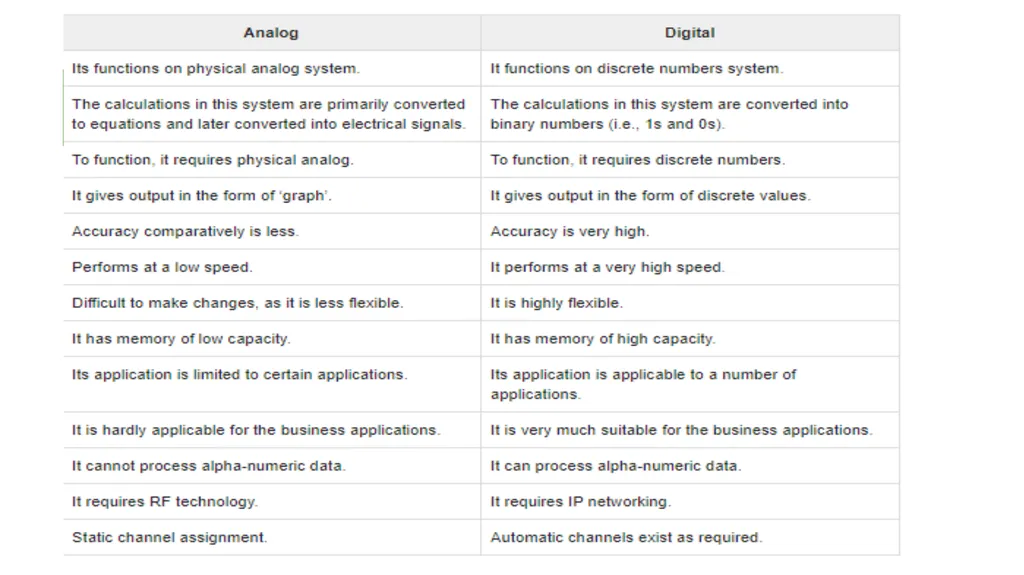
DIGITIZER Digitizer is an input device which converts analog information into digital form. Digitizer can convert a signal from the television or camera into a series of numbers that could be stored in a computer. They can be used by the computer to create a picture of whatever the camera had been pointed at.
Digitizer is also known as Tablet or Graphics Tablet as it converts graphics and pictorial data into binary inputs. A graphic tablet as digitizer is used for fine works of drawing and image manipulation applications.<br>
Digitizer is also known as Tablet or Graphics Tablet as it converts graphics and pictorial data into binary inputs. A graphic tablet as digitizer is used for fine works of drawing and image manipulation applications.<br>
07
Scanner
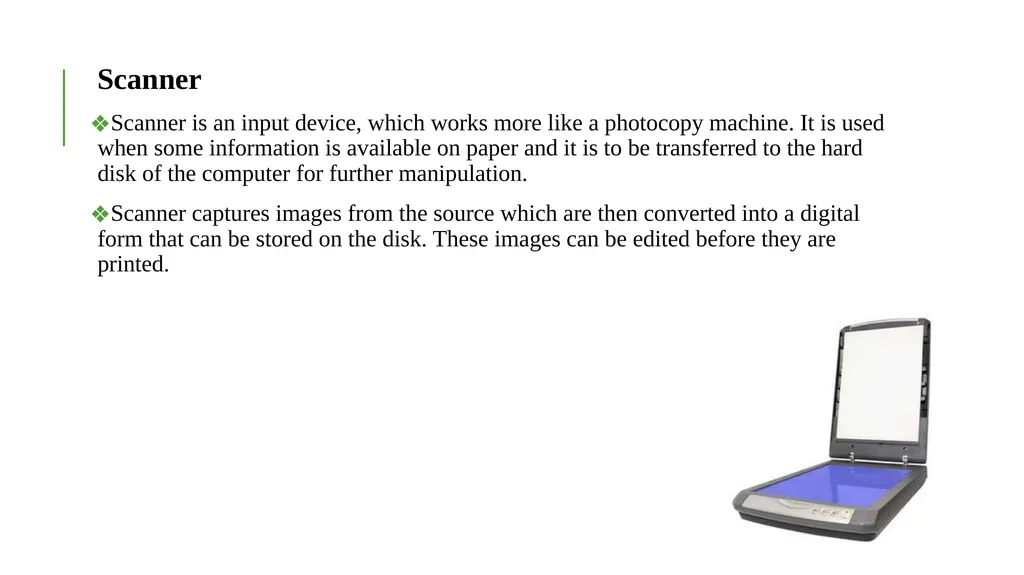
Scanner is an input device, which works more like a photocopy machine. It is used when some information is available on paper and it is to be transferred to the hard disk of the computer for further manipulation.
Scanner captures images from the source which are then converted into a digital form that can be stored on the disk. These images can be edited before they are printed.<br>
Scanner is an input device, which works more like a photocopy machine. It is used when some information is available on paper and it is to be transferred to the hard disk of the computer for further manipulation.
Scanner captures images from the source which are then converted into a digital form that can be stored on the disk. These images can be edited before they are printed.<br>
08
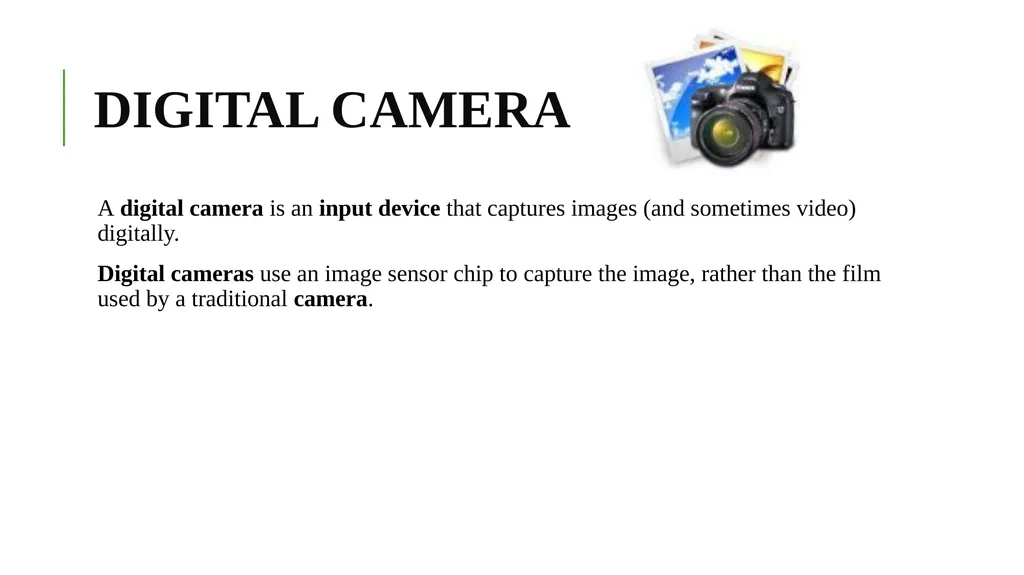
DIGITAL CAMERA A digital camera is an input device that captures images (and sometimes video) digitally.
Digital cameras use an image sensor chip to capture the image, rather than the film used by a traditional camera.<br>
Digital cameras use an image sensor chip to capture the image, rather than the film used by a traditional camera.<br>
09
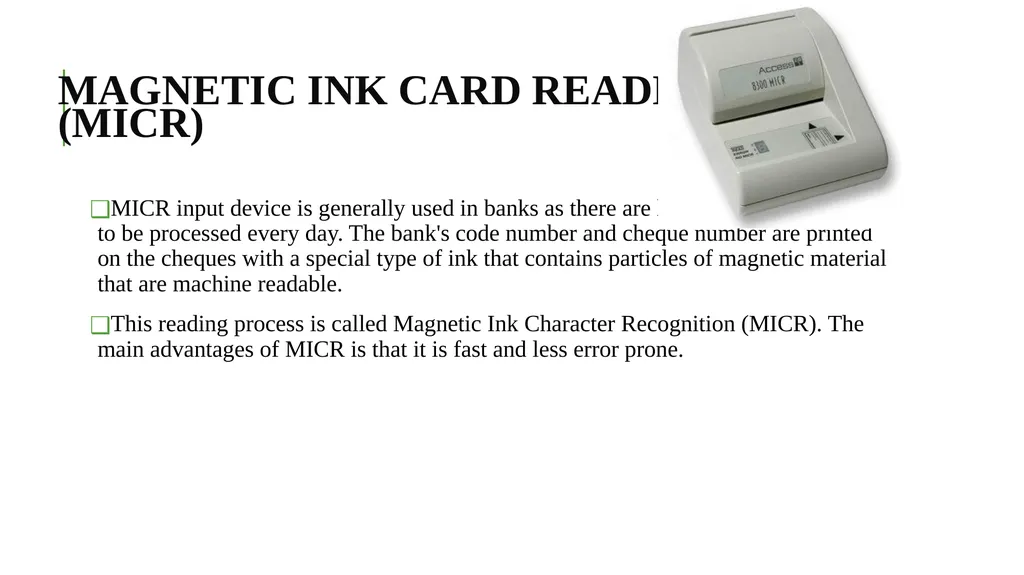
MAGNETIC INK CARD READER (MICR) MICR input device is generally used in banks as there are large number of cheques to be processed every day. The bank's code number and cheque number are printed on the cheques with a special type of ink that contains particles of magnetic material that are machine readable.
This reading process is called Magnetic Ink Character Recognition (MICR). The main advantages of MICR is that it is fast and less error prone.<br>
This reading process is called Magnetic Ink Character Recognition (MICR). The main advantages of MICR is that it is fast and less error prone.<br>
10
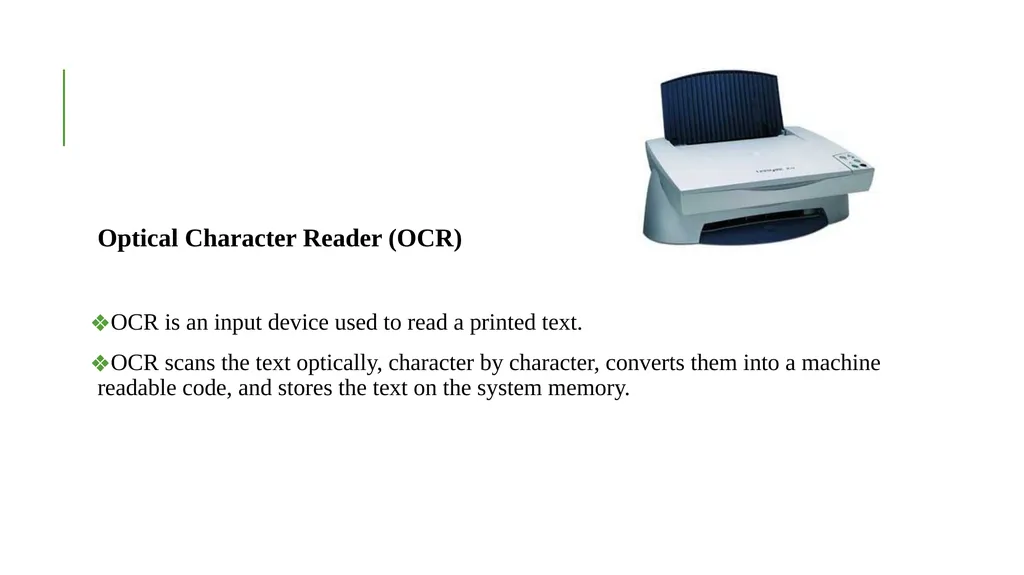
Optical Character Reader (OCR)
OCR is an input device used to read a printed text.
OCR scans the text optically, character by character, converts them into a machine readable code, and stores the text on the system memory.<br>
OCR is an input device used to read a printed text.
OCR scans the text optically, character by character, converts them into a machine readable code, and stores the text on the system memory.<br>
11
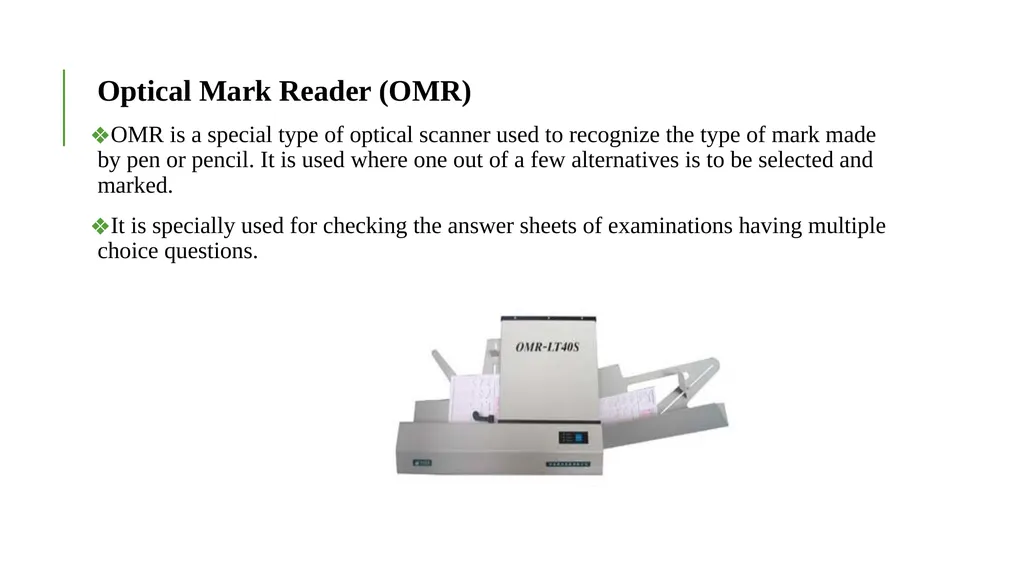
Optical Mark Reader (OMR)
OMR is a special type of optical scanner used to recognize the type of mark made by pen or pencil. It is used where one out of a few alternatives is to be selected and marked.
It is specially used for checking the answer sheets of examinations having multiple choice questions.<br>
OMR is a special type of optical scanner used to recognize the type of mark made by pen or pencil. It is used where one out of a few alternatives is to be selected and marked.
It is specially used for checking the answer sheets of examinations having multiple choice questions.<br>
12
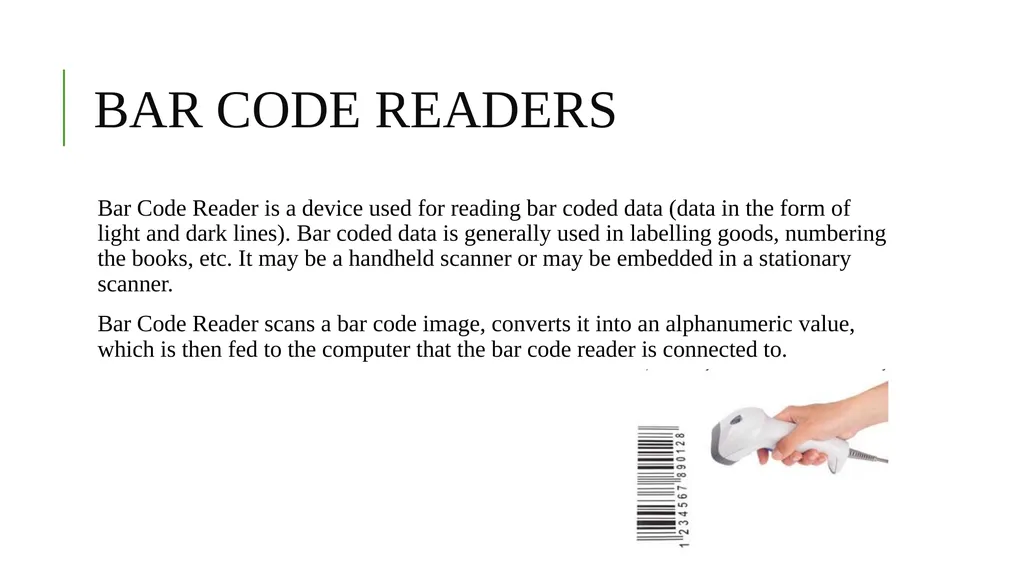
BAR CODE READERS Bar Code Reader is a device used for reading bar coded data (data in the form of light and dark lines). Bar coded data is generally used in labelling goods, numbering the books, etc. It may be a handheld scanner or may be embedded in a stationary scanner.
Bar Code Reader scans a bar code image, converts it into an alphanumeric value, which is then fed to the computer that the bar code reader is connected to.<br>
Bar Code Reader scans a bar code image, converts it into an alphanumeric value, which is then fed to the computer that the bar code reader is connected to.<br>
13
VOICE RECOGNITION Voice recognition biometric modality is a combination of both physiological and behavioral modalities. Voice recognition is nothing but sound recognition. It relies on features influenced by −
Physiological Component − Physical shape, size, and health of a person’s vocal cord, and lips, teeth, tongue, and mouth cavity.
Behavioral Component − Emotional status of the person while speaking, accents, tone, pitch, pace of talking, mumbling, etc.
Voice Recognition System
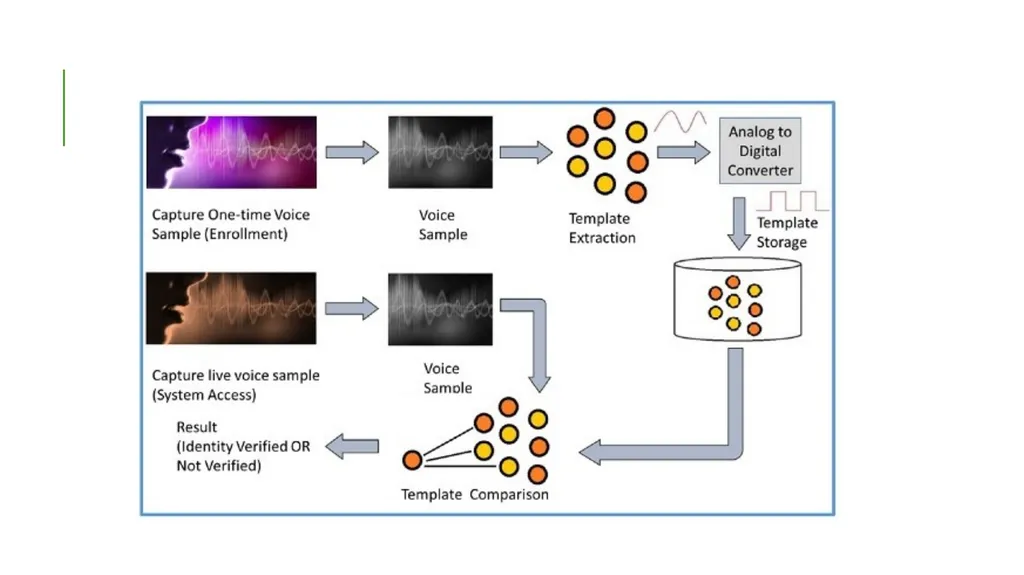
Voice Recognition is also called Speaker Recognition. At the time of enrollment, the user needs to speak a word or phrase into a microphone. This is necessary to acquire speech sample of a candidate.
The electrical signal from the microphone is converted into digital signal by an Analog to Digital (ADC) converter. It is recorded into the computer memory as a digitized sample. The computer then compares and attempts to match the input voice of candidate with the stored digitized voice sample and identifies the candidate.<br>
Physiological Component − Physical shape, size, and health of a person’s vocal cord, and lips, teeth, tongue, and mouth cavity.
Behavioral Component − Emotional status of the person while speaking, accents, tone, pitch, pace of talking, mumbling, etc.
Voice Recognition System
Voice Recognition is also called Speaker Recognition. At the time of enrollment, the user needs to speak a word or phrase into a microphone. This is necessary to acquire speech sample of a candidate.
The electrical signal from the microphone is converted into digital signal by an Analog to Digital (ADC) converter. It is recorded into the computer memory as a digitized sample. The computer then compares and attempts to match the input voice of candidate with the stored digitized voice sample and identifies the candidate.<br>
14
Applications of Voice Recognition
Performing telephone and internet transactions.
Working with Interactive Voice Response (IRV)-based banking and health systems.
Applying audio signatures for digital documents.
In entertainment and emergency services.
In online education systems.<br>
Performing telephone and internet transactions.
Working with Interactive Voice Response (IRV)-based banking and health systems.
Applying audio signatures for digital documents.
In entertainment and emergency services.
In online education systems.<br>
15
Light Pen
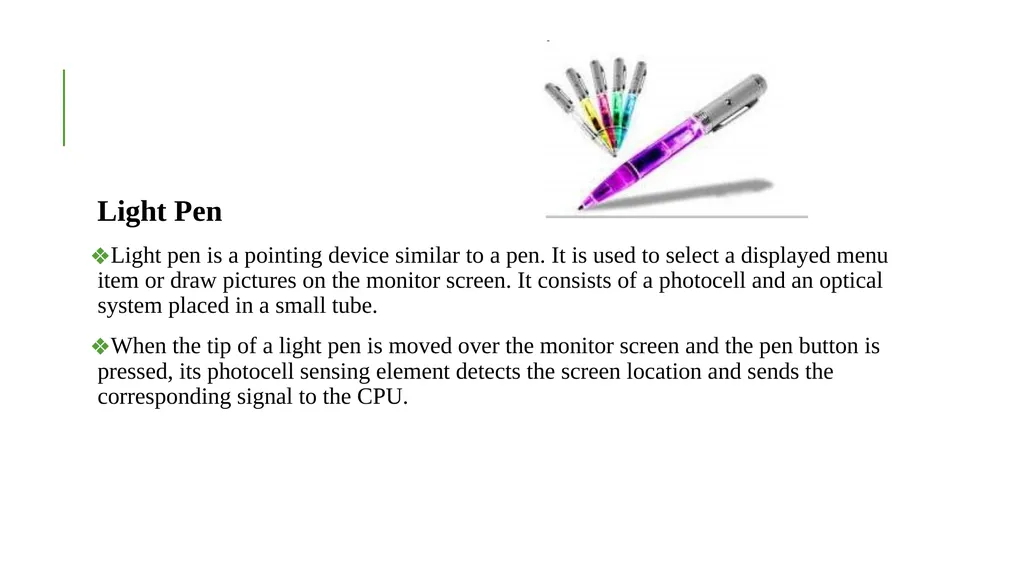
Light pen is a pointing device similar to a pen. It is used to select a displayed menu item or draw pictures on the monitor screen. It consists of a photocell and an optical system placed in a small tube.
When the tip of a light pen is moved over the monitor screen and the pen button is pressed, its photocell sensing element detects the screen location and sends the corresponding signal to the CPU.<br>
Light pen is a pointing device similar to a pen. It is used to select a displayed menu item or draw pictures on the monitor screen. It consists of a photocell and an optical system placed in a small tube.
When the tip of a light pen is moved over the monitor screen and the pen button is pressed, its photocell sensing element detects the screen location and sends the corresponding signal to the CPU.<br>
16
OUTPUT DEVICES Following are some of the important output devices used in a computer.
Monitors
Graphic Plotter
Printer<br>
Monitors
Graphic Plotter
Printer<br>
17
Monitors
Monitors, commonly called as Visual Display Unit (VDU), are the main output device of a computer. It forms images from tiny dots, called pixels that are arranged in a rectangular form. The sharpness of the image depends upon the number of pixels.
There are two kinds of viewing screen used for monitors.
Cathode-Ray Tube (CRT)
Flat-Panel Display
Cathode-Ray Tube (CRT) Monitor
The CRT display is made up of small picture elements called pixels. The smaller the pixels, the better the image clarity or resolution. It takes more than one illuminated pixel to form a whole character, such as the letter ‘e’ in the word help.<br>
Monitors, commonly called as Visual Display Unit (VDU), are the main output device of a computer. It forms images from tiny dots, called pixels that are arranged in a rectangular form. The sharpness of the image depends upon the number of pixels.
There are two kinds of viewing screen used for monitors.
Cathode-Ray Tube (CRT)
Flat-Panel Display
Cathode-Ray Tube (CRT) Monitor
The CRT display is made up of small picture elements called pixels. The smaller the pixels, the better the image clarity or resolution. It takes more than one illuminated pixel to form a whole character, such as the letter ‘e’ in the word help.<br>
18
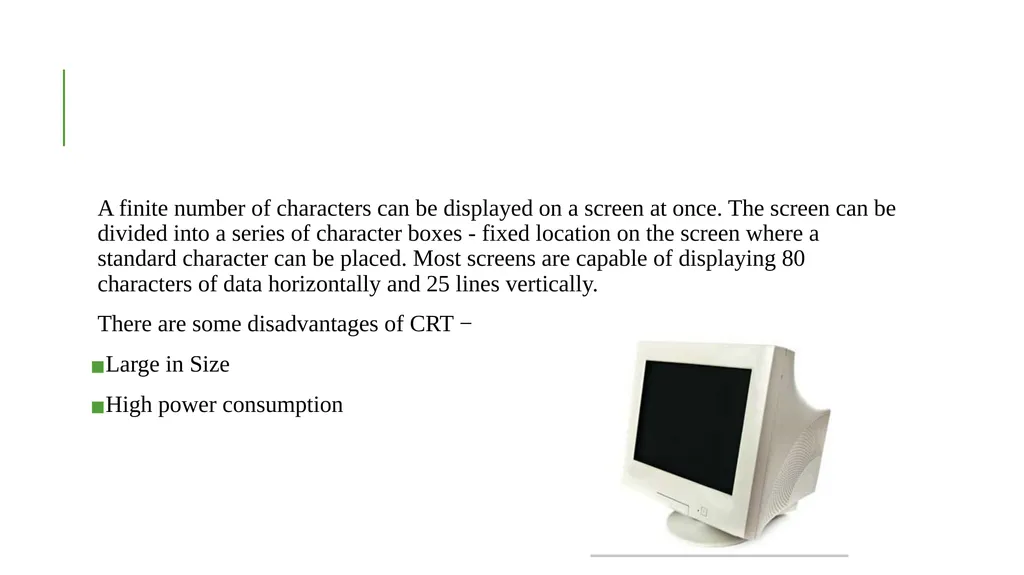
A finite number of characters can be displayed on a screen at once. The screen can be divided into a series of character boxes - fixed location on the screen where a standard character can be placed. Most screens are capable of displaying 80 characters of data horizontally and 25 lines vertically.
There are some disadvantages of CRT −
Large in Size
High power consumption<br>
There are some disadvantages of CRT −
Large in Size
High power consumption<br>
19
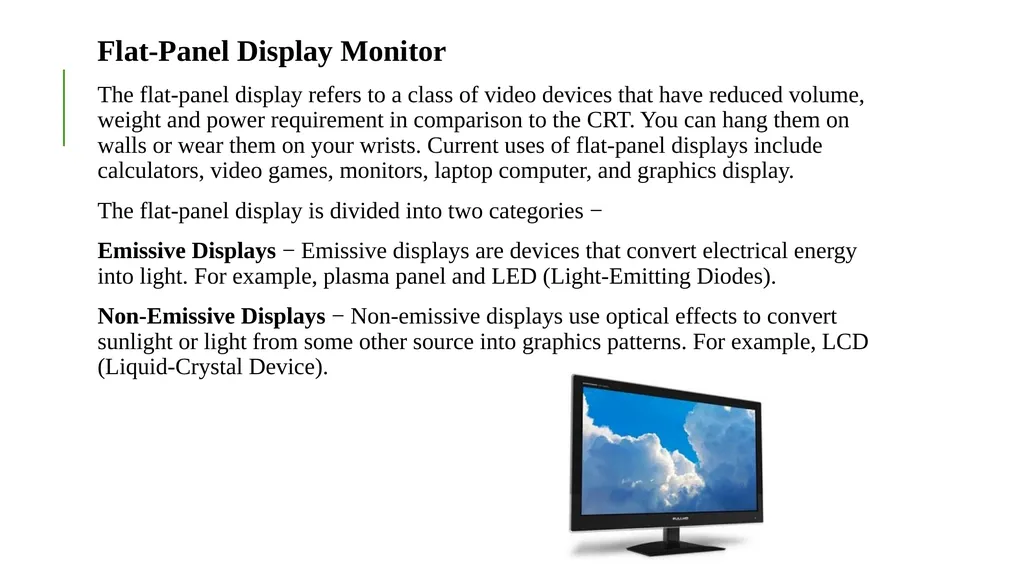
Flat-Panel Display Monitor
The flat-panel display refers to a class of video devices that have reduced volume, weight and power requirement in comparison to the CRT. You can hang them on walls or wear them on your wrists. Current uses of flat-panel displays include calculators, video games, monitors, laptop computer, and graphics display.
The flat-panel display is divided into two categories −
Emissive Displays − Emissive displays are devices that convert electrical energy into light. For example, plasma panel and LED (Light-Emitting Diodes).
Non-Emissive Displays − Non-emissive displays use optical effects to convert sunlight or light from some other source into graphics patterns. For example, LCD (Liquid-Crystal Device).<br>
The flat-panel display refers to a class of video devices that have reduced volume, weight and power requirement in comparison to the CRT. You can hang them on walls or wear them on your wrists. Current uses of flat-panel displays include calculators, video games, monitors, laptop computer, and graphics display.
The flat-panel display is divided into two categories −
Emissive Displays − Emissive displays are devices that convert electrical energy into light. For example, plasma panel and LED (Light-Emitting Diodes).
Non-Emissive Displays − Non-emissive displays use optical effects to convert sunlight or light from some other source into graphics patterns. For example, LCD (Liquid-Crystal Device).<br>
20
CHARACTERISTICS OF A MONITOR Following are the characteristics of a monitor:
a) Size:
The most important aspect of a monitor is its size. Screen sizes are measured in diagonal inches, the distance from one corner to another opposite corner diagonally.
b) Resolution:
The resolution of a monitor indicates how density the pixels are packed. Pixel is short for picture element. A pixel is a single point in a graphic image. Graphic monitors display pictures by dividing the display screen into millions of pixels arranged in rows and columns. On color monitor each pixel is actually composed of three dots namely a red, a green, and a blue. The quality of a display monitor largely depends on its resolution.
c) Band Width:
The amount of data that can be transmitted in a fixed amount of time. For digital devices, the band width is usually expressed in bits or bytes per second (bps). For analog devices it is expressed in cycle per second or Hertz (Hz).
d) Refresh Rate:
Display monitors must be refresh many times per second. The refresh rate determines how many times per seconds the screen is to be red drawn. The refresh rate of a monitor is measured in Hertz. The faster the refresheris, the less the monitor flickers.<br>
a) Size:
The most important aspect of a monitor is its size. Screen sizes are measured in diagonal inches, the distance from one corner to another opposite corner diagonally.
b) Resolution:
The resolution of a monitor indicates how density the pixels are packed. Pixel is short for picture element. A pixel is a single point in a graphic image. Graphic monitors display pictures by dividing the display screen into millions of pixels arranged in rows and columns. On color monitor each pixel is actually composed of three dots namely a red, a green, and a blue. The quality of a display monitor largely depends on its resolution.
c) Band Width:
The amount of data that can be transmitted in a fixed amount of time. For digital devices, the band width is usually expressed in bits or bytes per second (bps). For analog devices it is expressed in cycle per second or Hertz (Hz).
d) Refresh Rate:
Display monitors must be refresh many times per second. The refresh rate determines how many times per seconds the screen is to be red drawn. The refresh rate of a monitor is measured in Hertz. The faster the refresheris, the less the monitor flickers.<br>
21
e) Interlacing:
It is a technique in which instead of scanning the image one line at a time, it scans alternately i.e. alternate lines are scanned at each pass. It is used to keep band width down. Since inter leaked displaced have been reported to be more flickery, with better technology available, most monitors are non interlaced now.
f) Dot per Inch:
It is measured for the actual sharpness of the on screen image. This depends on both the resolution & the size of the image. Practical experience shows that a smaller screen has a sharper image at the same resolution than does a large screen. This is because it will require more dots per inch to display the same number of pixels.
g) Dot Pitch:
A measurement that indicates the vertical distance between each pixel on a display screen. It is measured in millimeter. The dot pitch is one of the principle characteristics that determine the quality of display monitors.
h) Convergence:
It refers to how sharply an individual colour pixel on a monitor appears. Each pixel is composed of three dots namely a red, a green and a blue. If the dots are badly mis converged, the pixel will appear blurry.<br>
It is a technique in which instead of scanning the image one line at a time, it scans alternately i.e. alternate lines are scanned at each pass. It is used to keep band width down. Since inter leaked displaced have been reported to be more flickery, with better technology available, most monitors are non interlaced now.
f) Dot per Inch:
It is measured for the actual sharpness of the on screen image. This depends on both the resolution & the size of the image. Practical experience shows that a smaller screen has a sharper image at the same resolution than does a large screen. This is because it will require more dots per inch to display the same number of pixels.
g) Dot Pitch:
A measurement that indicates the vertical distance between each pixel on a display screen. It is measured in millimeter. The dot pitch is one of the principle characteristics that determine the quality of display monitors.
h) Convergence:
It refers to how sharply an individual colour pixel on a monitor appears. Each pixel is composed of three dots namely a red, a green and a blue. If the dots are badly mis converged, the pixel will appear blurry.<br>
22
Monitor specifications can be judged through :
Size
Resolution
Refresh rate
Dot pitch<br>
Size
Resolution
Refresh rate
Dot pitch<br>
23
SIZE A monitors size affect how well we can see images
With a larger monitor, we can make the objects on the screen appear bigger.
Monitors are measured diagonally in inches ,across the front of the screen.
A 17 inch monitor measures 17 inches from the lower left to the upper right corner.
CRT monitors viewing area is smaller than the monitors overall size.<br>
With a larger monitor, we can make the objects on the screen appear bigger.
Monitors are measured diagonally in inches ,across the front of the screen.
A 17 inch monitor measures 17 inches from the lower left to the upper right corner.
CRT monitors viewing area is smaller than the monitors overall size.<br>
24
RESOLUTION The images you see on your monitor are made of tiny dots called pixels.
The term resolution refers to the sharpness and clarity of an image.
A monitor resolution is determined by the number of pixels on the screen.it is expressed as a matrix.
The more pixels a monitor displays, higher will be its resolution. Clearer will be images appear.<br>
The term resolution refers to the sharpness and clarity of an image.
A monitor resolution is determined by the number of pixels on the screen.it is expressed as a matrix.
The more pixels a monitor displays, higher will be its resolution. Clearer will be images appear.<br>
25
QUALITY Manufactures describe quality by dot pitch.
Smaller dot pitches mean pixels are closely spaced which will yield a sharper image.
Most monitors have dot pitches that range from 0.22mm to 0.39mm<br>
Smaller dot pitches mean pixels are closely spaced which will yield a sharper image.
Most monitors have dot pitches that range from 0.22mm to 0.39mm<br>
26
MONITOR CLASSIFICATION Monochrome:
Display two colors, one for the background and one for the foreground.
Gray-scale:
a special type of monochrome monitor capable of displaying different shades of gray.
Color:
can display anywhere from 16 to over 1 million different colors. Sometimes called RGB monitors.<br>
Display two colors, one for the background and one for the foreground.
Gray-scale:
a special type of monochrome monitor capable of displaying different shades of gray.
Color:
can display anywhere from 16 to over 1 million different colors. Sometimes called RGB monitors.<br>
27
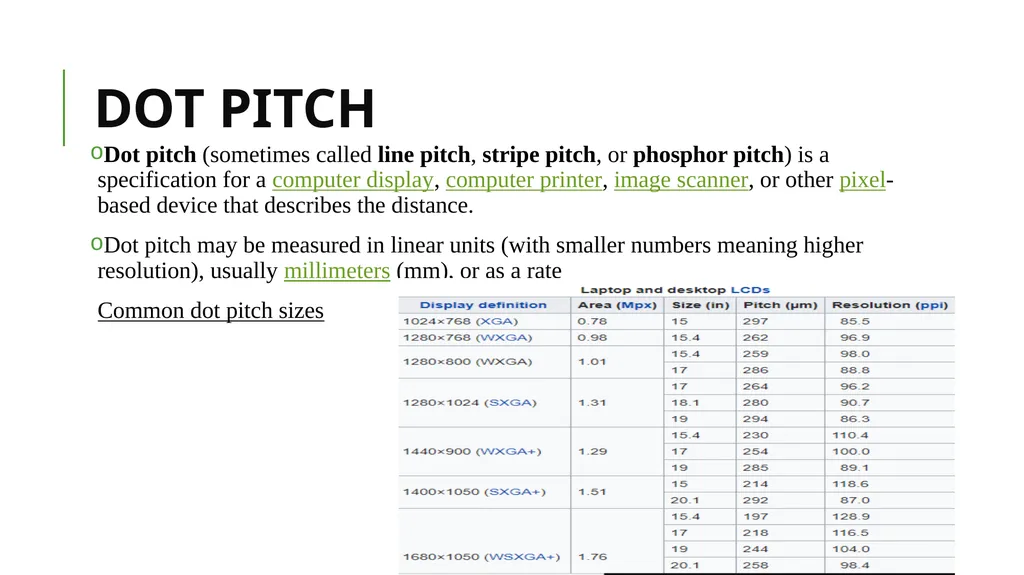
DOT PITCH Dot pitch (sometimes called line pitch, stripe pitch, or phosphor pitch) is a specification for a computer display, computer printer, image scanner, or other pixel-based device that describes the distance.
Dot pitch may be measured in linear units (with smaller numbers meaning higher resolution), usually millimeters (mm), or as a rate
Common dot pitch sizes<br>
Dot pitch may be measured in linear units (with smaller numbers meaning higher resolution), usually millimeters (mm), or as a rate
Common dot pitch sizes<br>
28
INTERLACED/NON-INTERLACED
In an interlaced monitor, the electron beam takes two passes to form a complete image: it skips every other row on the first pass, and then goes back and fills in the missing rows.
A non-interlaced monitor does the whole job in one pass, tracing each row consecutively. Interlaced monitors are easier to build and therefore cheaper, but as you can guess-they aren't as good as non-interlaced monitors. The problem is that all things being equal, it takes twice as long to create the complete screen image on an interlaced monitor. That's long enough to spoil the illusion that you're looking at a steady picture, and the image on the screen flickers annoyingly.<br>
In an interlaced monitor, the electron beam takes two passes to form a complete image: it skips every other row on the first pass, and then goes back and fills in the missing rows.
A non-interlaced monitor does the whole job in one pass, tracing each row consecutively. Interlaced monitors are easier to build and therefore cheaper, but as you can guess-they aren't as good as non-interlaced monitors. The problem is that all things being equal, it takes twice as long to create the complete screen image on an interlaced monitor. That's long enough to spoil the illusion that you're looking at a steady picture, and the image on the screen flickers annoyingly.<br>
29
VGA
Abbreviation of video graphics array, a graphics display system for PCs developed by IBM.
VGA has become one of the de facto standards for PCs.
In text mode, VGA systems provide a resolution of 720 by 400 pixels.
In graphics mode, the resolution is either 640 by 480 (with 16 colors) or 320 by 200 (with 256 colors). The total palette of colors is 262,144.
Unlike earlier graphics standards for PCs -- MDA, CGA, and EGA -- VGA uses analog signals rather than digital signals.<br>
Abbreviation of video graphics array, a graphics display system for PCs developed by IBM.
VGA has become one of the de facto standards for PCs.
In text mode, VGA systems provide a resolution of 720 by 400 pixels.
In graphics mode, the resolution is either 640 by 480 (with 16 colors) or 320 by 200 (with 256 colors). The total palette of colors is 262,144.
Unlike earlier graphics standards for PCs -- MDA, CGA, and EGA -- VGA uses analog signals rather than digital signals.<br>
30
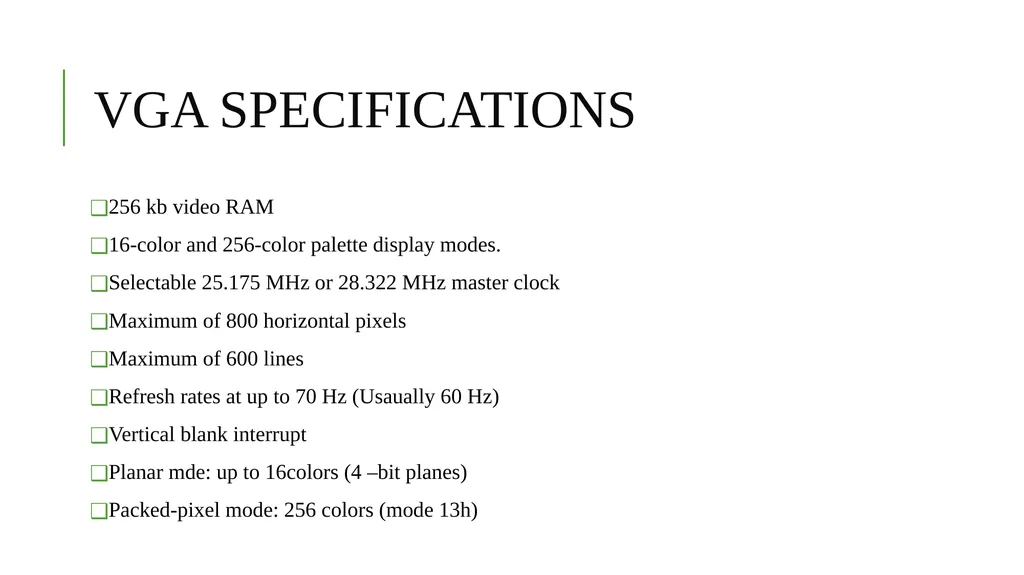
VGA SPECIFICATIONS 256 kb video RAM
16-color and 256-color palette display modes.
Selectable 25.175 MHz or 28.322 MHz master clock
Maximum of 800 horizontal pixels
Maximum of 600 lines
Refresh rates at up to 70 Hz (Usaually 60 Hz)
Vertical blank interrupt
Planar mde: up to 16colors (4 –bit planes)
Packed-pixel mode: 256 colors (mode 13h)<br>
16-color and 256-color palette display modes.
Selectable 25.175 MHz or 28.322 MHz master clock
Maximum of 800 horizontal pixels
Maximum of 600 lines
Refresh rates at up to 70 Hz (Usaually 60 Hz)
Vertical blank interrupt
Planar mde: up to 16colors (4 –bit planes)
Packed-pixel mode: 256 colors (mode 13h)<br>
31
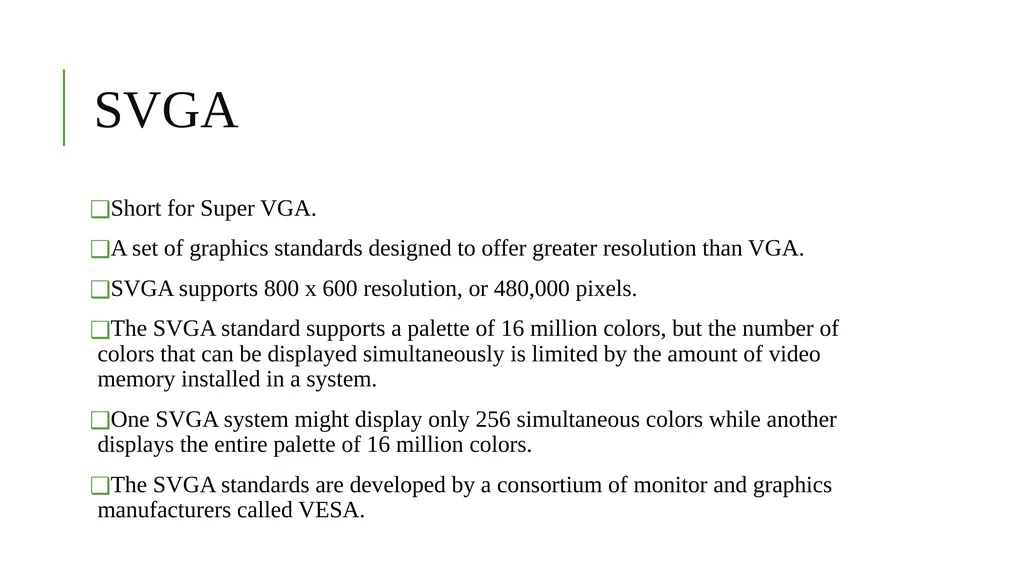
SVGA Short for Super VGA.
A set of graphics standards designed to offer greater resolution than VGA.
SVGA supports 800 x 600 resolution, or 480,000 pixels.
The SVGA standard supports a palette of 16 million colors, but the number of colors that can be displayed simultaneously is limited by the amount of video memory installed in a system.
One SVGA system might display only 256 simultaneous colors while another displays the entire palette of 16 million colors.
The SVGA standards are developed by a consortium of monitor and graphics manufacturers called VESA.<br>
A set of graphics standards designed to offer greater resolution than VGA.
SVGA supports 800 x 600 resolution, or 480,000 pixels.
The SVGA standard supports a palette of 16 million colors, but the number of colors that can be displayed simultaneously is limited by the amount of video memory installed in a system.
One SVGA system might display only 256 simultaneous colors while another displays the entire palette of 16 million colors.
The SVGA standards are developed by a consortium of monitor and graphics manufacturers called VESA.<br>
32
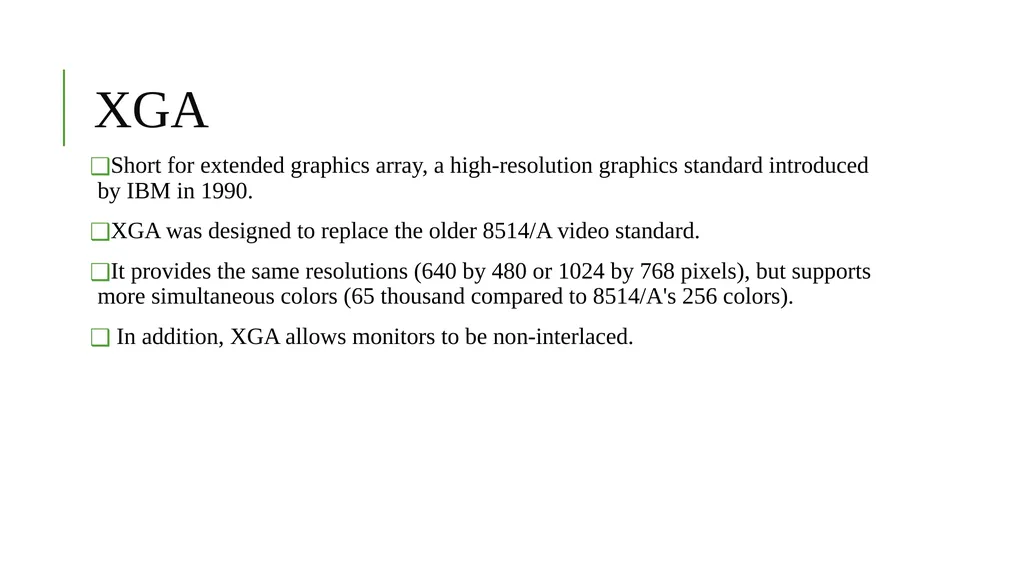
XGA Short for extended graphics array, a high-resolution graphics standard introduced by IBM in 1990.
XGA was designed to replace the older 8514/A video standard.
It provides the same resolutions (640 by 480 or 1024 by 768 pixels), but supports more simultaneous colors (65 thousand compared to 8514/A's 256 colors).
In addition, XGA allows monitors to be non-interlaced.<br>
XGA was designed to replace the older 8514/A video standard.
It provides the same resolutions (640 by 480 or 1024 by 768 pixels), but supports more simultaneous colors (65 thousand compared to 8514/A's 256 colors).
In addition, XGA allows monitors to be non-interlaced.<br>
33
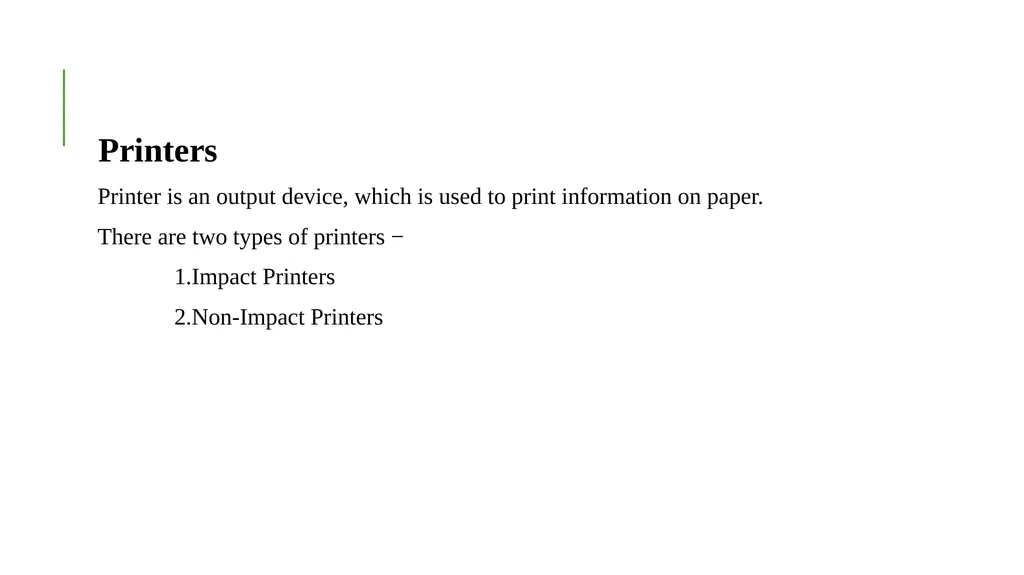
Printers
Printer is an output device, which is used to print information on paper.
There are two types of printers −
1.Impact Printers
2.Non-Impact Printers<br>
Printer is an output device, which is used to print information on paper.
There are two types of printers −
1.Impact Printers
2.Non-Impact Printers<br>
34
Impact Printers
Impact printers print the characters by striking them on the ribbon, which is then pressed on the paper.
Characteristics of Impact Printers are the following −
Very low consumable costs
Very noisy
Useful for bulk printing due to low cost
There is physical contact with the paper to produce an image
These printers are of two types −
1.Character printers
2.Line printers<br>
Impact printers print the characters by striking them on the ribbon, which is then pressed on the paper.
Characteristics of Impact Printers are the following −
Very low consumable costs
Very noisy
Useful for bulk printing due to low cost
There is physical contact with the paper to produce an image
These printers are of two types −
1.Character printers
2.Line printers<br>
35
Character Printers
Character printers are the printers which print one character at a time.
These are further divided into two types:
a.Dot Matrix Printer(DMP)
b.Daisy Wheel
A.Dot Matrix Printer
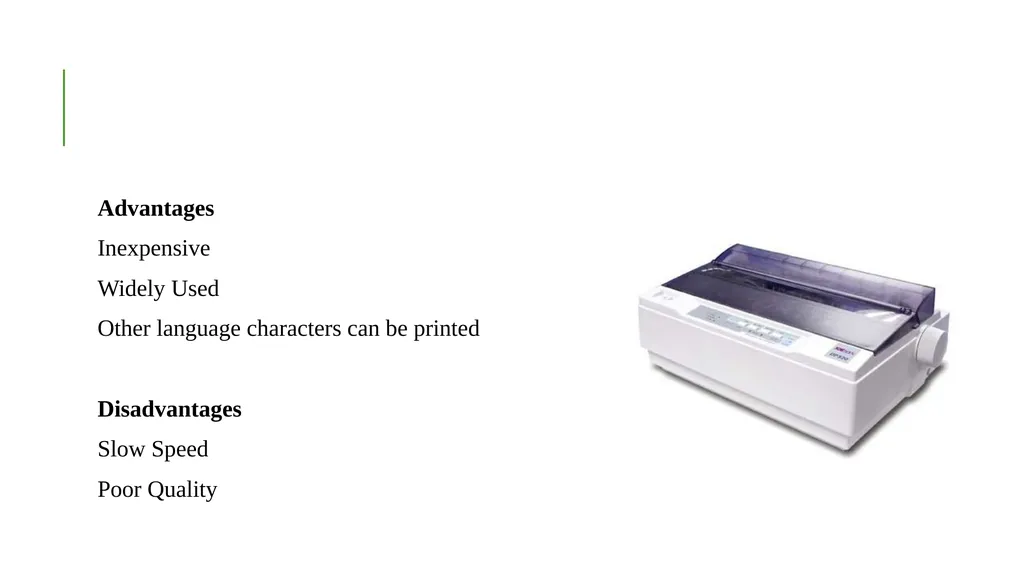
In the market, one of the most popular printers is Dot Matrix Printer. These printers are popular because of their ease of printing and economical price. Each character printed is in the form of pattern of dots and head consists of a Matrix of Pins of size (5*7, 7*9, 9*7 or 9*9) which come out to form a character which is why it is called Dot Matrix Printer.<br>
Character printers are the printers which print one character at a time.
These are further divided into two types:
a.Dot Matrix Printer(DMP)
b.Daisy Wheel
A.Dot Matrix Printer
In the market, one of the most popular printers is Dot Matrix Printer. These printers are popular because of their ease of printing and economical price. Each character printed is in the form of pattern of dots and head consists of a Matrix of Pins of size (5*7, 7*9, 9*7 or 9*9) which come out to form a character which is why it is called Dot Matrix Printer.<br>
36
Advantages
Inexpensive
Widely Used
Other language characters can be printed
Disadvantages
Slow Speed
Poor Quality<br>
Inexpensive
Widely Used
Other language characters can be printed
Disadvantages
Slow Speed
Poor Quality<br>
37
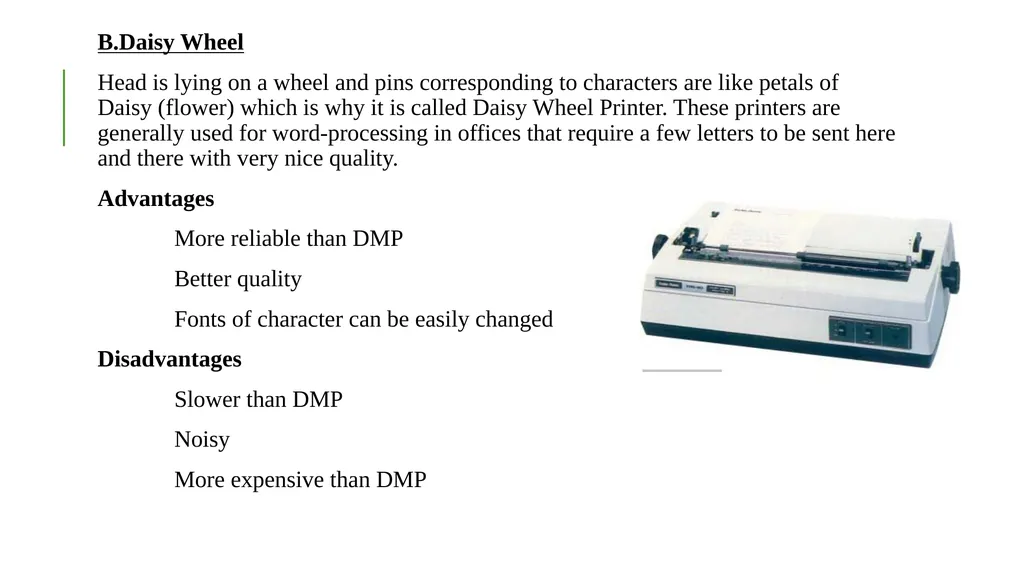
B.Daisy Wheel
Head is lying on a wheel and pins corresponding to characters are like petals of Daisy (flower) which is why it is called Daisy Wheel Printer. These printers are generally used for word-processing in offices that require a few letters to be sent here and there with very nice quality.
Advantages
More reliable than DMP
Better quality
Fonts of character can be easily changed
Disadvantages
Slower than DMP
Noisy
More expensive than DMP<br>
Head is lying on a wheel and pins corresponding to characters are like petals of Daisy (flower) which is why it is called Daisy Wheel Printer. These printers are generally used for word-processing in offices that require a few letters to be sent here and there with very nice quality.
Advantages
More reliable than DMP
Better quality
Fonts of character can be easily changed
Disadvantages
Slower than DMP
Noisy
More expensive than DMP<br>
38
Line Printers
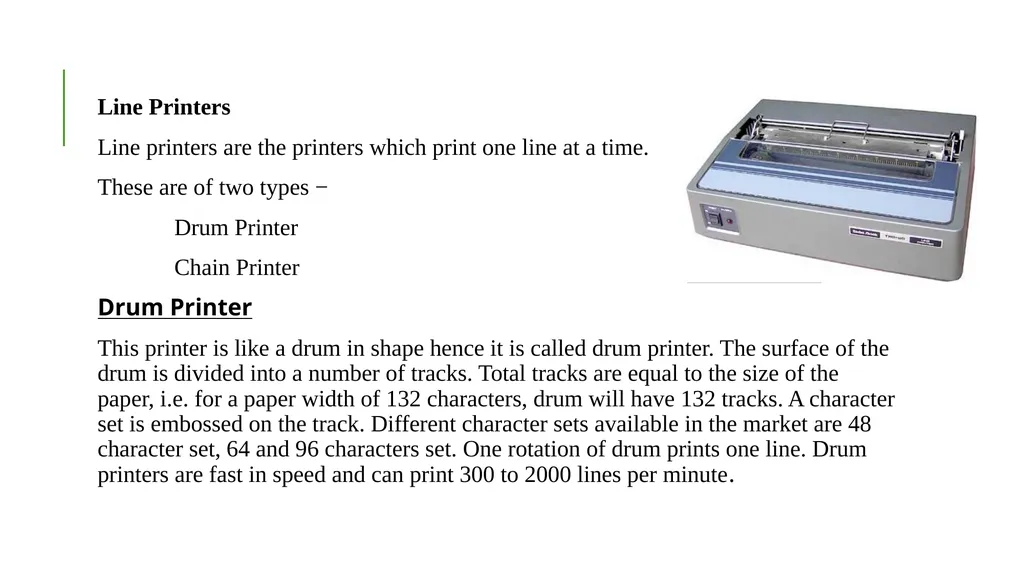
Line printers are the printers which print one line at a time.
These are of two types −
Drum Printer
Chain Printer
Drum Printer
This printer is like a drum in shape hence it is called drum printer. The surface of the drum is divided into a number of tracks. Total tracks are equal to the size of the paper, i.e. for a paper width of 132 characters, drum will have 132 tracks. A character set is embossed on the track. Different character sets available in the market are 48 character set, 64 and 96 characters set. One rotation of drum prints one line. Drum printers are fast in speed and can print 300 to 2000 lines per minute.<br>
Line printers are the printers which print one line at a time.
These are of two types −
Drum Printer
Chain Printer
Drum Printer
This printer is like a drum in shape hence it is called drum printer. The surface of the drum is divided into a number of tracks. Total tracks are equal to the size of the paper, i.e. for a paper width of 132 characters, drum will have 132 tracks. A character set is embossed on the track. Different character sets available in the market are 48 character set, 64 and 96 characters set. One rotation of drum prints one line. Drum printers are fast in speed and can print 300 to 2000 lines per minute.<br>
39
Advantages
Very high speed
Disadvantages
Very expensive
Characters fonts cannot be changed
Chain Printer
In this printer, a chain of character sets is used, hence it is called Chain Printer. A standard character set may have 48, 64, or 96 characters.
Advantages
Character fonts can easily be changed.
Different languages can be used with the same printer.
Disadvantages
Noisy<br>
Very high speed
Disadvantages
Very expensive
Characters fonts cannot be changed
Chain Printer
In this printer, a chain of character sets is used, hence it is called Chain Printer. A standard character set may have 48, 64, or 96 characters.
Advantages
Character fonts can easily be changed.
Different languages can be used with the same printer.
Disadvantages
Noisy<br>
40
Non-impact Printers
Non-impact printers print the characters without using the ribbon. These printers print a complete page at a time, thus they are also called as Page Printers.
These printers are of two types −
Laser Printers
Inkjet Printers
Characteristics of Non-impact Printers
Faster than impact printers
They are not noisy
High quality
Supports many fonts and different character size<br>
Non-impact printers print the characters without using the ribbon. These printers print a complete page at a time, thus they are also called as Page Printers.
These printers are of two types −
Laser Printers
Inkjet Printers
Characteristics of Non-impact Printers
Faster than impact printers
They are not noisy
High quality
Supports many fonts and different character size<br>
41
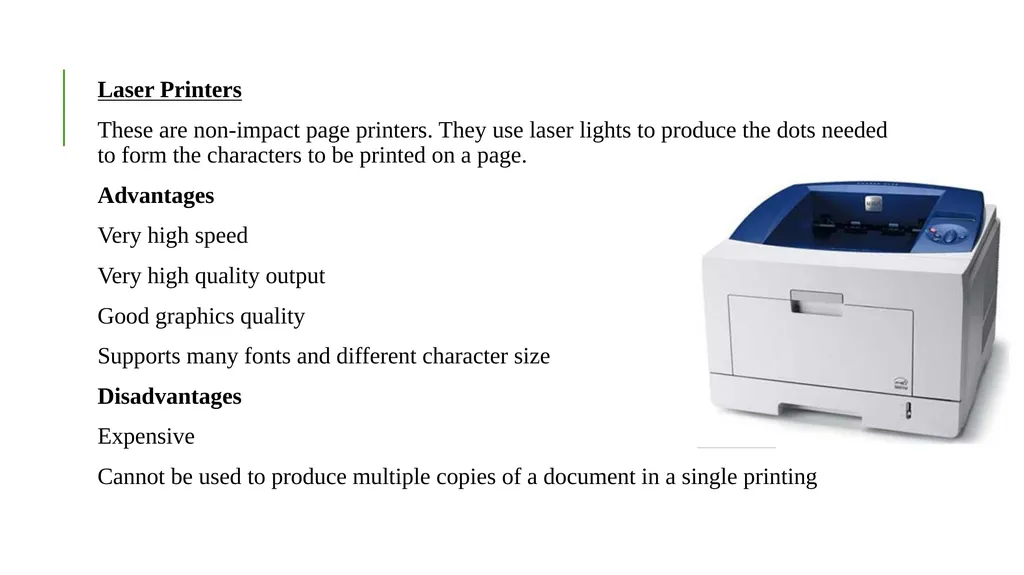
Laser Printers
These are non-impact page printers. They use laser lights to produce the dots needed to form the characters to be printed on a page.
Advantages
Very high speed
Very high quality output
Good graphics quality
Supports many fonts and different character size
Disadvantages
Expensive
Cannot be used to produce multiple copies of a document in a single printing<br>
These are non-impact page printers. They use laser lights to produce the dots needed to form the characters to be printed on a page.
Advantages
Very high speed
Very high quality output
Good graphics quality
Supports many fonts and different character size
Disadvantages
Expensive
Cannot be used to produce multiple copies of a document in a single printing<br>
42
Inkjet Printers
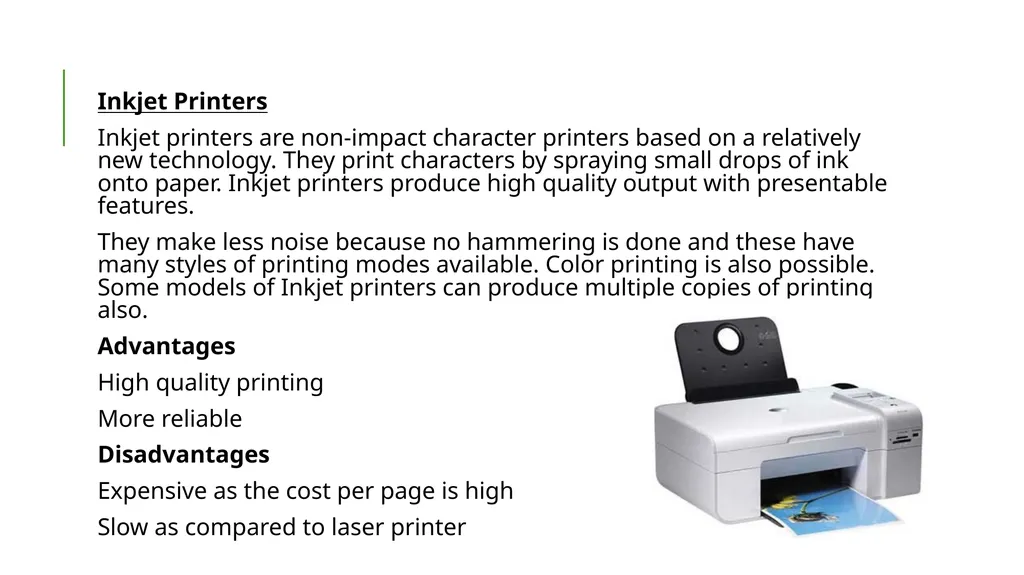
Inkjet printers are non-impact character printers based on a relatively new technology. They print characters by spraying small drops of ink onto paper. Inkjet printers produce high quality output with presentable features.
They make less noise because no hammering is done and these have many styles of printing modes available. Color printing is also possible. Some models of Inkjet printers can produce multiple copies of printing also.
Advantages
High quality printing
More reliable
Disadvantages
Expensive as the cost per page is high
Slow as compared to laser printer<br>
Inkjet printers are non-impact character printers based on a relatively new technology. They print characters by spraying small drops of ink onto paper. Inkjet printers produce high quality output with presentable features.
They make less noise because no hammering is done and these have many styles of printing modes available. Color printing is also possible. Some models of Inkjet printers can produce multiple copies of printing also.
Advantages
High quality printing
More reliable
Disadvantages
Expensive as the cost per page is high
Slow as compared to laser printer<br>
43
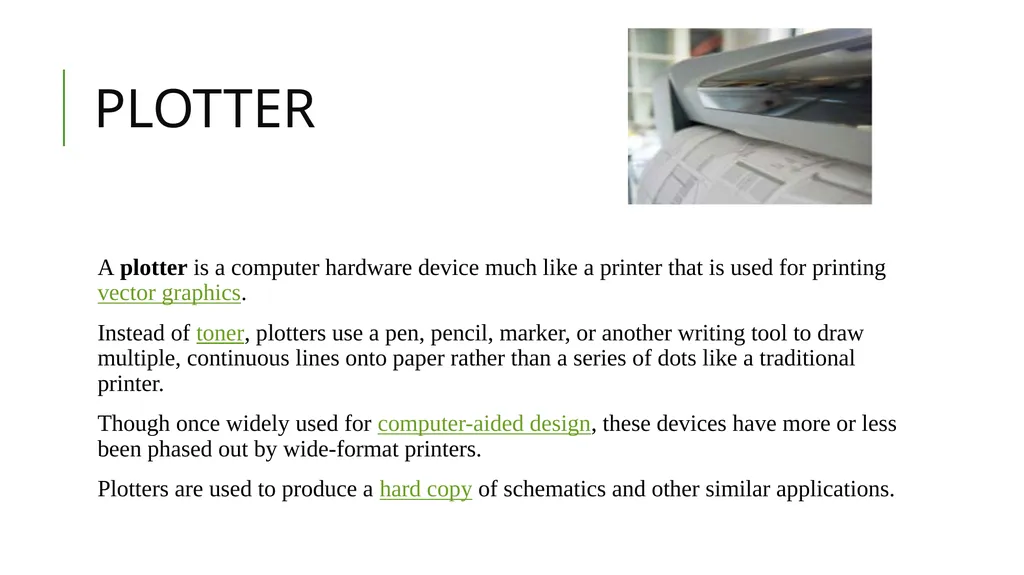
PLOTTER A plotter is a computer hardware device much like a printer that is used for printing vector graphics.
Instead of toner, plotters use a pen, pencil, marker, or another writing tool to draw multiple, continuous lines onto paper rather than a series of dots like a traditional printer.
Though once widely used for computer-aided design, these devices have more or less been phased out by wide-format printers.
Plotters are used to produce a hard copy of schematics and other similar applications.<br>
Instead of toner, plotters use a pen, pencil, marker, or another writing tool to draw multiple, continuous lines onto paper rather than a series of dots like a traditional printer.
Though once widely used for computer-aided design, these devices have more or less been phased out by wide-format printers.
Plotters are used to produce a hard copy of schematics and other similar applications.<br>
44
Advantages of plotters
Plotters can work on very large sheets of paper while maintaining high resolution.
They can print on a wide variety of flat materials including plywood, aluminum, sheet steel, cardboard, and plastic.
Plotters allow the same pattern to be drawn thousands of times without any image degradation.
Disadvantages of plotters
Plotters are quite large when compared to a traditional printer.
Plotters are also much more expensive than a traditional printer.<br>
Plotters can work on very large sheets of paper while maintaining high resolution.
They can print on a wide variety of flat materials including plywood, aluminum, sheet steel, cardboard, and plastic.
Plotters allow the same pattern to be drawn thousands of times without any image degradation.
Disadvantages of plotters
Plotters are quite large when compared to a traditional printer.
Plotters are also much more expensive than a traditional printer.<br>
45
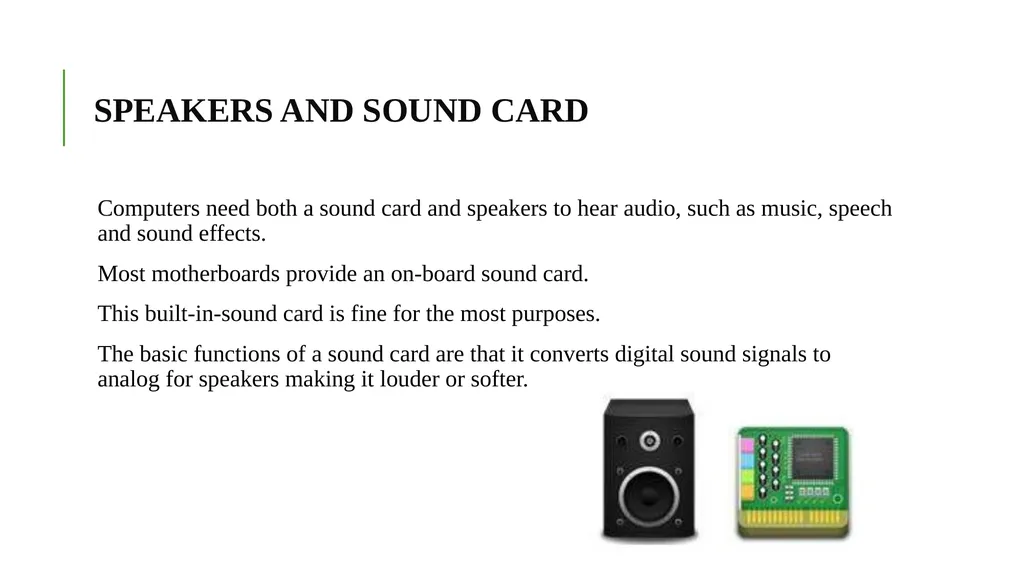
SPEAKERS AND SOUND CARD Computers need both a sound card and speakers to hear audio, such as music, speech and sound effects.
Most motherboards provide an on-board sound card.
This built-in-sound card is fine for the most purposes.
The basic functions of a sound card are that it converts digital sound signals to analog for speakers making it louder or softer.<br>
Most motherboards provide an on-board sound card.
This built-in-sound card is fine for the most purposes.
The basic functions of a sound card are that it converts digital sound signals to analog for speakers making it louder or softer.<br>