Content Distribution Networks COS 518: Advanced Computer Systems Lecture 18 Mike Freedman Content Distribution Network Proactive content replication Content provider (e.g., CNN) contracts with a CDN CDN replicates the content On many
"Content Distribution Networks COS 518: Advanced" is the property of its rightful owner. Permission is granted to
download and print the materials on this website for personal, non-commercial use only, and to display it
on your personal computer provided you do not modify the materials and that you retain all copyright
notices contained in the materials. By downloading content from our website, you accept the terms of this
agreement.
Presentation Transcript
01
Content Distribution Networks COS 518: Advanced Computer Systems
Lecture 18
Mike Freedman<br>
02
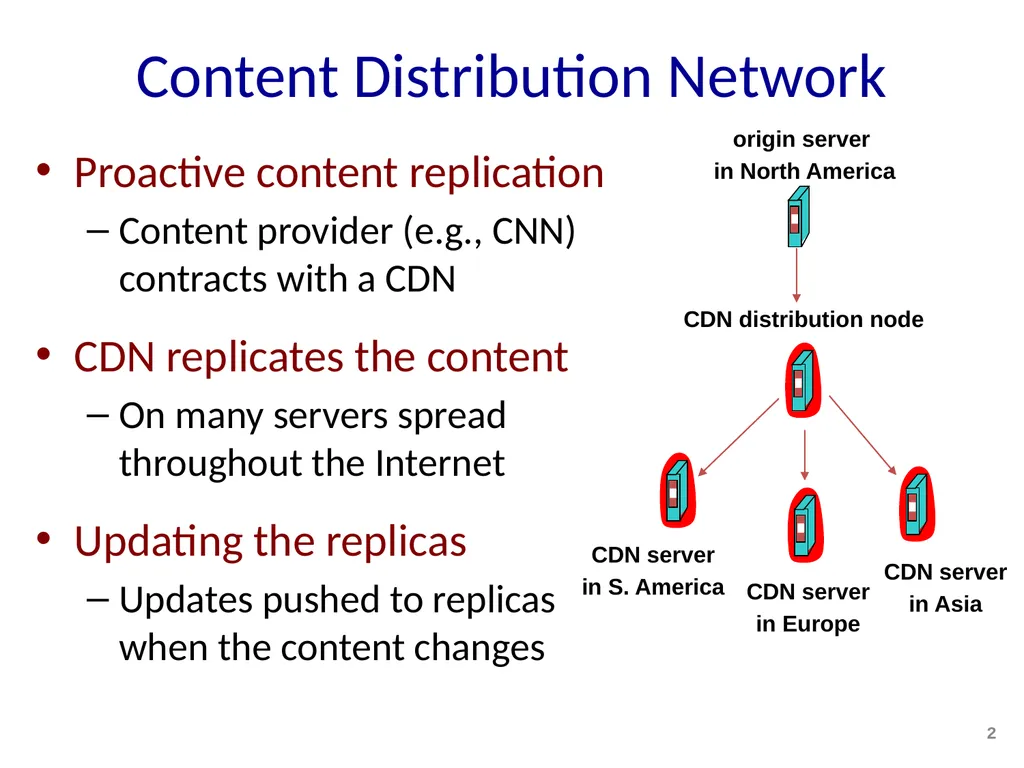
Content Distribution Network Proactive content replication
Content provider (e.g., CNN) contracts with a CDN
CDN replicates the content
On many servers spread throughout the Internet
Updating the replicas
Updates pushed to replicas when the content changes 2 origin server
in North America CDN distribution node CDN server
in S. America CDN server
in Europe CDN server
in Asia<br>
03
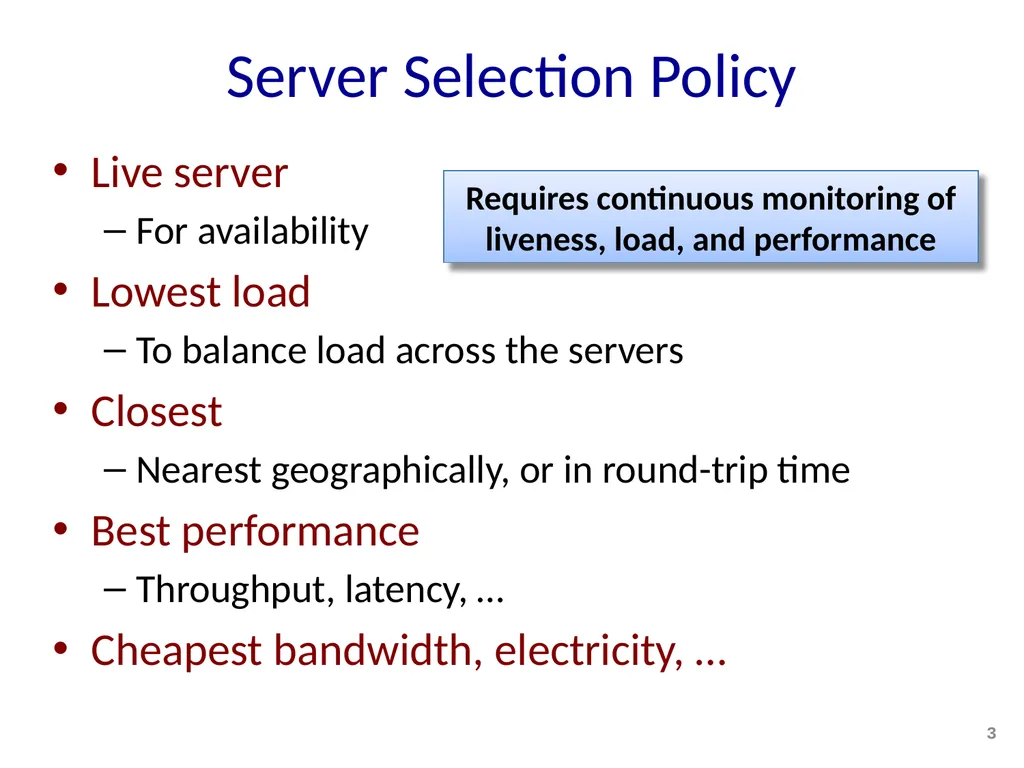
Server Selection Policy Live server
For availability
Lowest load
To balance load across the servers
Closest
Nearest geographically, or in round-trip time
Best performance
Throughput, latency, …
Cheapest bandwidth, electricity, … 3 Requires continuous monitoring of liveness, load, and performance<br>
04
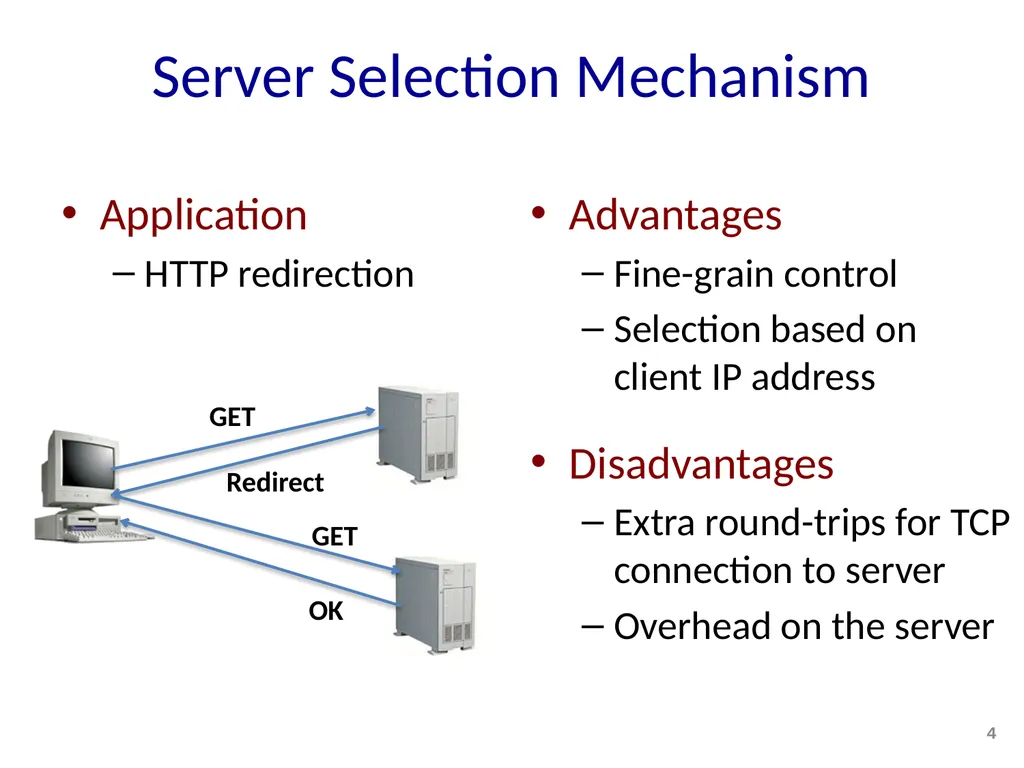
Server Selection Mechanism Application
HTTP redirection Advantages
Fine-grain control
Selection based on client IP address
Disadvantages
Extra round-trips for TCP connection to server
Overhead on the server GET Redirect GET OK 4<br>
05
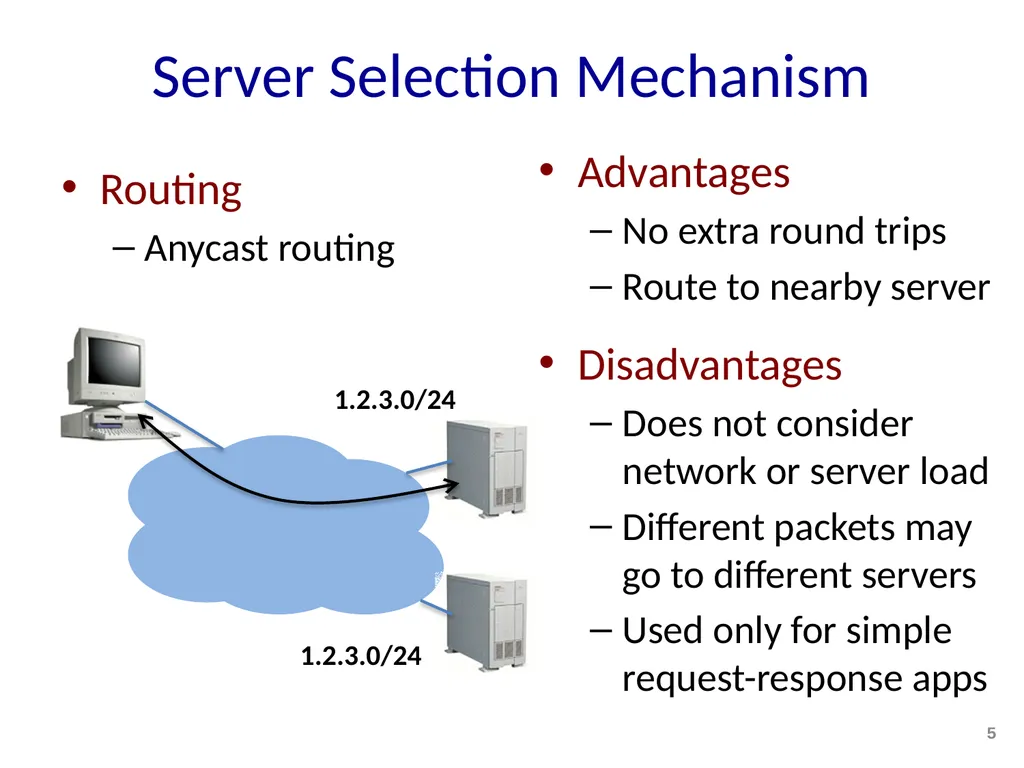
Server Selection Mechanism Routing
Anycast routing Advantages
No extra round trips
Route to nearby server
Disadvantages
Does not consider network or server load
Different packets may go to different servers
Used only for simple request-response apps 5<br>
06
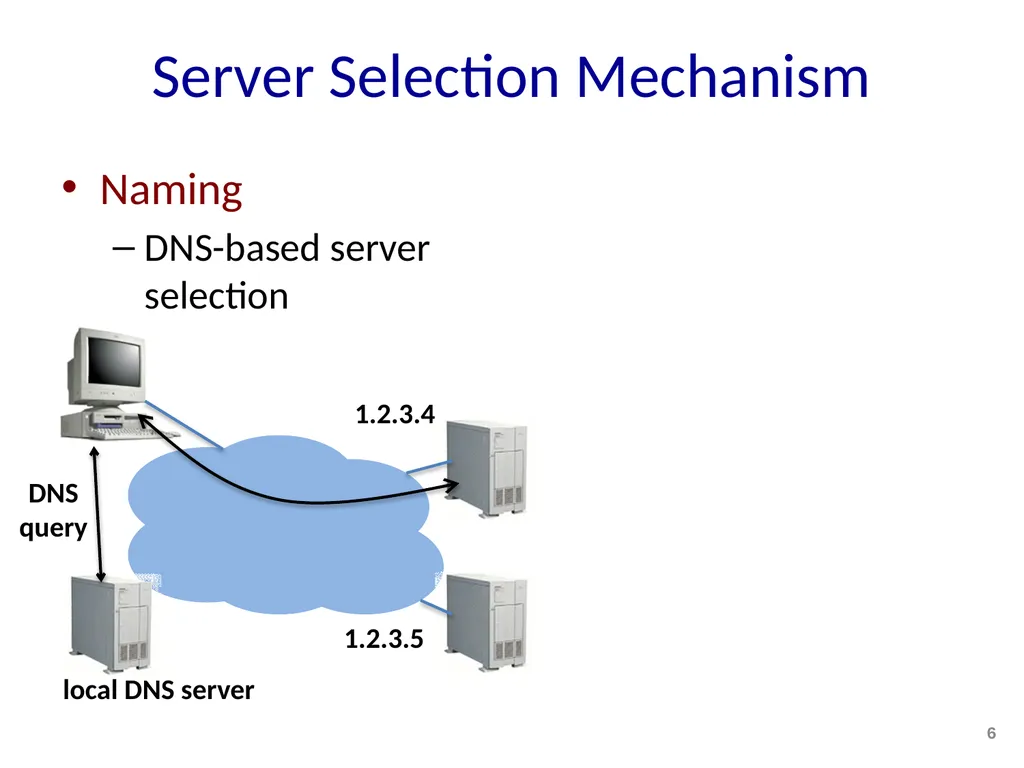
Server Selection Mechanism Naming
DNS-based server selection 6 1.2.3.4 1.2.3.5 DNS
query local DNS server<br>
07
A DNS lookup traverses DNS hierarchy Local nameserver
. (root): NS 198.41.0.4 edu.: NS 192.5.6.30 princeton.edu.: NS 66.28.0.14 Client 7 www.princeton.edu A 140.180.223.42 www.princeton.edu?<br>
08
Performing all these queries takes time
And all this before actual communication takes place
Caching can greatly reduce overhead
Top-level servers very rarely change, popular sites visited often
Local DNS server often has information cached
How DNS caching works
All DNS servers cache responses to queries
Responses include a time-to-live (TTL) field, akin to cache expiry DNS caching 8<br>
09
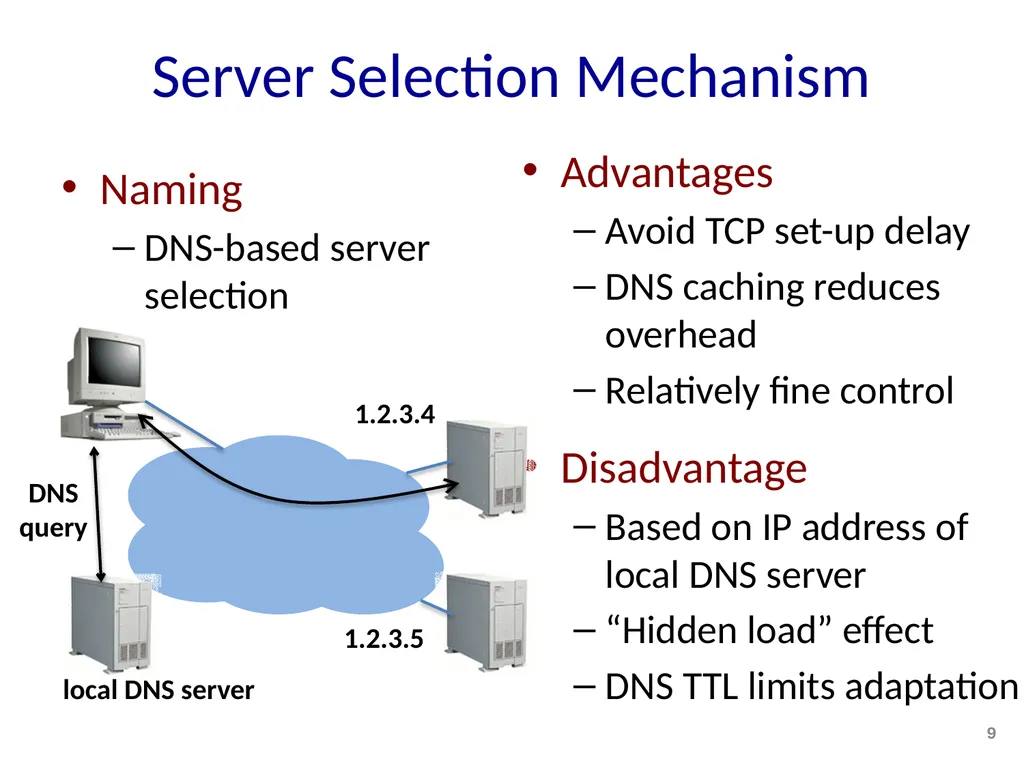
Server Selection Mechanism Naming
DNS-based server selection Advantages
Avoid TCP set-up delay
DNS caching reduces overhead
Relatively fine control
Disadvantage
Based on IP address of local DNS server
“Hidden load” effect
DNS TTL limits adaptation 9 1.2.3.4 1.2.3.5 DNS
query local DNS server<br>
10
How Akamai Works 10<br>
11
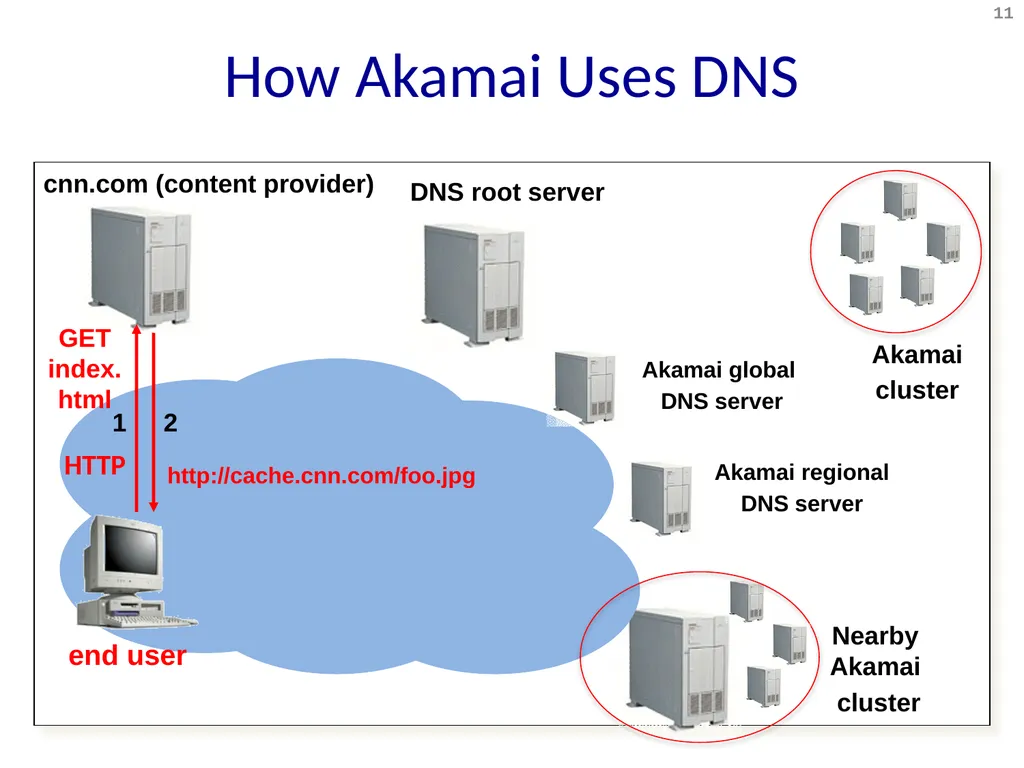
HTTP How Akamai Uses DNS cnn.com (content provider) DNS root server 1 2 Nearby Akamai
cluster GET index.html 11 http://cache.cnn.com/foo.jpg HTTP Akamai
cluster Akamai global
DNS server Akamai regional
DNS server end user<br>
12
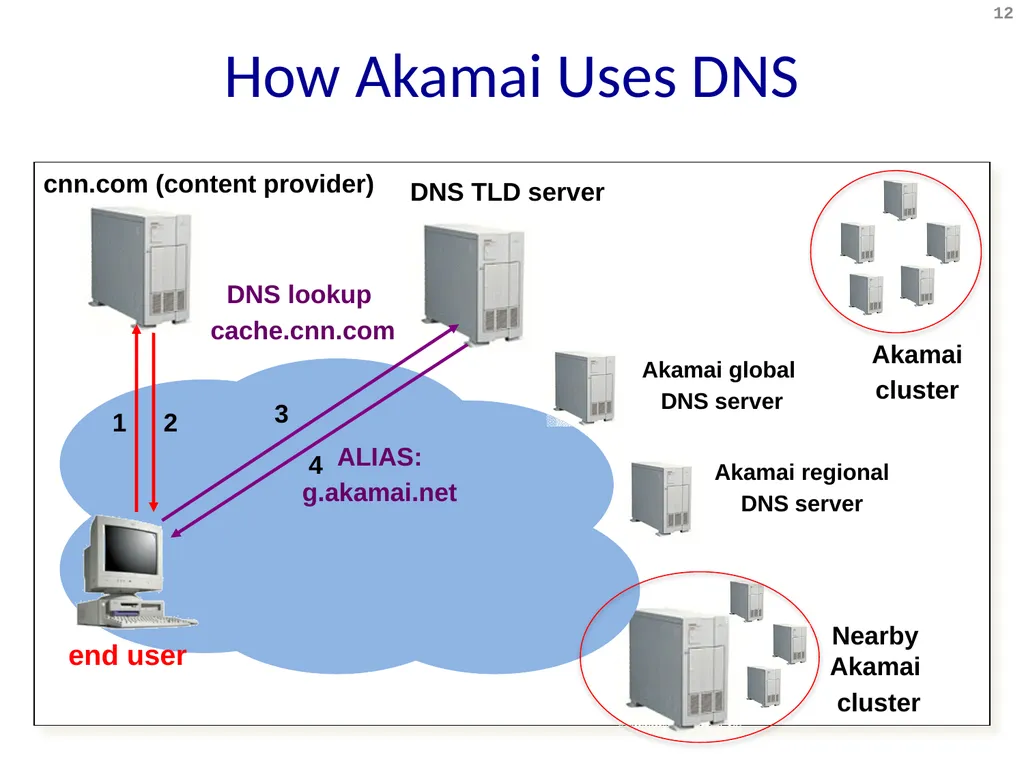
HTTP How Akamai Uses DNS cnn.com (content provider) DNS TLD server 1 2 Nearby Akamai
cluster 12 DNS lookup
cache.cnn.com Akamai
cluster 3 4 ALIAS:
g.akamai.net Akamai global
DNS server Akamai regional
DNS server end user<br>
13
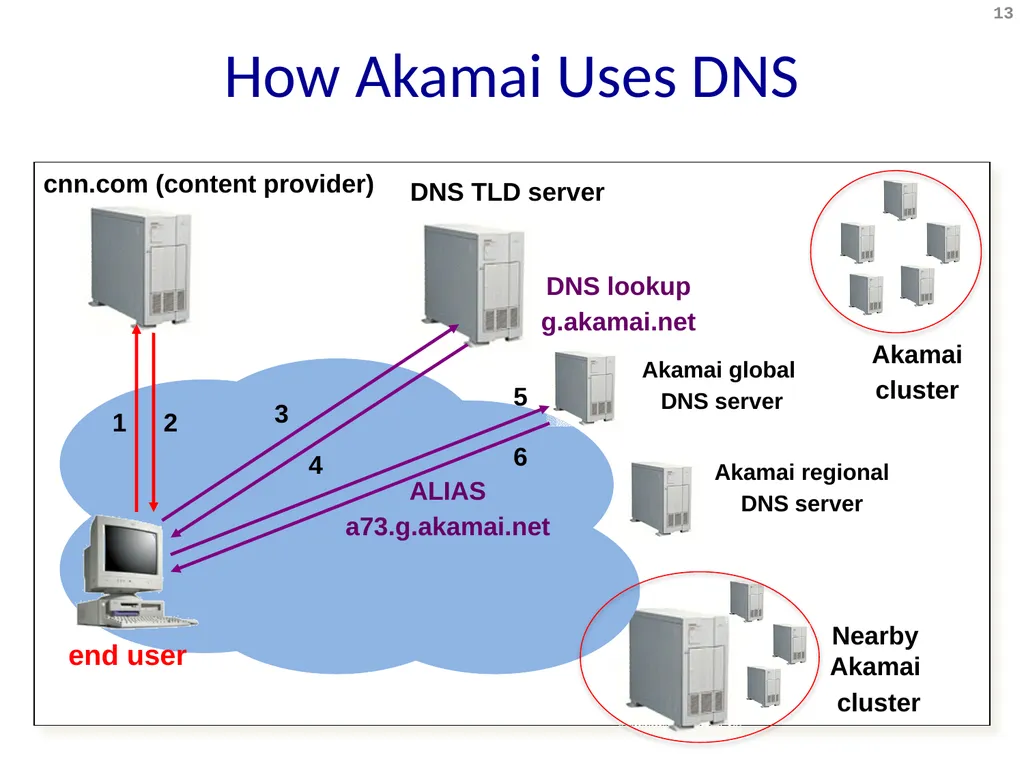
HTTP How Akamai Uses DNS cnn.com (content provider) DNS TLD server 1 2 Akamai global
DNS server Akamai regional
DNS server Nearby Akamai
cluster 13 Akamai
cluster 3 4 6 5 ALIAS
a73.g.akamai.net DNS lookup
g.akamai.net end user<br>
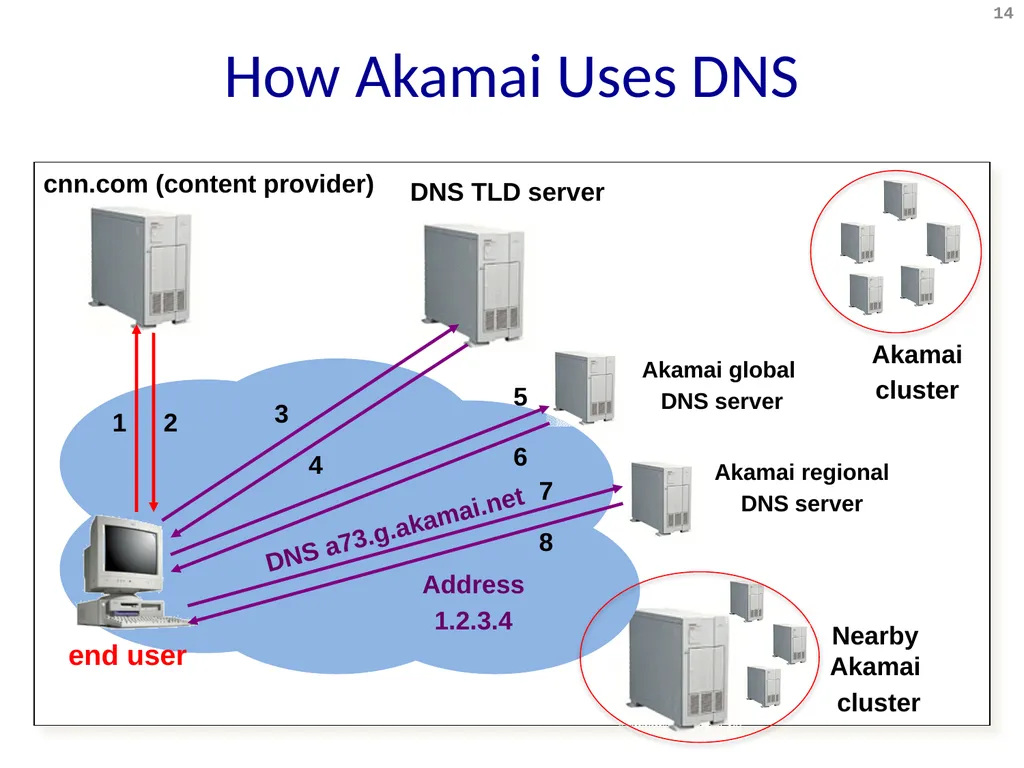
14
HTTP How Akamai Uses DNS cnn.com (content provider) DNS TLD server 1 2 Akamai global
DNS server Akamai regional
DNS server Nearby Akamai
cluster 14 Akamai
cluster 3 4 6 5 8 7 DNS a73.g.akamai.net Address
1.2.3.4 end user<br>
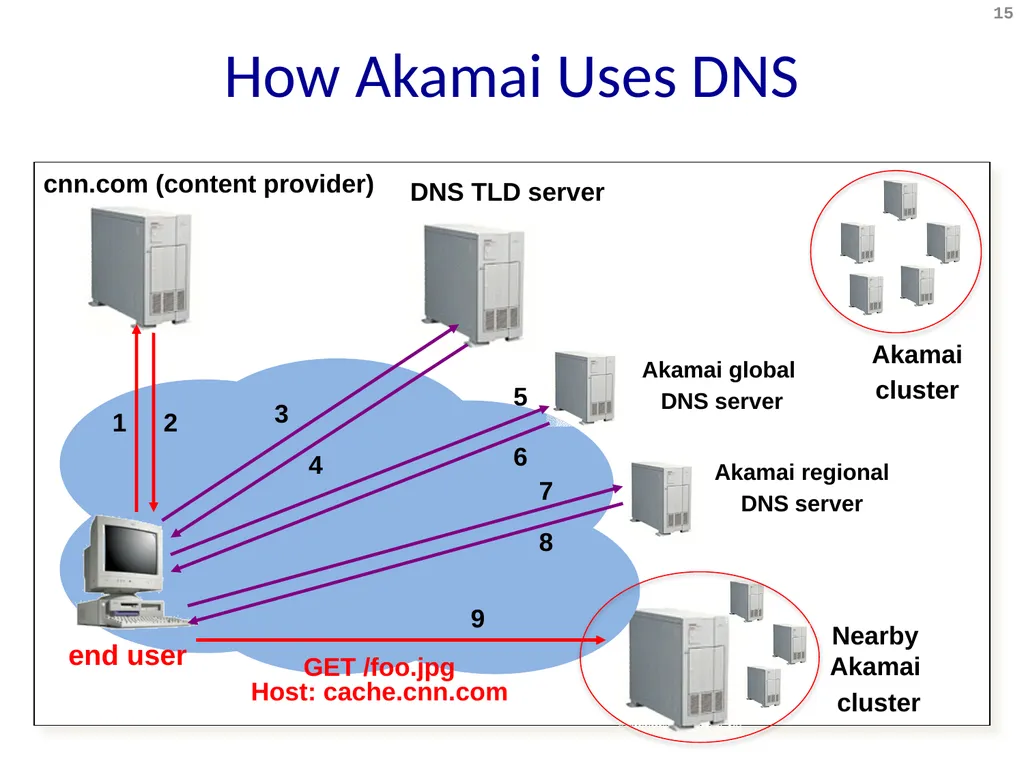
15
HTTP How Akamai Uses DNS cnn.com (content provider) DNS TLD server 1 2 Akamai global
DNS server Akamai regional
DNS server Nearby Akamai
cluster 15 Akamai
cluster 3 4 6 5 8 7 9 GET /foo.jpg
Host: cache.cnn.com end user<br>
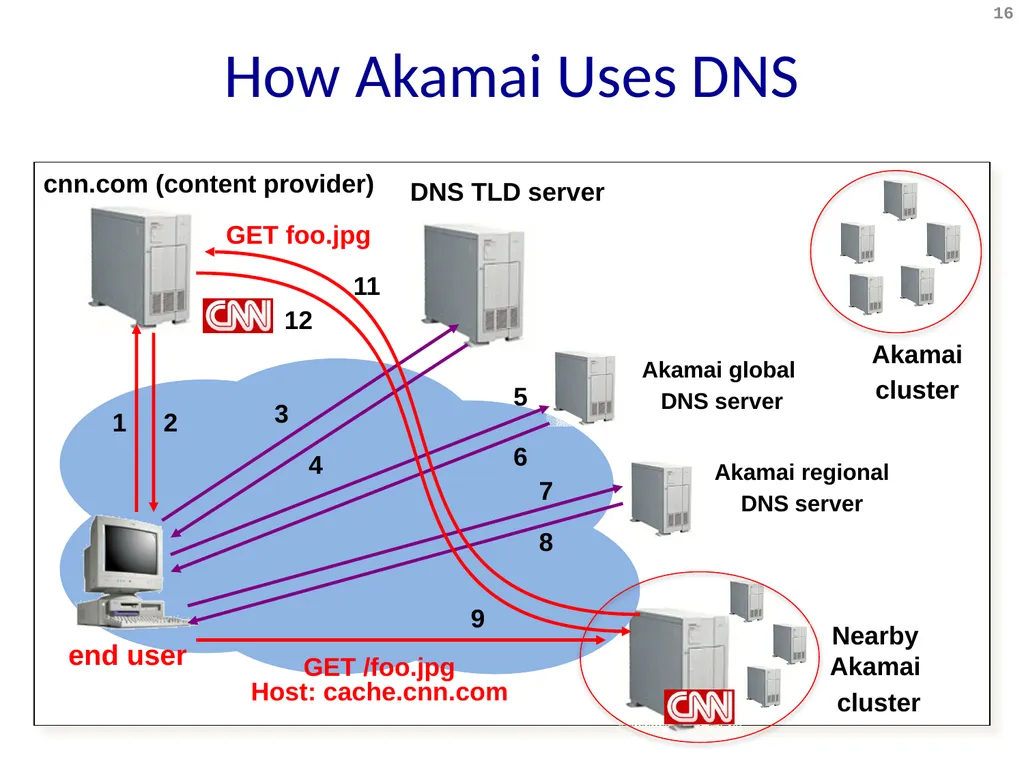
16
HTTP How Akamai Uses DNS cnn.com (content provider) DNS TLD server 1 2 Akamai global
DNS server Akamai regional
DNS server Nearby Akamai
cluster 16 Akamai
cluster 3 4 6 5 8 7 9 GET /foo.jpg
Host: cache.cnn.com 12 11 GET foo.jpg end user<br>
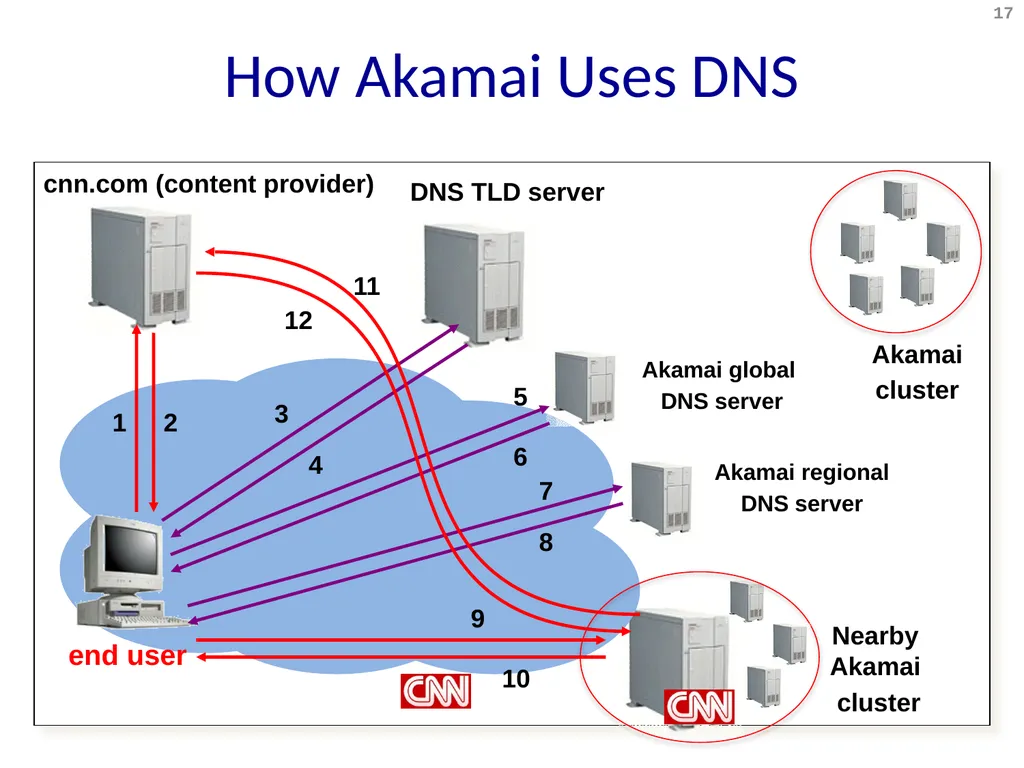
17
HTTP How Akamai Uses DNS cnn.com (content provider) DNS TLD server 1 2 Akamai global
DNS server Akamai regional
DNS server Nearby Akamai
cluster 17 Akamai
cluster 3 4 6 5 8 7 9 12 11 10 end user<br>
18
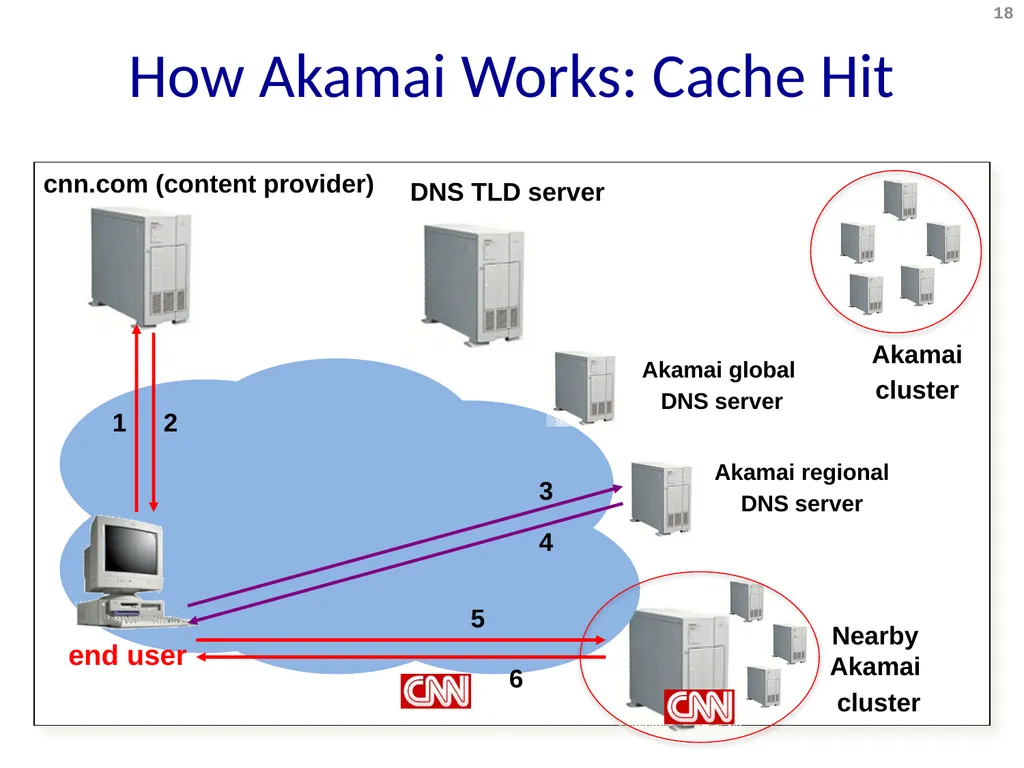
HTTP How Akamai Works: Cache Hit cnn.com (content provider) DNS TLD server 1 2 Akamai global
DNS server Akamai regional
DNS server Nearby Akamai
cluster 18 Akamai
cluster 4 3 5 6 end user<br>
19
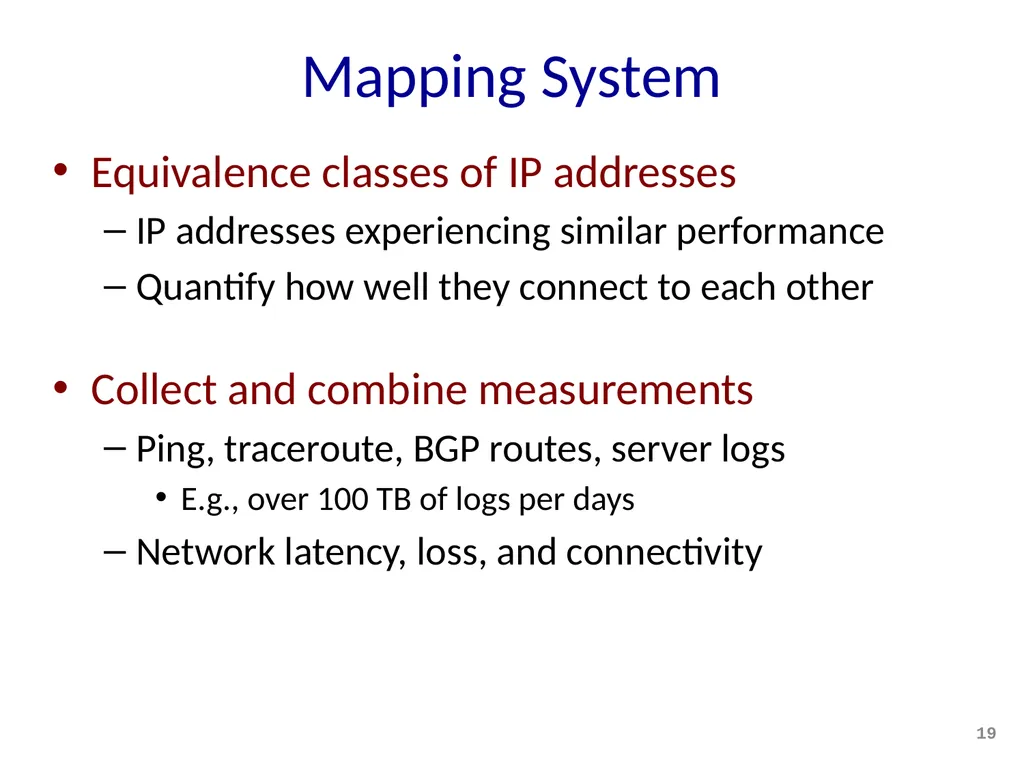
Mapping System Equivalence classes of IP addresses
IP addresses experiencing similar performance
Quantify how well they connect to each other
Collect and combine measurements
Ping, traceroute, BGP routes, server logs
E.g., over 100 TB of logs per days
Network latency, loss, and connectivity 19<br>
20
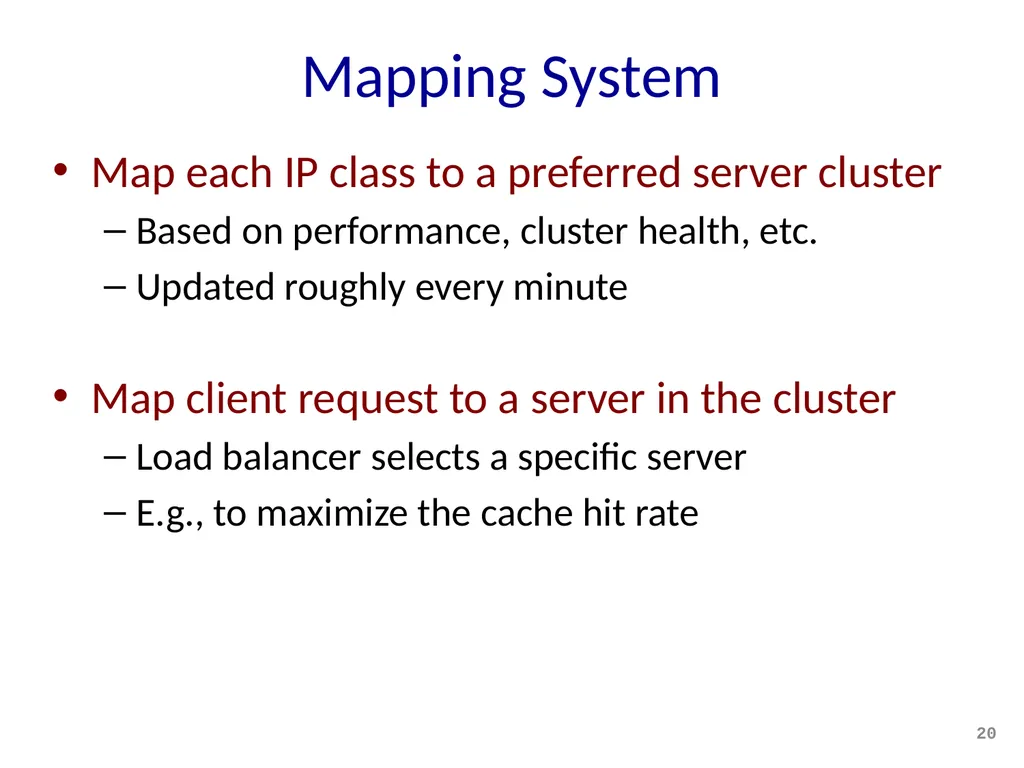
Mapping System Map each IP class to a preferred server cluster
Based on performance, cluster health, etc.
Updated roughly every minute
Map client request to a server in the cluster
Load balancer selects a specific server
E.g., to maximize the cache hit rate 20<br>
21
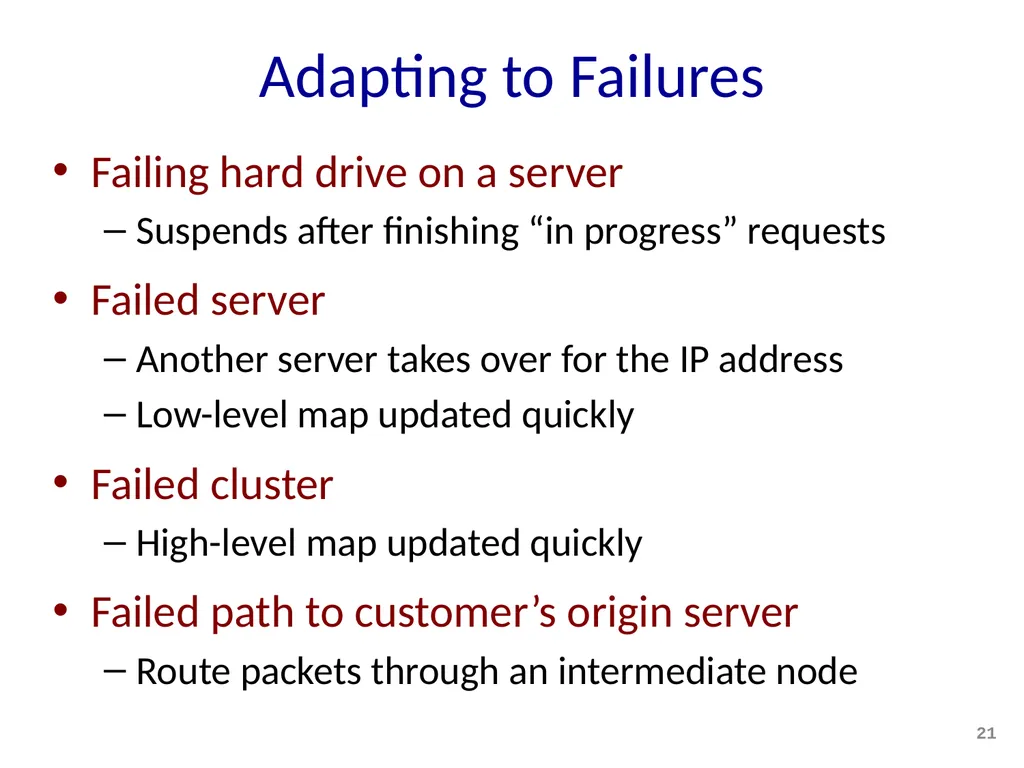
Adapting to Failures Failing hard drive on a server
Suspends after finishing “in progress” requests
Failed server
Another server takes over for the IP address
Low-level map updated quickly
Failed cluster
High-level map updated quickly
Failed path to customer’s origin server
Route packets through an intermediate node 21<br>
22
Conclusion Content distribution is hard
Many, diverse, changing objects
Clients distributed all over the world
Reducing latency is king
Contribution distribution solutions
Reactive caching
Proactive content distribution networks 22<br>