Copilot Studio Plugin for GitHub Copilot CLI and Claude Code Copilot Studio Architecture Bootcamp 2 What Is It? A plugin for Claude Code, GitHub Copilot CLI, and VS Code that enables authoring, testing, and troubleshooting Microsoft Copilot
"Copilot Studio Plugin for GitHub Copilot CLI and" is the property of its rightful owner. Permission is granted to
download and print the materials on this website for personal, non-commercial use only, and to display it
on your personal computer provided you do not modify the materials and that you retain all copyright
notices contained in the materials. By downloading content from our website, you accept the terms of this
agreement.
Presentation Transcript
01
Copilot Studio Plugin for GitHub Copilot CLI and Claude Code Copilot Studio Architecture Bootcamp<br>
02
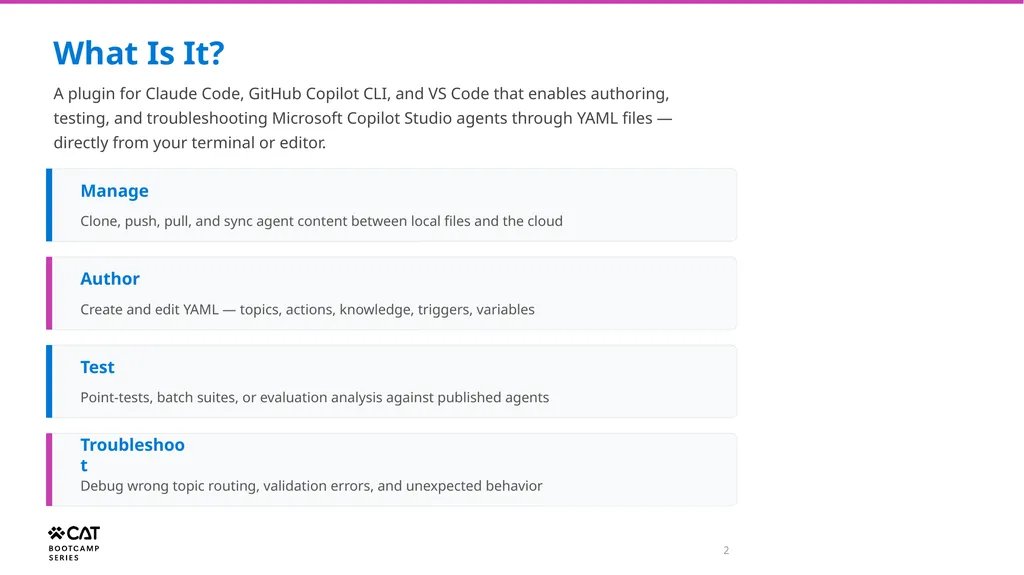
2 What Is It? A plugin for Claude Code, GitHub Copilot CLI, and VS Code that enables authoring, testing, and troubleshooting Microsoft Copilot Studio agents through YAML files — directly from your terminal or editor. Manage Clone, push, pull, and sync agent content between local files and the cloud Author Create and edit YAML — topics, actions, knowledge, triggers, variables Test Point-tests, batch suites, or evaluation analysis against published agents Troubleshoot Debug wrong topic routing, validation errors, and unexpected behavior<br>
03
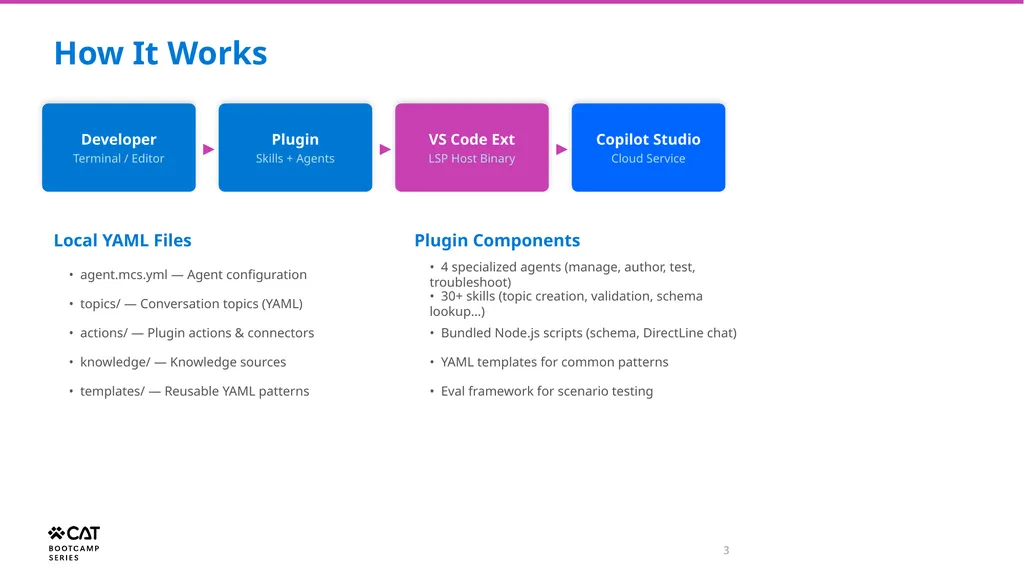
3 How It Works Developer Terminal / Editor ▶ Plugin Skills + Agents ▶ VS Code Ext LSP Host Binary ▶ Copilot Studio Cloud Service Local YAML Files • agent.mcs.yml — Agent configuration • topics/ — Conversation topics (YAML) • actions/ — Plugin actions & connectors • knowledge/ — Knowledge sources • templates/ — Reusable YAML patterns Plugin Components • 4 specialized agents (manage, author, test, troubleshoot) • 30+ skills (topic creation, validation, schema lookup…) • Bundled Node.js scripts (schema, DirectLine chat) • YAML templates for common patterns • Eval framework for scenario testing<br>
04
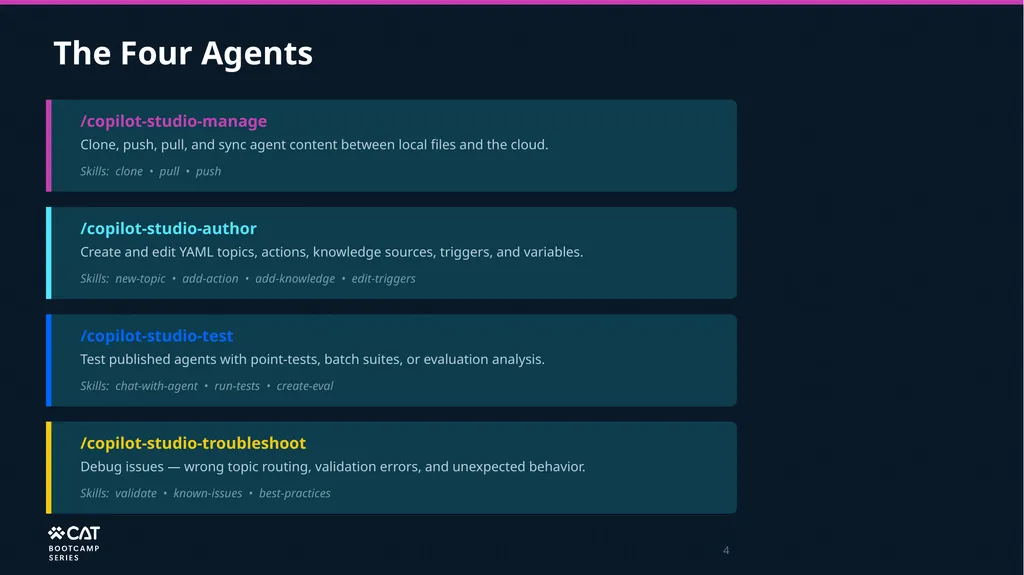
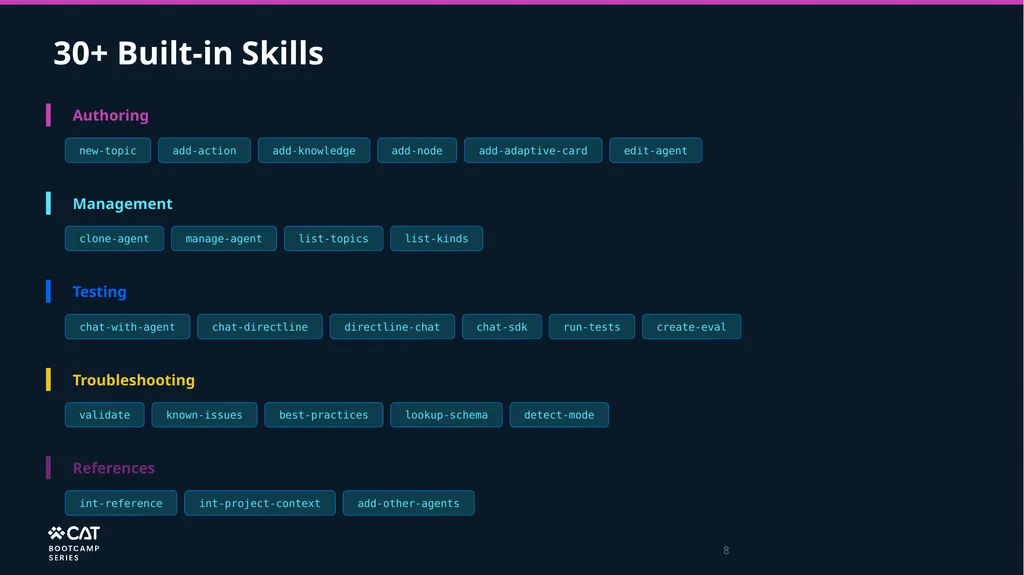
4 The Four Agents /copilot-studio-manage Clone, push, pull, and sync agent content between local files and the cloud. Skills: clone • pull • push /copilot-studio-author Create and edit YAML topics, actions, knowledge sources, triggers, and variables. Skills: new-topic • add-action • add-knowledge • edit-triggers /copilot-studio-test Test published agents with point-tests, batch suites, or evaluation analysis. Skills: chat-with-agent • run-tests • create-eval /copilot-studio-troubleshoot Debug issues — wrong topic routing, validation errors, and unexpected behavior. Skills: validate • known-issues • best-practices<br>
05
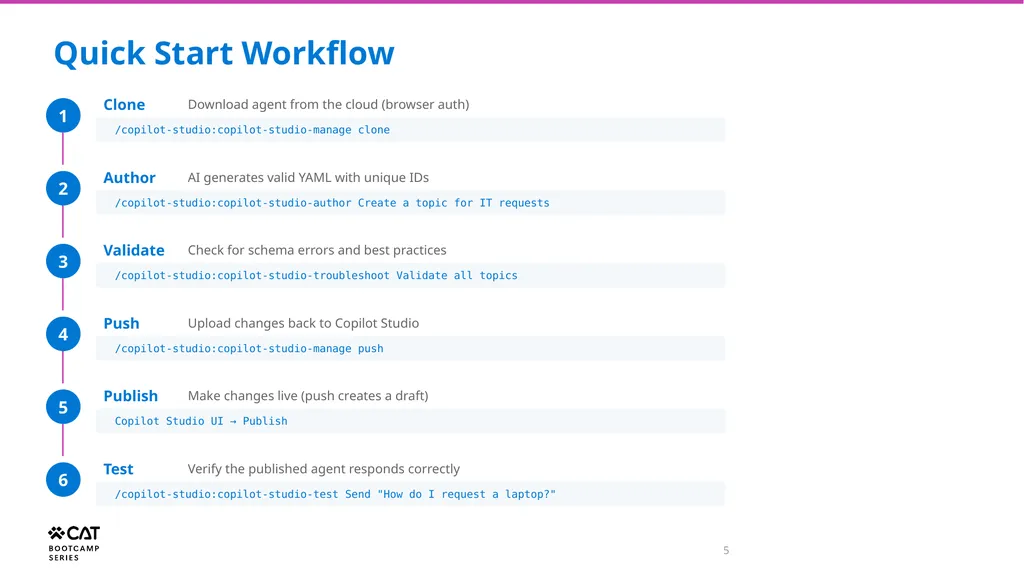
5 Quick Start Workflow 1 Clone Download agent from the cloud (browser auth) /copilot-studio:copilot-studio-manage clone 2 Author AI generates valid YAML with unique IDs /copilot-studio:copilot-studio-author Create a topic for IT requests 3 Validate Check for schema errors and best practices /copilot-studio:copilot-studio-troubleshoot Validate all topics 4 Push Upload changes back to Copilot Studio /copilot-studio:copilot-studio-manage push 5 Publish Make changes live (push creates a draft) Copilot Studio UI → Publish 6 Test Verify the published agent responds correctly /copilot-studio:copilot-studio-test Send "How do I request a laptop?"<br>
06
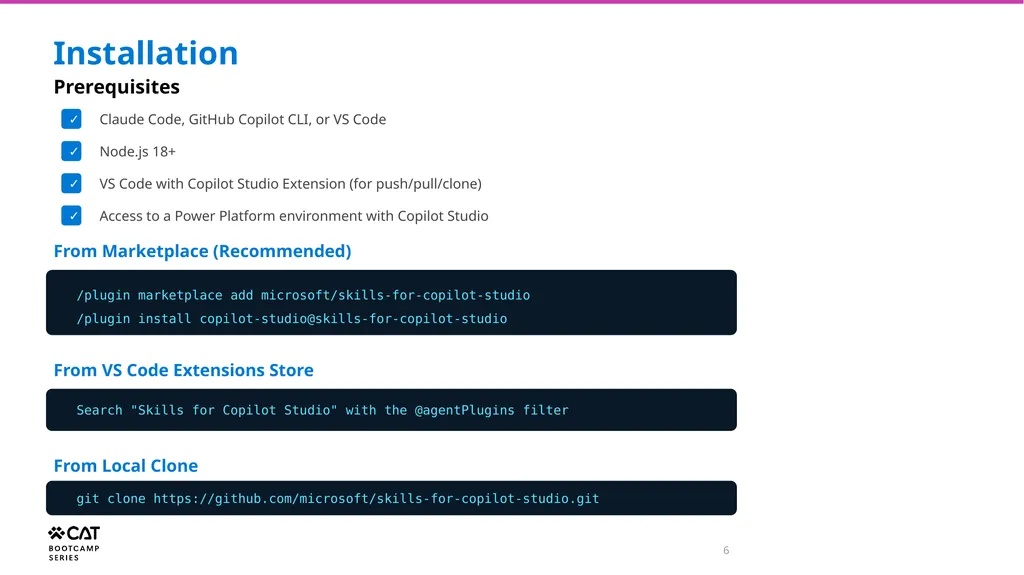
6 Installation Prerequisites ✓ Claude Code, GitHub Copilot CLI, or VS Code ✓ Node.js 18+ ✓ VS Code with Copilot Studio Extension (for push/pull/clone) ✓ Access to a Power Platform environment with Copilot Studio From Marketplace (Recommended) /plugin marketplace add microsoft/skills-for-copilot-studio
/plugin install copilot-studio@skills-for-copilot-studio From VS Code Extensions Store Search "Skills for Copilot Studio" with the @agentPlugins filter From Local Clone git clone https://github.com/microsoft/skills-for-copilot-studio.git<br>
07
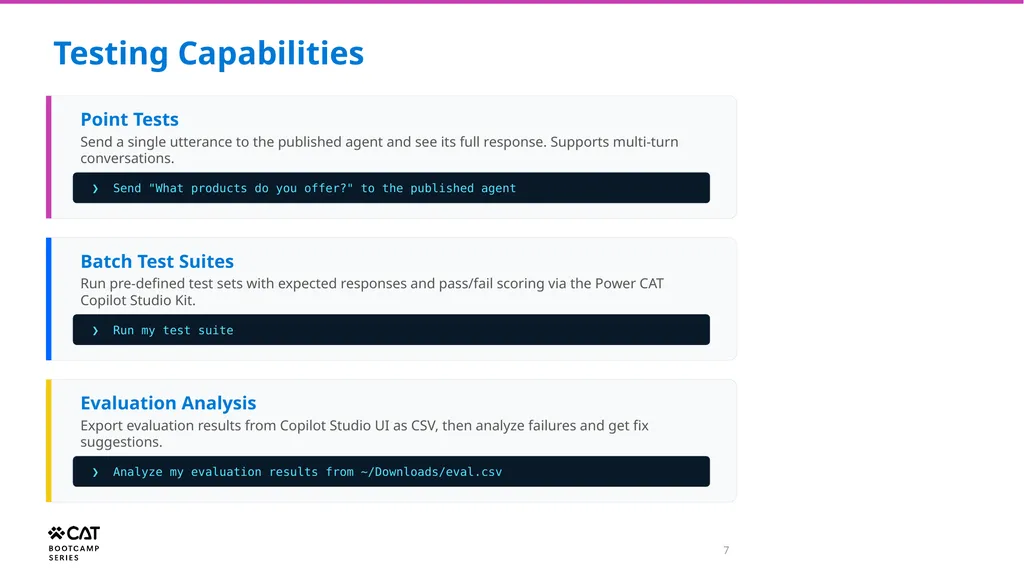
7 Testing Capabilities Point Tests Send a single utterance to the published agent and see its full response. Supports multi-turn conversations. ❯ Send "What products do you offer?" to the published agent Batch Test Suites Run pre-defined test sets with expected responses and pass/fail scoring via the Power CAT Copilot Studio Kit. ❯ Run my test suite Evaluation Analysis Export evaluation results from Copilot Studio UI as CSV, then analyze failures and get fix suggestions. ❯ Analyze my evaluation results from ~/Downloads/eval.csv<br>
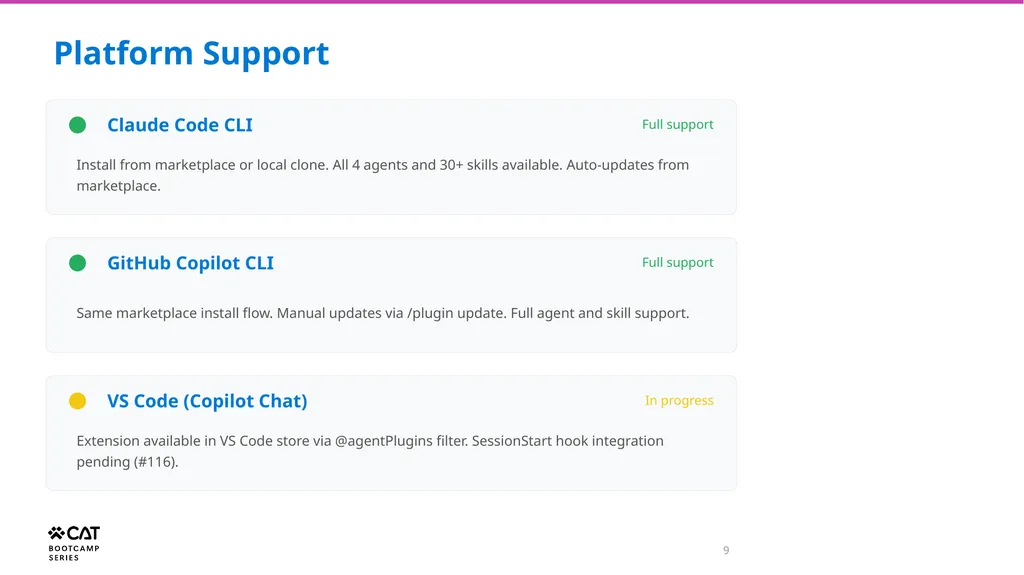
9 Platform Support Claude Code CLI Full support Install from marketplace or local clone. All 4 agents and 30+ skills available. Auto-updates from marketplace. GitHub Copilot CLI Full support Same marketplace install flow. Manual updates via /plugin update. Full agent and skill support. VS Code (Copilot Chat) In progress Extension available in VS Code store via @agentPlugins filter. SessionStart hook integration pending (#116).<br>
10
Demo<br>
11
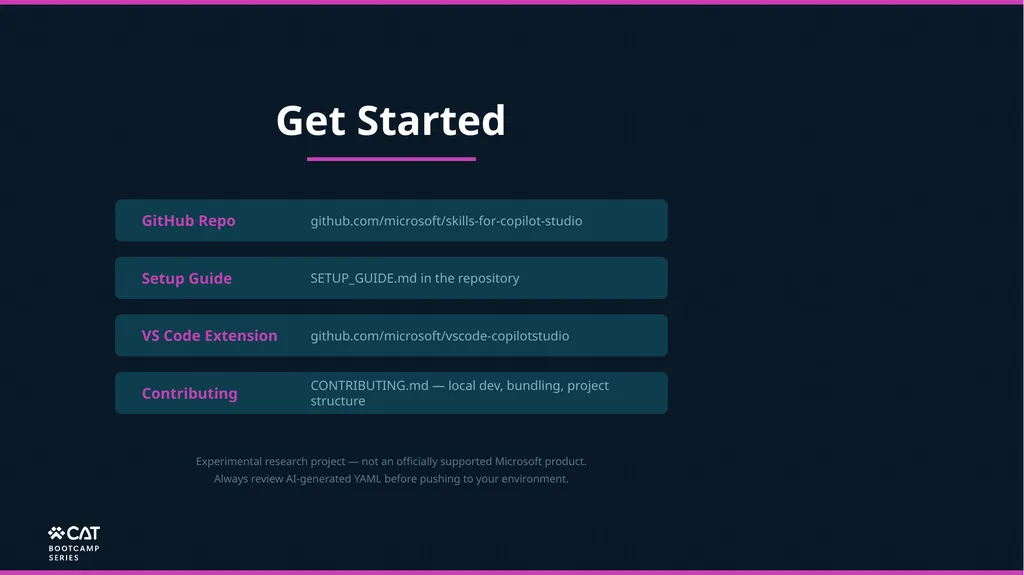
Get Started GitHub Repo github.com/microsoft/skills-for-copilot-studio Setup Guide SETUP_GUIDE.md in the repository VS Code Extension github.com/microsoft/vscode-copilotstudio Contributing CONTRIBUTING.md — local dev, bundling, project structure Experimental research project — not an officially supported Microsoft product.
Always review AI-generated YAML before pushing to your environment.<br>