
CS194-24 Advanced Operating Systems Structures and
OM
Published · 36 slides · 0 views
1 / 1
Description
CS194-24 Advanced Operating Systems Structures and Implementation Lecture 23 Networks (Cont) Security April 28th, 2014 Prof. John Kubiatowicz http:inst.eecs.berkeley.educs194-24 Goals for Today Security mechanisms Mandatory Access
Related Topics
Share
Embed code
Download this presentation From Below
"CS194-24 Advanced Operating Systems Structures and" is the property of its rightful owner. Permission is granted to download and print the materials on this website for personal, non-commercial use only, and to display it on your personal computer provided you do not modify the materials and that you retain all copyright notices contained in the materials. By downloading content from our website, you accept the terms of this agreement.
Presentation Transcript
01
CS194-24
Advanced Operating Systems Structures and Implementation
Lecture 23
Networks (Con’t)
Security April 28th, 2014
Prof. John Kubiatowicz
http://inst.eecs.berkeley.edu/~cs194-24<br>
Prof. John Kubiatowicz
http://inst.eecs.berkeley.edu/~cs194-24<br>
02
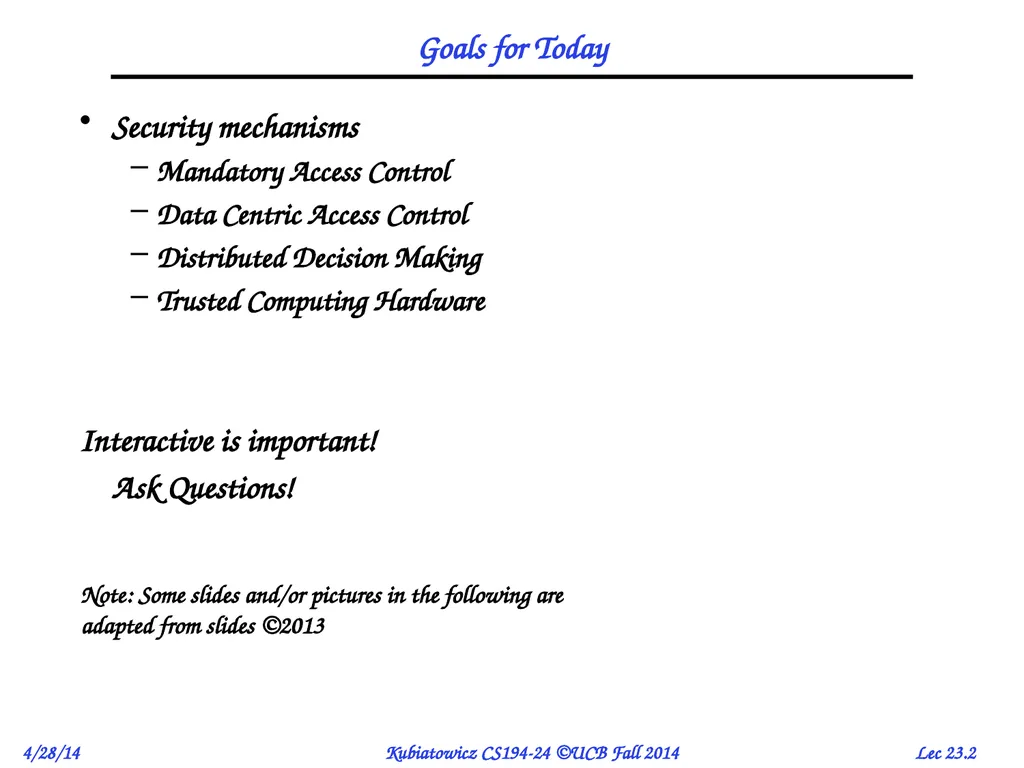
Goals for Today Security mechanisms
Mandatory Access Control
Data Centric Access Control
Distributed Decision Making
Trusted Computing Hardware
Interactive is important!
Ask Questions! Note: Some slides and/or pictures in the following are
adapted from slides ©2013<br>
Mandatory Access Control
Data Centric Access Control
Distributed Decision Making
Trusted Computing Hardware
Interactive is important!
Ask Questions! Note: Some slides and/or pictures in the following are
adapted from slides ©2013<br>
03
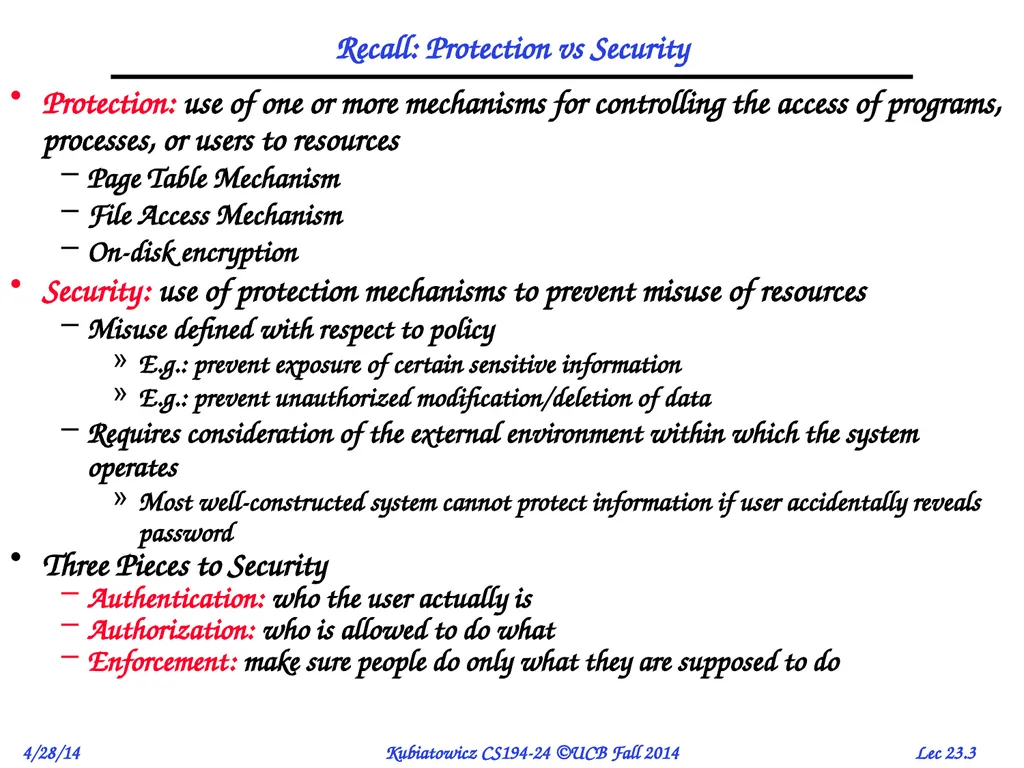
Recall: Protection vs Security Protection: use of one or more mechanisms for controlling the access of programs, processes, or users to resources
Page Table Mechanism
File Access Mechanism
On-disk encryption
Security: use of protection mechanisms to prevent misuse of resources
Misuse defined with respect to policy
E.g.: prevent exposure of certain sensitive information
E.g.: prevent unauthorized modification/deletion of data
Requires consideration of the external environment within which the system operates
Most well-constructed system cannot protect information if user accidentally reveals password
Three Pieces to Security
Authentication: who the user actually is
Authorization: who is allowed to do what
Enforcement: make sure people do only what they are supposed to do<br>
Page Table Mechanism
File Access Mechanism
On-disk encryption
Security: use of protection mechanisms to prevent misuse of resources
Misuse defined with respect to policy
E.g.: prevent exposure of certain sensitive information
E.g.: prevent unauthorized modification/deletion of data
Requires consideration of the external environment within which the system operates
Most well-constructed system cannot protect information if user accidentally reveals password
Three Pieces to Security
Authentication: who the user actually is
Authorization: who is allowed to do what
Enforcement: make sure people do only what they are supposed to do<br>
04
How do we decide who is authorized
to do actions in the system?
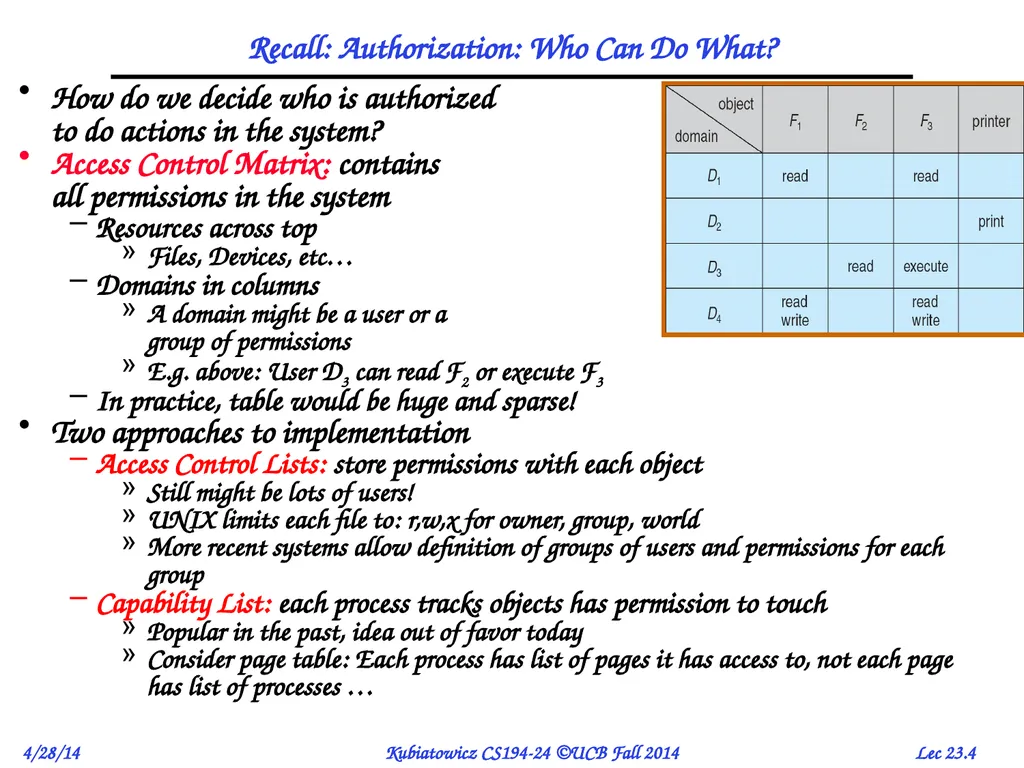
Access Control Matrix: contains all permissions in the system
Resources across top
Files, Devices, etc…
Domains in columns
A domain might be a user or a group of permissions
E.g. above: User D3 can read F2 or execute F3
In practice, table would be huge and sparse!
Two approaches to implementation
Access Control Lists: store permissions with each object
Still might be lots of users!
UNIX limits each file to: r,w,x for owner, group, world
More recent systems allow definition of groups of users and permissions for each group
Capability List: each process tracks objects has permission to touch
Popular in the past, idea out of favor today
Consider page table: Each process has list of pages it has access to, not each page has list of processes … Recall: Authorization: Who Can Do What?<br>
Access Control Matrix: contains all permissions in the system
Resources across top
Files, Devices, etc…
Domains in columns
A domain might be a user or a group of permissions
E.g. above: User D3 can read F2 or execute F3
In practice, table would be huge and sparse!
Two approaches to implementation
Access Control Lists: store permissions with each object
Still might be lots of users!
UNIX limits each file to: r,w,x for owner, group, world
More recent systems allow definition of groups of users and permissions for each group
Capability List: each process tracks objects has permission to touch
Popular in the past, idea out of favor today
Consider page table: Each process has list of pages it has access to, not each page has list of processes … Recall: Authorization: Who Can Do What?<br>
05
Recall: Authorization Continued Principle of least privilege: programs, users, and systems should get only enough privileges to perform their tasks
Very hard to manage in practice
How do you figure out what the minimum set of privileges is needed to run your programs?
People often run at higher privilege then necessary
Such as the “administrator” privilege under windows or “root” under Unix
What form does this privilege take?
A set of Capabilities?
Give a user the minimal set of possible access
Like giving a minimal set of physical keys to someone
Hand-craft a special user for every task?
Look in your password file – Linux does this all the time
Custom users and groups for particular tasks<br>
Very hard to manage in practice
How do you figure out what the minimum set of privileges is needed to run your programs?
People often run at higher privilege then necessary
Such as the “administrator” privilege under windows or “root” under Unix
What form does this privilege take?
A set of Capabilities?
Give a user the minimal set of possible access
Like giving a minimal set of physical keys to someone
Hand-craft a special user for every task?
Look in your password file – Linux does this all the time
Custom users and groups for particular tasks<br>
06
Enforcement Enforcer checks passwords, ACLs, etc
Makes sure the only authorized actions take place
Bugs in enforcerthings for malicious users to exploit
Normally, in UNIX, superuser can do anything
Because of coarse-grained access control, lots of stuff has to run as superuser in order to work
If there is a bug in any one of these programs, you lose!
Paradox
Bullet-proof enforcer
Only known way is to make enforcer as small as possible
Easier to make correct, but simple-minded protection model
Fancy protection
Tries to adhere to principle of least privilege
Really hard to get right
Same argument for Java or C++: What do you make private vs public?
Hard to make sure that code is usable but only necessary modules are public
Pick something in middle? Get bugs and weak protection!<br>
Makes sure the only authorized actions take place
Bugs in enforcerthings for malicious users to exploit
Normally, in UNIX, superuser can do anything
Because of coarse-grained access control, lots of stuff has to run as superuser in order to work
If there is a bug in any one of these programs, you lose!
Paradox
Bullet-proof enforcer
Only known way is to make enforcer as small as possible
Easier to make correct, but simple-minded protection model
Fancy protection
Tries to adhere to principle of least privilege
Really hard to get right
Same argument for Java or C++: What do you make private vs public?
Hard to make sure that code is usable but only necessary modules are public
Pick something in middle? Get bugs and weak protection!<br>
07
Mandatory Access Control (MAC) Mandatory Access Control (MAC)
“A Type of Access control by which the operating system constraints the ability of a subject or initiator to access or generally perform some sort of operation on an object or target.” From Wikipedia
Subject: a process or thread
Object: files, directories, TCP/UDP ports, etc
Security policy is centrally controlled by a security policy administrator: users not allowed to operate outside the policy
Examples: SELinux, HiStar, etc.
Contrast: Discretionary Access Control (DAC)
Access restricted based on the identity of subjects and/or groups to which they belong
Controls are discretionary – a subject with a certain access permission is capable of passing that permission on to any other subject
Standard UNIX model<br>
“A Type of Access control by which the operating system constraints the ability of a subject or initiator to access or generally perform some sort of operation on an object or target.” From Wikipedia
Subject: a process or thread
Object: files, directories, TCP/UDP ports, etc
Security policy is centrally controlled by a security policy administrator: users not allowed to operate outside the policy
Examples: SELinux, HiStar, etc.
Contrast: Discretionary Access Control (DAC)
Access restricted based on the identity of subjects and/or groups to which they belong
Controls are discretionary – a subject with a certain access permission is capable of passing that permission on to any other subject
Standard UNIX model<br>
08
Data
Flow Entity
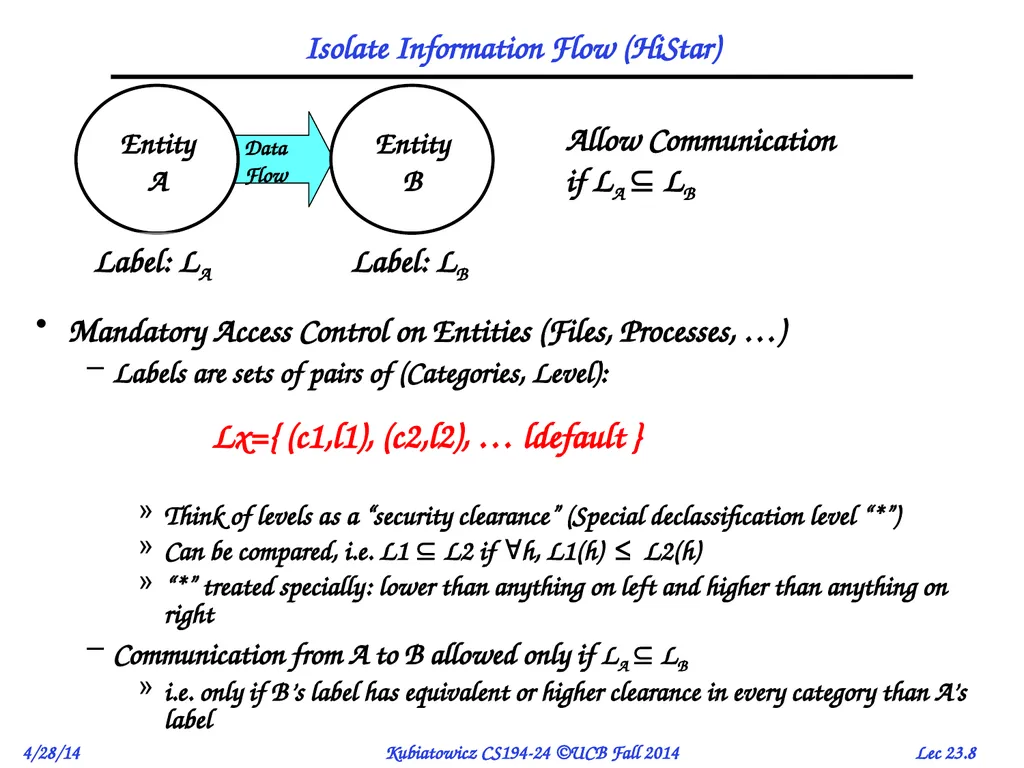
A Isolate Information Flow (HiStar) Mandatory Access Control on Entities (Files, Processes, …)
Labels are sets of pairs of (Categories, Level): Lx={ (c1,l1), (c2,l2), … ldefault }
Think of levels as a “security clearance” (Special declassification level “*”)
Can be compared, i.e. L1 L2 if h, L1(h) ≤ L2(h)
“*” treated specially: lower than anything on left and higher than anything on right
Communication from A to B allowed only if LA LB
i.e. only if B’s label has equivalent or higher clearance in every category than A’s label Label: LA Allow Communication
if LA LB Label: LB Entity
B<br>
A Isolate Information Flow (HiStar) Mandatory Access Control on Entities (Files, Processes, …)
Labels are sets of pairs of (Categories, Level): Lx={ (c1,l1), (c2,l2), … ldefault }
Think of levels as a “security clearance” (Special declassification level “*”)
Can be compared, i.e. L1 L2 if h, L1(h) ≤ L2(h)
“*” treated specially: lower than anything on left and higher than anything on right
Communication from A to B allowed only if LA LB
i.e. only if B’s label has equivalent or higher clearance in every category than A’s label Label: LA Allow Communication
if LA LB Label: LB Entity
B<br>
09
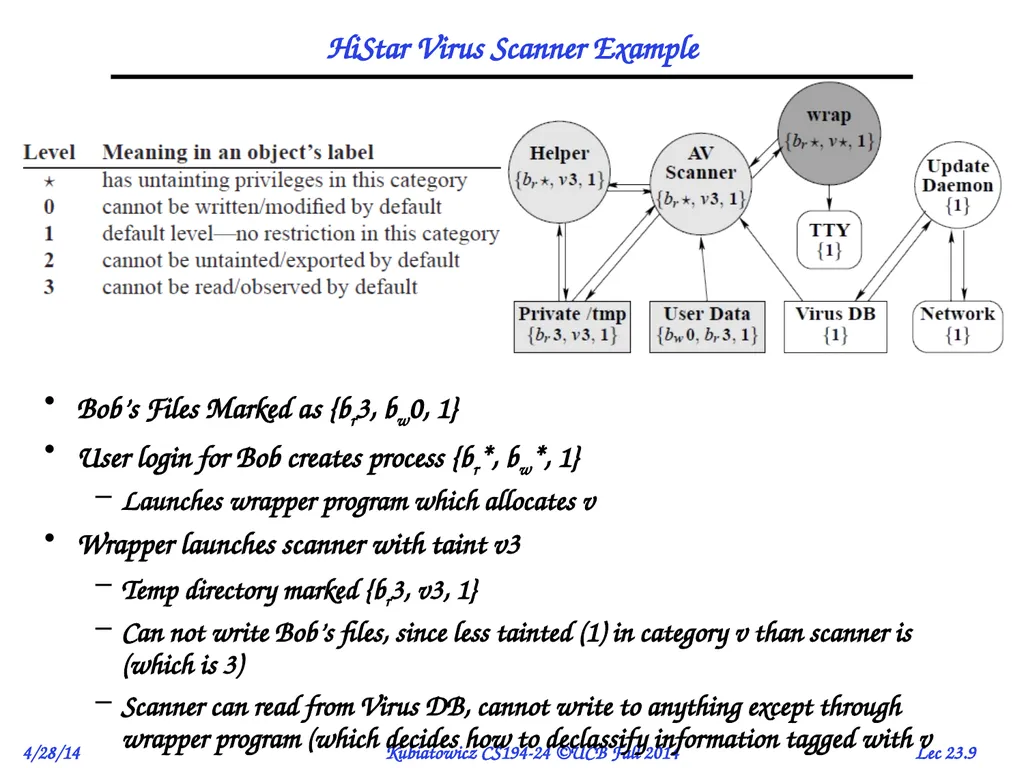
HiStar Virus Scanner Example Bob’s Files Marked as {br3, bw0, 1}
User login for Bob creates process {br*, bw*, 1}
Launches wrapper program which allocates v
Wrapper launches scanner with taint v3
Temp directory marked {br3, v3, 1}
Can not write Bob’s files, since less tainted (1) in category v than scanner is (which is 3)
Scanner can read from Virus DB, cannot write to anything except through wrapper program (which decides how to declassify information tagged with v<br>
User login for Bob creates process {br*, bw*, 1}
Launches wrapper program which allocates v
Wrapper launches scanner with taint v3
Temp directory marked {br3, v3, 1}
Can not write Bob’s files, since less tainted (1) in category v than scanner is (which is 3)
Scanner can read from Virus DB, cannot write to anything except through wrapper program (which decides how to declassify information tagged with v<br>
10
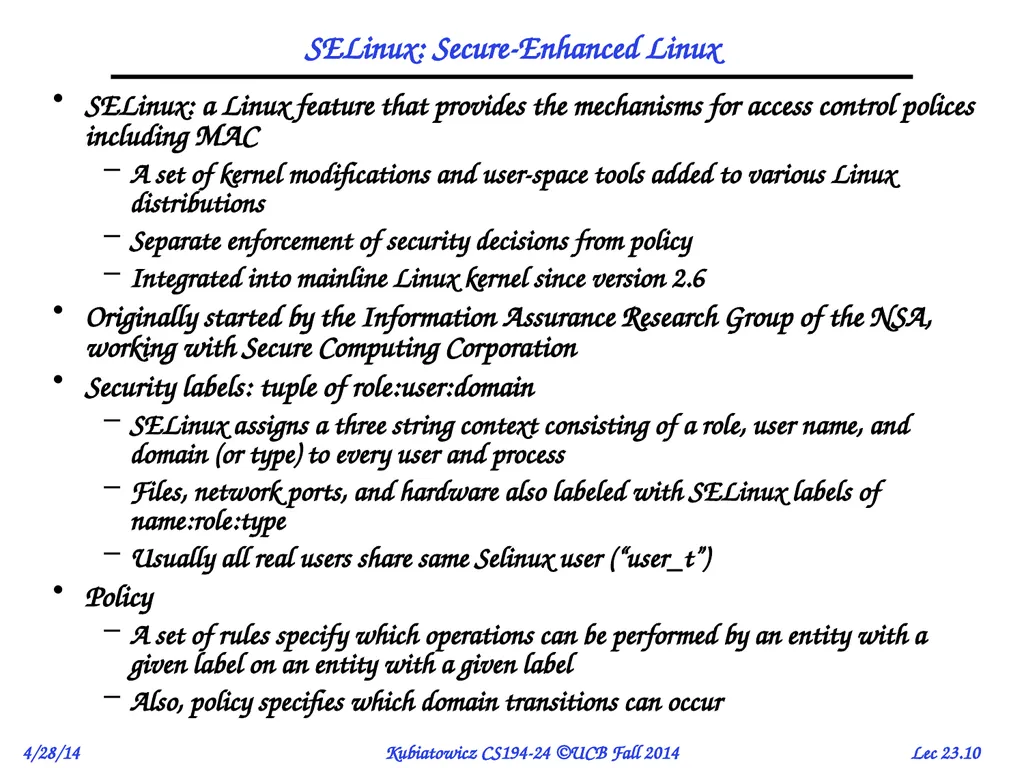
SELinux: Secure-Enhanced Linux SELinux: a Linux feature that provides the mechanisms for access control polices including MAC
A set of kernel modifications and user-space tools added to various Linux distributions
Separate enforcement of security decisions from policy
Integrated into mainline Linux kernel since version 2.6
Originally started by the Information Assurance Research Group of the NSA, working with Secure Computing Corporation
Security labels: tuple of role:user:domain
SELinux assigns a three string context consisting of a role, user name, and domain (or type) to every user and process
Files, network ports, and hardware also labeled with SELinux labels of name:role:type
Usually all real users share same Selinux user (“user_t”)
Policy
A set of rules specify which operations can be performed by an entity with a given label on an entity with a given label
Also, policy specifies which domain transitions can occur<br>
A set of kernel modifications and user-space tools added to various Linux distributions
Separate enforcement of security decisions from policy
Integrated into mainline Linux kernel since version 2.6
Originally started by the Information Assurance Research Group of the NSA, working with Secure Computing Corporation
Security labels: tuple of role:user:domain
SELinux assigns a three string context consisting of a role, user name, and domain (or type) to every user and process
Files, network ports, and hardware also labeled with SELinux labels of name:role:type
Usually all real users share same Selinux user (“user_t”)
Policy
A set of rules specify which operations can be performed by an entity with a given label on an entity with a given label
Also, policy specifies which domain transitions can occur<br>
11
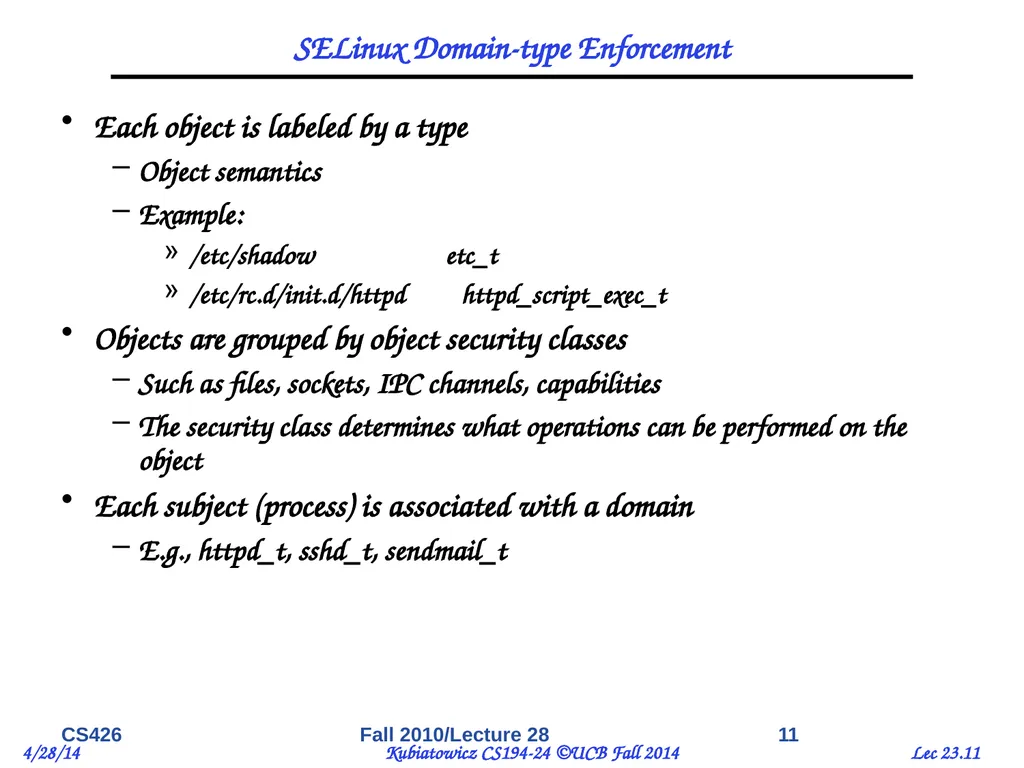
SELinux Domain-type Enforcement Each object is labeled by a type
Object semantics
Example:
/etc/shadow etc_t
/etc/rc.d/init.d/httpd httpd_script_exec_t
Objects are grouped by object security classes
Such as files, sockets, IPC channels, capabilities
The security class determines what operations can be performed on the object
Each subject (process) is associated with a domain
E.g., httpd_t, sshd_t, sendmail_t CS426 11 Fall 2010/Lecture 28<br>
Object semantics
Example:
/etc/shadow etc_t
/etc/rc.d/init.d/httpd httpd_script_exec_t
Objects are grouped by object security classes
Such as files, sockets, IPC channels, capabilities
The security class determines what operations can be performed on the object
Each subject (process) is associated with a domain
E.g., httpd_t, sshd_t, sendmail_t CS426 11 Fall 2010/Lecture 28<br>
12
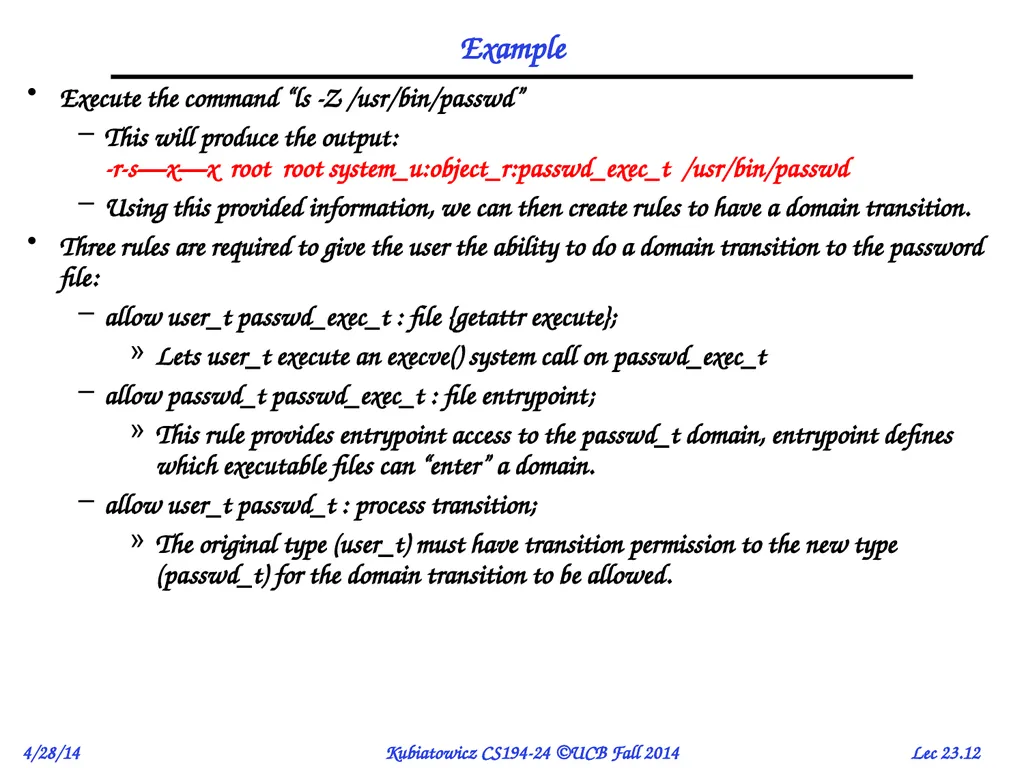
Example Execute the command “ls -Z /usr/bin/passwd”
This will produce the output: -r-s—x—x root root system_u:object_r:passwd_exec_t /usr/bin/passwd
Using this provided information, we can then create rules to have a domain transition.
Three rules are required to give the user the ability to do a domain transition to the password file:
allow user_t passwd_exec_t : file {getattr execute};
Lets user_t execute an execve() system call on passwd_exec_t
allow passwd_t passwd_exec_t : file entrypoint;
This rule provides entrypoint access to the passwd_t domain, entrypoint defines which executable files can “enter” a domain.
allow user_t passwd_t : process transition;
The original type (user_t) must have transition permission to the new type (passwd_t) for the domain transition to be allowed.<br>
This will produce the output: -r-s—x—x root root system_u:object_r:passwd_exec_t /usr/bin/passwd
Using this provided information, we can then create rules to have a domain transition.
Three rules are required to give the user the ability to do a domain transition to the password file:
allow user_t passwd_exec_t : file {getattr execute};
Lets user_t execute an execve() system call on passwd_exec_t
allow passwd_t passwd_exec_t : file entrypoint;
This rule provides entrypoint access to the passwd_t domain, entrypoint defines which executable files can “enter” a domain.
allow user_t passwd_t : process transition;
The original type (user_t) must have transition permission to the new type (passwd_t) for the domain transition to be allowed.<br>
13
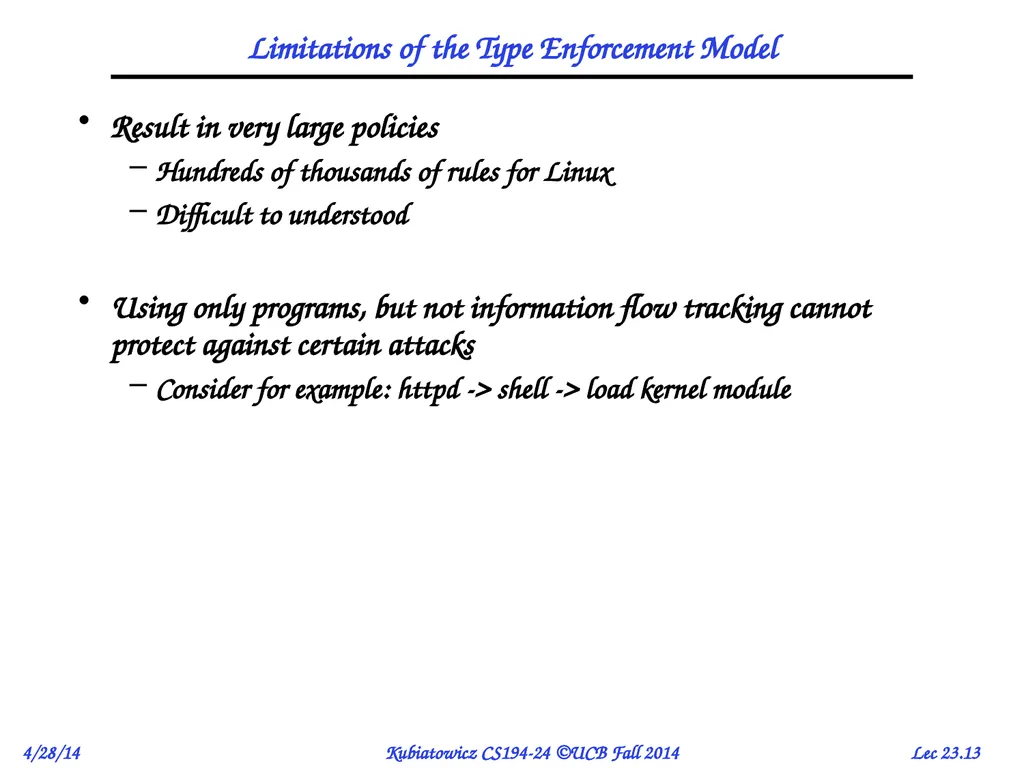
Limitations of the Type Enforcement Model Result in very large policies
Hundreds of thousands of rules for Linux
Difficult to understood
Using only programs, but not information flow tracking cannot protect against certain attacks
Consider for example: httpd -> shell -> load kernel module<br>
Hundreds of thousands of rules for Linux
Difficult to understood
Using only programs, but not information flow tracking cannot protect against certain attacks
Consider for example: httpd -> shell -> load kernel module<br>
14
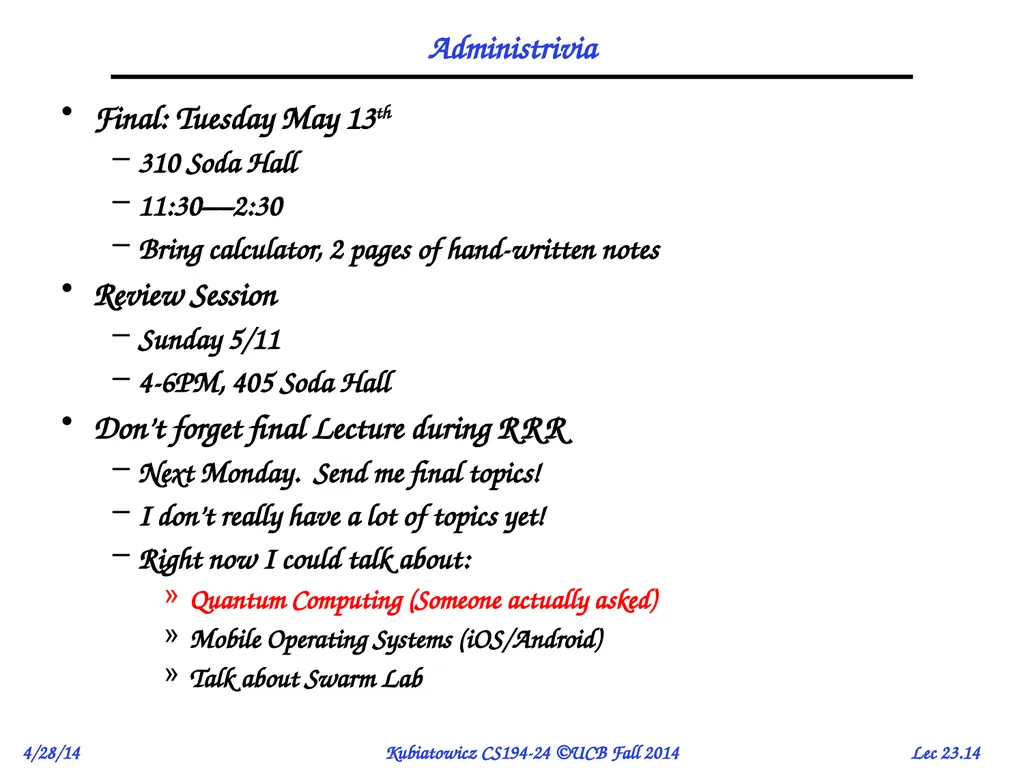
Administrivia Final: Tuesday May 13th
310 Soda Hall
11:30—2:30
Bring calculator, 2 pages of hand-written notes
Review Session
Sunday 5/11
4-6PM, 405 Soda Hall
Don’t forget final Lecture during RRR
Next Monday. Send me final topics!
I don’t really have a lot of topics yet!
Right now I could talk about:
Quantum Computing (Someone actually asked)
Mobile Operating Systems (iOS/Android)
Talk about Swarm Lab<br>
310 Soda Hall
11:30—2:30
Bring calculator, 2 pages of hand-written notes
Review Session
Sunday 5/11
4-6PM, 405 Soda Hall
Don’t forget final Lecture during RRR
Next Monday. Send me final topics!
I don’t really have a lot of topics yet!
Right now I could talk about:
Quantum Computing (Someone actually asked)
Mobile Operating Systems (iOS/Android)
Talk about Swarm Lab<br>
15
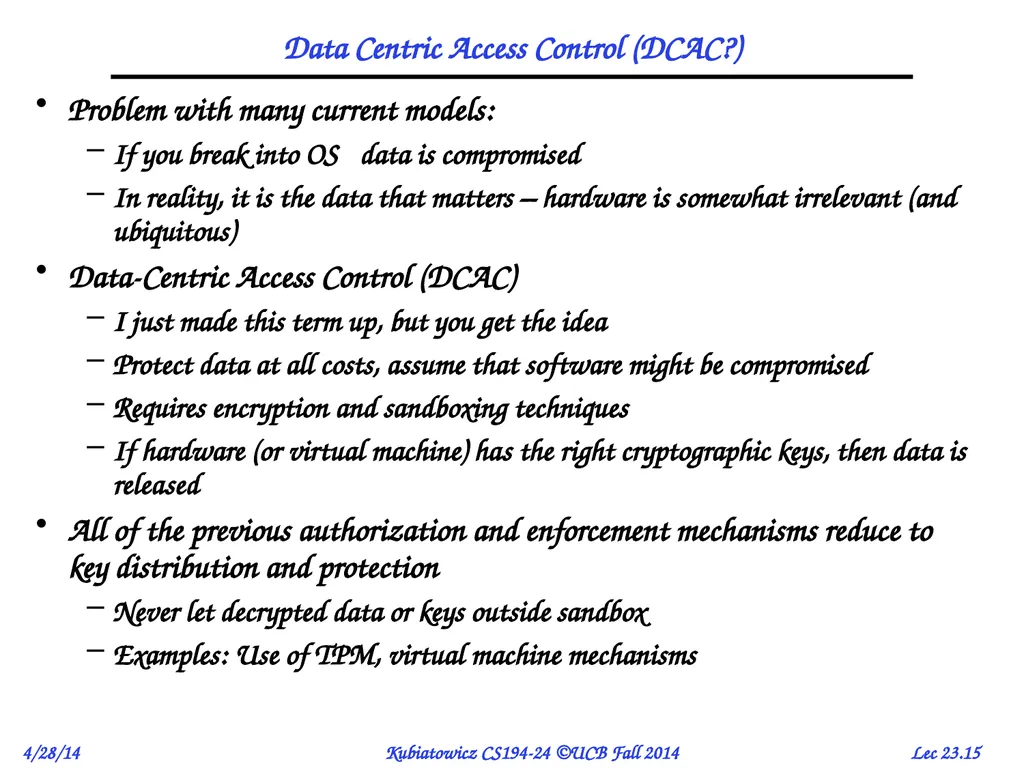
Data Centric Access Control (DCAC?) Problem with many current models:
If you break into OS data is compromised
In reality, it is the data that matters – hardware is somewhat irrelevant (and ubiquitous)
Data-Centric Access Control (DCAC)
I just made this term up, but you get the idea
Protect data at all costs, assume that software might be compromised
Requires encryption and sandboxing techniques
If hardware (or virtual machine) has the right cryptographic keys, then data is released
All of the previous authorization and enforcement mechanisms reduce to key distribution and protection
Never let decrypted data or keys outside sandbox
Examples: Use of TPM, virtual machine mechanisms<br>
If you break into OS data is compromised
In reality, it is the data that matters – hardware is somewhat irrelevant (and ubiquitous)
Data-Centric Access Control (DCAC)
I just made this term up, but you get the idea
Protect data at all costs, assume that software might be compromised
Requires encryption and sandboxing techniques
If hardware (or virtual machine) has the right cryptographic keys, then data is released
All of the previous authorization and enforcement mechanisms reduce to key distribution and protection
Never let decrypted data or keys outside sandbox
Examples: Use of TPM, virtual machine mechanisms<br>
16
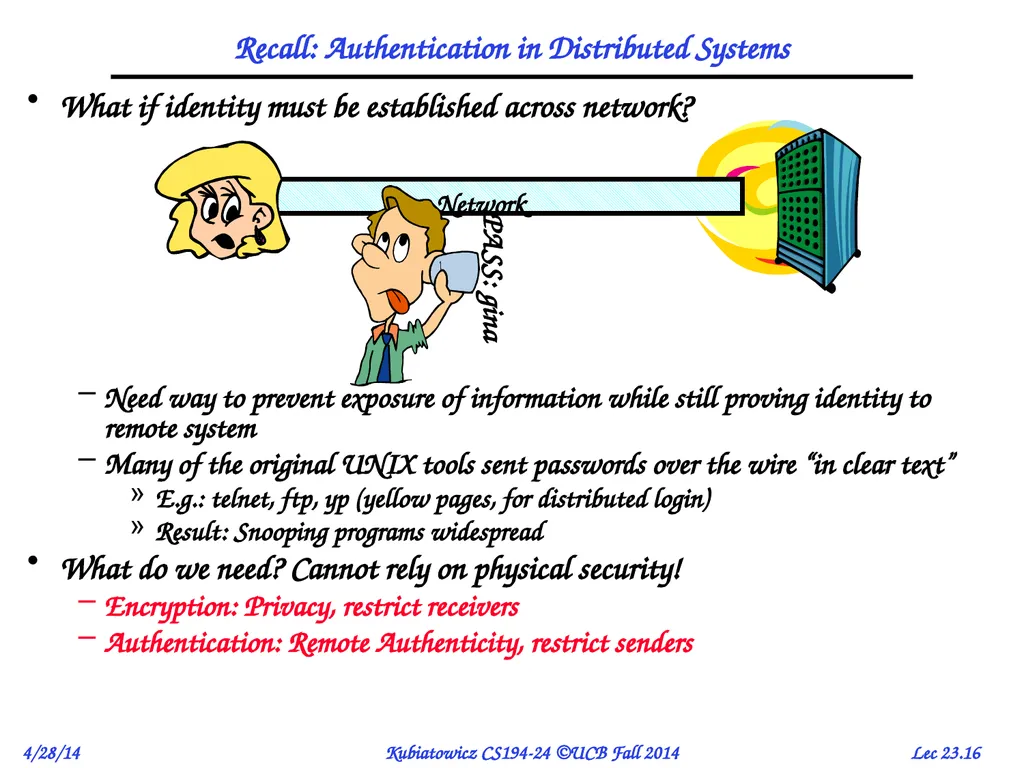
Recall: Authentication in Distributed Systems What if identity must be established across network?
Need way to prevent exposure of information while still proving identity to remote system
Many of the original UNIX tools sent passwords over the wire “in clear text”
E.g.: telnet, ftp, yp (yellow pages, for distributed login)
Result: Snooping programs widespread
What do we need? Cannot rely on physical security!
Encryption: Privacy, restrict receivers
Authentication: Remote Authenticity, restrict senders<br>
Need way to prevent exposure of information while still proving identity to remote system
Many of the original UNIX tools sent passwords over the wire “in clear text”
E.g.: telnet, ftp, yp (yellow pages, for distributed login)
Result: Snooping programs widespread
What do we need? Cannot rely on physical security!
Encryption: Privacy, restrict receivers
Authentication: Remote Authenticity, restrict senders<br>
17
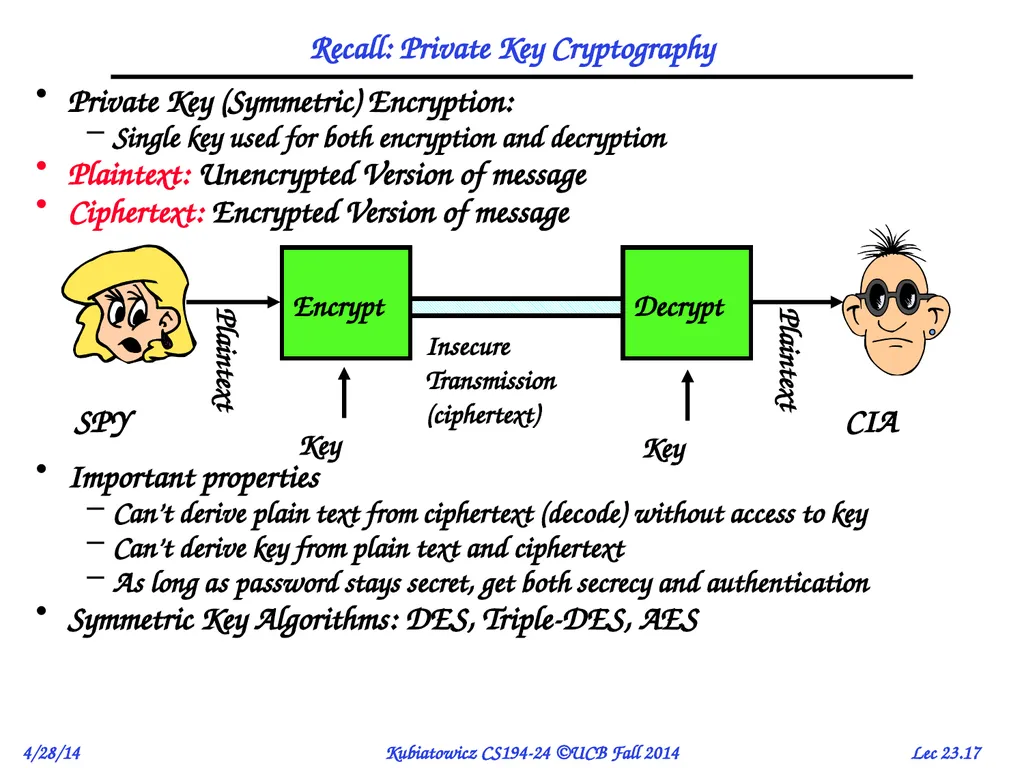
Recall: Private Key Cryptography Private Key (Symmetric) Encryption:
Single key used for both encryption and decryption
Plaintext: Unencrypted Version of message
Ciphertext: Encrypted Version of message
Important properties
Can’t derive plain text from ciphertext (decode) without access to key
Can’t derive key from plain text and ciphertext
As long as password stays secret, get both secrecy and authentication
Symmetric Key Algorithms: DES, Triple-DES, AES<br>
Single key used for both encryption and decryption
Plaintext: Unencrypted Version of message
Ciphertext: Encrypted Version of message
Important properties
Can’t derive plain text from ciphertext (decode) without access to key
Can’t derive key from plain text and ciphertext
As long as password stays secret, get both secrecy and authentication
Symmetric Key Algorithms: DES, Triple-DES, AES<br>
18
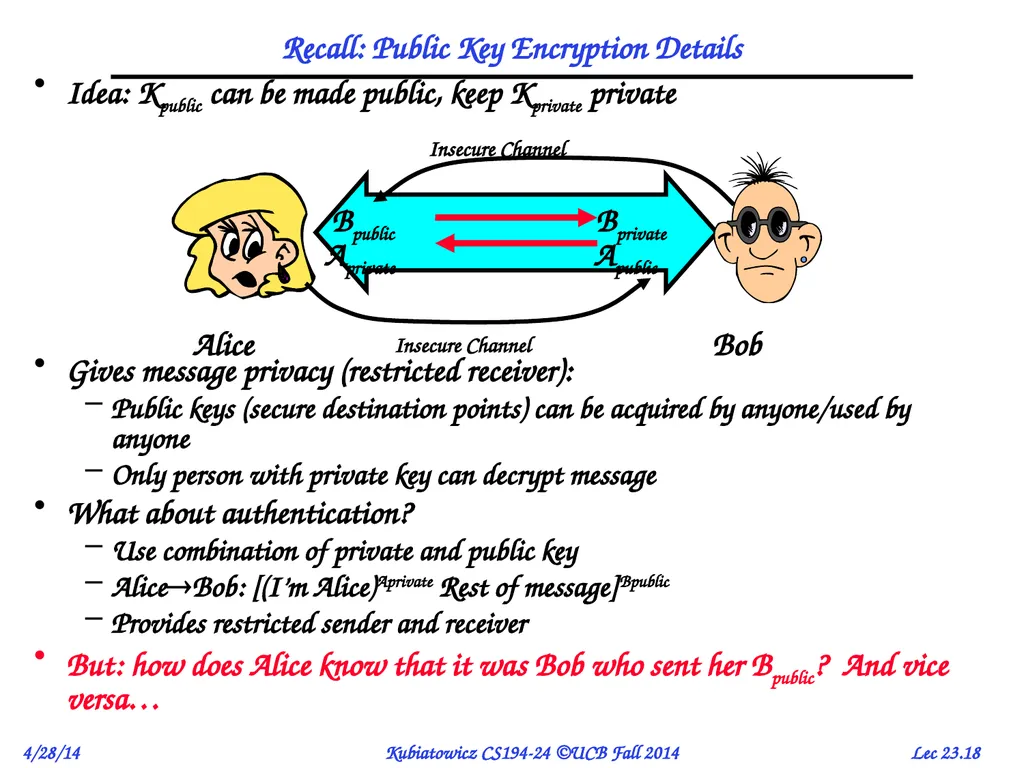
Idea: Kpublic can be made public, keep Kprivate private
Gives message privacy (restricted receiver):
Public keys (secure destination points) can be acquired by anyone/used by anyone
Only person with private key can decrypt message
What about authentication?
Use combination of private and public key
AliceBob: [(I’m Alice)Aprivate Rest of message]Bpublic
Provides restricted sender and receiver
But: how does Alice know that it was Bob who sent her Bpublic? And vice versa… Recall: Public Key Encryption Details Bpublic Apublic<br>
Gives message privacy (restricted receiver):
Public keys (secure destination points) can be acquired by anyone/used by anyone
Only person with private key can decrypt message
What about authentication?
Use combination of private and public key
AliceBob: [(I’m Alice)Aprivate Rest of message]Bpublic
Provides restricted sender and receiver
But: how does Alice know that it was Bob who sent her Bpublic? And vice versa… Recall: Public Key Encryption Details Bpublic Apublic<br>
19
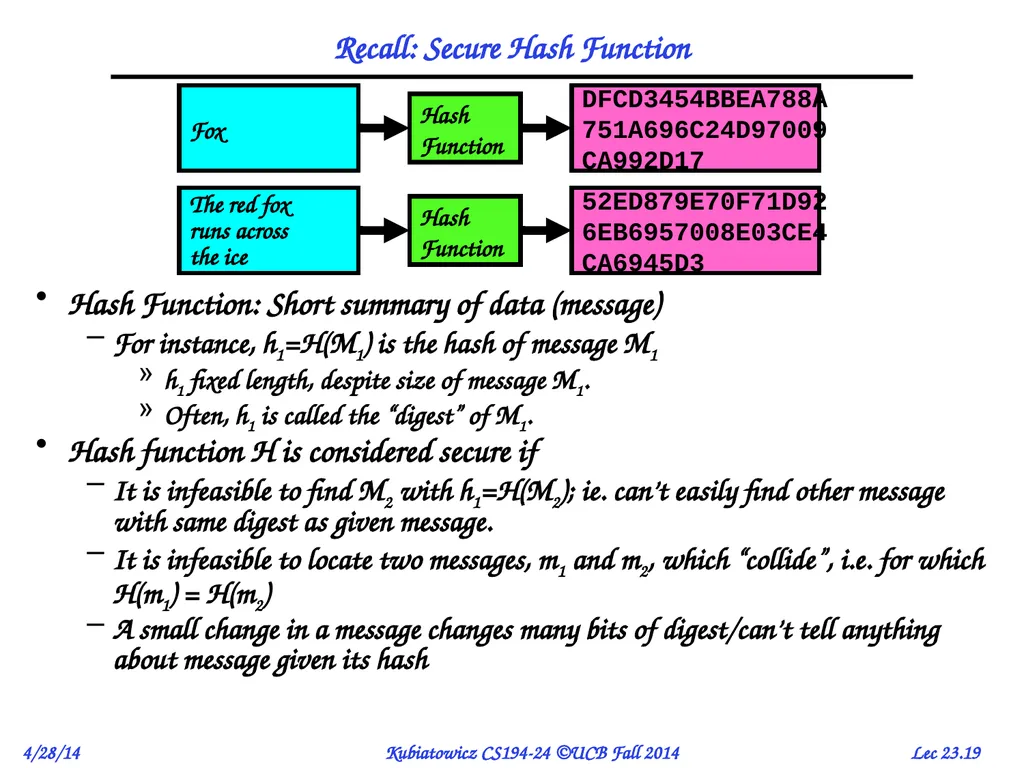
Recall: Secure Hash Function Hash Function: Short summary of data (message)
For instance, h1=H(M1) is the hash of message M1
h1 fixed length, despite size of message M1.
Often, h1 is called the “digest” of M1.
Hash function H is considered secure if
It is infeasible to find M2 with h1=H(M2); ie. can’t easily find other message with same digest as given message.
It is infeasible to locate two messages, m1 and m2, which “collide”, i.e. for which H(m1) = H(m2)
A small change in a message changes many bits of digest/can’t tell anything about message given its hash<br>
For instance, h1=H(M1) is the hash of message M1
h1 fixed length, despite size of message M1.
Often, h1 is called the “digest” of M1.
Hash function H is considered secure if
It is infeasible to find M2 with h1=H(M2); ie. can’t easily find other message with same digest as given message.
It is infeasible to locate two messages, m1 and m2, which “collide”, i.e. for which H(m1) = H(m2)
A small change in a message changes many bits of digest/can’t tell anything about message given its hash<br>
20
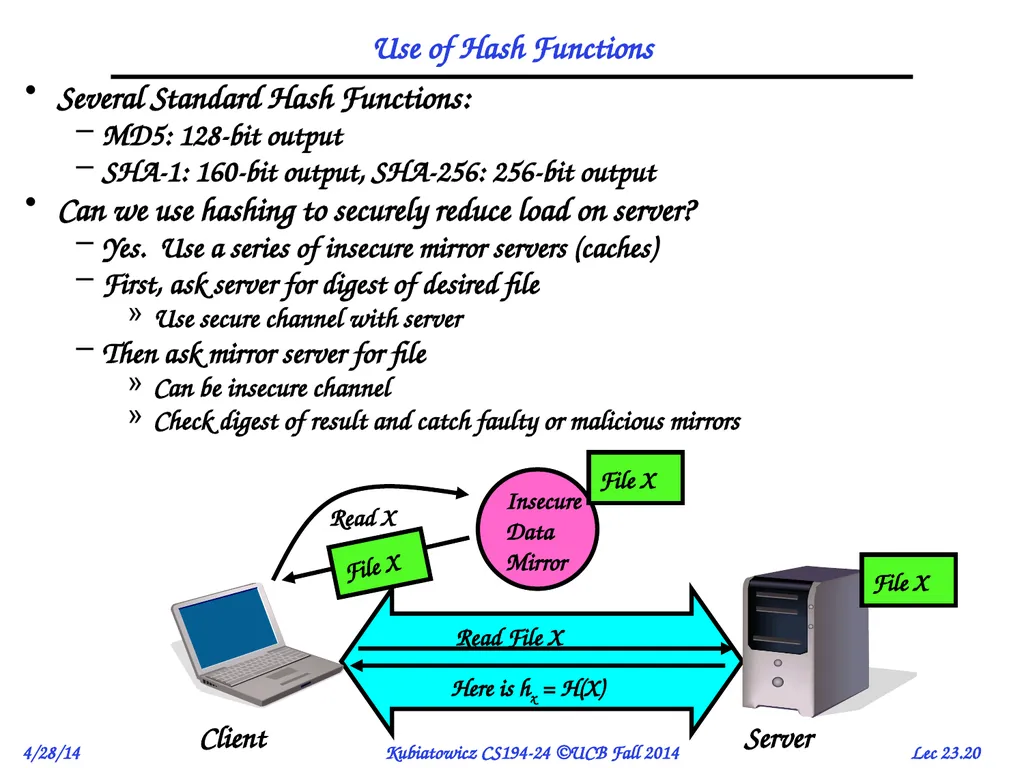
Use of Hash Functions Several Standard Hash Functions:
MD5: 128-bit output
SHA-1: 160-bit output, SHA-256: 256-bit output
Can we use hashing to securely reduce load on server?
Yes. Use a series of insecure mirror servers (caches)
First, ask server for digest of desired file
Use secure channel with server
Then ask mirror server for file
Can be insecure channel
Check digest of result and catch faulty or malicious mirrors<br>
MD5: 128-bit output
SHA-1: 160-bit output, SHA-256: 256-bit output
Can we use hashing to securely reduce load on server?
Yes. Use a series of insecure mirror servers (caches)
First, ask server for digest of desired file
Use secure channel with server
Then ask mirror server for file
Can be insecure channel
Check digest of result and catch faulty or malicious mirrors<br>
21
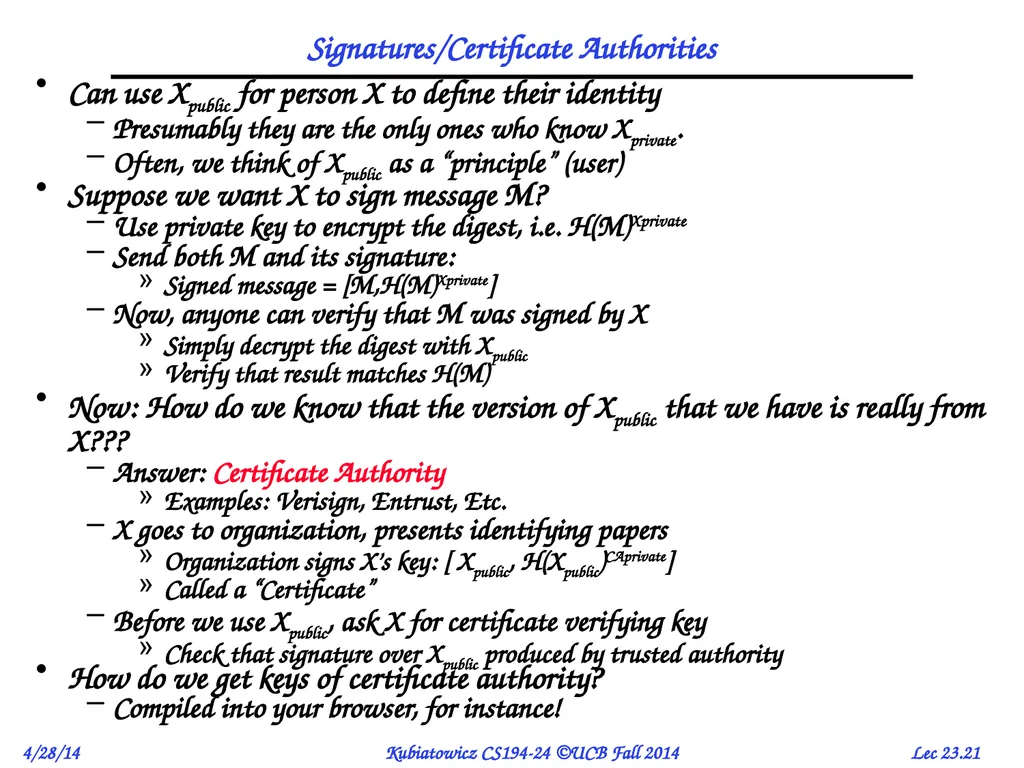
Signatures/Certificate Authorities Can use Xpublic for person X to define their identity
Presumably they are the only ones who know Xprivate.
Often, we think of Xpublic as a “principle” (user)
Suppose we want X to sign message M?
Use private key to encrypt the digest, i.e. H(M)Xprivate
Send both M and its signature:
Signed message = [M,H(M)Xprivate]
Now, anyone can verify that M was signed by X
Simply decrypt the digest with Xpublic
Verify that result matches H(M)
Now: How do we know that the version of Xpublic that we have is really from X???
Answer: Certificate Authority
Examples: Verisign, Entrust, Etc.
X goes to organization, presents identifying papers
Organization signs X’s key: [ Xpublic, H(Xpublic)CAprivate]
Called a “Certificate”
Before we use Xpublic, ask X for certificate verifying key
Check that signature over Xpublic produced by trusted authority
How do we get keys of certificate authority?
Compiled into your browser, for instance!<br>
Presumably they are the only ones who know Xprivate.
Often, we think of Xpublic as a “principle” (user)
Suppose we want X to sign message M?
Use private key to encrypt the digest, i.e. H(M)Xprivate
Send both M and its signature:
Signed message = [M,H(M)Xprivate]
Now, anyone can verify that M was signed by X
Simply decrypt the digest with Xpublic
Verify that result matches H(M)
Now: How do we know that the version of Xpublic that we have is really from X???
Answer: Certificate Authority
Examples: Verisign, Entrust, Etc.
X goes to organization, presents identifying papers
Organization signs X’s key: [ Xpublic, H(Xpublic)CAprivate]
Called a “Certificate”
Before we use Xpublic, ask X for certificate verifying key
Check that signature over Xpublic produced by trusted authority
How do we get keys of certificate authority?
Compiled into your browser, for instance!<br>
22
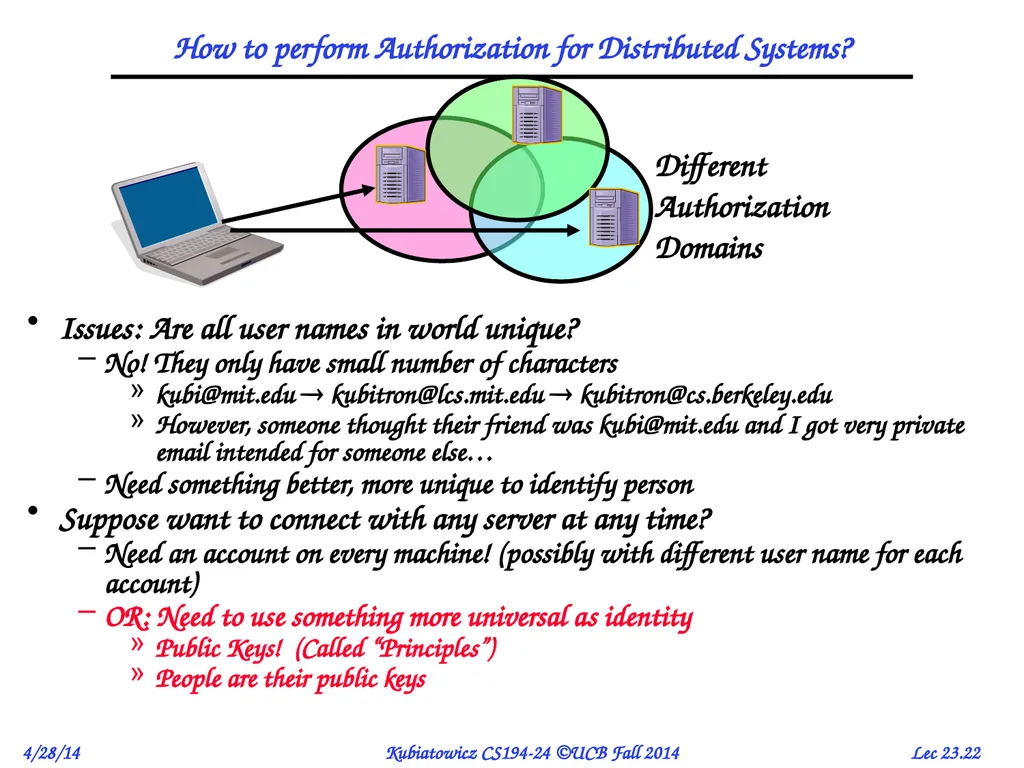
How to perform Authorization for Distributed Systems? Issues: Are all user names in world unique?
No! They only have small number of characters
kubi@mit.edu kubitron@lcs.mit.edu kubitron@cs.berkeley.edu
However, someone thought their friend was kubi@mit.edu and I got very private email intended for someone else…
Need something better, more unique to identify person
Suppose want to connect with any server at any time?
Need an account on every machine! (possibly with different user name for each account)
OR: Need to use something more universal as identity
Public Keys! (Called “Principles”)
People are their public keys Different
Authorization
Domains<br>
No! They only have small number of characters
kubi@mit.edu kubitron@lcs.mit.edu kubitron@cs.berkeley.edu
However, someone thought their friend was kubi@mit.edu and I got very private email intended for someone else…
Need something better, more unique to identify person
Suppose want to connect with any server at any time?
Need an account on every machine! (possibly with different user name for each account)
OR: Need to use something more universal as identity
Public Keys! (Called “Principles”)
People are their public keys Different
Authorization
Domains<br>
23
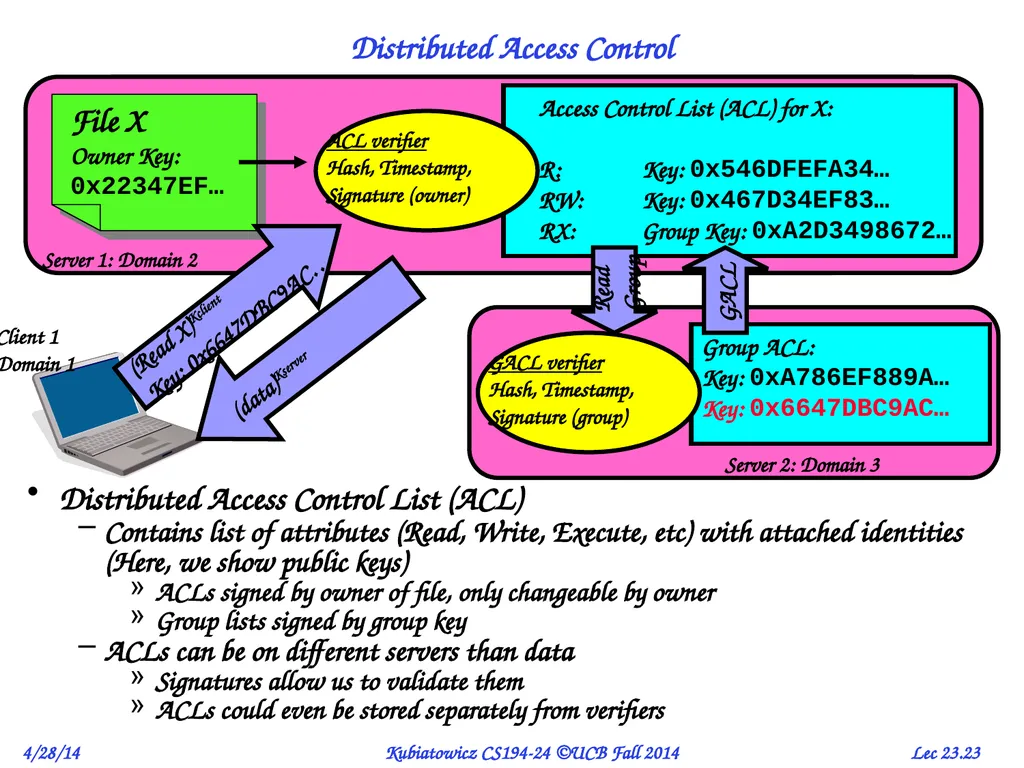
Distributed Access Control Distributed Access Control List (ACL)
Contains list of attributes (Read, Write, Execute, etc) with attached identities (Here, we show public keys)
ACLs signed by owner of file, only changeable by owner
Group lists signed by group key
ACLs can be on different servers than data
Signatures allow us to validate them
ACLs could even be stored separately from verifiers Access Control List (ACL) for X:
R: Key: 0x546DFEFA34…
RW: Key: 0x467D34EF83…
RX: Group Key: 0xA2D3498672… (Read X)Kclient
Key: 0x6647DBC9AC… Read
Group GACL (data)Kserver<br>
Contains list of attributes (Read, Write, Execute, etc) with attached identities (Here, we show public keys)
ACLs signed by owner of file, only changeable by owner
Group lists signed by group key
ACLs can be on different servers than data
Signatures allow us to validate them
ACLs could even be stored separately from verifiers Access Control List (ACL) for X:
R: Key: 0x546DFEFA34…
RW: Key: 0x467D34EF83…
RX: Group Key: 0xA2D3498672… (Read X)Kclient
Key: 0x6647DBC9AC… Read
Group GACL (data)Kserver<br>
24
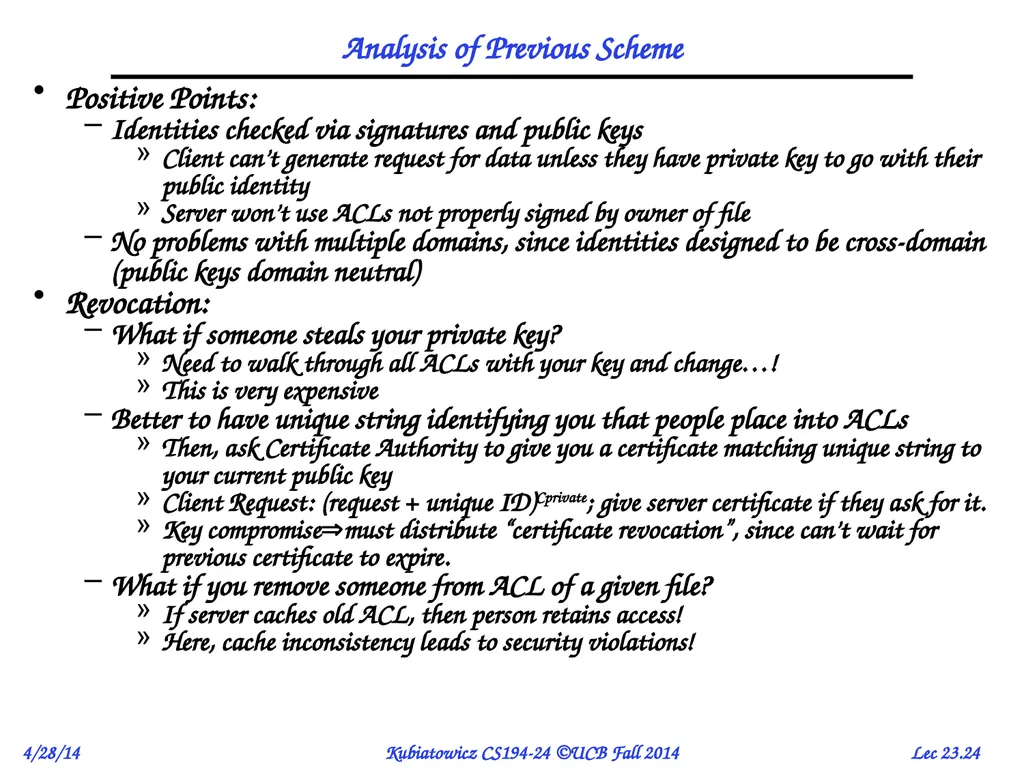
Analysis of Previous Scheme Positive Points:
Identities checked via signatures and public keys
Client can’t generate request for data unless they have private key to go with their public identity
Server won’t use ACLs not properly signed by owner of file
No problems with multiple domains, since identities designed to be cross-domain (public keys domain neutral)
Revocation:
What if someone steals your private key?
Need to walk through all ACLs with your key and change…!
This is very expensive
Better to have unique string identifying you that people place into ACLs
Then, ask Certificate Authority to give you a certificate matching unique string to your current public key
Client Request: (request + unique ID)Cprivate; give server certificate if they ask for it.
Key compromisemust distribute “certificate revocation”, since can’t wait for previous certificate to expire.
What if you remove someone from ACL of a given file?
If server caches old ACL, then person retains access!
Here, cache inconsistency leads to security violations!<br>
Identities checked via signatures and public keys
Client can’t generate request for data unless they have private key to go with their public identity
Server won’t use ACLs not properly signed by owner of file
No problems with multiple domains, since identities designed to be cross-domain (public keys domain neutral)
Revocation:
What if someone steals your private key?
Need to walk through all ACLs with your key and change…!
This is very expensive
Better to have unique string identifying you that people place into ACLs
Then, ask Certificate Authority to give you a certificate matching unique string to your current public key
Client Request: (request + unique ID)Cprivate; give server certificate if they ask for it.
Key compromisemust distribute “certificate revocation”, since can’t wait for previous certificate to expire.
What if you remove someone from ACL of a given file?
If server caches old ACL, then person retains access!
Here, cache inconsistency leads to security violations!<br>
25
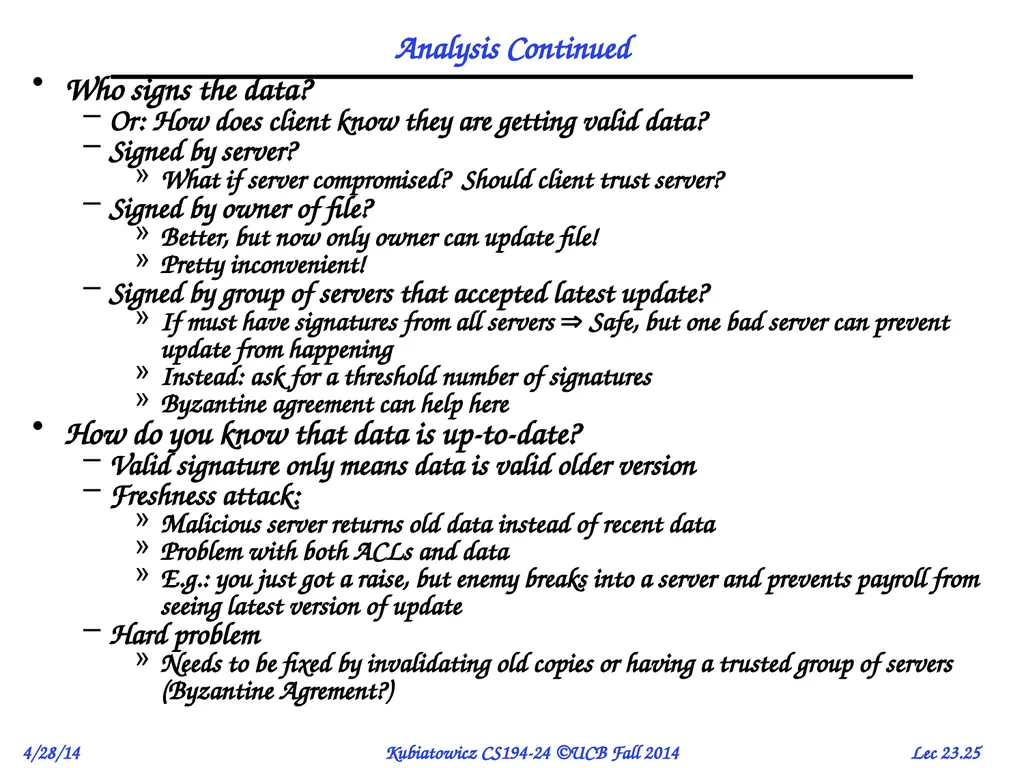
Analysis Continued Who signs the data?
Or: How does client know they are getting valid data?
Signed by server?
What if server compromised? Should client trust server?
Signed by owner of file?
Better, but now only owner can update file!
Pretty inconvenient!
Signed by group of servers that accepted latest update?
If must have signatures from all servers Safe, but one bad server can prevent update from happening
Instead: ask for a threshold number of signatures
Byzantine agreement can help here
How do you know that data is up-to-date?
Valid signature only means data is valid older version
Freshness attack:
Malicious server returns old data instead of recent data
Problem with both ACLs and data
E.g.: you just got a raise, but enemy breaks into a server and prevents payroll from seeing latest version of update
Hard problem
Needs to be fixed by invalidating old copies or having a trusted group of servers (Byzantine Agrement?)<br>
Or: How does client know they are getting valid data?
Signed by server?
What if server compromised? Should client trust server?
Signed by owner of file?
Better, but now only owner can update file!
Pretty inconvenient!
Signed by group of servers that accepted latest update?
If must have signatures from all servers Safe, but one bad server can prevent update from happening
Instead: ask for a threshold number of signatures
Byzantine agreement can help here
How do you know that data is up-to-date?
Valid signature only means data is valid older version
Freshness attack:
Malicious server returns old data instead of recent data
Problem with both ACLs and data
E.g.: you just got a raise, but enemy breaks into a server and prevents payroll from seeing latest version of update
Hard problem
Needs to be fixed by invalidating old copies or having a trusted group of servers (Byzantine Agrement?)<br>
26
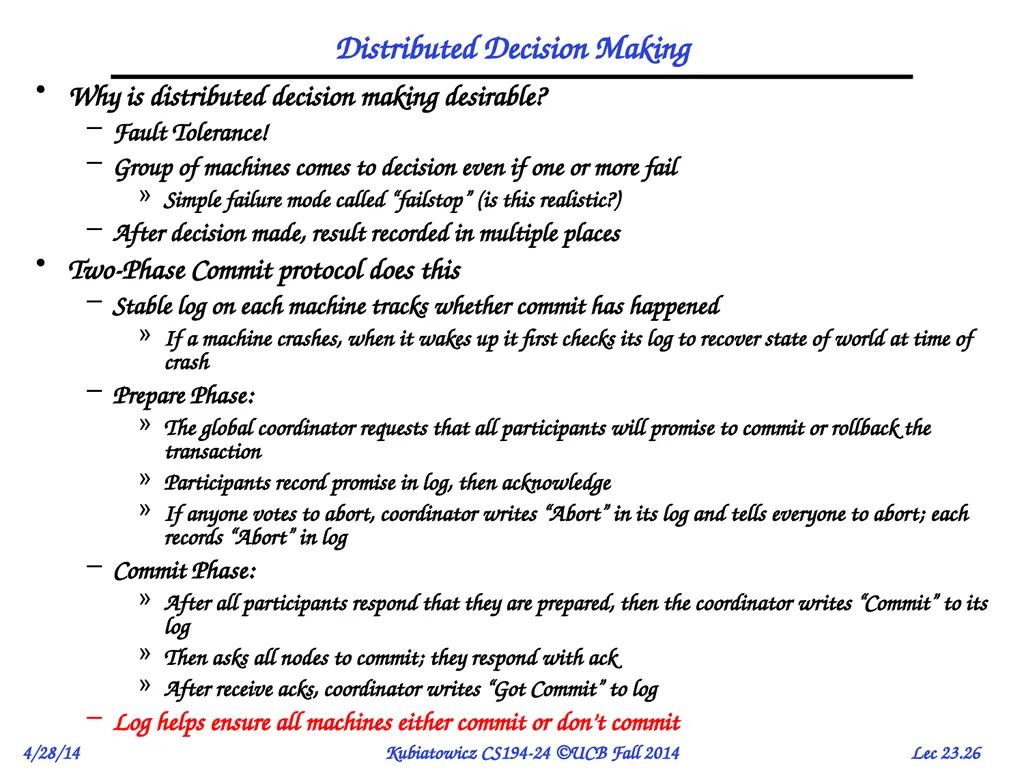
Distributed Decision Making Why is distributed decision making desirable?
Fault Tolerance!
Group of machines comes to decision even if one or more fail
Simple failure mode called “failstop” (is this realistic?)
After decision made, result recorded in multiple places
Two-Phase Commit protocol does this
Stable log on each machine tracks whether commit has happened
If a machine crashes, when it wakes up it first checks its log to recover state of world at time of crash
Prepare Phase:
The global coordinator requests that all participants will promise to commit or rollback the transaction
Participants record promise in log, then acknowledge
If anyone votes to abort, coordinator writes “Abort” in its log and tells everyone to abort; each records “Abort” in log
Commit Phase:
After all participants respond that they are prepared, then the coordinator writes “Commit” to its log
Then asks all nodes to commit; they respond with ack
After receive acks, coordinator writes “Got Commit” to log
Log helps ensure all machines either commit or don’t commit<br>
Fault Tolerance!
Group of machines comes to decision even if one or more fail
Simple failure mode called “failstop” (is this realistic?)
After decision made, result recorded in multiple places
Two-Phase Commit protocol does this
Stable log on each machine tracks whether commit has happened
If a machine crashes, when it wakes up it first checks its log to recover state of world at time of crash
Prepare Phase:
The global coordinator requests that all participants will promise to commit or rollback the transaction
Participants record promise in log, then acknowledge
If anyone votes to abort, coordinator writes “Abort” in its log and tells everyone to abort; each records “Abort” in log
Commit Phase:
After all participants respond that they are prepared, then the coordinator writes “Commit” to its log
Then asks all nodes to commit; they respond with ack
After receive acks, coordinator writes “Got Commit” to log
Log helps ensure all machines either commit or don’t commit<br>
27
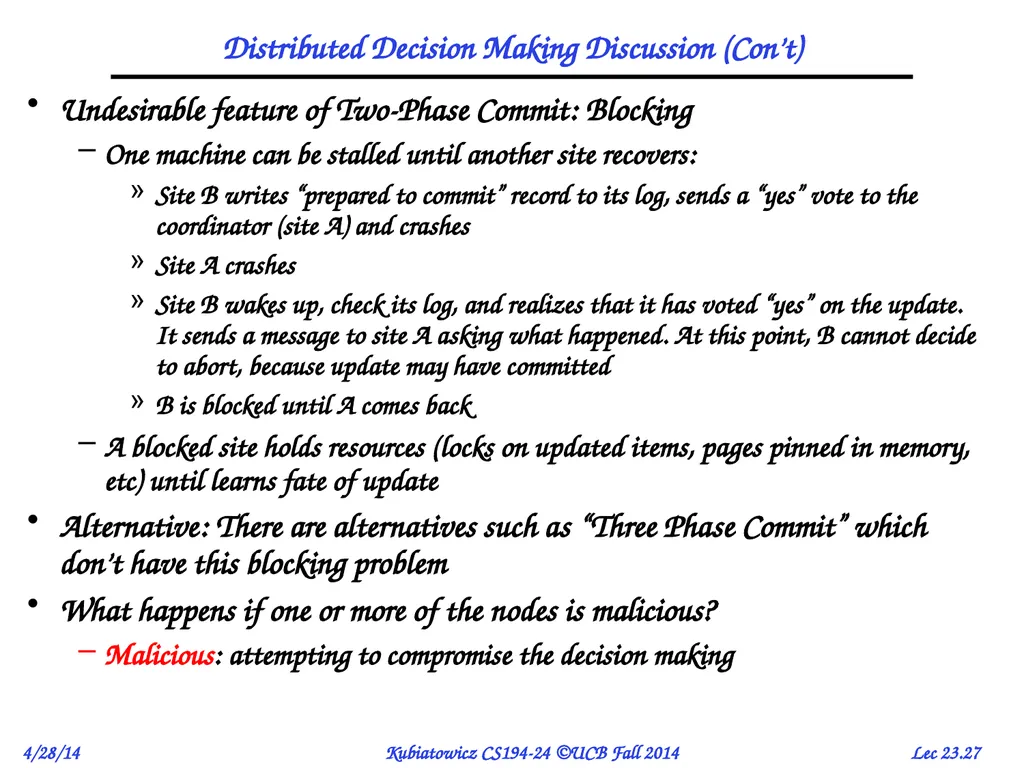
Distributed Decision Making Discussion (Con’t) Undesirable feature of Two-Phase Commit: Blocking
One machine can be stalled until another site recovers:
Site B writes “prepared to commit” record to its log, sends a “yes” vote to the coordinator (site A) and crashes
Site A crashes
Site B wakes up, check its log, and realizes that it has voted “yes” on the update. It sends a message to site A asking what happened. At this point, B cannot decide to abort, because update may have committed
B is blocked until A comes back
A blocked site holds resources (locks on updated items, pages pinned in memory, etc) until learns fate of update
Alternative: There are alternatives such as “Three Phase Commit” which don’t have this blocking problem
What happens if one or more of the nodes is malicious?
Malicious: attempting to compromise the decision making<br>
One machine can be stalled until another site recovers:
Site B writes “prepared to commit” record to its log, sends a “yes” vote to the coordinator (site A) and crashes
Site A crashes
Site B wakes up, check its log, and realizes that it has voted “yes” on the update. It sends a message to site A asking what happened. At this point, B cannot decide to abort, because update may have committed
B is blocked until A comes back
A blocked site holds resources (locks on updated items, pages pinned in memory, etc) until learns fate of update
Alternative: There are alternatives such as “Three Phase Commit” which don’t have this blocking problem
What happens if one or more of the nodes is malicious?
Malicious: attempting to compromise the decision making<br>
28
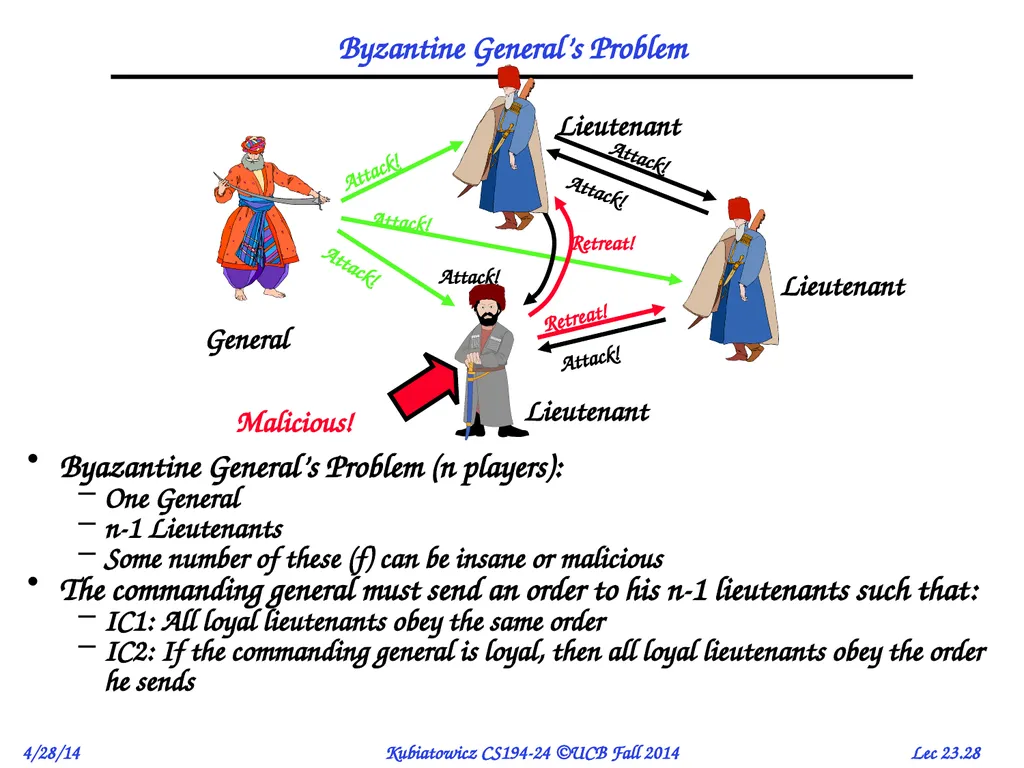
Byzantine General’s Problem Byazantine General’s Problem (n players):
One General
n-1 Lieutenants
Some number of these (f) can be insane or malicious
The commanding general must send an order to his n-1 lieutenants such that:
IC1: All loyal lieutenants obey the same order
IC2: If the commanding general is loyal, then all loyal lieutenants obey the order he sends<br>
One General
n-1 Lieutenants
Some number of these (f) can be insane or malicious
The commanding general must send an order to his n-1 lieutenants such that:
IC1: All loyal lieutenants obey the same order
IC2: If the commanding general is loyal, then all loyal lieutenants obey the order he sends<br>
29
Byzantine General’s Problem (con’t) Impossibility Results:
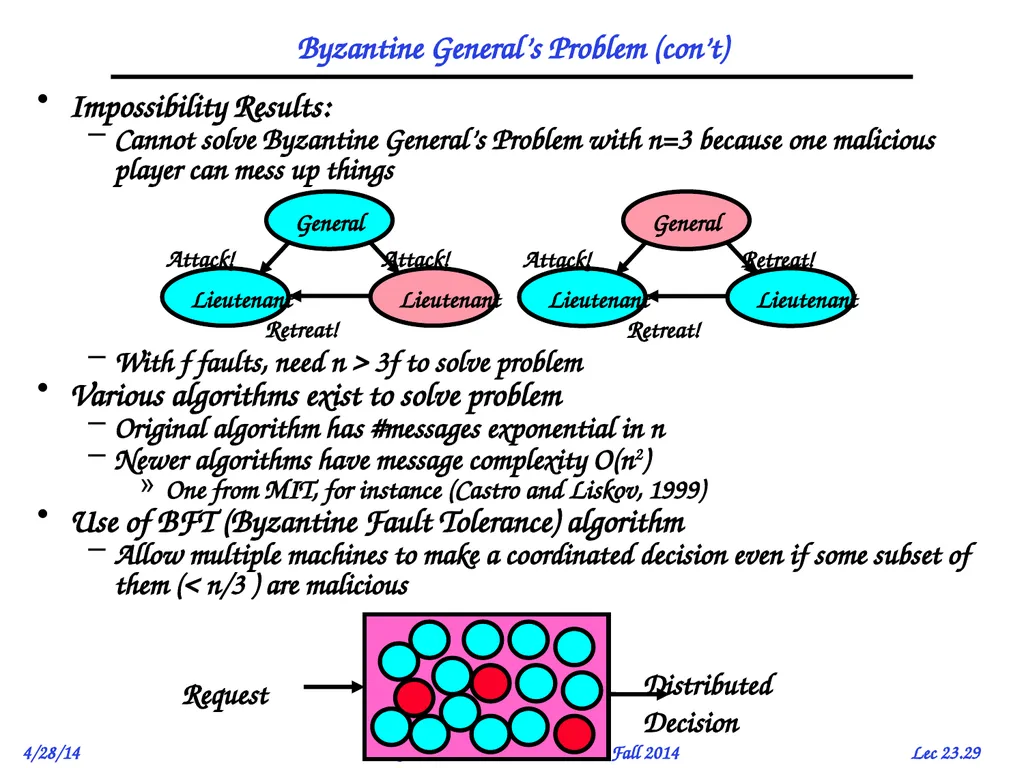
Cannot solve Byzantine General’s Problem with n=3 because one malicious player can mess up things
With f faults, need n > 3f to solve problem
Various algorithms exist to solve problem
Original algorithm has #messages exponential in n
Newer algorithms have message complexity O(n2)
One from MIT, for instance (Castro and Liskov, 1999)
Use of BFT (Byzantine Fault Tolerance) algorithm
Allow multiple machines to make a coordinated decision even if some subset of them (< n/3 ) are malicious<br>
Cannot solve Byzantine General’s Problem with n=3 because one malicious player can mess up things
With f faults, need n > 3f to solve problem
Various algorithms exist to solve problem
Original algorithm has #messages exponential in n
Newer algorithms have message complexity O(n2)
One from MIT, for instance (Castro and Liskov, 1999)
Use of BFT (Byzantine Fault Tolerance) algorithm
Allow multiple machines to make a coordinated decision even if some subset of them (< n/3 ) are malicious<br>
30
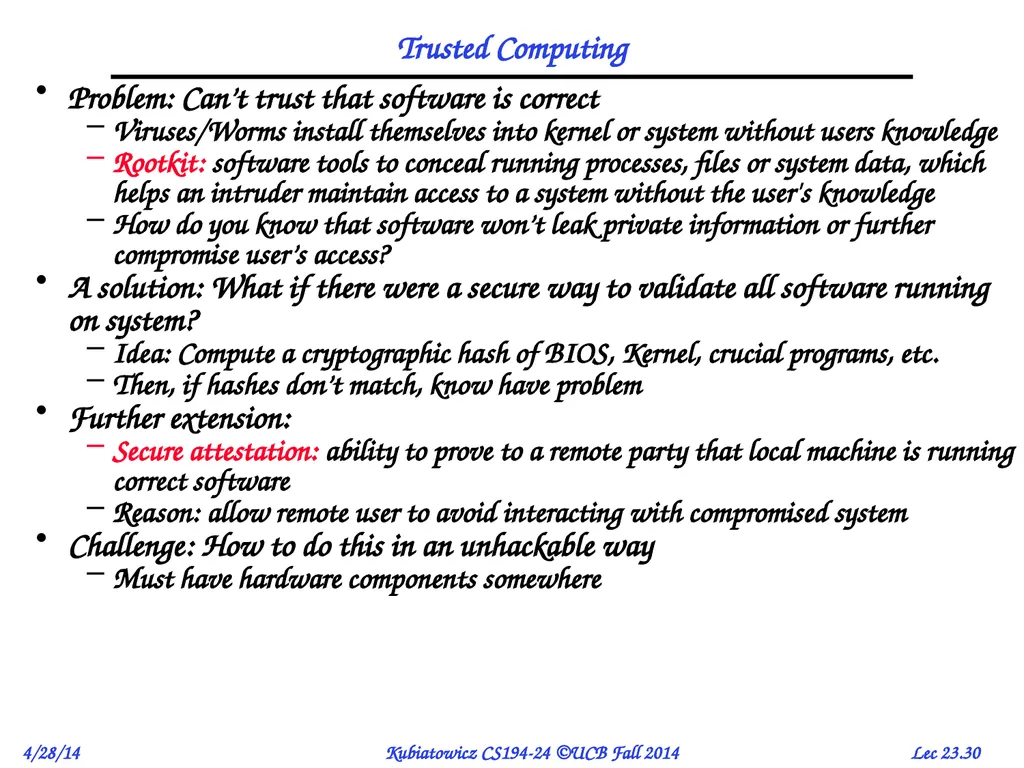
Trusted Computing Problem: Can’t trust that software is correct
Viruses/Worms install themselves into kernel or system without users knowledge
Rootkit: software tools to conceal running processes, files or system data, which helps an intruder maintain access to a system without the user's knowledge
How do you know that software won’t leak private information or further compromise user’s access?
A solution: What if there were a secure way to validate all software running on system?
Idea: Compute a cryptographic hash of BIOS, Kernel, crucial programs, etc.
Then, if hashes don’t match, know have problem
Further extension:
Secure attestation: ability to prove to a remote party that local machine is running correct software
Reason: allow remote user to avoid interacting with compromised system
Challenge: How to do this in an unhackable way
Must have hardware components somewhere<br>
Viruses/Worms install themselves into kernel or system without users knowledge
Rootkit: software tools to conceal running processes, files or system data, which helps an intruder maintain access to a system without the user's knowledge
How do you know that software won’t leak private information or further compromise user’s access?
A solution: What if there were a secure way to validate all software running on system?
Idea: Compute a cryptographic hash of BIOS, Kernel, crucial programs, etc.
Then, if hashes don’t match, know have problem
Further extension:
Secure attestation: ability to prove to a remote party that local machine is running correct software
Reason: allow remote user to avoid interacting with compromised system
Challenge: How to do this in an unhackable way
Must have hardware components somewhere<br>
31
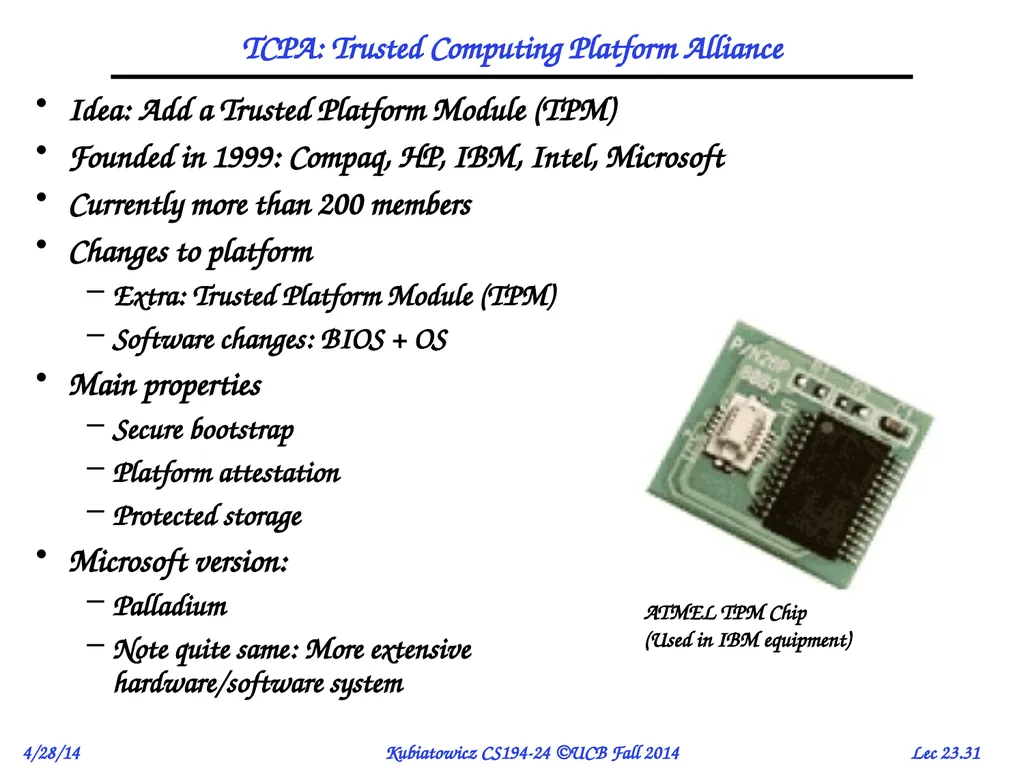
TCPA: Trusted Computing Platform Alliance Idea: Add a Trusted Platform Module (TPM)
Founded in 1999: Compaq, HP, IBM, Intel, Microsoft
Currently more than 200 members
Changes to platform
Extra: Trusted Platform Module (TPM)
Software changes: BIOS + OS
Main properties
Secure bootstrap
Platform attestation
Protected storage
Microsoft version:
Palladium
Note quite same: More extensive hardware/software system<br>
Founded in 1999: Compaq, HP, IBM, Intel, Microsoft
Currently more than 200 members
Changes to platform
Extra: Trusted Platform Module (TPM)
Software changes: BIOS + OS
Main properties
Secure bootstrap
Platform attestation
Protected storage
Microsoft version:
Palladium
Note quite same: More extensive hardware/software system<br>
32
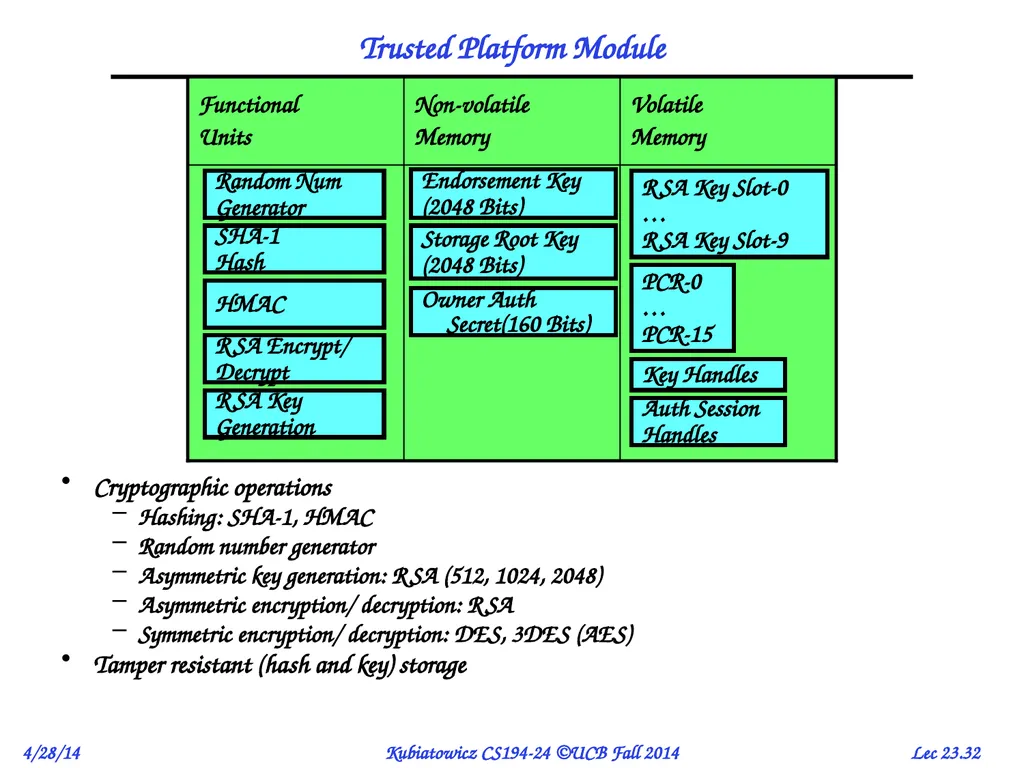
Trusted Platform Module Cryptographic operations
Hashing: SHA-1, HMAC
Random number generator
Asymmetric key generation: RSA (512, 1024, 2048)
Asymmetric encryption/ decryption: RSA
Symmetric encryption/ decryption: DES, 3DES (AES)
Tamper resistant (hash and key) storage<br>
Hashing: SHA-1, HMAC
Random number generator
Asymmetric key generation: RSA (512, 1024, 2048)
Asymmetric encryption/ decryption: RSA
Symmetric encryption/ decryption: DES, 3DES (AES)
Tamper resistant (hash and key) storage<br>
33
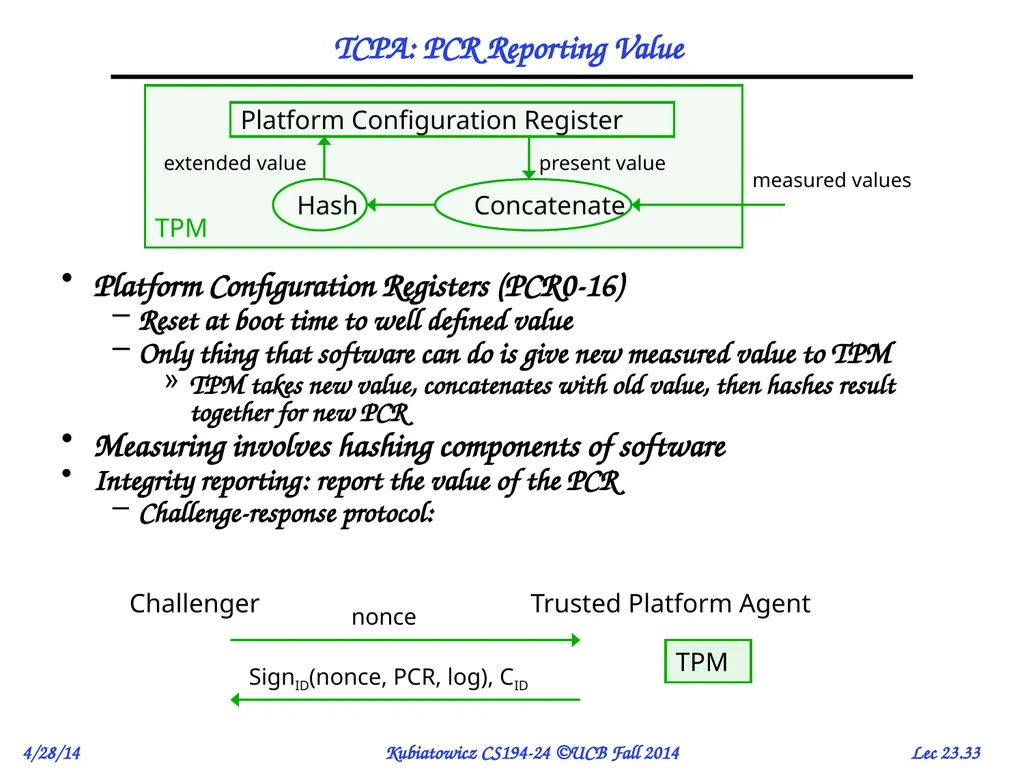
TCPA: PCR Reporting Value Platform Configuration Registers (PCR0-16)
Reset at boot time to well defined value
Only thing that software can do is give new measured value to TPM
TPM takes new value, concatenates with old value, then hashes result together for new PCR
Measuring involves hashing components of software
Integrity reporting: report the value of the PCR
Challenge-response protocol:<br>
Reset at boot time to well defined value
Only thing that software can do is give new measured value to TPM
TPM takes new value, concatenates with old value, then hashes result together for new PCR
Measuring involves hashing components of software
Integrity reporting: report the value of the PCR
Challenge-response protocol:<br>
34
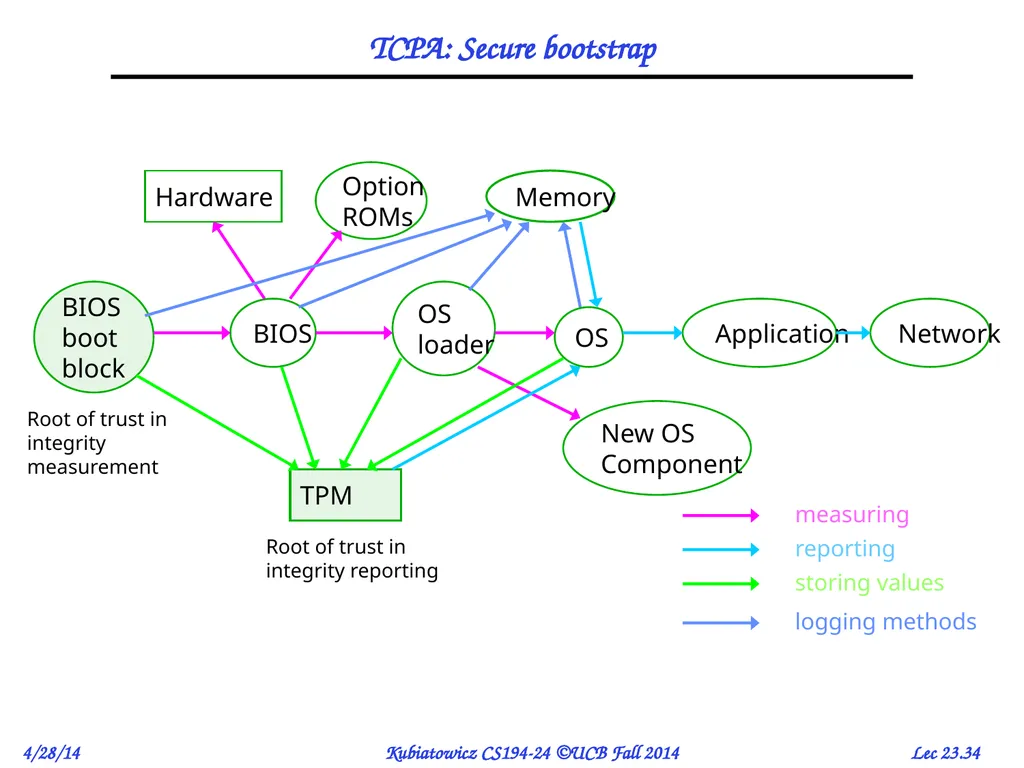
TCPA: Secure bootstrap BIOS
boot
block BIOS OS
loader OS Application Option
ROMs TPM Hardware Network Memory New OS
Component Root of trust in integrity measurement Root of trust in integrity reporting measuring reporting storing values logging methods<br>
boot
block BIOS OS
loader OS Application Option
ROMs TPM Hardware Network Memory New OS
Component Root of trust in integrity measurement Root of trust in integrity reporting measuring reporting storing values logging methods<br>
35
Implications of TPM Philosophy? Could have great benefits
Prevent use of malicious software
Parts of OceanStore would benefit
What does “trusted computing” really mean?
You are forced to trust hardware to be correct!
Could also mean that user is not trusted to install their own software
Many in the security community have talked about potential abuses
These are only theoretical, but very possible
Software fixing
What if companies prevent user from accessing their websites with non-Microsoft browser?
Possible to encrypt data and only decrypt if software still matches Could prevent display of .doc files except on Microsoft versions of software
Digital Rights Management (DRM):
Prevent playing of music/video except on accepted players
Selling of CDs that only play 3 times?<br>
Prevent use of malicious software
Parts of OceanStore would benefit
What does “trusted computing” really mean?
You are forced to trust hardware to be correct!
Could also mean that user is not trusted to install their own software
Many in the security community have talked about potential abuses
These are only theoretical, but very possible
Software fixing
What if companies prevent user from accessing their websites with non-Microsoft browser?
Possible to encrypt data and only decrypt if software still matches Could prevent display of .doc files except on Microsoft versions of software
Digital Rights Management (DRM):
Prevent playing of music/video except on accepted players
Selling of CDs that only play 3 times?<br>
36
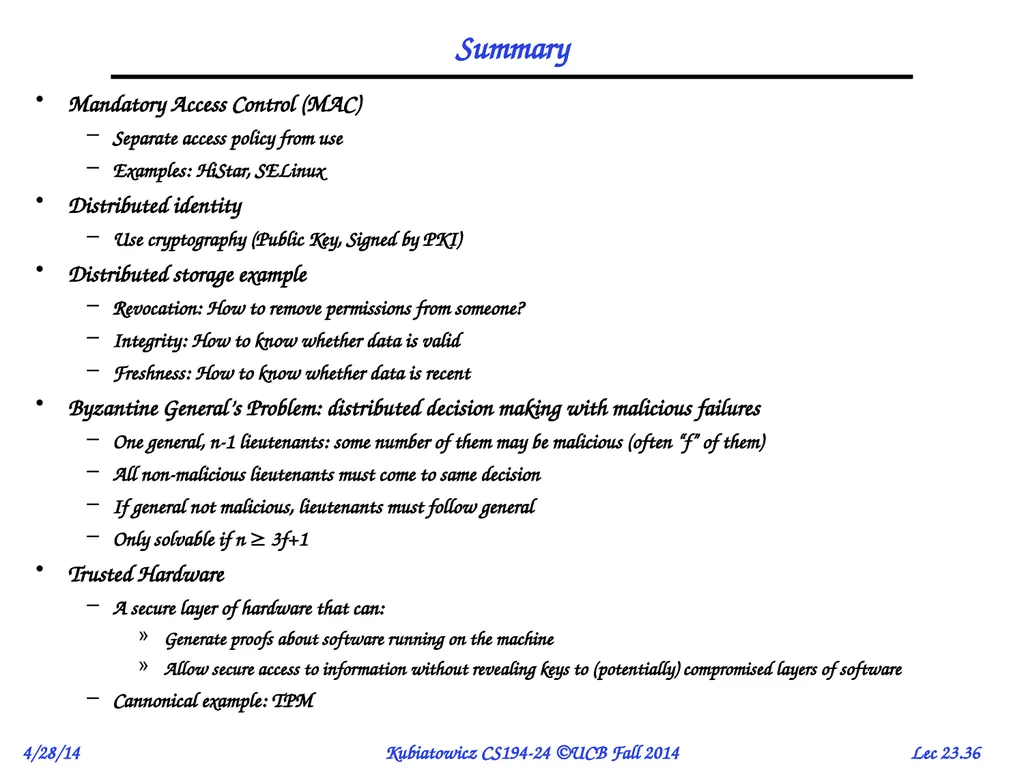
Summary Mandatory Access Control (MAC)
Separate access policy from use
Examples: HiStar, SELinux
Distributed identity
Use cryptography (Public Key, Signed by PKI)
Distributed storage example
Revocation: How to remove permissions from someone?
Integrity: How to know whether data is valid
Freshness: How to know whether data is recent
Byzantine General’s Problem: distributed decision making with malicious failures
One general, n-1 lieutenants: some number of them may be malicious (often “f” of them)
All non-malicious lieutenants must come to same decision
If general not malicious, lieutenants must follow general
Only solvable if n 3f+1
Trusted Hardware
A secure layer of hardware that can:
Generate proofs about software running on the machine
Allow secure access to information without revealing keys to (potentially) compromised layers of software
Cannonical example: TPM<br>
Separate access policy from use
Examples: HiStar, SELinux
Distributed identity
Use cryptography (Public Key, Signed by PKI)
Distributed storage example
Revocation: How to remove permissions from someone?
Integrity: How to know whether data is valid
Freshness: How to know whether data is recent
Byzantine General’s Problem: distributed decision making with malicious failures
One general, n-1 lieutenants: some number of them may be malicious (often “f” of them)
All non-malicious lieutenants must come to same decision
If general not malicious, lieutenants must follow general
Only solvable if n 3f+1
Trusted Hardware
A secure layer of hardware that can:
Generate proofs about software running on the machine
Allow secure access to information without revealing keys to (potentially) compromised layers of software
Cannonical example: TPM<br>