
Dart & Flutter App Development DART PROGRAMMING
Description: Dart Flutter App Development DART PROGRAMMING Contents Setup Fundamentals Data Types String Type Conversion Constant Null Operators Loops Collection List, Set, Map Function Class Exception Handling Setup Dart SDK To install Dart SDK
Related Topics
Download Presentation
"Dart & Flutter App Development DART PROGRAMMING" is the property of its rightful owner. Permission is granted to download and print the materials on this website for personal, non-commercial use only, and to display it on your personal computer provided you do not modify the materials and that you retain all copyright notices contained in the materials. By downloading content from our website, you accept the terms of this agreement.
Presentation Transcript
slide1. Dart & Flutter
App Development<br>
slide2. DART PROGRAMMING<br>
slide3. Contents Setup
Fundamentals
Data Types
String
Type Conversion
Constant
Null
Operators
Loops
Collection [List, Set, Map]
Function
Class
Exception Handling<br>
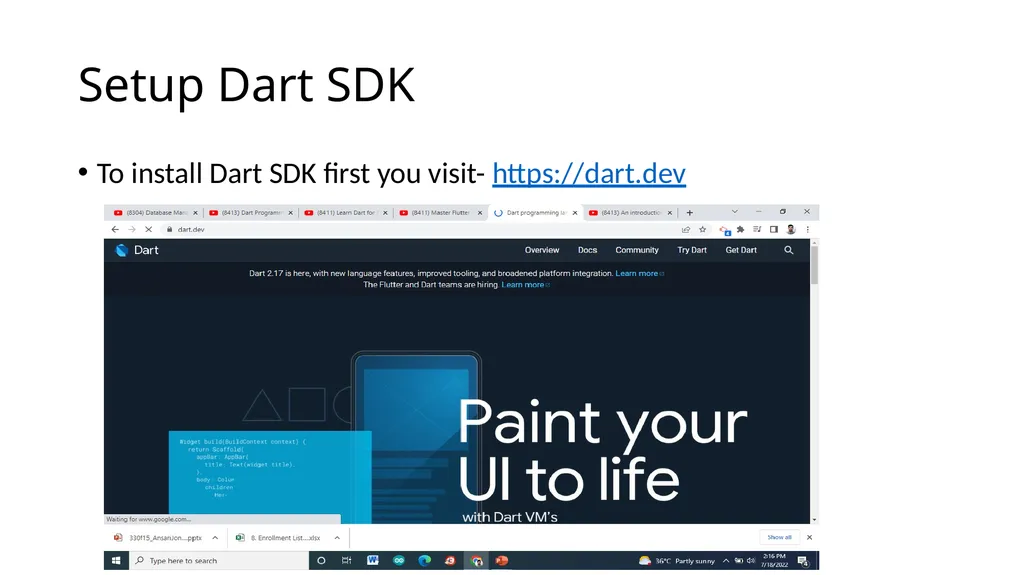
slide4. Setup Dart SDK To install Dart SDK first you visit- https://dart.dev<br>
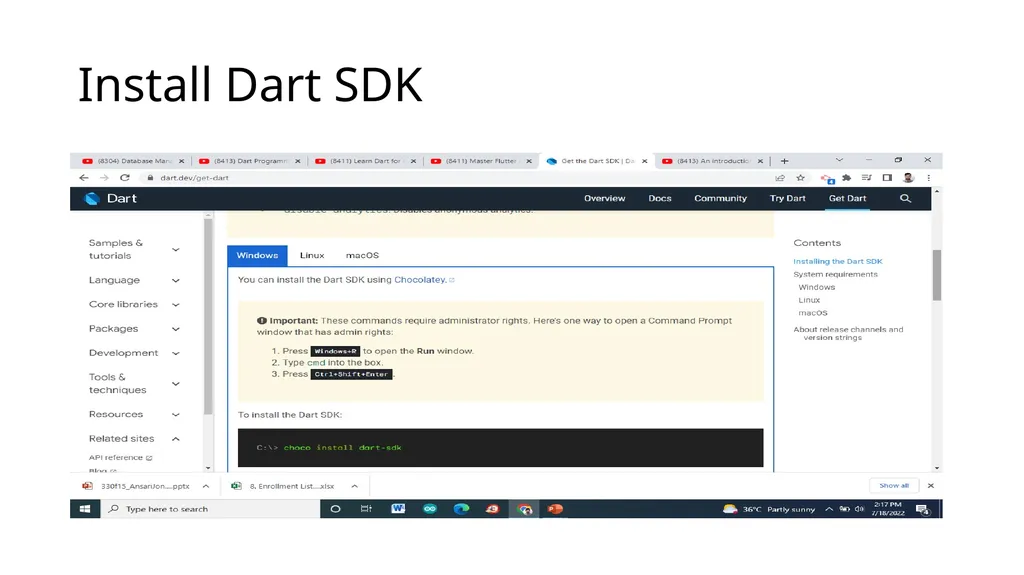
slide5. Install Dart SDK<br>
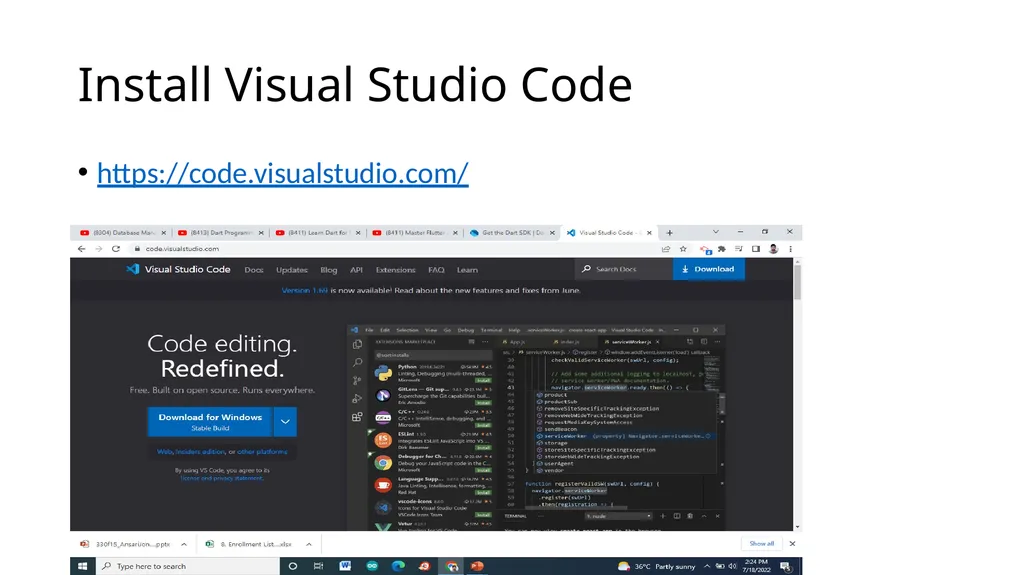
slide6. Install Visual Studio Code https://code.visualstudio.com/<br>
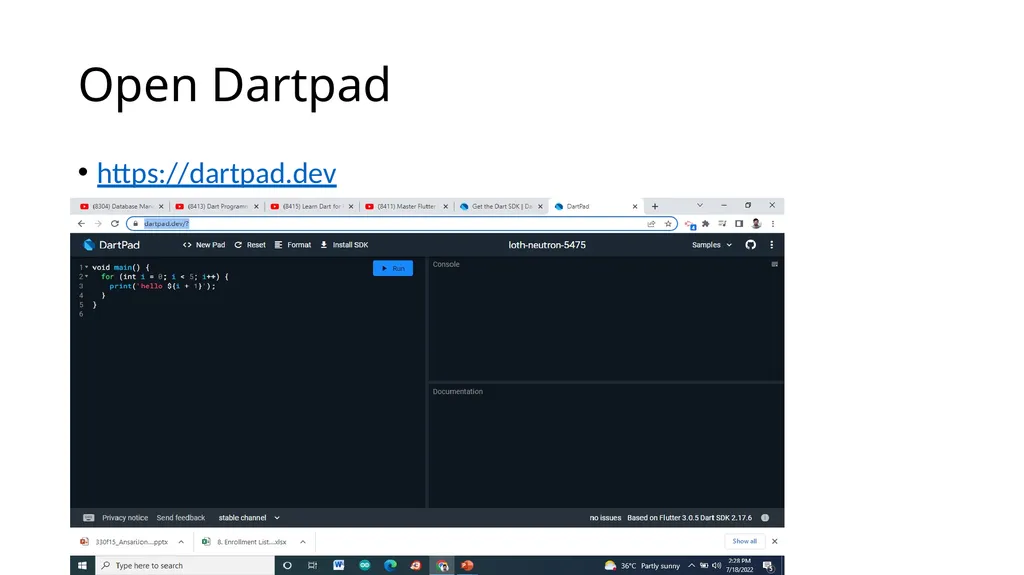
slide7. Open Dartpad https://dartpad.dev<br>
slide8. Fundamentals What is Dart Programming
Dart is a main programming language to develop cross platform mobile application using flutter framework.
Why Dart Programming
Dart has a declarative and programmable layout that is easy to read and visualize. Hence, Flutter doesn't require a separate declarative layout language like XML. It is easy for Flutter to provide advanced tooling since all the layout in one language and in a central place.<br>
slide9. Why is Dart better than Java? Dart is a programming language used by flutter, flutter is used to create cross-platform apps (for android & ios). If your plan is to only create apps for android only you should definitely go with java, it will run and look better in almost every way.<br>
slide10. What is the advantage of Dart? Dart is an interesting programming language with features to facilitate Web, mobile and command line apps. Its major advantages are its stability and ease of learning. In the case of Web applications, the combination with AngularDart makes it a very powerful tool.
Four Reasons
Dart enforces object-oriented programming
Dart compilers are quick and reliable
Dart has a clean and type-safe syntax
Dart has a strong developer community<br>
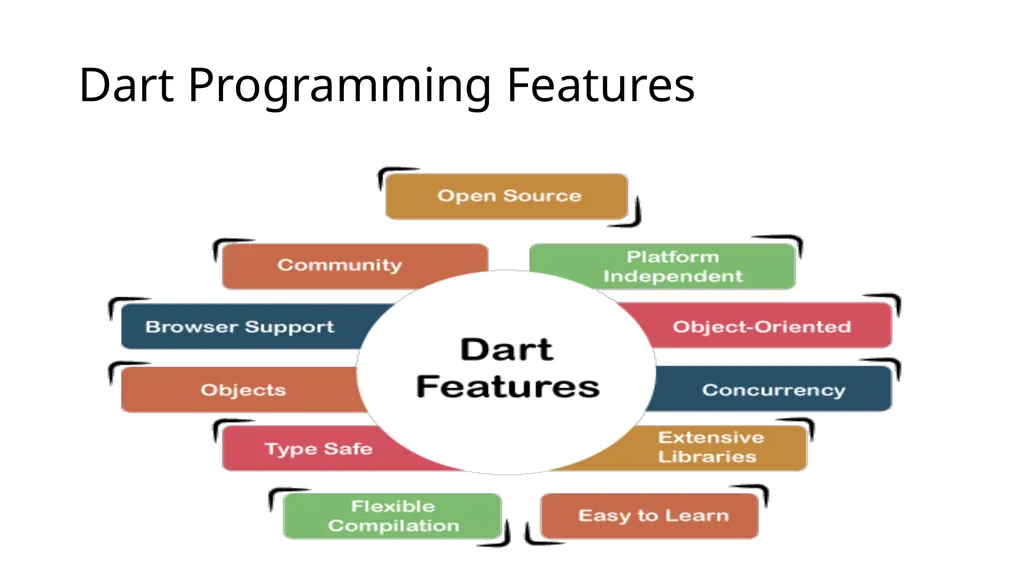
slide11. Dart Programming Features<br>
slide12. Open Source Dart is an open-source programming language, which means it is freely available. It is developed by Google, approved by the ECMA standard, and comes with a BSD license.<br>
slide13. Platform Independent Dart supports all primary operating systems such as Windows, Linux, Macintosh, etc. The Dart has its own Virtual Machine which known as Dart VM, that allows us to run the Dart code in every operating system.<br>
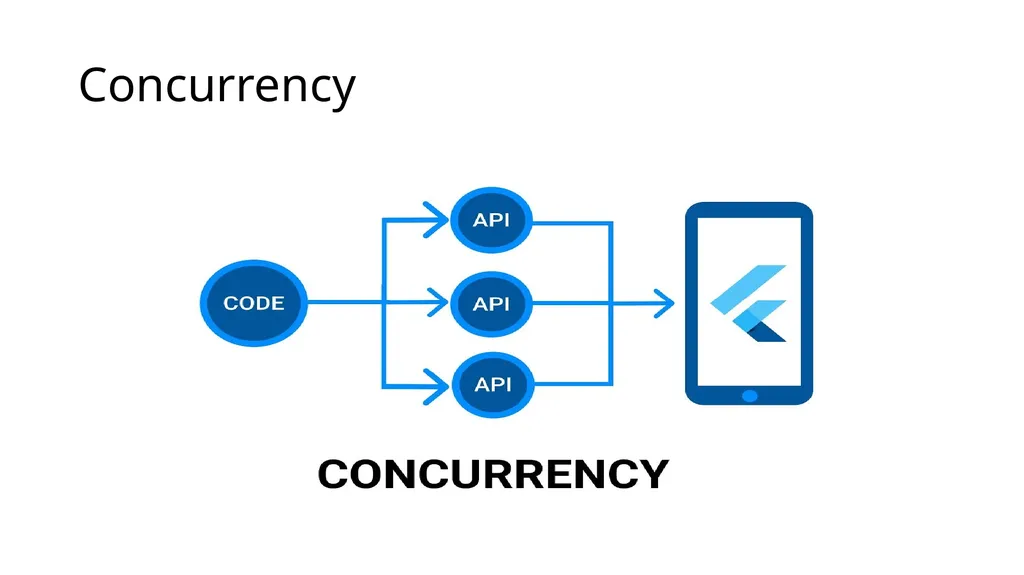
slide14. Concurrency Dart is an asynchronous programming language, which means it supports multithreading using Isolates. The isolates are the independent entities that are related to threads but don't share memory and establish the communication between the processes by the message passing. The message should be serialized to make effective communication. The serialization of the message is done by using a snapshot that is generated by the given object and then transmits to another isolate for desterilizing.<br>
slide15. Concurrency<br>
slide16. Flexible Compilation Dart's flexibility in compilation and execution doesn't stop there. For example, Dart can be compiled into JavaScript so it can be executed by browsers. This allows code reuse between mobile apps and web apps. Developers have reported as high as 70% code reuse between their mobile and web app<br>
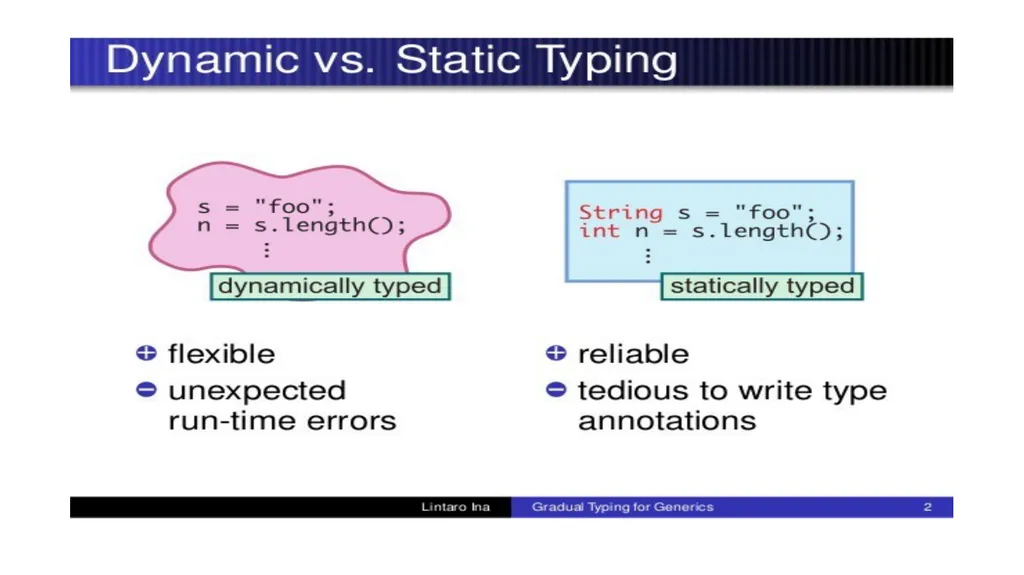
slide17. Type Safe The Dart language is type safe: it uses a combination of static type checking and runtime checks to ensure that a variable's value always matches the variable's static type, sometimes referred to as sound typing. Although types are mandatory, type annotations are optional because of type inference<br>
slide19. Object-Oriented Dart is an object-oriented programming language and supports all oops concepts such as classes, inheritance, interfaces and optional typing features. It also supports advance concepts like mixin, abstract, classes, reified generic, and robust type system.<br>
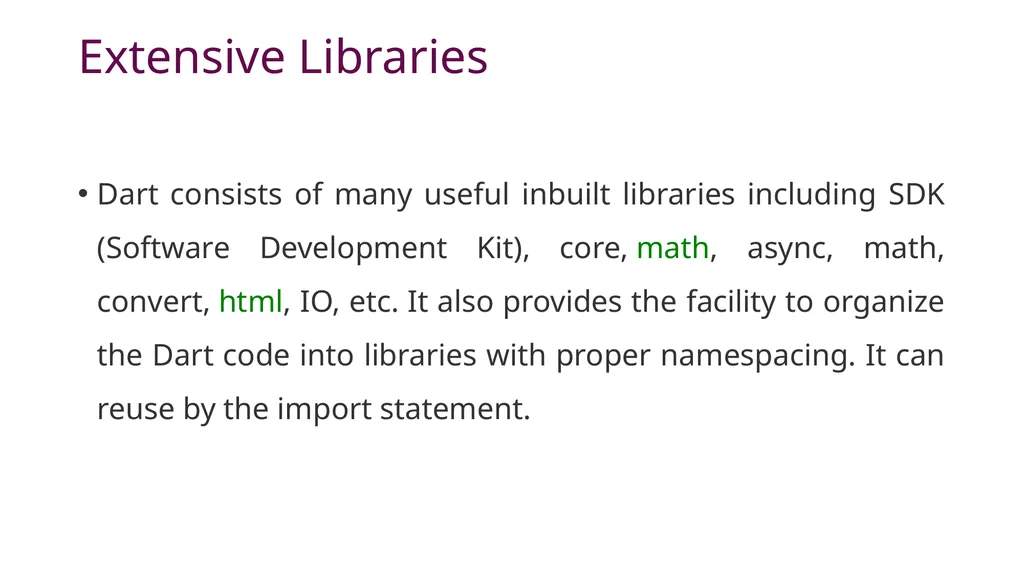
slide20. Extensive Libraries Dart consists of many useful inbuilt libraries including SDK (Software Development Kit), core, math, async, math, convert, html, IO, etc. It also provides the facility to organize the Dart code into libraries with proper namespacing. It can reuse by the import statement.<br>
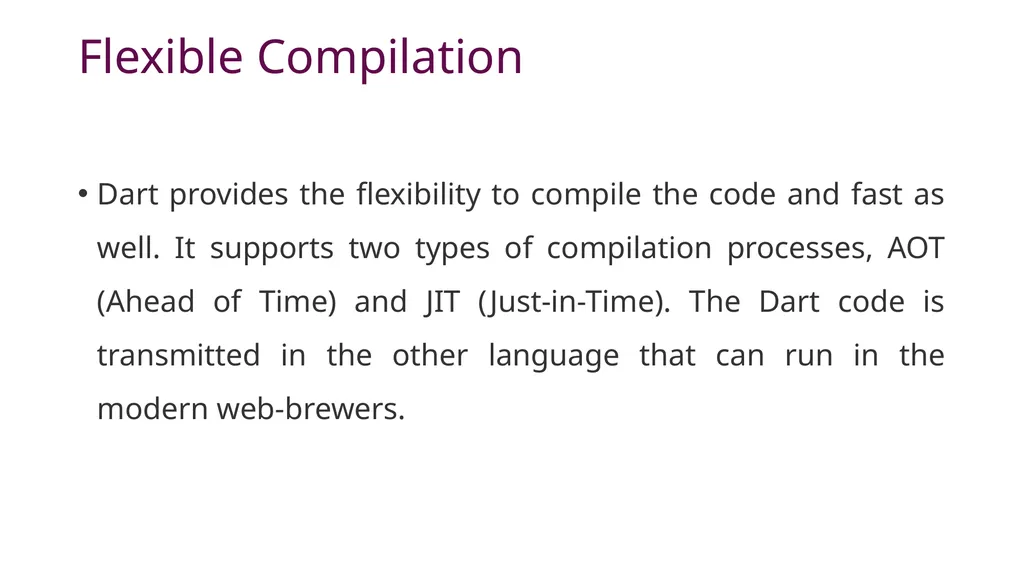
slide21. Flexible Compilation Dart provides the flexibility to compile the code and fast as well. It supports two types of compilation processes, AOT (Ahead of Time) and JIT (Just-in-Time). The Dart code is transmitted in the other language that can run in the modern web-brewers.<br>
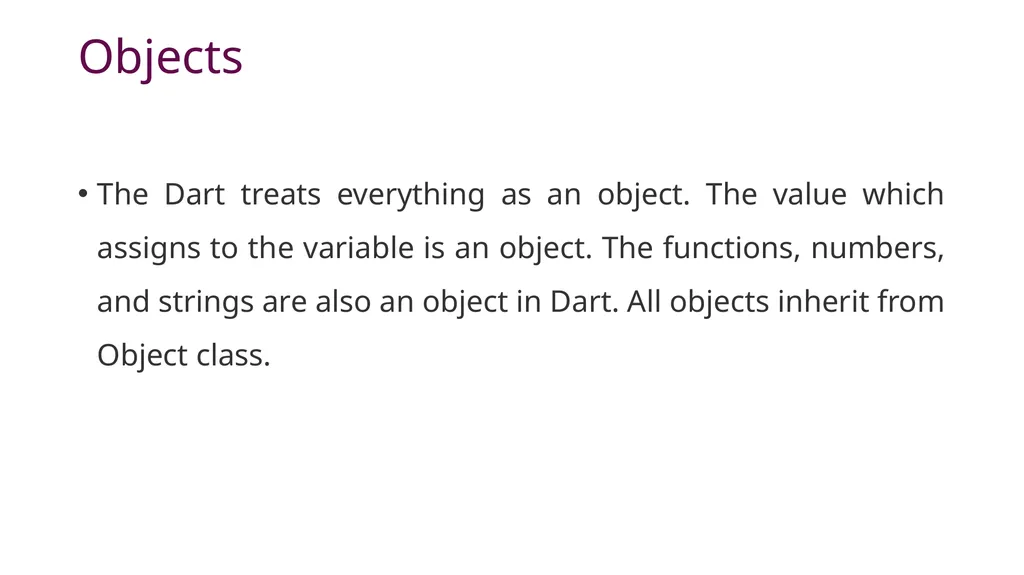
slide22. Objects The Dart treats everything as an object. The value which assigns to the variable is an object. The functions, numbers, and strings are also an object in Dart. All objects inherit from Object class.<br>
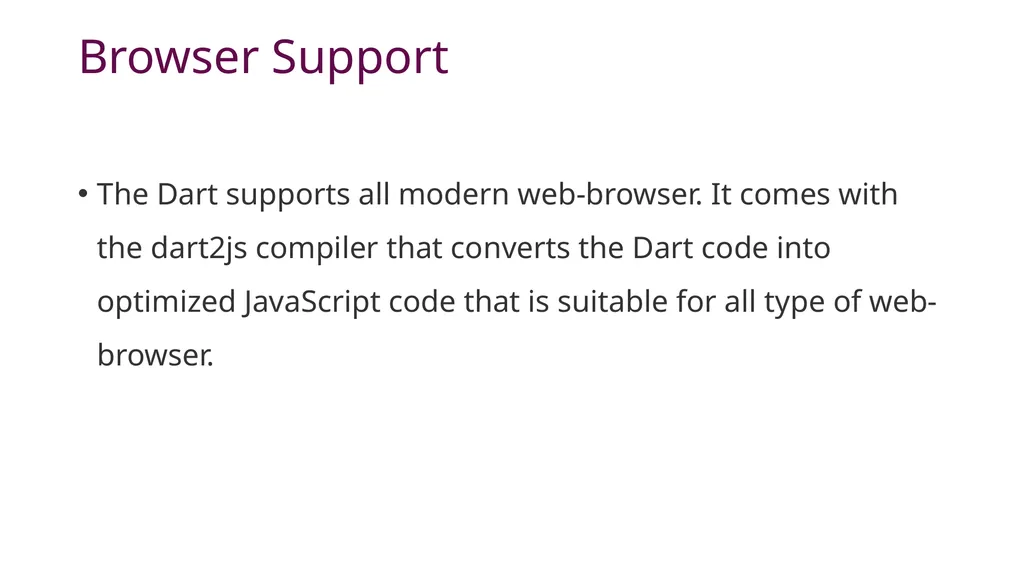
slide23. Browser Support The Dart supports all modern web-browser. It comes with the dart2js compiler that converts the Dart code into optimized JavaScript code that is suitable for all type of web-browser.<br>
slide24. Community Dart has a large community across the world. So if you face problem while coding then it is easy to find help. The dedicated developers' team is working towards enhancing its functionality.<br>
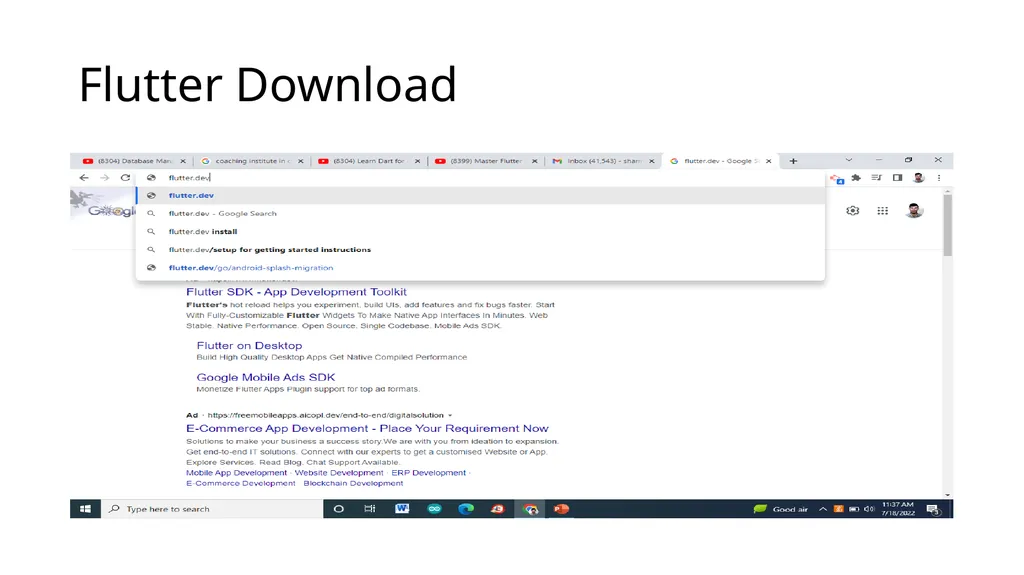
slide25. Flutter Download<br>
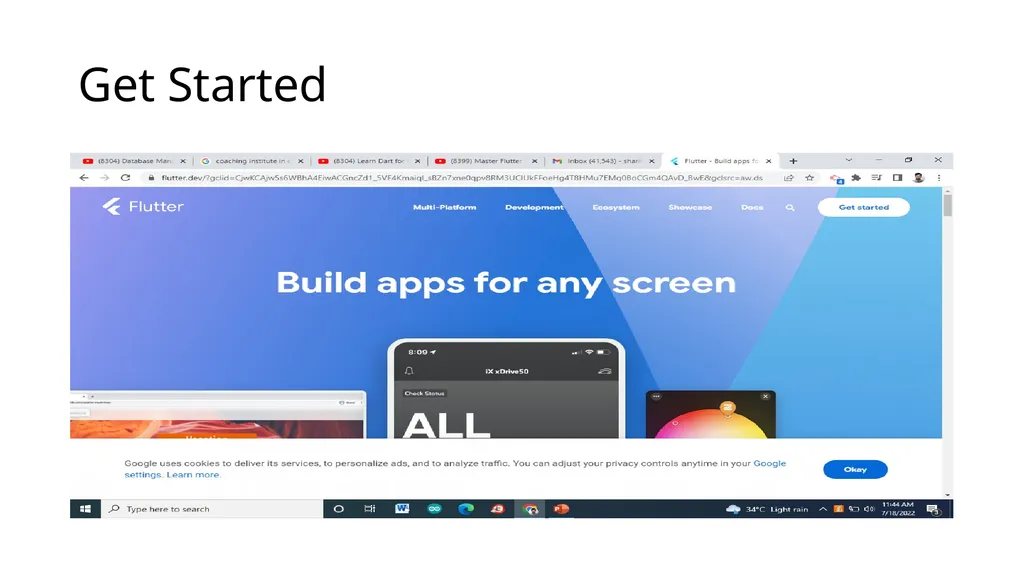
slide26. Get Started<br>
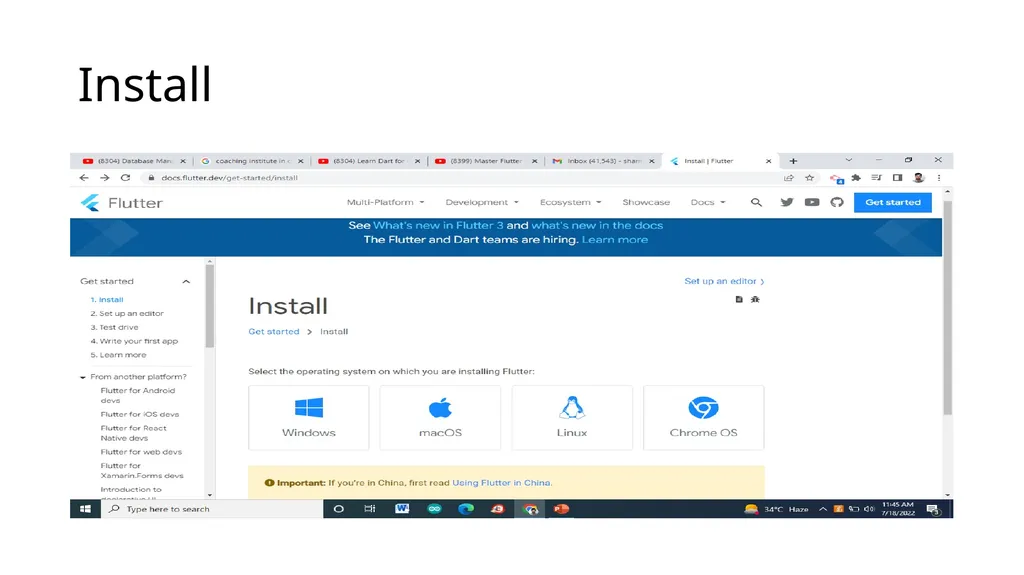
slide27. Install<br>
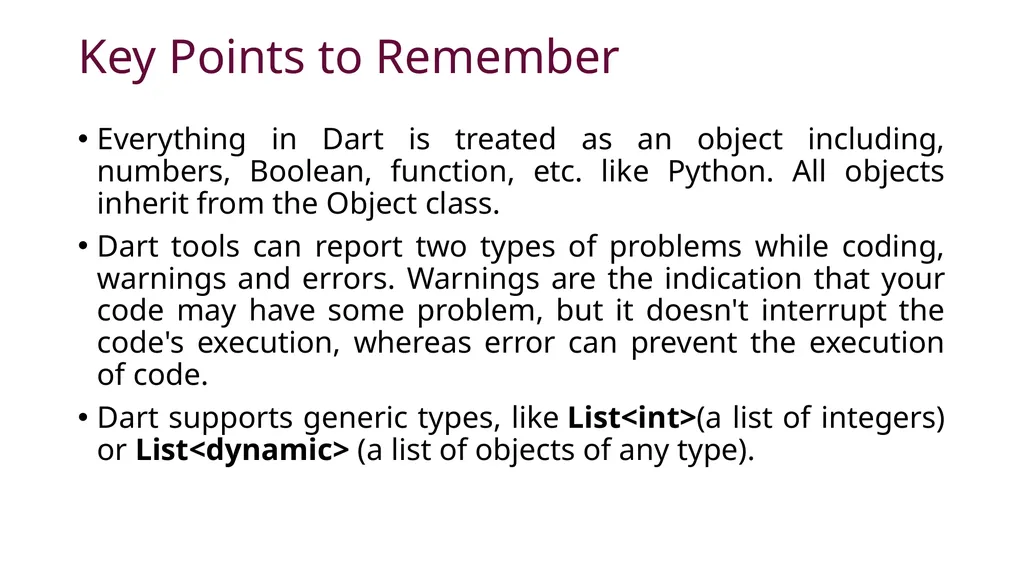
slide28. Key Points to Remember Everything in Dart is treated as an object including, numbers, Boolean, function, etc. like Python. All objects inherit from the Object class.
Dart tools can report two types of problems while coding, warnings and errors. Warnings are the indication that your code may have some problem, but it doesn't interrupt the code's execution, whereas error can prevent the execution of code.
Dart supports generic types, like List<int>(a list of integers) or List<dynamic> (a list of objects of any type).<br>
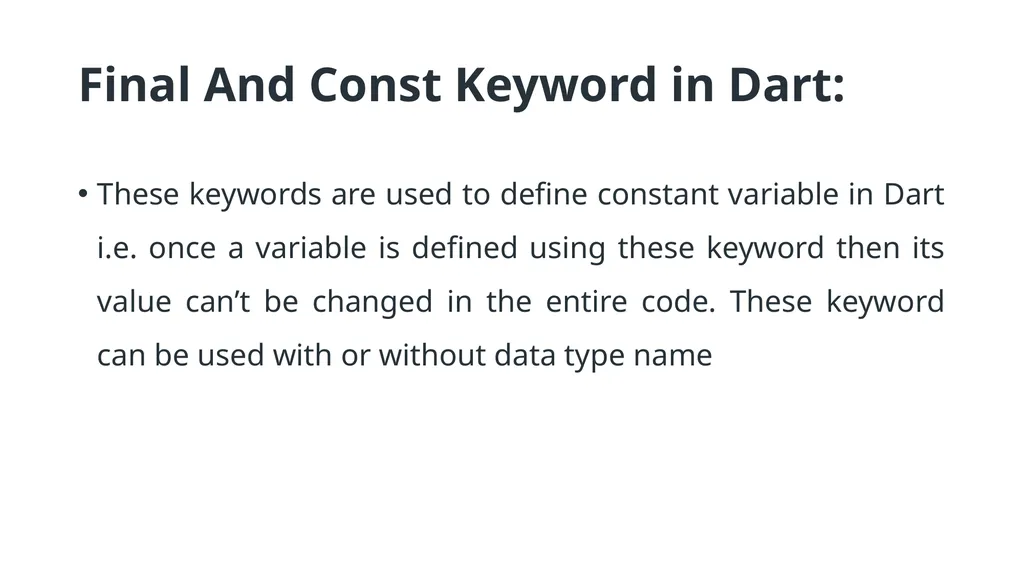
slide29. Final And Const Keyword in Dart: These keywords are used to define constant variable in Dart i.e. once a variable is defined using these keyword then its value can’t be changed in the entire code. These keyword can be used with or without data type name<br>
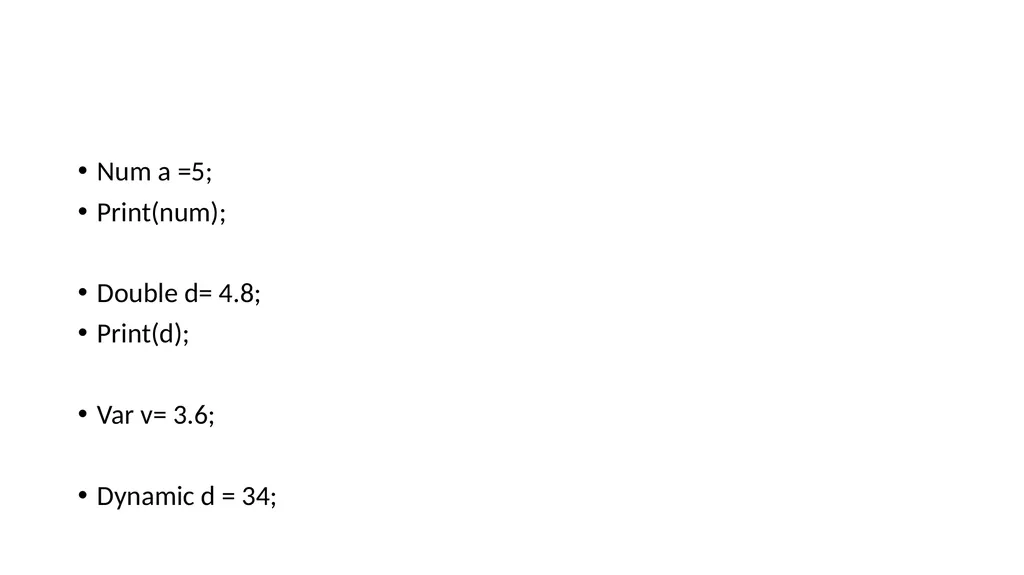
slide30. Num a =5;
Print(num);
Double d= 4.8;
Print(d);
Var v= 3.6;
Dynamic d = 34;<br>
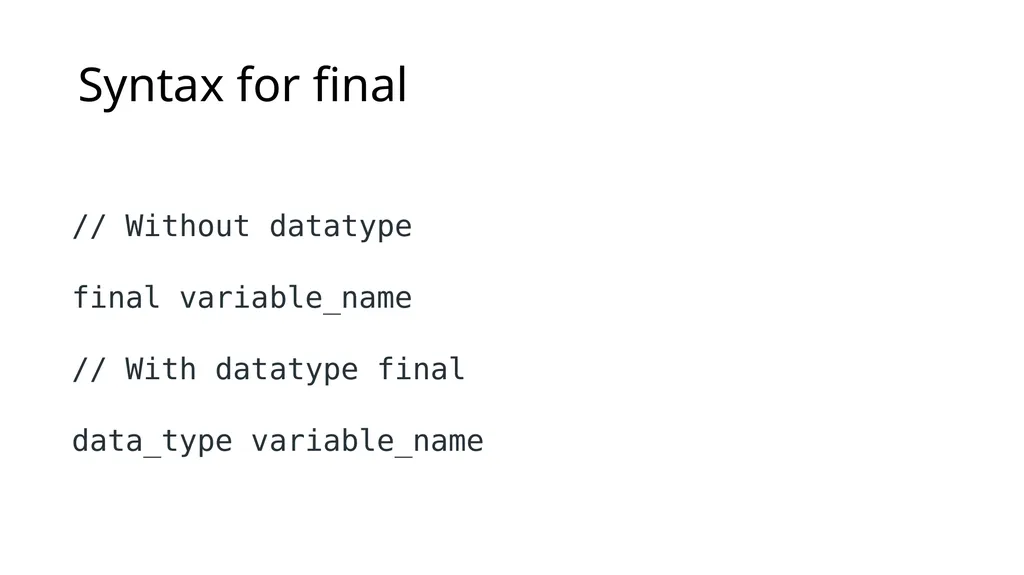
slide31. Syntax for final // Without datatype
final variable_name
// With datatype final
data_type variable_name<br>
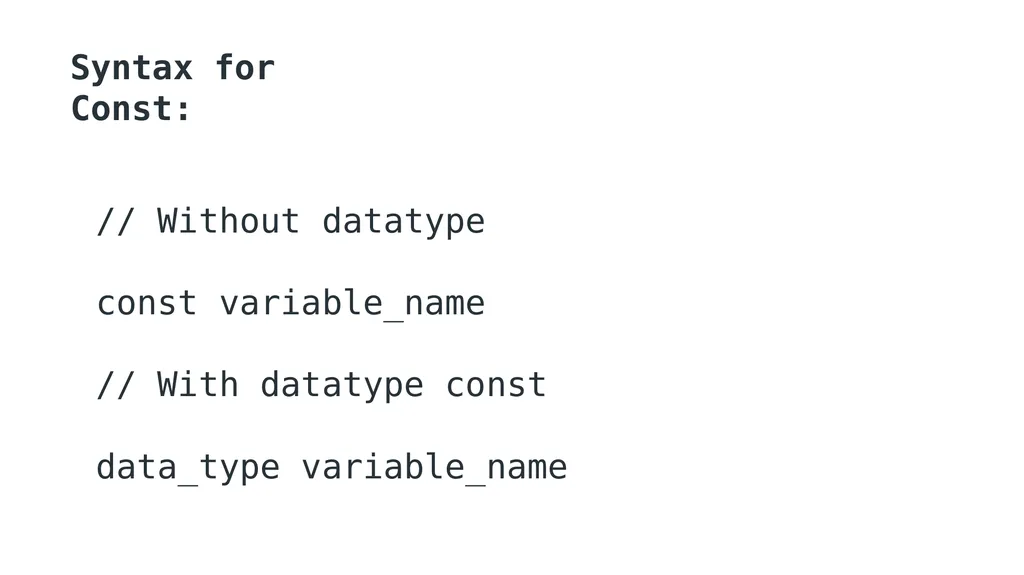
slide32. Syntax for Const: // Without datatype
const variable_name
// With datatype const
data_type variable_name<br>
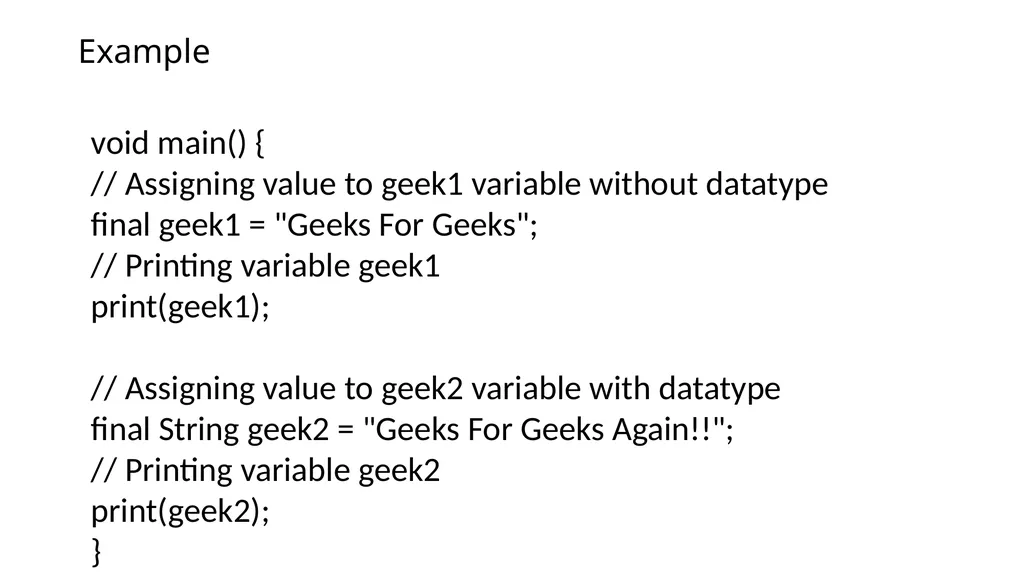
slide33. Example void main() {
// Assigning value to geek1 variable without datatype
final geek1 = "Geeks For Geeks";
// Printing variable geek1
print(geek1);
// Assigning value to geek2 variable with datatype
final String geek2 = "Geeks For Geeks Again!!";
// Printing variable geek2
print(geek2);
}<br>
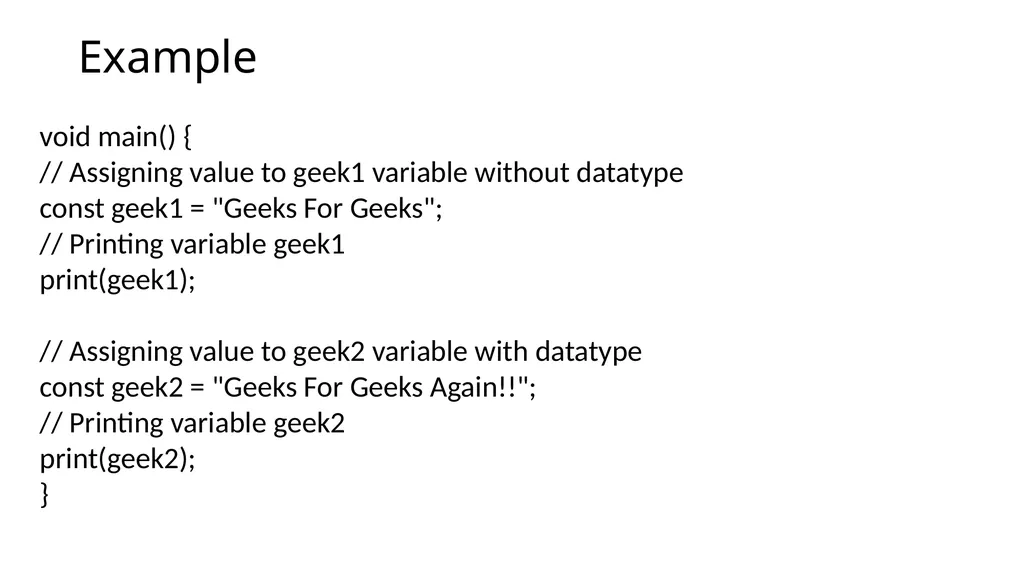
slide34. Example void main() {
// Assigning value to geek1 variable without datatype
const geek1 = "Geeks For Geeks";
// Printing variable geek1
print(geek1);
// Assigning value to geek2 variable with datatype
const geek2 = "Geeks For Geeks Again!!";
// Printing variable geek2
print(geek2);
}<br>
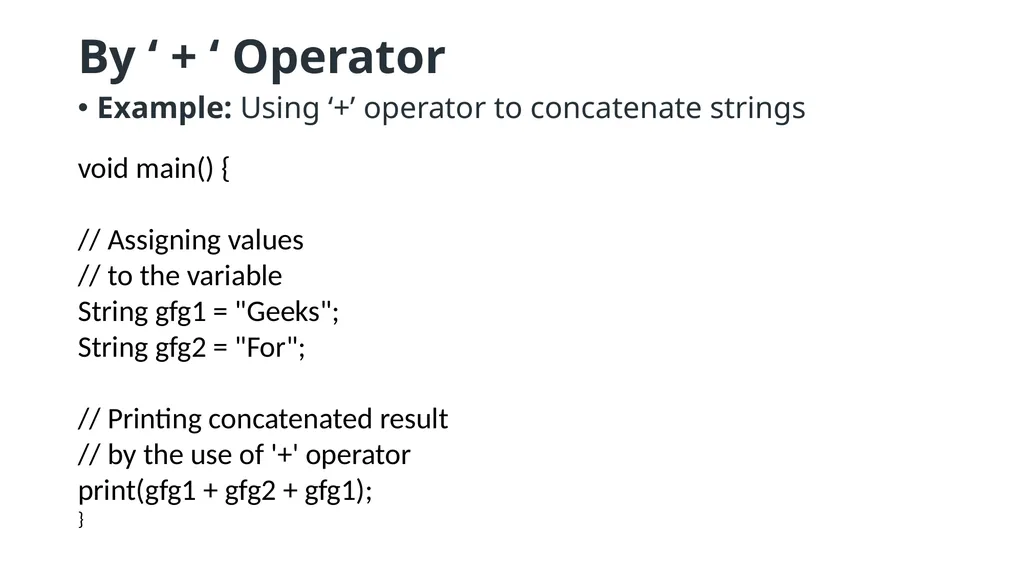
slide35. By ‘ + ‘ Operator Example: Using ‘+’ operator to concatenate strings void main() {
// Assigning values
// to the variable
String gfg1 = "Geeks";
String gfg2 = "For";
// Printing concatenated result
// by the use of '+' operator
print(gfg1 + gfg2 + gfg1);
}<br>
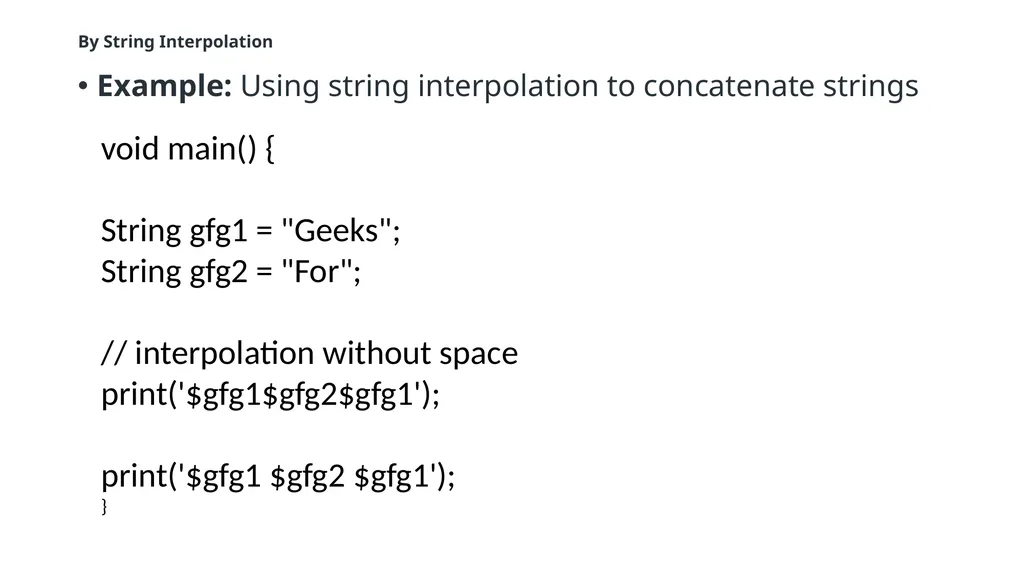
slide36. By String Interpolation Example: Using string interpolation to concatenate strings void main() {
String gfg1 = "Geeks";
String gfg2 = "For";
// interpolation without space
print('$gfg1$gfg2$gfg1');
print('$gfg1 $gfg2 $gfg1');
}<br>
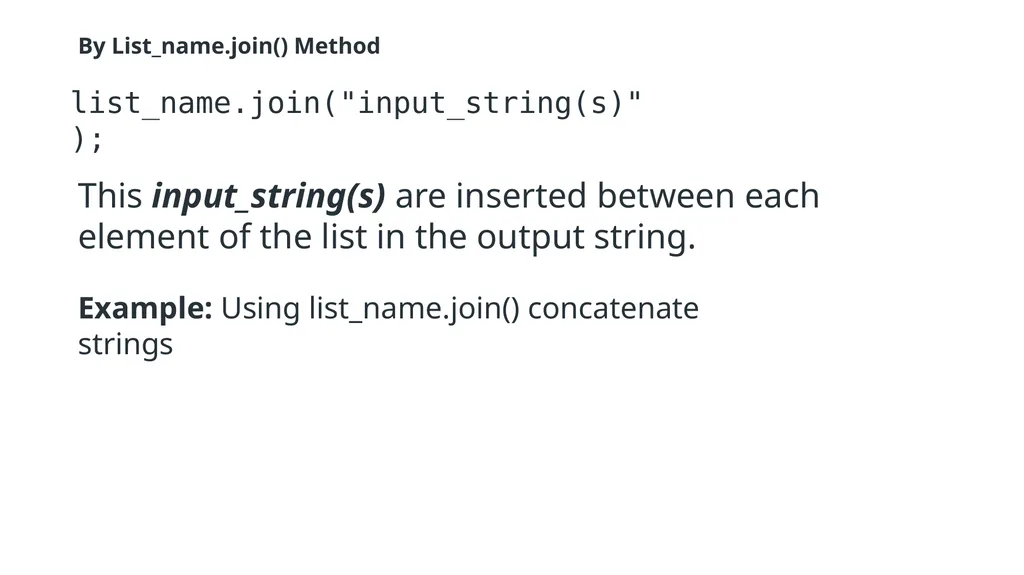
slide37. By List_name.join() Method list_name.join("input_string(s)"); This input_string(s) are inserted between each element of the list in the output string. Example: Using list_name.join() concatenate strings<br>
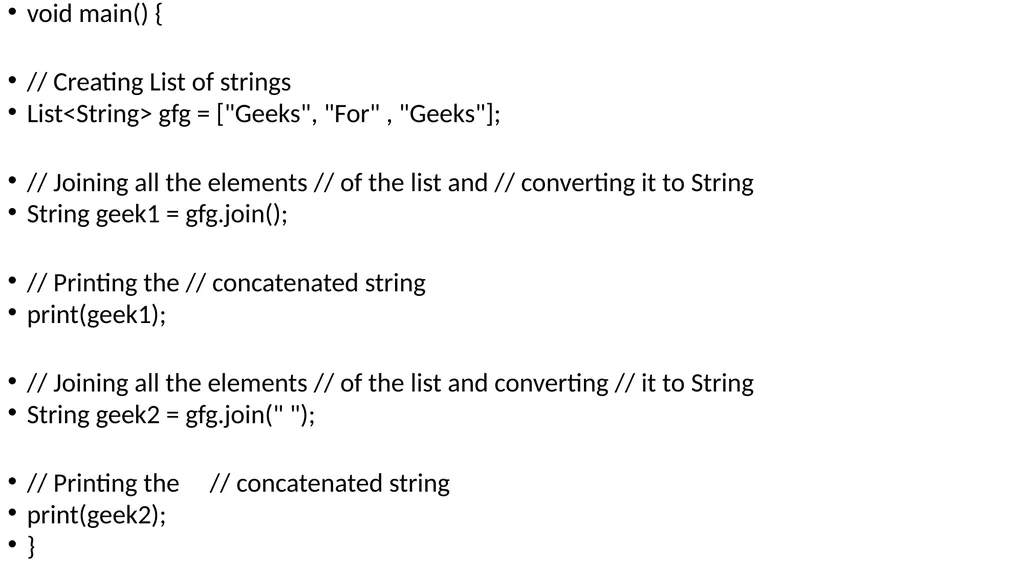
slide38. void main() {
// Creating List of strings
List<String> gfg = ["Geeks", "For" , "Geeks"];
// Joining all the elements // of the list and // converting it to String
String geek1 = gfg.join();
// Printing the // concatenated string
print(geek1);
// Joining all the elements // of the list and converting // it to String
String geek2 = gfg.join(" ");
// Printing the // concatenated string
print(geek2);
}<br>
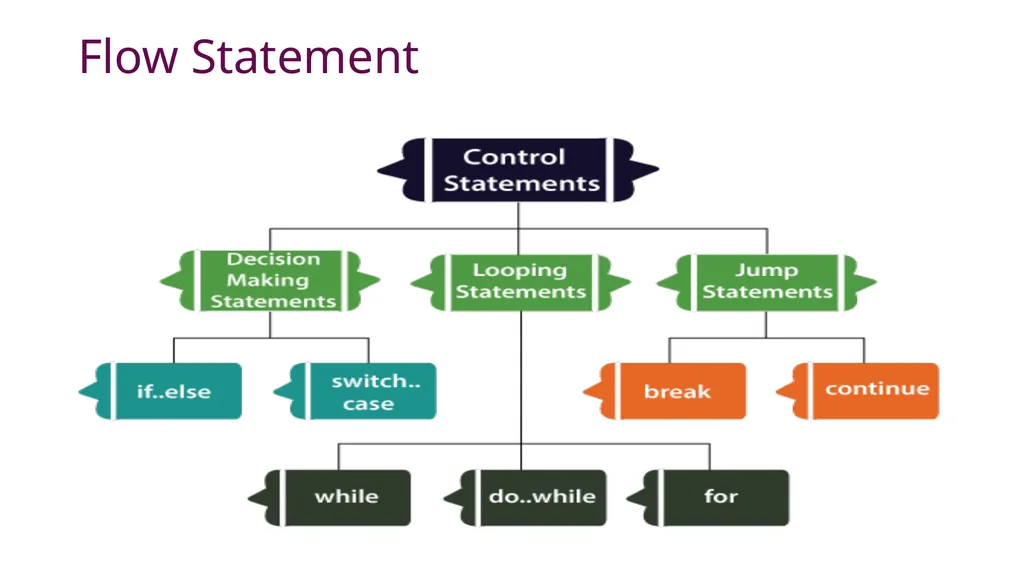
slide39. Flow Statement Decision-making statements
Looping statements
Jump statements<br>
slide40. Flow Statement<br>
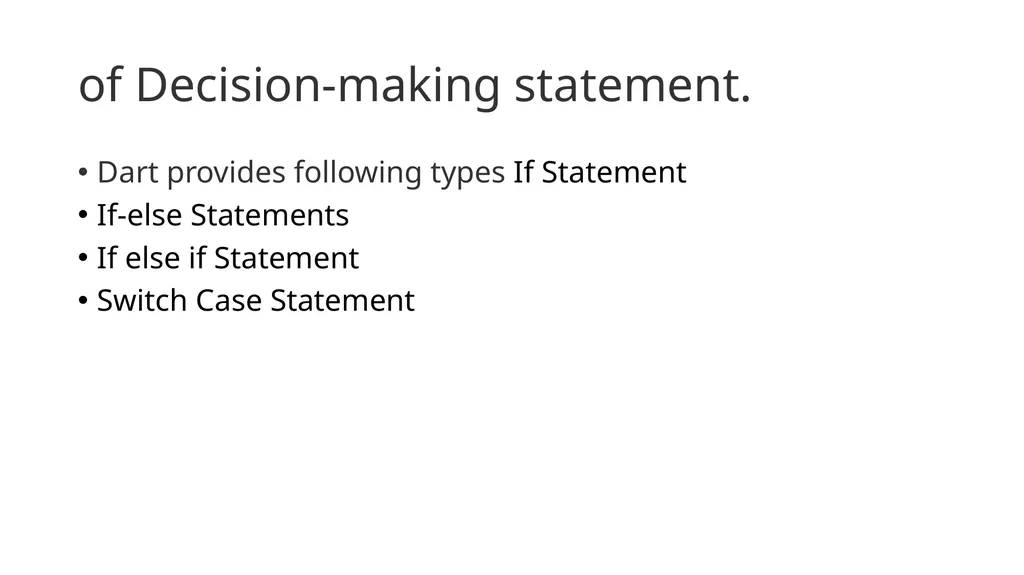
slide41. of Decision-making statement. Dart provides following types If Statement
If-else Statements
If else if Statement
Switch Case Statement<br>
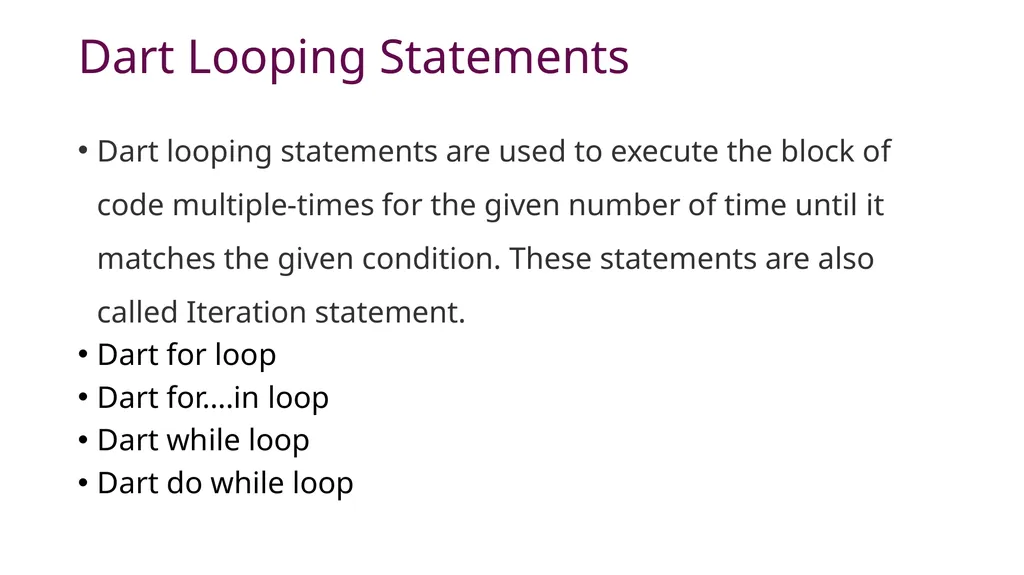
slide42. Dart Looping Statements Dart looping statements are used to execute the block of code multiple-times for the given number of time until it matches the given condition. These statements are also called Iteration statement.
Dart for loop
Dart for….in loop
Dart while loop
Dart do while loop<br>
slide43. Jump Statements Dart Break Statement
Dart Continue Statement<br>
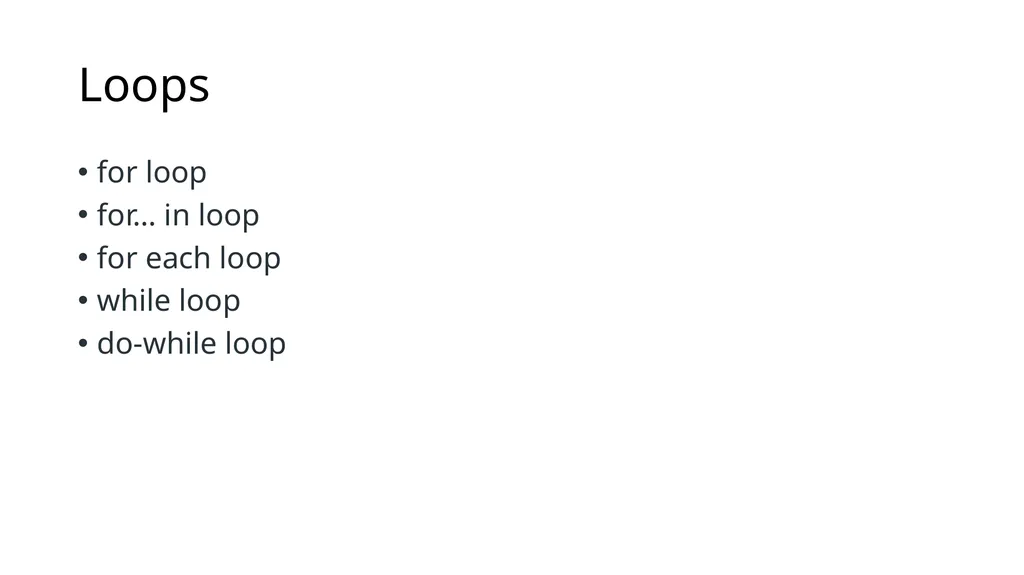
slide44. Loops for loop
for… in loop
for each loop
while loop
do-while loop<br>
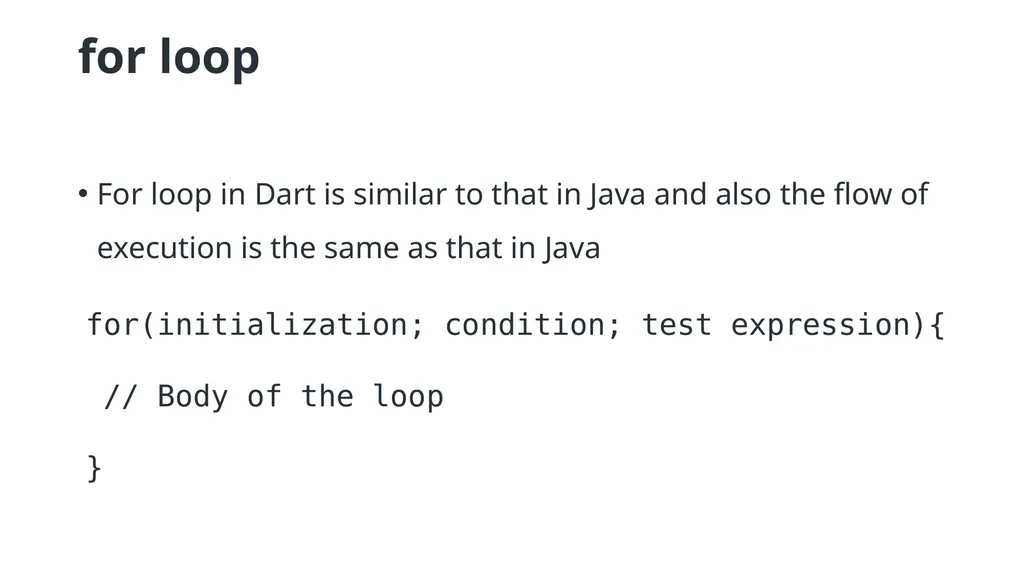
slide45. for loop For loop in Dart is similar to that in Java and also the flow of execution is the same as that in Java for(initialization; condition; test expression){
// Body of the loop
}<br>
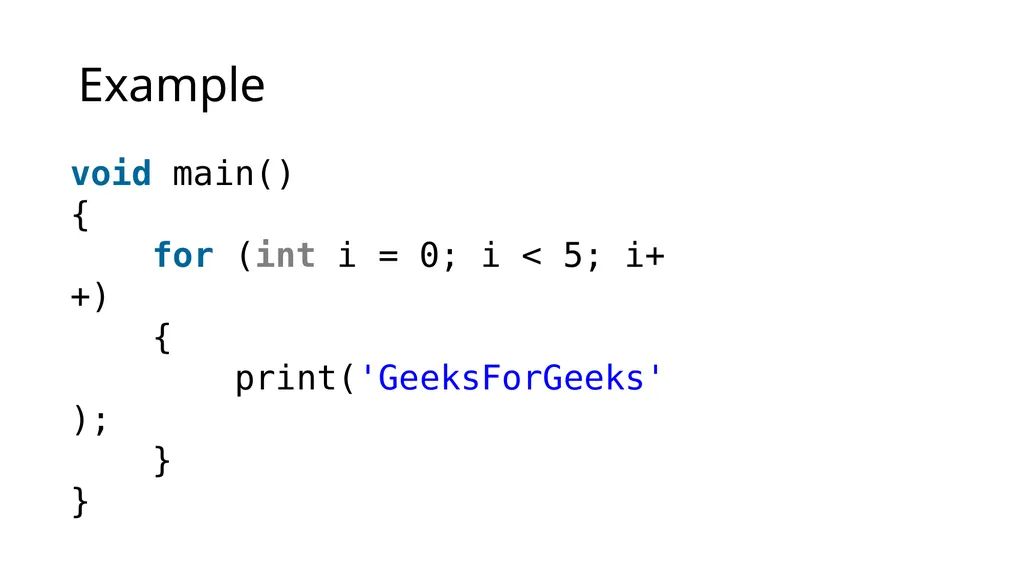
slide46. Example void main()
{
for (int i = 0; i < 5; i++)
{
print('GeeksForGeeks');
}
}<br>
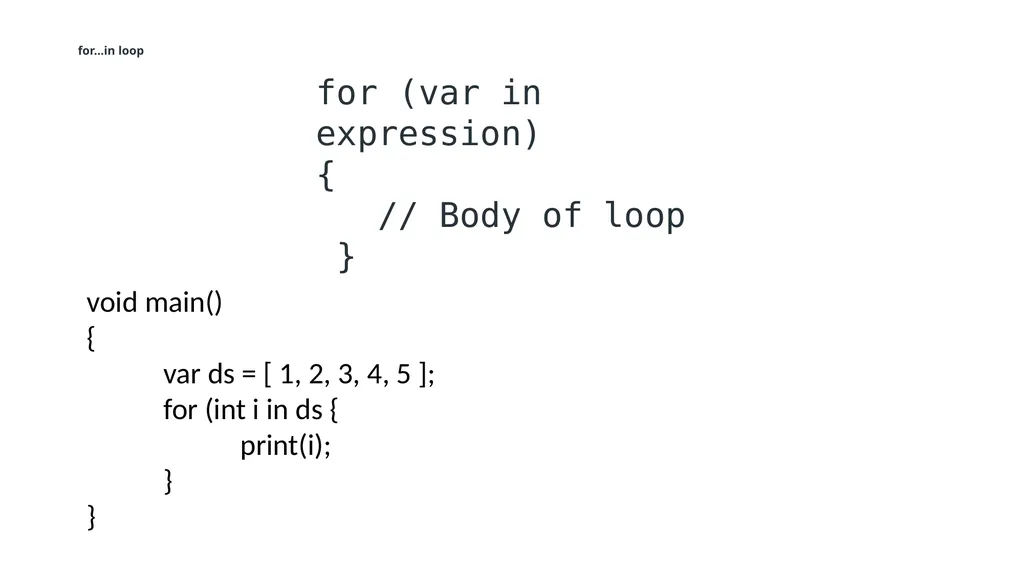
slide47. for…in loop for (var in expression)
{
// Body of loop
} void main()
{
var ds = [ 1, 2, 3, 4, 5 ];
for (int i in ds {
print(i);
}
}<br>
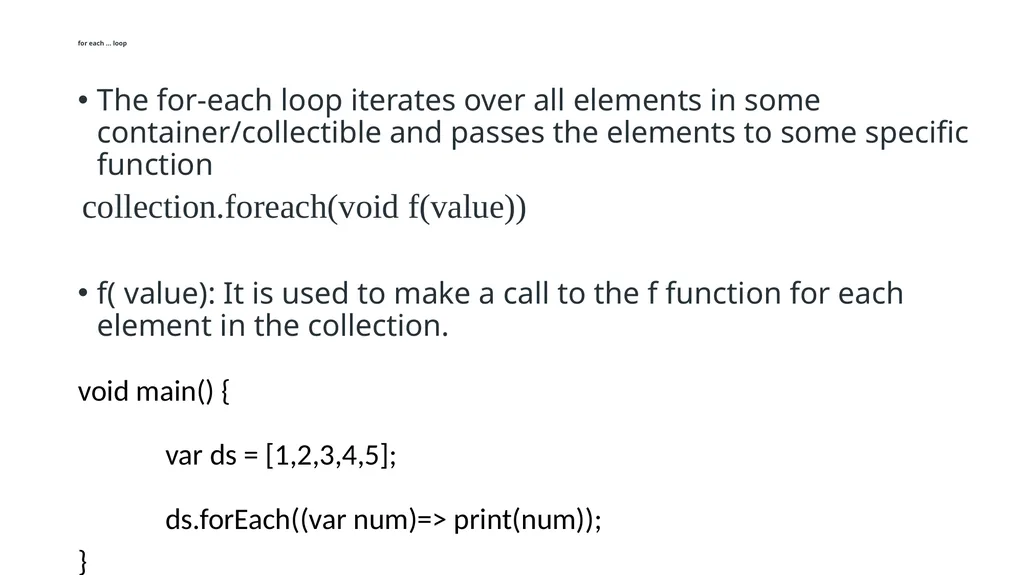
slide48. for each … loop The for-each loop iterates over all elements in some container/collectible and passes the elements to some specific function
f( value): It is used to make a call to the f function for each element in the collection.
void main() {
var ds = [1,2,3,4,5];
ds.forEach((var num)=> print(num));
} collection.foreach(void f(value))<br>
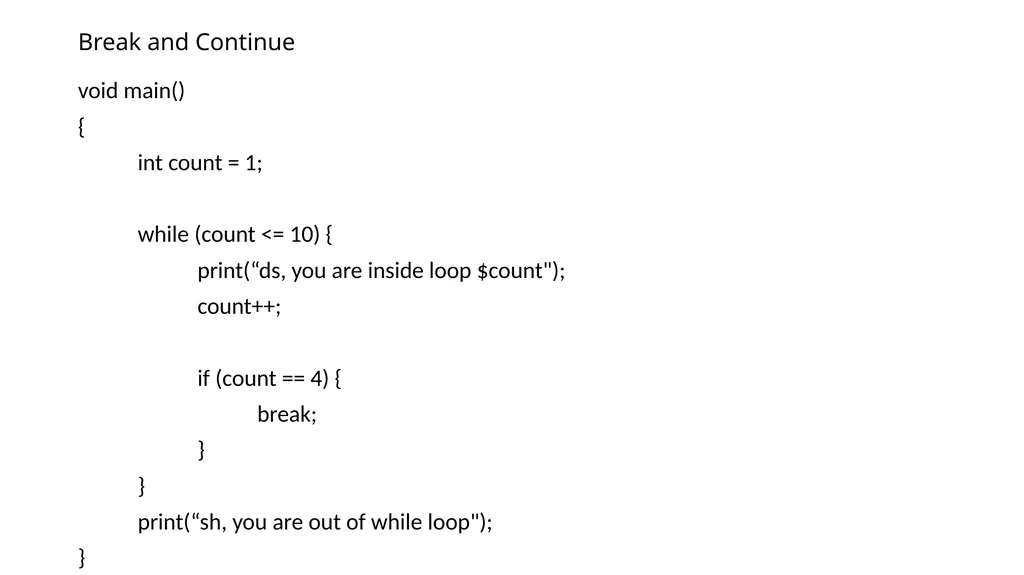
slide49. Break and Continue void main()
{
int count = 1;
while (count <= 10) {
print(“ds, you are inside loop $count");
count++;
if (count == 4) {
break;
}
}
print(“sh, you are out of while loop");
}<br>
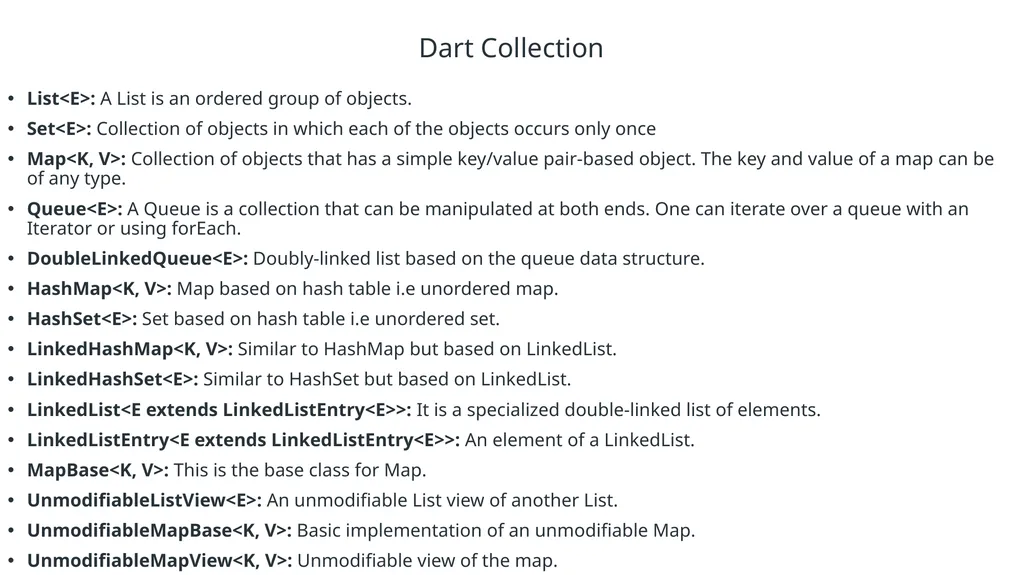
slide50. Dart Collection List<E>: A List is an ordered group of objects.
Set<E>: Collection of objects in which each of the objects occurs only once
Map<K, V>: Collection of objects that has a simple key/value pair-based object. The key and value of a map can be of any type.
Queue<E>: A Queue is a collection that can be manipulated at both ends. One can iterate over a queue with an Iterator or using forEach.
DoubleLinkedQueue<E>: Doubly-linked list based on the queue data structure.
HashMap<K, V>: Map based on hash table i.e unordered map.
HashSet<E>: Set based on hash table i.e unordered set.
LinkedHashMap<K, V>: Similar to HashMap but based on LinkedList.
LinkedHashSet<E>: Similar to HashSet but based on LinkedList.
LinkedList<E extends LinkedListEntry<E>>: It is a specialized double-linked list of elements.
LinkedListEntry<E extends LinkedListEntry<E>>: An element of a LinkedList.
MapBase<K, V>: This is the base class for Map.
UnmodifiableListView<E>: An unmodifiable List view of another List.
UnmodifiableMapBase<K, V>: Basic implementation of an unmodifiable Map.
UnmodifiableMapView<K, V>: Unmodifiable view of the map.<br>
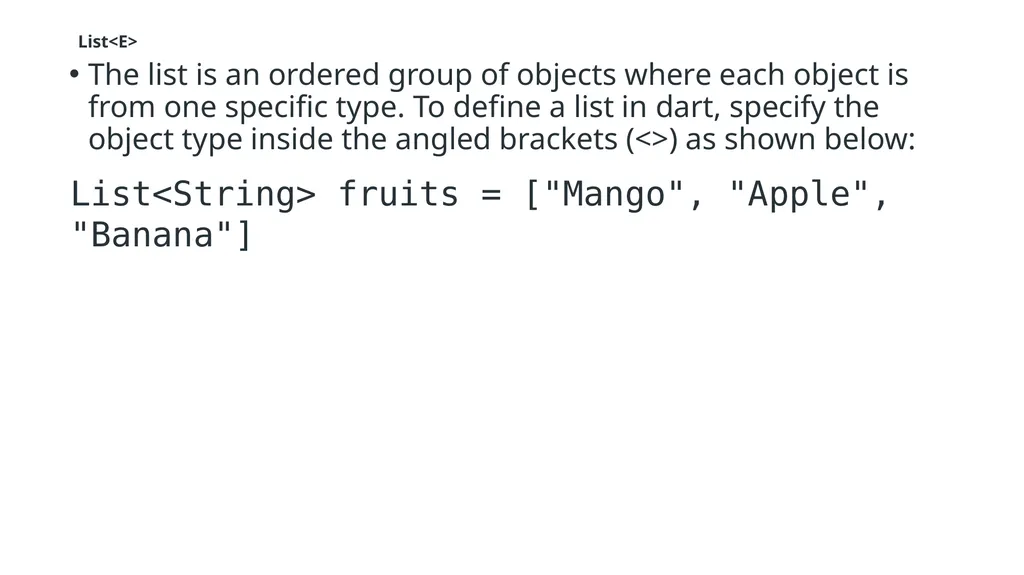
slide51. List<E> The list is an ordered group of objects where each object is from one specific type. To define a list in dart, specify the object type inside the angled brackets (<>) as shown below: List<String> fruits = ["Mango", "Apple", "Banana"]<br>
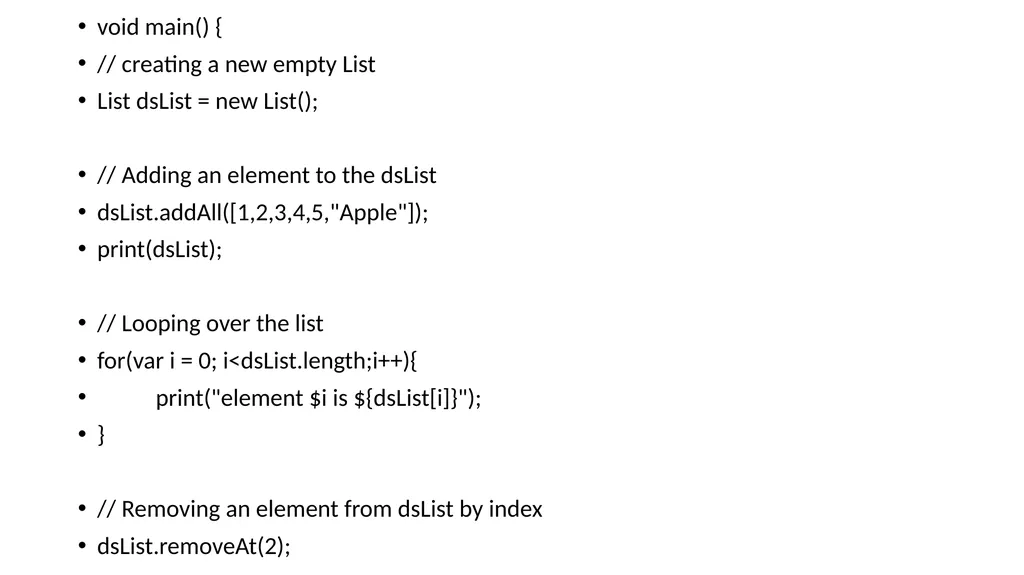
slide52. void main() {
// creating a new empty List
List dsList = new List();
// Adding an element to the dsList
dsList.addAll([1,2,3,4,5,"Apple"]);
print(dsList);
// Looping over the list
for(var i = 0; i<dsList.length;i++){
print("element $i is ${dsList[i]}");
}
// Removing an element from dsList by index
dsList.removeAt(2);<br>
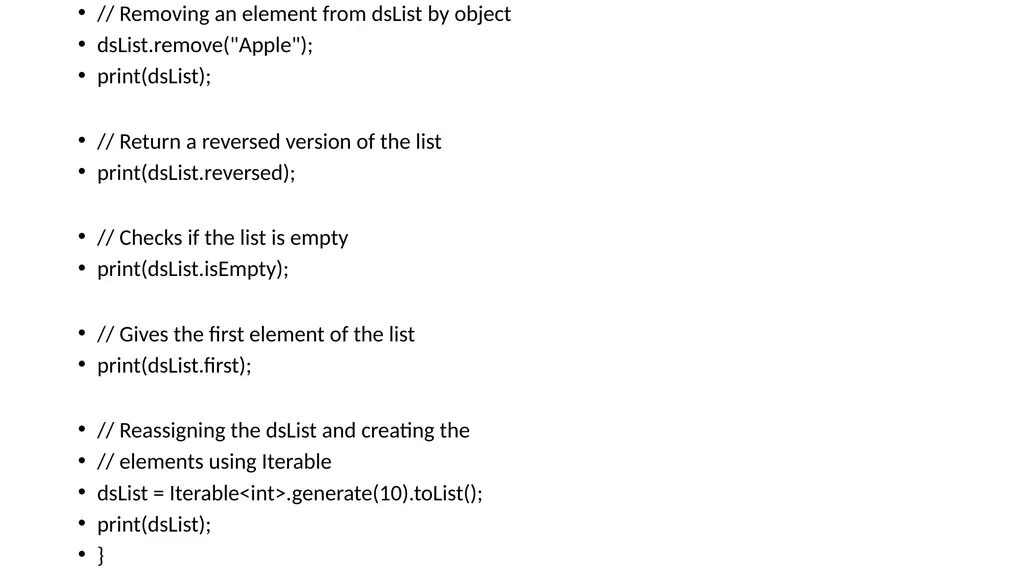
slide53. // Removing an element from dsList by object
dsList.remove("Apple");
print(dsList);
// Return a reversed version of the list
print(dsList.reversed);
// Checks if the list is empty
print(dsList.isEmpty);
// Gives the first element of the list
print(dsList.first);
// Reassigning the dsList and creating the
// elements using Iterable
dsList = Iterable<int>.generate(10).toList();
print(dsList);
}<br>
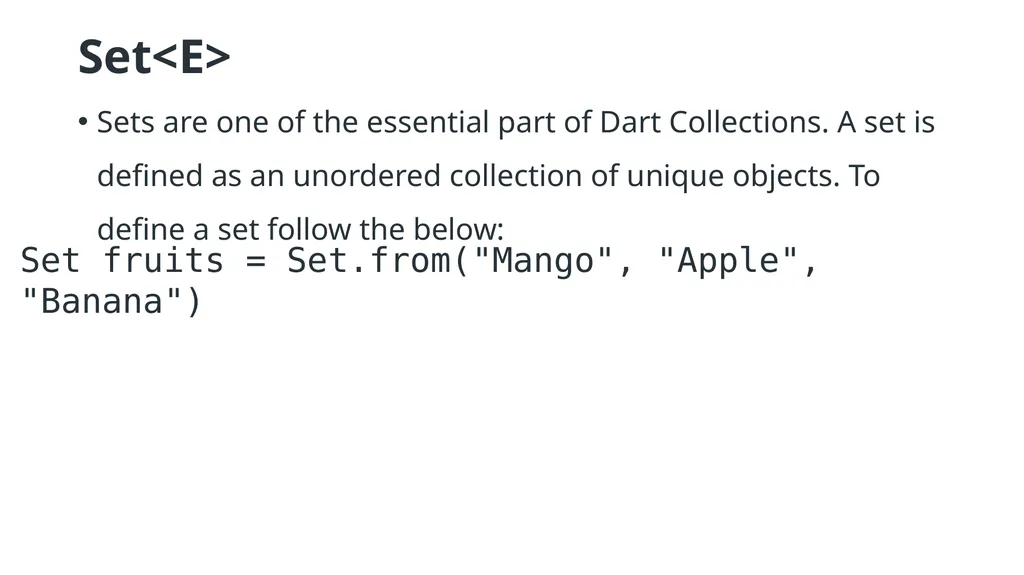
slide54. Set<E> Sets are one of the essential part of Dart Collections. A set is defined as an unordered collection of unique objects. To define a set follow the below: Set fruits = Set.from("Mango", "Apple", "Banana")<br>
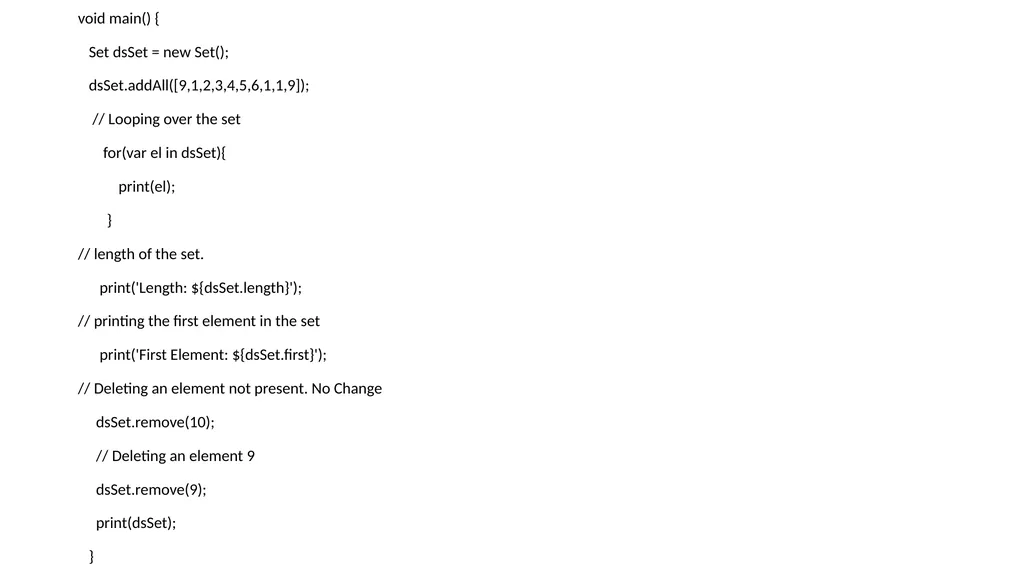
slide55. void main() {
Set dsSet = new Set();
dsSet.addAll([9,1,2,3,4,5,6,1,1,9]);
// Looping over the set
for(var el in dsSet){
print(el);
}
// length of the set.
print('Length: ${dsSet.length}');
// printing the first element in the set
print('First Element: ${dsSet.first}');
// Deleting an element not present. No Change
dsSet.remove(10);
// Deleting an element 9
dsSet.remove(9);
print(dsSet);
}<br>
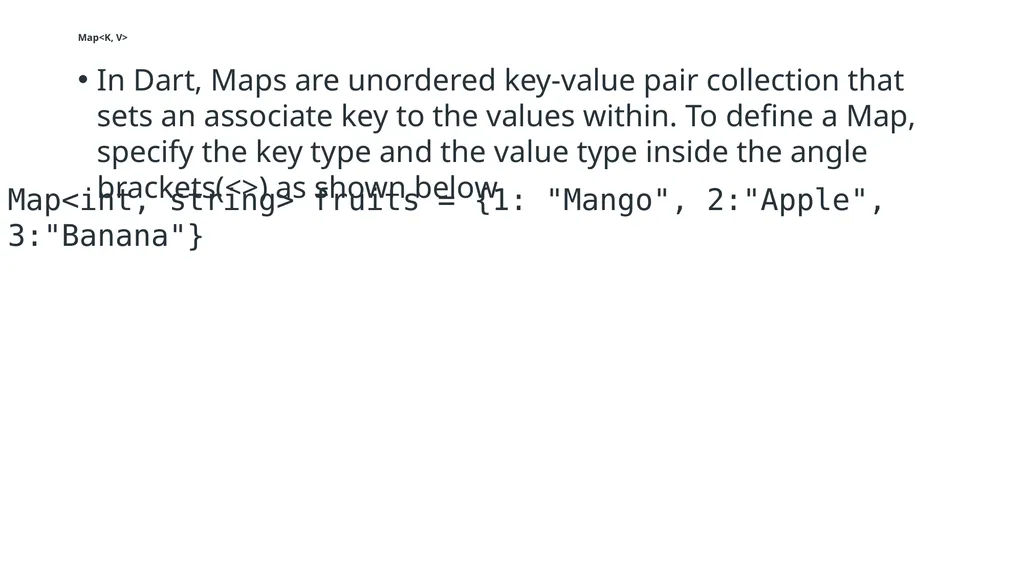
slide56. Map<K, V> In Dart, Maps are unordered key-value pair collection that sets an associate key to the values within. To define a Map, specify the key type and the value type inside the angle brackets(<>) as shown below Map<int, string> fruits = {1: "Mango", 2:"Apple", 3:"Banana"}<br>
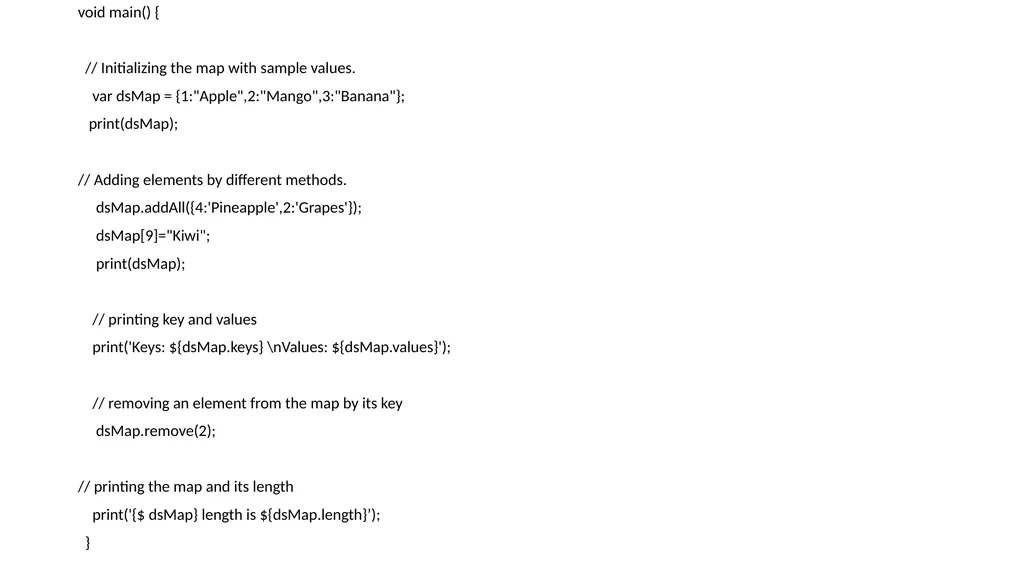
slide57. void main() {
// Initializing the map with sample values.
var dsMap = {1:"Apple",2:"Mango",3:"Banana"};
print(dsMap);
// Adding elements by different methods.
dsMap.addAll({4:'Pineapple',2:'Grapes'});
dsMap[9]="Kiwi";
print(dsMap);
// printing key and values
print('Keys: ${dsMap.keys} \nValues: ${dsMap.values}');
// removing an element from the map by its key
dsMap.remove(2);
// printing the map and its length
print('{$ dsMap} length is ${dsMap.length}’);
}<br>
slide2. DART PROGRAMMING<br>
slide3. Contents Setup
Fundamentals
Data Types
String
Type Conversion
Constant
Null
Operators
Loops
Collection [List, Set, Map]
Function
Class
Exception Handling<br>
slide4. Setup Dart SDK To install Dart SDK first you visit- https://dart.dev<br>
slide5. Install Dart SDK<br>
slide6. Install Visual Studio Code https://code.visualstudio.com/<br>
slide7. Open Dartpad https://dartpad.dev<br>
slide8. Fundamentals What is Dart Programming
Dart is a main programming language to develop cross platform mobile application using flutter framework.
Why Dart Programming
Dart has a declarative and programmable layout that is easy to read and visualize. Hence, Flutter doesn't require a separate declarative layout language like XML. It is easy for Flutter to provide advanced tooling since all the layout in one language and in a central place.<br>
slide9. Why is Dart better than Java? Dart is a programming language used by flutter, flutter is used to create cross-platform apps (for android & ios). If your plan is to only create apps for android only you should definitely go with java, it will run and look better in almost every way.<br>
slide10. What is the advantage of Dart? Dart is an interesting programming language with features to facilitate Web, mobile and command line apps. Its major advantages are its stability and ease of learning. In the case of Web applications, the combination with AngularDart makes it a very powerful tool.
Four Reasons
Dart enforces object-oriented programming
Dart compilers are quick and reliable
Dart has a clean and type-safe syntax
Dart has a strong developer community<br>
slide11. Dart Programming Features<br>
slide12. Open Source Dart is an open-source programming language, which means it is freely available. It is developed by Google, approved by the ECMA standard, and comes with a BSD license.<br>
slide13. Platform Independent Dart supports all primary operating systems such as Windows, Linux, Macintosh, etc. The Dart has its own Virtual Machine which known as Dart VM, that allows us to run the Dart code in every operating system.<br>
slide14. Concurrency Dart is an asynchronous programming language, which means it supports multithreading using Isolates. The isolates are the independent entities that are related to threads but don't share memory and establish the communication between the processes by the message passing. The message should be serialized to make effective communication. The serialization of the message is done by using a snapshot that is generated by the given object and then transmits to another isolate for desterilizing.<br>
slide15. Concurrency<br>
slide16. Flexible Compilation Dart's flexibility in compilation and execution doesn't stop there. For example, Dart can be compiled into JavaScript so it can be executed by browsers. This allows code reuse between mobile apps and web apps. Developers have reported as high as 70% code reuse between their mobile and web app<br>
slide17. Type Safe The Dart language is type safe: it uses a combination of static type checking and runtime checks to ensure that a variable's value always matches the variable's static type, sometimes referred to as sound typing. Although types are mandatory, type annotations are optional because of type inference<br>
slide19. Object-Oriented Dart is an object-oriented programming language and supports all oops concepts such as classes, inheritance, interfaces and optional typing features. It also supports advance concepts like mixin, abstract, classes, reified generic, and robust type system.<br>
slide20. Extensive Libraries Dart consists of many useful inbuilt libraries including SDK (Software Development Kit), core, math, async, math, convert, html, IO, etc. It also provides the facility to organize the Dart code into libraries with proper namespacing. It can reuse by the import statement.<br>
slide21. Flexible Compilation Dart provides the flexibility to compile the code and fast as well. It supports two types of compilation processes, AOT (Ahead of Time) and JIT (Just-in-Time). The Dart code is transmitted in the other language that can run in the modern web-brewers.<br>
slide22. Objects The Dart treats everything as an object. The value which assigns to the variable is an object. The functions, numbers, and strings are also an object in Dart. All objects inherit from Object class.<br>
slide23. Browser Support The Dart supports all modern web-browser. It comes with the dart2js compiler that converts the Dart code into optimized JavaScript code that is suitable for all type of web-browser.<br>
slide24. Community Dart has a large community across the world. So if you face problem while coding then it is easy to find help. The dedicated developers' team is working towards enhancing its functionality.<br>
slide25. Flutter Download<br>
slide26. Get Started<br>
slide27. Install<br>
slide28. Key Points to Remember Everything in Dart is treated as an object including, numbers, Boolean, function, etc. like Python. All objects inherit from the Object class.
Dart tools can report two types of problems while coding, warnings and errors. Warnings are the indication that your code may have some problem, but it doesn't interrupt the code's execution, whereas error can prevent the execution of code.
Dart supports generic types, like List<int>(a list of integers) or List<dynamic> (a list of objects of any type).<br>
slide29. Final And Const Keyword in Dart: These keywords are used to define constant variable in Dart i.e. once a variable is defined using these keyword then its value can’t be changed in the entire code. These keyword can be used with or without data type name<br>
slide30. Num a =5;
Print(num);
Double d= 4.8;
Print(d);
Var v= 3.6;
Dynamic d = 34;<br>
slide31. Syntax for final // Without datatype
final variable_name
// With datatype final
data_type variable_name<br>
slide32. Syntax for Const: // Without datatype
const variable_name
// With datatype const
data_type variable_name<br>
slide33. Example void main() {
// Assigning value to geek1 variable without datatype
final geek1 = "Geeks For Geeks";
// Printing variable geek1
print(geek1);
// Assigning value to geek2 variable with datatype
final String geek2 = "Geeks For Geeks Again!!";
// Printing variable geek2
print(geek2);
}<br>
slide34. Example void main() {
// Assigning value to geek1 variable without datatype
const geek1 = "Geeks For Geeks";
// Printing variable geek1
print(geek1);
// Assigning value to geek2 variable with datatype
const geek2 = "Geeks For Geeks Again!!";
// Printing variable geek2
print(geek2);
}<br>
slide35. By ‘ + ‘ Operator Example: Using ‘+’ operator to concatenate strings void main() {
// Assigning values
// to the variable
String gfg1 = "Geeks";
String gfg2 = "For";
// Printing concatenated result
// by the use of '+' operator
print(gfg1 + gfg2 + gfg1);
}<br>
slide36. By String Interpolation Example: Using string interpolation to concatenate strings void main() {
String gfg1 = "Geeks";
String gfg2 = "For";
// interpolation without space
print('$gfg1$gfg2$gfg1');
print('$gfg1 $gfg2 $gfg1');
}<br>
slide37. By List_name.join() Method list_name.join("input_string(s)"); This input_string(s) are inserted between each element of the list in the output string. Example: Using list_name.join() concatenate strings<br>
slide38. void main() {
// Creating List of strings
List<String> gfg = ["Geeks", "For" , "Geeks"];
// Joining all the elements // of the list and // converting it to String
String geek1 = gfg.join();
// Printing the // concatenated string
print(geek1);
// Joining all the elements // of the list and converting // it to String
String geek2 = gfg.join(" ");
// Printing the // concatenated string
print(geek2);
}<br>
slide39. Flow Statement Decision-making statements
Looping statements
Jump statements<br>
slide40. Flow Statement<br>
slide41. of Decision-making statement. Dart provides following types If Statement
If-else Statements
If else if Statement
Switch Case Statement<br>
slide42. Dart Looping Statements Dart looping statements are used to execute the block of code multiple-times for the given number of time until it matches the given condition. These statements are also called Iteration statement.
Dart for loop
Dart for….in loop
Dart while loop
Dart do while loop<br>
slide43. Jump Statements Dart Break Statement
Dart Continue Statement<br>
slide44. Loops for loop
for… in loop
for each loop
while loop
do-while loop<br>
slide45. for loop For loop in Dart is similar to that in Java and also the flow of execution is the same as that in Java for(initialization; condition; test expression){
// Body of the loop
}<br>
slide46. Example void main()
{
for (int i = 0; i < 5; i++)
{
print('GeeksForGeeks');
}
}<br>
slide47. for…in loop for (var in expression)
{
// Body of loop
} void main()
{
var ds = [ 1, 2, 3, 4, 5 ];
for (int i in ds {
print(i);
}
}<br>
slide48. for each … loop The for-each loop iterates over all elements in some container/collectible and passes the elements to some specific function
f( value): It is used to make a call to the f function for each element in the collection.
void main() {
var ds = [1,2,3,4,5];
ds.forEach((var num)=> print(num));
} collection.foreach(void f(value))<br>
slide49. Break and Continue void main()
{
int count = 1;
while (count <= 10) {
print(“ds, you are inside loop $count");
count++;
if (count == 4) {
break;
}
}
print(“sh, you are out of while loop");
}<br>
slide50. Dart Collection List<E>: A List is an ordered group of objects.
Set<E>: Collection of objects in which each of the objects occurs only once
Map<K, V>: Collection of objects that has a simple key/value pair-based object. The key and value of a map can be of any type.
Queue<E>: A Queue is a collection that can be manipulated at both ends. One can iterate over a queue with an Iterator or using forEach.
DoubleLinkedQueue<E>: Doubly-linked list based on the queue data structure.
HashMap<K, V>: Map based on hash table i.e unordered map.
HashSet<E>: Set based on hash table i.e unordered set.
LinkedHashMap<K, V>: Similar to HashMap but based on LinkedList.
LinkedHashSet<E>: Similar to HashSet but based on LinkedList.
LinkedList<E extends LinkedListEntry<E>>: It is a specialized double-linked list of elements.
LinkedListEntry<E extends LinkedListEntry<E>>: An element of a LinkedList.
MapBase<K, V>: This is the base class for Map.
UnmodifiableListView<E>: An unmodifiable List view of another List.
UnmodifiableMapBase<K, V>: Basic implementation of an unmodifiable Map.
UnmodifiableMapView<K, V>: Unmodifiable view of the map.<br>
slide51. List<E> The list is an ordered group of objects where each object is from one specific type. To define a list in dart, specify the object type inside the angled brackets (<>) as shown below: List<String> fruits = ["Mango", "Apple", "Banana"]<br>
slide52. void main() {
// creating a new empty List
List dsList = new List();
// Adding an element to the dsList
dsList.addAll([1,2,3,4,5,"Apple"]);
print(dsList);
// Looping over the list
for(var i = 0; i<dsList.length;i++){
print("element $i is ${dsList[i]}");
}
// Removing an element from dsList by index
dsList.removeAt(2);<br>
slide53. // Removing an element from dsList by object
dsList.remove("Apple");
print(dsList);
// Return a reversed version of the list
print(dsList.reversed);
// Checks if the list is empty
print(dsList.isEmpty);
// Gives the first element of the list
print(dsList.first);
// Reassigning the dsList and creating the
// elements using Iterable
dsList = Iterable<int>.generate(10).toList();
print(dsList);
}<br>
slide54. Set<E> Sets are one of the essential part of Dart Collections. A set is defined as an unordered collection of unique objects. To define a set follow the below: Set fruits = Set.from("Mango", "Apple", "Banana")<br>
slide55. void main() {
Set dsSet = new Set();
dsSet.addAll([9,1,2,3,4,5,6,1,1,9]);
// Looping over the set
for(var el in dsSet){
print(el);
}
// length of the set.
print('Length: ${dsSet.length}');
// printing the first element in the set
print('First Element: ${dsSet.first}');
// Deleting an element not present. No Change
dsSet.remove(10);
// Deleting an element 9
dsSet.remove(9);
print(dsSet);
}<br>
slide56. Map<K, V> In Dart, Maps are unordered key-value pair collection that sets an associate key to the values within. To define a Map, specify the key type and the value type inside the angle brackets(<>) as shown below Map<int, string> fruits = {1: "Mango", 2:"Apple", 3:"Banana"}<br>
slide57. void main() {
// Initializing the map with sample values.
var dsMap = {1:"Apple",2:"Mango",3:"Banana"};
print(dsMap);
// Adding elements by different methods.
dsMap.addAll({4:'Pineapple',2:'Grapes'});
dsMap[9]="Kiwi";
print(dsMap);
// printing key and values
print('Keys: ${dsMap.keys} \nValues: ${dsMap.values}');
// removing an element from the map by its key
dsMap.remove(2);
// printing the map and its length
print('{$ dsMap} length is ${dsMap.length}’);
}<br>