
Developer Day Class Stephano Cetola, Armin Kuster,
MS
Published · 268 slides · 0 views

1 / 1








Description
Developer Day Class Stephano Cetola, Armin Kuster, Scott Murray, David Reyna, Rudolf J Streif, Joshua Watt Yocto Project Developer Day San Diego 20 August 2019 Welcome DevDay Class San Diego 2019! Class Content (download these slides!):
Related Topics
Share
Embed code
Download this presentation From Below
"Developer Day Class Stephano Cetola, Armin Kuster," is the property of its rightful owner. Permission is granted to download and print the materials on this website for personal, non-commercial use only, and to display it on your personal computer provided you do not modify the materials and that you retain all copyright notices contained in the materials. By downloading content from our website, you accept the terms of this agreement.
Presentation Transcript
01
Developer Day Class Stephano Cetola, Armin Kuster, Scott Murray, David Reyna,
Rudolf J Streif, Joshua Watt Yocto Project Developer Day San Diego 20 August 2019<br>
Rudolf J Streif, Joshua Watt Yocto Project Developer Day San Diego 20 August 2019<br>
02
Welcome DevDay Class San Diego 2019! Class Content (download these slides!):
https://wiki.yoctoproject.org/wiki/DevDay_San_Diego_2019
Lab Requirements:
Wireless connection: same as ELCE conference
SSH (Windows: e.g. “putty”)
Wireless Registration:
Will be passed out<br>
https://wiki.yoctoproject.org/wiki/DevDay_San_Diego_2019
Lab Requirements:
Wireless connection: same as ELCE conference
SSH (Windows: e.g. “putty”)
Wireless Registration:
Will be passed out<br>
03
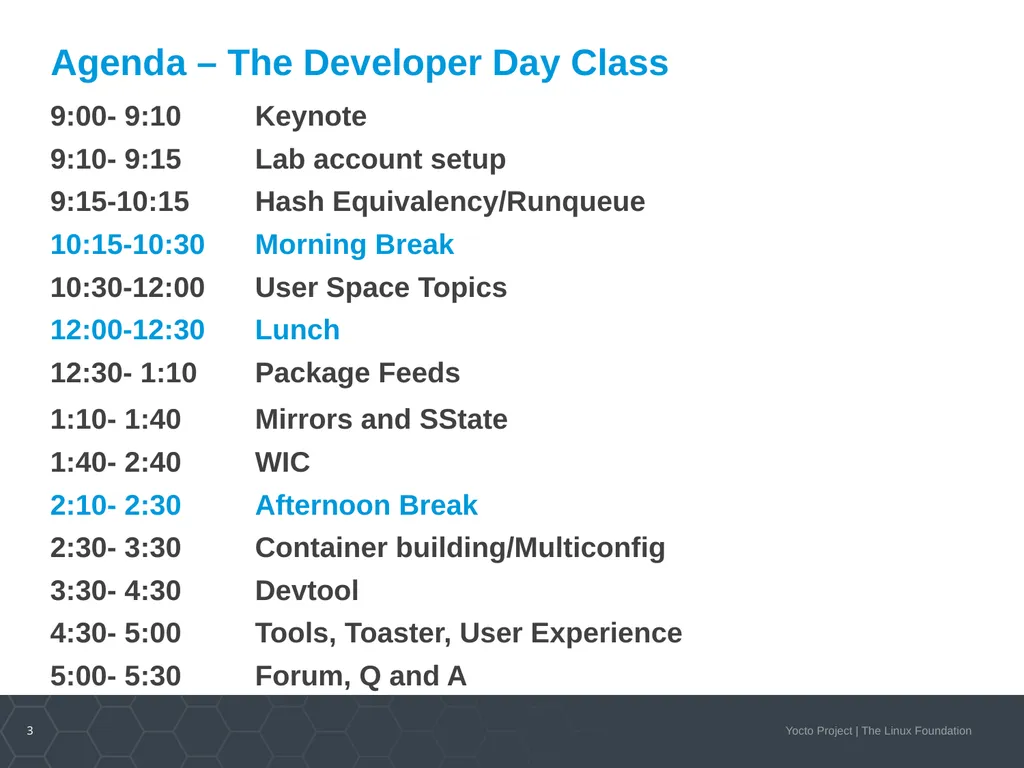
Agenda – The Developer Day Class 9:00- 9:10 Keynote
9:10- 9:15 Lab account setup
9:15-10:15 Hash Equivalency/Runqueue
10:15-10:30 Morning Break
10:30-12:00 User Space Topics
12:00-12:30 Lunch
12:30- 1:10 Package Feeds
1:10- 1:40 Mirrors and SState
1:40- 2:40 WIC
2:10- 2:30 Afternoon Break
2:30- 3:30 Container building/Multiconfig
3:30- 4:30 Devtool
4:30- 5:00 Tools, Toaster, User Experience
5:00- 5:30 Forum, Q and A<br>
9:10- 9:15 Lab account setup
9:15-10:15 Hash Equivalency/Runqueue
10:15-10:30 Morning Break
10:30-12:00 User Space Topics
12:00-12:30 Lunch
12:30- 1:10 Package Feeds
1:10- 1:40 Mirrors and SState
1:40- 2:40 WIC
2:10- 2:30 Afternoon Break
2:30- 3:30 Container building/Multiconfig
3:30- 4:30 Devtool
4:30- 5:00 Tools, Toaster, User Experience
5:00- 5:30 Forum, Q and A<br>
04
Activity One Keynote
Nicolas Dechesne<br>
Nicolas Dechesne<br>
05
Outline Yocto Project Dev Day
Yocto Project updates
Yocto Project Summit 2019
Yocto Project at ELC
Join us!<br>
Yocto Project updates
Yocto Project Summit 2019
Yocto Project at ELC
Join us!<br>
06
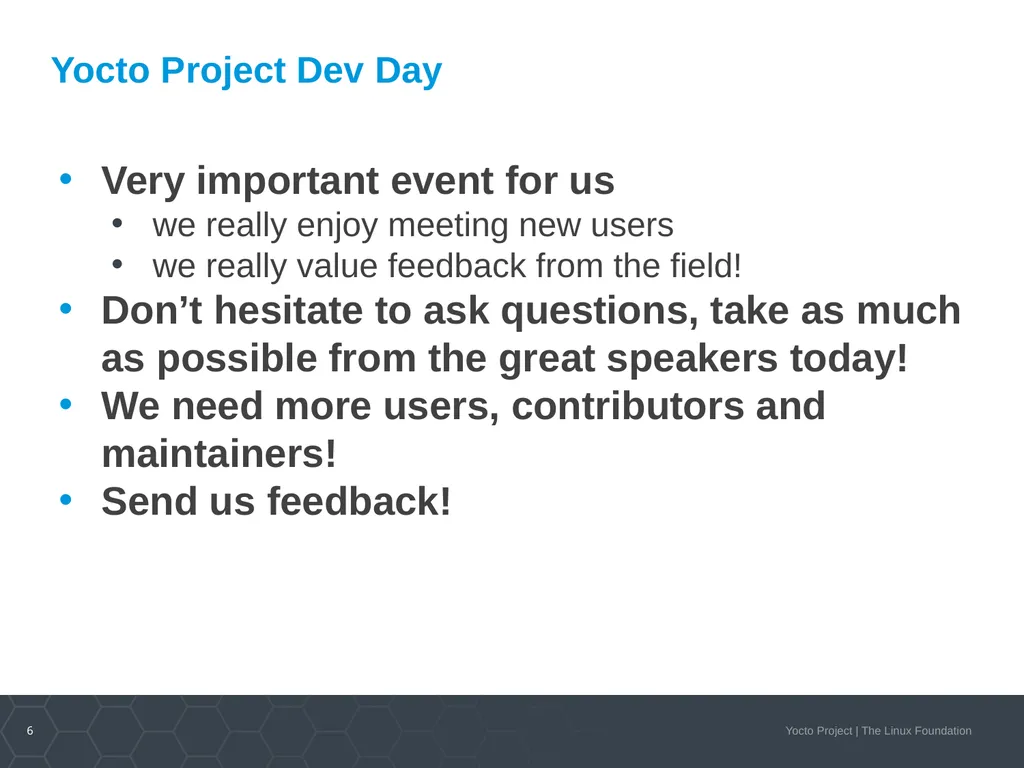
Yocto Project Dev Day Very important event for us
we really enjoy meeting new users
we really value feedback from the field!
Don’t hesitate to ask questions, take as much as possible from the great speakers today!
We need more users, contributors and maintainers!
Send us feedback!<br>
we really enjoy meeting new users
we really value feedback from the field!
Don’t hesitate to ask questions, take as much as possible from the great speakers today!
We need more users, contributors and maintainers!
Send us feedback!<br>
07
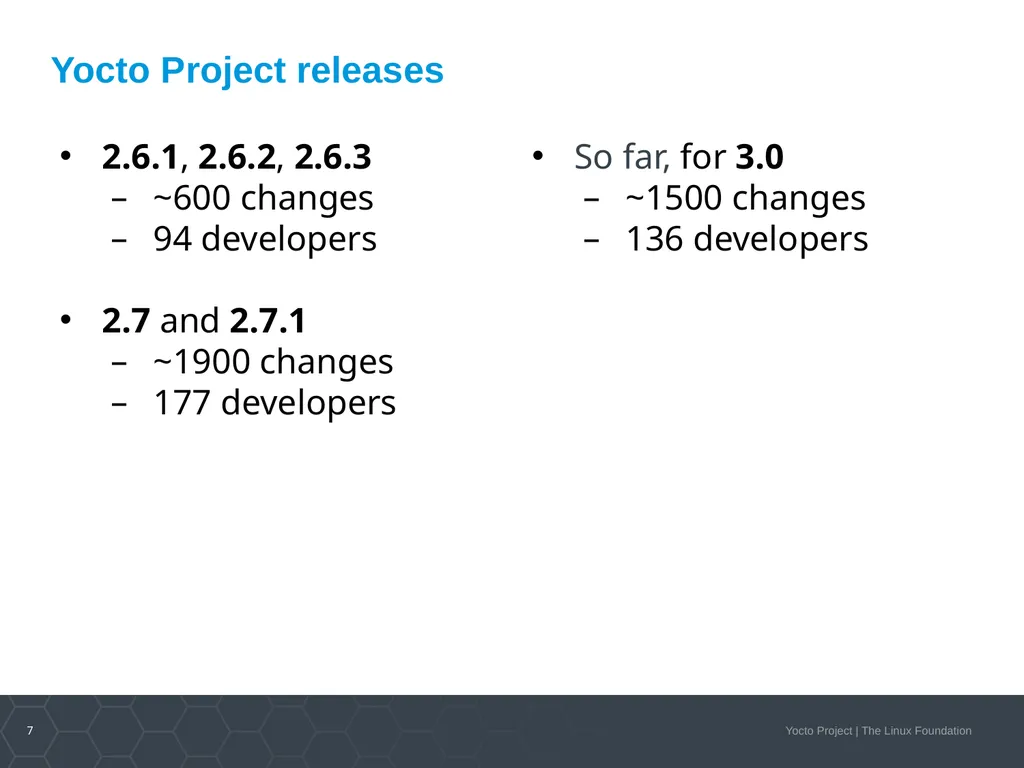
Yocto Project releases 2.6.1, 2.6.2, 2.6.3
~600 changes
94 developers
2.7 and 2.7.1
~1900 changes
177 developers So far, for 3.0
~1500 changes
136 developers<br>
~600 changes
94 developers
2.7 and 2.7.1
~1900 changes
177 developers So far, for 3.0
~1500 changes
136 developers<br>
08
What’s coming in 3.0 , aka “zeus” Autobuilder infrastructure hardware refreshed
Many recipe updates, including significant removal of old or obsolete software to ensure modern and up-to-date core Linux software stack
Support for the latest host distributions
Pre-merge testing on IA and ARM using QEMU/KVM (ptest, LTP, tracking build performance)
Build change equivalence is detected and used to avoid rebuilding unchanged components No other cross compiling build system is as complete or functional. Nobody has ever tried optimisations for from scratch builds like the Yocto Project does.<br>
Many recipe updates, including significant removal of old or obsolete software to ensure modern and up-to-date core Linux software stack
Support for the latest host distributions
Pre-merge testing on IA and ARM using QEMU/KVM (ptest, LTP, tracking build performance)
Build change equivalence is detected and used to avoid rebuilding unchanged components No other cross compiling build system is as complete or functional. Nobody has ever tried optimisations for from scratch builds like the Yocto Project does.<br>
09
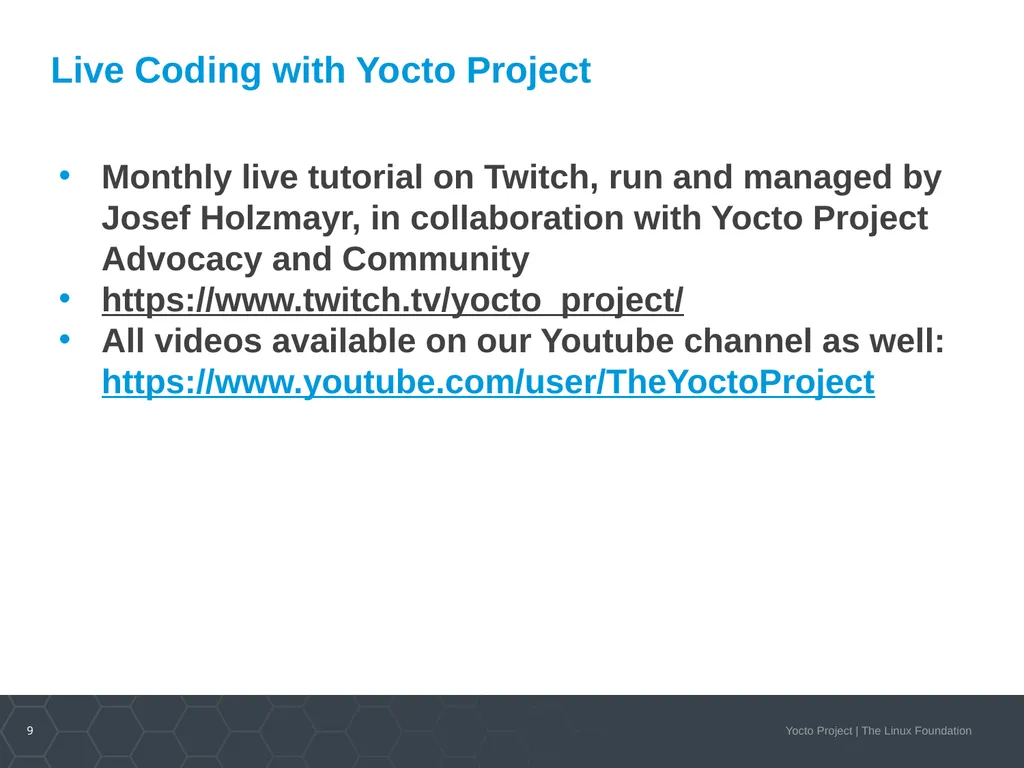
Live Coding with Yocto Project Monthly live tutorial on Twitch, run and managed by Josef Holzmayr, in collaboration with Yocto Project Advocacy and Community
https://www.twitch.tv/yocto_project/
All videos available on our Youtube channel as well: https://www.youtube.com/user/TheYoctoProject<br>
https://www.twitch.tv/yocto_project/
All videos available on our Youtube channel as well: https://www.youtube.com/user/TheYoctoProject<br>
10
Yocto Project Summit 2019 First ever Yocto Project Summit 2019
Co-located with Embedded Linux Conference Europe, Lyon, France
Oct 31st and Nov 1st 2019
Evening reception with drinks and appetizers.
CFP is open until Sept 16th
https://wiki.yoctoproject.org/wiki/index.php?title=Yocto_Project_Summit_2019<br>
Co-located with Embedded Linux Conference Europe, Lyon, France
Oct 31st and Nov 1st 2019
Evening reception with drinks and appetizers.
CFP is open until Sept 16th
https://wiki.yoctoproject.org/wiki/index.php?title=Yocto_Project_Summit_2019<br>
11
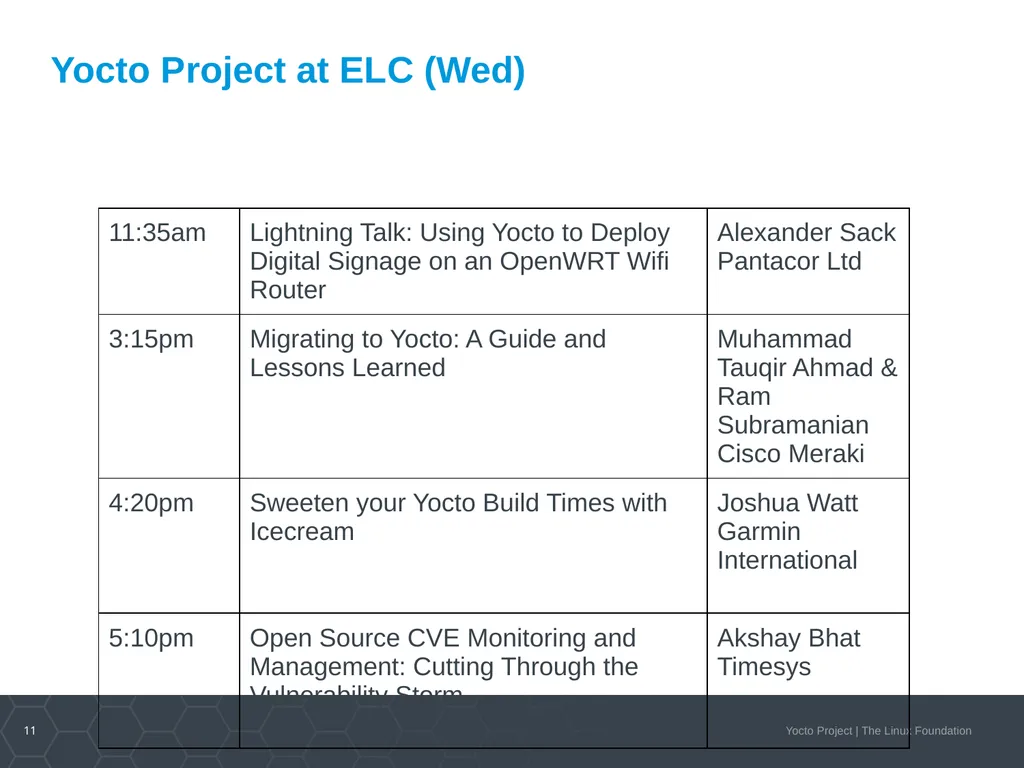
Yocto Project at ELC (Wed)<br>
12
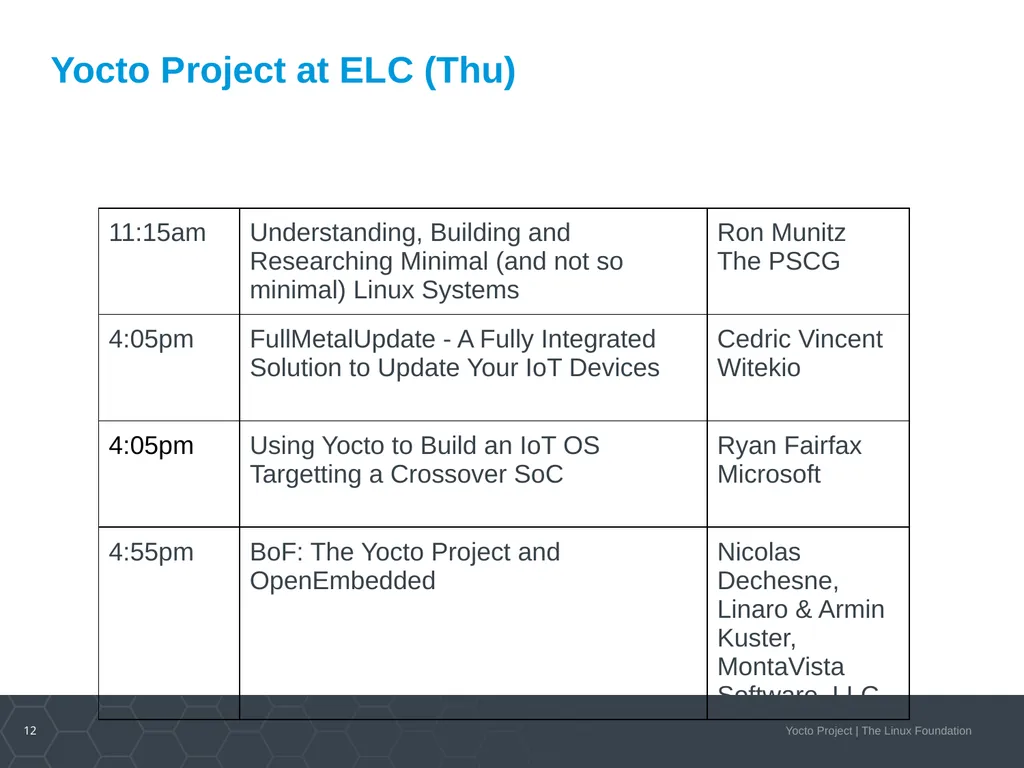
Yocto Project at ELC (Thu)<br>
13
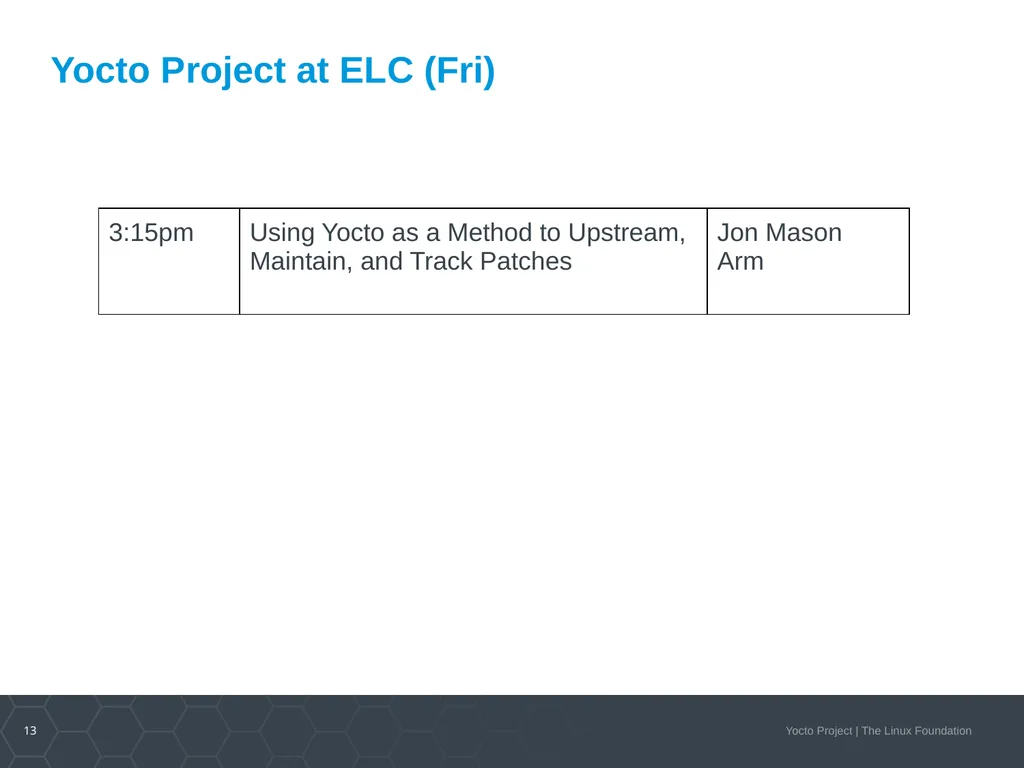
Yocto Project at ELC (Fri)<br>
14
Join our community Use, participate, contribute!
https://www.yoctoproject.org/community/
Public technical and engineering meetings
Spread the work at conferences and events about the cool things you build with Yocto Project
Social media:
Stack overflow
Twitter
LinkedIn<br>
Public technical and engineering meetings
Spread the work at conferences and events about the cool things you build with Yocto Project
Social media:
Stack overflow
LinkedIn<br>
15
Class Account Setup<br>
16
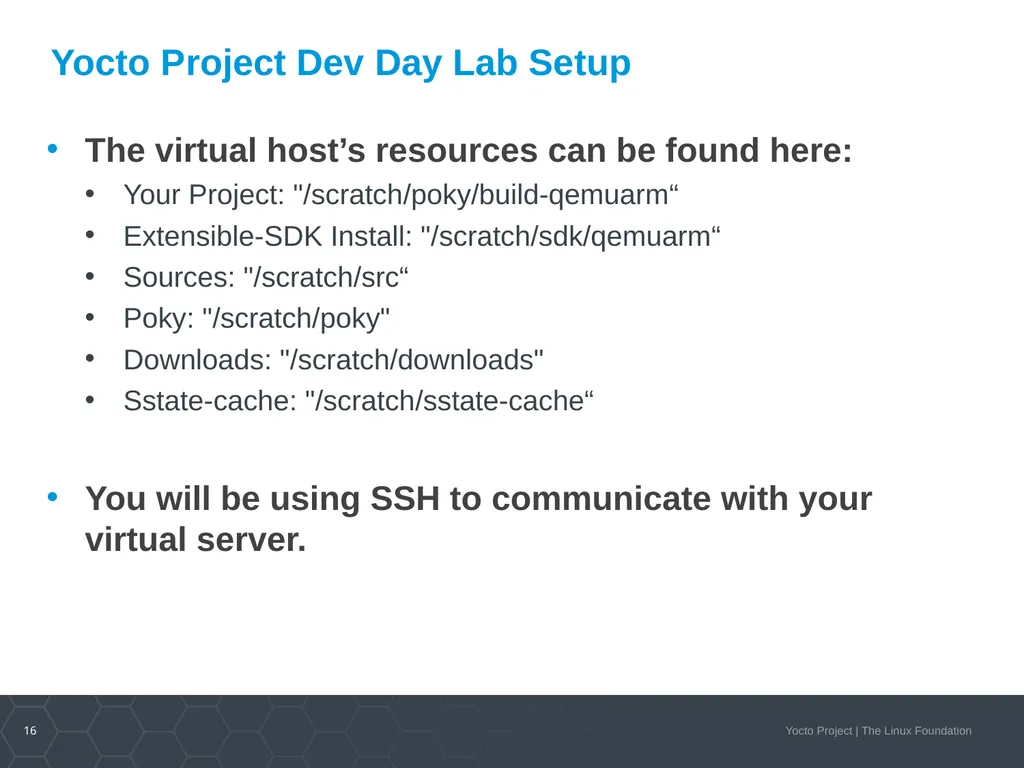
Yocto Project Dev Day Lab Setup The virtual host’s resources can be found here:
Your Project: "/scratch/poky/build-qemuarm“
Extensible-SDK Install: "/scratch/sdk/qemuarm“
Sources: "/scratch/src“
Poky: "/scratch/poky"
Downloads: "/scratch/downloads"
Sstate-cache: "/scratch/sstate-cache“
You will be using SSH to communicate with your virtual server.<br>
Your Project: "/scratch/poky/build-qemuarm“
Extensible-SDK Install: "/scratch/sdk/qemuarm“
Sources: "/scratch/src“
Poky: "/scratch/poky"
Downloads: "/scratch/downloads"
Sstate-cache: "/scratch/sstate-cache“
You will be using SSH to communicate with your virtual server.<br>
17
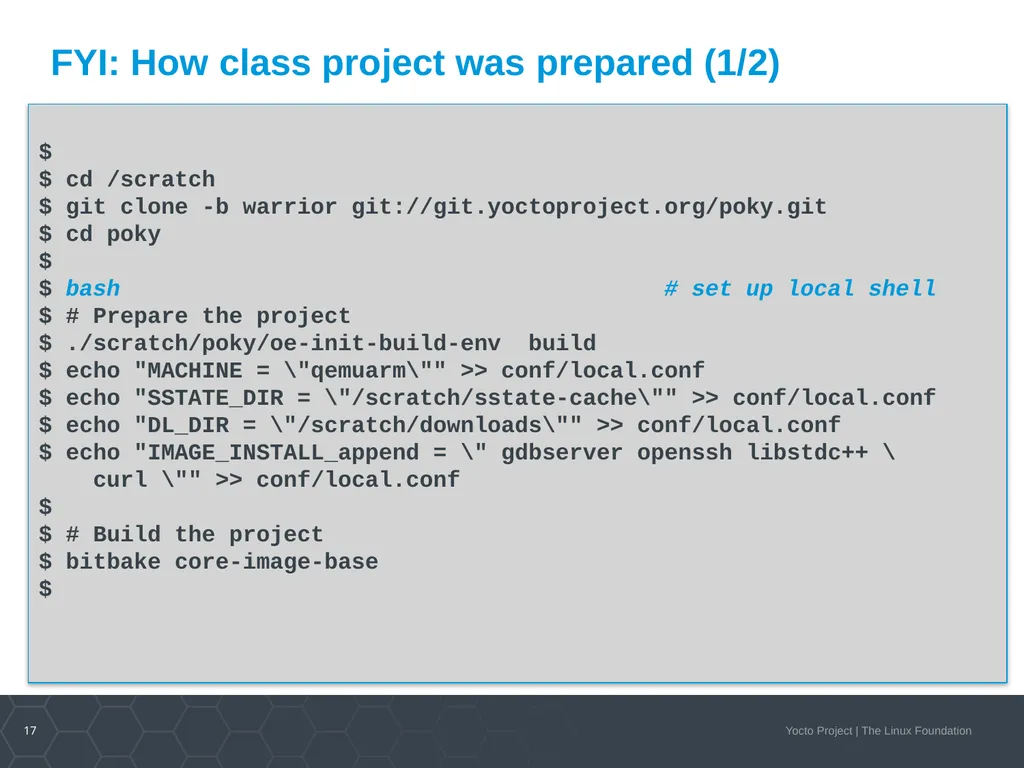
FYI: How class project was prepared (1/2) $
$ cd /scratch
$ git clone -b warrior git://git.yoctoproject.org/poky.git
$ cd poky
$
$ bash # set up local shell
$ # Prepare the project
$ ./scratch/poky/oe-init-build-env build
$ echo "MACHINE = \"qemuarm\"" >> conf/local.conf
$ echo "SSTATE_DIR = \"/scratch/sstate-cache\"" >> conf/local.conf
$ echo "DL_DIR = \"/scratch/downloads\"" >> conf/local.conf
$ echo "IMAGE_INSTALL_append = \" gdbserver openssh libstdc++ \
curl \"" >> conf/local.conf
$ $ # Build the project
$ bitbake core-image-base
$<br>
$ cd /scratch
$ git clone -b warrior git://git.yoctoproject.org/poky.git
$ cd poky
$
$ bash # set up local shell
$ # Prepare the project
$ ./scratch/poky/oe-init-build-env build
$ echo "MACHINE = \"qemuarm\"" >> conf/local.conf
$ echo "SSTATE_DIR = \"/scratch/sstate-cache\"" >> conf/local.conf
$ echo "DL_DIR = \"/scratch/downloads\"" >> conf/local.conf
$ echo "IMAGE_INSTALL_append = \" gdbserver openssh libstdc++ \
curl \"" >> conf/local.conf
$ $ # Build the project
$ bitbake core-image-base
$<br>
18
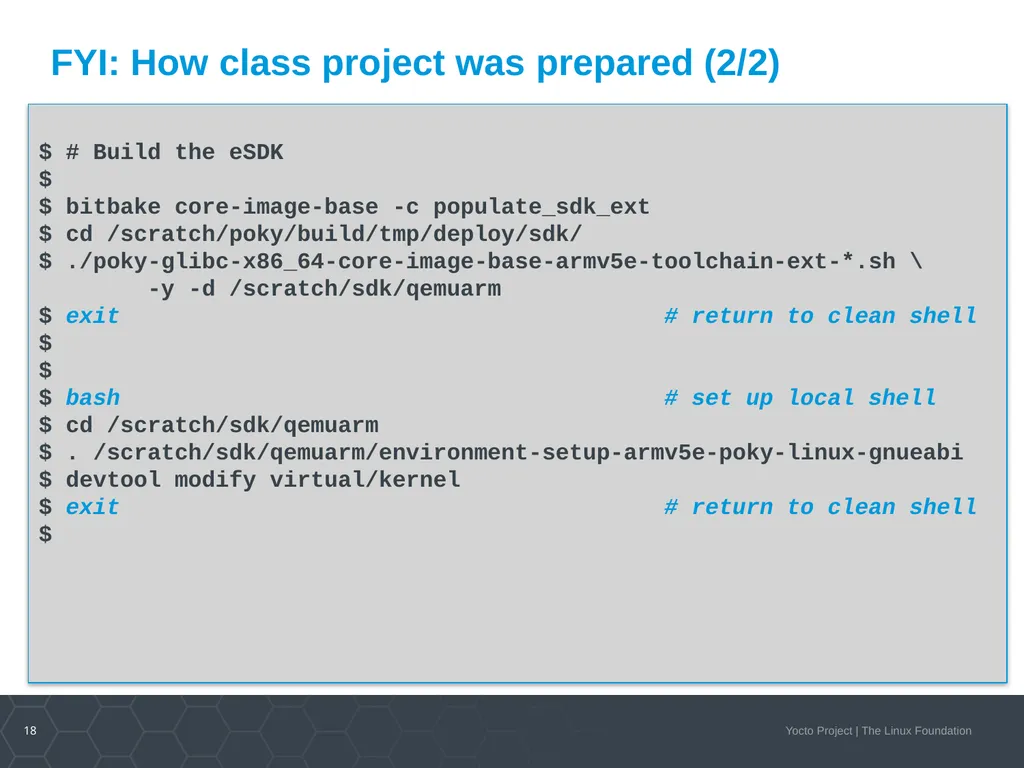
FYI: How class project was prepared (2/2) $ # Build the eSDK
$
$ bitbake core-image-base -c populate_sdk_ext
$ cd /scratch/poky/build/tmp/deploy/sdk/
$ ./poky-glibc-x86_64-core-image-base-armv5e-toolchain-ext-*.sh \
-y -d /scratch/sdk/qemuarm
$ exit # return to clean shell
$
$
$ bash # set up local shell
$ cd /scratch/sdk/qemuarm
$ . /scratch/sdk/qemuarm/environment-setup-armv5e-poky-linux-gnueabi
$ devtool modify virtual/kernel
$ exit # return to clean shell
$<br>
$
$ bitbake core-image-base -c populate_sdk_ext
$ cd /scratch/poky/build/tmp/deploy/sdk/
$ ./poky-glibc-x86_64-core-image-base-armv5e-toolchain-ext-*.sh \
-y -d /scratch/sdk/qemuarm
$ exit # return to clean shell
$
$
$ bash # set up local shell
$ cd /scratch/sdk/qemuarm
$ . /scratch/sdk/qemuarm/environment-setup-armv5e-poky-linux-gnueabi
$ devtool modify virtual/kernel
$ exit # return to clean shell
$<br>
19
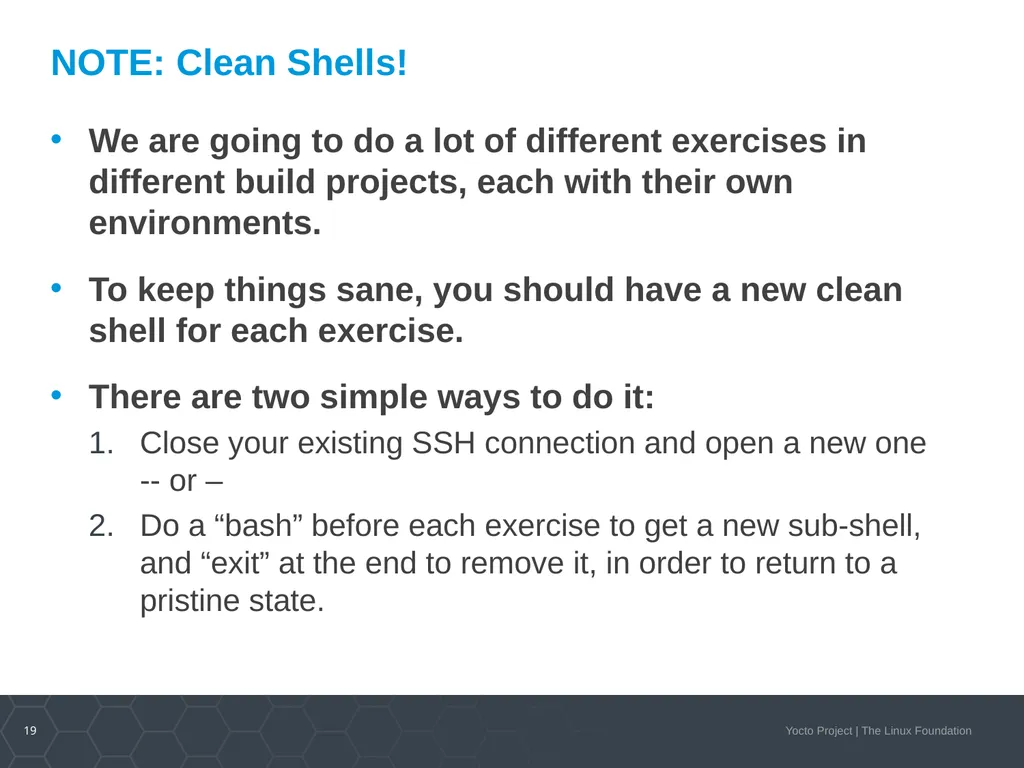
NOTE: Clean Shells! We are going to do a lot of different exercises in different build projects, each with their own environments.
To keep things sane, you should have a new clean shell for each exercise.
There are two simple ways to do it:
Close your existing SSH connection and open a new one -- or –
Do a “bash” before each exercise to get a new sub-shell, and “exit” at the end to remove it, in order to return to a pristine state.<br>
To keep things sane, you should have a new clean shell for each exercise.
There are two simple ways to do it:
Close your existing SSH connection and open a new one -- or –
Do a “bash” before each exercise to get a new sub-shell, and “exit” at the end to remove it, in order to return to a pristine state.<br>
20
Activity Two Hash Equivalency/Runqueue
Joshua Watt<br>
Joshua Watt<br>
21
Outline What is the Runqueue?
Traditional Runqueue Execution
What is the purpose of Hash Equivalence?
Runqueue Execution with Hash Equivalence Server
Signature Generation with Hash Equivalence Server
Live Demo
The Role of Reproducible Builds
Alternate Output Hash Methods<br>
Traditional Runqueue Execution
What is the purpose of Hash Equivalence?
Runqueue Execution with Hash Equivalence Server
Signature Generation with Hash Equivalence Server
Live Demo
The Role of Reproducible Builds
Alternate Output Hash Methods<br>
22
What is the Runqueue?<br>
23
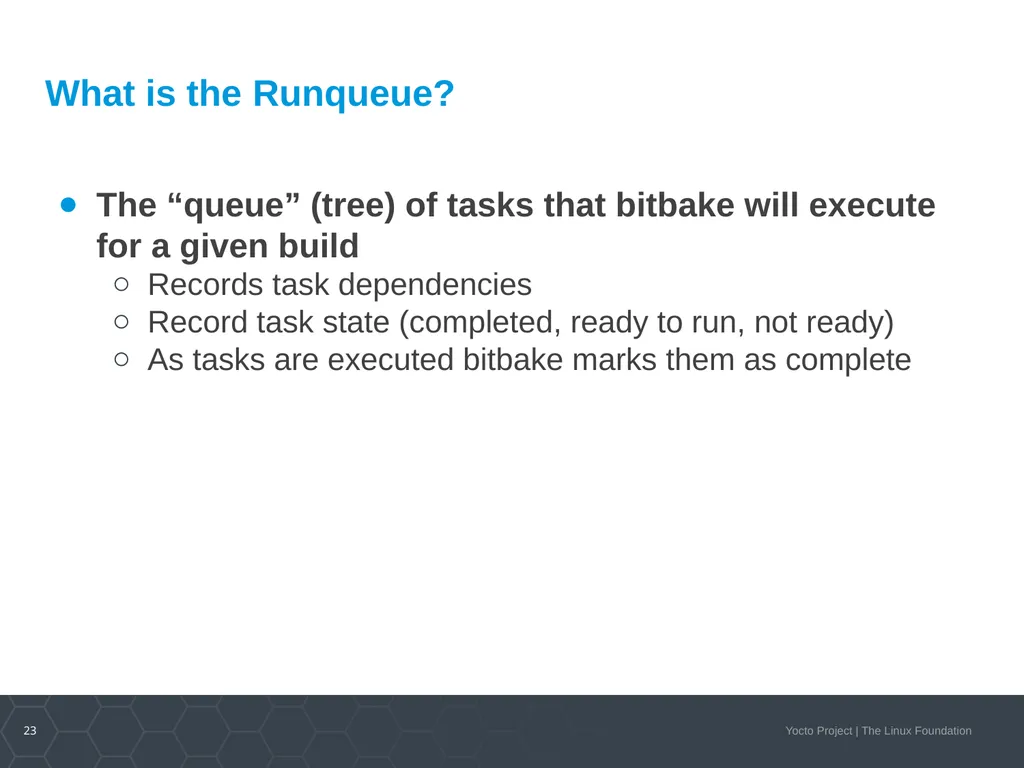
What is the Runqueue? The “queue” (tree) of tasks that bitbake will execute for a given build
Records task dependencies
Record task state (completed, ready to run, not ready)
As tasks are executed bitbake marks them as complete<br>
Records task dependencies
Record task state (completed, ready to run, not ready)
As tasks are executed bitbake marks them as complete<br>
24
Traditional Runqueue Execution<br>
25
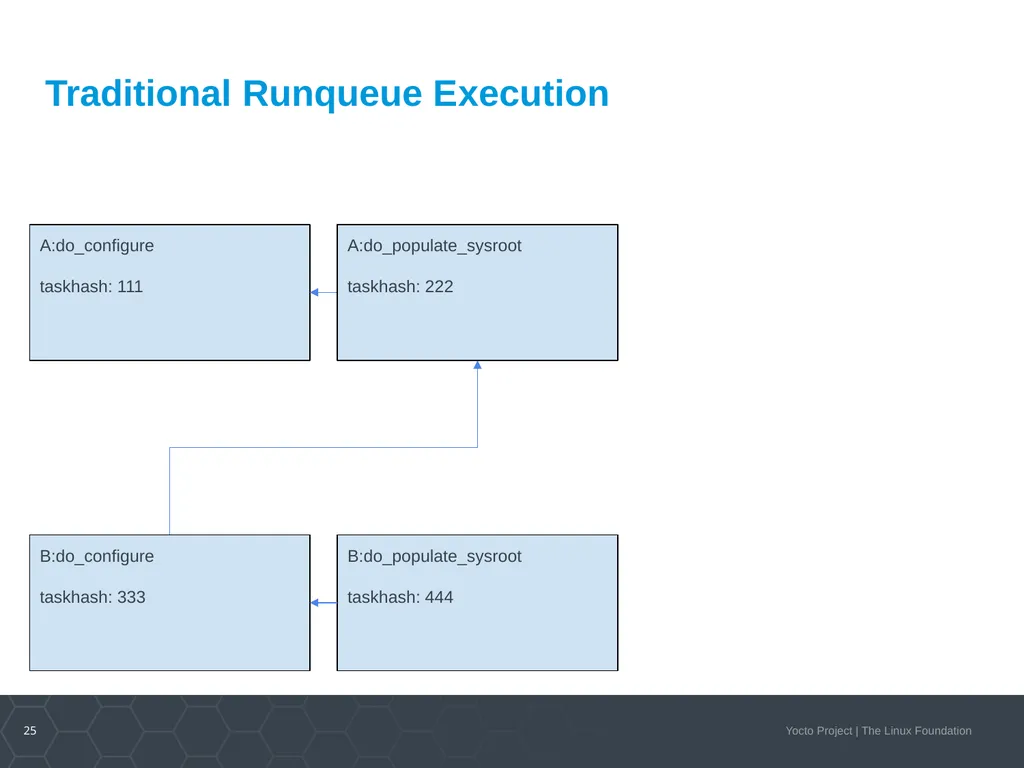
A:do_configure
taskhash: 111 Traditional Runqueue Execution A:do_populate_sysroot
taskhash: 222 B:do_configure
taskhash: 333 B:do_populate_sysroot
taskhash: 444<br>
taskhash: 111 Traditional Runqueue Execution A:do_populate_sysroot
taskhash: 222 B:do_configure
taskhash: 333 B:do_populate_sysroot
taskhash: 444<br>
26
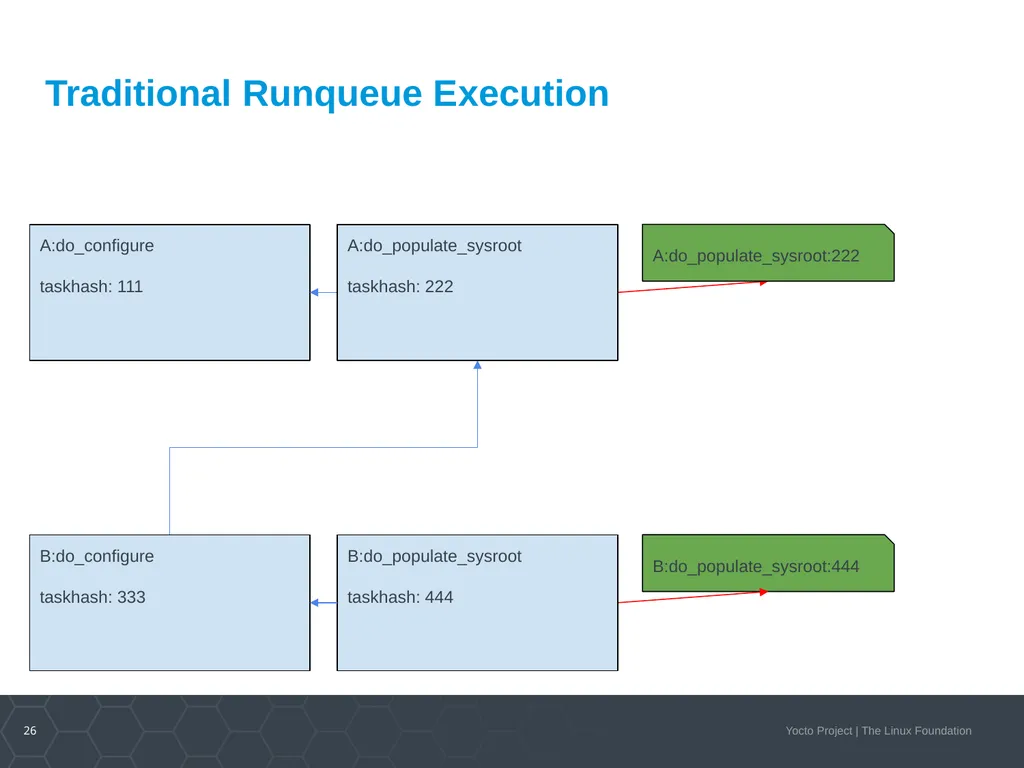
A:do_configure
taskhash: 111 Traditional Runqueue Execution A:do_populate_sysroot:222 B:do_populate_sysroot:444 A:do_populate_sysroot
taskhash: 222 B:do_configure
taskhash: 333 B:do_populate_sysroot
taskhash: 444<br>
taskhash: 111 Traditional Runqueue Execution A:do_populate_sysroot:222 B:do_populate_sysroot:444 A:do_populate_sysroot
taskhash: 222 B:do_configure
taskhash: 333 B:do_populate_sysroot
taskhash: 444<br>
27
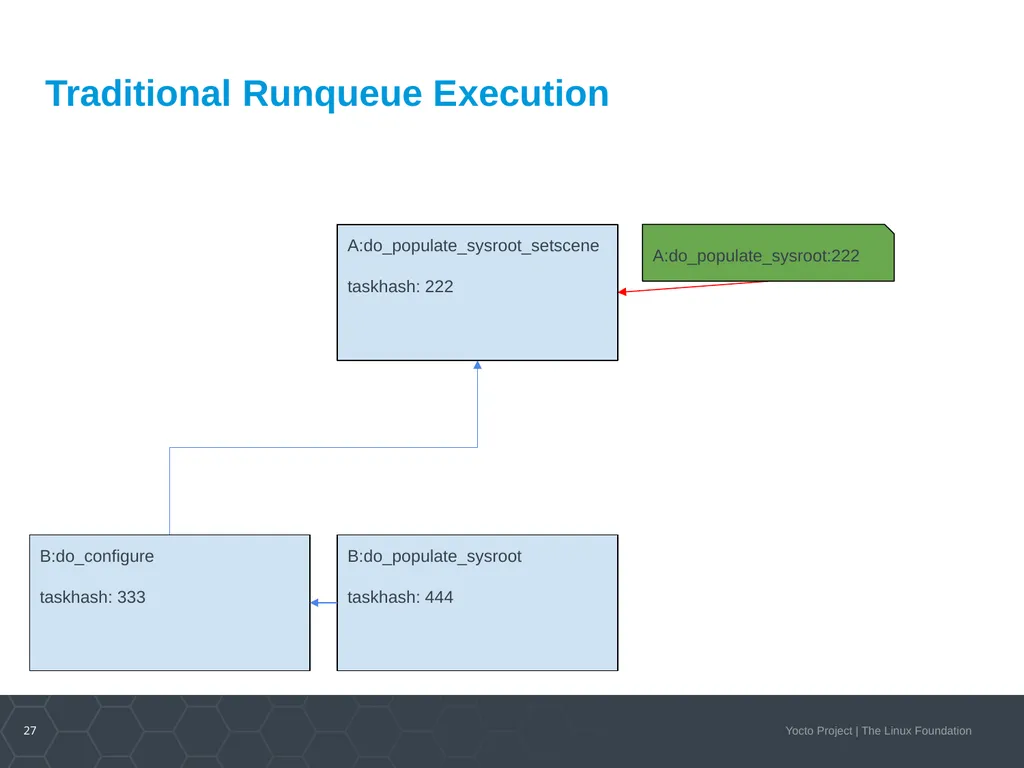
Traditional Runqueue Execution A:do_populate_sysroot:222 A:do_populate_sysroot_setscene
taskhash: 222 B:do_configure
taskhash: 333 B:do_populate_sysroot
taskhash: 444<br>
taskhash: 222 B:do_configure
taskhash: 333 B:do_populate_sysroot
taskhash: 444<br>
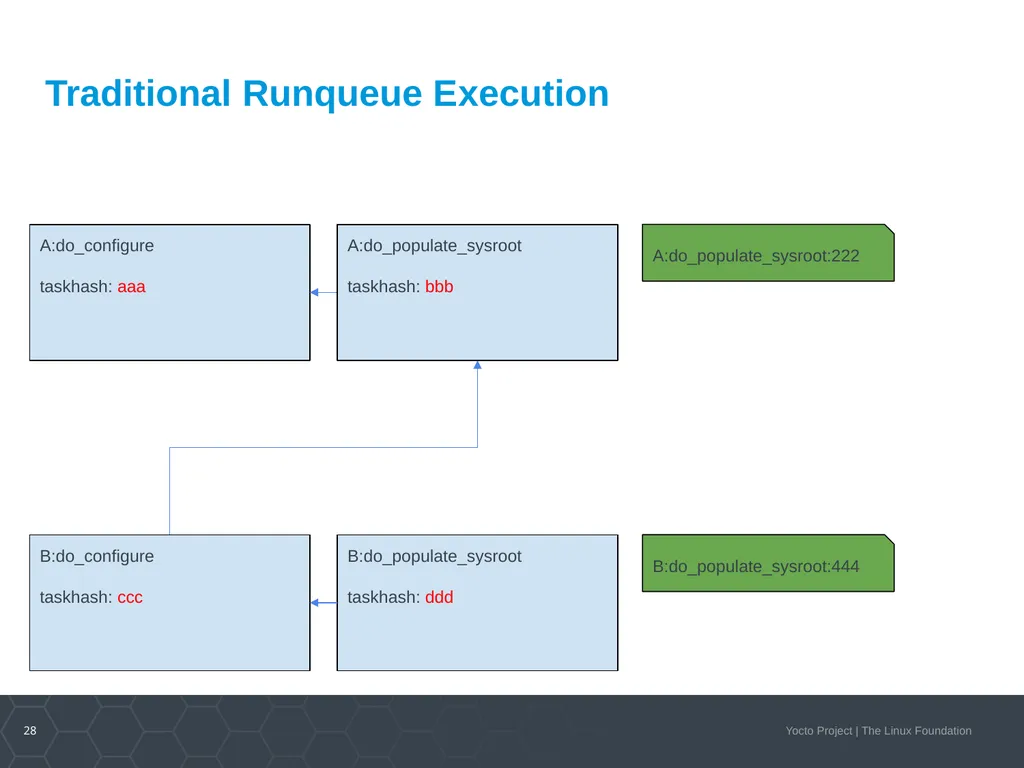
28
A:do_configure
taskhash: aaa Traditional Runqueue Execution A:do_populate_sysroot:222 B:do_populate_sysroot:444 A:do_populate_sysroot
taskhash: bbb B:do_configure
taskhash: ccc B:do_populate_sysroot
taskhash: ddd<br>
taskhash: aaa Traditional Runqueue Execution A:do_populate_sysroot:222 B:do_populate_sysroot:444 A:do_populate_sysroot
taskhash: bbb B:do_configure
taskhash: ccc B:do_populate_sysroot
taskhash: ddd<br>
29
What is the purpose of Hash Equivalence? Improve the reuse of sstate
Reduce unnecessary rebuilds of recipes
Reduce build times<br>
Reduce unnecessary rebuilds of recipes
Reduce build times<br>
30
Runqueue Execution with Hash Equivalence Server<br>
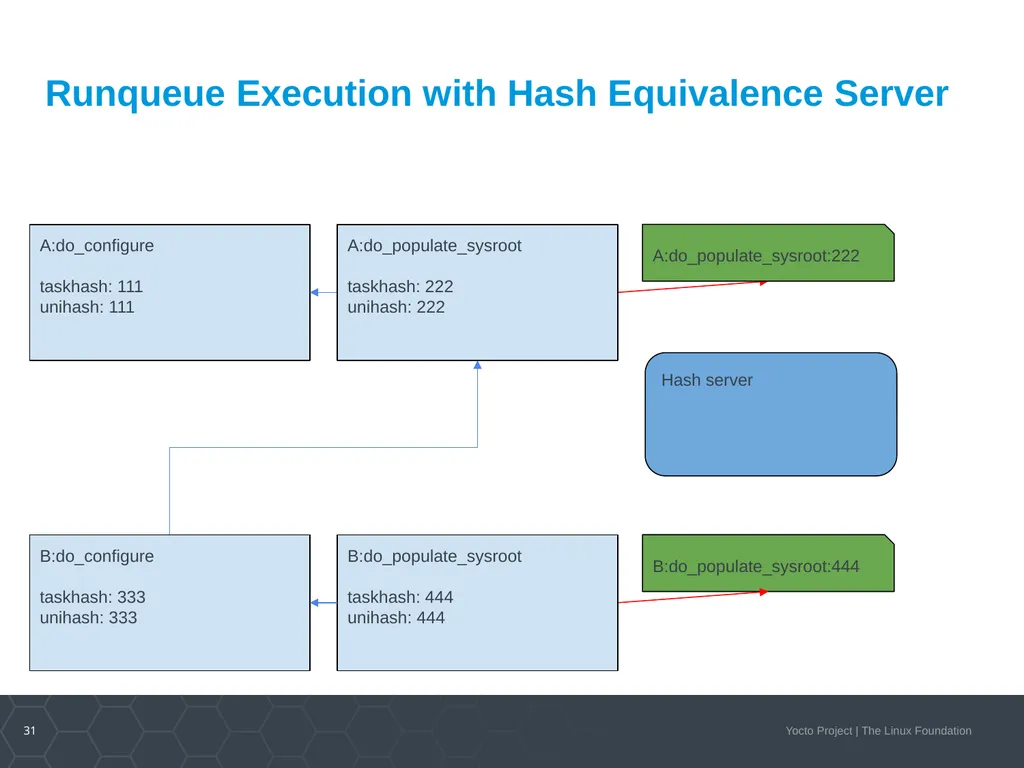
31
A:do_configure
taskhash: 111
unihash: 111 Runqueue Execution with Hash Equivalence Server A:do_populate_sysroot:222 B:do_populate_sysroot:444 Hash server A:do_populate_sysroot
taskhash: 222
unihash: 222 B:do_configure
taskhash: 333
unihash: 333 B:do_populate_sysroot
taskhash: 444
unihash: 444<br>
taskhash: 111
unihash: 111 Runqueue Execution with Hash Equivalence Server A:do_populate_sysroot:222 B:do_populate_sysroot:444 Hash server A:do_populate_sysroot
taskhash: 222
unihash: 222 B:do_configure
taskhash: 333
unihash: 333 B:do_populate_sysroot
taskhash: 444
unihash: 444<br>
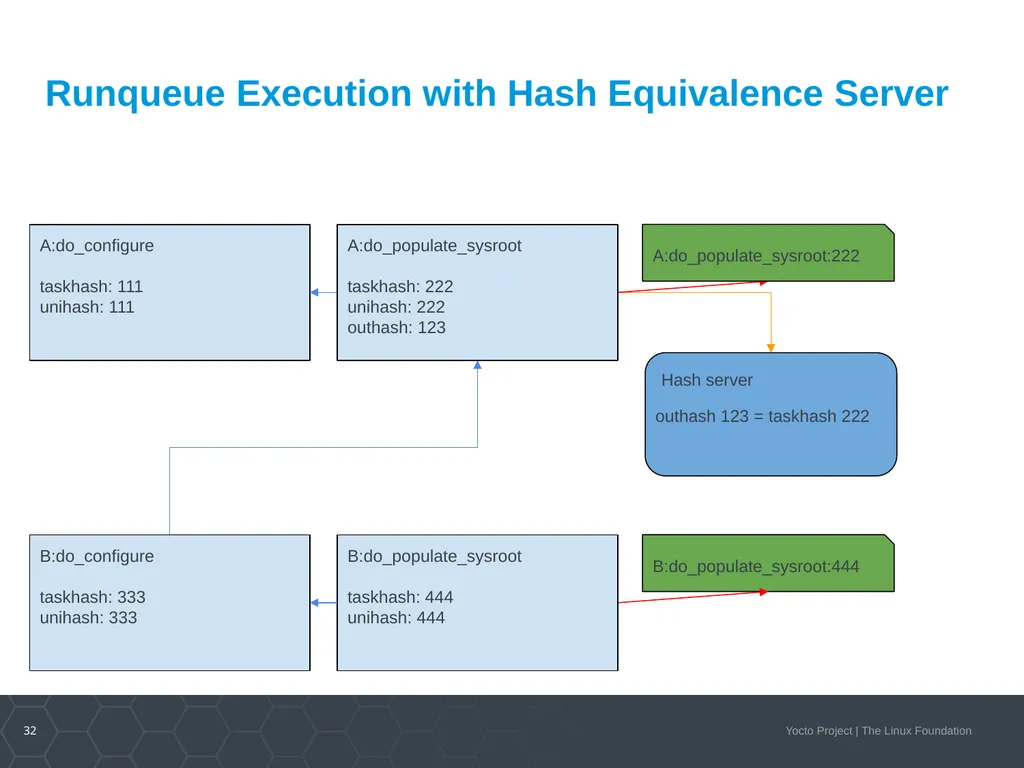
32
A:do_configure
taskhash: 111
unihash: 111 Runqueue Execution with Hash Equivalence Server A:do_populate_sysroot:222 B:do_populate_sysroot:444 Hash server outhash 123 = taskhash 222 A:do_populate_sysroot
taskhash: 222
unihash: 222
outhash: 123 B:do_configure
taskhash: 333
unihash: 333 B:do_populate_sysroot
taskhash: 444
unihash: 444<br>
taskhash: 111
unihash: 111 Runqueue Execution with Hash Equivalence Server A:do_populate_sysroot:222 B:do_populate_sysroot:444 Hash server outhash 123 = taskhash 222 A:do_populate_sysroot
taskhash: 222
unihash: 222
outhash: 123 B:do_configure
taskhash: 333
unihash: 333 B:do_populate_sysroot
taskhash: 444
unihash: 444<br>
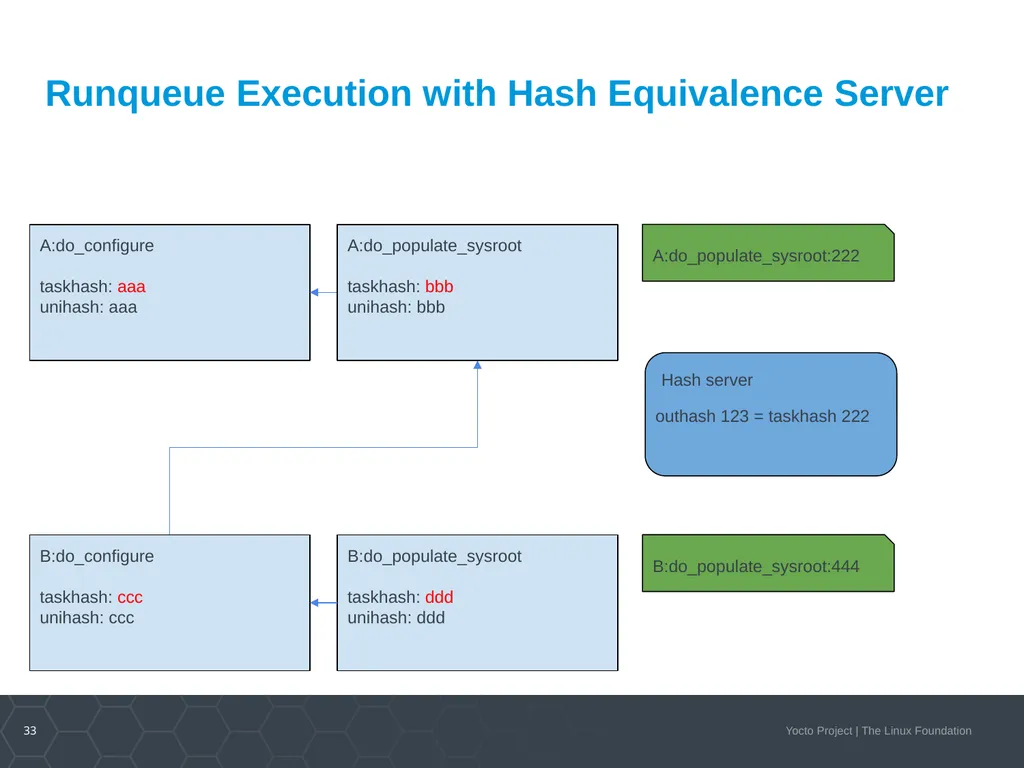
33
A:do_configure
taskhash: aaa
unihash: aaa Runqueue Execution with Hash Equivalence Server A:do_populate_sysroot:222 B:do_populate_sysroot:444 Hash server outhash 123 = taskhash 222 A:do_populate_sysroot
taskhash: bbb
unihash: bbb B:do_configure
taskhash: ccc
unihash: ccc B:do_populate_sysroot
taskhash: ddd
unihash: ddd<br>
taskhash: aaa
unihash: aaa Runqueue Execution with Hash Equivalence Server A:do_populate_sysroot:222 B:do_populate_sysroot:444 Hash server outhash 123 = taskhash 222 A:do_populate_sysroot
taskhash: bbb
unihash: bbb B:do_configure
taskhash: ccc
unihash: ccc B:do_populate_sysroot
taskhash: ddd
unihash: ddd<br>
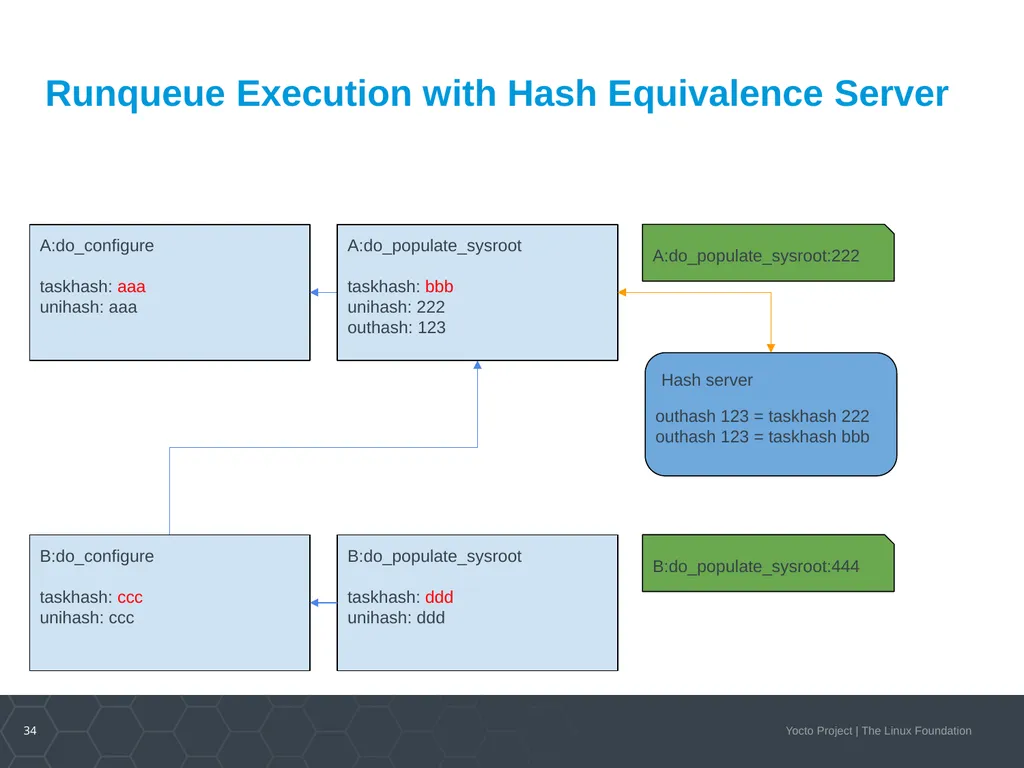
34
A:do_configure
taskhash: aaa
unihash: aaa Runqueue Execution with Hash Equivalence Server A:do_populate_sysroot:222 B:do_populate_sysroot:444 Hash server outhash 123 = taskhash 222
outhash 123 = taskhash bbb A:do_populate_sysroot
taskhash: bbb
unihash: 222
outhash: 123 B:do_configure
taskhash: ccc
unihash: ccc B:do_populate_sysroot
taskhash: ddd
unihash: ddd<br>
taskhash: aaa
unihash: aaa Runqueue Execution with Hash Equivalence Server A:do_populate_sysroot:222 B:do_populate_sysroot:444 Hash server outhash 123 = taskhash 222
outhash 123 = taskhash bbb A:do_populate_sysroot
taskhash: bbb
unihash: 222
outhash: 123 B:do_configure
taskhash: ccc
unihash: ccc B:do_populate_sysroot
taskhash: ddd
unihash: ddd<br>
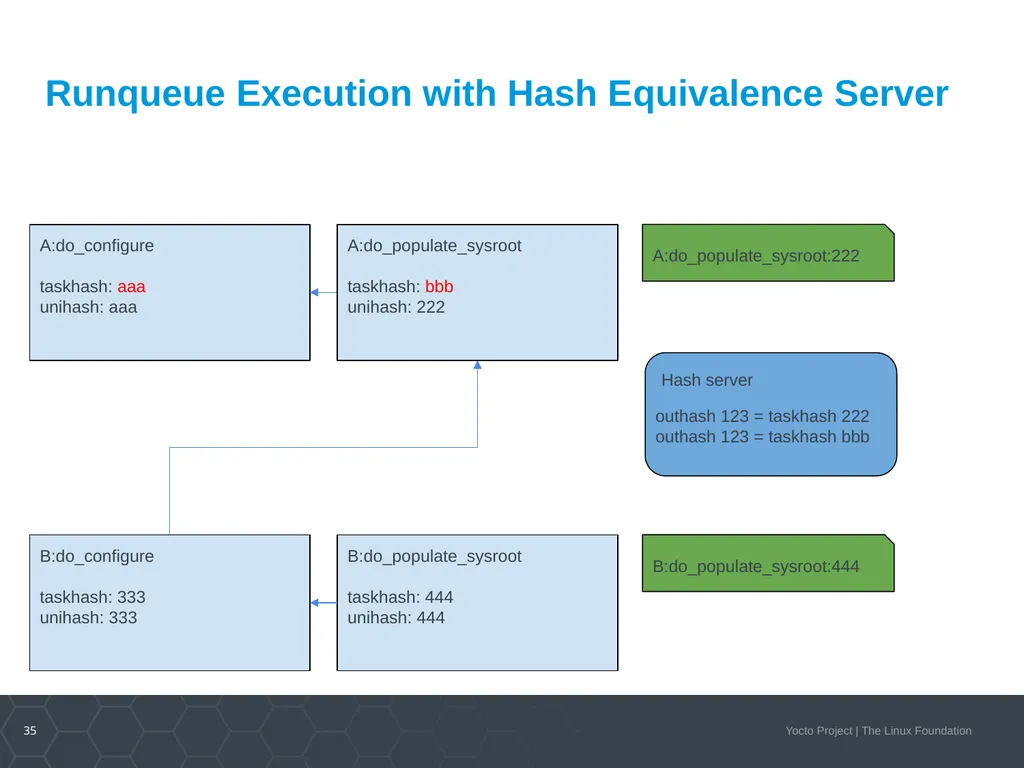
35
A:do_configure
taskhash: aaa
unihash: aaa Runqueue Execution with Hash Equivalence Server A:do_populate_sysroot:222 B:do_populate_sysroot:444 Hash server outhash 123 = taskhash 222
outhash 123 = taskhash bbb A:do_populate_sysroot
taskhash: bbb
unihash: 222 B:do_configure
taskhash: 333
unihash: 333 B:do_populate_sysroot
taskhash: 444
unihash: 444<br>
taskhash: aaa
unihash: aaa Runqueue Execution with Hash Equivalence Server A:do_populate_sysroot:222 B:do_populate_sysroot:444 Hash server outhash 123 = taskhash 222
outhash 123 = taskhash bbb A:do_populate_sysroot
taskhash: bbb
unihash: 222 B:do_configure
taskhash: 333
unihash: 333 B:do_populate_sysroot
taskhash: 444
unihash: 444<br>
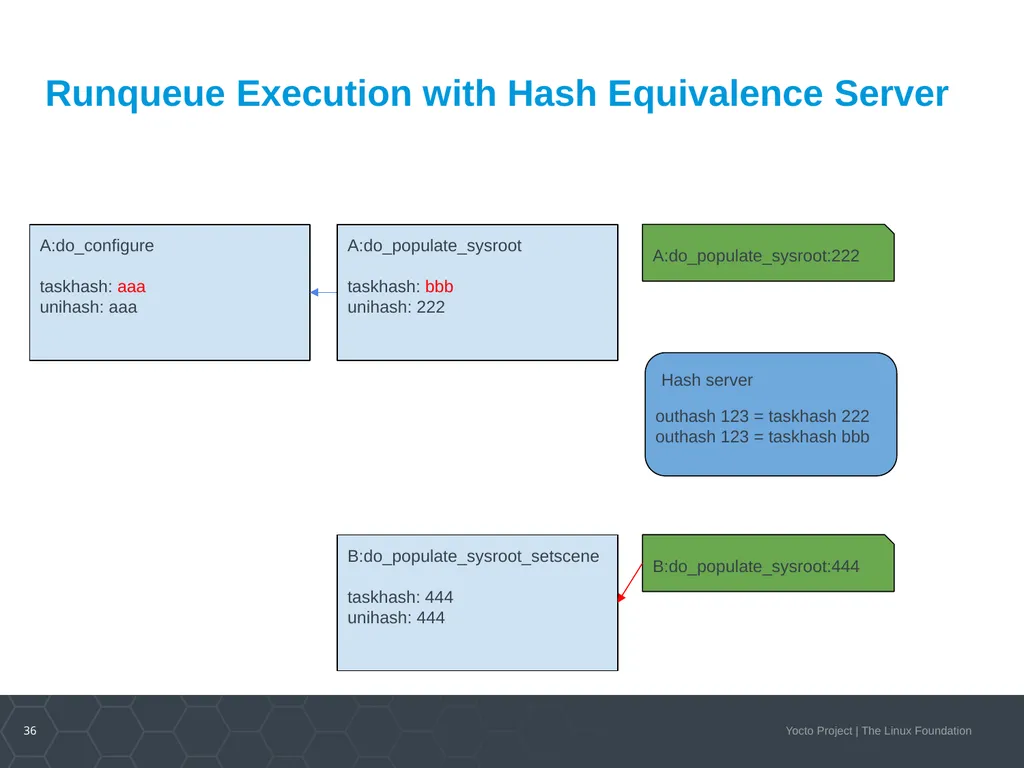
36
A:do_configure
taskhash: aaa
unihash: aaa Runqueue Execution with Hash Equivalence Server A:do_populate_sysroot:222 B:do_populate_sysroot:444 Hash server outhash 123 = taskhash 222
outhash 123 = taskhash bbb A:do_populate_sysroot
taskhash: bbb
unihash: 222 B:do_populate_sysroot_setscene
taskhash: 444
unihash: 444<br>
taskhash: aaa
unihash: aaa Runqueue Execution with Hash Equivalence Server A:do_populate_sysroot:222 B:do_populate_sysroot:444 Hash server outhash 123 = taskhash 222
outhash 123 = taskhash bbb A:do_populate_sysroot
taskhash: bbb
unihash: 222 B:do_populate_sysroot_setscene
taskhash: 444
unihash: 444<br>
37
Signature Generation with Hash Equivalence Server<br>
38
A:do_configure
taskhash: aaa
unihash: aaa Signature Generation with Hash Equivalence Server A:do_populate_sysroot:222 B:do_populate_sysroot:444 Hash server outhash 123 = taskhash 222
outhash 123 = taskhash bbb A:do_populate_sysroot
taskhash: bbb
unihash: 222 B:do_configure
taskhash: 333
unihash: 333 B:do_populate_sysroot
taskhash: 444
unihash: 444<br>
taskhash: aaa
unihash: aaa Signature Generation with Hash Equivalence Server A:do_populate_sysroot:222 B:do_populate_sysroot:444 Hash server outhash 123 = taskhash 222
outhash 123 = taskhash bbb A:do_populate_sysroot
taskhash: bbb
unihash: 222 B:do_configure
taskhash: 333
unihash: 333 B:do_populate_sysroot
taskhash: 444
unihash: 444<br>
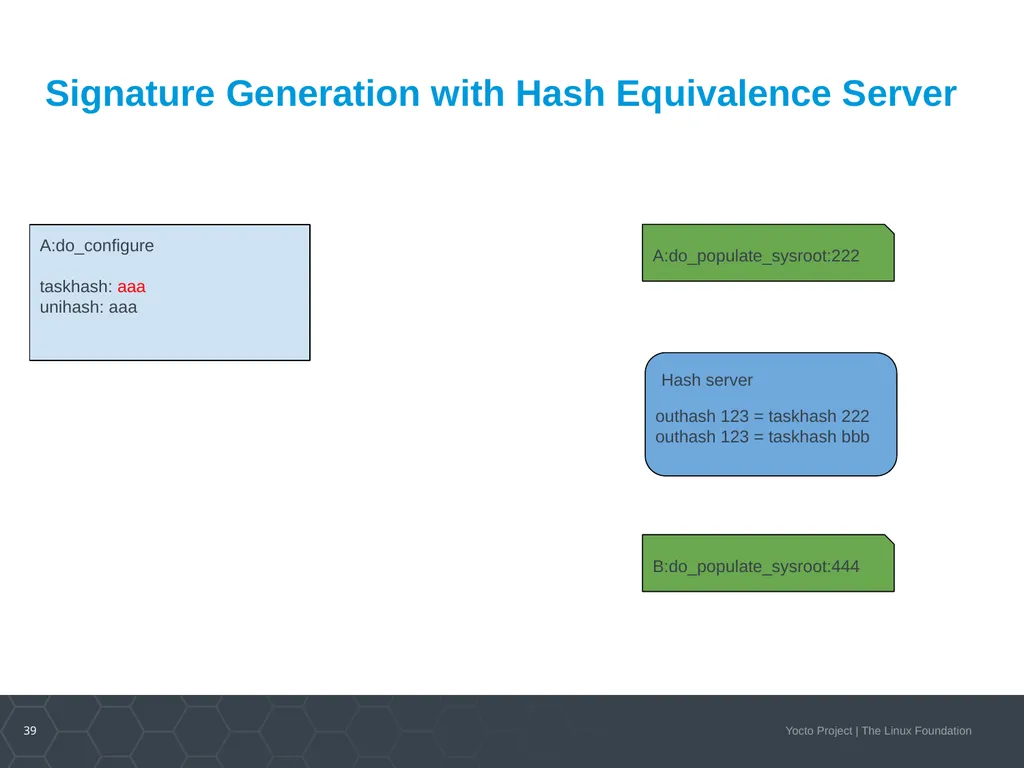
39
A:do_configure
taskhash: aaa
unihash: aaa Signature Generation with Hash Equivalence Server A:do_populate_sysroot:222 B:do_populate_sysroot:444 Hash server outhash 123 = taskhash 222
outhash 123 = taskhash bbb<br>
taskhash: aaa
unihash: aaa Signature Generation with Hash Equivalence Server A:do_populate_sysroot:222 B:do_populate_sysroot:444 Hash server outhash 123 = taskhash 222
outhash 123 = taskhash bbb<br>
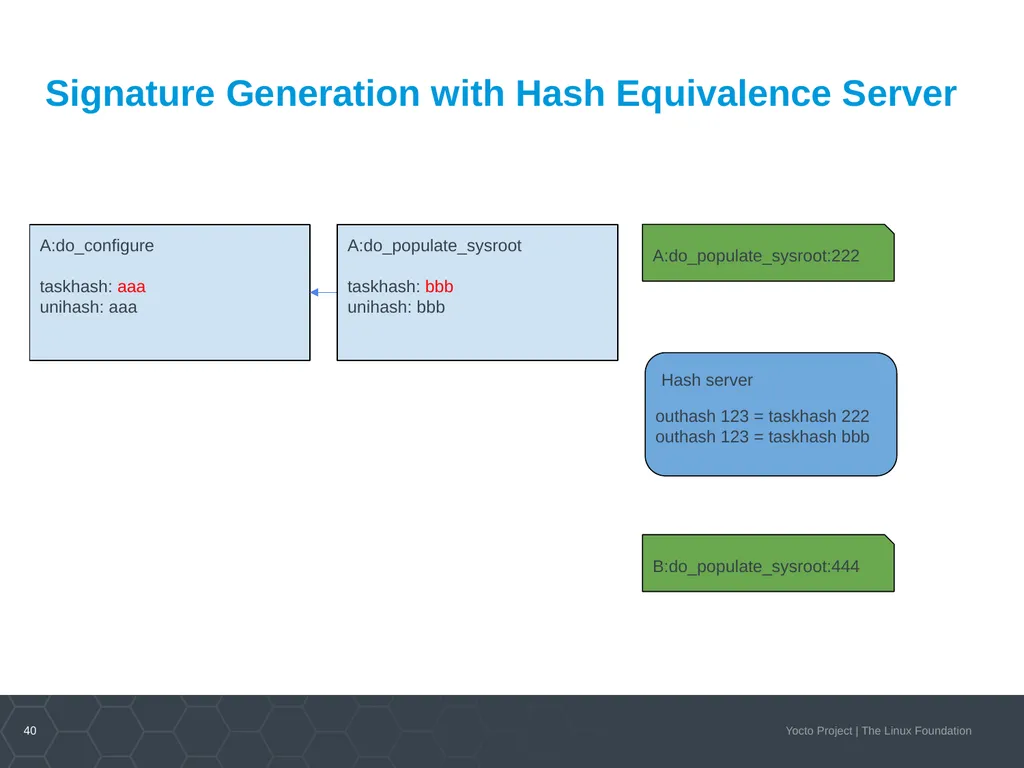
40
A:do_configure
taskhash: aaa
unihash: aaa Signature Generation with Hash Equivalence Server A:do_populate_sysroot:222 B:do_populate_sysroot:444 Hash server outhash 123 = taskhash 222
outhash 123 = taskhash bbb A:do_populate_sysroot
taskhash: bbb
unihash: bbb<br>
taskhash: aaa
unihash: aaa Signature Generation with Hash Equivalence Server A:do_populate_sysroot:222 B:do_populate_sysroot:444 Hash server outhash 123 = taskhash 222
outhash 123 = taskhash bbb A:do_populate_sysroot
taskhash: bbb
unihash: bbb<br>
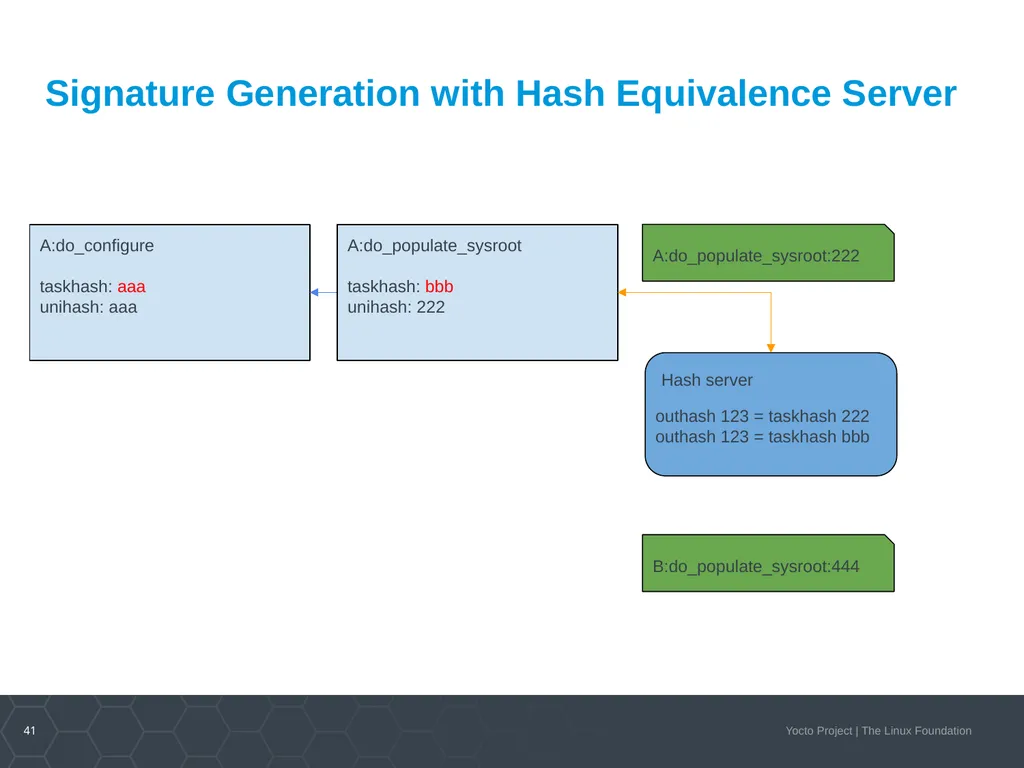
41
A:do_configure
taskhash: aaa
unihash: aaa Signature Generation with Hash Equivalence Server A:do_populate_sysroot:222 B:do_populate_sysroot:444 Hash server outhash 123 = taskhash 222
outhash 123 = taskhash bbb A:do_populate_sysroot
taskhash: bbb
unihash: 222<br>
taskhash: aaa
unihash: aaa Signature Generation with Hash Equivalence Server A:do_populate_sysroot:222 B:do_populate_sysroot:444 Hash server outhash 123 = taskhash 222
outhash 123 = taskhash bbb A:do_populate_sysroot
taskhash: bbb
unihash: 222<br>
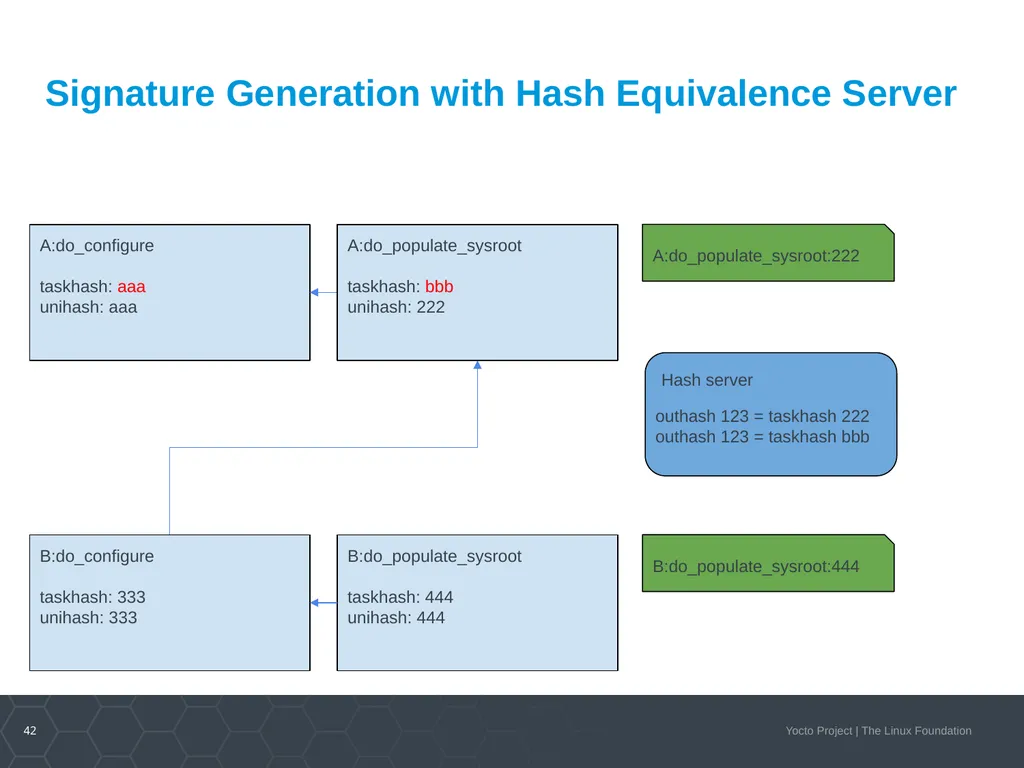
42
A:do_configure
taskhash: aaa
unihash: aaa Signature Generation with Hash Equivalence Server A:do_populate_sysroot:222 B:do_populate_sysroot:444 Hash server outhash 123 = taskhash 222
outhash 123 = taskhash bbb A:do_populate_sysroot
taskhash: bbb
unihash: 222 B:do_configure
taskhash: 333
unihash: 333 B:do_populate_sysroot
taskhash: 444
unihash: 444<br>
taskhash: aaa
unihash: aaa Signature Generation with Hash Equivalence Server A:do_populate_sysroot:222 B:do_populate_sysroot:444 Hash server outhash 123 = taskhash 222
outhash 123 = taskhash bbb A:do_populate_sysroot
taskhash: bbb
unihash: 222 B:do_configure
taskhash: 333
unihash: 333 B:do_populate_sysroot
taskhash: 444
unihash: 444<br>
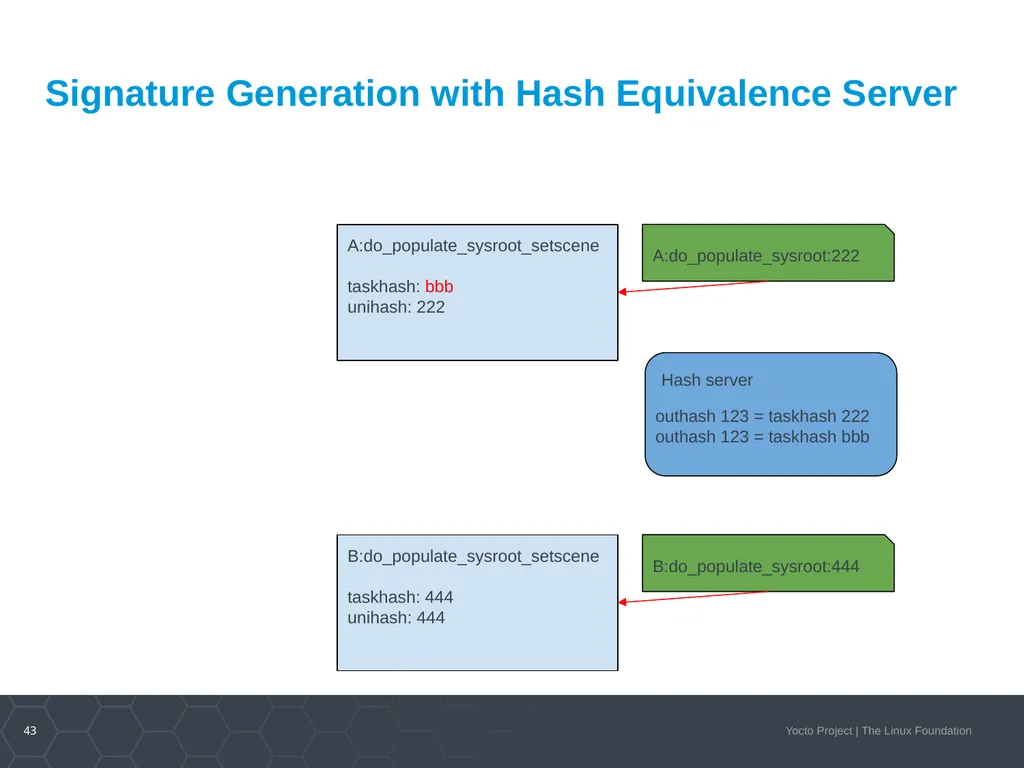
43
Signature Generation with Hash Equivalence Server A:do_populate_sysroot:222 B:do_populate_sysroot:444 Hash server outhash 123 = taskhash 222
outhash 123 = taskhash bbb A:do_populate_sysroot_setscene
taskhash: bbb
unihash: 222 B:do_populate_sysroot_setscene
taskhash: 444
unihash: 444<br>
outhash 123 = taskhash bbb A:do_populate_sysroot_setscene
taskhash: bbb
unihash: 222 B:do_populate_sysroot_setscene
taskhash: 444
unihash: 444<br>
44
Live Demo & Exercise<br>
45
The Role of Reproducible Builds Hash equivalence and reproducible builds go together
Better reproducibility means better hash equivalence<br>
Better reproducibility means better hash equivalence<br>
46
Alternative Output Hash Methods The output hashing method can be replaced
Opportunity to implement context-sensitive hashes
ELF Library Symbol hashing
Scripting language specific hashing
Locking hashes<br>
Opportunity to implement context-sensitive hashes
ELF Library Symbol hashing
Scripting language specific hashing
Locking hashes<br>
47
Activity Three User Space Topics
Rudi Streif<br>
Rudi Streif<br>
48
Overview Activity Setup
Users, Groups and Passwords
Login Shells
Sudo Configuration
SSH Server Configuration Please ask questions.
Your questions might help others too.<br>
Users, Groups and Passwords
Login Shells
Sudo Configuration
SSH Server Configuration Please ask questions.
Your questions might help others too.<br>
49
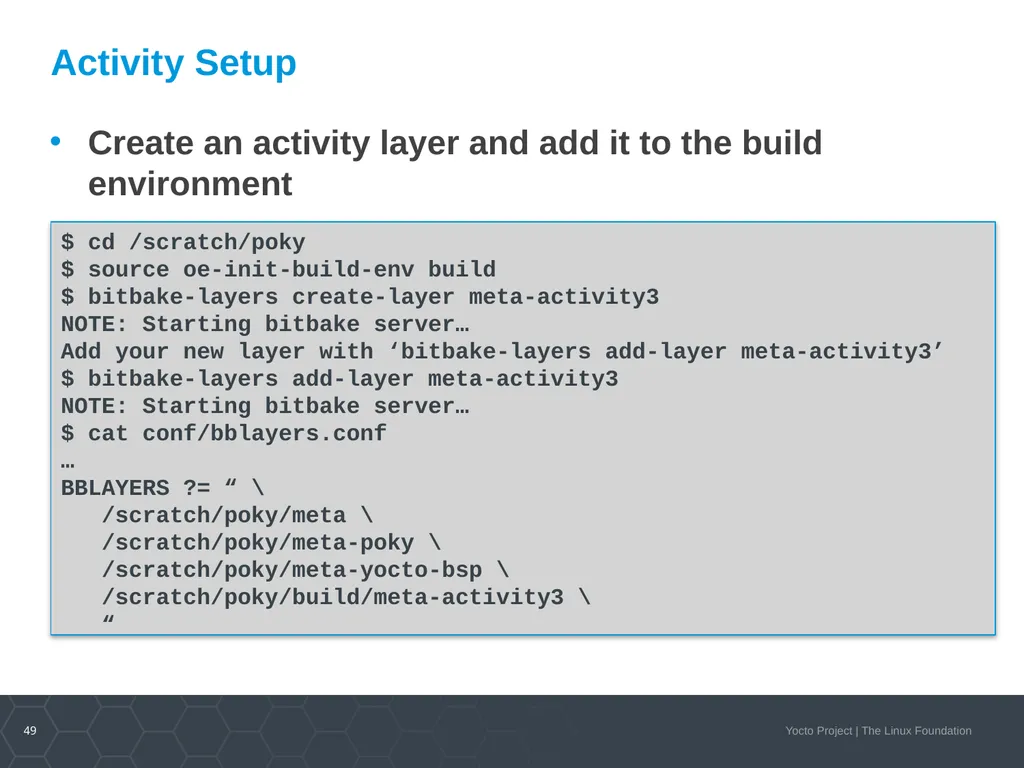
Activity Setup $ cd /scratch/poky
$ source oe-init-build-env build
$ bitbake-layers create-layer meta-activity3
NOTE: Starting bitbake server…
Add your new layer with ‘bitbake-layers add-layer meta-activity3’
$ bitbake-layers add-layer meta-activity3
NOTE: Starting bitbake server…
$ cat conf/bblayers.conf
…
BBLAYERS ?= “ \
/scratch/poky/meta \
/scratch/poky/meta-poky \
/scratch/poky/meta-yocto-bsp \
/scratch/poky/build/meta-activity3 \
“ Create an activity layer and add it to the build environment<br>
$ source oe-init-build-env build
$ bitbake-layers create-layer meta-activity3
NOTE: Starting bitbake server…
Add your new layer with ‘bitbake-layers add-layer meta-activity3’
$ bitbake-layers add-layer meta-activity3
NOTE: Starting bitbake server…
$ cat conf/bblayers.conf
…
BBLAYERS ?= “ \
/scratch/poky/meta \
/scratch/poky/meta-poky \
/scratch/poky/meta-yocto-bsp \
/scratch/poky/build/meta-activity3 \
“ Create an activity layer and add it to the build environment<br>
50
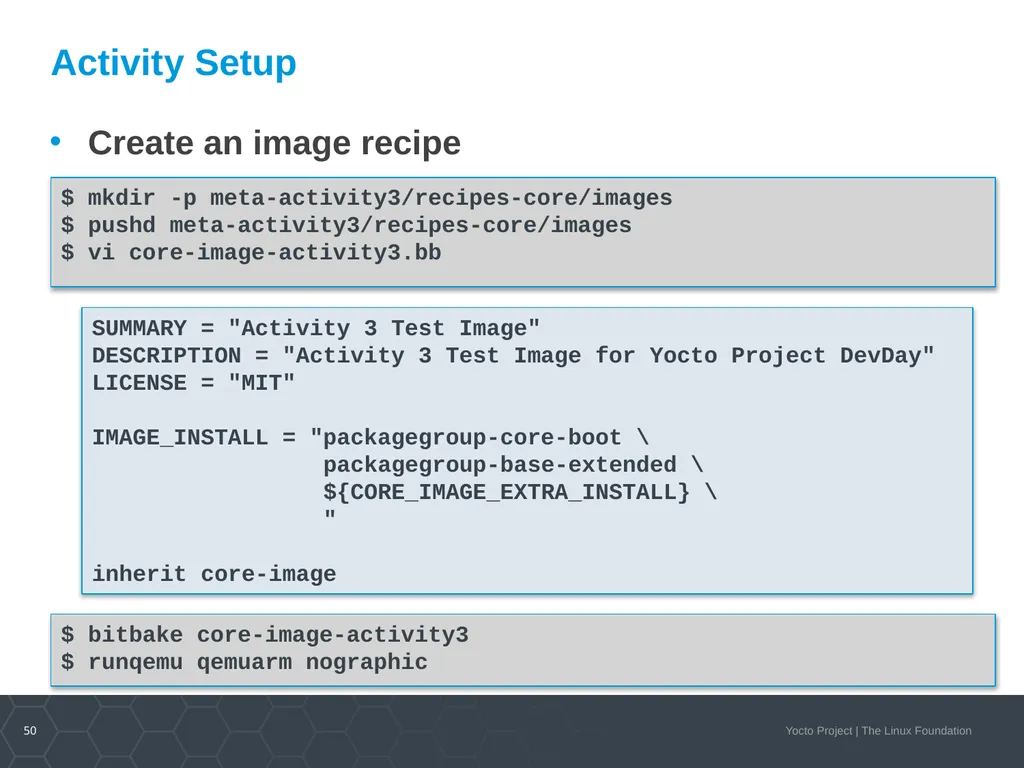
Activity Setup $ mkdir -p meta-activity3/recipes-core/images
$ pushd meta-activity3/recipes-core/images
$ vi core-image-activity3.bb Create an image recipe SUMMARY = "Activity 3 Test Image"
DESCRIPTION = "Activity 3 Test Image for Yocto Project DevDay"
LICENSE = "MIT"
IMAGE_INSTALL = "packagegroup-core-boot \
packagegroup-base-extended \
${CORE_IMAGE_EXTRA_INSTALL} \
"
inherit core-image $ bitbake core-image-activity3
$ runqemu qemuarm nographic<br>
$ pushd meta-activity3/recipes-core/images
$ vi core-image-activity3.bb Create an image recipe SUMMARY = "Activity 3 Test Image"
DESCRIPTION = "Activity 3 Test Image for Yocto Project DevDay"
LICENSE = "MIT"
IMAGE_INSTALL = "packagegroup-core-boot \
packagegroup-base-extended \
${CORE_IMAGE_EXTRA_INSTALL} \
"
inherit core-image $ bitbake core-image-activity3
$ runqemu qemuarm nographic<br>
51
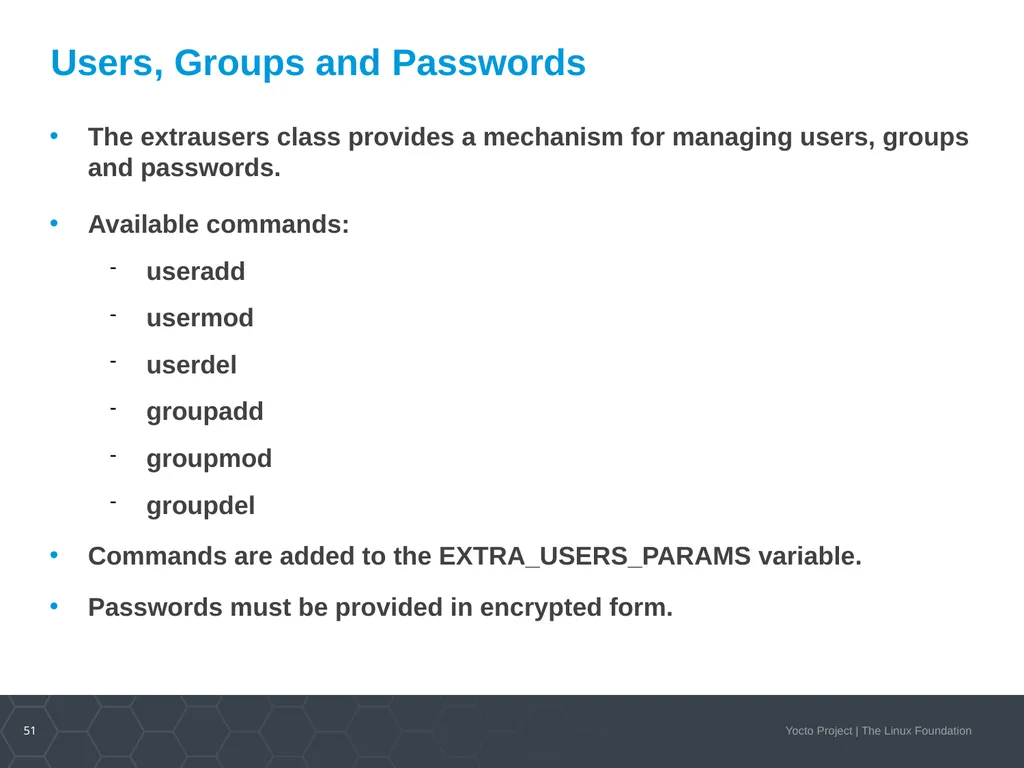
Users, Groups and Passwords The extrausers class provides a mechanism for managing users, groups and passwords.
Available commands:
useradd
usermod
userdel
groupadd
groupmod
groupdel
Commands are added to the EXTRA_USERS_PARAMS variable.
Passwords must be provided in encrypted form.<br>
Available commands:
useradd
usermod
userdel
groupadd
groupmod
groupdel
Commands are added to the EXTRA_USERS_PARAMS variable.
Passwords must be provided in encrypted form.<br>
52
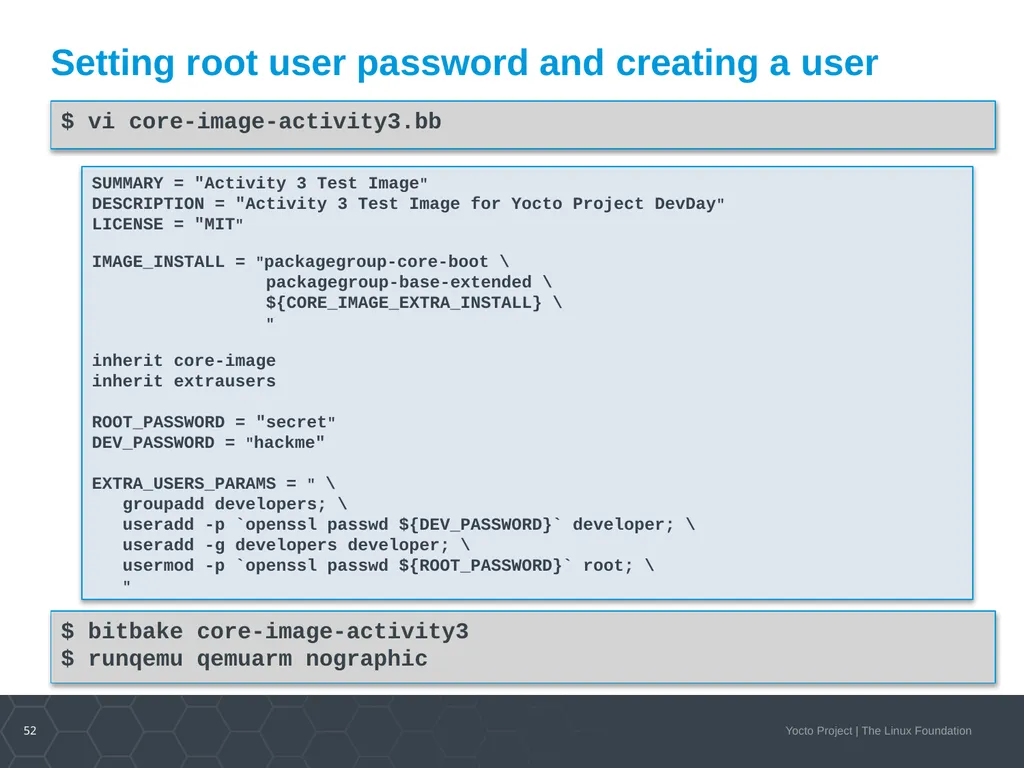
Setting root user password and creating a user $ vi core-image-activity3.bb SUMMARY = "Activity 3 Test Image"
DESCRIPTION = "Activity 3 Test Image for Yocto Project DevDay"
LICENSE = "MIT"
IMAGE_INSTALL = "packagegroup-core-boot \
packagegroup-base-extended \
${CORE_IMAGE_EXTRA_INSTALL} \
"
inherit core-image
inherit extrausers
ROOT_PASSWORD = "secret"
DEV_PASSWORD = "hackme"
EXTRA_USERS_PARAMS = " \
groupadd developers; \
useradd -p `openssl passwd ${DEV_PASSWORD}` developer; \
useradd -g developers developer; \
usermod -p `openssl passwd ${ROOT_PASSWORD}` root; \
" $ bitbake core-image-activity3
$ runqemu qemuarm nographic<br>
DESCRIPTION = "Activity 3 Test Image for Yocto Project DevDay"
LICENSE = "MIT"
IMAGE_INSTALL = "packagegroup-core-boot \
packagegroup-base-extended \
${CORE_IMAGE_EXTRA_INSTALL} \
"
inherit core-image
inherit extrausers
ROOT_PASSWORD = "secret"
DEV_PASSWORD = "hackme"
EXTRA_USERS_PARAMS = " \
groupadd developers; \
useradd -p `openssl passwd ${DEV_PASSWORD}` developer; \
useradd -g developers developer; \
usermod -p `openssl passwd ${ROOT_PASSWORD}` root; \
" $ bitbake core-image-activity3
$ runqemu qemuarm nographic<br>
53
Works, but... Changing the image recipe for new users is not really elegant.
It would be better if we could set the users we want to add and their passwords in a configuration file such as local.conf or a distro configuration.<br>
It would be better if we could set the users we want to add and their passwords in a configuration file such as local.conf or a distro configuration.<br>
54
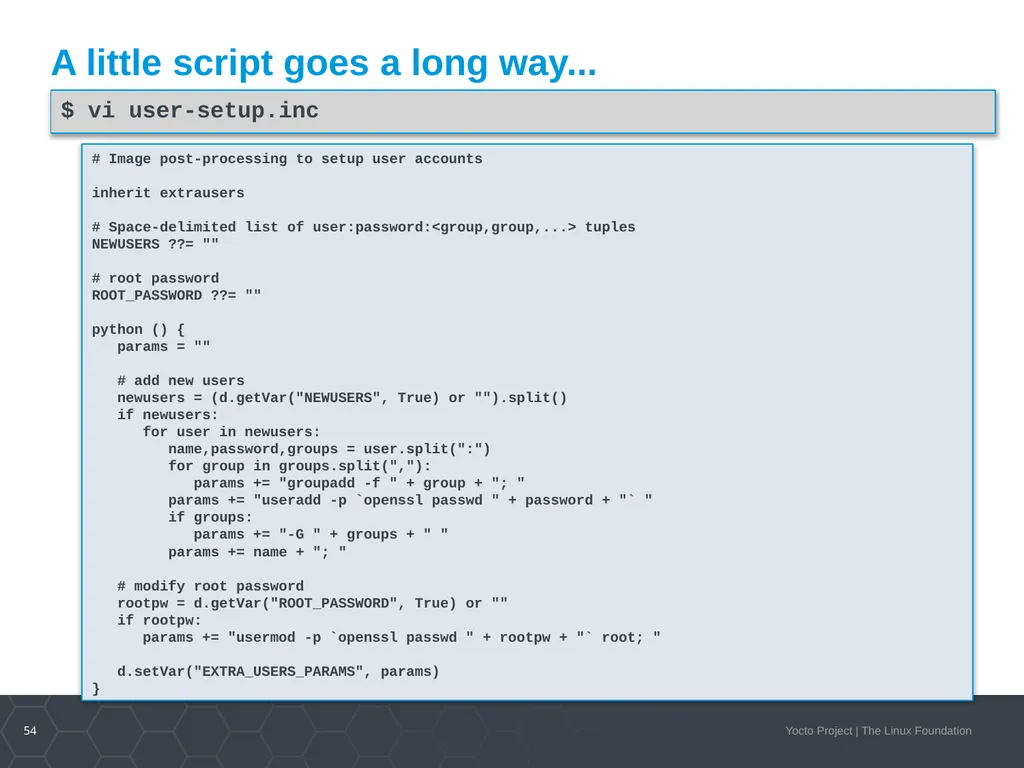
A little script goes a long way... # Image post-processing to setup user accounts
inherit extrausers
# Space-delimited list of user:password:<group,group,...> tuples
NEWUSERS ??= ""
# root password
ROOT_PASSWORD ??= ""
python () {
params = ""
# add new users
newusers = (d.getVar("NEWUSERS", True) or "").split()
if newusers:
for user in newusers:
name,password,groups = user.split(":")
for group in groups.split(","):
params += "groupadd -f " + group + "; "
params += "useradd -p `openssl passwd " + password + "` "
if groups:
params += "-G " + groups + " "
params += name + "; "
# modify root password
rootpw = d.getVar("ROOT_PASSWORD", True) or ""
if rootpw:
params += "usermod -p `openssl passwd " + rootpw + "` root; "
d.setVar("EXTRA_USERS_PARAMS", params)
} $ vi user-setup.inc<br>
inherit extrausers
# Space-delimited list of user:password:<group,group,...> tuples
NEWUSERS ??= ""
# root password
ROOT_PASSWORD ??= ""
python () {
params = ""
# add new users
newusers = (d.getVar("NEWUSERS", True) or "").split()
if newusers:
for user in newusers:
name,password,groups = user.split(":")
for group in groups.split(","):
params += "groupadd -f " + group + "; "
params += "useradd -p `openssl passwd " + password + "` "
if groups:
params += "-G " + groups + " "
params += name + "; "
# modify root password
rootpw = d.getVar("ROOT_PASSWORD", True) or ""
if rootpw:
params += "usermod -p `openssl passwd " + rootpw + "` root; "
d.setVar("EXTRA_USERS_PARAMS", params)
} $ vi user-setup.inc<br>
55
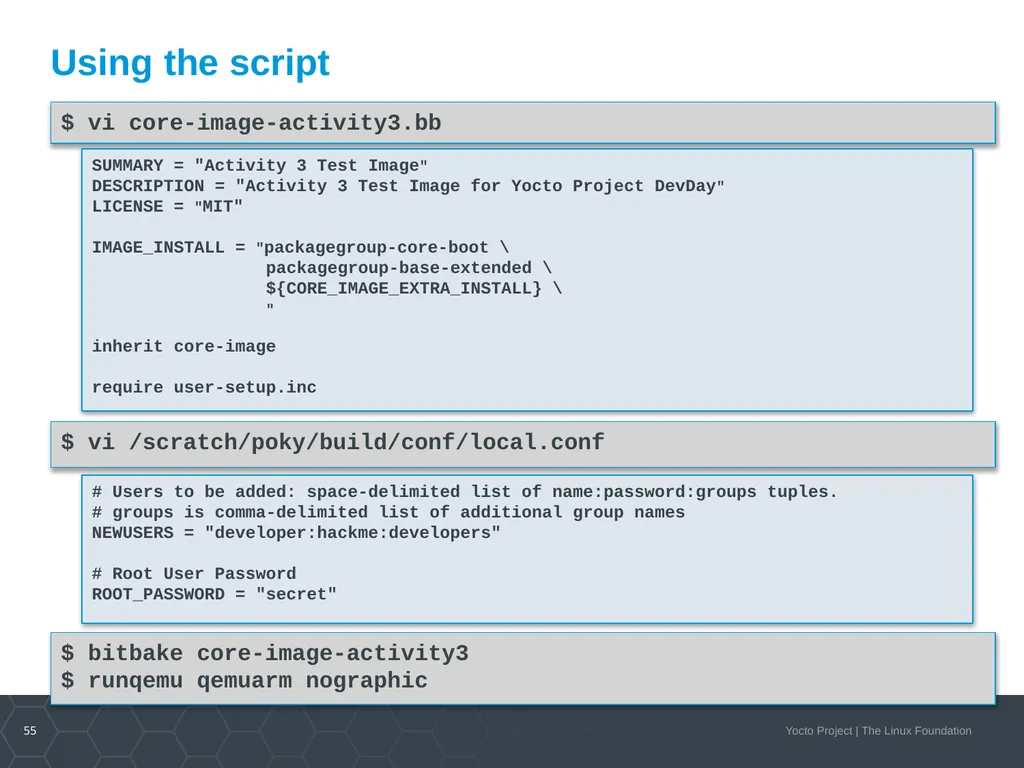
Using the script $ vi core-image-activity3.bb $ vi /scratch/poky/build/conf/local.conf # Users to be added: space-delimited list of name:password:groups tuples.
# groups is comma-delimited list of additional group names
NEWUSERS = "developer:hackme:developers"
# Root User Password
ROOT_PASSWORD = "secret" SUMMARY = "Activity 3 Test Image"
DESCRIPTION = "Activity 3 Test Image for Yocto Project DevDay"
LICENSE = "MIT"
IMAGE_INSTALL = "packagegroup-core-boot \
packagegroup-base-extended \
${CORE_IMAGE_EXTRA_INSTALL} \
"
inherit core-image
require user-setup.inc $ bitbake core-image-activity3
$ runqemu qemuarm nographic<br>
# groups is comma-delimited list of additional group names
NEWUSERS = "developer:hackme:developers"
# Root User Password
ROOT_PASSWORD = "secret" SUMMARY = "Activity 3 Test Image"
DESCRIPTION = "Activity 3 Test Image for Yocto Project DevDay"
LICENSE = "MIT"
IMAGE_INSTALL = "packagegroup-core-boot \
packagegroup-base-extended \
${CORE_IMAGE_EXTRA_INSTALL} \
"
inherit core-image
require user-setup.inc $ bitbake core-image-activity3
$ runqemu qemuarm nographic<br>
56
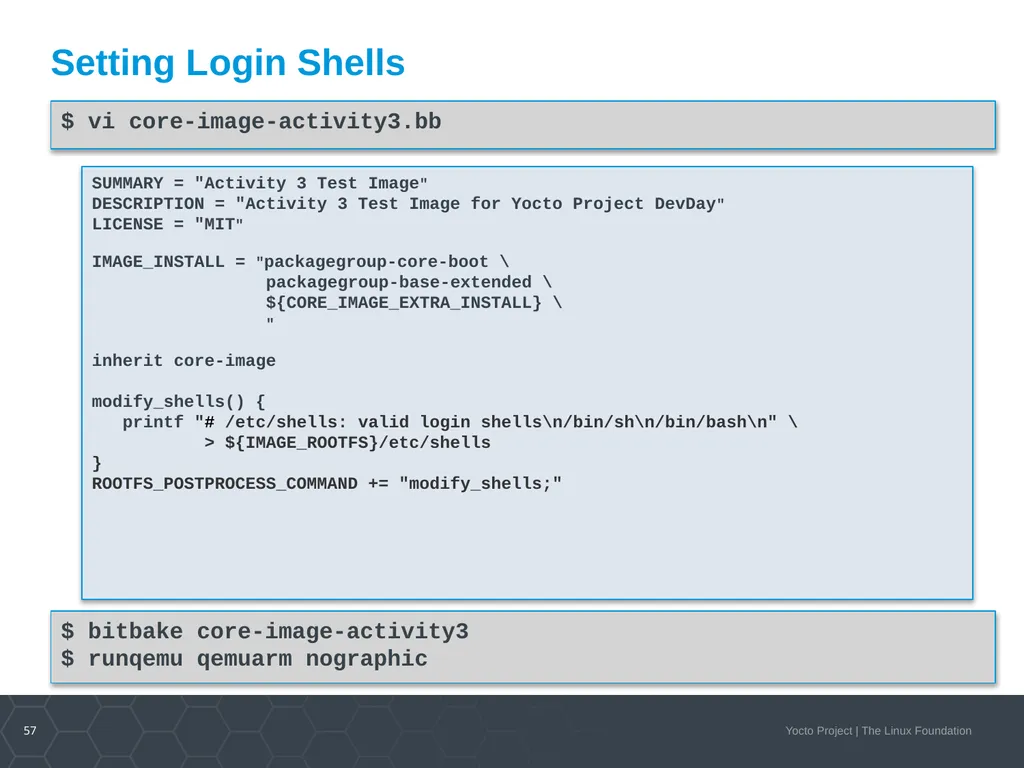
Image Post Processing Sometimes it is necessary to processing such as adding, modifying files and more after the root file system has been created but before it is packaged into the different formats.
Through the variable ROOTFS_POSTPROCESS_COMMAND you can specify a list of shell functions to be executed.
Commonly the variable and the functions are added to the image recipe.
The functions are executed in the order they appear in the variable.
The search path for shell commands includes the native system root of the build environment and build host PATH from the user environment.
The variable IMAGE_ROOTFS points to the directory where the build system assembles the root file system.<br>
Through the variable ROOTFS_POSTPROCESS_COMMAND you can specify a list of shell functions to be executed.
Commonly the variable and the functions are added to the image recipe.
The functions are executed in the order they appear in the variable.
The search path for shell commands includes the native system root of the build environment and build host PATH from the user environment.
The variable IMAGE_ROOTFS points to the directory where the build system assembles the root file system.<br>
57
Setting Login Shells $ vi core-image-activity3.bb SUMMARY = "Activity 3 Test Image"
DESCRIPTION = "Activity 3 Test Image for Yocto Project DevDay"
LICENSE = "MIT"
IMAGE_INSTALL = "packagegroup-core-boot \
packagegroup-base-extended \
${CORE_IMAGE_EXTRA_INSTALL} \
"
inherit core-image
modify_shells() {
printf "# /etc/shells: valid login shells\n/bin/sh\n/bin/bash\n" \
> ${IMAGE_ROOTFS}/etc/shells
}
ROOTFS_POSTPROCESS_COMMAND += "modify_shells;" $ bitbake core-image-activity3
$ runqemu qemuarm nographic<br>
DESCRIPTION = "Activity 3 Test Image for Yocto Project DevDay"
LICENSE = "MIT"
IMAGE_INSTALL = "packagegroup-core-boot \
packagegroup-base-extended \
${CORE_IMAGE_EXTRA_INSTALL} \
"
inherit core-image
modify_shells() {
printf "# /etc/shells: valid login shells\n/bin/sh\n/bin/bash\n" \
> ${IMAGE_ROOTFS}/etc/shells
}
ROOTFS_POSTPROCESS_COMMAND += "modify_shells;" $ bitbake core-image-activity3
$ runqemu qemuarm nographic<br>
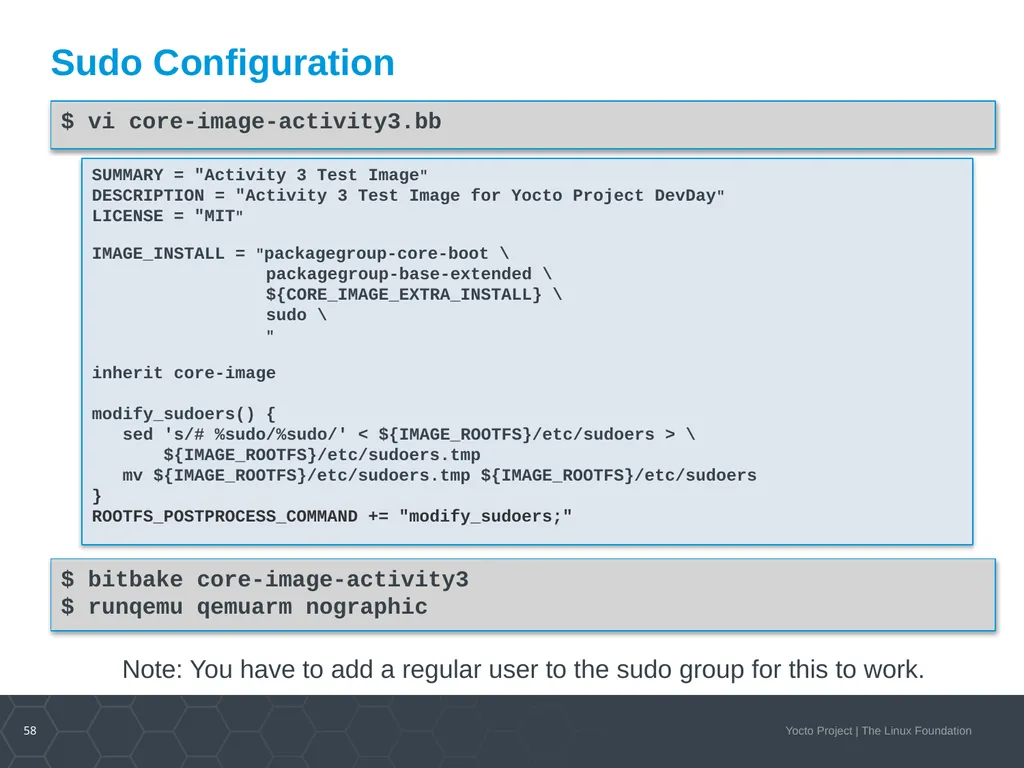
58
Sudo Configuration $ vi core-image-activity3.bb SUMMARY = "Activity 3 Test Image"
DESCRIPTION = "Activity 3 Test Image for Yocto Project DevDay"
LICENSE = "MIT"
IMAGE_INSTALL = "packagegroup-core-boot \
packagegroup-base-extended \
${CORE_IMAGE_EXTRA_INSTALL} \
sudo \
"
inherit core-image
modify_sudoers() {
sed 's/# %sudo/%sudo/' < ${IMAGE_ROOTFS}/etc/sudoers > \
${IMAGE_ROOTFS}/etc/sudoers.tmp
mv ${IMAGE_ROOTFS}/etc/sudoers.tmp ${IMAGE_ROOTFS}/etc/sudoers
}
ROOTFS_POSTPROCESS_COMMAND += "modify_sudoers;" $ bitbake core-image-activity3
$ runqemu qemuarm nographic Note: You have to add a regular user to the sudo group for this to work.<br>
DESCRIPTION = "Activity 3 Test Image for Yocto Project DevDay"
LICENSE = "MIT"
IMAGE_INSTALL = "packagegroup-core-boot \
packagegroup-base-extended \
${CORE_IMAGE_EXTRA_INSTALL} \
sudo \
"
inherit core-image
modify_sudoers() {
sed 's/# %sudo/%sudo/' < ${IMAGE_ROOTFS}/etc/sudoers > \
${IMAGE_ROOTFS}/etc/sudoers.tmp
mv ${IMAGE_ROOTFS}/etc/sudoers.tmp ${IMAGE_ROOTFS}/etc/sudoers
}
ROOTFS_POSTPROCESS_COMMAND += "modify_sudoers;" $ bitbake core-image-activity3
$ runqemu qemuarm nographic Note: You have to add a regular user to the sudo group for this to work.<br>
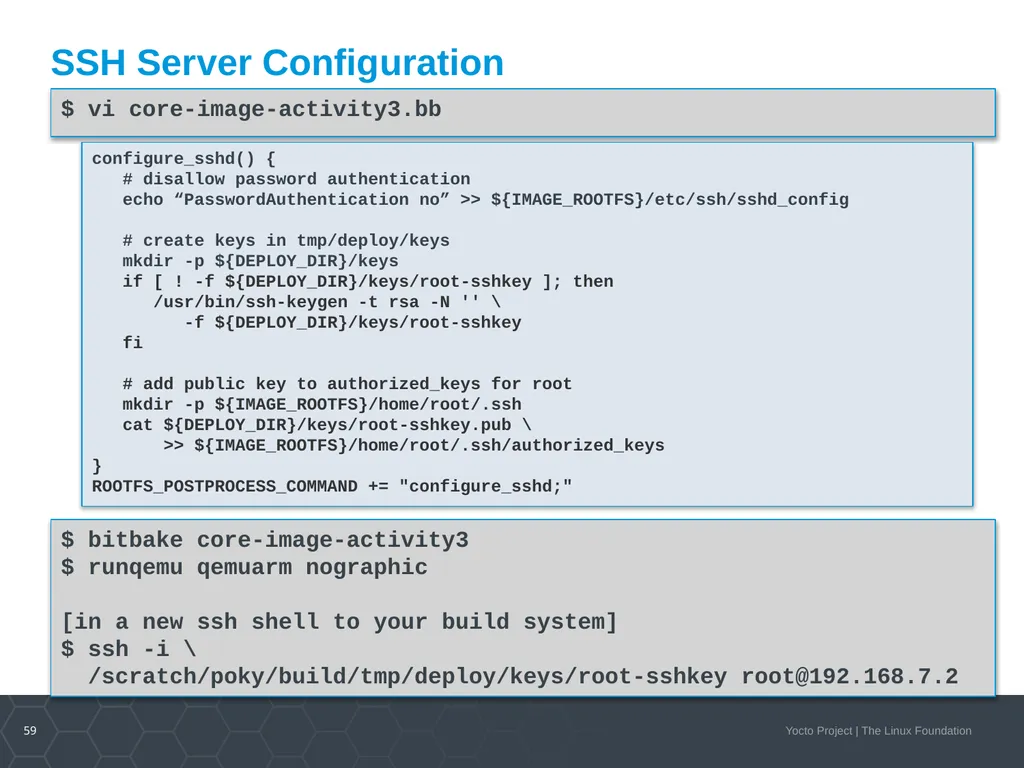
59
SSH Server Configuration $ vi core-image-activity3.bb configure_sshd() {
# disallow password authentication
echo “PasswordAuthentication no” >> ${IMAGE_ROOTFS}/etc/ssh/sshd_config
# create keys in tmp/deploy/keys
mkdir -p ${DEPLOY_DIR}/keys
if [ ! -f ${DEPLOY_DIR}/keys/root-sshkey ]; then
/usr/bin/ssh-keygen -t rsa -N '' \
-f ${DEPLOY_DIR}/keys/root-sshkey
fi
# add public key to authorized_keys for root
mkdir -p ${IMAGE_ROOTFS}/home/root/.ssh
cat ${DEPLOY_DIR}/keys/root-sshkey.pub \
>> ${IMAGE_ROOTFS}/home/root/.ssh/authorized_keys
}
ROOTFS_POSTPROCESS_COMMAND += "configure_sshd;" $ bitbake core-image-activity3
$ runqemu qemuarm nographic
[in a new ssh shell to your build system]
$ ssh -i \
/scratch/poky/build/tmp/deploy/keys/root-sshkey root@192.168.7.2<br>
# disallow password authentication
echo “PasswordAuthentication no” >> ${IMAGE_ROOTFS}/etc/ssh/sshd_config
# create keys in tmp/deploy/keys
mkdir -p ${DEPLOY_DIR}/keys
if [ ! -f ${DEPLOY_DIR}/keys/root-sshkey ]; then
/usr/bin/ssh-keygen -t rsa -N '' \
-f ${DEPLOY_DIR}/keys/root-sshkey
fi
# add public key to authorized_keys for root
mkdir -p ${IMAGE_ROOTFS}/home/root/.ssh
cat ${DEPLOY_DIR}/keys/root-sshkey.pub \
>> ${IMAGE_ROOTFS}/home/root/.ssh/authorized_keys
}
ROOTFS_POSTPROCESS_COMMAND += "configure_sshd;" $ bitbake core-image-activity3
$ runqemu qemuarm nographic
[in a new ssh shell to your build system]
$ ssh -i \
/scratch/poky/build/tmp/deploy/keys/root-sshkey root@192.168.7.2<br>
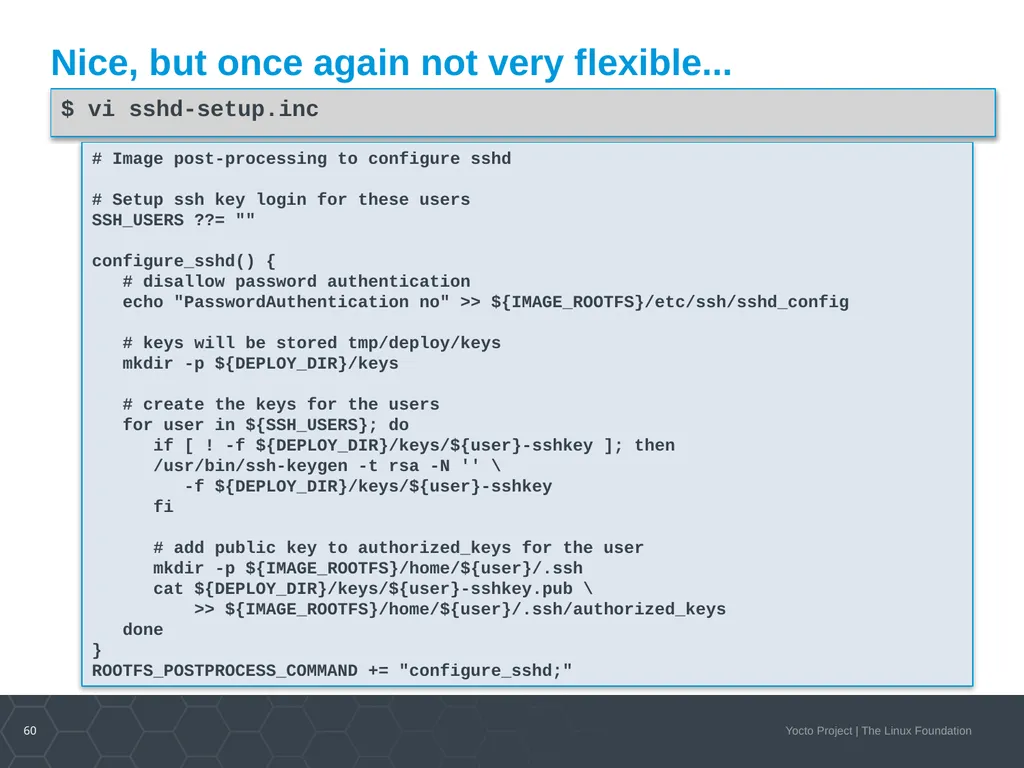
60
Nice, but once again not very flexible... $ vi sshd-setup.inc # Image post-processing to configure sshd
# Setup ssh key login for these users
SSH_USERS ??= ""
configure_sshd() {
# disallow password authentication
echo "PasswordAuthentication no" >> ${IMAGE_ROOTFS}/etc/ssh/sshd_config
# keys will be stored tmp/deploy/keys
mkdir -p ${DEPLOY_DIR}/keys
# create the keys for the users
for user in ${SSH_USERS}; do
if [ ! -f ${DEPLOY_DIR}/keys/${user}-sshkey ]; then
/usr/bin/ssh-keygen -t rsa -N '' \
-f ${DEPLOY_DIR}/keys/${user}-sshkey
fi
# add public key to authorized_keys for the user
mkdir -p ${IMAGE_ROOTFS}/home/${user}/.ssh
cat ${DEPLOY_DIR}/keys/${user}-sshkey.pub \
>> ${IMAGE_ROOTFS}/home/${user}/.ssh/authorized_keys
done
}
ROOTFS_POSTPROCESS_COMMAND += "configure_sshd;"<br>
# Setup ssh key login for these users
SSH_USERS ??= ""
configure_sshd() {
# disallow password authentication
echo "PasswordAuthentication no" >> ${IMAGE_ROOTFS}/etc/ssh/sshd_config
# keys will be stored tmp/deploy/keys
mkdir -p ${DEPLOY_DIR}/keys
# create the keys for the users
for user in ${SSH_USERS}; do
if [ ! -f ${DEPLOY_DIR}/keys/${user}-sshkey ]; then
/usr/bin/ssh-keygen -t rsa -N '' \
-f ${DEPLOY_DIR}/keys/${user}-sshkey
fi
# add public key to authorized_keys for the user
mkdir -p ${IMAGE_ROOTFS}/home/${user}/.ssh
cat ${DEPLOY_DIR}/keys/${user}-sshkey.pub \
>> ${IMAGE_ROOTFS}/home/${user}/.ssh/authorized_keys
done
}
ROOTFS_POSTPROCESS_COMMAND += "configure_sshd;"<br>
61
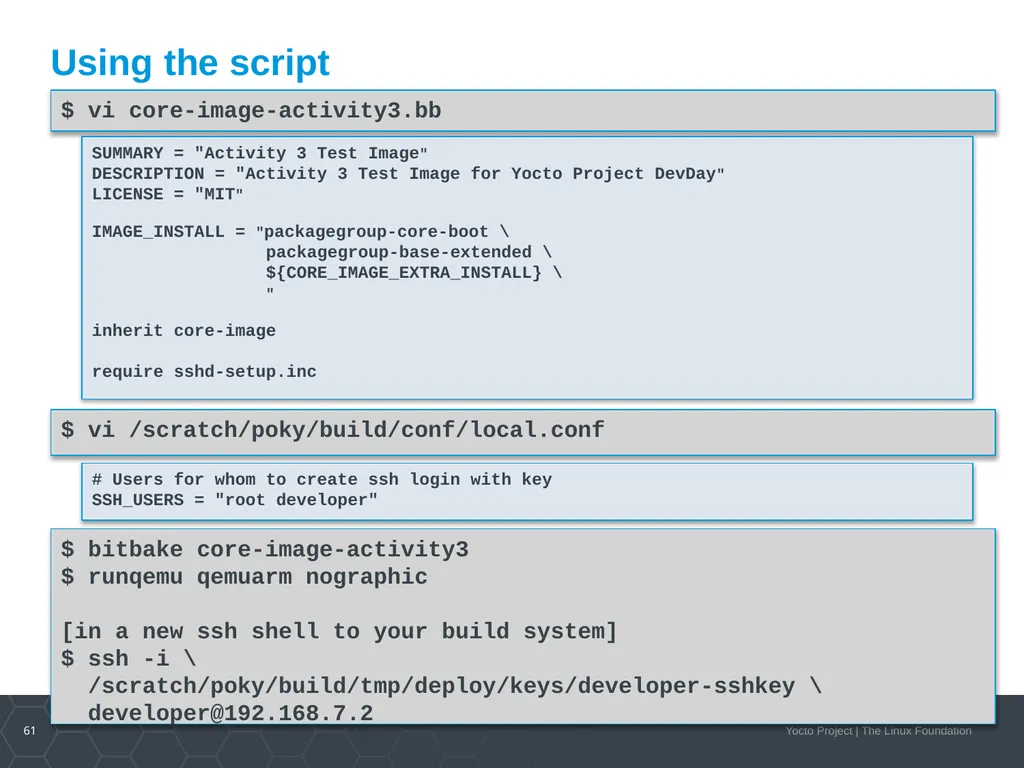
Using the script $ vi core-image-activity3.bb $ vi /scratch/poky/build/conf/local.conf # Users for whom to create ssh login with key
SSH_USERS = "root developer" SUMMARY = "Activity 3 Test Image"
DESCRIPTION = "Activity 3 Test Image for Yocto Project DevDay"
LICENSE = "MIT"
IMAGE_INSTALL = "packagegroup-core-boot \
packagegroup-base-extended \
${CORE_IMAGE_EXTRA_INSTALL} \
"
inherit core-image
require sshd-setup.inc $ bitbake core-image-activity3
$ runqemu qemuarm nographic
[in a new ssh shell to your build system]
$ ssh -i \
/scratch/poky/build/tmp/deploy/keys/developer-sshkey \
developer@192.168.7.2<br>
SSH_USERS = "root developer" SUMMARY = "Activity 3 Test Image"
DESCRIPTION = "Activity 3 Test Image for Yocto Project DevDay"
LICENSE = "MIT"
IMAGE_INSTALL = "packagegroup-core-boot \
packagegroup-base-extended \
${CORE_IMAGE_EXTRA_INSTALL} \
"
inherit core-image
require sshd-setup.inc $ bitbake core-image-activity3
$ runqemu qemuarm nographic
[in a new ssh shell to your build system]
$ ssh -i \
/scratch/poky/build/tmp/deploy/keys/developer-sshkey \
developer@192.168.7.2<br>
62
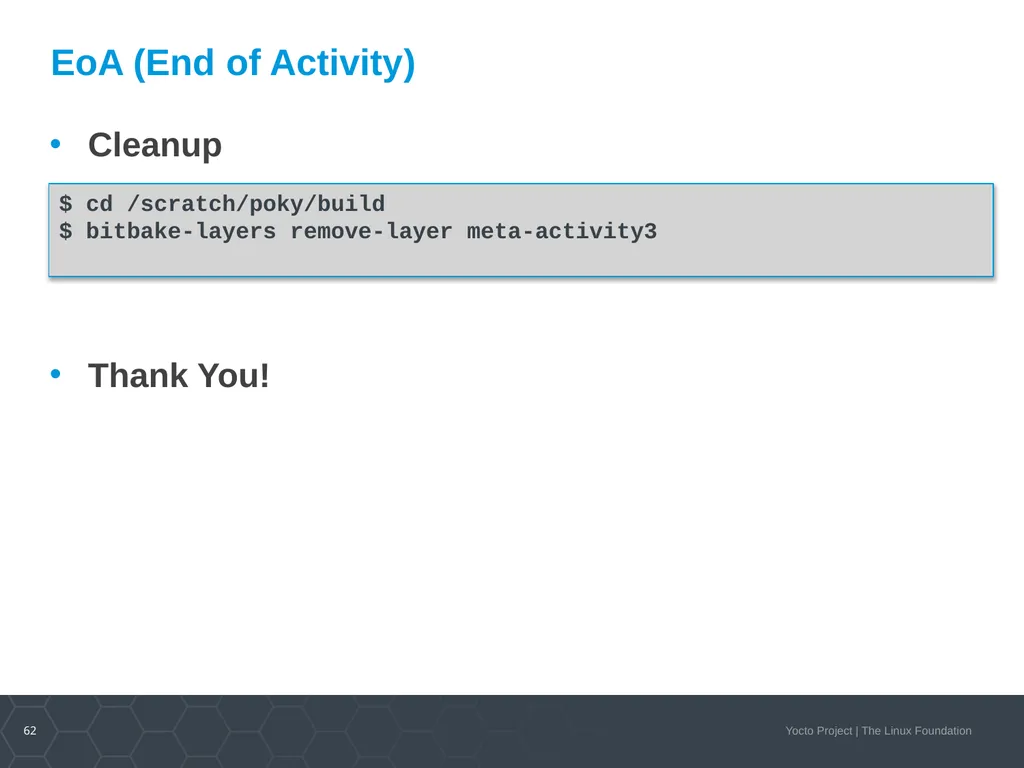
EoA (End of Activity) Cleanup
Thank You! $ cd /scratch/poky/build
$ bitbake-layers remove-layer meta-activity3<br>
Thank You! $ cd /scratch/poky/build
$ bitbake-layers remove-layer meta-activity3<br>
63
Activity Four On Target Development using Package Feeds
Stephano Cetola<br>
Stephano Cetola<br>
64
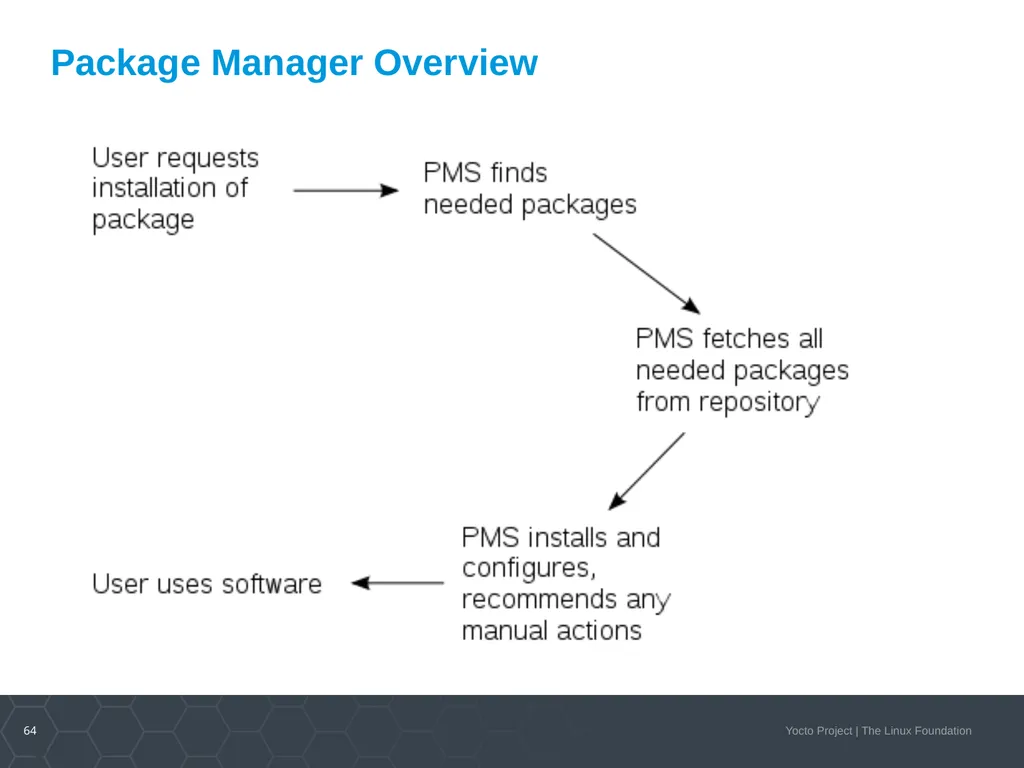
64 Package Manager Overview<br>
65
65 Yocto Package Feed Overview Tested package types: rpm and ipk
For rpm packages, we now use DNF
Setting up a package feed is EASY
stephano.cetola@linux.intel.com
@stephano approves this message
Signing your packages and package feed is supported
Two major use cases:
On target development (faster and smarter)
In the field updates (YMMV)<br>
For rpm packages, we now use DNF
Setting up a package feed is EASY
stephano.cetola@linux.intel.com
@stephano approves this message
Signing your packages and package feed is supported
Two major use cases:
On target development (faster and smarter)
In the field updates (YMMV)<br>
66
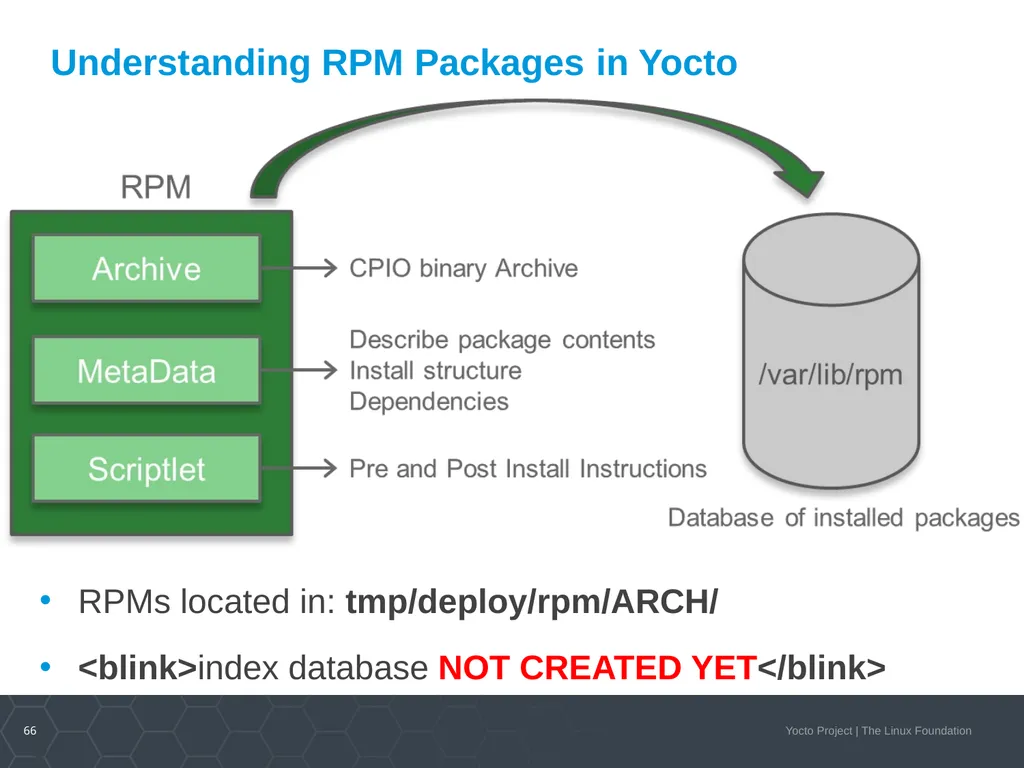
66 Understanding RPM Packages in Yocto RPMs located in: tmp/deploy/rpm/ARCH/
<blink>index database NOT CREATED YET</blink><br>
<blink>index database NOT CREATED YET</blink><br>
67
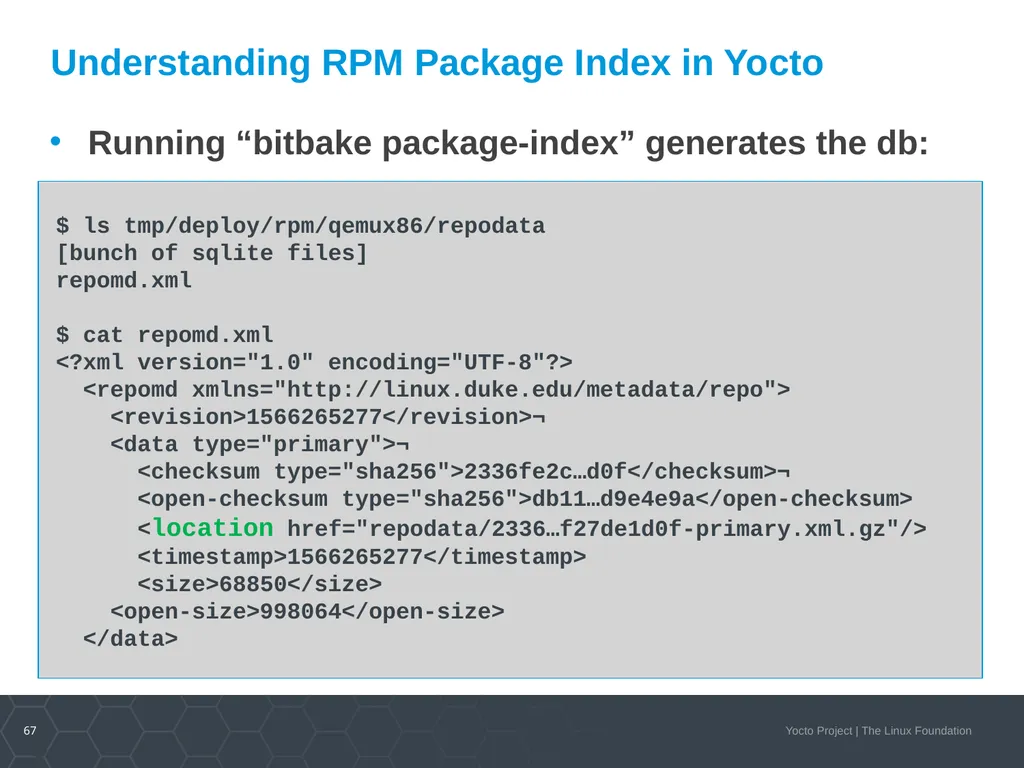
67 Understanding RPM Package Index in Yocto Running “bitbake package-index” generates the db:<br>
68
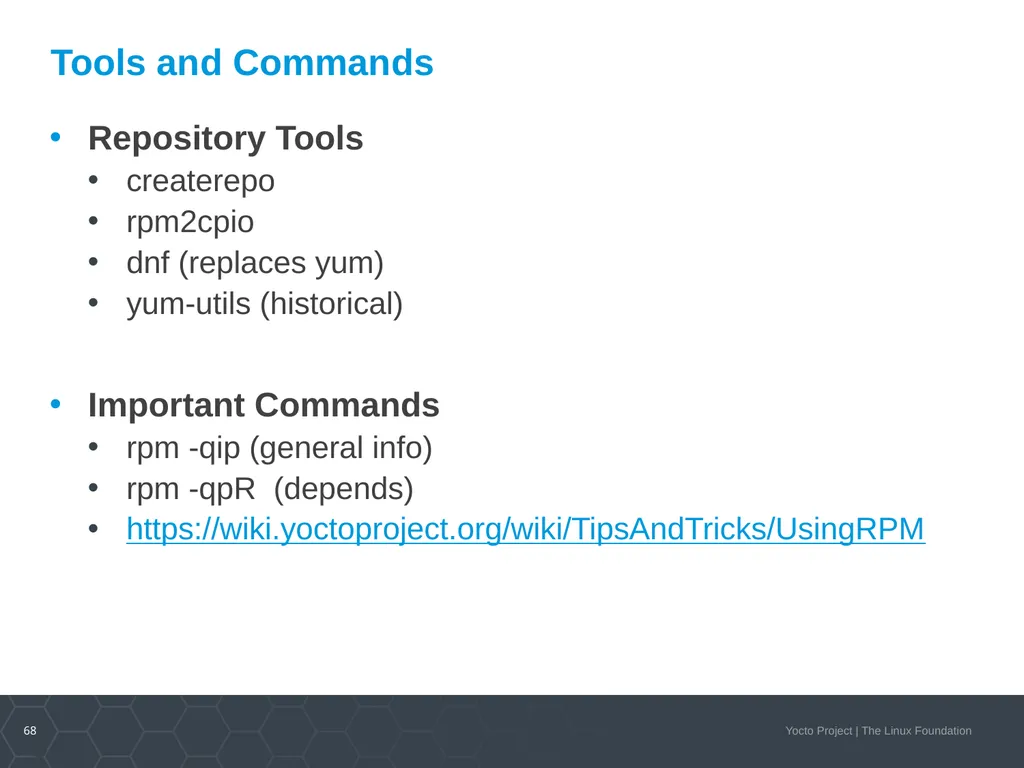
68 Tools and Commands Repository Tools
createrepo
rpm2cpio
dnf (replaces yum)
yum-utils (historical)
Important Commands
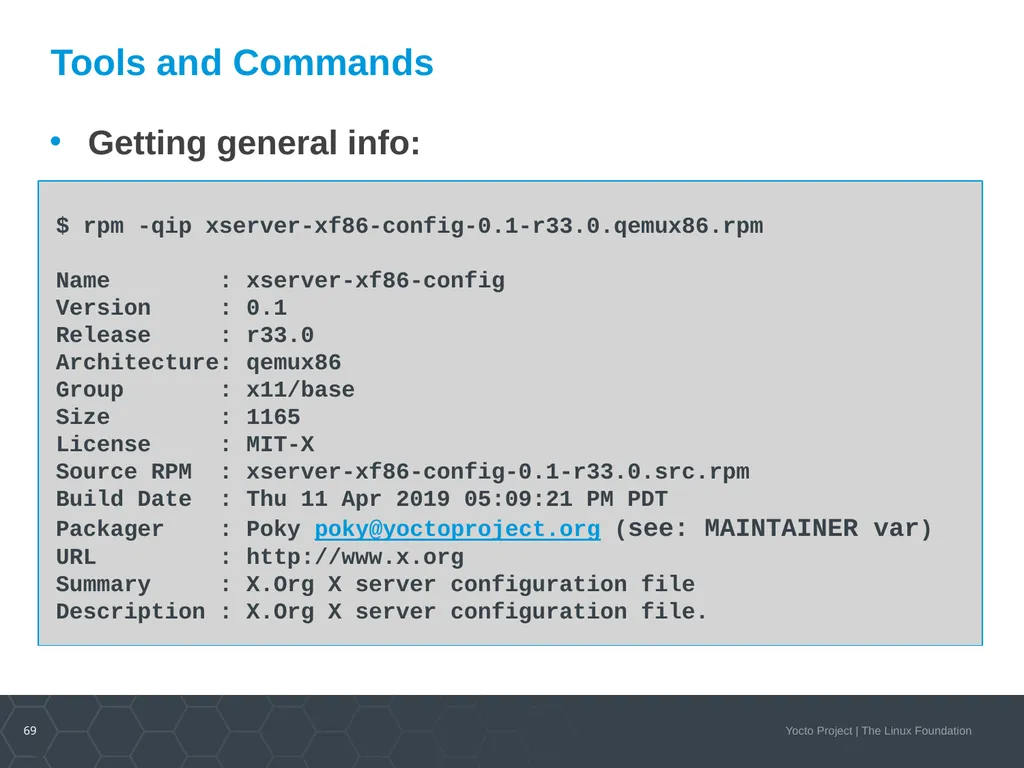
rpm -qip (general info)
rpm -qpR (depends)
https://wiki.yoctoproject.org/wiki/TipsAndTricks/UsingRPM<br>
createrepo
rpm2cpio
dnf (replaces yum)
yum-utils (historical)
Important Commands
rpm -qip (general info)
rpm -qpR (depends)
https://wiki.yoctoproject.org/wiki/TipsAndTricks/UsingRPM<br>
69
69 Tools and Commands Getting general info:<br>
70
70 On Target Development – Better, Faster, Stronger Topics
Setting up a package feed
Using PR Server
Signing package feeds
Keeping your code secure
The future of package feeds<br>
Setting up a package feed
Using PR Server
Signing package feeds
Keeping your code secure
The future of package feeds<br>
71
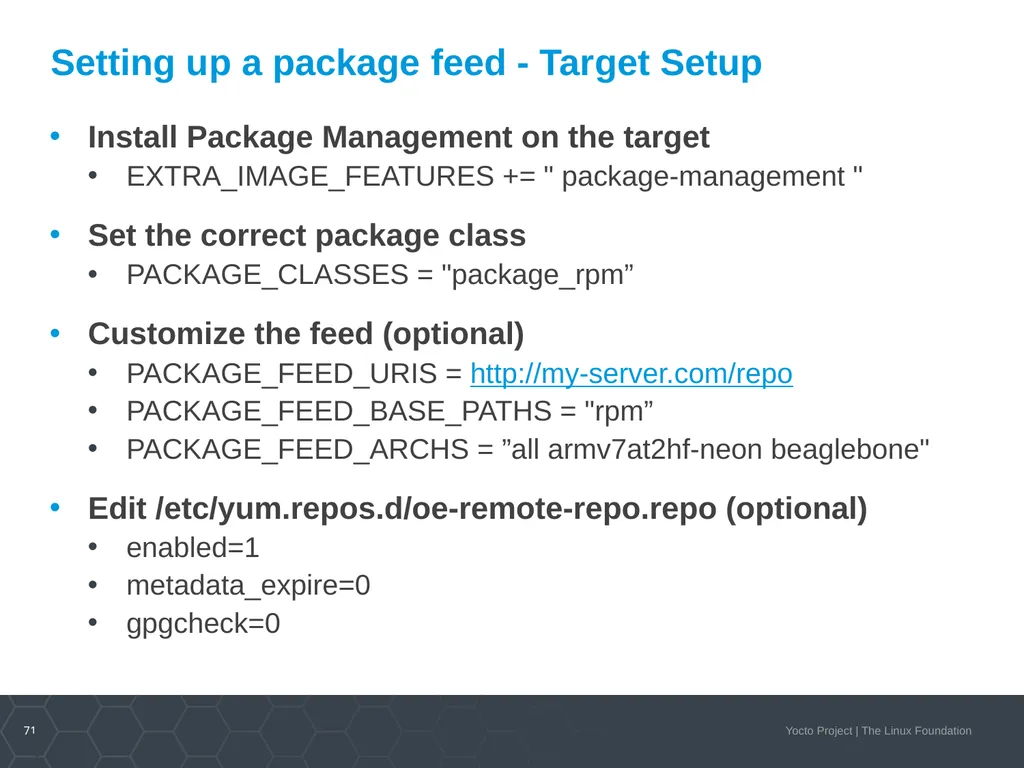
71 Setting up a package feed - Target Setup Install Package Management on the target
EXTRA_IMAGE_FEATURES += " package-management "
Set the correct package class
PACKAGE_CLASSES = "package_rpm”
Customize the feed (optional)
PACKAGE_FEED_URIS = http://my-server.com/repo
PACKAGE_FEED_BASE_PATHS = "rpm”
PACKAGE_FEED_ARCHS = ”all armv7at2hf-neon beaglebone"
Edit /etc/yum.repos.d/oe-remote-repo.repo (optional)
enabled=1
metadata_expire=0
gpgcheck=0<br>
EXTRA_IMAGE_FEATURES += " package-management "
Set the correct package class
PACKAGE_CLASSES = "package_rpm”
Customize the feed (optional)
PACKAGE_FEED_URIS = http://my-server.com/repo
PACKAGE_FEED_BASE_PATHS = "rpm”
PACKAGE_FEED_ARCHS = ”all armv7at2hf-neon beaglebone"
Edit /etc/yum.repos.d/oe-remote-repo.repo (optional)
enabled=1
metadata_expire=0
gpgcheck=0<br>
72
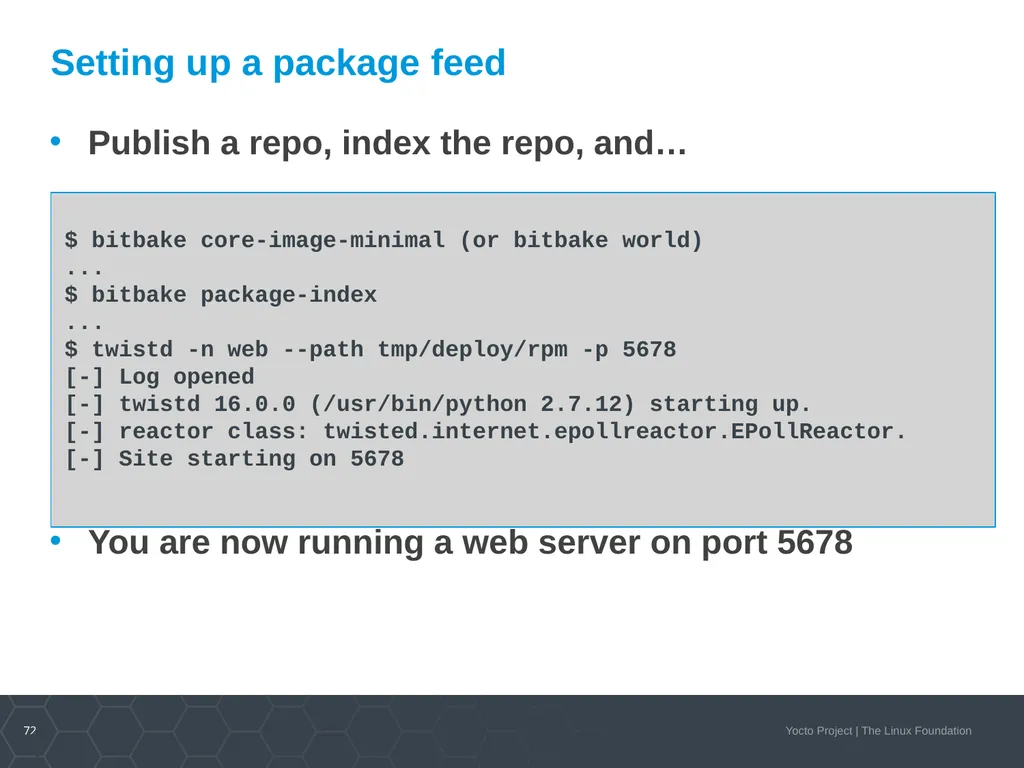
72 Setting up a package feed Publish a repo, index the repo, and…
You are now running a web server on port 5678<br>
You are now running a web server on port 5678<br>
73
73 Caveats and Reminders Running bitbake world can take some time
You may want to update your repo as needed
Serve the repo from a build machine
Or simply rsync to a webserver
Do not forget to run `bitbake package-index`
Package index will not auto-update
Good practice is to dogfood your repo<br>
You may want to update your repo as needed
Serve the repo from a build machine
Or simply rsync to a webserver
Do not forget to run `bitbake package-index`
Package index will not auto-update
Good practice is to dogfood your repo<br>
74
74 On Target Development – Better, Faster, Stronger Topics
Setting up a package feed
Using PR Server
Signing package feeds
Keeping your code secure
The future of package feeds<br>
Setting up a package feed
Using PR Server
Signing package feeds
Keeping your code secure
The future of package feeds<br>
75
75 Package Revision (PR) Server Overview Allows package feeds to act as expected
Allows package feed consumers to get latest builds
Works with SigGen to know when things change
Versions increase in a linear fashion
Ordered by decreasing priority
PE, PV and PR **
**more on these later, see also:
https://wiki.yoctoproject.org/wiki/PR_Service<br>
Allows package feed consumers to get latest builds
Works with SigGen to know when things change
Versions increase in a linear fashion
Ordered by decreasing priority
PE, PV and PR **
**more on these later, see also:
https://wiki.yoctoproject.org/wiki/PR_Service<br>
76
76 PR Server Overview - Variables PE – Epoch – Defaults to UNSET
PV – Version – Defaults to filename (recipe_2.0.1.bb)
Recipes won’t touch this (unless building unstable)
PR – Revision – Defaults to r0
When PV increases, PR is reset to ‘r0’
mega-manual -> #working-with-a-pr-service<br>
PV – Version – Defaults to filename (recipe_2.0.1.bb)
Recipes won’t touch this (unless building unstable)
PR – Revision – Defaults to r0
When PV increases, PR is reset to ‘r0’
mega-manual -> #working-with-a-pr-service<br>
77
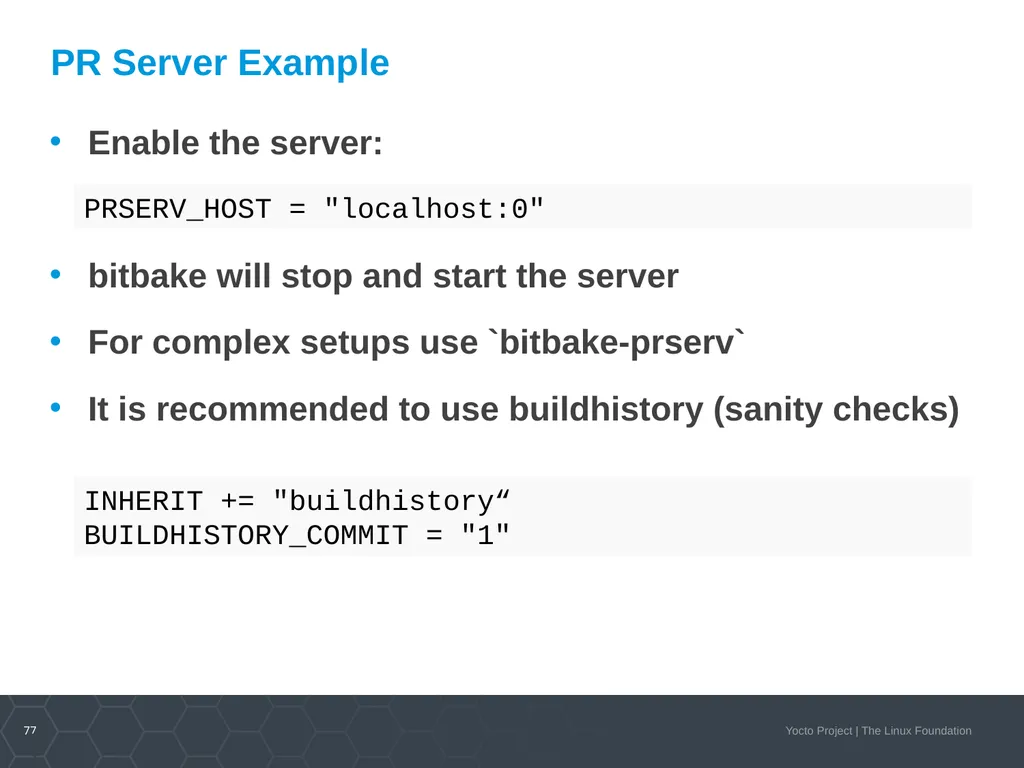
77 PR Server Example Enable the server:
bitbake will stop and start the server
For complex setups use `bitbake-prserv`
It is recommended to use buildhistory (sanity checks) PRSERV_HOST = "localhost:0" INHERIT += "buildhistory“
BUILDHISTORY_COMMIT = "1"<br>
bitbake will stop and start the server
For complex setups use `bitbake-prserv`
It is recommended to use buildhistory (sanity checks) PRSERV_HOST = "localhost:0" INHERIT += "buildhistory“
BUILDHISTORY_COMMIT = "1"<br>
78
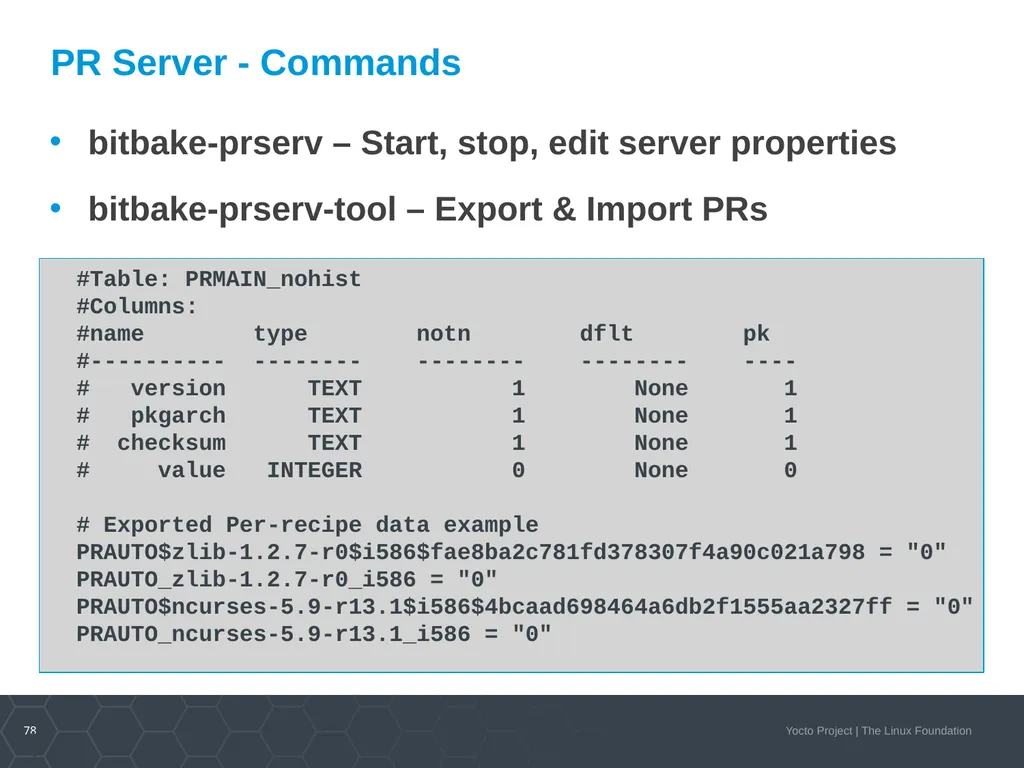
78 PR Server - Commands bitbake-prserv – Start, stop, edit server properties
bitbake-prserv-tool – Export & Import PRs #Table: PRMAIN_nohist
#Columns:
#name type notn dflt pk
#---------- -------- -------- -------- ----
# version TEXT 1 None 1
# pkgarch TEXT 1 None 1
# checksum TEXT 1 None 1
# value INTEGER 0 None 0
# Exported Per-recipe data example
PRAUTO$zlib-1.2.7-r0$i586$fae8ba2c781fd378307f4a90c021a798 = "0"
PRAUTO_zlib-1.2.7-r0_i586 = "0"
PRAUTO$ncurses-5.9-r13.1$i586$4bcaad698464a6db2f1555aa2327ff = "0"
PRAUTO_ncurses-5.9-r13.1_i586 = "0"<br>
bitbake-prserv-tool – Export & Import PRs #Table: PRMAIN_nohist
#Columns:
#name type notn dflt pk
#---------- -------- -------- -------- ----
# version TEXT 1 None 1
# pkgarch TEXT 1 None 1
# checksum TEXT 1 None 1
# value INTEGER 0 None 0
# Exported Per-recipe data example
PRAUTO$zlib-1.2.7-r0$i586$fae8ba2c781fd378307f4a90c021a798 = "0"
PRAUTO_zlib-1.2.7-r0_i586 = "0"
PRAUTO$ncurses-5.9-r13.1$i586$4bcaad698464a6db2f1555aa2327ff = "0"
PRAUTO_ncurses-5.9-r13.1_i586 = "0"<br>
79
79 On Target Development – Better, Faster, Stronger Topics
Setting up a package feed
Using PR Server
Signing package feeds
Keeping your code secure
The future of package feeds<br>
Setting up a package feed
Using PR Server
Signing package feeds
Keeping your code secure
The future of package feeds<br>
80
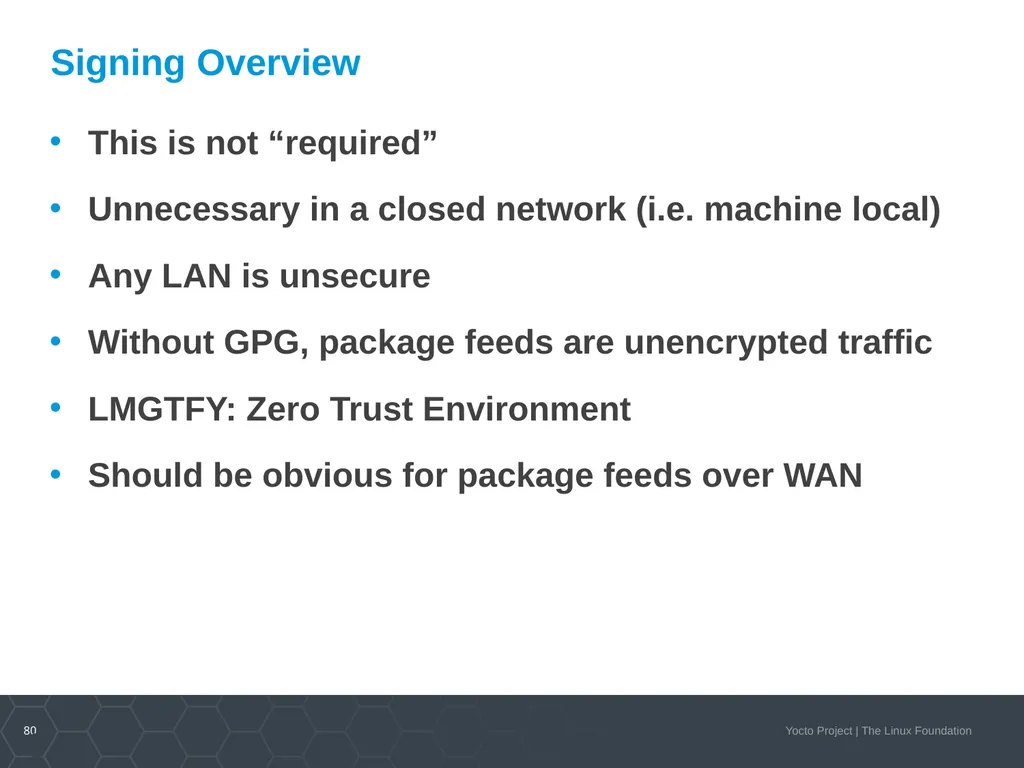
80 Signing Overview This is not “required”
Unnecessary in a closed network (i.e. machine local)
Any LAN is unsecure
Without GPG, package feeds are unencrypted traffic
LMGTFY: Zero Trust Environment
Should be obvious for package feeds over WAN<br>
Unnecessary in a closed network (i.e. machine local)
Any LAN is unsecure
Without GPG, package feeds are unencrypted traffic
LMGTFY: Zero Trust Environment
Should be obvious for package feeds over WAN<br>
81
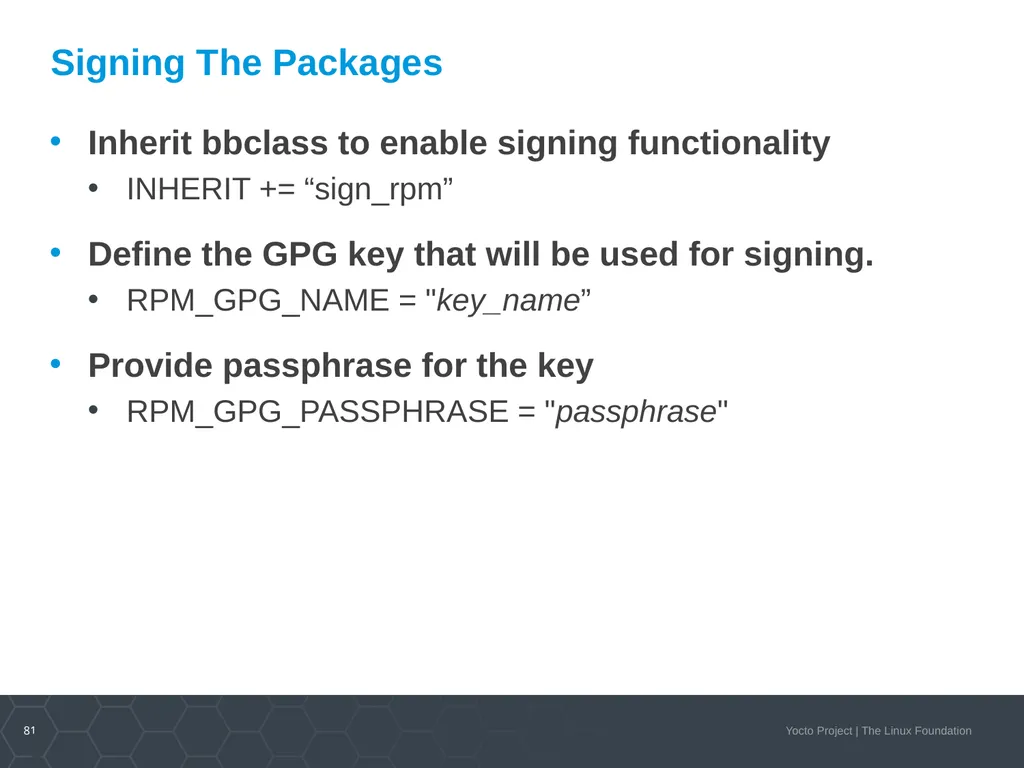
81 Signing The Packages Inherit bbclass to enable signing functionality
INHERIT += “sign_rpm”
Define the GPG key that will be used for signing.
RPM_GPG_NAME = "key_name”
Provide passphrase for the key
RPM_GPG_PASSPHRASE = "passphrase"<br>
INHERIT += “sign_rpm”
Define the GPG key that will be used for signing.
RPM_GPG_NAME = "key_name”
Provide passphrase for the key
RPM_GPG_PASSPHRASE = "passphrase"<br>
82
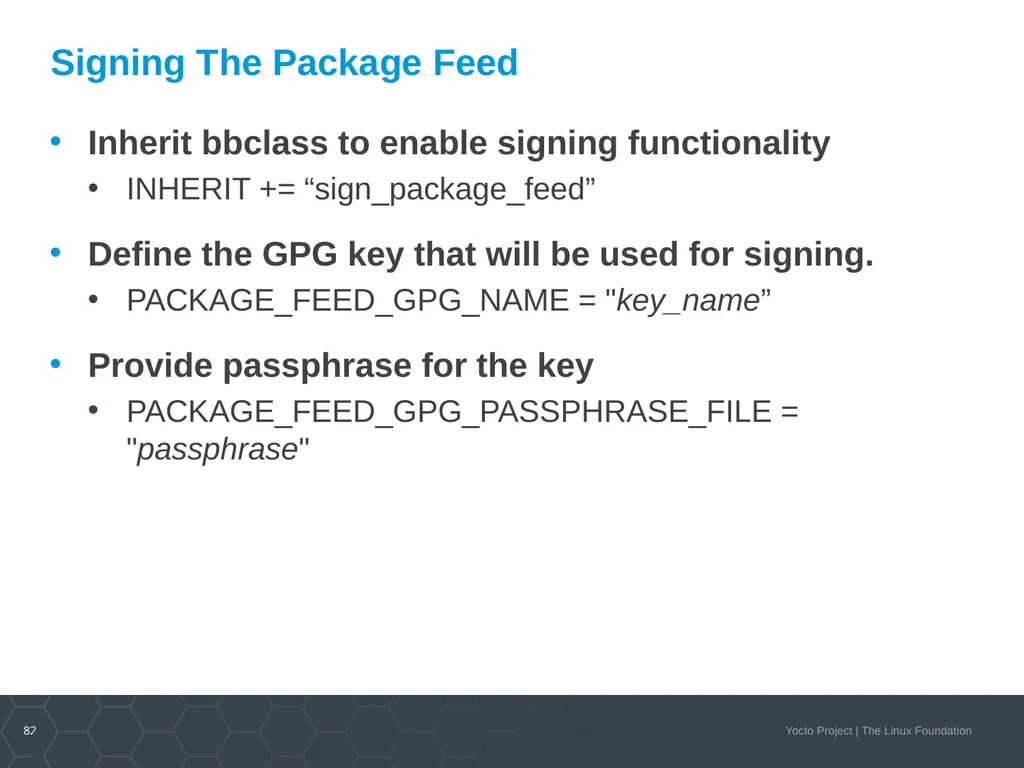
82 Signing The Package Feed Inherit bbclass to enable signing functionality
INHERIT += “sign_package_feed”
Define the GPG key that will be used for signing.
PACKAGE_FEED_GPG_NAME = "key_name”
Provide passphrase for the key
PACKAGE_FEED_GPG_PASSPHRASE_FILE = "passphrase"<br>
INHERIT += “sign_package_feed”
Define the GPG key that will be used for signing.
PACKAGE_FEED_GPG_NAME = "key_name”
Provide passphrase for the key
PACKAGE_FEED_GPG_PASSPHRASE_FILE = "passphrase"<br>
83
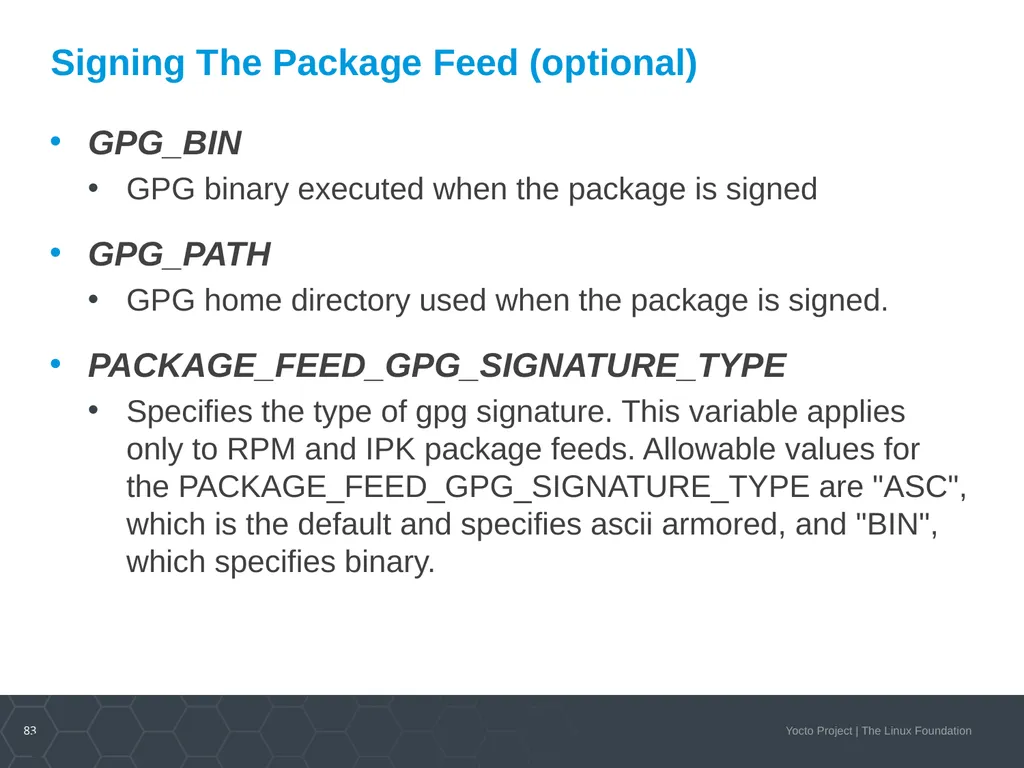
83 Signing The Package Feed (optional) GPG_BIN
GPG binary executed when the package is signed
GPG_PATH
GPG home directory used when the package is signed.
PACKAGE_FEED_GPG_SIGNATURE_TYPE
Specifies the type of gpg signature. This variable applies only to RPM and IPK package feeds. Allowable values for the PACKAGE_FEED_GPG_SIGNATURE_TYPE are "ASC", which is the default and specifies ascii armored, and "BIN", which specifies binary.<br>
GPG binary executed when the package is signed
GPG_PATH
GPG home directory used when the package is signed.
PACKAGE_FEED_GPG_SIGNATURE_TYPE
Specifies the type of gpg signature. This variable applies only to RPM and IPK package feeds. Allowable values for the PACKAGE_FEED_GPG_SIGNATURE_TYPE are "ASC", which is the default and specifies ascii armored, and "BIN", which specifies binary.<br>
84
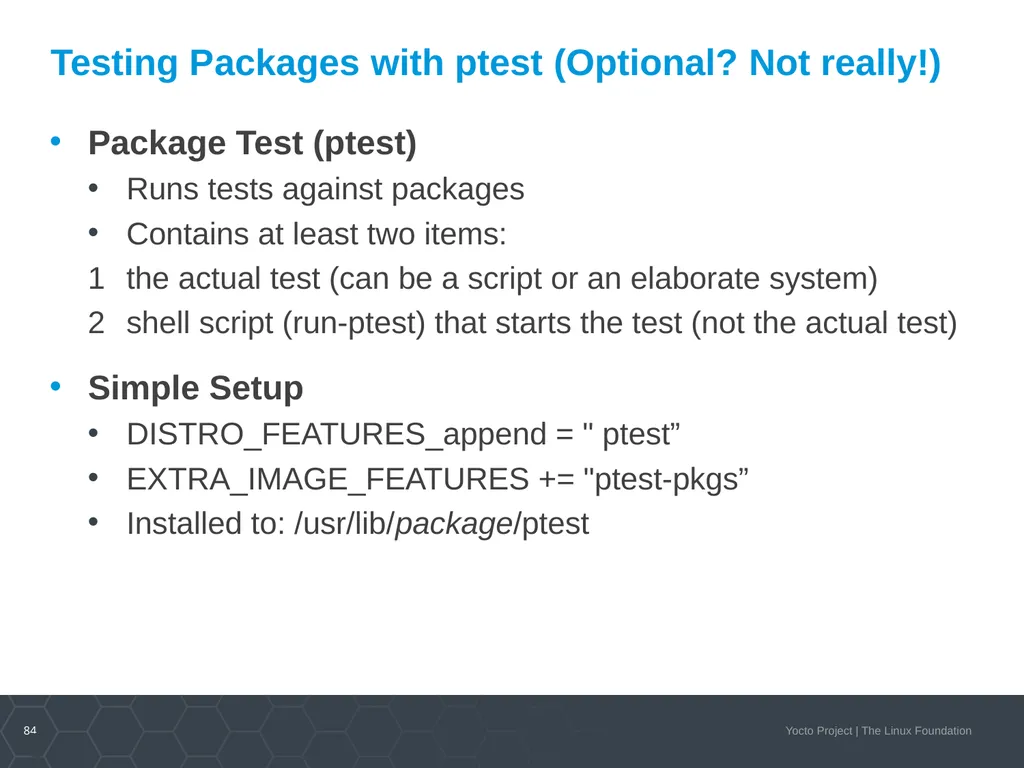
84 Testing Packages with ptest (Optional? Not really!) Package Test (ptest)
Runs tests against packages
Contains at least two items:
the actual test (can be a script or an elaborate system)
shell script (run-ptest) that starts the test (not the actual test)
Simple Setup
DISTRO_FEATURES_append = " ptest”
EXTRA_IMAGE_FEATURES += "ptest-pkgs”
Installed to: /usr/lib/package/ptest<br>
Runs tests against packages
Contains at least two items:
the actual test (can be a script or an elaborate system)
shell script (run-ptest) that starts the test (not the actual test)
Simple Setup
DISTRO_FEATURES_append = " ptest”
EXTRA_IMAGE_FEATURES += "ptest-pkgs”
Installed to: /usr/lib/package/ptest<br>
85
85 On Target Development – Better, Faster, Stronger Topics
Setting up a package feed
Using PR Server
Signing package feeds
Keeping your code secure
The future of package feeds<br>
Setting up a package feed
Using PR Server
Signing package feeds
Keeping your code secure
The future of package feeds<br>
86
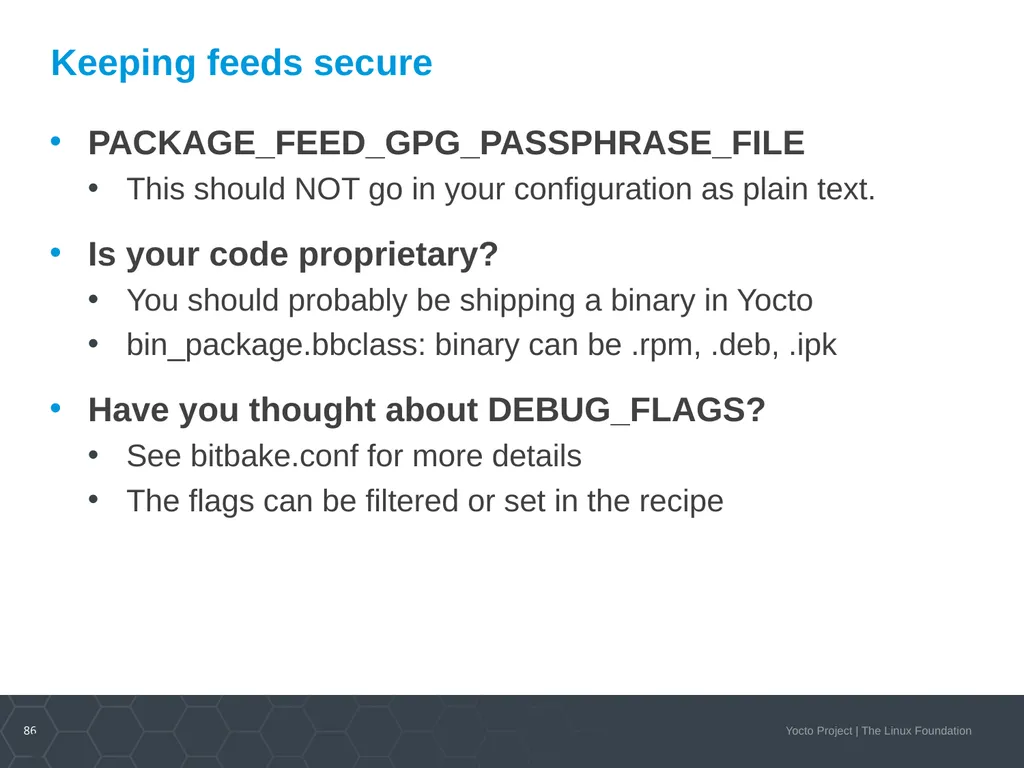
86 Keeping feeds secure PACKAGE_FEED_GPG_PASSPHRASE_FILE
This should NOT go in your configuration as plain text.
Is your code proprietary?
You should probably be shipping a binary in Yocto
bin_package.bbclass: binary can be .rpm, .deb, .ipk
Have you thought about DEBUG_FLAGS?
See bitbake.conf for more details
The flags can be filtered or set in the recipe<br>
This should NOT go in your configuration as plain text.
Is your code proprietary?
You should probably be shipping a binary in Yocto
bin_package.bbclass: binary can be .rpm, .deb, .ipk
Have you thought about DEBUG_FLAGS?
See bitbake.conf for more details
The flags can be filtered or set in the recipe<br>
87
87 On Target Development – Better, Faster, Stronger Topics
Setting up a package feed
Using PR Server
Signing package feeds
Keeping your code secure
The future of package feeds<br>
Setting up a package feed
Using PR Server
Signing package feeds
Keeping your code secure
The future of package feeds<br>
88
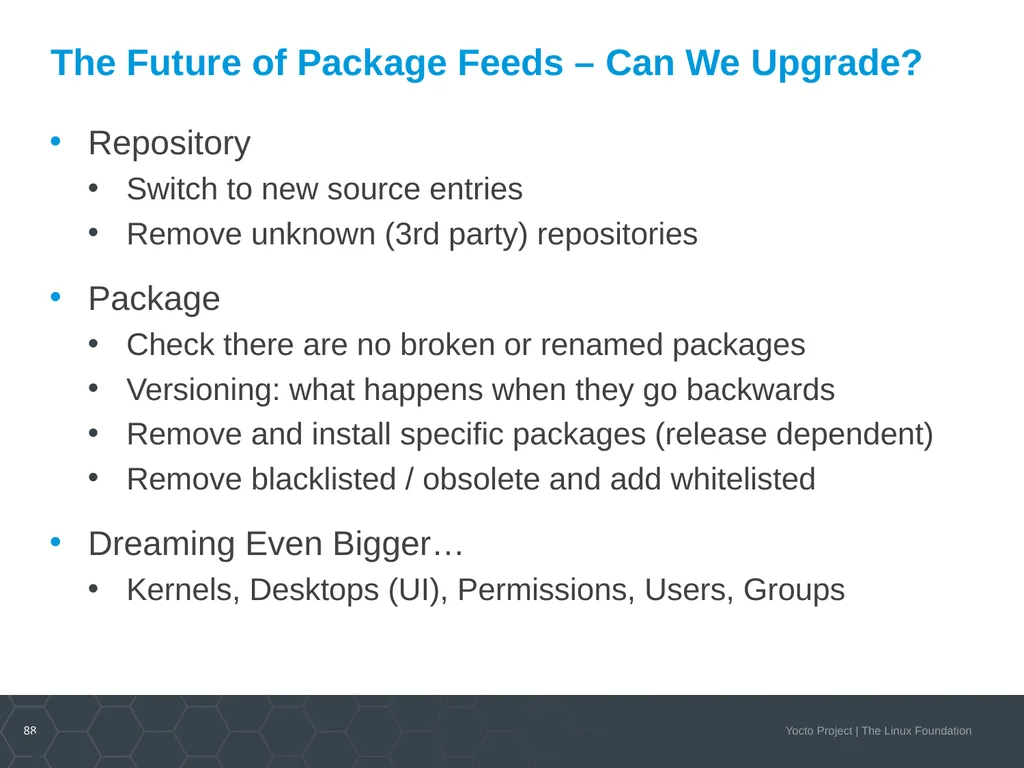
88 The Future of Package Feeds – Can We Upgrade? Repository
Switch to new source entries
Remove unknown (3rd party) repositories
Package
Check there are no broken or renamed packages
Versioning: what happens when they go backwards
Remove and install specific packages (release dependent)
Remove blacklisted / obsolete and add whitelisted
Dreaming Even Bigger…
Kernels, Desktops (UI), Permissions, Users, Groups<br>
Switch to new source entries
Remove unknown (3rd party) repositories
Package
Check there are no broken or renamed packages
Versioning: what happens when they go backwards
Remove and install specific packages (release dependent)
Remove blacklisted / obsolete and add whitelisted
Dreaming Even Bigger…
Kernels, Desktops (UI), Permissions, Users, Groups<br>
89
89 Yocto as a Binary Distro Yocto Project provides SSTATE, why not Package Feeds?
What would be our scope?
What target machines would we ship?
What versions would we support?
How would we deploy a test infrastructure?<br>
What would be our scope?
What target machines would we ship?
What versions would we support?
How would we deploy a test infrastructure?<br>
90
90 Yocto as a Binary Distro – Questions to Answer What would be our scope?
Open Embedded Core
Specific meta-oe layers
Specific layers from layers.openembedded.com<br>
Open Embedded Core
Specific meta-oe layers
Specific layers from layers.openembedded.com<br>
91
91 Yocto as a Binary Distro – Questions to Answer What target machines would we ship?
QEMU, hardware, or both
X86-64, ARM, MIPS, PPC
If PPC / MIPS, who supports them?<br>
QEMU, hardware, or both
X86-64, ARM, MIPS, PPC
If PPC / MIPS, who supports them?<br>
92
92 Yocto as a Binary Distro – Questions to Answer What versions would we support?
Rolling Release
CVE fixes only
Last 2 Major Versions
Minor Versions for CVEs only
Inherent need for Long Term Support (LTS)<br>
Rolling Release
CVE fixes only
Last 2 Major Versions
Minor Versions for CVEs only
Inherent need for Long Term Support (LTS)<br>
93
93 Yocto as a Binary Distro – Questions to Answer How would we deploy a test infrastructure?
ptests required
Support rollback
Fail gracefully
eSDK
Community supported<br>
ptests required
Support rollback
Fail gracefully
eSDK
Community supported<br>
94
Activity Five A Mirrors and SState
David Reyna<br>
David Reyna<br>
95
Mirrors and Pre-Mirrors MIRRORS specifies additional paths from which the build system gets source code. When the build system searches for source code, it first tries the local download directory. If that location fails, the build system tries locations defined by PREMIRRORS, the upstream source, and then locations specified by MIRRORS in that order.
PREMIRROR is a set of rules applied to URIs prior to fetching. The rules are composed of an RE followed by a substitution rule.
BB_ALLOWED_NETWORKS specifies a space-delimited list of hosts that the fetcher is allowed to use to obtain the required source code, with limited RE support, for example: BB_ALLOWED_NETWORKS = "*.gnu.org"
BB_NO_NETWORK disables network access in the BitBake fetcher modules. With this access disabled, any command that attempts to access the network becomes an error.<br>
PREMIRROR is a set of rules applied to URIs prior to fetching. The rules are composed of an RE followed by a substitution rule.
BB_ALLOWED_NETWORKS specifies a space-delimited list of hosts that the fetcher is allowed to use to obtain the required source code, with limited RE support, for example: BB_ALLOWED_NETWORKS = "*.gnu.org"
BB_NO_NETWORK disables network access in the BitBake fetcher modules. With this access disabled, any command that attempts to access the network becomes an error.<br>
96
Uses for pre-mirrors No Network Access
When you need to completely lock out external content, either for security reasons or code contamination reasons, you can use BB_NO_NETWORKS.
Limited Network Access
When you want to allow only certain network paths, internal and/or external, for example to manage development repositories, you can use BB_ALLOWED_NETWORKS.
Managed and Redirected Network Access
When you want to allow substitutions of networks when and if they are available, for example to access internal repositories when in the factory and then public repositories when in the field, you can use PREMIRROR.
Protocol Swaps
When you want to substitute potentially blocked repository ports with un-blocked ports, for example swap git access for HTTP access, using the RE features of PREMIRROR.<br>
When you need to completely lock out external content, either for security reasons or code contamination reasons, you can use BB_NO_NETWORKS.
Limited Network Access
When you want to allow only certain network paths, internal and/or external, for example to manage development repositories, you can use BB_ALLOWED_NETWORKS.
Managed and Redirected Network Access
When you want to allow substitutions of networks when and if they are available, for example to access internal repositories when in the factory and then public repositories when in the field, you can use PREMIRROR.
Protocol Swaps
When you want to substitute potentially blocked repository ports with un-blocked ports, for example swap git access for HTTP access, using the RE features of PREMIRROR.<br>
97
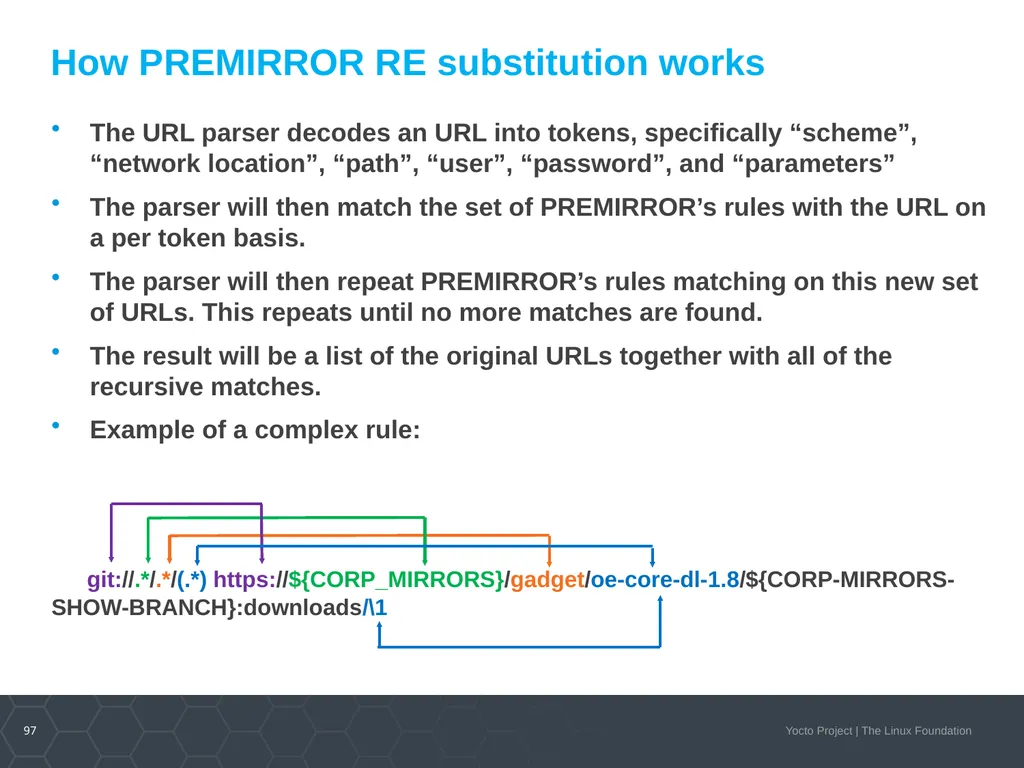
How PREMIRROR RE substitution works The URL parser decodes an URL into tokens, specifically “scheme”, “network location”, “path”, “user”, “password”, and “parameters”
The parser will then match the set of PREMIRROR’s rules with the URL on a per token basis.
The parser will then repeat PREMIRROR’s rules matching on this new set of URLs. This repeats until no more matches are found.
The result will be a list of the original URLs together with all of the recursive matches.
Example of a complex rule:
git://.*/.*/(.*) https://${CORP_MIRRORS}/gadget/oe-core-dl-1.8/${CORP-MIRRORS-SHOW-BRANCH}:downloads/\1<br>
The parser will then match the set of PREMIRROR’s rules with the URL on a per token basis.
The parser will then repeat PREMIRROR’s rules matching on this new set of URLs. This repeats until no more matches are found.
The result will be a list of the original URLs together with all of the recursive matches.
Example of a complex rule:
git://.*/.*/(.*) https://${CORP_MIRRORS}/gadget/oe-core-dl-1.8/${CORP-MIRRORS-SHOW-BRANCH}:downloads/\1<br>
98
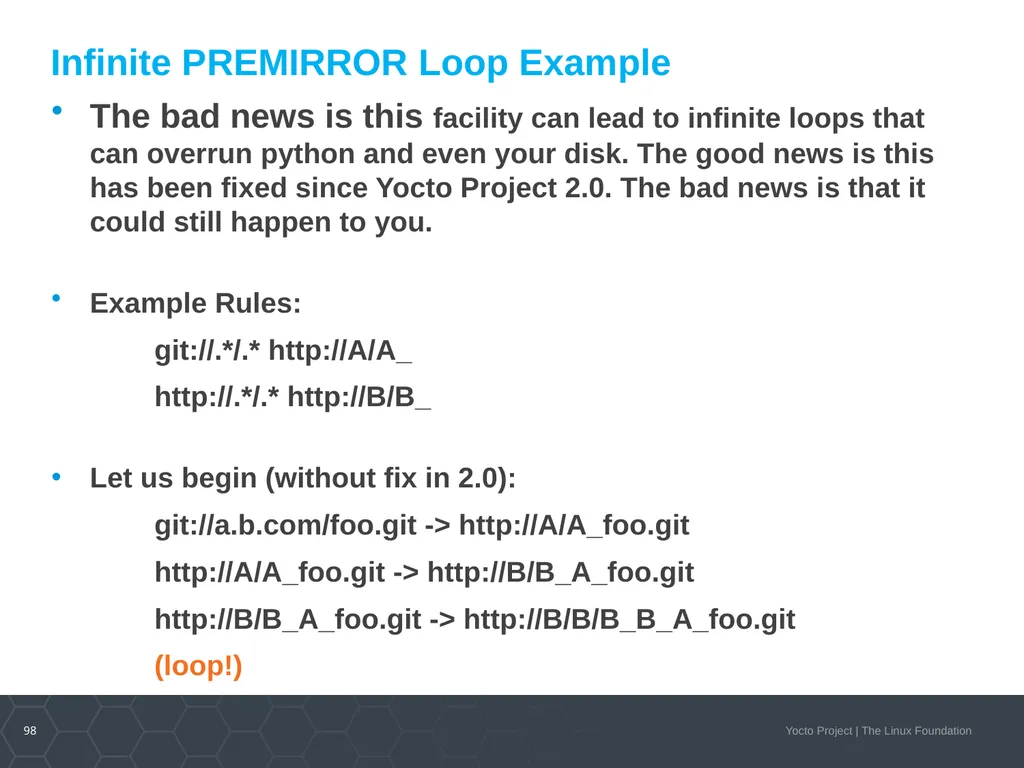
Infinite PREMIRROR Loop Example The bad news is this facility can lead to infinite loops that can overrun python and even your disk. The good news is this has been fixed since Yocto Project 2.0. The bad news is that it could still happen to you.
Example Rules:
git://.*/.* http://A/A_
http://.*/.* http://B/B_
Let us begin (without fix in 2.0):
git://a.b.com/foo.git -> http://A/A_foo.git
http://A/A_foo.git -> http://B/B_A_foo.git
http://B/B_A_foo.git -> http://B/B/B_B_A_foo.git
(loop!)<br>
Example Rules:
git://.*/.* http://A/A_
http://.*/.* http://B/B_
Let us begin (without fix in 2.0):
git://a.b.com/foo.git -> http://A/A_foo.git
http://A/A_foo.git -> http://B/B_A_foo.git
http://B/B_A_foo.git -> http://B/B/B_B_A_foo.git
(loop!)<br>
99
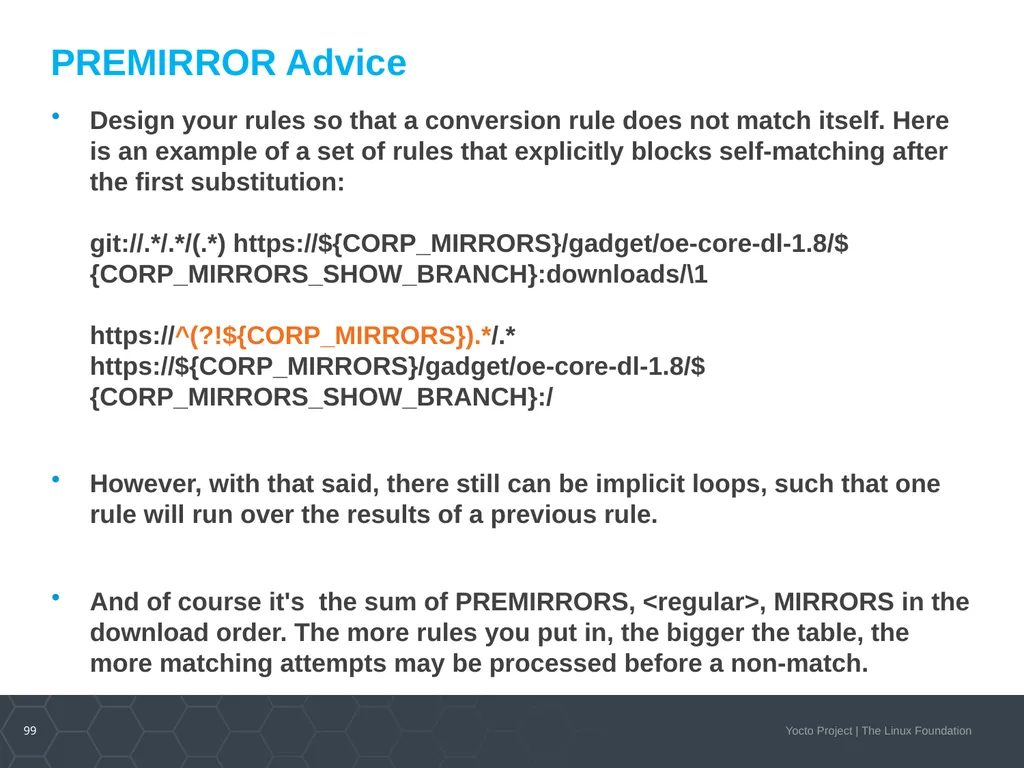
PREMIRROR Advice Design your rules so that a conversion rule does not match itself. Here is an example of a set of rules that explicitly blocks self-matching after the first substitution:
git://.*/.*/(.*) https://${CORP_MIRRORS}/gadget/oe-core-dl-1.8/${CORP_MIRRORS_SHOW_BRANCH}:downloads/\1
https://^(?!${CORP_MIRRORS}).*/.* https://${CORP_MIRRORS}/gadget/oe-core-dl-1.8/${CORP_MIRRORS_SHOW_BRANCH}:/
However, with that said, there still can be implicit loops, such that one rule will run over the results of a previous rule.
And of course it's the sum of PREMIRRORS, <regular>, MIRRORS in the download order. The more rules you put in, the bigger the table, the more matching attempts may be processed before a non-match.<br>
However, with that said, there still can be implicit loops, such that one rule will run over the results of a previous rule.
And of course it's the sum of PREMIRRORS, <regular>, MIRRORS in the download order. The more rules you put in, the bigger the table, the more matching attempts may be processed before a non-match.<br>
100
Sstate and Downloads SSTATE
Each build has a sstate-cache directory that collects the generated packages. The build will look in this directory first to avoid unnecessary rebuilding of otherwise unchanged packages
In the name of each cached file contains a checksum string, known as the signature. The signature is a calculated sum of identifying dependence artifacts that track if the package source has changed. When the calculated sum matches a cached sum, the cached content is reused, else the package is re-built (and ends up with a new checksum)
Downloads
Each build also has a download directory, where all source packages that are not local are copied and placed
For the download directory, uniqueness is determined by the source package's name, which normally have version information<br>
Each build has a sstate-cache directory that collects the generated packages. The build will look in this directory first to avoid unnecessary rebuilding of otherwise unchanged packages
In the name of each cached file contains a checksum string, known as the signature. The signature is a calculated sum of identifying dependence artifacts that track if the package source has changed. When the calculated sum matches a cached sum, the cached content is reused, else the package is re-built (and ends up with a new checksum)
Downloads
Each build also has a download directory, where all source packages that are not local are copied and placed
For the download directory, uniqueness is determined by the source package's name, which normally have version information<br>
101
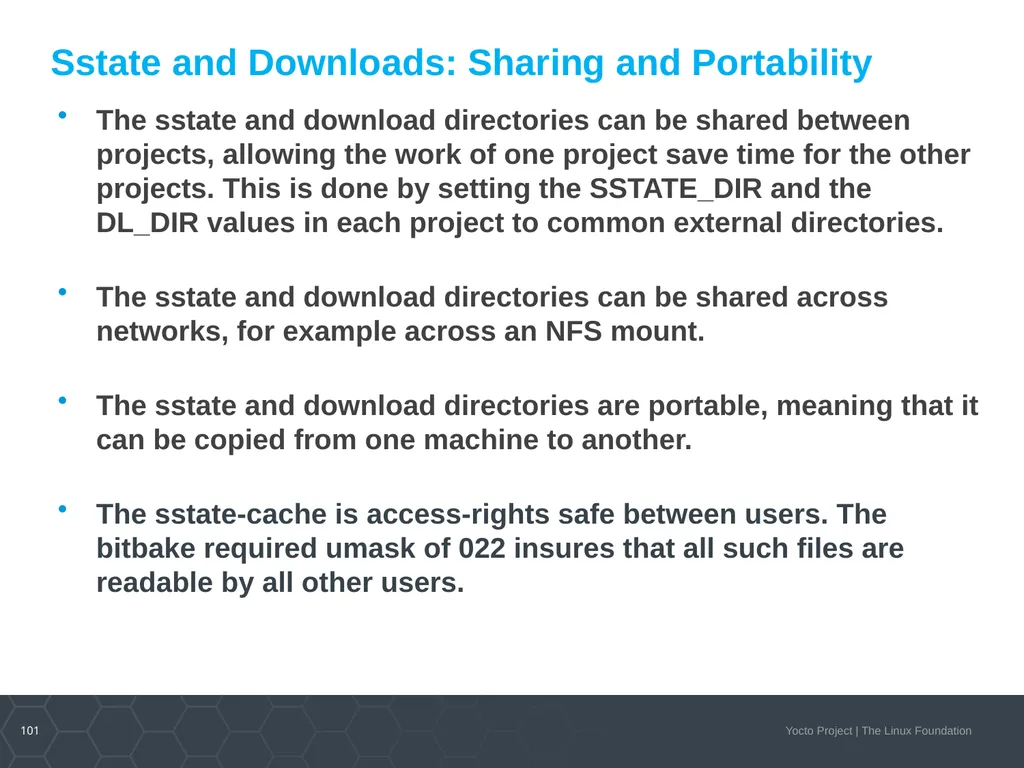
Sstate and Downloads: Sharing and Portability The sstate and download directories can be shared between projects, allowing the work of one project save time for the other projects. This is done by setting the SSTATE_DIR and the DL_DIR values in each project to common external directories.
The sstate and download directories can be shared across networks, for example across an NFS mount.
The sstate and download directories are portable, meaning that it can be copied from one machine to another.
The sstate-cache is access-rights safe between users. The bitbake required umask of 022 insures that all such files are readable by all other users.<br>
The sstate and download directories can be shared across networks, for example across an NFS mount.
The sstate and download directories are portable, meaning that it can be copied from one machine to another.
The sstate-cache is access-rights safe between users. The bitbake required umask of 022 insures that all such files are readable by all other users.<br>
102
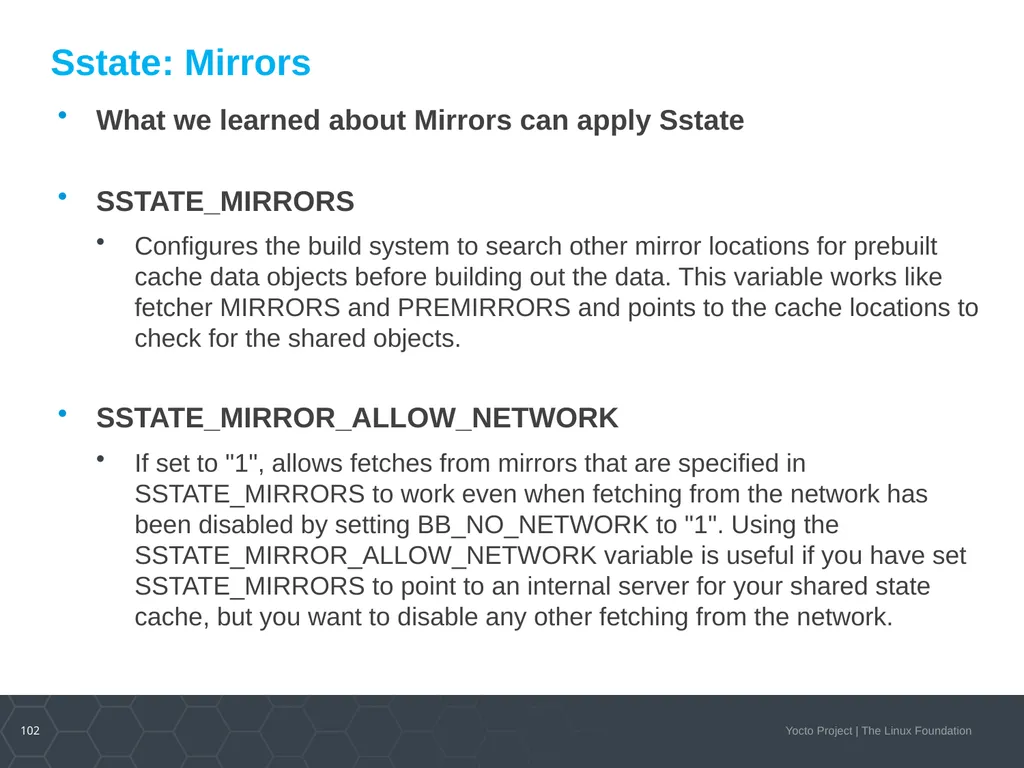
Sstate: Mirrors What we learned about Mirrors can apply Sstate
SSTATE_MIRRORS
Configures the build system to search other mirror locations for prebuilt cache data objects before building out the data. This variable works like fetcher MIRRORS and PREMIRRORS and points to the cache locations to check for the shared objects.
SSTATE_MIRROR_ALLOW_NETWORK
If set to "1", allows fetches from mirrors that are specified in SSTATE_MIRRORS to work even when fetching from the network has been disabled by setting BB_NO_NETWORK to "1". Using the SSTATE_MIRROR_ALLOW_NETWORK variable is useful if you have set SSTATE_MIRRORS to point to an internal server for your shared state cache, but you want to disable any other fetching from the network.<br>
SSTATE_MIRRORS
Configures the build system to search other mirror locations for prebuilt cache data objects before building out the data. This variable works like fetcher MIRRORS and PREMIRRORS and points to the cache locations to check for the shared objects.
SSTATE_MIRROR_ALLOW_NETWORK
If set to "1", allows fetches from mirrors that are specified in SSTATE_MIRRORS to work even when fetching from the network has been disabled by setting BB_NO_NETWORK to "1". Using the SSTATE_MIRROR_ALLOW_NETWORK variable is useful if you have set SSTATE_MIRRORS to point to an internal server for your shared state cache, but you want to disable any other fetching from the network.<br>
103
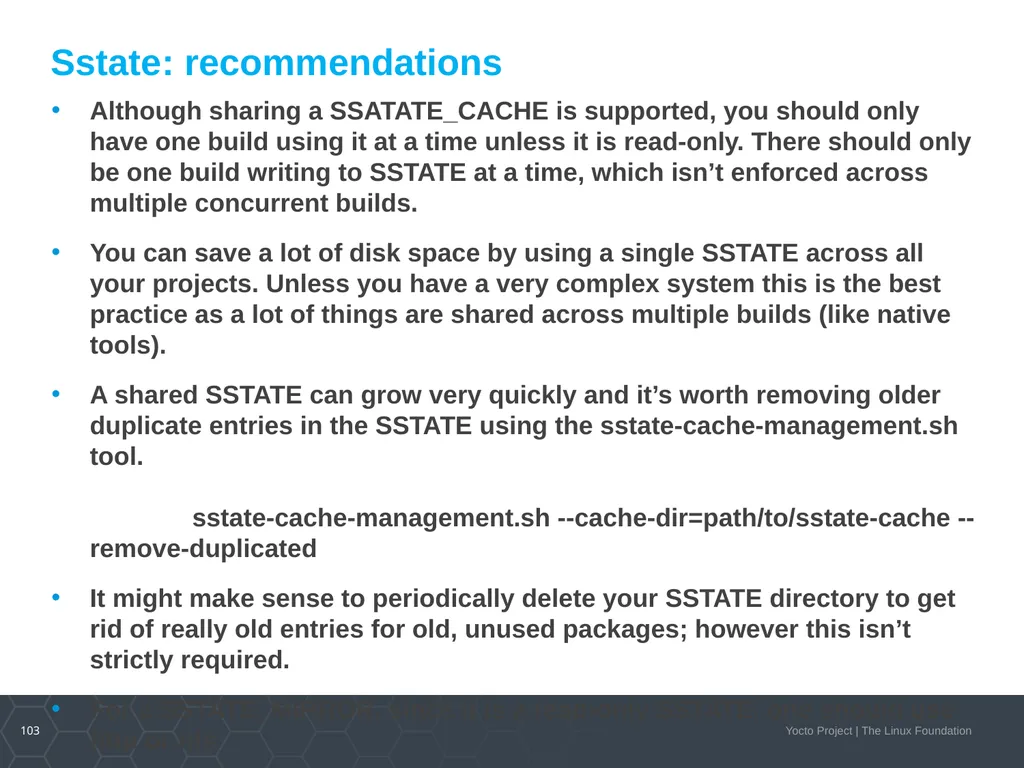
Sstate: recommendations Although sharing a SSATATE_CACHE is supported, you should only have one build using it at a time unless it is read-only. There should only be one build writing to SSTATE at a time, which isn’t enforced across multiple concurrent builds.
You can save a lot of disk space by using a single SSTATE across all your projects. Unless you have a very complex system this is the best practice as a lot of things are shared across multiple builds (like native tools).
A shared SSTATE can grow very quickly and it’s worth removing older duplicate entries in the SSTATE using the sstate-cache-management.sh tool. sstate-cache-management.sh --cache-dir=path/to/sstate-cache --remove-duplicated
It might make sense to periodically delete your SSTATE directory to get rid of really old entries for old, unused packages; however this isn’t strictly required.
For a SSTATE_MIRROR, since it is a read-only SSTATE, one should use http or nfs<br>
You can save a lot of disk space by using a single SSTATE across all your projects. Unless you have a very complex system this is the best practice as a lot of things are shared across multiple builds (like native tools).
A shared SSTATE can grow very quickly and it’s worth removing older duplicate entries in the SSTATE using the sstate-cache-management.sh tool. sstate-cache-management.sh --cache-dir=path/to/sstate-cache --remove-duplicated
It might make sense to periodically delete your SSTATE directory to get rid of really old entries for old, unused packages; however this isn’t strictly required.
For a SSTATE_MIRROR, since it is a read-only SSTATE, one should use http or nfs<br>
104
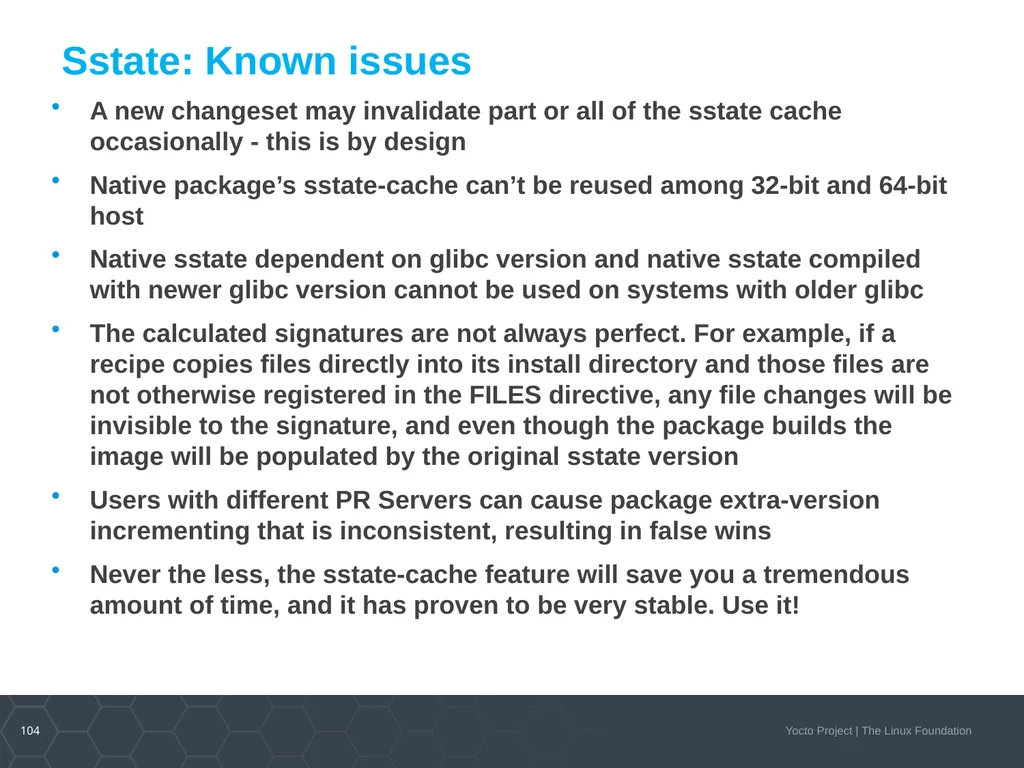
Sstate: Known issues A new changeset may invalidate part or all of the sstate cache occasionally - this is by design
Native package’s sstate-cache can’t be reused among 32-bit and 64-bit host
Native sstate dependent on glibc version and native sstate compiled with newer glibc version cannot be used on systems with older glibc
The calculated signatures are not always perfect. For example, if a recipe copies files directly into its install directory and those files are not otherwise registered in the FILES directive, any file changes will be invisible to the signature, and even though the package builds the image will be populated by the original sstate version
Users with different PR Servers can cause package extra-version incrementing that is inconsistent, resulting in false wins
Never the less, the sstate-cache feature will save you a tremendous amount of time, and it has proven to be very stable. Use it!<br>
Native package’s sstate-cache can’t be reused among 32-bit and 64-bit host
Native sstate dependent on glibc version and native sstate compiled with newer glibc version cannot be used on systems with older glibc
The calculated signatures are not always perfect. For example, if a recipe copies files directly into its install directory and those files are not otherwise registered in the FILES directive, any file changes will be invisible to the signature, and even though the package builds the image will be populated by the original sstate version
Users with different PR Servers can cause package extra-version incrementing that is inconsistent, resulting in false wins
Never the less, the sstate-cache feature will save you a tremendous amount of time, and it has proven to be very stable. Use it!<br>
105
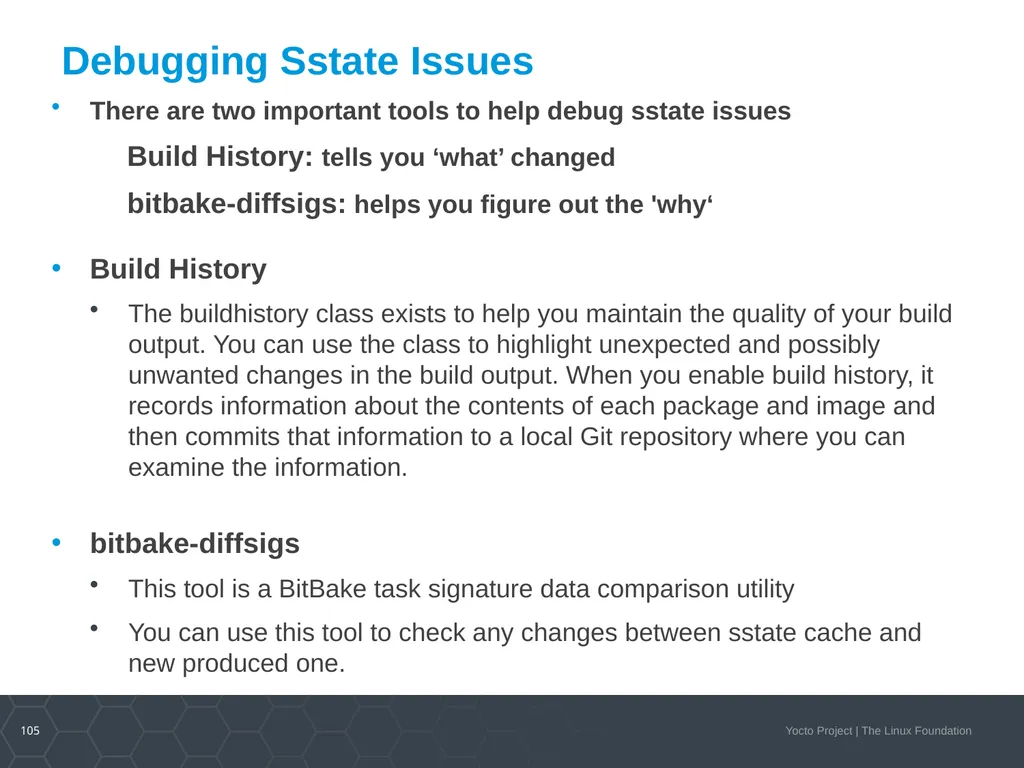
Debugging Sstate Issues There are two important tools to help debug sstate issues
Build History: tells you ‘what’ changed
bitbake-diffsigs: helps you figure out the 'why‘
Build History
The buildhistory class exists to help you maintain the quality of your build output. You can use the class to highlight unexpected and possibly unwanted changes in the build output. When you enable build history, it records information about the contents of each package and image and then commits that information to a local Git repository where you can examine the information.
bitbake-diffsigs
This tool is a BitBake task signature data comparison utility
You can use this tool to check any changes between sstate cache and new produced one.<br>
Build History: tells you ‘what’ changed
bitbake-diffsigs: helps you figure out the 'why‘
Build History
The buildhistory class exists to help you maintain the quality of your build output. You can use the class to highlight unexpected and possibly unwanted changes in the build output. When you enable build history, it records information about the contents of each package and image and then commits that information to a local Git repository where you can examine the information.
bitbake-diffsigs
This tool is a BitBake task signature data comparison utility
You can use this tool to check any changes between sstate cache and new produced one.<br>
106
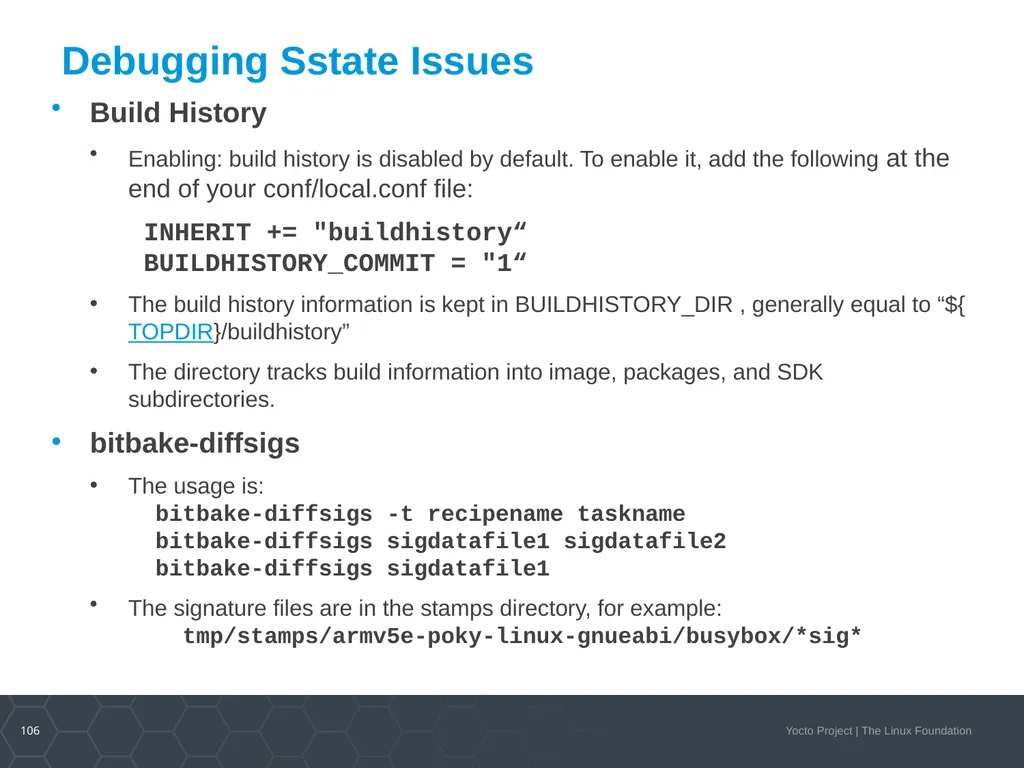
Debugging Sstate Issues Build History
Enabling: build history is disabled by default. To enable it, add the following at the end of your conf/local.conf file:
INHERIT += "buildhistory“ BUILDHISTORY_COMMIT = "1“
The build history information is kept in BUILDHISTORY_DIR , generally equal to “${TOPDIR}/buildhistory”
The directory tracks build information into image, packages, and SDK subdirectories.
bitbake-diffsigs
The usage is: bitbake-diffsigs -t recipename taskname bitbake-diffsigs sigdatafile1 sigdatafile2 bitbake-diffsigs sigdatafile1
The signature files are in the stamps directory, for example: tmp/stamps/armv5e-poky-linux-gnueabi/busybox/*sig*<br>
Enabling: build history is disabled by default. To enable it, add the following at the end of your conf/local.conf file:
INHERIT += "buildhistory“ BUILDHISTORY_COMMIT = "1“
The build history information is kept in BUILDHISTORY_DIR , generally equal to “${TOPDIR}/buildhistory”
The directory tracks build information into image, packages, and SDK subdirectories.
bitbake-diffsigs
The usage is: bitbake-diffsigs -t recipename taskname bitbake-diffsigs sigdatafile1 sigdatafile2 bitbake-diffsigs sigdatafile1
The signature files are in the stamps directory, for example: tmp/stamps/armv5e-poky-linux-gnueabi/busybox/*sig*<br>
107
Activity Five B WIC
Eduard Bartosh, David Reyna<br>
Eduard Bartosh, David Reyna<br>
108
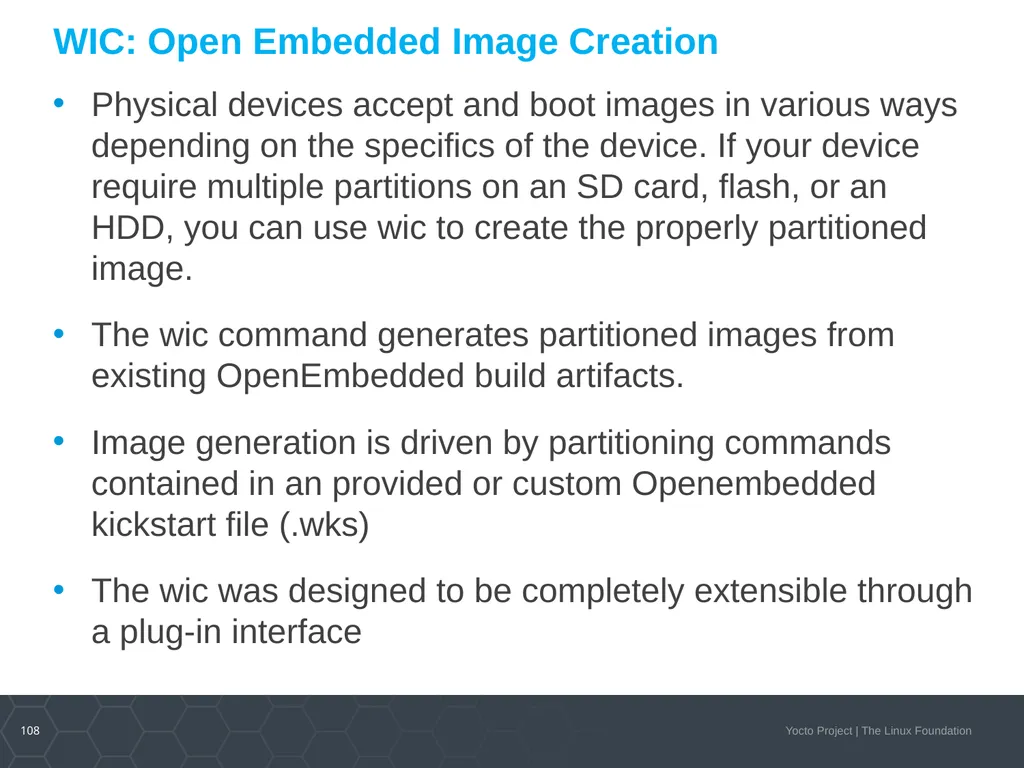
WIC: Open Embedded Image Creation Physical devices accept and boot images in various ways depending on the specifics of the device. If your device require multiple partitions on an SD card, flash, or an HDD, you can use wic to create the properly partitioned image.
The wic command generates partitioned images from existing OpenEmbedded build artifacts.
Image generation is driven by partitioning commands contained in an provided or custom Openembedded kickstart file (.wks)
The wic was designed to be completely extensible through a plug-in interface<br>
The wic command generates partitioned images from existing OpenEmbedded build artifacts.
Image generation is driven by partitioning commands contained in an provided or custom Openembedded kickstart file (.wks)
The wic was designed to be completely extensible through a plug-in interface<br>
109
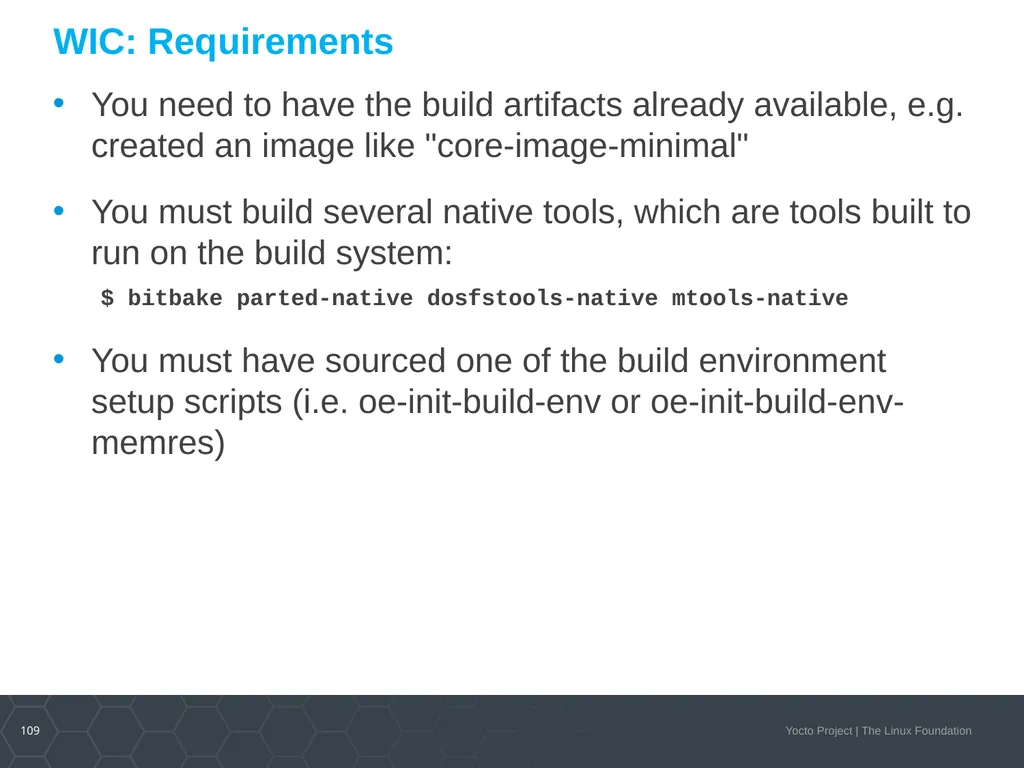
WIC: Requirements You need to have the build artifacts already available, e.g. created an image like "core-image-minimal"
You must build several native tools, which are tools built to run on the build system: $ bitbake parted-native dosfstools-native mtools-native
You must have sourced one of the build environment setup scripts (i.e. oe-init-build-env or oe-init-build-env-memres)<br>
You must build several native tools, which are tools built to run on the build system: $ bitbake parted-native dosfstools-native mtools-native
You must have sourced one of the build environment setup scripts (i.e. oe-init-build-env or oe-init-build-env-memres)<br>
110
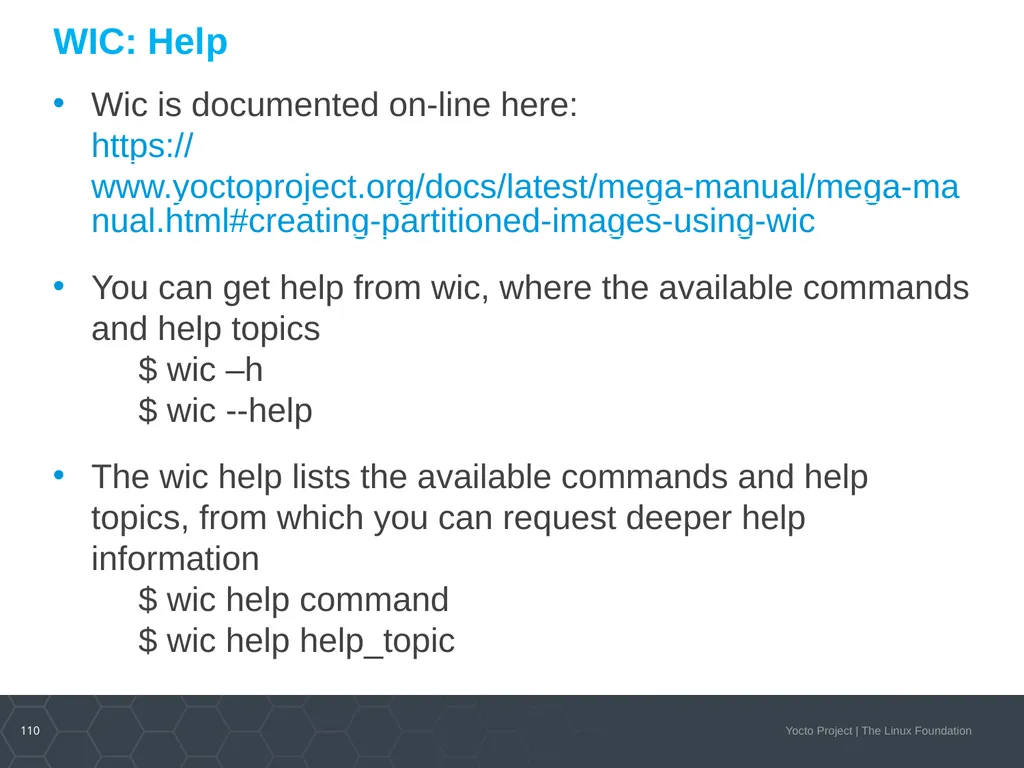
WIC: Help Wic is documented on-line here:
https://www.yoctoproject.org/docs/latest/mega-manual/mega-manual.html#creating-partitioned-images-using-wic
You can get help from wic, where the available commands and help topics $ wic –h $ wic --help
The wic help lists the available commands and help topics, from which you can request deeper help information $ wic help command $ wic help help_topic<br>
You can get help from wic, where the available commands and help topics $ wic –h $ wic --help
The wic help lists the available commands and help topics, from which you can request deeper help information $ wic help command $ wic help help_topic<br>
111
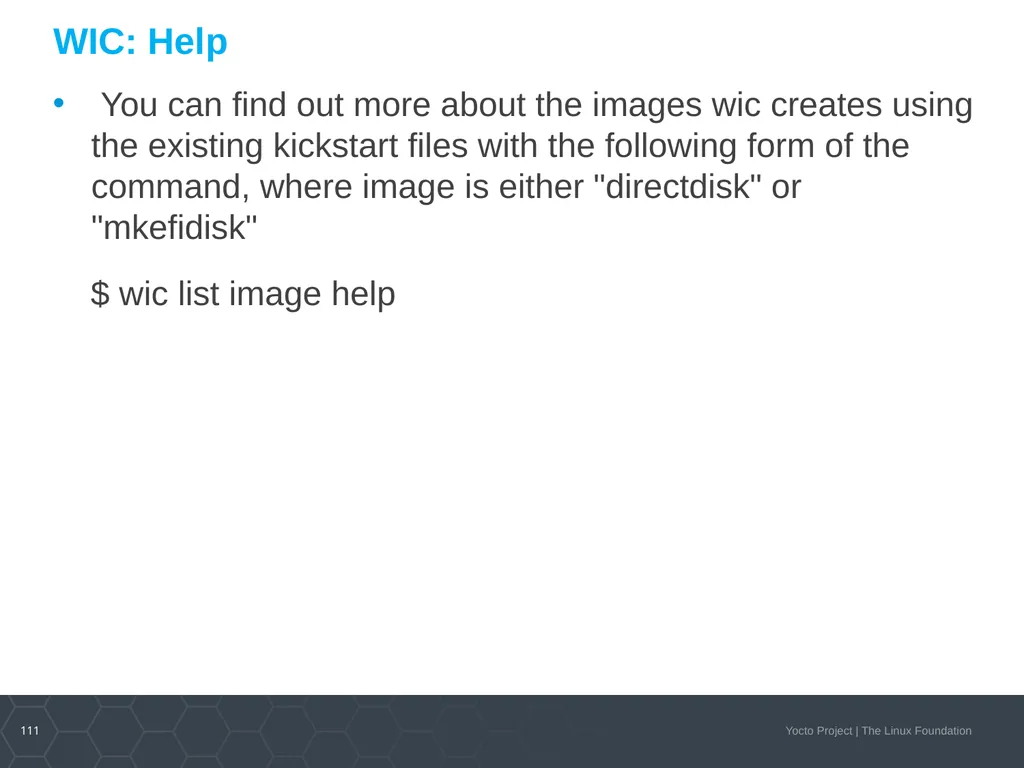
WIC: Help You can find out more about the images wic creates using the existing kickstart files with the following form of the command, where image is either "directdisk" or "mkefidisk"
$ wic list image help<br>
$ wic list image help<br>
112
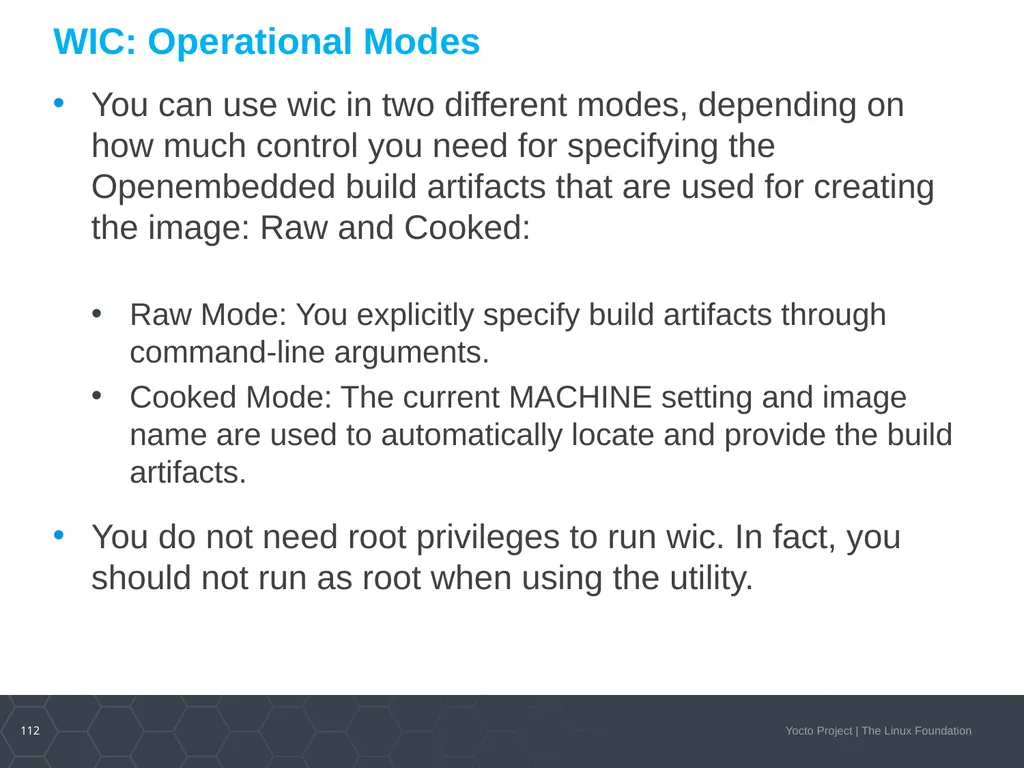
WIC: Operational Modes You can use wic in two different modes, depending on how much control you need for specifying the Openembedded build artifacts that are used for creating the image: Raw and Cooked:
Raw Mode: You explicitly specify build artifacts through command-line arguments.
Cooked Mode: The current MACHINE setting and image name are used to automatically locate and provide the build artifacts.
You do not need root privileges to run wic. In fact, you should not run as root when using the utility.<br>
Raw Mode: You explicitly specify build artifacts through command-line arguments.
Cooked Mode: The current MACHINE setting and image name are used to automatically locate and provide the build artifacts.
You do not need root privileges to run wic. In fact, you should not run as root when using the utility.<br>
113
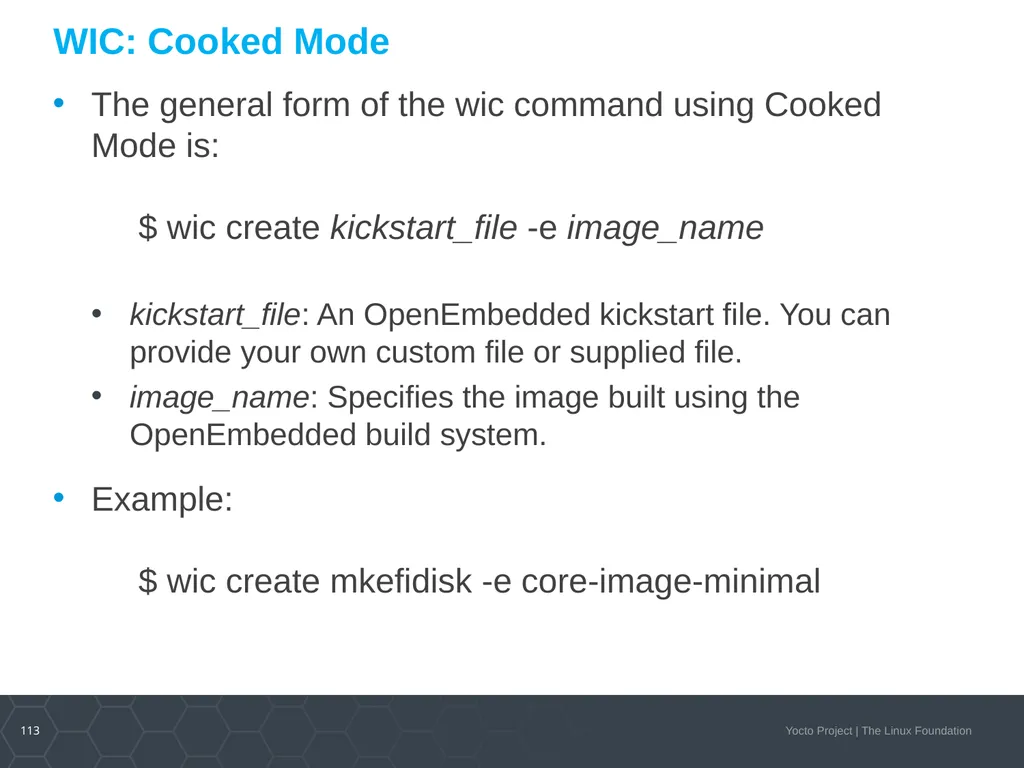
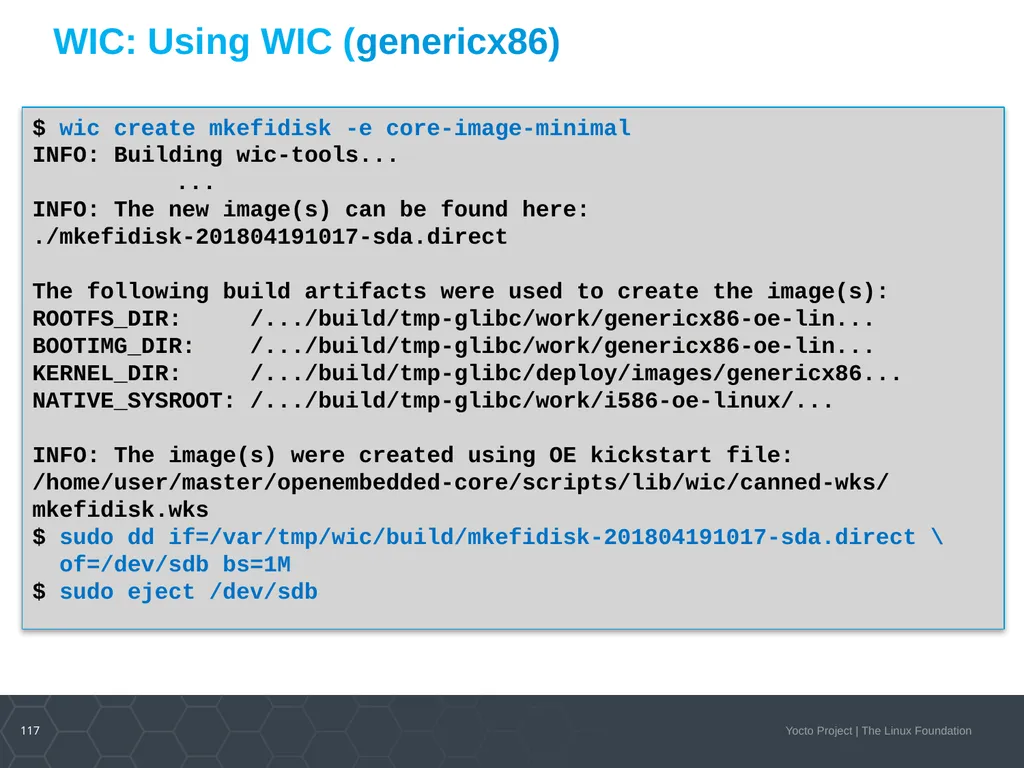
WIC: Cooked Mode The general form of the wic command using Cooked Mode is:
$ wic create kickstart_file -e image_name
kickstart_file: An OpenEmbedded kickstart file. You can provide your own custom file or supplied file.
image_name: Specifies the image built using the OpenEmbedded build system.
Example: $ wic create mkefidisk -e core-image-minimal<br>
kickstart_file: An OpenEmbedded kickstart file. You can provide your own custom file or supplied file.
image_name: Specifies the image built using the OpenEmbedded build system.
Example: $ wic create mkefidisk -e core-image-minimal<br>
114
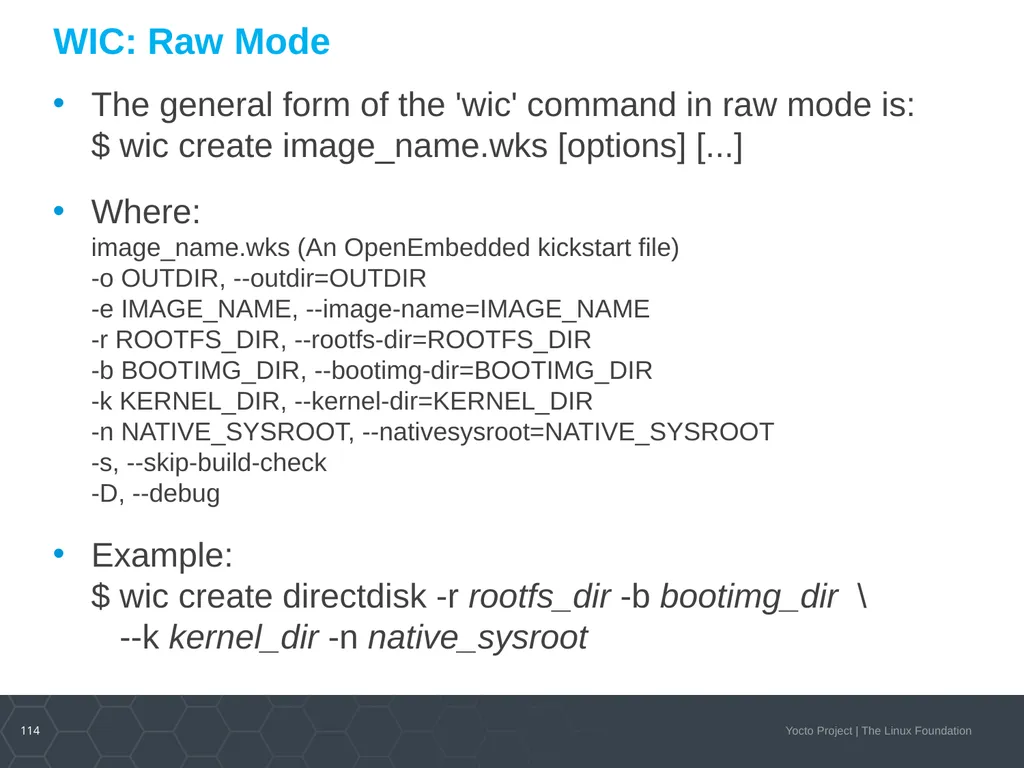
WIC: Raw Mode The general form of the 'wic' command in raw mode is:
$ wic create image_name.wks [options] [...]
Where: image_name.wks (An OpenEmbedded kickstart file) -o OUTDIR, --outdir=OUTDIR -e IMAGE_NAME, --image-name=IMAGE_NAME -r ROOTFS_DIR, --rootfs-dir=ROOTFS_DIR -b BOOTIMG_DIR, --bootimg-dir=BOOTIMG_DIR -k KERNEL_DIR, --kernel-dir=KERNEL_DIR -n NATIVE_SYSROOT, --nativesysroot=NATIVE_SYSROOT -s, --skip-build-check -D, --debug
Example: $ wic create directdisk -r rootfs_dir -b bootimg_dir \ --k kernel_dir -n native_sysroot<br>
Where: image_name.wks (An OpenEmbedded kickstart file) -o OUTDIR, --outdir=OUTDIR -e IMAGE_NAME, --image-name=IMAGE_NAME -r ROOTFS_DIR, --rootfs-dir=ROOTFS_DIR -b BOOTIMG_DIR, --bootimg-dir=BOOTIMG_DIR -k KERNEL_DIR, --kernel-dir=KERNEL_DIR -n NATIVE_SYSROOT, --nativesysroot=NATIVE_SYSROOT -s, --skip-build-check -D, --debug
Example: $ wic create directdisk -r rootfs_dir -b bootimg_dir \ --k kernel_dir -n native_sysroot<br>
115
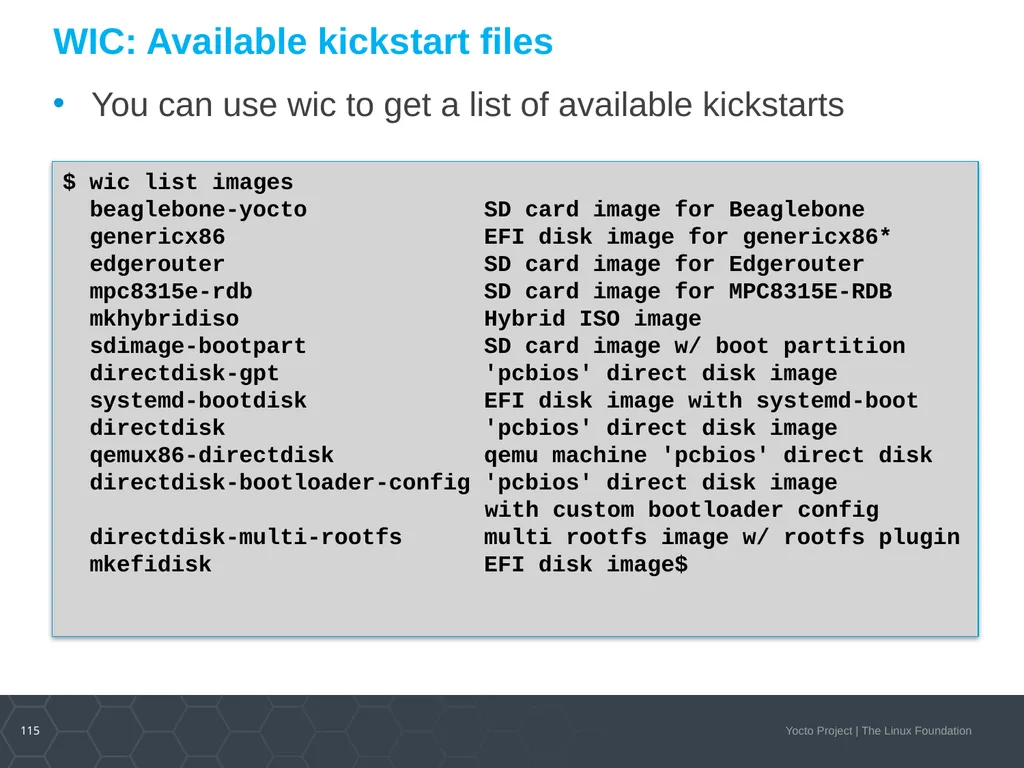
WIC: Available kickstart files You can use wic to get a list of available kickstarts $ wic list images
beaglebone-yocto SD card image for Beaglebone
genericx86 EFI disk image for genericx86*
edgerouter SD card image for Edgerouter
mpc8315e-rdb SD card image for MPC8315E-RDB
mkhybridiso Hybrid ISO image
sdimage-bootpart SD card image w/ boot partition
directdisk-gpt 'pcbios' direct disk image
systemd-bootdisk EFI disk image with systemd-boot
directdisk 'pcbios' direct disk image
qemux86-directdisk qemu machine 'pcbios' direct disk
directdisk-bootloader-config 'pcbios' direct disk image
with custom bootloader config
directdisk-multi-rootfs multi rootfs image w/ rootfs plugin
mkefidisk EFI disk image$<br>
beaglebone-yocto SD card image for Beaglebone
genericx86 EFI disk image for genericx86*
edgerouter SD card image for Edgerouter
mpc8315e-rdb SD card image for MPC8315E-RDB
mkhybridiso Hybrid ISO image
sdimage-bootpart SD card image w/ boot partition
directdisk-gpt 'pcbios' direct disk image
systemd-bootdisk EFI disk image with systemd-boot
directdisk 'pcbios' direct disk image
qemux86-directdisk qemu machine 'pcbios' direct disk
directdisk-bootloader-config 'pcbios' direct disk image
with custom bootloader config
directdisk-multi-rootfs multi rootfs image w/ rootfs plugin
mkefidisk EFI disk image$<br>
116
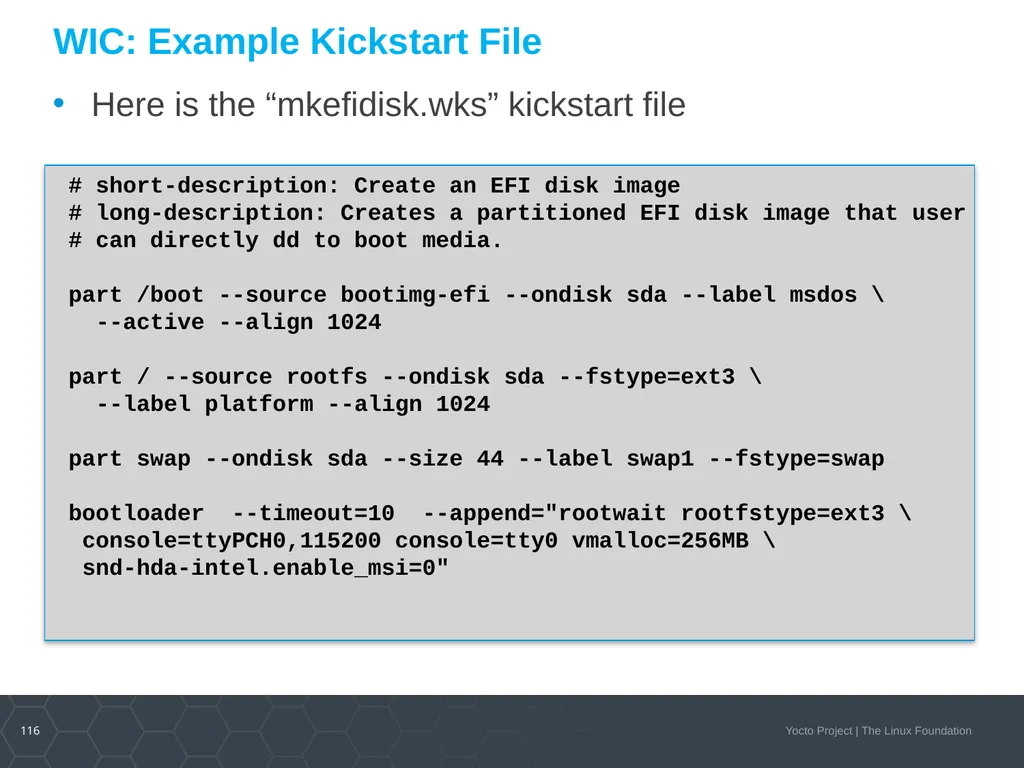
WIC: Example Kickstart File Here is the “mkefidisk.wks” kickstart file # short-description: Create an EFI disk image
# long-description: Creates a partitioned EFI disk image that user
# can directly dd to boot media.
part /boot --source bootimg-efi --ondisk sda --label msdos \
--active --align 1024
part / --source rootfs --ondisk sda --fstype=ext3 \
--label platform --align 1024
part swap --ondisk sda --size 44 --label swap1 --fstype=swap
bootloader --timeout=10 --append="rootwait rootfstype=ext3 \
console=ttyPCH0,115200 console=tty0 vmalloc=256MB \
snd-hda-intel.enable_msi=0"<br>
# long-description: Creates a partitioned EFI disk image that user
# can directly dd to boot media.
part /boot --source bootimg-efi --ondisk sda --label msdos \
--active --align 1024
part / --source rootfs --ondisk sda --fstype=ext3 \
--label platform --align 1024
part swap --ondisk sda --size 44 --label swap1 --fstype=swap
bootloader --timeout=10 --append="rootwait rootfstype=ext3 \
console=ttyPCH0,115200 console=tty0 vmalloc=256MB \
snd-hda-intel.enable_msi=0"<br>
117
WIC: Using WIC (genericx86) $ wic create mkefidisk -e core-image-minimal
INFO: Building wic-tools...
...
INFO: The new image(s) can be found here:
./mkefidisk-201804191017-sda.direct
The following build artifacts were used to create the image(s):
ROOTFS_DIR: /.../build/tmp-glibc/work/genericx86-oe-lin...
BOOTIMG_DIR: /.../build/tmp-glibc/work/genericx86-oe-lin...
KERNEL_DIR: /.../build/tmp-glibc/deploy/images/genericx86...
NATIVE_SYSROOT: /.../build/tmp-glibc/work/i586-oe-linux/...
INFO: The image(s) were created using OE kickstart file:
/home/user/master/openembedded-core/scripts/lib/wic/canned-wks/
mkefidisk.wks
$ sudo dd if=/var/tmp/wic/build/mkefidisk-201804191017-sda.direct \
of=/dev/sdb bs=1M
$ sudo eject /dev/sdb<br>
INFO: Building wic-tools...
...
INFO: The new image(s) can be found here:
./mkefidisk-201804191017-sda.direct
The following build artifacts were used to create the image(s):
ROOTFS_DIR: /.../build/tmp-glibc/work/genericx86-oe-lin...
BOOTIMG_DIR: /.../build/tmp-glibc/work/genericx86-oe-lin...
KERNEL_DIR: /.../build/tmp-glibc/deploy/images/genericx86...
NATIVE_SYSROOT: /.../build/tmp-glibc/work/i586-oe-linux/...
INFO: The image(s) were created using OE kickstart file:
/home/user/master/openembedded-core/scripts/lib/wic/canned-wks/
mkefidisk.wks
$ sudo dd if=/var/tmp/wic/build/mkefidisk-201804191017-sda.direct \
of=/dev/sdb bs=1M
$ sudo eject /dev/sdb<br>
118
WIC: Custom Kickstart Files You can create your own custom kickstart and easily have wic find and use them. See the WIC documentation.
Existing kickstart files can be found here, and used as templates: poky/scripts/lib/image/wic/canned-wks
You can place your custom kickstart file with the canned ones, or add it to your layer
Currently wic implementation only supports "partition" and "bootloader“ (more to come). See also: http://fedoraproject.org/wiki/Anaconda/Kickstart#part_or_partition http://fedoraproject.org/wiki/Anaconda/Kickstart#bootloader<br>
Existing kickstart files can be found here, and used as templates: poky/scripts/lib/image/wic/canned-wks
You can place your custom kickstart file with the canned ones, or add it to your layer
Currently wic implementation only supports "partition" and "bootloader“ (more to come). See also: http://fedoraproject.org/wiki/Anaconda/Kickstart#part_or_partition http://fedoraproject.org/wiki/Anaconda/Kickstart#bootloader<br>
119
WIC: Plug-ins Plug-ins allow wic functionality to be extended and specialized by users.
Source plug-ins provide a mechanism to customize various aspects of the image generation process in wic, mainly the contents of partitions.
The plug-ins provide a mechanism for mapping values specified in .wks files using the --source keyword to a particular plugin implementation that populates a corresponding partition.
Plug-ins can be included as part of your custom layer.
See the documentation for detailed information and examples.<br>
Source plug-ins provide a mechanism to customize various aspects of the image generation process in wic, mainly the contents of partitions.
The plug-ins provide a mechanism for mapping values specified in .wks files using the --source keyword to a particular plugin implementation that populates a corresponding partition.
Plug-ins can be included as part of your custom layer.
See the documentation for detailed information and examples.<br>
120
WIC: Wic files can be automatically generated by adding WKS_FILE to your “local.conf”
New kickstart commands are being added by demand, for example “include” and “config”
We invite you to add kickstart files to your BSP layers for fast and easy OOB for your users<br>
New kickstart commands are being added by demand, for example “include” and “config”
We invite you to add kickstart files to your BSP layers for fast and easy OOB for your users<br>
121
Introducing BMAPTOOL : Sparse Boot Images The new BMAPTOOL creates sparse images for fast image disk create (dd copies all of the blank space)
You can write images by using “bmaptool”: $ oe-run-native bmaptool copy mkefidisk-201804191017-sda.direct /dev/sdX
… or “dd”: $ sudo dd if=mkefidisk-201804191017-sda.direct of=/dev/sdX
Documentation for BMAPTOOL can be found here: https://www.yoctoproject.org/docs/latest/mega-manual/mega-manual.html#flashing-images-using-bmaptool
Here is information about bmap-tools Ubuntu package: http://packages.ubuntu.com/xenial/bmap-tools
And about the tool itself: https://github.com/01org/bmap-tools/tree/master/docs<br>
You can write images by using “bmaptool”: $ oe-run-native bmaptool copy mkefidisk-201804191017-sda.direct /dev/sdX
… or “dd”: $ sudo dd if=mkefidisk-201804191017-sda.direct of=/dev/sdX
Documentation for BMAPTOOL can be found here: https://www.yoctoproject.org/docs/latest/mega-manual/mega-manual.html#flashing-images-using-bmaptool
Here is information about bmap-tools Ubuntu package: http://packages.ubuntu.com/xenial/bmap-tools
And about the tool itself: https://github.com/01org/bmap-tools/tree/master/docs<br>
122
Activity Six Container building/Multiconfig
Scott Murray<br>
Scott Murray<br>
123
Topics Brief containers overview
Container support in OpenEmbedded / Yocto Project
Example OE/YP container configurations
Multiconfig
Containers and multiconfig?<br>
Container support in OpenEmbedded / Yocto Project
Example OE/YP container configurations
Multiconfig
Containers and multiconfig?<br>
124
Caveats This is an evolution of a previous talk at ELCE 2018
I am not a container expert, and this presentation does not cover the mechanics of using the discussed container images in detail
Container technology is progressing rapidly, it’s entirely possible I’ve missed something of interest (Please let me know!)
An intermediate level of OpenEmbedded / Yocto Project knowledge is assumed<br>
I am not a container expert, and this presentation does not cover the mechanics of using the discussed container images in detail
Container technology is progressing rapidly, it’s entirely possible I’ve missed something of interest (Please let me know!)
An intermediate level of OpenEmbedded / Yocto Project knowledge is assumed<br>
125
Containers Operating system level virtualization as opposed to virtual machines
Linux implementations typically are based on namespaces and cgroups
LXC, Docker, runc, systemd-nspawn
Newer Clear / Kata containers are based on lightweight VM technology
Container images can be full Linux distribution installs, or small images containing a single application and its dependencies<br>
Linux implementations typically are based on namespaces and cgroups
LXC, Docker, runc, systemd-nspawn
Newer Clear / Kata containers are based on lightweight VM technology
Container images can be full Linux distribution installs, or small images containing a single application and its dependencies<br>
126
Containers (continued) Common use cases:
Running an application that has incompatible dependencies from the host machine
Sandboxing an application to isolate it from the host machine
Implementing microservices where application containers are started based on demand
Typical container construction
Start with a minimal Debian, Ubuntu, or Alpine Linux image
Add required packages
Potentially compile non-upstream available packages (e.g. via Dockerfile commands)
Prune container down by removing unneeded files
Small size is very desirable
Reduces security attack surface, maintenance, and migration time<br>
Running an application that has incompatible dependencies from the host machine
Sandboxing an application to isolate it from the host machine
Implementing microservices where application containers are started based on demand
Typical container construction
Start with a minimal Debian, Ubuntu, or Alpine Linux image
Add required packages
Potentially compile non-upstream available packages (e.g. via Dockerfile commands)
Prune container down by removing unneeded files
Small size is very desirable
Reduces security attack surface, maintenance, and migration time<br>
127
Container Drawbacks? Reproducibility
Base containers changes may not be obvious, e.g Docker labels may change
Package versions on Debian, Alpine, etc. changing
It’s not uncommon to see “apt-get update && apt-get upgrade -y”, etc. in Dockerfiles
Pinning package versions can break if the base distro doesn’t archive older versions
Even if automating with Dockerfile(s) or other scripting, effort required to ensure result is reproducible
Transparency / Security
You have to trust the builders of the base container
Security is dependent on the providers of the base container, i.e. distribution update policies
Often quoted problem of library updates potentially affecting many containers<br>
Base containers changes may not be obvious, e.g Docker labels may change
Package versions on Debian, Alpine, etc. changing
It’s not uncommon to see “apt-get update && apt-get upgrade -y”, etc. in Dockerfiles
Pinning package versions can break if the base distro doesn’t archive older versions
Even if automating with Dockerfile(s) or other scripting, effort required to ensure result is reproducible
Transparency / Security
You have to trust the builders of the base container
Security is dependent on the providers of the base container, i.e. distribution update policies
Often quoted problem of library updates potentially affecting many containers<br>
128
Container Drawbacks? (continued) License compliance scheme
Potentially can be pulled from package manager, but no particularly turn-key solutions
Customization
Patching a package or tweaking its configuration flags requires manual or scripted rebuild
Building for an unsupported architecture requires delving into the distribution’s build process<br>
Potentially can be pulled from package manager, but no particularly turn-key solutions
Customization
Patching a package or tweaking its configuration flags requires manual or scripted rebuild
Building for an unsupported architecture requires delving into the distribution’s build process<br>
129
So is OE / YP a solution? Reproducibility
Image builds can be straightforwardly reproduced using fixed metadata
Transparency / Security
Entire build process is bootstrapped from scratch
Typically 18 months support per release versus 5 years for Debian stable, ~2 years for Alpine
License compliance scheme
Image license manifests and license text archiving
Source archiving
Customization
Layered metadata and build process allows adding almost any customization
Any architecture with a BSP layer can be targeted<br>
Image builds can be straightforwardly reproduced using fixed metadata
Transparency / Security
Entire build process is bootstrapped from scratch
Typically 18 months support per release versus 5 years for Debian stable, ~2 years for Alpine
License compliance scheme
Image license manifests and license text archiving
Source archiving
Customization
Layered metadata and build process allows adding almost any customization
Any architecture with a BSP layer can be targeted<br>
130
So is OE / YP a solution? (continued) Package availability
Debian, Ubuntu several 10’s of K, Alpine ~5K
OE ~2300 in oe-core and meta-openembedded, many more in other layers
OE node.js and Python module availability is not as broad
Ease of use
It take some work to reproduce something like the apt-get, apk install user experience with an OE built package feed
Small, relatively fixed content images are going to be easier to handle
Resources
OE is a new toolset to learn potentially
Building images can require significant hardware resources
Long term maintenance may involve dedicating resources<br>
Debian, Ubuntu several 10’s of K, Alpine ~5K
OE ~2300 in oe-core and meta-openembedded, many more in other layers
OE node.js and Python module availability is not as broad
Ease of use
It take some work to reproduce something like the apt-get, apk install user experience with an OE built package feed
Small, relatively fixed content images are going to be easier to handle
Resources
OE is a new toolset to learn potentially
Building images can require significant hardware resources
Long term maintenance may involve dedicating resources<br>
131
OE / YP container support Container image type
Added in pyro / 2.3 release
IMAGE_FSTYPES = “container”
Produces a tar.bz2 with no kernel components or post-install scripts
Requires PREFERRED_PROVIDER_virtual/kernel to be set to “dummy”
meta-virtualization layer
LXC, runc, Docker (currently 18.09.3 in warrior, 19.03.0-rc3 in master)
Open Container Initiative (OCI) image tools
OCI image build support (based on skopeo) since warrior
Kernel configuration fragments for linux-yocto
Currently no support for building LXC or Docker images during OE build
Difficult with Docker itself, since it needs its daemon running
LXC may be possible with lxc-create template hacking<br>
Added in pyro / 2.3 release
IMAGE_FSTYPES = “container”
Produces a tar.bz2 with no kernel components or post-install scripts
Requires PREFERRED_PROVIDER_virtual/kernel to be set to “dummy”
meta-virtualization layer
LXC, runc, Docker (currently 18.09.3 in warrior, 19.03.0-rc3 in master)
Open Container Initiative (OCI) image tools
OCI image build support (based on skopeo) since warrior
Kernel configuration fragments for linux-yocto
Currently no support for building LXC or Docker images during OE build
Difficult with Docker itself, since it needs its daemon running
LXC may be possible with lxc-create template hacking<br>
132
OE / YP container support (continued) Togán Labs’ Oryx Linux
Commercially supported OE based distribution
Container support using runc on target
https://www.toganlabs.com/oryx-linux/<br>
Commercially supported OE based distribution
Container support using runc on target
https://www.toganlabs.com/oryx-linux/<br>
133
Examples Build bootstrap container
Contains the tools to run OE / YP builds, i.e. self-hosting
Lighter container version of build-appliance VM image
Alpine-like container image
Attempt to match base Alpine contents and size
Application container image
Typical single application sandbox / microservice<br>
Contains the tools to run OE / YP builds, i.e. self-hosting
Lighter container version of build-appliance VM image
Alpine-like container image
Attempt to match base Alpine contents and size
Application container image
Typical single application sandbox / microservice<br>
134
Build Bootstrap Container Example<br>
135
Quick and dirty with local.conf MACHINE = “qemux86-64”
IMAGE_FSTYPES = "container"
PREFERRED_PROVIDER_virtual/kernel = "linux-dummy"
IMAGE_LINGUAS_append = " en-us"
CORE_IMAGE_EXTRA_INSTALL += " \
packagegroup-self-hosted-sdk \
packagegroup-self-hosted-extended \
"<br>
IMAGE_FSTYPES = "container"
PREFERRED_PROVIDER_virtual/kernel = "linux-dummy"
IMAGE_LINGUAS_append = " en-us"
CORE_IMAGE_EXTRA_INSTALL += " \
packagegroup-self-hosted-sdk \
packagegroup-self-hosted-extended \
"<br>
136
Notes Resulting core-image-minimal for qemux86-64 is ~150 MB
Builds some graphical packages that go unused
Further tinkering required to prune out some things
Lack of post-install scripts means volatile directories (/var/volatile/*, etc.) do not get created
Can run /etc/rcS.d/S37populate-volatile.sh
Fixable with ROOTFS_POSTPROCESS or bbappend to base-files and fsperms.txt tweaking
User for building needs to be created / managed
Access to build tree needs to be managed
Docker volume(s), mounts, etc.<br>
Builds some graphical packages that go unused
Further tinkering required to prune out some things
Lack of post-install scripts means volatile directories (/var/volatile/*, etc.) do not get created
Can run /etc/rcS.d/S37populate-volatile.sh
Fixable with ROOTFS_POSTPROCESS or bbappend to base-files and fsperms.txt tweaking
User for building needs to be created / managed
Access to build tree needs to be managed
Docker volume(s), mounts, etc.<br>
137
Image definition: build-container.bb SUMMARY = "A minimal bootstrap container image"
IMAGE_FSTYPES = "container"
inherit core-image
IMAGE_INSTALL = " \
packagegroup-core-boot \
packagegroup-self-hosted-sdk \
packagegroup-self-hosted-extended \
${CORE_IMAGE_EXTRA_INSTALL} \
"
IMAGE_LINGUAS = "en-us"
# Workaround /var/volatile for now
ROOTFS_POSTPROCESS_COMMAND += "rootfs_fixup_var_volatile ; "
rootfs_fixup_var_volatile () {
install -m 1777 -d ${IMAGE_ROOTFS}/${localstatedir}/volatile/tmp
install -m 755 -d ${IMAGE_ROOTFS}/${localstatedir}/volatile/log
}<br>
IMAGE_FSTYPES = "container"
inherit core-image
IMAGE_INSTALL = " \
packagegroup-core-boot \
packagegroup-self-hosted-sdk \
packagegroup-self-hosted-extended \
${CORE_IMAGE_EXTRA_INSTALL} \
"
IMAGE_LINGUAS = "en-us"
# Workaround /var/volatile for now
ROOTFS_POSTPROCESS_COMMAND += "rootfs_fixup_var_volatile ; "
rootfs_fixup_var_volatile () {
install -m 1777 -d ${IMAGE_ROOTFS}/${localstatedir}/volatile/tmp
install -m 755 -d ${IMAGE_ROOTFS}/${localstatedir}/volatile/log
}<br>
138
Alpine-like Container Example<br>
139
Quick and dirty with local.conf MACHINE = “qemux86-64”
IMAGE_FSTYPES = "container"
PREFERRED_PROVIDER_virtual/kernel = "linux-dummy"
TCLIBC = “musl”<br>
IMAGE_FSTYPES = "container"
PREFERRED_PROVIDER_virtual/kernel = "linux-dummy"
TCLIBC = “musl”<br>
140
Resulting core-image-minimal manifest base-files qemux86_64 3.0.14
base-passwd core2_64 3.5.29
busybox core2_64 1.30.1
busybox-hwclock core2_64 1.30.1
busybox-syslog core2_64 1.30.1
busybox-udhcpc core2_64 1.30.1
eudev core2_64 3.2.7
init-ifupdown qemux86_64 1.0
initscripts core2_64 1.0
initscripts-functions core2_64 1.0
libblkid1 core2_64 2.32.1
libkmod2 core2_64 26
libuuid1 core2_64 2.32.1
libz1 core2_64 1.2.11
modutils-initscripts core2_64 1.0
musl core2_64 1.1.21+git0+43e7efb465
netbase core2_64 5.6
packagegroup-core-boot qemux86_64 1.0
sysvinit core2_64 2.88dsf
sysvinit-inittab qemux86_64 2.88dsf
sysvinit-pidof core2_64 2.88dsf
update-alternatives-opkg core2_64 0.4.0
update-rc.d noarch 0.8
v86d qemux86_64 0.1.10<br>
base-passwd core2_64 3.5.29
busybox core2_64 1.30.1
busybox-hwclock core2_64 1.30.1
busybox-syslog core2_64 1.30.1
busybox-udhcpc core2_64 1.30.1
eudev core2_64 3.2.7
init-ifupdown qemux86_64 1.0
initscripts core2_64 1.0
initscripts-functions core2_64 1.0
libblkid1 core2_64 2.32.1
libkmod2 core2_64 26
libuuid1 core2_64 2.32.1
libz1 core2_64 1.2.11
modutils-initscripts core2_64 1.0
musl core2_64 1.1.21+git0+43e7efb465
netbase core2_64 5.6
packagegroup-core-boot qemux86_64 1.0
sysvinit core2_64 2.88dsf
sysvinit-inittab qemux86_64 2.88dsf
sysvinit-pidof core2_64 2.88dsf
update-alternatives-opkg core2_64 0.4.0
update-rc.d noarch 0.8
v86d qemux86_64 0.1.10<br>
141
Notes Resulting core-image-minimal for qemux86-64 is ~4.8 MB
~8.5 MB with package management support via opkg
Almost 100 MB with package management support via rpm / dnf
Further pruning is possible
Custom distro configuration
Set FORCE_RO_REMOVE to remove update-alternatives, etc. if not using package management<br>
~8.5 MB with package management support via opkg
Almost 100 MB with package management support via rpm / dnf
Further pruning is possible
Custom distro configuration
Set FORCE_RO_REMOVE to remove update-alternatives, etc. if not using package management<br>
142
Example distro configuration: schooner.conf require conf/distro/poky.conf
DISTRO = "schooner"
DISTRO_NAME = "Schooner"
DISTRO_VERSION = "1.0-${DATE}"
DISTRO_CODENAME = "warrior"
SDK_VENDOR = "-schoonersdk"
MAINTAINER = "Scott Murray <scott.murray@konsulko.com>"
TARGET_VENDOR = "-schooner"
TCLIBC = "musl"
DISTRO_FEATURES = "acl ipv4 ipv6 largefile xattr virtualization"
VIRTUAL-RUNTIME_dev_manager ?= ""
VIRTUAL-RUNTIME_login_manager ?= ""
VIRTUAL-RUNTIME_init_manager ?= ""
VIRTUAL-RUNTIME_initscripts ?= ""
VIRTUAL-RUNTIME_keymaps ?= ""
PREFERRED_PROVIDER_virtual/kernel = "linux-dummy"<br>
DISTRO = "schooner"
DISTRO_NAME = "Schooner"
DISTRO_VERSION = "1.0-${DATE}"
DISTRO_CODENAME = "warrior"
SDK_VENDOR = "-schoonersdk"
MAINTAINER = "Scott Murray <scott.murray@konsulko.com>"
TARGET_VENDOR = "-schooner"
TCLIBC = "musl"
DISTRO_FEATURES = "acl ipv4 ipv6 largefile xattr virtualization"
VIRTUAL-RUNTIME_dev_manager ?= ""
VIRTUAL-RUNTIME_login_manager ?= ""
VIRTUAL-RUNTIME_init_manager ?= ""
VIRTUAL-RUNTIME_initscripts ?= ""
VIRTUAL-RUNTIME_keymaps ?= ""
PREFERRED_PROVIDER_virtual/kernel = "linux-dummy"<br>
143
Application Container Example<br>
144
Base application image: app-container-image.bb SUMMARY = "A minimal container image"
LICENSE = "MIT"
LIC_FILES_CHKSUM = \
"file://${COREBASE}/meta/COPYING.MIT;md5=3da9cfbcb788c80a0384361b4de20420"
IMAGE_FSTYPES = "container"
inherit image
IMAGE_FEATURES = ""
IMAGE_LINGUAS = ""
NO_RECOMMENDATIONS = "1"
FORCE_RO_REMOVE = "1"
MACHINE_ESSENTIAL_EXTRA_RDEPENDS = ""
IMAGE_INSTALL = " \
base-files \
netbase \
"
# Workaround /var/volatile for now
ROOTFS_POSTPROCESS_COMMAND += "rootfs_fixup_var_volatile ; "
rootfs_fixup_var_volatile () {
install -m 1777 -d ${IMAGE_ROOTFS}/${localstatedir}/volatile/tmp
install -m 755 -d ${IMAGE_ROOTFS}/${localstatedir}/volatile/log
}<br>
LICENSE = "MIT"
LIC_FILES_CHKSUM = \
"file://${COREBASE}/meta/COPYING.MIT;md5=3da9cfbcb788c80a0384361b4de20420"
IMAGE_FSTYPES = "container"
inherit image
IMAGE_FEATURES = ""
IMAGE_LINGUAS = ""
NO_RECOMMENDATIONS = "1"
FORCE_RO_REMOVE = "1"
MACHINE_ESSENTIAL_EXTRA_RDEPENDS = ""
IMAGE_INSTALL = " \
base-files \
netbase \
"
# Workaround /var/volatile for now
ROOTFS_POSTPROCESS_COMMAND += "rootfs_fixup_var_volatile ; "
rootfs_fixup_var_volatile () {
install -m 1777 -d ${IMAGE_ROOTFS}/${localstatedir}/volatile/tmp
install -m 755 -d ${IMAGE_ROOTFS}/${localstatedir}/volatile/log
}<br>
145
app-container-image-lighttpd.bb SUMMARY = "A lighttpd container image"
LICENSE = "MIT"
LIC_FILES_CHKSUM = \
"file://${COREBASE}/meta/COPYING.MIT;md5=3da9cfbcb788c80a0384361b4de20420"
require app-container-image.bb
# Note that busybox is required to satisfy /bin/sh requirement of lighttpd,
# and the access* modules need to be explicitly specified since RECOMMENDATIONS
# are disabled.
IMAGE_INSTALL += " \
busybox \
lighttpd \
lighttpd-module-access \
lighttpd-module-accesslog \
"<br>
LICENSE = "MIT"
LIC_FILES_CHKSUM = \
"file://${COREBASE}/meta/COPYING.MIT;md5=3da9cfbcb788c80a0384361b4de20420"
require app-container-image.bb
# Note that busybox is required to satisfy /bin/sh requirement of lighttpd,
# and the access* modules need to be explicitly specified since RECOMMENDATIONS
# are disabled.
IMAGE_INSTALL += " \
busybox \
lighttpd \
lighttpd-module-access \
lighttpd-module-accesslog \
"<br>
146
Resulting image manifest base-files qemux86_64 3.0.14
busybox core2_64 1.30.1
libattr1 core2_64 2.4.47
libcrypto1.1 core2_64 1.1.1b
libpcre1 core2_64 8.43
lighttpd core2_64 1.4.53
lighttpd-module-access core2_64 1.4.53
lighttpd-module-accesslog core2_64 1.4.53
lighttpd-module-dirlisting core2_64 1.4.53
lighttpd-module-indexfile core2_64 1.4.53
lighttpd-module-staticfile core2_64 1.4.53
musl core2_64 1.1.21+git0+43e7efb465
netbase core2_64 5.6<br>
busybox core2_64 1.30.1
libattr1 core2_64 2.4.47
libcrypto1.1 core2_64 1.1.1b
libpcre1 core2_64 8.43
lighttpd core2_64 1.4.53
lighttpd-module-access core2_64 1.4.53
lighttpd-module-accesslog core2_64 1.4.53
lighttpd-module-dirlisting core2_64 1.4.53
lighttpd-module-indexfile core2_64 1.4.53
lighttpd-module-staticfile core2_64 1.4.53
musl core2_64 1.1.21+git0+43e7efb465
netbase core2_64 5.6<br>
147
Notes bash may get pulled into images because of script detection during packaging
If the application expects to exec /bin/sh, busybox may need to be added manually as a dependency
The lack of post-install scripts means some tweaking may be required to e.g. create volatile directories
container-base.bb added to meta-virtualization in warrior based on app-container-image.bb, but specific to OCI container images<br>
If the application expects to exec /bin/sh, busybox may need to be added manually as a dependency
The lack of post-install scripts means some tweaking may be required to e.g. create volatile directories
container-base.bb added to meta-virtualization in warrior based on app-container-image.bb, but specific to OCI container images<br>
148
Multiconfig<br>
149
Multiconfig bitbake feature that allows building multiple images or packages for different targets where each image or package uses a different configuration
multiple configurations -> multiconfigs
https://www.yoctoproject.org/docs/2.7.1/dev-manual/dev-manual.html#dev-building-images-for-multiple-targets-using-multiple-configurations
Use cases?
Potentially simplify builds of multiple images with minor differences
Cross-build dependencies possible<br>
multiple configurations -> multiconfigs
https://www.yoctoproject.org/docs/2.7.1/dev-manual/dev-manual.html#dev-building-images-for-multiple-targets-using-multiple-configurations
Use cases?
Potentially simplify builds of multiple images with minor differences
Cross-build dependencies possible<br>
150
Multiconfig usage Add MULTICONFIG variable definition to local.conf
Create "multiconfig" directory in "conf", and populate it with configuration file for each multiconfig listed in MULTICONFIG
Build with "bitbake multiconfig:<config>:<target>"
Can use "mc:" in master / zeus MULTICONFIG = "a b" $ cat multiconfig/a.conf
MACHINE=qemux86-64
$ cat multiconfig/b.conf
MACHINE=qemux86
TMPDIR="${TOPDIR}/tmp-x86"<br>
Create "multiconfig" directory in "conf", and populate it with configuration file for each multiconfig listed in MULTICONFIG
Build with "bitbake multiconfig:<config>:<target>"
Can use "mc:" in master / zeus MULTICONFIG = "a b" $ cat multiconfig/a.conf
MACHINE=qemux86-64
$ cat multiconfig/b.conf
MACHINE=qemux86
TMPDIR="${TOPDIR}/tmp-x86"<br>
151
Multiconfig notes A lot of use cases will require separate TMPDIR settings for the multiconfigs
Per documentation, configs with same MACHINE and TCLIBC are likely okay with same TMPDIR
At the moment there is no leveraging of the sstate-cache between multiconfigs (documentation calls this out)
An instance of bitbake is spawned for each multiconfig, plus one parent instance
Cross multiconfig dependencies are done with mcdepends
task_or_package[mcdepends] = "multiconfig:<from>:<to>:<recipe>:<task>"
One multiconfig cannot use variables defined in another
e.g. DEPLOY_DIR, variables set by DISTRO
But can see global configuration variables from local.conf, etc.<br>
Per documentation, configs with same MACHINE and TCLIBC are likely okay with same TMPDIR
At the moment there is no leveraging of the sstate-cache between multiconfigs (documentation calls this out)
An instance of bitbake is spawned for each multiconfig, plus one parent instance
Cross multiconfig dependencies are done with mcdepends
task_or_package[mcdepends] = "multiconfig:<from>:<to>:<recipe>:<task>"
One multiconfig cannot use variables defined in another
e.g. DEPLOY_DIR, variables set by DISTRO
But can see global configuration variables from local.conf, etc.<br>
152
Containers and multiconfig? So far we’ve been building container images on their own
Useful for “docker import” or similar on target, or “docker compose”, etc., then fetching over the network to target
What if we wanted to build a container image into a target image for a device?
Building factory images for devices running application sandboxes
Somewhat constrained by tooling
Currently only systemd-nspawn and runc seem straightforward
Other systems might be supported by using post-install scripts to import container images, or perhaps via qemu<br>
Useful for “docker import” or similar on target, or “docker compose”, etc., then fetching over the network to target
What if we wanted to build a container image into a target image for a device?
Building factory images for devices running application sandboxes
Somewhat constrained by tooling
Currently only systemd-nspawn and runc seem straightforward
Other systems might be supported by using post-install scripts to import container images, or perhaps via qemu<br>
153
Multiconfig Nested Container Example<br>
154
Multiconfig setup local.conf
multiconfig/container.conf CONTAINER_TMPDIR = "${TOPDIR}/tmp-container"
MACHINE = "qemux86-64"
DISTRO="marina"
MULTICONFIG = "container" DISTRO = "schooner"
TMPDIR = "${CONTAINER_TMPDIR}"<br>
multiconfig/container.conf CONTAINER_TMPDIR = "${TOPDIR}/tmp-container"
MACHINE = "qemux86-64"
DISTRO="marina"
MULTICONFIG = "container" DISTRO = "schooner"
TMPDIR = "${CONTAINER_TMPDIR}"<br>
155
host-app-container-lighttpd.bb SUMMARY = "Package lighttpd app container image"
LICENSE = "MIT"
LIC_FILES_CHKSUM = "file://${COREBASE}/meta/COPYING.MIT;md5=3da9cfbcb788c80a0384361b4de20420"
DEPENDS = "tar-native"
SRC_URI = "file://${CONTAINER_NAME}.nspawn"
do_compile[noexec] = "1"
do_install[mcdepends] = "multiconfig::container:${CONTAINER_NAME}:do_image_complete"
CONTAINER_NAME = "app-container-image-lighttpd"
CONTAINER_TMPDIR ?= "${TMPDIR}"
CONTAINER_MACHINE ?= "${MACHINE}"
CONTAINER_DEPLOY_DIR ?= "${CONTAINER_TMPDIR}/deploy/images/${CONTAINER_MACHINE}"
do_install () {
install -d ${D}/var/lib/machines/${CONTAINER_NAME}
tar -C ${D}/var/lib/machines/${CONTAINER_NAME} -xf \
${CONTAINER_DEPLOY_DIR}/${CONTAINER_NAME}-${CONTAINER_MACHINE}.tar.bz2
install -d ${D}${sysconfdir}/systemd/nspawn
install -m 0644 ${WORKDIR}/${CONTAINER_NAME}.nspawn ${D}${sysconfdir}/systemd/nspawn/
install -d ${D}${sysconfdir}/systemd/system/machines.target.wants
ln -sf ${systemd_system_unitdir}/systemd-nspawn@.service \
${D}${sysconfdir}/systemd/system/machines.target.wants/systemd-nspawn@${CONTAINER_NAME}.service
}
RDEPENDS_${PN} += "systemd-container"
INSANE_SKIP_${PN} += "build-deps dev-so already-stripped"<br>
LICENSE = "MIT"
LIC_FILES_CHKSUM = "file://${COREBASE}/meta/COPYING.MIT;md5=3da9cfbcb788c80a0384361b4de20420"
DEPENDS = "tar-native"
SRC_URI = "file://${CONTAINER_NAME}.nspawn"
do_compile[noexec] = "1"
do_install[mcdepends] = "multiconfig::container:${CONTAINER_NAME}:do_image_complete"
CONTAINER_NAME = "app-container-image-lighttpd"
CONTAINER_TMPDIR ?= "${TMPDIR}"
CONTAINER_MACHINE ?= "${MACHINE}"
CONTAINER_DEPLOY_DIR ?= "${CONTAINER_TMPDIR}/deploy/images/${CONTAINER_MACHINE}"
do_install () {
install -d ${D}/var/lib/machines/${CONTAINER_NAME}
tar -C ${D}/var/lib/machines/${CONTAINER_NAME} -xf \
${CONTAINER_DEPLOY_DIR}/${CONTAINER_NAME}-${CONTAINER_MACHINE}.tar.bz2
install -d ${D}${sysconfdir}/systemd/nspawn
install -m 0644 ${WORKDIR}/${CONTAINER_NAME}.nspawn ${D}${sysconfdir}/systemd/nspawn/
install -d ${D}${sysconfdir}/systemd/system/machines.target.wants
ln -sf ${systemd_system_unitdir}/systemd-nspawn@.service \
${D}${sysconfdir}/systemd/system/machines.target.wants/systemd-nspawn@${CONTAINER_NAME}.service
}
RDEPENDS_${PN} += "systemd-container"
INSANE_SKIP_${PN} += "build-deps dev-so already-stripped"<br>
156
marina.conf require conf/distro/poky.conf
DISTRO = "marina"
DISTRO_NAME = "Marina"
DISTRO_VERSION = "1.0-${DATE}"
DISTRO_CODENAME = "master"
SDK_VENDOR = "-marinasdk"
MAINTAINER = "Scott Murray <scott.murray@konsulko.com>"
TARGET_VENDOR = "-marina"
DISTRO_FEATURES = "acl ipv4 ipv6 largefile xattr"
DISTRO_FEATURES_append = " systemd"
DISTRO_FEATURES_BACKFILL_CONSIDERED += "sysvinit"
VIRTUAL-RUNTIME_init_manager = "systemd"
VIRTUAL-RUNTIME_initscripts = ""<br>
DISTRO = "marina"
DISTRO_NAME = "Marina"
DISTRO_VERSION = "1.0-${DATE}"
DISTRO_CODENAME = "master"
SDK_VENDOR = "-marinasdk"
MAINTAINER = "Scott Murray <scott.murray@konsulko.com>"
TARGET_VENDOR = "-marina"
DISTRO_FEATURES = "acl ipv4 ipv6 largefile xattr"
DISTRO_FEATURES_append = " systemd"
DISTRO_FEATURES_BACKFILL_CONSIDERED += "sysvinit"
VIRTUAL-RUNTIME_init_manager = "systemd"
VIRTUAL-RUNTIME_initscripts = ""<br>
157
app-container-image-lighttpd.nspawn [Exec]
Boot=false
Parameters=/usr/sbin/lighttpd -D -f /etc/lighttpd/lighttpd.conf
LinkJournal=no
PrivateUsers=false
[Network]
VirtualEthernet=false<br>
Boot=false
Parameters=/usr/sbin/lighttpd -D -f /etc/lighttpd/lighttpd.conf
LinkJournal=no
PrivateUsers=false
[Network]
VirtualEthernet=false<br>
158
container-host-image.bb SUMMARY = "A minimal container host image"
LICENSE = "MIT"
LIC_FILES_CHKSUM = \
"file://${COREBASE}/meta/COPYING.MIT;md5=3da9cfbcb788c80a0384361b4de20420" require recipes-core/images/core-image-minimal.bb IMAGE_FEATURES += "ssh-server-openssh" IMAGE_INSTALL += " \ kernel-modules \ host-app-container-lighttpd \ "<br>
"file://${COREBASE}/meta/COPYING.MIT;md5=3da9cfbcb788c80a0384361b4de20420" require recipes-core/images/core-image-minimal.bb IMAGE_FEATURES += "ssh-server-openssh" IMAGE_INSTALL += " \ kernel-modules \ host-app-container-lighttpd \ "<br>
159
Outstanding issues There's still a lot of room for improvement
refactoring into a set of include files or classes
tinkering with systemd-nspawn private networking and user namespace support
Final goal is to get OCI images working with runc
runc will work without systemd
systemd 242 in master also has OCI image support for systemd-nspawn
Currently can build with some hacking, but issues getting OCI image runtime configuration generated to work on the host<br>
refactoring into a set of include files or classes
tinkering with systemd-nspawn private networking and user namespace support
Final goal is to get OCI images working with runc
runc will work without systemd
systemd 242 in master also has OCI image support for systemd-nspawn
Currently can build with some hacking, but issues getting OCI image runtime configuration generated to work on the host<br>
160
Resources Jérémy Rosen presentation “Yoctoception: Containers in the embedded world”:
https://www.slideshare.net/ennael/embedded-recipes-2018-yoctoception-containers-in-the-embedded-world-jrmy-rosen
Simpler non-multiconfig nesting restricted to common MACHINE, DISTRO, TCLIBC configuration
Previous presentation at ELCE
https://elinux.org/images/6/62/Building-Container-Images-with-OpenEmbedded-and-the-Yocto-Project-Scott-Murray-Konsulko-Group-1.pdf
https://youtu.be/OSyLoHYxGLQ
Examples
https://github.com/konsulko/meta-container-demo
Will be updated with OCI image examples when I get it working<br>
https://www.slideshare.net/ennael/embedded-recipes-2018-yoctoception-containers-in-the-embedded-world-jrmy-rosen
Simpler non-multiconfig nesting restricted to common MACHINE, DISTRO, TCLIBC configuration
Previous presentation at ELCE
https://elinux.org/images/6/62/Building-Container-Images-with-OpenEmbedded-and-the-Yocto-Project-Scott-Murray-Konsulko-Group-1.pdf
https://youtu.be/OSyLoHYxGLQ
Examples
https://github.com/konsulko/meta-container-demo
Will be updated with OCI image examples when I get it working<br>
161
Activity Seven Devtool, next steps
Trevor Woerner
Presented by David Reyna<br>
Trevor Woerner
Presented by David Reyna<br>
162
devtool a collection of tools for working on recipes
devtool add
devtool edit-recipe
devtool upgrade
devtool update-recipe
etc...<br>
devtool add
devtool edit-recipe
devtool upgrade
devtool update-recipe
etc...<br>
163
devtool ...and more!
devtool modify
devtool deploy-target
devtool undeploy-target
devtool build
devtool build-image
etc...<br>
devtool modify
devtool deploy-target
devtool undeploy-target
devtool build
devtool build-image
etc...<br>
164
devtool – past presentations ELC 2017
Using Devtool To Streamline Your Yocto Project Workflow - Tim Orling
https://www.youtube.com/watch?v=CiD7rB35CRE
ELC 2017
Yocto Project Extensible SDK: Simplifying the Workflow for Application Developers - Henry Bruce
https://www.youtube.com/watch?v=d3xanDJuXRA&t=57s<br>
Using Devtool To Streamline Your Yocto Project Workflow - Tim Orling
https://www.youtube.com/watch?v=CiD7rB35CRE
ELC 2017
Yocto Project Extensible SDK: Simplifying the Workflow for Application Developers - Henry Bruce
https://www.youtube.com/watch?v=d3xanDJuXRA&t=57s<br>
165
devtool – past presentations ELC 2018
Working with the Linux Kernel in the Yocto Project - Sean Hudson
https://www.youtube.com/watch?v=tZACGS5nQxw<br>
Working with the Linux Kernel in the Yocto Project - Sean Hudson
https://www.youtube.com/watch?v=tZACGS5nQxw<br>
166
devtool – past presentations YPDD 2018 - ELC
Session 3, Devtool 1 - Tim Orling
https://www.youtube.com/watch?v=C-usM6gFVSY
YPDD 2018 - ELC
Session 7, Devtool 2 - Tim Orling & Henry Bruce
https://www.youtube.com/watch?v=UYsqIP_Qt_Q<br>
Session 3, Devtool 1 - Tim Orling
https://www.youtube.com/watch?v=C-usM6gFVSY
YPDD 2018 - ELC
Session 7, Devtool 2 - Tim Orling & Henry Bruce
https://www.youtube.com/watch?v=UYsqIP_Qt_Q<br>
167
devtool – documentation Yocto Project Reference Manual
chapter 8 - devtool Quick Reference
https://www.yoctoproject.org/docs/current/ref-manual/ref-manual.html#ref-devtool-reference
Yocto Project Application Development and the Extensible Software Development Kit (eSDK)
chapter 2 - Using the Extensible SDK
https://www.yoctoproject.org/docs/current/sdk-manual/sdk-manual.html#sdk-extensible<br>
chapter 8 - devtool Quick Reference
https://www.yoctoproject.org/docs/current/ref-manual/ref-manual.html#ref-devtool-reference
Yocto Project Application Development and the Extensible Software Development Kit (eSDK)
chapter 2 - Using the Extensible SDK
https://www.yoctoproject.org/docs/current/sdk-manual/sdk-manual.html#sdk-extensible<br>
168
devtool – documentation Yocto Project Linux Kernel Development Manual
section 2.4 - Using devtool to Patch the Kernel
https://www.yoctoproject.org/docs/current/kernel-dev/kernel-dev.html#using-devtool-to-patch-the-kernel<br>
section 2.4 - Using devtool to Patch the Kernel
https://www.yoctoproject.org/docs/current/kernel-dev/kernel-dev.html#using-devtool-to-patch-the-kernel<br>
169
devtool – documentation $ devtool --help
usage: devtool [--basepath BASEPATH] [--bbpath BBPATH] [-d] [-q]
[--color COLOR] [-h]
<subcommand> ...
OpenEmbedded development tool
options:
--basepath BASEPATH Base directory of SDK / build directory
--bbpath BBPATH Explicitly specify the BBPATH, rather than getting it
from the metadata
-d, --debug Enable debug output
-q, --quiet Print only errors
--color COLOR Colorize output (where COLOR is auto, always, never)
-h, --help show this help message and exit
subcommands:
Beginning work on a recipe:
add Add a new recipe
...<br>
usage: devtool [--basepath BASEPATH] [--bbpath BBPATH] [-d] [-q]
[--color COLOR] [-h]
<subcommand> ...
OpenEmbedded development tool
options:
--basepath BASEPATH Base directory of SDK / build directory
--bbpath BBPATH Explicitly specify the BBPATH, rather than getting it
from the metadata
-d, --debug Enable debug output
-q, --quiet Print only errors
--color COLOR Colorize output (where COLOR is auto, always, never)
-h, --help show this help message and exit
subcommands:
Beginning work on a recipe:
add Add a new recipe
...<br>
170
devtool – documentation $ devtool add --help
usage: devtool add [-h] [--same-dir | --no-same-dir] [--fetch URI]
[--fetch-dev] [--version VERSION] [--no-git]
[--srcrev SRCREV | --autorev] [--srcbranch SRCBRANCH]
[--binary] [--also-native] [--src-subdir SUBDIR]
[--mirrors] [--provides PROVIDES]
[recipename] [srctree] [fetchuri]
Adds a new recipe to the workspace to build a specified source tree. Can
optionally fetch a remote URI and unpack it to create the source tree.
arguments:
recipename Name for new recipe to add (just name - no version,
path or extension). If not specified, will attempt to
auto-detect it.
srctree Path to external source tree. If not specified, a
subdirectory of /z/ypdd/2018-10-devtool/my-
class/poky/build/workspace/sources will be used.
fetchuri Fetch the specified URI and extract it to create the
source tree
options:
-h, --help show this help message and exit
...<br>
usage: devtool add [-h] [--same-dir | --no-same-dir] [--fetch URI]
[--fetch-dev] [--version VERSION] [--no-git]
[--srcrev SRCREV | --autorev] [--srcbranch SRCBRANCH]
[--binary] [--also-native] [--src-subdir SUBDIR]
[--mirrors] [--provides PROVIDES]
[recipename] [srctree] [fetchuri]
Adds a new recipe to the workspace to build a specified source tree. Can
optionally fetch a remote URI and unpack it to create the source tree.
arguments:
recipename Name for new recipe to add (just name - no version,
path or extension). If not specified, will attempt to
auto-detect it.
srctree Path to external source tree. If not specified, a
subdirectory of /z/ypdd/2018-10-devtool/my-
class/poky/build/workspace/sources will be used.
fetchuri Fetch the specified URI and extract it to create the
source tree
options:
-h, --help show this help message and exit
...<br>
171
devtool development – contributors – by commits * as of Aug 20, 2019<br>
172
devtool development – contributors – by lines * as of Aug 20, 2019<br>
173
devtool development - functionality<br>
174
devtool development – commits<br>
175
devtool – modes devtool runs in two modes
when run inside an eSDK: “eSDK mode”
when run outside an eSDK: “bitbake mode”<br>
when run inside an eSDK: “eSDK mode”
when run outside an eSDK: “bitbake mode”<br>
176
devtool – mode commands bitbake mode
add
build
build-image
configure-help
check-upgrade-status
create-workspace
deploy-target
edit-recipe
export
extract
find-recipe
finish
import
latest-version
menuconfig
modify
rename
reset
search
status
sync
undeploy-target
update-recipe
upgrade eSDK mode
add
build
build-image
build-sdk
configure-help
check-upgrade-status
deploy-target
edit-recipe
export
extract
find-recipe
finish
import
latest-version
menuconfig
modify
package
rename
reset
runqemu
sdk-install
sdk-update
search
status
sync
undeploy-target
update-recipe
upgrade<br>
add
build
build-image
configure-help
check-upgrade-status
create-workspace
deploy-target
edit-recipe
export
extract
find-recipe
finish
import
latest-version
menuconfig
modify
rename
reset
search
status
sync
undeploy-target
update-recipe
upgrade eSDK mode
add
build
build-image
build-sdk
configure-help
check-upgrade-status
deploy-target
edit-recipe
export
extract
find-recipe
finish
import
latest-version
menuconfig
modify
package
rename
reset
runqemu
sdk-install
sdk-update
search
status
sync
undeploy-target
update-recipe
upgrade<br>
177
devtool – mode commands why does eSDK mode get all the extra features?
because an eSDK doesn’t have bitbake or scripts/
devtool is the cornerstone of the eSDK<br>
because an eSDK doesn’t have bitbake or scripts/
devtool is the cornerstone of the eSDK<br>
178
devtool – workspace a separate environment (layer)
in which to work on recipes,
sources, patches<br>
179
devtool – workspace (bitbake mode) how the various devtool commands
relate to the your layers, your
target, and your workspace<br>
180
devtool – multiple targets?<br>
181
devtool – multiple targets? yes
specify target’s IP with un/deploy-target<br>
specify target’s IP with un/deploy-target<br>
182
devtool – multiple workspaces?<br>
183
devtool – multiple workspaces? technically: yes (i.e. no errors)
practically: no (the next replaces the previous, so there’s only ever one)<br>
practically: no (the next replaces the previous, so there’s only ever one)<br>
184
Sidebar – SLIRP versus TUN/TAP Yotcto Projecct supports several connection technologies for QEMU
SLIRP: Advantage is no root access required, disadvantages are minimal documentation, requires SSH knowledge Terminal 1: $ runqemu slirp nographic serial Terminal 2: $ devtool deploy-target nano qemu
TAP: Advantage is simpler setup, disadvantage is that it requires sudo access Terminal 1: $ runqemu nographic Terminal 2: $ devtool deploy-target nano root@192.168.7.2<br>
SLIRP: Advantage is no root access required, disadvantages are minimal documentation, requires SSH knowledge Terminal 1: $ runqemu slirp nographic serial Terminal 2: $ devtool deploy-target nano qemu
TAP: Advantage is simpler setup, disadvantage is that it requires sudo access Terminal 1: $ runqemu nographic Terminal 2: $ devtool deploy-target nano root@192.168.7.2<br>
185
devtool – setup (blue steps already done) $ vi ~/.ssh/config $ cd ~/scratch
$ git clone -b warrior git://git.yoctoproject.org/poky
$ . poky/oe-init-build-env build
$ edit conf/local.conf
MACHINE = "qemuarm"
DL_DIR = "/scratch/downloads"
SSTATE_DIR = "/scratch/sstate-cache"
INHERIT += "buildhistory"
IMAGE_INSTALL_append = " openssh"
WARN_QA_append = " version-going-backwards"
ERROR_QA_remove = "version-going-backwards"
EXTRA_IMAGE_FEATURES ?= "debug-tweaks" Host qemu
User root
Hostname localhost
Port 2222
StrictHostKeyChecking no
UserKnownHostsFile /dev/null<br>
$ git clone -b warrior git://git.yoctoproject.org/poky
$ . poky/oe-init-build-env build
$ edit conf/local.conf
MACHINE = "qemuarm"
DL_DIR = "/scratch/downloads"
SSTATE_DIR = "/scratch/sstate-cache"
INHERIT += "buildhistory"
IMAGE_INSTALL_append = " openssh"
WARN_QA_append = " version-going-backwards"
ERROR_QA_remove = "version-going-backwards"
EXTRA_IMAGE_FEATURES ?= "debug-tweaks" Host qemu
User root
Hostname localhost
Port 2222
StrictHostKeyChecking no
UserKnownHostsFile /dev/null<br>
186
devtool – setup $ bitbake core-image-base
$ bitbake-layers create-layer ../meta-foo
$ bitbake-layers add-layer ../meta-foo
$ git config --global user.name "name"
$ git config --global user.email "name@server.com" open a second ssh connection to the build machine
do the exercises in the first connection, work on the target in the second connection
Login as “root”, no password (i.e. “debug-tweaks”) 2$ cd ~/scratch/poky
2$ . oe-init-build-env build
2$ runqemu slirp nographic serial<br>
$ bitbake-layers create-layer ../meta-foo
$ bitbake-layers add-layer ../meta-foo
$ git config --global user.name "name"
$ git config --global user.email "name@server.com" open a second ssh connection to the build machine
do the exercises in the first connection, work on the target in the second connection
Login as “root”, no password (i.e. “debug-tweaks”) 2$ cd ~/scratch/poky
2$ . oe-init-build-env build
2$ runqemu slirp nographic serial<br>
187
devtool – getting started $ devtool add \
https://nano-editor.org/dist/v3/nano-3.0.tar.xz implicitly creates workspace (if it doesn’t already exist)
guesses the recipe name “nano” (correctly!)
looks at the source and determines it’s an autotooled project (true! and pkgconfig and gettext)
guesses at DEPENDS (correctly!)
creates a “rough” recipe $ devtool status
$ devtool find-recipe nano
$ devtool edit-recipe nano<br>
https://nano-editor.org/dist/v3/nano-3.0.tar.xz implicitly creates workspace (if it doesn’t already exist)
guesses the recipe name “nano” (correctly!)
looks at the source and determines it’s an autotooled project (true! and pkgconfig and gettext)
guesses at DEPENDS (correctly!)
creates a “rough” recipe $ devtool status
$ devtool find-recipe nano
$ devtool edit-recipe nano<br>
188
devtool – getting started let’s see if it builds
it works! $ devtool build nano<br>
it works! $ devtool build nano<br>
189
devtool – what goes in a workspace? the things on which you are working:
recipes
patches
sources
etc...
...except sources can be, optionally, outside the workspace $ tree -d workspace<br>
recipes
patches
sources
etc...
...except sources can be, optionally, outside the workspace $ tree -d workspace<br>
190
devtool – let’s see nano run root@qemuarm# nano
-sh: nano: command not found examine buildhistory/images/qemuarm/glibc/core-image-base/installed-packages.txt
verify there’s no “nano” package
in the terminal running qemu, log in and verify there’s no nano
send nano to target
now nano runs $ devtool deploy-target nano qemu<br>
-sh: nano: command not found examine buildhistory/images/qemuarm/glibc/core-image-base/installed-packages.txt
verify there’s no “nano” package
in the terminal running qemu, log in and verify there’s no nano
send nano to target
now nano runs $ devtool deploy-target nano qemu<br>
191
devtool – let’s see nano run $ devtool build-image core-image-base
...
NOTE: Building image core-image-base with the following additional packages: nano
... build an entire image
examine buildhistory/......./installed-packages.txt
now there is a “nano” package
why not just use “bitbake core-image-base”?
nano package not automatically added
devtool makes assumptions<br>
...
NOTE: Building image core-image-base with the following additional packages: nano
... build an entire image
examine buildhistory/......./installed-packages.txt
now there is a “nano” package
why not just use “bitbake core-image-base”?
nano package not automatically added
devtool makes assumptions<br>
192
devtool – upgrade $ devtool upgrade -V 3.1 nano
ERROR: recipe nano is already in your workspace try upgrading nano $ devtool finish nano ../meta-foo
ERROR: Source tree is not clean:
... we need to move recipe to layers before upgrade
preferably our own (meta-foo) this is not a problem we introduced (incomplete clean) $ devtool finish -f nano ../meta-foo try upgrading nano<br>
ERROR: recipe nano is already in your workspace try upgrading nano $ devtool finish nano ../meta-foo
ERROR: Source tree is not clean:
... we need to move recipe to layers before upgrade
preferably our own (meta-foo) this is not a problem we introduced (incomplete clean) $ devtool finish -f nano ../meta-foo try upgrading nano<br>
193
devtool – upgrade $ devtool upgrade nano
...
ERROR: Automatic discovery of latest version/revision failed - you must provide a version using the --version/-V option, or for recipes that fetch from an SCM such as git, the --srcrev/-S option. $ devtool upgrade -V 3.1 nano
ERROR: output path /home/ilab01/devtool/build/workspace/sources/nano already exists and is non-empty devtool can’t figure out how to find tarballs<br>
...
ERROR: Automatic discovery of latest version/revision failed - you must provide a version using the --version/-V option, or for recipes that fetch from an SCM such as git, the --srcrev/-S option. $ devtool upgrade -V 3.1 nano
ERROR: output path /home/ilab01/devtool/build/workspace/sources/nano already exists and is non-empty devtool can’t figure out how to find tarballs<br>
194
devtool – upgrade $ devtool finish -f nano ../meta-foo
NOTE: Leaving source tree /home/ilab01/devtool/build/workspace/sources/nano as-is; if you no longer need it then please delete it manually when the devtool finish was performed previously... $ rm -fr workspace/sources/nano it noted that it would not remove the sources, that we need to do it explicitly<br>
NOTE: Leaving source tree /home/ilab01/devtool/build/workspace/sources/nano as-is; if you no longer need it then please delete it manually when the devtool finish was performed previously... $ rm -fr workspace/sources/nano it noted that it would not remove the sources, that we need to do it explicitly<br>
195
devtool – upgrade $ devtool upgrade -V 3.1 nano now we can try the devtool upgrade $ devtool build nano it noted that it would not remove the sources, that we need to do it explicitly it works!<br>
196
devtool deploy-target - dive in is it okay to re-deploy a second time without cleaning up the first deploy?
yes... usually
on the target root@qemuarm# cd /
root@qemuarm# ls -a
...
.devtool
...
root@qemuarm# cd .devtool
root@qemuarm# ls -l
-rw-r--r-- 1 root root 4969 Oct 20 06:03 nano.list<br>
yes... usually
on the target root@qemuarm# cd /
root@qemuarm# ls -a
...
.devtool
...
root@qemuarm# cd .devtool
root@qemuarm# ls -l
-rw-r--r-- 1 root root 4969 Oct 20 06:03 nano.list<br>
197
devtool deploy-target - dive in nano.list is created by devtool, per package, when it deploys to the target
examine poky/scripts/lib/devtool/deploy.py for all the answers
it creates a script that is copied to target
preserves any files that would be clobbered
generates a list of files being deployed, so they can be undeployed
deploying starts by undeploying (same recipe name)<br>
examine poky/scripts/lib/devtool/deploy.py for all the answers
it creates a script that is copied to target
preserves any files that would be clobbered
generates a list of files being deployed, so they can be undeployed
deploying starts by undeploying (same recipe name)<br>
198
devtool deploy-target - dive in undeploy, and verify nano is removed from target, and the plumbing is also removed $ devtool undeploy-target nano qemu root@qemuarm# ls -a / $ devtool finish -f nano ../meta-foo
$ rm -fr workspace/sources/nano remember to finish and cleanup<br>
$ rm -fr workspace/sources/nano remember to finish and cleanup<br>
199
devtool - floating devtool commands some devtool commands don’t care whether the recipe is in the workspace or the layers $ devtool status
NOTE: No recipes currently in your workspace
$ devtool edit-recipe bash
(works)
$ devtool latest-version bash
NOTE: Current version: 4.4.18
NOTE: Latest version: 5.0
$ devtool find-recipe bash
$ devtool search bash<br>
NOTE: No recipes currently in your workspace
$ devtool edit-recipe bash
(works)
$ devtool latest-version bash
NOTE: Current version: 4.4.18
NOTE: Latest version: 5.0
$ devtool find-recipe bash
$ devtool search bash<br>
200
devtool - multiple workspaces let’s look at some devtool plumbing $ tail -3 conf/bblayers.conf
/home/ilab01/devtool/meta-foo \
/home/ilab01/devtool/build/workspace \
"<br>
/home/ilab01/devtool/meta-foo \
/home/ilab01/devtool/build/workspace \
"<br>
201
devtool - multiple workspaces create a new workspace $ devtool create-workspace ws2
$ head -2 conf/devtool.conf
[General]
workspace_path = /home/ilab01/devtool/build/ws2
$ tail -4 conf/bblayers.conf
/home/ilab01/devtool/meta-foo \
/home/ilab01/devtool/build/ws2 \
" the first one disappears<br>
$ head -2 conf/devtool.conf
[General]
workspace_path = /home/ilab01/devtool/build/ws2
$ tail -4 conf/bblayers.conf
/home/ilab01/devtool/meta-foo \
/home/ilab01/devtool/build/ws2 \
" the first one disappears<br>
202
devtool - creating a patch use-case? patches can be needed to
add/remove functionality
reduce size
remove dependency/dependencies
allow code to be (cross-)compiled<br>
add/remove functionality
reduce size
remove dependency/dependencies
allow code to be (cross-)compiled<br>
203
devtool - creating a patch $ devtool add https://github.com/twoerner/ypdd-elce2018-example/archive/v1.0.0.tar.gz
$ devtool build ypdd-elce2018-example
$ devtool deploy-target ypdd-elce2018-example qemu root@qemuarm# ypdd-elce2018-example
Hello, world!
Hello from the library<br>
$ devtool build ypdd-elce2018-example
$ devtool deploy-target ypdd-elce2018-example qemu root@qemuarm# ypdd-elce2018-example
Hello, world!
Hello from the library<br>
204
devtool - creating a patch edit the code $ pushd ws2/sources/ypdd-elce2018-example
$ vi src/ypdd-elce2018-example.c change from printf("Hello, world!\n"); to printf("Hello, San Diego!\n");<br>
$ vi src/ypdd-elce2018-example.c change from printf("Hello, world!\n"); to printf("Hello, San Diego!\n");<br>
205
devtool - creating a patch build, deploy, verify $ popd
$ devtool build ypdd-elce2018-example
$ devtool deploy-target ypdd-elce2018-example qemu root@qemuarm# ypdd-elce2018-example
Hello, San Diego!
Hello from the library<br>
$ devtool build ypdd-elce2018-example
$ devtool deploy-target ypdd-elce2018-example qemu root@qemuarm# ypdd-elce2018-example
Hello, San Diego!
Hello from the library<br>
206
devtool - creating a patch cleanup $ devtool finish ypdd-elce2018-example ../meta-foo
ERROR: Source tree is not clean:
M src/ypdd-elce2018-example.c oops! but it’s nice it didn’t clobber or lose my work $ pushd ws2/sources/ypdd-elce2018-example
$ git commit -avs
...
$ popd
$ devtool finish ypdd-elce2018-example ../meta-foo
...
NOTE: Adding new patch 0001-update-salutation.patch
...
$ rm -fr ws2/sources/ypdd-elce2018-example<br>
ERROR: Source tree is not clean:
M src/ypdd-elce2018-example.c oops! but it’s nice it didn’t clobber or lose my work $ pushd ws2/sources/ypdd-elce2018-example
$ git commit -avs
...
$ popd
$ devtool finish ypdd-elce2018-example ../meta-foo
...
NOTE: Adding new patch 0001-update-salutation.patch
...
$ rm -fr ws2/sources/ypdd-elce2018-example<br>
207
devtool - creating conflict now we’ll update to a newer release, but the newer release will conflict with our patch $ devtool upgrade ypdd-elce2018-example
...
--2018-10-20 12:16:11-- https://github.com/twoerner/ypdd-elce2018-example/archive/
Resolving github.com (github.com)... 192.30.253.113, 192.30.253.112
Connecting to github.com (github.com)|192.30.253.113|:443... connected.
HTTP request sent, awaiting response... 404 Not Found
2018-10-20 12:16:11 ERROR 404: Not Found.
NOTE: Current version: 1.0.0
NOTE: Latest version: devtool can’t figure it out, we need to help it<br>
...
--2018-10-20 12:16:11-- https://github.com/twoerner/ypdd-elce2018-example/archive/
Resolving github.com (github.com)... 192.30.253.113, 192.30.253.112
Connecting to github.com (github.com)|192.30.253.113|:443... connected.
HTTP request sent, awaiting response... 404 Not Found
2018-10-20 12:16:11 ERROR 404: Not Found.
NOTE: Current version: 1.0.0
NOTE: Latest version: devtool can’t figure it out, we need to help it<br>
208
devtool - creating conflict $ devtool upgrade -V 1.0.1 ypdd-elce2018-example
...
WARNING: Command 'git rebase 99271b82b92d8f5f9ecb31099b78895ba7da84ef' failed:
First, rewinding head to replay your work on top of it...
Applying: update salutation
Using index info to reconstruct a base tree...
M src/ypdd-elce2018-example.c
Falling back to patching base and 3-way merge...
Auto-merging src/ypdd-elce2018-example.c
CONFLICT (content): Merge conflict in src/ypdd-elce2018-example.c
error: Failed to merge in the changes.
Patch failed at 0001 update salutation
The copy of the patch that failed is found in: .git/rebase-apply/patch
When you have resolved this problem, run "git rebase --continue".
If you prefer to skip this patch, run "git rebase --skip" instead.
To check out the original branch and stop rebasing, run "git rebase --abort".
You will need to resolve conflicts in order to complete the upgrade.<br>
...
WARNING: Command 'git rebase 99271b82b92d8f5f9ecb31099b78895ba7da84ef' failed:
First, rewinding head to replay your work on top of it...
Applying: update salutation
Using index info to reconstruct a base tree...
M src/ypdd-elce2018-example.c
Falling back to patching base and 3-way merge...
Auto-merging src/ypdd-elce2018-example.c
CONFLICT (content): Merge conflict in src/ypdd-elce2018-example.c
error: Failed to merge in the changes.
Patch failed at 0001 update salutation
The copy of the patch that failed is found in: .git/rebase-apply/patch
When you have resolved this problem, run "git rebase --continue".
If you prefer to skip this patch, run "git rebase --skip" instead.
To check out the original branch and stop rebasing, run "git rebase --abort".
You will need to resolve conflicts in order to complete the upgrade.<br>
209
devtool - relieving conflict keep the new, or keep the old?
keep the new $ pushd ws2/sources/ypdd-elce2018-example
$ vi src/ypdd-elce2018-example.c<br>
keep the new $ pushd ws2/sources/ypdd-elce2018-example
$ vi src/ypdd-elce2018-example.c<br>
210
devtool - relieving conflict from 12 <<<<<<<
13 /* a meaningful comment */
14 printf("Hello, world!\n");
15 =======
16 printf("Hello, San Diego!\n");
17 >>>>>>> update salutation to 12 /* a meaningful comment */
13 printf("Hello, San Diego!\n");<br>
13 /* a meaningful comment */
14 printf("Hello, world!\n");
15 =======
16 printf("Hello, San Diego!\n");
17 >>>>>>> update salutation to 12 /* a meaningful comment */
13 printf("Hello, San Diego!\n");<br>
211
devtool - relieving conflict $ git add src/ypdd-elce2018-example.c
$ git rebase --continue
Applying: update salutation
$ popd
$ devtool update-recipe ypdd-elce2018-example inspect recipe updates<br>
$ git rebase --continue
Applying: update salutation
$ popd
$ devtool update-recipe ypdd-elce2018-example inspect recipe updates<br>
212
devtool - relieving conflict $ devtool finish ypdd-elce2018-example ../meta-foo
$ tree ../meta-foo
../meta-foo/
...
├── recipes-nano
│ └── nano
│ └── nano_3.1.bb
└── recipes-ypdd-elce2018-example
└── ypdd-elce2018-example
├── ypdd-elce2018-example
│ └── 0001-update-salutation.patch
└── ypdd-elce2018-example_1.0.1.bb considering there’s devtool finish, how useful is devtool update-recipe?<br>
$ tree ../meta-foo
../meta-foo/
...
├── recipes-nano
│ └── nano
│ └── nano_3.1.bb
└── recipes-ypdd-elce2018-example
└── ypdd-elce2018-example
├── ypdd-elce2018-example
│ └── 0001-update-salutation.patch
└── ypdd-elce2018-example_1.0.1.bb considering there’s devtool finish, how useful is devtool update-recipe?<br>
213
devtool - modify take existing recipe from layers
move recipe to workspace
unpack sources into workspace
edit recipe or sources<br>
move recipe to workspace
unpack sources into workspace
edit recipe or sources<br>
214
devtool - eSDK Mode the eSDK includes many improvements over the SDK
combine everything of a regular SDK with all the functionality we’ve been looking at that is provided by devtool<br>
combine everything of a regular SDK with all the functionality we’ve been looking at that is provided by devtool<br>
215
Questions<br>
216
Activity Eight Tools, Toaster, User Experience
David Reyna<br>
David Reyna<br>
217
Toaster: Latest Features (1/2) Toaster Documentation
https://www.yoctoproject.org/docs/latest/toaster-manual/toaster-manual.html
Toaster Service Without a Web Server (“noweb”)
Good for capturing command line build(s) directly into the db
Toaster Service Without Remote Builds (“nobuild”)
Good for sharing build local status, without enabling external people creating projects and starting builds on your host
Toaster Service – Build Status within Containers
New REST/JSON API to access the progress and health of bitbake builds via HTTP; very handy for containers
Build Status options: “Completed”, “In Progress”, “Specific Status”<br>
https://www.yoctoproject.org/docs/latest/toaster-manual/toaster-manual.html
Toaster Service Without a Web Server (“noweb”)
Good for capturing command line build(s) directly into the db
Toaster Service Without Remote Builds (“nobuild”)
Good for sharing build local status, without enabling external people creating projects and starting builds on your host
Toaster Service – Build Status within Containers
New REST/JSON API to access the progress and health of bitbake builds via HTTP; very handy for containers
Build Status options: “Completed”, “In Progress”, “Specific Status”<br>
218
Toaster: Latest Features (2/2) Compatibility between Command Line and Toaster builds
New “Import command line build” option
New “Merge Toaster Settings” into standard conf files”<br>
New “Import command line build” option
New “Merge Toaster Settings” into standard conf files”<br>
219
Intel System Studio 2019: Yocto Project Compatible The Wind River Application and Project plug-ins have been shared with Intel System Studio, with the idea of open sourcing them to Eclipse.org
Implementation is architecture agnostic
Application Project Features:
Awareness of YP compatible SDKs/eSDKs
Ability to register multiple SDKs
Automatic generation of “Build Specs” for each machine variant in each SDK
Ability to enable/disable debug flags
Debugger deploy and access over GDB/TCF
Set of sample applications<br>
Implementation is architecture agnostic
Application Project Features:
Awareness of YP compatible SDKs/eSDKs
Ability to register multiple SDKs
Automatic generation of “Build Specs” for each machine variant in each SDK
Ability to enable/disable debug flags
Debugger deploy and access over GDB/TCF
Set of sample applications<br>
220
Intel System Studio 2019: Yocto Project Compatible Platform Project Features:
Configuration/Updates via Toaster
Basic build targets directly from ISS
Eclipse-based Kernel Configuration Tool
Tree view to browse deploy artifacts<br>
Configuration/Updates via Toaster
Basic build targets directly from ISS
Eclipse-based Kernel Configuration Tool
Tree view to browse deploy artifacts<br>
221
Intel System Studio 2019: Yocto Project Compatible Import:
Existing command line project
Existing SDK/eSDK<br>
Existing command line project
Existing SDK/eSDK<br>
222
New Security Response Tool (SRTool) While there is heighten awareness about device vulnerabilities, what is often missing is awareness about the process of managing the security response process itself
Wind River is sharing to open source a tool to help manager the organization’s security response management:
Better ways to handle 1000+ CVEs per month
Better ways to connect CVE’s to defects to product
Better ways to allow easy access to the full vulnerability status, generate reports, clean exports to public CVE DB
Better ways to use automation to keep all the data sources automatically up to date
Community Page:
https://wiki.yoctoproject.org/wiki/Contribute_to_SRTool
ELCE Presentation:
https://sched.co/HOLr<br>
Wind River is sharing to open source a tool to help manager the organization’s security response management:
Better ways to handle 1000+ CVEs per month
Better ways to connect CVE’s to defects to product
Better ways to allow easy access to the full vulnerability status, generate reports, clean exports to public CVE DB
Better ways to use automation to keep all the data sources automatically up to date
Community Page:
https://wiki.yoctoproject.org/wiki/Contribute_to_SRTool
ELCE Presentation:
https://sched.co/HOLr<br>
223
Questions and Answers<br>
224
Thank you for your participation!<br>
225
Activity Bonus #1 Yocto Project - Rarely asked questions
Khem Raj<br>
Khem Raj<br>
226
How to add layers to Workspace bitbake-layers
add-layer/remove-layer – Add/Remove a layer to workspace
show-layer – Show current list of used layers
show-recipes – List available recipes
show-appends – List appends and corresponding recipe
show-overlayed – List overlayed recipes<br>
add-layer/remove-layer – Add/Remove a layer to workspace
show-layer – Show current list of used layers
show-recipes – List available recipes
show-appends – List appends and corresponding recipe
show-overlayed – List overlayed recipes<br>
227
Are there some Workspace helper Tools bitbake-whatchanged
print what will be done between the current and last builds
$ bitbake core-image-sato
# Edit the recipes
$ bitbake-whatchanged core-image-sato<br>
print what will be done between the current and last builds
$ bitbake core-image-sato
# Edit the recipes
$ bitbake-whatchanged core-image-sato<br>
228
How to make changes in workspace Prepare a package to make changes
devtool modify <recipe>
Change sources
Change into workspace/sources/<recipe>
Edit …..
Build Changes
devtool build <recipe>
Test changes
devtool deploy-target <recipe> <target-IP>
Make changes final
devtool finish <recipe> <layer><br>
devtool modify <recipe>
Change sources
Change into workspace/sources/<recipe>
Edit …..
Build Changes
devtool build <recipe>
Test changes
devtool deploy-target <recipe> <target-IP>
Make changes final
devtool finish <recipe> <layer><br>
229
How to enquire package information ? oe-pkgdata-util - queries the pkgdata files written out during do_package
subcommands:
lookup-pkg Translate between recipe-space package names and
runtime package names
list-pkgs List packages
list-pkg-files List files within a package
lookup-recipe Find recipe producing one or more packages
package-info Show version, recipe and size information for one or
more packages
find-path Find package providing a target path
read-value Read any pkgdata value for one or more packages
glob Expand package name glob expression
Use oe-pkgdata-util <subcommand> --help to get help on a specific command<br>
subcommands:
lookup-pkg Translate between recipe-space package names and
runtime package names
list-pkgs List packages
list-pkg-files List files within a package
lookup-recipe Find recipe producing one or more packages
package-info Show version, recipe and size information for one or
more packages
find-path Find package providing a target path
read-value Read any pkgdata value for one or more packages
glob Expand package name glob expression
Use oe-pkgdata-util <subcommand> --help to get help on a specific command<br>
230
How to run meta-data self tests (unit tests) oe-selftest
Script that runs unit tests against bitbake and other Yocto related tools. The goal is to validate tools functionality and metadata integrity
List available tests
oe-selftest –l
Run all tests
oe-selftest --run-all-tests
Run Selective Unit Test
oe-selftest -r devtool devtool.DevtoolTests.test_devtool_add_fetch_simple
https://wiki.yoctoproject.org/wiki/Oe-selftest<br>
Script that runs unit tests against bitbake and other Yocto related tools. The goal is to validate tools functionality and metadata integrity
List available tests
oe-selftest –l
Run all tests
oe-selftest --run-all-tests
Run Selective Unit Test
oe-selftest -r devtool devtool.DevtoolTests.test_devtool_add_fetch_simple
https://wiki.yoctoproject.org/wiki/Oe-selftest<br>
231
How to run image auto-test Can test image ( -c testimage) (-c testimage_auto)
Testing SDK ( -c testsdk and –c testsdkext)
https://www.yoctoproject.org/docs/latest/dev-manual/dev-manual.html#performing-automated-runtime-testing INHERIT += "testimage"
DISTRO_FEATURES_append = " ptest"
EXTRA_IMAGE_FEATURES_append = " ptest-pkgs"
##TEST_SUITES = "auto"
TEST_IMAGE_qemuall = "1"
TEST_TARGET_qemuall = "qemu”
TEST_TARGET ?= "simpleremote"
TEST_SERVER_IP = "10.0.0.10"
TEST_TARGET_IP ?= "192.168.7.2" INHERIT += "testsdk"
SDK_EXT_TYPE = "minimal"<br>
Testing SDK ( -c testsdk and –c testsdkext)
https://www.yoctoproject.org/docs/latest/dev-manual/dev-manual.html#performing-automated-runtime-testing INHERIT += "testimage"
DISTRO_FEATURES_append = " ptest"
EXTRA_IMAGE_FEATURES_append = " ptest-pkgs"
##TEST_SUITES = "auto"
TEST_IMAGE_qemuall = "1"
TEST_TARGET_qemuall = "qemu”
TEST_TARGET ?= "simpleremote"
TEST_SERVER_IP = "10.0.0.10"
TEST_TARGET_IP ?= "192.168.7.2" INHERIT += "testsdk"
SDK_EXT_TYPE = "minimal"<br>
232
How to send Code upstream create-pull-request
Examples:
create-pull-request -u contrib -b joe/topic
send-pull-request
Examples:
Send-pull-request –a –p pull-XXXX<br>
Examples:
create-pull-request -u contrib -b joe/topic
send-pull-request
Examples:
Send-pull-request –a –p pull-XXXX<br>
233
How to Customize Distro Example poky-lsb
require conf/distro/poky.conf
require conf/distro/include/security_flags.inc
DISTRO = "poky-lsb"
DISTROOVERRIDES = "poky:linuxstdbase"
DISTRO_FEATURES_append = " pam largefile opengl"
PREFERRED_PROVIDER_virtual/libx11 = "libx11"
# Ensure the kernel nfs server is enabled
KERNEL_FEATURES_append_pn-linux-yocto = " features/nfsd/nfsd-enable.scc"
# Use the LTSI Kernel for LSB Testing
PREFERRED_VERSION_linux-yocto_linuxstdbase ?= "4.14%"<br>
require conf/distro/poky.conf
require conf/distro/include/security_flags.inc
DISTRO = "poky-lsb"
DISTROOVERRIDES = "poky:linuxstdbase"
DISTRO_FEATURES_append = " pam largefile opengl"
PREFERRED_PROVIDER_virtual/libx11 = "libx11"
# Ensure the kernel nfs server is enabled
KERNEL_FEATURES_append_pn-linux-yocto = " features/nfsd/nfsd-enable.scc"
# Use the LTSI Kernel for LSB Testing
PREFERRED_VERSION_linux-yocto_linuxstdbase ?= "4.14%"<br>
234
odroid-c2-hardkernel.conf
#@TYPE: Machine
#@NAME: odroid-c2-hardkernel
#@DESCRIPTION: Machine configuration for odroid-c2 systems using uboot/kernel from hardkernel supported vendor tree
#@MAINTAINER: Armin Kuster <akuster808@gmail.com>
require conf/machine/odroid-c2.conf
SERIAL_CONSOLE = "115200 ttyS0"
UBOOT_CONSOLE = "console=ttyS0,115200"
KERNEL_DEVICETREE_FN_odroid-c2-hardkernel = "meson64_odroidc2.dtb"
KERNEL_DEVICETREE_odroid-c2-hardkernel = "meson64_odroidc2.dtb" odroid-c2.conf
#@TYPE: Machine
#@NAME: odroid-c2
#@DESCRIPTION: Machine configuration for odroid-c2 systems
#@MAINTAINER: Armin Kuster <akuster808@gmail.com>
require conf/machine/include/amlogic-meson64.inc
DEFAULTTUNE ?= "aarch64"
include conf/machine/include/odroid-default-settings.inc
EXTRA_IMAGEDEPENDS += "u-boot secure-odroid"
KERNEL_DEVICETREE_FN = "meson-gxbb-odroidc2.dtb"
KERNEL_DEVICETREE = "amlogic/meson-gxbb-odroidc2.dtb" How to Customize Machine<br>
#@TYPE: Machine
#@NAME: odroid-c2-hardkernel
#@DESCRIPTION: Machine configuration for odroid-c2 systems using uboot/kernel from hardkernel supported vendor tree
#@MAINTAINER: Armin Kuster <akuster808@gmail.com>
require conf/machine/odroid-c2.conf
SERIAL_CONSOLE = "115200 ttyS0"
UBOOT_CONSOLE = "console=ttyS0,115200"
KERNEL_DEVICETREE_FN_odroid-c2-hardkernel = "meson64_odroidc2.dtb"
KERNEL_DEVICETREE_odroid-c2-hardkernel = "meson64_odroidc2.dtb" odroid-c2.conf
#@TYPE: Machine
#@NAME: odroid-c2
#@DESCRIPTION: Machine configuration for odroid-c2 systems
#@MAINTAINER: Armin Kuster <akuster808@gmail.com>
require conf/machine/include/amlogic-meson64.inc
DEFAULTTUNE ?= "aarch64"
include conf/machine/include/odroid-default-settings.inc
EXTRA_IMAGEDEPENDS += "u-boot secure-odroid"
KERNEL_DEVICETREE_FN = "meson-gxbb-odroidc2.dtb"
KERNEL_DEVICETREE = "amlogic/meson-gxbb-odroidc2.dtb" How to Customize Machine<br>
235
How to setup/use feeds ? Configuring feeds in image
PACKAGE_FEED_URIS = "http://10.0.0.10:8000/"
Start a http server in deploydir
cd tmp/deploy/ipk
python3 -m http.server 8000
Run Package manager on booted target
opkg update
opkg upgrade<br>
PACKAGE_FEED_URIS = "http://10.0.0.10:8000/"
Start a http server in deploydir
cd tmp/deploy/ipk
python3 -m http.server 8000
Run Package manager on booted target
opkg update
opkg upgrade<br>
236
Activity Bonux #2 A User's Experience
Henry Bruce<br>
Henry Bruce<br>
237
What I’ll be talking about Learnings from my painful ramp on Yocto
Get similar experiences from the audience
Funnel these learnings into topics in the new Development Tasks Manual
Review improvements in usability over the past few years<br>
Get similar experiences from the audience
Funnel these learnings into topics in the new Development Tasks Manual
Review improvements in usability over the past few years<br>
238
General areas I’ll be covering Proxies
Debugging build errors
Writing recipes
Recipes vs. Packages
Application Development
Cool things I stumbled across
Improvements<br>
Debugging build errors
Writing recipes
Recipes vs. Packages
Application Development
Cool things I stumbled across
Improvements<br>
239
Some context Started as an open source neophyte
Had never really used git or dug into Linux
Spent six months in extreme pain
Mainly due to OpenJDK
For the next year I was learning
After 2 years I felt I could competently help others
Over 3 years later, there's still so much to learn
I should have taken better notes<br>
Had never really used git or dug into Linux
Spent six months in extreme pain
Mainly due to OpenJDK
For the next year I was learning
After 2 years I felt I could competently help others
Over 3 years later, there's still so much to learn
I should have taken better notes<br>
240
Proxies A common problem for new users
Proxy wiki page has 135k hits
https://wiki.yoctoproject.org/wiki/Working_Behind_a_Network_Proxy
Environment variable approach covers most cases
But fails when non-fetch tasks reach out to network
This includes most node.js recipes
How important is network isolation for post fetch tasks?
Chameleonsocks has been failsafe for me
But some say this an abuse of docker
What’s your solution?<br>
Proxy wiki page has 135k hits
https://wiki.yoctoproject.org/wiki/Working_Behind_a_Network_Proxy
Environment variable approach covers most cases
But fails when non-fetch tasks reach out to network
This includes most node.js recipes
How important is network isolation for post fetch tasks?
Chameleonsocks has been failsafe for me
But some say this an abuse of docker
What’s your solution?<br>
241
When things go wrong You’ve gone through the quick start guide and have figured out how to add packages to an image
You’re feeling pretty good but then you get a build error.
Due to many moving parts it’s easy to panic when something breaks
Or at least it was for me<br>
You’re feeling pretty good but then you get a build error.
Due to many moving parts it’s easy to panic when something breaks
Or at least it was for me<br>
242
It broke – what would have helped? Nicer output from bitbake on bad directory/file names
Understanding the task pipeline
fetch / unpack / configure / build / install / package
Knowing how to generate dependency graph
Decoding “magic” folder names in tmp/work
Understanding recipe vs. package
Knowing how to run specific task for specific recipe
Knowing what’s packaged and in rootfs<br>
Understanding the task pipeline
fetch / unpack / configure / build / install / package
Knowing how to generate dependency graph
Decoding “magic” folder names in tmp/work
Understanding recipe vs. package
Knowing how to run specific task for specific recipe
Knowing what’s packaged and in rootfs<br>
243
Recipes Plenty of resources to writing simple recipes
But then there seems to be a gap
Can be hard to work out what a recipe is doing pn = d.getVar('PN', 1)
metapkg = pn + '-dev'
d.setVar('ALLOW_EMPTY_' + metapkg, "1")
blacklist = [ metapkg ]
metapkg_rdepends = [ ]
packages = d.getVar('PACKAGES', 1).split()
for pkg in packages[1:]:
if not pkg in blacklist and pkg.endswith('-dev'):
metapkg_rdepends.append(pkg)
d.setVar('RRECOMMENDS_' + metapkg, ' '.join(metapkg_rdepends)) Walk through a couple of good citizens in oe-core?<br>
But then there seems to be a gap
Can be hard to work out what a recipe is doing pn = d.getVar('PN', 1)
metapkg = pn + '-dev'
d.setVar('ALLOW_EMPTY_' + metapkg, "1")
blacklist = [ metapkg ]
metapkg_rdepends = [ ]
packages = d.getVar('PACKAGES', 1).split()
for pkg in packages[1:]:
if not pkg in blacklist and pkg.endswith('-dev'):
metapkg_rdepends.append(pkg)
d.setVar('RRECOMMENDS_' + metapkg, ' '.join(metapkg_rdepends)) Walk through a couple of good citizens in oe-core?<br>
244
Recipes and packages Easy to assume there is 1:1 mapping
Sometimes there isn’t
devtool search rocks
Sub-packages can trip you up
OpenCV vs. UPM
Creating sub-packages for large project seems to be the “right” pattern
But I can’t find obvious guidance in docs
Thoughts?<br>
Sometimes there isn’t
devtool search rocks
Sub-packages can trip you up
OpenCV vs. UPM
Creating sub-packages for large project seems to be the “right” pattern
But I can’t find obvious guidance in docs
Thoughts?<br>
245
Application Development I was initially confused by the terminology
ADT, SDK, eSDK, toolchain
In retrospect ADT seemed the clearest naming
I’m now working on a real-time SDK
Yocto built Linux is our initial target platform
I tell my team to develop for the target using the Yocto SDK
Confusion all round
Eclipse
Broken when I first tried
I need to get back to it<br>
ADT, SDK, eSDK, toolchain
In retrospect ADT seemed the clearest naming
I’m now working on a real-time SDK
Yocto built Linux is our initial target platform
I tell my team to develop for the target using the Yocto SDK
Confusion all round
Eclipse
Broken when I first tried
I need to get back to it<br>
246
Improvements eSDK and devtool
Recipetool
ROS support
Is it worth investing more, or do returns diminish?
Package feeds
Credit to dnf (setting server means build checks if it’s there)
But package-index is a big gotcha
Development Tasks Manual
CROPS
Who’s using it?<br>
Recipetool
ROS support
Is it worth investing more, or do returns diminish?
Package feeds
Credit to dnf (setting server means build checks if it’s there)
But package-index is a big gotcha
Development Tasks Manual
CROPS
Who’s using it?<br>
247
Cool things I stumbled across PACKAGECONFIG
INSANE_SKIP
Overrides
Layer dependencies
Setting package variables from outside recipe
Conditional logic with python
Adding package to image if its layer is present
What’s you favorite?<br>
INSANE_SKIP
Overrides
Layer dependencies
Setting package variables from outside recipe
Conditional logic with python
Adding package to image if its layer is present
What’s you favorite?<br>
248
Activity Bonus #3 U-Boot bootloader
Marek Vasut<br>
Marek Vasut<br>
249
Booting contemporary hardware Contemporary embedded system boots like this
Power on
(optional) BootROM
(optional) First stage bootloader
Next stage bootloader
(optional) other bootloader stages
Linux kernel
Userspace
We will focus on the bootloader parts<br>
Power on
(optional) BootROM
(optional) First stage bootloader
Next stage bootloader
(optional) other bootloader stages
Linux kernel
Userspace
We will focus on the bootloader parts<br>
250
U-Boot bootloader De-facto standard bootloader in embedded
Capable of starting Linux, *BSD, RTOSes, UEFI apps
U-Boot is also a boot monitor
U-Boot has a powerful command shell
Allows manipulating with the boot process
(boot different kernel, script the boot process...)
U-Boot is also a debug multitool
U-Boot shell tools allow operating hardware blocks
(memory IO, SPI, I2C, network, USB, ...)<br>
Capable of starting Linux, *BSD, RTOSes, UEFI apps
U-Boot is also a boot monitor
U-Boot has a powerful command shell
Allows manipulating with the boot process
(boot different kernel, script the boot process...)
U-Boot is also a debug multitool
U-Boot shell tools allow operating hardware blocks
(memory IO, SPI, I2C, network, USB, ...)<br>
251
Experimenting with U-Boot bootloader Three ways of doing that:
U-Boot sandbox target
U-Boot built as a Linux userspace binary
QEMU
U-Boot running in QEMU
Real hardware (danger zone)
U-Boot running on real HW
Flashing incorrect bootloader brick the device :-)<br>
U-Boot sandbox target
U-Boot built as a Linux userspace binary
QEMU
U-Boot running in QEMU
Real hardware (danger zone)
U-Boot running on real HW
Flashing incorrect bootloader brick the device :-)<br>
252
Experimenting with U-Boot bootloader in OE Use the meta-dto-microdemo layer
Metalayer contains convenience recipes
The u-boot-sandbox recipe
To quickly build U-Boot sandbox native target
See recipes-bsp/u-boot/
Kernel config changes to enable virt platform
See recipes-kernel/linux/files/force-virt.cfg
DTO related things for later<br>
Metalayer contains convenience recipes
The u-boot-sandbox recipe
To quickly build U-Boot sandbox native target
See recipes-bsp/u-boot/
Kernel config changes to enable virt platform
See recipes-kernel/linux/files/force-virt.cfg
DTO related things for later<br>
253
DTO Hands-on 1/2 Add meta-dto-demo to bblayers.conf BBLAYERS:
Rebuild u-boot, u-boot-sandbox-native and qemu-native $ echo "BBLAYERS += \"/scratch/src/dto/meta-dto-microdemo\"" \
>> conf/bblayers.conf
$ echo "MACHINE = \"qemuarm\"" >> conf/local.conf
$ echo "SSTATE_DIR = \"/scratch/sstate-cache\"" >> conf/local.conf
$ echo "DL_DIR = \"/scratch/downloads\"" >> conf/local.conf
$ echo "UBOOT_MACHINE = \"qemu_arm_defconfig\"" >> conf/local.conf $ bitbake -c cleansstate u-boot u-boot-sandbox-native qemu-native \
virtual/kernel
$ bitbake u-boot u-boot-sandbox-native u-boot-mkimage-native \
qemu-native virtual/kernel Experimenting with U-Boot bootloader in OE<br>
Rebuild u-boot, u-boot-sandbox-native and qemu-native $ echo "BBLAYERS += \"/scratch/src/dto/meta-dto-microdemo\"" \
>> conf/bblayers.conf
$ echo "MACHINE = \"qemuarm\"" >> conf/local.conf
$ echo "SSTATE_DIR = \"/scratch/sstate-cache\"" >> conf/local.conf
$ echo "DL_DIR = \"/scratch/downloads\"" >> conf/local.conf
$ echo "UBOOT_MACHINE = \"qemu_arm_defconfig\"" >> conf/local.conf $ bitbake -c cleansstate u-boot u-boot-sandbox-native qemu-native \
virtual/kernel
$ bitbake u-boot u-boot-sandbox-native u-boot-mkimage-native \
qemu-native virtual/kernel Experimenting with U-Boot bootloader in OE<br>
254
DTO Hands-on 1/2 Start the u-boot sandbox (use Ctrl-C to exit) $ ./tmp/work/x86_64-linux/u-boot-sandbox-native/\
1_2018.01-r0/git/u-boot
U-Boot 2018.01-dirty (Oct 14 2018 - 11:30:36 +0000)
[…]
SCSI: Net: No ethernet found.
IDE: Bus 0: not available
Hit any key to stop autoboot: 0
=>
=> help
? - alias for 'help'
base - print or set address offset
bootz - boot Linux zImage image from memory
[…]
=> help bootz
bootz - boot Linux zImage image from memory
Usage:
bootz [addr [initrd[:size]] [fdt]]
- boot Linux zImage stored in memory
The argument 'initrd' is optional and specifies the address Experimenting with U-Boot bootloader in OE<br>
1_2018.01-r0/git/u-boot
U-Boot 2018.01-dirty (Oct 14 2018 - 11:30:36 +0000)
[…]
SCSI: Net: No ethernet found.
IDE: Bus 0: not available
Hit any key to stop autoboot: 0
=>
=> help
? - alias for 'help'
base - print or set address offset
bootz - boot Linux zImage image from memory
[…]
=> help bootz
bootz - boot Linux zImage image from memory
Usage:
bootz [addr [initrd[:size]] [fdt]]
- boot Linux zImage stored in memory
The argument 'initrd' is optional and specifies the address Experimenting with U-Boot bootloader in OE<br>
255
DTO Hands-on 1/2 Start U-Boot in QEMU
(CTRL-A x to quit QEMU) $ ./tmp/work/x86_64-linux/qemu-native/\
2.11.1-r0/build/arm-softmmu/qemu-system-arm \
-machine virt \
-bios tmp/deploy/images/qemuarm/u-boot.bin -nographic
U-Boot 2018.01 (Oct 11 2018 - 13:14:21 +0000)
DRAM: 128 MiB
WARNING: Caches not enabled
Using default environment
In: pl011@9000000
Out: pl011@9000000
Err: pl011@9000000
Net: No ethernet found.
Hit any key to stop autoboot: 0
=> Experimenting with U-Boot bootloader in OE<br>
(CTRL-A x to quit QEMU) $ ./tmp/work/x86_64-linux/qemu-native/\
2.11.1-r0/build/arm-softmmu/qemu-system-arm \
-machine virt \
-bios tmp/deploy/images/qemuarm/u-boot.bin -nographic
U-Boot 2018.01 (Oct 11 2018 - 13:14:21 +0000)
DRAM: 128 MiB
WARNING: Caches not enabled
Using default environment
In: pl011@9000000
Out: pl011@9000000
Err: pl011@9000000
Net: No ethernet found.
Hit any key to stop autoboot: 0
=> Experimenting with U-Boot bootloader in OE<br>
256
DTO Hands-on 1/2 Generate suitable NOR flash image
Start U-Boot with this NOR flash image $ dd if=/dev/zero of=/tmp/test.bin bs=16M count=0 seek=1
$ dd if=tmp/deploy/images/qemuarm/u-boot.bin \
of=/tmp/test.bin conv=notrunc
$ dd if=tmp/deploy/images/qemuarm/zImage \
of=/tmp/test.bin bs=1M seek=1 conv=notrunc $ ./tmp/work/x86_64-linux/qemu-native/2.11.1-r0/\
build/arm-softmmu/qemu-system-arm \
-machine virt -bios /tmp/test.bin -nographic
U-Boot 2018.01 (Oct 11 2018 - 13:14:21 +0000)
DRAM: 128 MiB
In: pl011@9000000
Out: pl011@9000000
Err: pl011@9000000
Net: No ethernet found.
Hit any key to stop autoboot: 0
=> Booting the kernel zImage<br>
Start U-Boot with this NOR flash image $ dd if=/dev/zero of=/tmp/test.bin bs=16M count=0 seek=1
$ dd if=tmp/deploy/images/qemuarm/u-boot.bin \
of=/tmp/test.bin conv=notrunc
$ dd if=tmp/deploy/images/qemuarm/zImage \
of=/tmp/test.bin bs=1M seek=1 conv=notrunc $ ./tmp/work/x86_64-linux/qemu-native/2.11.1-r0/\
build/arm-softmmu/qemu-system-arm \
-machine virt -bios /tmp/test.bin -nographic
U-Boot 2018.01 (Oct 11 2018 - 13:14:21 +0000)
DRAM: 128 MiB
In: pl011@9000000
Out: pl011@9000000
Err: pl011@9000000
Net: No ethernet found.
Hit any key to stop autoboot: 0
=> Booting the kernel zImage<br>
257
DTO Hands-on 1/2 Figure out where the RAM is
Kernel is ~ 8 MiB, copy it to RAM start + 0x8000 => cp 0x100000 0x40008000 0x200000 => bdi
arch_number = 0x00000000
boot_params = 0x00000000
DRAM bank = 0x00000000
-> start = 0x40000000
-> size = 0x08000000
baudrate = 115200 bps
TLB addr = 0x47FF0000
relocaddr = 0x47F88000
reloc off = 0x47F88000
irq_sp = 0x46F66ED0
sp start = 0x46F66EC0
Early malloc usage: 104 / 400
fdt_blob = 46f66ee8 Booting the kernel zImage<br>
Kernel is ~ 8 MiB, copy it to RAM start + 0x8000 => cp 0x100000 0x40008000 0x200000 => bdi
arch_number = 0x00000000
boot_params = 0x00000000
DRAM bank = 0x00000000
-> start = 0x40000000
-> size = 0x08000000
baudrate = 115200 bps
TLB addr = 0x47FF0000
relocaddr = 0x47F88000
reloc off = 0x47F88000
irq_sp = 0x46F66ED0
sp start = 0x46F66EC0
Early malloc usage: 104 / 400
fdt_blob = 46f66ee8 Booting the kernel zImage<br>
258
DTO Hands-on 1/2 Boot the zImage with DT
The $fdtcontroladdr is DT generated by QEMU
You can dump the DT by appending -machine dumpdtb=file.dtb => bootz 0x40008000 - $fdtcontroladdr
Kernel image @ 0x40008000 [ 0x000000 - 0x524da0 ]
## Flattened Device Tree blob at 46f66ee8
Booting using the fdt blob at 0x46f66ee8
Using Device Tree in place at 46f66ee8, end 46f79ee7
Starting kernel ...
[ 0.000000] Booting Linux on physical CPU 0x0
[ 0.000000] Linux version 4.14.67-yocto-standard (oe-user@oe-host)
(gcc version 7.3.0 (GCC)) #1 PREEMPT Thu Oct 11 13:10:58 UTC 2018
[ 0.000000] CPU: ARMv7 Processor [412fc0f1] revision 1 (ARMv7), cr=10c53c7d
[ 0.000000] CPU: div instructions available: patching division code
[ 0.000000] CPU: PIPT / VIPT nonaliasing data cache, PIPT instruction cache
[ 0.000000] OF: fdt: Machine model: linux,dummy-virt
[ 0.000000] Memory policy: Data cache writeback
[ 0.000000] psci: probing for conduit method from DT.
[ 0.000000] psci: PSCIv0.2 detected in firmware. Booting the kernel zImage<br>
The $fdtcontroladdr is DT generated by QEMU
You can dump the DT by appending -machine dumpdtb=file.dtb => bootz 0x40008000 - $fdtcontroladdr
Kernel image @ 0x40008000 [ 0x000000 - 0x524da0 ]
## Flattened Device Tree blob at 46f66ee8
Booting using the fdt blob at 0x46f66ee8
Using Device Tree in place at 46f66ee8, end 46f79ee7
Starting kernel ...
[ 0.000000] Booting Linux on physical CPU 0x0
[ 0.000000] Linux version 4.14.67-yocto-standard (oe-user@oe-host)
(gcc version 7.3.0 (GCC)) #1 PREEMPT Thu Oct 11 13:10:58 UTC 2018
[ 0.000000] CPU: ARMv7 Processor [412fc0f1] revision 1 (ARMv7), cr=10c53c7d
[ 0.000000] CPU: div instructions available: patching division code
[ 0.000000] CPU: PIPT / VIPT nonaliasing data cache, PIPT instruction cache
[ 0.000000] OF: fdt: Machine model: linux,dummy-virt
[ 0.000000] Memory policy: Data cache writeback
[ 0.000000] psci: probing for conduit method from DT.
[ 0.000000] psci: PSCIv0.2 detected in firmware. Booting the kernel zImage<br>
259
Kernel image types – zImage and Image zImage and Image
Linux binary with decompressor
No protection against bitrot
Set up registers as needed and jump to it
DT is optional and separate
Boot with U-Boot “bootz” command
On Aarch64, similar type of image is called Image
Boot with “booti” command
uImage
fitImage<br>
Linux binary with decompressor
No protection against bitrot
Set up registers as needed and jump to it
DT is optional and separate
Boot with U-Boot “bootz” command
On Aarch64, similar type of image is called Image
Boot with “booti” command
uImage
fitImage<br>
260
Kernel image types – uImage zImage and Image
uImage
Envelope around arbitrary file
Legacy since forever
Small header with CRC32 and metadata
Note that CRC32 is weak
Metadata contain payload type, load address...
Wraps only one single file
Boot with “bootm” command
fitImage<br>
uImage
Envelope around arbitrary file
Legacy since forever
Small header with CRC32 and metadata
Note that CRC32 is weak
Metadata contain payload type, load address...
Wraps only one single file
Boot with “bootm” command
fitImage<br>
261
Kernel image types – fitImage zImage and Image
uImage
FitImage
Multi-component image
Based on DT
Can bundle multiple files with different properties
Configurable checksum per-entry
CRC32, MD5, SHA1, SHA256...
Supports digital signatures
RSA2048, RSA4096...<br>
uImage
FitImage
Multi-component image
Based on DT
Can bundle multiple files with different properties
Configurable checksum per-entry
CRC32, MD5, SHA1, SHA256...
Supports digital signatures
RSA2048, RSA4096...<br>
262
DTO Hands-on 1/2 QEMU specific step – dump the DTB
Copy over the fitImage source from the metalayer
Build the fitImage: => $ qemu-system-arm -machine virt -nographic -machine dumpdtb=qemu.dtb Building the kernel fitImage $ cp /scratch/src/dto/meta-dto-microdemo/recipes-kernel/\
linux/files/fit-image.its . $ export PATH=$PATH:tmp/work/x86_64-linux/dtc-native/\
1.4.5-r0/image/scratch/poky/build/tmp/work/x86_64-linux/\
dtc-native/1.4.5-r0/recipe-sysroot-native/usr/bin/
$ ./tmp/work/x86_64-linux/u-boot-mkimage-native/\
1_2018.01-r0/git/tools/mkimage -f ./fit-image.its /tmp/fitImage
FIT description: Linux kernel and FDT blob
Created: Sun Oct 14 12:57:59 2018
Image 0 (kernel-1)
Description: Linux kernel
Created: Sun Oct 14 12:57:59 2018
Type: Kernel Image
Compression: uncompressed
Data Size: 5393824 Bytes = 5267.41 KiB = 5.14 MiB
Architecture: ARM
OS: Linux
[…]<br>
Copy over the fitImage source from the metalayer
Build the fitImage: => $ qemu-system-arm -machine virt -nographic -machine dumpdtb=qemu.dtb Building the kernel fitImage $ cp /scratch/src/dto/meta-dto-microdemo/recipes-kernel/\
linux/files/fit-image.its . $ export PATH=$PATH:tmp/work/x86_64-linux/dtc-native/\
1.4.5-r0/image/scratch/poky/build/tmp/work/x86_64-linux/\
dtc-native/1.4.5-r0/recipe-sysroot-native/usr/bin/
$ ./tmp/work/x86_64-linux/u-boot-mkimage-native/\
1_2018.01-r0/git/tools/mkimage -f ./fit-image.its /tmp/fitImage
FIT description: Linux kernel and FDT blob
Created: Sun Oct 14 12:57:59 2018
Image 0 (kernel-1)
Description: Linux kernel
Created: Sun Oct 14 12:57:59 2018
Type: Kernel Image
Compression: uncompressed
Data Size: 5393824 Bytes = 5267.41 KiB = 5.14 MiB
Architecture: ARM
OS: Linux
[…]<br>
263
DTO Hands-on 1/2 Generate suitable NOR flash image
Start U-Boot with this NOR flash image $ dd if=/dev/zero of=/tmp/test.bin bs=16M count=0 seek=1
$ dd if=tmp/deploy/images/qemuarm/u-boot.bin \
of=/tmp/test.bin conv=notrunc
$ dd if=/tmp/fitImage \
of=/tmp/test.bin bs=1M seek=1 conv=notrunc $ ./tmp/work/x86_64-linux/qemu-native/2.11.1-r0/\
build/arm-softmmu/qemu-system-arm \
-machine virt -bios /tmp/test.bin -nographic
[…]
=> setenv fdt_high 0x48000000
=> bootm 0x100000
## Loading kernel from FIT Image at 00100000 ...
Using 'conf-1' configuration
Trying 'kernel-1' kernel subimage
[…]
Loading Device Tree to 46f49000, end 46f5bfff ... OK
Starting kernel ... Booting the kernel fitImage<br>
Start U-Boot with this NOR flash image $ dd if=/dev/zero of=/tmp/test.bin bs=16M count=0 seek=1
$ dd if=tmp/deploy/images/qemuarm/u-boot.bin \
of=/tmp/test.bin conv=notrunc
$ dd if=/tmp/fitImage \
of=/tmp/test.bin bs=1M seek=1 conv=notrunc $ ./tmp/work/x86_64-linux/qemu-native/2.11.1-r0/\
build/arm-softmmu/qemu-system-arm \
-machine virt -bios /tmp/test.bin -nographic
[…]
=> setenv fdt_high 0x48000000
=> bootm 0x100000
## Loading kernel from FIT Image at 00100000 ...
Using 'conf-1' configuration
Trying 'kernel-1' kernel subimage
[…]
Loading Device Tree to 46f49000, end 46f5bfff ... OK
Starting kernel ... Booting the kernel fitImage<br>
264
DTO Hands-on 1/2 $ cat fit-image.its
/dts-v1/;
/ {
description = "Linux kernel and FDT blob";
images {
kernel-1 {
description = "Linux kernel";
data = /incbin/("./tmp/deploy/images/qemuarm/zImage");
type = "kernel";
arch = "arm";
os = "linux";
compression = "none";
load = <0x40008000>;
entry = <0x40008000>;
hash-1 {
algo = "crc32";
};
};
fdt-1 {
description = "Flattened Device Tree blob";
data = /incbin/("./qemu.dtb");
type = "flat_dt";
arch = "arm";
compression = "none";
hash-1 {
algo = "md5";
};
};
}; fitImage source format<br>
/dts-v1/;
/ {
description = "Linux kernel and FDT blob";
images {
kernel-1 {
description = "Linux kernel";
data = /incbin/("./tmp/deploy/images/qemuarm/zImage");
type = "kernel";
arch = "arm";
os = "linux";
compression = "none";
load = <0x40008000>;
entry = <0x40008000>;
hash-1 {
algo = "crc32";
};
};
fdt-1 {
description = "Flattened Device Tree blob";
data = /incbin/("./qemu.dtb");
type = "flat_dt";
arch = "arm";
compression = "none";
hash-1 {
algo = "md5";
};
};
}; fitImage source format<br>
265
DTO Hands-on 1/2 / {
[…]
description = "Linux kernel and FDT blob";
images {
Kernel-1 {
...
};
Fdt-1 {
...
};
};
configurations {
default = "conf-1";
conf-1 {
description = "Boot Linux kernel with FDT blob";
kernel = "kernel-1";
fdt = "fdt-1";
hash-1 {
algo = "sha1";
};
};
};
}; fitImage source format<br>
[…]
description = "Linux kernel and FDT blob";
images {
Kernel-1 {
...
};
Fdt-1 {
...
};
};
configurations {
default = "conf-1";
conf-1 {
description = "Boot Linux kernel with FDT blob";
kernel = "kernel-1";
fdt = "fdt-1";
hash-1 {
algo = "sha1";
};
};
};
}; fitImage source format<br>
266
DTO Hands-on 1/2 It is possible to bundle multiple
Kernel images, FDTs, firmwares, bitstreams
Have multiple configurations
The $fdt_high variable
Sets the upper bound memory address for FDT relocation
Special value 0xffffffff = -1 means do not relocate FDT
Some platforms need FDT close to the kernel binary
Information about uImage and fitImage, “iminfo”
Extracting data from fitImage – “imxtract” Notes on fitImage<br>
Kernel images, FDTs, firmwares, bitstreams
Have multiple configurations
The $fdt_high variable
Sets the upper bound memory address for FDT relocation
Special value 0xffffffff = -1 means do not relocate FDT
Some platforms need FDT close to the kernel binary
Information about uImage and fitImage, “iminfo”
Extracting data from fitImage – “imxtract” Notes on fitImage<br>
267
DTO Hands-on 1/2 => iminfo 0x100000
## Checking Image at 00100000 ...
FIT image found
FIT description: Linux kernel and FDT blob
Image 0 (kernel-1)
Description: Linux kernel
Type: Kernel Image
Compression: uncompressed
Data Start: 0x001000ec
Data Size: 5393824 Bytes = 5.1 MiB
Architecture: ARM
OS: Linux
Load Address: 0x40008000
Entry Point: 0x40008000
Hash algo: crc32
Hash value: bf5547fe
Image 1 (fdt-1)
[...]
Default Configuration: 'conf-1'
Configuration 0 (conf-1)
Description: Boot Linux kernel with FDT blob
Kernel: kernel-1
FDT: fdt-1
## Checking hash(es) for FIT Image at 00100000 ...
Hash(es) for Image 0 (kernel-1): crc32+ Notes on fitImage iminfo<br>
## Checking Image at 00100000 ...
FIT image found
FIT description: Linux kernel and FDT blob
Image 0 (kernel-1)
Description: Linux kernel
Type: Kernel Image
Compression: uncompressed
Data Start: 0x001000ec
Data Size: 5393824 Bytes = 5.1 MiB
Architecture: ARM
OS: Linux
Load Address: 0x40008000
Entry Point: 0x40008000
Hash algo: crc32
Hash value: bf5547fe
Image 1 (fdt-1)
[...]
Default Configuration: 'conf-1'
Configuration 0 (conf-1)
Description: Boot Linux kernel with FDT blob
Kernel: kernel-1
FDT: fdt-1
## Checking hash(es) for FIT Image at 00100000 ...
Hash(es) for Image 0 (kernel-1): crc32+ Notes on fitImage iminfo<br>
268
DTO Hands-on 1/2 => iminfo 0x100000
## Checking Image at 00100000 ...
FIT image found
FIT description: Linux kernel and FDT blob
Image 0 (kernel-1)
Description: Linux kernel
Type: Kernel Image
[...]
Image 1 (fdt-1)
[...]
Default Configuration: 'conf-1'
Configuration 0 (conf-1)
=> help bootm
bootm - boot application image from memory
Usage:
bootm [addr [arg ...]]
- boot application image stored in memory
...
For the new multi component uImage format (FIT) addresses
must be extended to include component or configuration unit name:
addr:<subimg_uname> - direct component image specification
addr#<conf_uname> - configuration specification
Use iminfo command to get the list of existing component
images and configurations. Notes on fitImage configurations<br>
## Checking Image at 00100000 ...
FIT image found
FIT description: Linux kernel and FDT blob
Image 0 (kernel-1)
Description: Linux kernel
Type: Kernel Image
[...]
Image 1 (fdt-1)
[...]
Default Configuration: 'conf-1'
Configuration 0 (conf-1)
=> help bootm
bootm - boot application image from memory
Usage:
bootm [addr [arg ...]]
- boot application image stored in memory
...
For the new multi component uImage format (FIT) addresses
must be extended to include component or configuration unit name:
addr:<subimg_uname> - direct component image specification
addr#<conf_uname> - configuration specification
Use iminfo command to get the list of existing component
images and configurations. Notes on fitImage configurations<br>
269
DTO Hands-on 1/2 OE can generate fitImage using the kernel-bbclass
Add the following entries to your machine config:
Note that it is possible to use multiple DTs
The fitImage bbclass will generate one fitImage configuration per DT entry OE kernel-fitimage bbclass KERNEL_IMAGETYPE = “fitImage”
KERNEL_CLASSES += “kernel-fitimage”
KERNEL_DEVICETREE = “your-machine.dtb”<br>
Add the following entries to your machine config:
Note that it is possible to use multiple DTs
The fitImage bbclass will generate one fitImage configuration per DT entry OE kernel-fitimage bbclass KERNEL_IMAGETYPE = “fitImage”
KERNEL_CLASSES += “kernel-fitimage”
KERNEL_DEVICETREE = “your-machine.dtb”<br>