
District Finance Training Session No. 4 May 11,
KL
Published · 49 slides · 0 views

1 / 1

Description
District Finance Training Session No. 4 May 11, 2023 Welcome Training Overview Training Resources https:www.peralta.edufinancetraining-materials Year End Close Presenter: Adil Ahmed, Associate Vice Chancellor of Finance and
Related Topics
Share
Embed code
Download this presentation From Below
"District Finance Training Session No. 4 May 11," is the property of its rightful owner. Permission is granted to download and print the materials on this website for personal, non-commercial use only, and to display it on your personal computer provided you do not modify the materials and that you retain all copyright notices contained in the materials. By downloading content from our website, you accept the terms of this agreement.
Presentation Transcript
01
District Finance Training
Session No. 4
May 11, 2023<br>
02
Welcome
&
Training Overview<br>
03
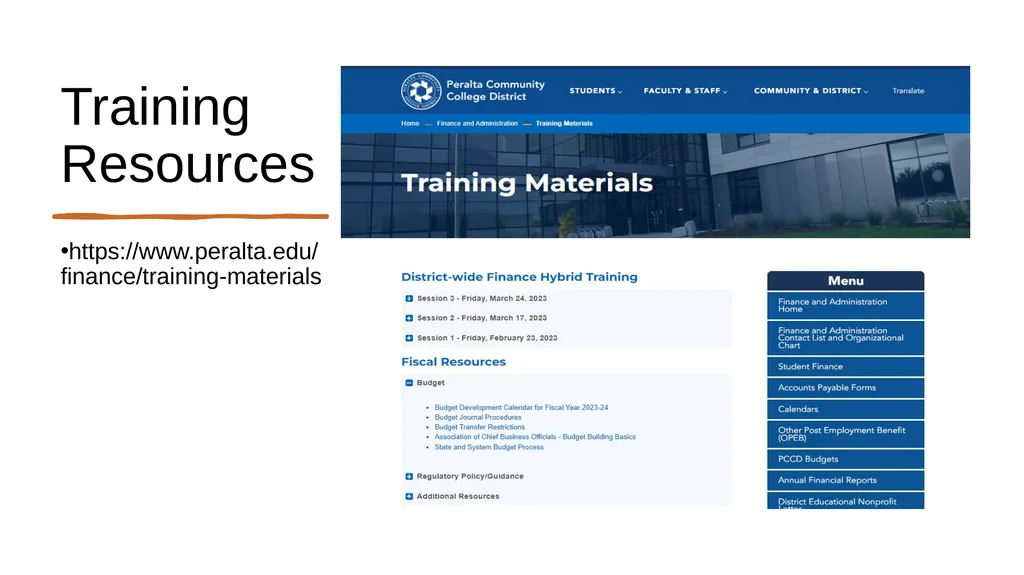
Training Resources https://www.peralta.edu/finance/training-materials<br>
04
Year End Close
Presenter:
Adil Ahmed, Associate Vice Chancellor of Finance and Administration<br>
05
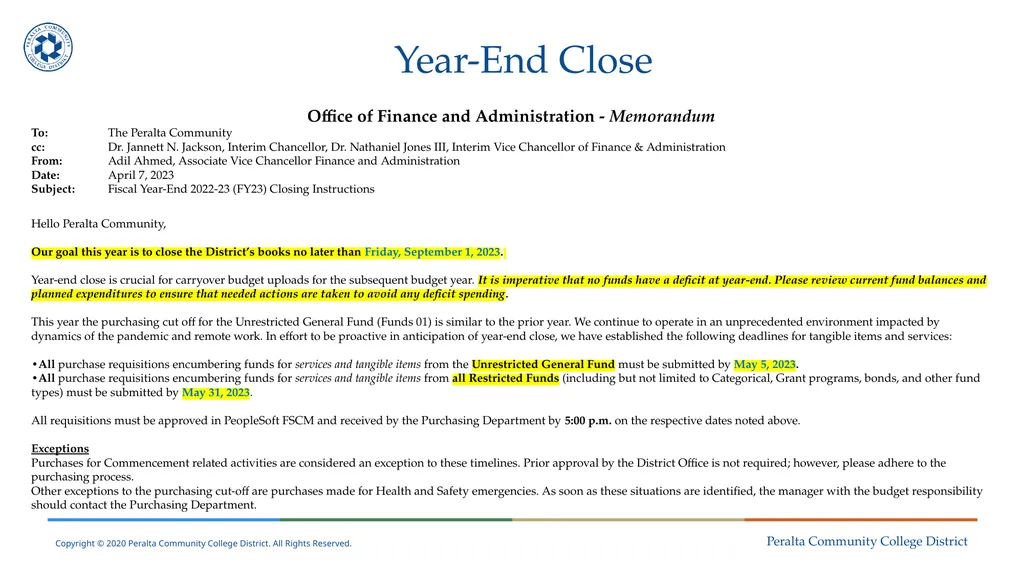
Year-End Close Office of Finance and Administration - Memorandum
To: The Peralta Community
cc: Dr. Jannett N. Jackson, Interim Chancellor, Dr. Nathaniel Jones III, Interim Vice Chancellor of Finance & Administration
From: Adil Ahmed, Associate Vice Chancellor Finance and Administration
Date: April 7, 2023
Subject: Fiscal Year-End 2022-23 (FY23) Closing Instructions
Hello Peralta Community,
Our goal this year is to close the District’s books no later than Friday, September 1, 2023.
Year-end close is crucial for carryover budget uploads for the subsequent budget year. It is imperative that no funds have a deficit at year-end. Please review current fund balances and planned expenditures to ensure that needed actions are taken to avoid any deficit spending.
This year the purchasing cut off for the Unrestricted General Fund (Funds 01) is similar to the prior year. We continue to operate in an unprecedented environment impacted by dynamics of the pandemic and remote work. In effort to be proactive in anticipation of year-end close, we have established the following deadlines for tangible items and services:
•All purchase requisitions encumbering funds for services and tangible items from the Unrestricted General Fund must be submitted by May 5, 2023.
•All purchase requisitions encumbering funds for services and tangible items from all Restricted Funds (including but not limited to Categorical, Grant programs, bonds, and other fund types) must be submitted by May 31, 2023.
All requisitions must be approved in PeopleSoft FSCM and received by the Purchasing Department by 5:00 p.m. on the respective dates noted above.
Exceptions
Purchases for Commencement related activities are considered an exception to these timelines. Prior approval by the District Office is not required; however, please adhere to the purchasing process.
Other exceptions to the purchasing cut-off are purchases made for Health and Safety emergencies. As soon as these situations are identified, the manager with the budget responsibility should contact the Purchasing Department.<br>
To: The Peralta Community
cc: Dr. Jannett N. Jackson, Interim Chancellor, Dr. Nathaniel Jones III, Interim Vice Chancellor of Finance & Administration
From: Adil Ahmed, Associate Vice Chancellor Finance and Administration
Date: April 7, 2023
Subject: Fiscal Year-End 2022-23 (FY23) Closing Instructions
Hello Peralta Community,
Our goal this year is to close the District’s books no later than Friday, September 1, 2023.
Year-end close is crucial for carryover budget uploads for the subsequent budget year. It is imperative that no funds have a deficit at year-end. Please review current fund balances and planned expenditures to ensure that needed actions are taken to avoid any deficit spending.
This year the purchasing cut off for the Unrestricted General Fund (Funds 01) is similar to the prior year. We continue to operate in an unprecedented environment impacted by dynamics of the pandemic and remote work. In effort to be proactive in anticipation of year-end close, we have established the following deadlines for tangible items and services:
•All purchase requisitions encumbering funds for services and tangible items from the Unrestricted General Fund must be submitted by May 5, 2023.
•All purchase requisitions encumbering funds for services and tangible items from all Restricted Funds (including but not limited to Categorical, Grant programs, bonds, and other fund types) must be submitted by May 31, 2023.
All requisitions must be approved in PeopleSoft FSCM and received by the Purchasing Department by 5:00 p.m. on the respective dates noted above.
Exceptions
Purchases for Commencement related activities are considered an exception to these timelines. Prior approval by the District Office is not required; however, please adhere to the purchasing process.
Other exceptions to the purchasing cut-off are purchases made for Health and Safety emergencies. As soon as these situations are identified, the manager with the budget responsibility should contact the Purchasing Department.<br>
06
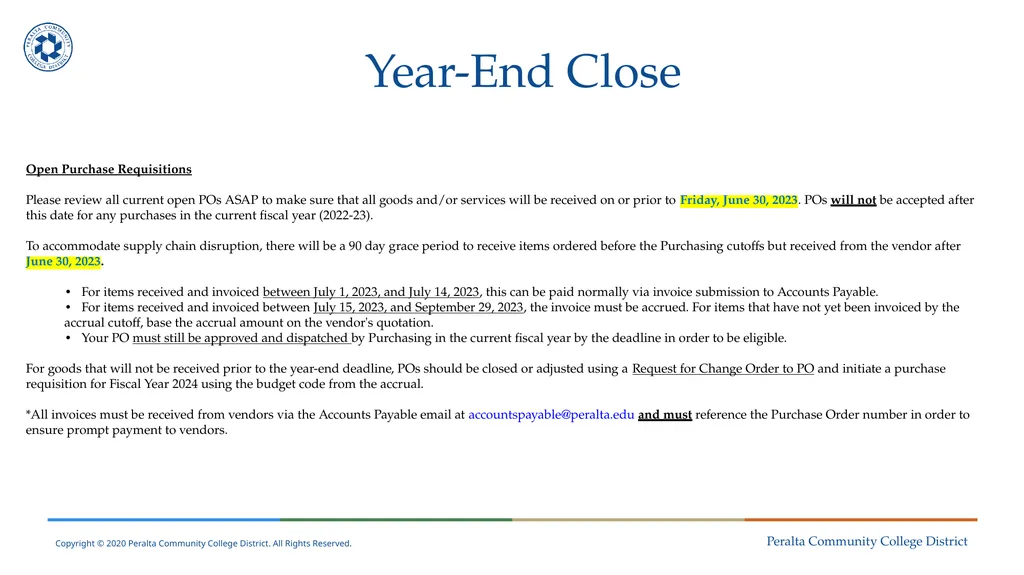
Year-End Close Open Purchase Requisitions
Please review all current open POs ASAP to make sure that all goods and/or services will be received on or prior to Friday, June 30, 2023. POs will not be accepted after this date for any purchases in the current fiscal year (2022-23).
To accommodate supply chain disruption, there will be a 90 day grace period to receive items ordered before the Purchasing cutoffs but received from the vendor after June 30, 2023.
• For items received and invoiced between July 1, 2023, and July 14, 2023, this can be paid normally via invoice submission to Accounts Payable.
• For items received and invoiced between July 15, 2023, and September 29, 2023, the invoice must be accrued. For items that have not yet been invoiced by the accrual cutoff, base the accrual amount on the vendor's quotation.
• Your PO must still be approved and dispatched by Purchasing in the current fiscal year by the deadline in order to be eligible.
For goods that will not be received prior to the year-end deadline, POs should be closed or adjusted using a Request for Change Order to PO and initiate a purchase requisition for Fiscal Year 2024 using the budget code from the accrual.
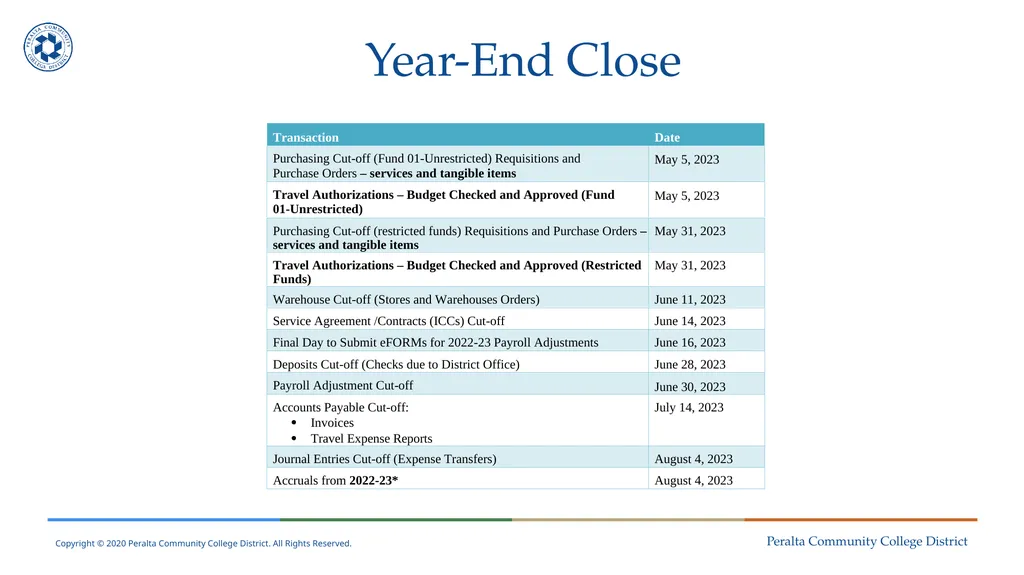
*All invoices must be received from vendors via the Accounts Payable email at accountspayable@peralta.edu and must reference the Purchase Order number in order to ensure prompt payment to vendors. Transaction Date<br>
Please review all current open POs ASAP to make sure that all goods and/or services will be received on or prior to Friday, June 30, 2023. POs will not be accepted after this date for any purchases in the current fiscal year (2022-23).
To accommodate supply chain disruption, there will be a 90 day grace period to receive items ordered before the Purchasing cutoffs but received from the vendor after June 30, 2023.
• For items received and invoiced between July 1, 2023, and July 14, 2023, this can be paid normally via invoice submission to Accounts Payable.
• For items received and invoiced between July 15, 2023, and September 29, 2023, the invoice must be accrued. For items that have not yet been invoiced by the accrual cutoff, base the accrual amount on the vendor's quotation.
• Your PO must still be approved and dispatched by Purchasing in the current fiscal year by the deadline in order to be eligible.
For goods that will not be received prior to the year-end deadline, POs should be closed or adjusted using a Request for Change Order to PO and initiate a purchase requisition for Fiscal Year 2024 using the budget code from the accrual.
*All invoices must be received from vendors via the Accounts Payable email at accountspayable@peralta.edu and must reference the Purchase Order number in order to ensure prompt payment to vendors. Transaction Date<br>
07
Year-End Close<br>
08
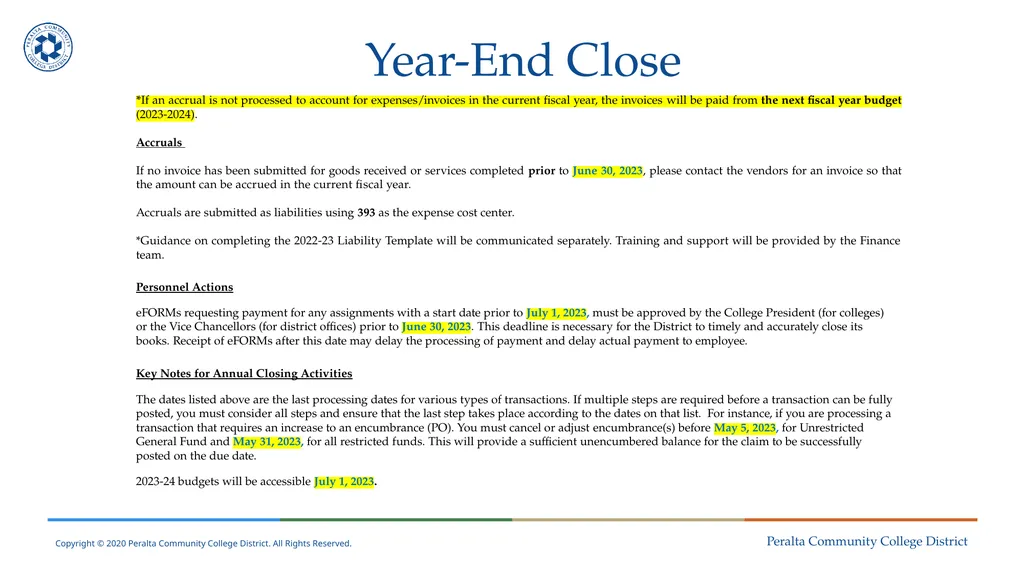
Year-End Close *If an accrual is not processed to account for expenses/invoices in the current fiscal year, the invoices will be paid from the next fiscal year budget (2023-2024).
Accruals
If no invoice has been submitted for goods received or services completed prior to June 30, 2023, please contact the vendors for an invoice so that the amount can be accrued in the current fiscal year.
Accruals are submitted as liabilities using 393 as the expense cost center.
*Guidance on completing the 2022-23 Liability Template will be communicated separately. Training and support will be provided by the Finance team.
Personnel Actions
eFORMs requesting payment for any assignments with a start date prior to July 1, 2023, must be approved by the College President (for colleges) or the Vice Chancellors (for district offices) prior to June 30, 2023. This deadline is necessary for the District to timely and accurately close its books. Receipt of eFORMs after this date may delay the processing of payment and delay actual payment to employee.
Key Notes for Annual Closing Activities
The dates listed above are the last processing dates for various types of transactions. If multiple steps are required before a transaction can be fully posted, you must consider all steps and ensure that the last step takes place according to the dates on that list. For instance, if you are processing a transaction that requires an increase to an encumbrance (PO). You must cancel or adjust encumbrance(s) before May 5, 2023, for Unrestricted General Fund and May 31, 2023, for all restricted funds. This will provide a sufficient unencumbered balance for the claim to be successfully posted on the due date.
2023-24 budgets will be accessible July 1, 2023.<br>
Accruals
If no invoice has been submitted for goods received or services completed prior to June 30, 2023, please contact the vendors for an invoice so that the amount can be accrued in the current fiscal year.
Accruals are submitted as liabilities using 393 as the expense cost center.
*Guidance on completing the 2022-23 Liability Template will be communicated separately. Training and support will be provided by the Finance team.
Personnel Actions
eFORMs requesting payment for any assignments with a start date prior to July 1, 2023, must be approved by the College President (for colleges) or the Vice Chancellors (for district offices) prior to June 30, 2023. This deadline is necessary for the District to timely and accurately close its books. Receipt of eFORMs after this date may delay the processing of payment and delay actual payment to employee.
Key Notes for Annual Closing Activities
The dates listed above are the last processing dates for various types of transactions. If multiple steps are required before a transaction can be fully posted, you must consider all steps and ensure that the last step takes place according to the dates on that list. For instance, if you are processing a transaction that requires an increase to an encumbrance (PO). You must cancel or adjust encumbrance(s) before May 5, 2023, for Unrestricted General Fund and May 31, 2023, for all restricted funds. This will provide a sufficient unencumbered balance for the claim to be successfully posted on the due date.
2023-24 budgets will be accessible July 1, 2023.<br>
09
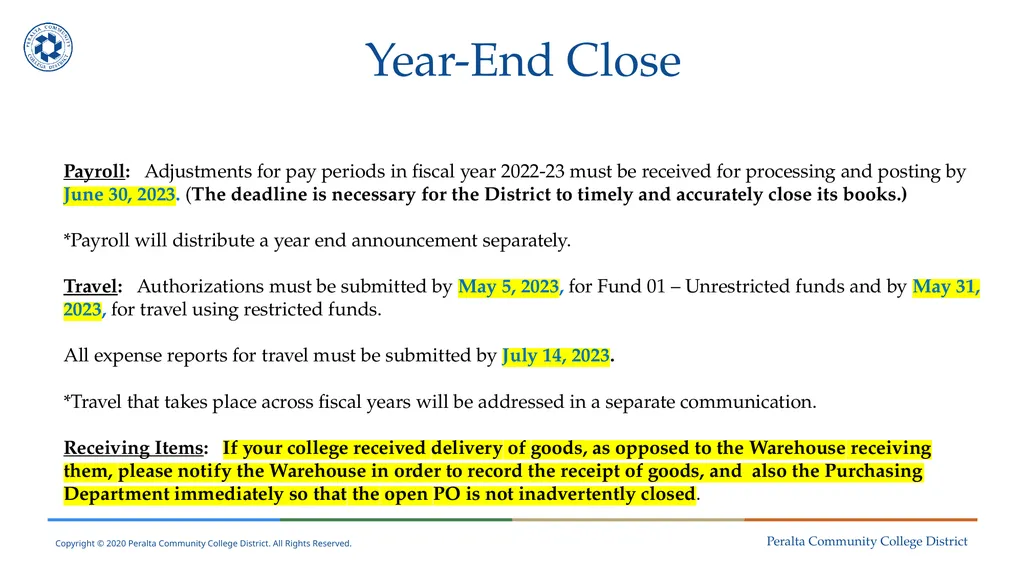
Year-End Close Payroll: Adjustments for pay periods in fiscal year 2022-23 must be received for processing and posting by June 30, 2023. (The deadline is necessary for the District to timely and accurately close its books.)
*Payroll will distribute a year end announcement separately.
Travel: Authorizations must be submitted by May 5, 2023, for Fund 01 – Unrestricted funds and by May 31, 2023, for travel using restricted funds.
All expense reports for travel must be submitted by July 14, 2023.
*Travel that takes place across fiscal years will be addressed in a separate communication.
Receiving Items: If your college received delivery of goods, as opposed to the Warehouse receiving them, please notify the Warehouse in order to record the receipt of goods, and also the Purchasing Department immediately so that the open PO is not inadvertently closed.<br>
*Payroll will distribute a year end announcement separately.
Travel: Authorizations must be submitted by May 5, 2023, for Fund 01 – Unrestricted funds and by May 31, 2023, for travel using restricted funds.
All expense reports for travel must be submitted by July 14, 2023.
*Travel that takes place across fiscal years will be addressed in a separate communication.
Receiving Items: If your college received delivery of goods, as opposed to the Warehouse receiving them, please notify the Warehouse in order to record the receipt of goods, and also the Purchasing Department immediately so that the open PO is not inadvertently closed.<br>
10
Questions?<br>
11
Payroll Accrual and Expense Adjustments
Presenters:
Ilham Ayyoub, Payroll Director
Vu Nguyen, Senior System Analyst – Payroll
Adil Ahmed, Associate Vice Chancellor of Finance and Administration<br>
12
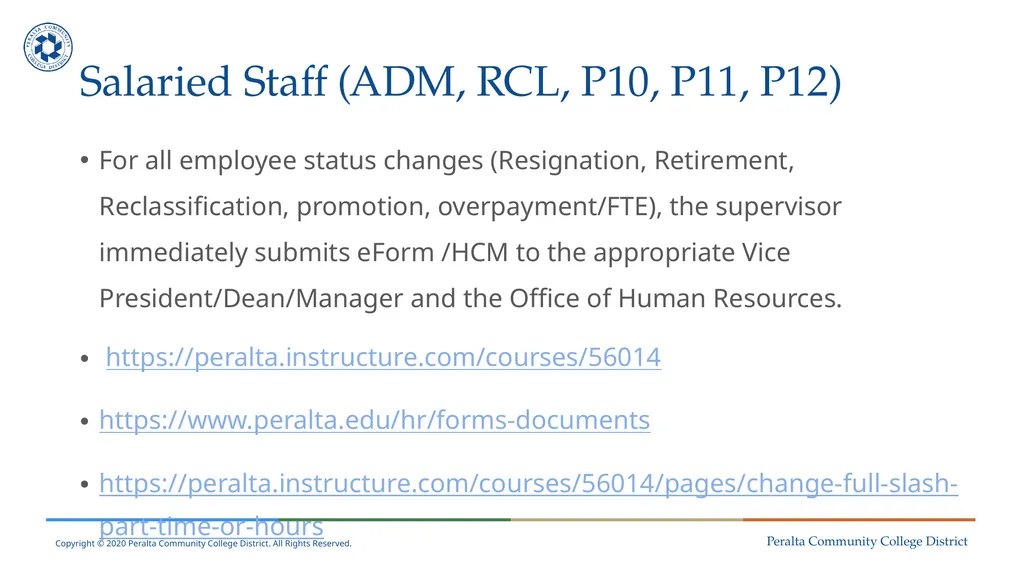
Salaried Staff (ADM, RCL, P10, P11, P12) For all employee status changes (Resignation, Retirement, Reclassification, promotion, overpayment/FTE), the supervisor immediately submits eForm /HCM to the appropriate Vice President/Dean/Manager and the Office of Human Resources.
https://peralta.instructure.com/courses/56014
https://www.peralta.edu/hr/forms-documents
https://peralta.instructure.com/courses/56014/pages/change-full-slash-part-time-or-hours<br>
https://peralta.instructure.com/courses/56014
https://www.peralta.edu/hr/forms-documents
https://peralta.instructure.com/courses/56014/pages/change-full-slash-part-time-or-hours<br>
13
Pro-Rata Pay groups (EXS, PCA,PRR,RCA) All hours adjustments (Late add, increase, decrease, cancellation) should be processed in the laundry list. The due date for the laundry list is included in the monthly Payroll Operational Schedule sent to campuses.<br>
14
Hourly staff /Pay groups Hourly paid (PCT,PCS,PRC)
All adjustments to hours can be made in HCM within the due date (Schedule for the Submission of Time Entry). For all adjustments after the due date (Schedule for the Submission of Time Entry), the campus should notify the payroll team via email.
https://www.peralta.edu/payroll/timesheet<br>
All adjustments to hours can be made in HCM within the due date (Schedule for the Submission of Time Entry). For all adjustments after the due date (Schedule for the Submission of Time Entry), the campus should notify the payroll team via email.
https://www.peralta.edu/payroll/timesheet<br>
15
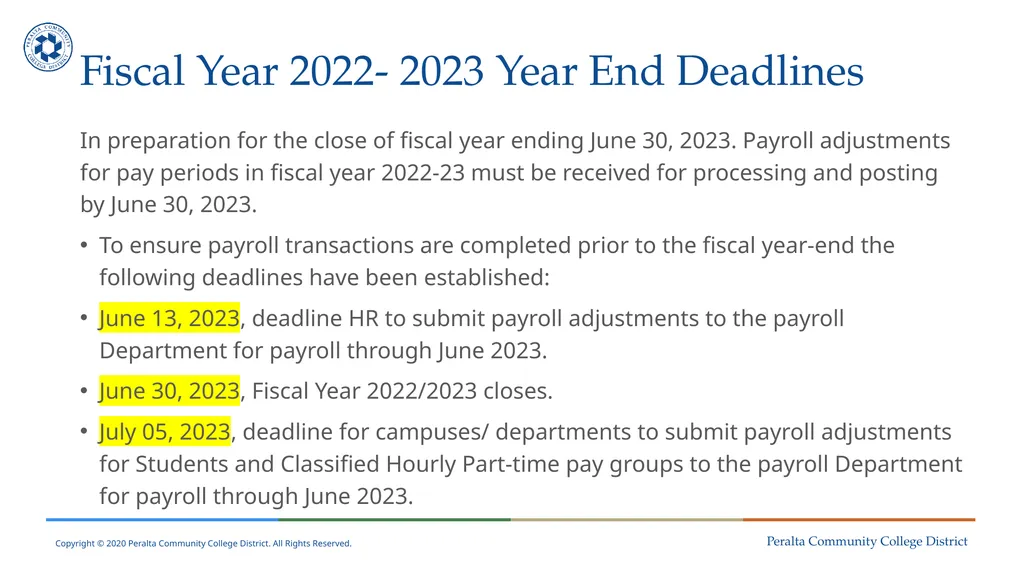
Fiscal Year 2022- 2023 Year End Deadlines In preparation for the close of fiscal year ending June 30, 2023. Payroll adjustments for pay periods in fiscal year 2022-23 must be received for processing and posting by June 30, 2023.
To ensure payroll transactions are completed prior to the fiscal year-end the following deadlines have been established:
June 13, 2023, deadline HR to submit payroll adjustments to the payroll Department for payroll through June 2023.
June 30, 2023, Fiscal Year 2022/2023 closes.
July 05, 2023, deadline for campuses/ departments to submit payroll adjustments for Students and Classified Hourly Part-time pay groups to the payroll Department for payroll through June 2023.<br>
To ensure payroll transactions are completed prior to the fiscal year-end the following deadlines have been established:
June 13, 2023, deadline HR to submit payroll adjustments to the payroll Department for payroll through June 2023.
June 30, 2023, Fiscal Year 2022/2023 closes.
July 05, 2023, deadline for campuses/ departments to submit payroll adjustments for Students and Classified Hourly Part-time pay groups to the payroll Department for payroll through June 2023.<br>
16
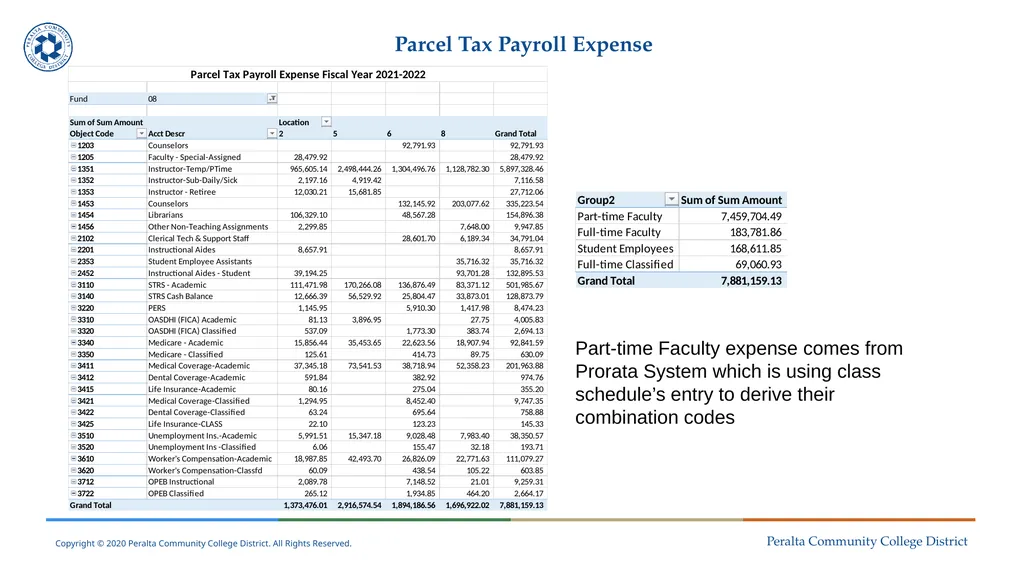
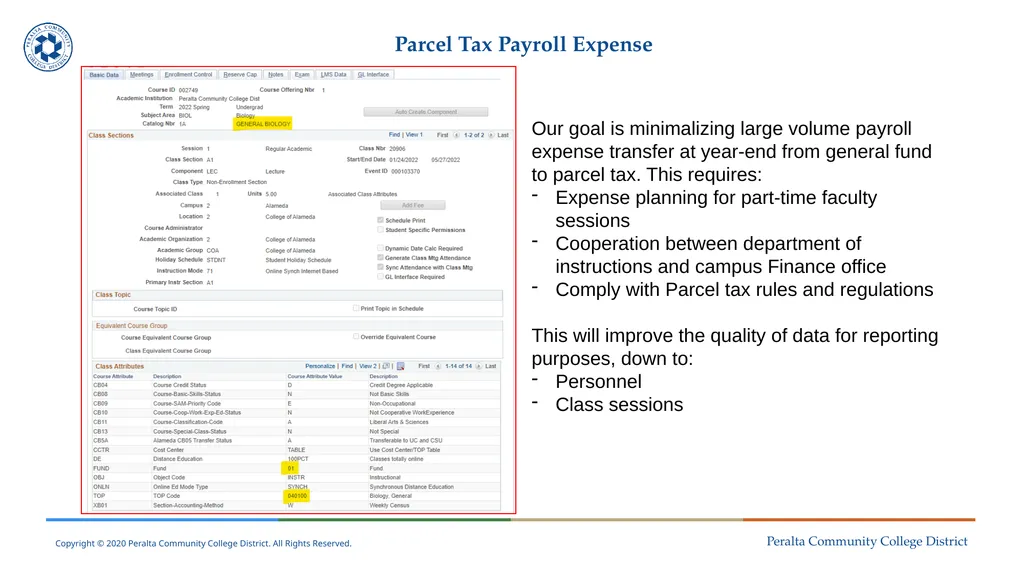
Parcel Tax Payroll Expense Part-time Faculty expense comes from Prorata System which is using class schedule’s entry to derive their combination codes<br>
17
Parcel Tax Payroll Expense Our goal is minimalizing large volume payroll expense transfer at year-end from general fund to parcel tax. This requires:
Expense planning for part-time faculty sessions
Cooperation between department of instructions and campus Finance office
Comply with Parcel tax rules and regulations
This will improve the quality of data for reporting purposes, down to:
Personnel
Class sessions<br>
Expense planning for part-time faculty sessions
Cooperation between department of instructions and campus Finance office
Comply with Parcel tax rules and regulations
This will improve the quality of data for reporting purposes, down to:
Personnel
Class sessions<br>
18
Questions?<br>
19
Query Reporting:
Budget vs. Actual
Presenter:
Adil Ahmed, Associate Vice Chancellor of Finance and Administration<br>
20
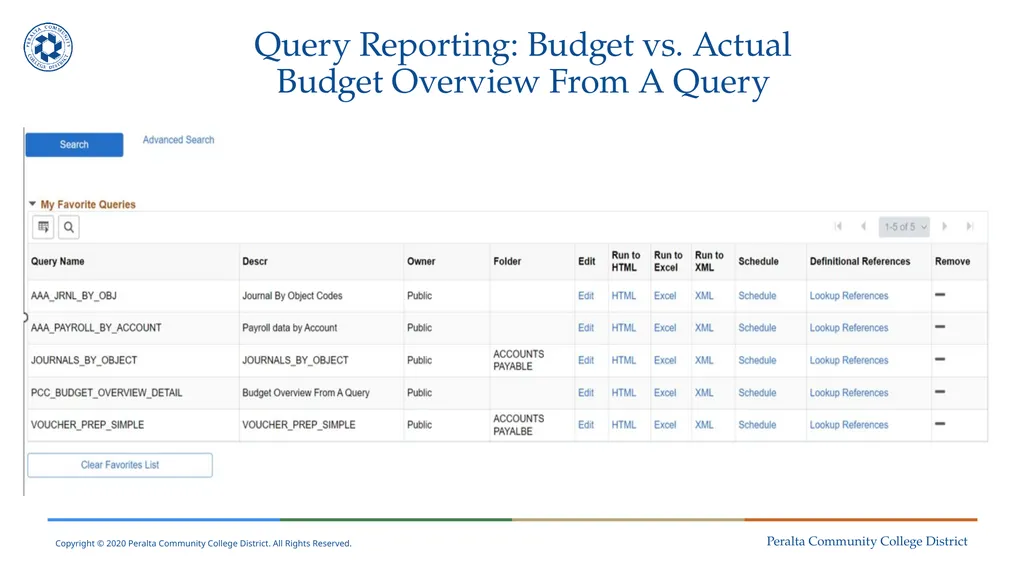
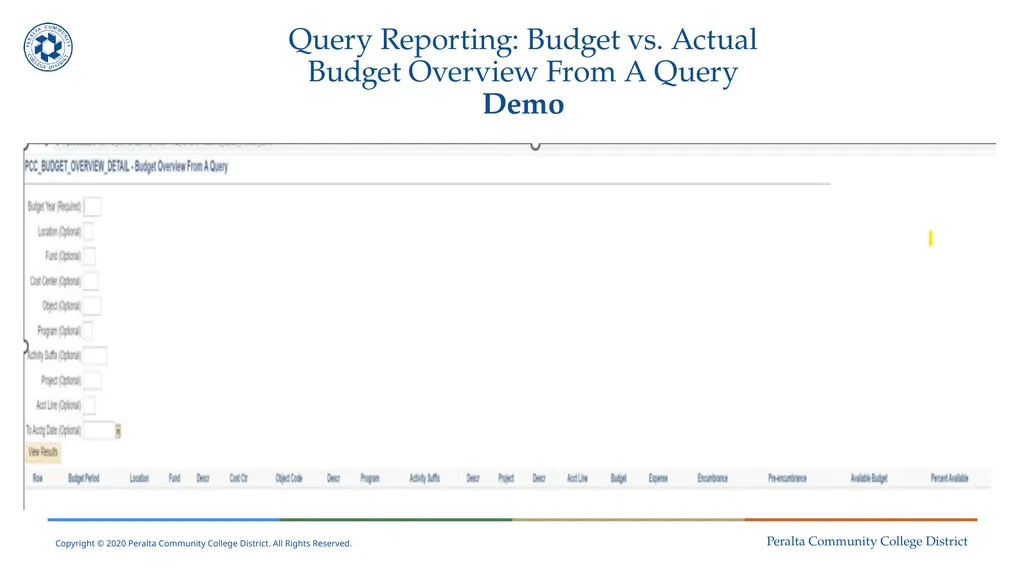
Query Reporting: Budget vs. Actual
Budget Overview From A Query<br>
21
Query Reporting: Budget vs. Actual
Budget Overview From A Query
Demo<br>
22
Questions?<br>
23
Fiscal Close: Purchasing/Warehouse
Presenter:
Marla Williams-Powell, Acting Purchasing Director<br>
24
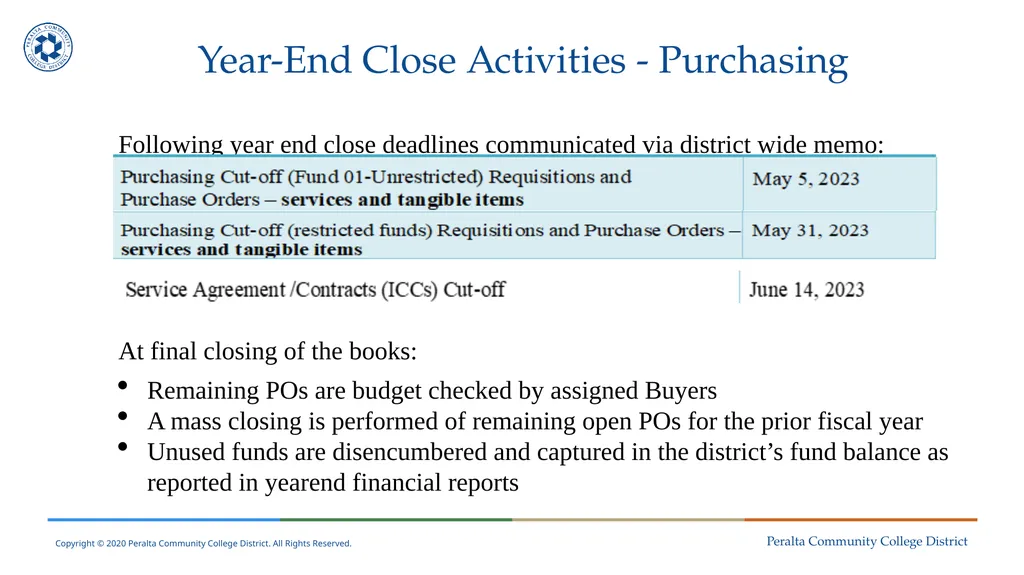
Year-End Close Activities - Purchasing Following year end close deadlines communicated via district wide memo:
At final closing of the books:
Remaining POs are budget checked by assigned Buyers
A mass closing is performed of remaining open POs for the prior fiscal year
Unused funds are disencumbered and captured in the district’s fund balance as reported in yearend financial reports<br>
At final closing of the books:
Remaining POs are budget checked by assigned Buyers
A mass closing is performed of remaining open POs for the prior fiscal year
Unused funds are disencumbered and captured in the district’s fund balance as reported in yearend financial reports<br>
25
Year-End Close – Warehouse Orders must be delivered and signed for by warehouse staff by end of day on June 30th (General Fund)
Orders must be delivered and signed for by warehouse staff by end of day on September 30th (Categorical Fund)
Orders placed via regular purchase order and delivered directly to the site:
Email from the requisitioner to the warehouse confirming receipt of any orders directly on site or picked directly from the vendor.
Communication must include proof of delivery (signed and dated copy of the packing list, fright bill, tracking number(s) with email).<br>
Orders must be delivered and signed for by warehouse staff by end of day on September 30th (Categorical Fund)
Orders placed via regular purchase order and delivered directly to the site:
Email from the requisitioner to the warehouse confirming receipt of any orders directly on site or picked directly from the vendor.
Communication must include proof of delivery (signed and dated copy of the packing list, fright bill, tracking number(s) with email).<br>
26
Year-End Close – Warehouse No back dating of orders for items delivered June 30th.
Open accounts/invoices do not require the warehouse staff to update an order for Accounts Payable (A/P) to pay the vendor:
Send all necessary documentation to A/P by the fiscal year deadline.
Orders/items not arriving in time:
Should be canceled with the buyer if corresponding funds do not carry over to FY 23/24.<br>
Open accounts/invoices do not require the warehouse staff to update an order for Accounts Payable (A/P) to pay the vendor:
Send all necessary documentation to A/P by the fiscal year deadline.
Orders/items not arriving in time:
Should be canceled with the buyer if corresponding funds do not carry over to FY 23/24.<br>
27
Year-End Close – Warehouse General Fund purchases - Do not allow vendors to continue with shipment of items on purchase orders that will be closed at end of FY 22/23
Consequences:
Against policy (goods should be received within fiscal year and POs do not cross fiscal years)
Present issues for everyone throughout the process
Contribute to delay in timely payments to vendors
If assessed restocking fee due to return of order – at college/department expense<br>
Consequences:
Against policy (goods should be received within fiscal year and POs do not cross fiscal years)
Present issues for everyone throughout the process
Contribute to delay in timely payments to vendors
If assessed restocking fee due to return of order – at college/department expense<br>
28
Questions?<br>
29
Open Encumbrances and Invoice Review
Verifying Status of Invoices Received Presenter:
Nick Shere, Accounts Payable Specialist<br>
Nick Shere, Accounts Payable Specialist<br>
30
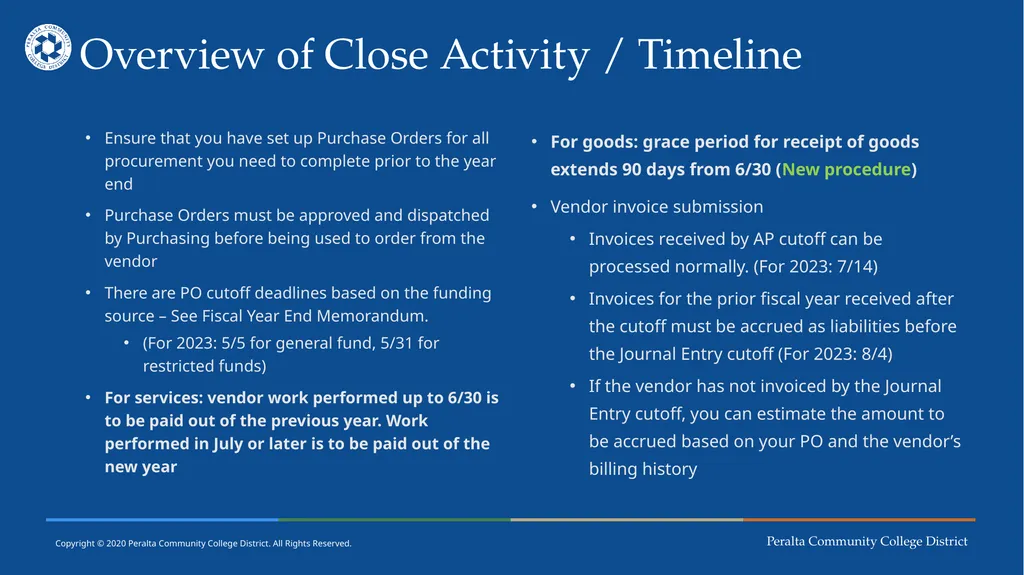
Overview of Close Activity / Timeline Ensure that you have set up Purchase Orders for all procurement you need to complete prior to the year end
Purchase Orders must be approved and dispatched by Purchasing before being used to order from the vendor
There are PO cutoff deadlines based on the funding source – See Fiscal Year End Memorandum.
(For 2023: 5/5 for general fund, 5/31 for restricted funds)
For services: vendor work performed up to 6/30 is to be paid out of the previous year. Work performed in July or later is to be paid out of the new year For goods: grace period for receipt of goods extends 90 days from 6/30 (New procedure)
Vendor invoice submission
Invoices received by AP cutoff can be processed normally. (For 2023: 7/14)
Invoices for the prior fiscal year received after the cutoff must be accrued as liabilities before the Journal Entry cutoff (For 2023: 8/4)
If the vendor has not invoiced by the Journal Entry cutoff, you can estimate the amount to be accrued based on your PO and the vendor’s billing history<br>
Purchase Orders must be approved and dispatched by Purchasing before being used to order from the vendor
There are PO cutoff deadlines based on the funding source – See Fiscal Year End Memorandum.
(For 2023: 5/5 for general fund, 5/31 for restricted funds)
For services: vendor work performed up to 6/30 is to be paid out of the previous year. Work performed in July or later is to be paid out of the new year For goods: grace period for receipt of goods extends 90 days from 6/30 (New procedure)
Vendor invoice submission
Invoices received by AP cutoff can be processed normally. (For 2023: 7/14)
Invoices for the prior fiscal year received after the cutoff must be accrued as liabilities before the Journal Entry cutoff (For 2023: 8/4)
If the vendor has not invoiced by the Journal Entry cutoff, you can estimate the amount to be accrued based on your PO and the vendor’s billing history<br>
31
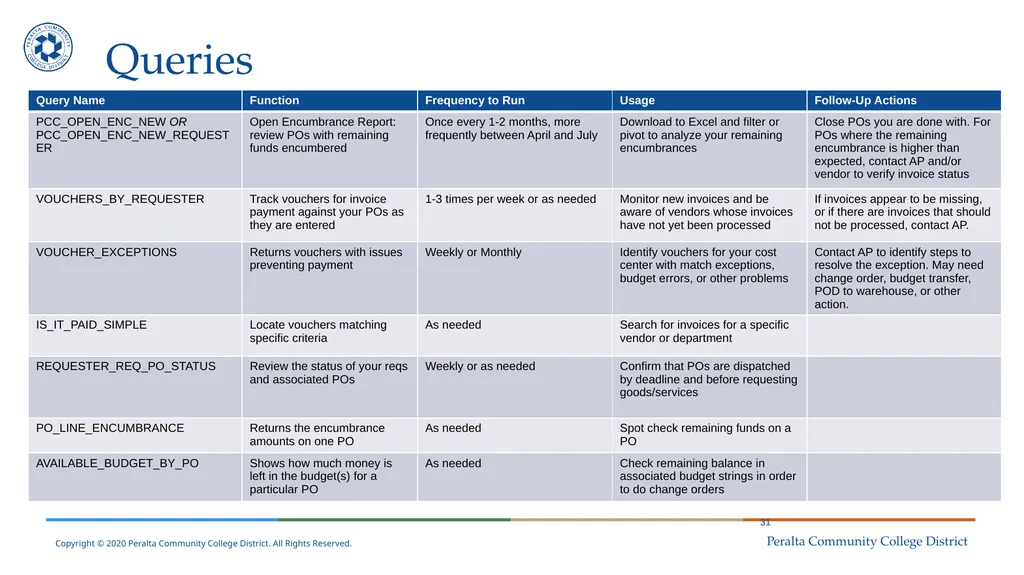
Queries 31<br>
32
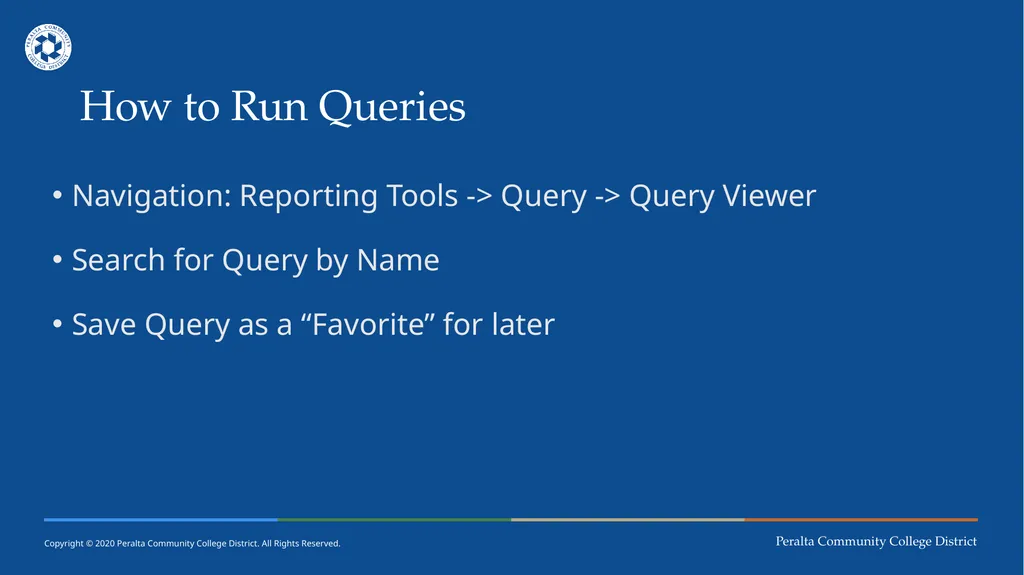
How to Run Queries Navigation: Reporting Tools -> Query -> Query Viewer
Search for Query by Name
Save Query as a “Favorite” for later<br>
Search for Query by Name
Save Query as a “Favorite” for later<br>
33
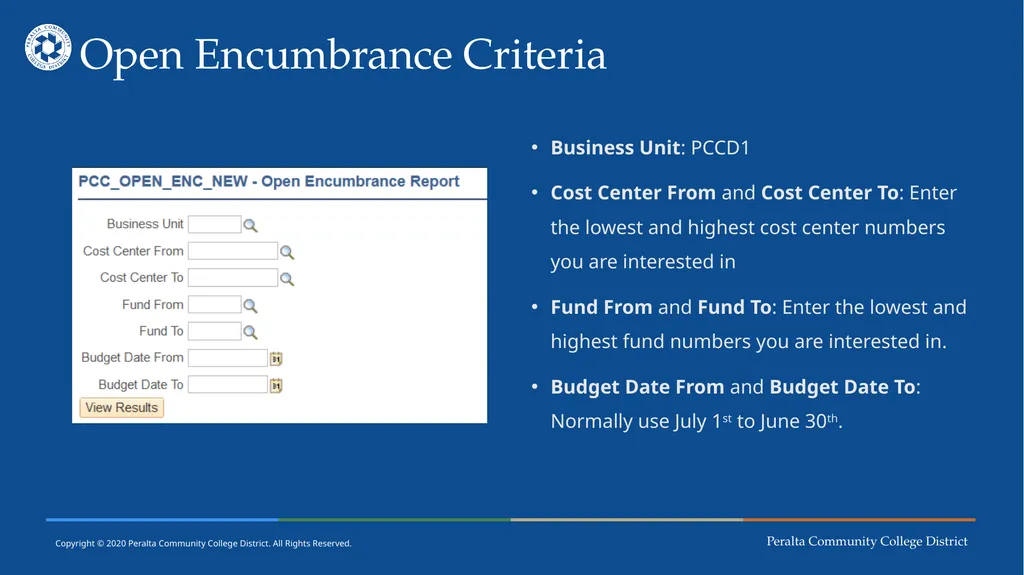
Open Encumbrance Criteria Business Unit: PCCD1
Cost Center From and Cost Center To: Enter the lowest and highest cost center numbers you are interested in
Fund From and Fund To: Enter the lowest and highest fund numbers you are interested in.
Budget Date From and Budget Date To: Normally use July 1st to June 30th.<br>
Cost Center From and Cost Center To: Enter the lowest and highest cost center numbers you are interested in
Fund From and Fund To: Enter the lowest and highest fund numbers you are interested in.
Budget Date From and Budget Date To: Normally use July 1st to June 30th.<br>
34
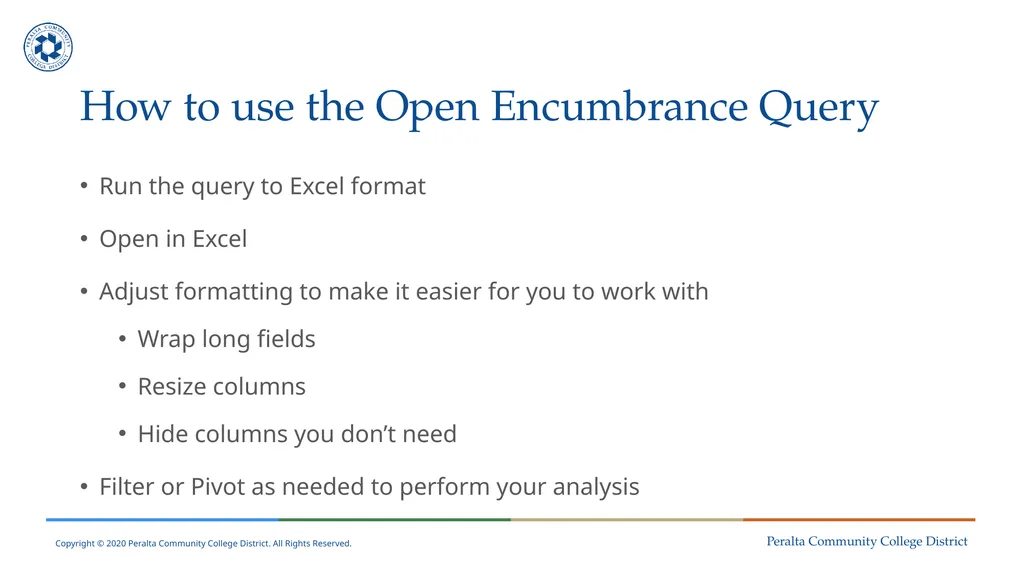
How to use the Open Encumbrance Query Run the query to Excel format
Open in Excel
Adjust formatting to make it easier for you to work with
Wrap long fields
Resize columns
Hide columns you don’t need
Filter or Pivot as needed to perform your analysis<br>
Open in Excel
Adjust formatting to make it easier for you to work with
Wrap long fields
Resize columns
Hide columns you don’t need
Filter or Pivot as needed to perform your analysis<br>
35
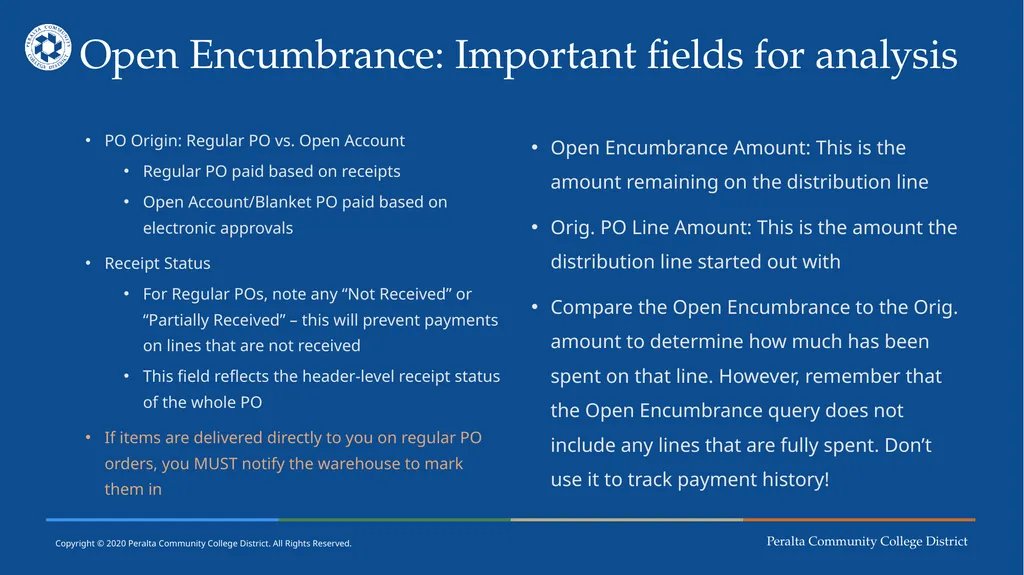
Open Encumbrance: Important fields for analysis PO Origin: Regular PO vs. Open Account
Regular PO paid based on receipts
Open Account/Blanket PO paid based on electronic approvals
Receipt Status
For Regular POs, note any “Not Received” or “Partially Received” – this will prevent payments on lines that are not received
This field reflects the header-level receipt status of the whole PO
If items are delivered directly to you on regular PO orders, you MUST notify the warehouse to mark them in Open Encumbrance Amount: This is the amount remaining on the distribution line
Orig. PO Line Amount: This is the amount the distribution line started out with
Compare the Open Encumbrance to the Orig. amount to determine how much has been spent on that line. However, remember that the Open Encumbrance query does not include any lines that are fully spent. Don’t use it to track payment history!<br>
Regular PO paid based on receipts
Open Account/Blanket PO paid based on electronic approvals
Receipt Status
For Regular POs, note any “Not Received” or “Partially Received” – this will prevent payments on lines that are not received
This field reflects the header-level receipt status of the whole PO
If items are delivered directly to you on regular PO orders, you MUST notify the warehouse to mark them in Open Encumbrance Amount: This is the amount remaining on the distribution line
Orig. PO Line Amount: This is the amount the distribution line started out with
Compare the Open Encumbrance to the Orig. amount to determine how much has been spent on that line. However, remember that the Open Encumbrance query does not include any lines that are fully spent. Don’t use it to track payment history!<br>
36
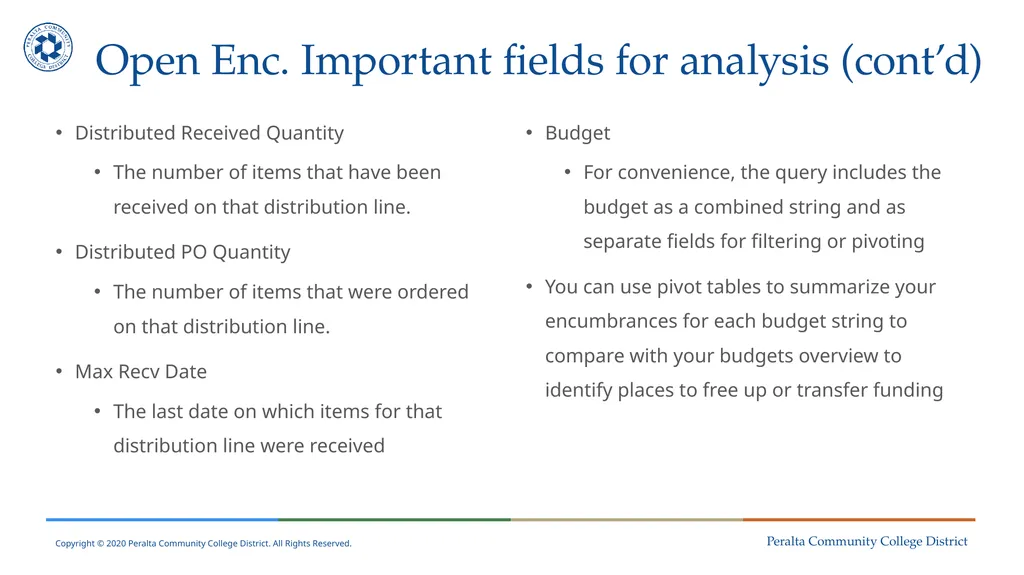
Open Enc. Important fields for analysis (cont’d) Distributed Received Quantity
The number of items that have been received on that distribution line.
Distributed PO Quantity
The number of items that were ordered on that distribution line.
Max Recv Date
The last date on which items for that distribution line were received Budget
For convenience, the query includes the budget as a combined string and as separate fields for filtering or pivoting
You can use pivot tables to summarize your encumbrances for each budget string to compare with your budgets overview to identify places to free up or transfer funding<br>
The number of items that have been received on that distribution line.
Distributed PO Quantity
The number of items that were ordered on that distribution line.
Max Recv Date
The last date on which items for that distribution line were received Budget
For convenience, the query includes the budget as a combined string and as separate fields for filtering or pivoting
You can use pivot tables to summarize your encumbrances for each budget string to compare with your budgets overview to identify places to free up or transfer funding<br>
37
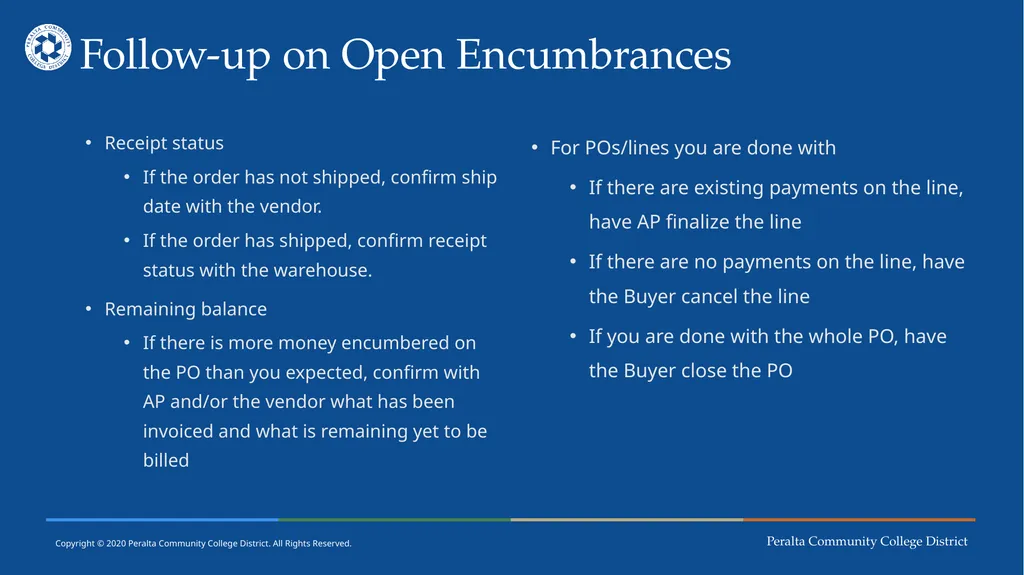
Follow-up on Open Encumbrances Receipt status
If the order has not shipped, confirm ship date with the vendor.
If the order has shipped, confirm receipt status with the warehouse.
Remaining balance
If there is more money encumbered on the PO than you expected, confirm with AP and/or the vendor what has been invoiced and what is remaining yet to be billed For POs/lines you are done with
If there are existing payments on the line, have AP finalize the line
If there are no payments on the line, have the Buyer cancel the line
If you are done with the whole PO, have the Buyer close the PO<br>
If the order has not shipped, confirm ship date with the vendor.
If the order has shipped, confirm receipt status with the warehouse.
Remaining balance
If there is more money encumbered on the PO than you expected, confirm with AP and/or the vendor what has been invoiced and what is remaining yet to be billed For POs/lines you are done with
If there are existing payments on the line, have AP finalize the line
If there are no payments on the line, have the Buyer cancel the line
If you are done with the whole PO, have the Buyer close the PO<br>
38
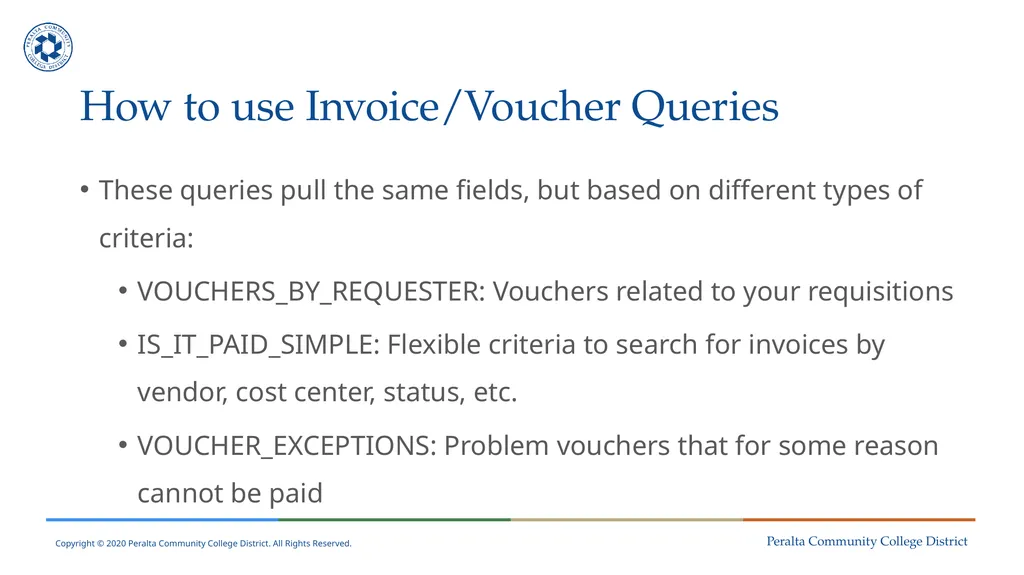
How to use Invoice/Voucher Queries These queries pull the same fields, but based on different types of criteria:
VOUCHERS_BY_REQUESTER: Vouchers related to your requisitions
IS_IT_PAID_SIMPLE: Flexible criteria to search for invoices by vendor, cost center, status, etc.
VOUCHER_EXCEPTIONS: Problem vouchers that for some reason cannot be paid<br>
VOUCHERS_BY_REQUESTER: Vouchers related to your requisitions
IS_IT_PAID_SIMPLE: Flexible criteria to search for invoices by vendor, cost center, status, etc.
VOUCHER_EXCEPTIONS: Problem vouchers that for some reason cannot be paid<br>
39
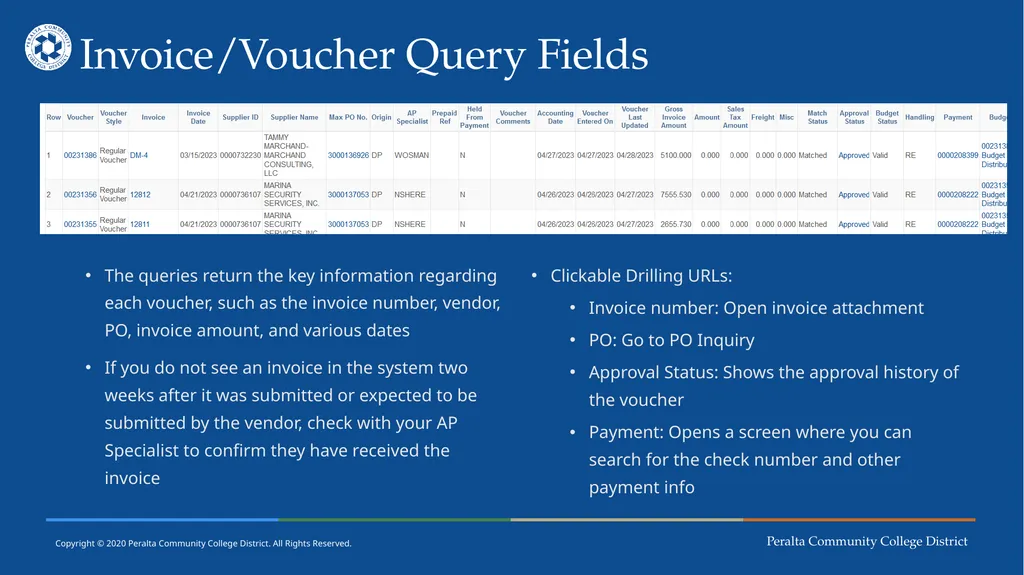
Invoice/Voucher Query Fields The queries return the key information regarding each voucher, such as the invoice number, vendor, PO, invoice amount, and various dates
If you do not see an invoice in the system two weeks after it was submitted or expected to be submitted by the vendor, check with your AP Specialist to confirm they have received the invoice Clickable Drilling URLs:
Invoice number: Open invoice attachment
PO: Go to PO Inquiry
Approval Status: Shows the approval history of the voucher
Payment: Opens a screen where you can search for the check number and other payment info<br>
If you do not see an invoice in the system two weeks after it was submitted or expected to be submitted by the vendor, check with your AP Specialist to confirm they have received the invoice Clickable Drilling URLs:
Invoice number: Open invoice attachment
PO: Go to PO Inquiry
Approval Status: Shows the approval history of the voucher
Payment: Opens a screen where you can search for the check number and other payment info<br>
40
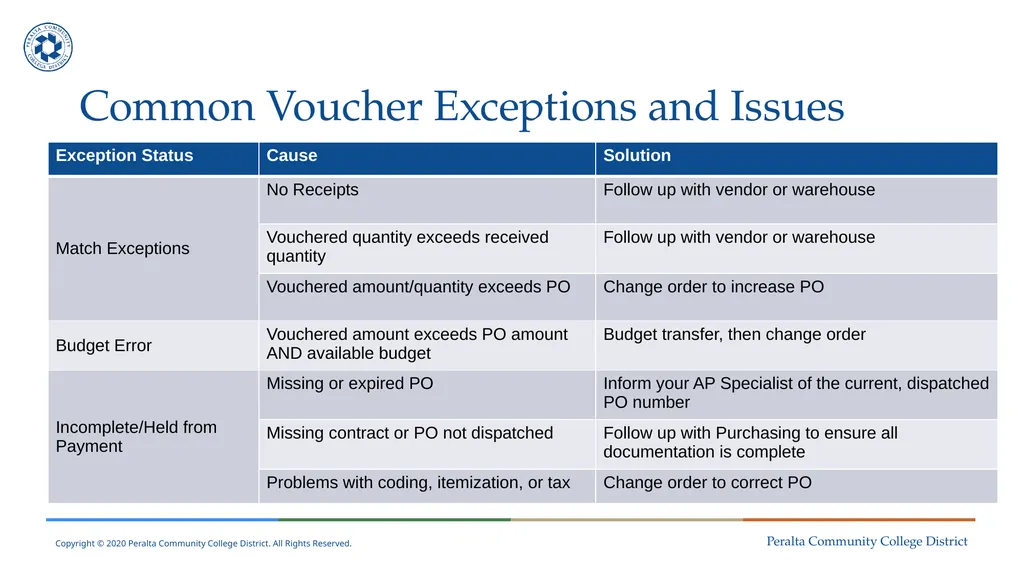
Common Voucher Exceptions and Issues<br>
41
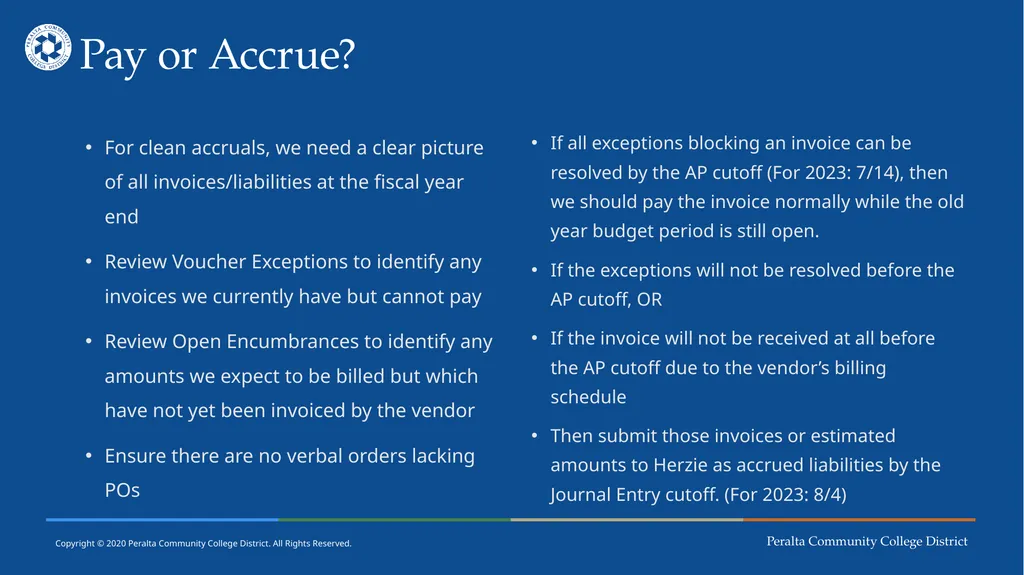
Pay or Accrue? For clean accruals, we need a clear picture of all invoices/liabilities at the fiscal year end
Review Voucher Exceptions to identify any invoices we currently have but cannot pay
Review Open Encumbrances to identify any amounts we expect to be billed but which have not yet been invoiced by the vendor
Ensure there are no verbal orders lacking POs If all exceptions blocking an invoice can be resolved by the AP cutoff (For 2023: 7/14), then we should pay the invoice normally while the old year budget period is still open.
If the exceptions will not be resolved before the AP cutoff, OR
If the invoice will not be received at all before the AP cutoff due to the vendor’s billing schedule
Then submit those invoices or estimated amounts to Herzie as accrued liabilities by the Journal Entry cutoff. (For 2023: 8/4)<br>
Review Voucher Exceptions to identify any invoices we currently have but cannot pay
Review Open Encumbrances to identify any amounts we expect to be billed but which have not yet been invoiced by the vendor
Ensure there are no verbal orders lacking POs If all exceptions blocking an invoice can be resolved by the AP cutoff (For 2023: 7/14), then we should pay the invoice normally while the old year budget period is still open.
If the exceptions will not be resolved before the AP cutoff, OR
If the invoice will not be received at all before the AP cutoff due to the vendor’s billing schedule
Then submit those invoices or estimated amounts to Herzie as accrued liabilities by the Journal Entry cutoff. (For 2023: 8/4)<br>
42
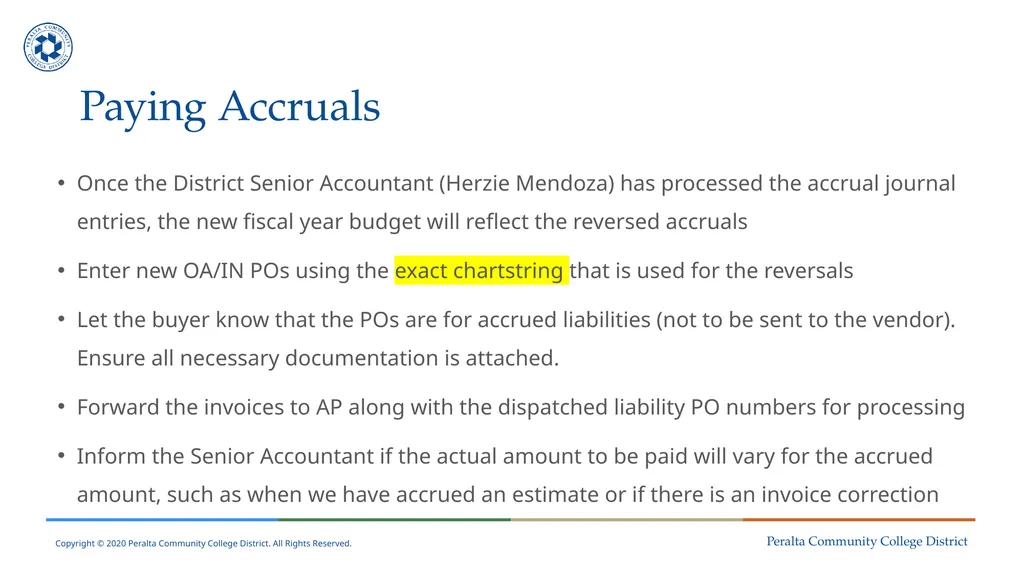
Paying Accruals Once the District Senior Accountant (Herzie Mendoza) has processed the accrual journal entries, the new fiscal year budget will reflect the reversed accruals
Enter new OA/IN POs using the exact chartstring that is used for the reversals
Let the buyer know that the POs are for accrued liabilities (not to be sent to the vendor). Ensure all necessary documentation is attached.
Forward the invoices to AP along with the dispatched liability PO numbers for processing
Inform the Senior Accountant if the actual amount to be paid will vary for the accrued amount, such as when we have accrued an estimate or if there is an invoice correction<br>
Enter new OA/IN POs using the exact chartstring that is used for the reversals
Let the buyer know that the POs are for accrued liabilities (not to be sent to the vendor). Ensure all necessary documentation is attached.
Forward the invoices to AP along with the dispatched liability PO numbers for processing
Inform the Senior Accountant if the actual amount to be paid will vary for the accrued amount, such as when we have accrued an estimate or if there is an invoice correction<br>
43
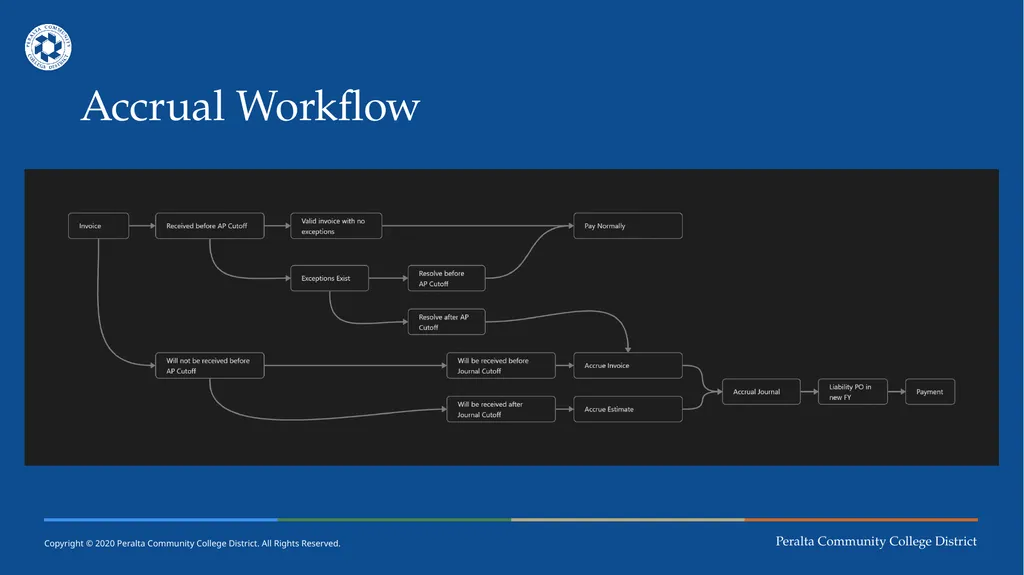
Accrual Workflow<br>
44
Questions?<br>
45
FY23 Liabilities/Accrual Submission Presenters:
Adil Ahmed, Associate Vice Chancellor of Finance and Administration<br>
Adil Ahmed, Associate Vice Chancellor of Finance and Administration<br>
46
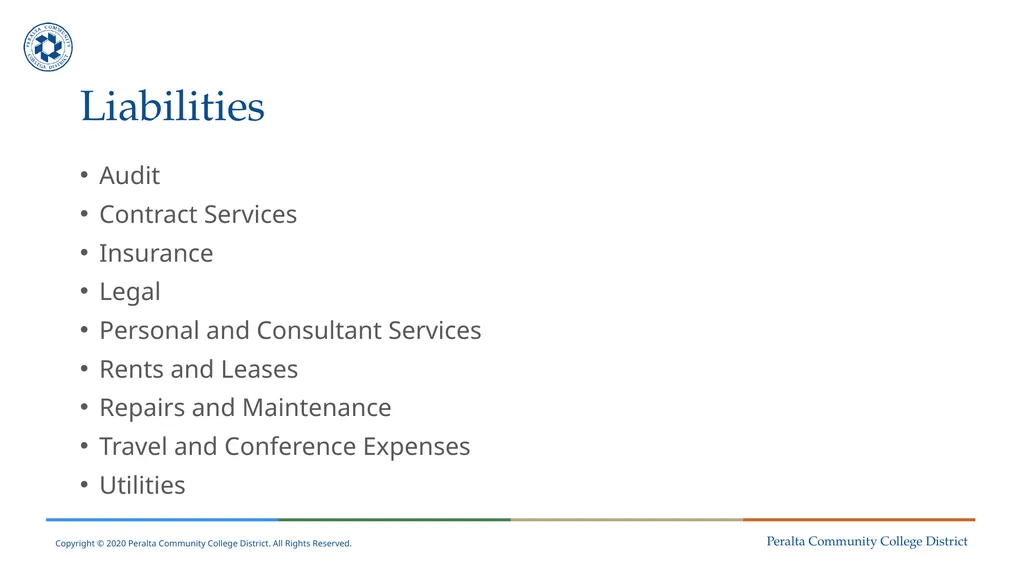
Liabilities Audit
Contract Services
Insurance
Legal
Personal and Consultant Services
Rents and Leases
Repairs and Maintenance
Travel and Conference Expenses
Utilities<br>
Contract Services
Insurance
Legal
Personal and Consultant Services
Rents and Leases
Repairs and Maintenance
Travel and Conference Expenses
Utilities<br>
47
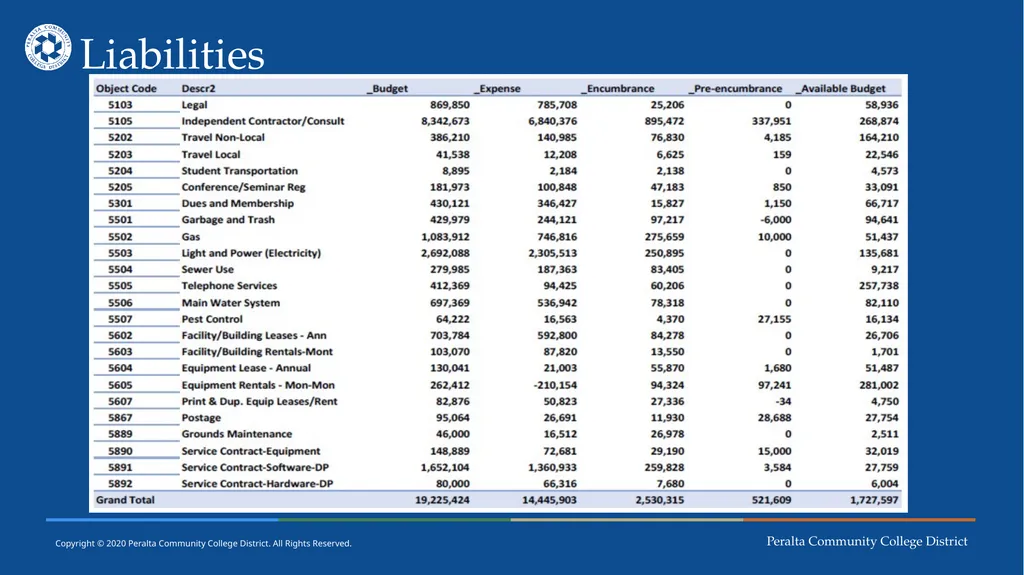
Liabilities<br>
48
Questions?<br>
49
Thank You! Session 4 - Evaluation<br>