


Download “ODV” from

Download “ODV” from
1 / 1
Download “ODV” from - slide 1 of 5 Download “ODV” from - slide 2 of 5 Download “ODV” from - slide 3 of 5 Download “ODV” from - slide 4 of 5 Download “ODV” from - slide 5 of 5
Download ODV from http:odv.awi.deensoftwaredownload and install into your computer (also Optional Packages). And bring your computer. You will learn how to use this during the ODV class. Download the HOT Bottle Data

Related Topics

Download this presentation From Below

"Download “ODV” from" is the property of its rightful owner. Permission is granted to download and print the materials on this website for personal, non-commercial use only, and to display it on your personal computer provided you do not modify the materials and that you retain all copyright notices contained in the materials. By downloading content from our website, you accept the terms of this agreement.

Presentation Transcript

01
Download “ODV” from http://odv.awi.de/en/software/download/ and install into your computer (also “Optional Packages”). And bring your computer. You will learn how to use this during the ODV class.

Download the HOT Bottle Data fromhttp://odv.awi.de/en/data/ocean/

Download two text files that include data, which you will use to make your own data file during the ODV class.<br>
02
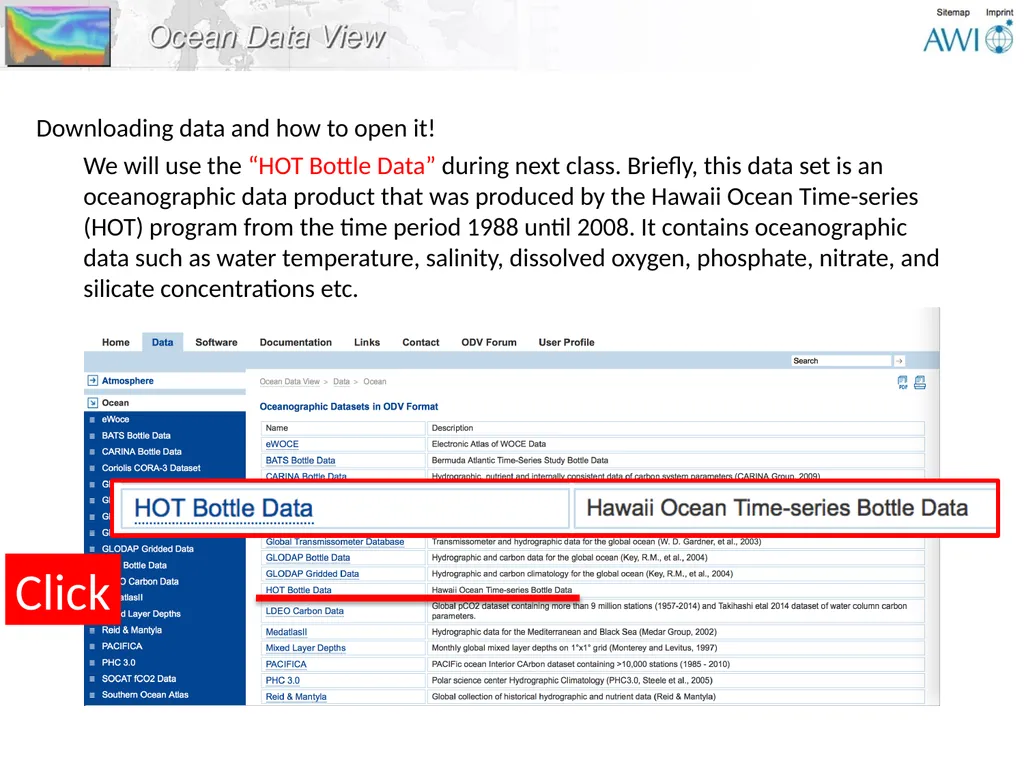
Downloading data and how to open it! We will use the “HOT Bottle Data” during next class. Briefly, this data set is an oceanographic data product that was produced by the Hawaii Ocean Time-series (HOT) program from the time period 1988 until 2008. It contains oceanographic data such as water temperature, salinity, dissolved oxygen, phosphate, nitrate, and silicate concentrations etc.<br>
03
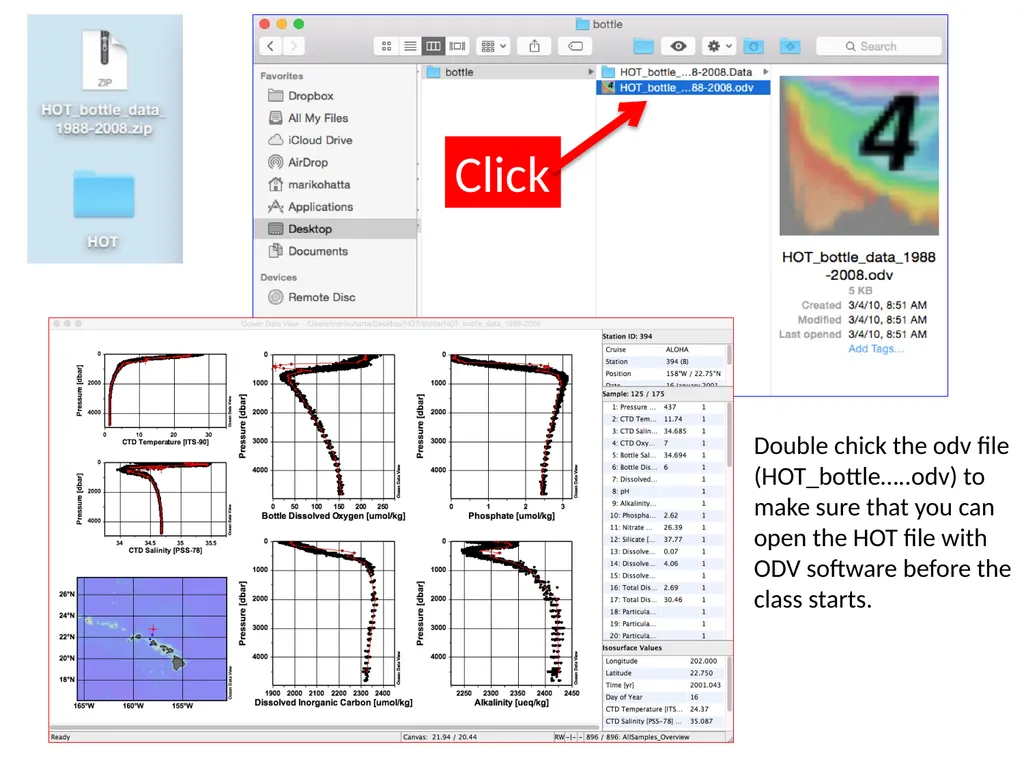
Double chick the odv file (HOT_bottle…..odv) to make sure that you can open the HOT file with ODV software before the class starts. Click<br>