eBook Student Registration Students eBook Student Registration Get MoreWith a McGraw Hill eBook More Affordable Select the option that fits your budgetMcGraw Hill eBooks offer affordable choices, including rental plans ranging from
"eBook Student Registration Students eBook Student" is the property of its rightful owner. Permission is granted to
download and print the materials on this website for personal, non-commercial use only, and to display it
on your personal computer provided you do not modify the materials and that you retain all copyright
notices contained in the materials. By downloading content from our website, you accept the terms of this
agreement.
Presentation Transcript
01
eBook Student Registration Students<br>
02
eBook Student Registration Get More–With a McGraw Hill eBook More Affordable
Select the option that fits your budget—McGraw Hill eBooks offer affordable choices, including rental plans ranging from 180-day access to lifetime access.
Purchase access of the eBook from your campus bookstore or directly from McGraw Hill at https://www.mheducation.com/highered
More Freedom
The eBook is convenient and easy to access–whether on your laptop, through the Bookshelf website, or on a smartphone or tablet with the free ReadAnywhere app.
More Prepared
The eBook offers flexible learning opportunities with offline reading capabilities, allowing you to study anytime, anywhere.
McGraw Hill eBooks include features like highlighting and note-taking that seamlessly sync across devices, ensuring an efficient and streamlined study experience.
*ReadAnywhere supports newer eBooks and SmartBook may not be available in your Connect course.<br>
03
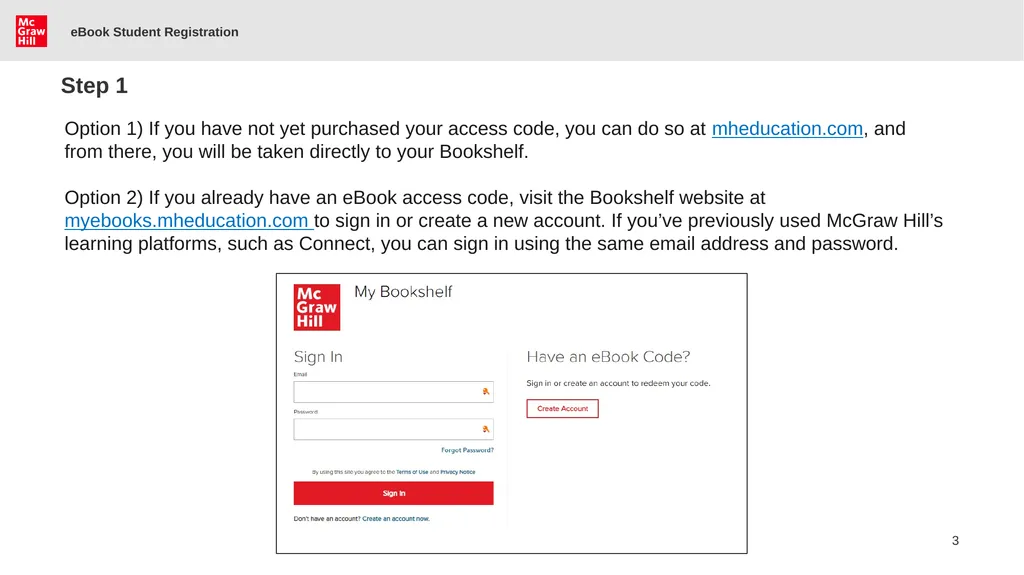
eBook Student Registration Step 1 Option 1) If you have not yet purchased your access code, you can do so at mheducation.com, and from there, you will be taken directly to your Bookshelf.
Option 2) If you already have an eBook access code, visit the Bookshelf website at myebooks.mheducation.com to sign in or create a new account. If you’ve previously used McGraw Hill’s learning platforms, such as Connect, you can sign in using the same email address and password.<br>
04
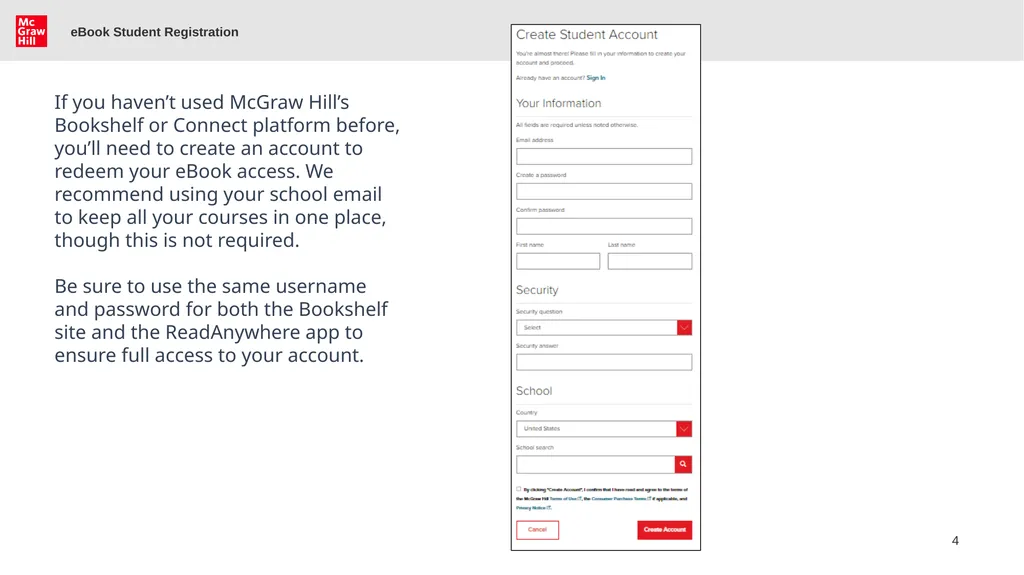
eBook Student Registration If you haven’t used McGraw Hill’s Bookshelf or Connect platform before, you’ll need to create an account to redeem your eBook access. We recommend using your school email to keep all your courses in one place, though this is not required.
Be sure to use the same username and password for both the Bookshelf site and the ReadAnywhere app to ensure full access to your account.<br>
05
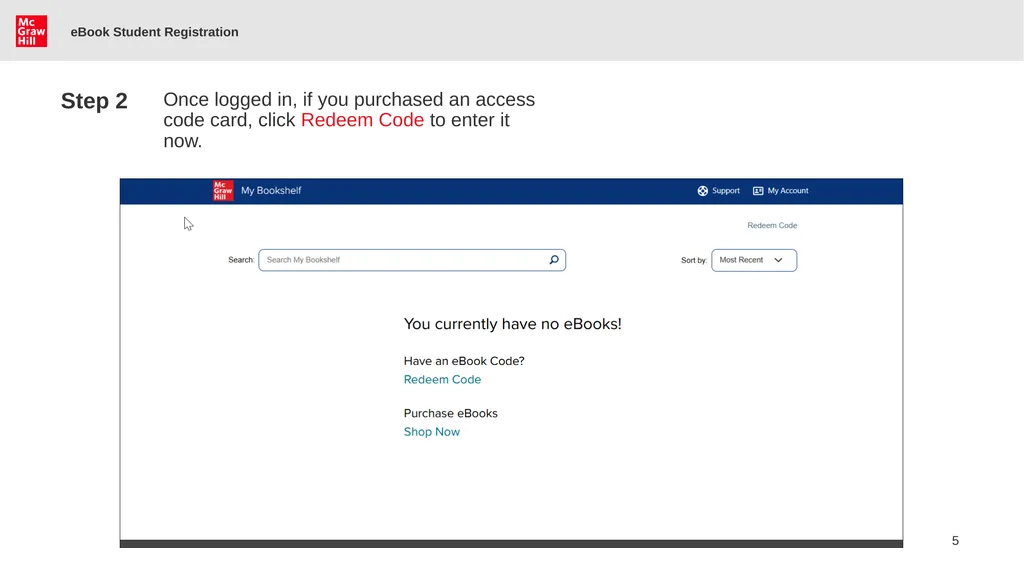
eBook Student Registration Step 2 Once logged in, if you purchased an access code card, click Redeem Code to enter it now.<br>
06
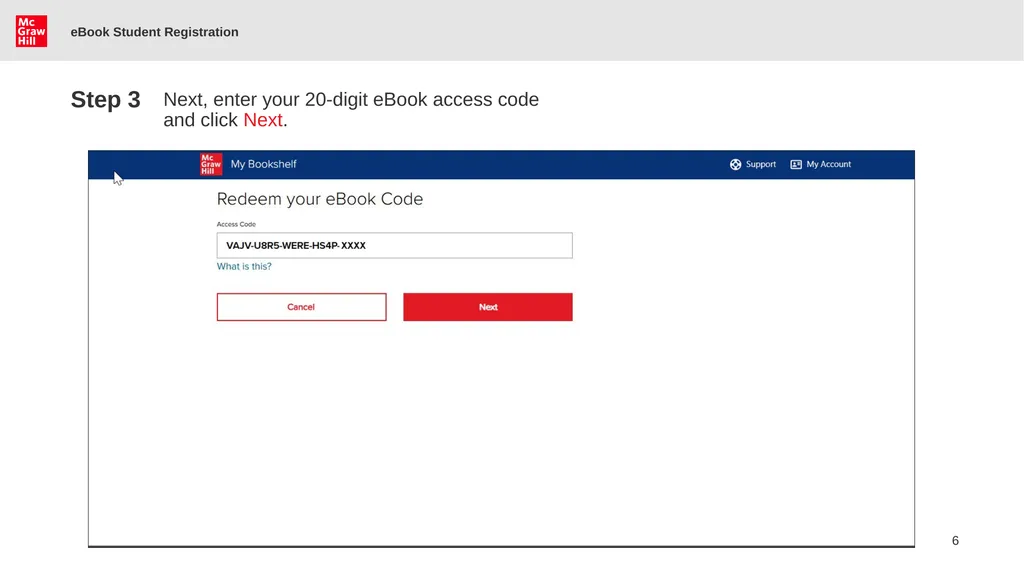
eBook Student Registration Next, enter your 20-digit eBook access code and click Next. Step 3<br>
07
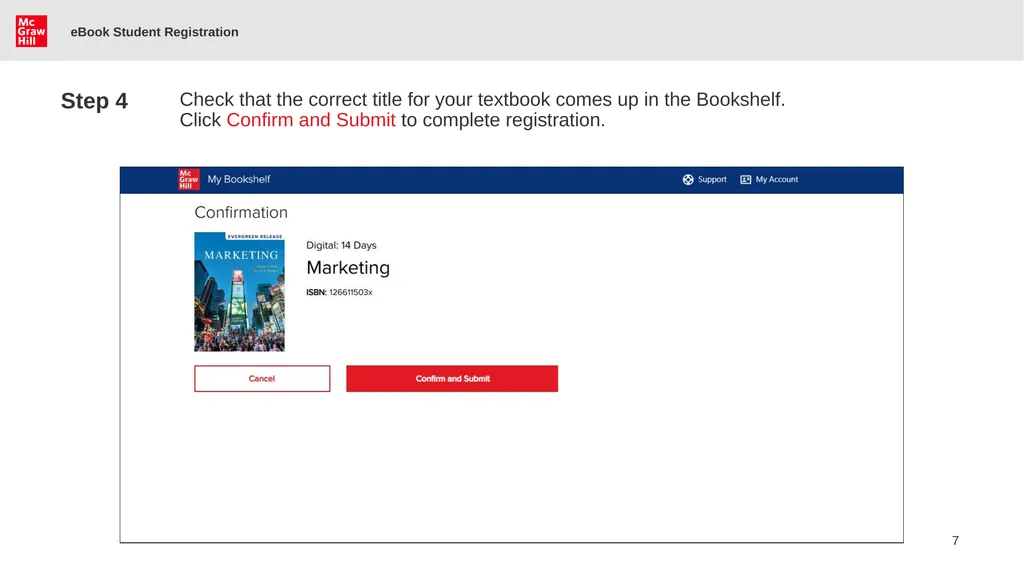
eBook Student Registration Step 4 Check that the correct title for your textbook comes up in the Bookshelf. Click Confirm and Submit to complete registration.<br>
08
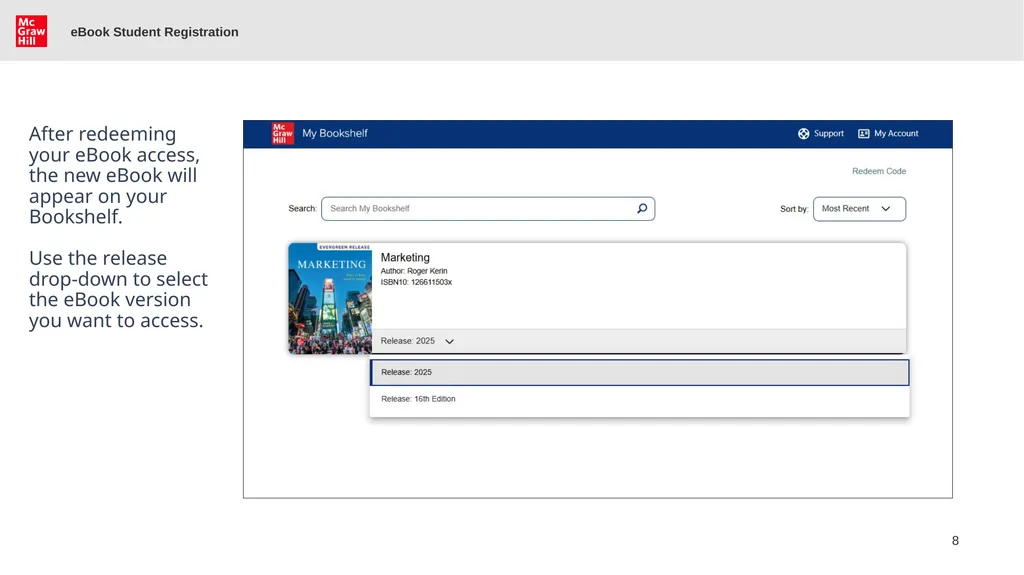
eBook Student Registration After redeeming your eBook access, the new eBook will appear on your Bookshelf.
Use the release drop-down to select the eBook version you want to access.<br>
09
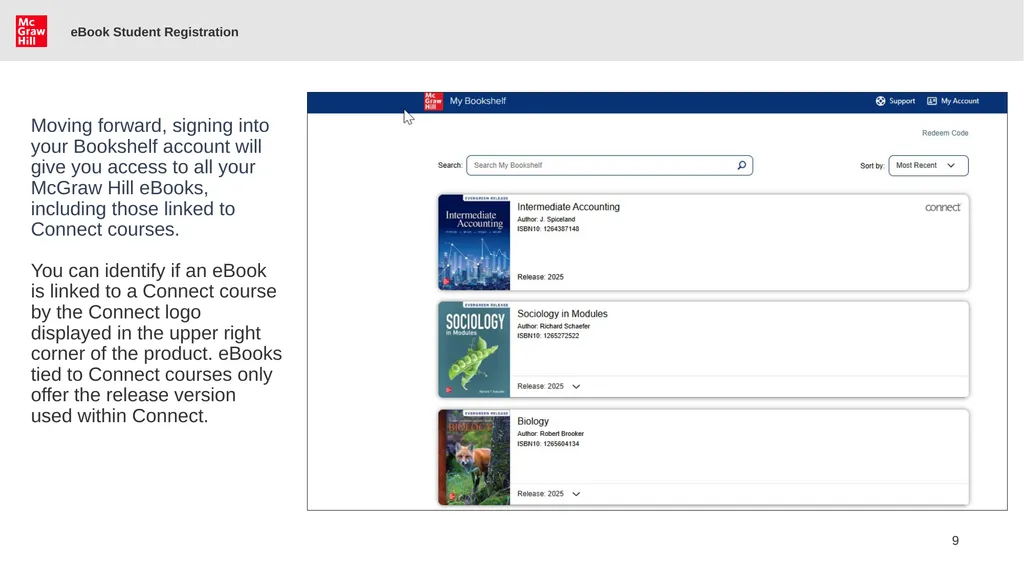
eBook Student Registration Moving forward, signing into your Bookshelf account will give you access to all your McGraw Hill eBooks, including those linked to Connect courses.
You can identify if an eBook is linked to a Connect course by the Connect logo displayed in the upper right corner of the product. eBooks tied to Connect courses only offer the release version used within Connect.<br>
10
Support and Resources TECH SUPPORT & FAQ:
CALL: (800) 331-5094
EMAIL & CHAT: WWW.MHHE.COM/SUPPORT
MONDAY-THURSDAY: 24 hours
FRIDAY: 12 AM - 9 PM EST
SATURDAY: 10 AM - 8 PM EST
SUNDAY: 12 PM – 12 AM EST