
EE 194/BIO 196: Modeling,simulating and optimizing
PC
Published · 38 slides · 0 views
1 / 1
Description
EE 194BIO 196: Modeling,simulating and optimizing biological systems Spring 2018 Tufts University Instructor: Joel Grodstein joel.grodsteintufts.edu Arrays (part 1) EE 194Bio 196 Joel Grodstein What is a an array An array is an ordered,
Related Topics
Share
Embed code
Download this presentation From Below
"EE 194/BIO 196: Modeling,simulating and optimizing" is the property of its rightful owner. Permission is granted to download and print the materials on this website for personal, non-commercial use only, and to display it on your personal computer provided you do not modify the materials and that you retain all copyright notices contained in the materials. By downloading content from our website, you accept the terms of this agreement.
Presentation Transcript
01
EE 194/BIO 196: Modeling,simulating and optimizing biological systems Spring 2018
Tufts University
Instructor: Joel Grodstein
joel.grodstein@tufts.edu
Arrays (part 1)<br>
Tufts University
Instructor: Joel Grodstein
joel.grodstein@tufts.edu
Arrays (part 1)<br>
02
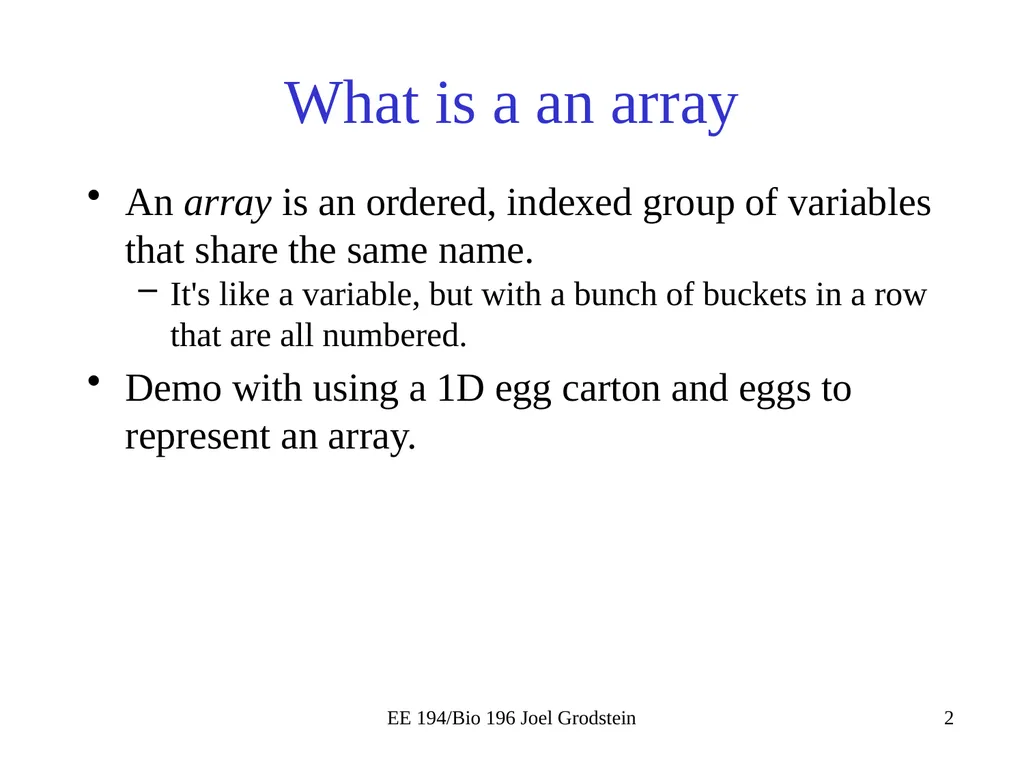
EE 194/Bio 196 Joel Grodstein What is a an array An array is an ordered, indexed group of variables that share the same name.
It's like a variable, but with a bunch of buckets in a row that are all numbered.
Demo with using a 1D egg carton and eggs to represent an array.<br>
It's like a variable, but with a bunch of buckets in a row that are all numbered.
Demo with using a 1D egg carton and eggs to represent an array.<br>
03
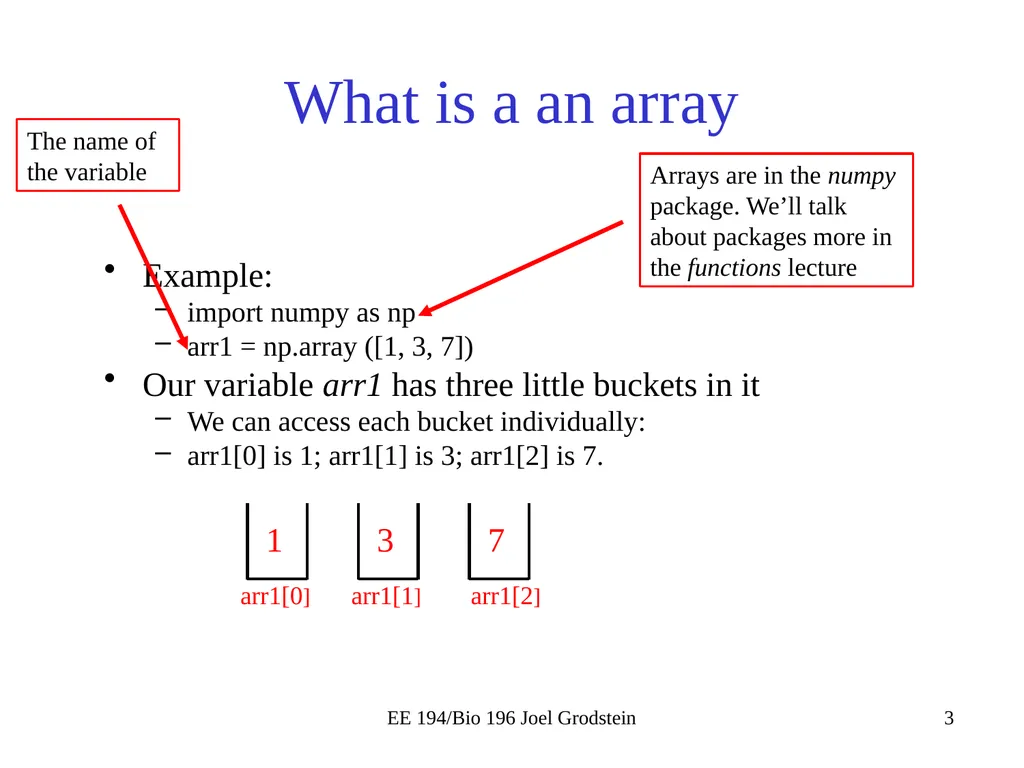
EE 194/Bio 196 Joel Grodstein What is a an array Example:
import numpy as np
arr1 = np.array ([1, 3, 7])
Our variable arr1 has three little buckets in it
We can access each bucket individually:
arr1[0] is 1; arr1[1] is 3; arr1[2] is 7. Arrays are in the numpy package. We’ll talk about packages more in the functions lecture The name of the variable 1 3 7 arr1[0] arr1[1] arr1[2]<br>
import numpy as np
arr1 = np.array ([1, 3, 7])
Our variable arr1 has three little buckets in it
We can access each bucket individually:
arr1[0] is 1; arr1[1] is 3; arr1[2] is 7. Arrays are in the numpy package. We’ll talk about packages more in the functions lecture The name of the variable 1 3 7 arr1[0] arr1[1] arr1[2]<br>
04
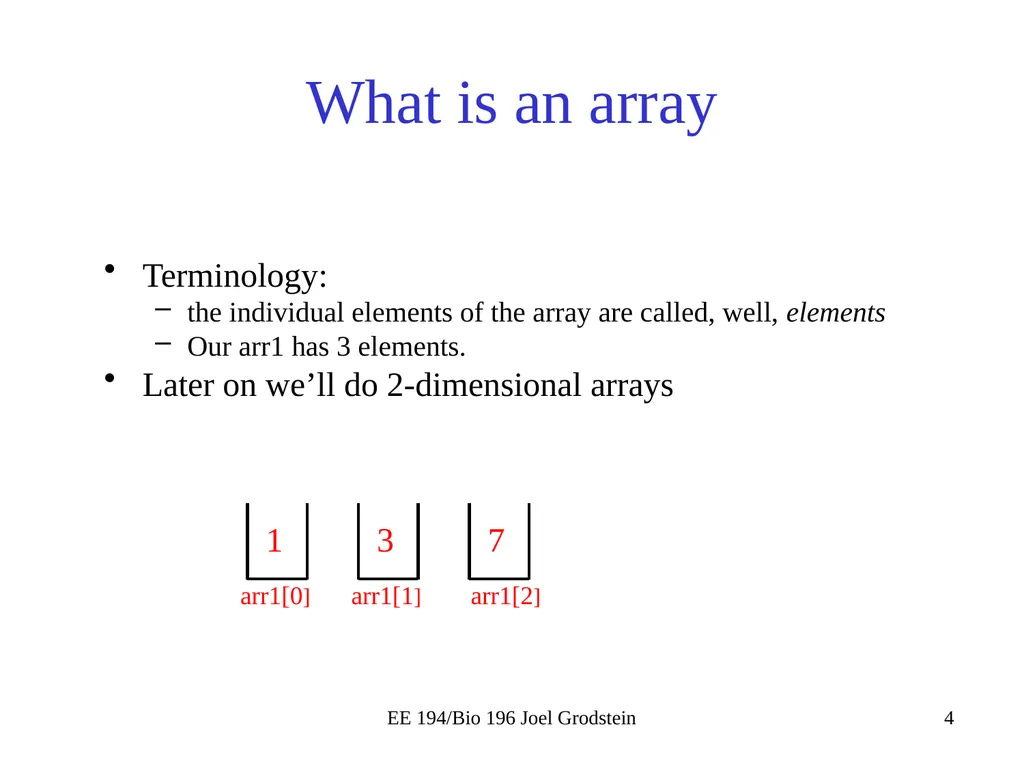
EE 194/Bio 196 Joel Grodstein What is an array Terminology:
the individual elements of the array are called, well, elements
Our arr1 has 3 elements.
Later on we’ll do 2-dimensional arrays 1 3 7 arr1[0] arr1[1] arr1[2]<br>
the individual elements of the array are called, well, elements
Our arr1 has 3 elements.
Later on we’ll do 2-dimensional arrays 1 3 7 arr1[0] arr1[1] arr1[2]<br>
05
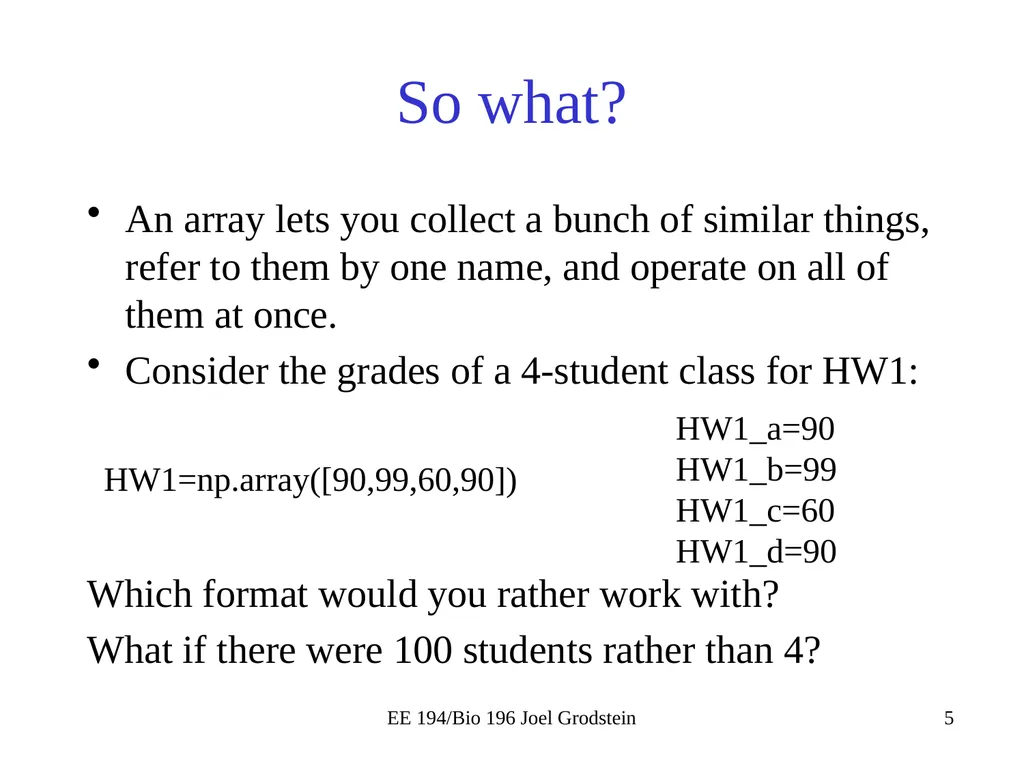
So what? An array lets you collect a bunch of similar things, refer to them by one name, and operate on all of them at once.
Consider the grades of a 4-student class for HW1:
Which format would you rather work with?
What if there were 100 students rather than 4? EE 194/Bio 196 Joel Grodstein HW1=np.array([90,99,60,90]) HW1_a=90
HW1_b=99
HW1_c=60
HW1_d=90<br>
Consider the grades of a 4-student class for HW1:
Which format would you rather work with?
What if there were 100 students rather than 4? EE 194/Bio 196 Joel Grodstein HW1=np.array([90,99,60,90]) HW1_a=90
HW1_b=99
HW1_c=60
HW1_d=90<br>
06
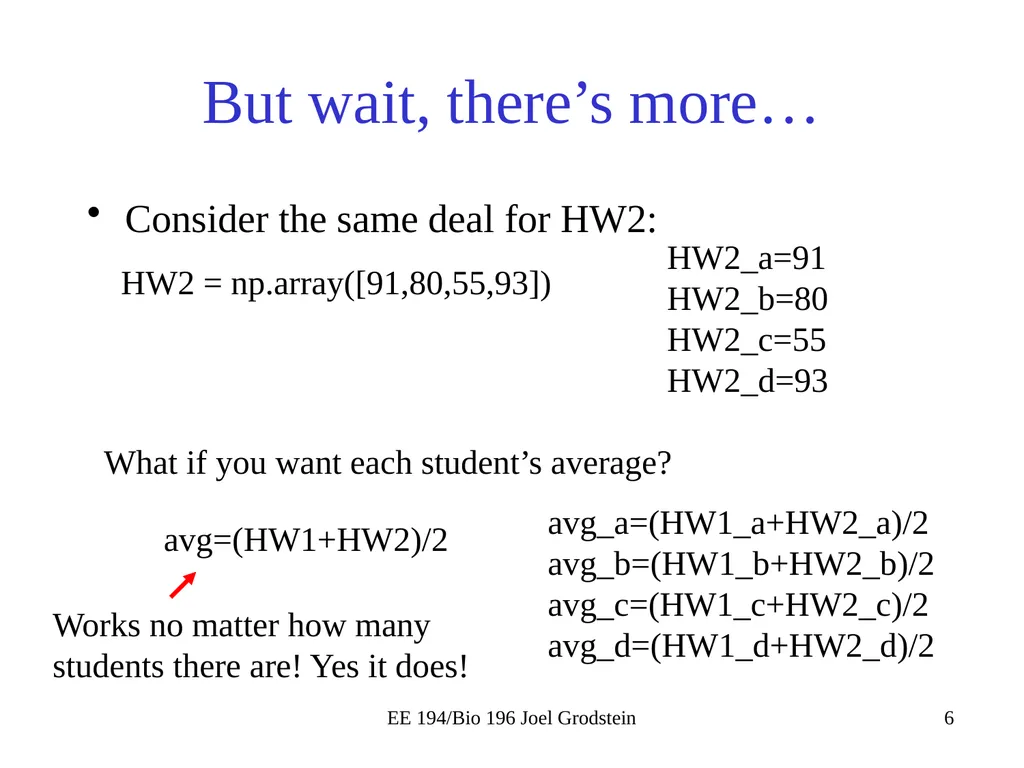
But wait, there’s more… Consider the same deal for HW2: EE 194/Bio 196 Joel Grodstein HW2 = np.array([91,80,55,93]) HW2_a=91
HW2_b=80
HW2_c=55
HW2_d=93 What if you want each student’s average? avg=(HW1+HW2)/2 avg_a=(HW1_a+HW2_a)/2
avg_b=(HW1_b+HW2_b)/2
avg_c=(HW1_c+HW2_c)/2
avg_d=(HW1_d+HW2_d)/2 Works no matter how many students there are! Yes it does!<br>
HW2_b=80
HW2_c=55
HW2_d=93 What if you want each student’s average? avg=(HW1+HW2)/2 avg_a=(HW1_a+HW2_a)/2
avg_b=(HW1_b+HW2_b)/2
avg_c=(HW1_c+HW2_c)/2
avg_d=(HW1_d+HW2_d)/2 Works no matter how many students there are! Yes it does!<br>
07
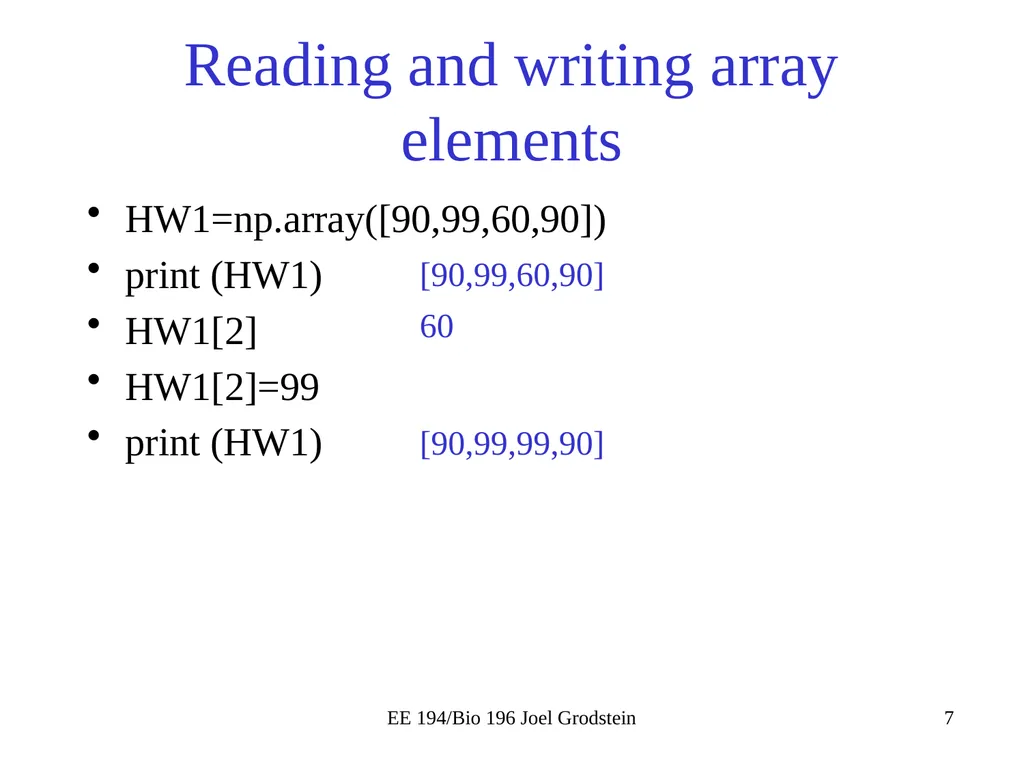
Reading and writing array elements HW1=np.array([90,99,60,90])
print (HW1)
HW1[2]
HW1[2]=99
print (HW1) EE 194/Bio 196 Joel Grodstein [90,99,60,90] 60 [90,99,99,90]<br>
print (HW1)
HW1[2]
HW1[2]=99
print (HW1) EE 194/Bio 196 Joel Grodstein [90,99,60,90] 60 [90,99,99,90]<br>
08
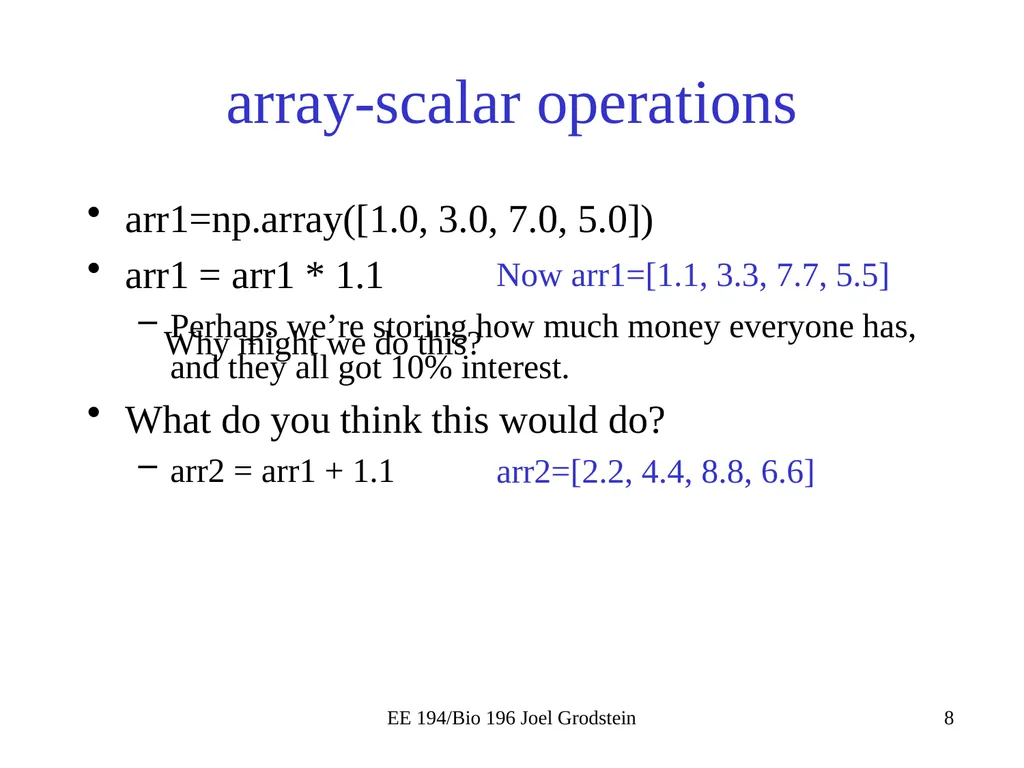
array-scalar operations arr1=np.array([1.0, 3.0, 7.0, 5.0])
arr1 = arr1 * 1.1
Perhaps we’re storing how much money everyone has, and they all got 10% interest.
What do you think this would do?
arr2 = arr1 + 1.1 EE 194/Bio 196 Joel Grodstein Why might we do this? Now arr1=[1.1, 3.3, 7.7, 5.5] arr2=[2.2, 4.4, 8.8, 6.6]<br>
arr1 = arr1 * 1.1
Perhaps we’re storing how much money everyone has, and they all got 10% interest.
What do you think this would do?
arr2 = arr1 + 1.1 EE 194/Bio 196 Joel Grodstein Why might we do this? Now arr1=[1.1, 3.3, 7.7, 5.5] arr2=[2.2, 4.4, 8.8, 6.6]<br>
09
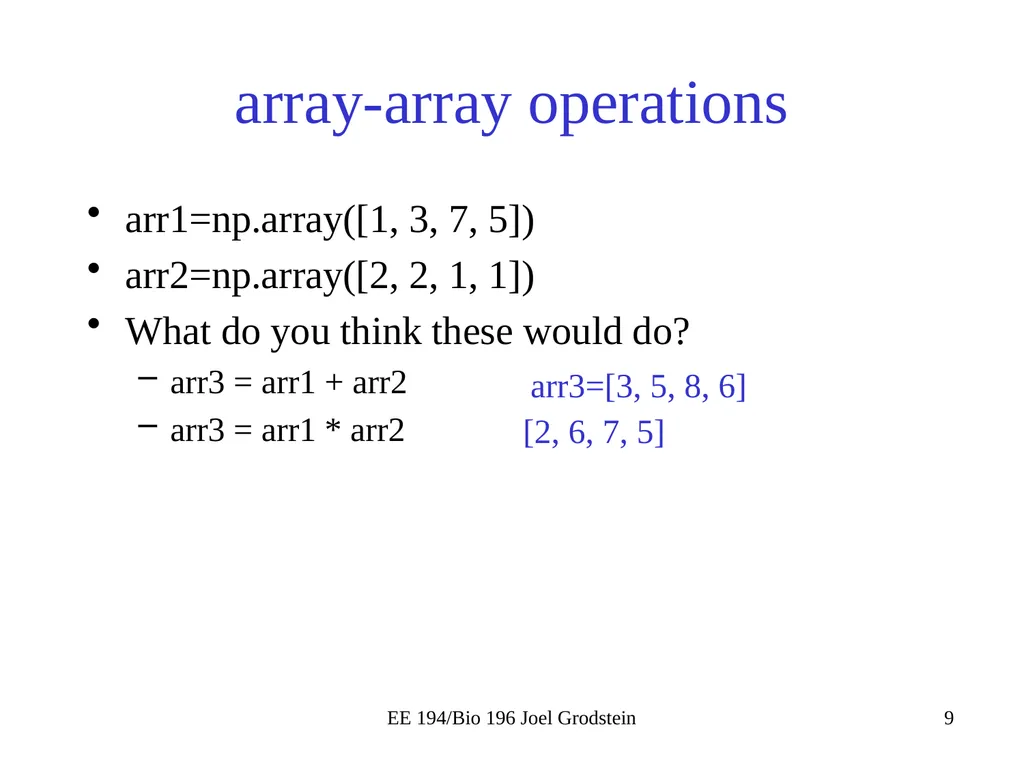
array-array operations arr1=np.array([1, 3, 7, 5])
arr2=np.array([2, 2, 1, 1])
What do you think these would do?
arr3 = arr1 + arr2
arr3 = arr1 * arr2 EE 194/Bio 196 Joel Grodstein [2, 6, 7, 5] arr3=[3, 5, 8, 6]<br>
arr2=np.array([2, 2, 1, 1])
What do you think these would do?
arr3 = arr1 + arr2
arr3 = arr1 * arr2 EE 194/Bio 196 Joel Grodstein [2, 6, 7, 5] arr3=[3, 5, 8, 6]<br>
10
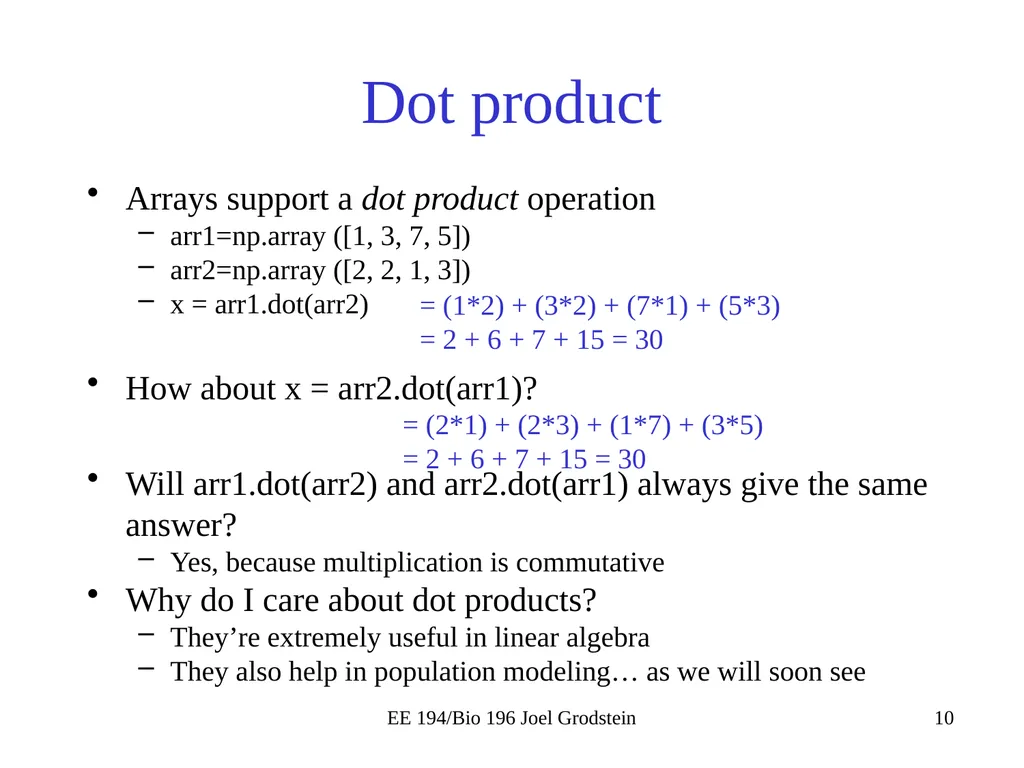
Dot product Arrays support a dot product operation
arr1=np.array ([1, 3, 7, 5])
arr2=np.array ([2, 2, 1, 3])
x = arr1.dot(arr2)
How about x = arr2.dot(arr1)?
Will arr1.dot(arr2) and arr2.dot(arr1) always give the same answer?
Yes, because multiplication is commutative
Why do I care about dot products?
They’re extremely useful in linear algebra
They also help in population modeling… as we will soon see EE 194/Bio 196 Joel Grodstein = (1*2) + (3*2) + (7*1) + (5*3)
= 2 + 6 + 7 + 15 = 30 = (2*1) + (2*3) + (1*7) + (3*5)
= 2 + 6 + 7 + 15 = 30<br>
arr1=np.array ([1, 3, 7, 5])
arr2=np.array ([2, 2, 1, 3])
x = arr1.dot(arr2)
How about x = arr2.dot(arr1)?
Will arr1.dot(arr2) and arr2.dot(arr1) always give the same answer?
Yes, because multiplication is commutative
Why do I care about dot products?
They’re extremely useful in linear algebra
They also help in population modeling… as we will soon see EE 194/Bio 196 Joel Grodstein = (1*2) + (3*2) + (7*1) + (5*3)
= 2 + 6 + 7 + 15 = 30 = (2*1) + (2*3) + (1*7) + (3*5)
= 2 + 6 + 7 + 15 = 30<br>
11
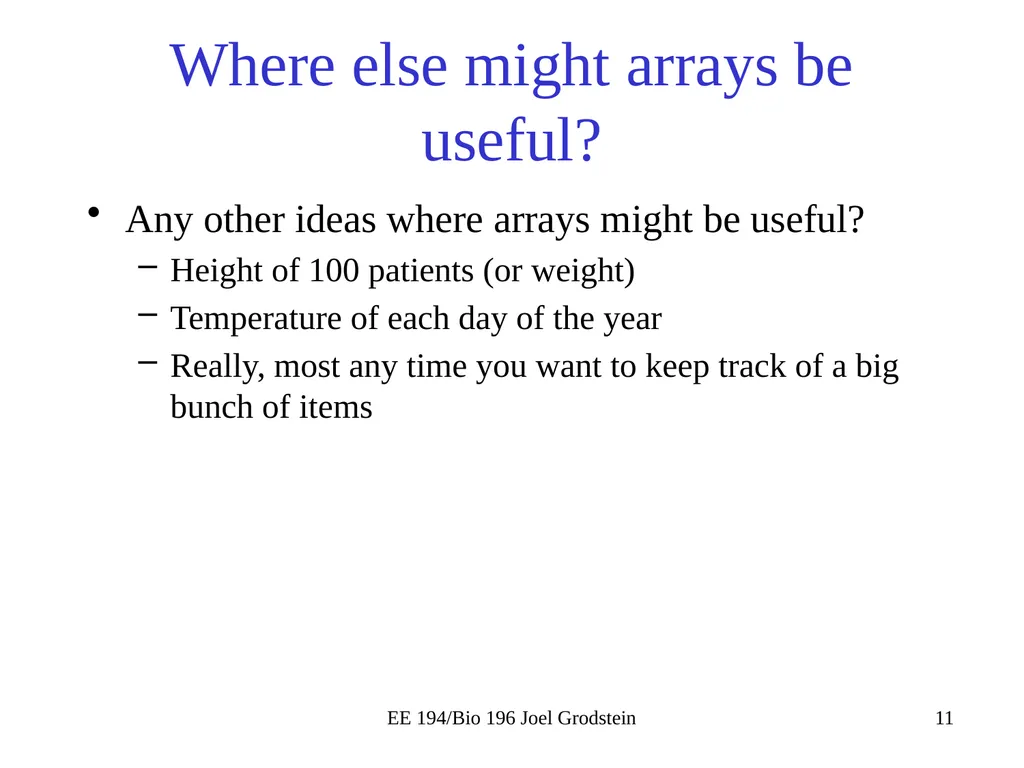
Where else might arrays be useful? Any other ideas where arrays might be useful?
Height of 100 patients (or weight)
Temperature of each day of the year
Really, most any time you want to keep track of a big bunch of items EE 194/Bio 196 Joel Grodstein<br>
Height of 100 patients (or weight)
Temperature of each day of the year
Really, most any time you want to keep track of a big bunch of items EE 194/Bio 196 Joel Grodstein<br>
12
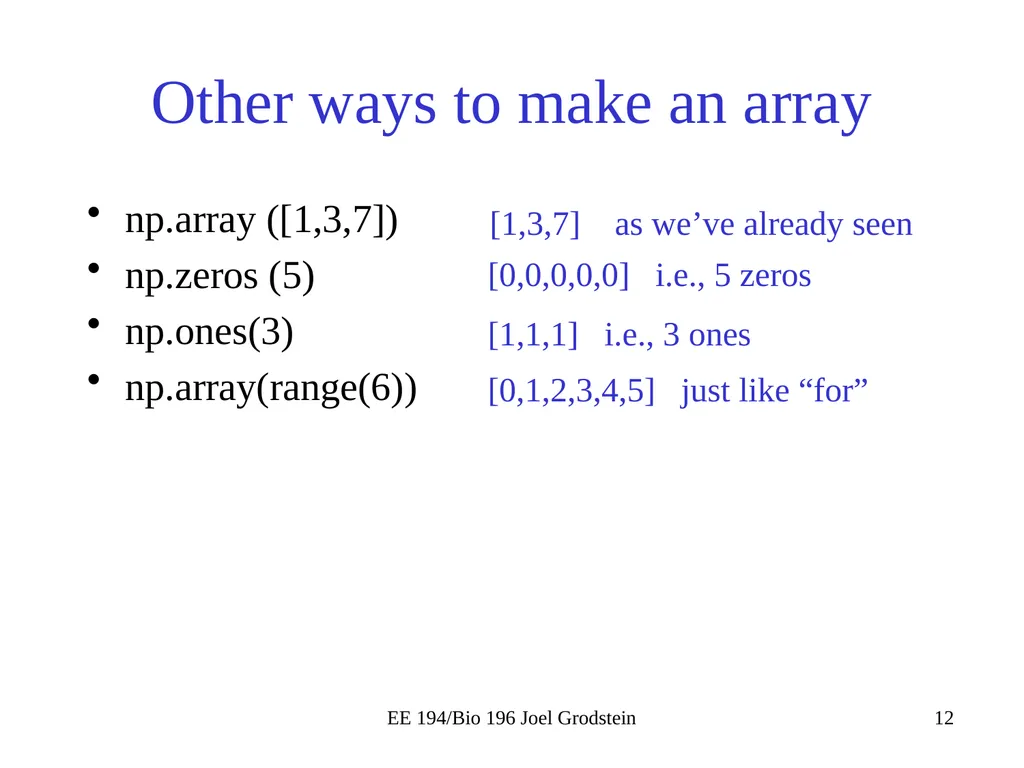
Other ways to make an array np.array ([1,3,7])
np.zeros (5)
np.ones(3)
np.array(range(6)) EE 194/Bio 196 Joel Grodstein [1,3,7] as we’ve already seen [0,0,0,0,0] i.e., 5 zeros [1,1,1] i.e., 3 ones [0,1,2,3,4,5] just like “for”<br>
np.zeros (5)
np.ones(3)
np.array(range(6)) EE 194/Bio 196 Joel Grodstein [1,3,7] as we’ve already seen [0,0,0,0,0] i.e., 5 zeros [1,1,1] i.e., 3 ones [0,1,2,3,4,5] just like “for”<br>
13
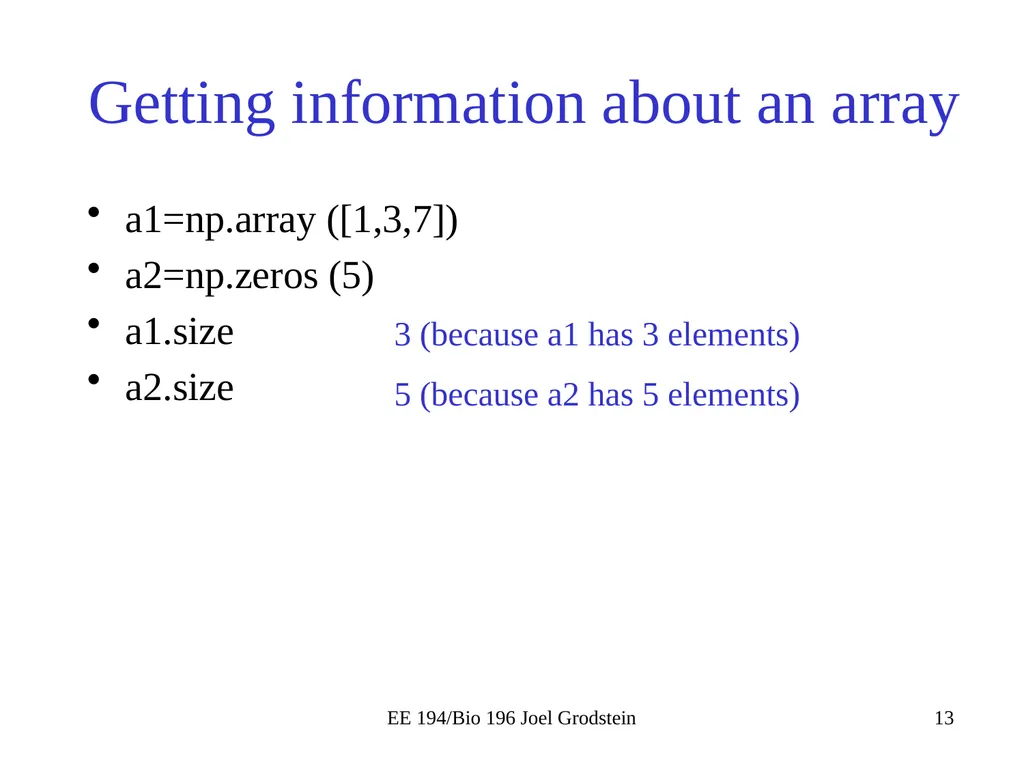
Getting information about an array a1=np.array ([1,3,7])
a2=np.zeros (5)
a1.size
a2.size EE 194/Bio 196 Joel Grodstein 3 (because a1 has 3 elements) 5 (because a2 has 5 elements)<br>
a2=np.zeros (5)
a1.size
a2.size EE 194/Bio 196 Joel Grodstein 3 (because a1 has 3 elements) 5 (because a2 has 5 elements)<br>
14
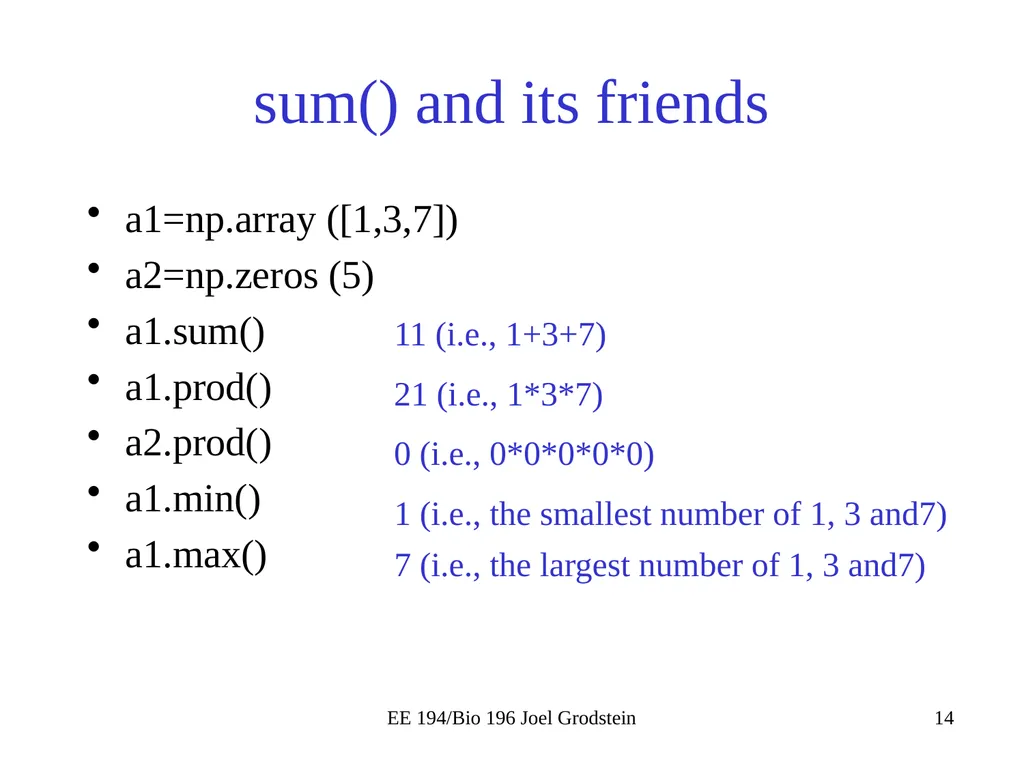
sum() and its friends a1=np.array ([1,3,7])
a2=np.zeros (5)
a1.sum()
a1.prod()
a2.prod()
a1.min()
a1.max() EE 194/Bio 196 Joel Grodstein 11 (i.e., 1+3+7) 21 (i.e., 1*3*7) 0 (i.e., 0*0*0*0*0) 1 (i.e., the smallest number of 1, 3 and7) 7 (i.e., the largest number of 1, 3 and7)<br>
a2=np.zeros (5)
a1.sum()
a1.prod()
a2.prod()
a1.min()
a1.max() EE 194/Bio 196 Joel Grodstein 11 (i.e., 1+3+7) 21 (i.e., 1*3*7) 0 (i.e., 0*0*0*0*0) 1 (i.e., the smallest number of 1, 3 and7) 7 (i.e., the largest number of 1, 3 and7)<br>
15
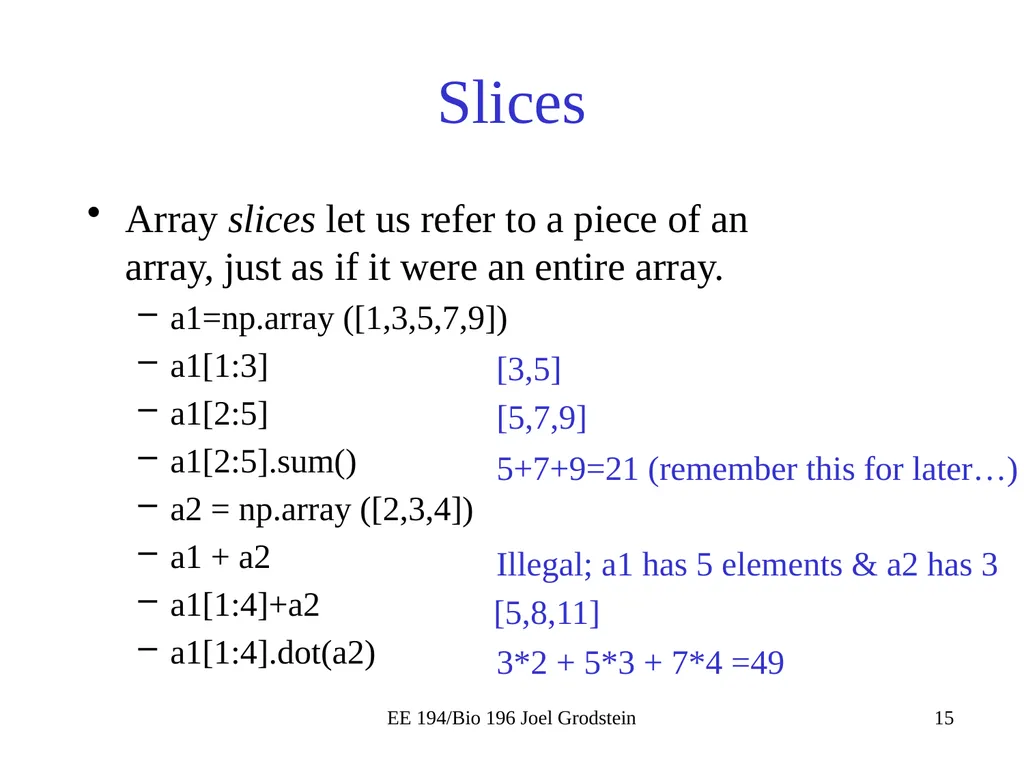
Slices Array slices let us refer to a piece of an array, just as if it were an entire array.
a1=np.array ([1,3,5,7,9])
a1[1:3]
a1[2:5]
a1[2:5].sum()
a2 = np.array ([2,3,4])
a1 + a2
a1[1:4]+a2
a1[1:4].dot(a2) EE 194/Bio 196 Joel Grodstein [3,5] [5,7,9] 5+7+9=21 (remember this for later…) Illegal; a1 has 5 elements & a2 has 3 [5,8,11] 3*2 + 5*3 + 7*4 =49<br>
a1=np.array ([1,3,5,7,9])
a1[1:3]
a1[2:5]
a1[2:5].sum()
a2 = np.array ([2,3,4])
a1 + a2
a1[1:4]+a2
a1[1:4].dot(a2) EE 194/Bio 196 Joel Grodstein [3,5] [5,7,9] 5+7+9=21 (remember this for later…) Illegal; a1 has 5 elements & a2 has 3 [5,8,11] 3*2 + 5*3 + 7*4 =49<br>
16
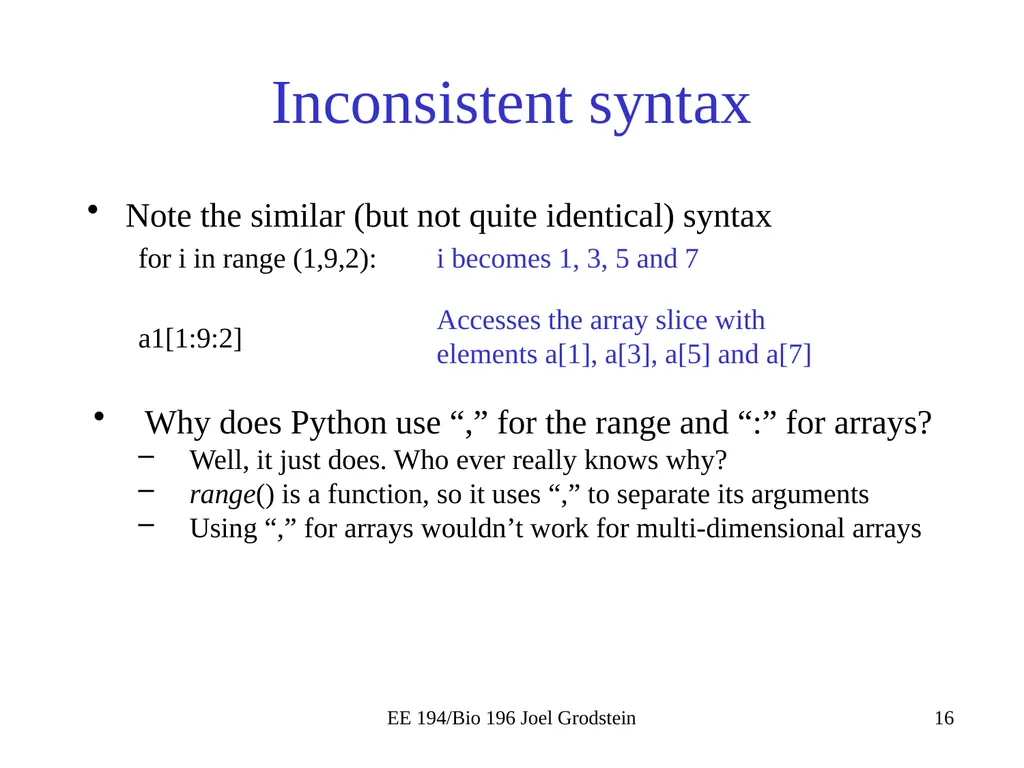
Inconsistent syntax Note the similar (but not quite identical) syntax
for i in range (1,9,2):
a1[1:9:2]
Why does Python use “,” for the range and “:” for arrays?
Well, it just does. Who ever really knows why?
range() is a function, so it uses “,” to separate its arguments
Using “,” for arrays wouldn’t work for multi-dimensional arrays EE 194/Bio 196 Joel Grodstein i becomes 1, 3, 5 and 7 Accesses the array slice with elements a[1], a[3], a[5] and a[7]<br>
for i in range (1,9,2):
a1[1:9:2]
Why does Python use “,” for the range and “:” for arrays?
Well, it just does. Who ever really knows why?
range() is a function, so it uses “,” to separate its arguments
Using “,” for arrays wouldn’t work for multi-dimensional arrays EE 194/Bio 196 Joel Grodstein i becomes 1, 3, 5 and 7 Accesses the array slice with elements a[1], a[3], a[5] and a[7]<br>
17
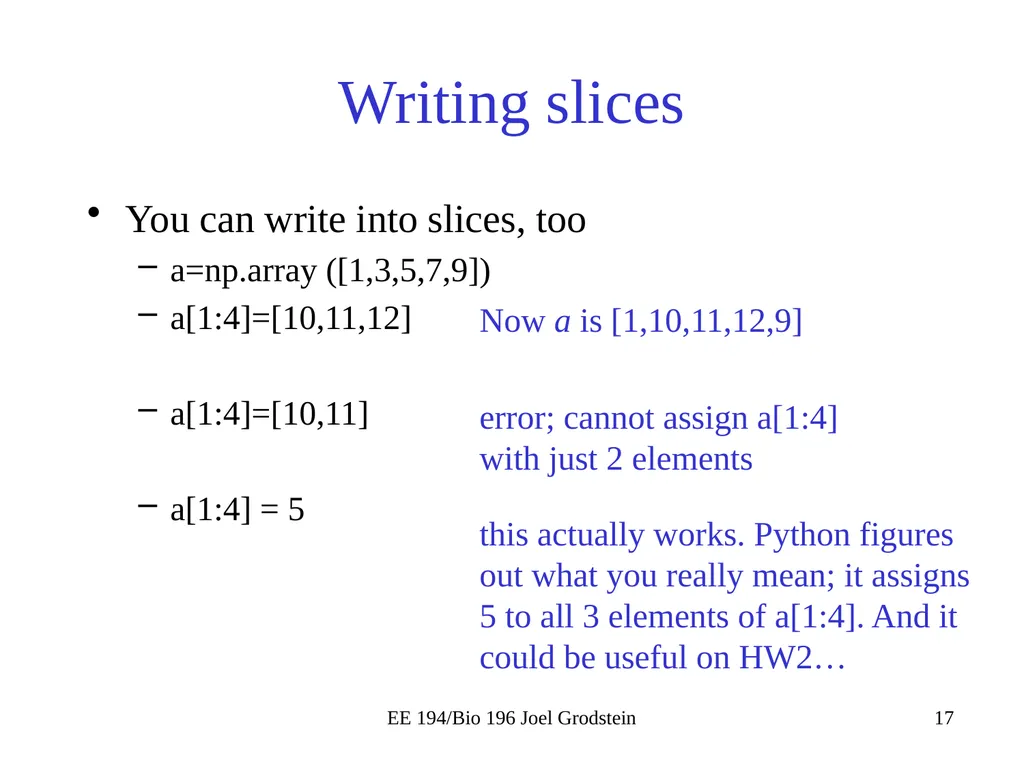
Writing slices You can write into slices, too
a=np.array ([1,3,5,7,9])
a[1:4]=[10,11,12]
a[1:4]=[10,11]
a[1:4] = 5 EE 194/Bio 196 Joel Grodstein Now a is [1,10,11,12,9] error; cannot assign a[1:4] with just 2 elements this actually works. Python figures out what you really mean; it assigns 5 to all 3 elements of a[1:4]. And it could be useful on HW2…<br>
a=np.array ([1,3,5,7,9])
a[1:4]=[10,11,12]
a[1:4]=[10,11]
a[1:4] = 5 EE 194/Bio 196 Joel Grodstein Now a is [1,10,11,12,9] error; cannot assign a[1:4] with just 2 elements this actually works. Python figures out what you really mean; it assigns 5 to all 3 elements of a[1:4]. And it could be useful on HW2…<br>
18
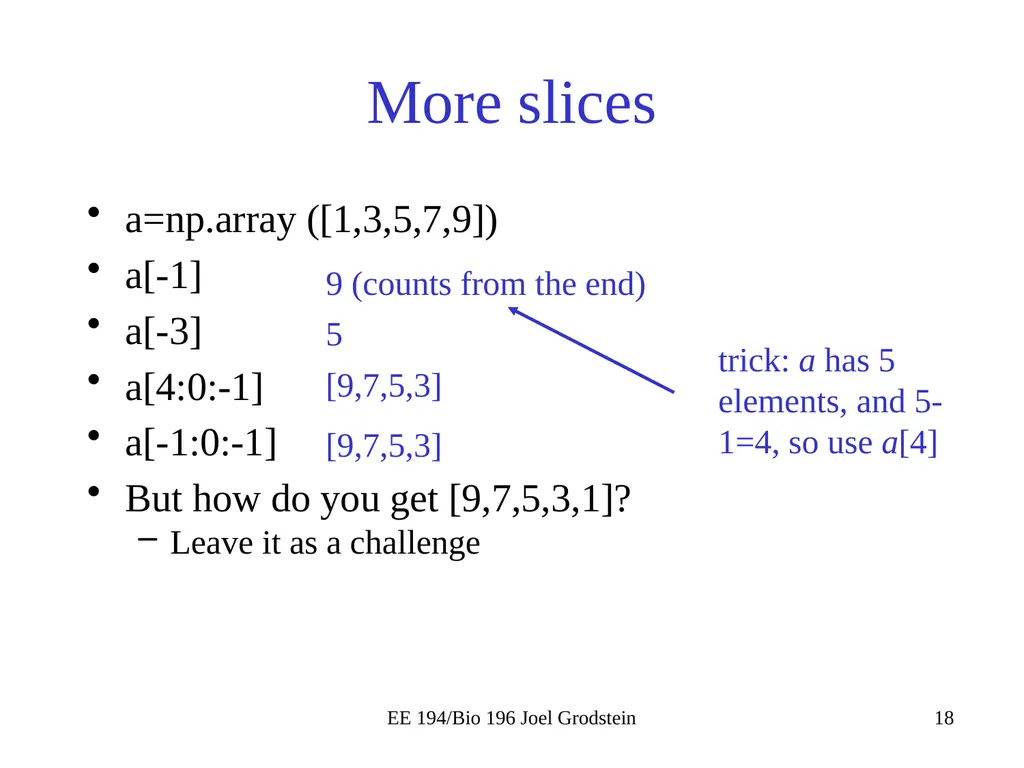
More slices a=np.array ([1,3,5,7,9])
a[-1]
a[-3]
a[4:0:-1]
a[-1:0:-1]
But how do you get [9,7,5,3,1]?
Leave it as a challenge EE 194/Bio 196 Joel Grodstein 9 (counts from the end) 5 [9,7,5,3] [9,7,5,3] trick: a has 5 elements, and 5-1=4, so use a[4]<br>
a[-1]
a[-3]
a[4:0:-1]
a[-1:0:-1]
But how do you get [9,7,5,3,1]?
Leave it as a challenge EE 194/Bio 196 Joel Grodstein 9 (counts from the end) 5 [9,7,5,3] [9,7,5,3] trick: a has 5 elements, and 5-1=4, so use a[4]<br>
19
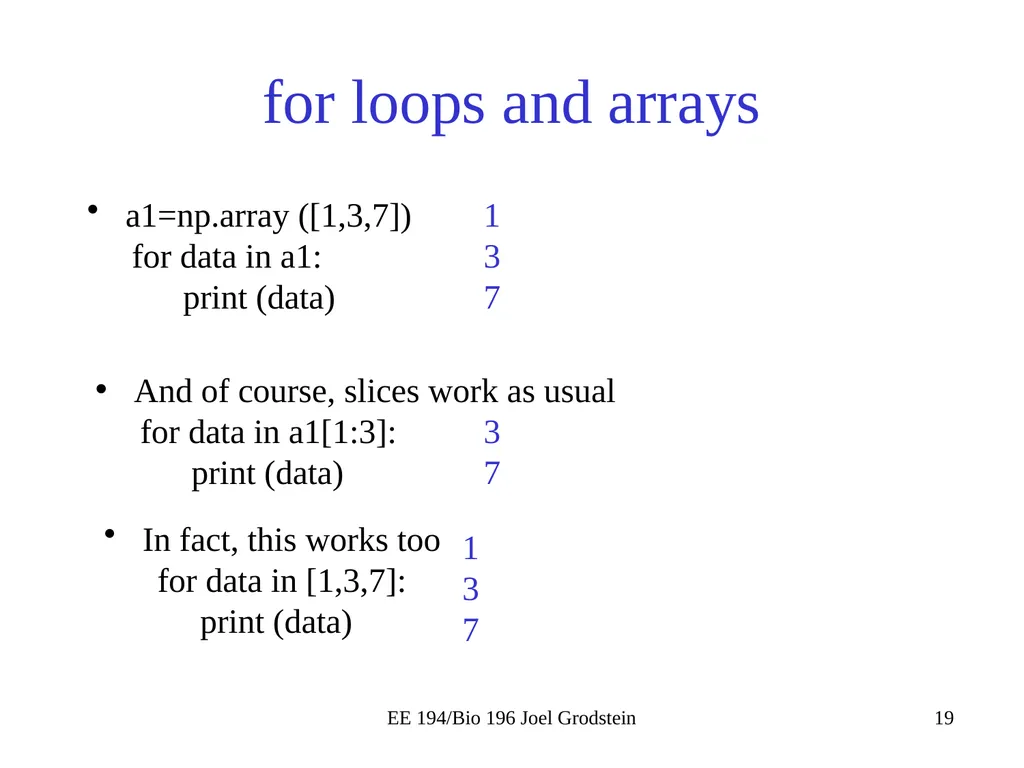
for loops and arrays a1=np.array ([1,3,7])
for data in a1:
print (data) EE 194/Bio 196 Joel Grodstein 1
3
7 And of course, slices work as usual
for data in a1[1:3]:
print (data) 3
7 In fact, this works too
for data in [1,3,7]:
print (data) 1
3
7<br>
for data in a1:
print (data) EE 194/Bio 196 Joel Grodstein 1
3
7 And of course, slices work as usual
for data in a1[1:3]:
print (data) 3
7 In fact, this works too
for data in [1,3,7]:
print (data) 1
3
7<br>
20
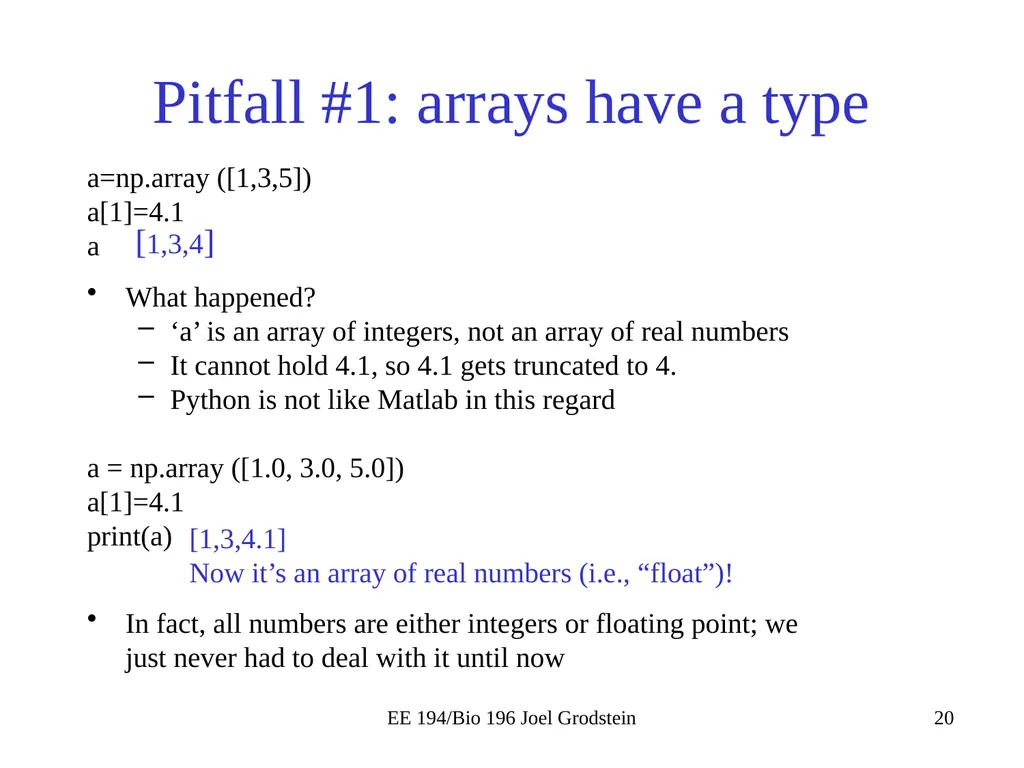
Pitfall #1: arrays have a type a=np.array ([1,3,5])
a[1]=4.1
a
What happened?
‘a’ is an array of integers, not an array of real numbers
It cannot hold 4.1, so 4.1 gets truncated to 4.
Python is not like Matlab in this regard
a = np.array ([1.0, 3.0, 5.0])
a[1]=4.1
print(a)
In fact, all numbers are either integers or floating point; we just never had to deal with it until now EE 194/Bio 196 Joel Grodstein [1,3,4] [1,3,4.1]
Now it’s an array of real numbers (i.e., “float”)!<br>
a[1]=4.1
a
What happened?
‘a’ is an array of integers, not an array of real numbers
It cannot hold 4.1, so 4.1 gets truncated to 4.
Python is not like Matlab in this regard
a = np.array ([1.0, 3.0, 5.0])
a[1]=4.1
print(a)
In fact, all numbers are either integers or floating point; we just never had to deal with it until now EE 194/Bio 196 Joel Grodstein [1,3,4] [1,3,4.1]
Now it’s an array of real numbers (i.e., “float”)!<br>
21
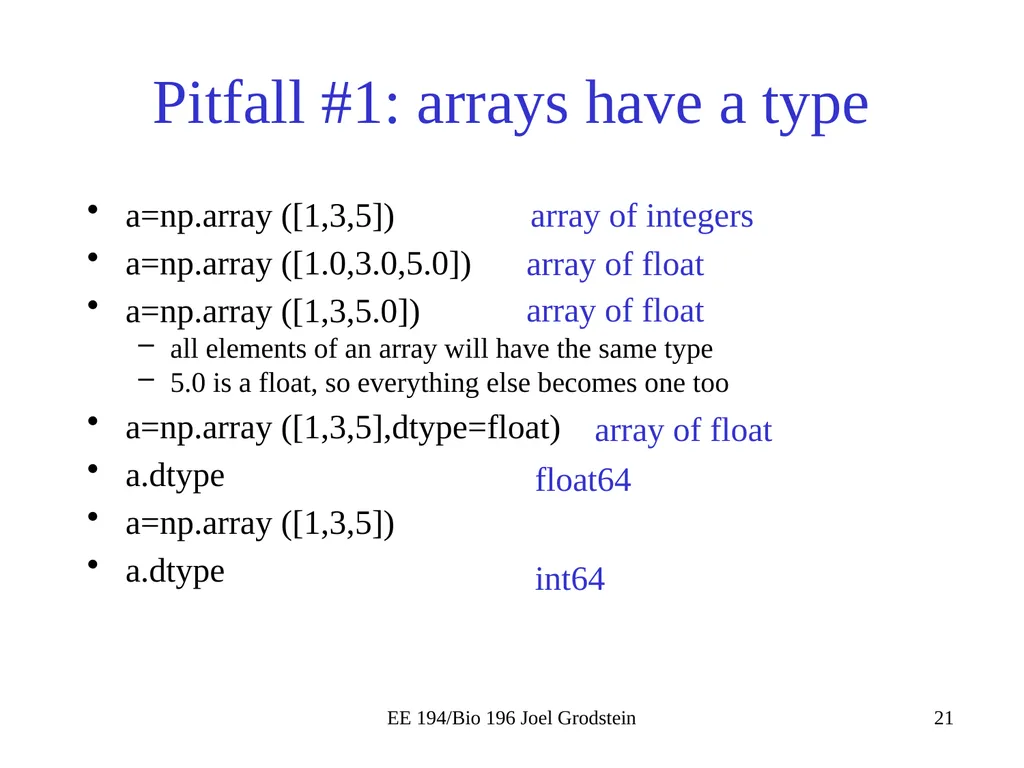
Pitfall #1: arrays have a type a=np.array ([1,3,5])
a=np.array ([1.0,3.0,5.0])
a=np.array ([1,3,5.0])
all elements of an array will have the same type
5.0 is a float, so everything else becomes one too
a=np.array ([1,3,5],dtype=float)
a.dtype
a=np.array ([1,3,5])
a.dtype EE 194/Bio 196 Joel Grodstein array of integers array of float array of float array of float float64 int64<br>
a=np.array ([1.0,3.0,5.0])
a=np.array ([1,3,5.0])
all elements of an array will have the same type
5.0 is a float, so everything else becomes one too
a=np.array ([1,3,5],dtype=float)
a.dtype
a=np.array ([1,3,5])
a.dtype EE 194/Bio 196 Joel Grodstein array of integers array of float array of float array of float float64 int64<br>
22
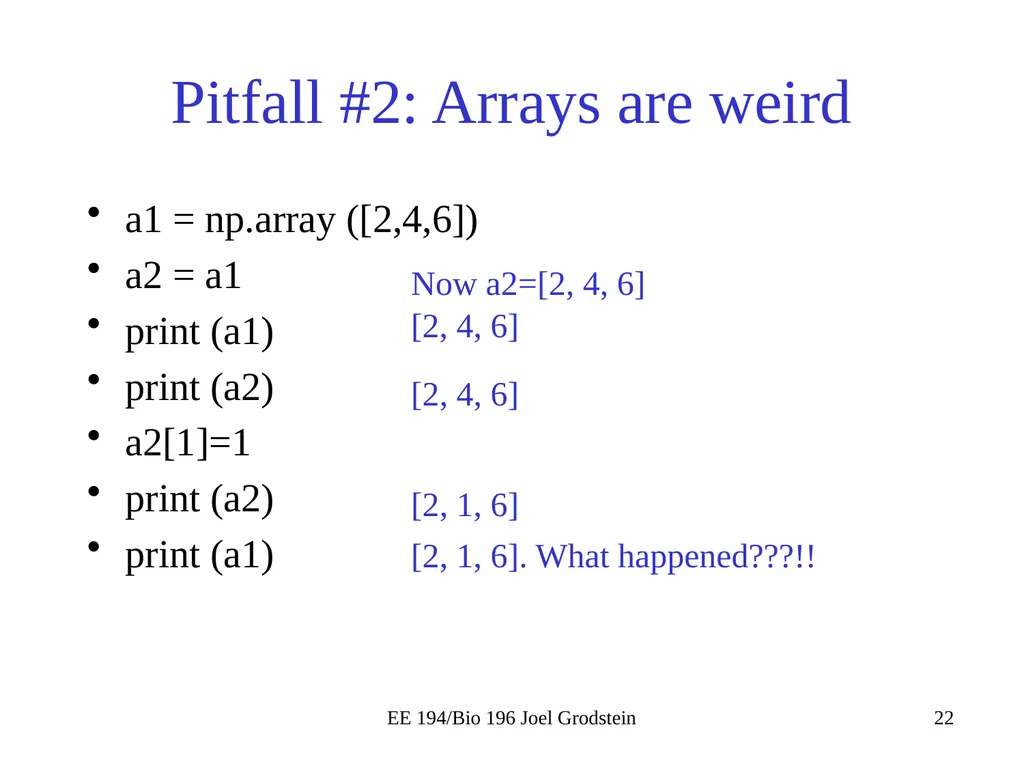
Pitfall #2: Arrays are weird a1 = np.array ([2,4,6])
a2 = a1
print (a1)
print (a2)
a2[1]=1
print (a2)
print (a1) EE 194/Bio 196 Joel Grodstein Now a2=[2, 4, 6] [2, 4, 6] [2, 4, 6] [2, 1, 6] [2, 1, 6]. What happened???!!<br>
a2 = a1
print (a1)
print (a2)
a2[1]=1
print (a2)
print (a1) EE 194/Bio 196 Joel Grodstein Now a2=[2, 4, 6] [2, 4, 6] [2, 4, 6] [2, 1, 6] [2, 1, 6]. What happened???!!<br>
23
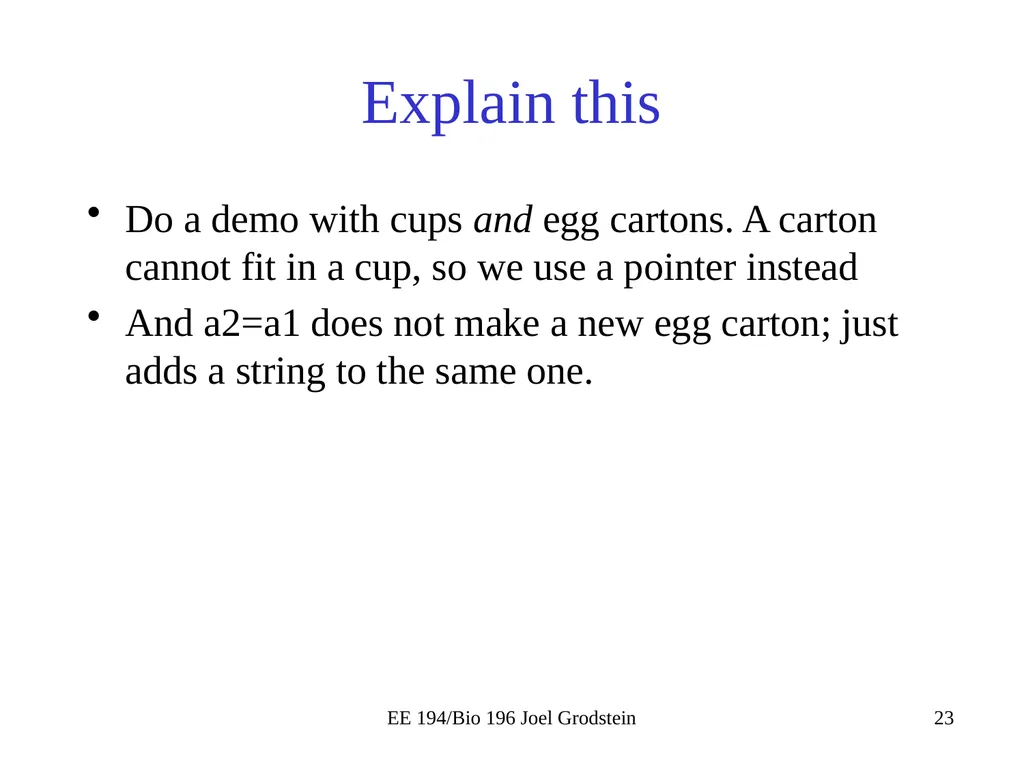
Explain this Do a demo with cups and egg cartons. A carton cannot fit in a cup, so we use a pointer instead
And a2=a1 does not make a new egg carton; just adds a string to the same one. EE 194/Bio 196 Joel Grodstein<br>
And a2=a1 does not make a new egg carton; just adds a string to the same one. EE 194/Bio 196 Joel Grodstein<br>
24
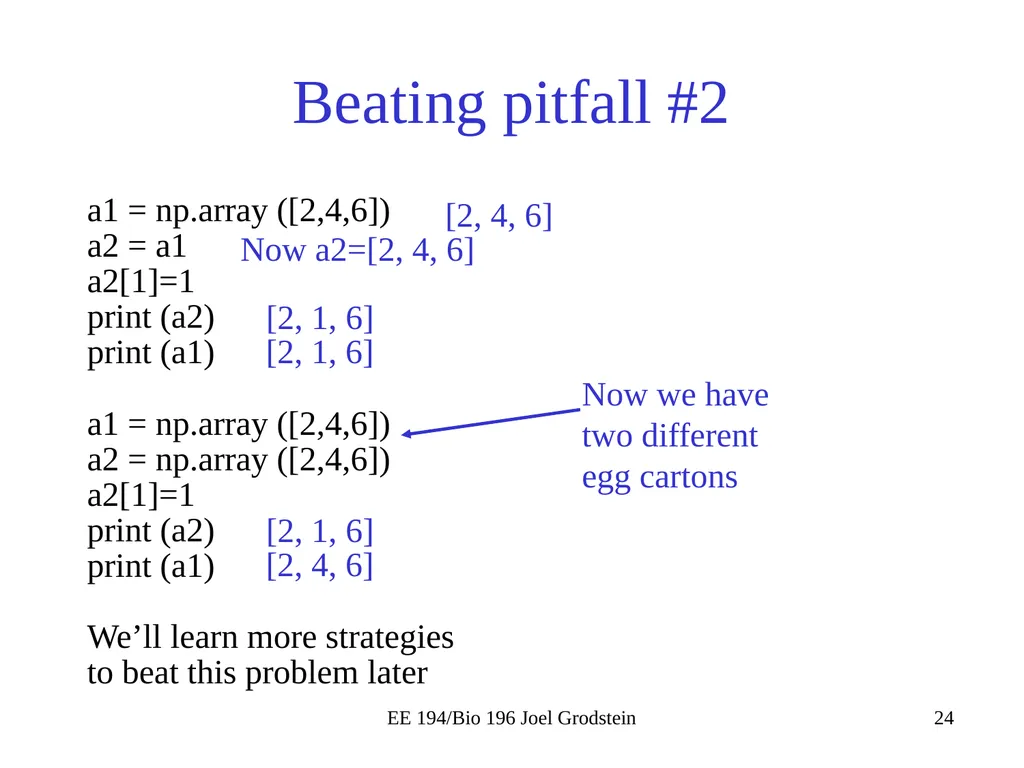
Beating pitfall #2 a1 = np.array ([2,4,6])
a2 = a1
a2[1]=1
print (a2)
print (a1)
a1 = np.array ([2,4,6])
a2 = np.array ([2,4,6])
a2[1]=1
print (a2)
print (a1)
We’ll learn more strategies to beat this problem later EE 194/Bio 196 Joel Grodstein Now a2=[2, 4, 6] [2, 4, 6] [2, 1, 6] [2, 1, 6] Now we have two different egg cartons [2, 1, 6] [2, 4, 6]<br>
a2 = a1
a2[1]=1
print (a2)
print (a1)
a1 = np.array ([2,4,6])
a2 = np.array ([2,4,6])
a2[1]=1
print (a2)
print (a1)
We’ll learn more strategies to beat this problem later EE 194/Bio 196 Joel Grodstein Now a2=[2, 4, 6] [2, 4, 6] [2, 1, 6] [2, 1, 6] Now we have two different egg cartons [2, 1, 6] [2, 4, 6]<br>
25
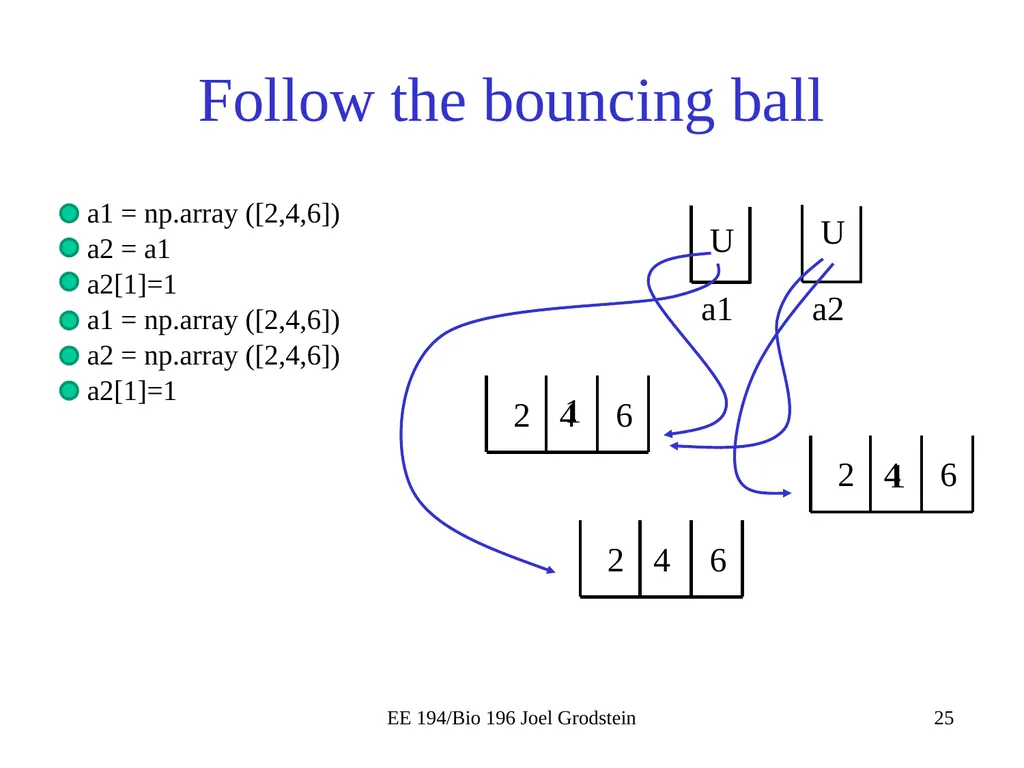
Follow the bouncing ball a1 = np.array ([2,4,6])
a2 = a1
a2[1]=1
a1 = np.array ([2,4,6])
a2 = np.array ([2,4,6])
a2[1]=1 EE 194/Bio 196 Joel Grodstein a1 a2 U U 2 4 6 1 2 4 6 1<br>
a2 = a1
a2[1]=1
a1 = np.array ([2,4,6])
a2 = np.array ([2,4,6])
a2[1]=1 EE 194/Bio 196 Joel Grodstein a1 a2 U U 2 4 6 1 2 4 6 1<br>
26
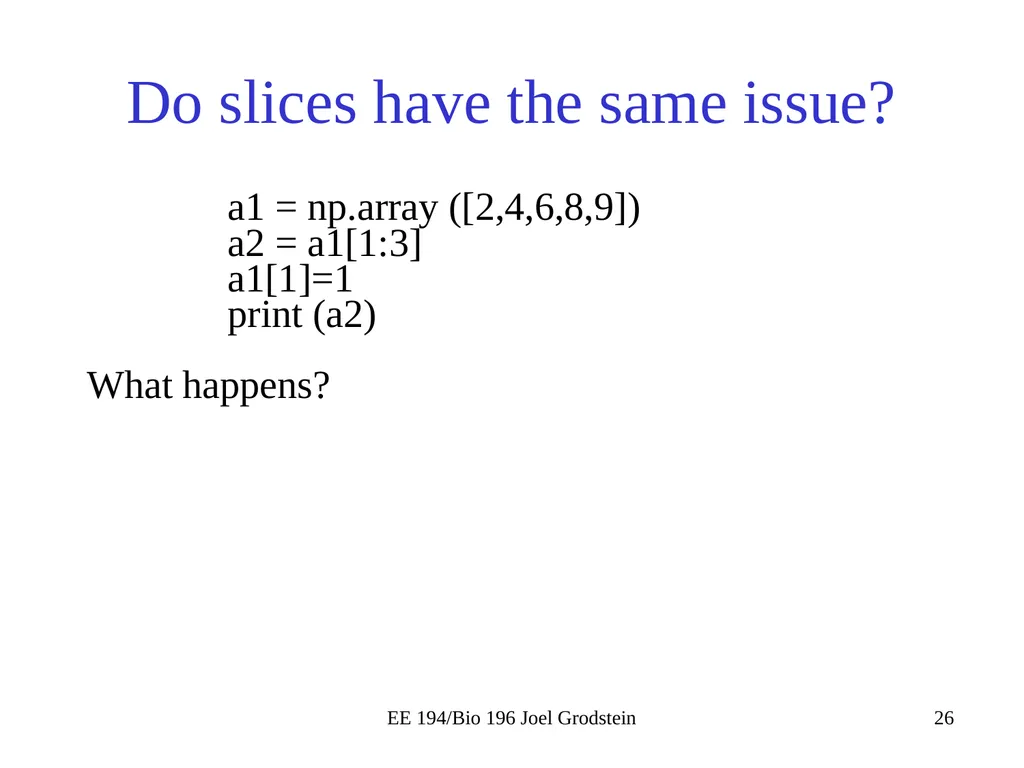
Do slices have the same issue? a1 = np.array ([2,4,6,8,9])
a2 = a1[1:3]
a1[1]=1
print (a2)
What happens? EE 194/Bio 196 Joel Grodstein<br>
a2 = a1[1:3]
a1[1]=1
print (a2)
What happens? EE 194/Bio 196 Joel Grodstein<br>
27
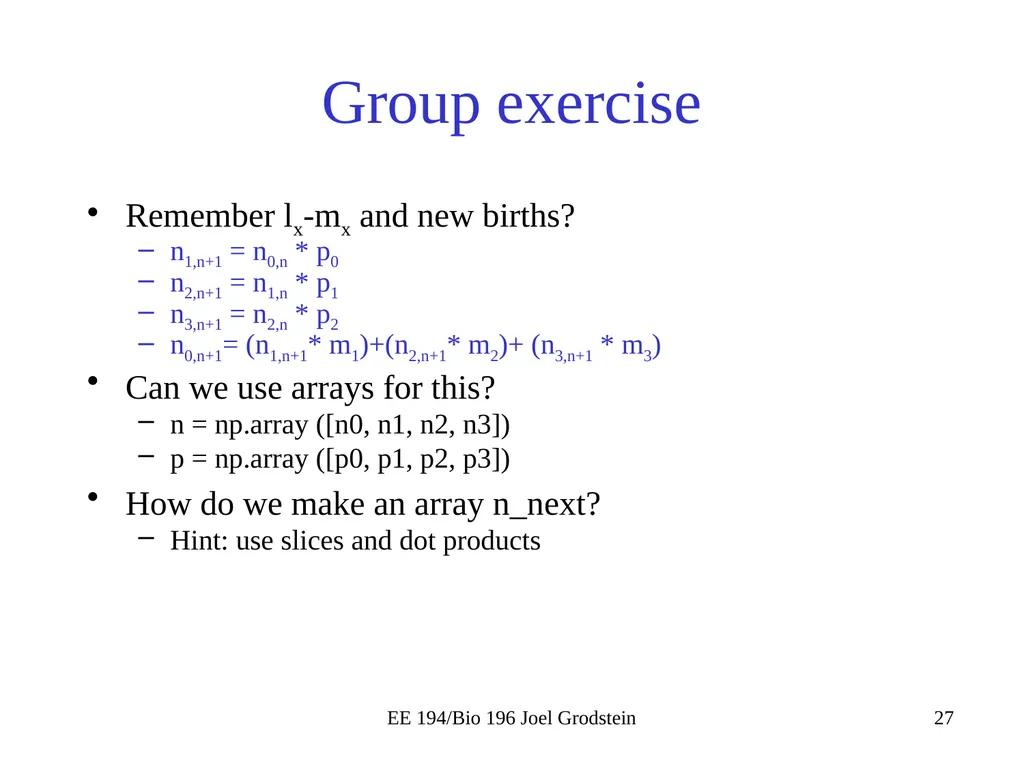
Group exercise Remember lx-mx and new births?
n1,n+1 = n0,n * p0
n2,n+1 = n1,n * p1
n3,n+1 = n2,n * p2
n0,n+1= (n1,n+1* m1)+(n2,n+1* m2)+ (n3,n+1 * m3)
Can we use arrays for this?
n = np.array ([n0, n1, n2, n3])
p = np.array ([p0, p1, p2, p3])
How do we make an array n_next?
Hint: use slices and dot products EE 194/Bio 196 Joel Grodstein<br>
n1,n+1 = n0,n * p0
n2,n+1 = n1,n * p1
n3,n+1 = n2,n * p2
n0,n+1= (n1,n+1* m1)+(n2,n+1* m2)+ (n3,n+1 * m3)
Can we use arrays for this?
n = np.array ([n0, n1, n2, n3])
p = np.array ([p0, p1, p2, p3])
How do we make an array n_next?
Hint: use slices and dot products EE 194/Bio 196 Joel Grodstein<br>
28
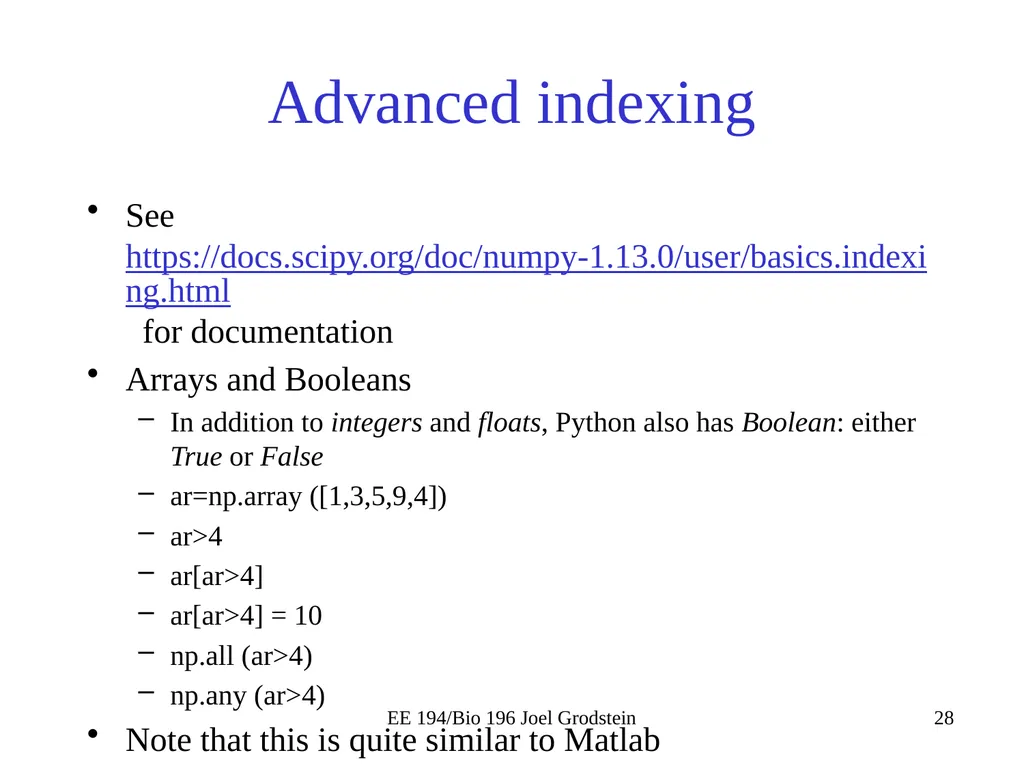
Advanced indexing See https://docs.scipy.org/doc/numpy-1.13.0/user/basics.indexing.html for documentation
Arrays and Booleans
In addition to integers and floats, Python also has Boolean: either True or False
ar=np.array ([1,3,5,9,4])
ar>4
ar[ar>4]
ar[ar>4] = 10
np.all (ar>4)
np.any (ar>4)
Note that this is quite similar to Matlab EE 194/Bio 196 Joel Grodstein<br>
Arrays and Booleans
In addition to integers and floats, Python also has Boolean: either True or False
ar=np.array ([1,3,5,9,4])
ar>4
ar[ar>4]
ar[ar>4] = 10
np.all (ar>4)
np.any (ar>4)
Note that this is quite similar to Matlab EE 194/Bio 196 Joel Grodstein<br>
29
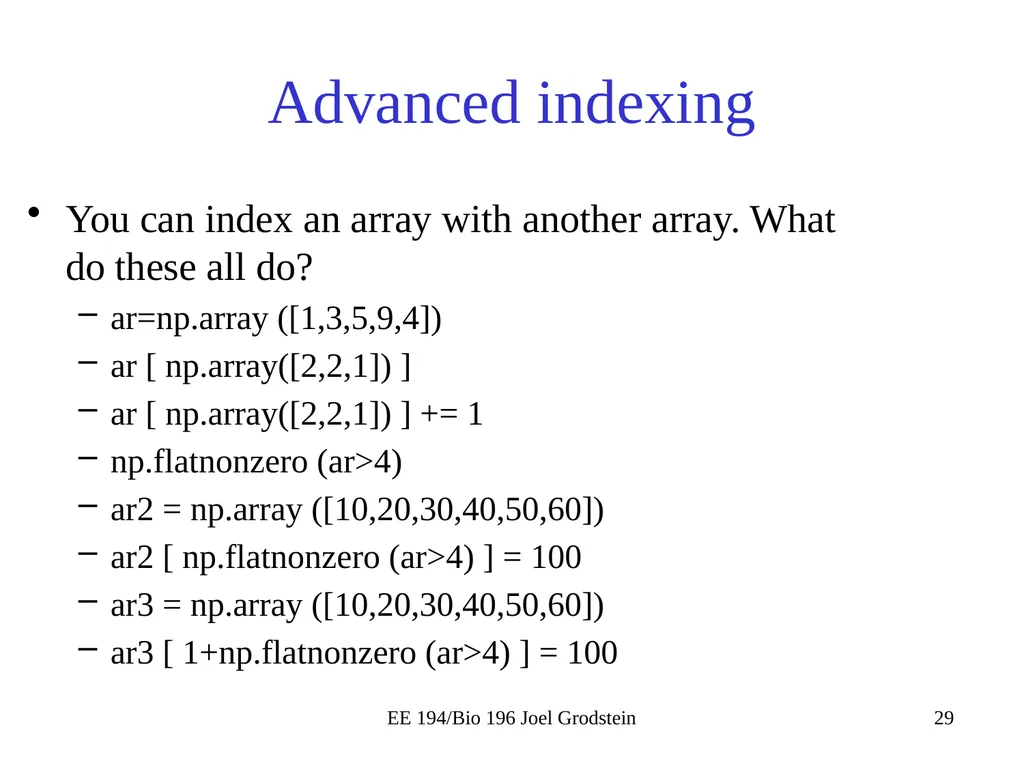
Advanced indexing You can index an array with another array. What do these all do?
ar=np.array ([1,3,5,9,4])
ar [ np.array([2,2,1]) ]
ar [ np.array([2,2,1]) ] += 1
np.flatnonzero (ar>4)
ar2 = np.array ([10,20,30,40,50,60])
ar2 [ np.flatnonzero (ar>4) ] = 100
ar3 = np.array ([10,20,30,40,50,60])
ar3 [ 1+np.flatnonzero (ar>4) ] = 100 EE 194/Bio 196 Joel Grodstein<br>
ar=np.array ([1,3,5,9,4])
ar [ np.array([2,2,1]) ]
ar [ np.array([2,2,1]) ] += 1
np.flatnonzero (ar>4)
ar2 = np.array ([10,20,30,40,50,60])
ar2 [ np.flatnonzero (ar>4) ] = 100
ar3 = np.array ([10,20,30,40,50,60])
ar3 [ 1+np.flatnonzero (ar>4) ] = 100 EE 194/Bio 196 Joel Grodstein<br>
30
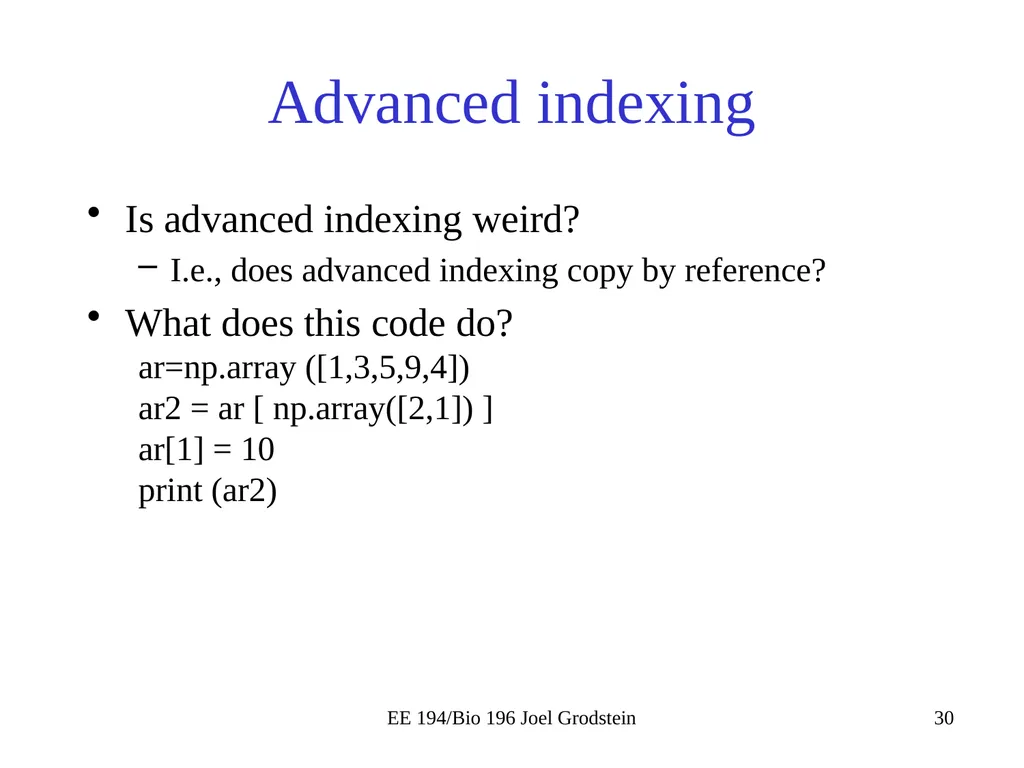
Advanced indexing Is advanced indexing weird?
I.e., does advanced indexing copy by reference?
What does this code do?
ar=np.array ([1,3,5,9,4])
ar2 = ar [ np.array([2,1]) ]
ar[1] = 10
print (ar2) EE 194/Bio 196 Joel Grodstein<br>
I.e., does advanced indexing copy by reference?
What does this code do?
ar=np.array ([1,3,5,9,4])
ar2 = ar [ np.array([2,1]) ]
ar[1] = 10
print (ar2) EE 194/Bio 196 Joel Grodstein<br>
31
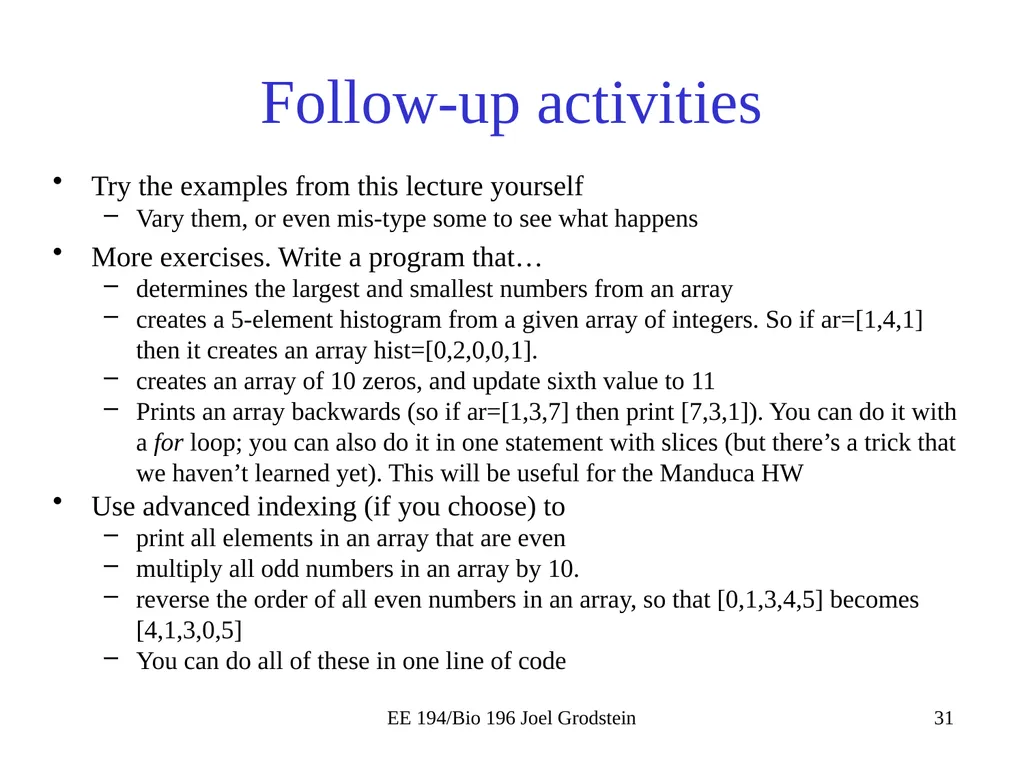
Follow-up activities Try the examples from this lecture yourself
Vary them, or even mis-type some to see what happens
More exercises. Write a program that…
determines the largest and smallest numbers from an array
creates a 5-element histogram from a given array of integers. So if ar=[1,4,1] then it creates an array hist=[0,2,0,0,1].
creates an array of 10 zeros, and update sixth value to 11
Prints an array backwards (so if ar=[1,3,7] then print [7,3,1]). You can do it with a for loop; you can also do it in one statement with slices (but there’s a trick that we haven’t learned yet). This will be useful for the Manduca HW
Use advanced indexing (if you choose) to
print all elements in an array that are even
multiply all odd numbers in an array by 10.
reverse the order of all even numbers in an array, so that [0,1,3,4,5] becomes [4,1,3,0,5]
You can do all of these in one line of code EE 194/Bio 196 Joel Grodstein<br>
Vary them, or even mis-type some to see what happens
More exercises. Write a program that…
determines the largest and smallest numbers from an array
creates a 5-element histogram from a given array of integers. So if ar=[1,4,1] then it creates an array hist=[0,2,0,0,1].
creates an array of 10 zeros, and update sixth value to 11
Prints an array backwards (so if ar=[1,3,7] then print [7,3,1]). You can do it with a for loop; you can also do it in one statement with slices (but there’s a trick that we haven’t learned yet). This will be useful for the Manduca HW
Use advanced indexing (if you choose) to
print all elements in an array that are even
multiply all odd numbers in an array by 10.
reverse the order of all even numbers in an array, so that [0,1,3,4,5] becomes [4,1,3,0,5]
You can do all of these in one line of code EE 194/Bio 196 Joel Grodstein<br>
32
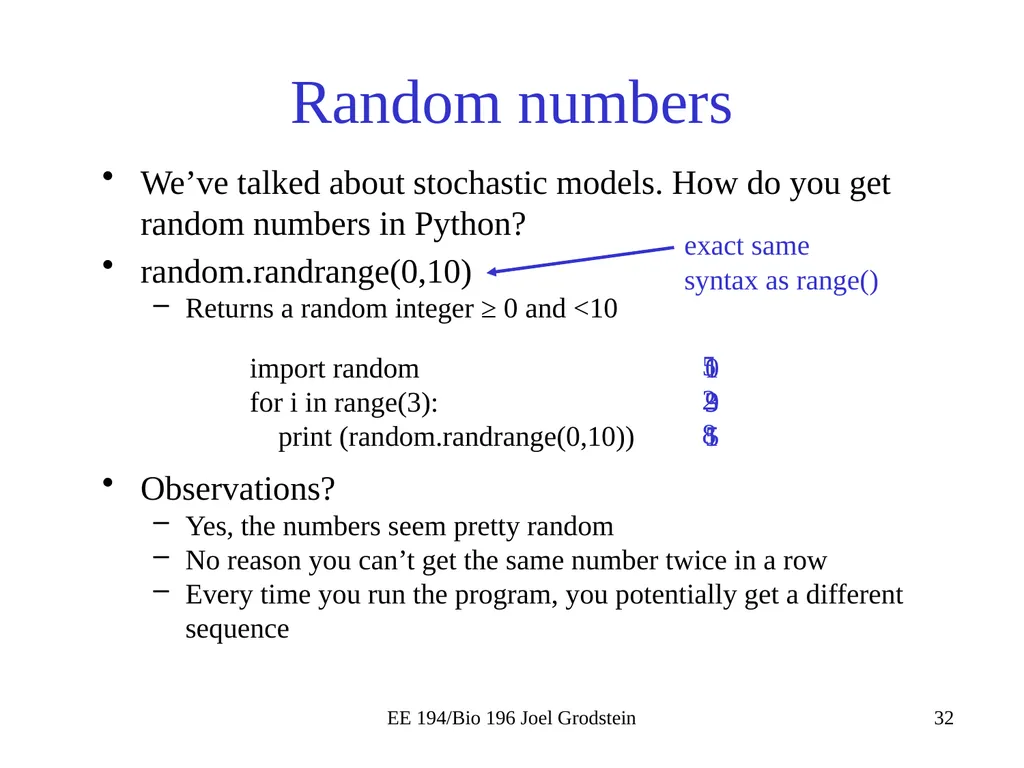
Random numbers We’ve talked about stochastic models. How do you get random numbers in Python?
random.randrange(0,10)
Returns a random integer ≥ 0 and <10 EE 194/Bio 196 Joel Grodstein import random
for i in range(3):
print (random.randrange(0,10)) 5
2
8 0
9
5 1
3
1 Observations?
Yes, the numbers seem pretty random
No reason you can’t get the same number twice in a row
Every time you run the program, you potentially get a different sequence exact same syntax as range()<br>
random.randrange(0,10)
Returns a random integer ≥ 0 and <10 EE 194/Bio 196 Joel Grodstein import random
for i in range(3):
print (random.randrange(0,10)) 5
2
8 0
9
5 1
3
1 Observations?
Yes, the numbers seem pretty random
No reason you can’t get the same number twice in a row
Every time you run the program, you potentially get a different sequence exact same syntax as range()<br>
33
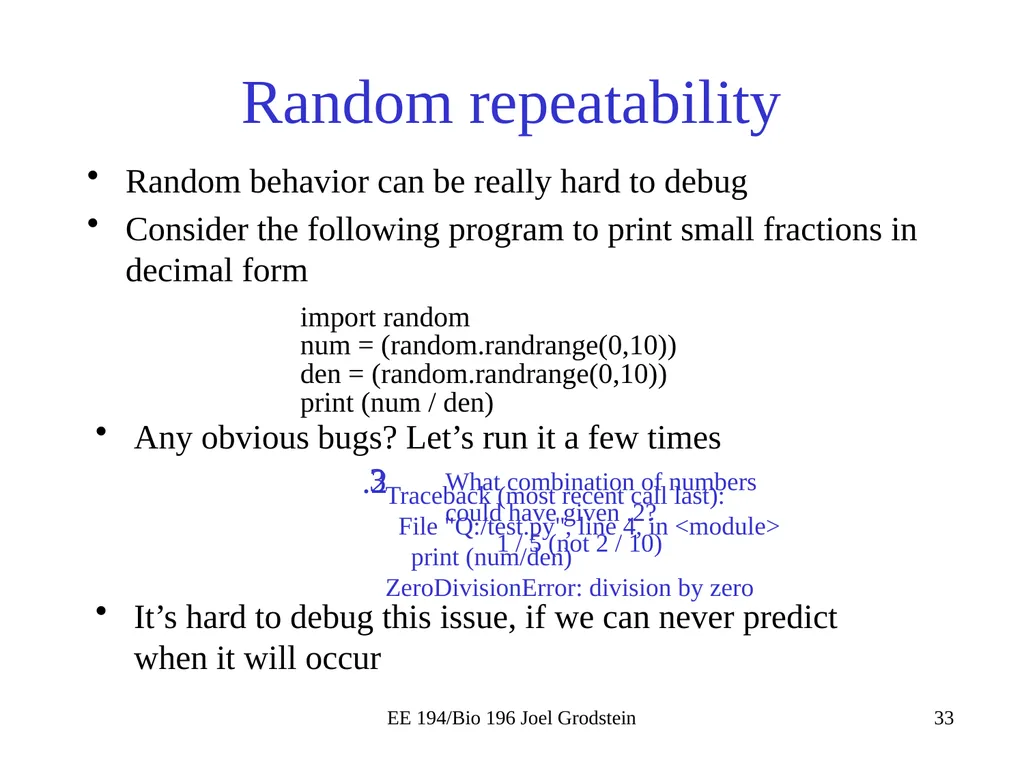
Random repeatability Random behavior can be really hard to debug
Consider the following program to print small fractions in decimal form EE 194/Bio 196 Joel Grodstein import random
num = (random.randrange(0,10))
den = (random.randrange(0,10))
print (num / den) Any obvious bugs? Let’s run it a few times .2 3 What combination of numbers could have given .2?
1 / 5 (not 2 / 10) It’s hard to debug this issue, if we can never predict when it will occur Traceback (most recent call last):
File "Q:/test.py", line 4, in <module>
print (num/den)
ZeroDivisionError: division by zero<br>
Consider the following program to print small fractions in decimal form EE 194/Bio 196 Joel Grodstein import random
num = (random.randrange(0,10))
den = (random.randrange(0,10))
print (num / den) Any obvious bugs? Let’s run it a few times .2 3 What combination of numbers could have given .2?
1 / 5 (not 2 / 10) It’s hard to debug this issue, if we can never predict when it will occur Traceback (most recent call last):
File "Q:/test.py", line 4, in <module>
print (num/den)
ZeroDivisionError: division by zero<br>
34
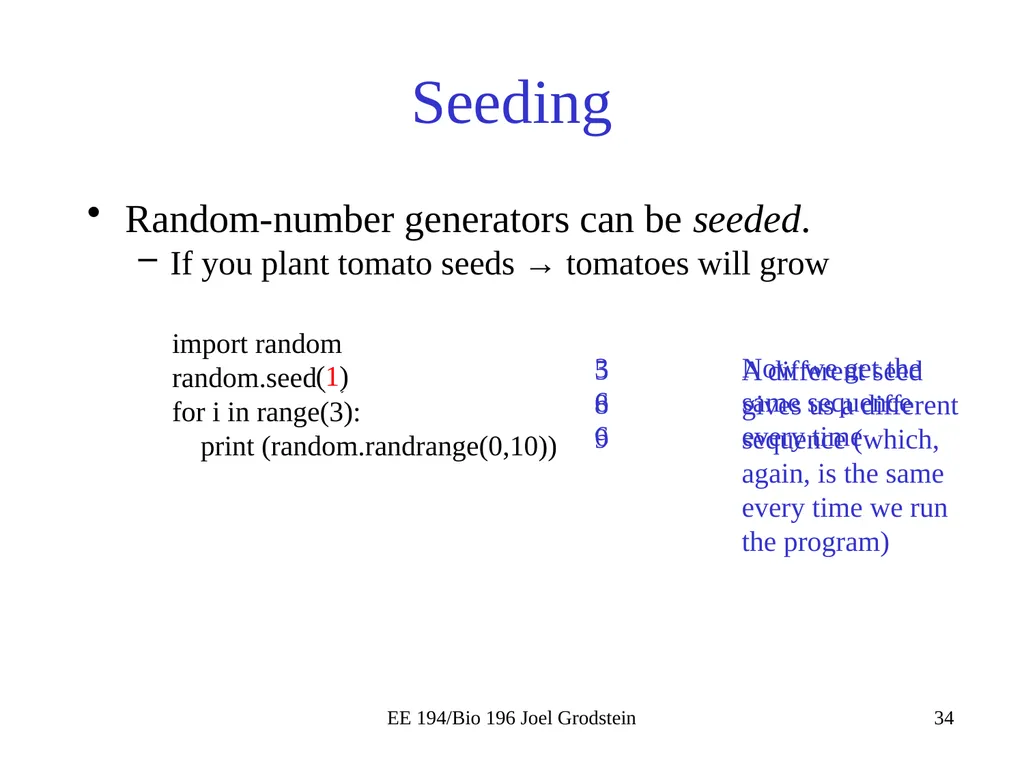
Seeding Random-number generators can be seeded.
If you plant tomato seeds → tomatoes will grow EE 194/Bio 196 Joel Grodstein import random
random.seed(5)
for i in range(3):
print (random.randrange(0,10)) 3
6
6 (1) 5
8
9 Now we get the same sequence every time A different seed gives us a different sequence (which, again, is the same every time we run the program)<br>
If you plant tomato seeds → tomatoes will grow EE 194/Bio 196 Joel Grodstein import random
random.seed(5)
for i in range(3):
print (random.randrange(0,10)) 3
6
6 (1) 5
8
9 Now we get the same sequence every time A different seed gives us a different sequence (which, again, is the same every time we run the program)<br>
35
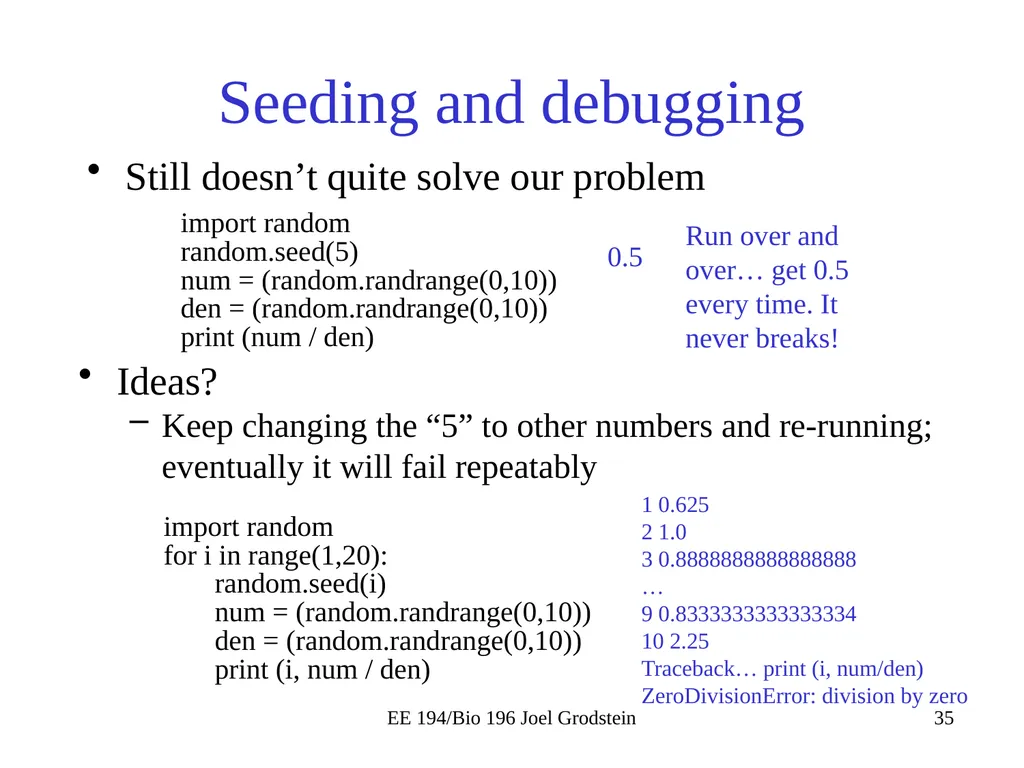
Seeding and debugging Still doesn’t quite solve our problem EE 194/Bio 196 Joel Grodstein import random
random.seed(5)
num = (random.randrange(0,10))
den = (random.randrange(0,10))
print (num / den) 0.5 Run over and over… get 0.5 every time. It never breaks! Ideas?
Keep changing the “5” to other numbers and re-running; eventually it will fail repeatably import random
for i in range(1,20):
random.seed(i)
num = (random.randrange(0,10))
den = (random.randrange(0,10))
print (i, num / den) 1 0.625
2 1.0
3 0.8888888888888888
…
9 0.8333333333333334
10 2.25
Traceback… print (i, num/den)
ZeroDivisionError: division by zero<br>
random.seed(5)
num = (random.randrange(0,10))
den = (random.randrange(0,10))
print (num / den) 0.5 Run over and over… get 0.5 every time. It never breaks! Ideas?
Keep changing the “5” to other numbers and re-running; eventually it will fail repeatably import random
for i in range(1,20):
random.seed(i)
num = (random.randrange(0,10))
den = (random.randrange(0,10))
print (i, num / den) 1 0.625
2 1.0
3 0.8888888888888888
…
9 0.8333333333333334
10 2.25
Traceback… print (i, num/den)
ZeroDivisionError: division by zero<br>
36
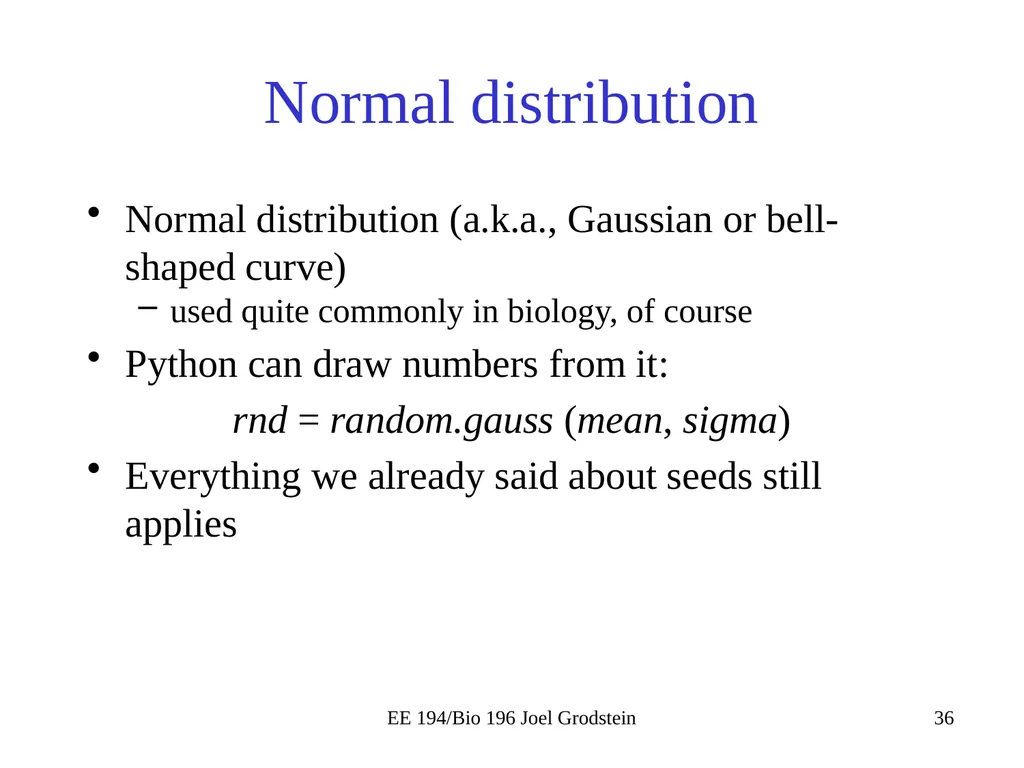
Normal distribution Normal distribution (a.k.a., Gaussian or bell-shaped curve)
used quite commonly in biology, of course
Python can draw numbers from it:
rnd = random.gauss (mean, sigma)
Everything we already said about seeds still applies EE 194/Bio 196 Joel Grodstein<br>
used quite commonly in biology, of course
Python can draw numbers from it:
rnd = random.gauss (mean, sigma)
Everything we already said about seeds still applies EE 194/Bio 196 Joel Grodstein<br>
37
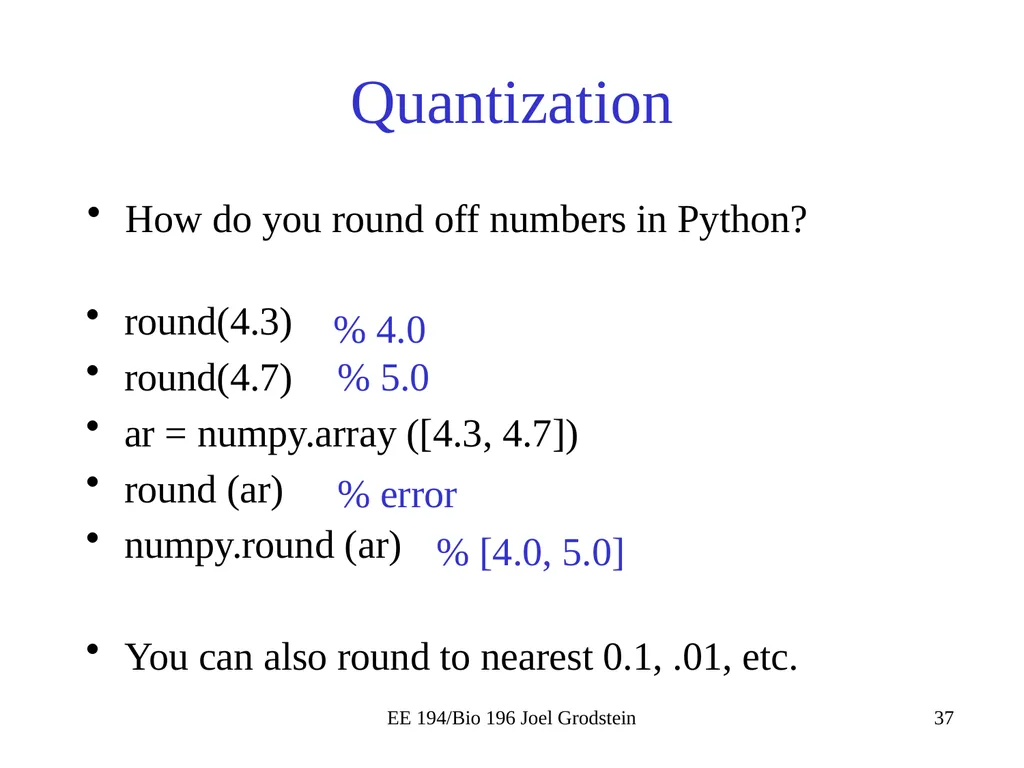
Quantization How do you round off numbers in Python? EE 194/Bio 196 Joel Grodstein round(4.3)
round(4.7)
ar = numpy.array ([4.3, 4.7])
round (ar)
numpy.round (ar)
You can also round to nearest 0.1, .01, etc. % 4.0 % 5.0 % error % [4.0, 5.0]<br>
round(4.7)
ar = numpy.array ([4.3, 4.7])
round (ar)
numpy.round (ar)
You can also round to nearest 0.1, .01, etc. % 4.0 % 5.0 % error % [4.0, 5.0]<br>
38
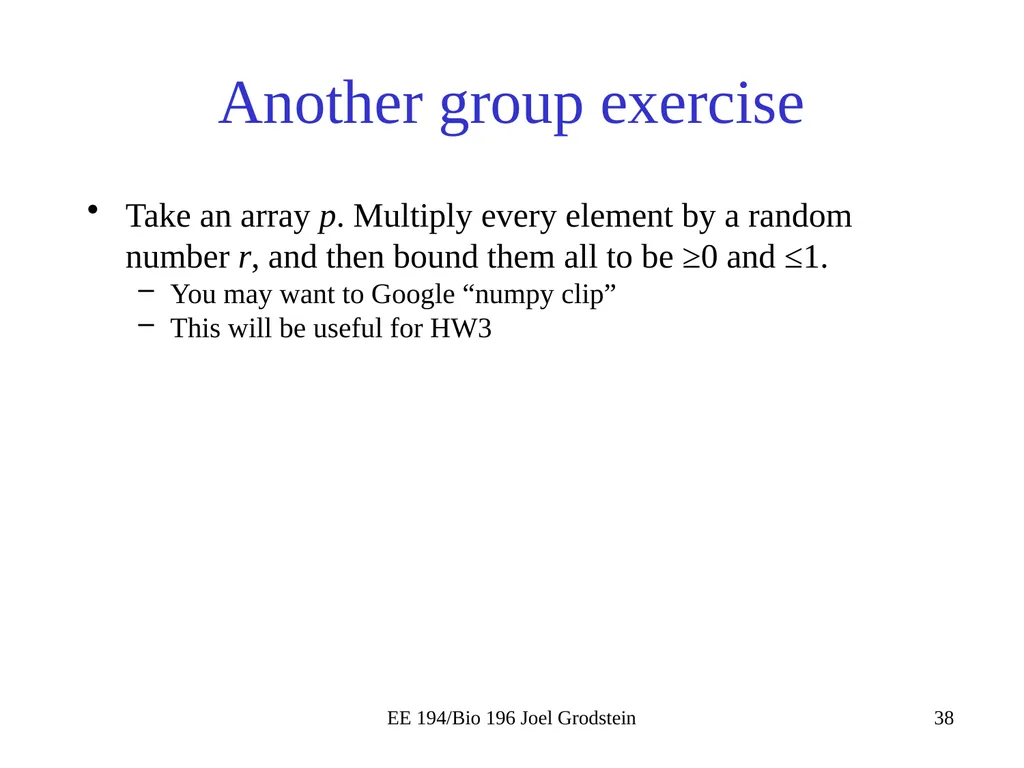
Another group exercise Take an array p. Multiply every element by a random number r, and then bound them all to be ≥0 and ≤1.
You may want to Google “numpy clip”
This will be useful for HW3 EE 194/Bio 196 Joel Grodstein<br>
You may want to Google “numpy clip”
This will be useful for HW3 EE 194/Bio 196 Joel Grodstein<br>