
Emergency Management Response System 2.0 (EMRS2)
KB
Published · 37 slides · 0 views
1 / 1
Description
Emergency Management Response System 2.0 (EMRS2) Overview of Capabilities June 2021 1 FAD PReP Introduction EMRS2 EMRS2 is an interactive database used as USDAs official system of record for animal health incidents and Foreign Animal
Related Topics
Share
Embed code
Download this presentation From Below
"Emergency Management Response System 2.0 (EMRS2)" is the property of its rightful owner. Permission is granted to download and print the materials on this website for personal, non-commercial use only, and to display it on your personal computer provided you do not modify the materials and that you retain all copyright notices contained in the materials. By downloading content from our website, you accept the terms of this agreement.
Presentation Transcript
01
Emergency Management Response System 2.0 (EMRS2) Overview of Capabilities
June 2021 1 FAD PReP<br>
June 2021 1 FAD PReP<br>
02
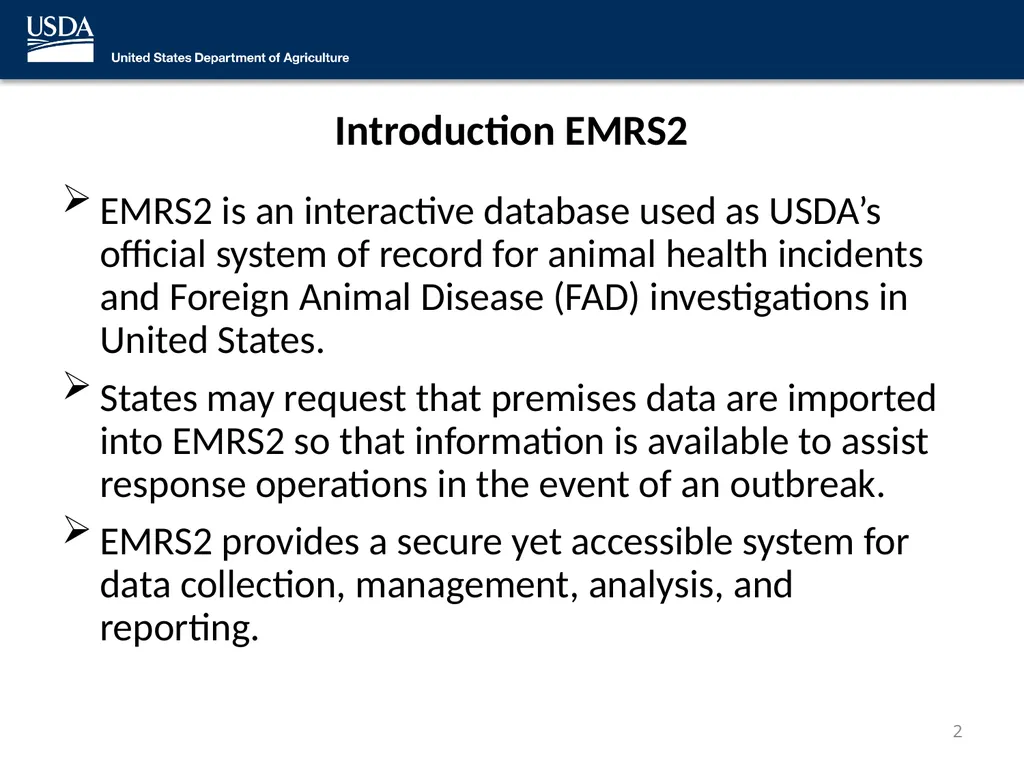
Introduction EMRS2 EMRS2 is an interactive database used as USDA’s official system of record for animal health incidents and Foreign Animal Disease (FAD) investigations in United States.
States may request that premises data are imported into EMRS2 so that information is available to assist response operations in the event of an outbreak.
EMRS2 provides a secure yet accessible system for data collection, management, analysis, and reporting. 2<br>
States may request that premises data are imported into EMRS2 so that information is available to assist response operations in the event of an outbreak.
EMRS2 provides a secure yet accessible system for data collection, management, analysis, and reporting. 2<br>
03
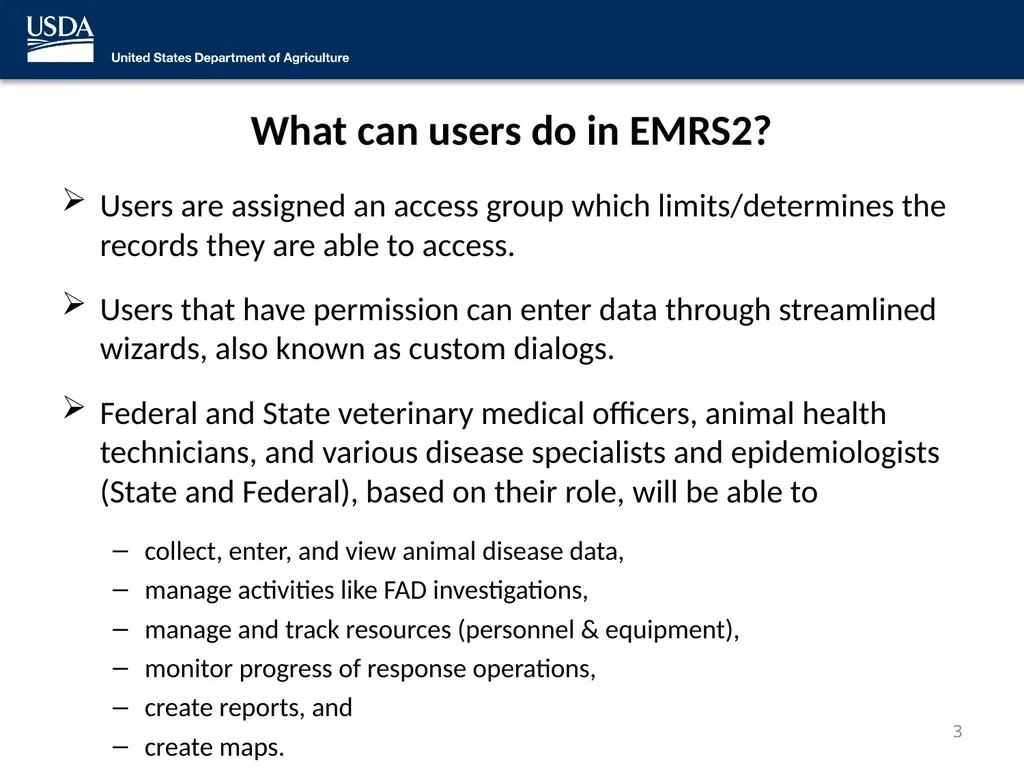
What can users do in EMRS2? Users are assigned an access group which limits/determines the records they are able to access.
Users that have permission can enter data through streamlined wizards, also known as custom dialogs.
Federal and State veterinary medical officers, animal health technicians, and various disease specialists and epidemiologists (State and Federal), based on their role, will be able to
collect, enter, and view animal disease data,
manage activities like FAD investigations,
manage and track resources (personnel & equipment),
monitor progress of response operations,
create reports, and
create maps. 3<br>
Users that have permission can enter data through streamlined wizards, also known as custom dialogs.
Federal and State veterinary medical officers, animal health technicians, and various disease specialists and epidemiologists (State and Federal), based on their role, will be able to
collect, enter, and view animal disease data,
manage activities like FAD investigations,
manage and track resources (personnel & equipment),
monitor progress of response operations,
create reports, and
create maps. 3<br>
04
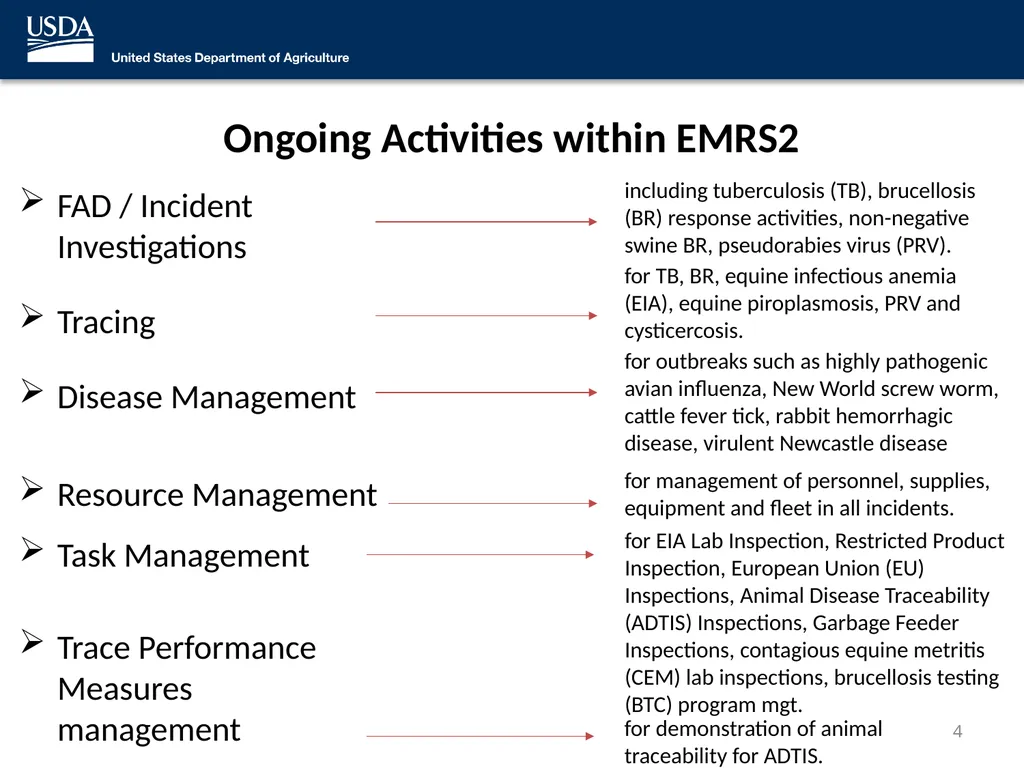
Ongoing Activities within EMRS2 FAD / Incident
Investigations
Tracing
Disease Management
Resource Management
Task Management
Trace Performance Measures management 4 including tuberculosis (TB), brucellosis (BR) response activities, non-negative swine BR, pseudorabies virus (PRV). for TB, BR, equine infectious anemia (EIA), equine piroplasmosis, PRV and cysticercosis. for outbreaks such as highly pathogenic avian influenza, New World screw worm, cattle fever tick, rabbit hemorrhagic disease, virulent Newcastle disease for management of personnel, supplies, equipment and fleet in all incidents. for EIA Lab Inspection, Restricted Product Inspection, European Union (EU) Inspections, Animal Disease Traceability (ADTIS) Inspections, Garbage Feeder Inspections, contagious equine metritis (CEM) lab inspections, brucellosis testing (BTC) program mgt. for demonstration of animal traceability for ADTIS.<br>
Tracing
Disease Management
Resource Management
Task Management
Trace Performance Measures management 4 including tuberculosis (TB), brucellosis (BR) response activities, non-negative swine BR, pseudorabies virus (PRV). for TB, BR, equine infectious anemia (EIA), equine piroplasmosis, PRV and cysticercosis. for outbreaks such as highly pathogenic avian influenza, New World screw worm, cattle fever tick, rabbit hemorrhagic disease, virulent Newcastle disease for management of personnel, supplies, equipment and fleet in all incidents. for EIA Lab Inspection, Restricted Product Inspection, European Union (EU) Inspections, Animal Disease Traceability (ADTIS) Inspections, Garbage Feeder Inspections, contagious equine metritis (CEM) lab inspections, brucellosis testing (BTC) program mgt. for demonstration of animal traceability for ADTIS.<br>
05
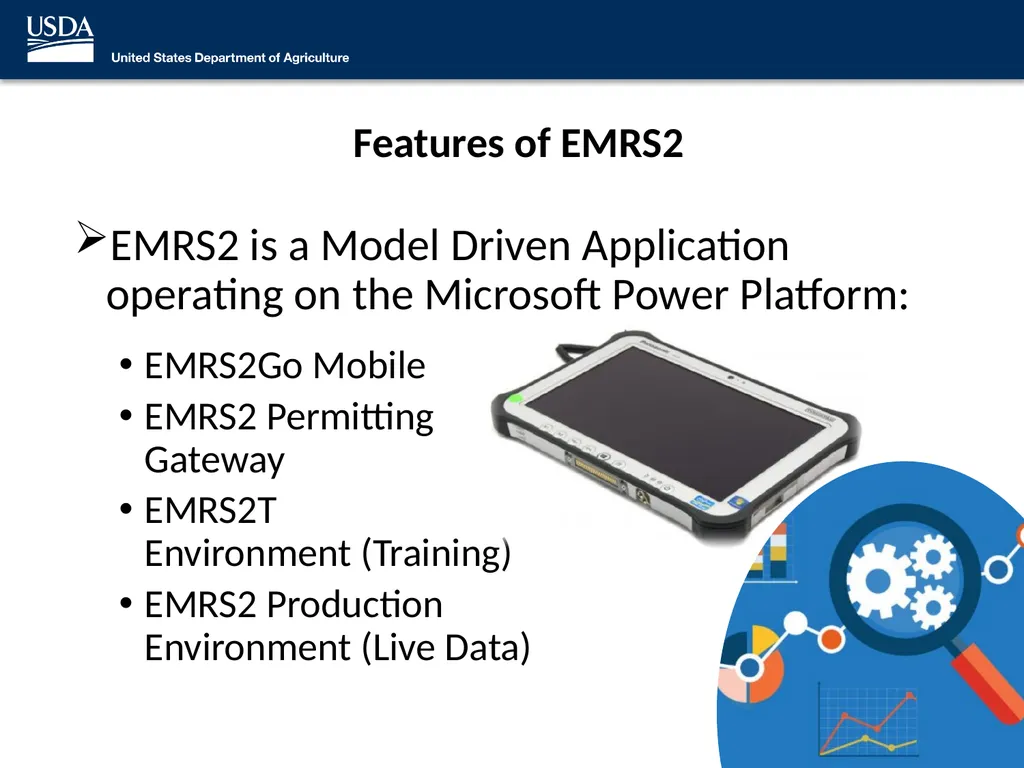
Features of EMRS2 EMRS2 is a Model Driven Application operating on the Microsoft Power Platform:
EMRS2Go Mobile
EMRS2 Permitting Gateway
EMRS2T Environment (Training)
EMRS2 Production Environment (Live Data) 5<br>
EMRS2Go Mobile
EMRS2 Permitting Gateway
EMRS2T Environment (Training)
EMRS2 Production Environment (Live Data) 5<br>
06
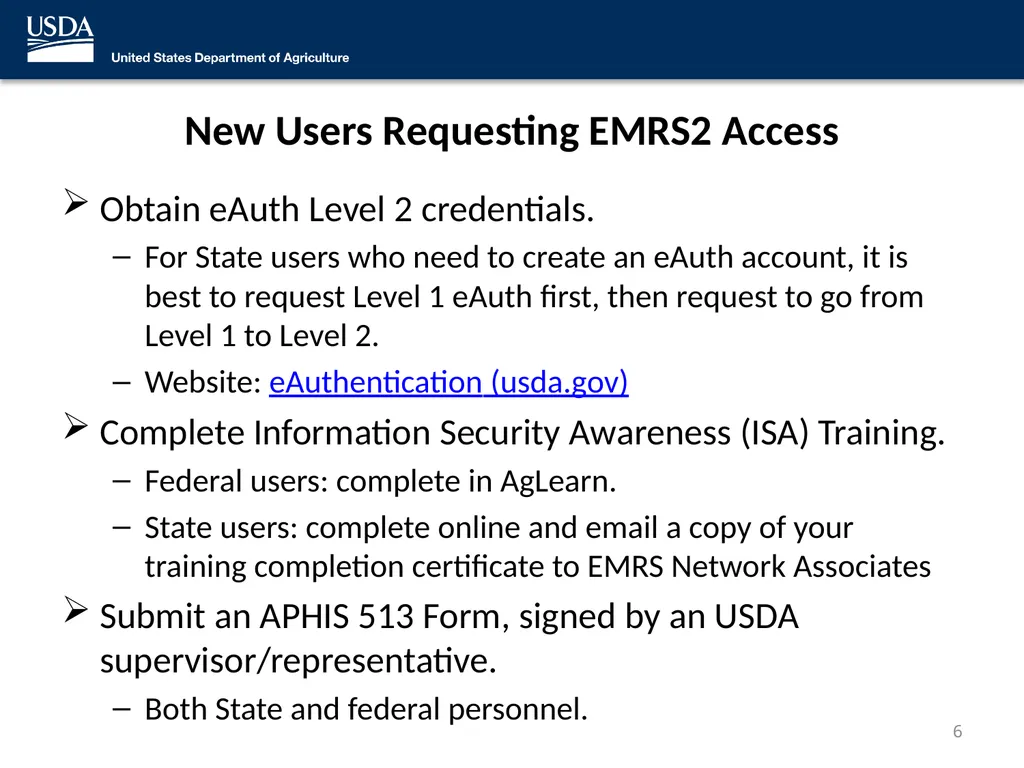
New Users Requesting EMRS2 Access Obtain eAuth Level 2 credentials.
For State users who need to create an eAuth account, it is best to request Level 1 eAuth first, then request to go from Level 1 to Level 2.
Website: eAuthentication (usda.gov)
Complete Information Security Awareness (ISA) Training.
Federal users: complete in AgLearn.
State users: complete online and email a copy of your training completion certificate to EMRS Network Associates
Submit an APHIS 513 Form, signed by an USDA supervisor/representative.
Both State and federal personnel. 6<br>
For State users who need to create an eAuth account, it is best to request Level 1 eAuth first, then request to go from Level 1 to Level 2.
Website: eAuthentication (usda.gov)
Complete Information Security Awareness (ISA) Training.
Federal users: complete in AgLearn.
State users: complete online and email a copy of your training completion certificate to EMRS Network Associates
Submit an APHIS 513 Form, signed by an USDA supervisor/representative.
Both State and federal personnel. 6<br>
07
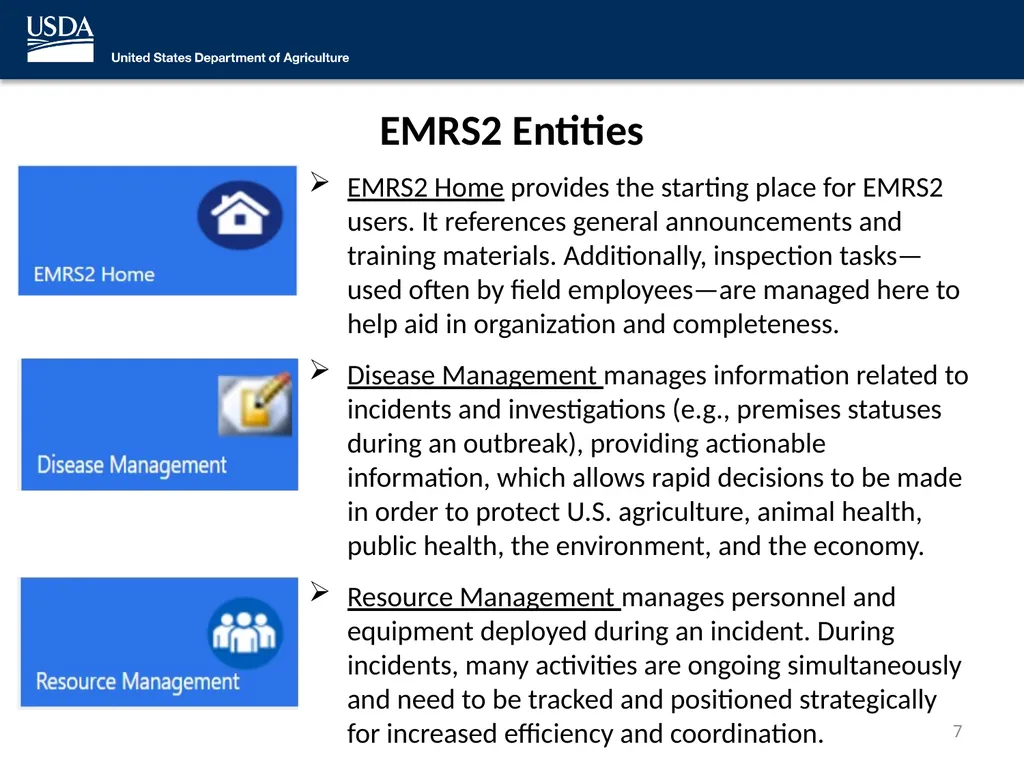
EMRS2 Entities EMRS2 Home provides the starting place for EMRS2 users. It references general announcements and training materials. Additionally, inspection tasks—used often by field employees—are managed here to help aid in organization and completeness.
Disease Management manages information related to incidents and investigations (e.g., premises statuses during an outbreak), providing actionable information, which allows rapid decisions to be made in order to protect U.S. agriculture, animal health, public health, the environment, and the economy.
Resource Management manages personnel and equipment deployed during an incident. During incidents, many activities are ongoing simultaneously and need to be tracked and positioned strategically for increased efficiency and coordination. 7<br>
Disease Management manages information related to incidents and investigations (e.g., premises statuses during an outbreak), providing actionable information, which allows rapid decisions to be made in order to protect U.S. agriculture, animal health, public health, the environment, and the economy.
Resource Management manages personnel and equipment deployed during an incident. During incidents, many activities are ongoing simultaneously and need to be tracked and positioned strategically for increased efficiency and coordination. 7<br>
08
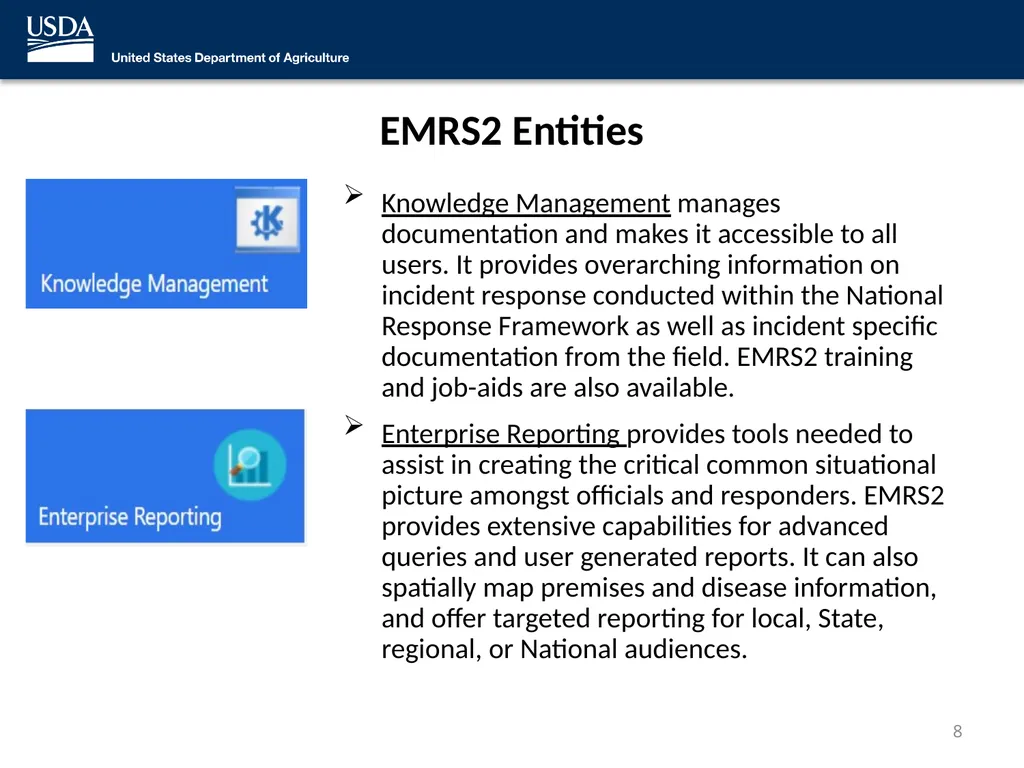
EMRS2 Entities Knowledge Management manages documentation and makes it accessible to all users. It provides overarching information on incident response conducted within the National Response Framework as well as incident specific documentation from the field. EMRS2 training and job-aids are also available.
Enterprise Reporting provides tools needed to assist in creating the critical common situational picture amongst officials and responders. EMRS2 provides extensive capabilities for advanced queries and user generated reports. It can also spatially map premises and disease information, and offer targeted reporting for local, State, regional, or National audiences. 8<br>
Enterprise Reporting provides tools needed to assist in creating the critical common situational picture amongst officials and responders. EMRS2 provides extensive capabilities for advanced queries and user generated reports. It can also spatially map premises and disease information, and offer targeted reporting for local, State, regional, or National audiences. 8<br>
09
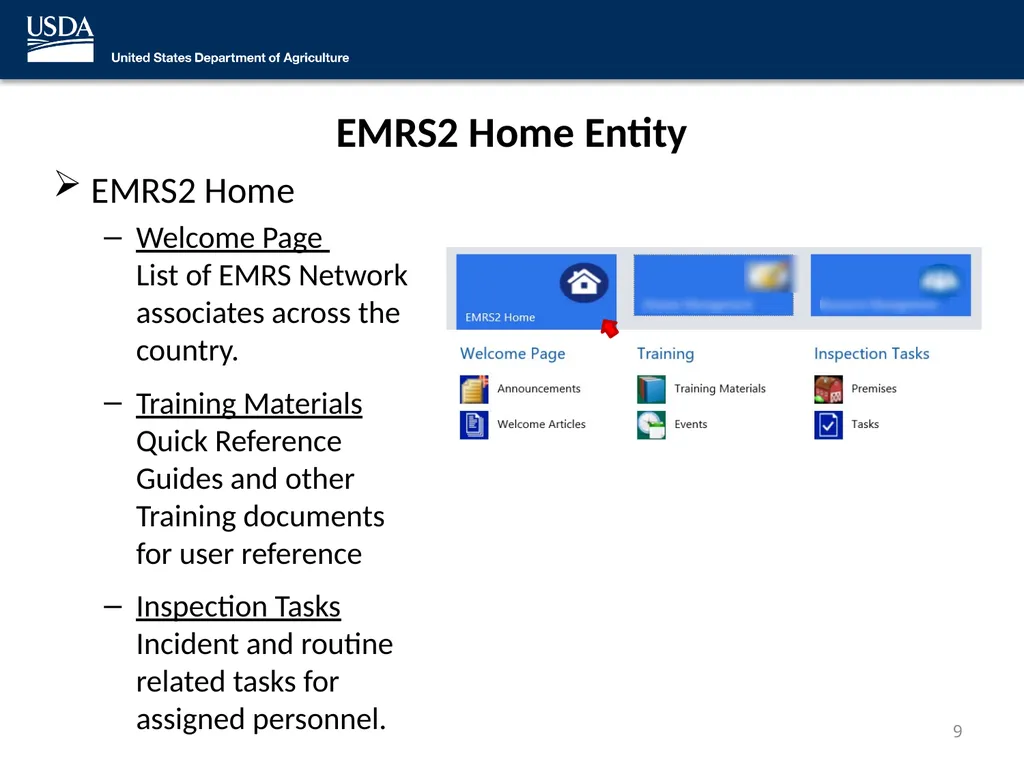
EMRS2 Home Entity EMRS2 Home
Welcome Page List of EMRS Network associates across the country.
Training Materials Quick Reference Guides and other Training documents for user reference
Inspection Tasks Incident and routine related tasks for assigned personnel. 9<br>
Welcome Page List of EMRS Network associates across the country.
Training Materials Quick Reference Guides and other Training documents for user reference
Inspection Tasks Incident and routine related tasks for assigned personnel. 9<br>
10
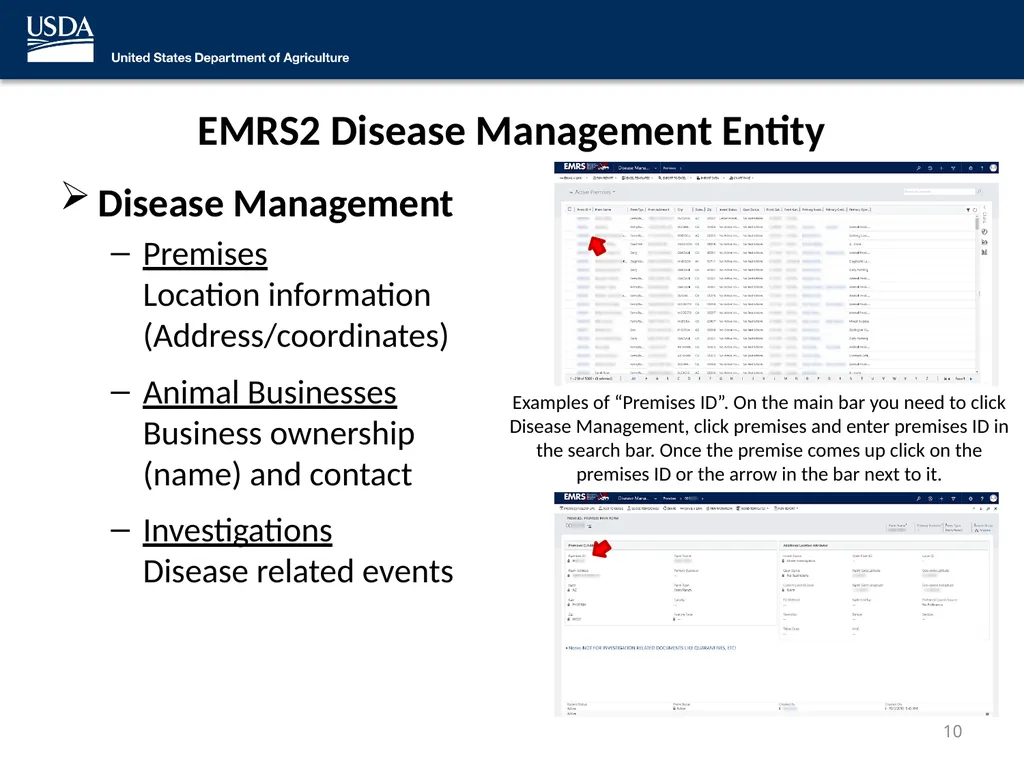
Examples of “Premises ID”. On the main bar you need to click Disease Management, click premises and enter premises ID in the search bar. Once the premise comes up click on the premises ID or the arrow in the bar next to it. EMRS2 Disease Management Entity Disease Management
Premises Location information (Address/coordinates)
Animal Businesses Business ownership (name) and contact
Investigations Disease related events 10<br>
Premises Location information (Address/coordinates)
Animal Businesses Business ownership (name) and contact
Investigations Disease related events 10<br>
11
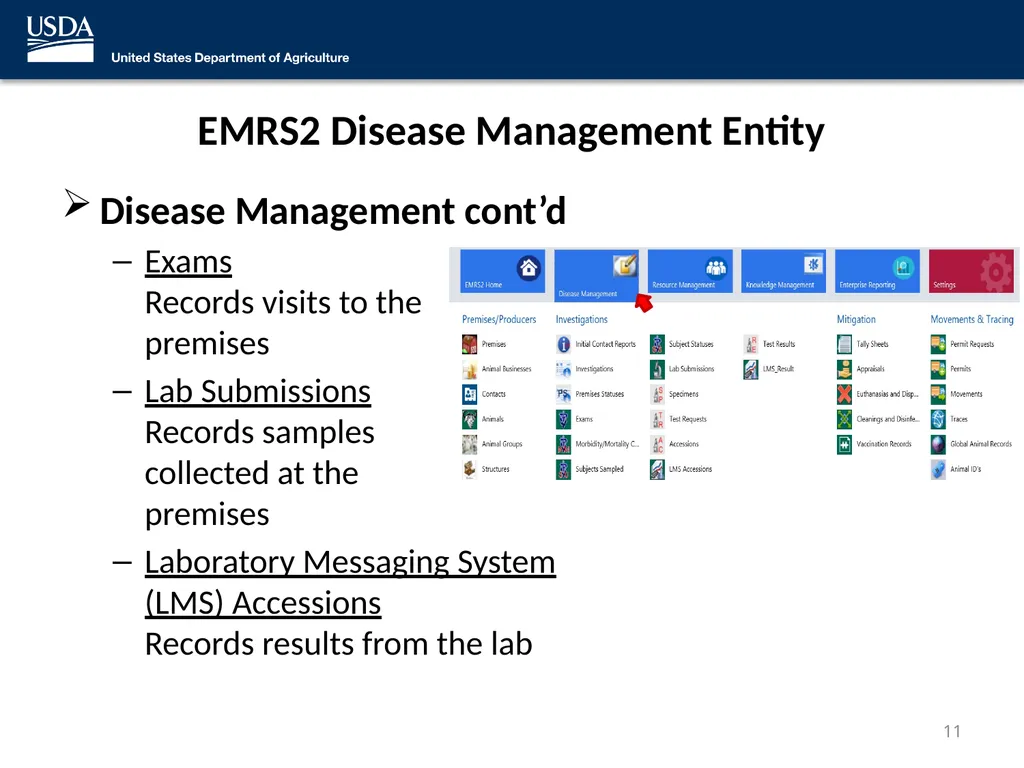
EMRS2 Disease Management Entity Disease Management cont’d
Exams Records visits to the premises
Lab Submissions Records samples collected at the premises
Laboratory Messaging System (LMS) Accessions Records results from the lab 11<br>
Exams Records visits to the premises
Lab Submissions Records samples collected at the premises
Laboratory Messaging System (LMS) Accessions Records results from the lab 11<br>
12
EMRS2 Disease Management Entity Disease Management cont’d
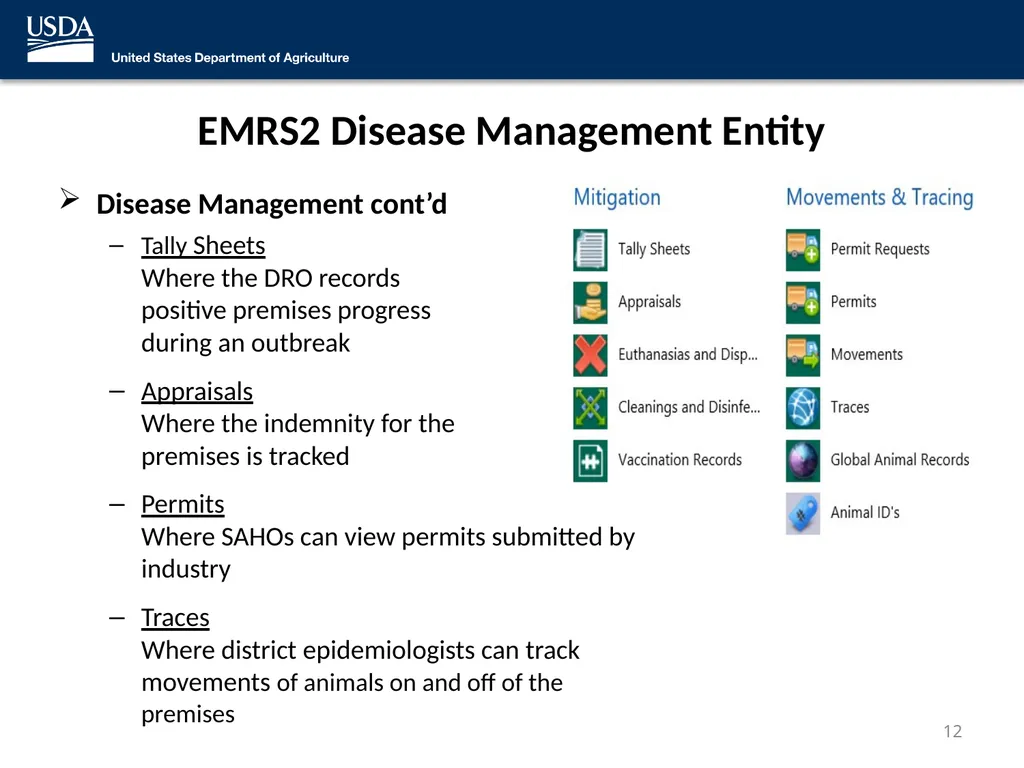
Tally Sheets Where the DRO records positive premises progress during an outbreak
Appraisals Where the indemnity for the premises is tracked
Permits Where SAHOs can view permits submitted by industry
Traces Where district epidemiologists can track movements of animals on and off of the premises 12<br>
Tally Sheets Where the DRO records positive premises progress during an outbreak
Appraisals Where the indemnity for the premises is tracked
Permits Where SAHOs can view permits submitted by industry
Traces Where district epidemiologists can track movements of animals on and off of the premises 12<br>
13
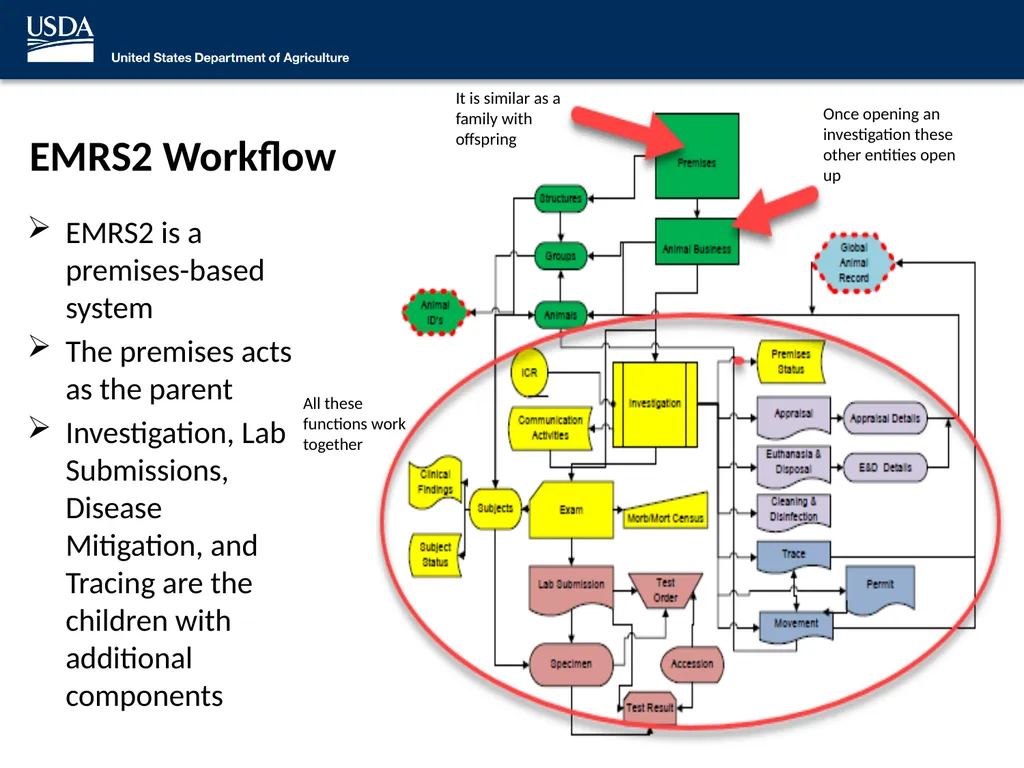
EMRS2 Workflow 13 Once opening an investigation these other entities open up It is similar as a family with offspring EMRS2 is a premises-based system
The premises acts as the parent
Investigation, Lab Submissions, Disease Mitigation, and Tracing are the children with additional components All these functions work together<br>
The premises acts as the parent
Investigation, Lab Submissions, Disease Mitigation, and Tracing are the children with additional components All these functions work together<br>
14
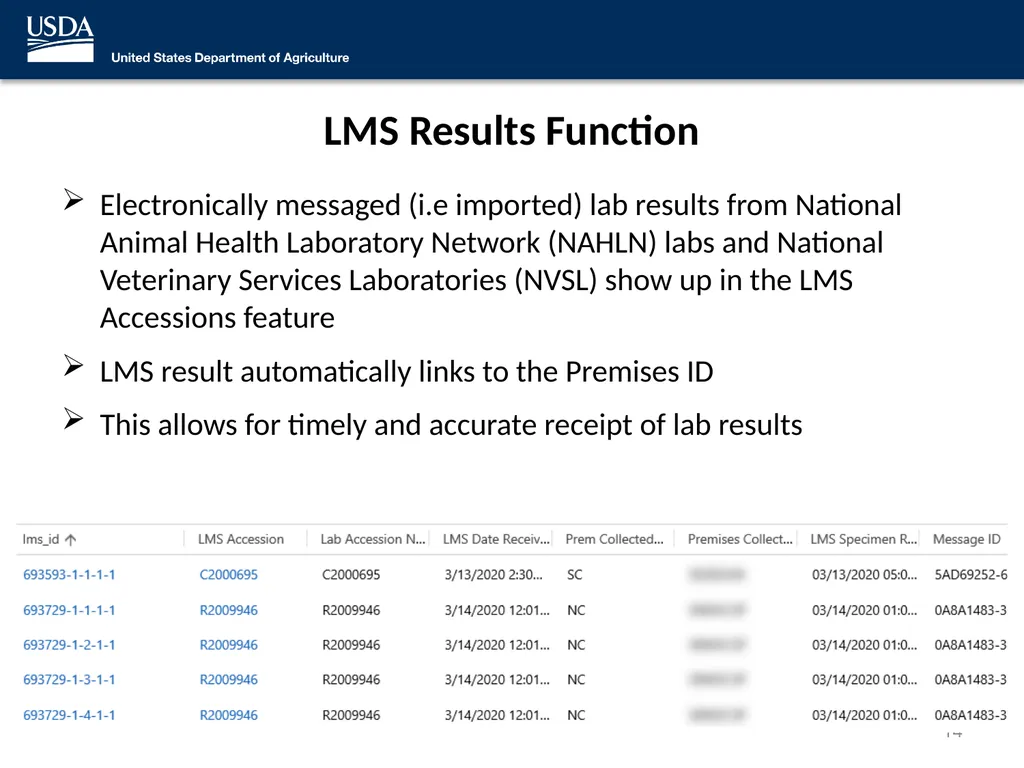
LMS Results Function Electronically messaged (i.e imported) lab results from National Animal Health Laboratory Network (NAHLN) labs and National Veterinary Services Laboratories (NVSL) show up in the LMS Accessions feature
LMS result automatically links to the Premises ID
This allows for timely and accurate receipt of lab results 14<br>
LMS result automatically links to the Premises ID
This allows for timely and accurate receipt of lab results 14<br>
15
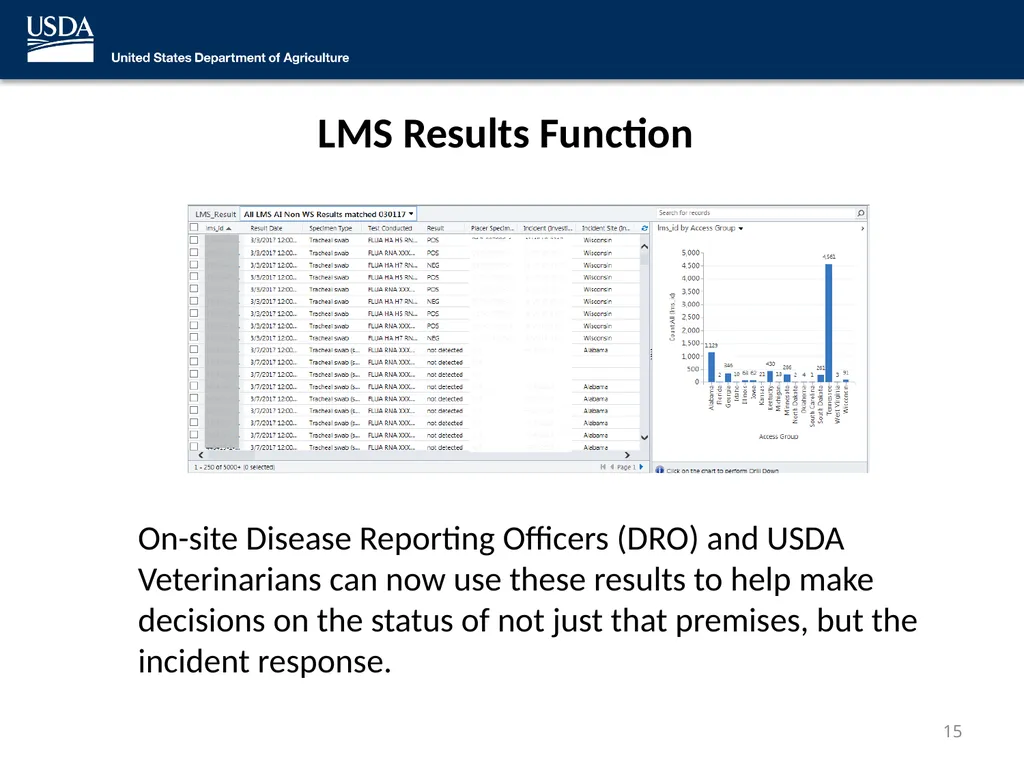
LMS Results Function On-site Disease Reporting Officers (DRO) and USDA Veterinarians can now use these results to help make decisions on the status of not just that premises, but the incident response. 15<br>
16
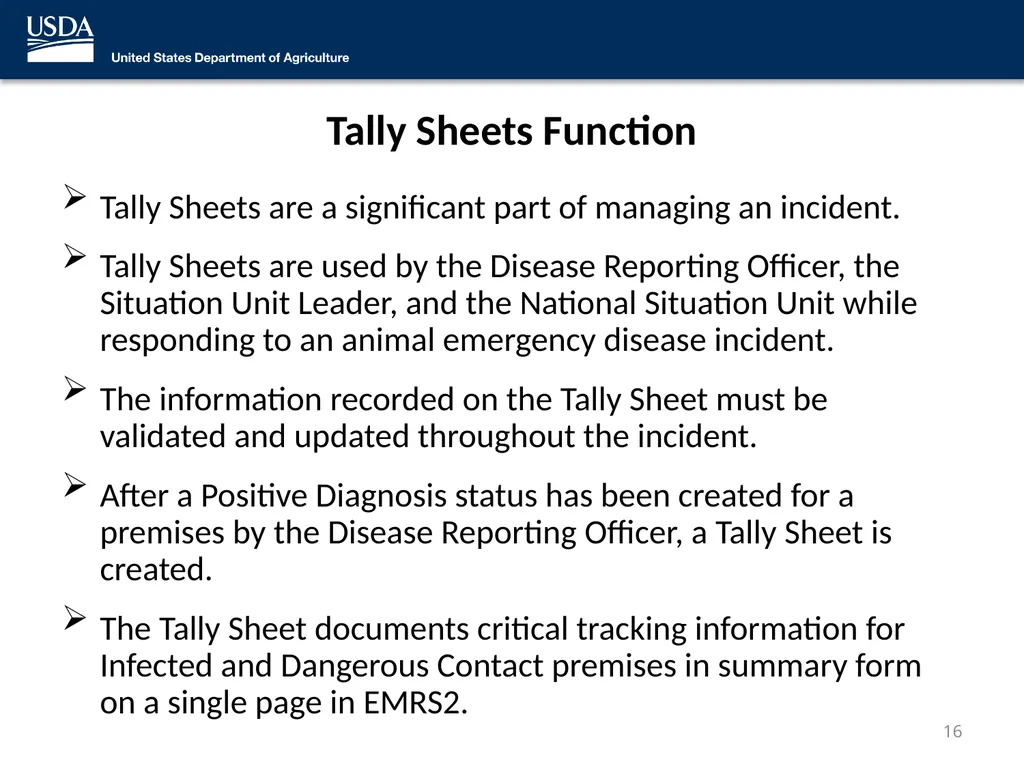
Tally Sheets Function Tally Sheets are a significant part of managing an incident.
Tally Sheets are used by the Disease Reporting Officer, the Situation Unit Leader, and the National Situation Unit while responding to an animal emergency disease incident.
The information recorded on the Tally Sheet must be validated and updated throughout the incident.
After a Positive Diagnosis status has been created for a premises by the Disease Reporting Officer, a Tally Sheet is created.
The Tally Sheet documents critical tracking information for Infected and Dangerous Contact premises in summary form on a single page in EMRS2. 16<br>
Tally Sheets are used by the Disease Reporting Officer, the Situation Unit Leader, and the National Situation Unit while responding to an animal emergency disease incident.
The information recorded on the Tally Sheet must be validated and updated throughout the incident.
After a Positive Diagnosis status has been created for a premises by the Disease Reporting Officer, a Tally Sheet is created.
The Tally Sheet documents critical tracking information for Infected and Dangerous Contact premises in summary form on a single page in EMRS2. 16<br>
17
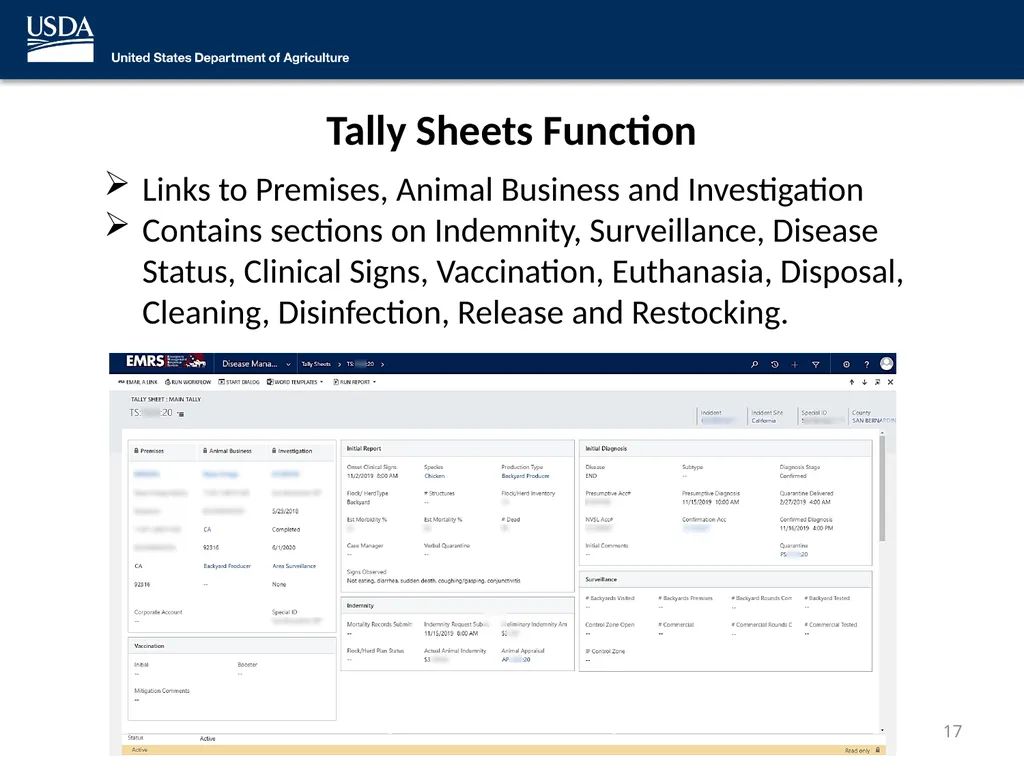
Tally Sheets Function Links to Premises, Animal Business and Investigation
Contains sections on Indemnity, Surveillance, Disease Status, Clinical Signs, Vaccination, Euthanasia, Disposal, Cleaning, Disinfection, Release and Restocking. 17<br>
Contains sections on Indemnity, Surveillance, Disease Status, Clinical Signs, Vaccination, Euthanasia, Disposal, Cleaning, Disinfection, Release and Restocking. 17<br>
18
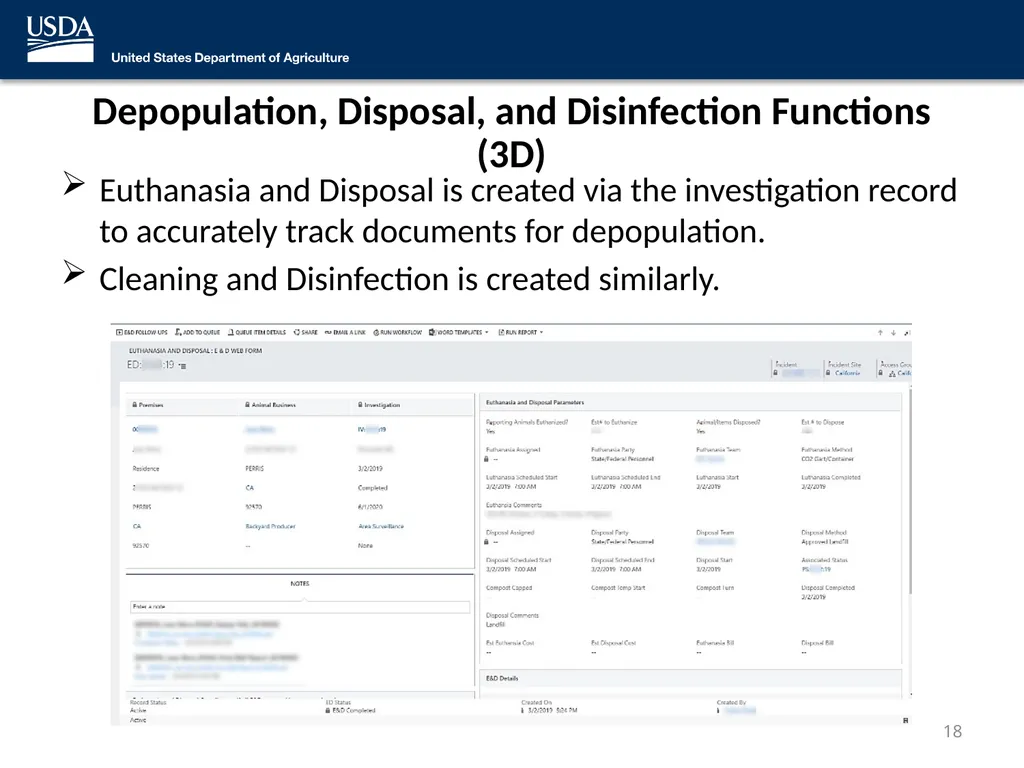
Depopulation, Disposal, and Disinfection Functions (3D) Euthanasia and Disposal is created via the investigation record to accurately track documents for depopulation.
Cleaning and Disinfection is created similarly. 18<br>
Cleaning and Disinfection is created similarly. 18<br>
19
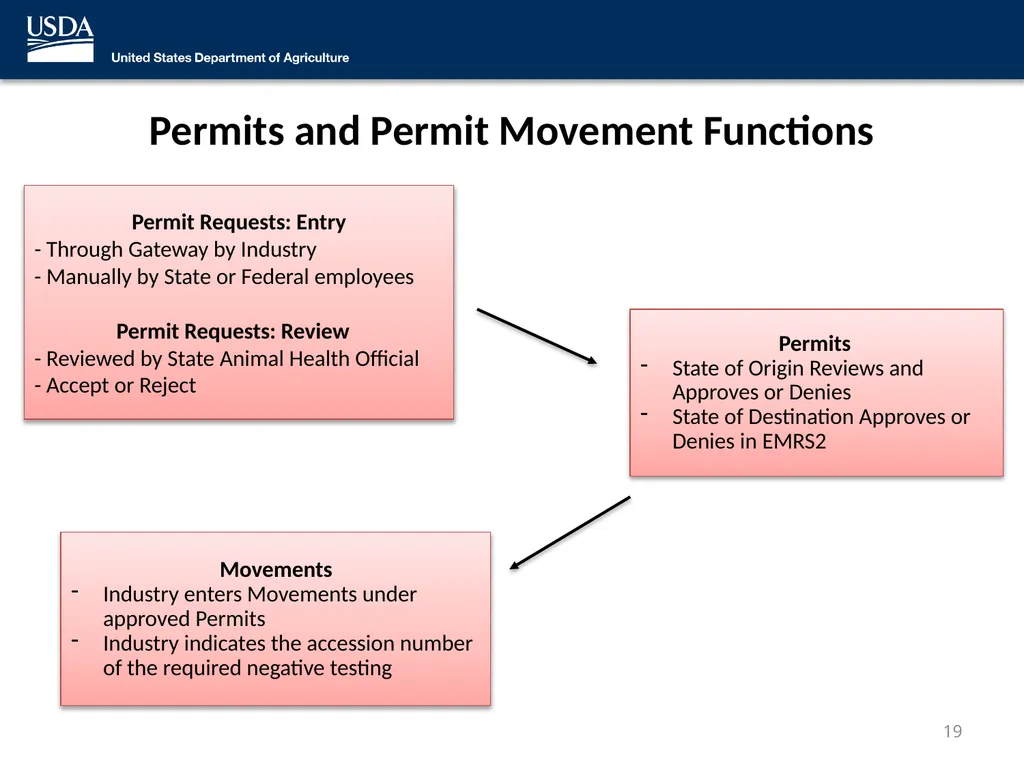
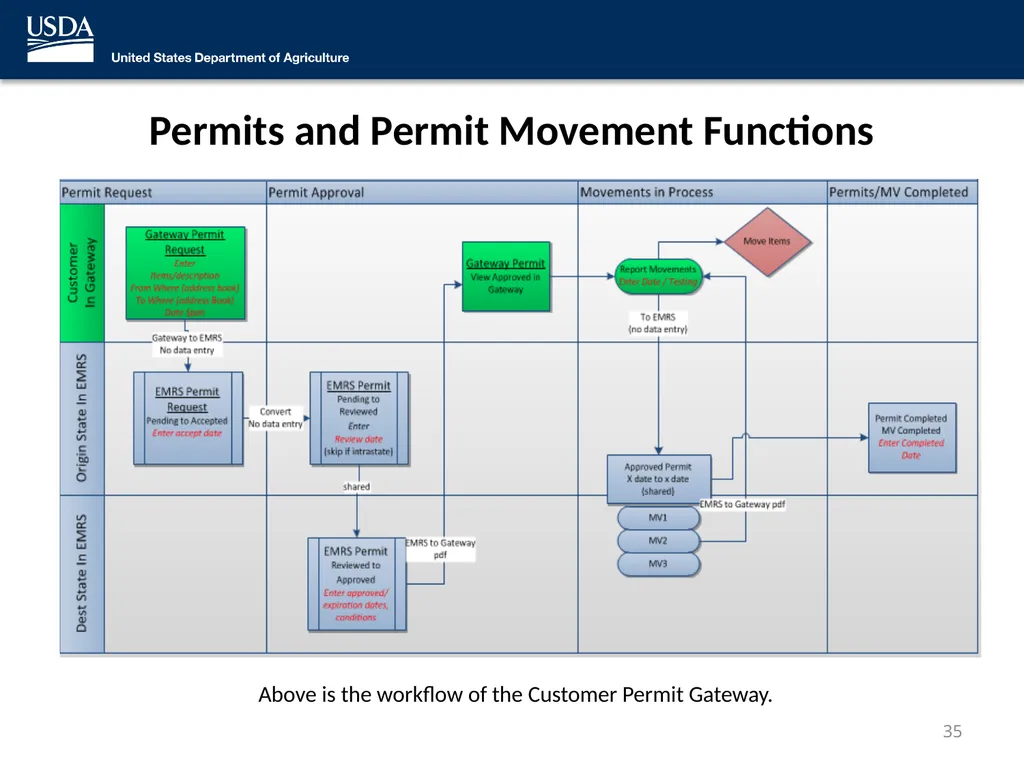
Permits and Permit Movement Functions 19 Permit Requests: Entry
- Through Gateway by Industry
- Manually by State or Federal employees
Permit Requests: Review
- Reviewed by State Animal Health Official
- Accept or Reject Permits
State of Origin Reviews and Approves or Denies
State of Destination Approves or Denies in EMRS2 Movements
Industry enters Movements under approved Permits
Industry indicates the accession number of the required negative testing<br>
State of Origin Reviews and Approves or Denies
State of Destination Approves or Denies in EMRS2 Movements
Industry enters Movements under approved Permits
Industry indicates the accession number of the required negative testing<br>
20
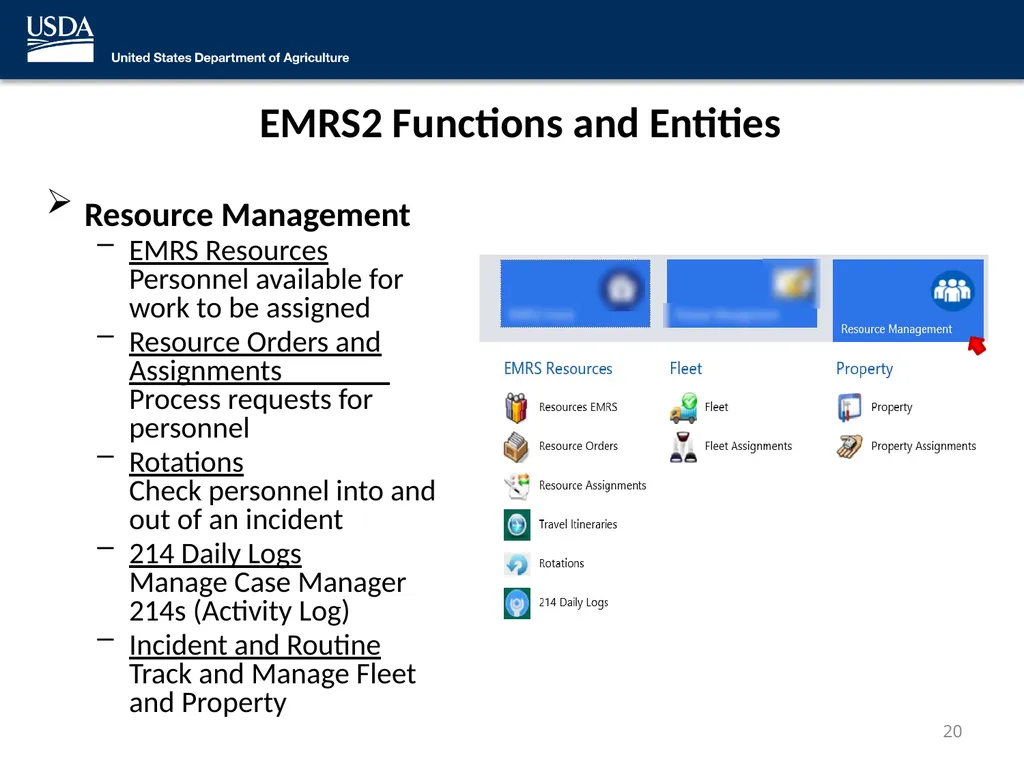
EMRS2 Functions and Entities Resource Management
EMRS Resources Personnel available for work to be assigned
Resource Orders and Assignments Process requests for personnel
Rotations Check personnel into and out of an incident
214 Daily Logs Manage Case Manager 214s (Activity Log)
Incident and Routine Track and Manage Fleet and Property 20<br>
EMRS Resources Personnel available for work to be assigned
Resource Orders and Assignments Process requests for personnel
Rotations Check personnel into and out of an incident
214 Daily Logs Manage Case Manager 214s (Activity Log)
Incident and Routine Track and Manage Fleet and Property 20<br>
21
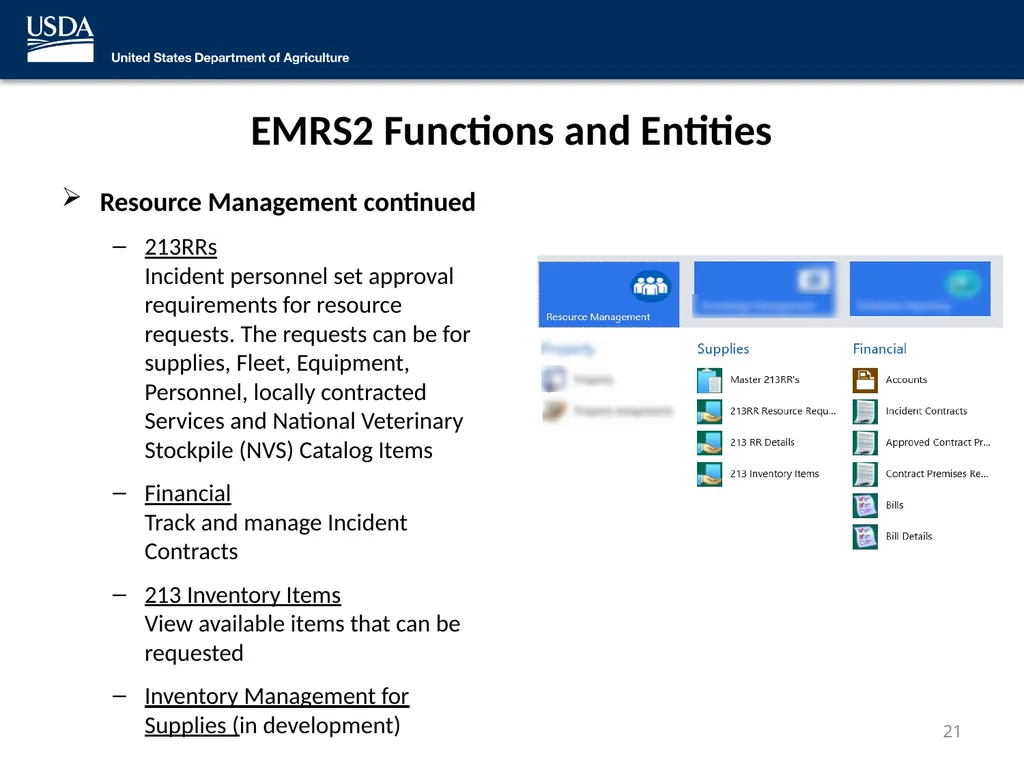
EMRS2 Functions and Entities Resource Management continued
213RRs Incident personnel set approval requirements for resource requests. The requests can be for supplies, Fleet, Equipment, Personnel, locally contracted Services and National Veterinary Stockpile (NVS) Catalog Items
Financial Track and manage Incident Contracts
213 Inventory Items View available items that can be requested
Inventory Management for Supplies (in development) 21<br>
213RRs Incident personnel set approval requirements for resource requests. The requests can be for supplies, Fleet, Equipment, Personnel, locally contracted Services and National Veterinary Stockpile (NVS) Catalog Items
Financial Track and manage Incident Contracts
213 Inventory Items View available items that can be requested
Inventory Management for Supplies (in development) 21<br>
22
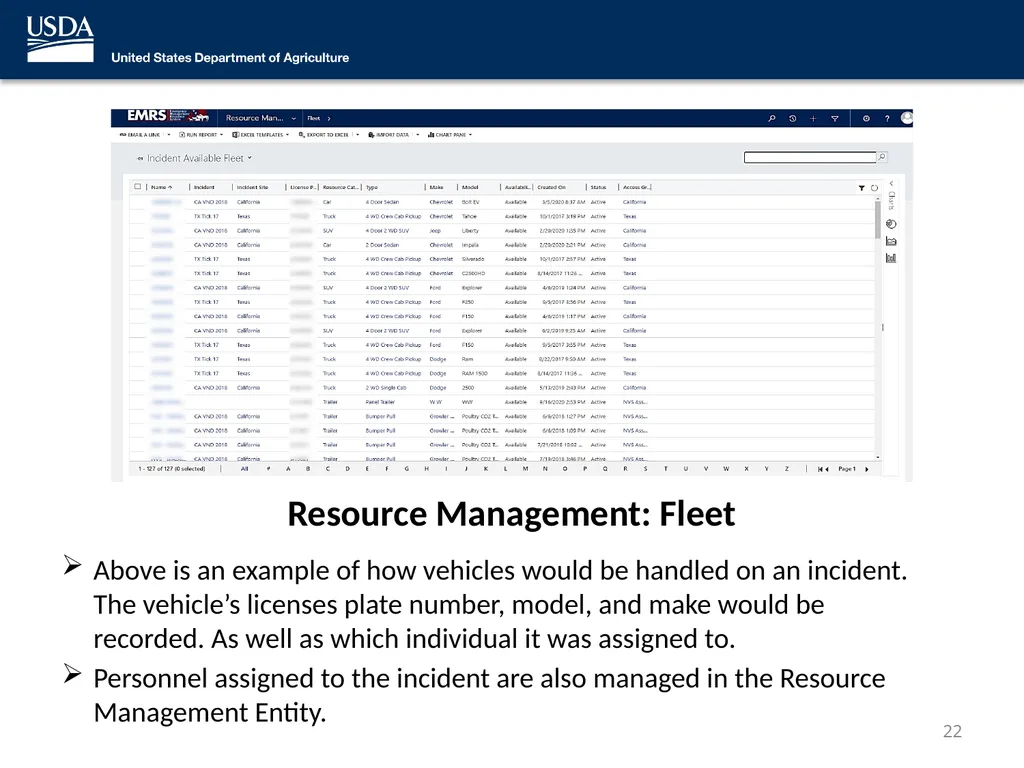
Resource Management: Fleet Above is an example of how vehicles would be handled on an incident. The vehicle’s licenses plate number, model, and make would be recorded. As well as which individual it was assigned to.
Personnel assigned to the incident are also managed in the Resource Management Entity. 22<br>
Personnel assigned to the incident are also managed in the Resource Management Entity. 22<br>
23
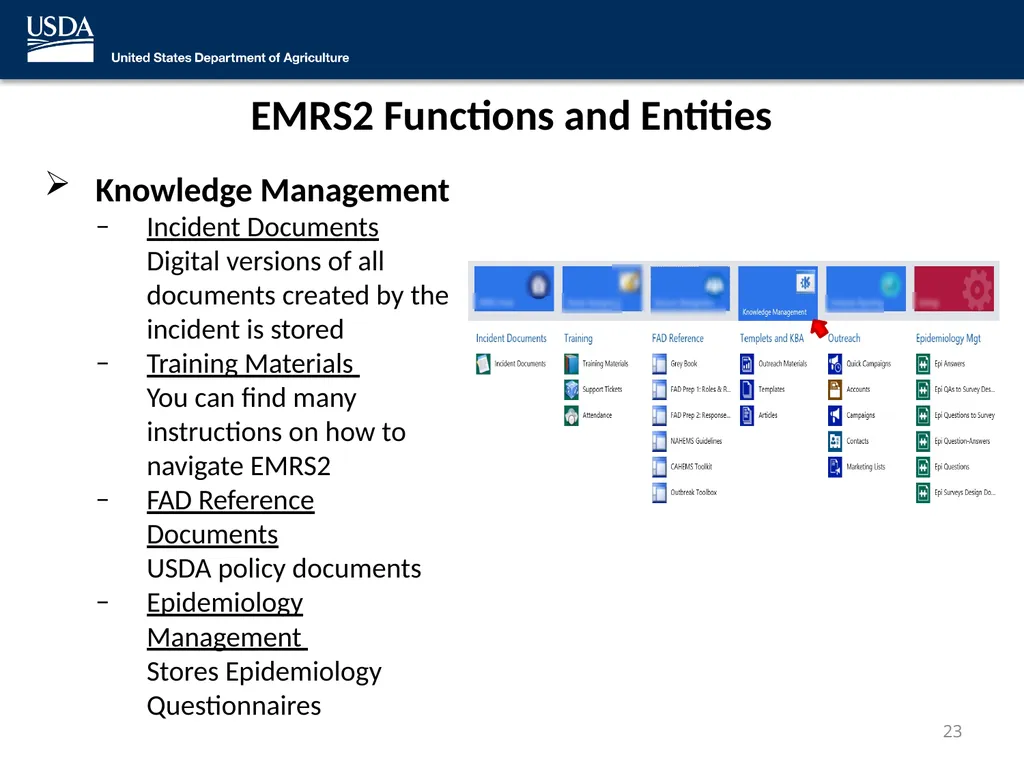
EMRS2 Functions and Entities Knowledge Management
Incident Documents Digital versions of all documents created by the incident is stored
Training Materials You can find many instructions on how to navigate EMRS2
FAD Reference Documents USDA policy documents
Epidemiology Management Stores Epidemiology Questionnaires 23<br>
Incident Documents Digital versions of all documents created by the incident is stored
Training Materials You can find many instructions on how to navigate EMRS2
FAD Reference Documents USDA policy documents
Epidemiology Management Stores Epidemiology Questionnaires 23<br>
24
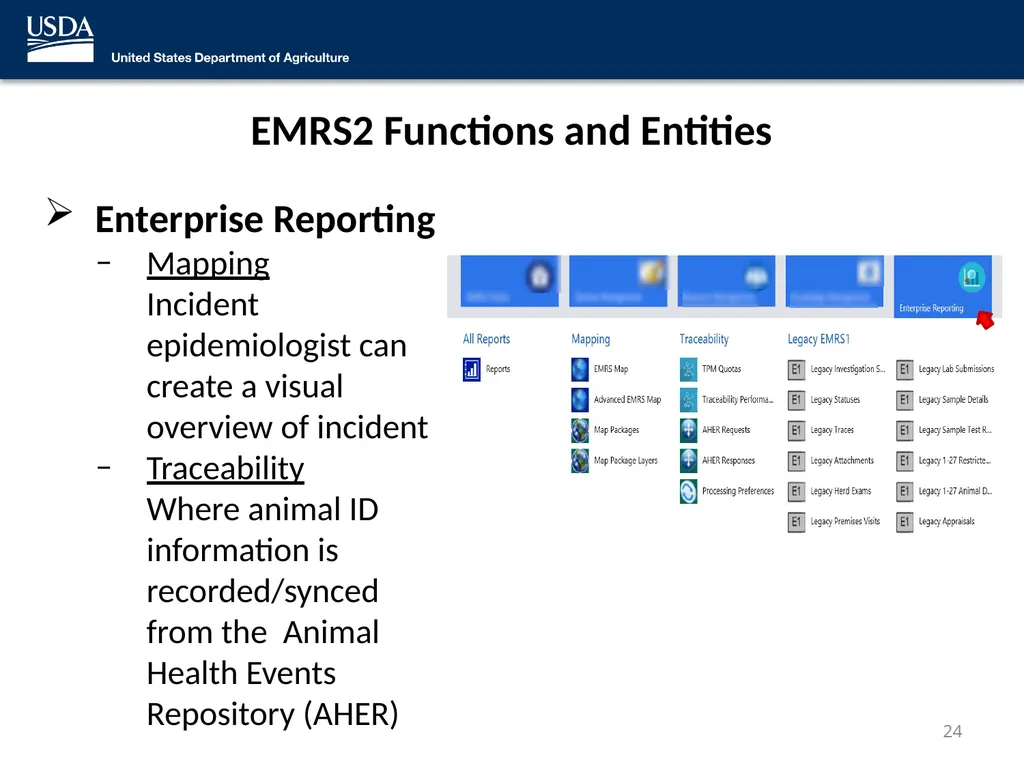
EMRS2 Functions and Entities Enterprise Reporting
Mapping Incident epidemiologist can create a visual overview of incident
Traceability Where animal ID information is recorded/synced from the Animal Health Events Repository (AHER) 24<br>
Mapping Incident epidemiologist can create a visual overview of incident
Traceability Where animal ID information is recorded/synced from the Animal Health Events Repository (AHER) 24<br>
25
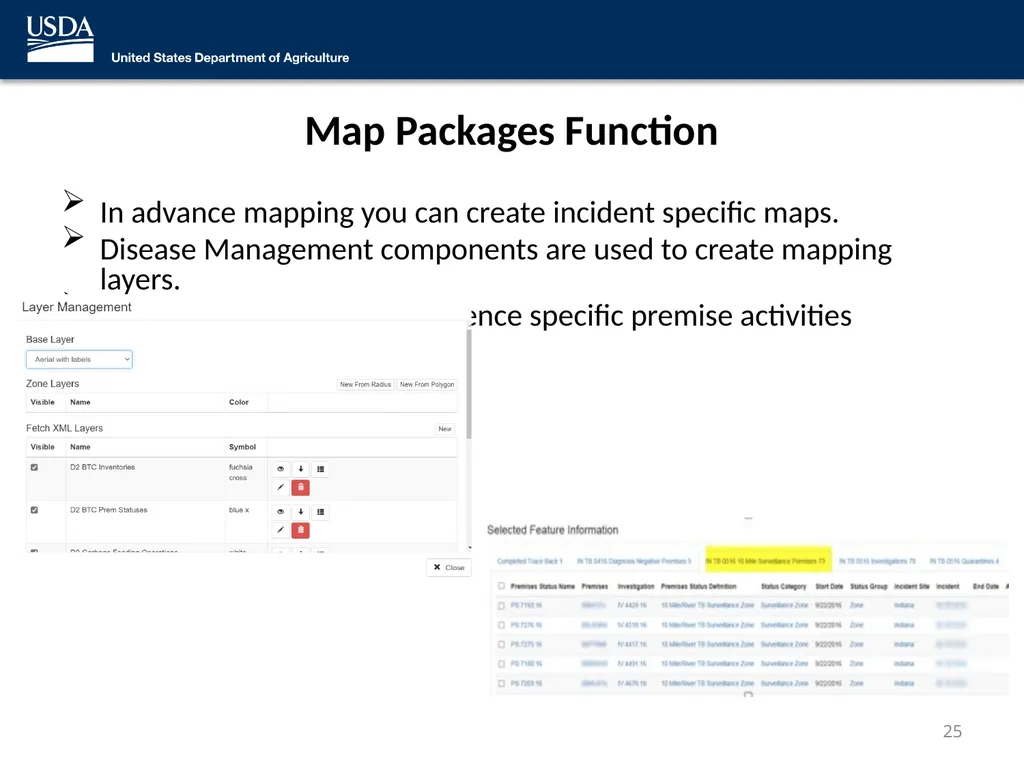
Map Packages Function In advance mapping you can create incident specific maps.
Disease Management components are used to create mapping layers.
You can use the map to reference specific premise activities 25<br>
Disease Management components are used to create mapping layers.
You can use the map to reference specific premise activities 25<br>
26
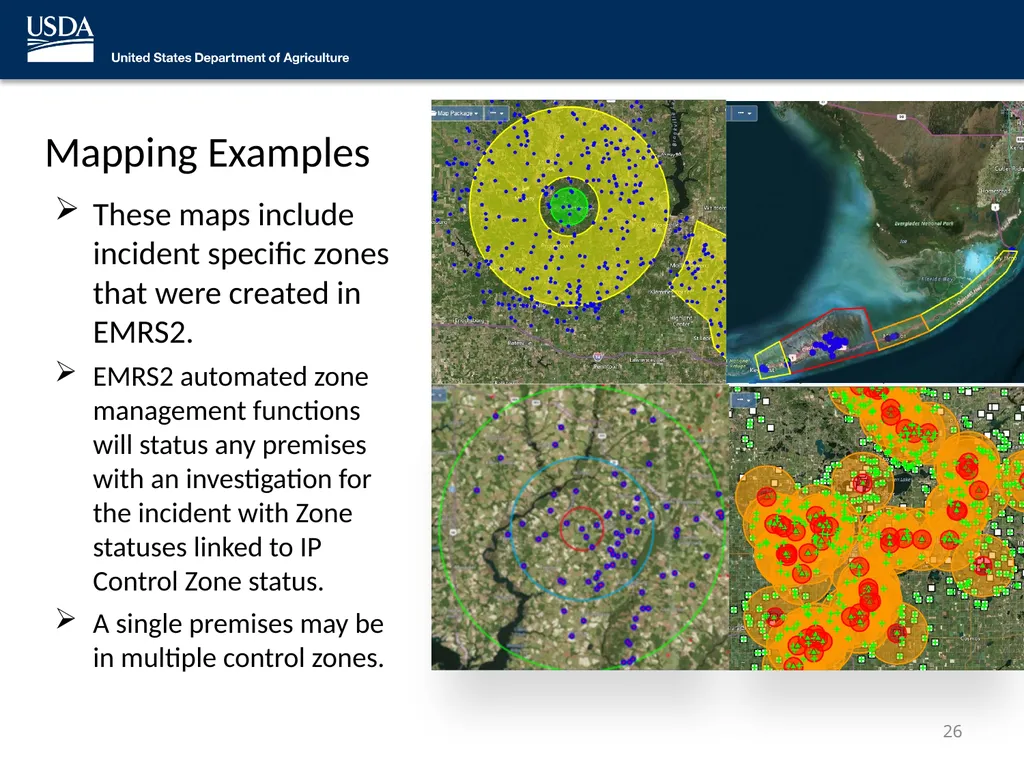
Mapping Examples These maps include incident specific zones that were created in EMRS2.
EMRS2 automated zone management functions will status any premises with an investigation for the incident with Zone statuses linked to IP Control Zone status.
A single premises may be in multiple control zones. 26<br>
EMRS2 automated zone management functions will status any premises with an investigation for the incident with Zone statuses linked to IP Control Zone status.
A single premises may be in multiple control zones. 26<br>
27
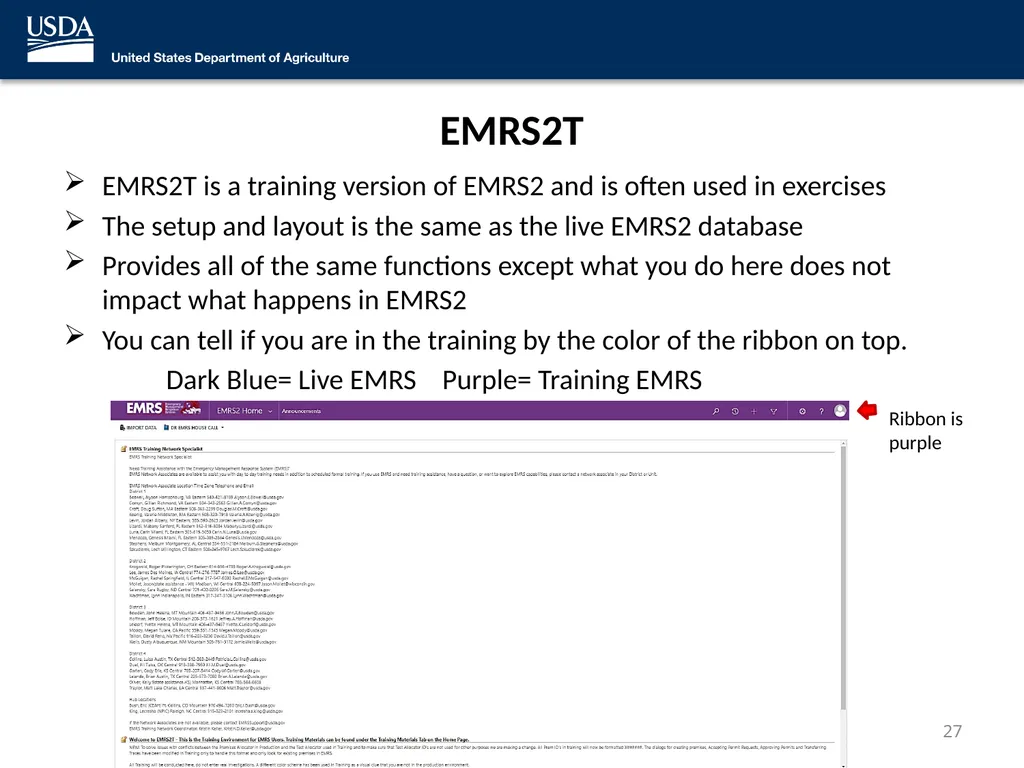
EMRS2T EMRS2T is a training version of EMRS2 and is often used in exercises
The setup and layout is the same as the live EMRS2 database
Provides all of the same functions except what you do here does not impact what happens in EMRS2
You can tell if you are in the training by the color of the ribbon on top.
Dark Blue= Live EMRS Purple= Training EMRS Ribbon is purple 27<br>
The setup and layout is the same as the live EMRS2 database
Provides all of the same functions except what you do here does not impact what happens in EMRS2
You can tell if you are in the training by the color of the ribbon on top.
Dark Blue= Live EMRS Purple= Training EMRS Ribbon is purple 27<br>
28
EMRS Applications 28<br>
29
EMRS2Go EMRS2Go is an application that allows users with EMRS2 access to quickly and easily capture information associated with Surveillance visits including Diagnostic Sampling
The application uses MANY drop down lookup menus allowing the user to quickly select and complete the required information.
Once downloaded and sync’d on the user’s laptop, the Surveillance/Diagnostic visit information is entered into EMRS2Go without an internet connection required – therefore the application can be utilized in the field, in real time.
EMRS2 User account is required to utilize the EMRS2Go application 29<br>
The application uses MANY drop down lookup menus allowing the user to quickly select and complete the required information.
Once downloaded and sync’d on the user’s laptop, the Surveillance/Diagnostic visit information is entered into EMRS2Go without an internet connection required – therefore the application can be utilized in the field, in real time.
EMRS2 User account is required to utilize the EMRS2Go application 29<br>
30
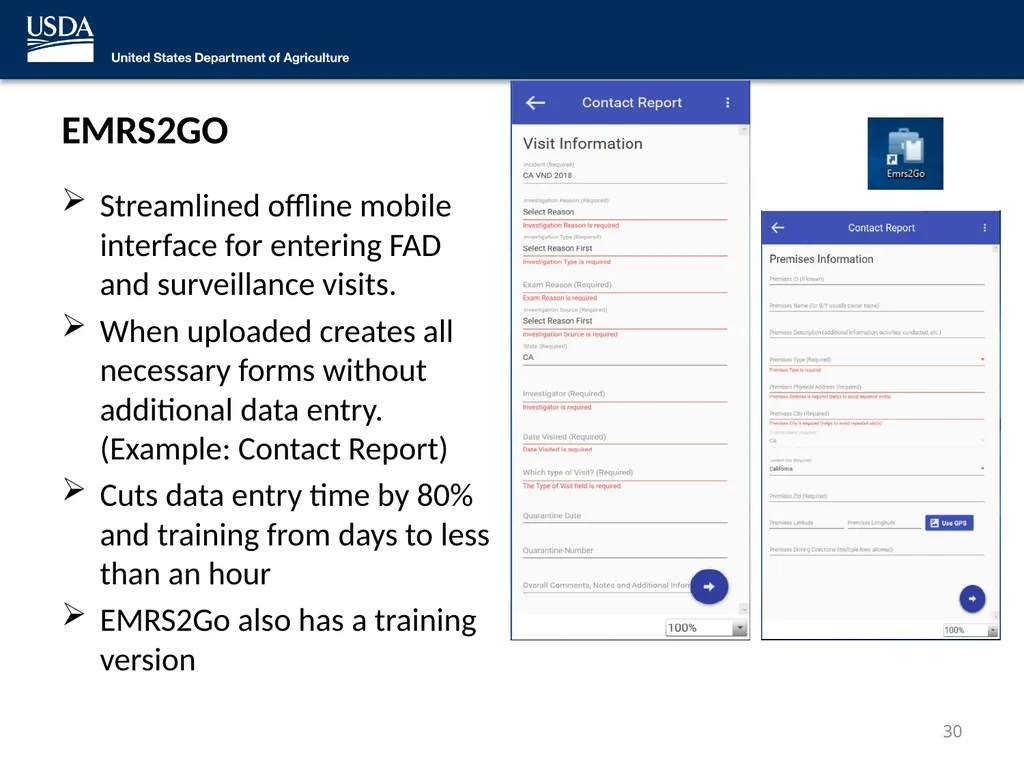
EMRS2GO Streamlined offline mobile interface for entering FAD and surveillance visits.
When uploaded creates all necessary forms without additional data entry. (Example: Contact Report)
Cuts data entry time by 80% and training from days to less than an hour
EMRS2Go also has a training version 30<br>
When uploaded creates all necessary forms without additional data entry. (Example: Contact Report)
Cuts data entry time by 80% and training from days to less than an hour
EMRS2Go also has a training version 30<br>
31
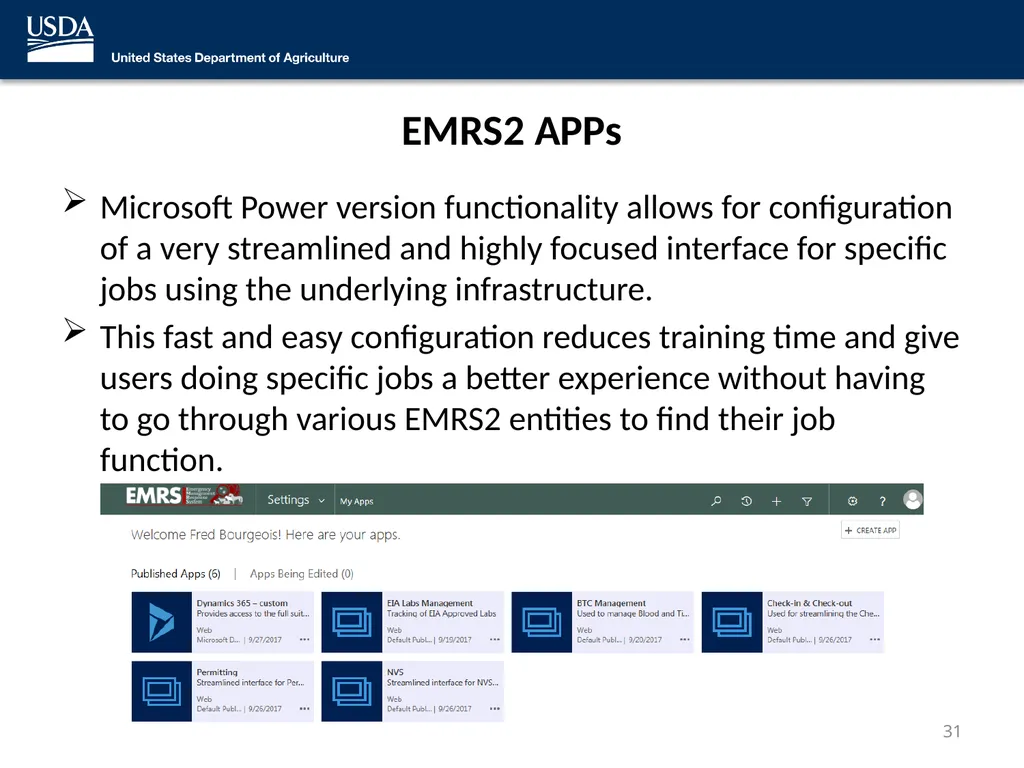
EMRS2 APPs Microsoft Power version functionality allows for configuration of a very streamlined and highly focused interface for specific jobs using the underlying infrastructure.
This fast and easy configuration reduces training time and give users doing specific jobs a better experience without having to go through various EMRS2 entities to find their job function. 31<br>
This fast and easy configuration reduces training time and give users doing specific jobs a better experience without having to go through various EMRS2 entities to find their job function. 31<br>
32
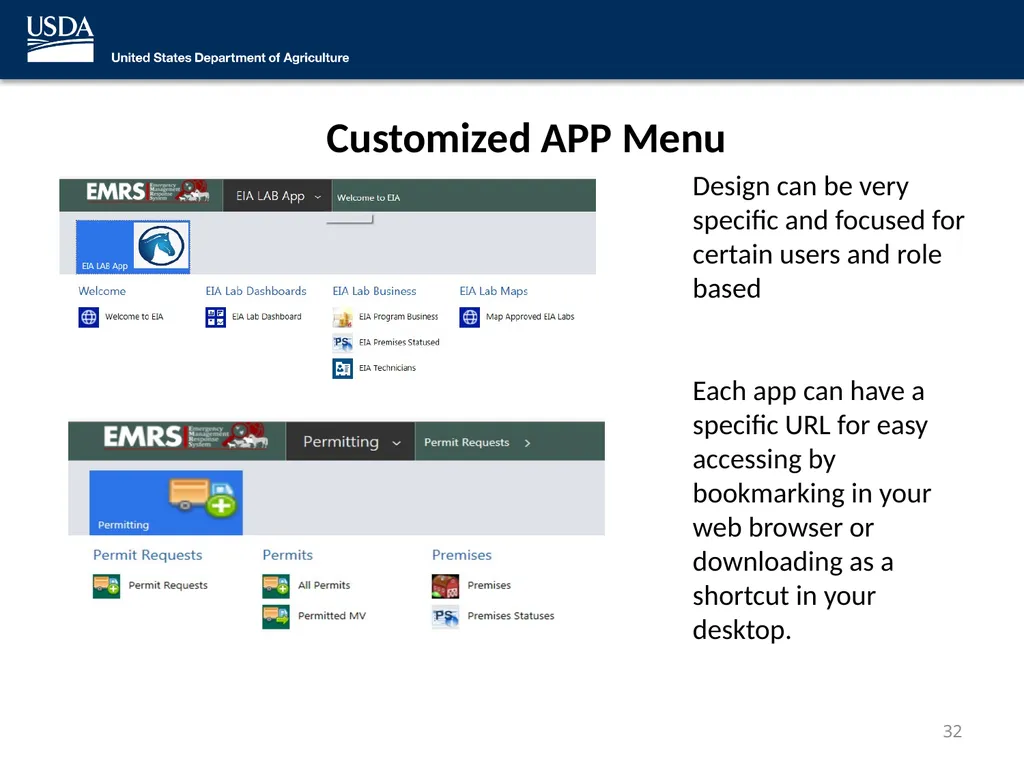
Customized APP Menu Design can be very specific and focused for certain users and role based
Each app can have a specific URL for easy accessing by bookmarking in your web browser or downloading as a shortcut in your desktop. 32<br>
Each app can have a specific URL for easy accessing by bookmarking in your web browser or downloading as a shortcut in your desktop. 32<br>
33
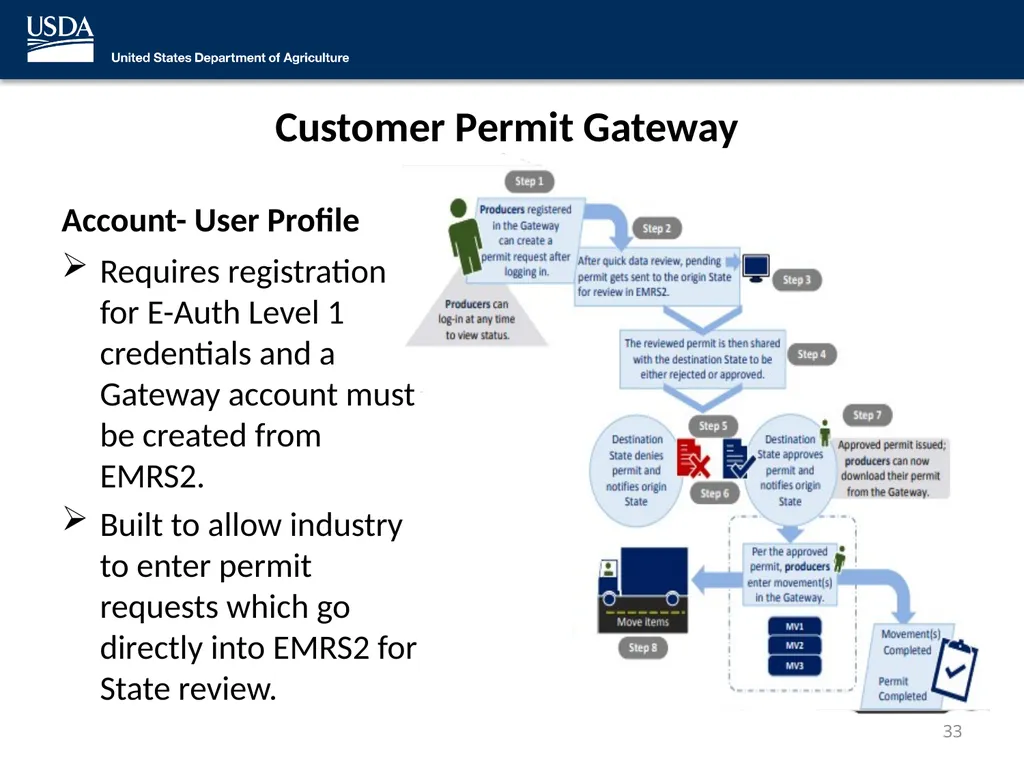
Customer Permit Gateway Account- User Profile Requires registration for E-Auth Level 1 credentials and a Gateway account must be created from EMRS2.
Built to allow industry to enter permit requests which go directly into EMRS2 for State review. 33<br>
Built to allow industry to enter permit requests which go directly into EMRS2 for State review. 33<br>
34
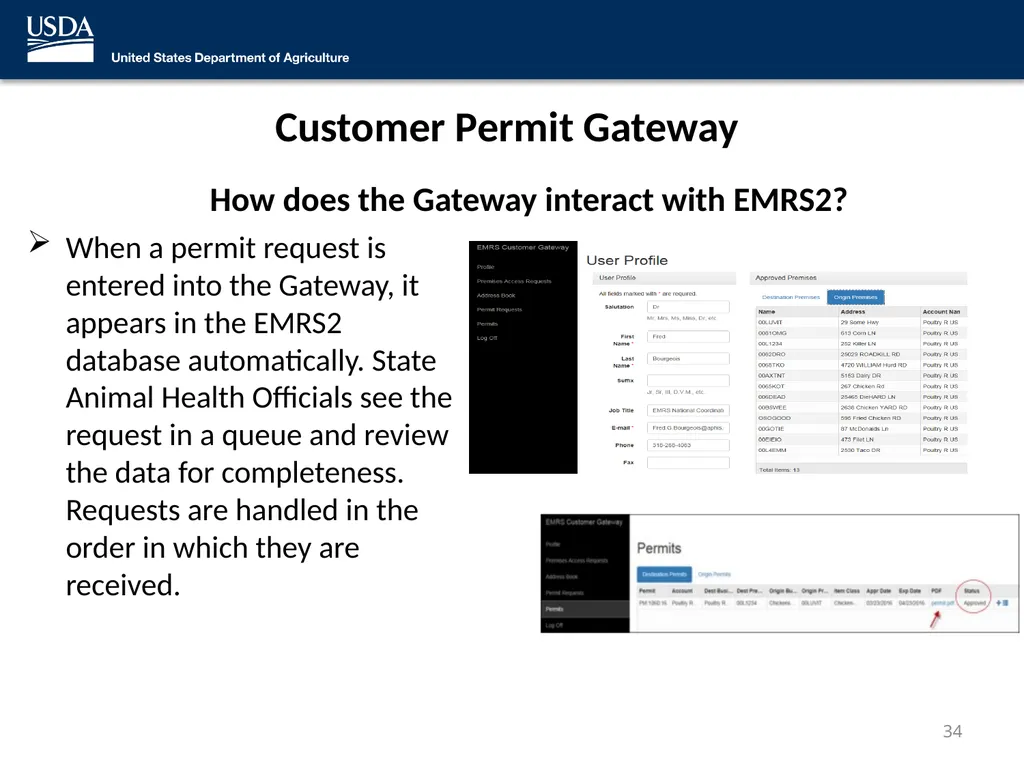
Customer Permit Gateway How does the Gateway interact with EMRS2? When a permit request is entered into the Gateway, it appears in the EMRS2 database automatically. State Animal Health Officials see the request in a queue and review the data for completeness. Requests are handled in the order in which they are received. 34<br>
35
Permit and Permitted Movements Process Permits and Permit Movement Functions Above is the workflow of the Customer Permit Gateway. 35<br>
36
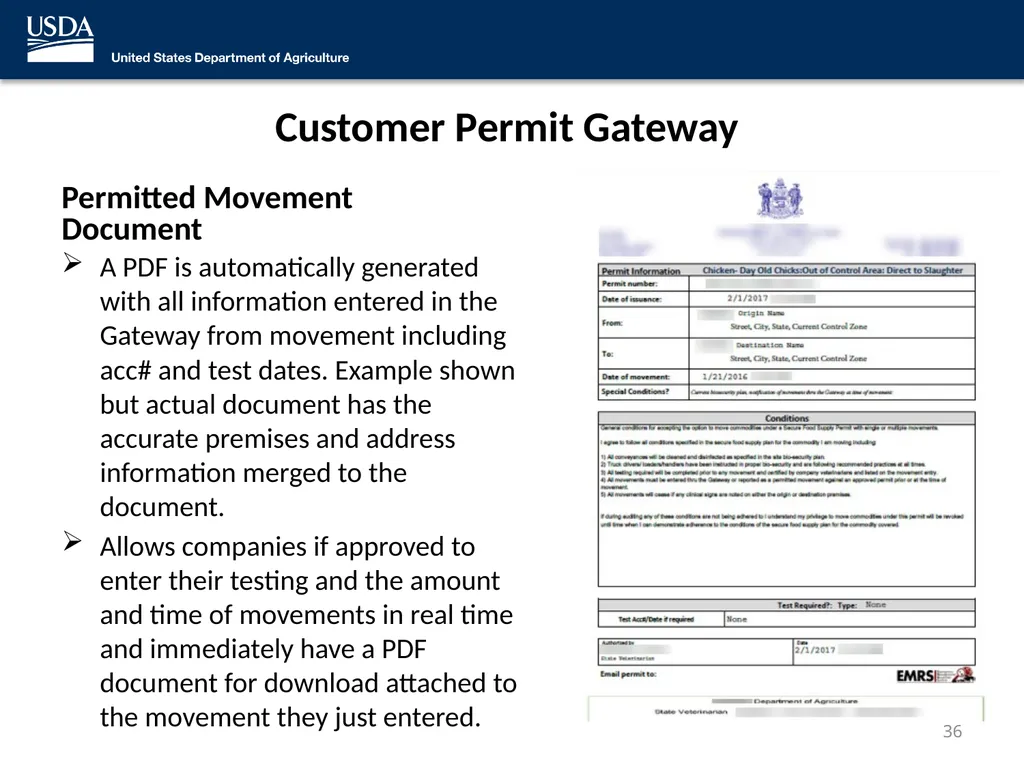
Customer Permit Gateway Permitted Movement Document A PDF is automatically generated with all information entered in the Gateway from movement including acc# and test dates. Example shown but actual document has the accurate premises and address information merged to the document.
Allows companies if approved to enter their testing and the amount and time of movements in real time and immediately have a PDF document for download attached to the movement they just entered. 36<br>
Allows companies if approved to enter their testing and the amount and time of movements in real time and immediately have a PDF document for download attached to the movement they just entered. 36<br>
37
EMRS Network Associates can be contacted at: emrs.training.network@usda.gov You can also visit: USDA APHIS | Emergency Management Response System 2.0 (EMRS2) 37<br>