
Emory OnCore OnCore Superuser Training *Note: This
YM
Published · 79 slides · 0 views
1 / 1
Description
Emory OnCore OnCore Superuser Training Note: This PPP can be used for existing users. Version 7, 121024 Course Layout Learning Outcomes Pre-Requisites and OnCore Tips Module 1 WidgetsTask ListsStaff Roles Module 2 CRA Console, RPE
Related Topics
Share
Embed code
Download this presentation From Below
"Emory OnCore OnCore Superuser Training *Note: This" is the property of its rightful owner. Permission is granted to download and print the materials on this website for personal, non-commercial use only, and to display it on your personal computer provided you do not modify the materials and that you retain all copyright notices contained in the materials. By downloading content from our website, you accept the terms of this agreement.
Presentation Transcript
01
Emory OnCore
OnCore Superuser Training
*Note: This PPP can be used for existing users. Version 7, 12/10/24<br>
02
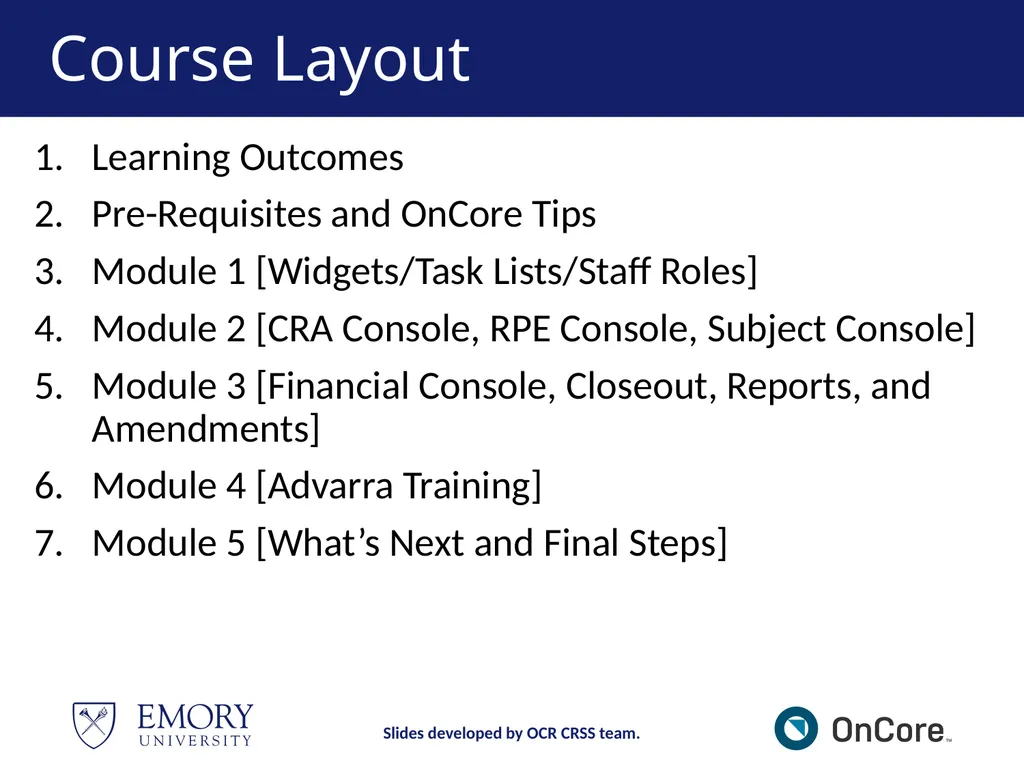
Course Layout Learning Outcomes
Pre-Requisites and OnCore Tips
Module 1 [Widgets/Task Lists/Staff Roles]
Module 2 [CRA Console, RPE Console, Subject Console]
Module 3 [Financial Console, Closeout, Reports, and Amendments]
Module 4 [Advarra Training]
Module 5 [What’s Next and Final Steps] Slides developed by OCR CRSS team.<br>
Pre-Requisites and OnCore Tips
Module 1 [Widgets/Task Lists/Staff Roles]
Module 2 [CRA Console, RPE Console, Subject Console]
Module 3 [Financial Console, Closeout, Reports, and Amendments]
Module 4 [Advarra Training]
Module 5 [What’s Next and Final Steps] Slides developed by OCR CRSS team.<br>
03
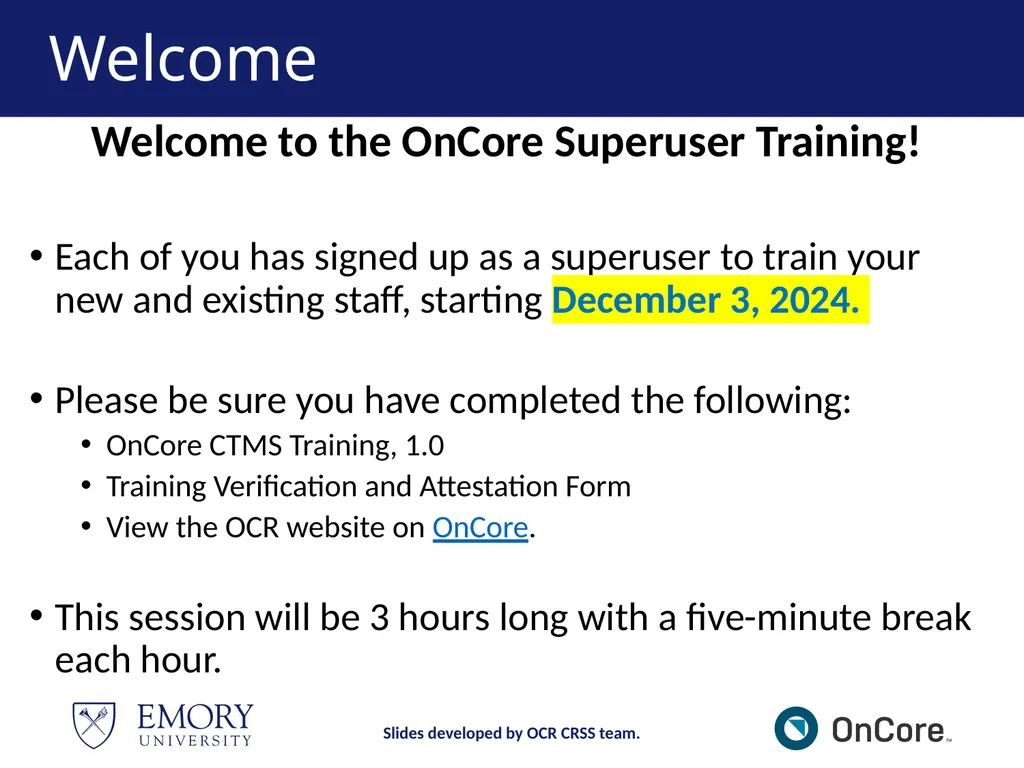
Welcome Welcome to the OnCore Superuser Training!
Each of you has signed up as a superuser to train your new and existing staff, starting December 3, 2024.
Please be sure you have completed the following:
OnCore CTMS Training, 1.0
Training Verification and Attestation Form
View the OCR website on OnCore.
This session will be 3 hours long with a five-minute break each hour. Slides developed by OCR CRSS team.<br>
Each of you has signed up as a superuser to train your new and existing staff, starting December 3, 2024.
Please be sure you have completed the following:
OnCore CTMS Training, 1.0
Training Verification and Attestation Form
View the OCR website on OnCore.
This session will be 3 hours long with a five-minute break each hour. Slides developed by OCR CRSS team.<br>
04
Learning Outcomes Users will demonstrate proficiency using OnCore for data entry, management, and reporting clinical trial information.
Users will learn to document and update study visit activities and subject data for invoicing and payment.
Users will learn to manage financials for clinical studies using OnCore tools, like reports. Slides developed by OCR CRSS team.<br>
Users will learn to document and update study visit activities and subject data for invoicing and payment.
Users will learn to manage financials for clinical studies using OnCore tools, like reports. Slides developed by OCR CRSS team.<br>
05
Course Pre-requisites Listed on the Office for Clinical Research’s OnCore webpage for Superusers, Existing Users, and New Users. Slides developed by OCR CRSS team.<br>
06
Why are we Optimizing? Emory has decided to leverage the OnCore system’s capabilities to optimize the clinical research process by centralizing data, automating workflows, and providing advanced analytics to improve overall study efficiency and compliance.
We are using Advarra’s best practices for OnCore. Slides developed by OCR CRSS team.<br>
We are using Advarra’s best practices for OnCore. Slides developed by OCR CRSS team.<br>
07
What’s New for CRCs in OnCore 2.0 PI Sign-off for Calendar Review
OnCore Auto Notifications
Task Lists for Amendments and Closeout
SAEs documentation
Deviation documentation - OPTIONAL
Reporting Slides developed by OCR CRSS team.<br>
OnCore Auto Notifications
Task Lists for Amendments and Closeout
SAEs documentation
Deviation documentation - OPTIONAL
Reporting Slides developed by OCR CRSS team.<br>
08
Definitions PI Sign-off is site-specific. Emory requests that all PIs or their designees review and approve the Pre-Award OnCore calendar.
An "OnCore calendar" refers to a calendar within the OnCore Clinical Trial Management System (CTMS) that details the schedule of study visits and procedures for participants in a clinical trial. It essentially outlines when each subject should be seen for specific assessments and treatments throughout the study, allowing researchers to track progress effectively and manage data collection across all participants. We will review more in Module 2 of the PPP. Slides developed by OCR CRSS team.<br>
An "OnCore calendar" refers to a calendar within the OnCore Clinical Trial Management System (CTMS) that details the schedule of study visits and procedures for participants in a clinical trial. It essentially outlines when each subject should be seen for specific assessments and treatments throughout the study, allowing researchers to track progress effectively and manage data collection across all participants. We will review more in Module 2 of the PPP. Slides developed by OCR CRSS team.<br>
09
Definitions OnCore Auto Notifications is an automated email alert sent through the OnCore clinical trial management system. It notifies users about important updates or actions related to a research study, such as when a protocol receives IRB approval, a subject reaches a specific study milestone, or a document needs review. It essentially acts as a reminder or status update within the system and is triggered by events.
You will start seeing these notifications in your emails after go-live. Slides developed by OCR CRSS team.<br>
You will start seeing these notifications in your emails after go-live. Slides developed by OCR CRSS team.<br>
10
Definitions OnCore Task Lists: This feature within the OnCore Clinical Trial Management System (CTMS) allows users to create and manage lists of tasks related to a clinical research study.
This allows study teams to track individual responsibilities, deadlines, and progress on various aspects of the trial, acting as a centralized to-do list for the research process.
Study teams must only copy the task list template for Amendments and Closeouts. Slides developed by OCR CRSS team.<br>
This allows study teams to track individual responsibilities, deadlines, and progress on various aspects of the trial, acting as a centralized to-do list for the research process.
Study teams must only copy the task list template for Amendments and Closeouts. Slides developed by OCR CRSS team.<br>
11
MODULE 1<br>
12
Module 1 In this OnCore CTMS 2.0 course, you will learn your role and responsibilities in the OnCore CTMS system for the Enterprise library.
In Module 1, you will learn the following:
Review the Study Team Workflow in OnCore
Importance of and how to use an OCR CR eForm
How to use Widgets for Task Lists
How to add Staff Roles Slides developed by OCR CRSS team.<br>
In Module 1, you will learn the following:
Review the Study Team Workflow in OnCore
Importance of and how to use an OCR CR eForm
How to use Widgets for Task Lists
How to add Staff Roles Slides developed by OCR CRSS team.<br>
13
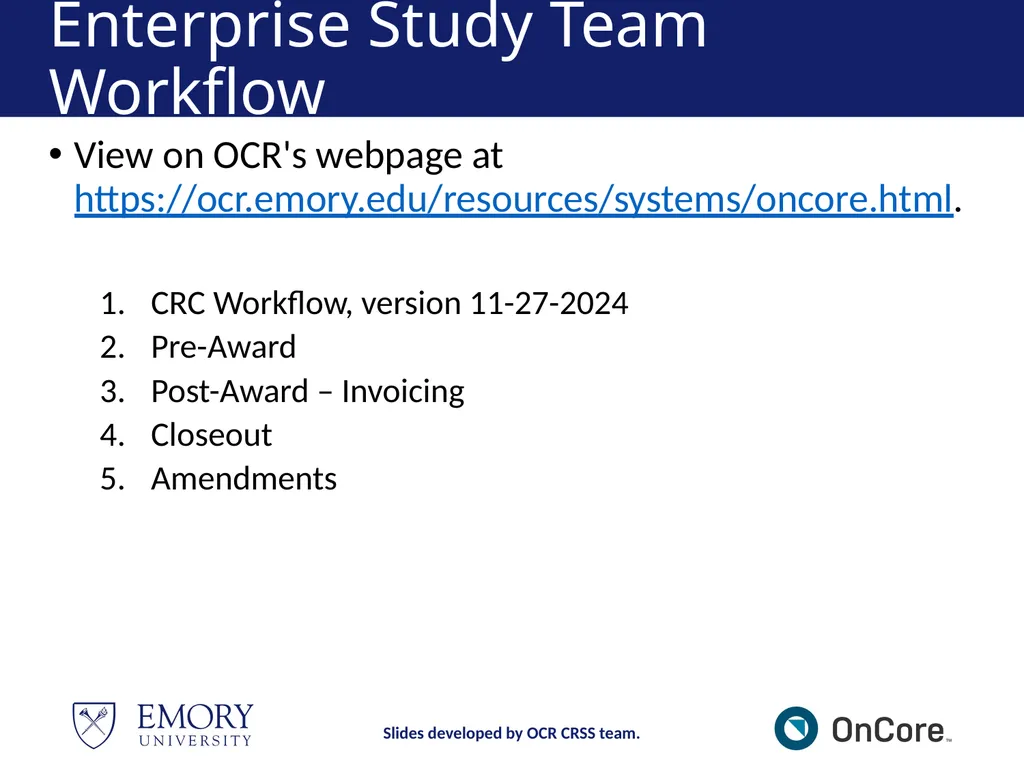
Enterprise Study Team Workflow View on OCR's webpage at https://ocr.emory.edu/resources/systems/oncore.html.
CRC Workflow, version 11-27-2024
Pre-Award
Post-Award – Invoicing
Closeout
Amendments Slides developed by OCR CRSS team.<br>
CRC Workflow, version 11-27-2024
Pre-Award
Post-Award – Invoicing
Closeout
Amendments Slides developed by OCR CRSS team.<br>
14
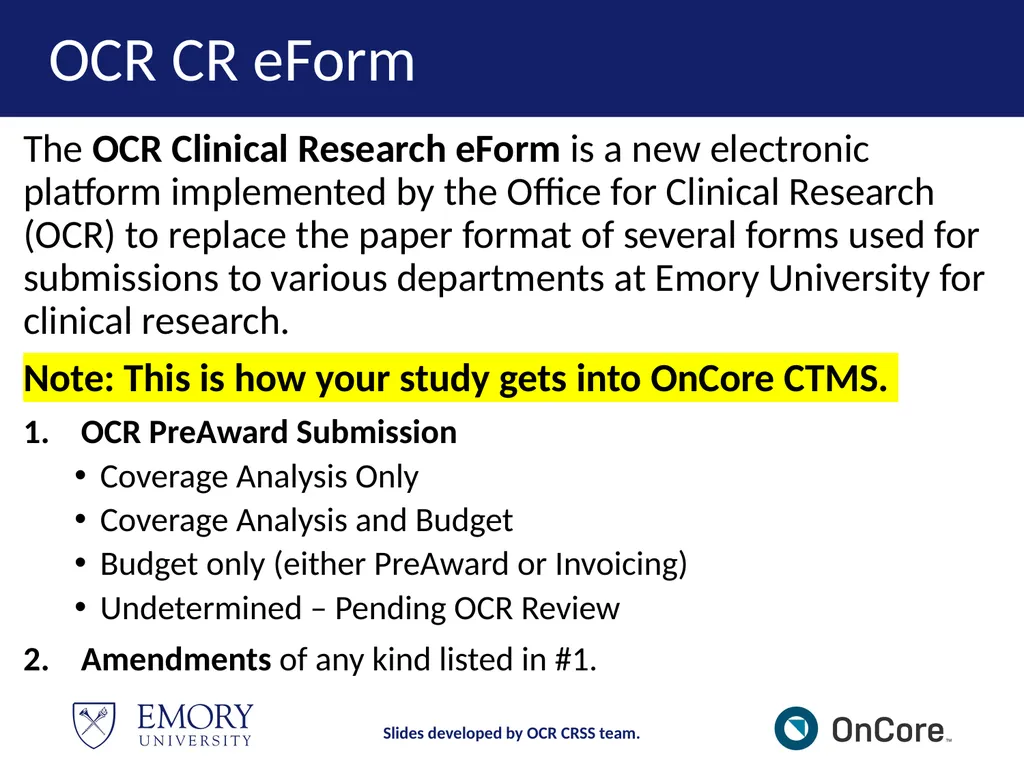
OCR CR eForm The OCR Clinical Research eForm is a new electronic platform implemented by the Office for Clinical Research (OCR) to replace the paper format of several forms used for submissions to various departments at Emory University for clinical research.
Note: This is how your study gets into OnCore CTMS.
OCR PreAward Submission
Coverage Analysis Only
Coverage Analysis and Budget
Budget only (either PreAward or Invoicing)
Undetermined – Pending OCR Review
Amendments of any kind listed in #1. Slides developed by OCR CRSS team.<br>
Note: This is how your study gets into OnCore CTMS.
OCR PreAward Submission
Coverage Analysis Only
Coverage Analysis and Budget
Budget only (either PreAward or Invoicing)
Undetermined – Pending OCR Review
Amendments of any kind listed in #1. Slides developed by OCR CRSS team.<br>
15
OCR CR eForm Access To access the OCR CR eForm, click on the OCR webpage > Resources.
For more information about the OCR CR eForm Application:
View the OCR Clinical Research eForm Guide (v2).
View the OCR Clinical Research eForm Video.
Contact OCR@Emory.edu. Slides developed by OCR CRSS team.<br>
For more information about the OCR CR eForm Application:
View the OCR Clinical Research eForm Guide (v2).
View the OCR Clinical Research eForm Video.
Contact OCR@Emory.edu. Slides developed by OCR CRSS team.<br>
16
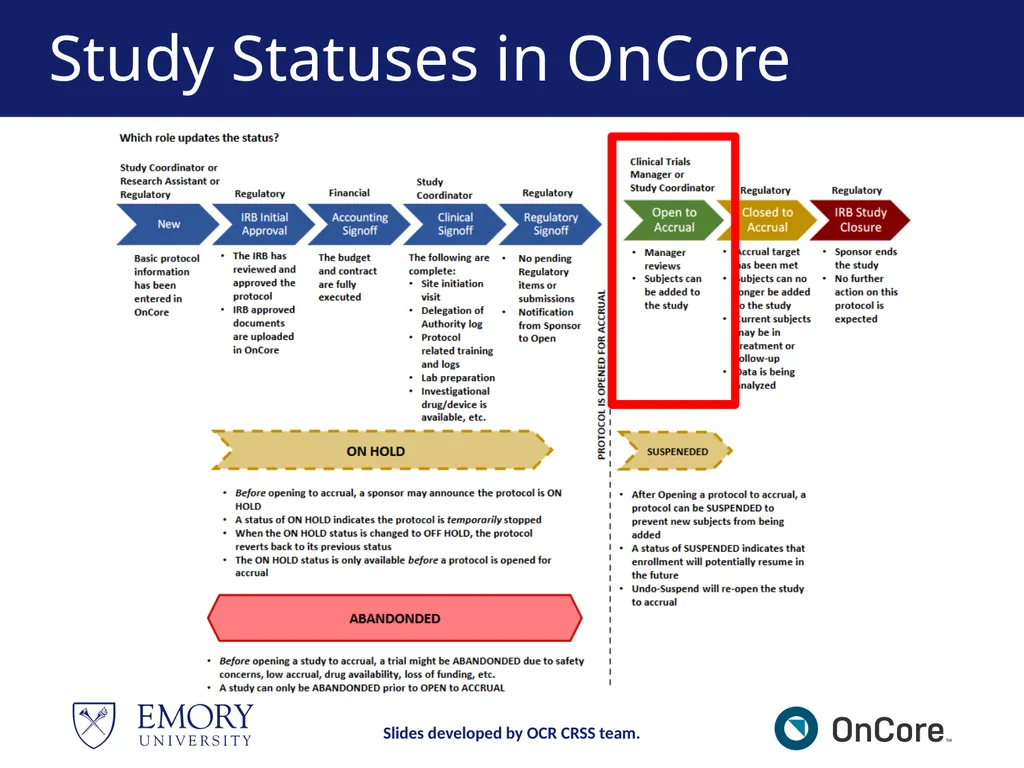
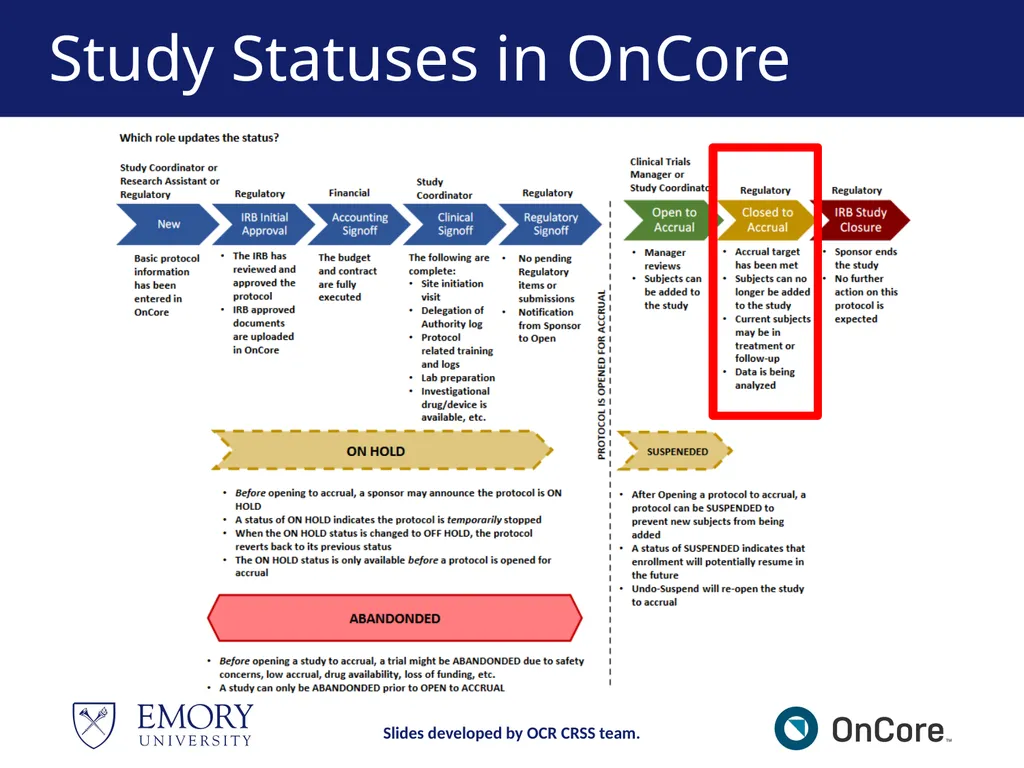
Study Statuses in OnCore Slides developed by OCR CRSS team.<br>
17
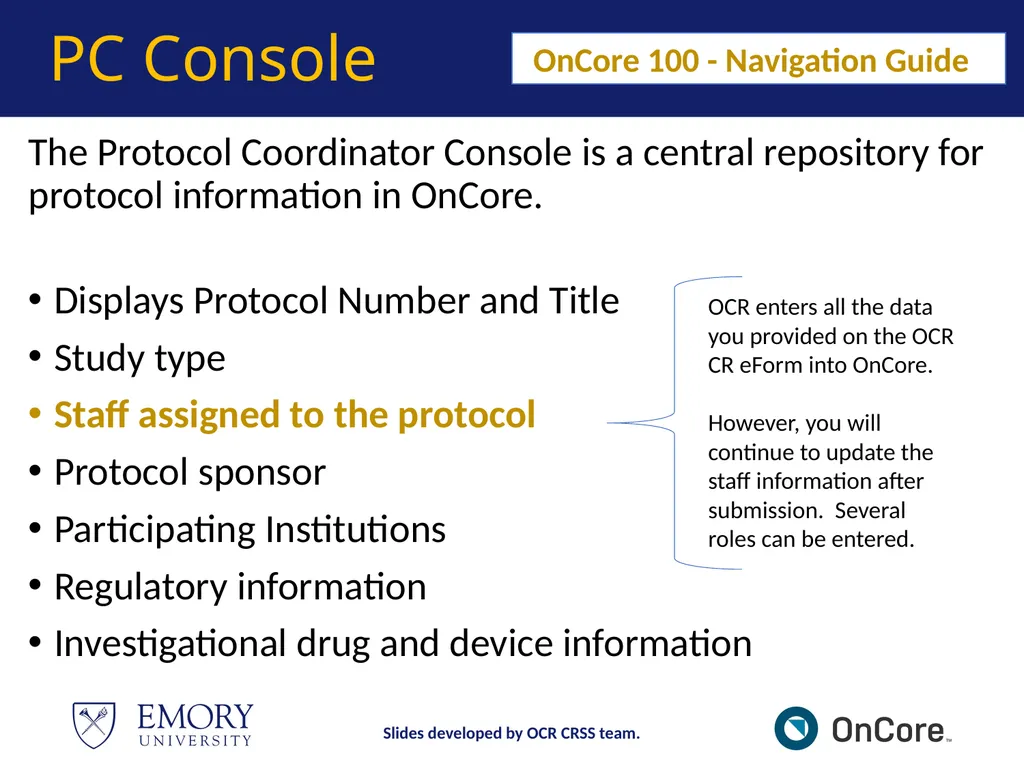
PC Console The Protocol Coordinator Console is a central repository for protocol information in OnCore.
Displays Protocol Number and Title
Study type
Staff assigned to the protocol
Protocol sponsor
Participating Institutions
Regulatory information
Investigational drug and device information OnCore 100 - Navigation Guide OCR enters all the data you provided on the OCR CR eForm into OnCore.
However, you will continue to update the staff information after submission. Several roles can be entered. Slides developed by OCR CRSS team.<br>
Displays Protocol Number and Title
Study type
Staff assigned to the protocol
Protocol sponsor
Participating Institutions
Regulatory information
Investigational drug and device information OnCore 100 - Navigation Guide OCR enters all the data you provided on the OCR CR eForm into OnCore.
However, you will continue to update the staff information after submission. Several roles can be entered. Slides developed by OCR CRSS team.<br>
18
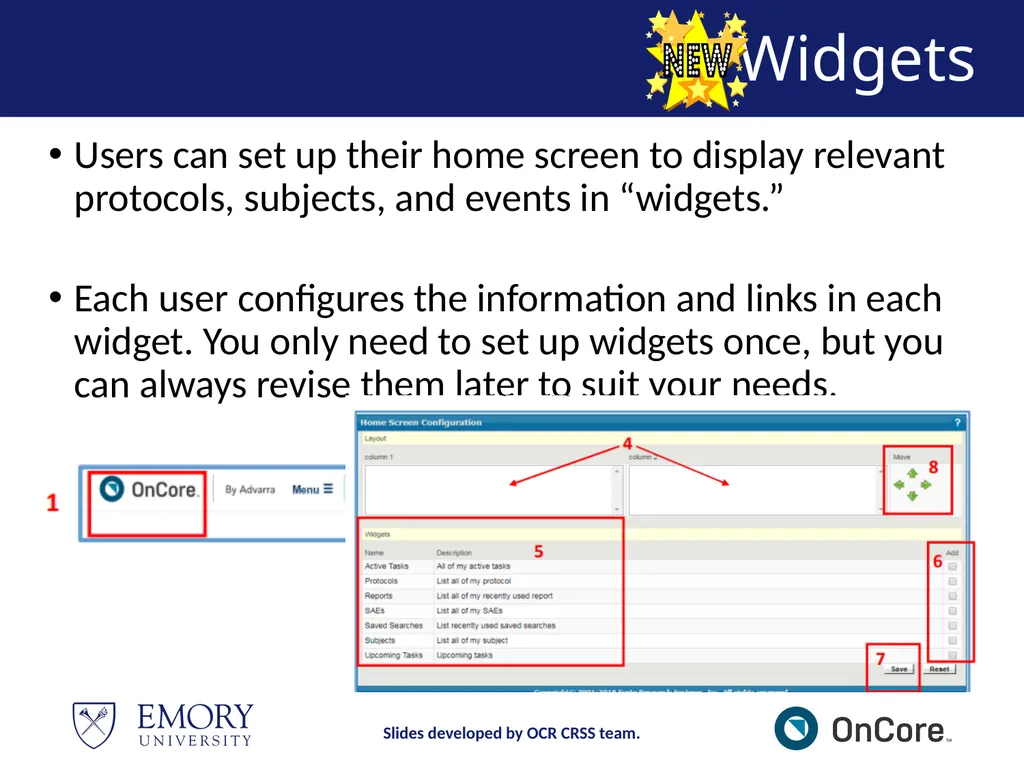
Widgets Users can set up their home screen to display relevant protocols, subjects, and events in “widgets.”
Each user configures the information and links in each widget. You only need to set up widgets once, but you can always revise them later to suit your needs. Slides developed by OCR CRSS team.<br>
Each user configures the information and links in each widget. You only need to set up widgets once, but you can always revise them later to suit your needs. Slides developed by OCR CRSS team.<br>
19
Demonstration https://emory-oncore-train.advarra.app Slides developed by OCR CRSS team.<br>
20
Break – 5 mins Slides developed by OCR CRSS team.<br>
21
MODULE 2<br>
22
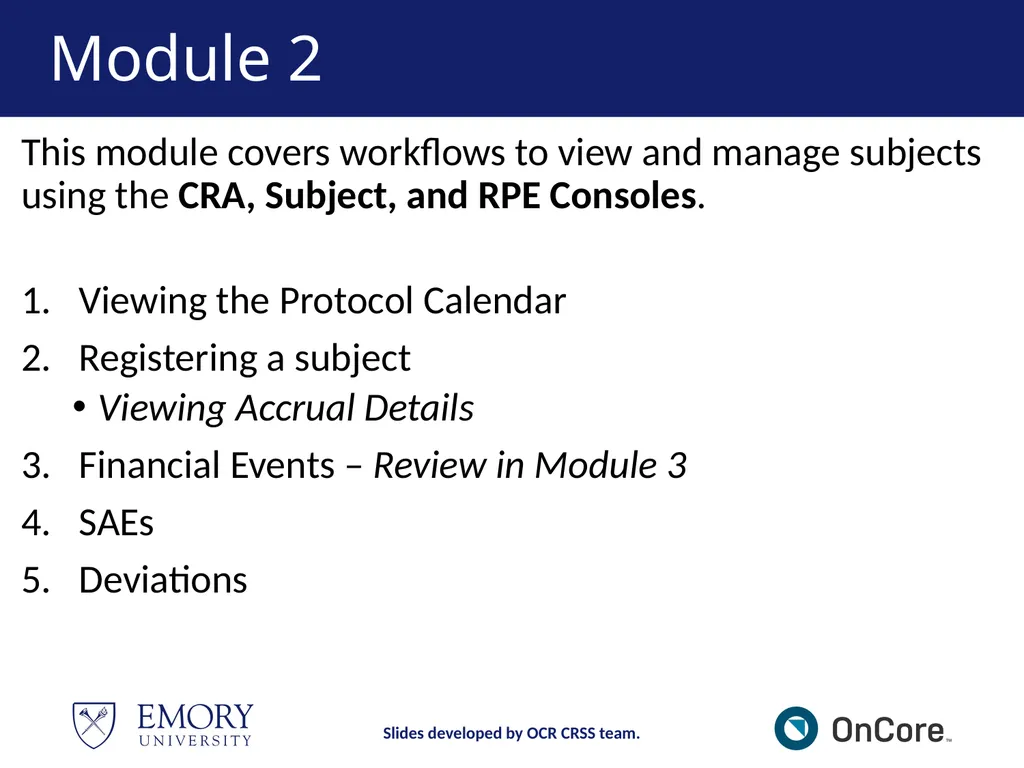
Module 2 This module covers workflows to view and manage subjects using the CRA, Subject, and RPE Consoles.
Viewing the Protocol Calendar
Registering a subject
Viewing Accrual Details
Financial Events – Review in Module 3
SAEs
Deviations Slides developed by OCR CRSS team.<br>
Viewing the Protocol Calendar
Registering a subject
Viewing Accrual Details
Financial Events – Review in Module 3
SAEs
Deviations Slides developed by OCR CRSS team.<br>
23
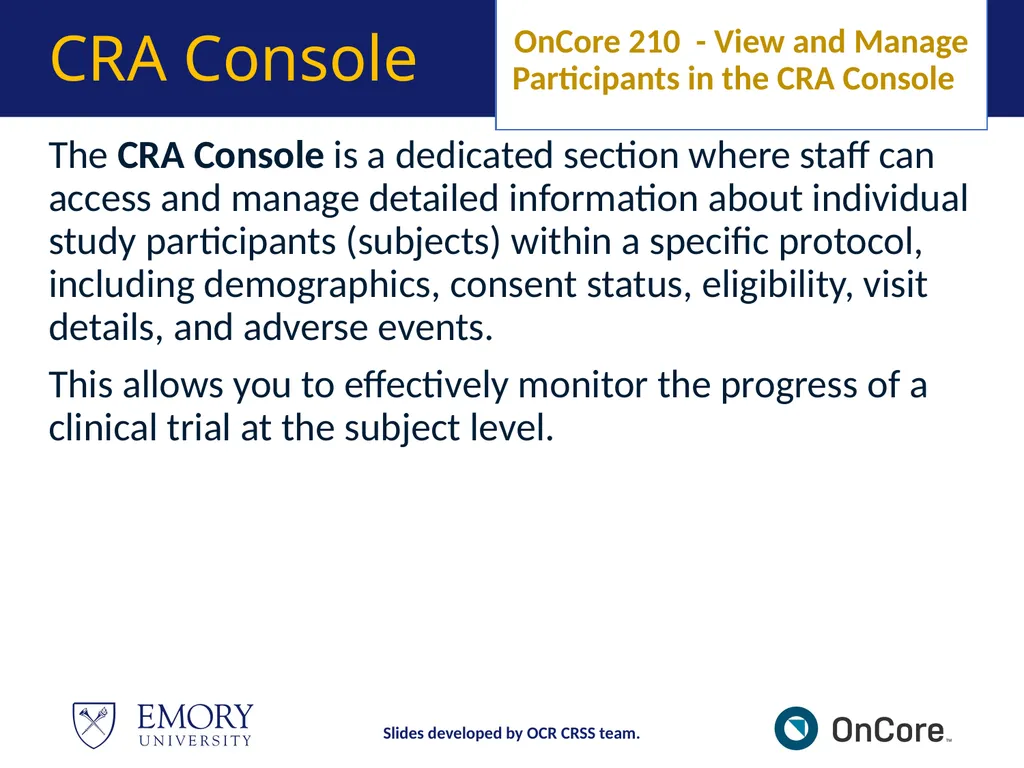
The CRA Console is a dedicated section where staff can access and manage detailed information about individual study participants (subjects) within a specific protocol, including demographics, consent status, eligibility, visit details, and adverse events.
This allows you to effectively monitor the progress of a clinical trial at the subject level. OnCore 210 - View and Manage Participants in the CRA Console CRA Console Slides developed by OCR CRSS team.<br>
This allows you to effectively monitor the progress of a clinical trial at the subject level. OnCore 210 - View and Manage Participants in the CRA Console CRA Console Slides developed by OCR CRSS team.<br>
24
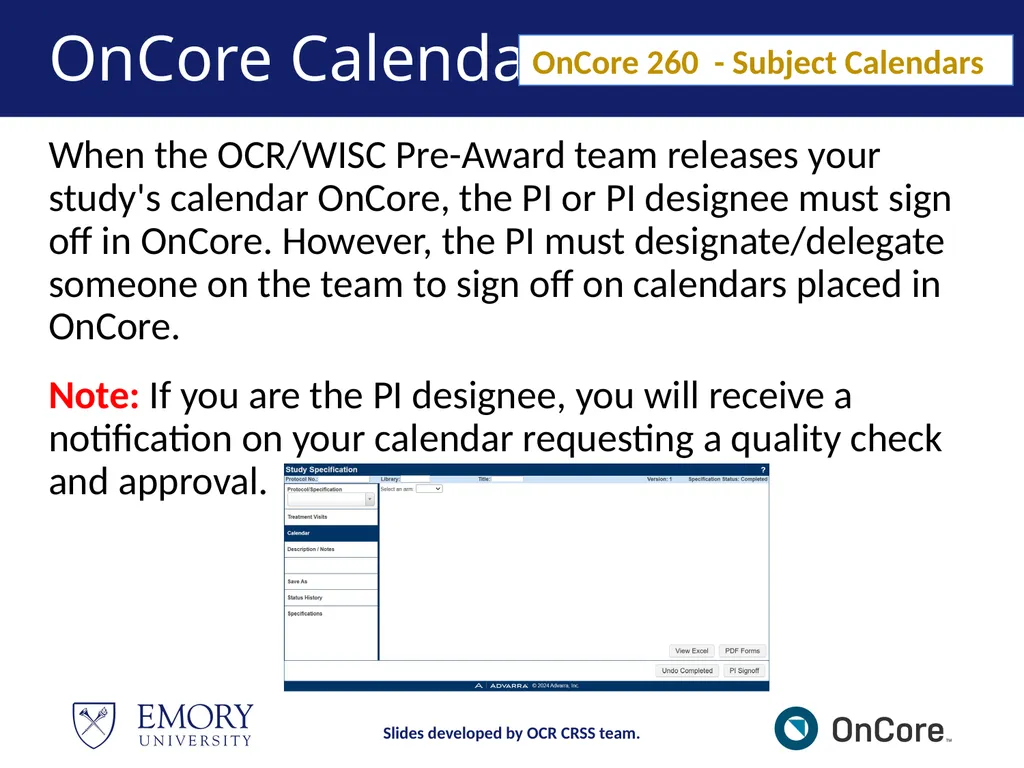
OnCore Calendar When the OCR/WISC Pre-Award team releases your study's calendar OnCore, the PI or PI designee must sign off in OnCore. However, the PI must designate/delegate someone on the team to sign off on calendars placed in OnCore.
Note: If you are the PI designee, you will receive a notification on your calendar requesting a quality check and approval. OnCore 260 - Subject Calendars Slides developed by OCR CRSS team.<br>
Note: If you are the PI designee, you will receive a notification on your calendar requesting a quality check and approval. OnCore 260 - Subject Calendars Slides developed by OCR CRSS team.<br>
25
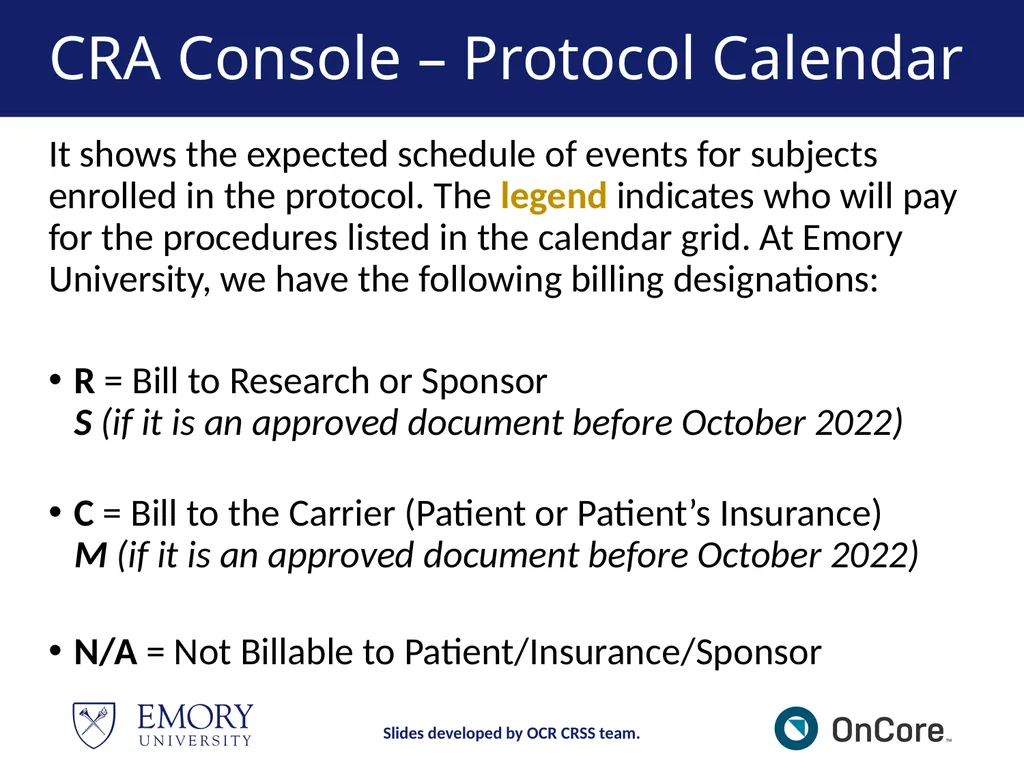
CRA Console – Protocol Calendar It shows the expected schedule of events for subjects enrolled in the protocol. The legend indicates who will pay for the procedures listed in the calendar grid. At Emory University, we have the following billing designations:
R = Bill to Research or Sponsor S (if it is an approved document before October 2022)
C = Bill to the Carrier (Patient or Patient’s Insurance) M (if it is an approved document before October 2022)
N/A = Not Billable to Patient/Insurance/Sponsor Slides developed by OCR CRSS team.<br>
R = Bill to Research or Sponsor S (if it is an approved document before October 2022)
C = Bill to the Carrier (Patient or Patient’s Insurance) M (if it is an approved document before October 2022)
N/A = Not Billable to Patient/Insurance/Sponsor Slides developed by OCR CRSS team.<br>
26
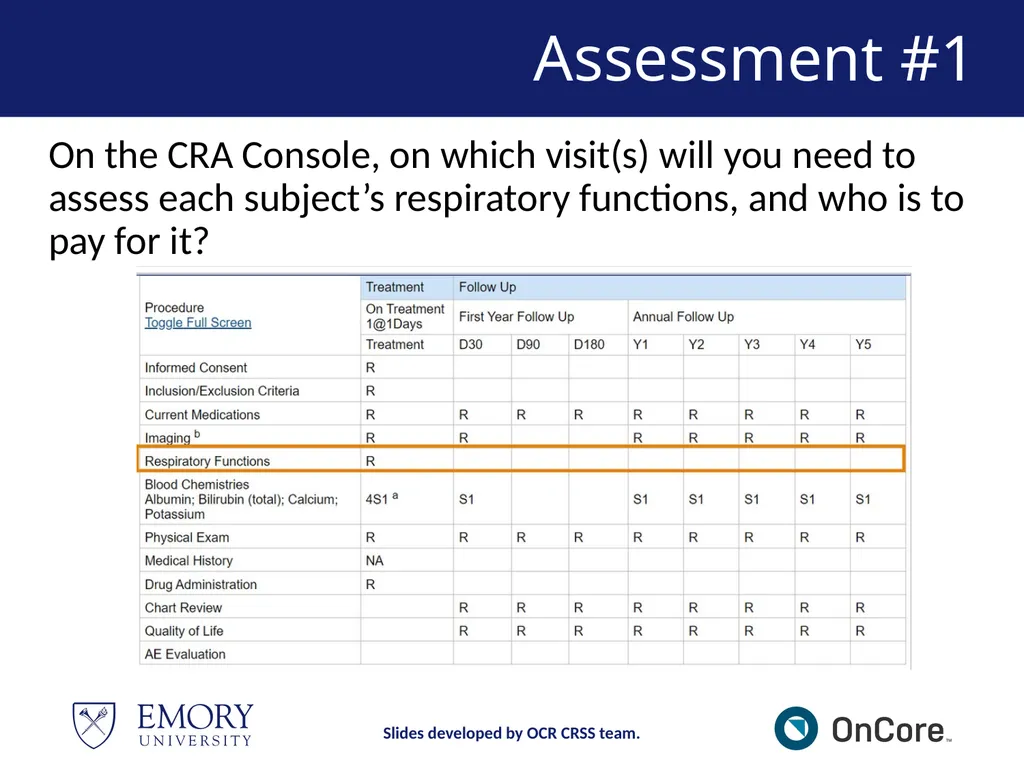
Assessment #1 On the CRA Console, on which visit(s) will you need to assess each subject’s respiratory functions, and who is to pay for it? Slides developed by OCR CRSS team.<br>
27
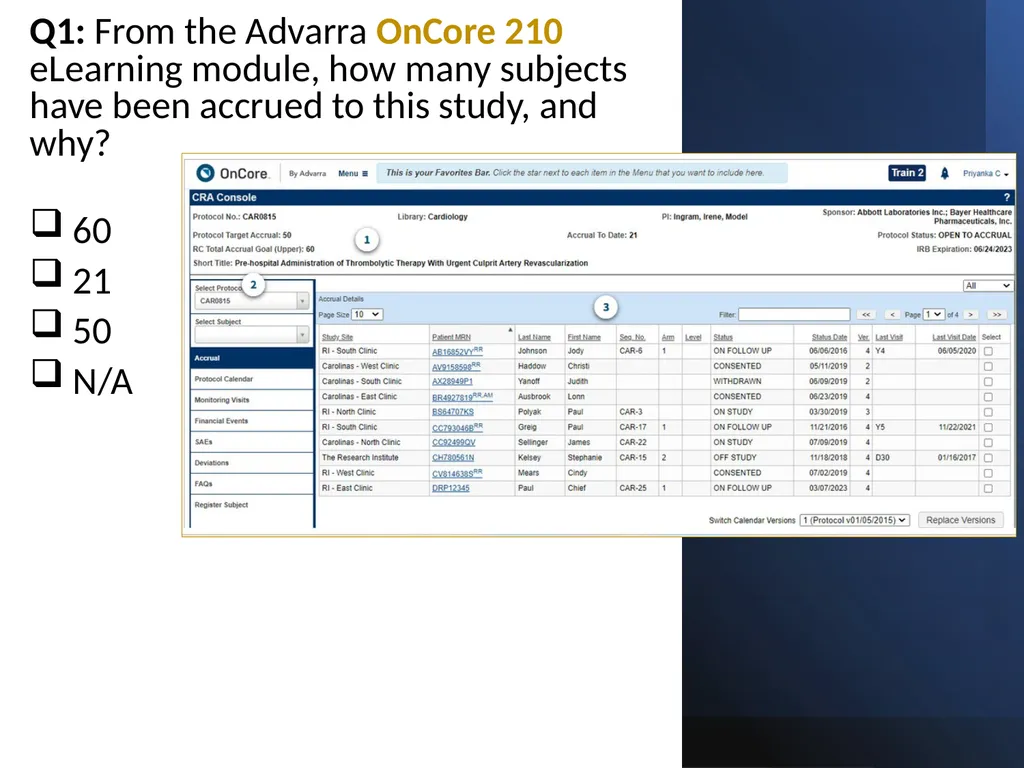
Assessment #4: Q1: From the Advarra OnCore 210 eLearning module, how many subjects have been accrued to this study, and why?
60
21
50
N/A Slides developed by OCR CRSS team.<br>
60
21
50
N/A Slides developed by OCR CRSS team.<br>
28
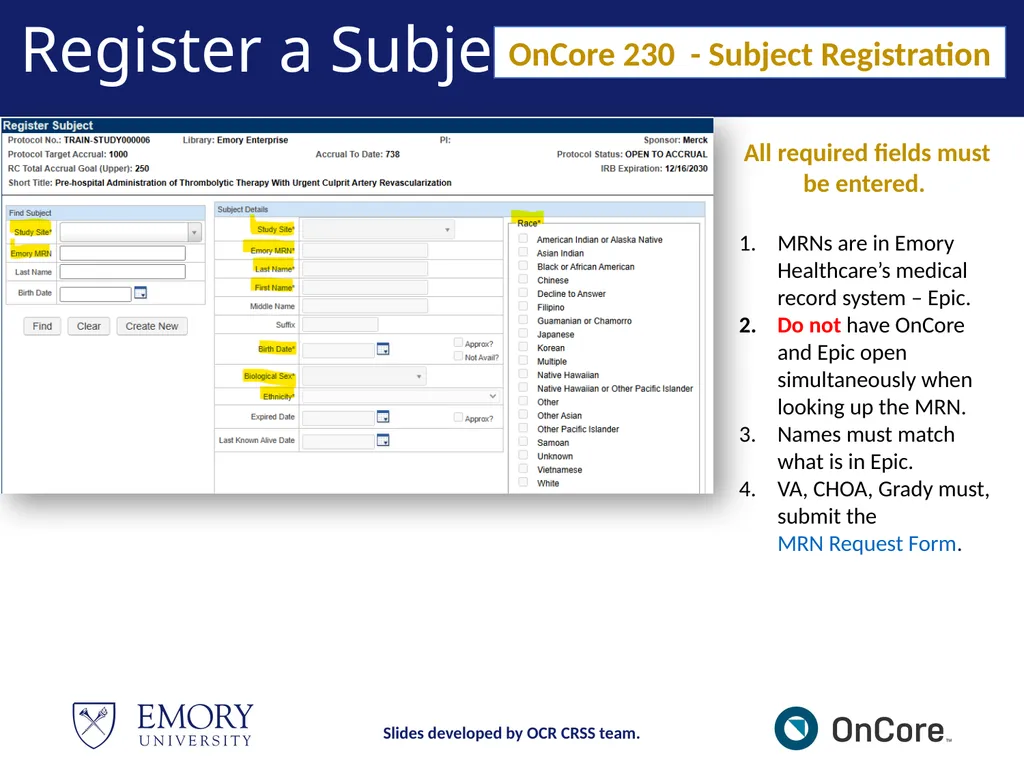
Register a Subject All required fields must be entered.
MRNs are in Emory Healthcare’s medical record system – Epic.
Do not have OnCore and Epic open simultaneously when looking up the MRN.
Names must match what is in Epic.
VA, CHOA, Grady must, submit the MRN Request Form. OnCore 230 - Subject Registration Slides developed by OCR CRSS team.<br>
MRNs are in Emory Healthcare’s medical record system – Epic.
Do not have OnCore and Epic open simultaneously when looking up the MRN.
Names must match what is in Epic.
VA, CHOA, Grady must, submit the MRN Request Form. OnCore 230 - Subject Registration Slides developed by OCR CRSS team.<br>
29
Epic – ADT Refresh When a subject has an MRN, but you are unable to pull the patient up in OnCore, try completing an ADT REFRESH in Epic to push the subject's MRN into OnCore.
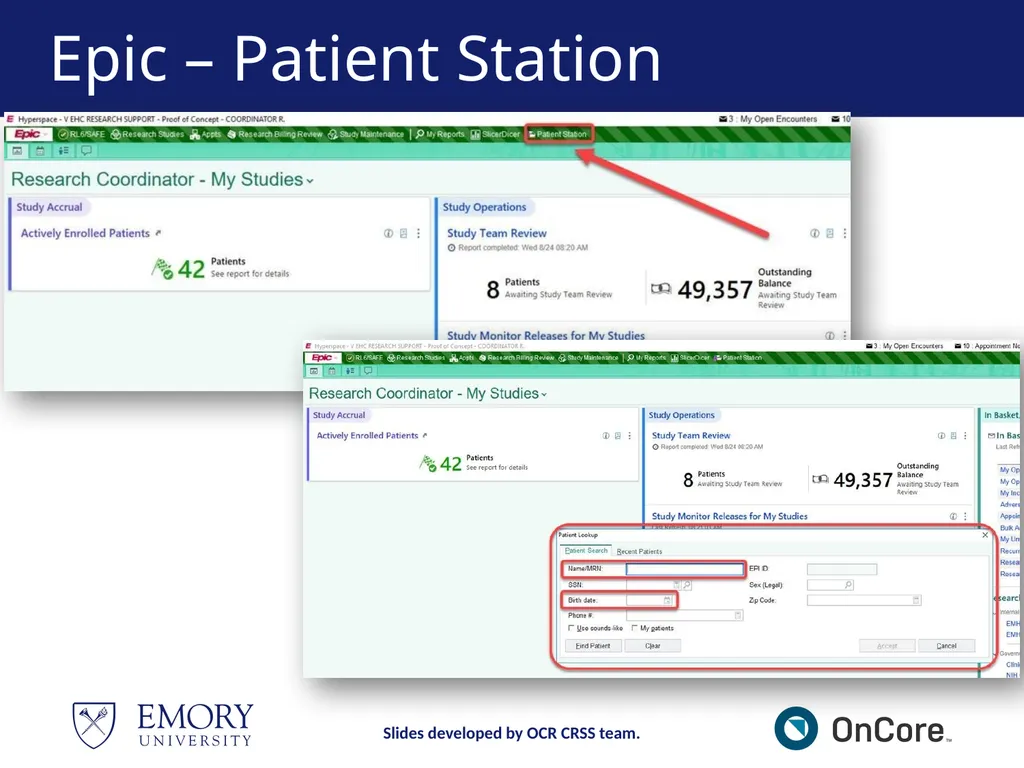
Research Coordinator logs into Hyperspace, click the Patient Station Button on the toolbar.
Search for the patient - enter the patient’s Name/MRN and/or Birth Date.
Once the patient chart opens, click Resend Msg button on the Patient Station Activity. Slides developed by OCR CRSS team.<br>
Research Coordinator logs into Hyperspace, click the Patient Station Button on the toolbar.
Search for the patient - enter the patient’s Name/MRN and/or Birth Date.
Once the patient chart opens, click Resend Msg button on the Patient Station Activity. Slides developed by OCR CRSS team.<br>
30
Epic – Patient Station Slides developed by OCR CRSS team.<br>
31
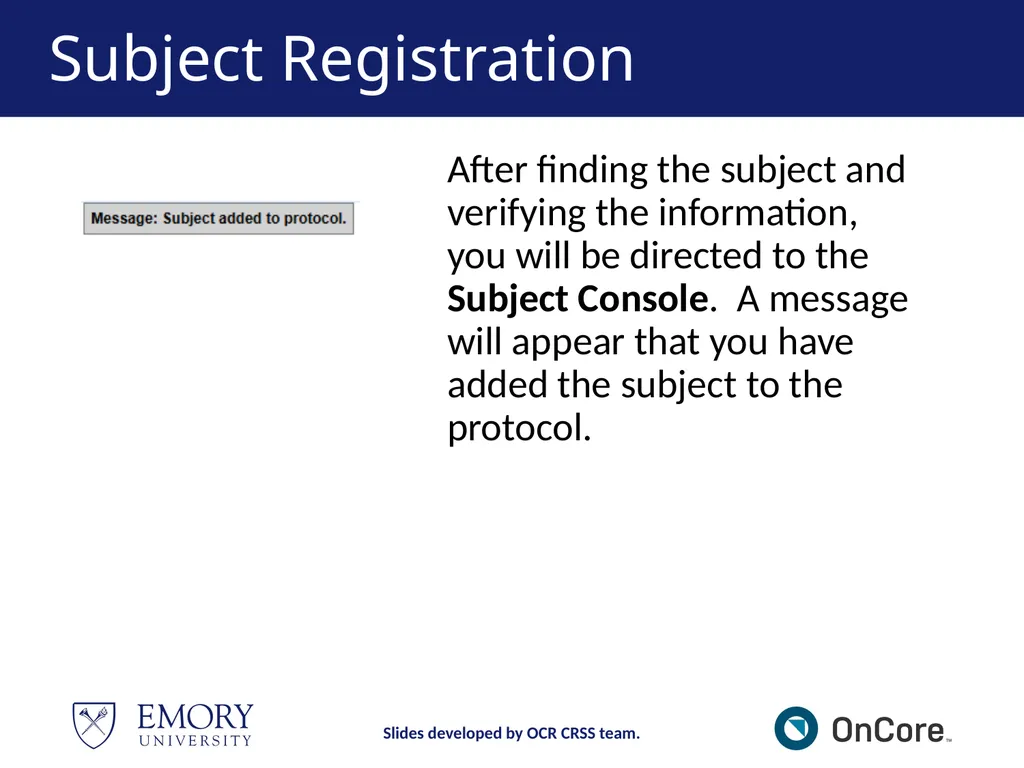
Subject Registration After finding the subject and verifying the information, you will be directed to the Subject Console. A message will appear that you have added the subject to the protocol. Slides developed by OCR CRSS team.<br>
32
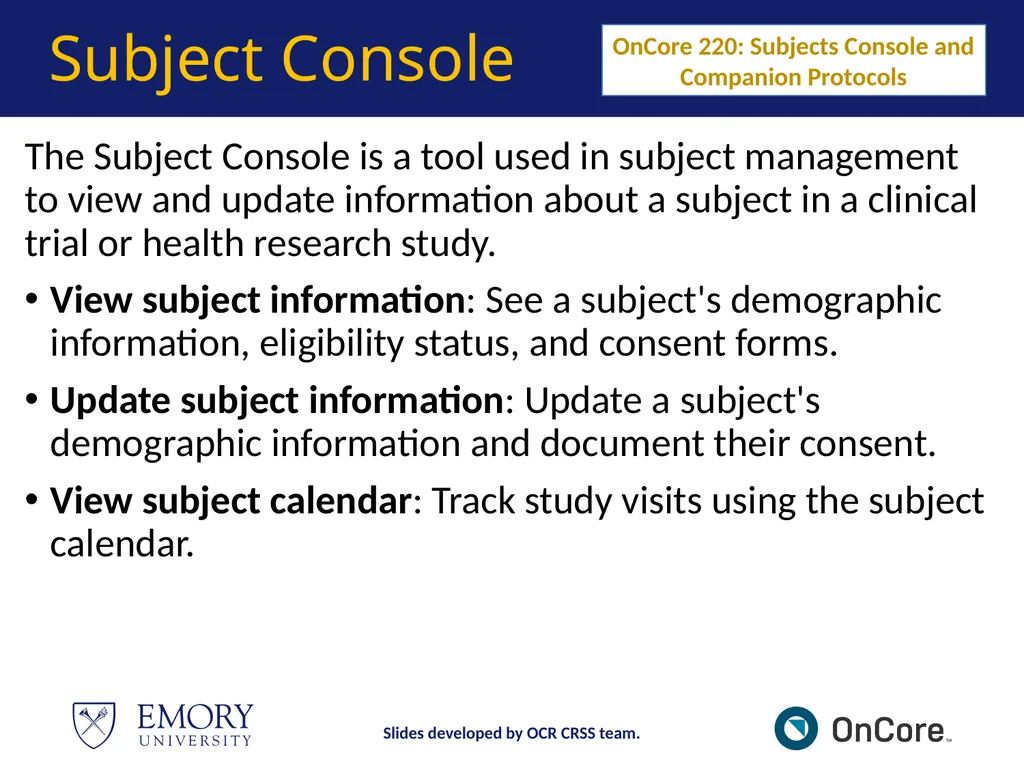
Subject Console The Subject Console is a tool used in subject management to view and update information about a subject in a clinical trial or health research study.
View subject information: See a subject's demographic information, eligibility status, and consent forms.
Update subject information: Update a subject's demographic information and document their consent.
View subject calendar: Track study visits using the subject calendar. OnCore 220: Subjects Console and Companion Protocols Slides developed by OCR CRSS team.<br>
View subject information: See a subject's demographic information, eligibility status, and consent forms.
Update subject information: Update a subject's demographic information and document their consent.
View subject calendar: Track study visits using the subject calendar. OnCore 220: Subjects Console and Companion Protocols Slides developed by OCR CRSS team.<br>
33
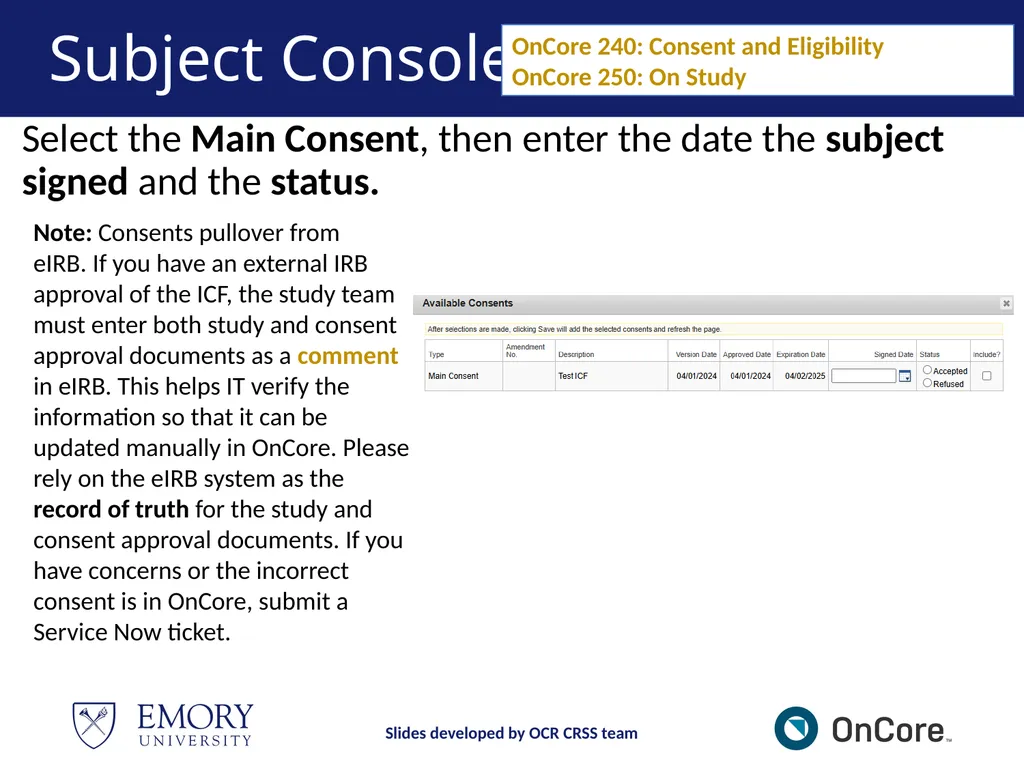
Subject Console Select the Main Consent, then enter the date the subject signed and the status. OnCore 240: Consent and Eligibility
OnCore 250: On Study Note: Consents pullover from
eIRB. If you have an external IRB approval of the ICF, the study team must enter both study and consent approval documents as a comment in eIRB. This helps IT verify the information so that it can be updated manually in OnCore. Please rely on the eIRB system as the record of truth for the study and consent approval documents. If you have concerns or the incorrect consent is in OnCore, submit a Service Now ticket. Slides developed by OCR CRSS team<br>
34
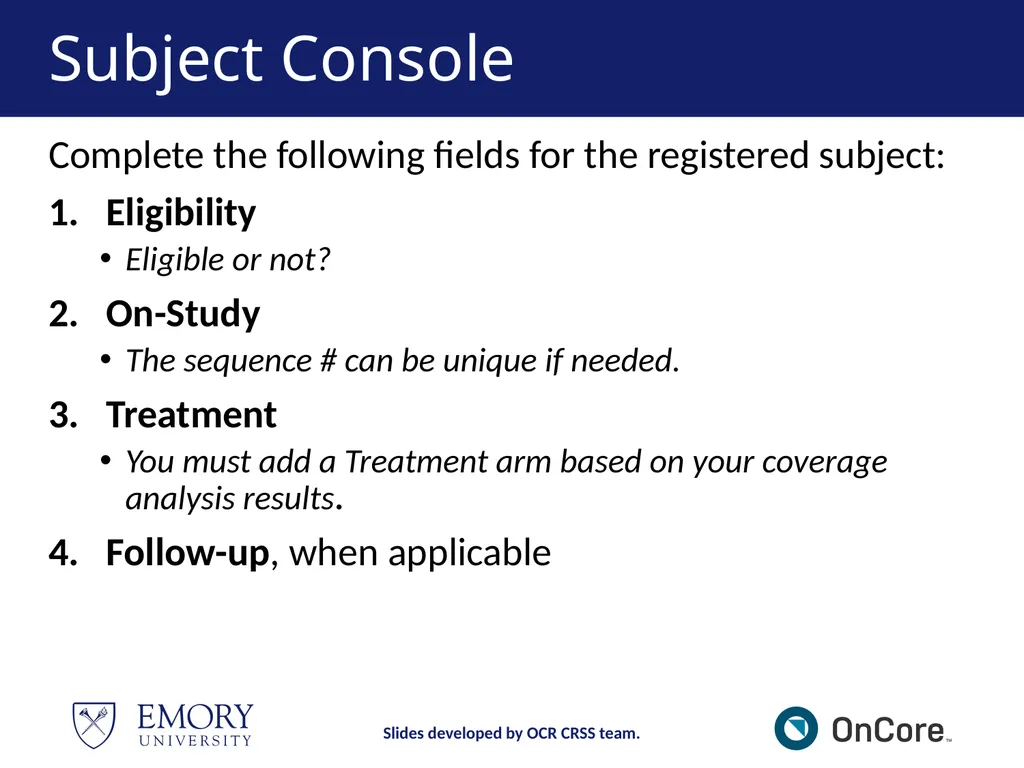
Subject Console Complete the following fields for the registered subject:
Eligibility
Eligible or not?
On-Study
The sequence # can be unique if needed.
Treatment
You must add a Treatment arm based on your coverage analysis results.
Follow-up, when applicable Slides developed by OCR CRSS team.<br>
Eligibility
Eligible or not?
On-Study
The sequence # can be unique if needed.
Treatment
You must add a Treatment arm based on your coverage analysis results.
Follow-up, when applicable Slides developed by OCR CRSS team.<br>
35
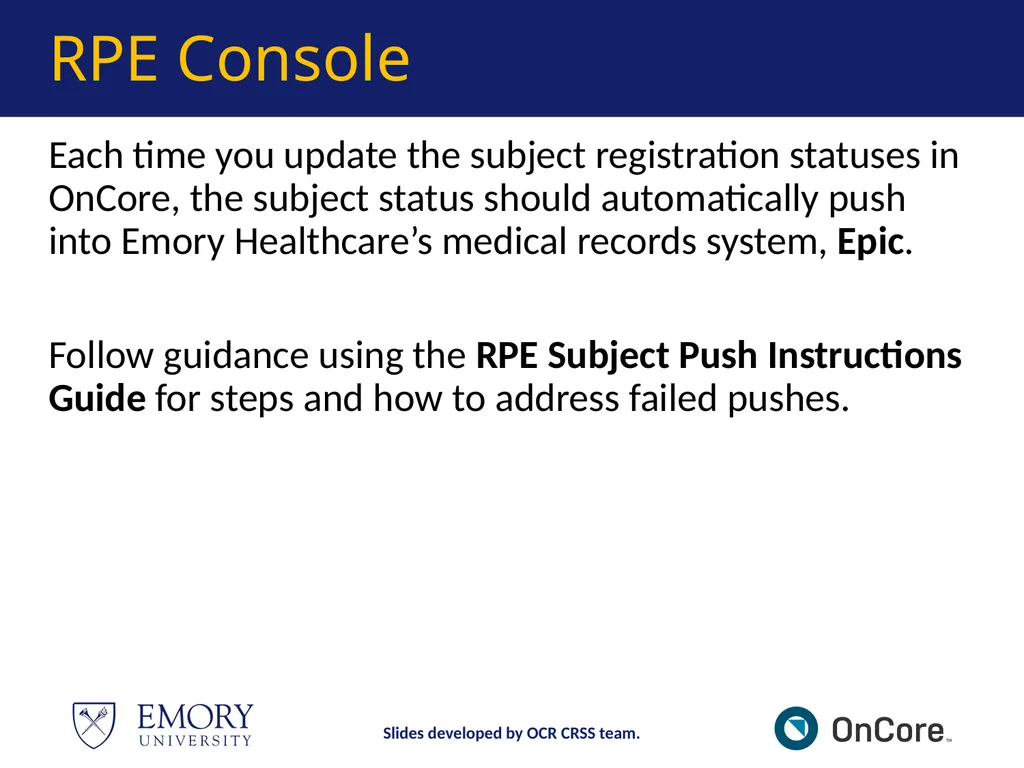
RPE Console Each time you update the subject registration statuses in OnCore, the subject status should automatically push into Emory Healthcare’s medical records system, Epic.
Follow guidance using the RPE Subject Push Instructions Guide for steps and how to address failed pushes. Slides developed by OCR CRSS team.<br>
Follow guidance using the RPE Subject Push Instructions Guide for steps and how to address failed pushes. Slides developed by OCR CRSS team.<br>
36
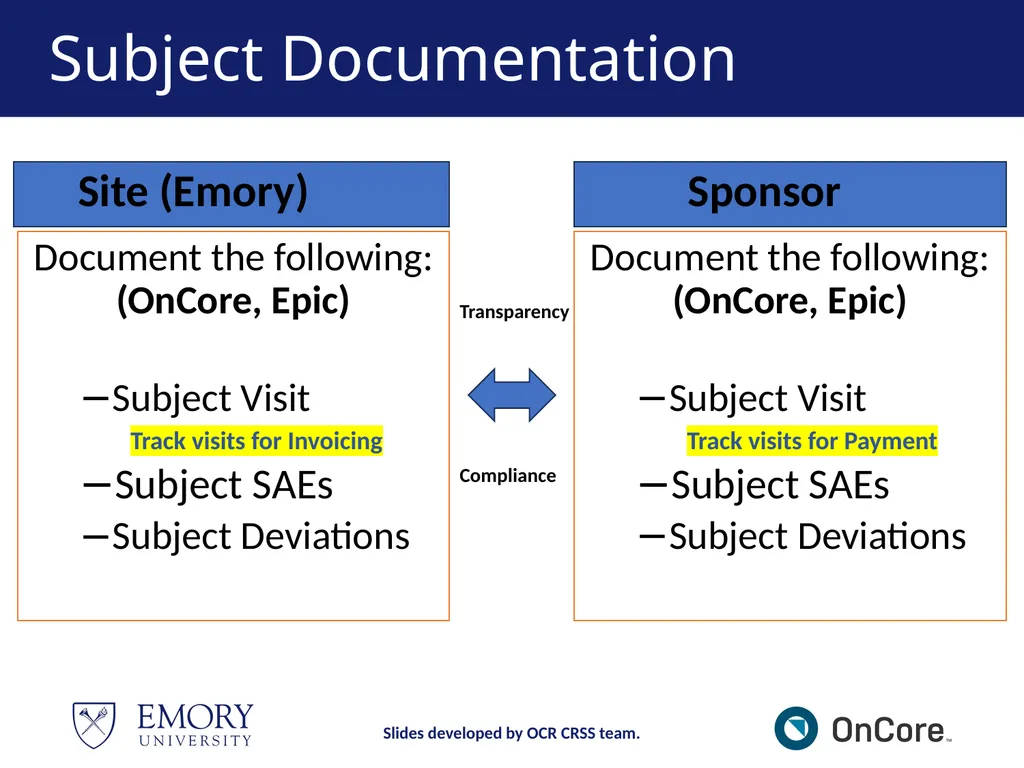
Subject Documentation Document the following: (OnCore, Epic)
Subject Visit
Track visits for Invoicing
Subject SAEs
Subject Deviations Document the following: (OnCore, Epic)
Subject Visit
Track visits for Payment
Subject SAEs
Subject Deviations Transparency Compliance Site (Emory) Sponsor Slides developed by OCR CRSS team.<br>
Subject Visit
Track visits for Invoicing
Subject SAEs
Subject Deviations Document the following: (OnCore, Epic)
Subject Visit
Track visits for Payment
Subject SAEs
Subject Deviations Transparency Compliance Site (Emory) Sponsor Slides developed by OCR CRSS team.<br>
37
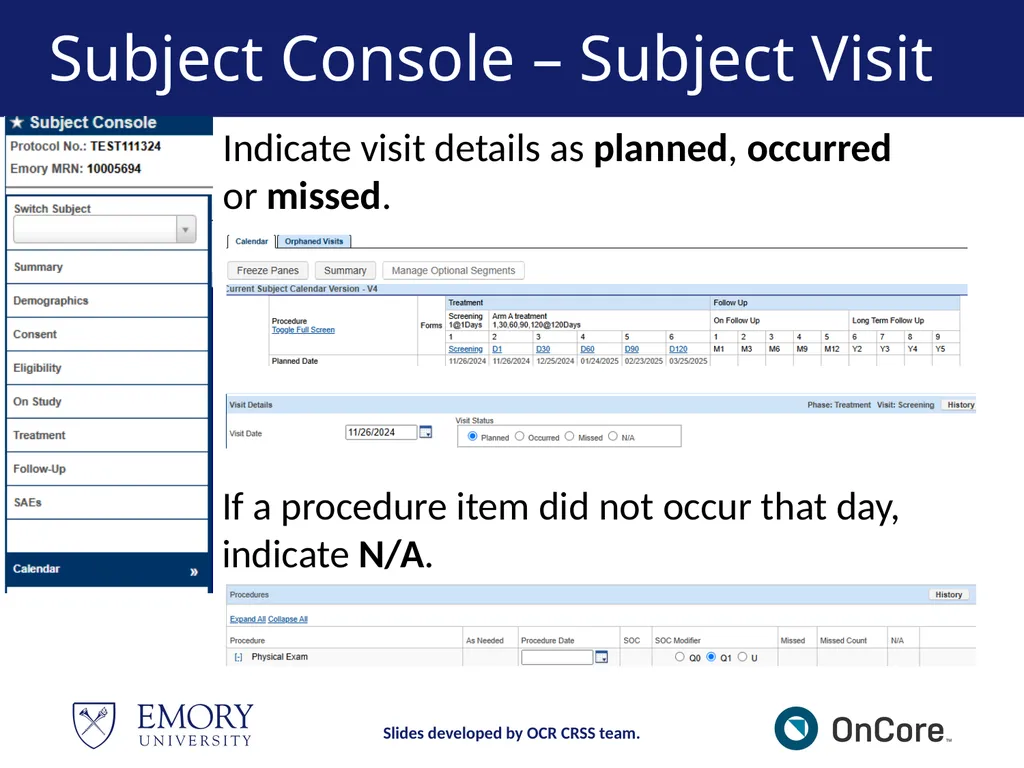
Subject Console – Subject Visit Indicate visit details as planned, occurred or missed. If a procedure item did not occur that day, indicate N/A. Slides developed by OCR CRSS team.<br>
38
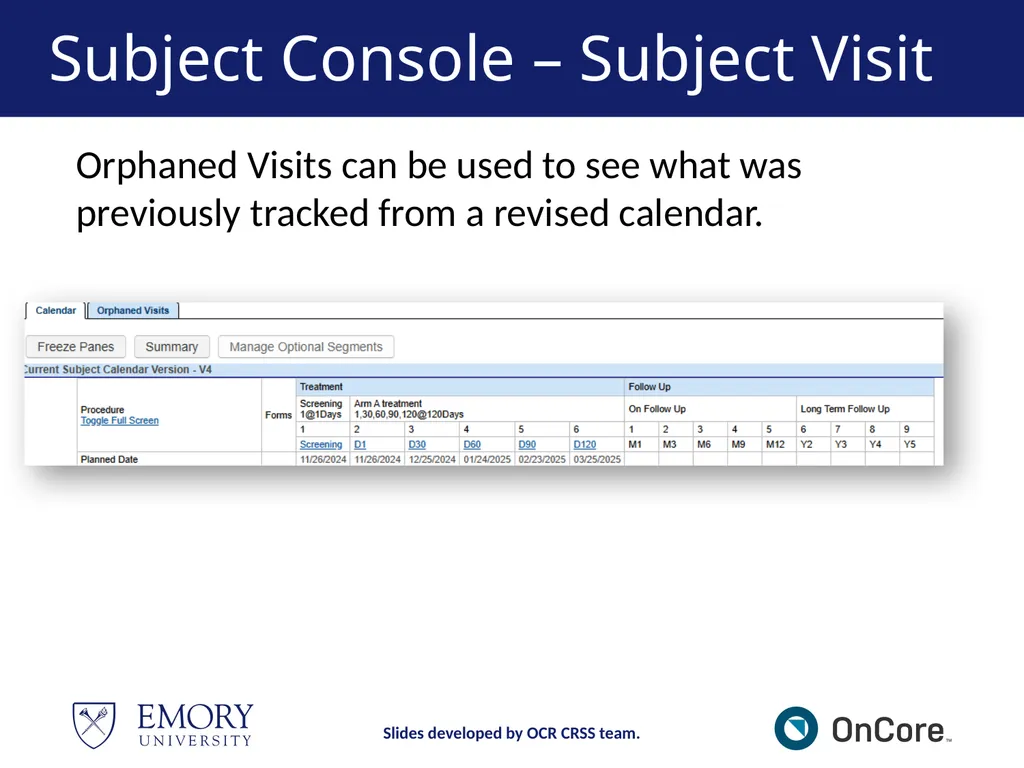
Subject Console – Subject Visit Slides developed by OCR CRSS team. Orphaned Visits can be used to see what was previously tracked from a revised calendar.<br>
39
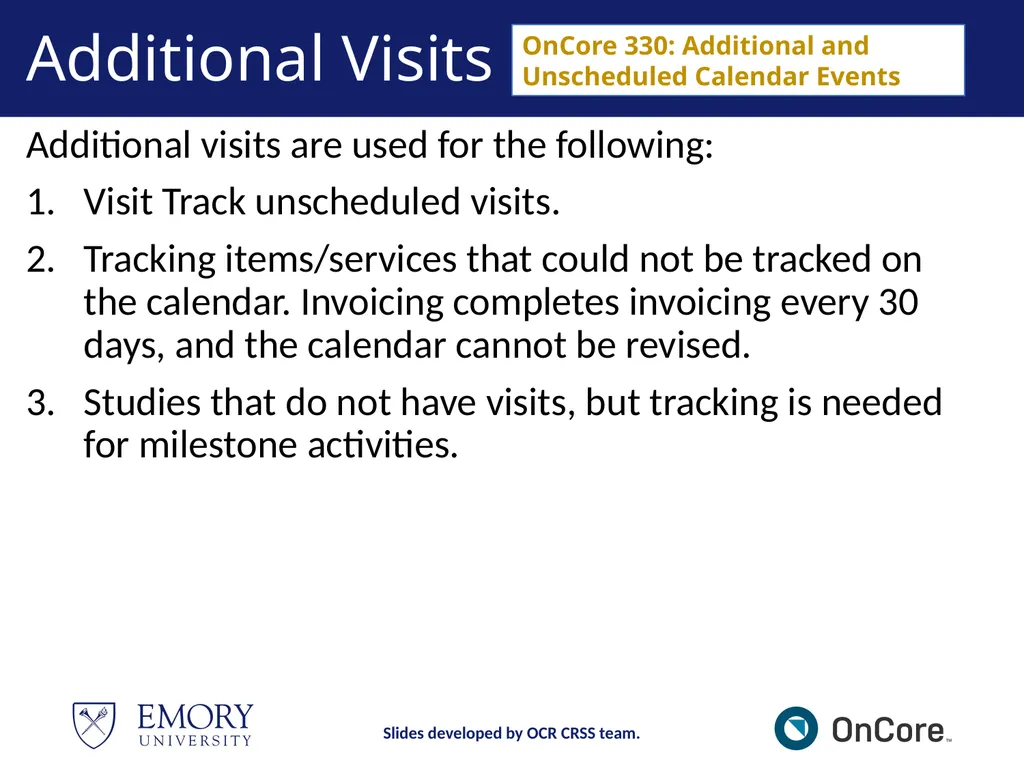
Additional Visits Additional visits are used for the following:
Visit Track unscheduled visits.
Tracking items/services that could not be tracked on the calendar. Invoicing completes invoicing every 30 days, and the calendar cannot be revised.
Studies that do not have visits, but tracking is needed for milestone activities. OnCore 330: Additional and Unscheduled Calendar Events Slides developed by OCR CRSS team.<br>
Visit Track unscheduled visits.
Tracking items/services that could not be tracked on the calendar. Invoicing completes invoicing every 30 days, and the calendar cannot be revised.
Studies that do not have visits, but tracking is needed for milestone activities. OnCore 330: Additional and Unscheduled Calendar Events Slides developed by OCR CRSS team.<br>
40
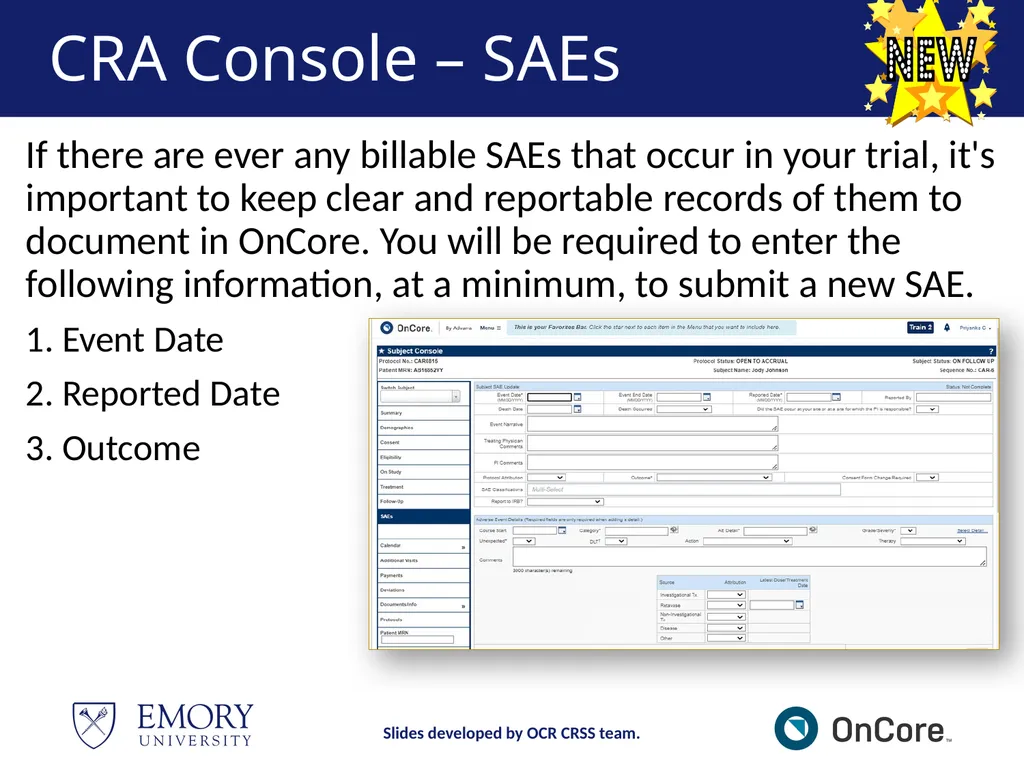
CRA Console – SAEs If there are ever any billable SAEs that occur in your trial, it's important to keep clear and reportable records of them to document in OnCore. You will be required to enter the following information, at a minimum, to submit a new SAE.
Event Date
Reported Date
Outcome Slides developed by OCR CRSS team.<br>
Event Date
Reported Date
Outcome Slides developed by OCR CRSS team.<br>
41
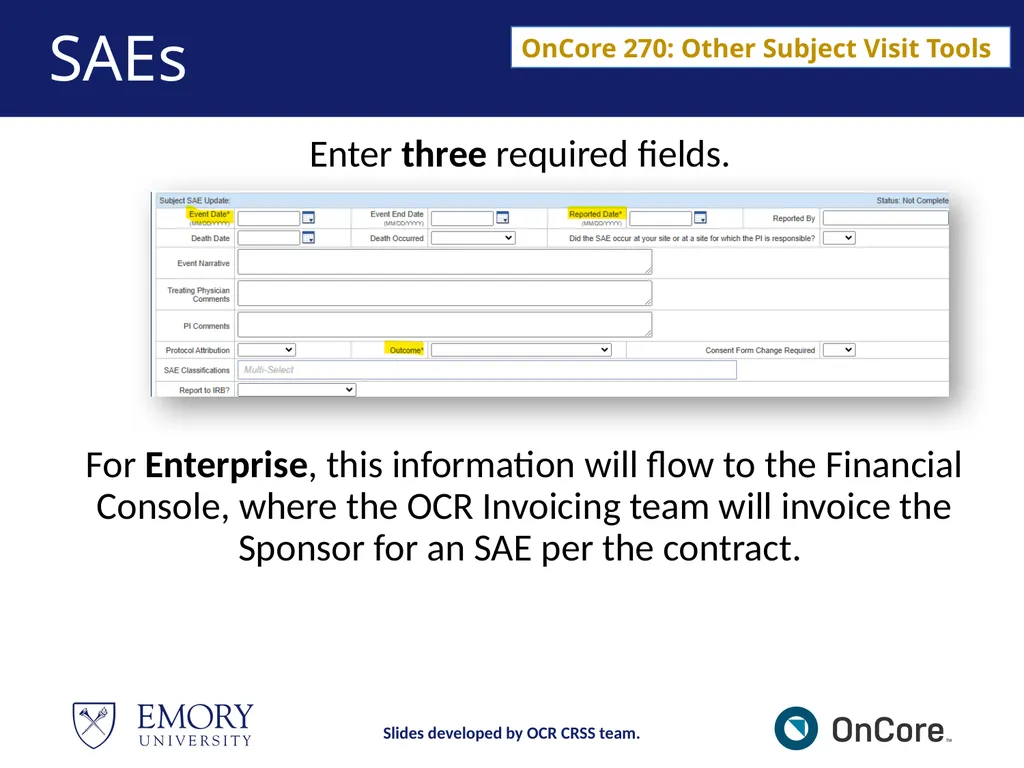
SAEs Enter three required fields.
For Enterprise, this information will flow to the Financial Console, where the OCR Invoicing team will invoice the Sponsor for an SAE per the contract. OnCore 270: Other Subject Visit Tools Slides developed by OCR CRSS team.<br>
For Enterprise, this information will flow to the Financial Console, where the OCR Invoicing team will invoice the Sponsor for an SAE per the contract. OnCore 270: Other Subject Visit Tools Slides developed by OCR CRSS team.<br>
42
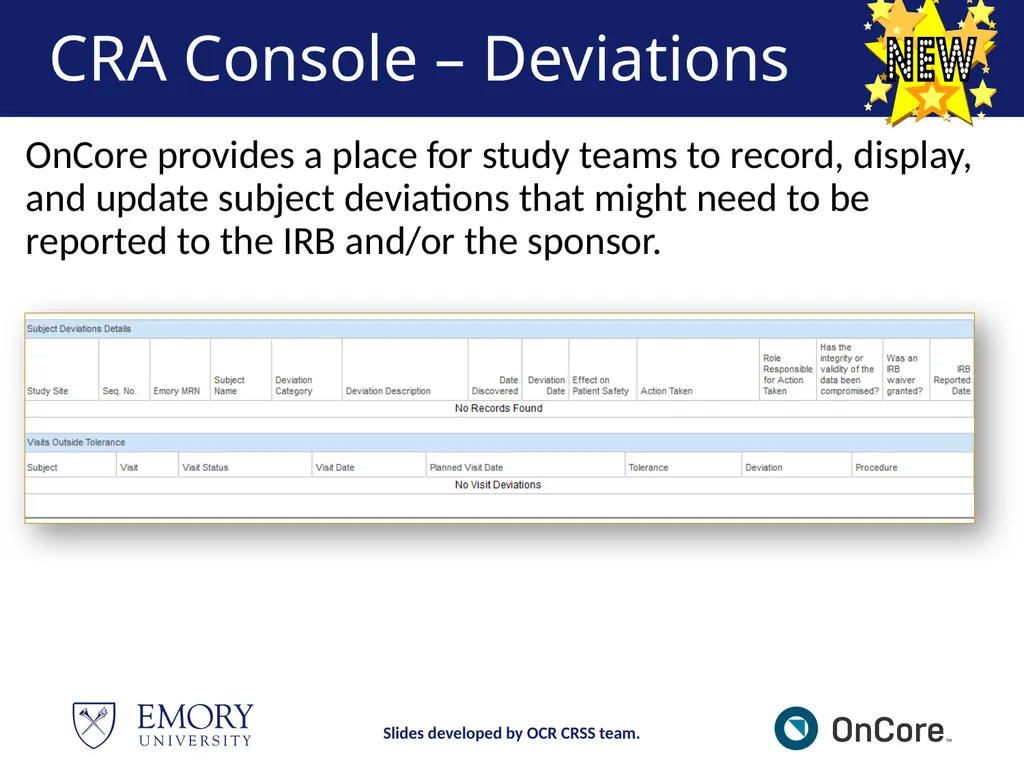
CRA Console – Deviations OnCore provides a place for study teams to record, display, and update subject deviations that might need to be reported to the IRB and/or the sponsor. Slides developed by OCR CRSS team.<br>
43
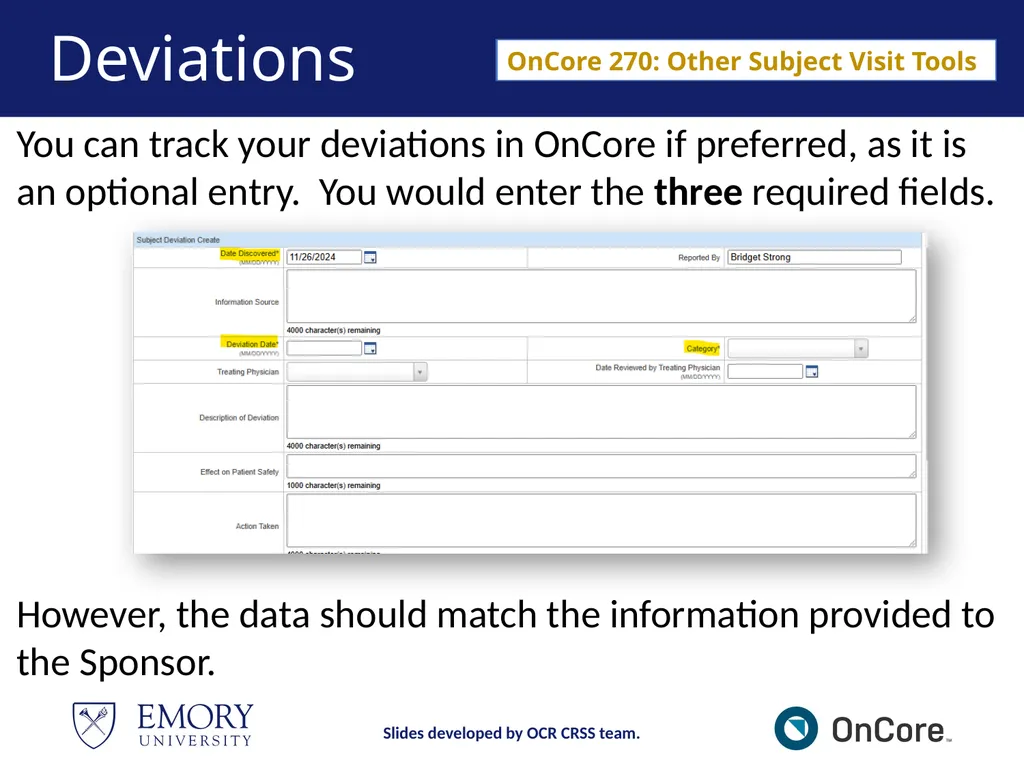
Deviations You can track your deviations in OnCore if preferred, as it is an optional entry. You would enter the three required fields. OnCore 270: Other Subject Visit Tools However, the data should match the information provided to the Sponsor. Slides developed by OCR CRSS team.<br>
44
Study Statuses in OnCore Slides developed by OCR CRSS team.<br>
45
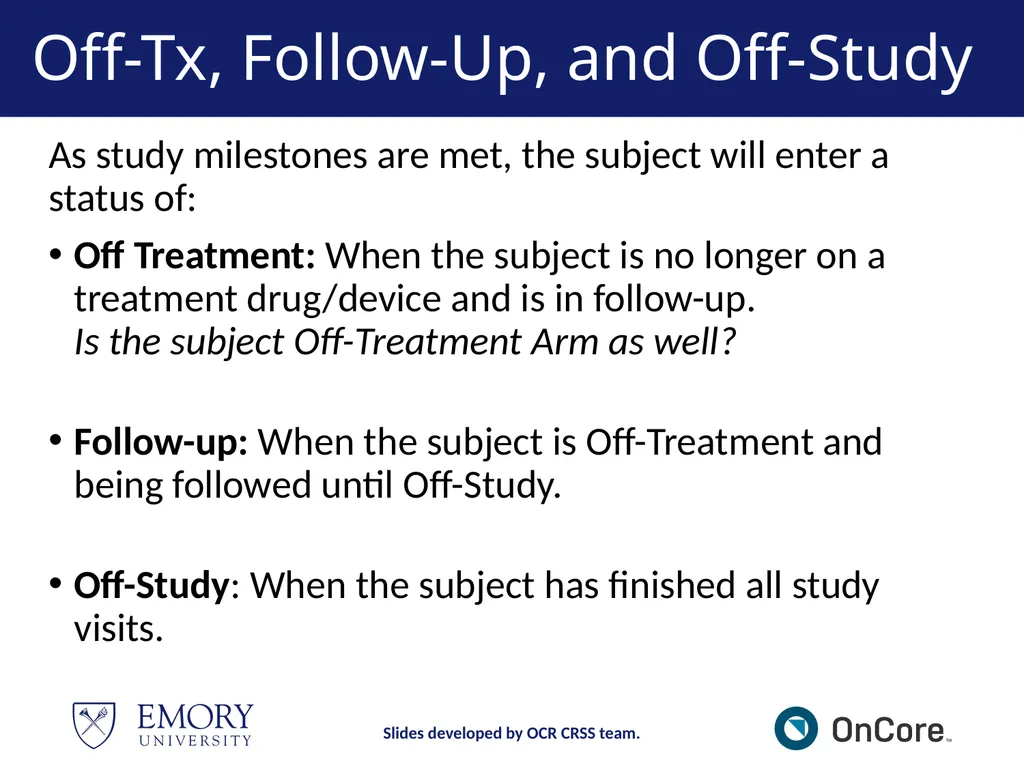
Off-Tx, Follow-Up, and Off-Study As study milestones are met, the subject will enter a status of:
Off Treatment: When the subject is no longer on a treatment drug/device and is in follow-up. Is the subject Off-Treatment Arm as well?
Follow-up: When the subject is Off-Treatment and being followed until Off-Study.
Off-Study: When the subject has finished all study visits. Slides developed by OCR CRSS team.<br>
Off Treatment: When the subject is no longer on a treatment drug/device and is in follow-up. Is the subject Off-Treatment Arm as well?
Follow-up: When the subject is Off-Treatment and being followed until Off-Study.
Off-Study: When the subject has finished all study visits. Slides developed by OCR CRSS team.<br>
46
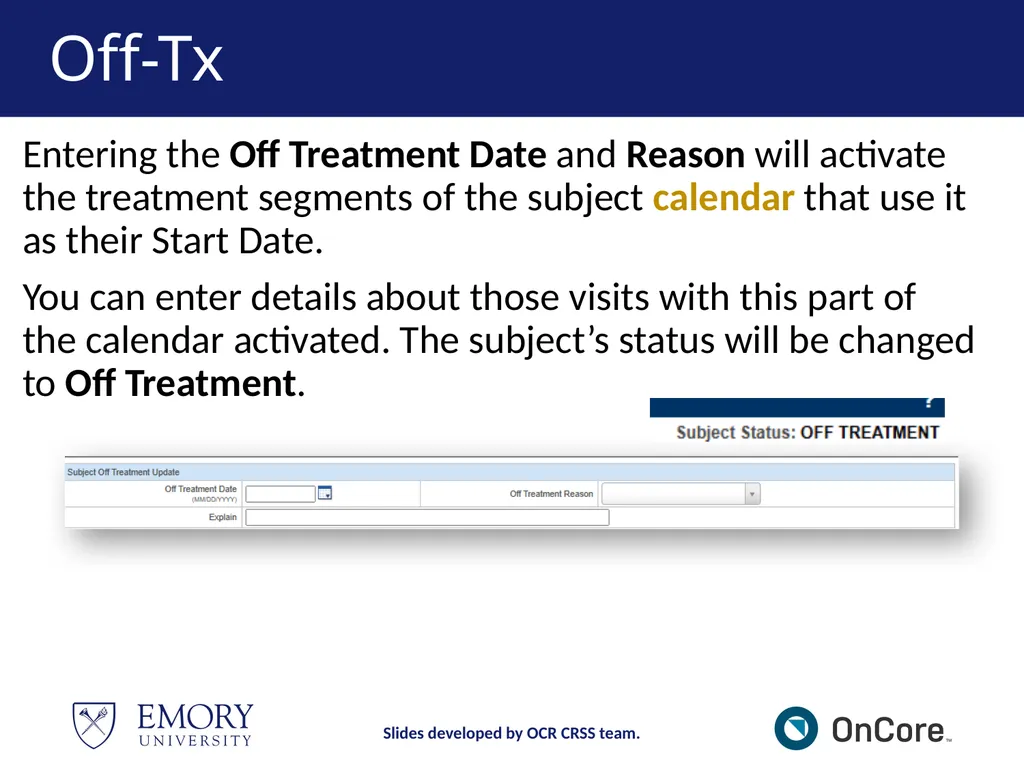
Off-Tx Entering the Off Treatment Date and Reason will activate the treatment segments of the subject calendar that use it as their Start Date.
You can enter details about those visits with this part of the calendar activated. The subject’s status will be changed to Off Treatment. Slides developed by OCR CRSS team.<br>
You can enter details about those visits with this part of the calendar activated. The subject’s status will be changed to Off Treatment. Slides developed by OCR CRSS team.<br>
47
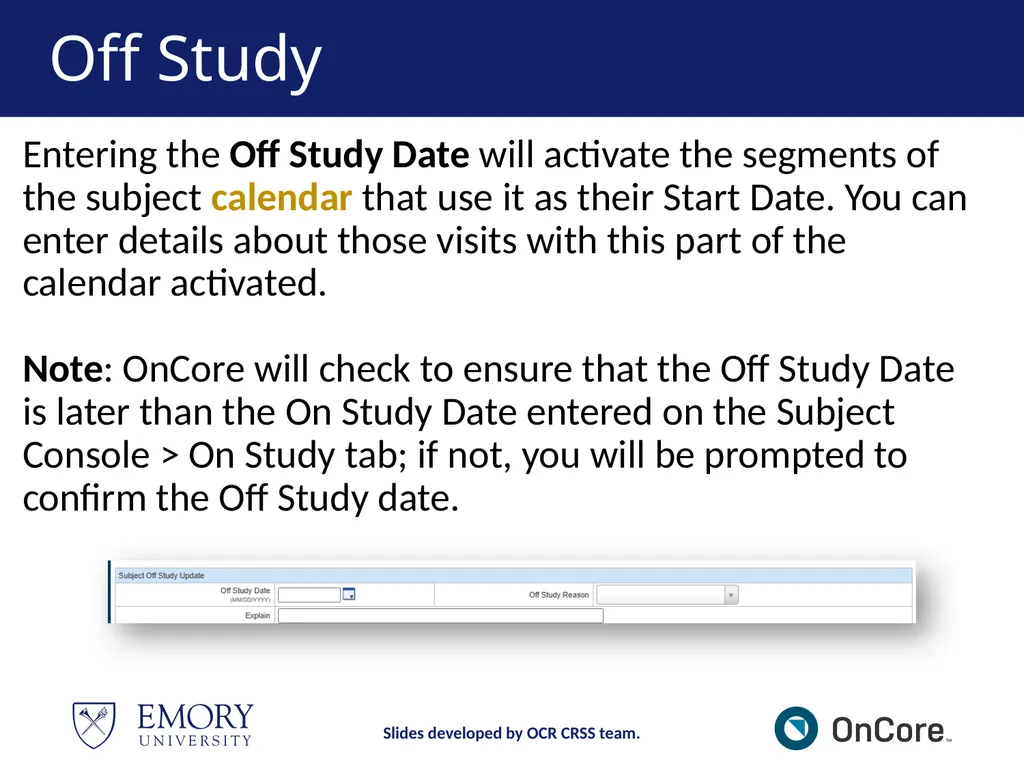
Off Study Entering the Off Study Date will activate the segments of the subject calendar that use it as their Start Date. You can enter details about those visits with this part of the calendar activated.
Note: OnCore will check to ensure that the Off Study Date is later than the On Study Date entered on the Subject Console > On Study tab; if not, you will be prompted to confirm the Off Study date. Slides developed by OCR CRSS team.<br>
48
Demonstration https://emory-oncore-train.advarra.app Slides developed by OCR CRSS team.<br>
49
Break – 5 mins Slides developed by OCR CRSS team.<br>
50
MODULE 3<br>
51
Module 3 This module covers workflows for viewing and managing subject information using the Financial Console, as well as how to run Reports, process Study Closeout, and update subject data due to Amendments. Slides developed by OCR CRSS team.<br>
52
Financial Console OnCore Financial Console is a module within OnCore that allows researchers to review all financial aspects of a clinical trial including budgeting, invoicing, payment reconciliation, and tracking costs associated with study subject visits.
This console is where OCR Invoicing will process invoices for your Sponsor per the contract (CTA) based on the study visits tracked that you learned in Module 2. Slides developed by OCR CRSS team.<br>
This console is where OCR Invoicing will process invoices for your Sponsor per the contract (CTA) based on the study visits tracked that you learned in Module 2. Slides developed by OCR CRSS team.<br>
53
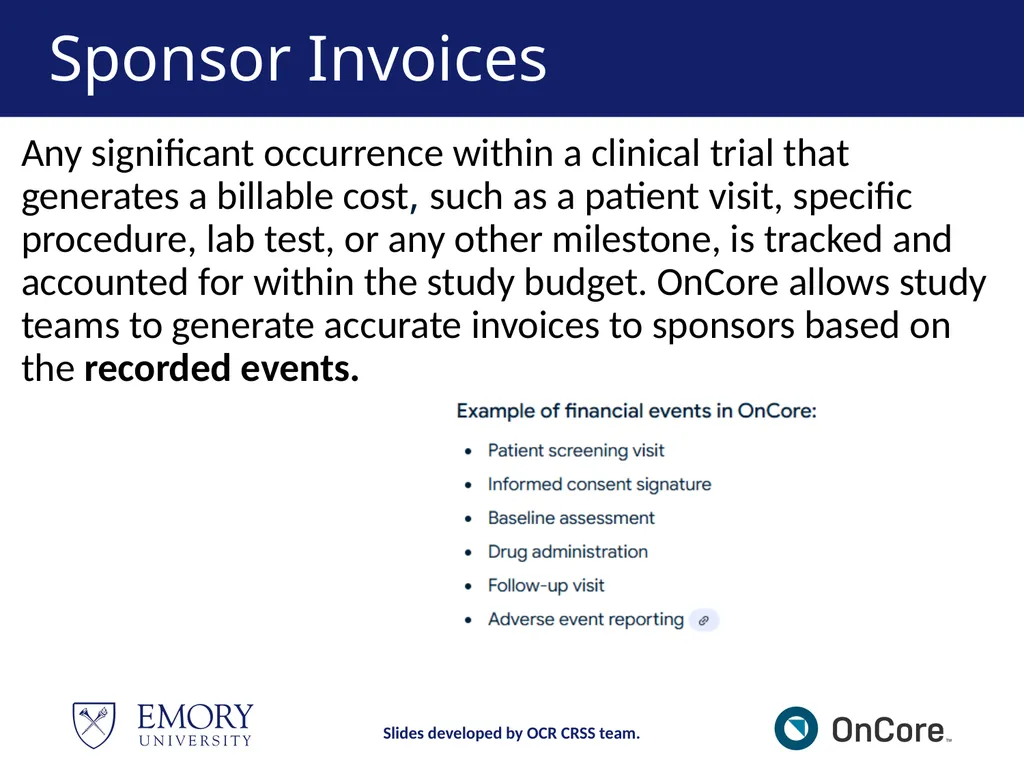
Sponsor Invoices Any significant occurrence within a clinical trial that generates a billable cost, such as a patient visit, specific procedure, lab test, or any other milestone, is tracked and accounted for within the study budget. OnCore allows study teams to generate accurate invoices to sponsors based on the recorded events. Slides developed by OCR CRSS team.<br>
54
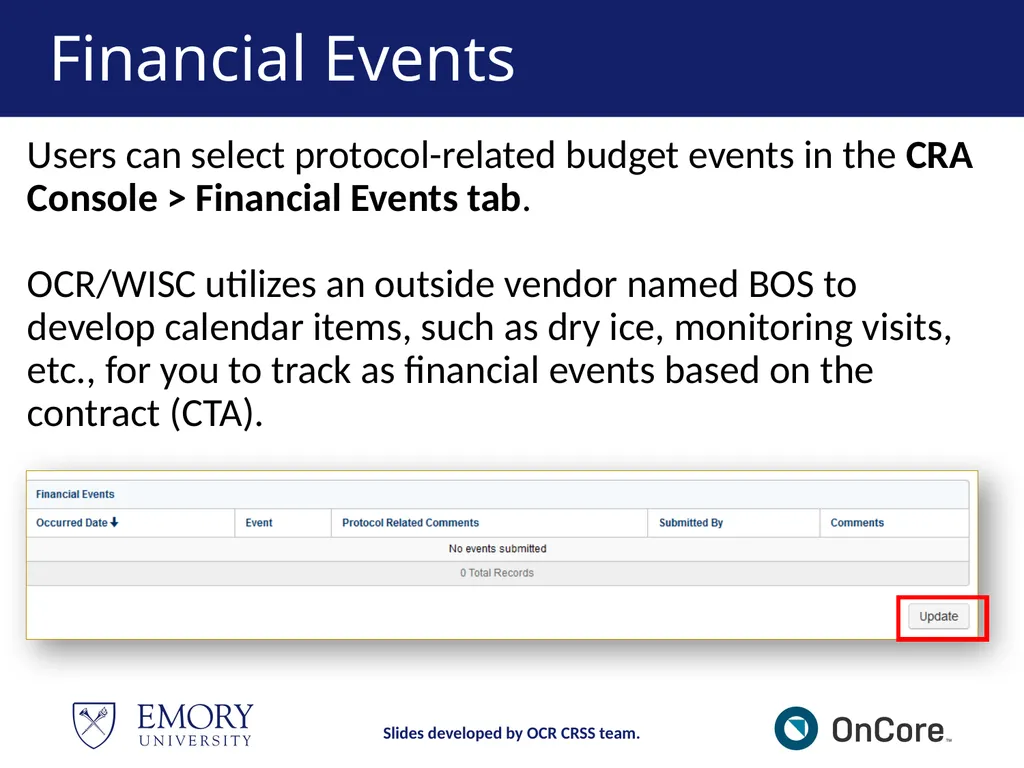
Financial Events Users can select protocol-related budget events in the CRA Console > Financial Events tab.
OCR/WISC utilizes an outside vendor named BOS to develop calendar items, such as dry ice, monitoring visits, etc., for you to track as financial events based on the contract (CTA). Slides developed by OCR CRSS team.<br>
55
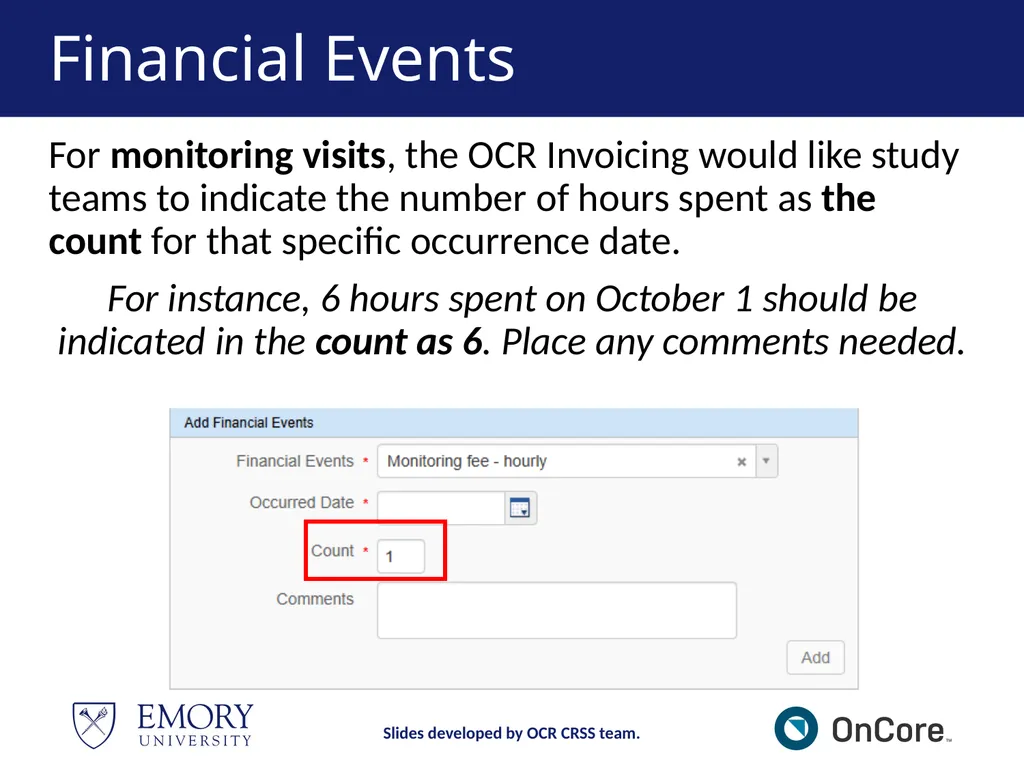
Financial Events For monitoring visits, the OCR Invoicing would like study teams to indicate the number of hours spent as the count for that specific occurrence date.
For instance, 6 hours spent on October 1 should be indicated in the count as 6. Place any comments needed. Slides developed by OCR CRSS team.<br>
For instance, 6 hours spent on October 1 should be indicated in the count as 6. Place any comments needed. Slides developed by OCR CRSS team.<br>
56
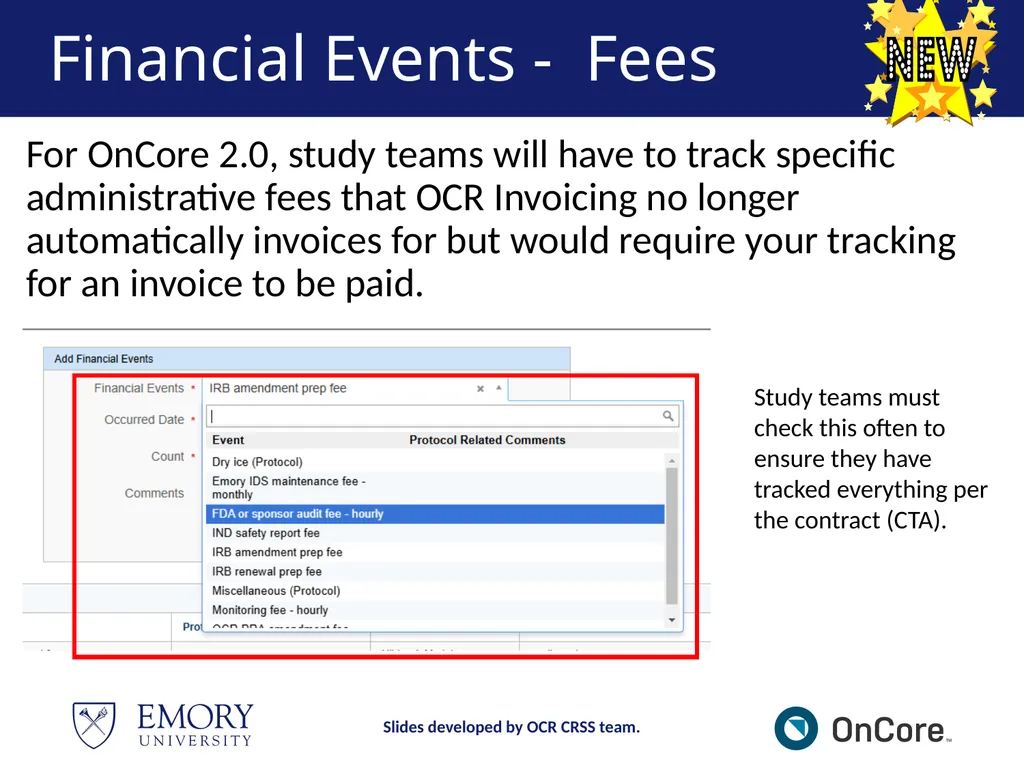
Financial Events - Fees For OnCore 2.0, study teams will have to track specific administrative fees that OCR Invoicing no longer automatically invoices for but would require your tracking for an invoice to be paid. Slides developed by OCR CRSS team. Study teams must check this often to ensure they have tracked everything per the contract (CTA).<br>
57
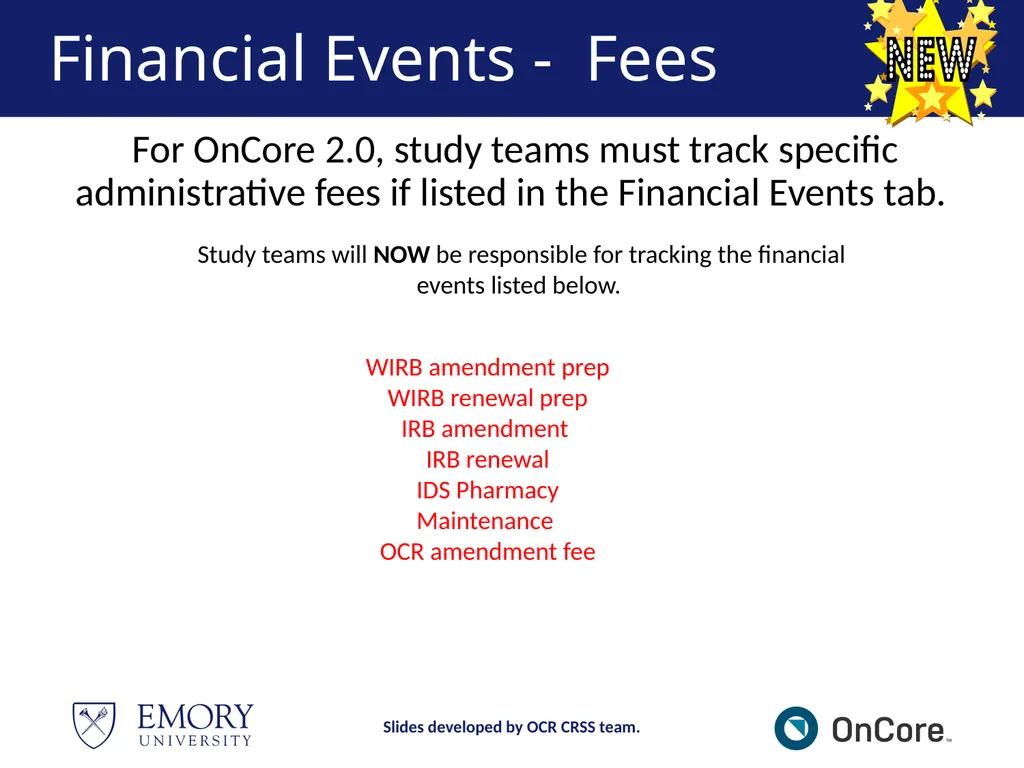
Financial Events - Fees For OnCore 2.0, study teams must track specific administrative fees if listed in the Financial Events tab. Slides developed by OCR CRSS team. Study teams will NOW be responsible for tracking the financial events listed below. WIRB amendment prep
WIRB renewal prep
IRB amendment
IRB renewal
IDS Pharmacy Maintenance
OCR amendment fee<br>
WIRB renewal prep
IRB amendment
IRB renewal
IDS Pharmacy Maintenance
OCR amendment fee<br>
58
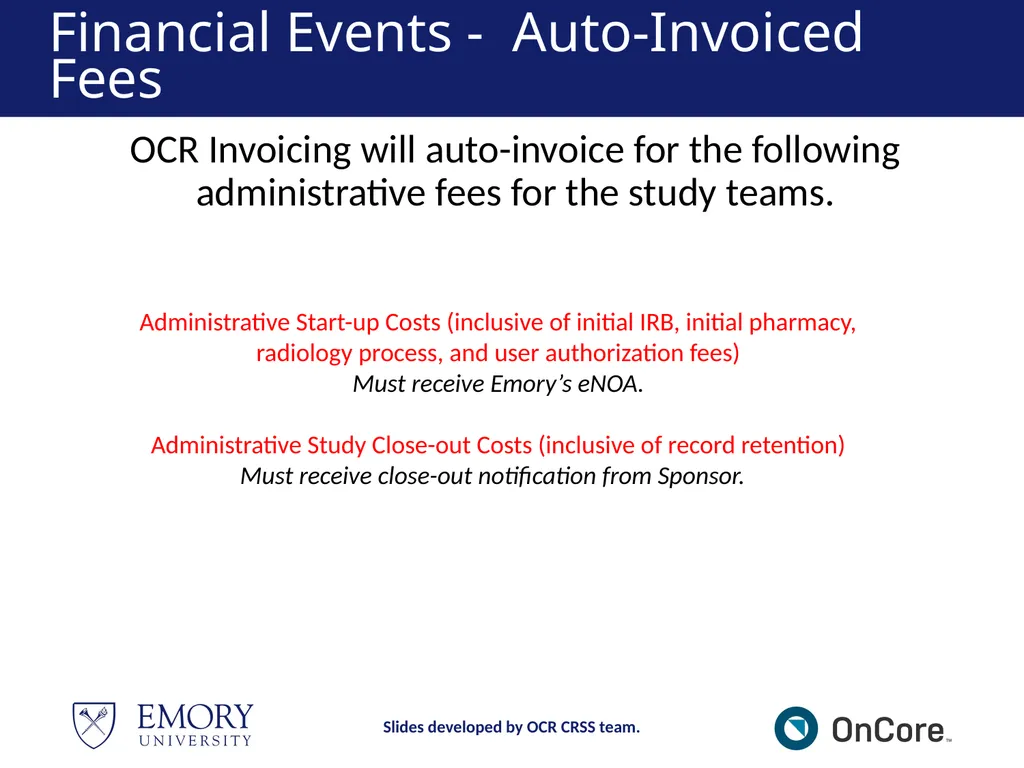
Financial Events - Auto-Invoiced Fees OCR Invoicing will auto-invoice for the following administrative fees for the study teams. Slides developed by OCR CRSS team. Administrative Start-up Costs (inclusive of initial IRB, initial pharmacy, radiology process, and user authorization fees)
Must receive Emory’s eNOA.
Administrative Study Close-out Costs (inclusive of record retention)
Must receive close-out notification from Sponsor.<br>
59
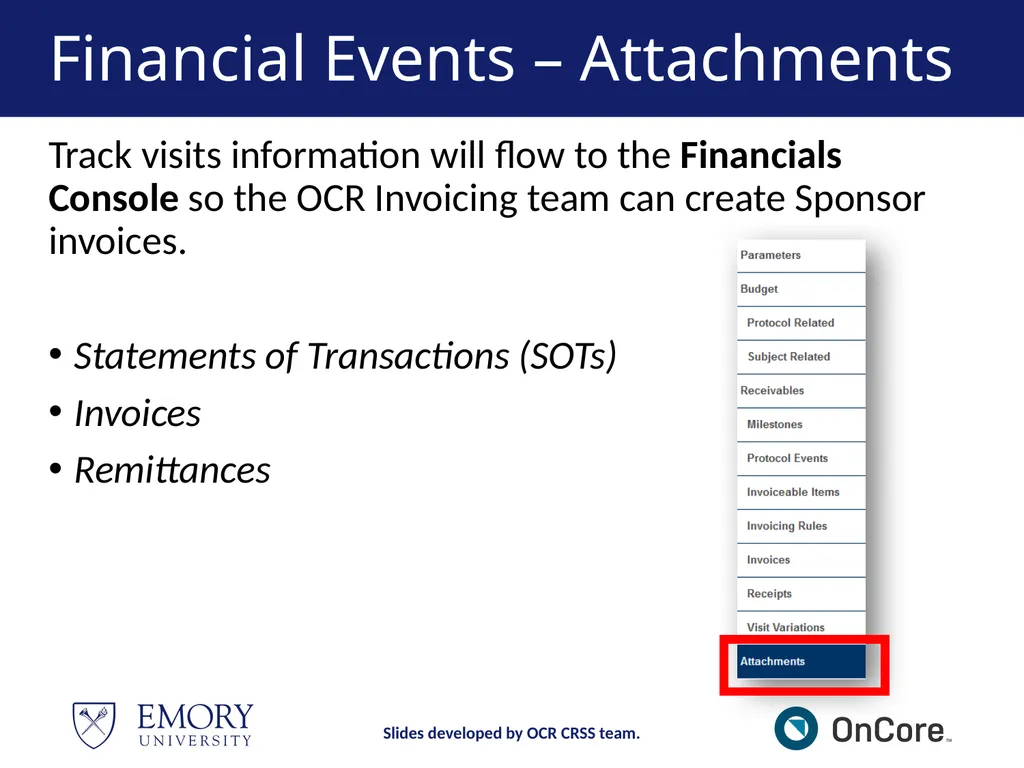
Financial Events – Attachments Slides developed by OCR CRSS team. Track visits information will flow to the Financials Console so the OCR Invoicing team can create Sponsor invoices.
Statements of Transactions (SOTs)
Invoices
Remittances<br>
Statements of Transactions (SOTs)
Invoices
Remittances<br>
60
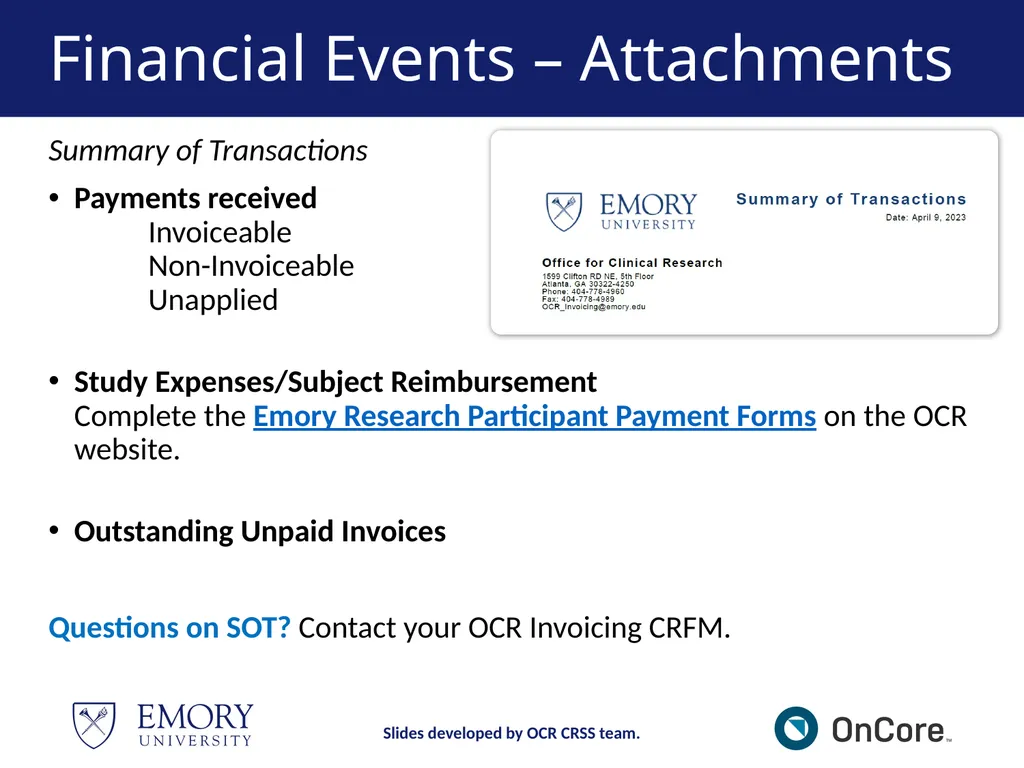
Financial Events – Attachments Slides developed by OCR CRSS team. Summary of Transactions
Payments received Invoiceable Non-Invoiceable Unapplied
Study Expenses/Subject Reimbursement Complete the Emory Research Participant Payment Forms on the OCR website.
Outstanding Unpaid Invoices
Questions on SOT? Contact your OCR Invoicing CRFM.<br>
Payments received Invoiceable Non-Invoiceable Unapplied
Study Expenses/Subject Reimbursement Complete the Emory Research Participant Payment Forms on the OCR website.
Outstanding Unpaid Invoices
Questions on SOT? Contact your OCR Invoicing CRFM.<br>
61
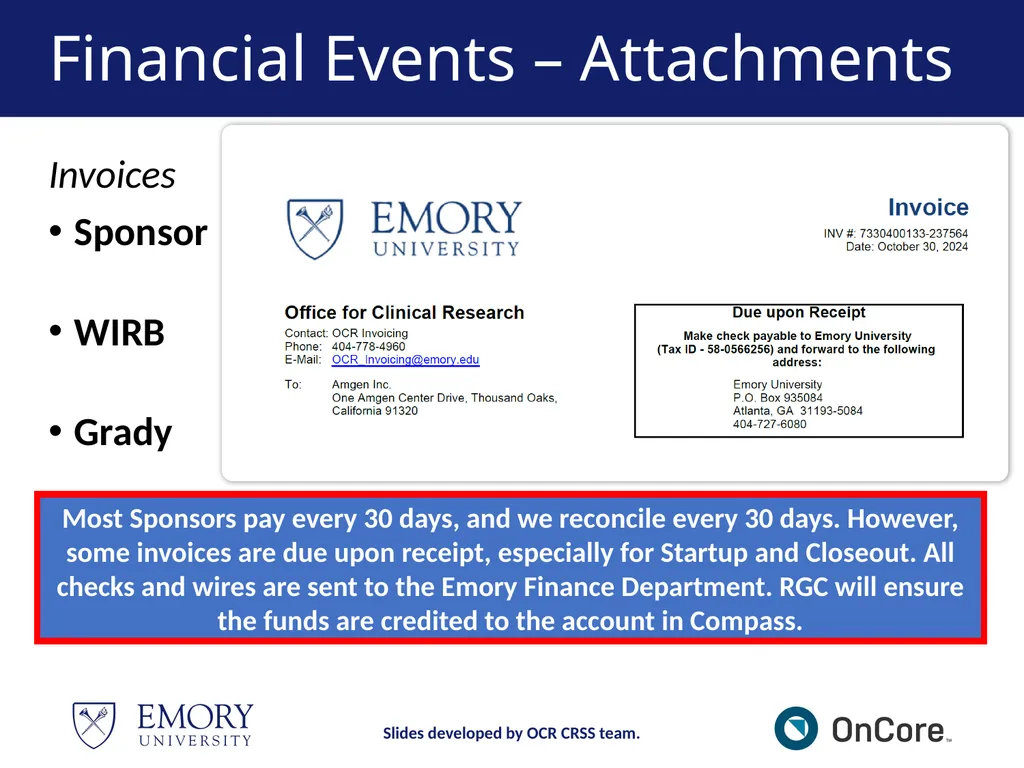
Financial Events – Attachments Slides developed by OCR CRSS team. Invoices
Sponsor
WIRB
Grady Most Sponsors pay every 30 days, and we reconcile every 30 days. However, some invoices are due upon receipt, especially for Startup and Closeout. All checks and wires are sent to the Emory Finance Department. RGC will ensure the funds are credited to the account in Compass.<br>
Sponsor
WIRB
Grady Most Sponsors pay every 30 days, and we reconcile every 30 days. However, some invoices are due upon receipt, especially for Startup and Closeout. All checks and wires are sent to the Emory Finance Department. RGC will ensure the funds are credited to the account in Compass.<br>
62
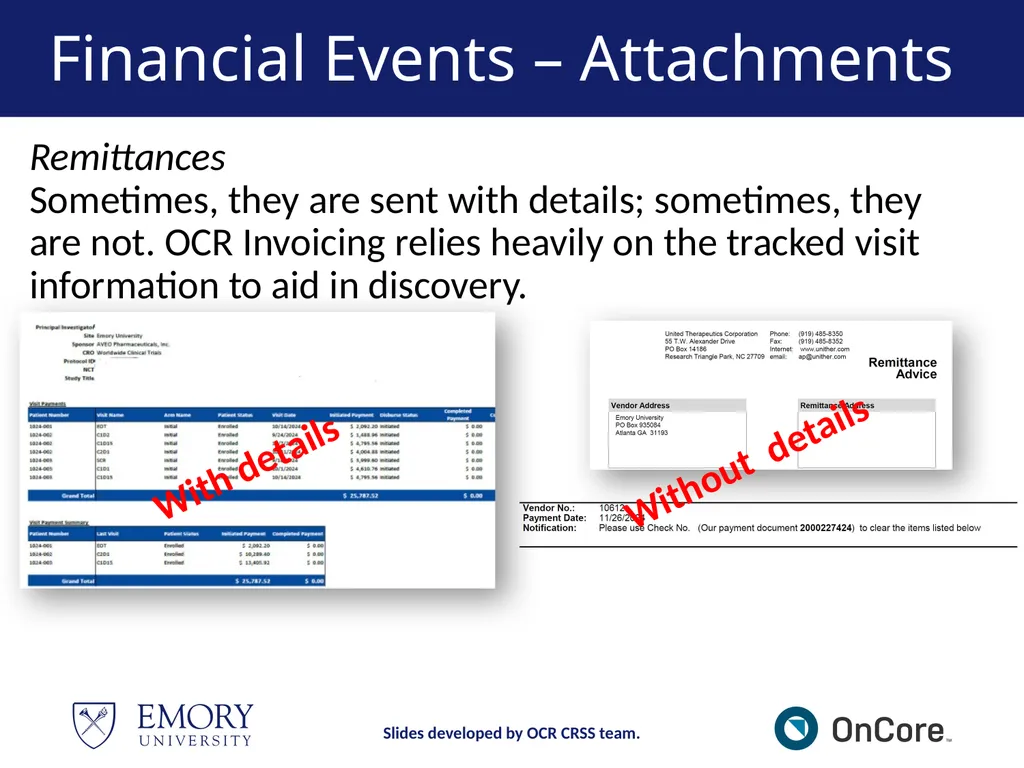
Financial Events – Attachments Slides developed by OCR CRSS team. Remittances
Sometimes, they are sent with details; sometimes, they are not. OCR Invoicing relies heavily on the tracked visit information to aid in discovery. With details Without details<br>
63
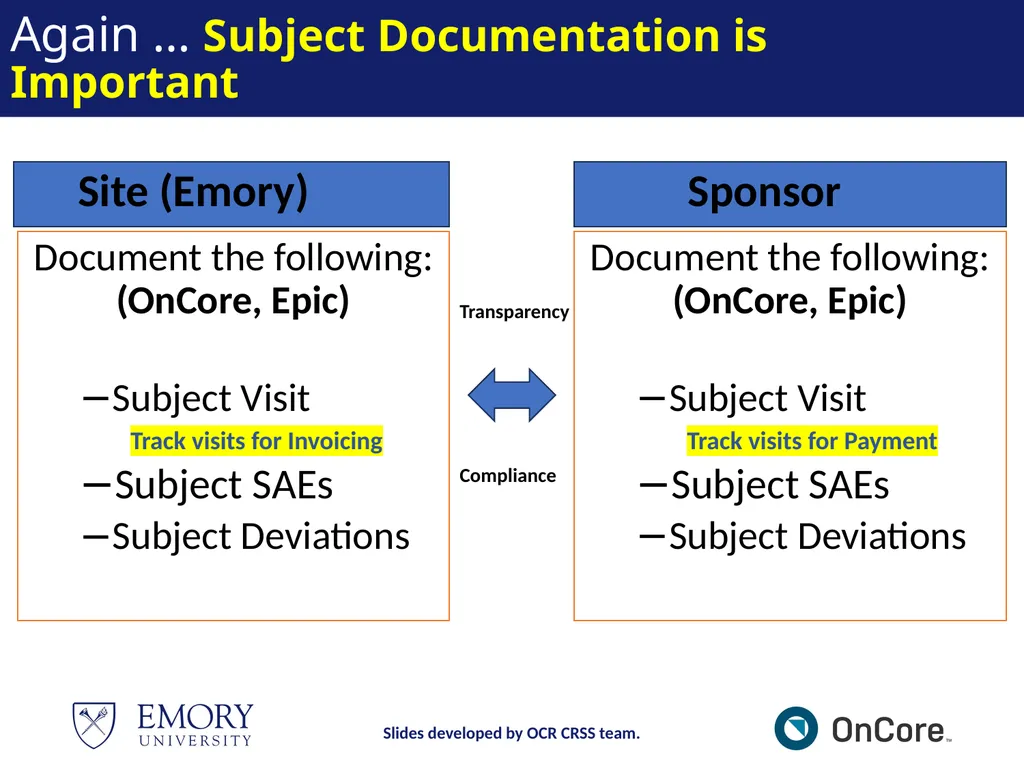
Again … Subject Documentation is Important Document the following: (OnCore, Epic)
Subject Visit
Track visits for Invoicing
Subject SAEs
Subject Deviations Document the following: (OnCore, Epic)
Subject Visit
Track visits for Payment
Subject SAEs
Subject Deviations Transparency Compliance Site (Emory) Sponsor Slides developed by OCR CRSS team.<br>
Subject Visit
Track visits for Invoicing
Subject SAEs
Subject Deviations Document the following: (OnCore, Epic)
Subject Visit
Track visits for Payment
Subject SAEs
Subject Deviations Transparency Compliance Site (Emory) Sponsor Slides developed by OCR CRSS team.<br>
64
Closeout Closeout refers to the process of formally concluding a clinical research study within OnCore. It involves documenting that all study activities, data collection, and regulatory compliance are complete, and the study is ready to be closed with the IRB and Sponsor, marking the end of the trial lifecycle within the OnCore platform. Slides developed by OCR CRSS team.<br>
65
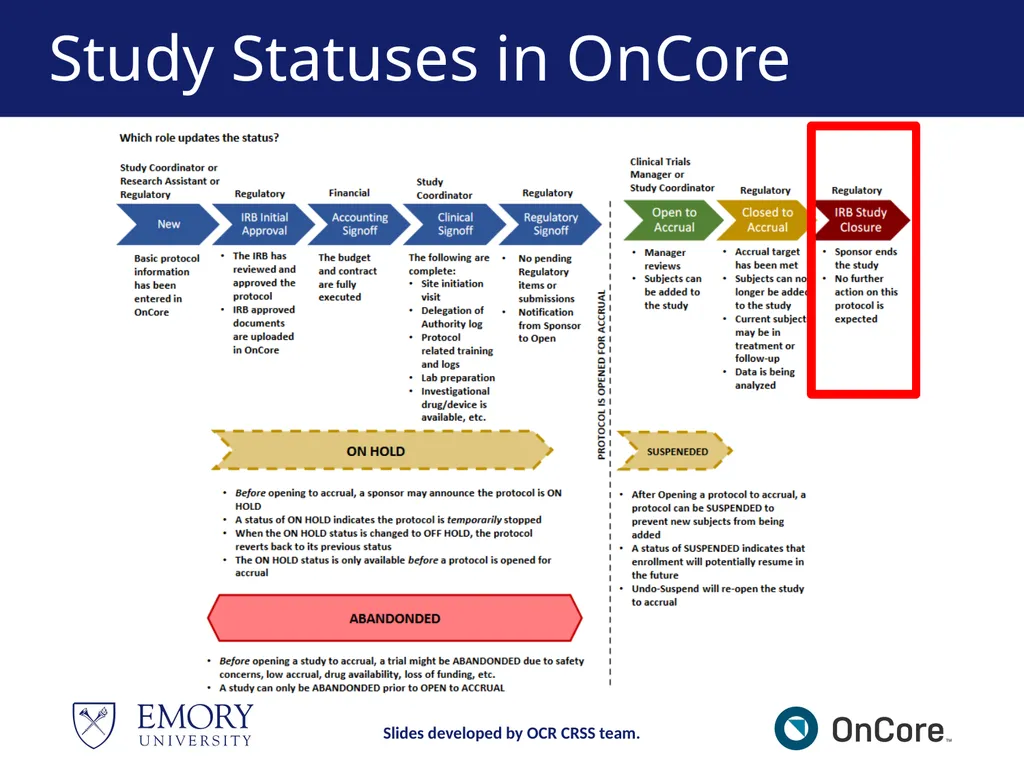
Study Statuses in OnCore Slides developed by OCR CRSS team.<br>
66
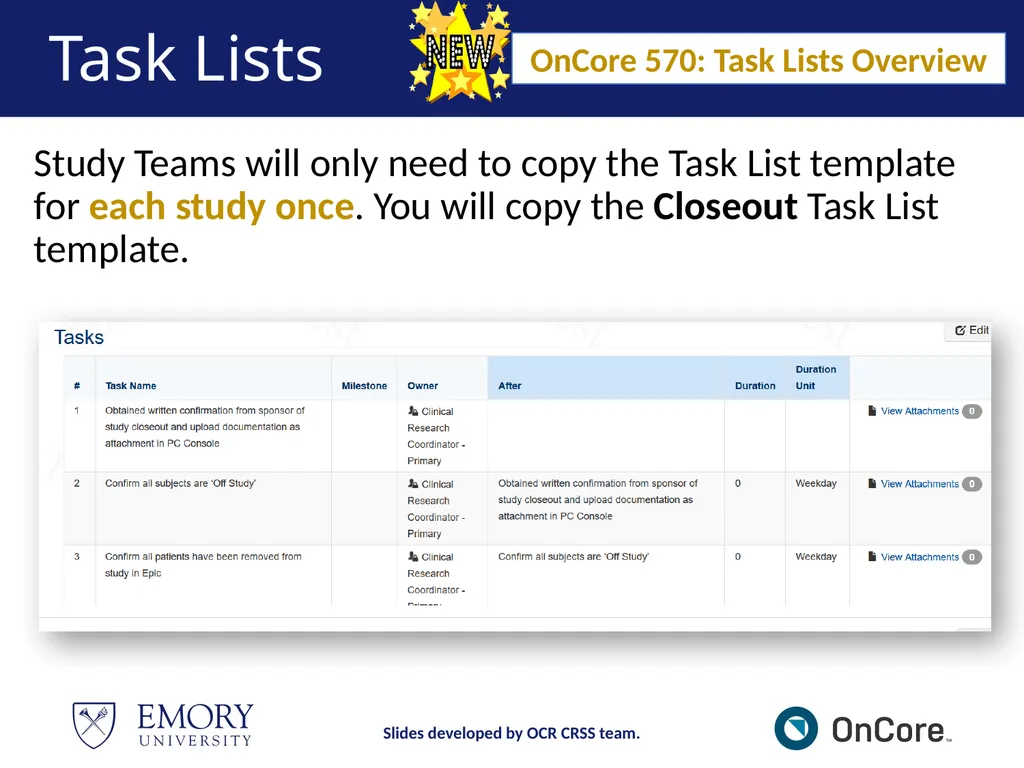
Task Lists Study Teams will only need to copy the Task List template for each study once. You will copy the Closeout Task List template. OnCore 570: Task Lists Overview Slides developed by OCR CRSS team.<br>
67
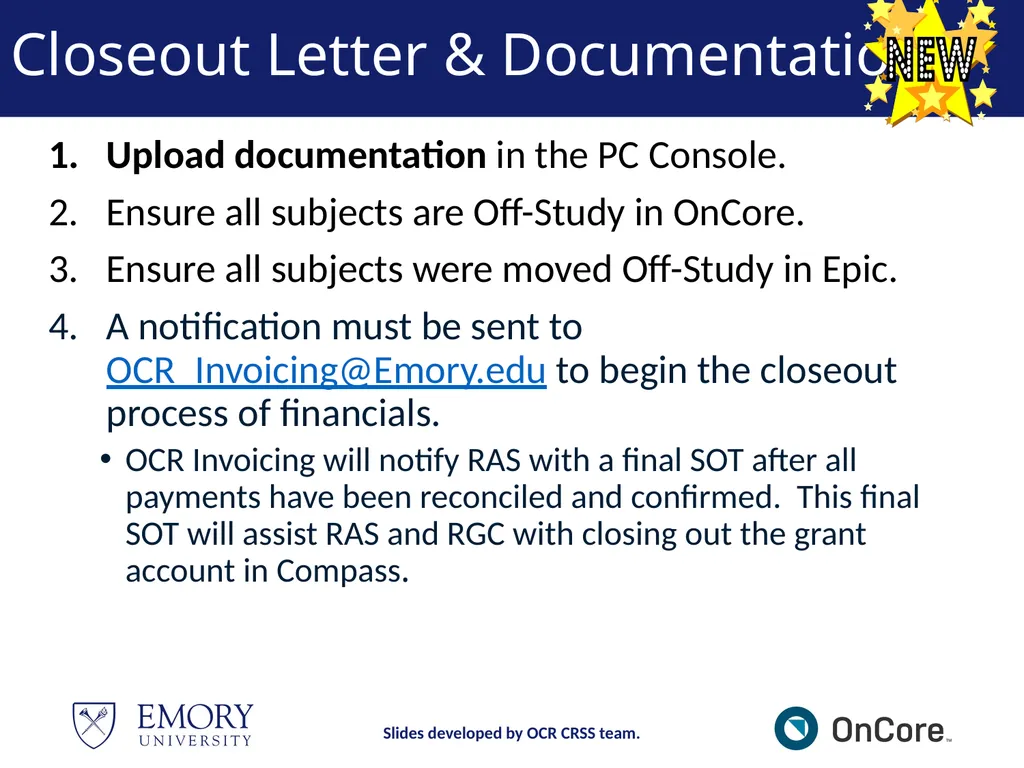
Closeout Letter & Documentation Upload documentation in the PC Console.
Ensure all subjects are Off-Study in OnCore.
Ensure all subjects were moved Off-Study in Epic.
A notification must be sent to OCR_Invoicing@Emory.edu to begin the closeout process of financials.
OCR Invoicing will notify RAS with a final SOT after all payments have been reconciled and confirmed. This final SOT will assist RAS and RGC with closing out the grant account in Compass. Slides developed by OCR CRSS team.<br>
Ensure all subjects are Off-Study in OnCore.
Ensure all subjects were moved Off-Study in Epic.
A notification must be sent to OCR_Invoicing@Emory.edu to begin the closeout process of financials.
OCR Invoicing will notify RAS with a final SOT after all payments have been reconciled and confirmed. This final SOT will assist RAS and RGC with closing out the grant account in Compass. Slides developed by OCR CRSS team.<br>
68
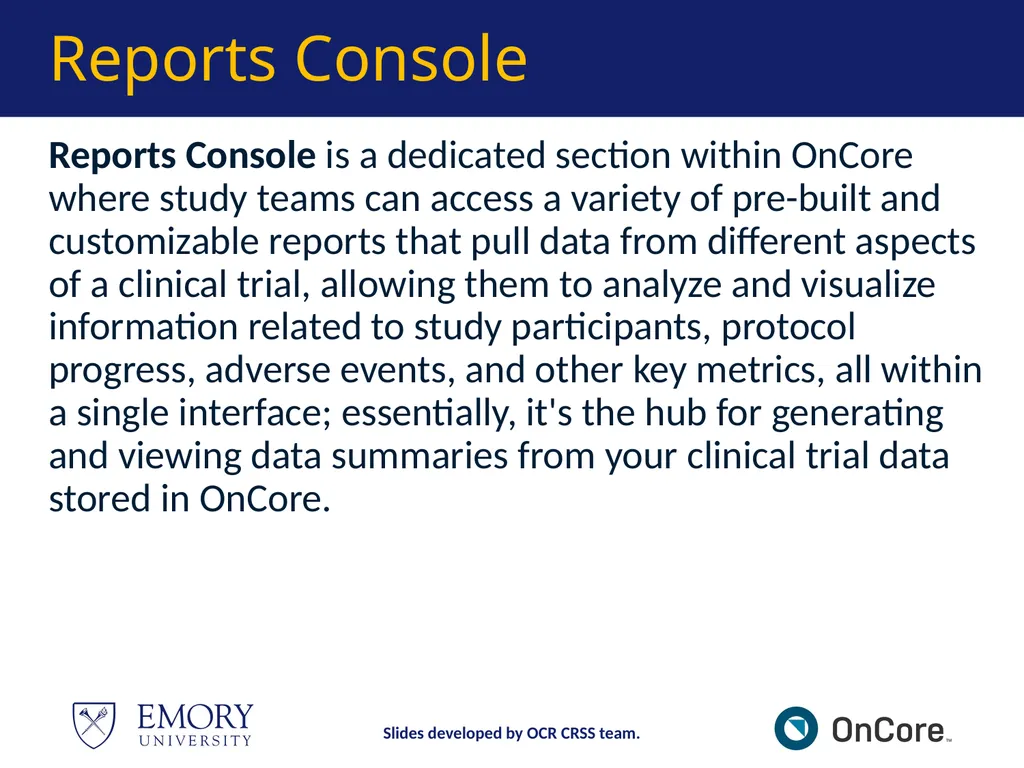
Reports Console Reports Console is a dedicated section within OnCore where study teams can access a variety of pre-built and customizable reports that pull data from different aspects of a clinical trial, allowing them to analyze and visualize information related to study participants, protocol progress, adverse events, and other key metrics, all within a single interface; essentially, it's the hub for generating and viewing data summaries from your clinical trial data stored in OnCore. Slides developed by OCR CRSS team.<br>
69
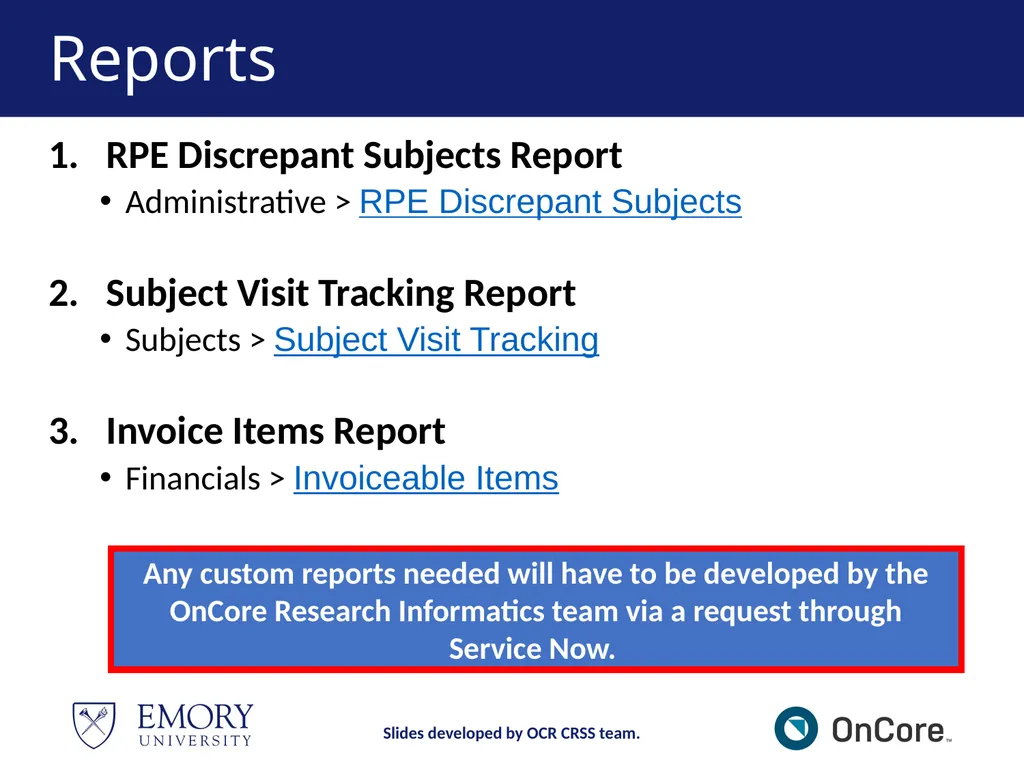
Reports RPE Discrepant Subjects Report
Administrative > RPE Discrepant Subjects
Subject Visit Tracking Report
Subjects > Subject Visit Tracking
Invoice Items Report
Financials > Invoiceable Items Slides developed by OCR CRSS team. Any custom reports needed will have to be developed by the OnCore Research Informatics team via a request through Service Now.<br>
Administrative > RPE Discrepant Subjects
Subject Visit Tracking Report
Subjects > Subject Visit Tracking
Invoice Items Report
Financials > Invoiceable Items Slides developed by OCR CRSS team. Any custom reports needed will have to be developed by the OnCore Research Informatics team via a request through Service Now.<br>
70
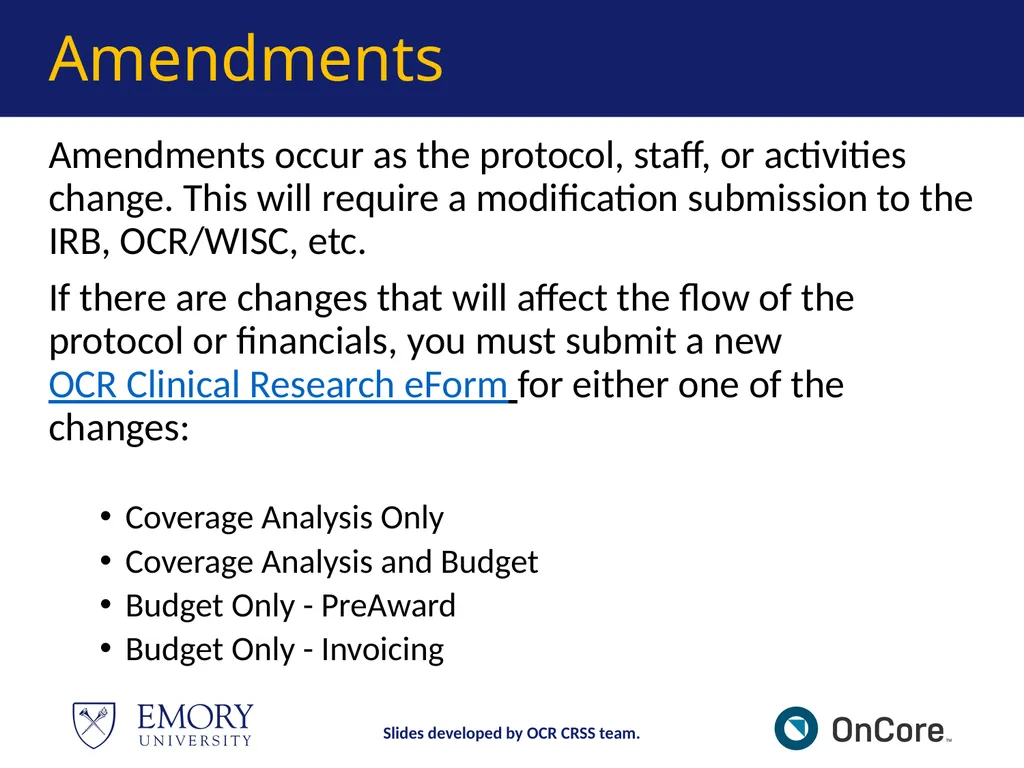
Amendments Amendments occur as the protocol, staff, or activities change. This will require a modification submission to the IRB, OCR/WISC, etc.
If there are changes that will affect the flow of the protocol or financials, you must submit a new OCR Clinical Research eForm for either one of the changes:
Coverage Analysis Only
Coverage Analysis and Budget
Budget Only - PreAward
Budget Only - Invoicing Slides developed by OCR CRSS team.<br>
If there are changes that will affect the flow of the protocol or financials, you must submit a new OCR Clinical Research eForm for either one of the changes:
Coverage Analysis Only
Coverage Analysis and Budget
Budget Only - PreAward
Budget Only - Invoicing Slides developed by OCR CRSS team.<br>
71
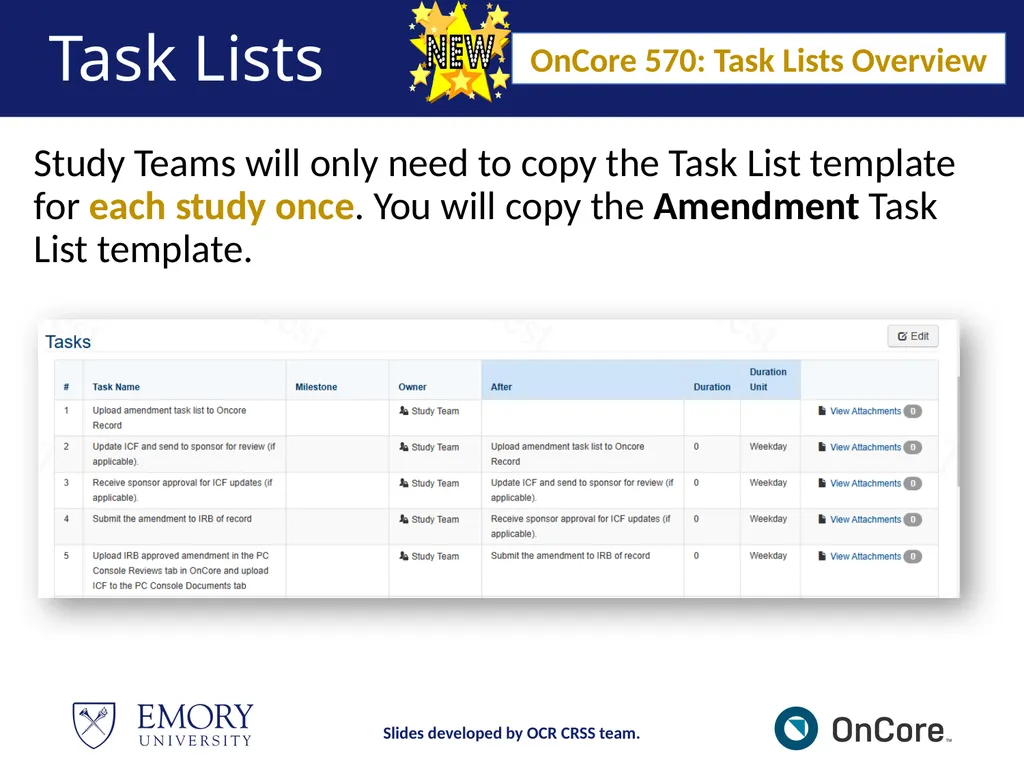
Task Lists Study Teams will only need to copy the Task List template for each study once. You will copy the Amendment Task List template. OnCore 570: Task Lists Overview Slides developed by OCR CRSS team.<br>
72
Demonstration https://emory-oncore-train.advarra.app Slides developed by OCR CRSS team.<br>
73
Break – 5 mins Slides developed by OCR CRSS team.<br>
74
MODULE 4<br>
75
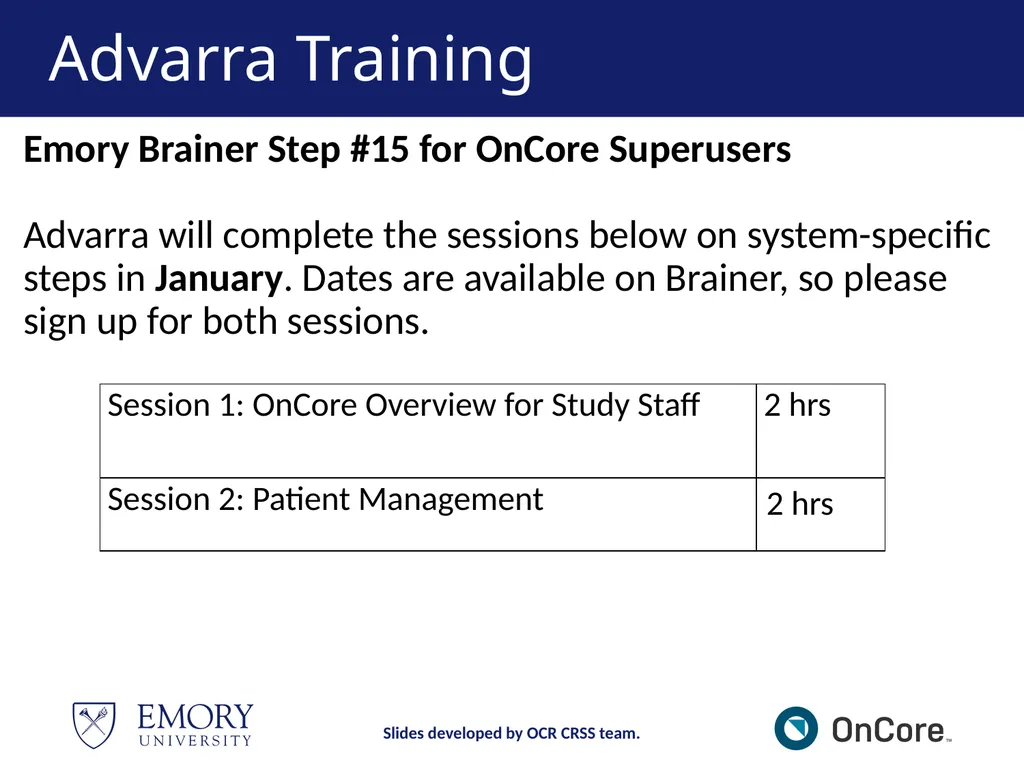
Advarra Training Emory Brainer Step #15 for OnCore Superusers
Advarra will complete the sessions below on system-specific steps in January. Dates are available on Brainer, so please sign up for both sessions. Slides developed by OCR CRSS team.<br>
76
MODULE 5<br>
77
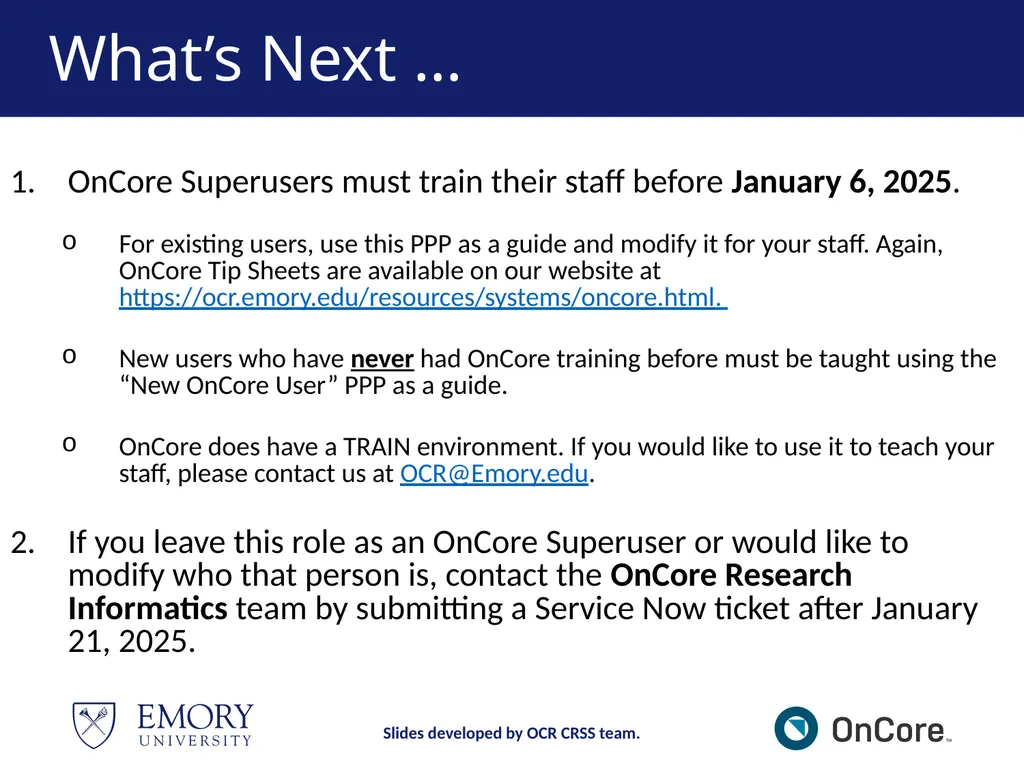
What’s Next … OnCore Superusers must train their staff before January 6, 2025.
For existing users, use this PPP as a guide and modify it for your staff. Again, OnCore Tip Sheets are available on our website at https://ocr.emory.edu/resources/systems/oncore.html.
New users who have never had OnCore training before must be taught using the “New OnCore User” PPP as a guide.
OnCore does have a TRAIN environment. If you would like to use it to teach your staff, please contact us at OCR@Emory.edu.
If you leave this role as an OnCore Superuser or would like to modify who that person is, contact the OnCore Research Informatics team by submitting a Service Now ticket after January 21, 2025. Slides developed by OCR CRSS team.<br>
For existing users, use this PPP as a guide and modify it for your staff. Again, OnCore Tip Sheets are available on our website at https://ocr.emory.edu/resources/systems/oncore.html.
New users who have never had OnCore training before must be taught using the “New OnCore User” PPP as a guide.
OnCore does have a TRAIN environment. If you would like to use it to teach your staff, please contact us at OCR@Emory.edu.
If you leave this role as an OnCore Superuser or would like to modify who that person is, contact the OnCore Research Informatics team by submitting a Service Now ticket after January 21, 2025. Slides developed by OCR CRSS team.<br>
78
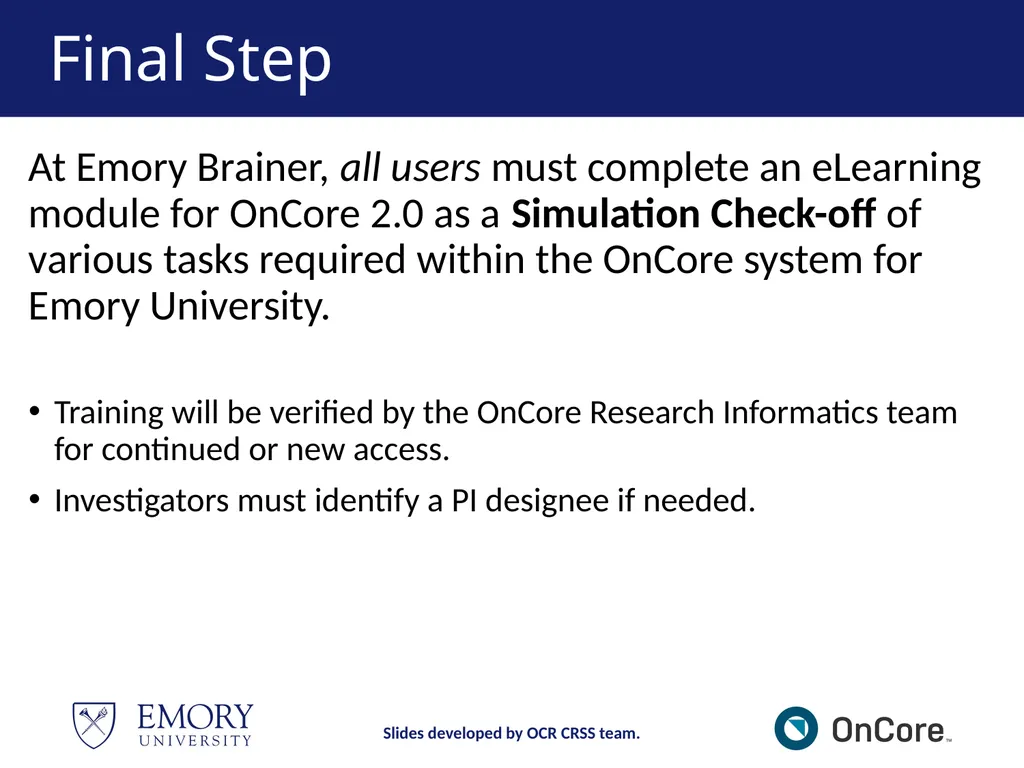
Final Step At Emory Brainer, all users must complete an eLearning module for OnCore 2.0 as a Simulation Check-off of various tasks required within the OnCore system for Emory University.
Training will be verified by the OnCore Research Informatics team for continued or new access.
Investigators must identify a PI designee if needed. Slides developed by OCR CRSS team.<br>
Training will be verified by the OnCore Research Informatics team for continued or new access.
Investigators must identify a PI designee if needed. Slides developed by OCR CRSS team.<br>
79
Thank you, Study Teams.
It has been a pleasure training you in OnCore, and we wish you well moving forward!
Contact us at OCR@Emory.edu if you should have any questions.
Review OnCore Tip Sheets and Workflows. Slides developed by OCR CRSS team.<br>