05
Time Keeper Overview
All employees enter their own time
Exempt enter absences
Non-exempt enter time and absences
Paper timesheets not required
May adjust time as necessary
May review exception reports 5<br>
06
Time Keeper Suggested Tasks
Reasonability test data entered
Monitor for expired appointments
May review Payroll Comparison report 6<br>
07
Time Keeper Required Functions
Enter and maintain delegates
Communicate with Payroll and HR offices 7<br>
08
Approver Overview
Should be a supervisor
Authorized by Department Management
Approval may be delegated
Not the same person who performs the verification
The system documents approval
Approves time entered (not payroll amounts) 8<br>
09
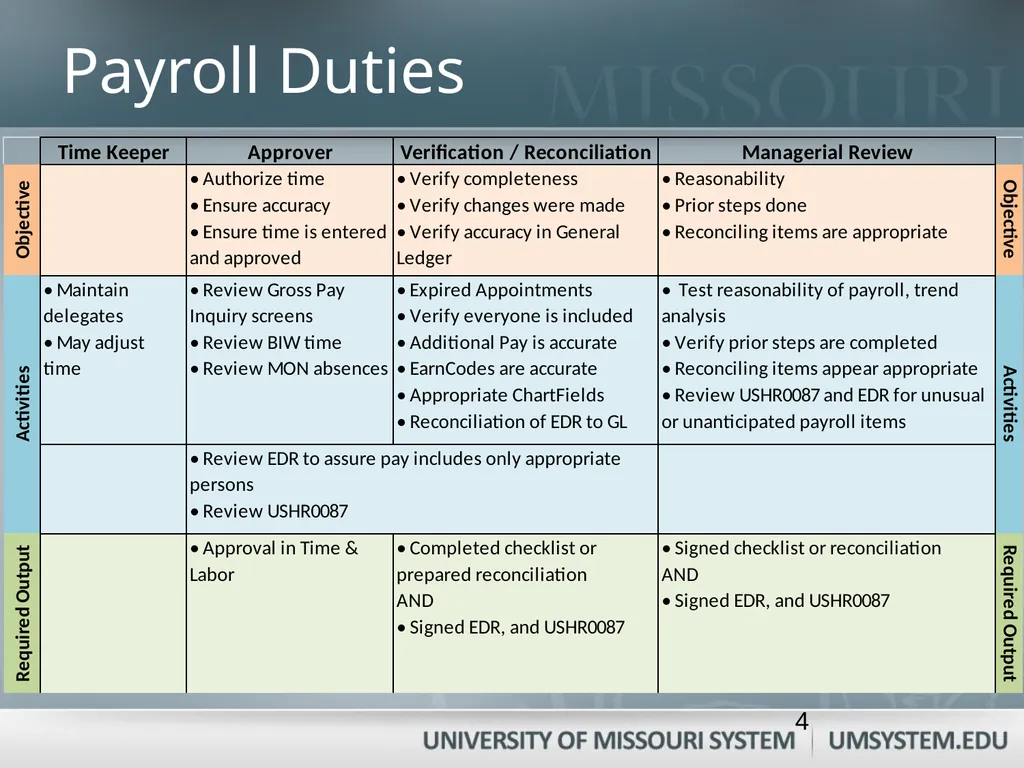
Approver Objectives
Authorize time entered
Ensure time entered is accurate
Ensure all time is submitted
Review for missed punches 9<br>
10
Approver Activities
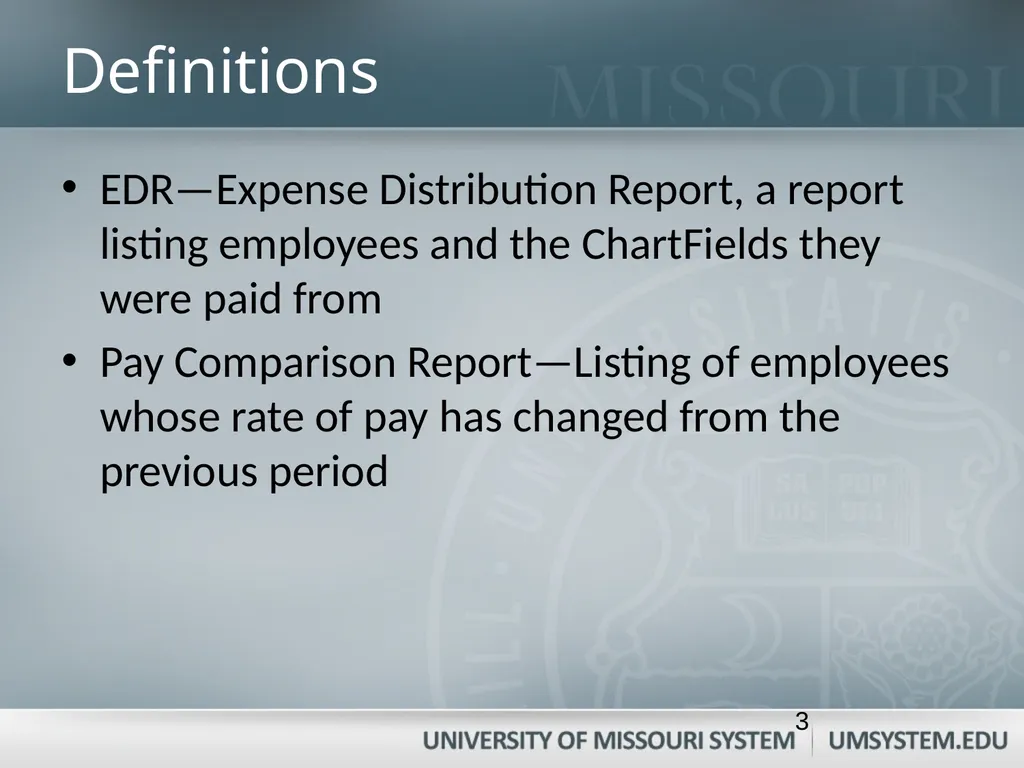
Review Payroll Comparison Report
Review EDR
Review payroll amounts—
View Gross Pay inquiry screen
Review bi-Weekly time and monthly absences for accuracy and appropriateness 10<br>
11
Approver Required Output
Time and absences are approved in Time and Labor for monthly and bi-weekly 11<br>
12
Verification / Reconciliation Overview
Should not be performed by Approver or Timekeeper 12<br>
13
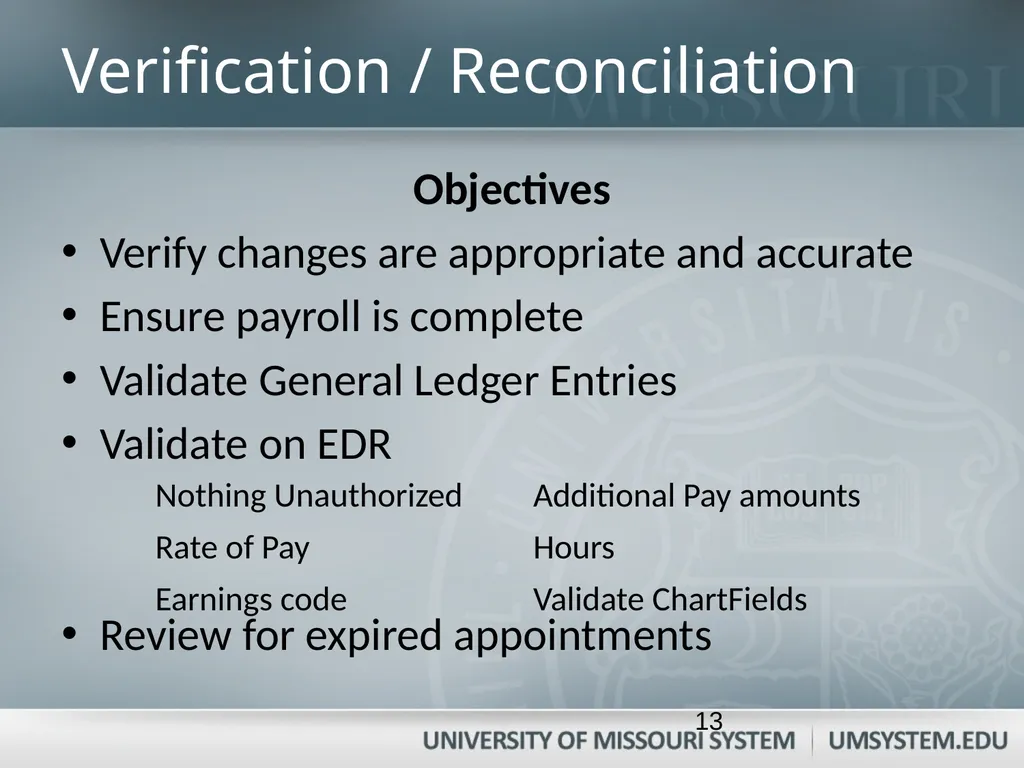
Verification / Reconciliation Objectives
Verify changes are appropriate and accurate
Ensure payroll is complete
Validate General Ledger Entries
Validate on EDR
Review for expired appointments 13<br>
14
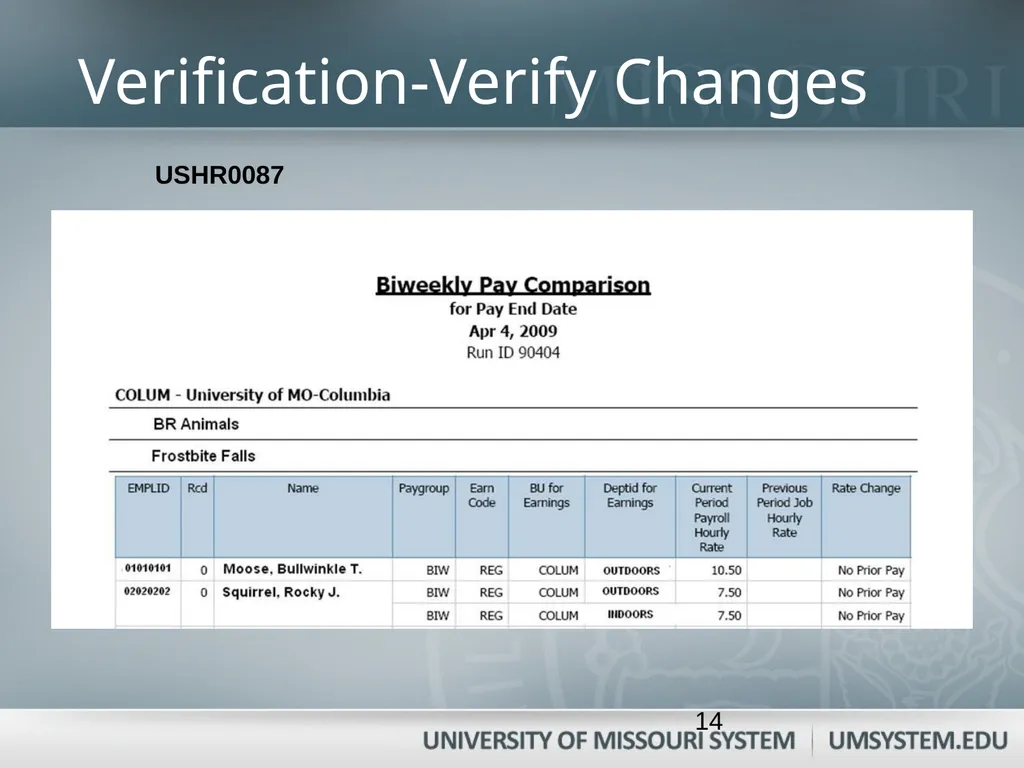
Verification-Verify Changes USHR0087 14<br>
15
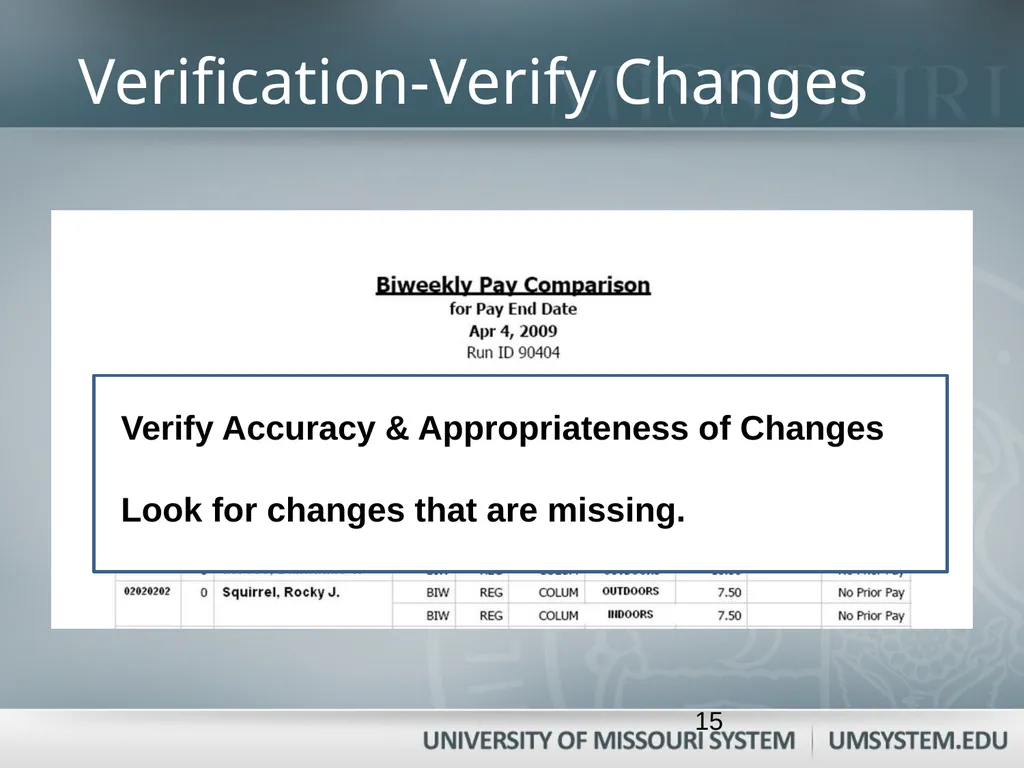
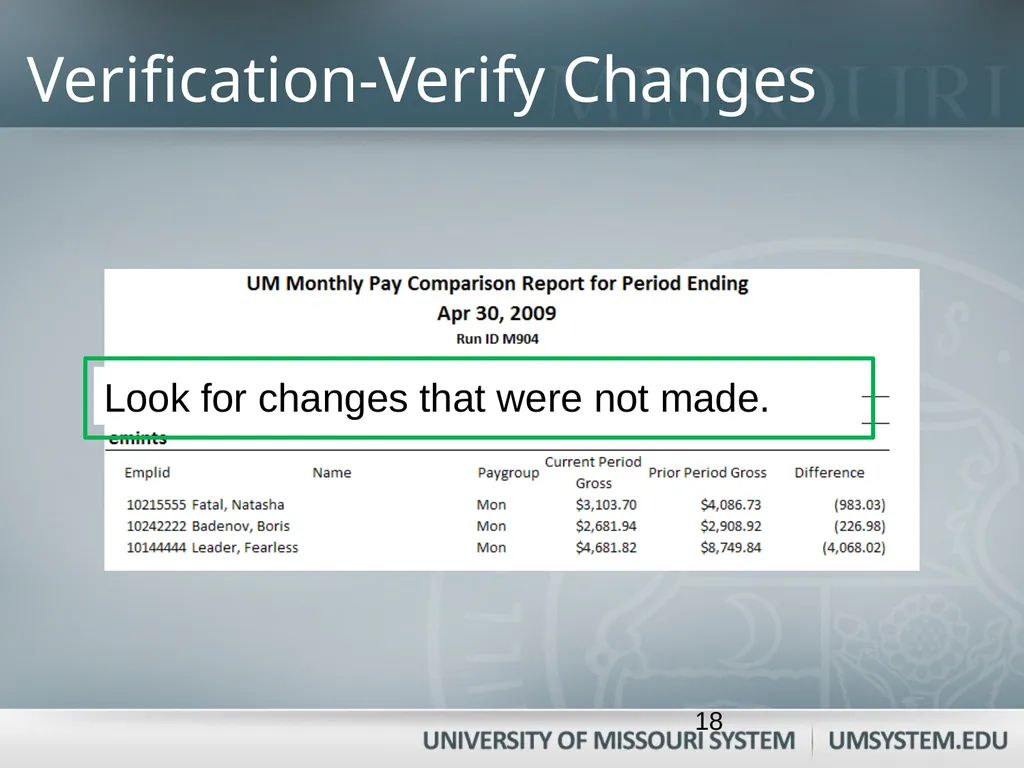
Verification-Verify Changes Verify Accuracy & Appropriateness of Changes
Look for changes that are missing. 15<br>
16
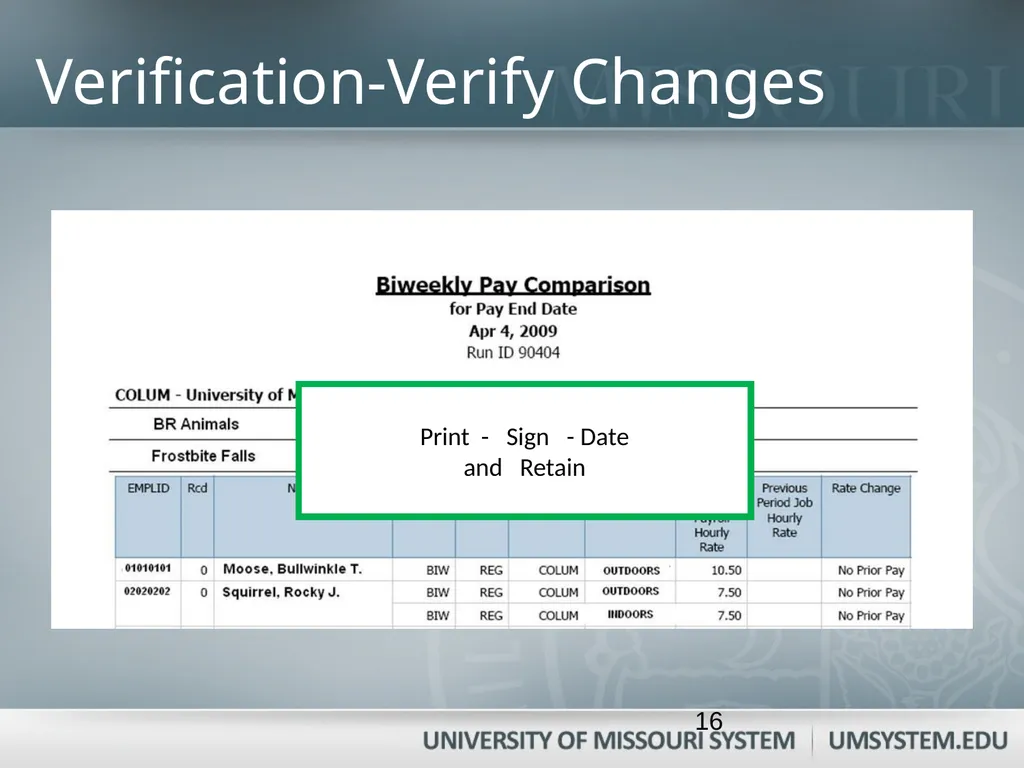
Verification-Verify Changes Print - Sign - Date
and Retain 16<br>
17
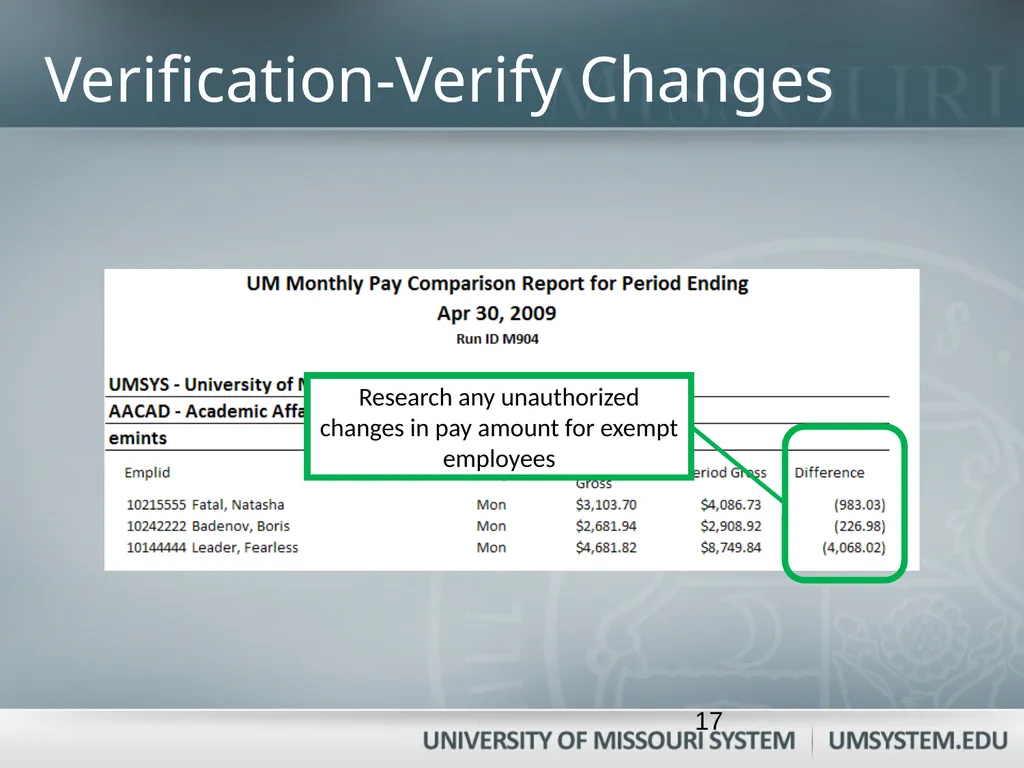
Verification-Verify Changes Research any unauthorized changes in pay amount for exempt employees 17<br>
18
Verification-Verify Changes 18<br>
19
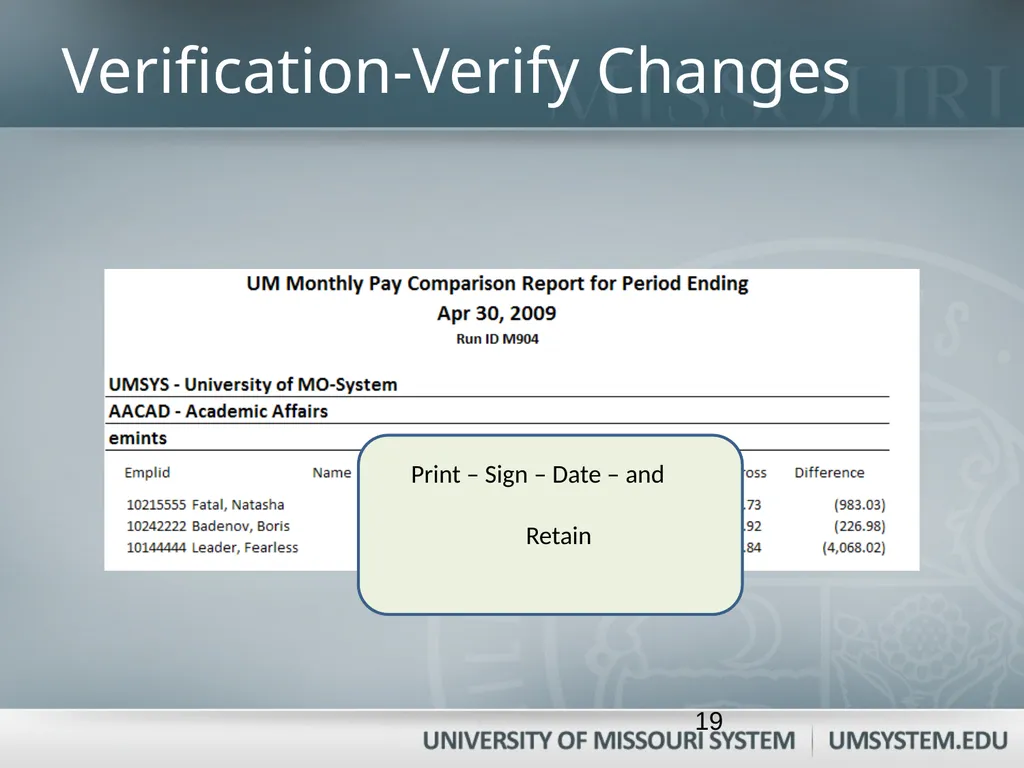
Verification-Verify Changes Print – Sign – Date – and
Retain 19<br>
20
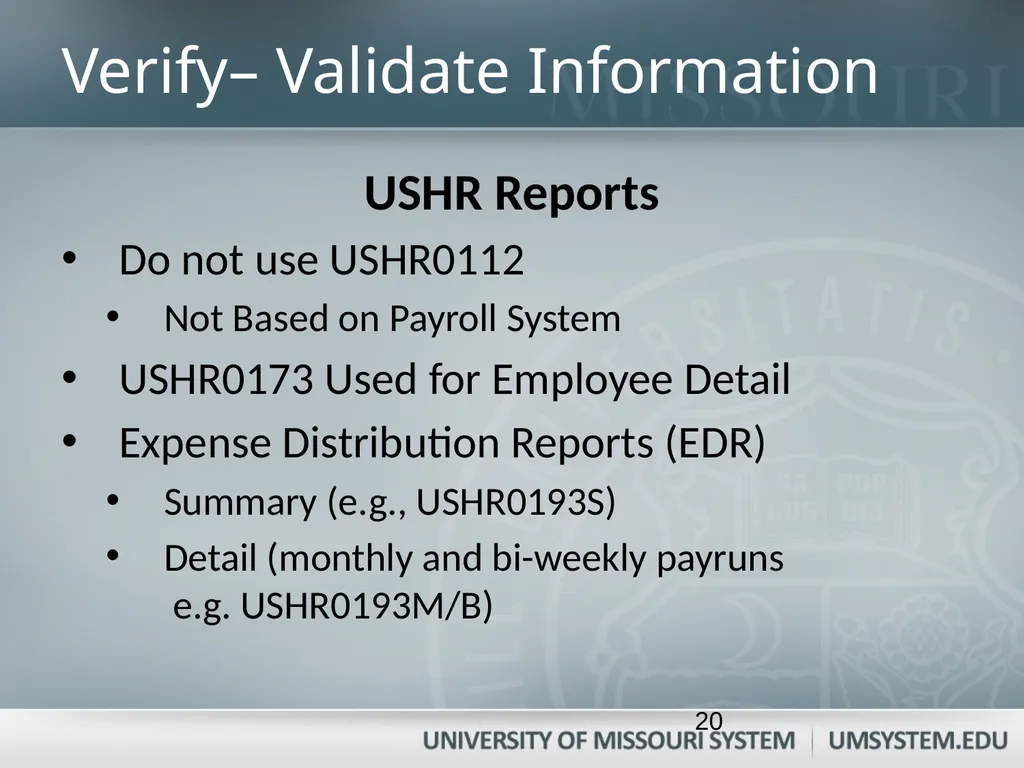
Verify– Validate Information USHR Reports
Do not use USHR0112
Not Based on Payroll System
USHR0173 Used for Employee Detail
Expense Distribution Reports (EDR)
Summary (e.g., USHR0193S)
Detail (monthly and bi-weekly payruns e.g. USHR0193M/B) 20<br>
21
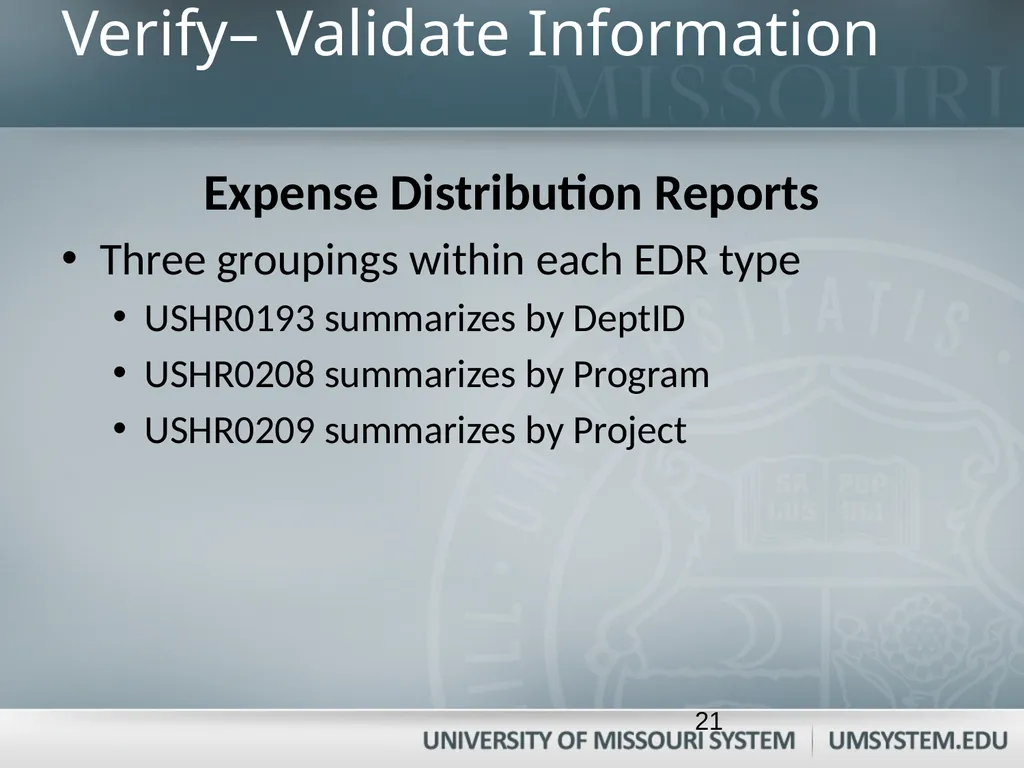
Verify– Validate Information Expense Distribution Reports
Three groupings within each EDR type
USHR0193 summarizes by DeptID
USHR0208 summarizes by Program
USHR0209 summarizes by Project 21<br>
22
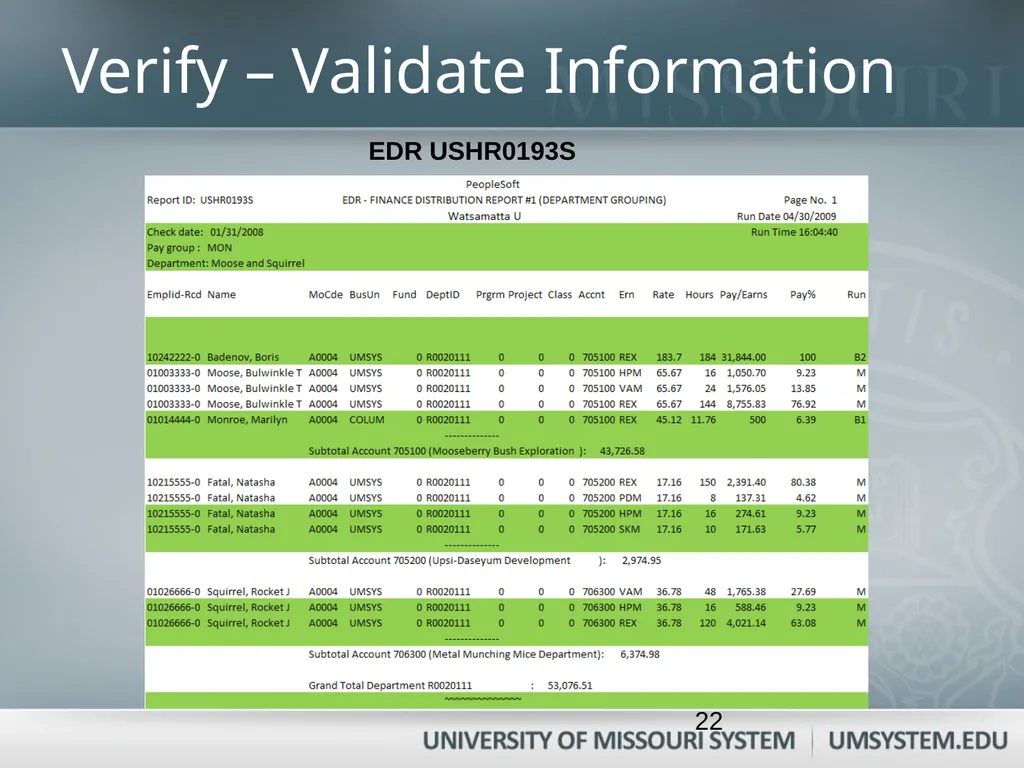
Verify – Validate Information EDR USHR0193S 22<br>
23
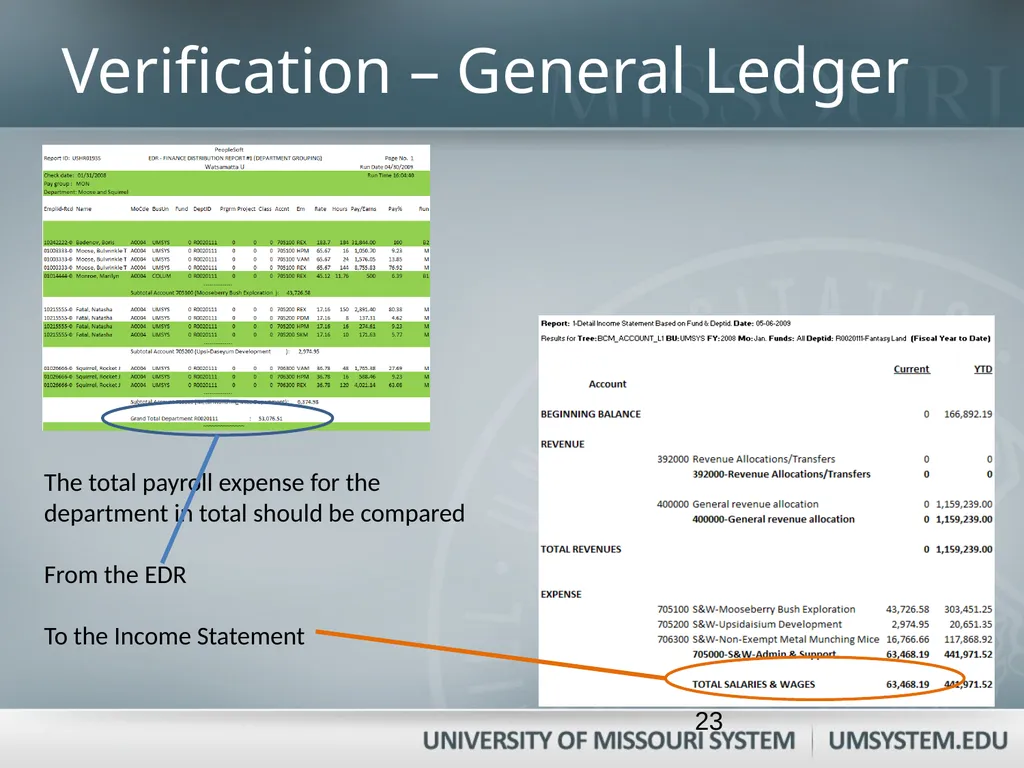
The total payroll expense for the department in total should be compared
From the EDR
To the Income Statement Verification – General Ledger 23<br>
24
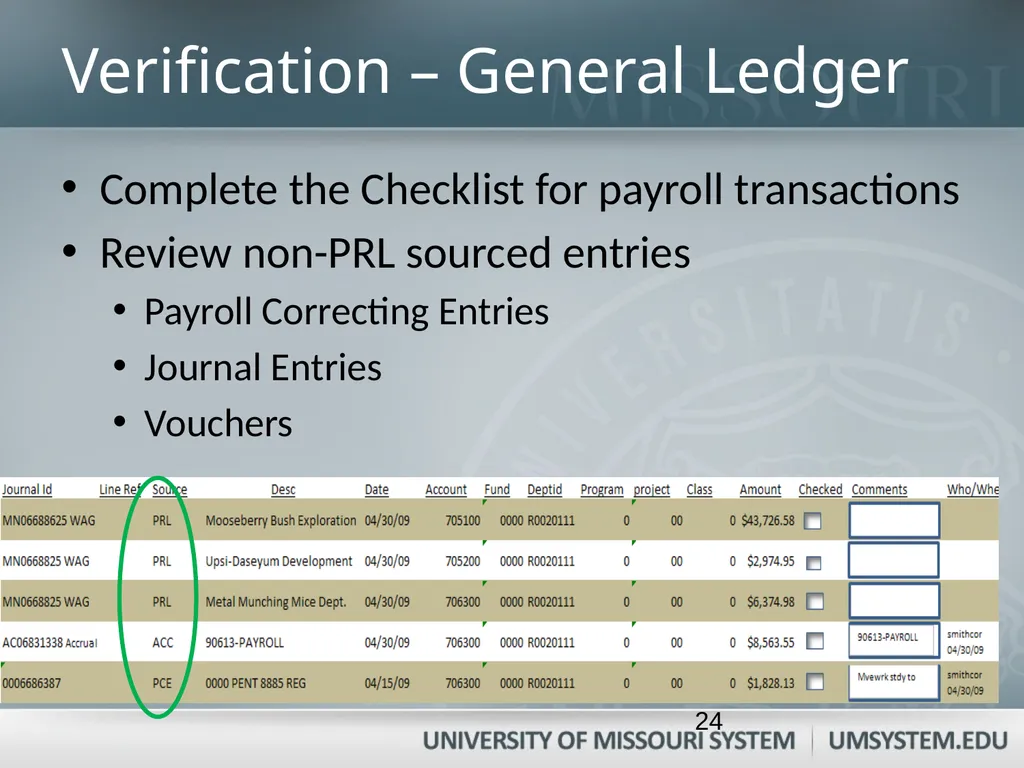
Verification – General Ledger Complete the Checklist for payroll transactions
Review non-PRL sourced entries
Payroll Correcting Entries
Journal Entries
Vouchers 24<br>
25
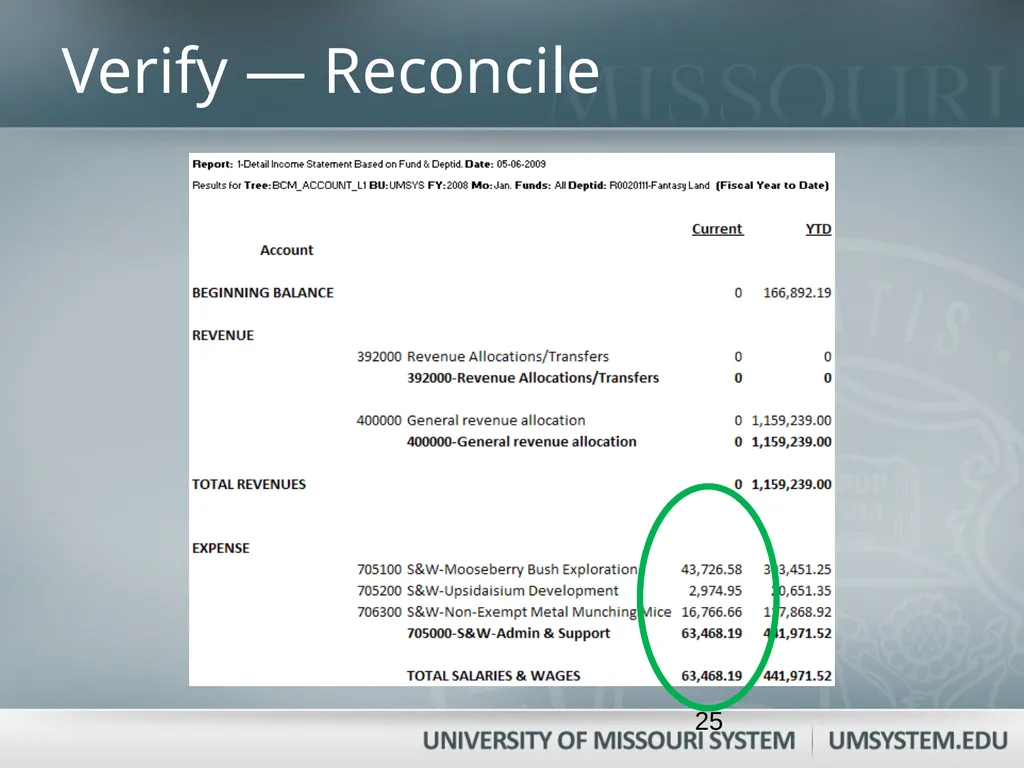
Verify — Reconcile 25<br>
26
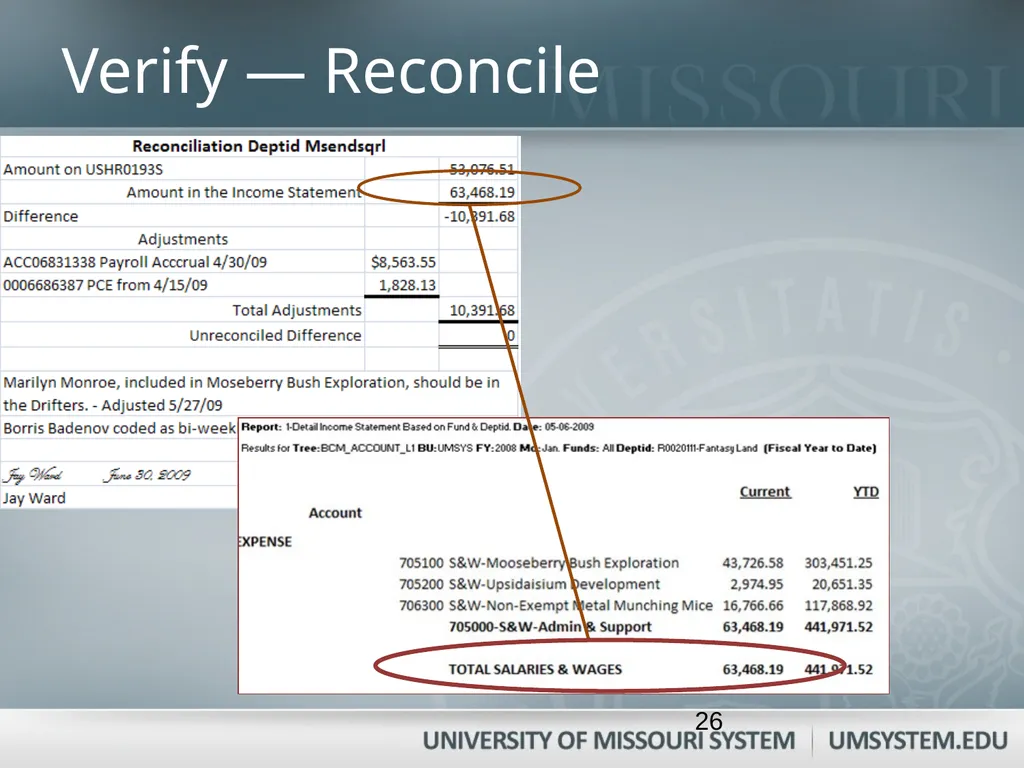
Verify — Reconcile 26<br>
27
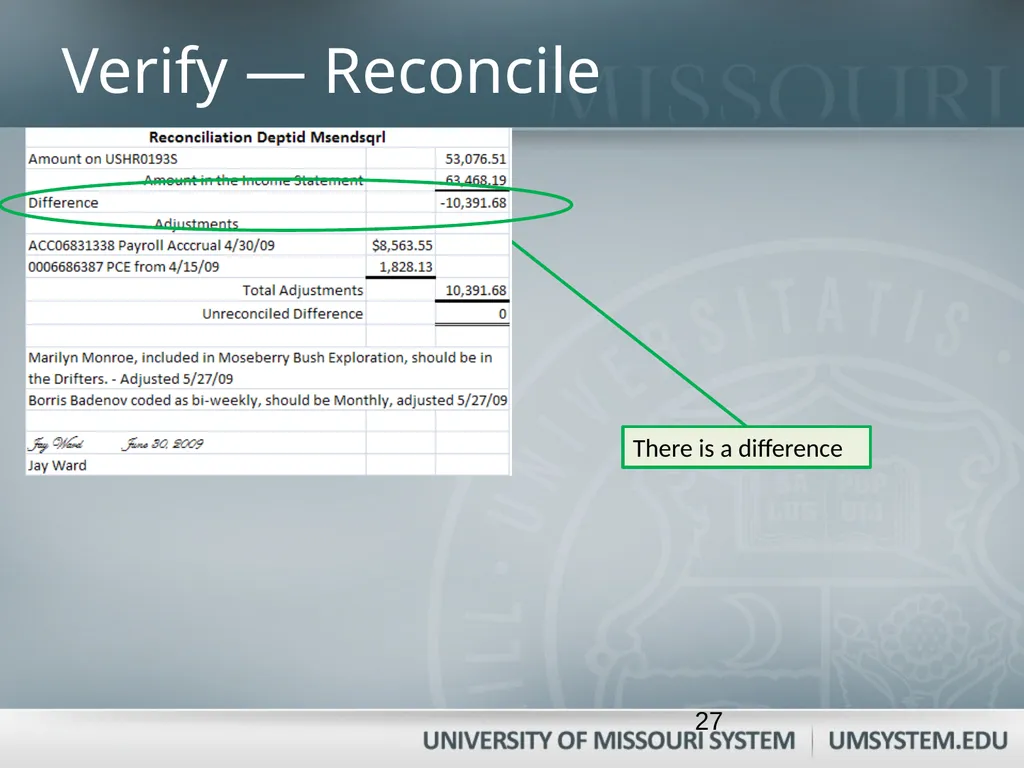
Verify — Reconcile There is a difference 27<br>
28
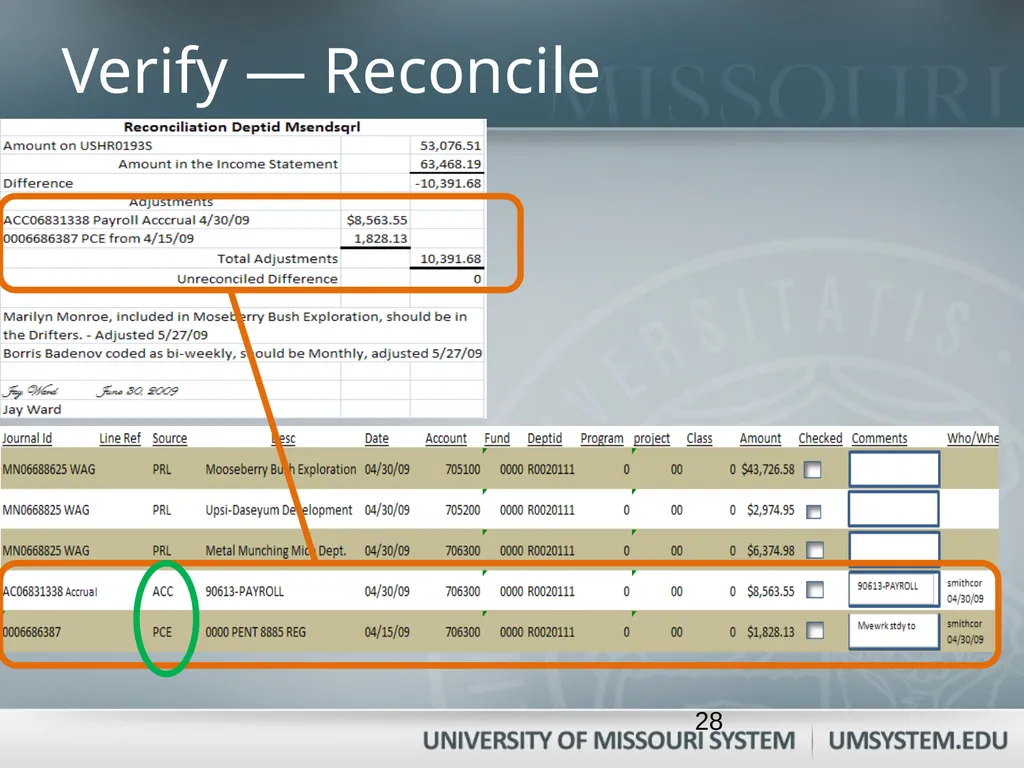
Verify — Reconcile 28<br>
29
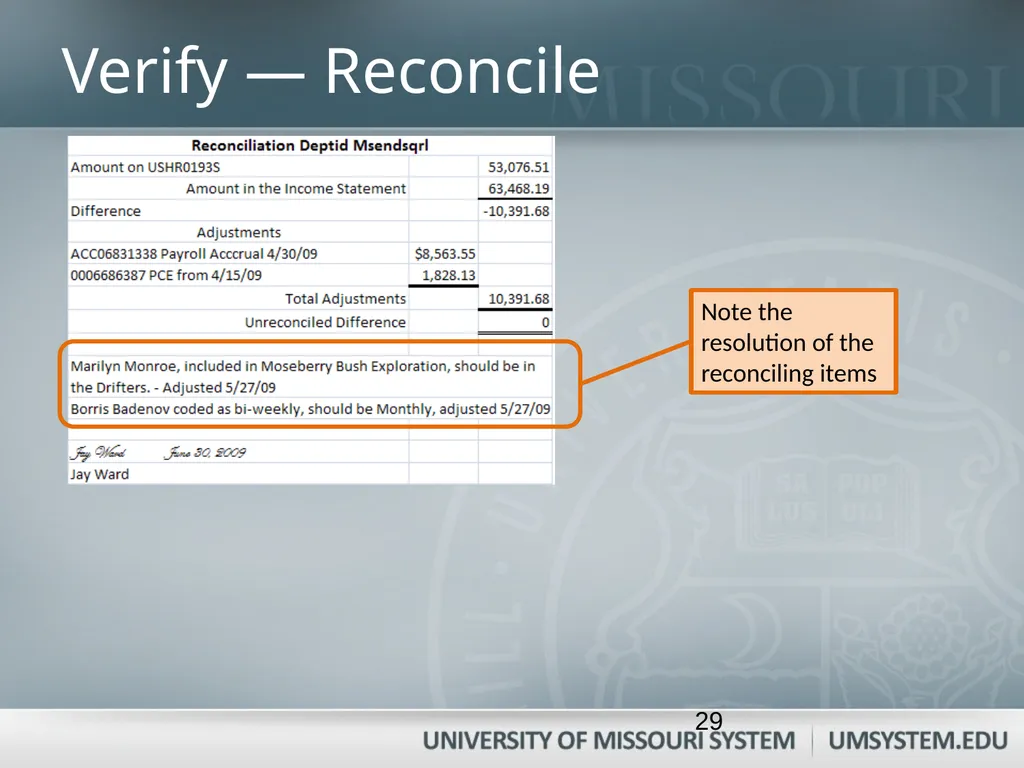
Verify — Reconcile 29<br>
30
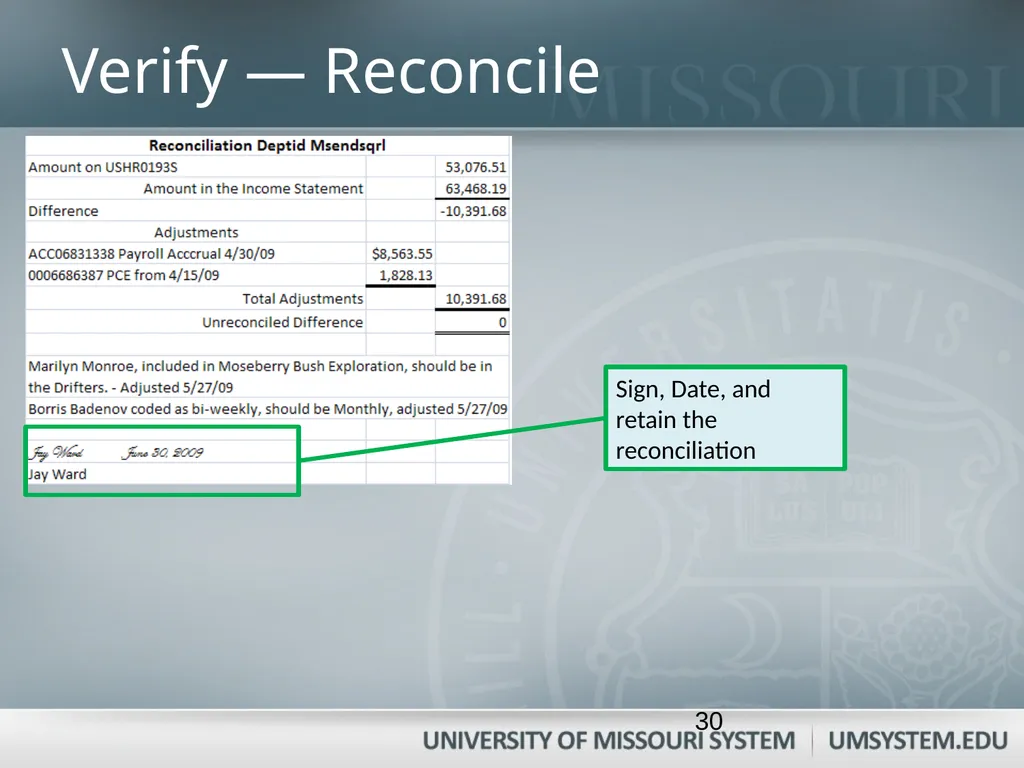
Verify — Reconcile Sign, Date, and retain the reconciliation 30<br>
31
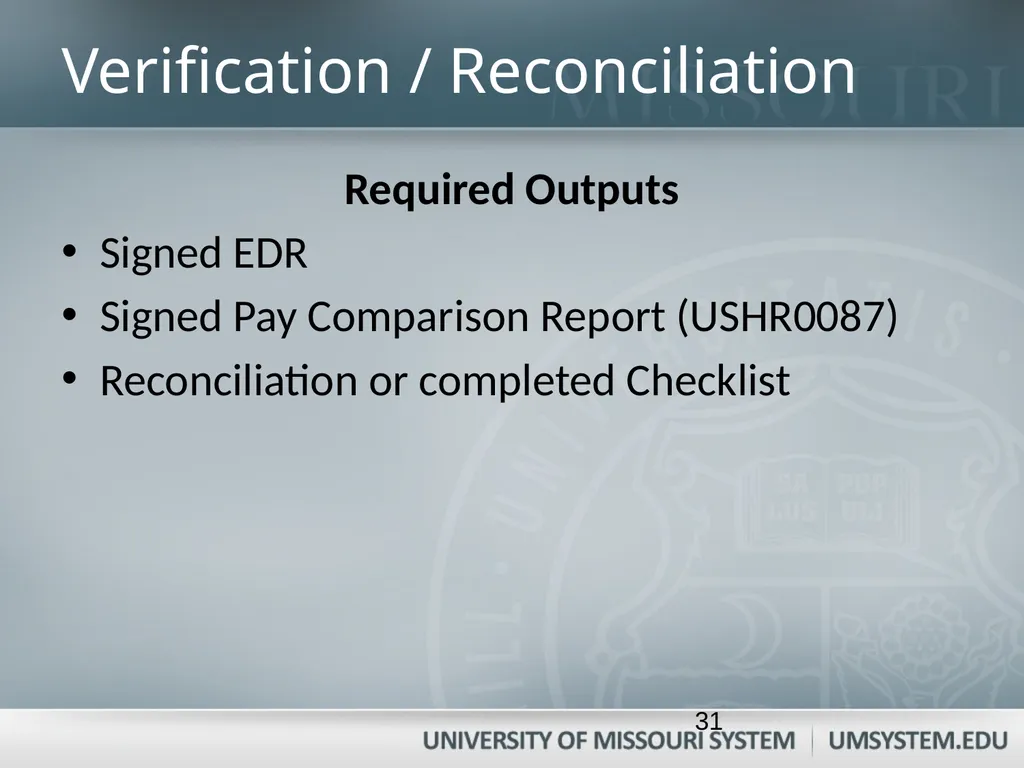
Verification / Reconciliation Required Outputs
Signed EDR
Signed Pay Comparison Report (USHR0087)
Reconciliation or completed Checklist 31<br>
32
Managerial Review Overview
At least Quarterly
Frequency dependent upon control environment
By Department Head or Designated Administrator 32<br>
33
Managerial Review Objectives
Review detailed enough to determine:
Authorized transactions accurately recorded
Timely transactions in General Ledger
Adequate controls exist
Payroll amount is reasonable 33<br>
34
Managerial Review Activities
Review the EDR
Review USHR0087
Review the Income Statement
Review any reconciling items
Ensure verification/reconciliations were timely
Retain documentation in department 34<br>
35
Managerial Review Required Output
Signed
EDR
Pay Comparison Report (USHR00087)
Checklist or Reconciliation 35<br>
36
Why Segregate Duties? Segregation--One person only performs one task:
Record
Approval
Verify
Managerial Review
Benefits of segregation
Deters fraud
Detects errors 36<br>
37
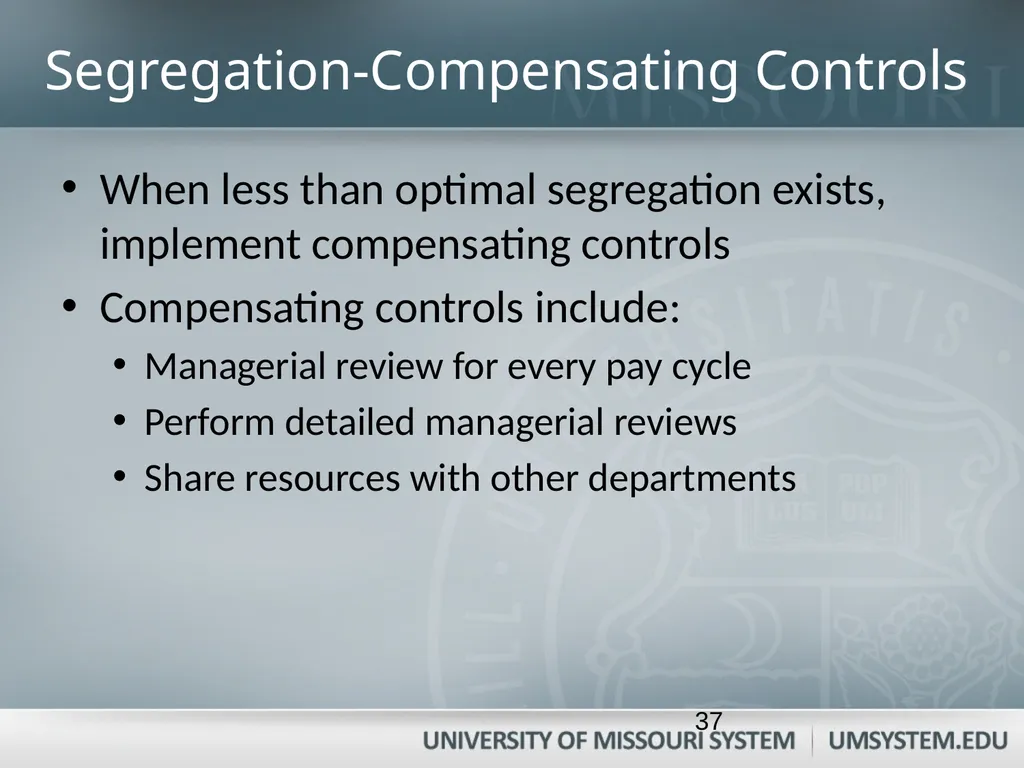
Segregation-Compensating Controls When less than optimal segregation exists, implement compensating controls
Compensating controls include:
Managerial review for every pay cycle
Perform detailed managerial reviews
Share resources with other departments 37<br>
38
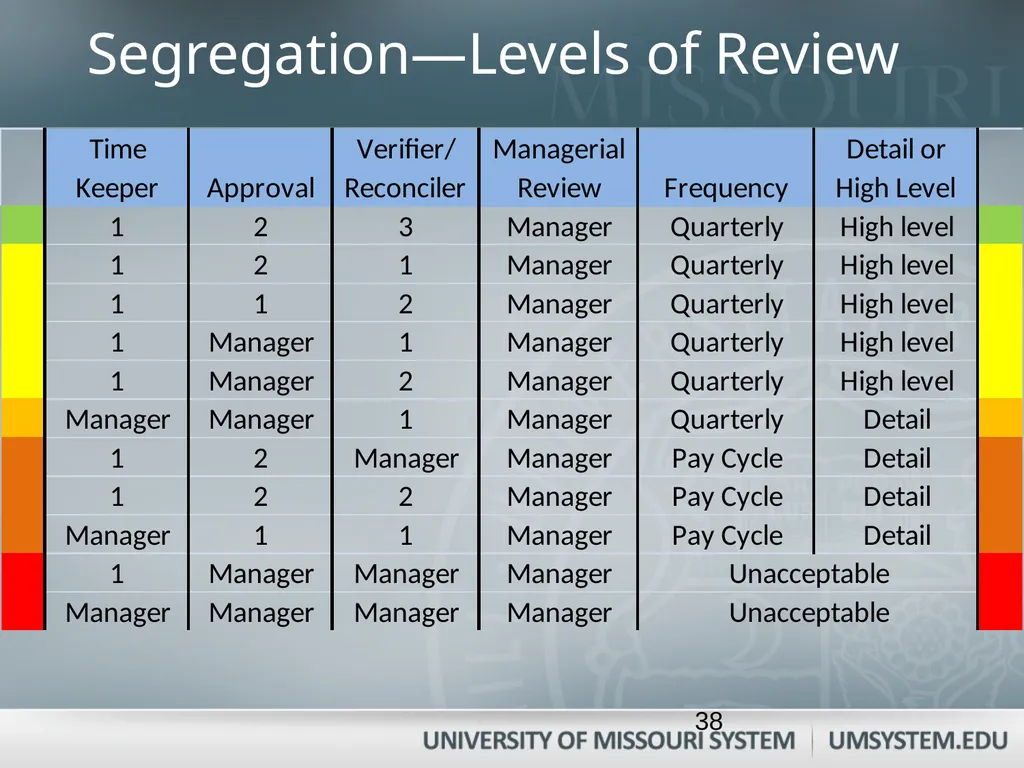
Segregation—Levels of Review 38<br>
39
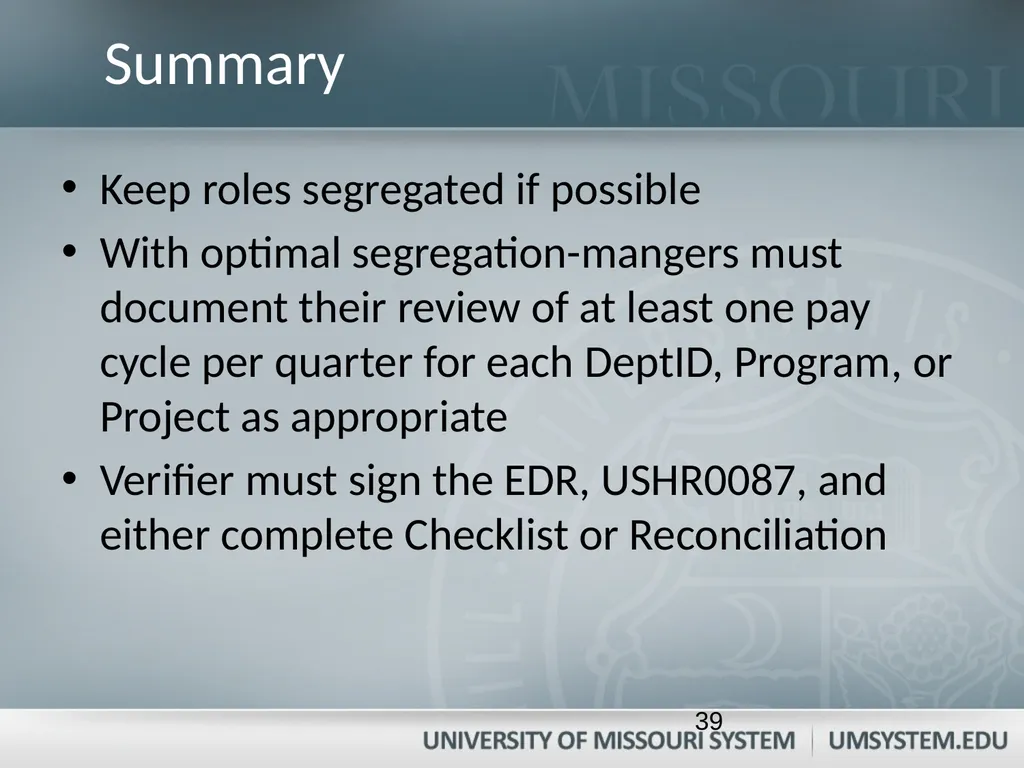
Keep roles segregated if possible
With optimal segregation-mangers must document their review of at least one pay cycle per quarter for each DeptID, Program, or Project as appropriate
Verifier must sign the EDR, USHR0087, and either complete Checklist or Reconciliation Summary 39<br>
40
Additional Information University Accounting Policy Entering, Approving, and Reconciling Payroll – Time and Labor – APM 55.60.02
Other related training available:
Financial Compliance Training Website
Contact your Campus Accounting Office for departmental training sessions or further discussion 40<br>