Experiences with a UML Diagram Critique Tool
Description: Experiences with a UML Diagram Critique Tool Robert W. Hasker, Andrew Rosene, James Reid University of Wisconsin Platteville MICS, 2012 Motivation Important skill for SE students: constructing, diagramming models Consider the following
Related Topics
Download Presentation
"Experiences with a UML Diagram Critique Tool" is the property of its rightful owner. Permission is granted to download and print the materials on this website for personal, non-commercial use only, and to display it on your personal computer provided you do not modify the materials and that you retain all copyright notices contained in the materials. By downloading content from our website, you accept the terms of this agreement.
Presentation Transcript
slide1. Experiences with a UML Diagram Critique Tool Robert W. Hasker, Andrew Rosene, James Reid
University of Wisconsin – Platteville MICS, 2012<br>
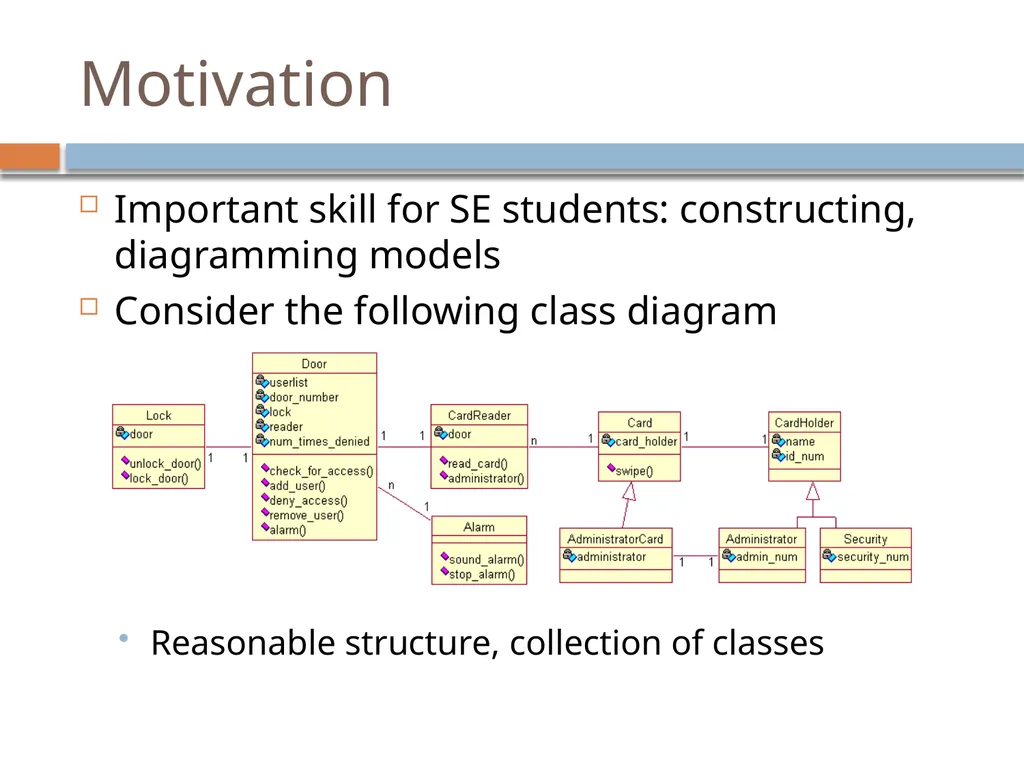
slide2. Motivation Important skill for SE students: constructing, diagramming models
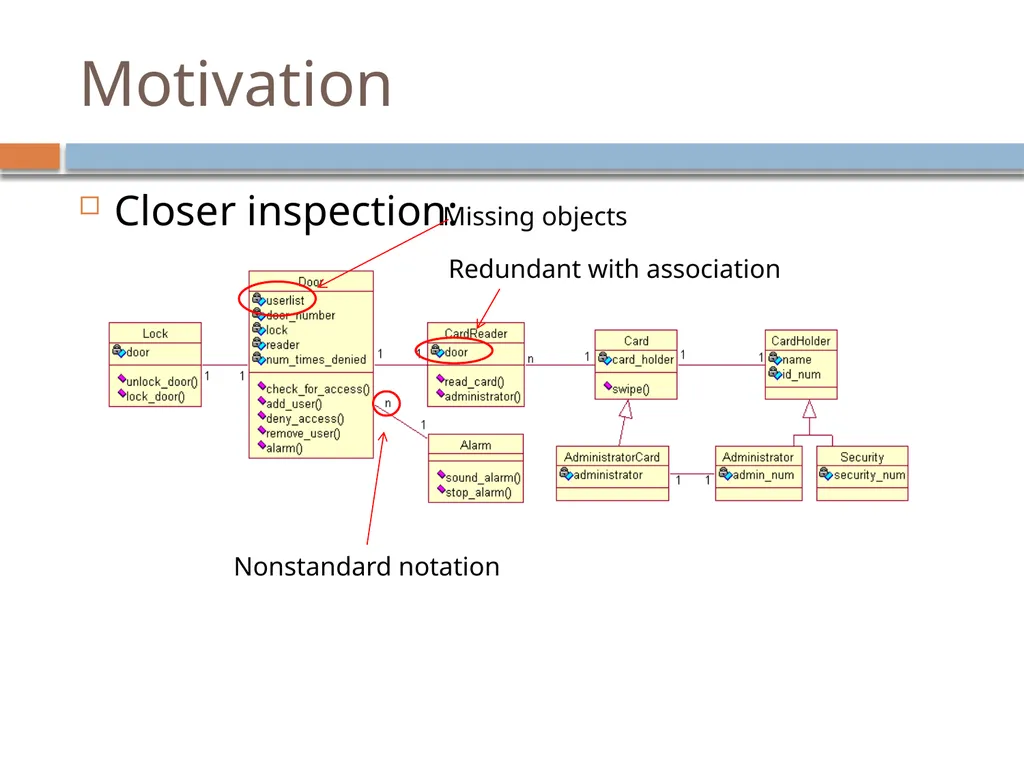
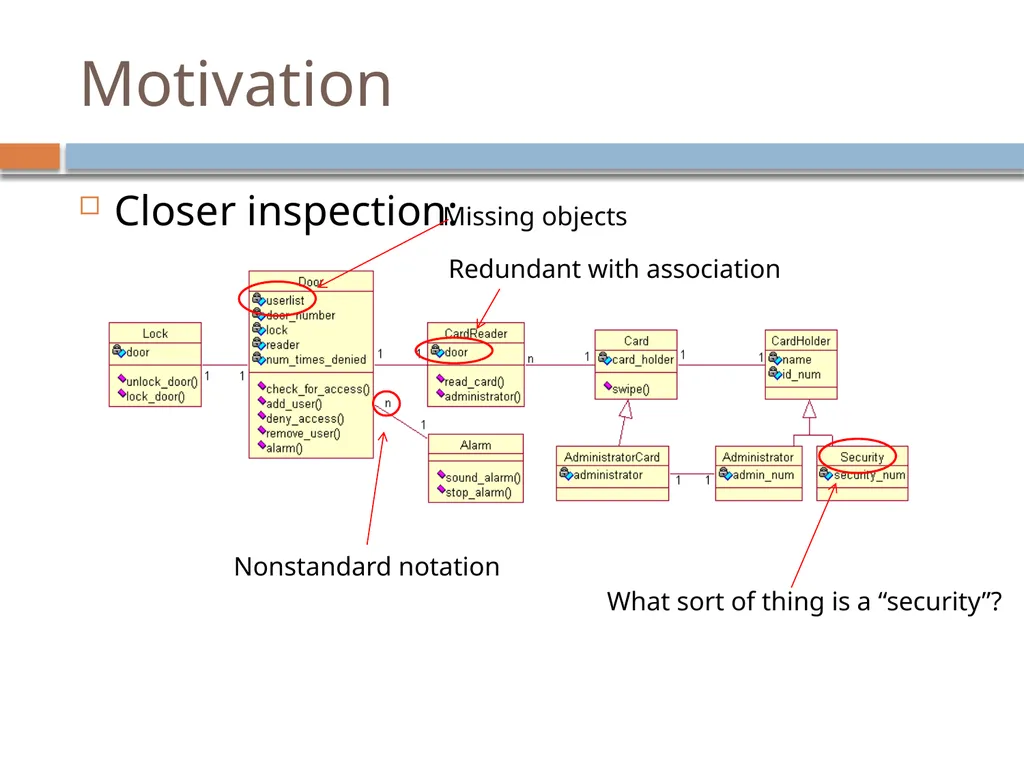
Consider the following class diagram
Reasonable structure, collection of classes<br>
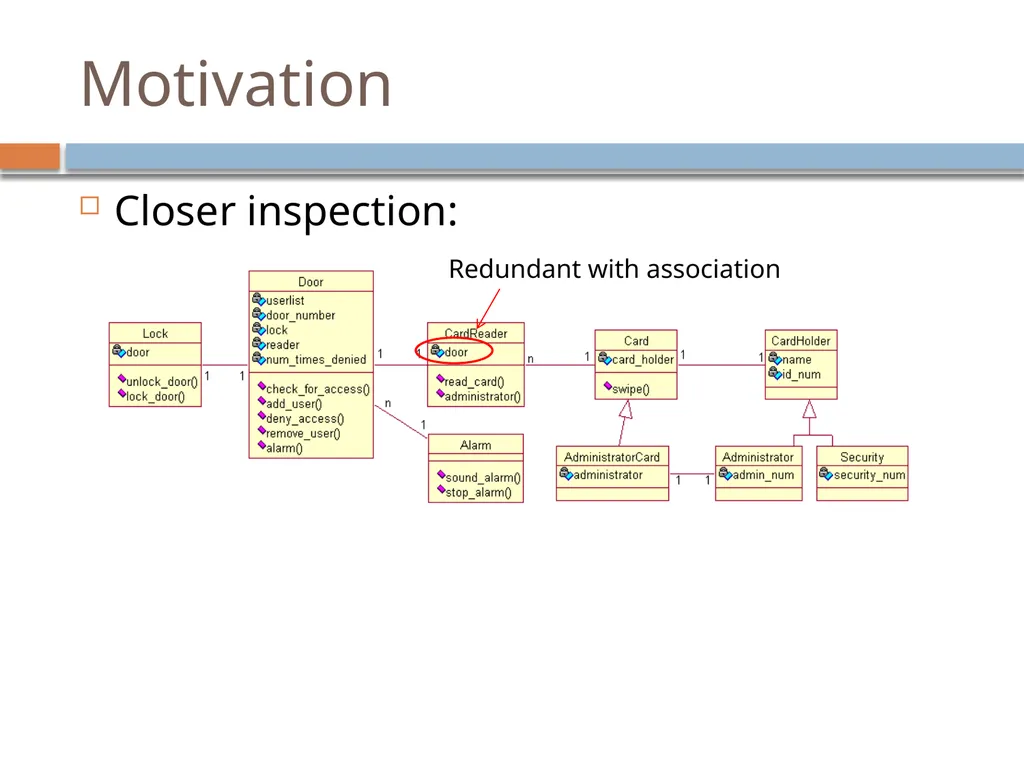
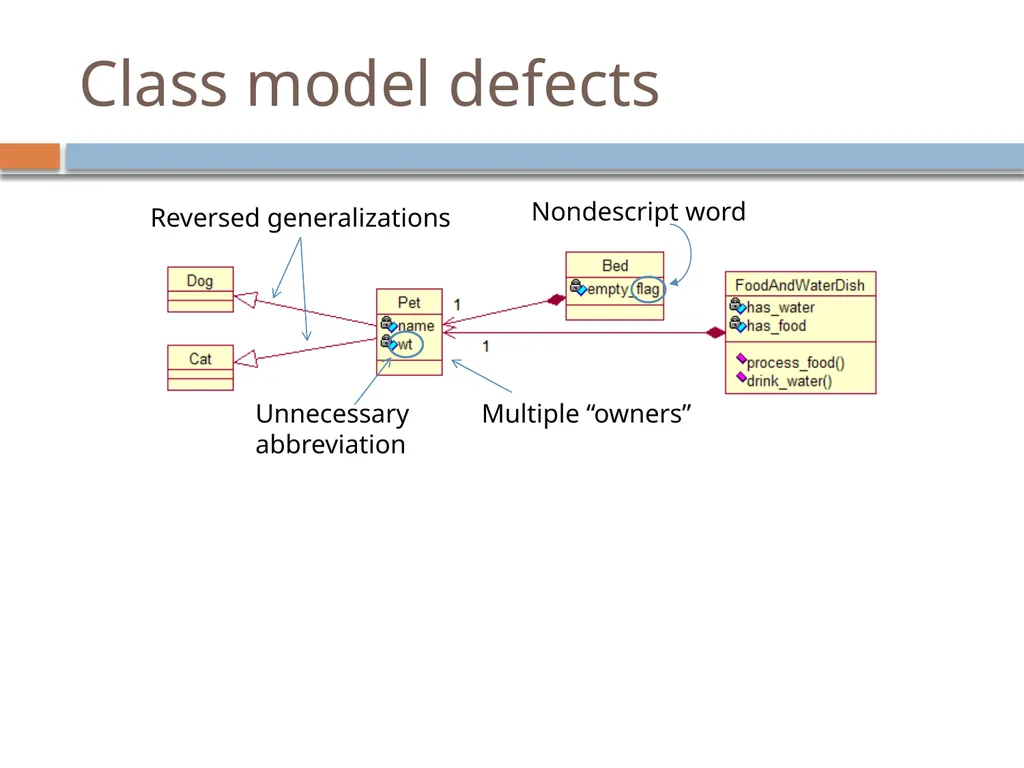
slide3. Motivation Closer inspection:<br>
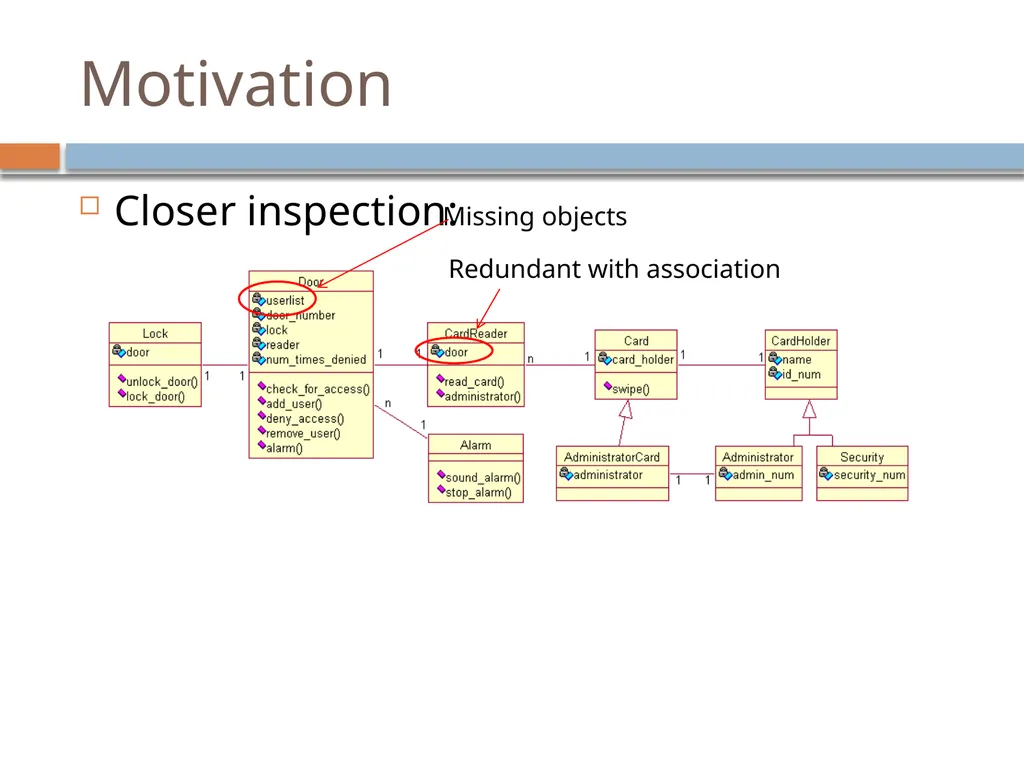
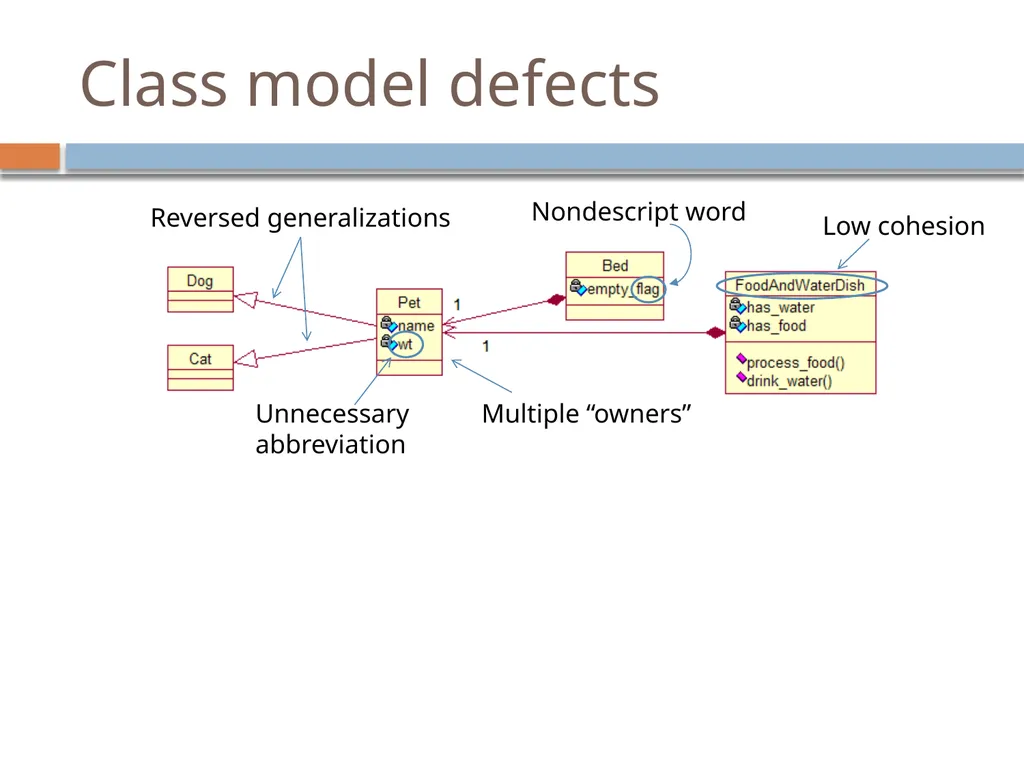
slide4. Motivation Closer inspection:<br>
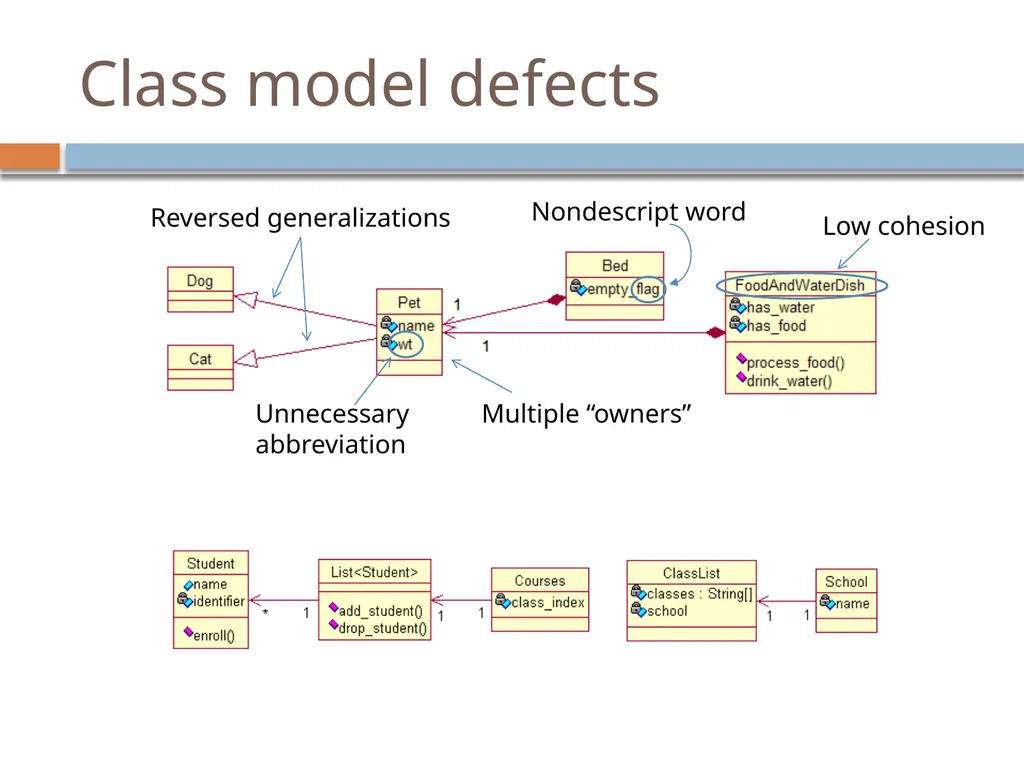
slide5. Motivation Closer inspection:<br>
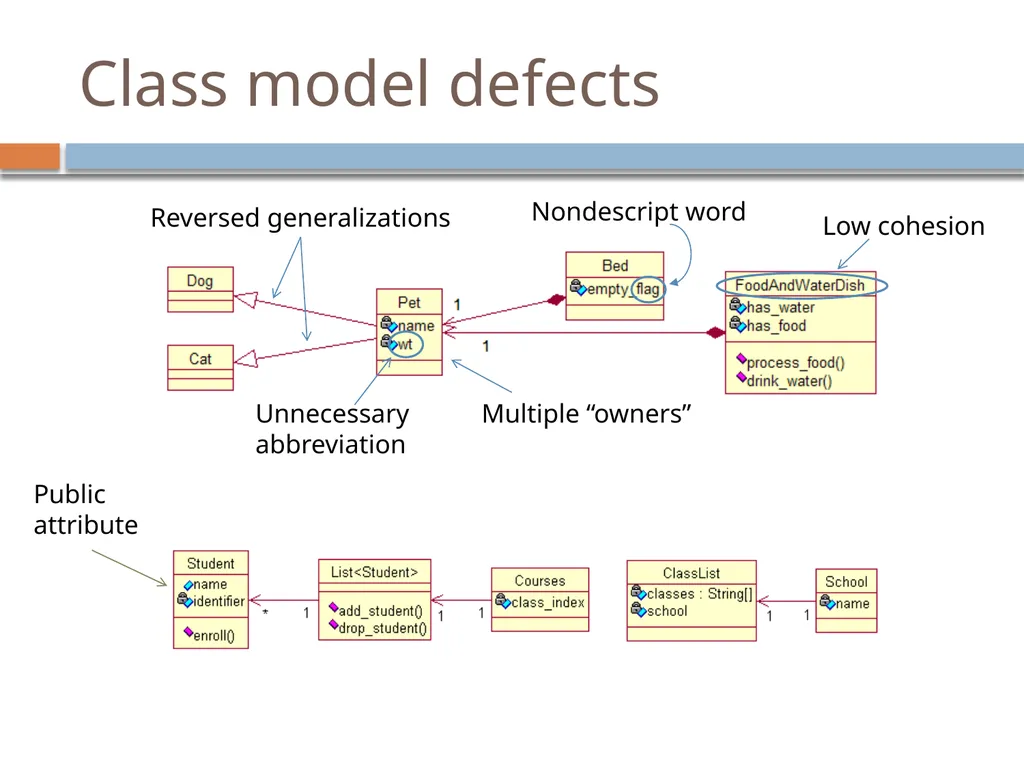
slide6. Motivation Closer inspection:<br>
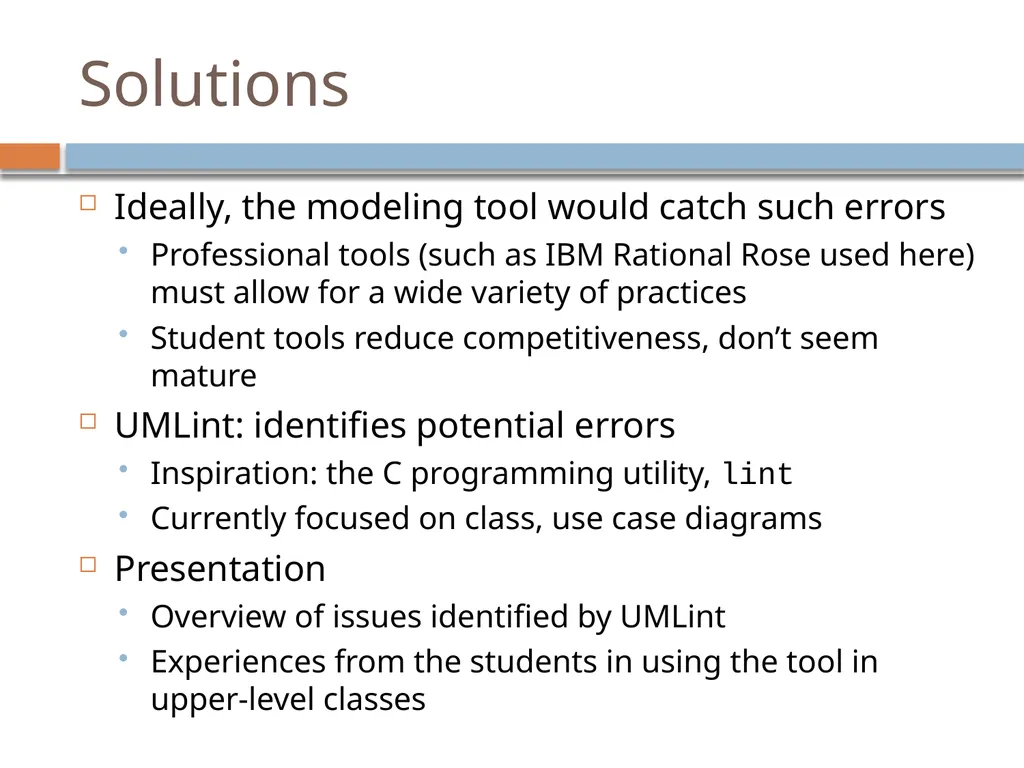
slide7. Solutions Ideally, the modeling tool would catch such errors
Professional tools (such as IBM Rational Rose used here) must allow for a wide variety of practices
Student tools reduce competitiveness, don’t seem mature
UMLint: identifies potential errors
Inspiration: the C programming utility, lint
Currently focused on class, use case diagrams
Presentation
Overview of issues identified by UMLint
Experiences from the students in using the tool in upper-level classes<br>
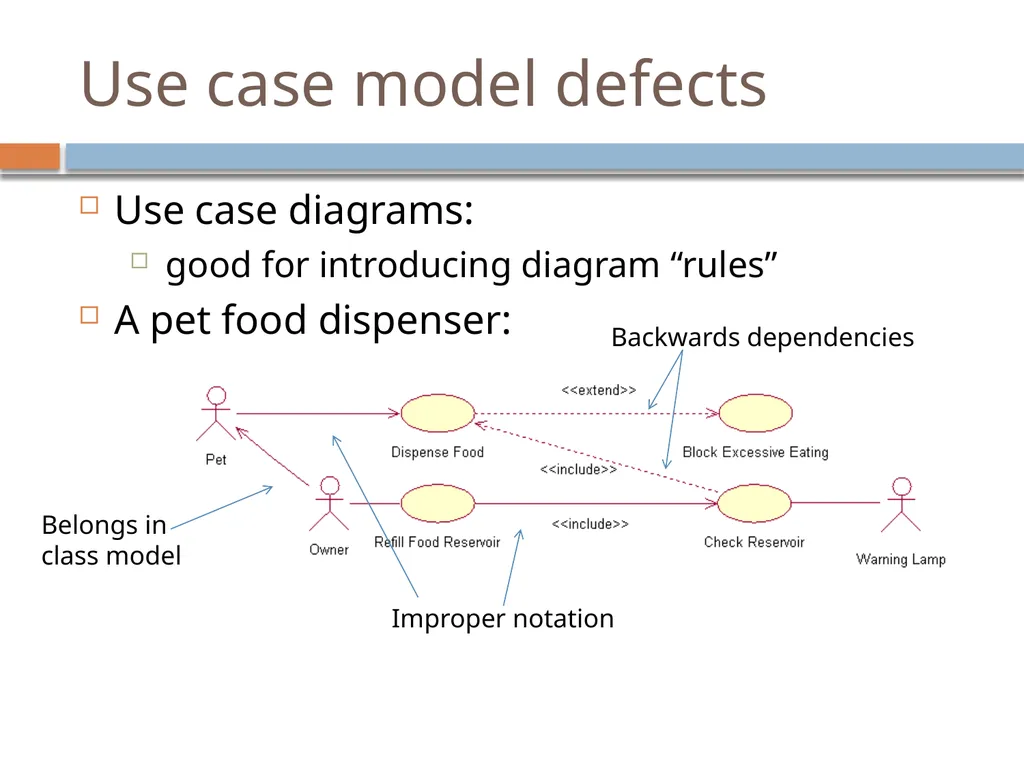
slide8. Use case model defects Use case diagrams:
good for introducing diagram “rules”
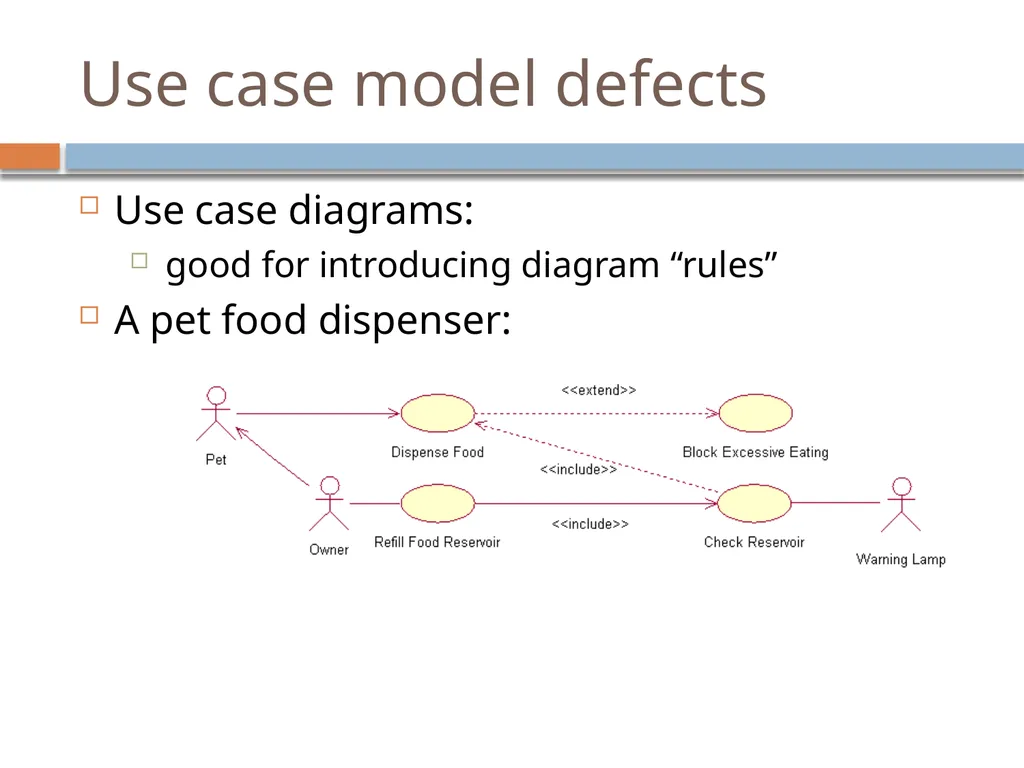
A pet food dispenser:<br>
slide9. Use case model defects Use case diagrams:
good for introducing diagram “rules”
A pet food dispenser:<br>
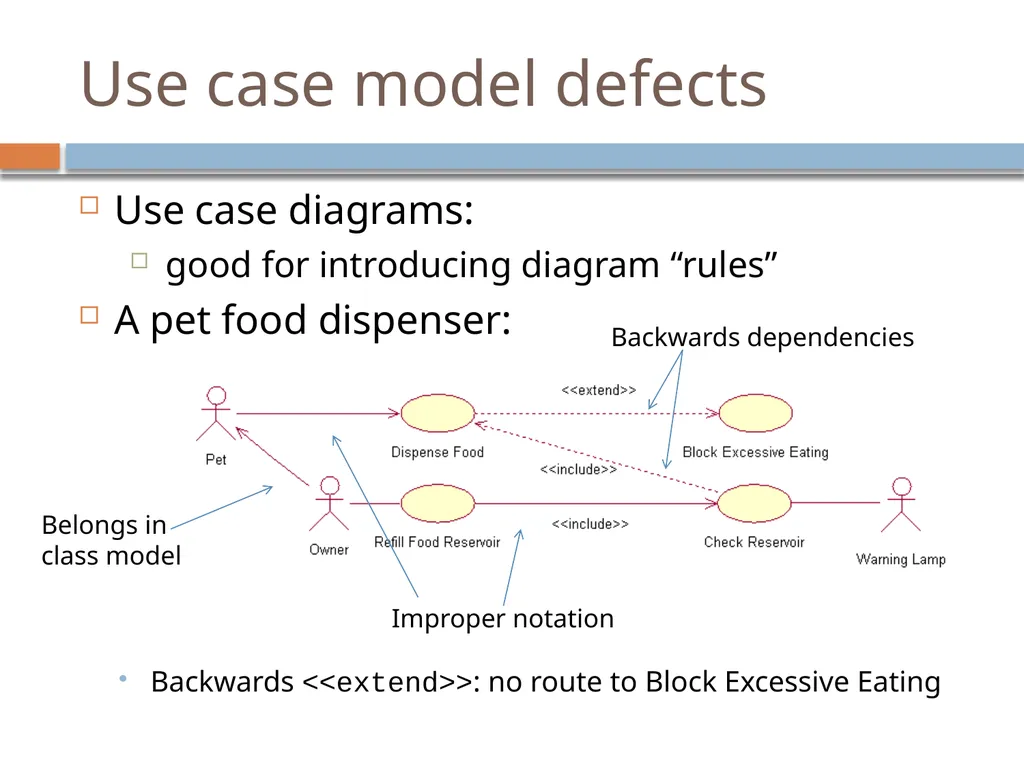
slide10. Use case model defects Use case diagrams:
good for introducing diagram “rules”
A pet food dispenser:
Backwards <<extend>>: no route to Block Excessive Eating<br>
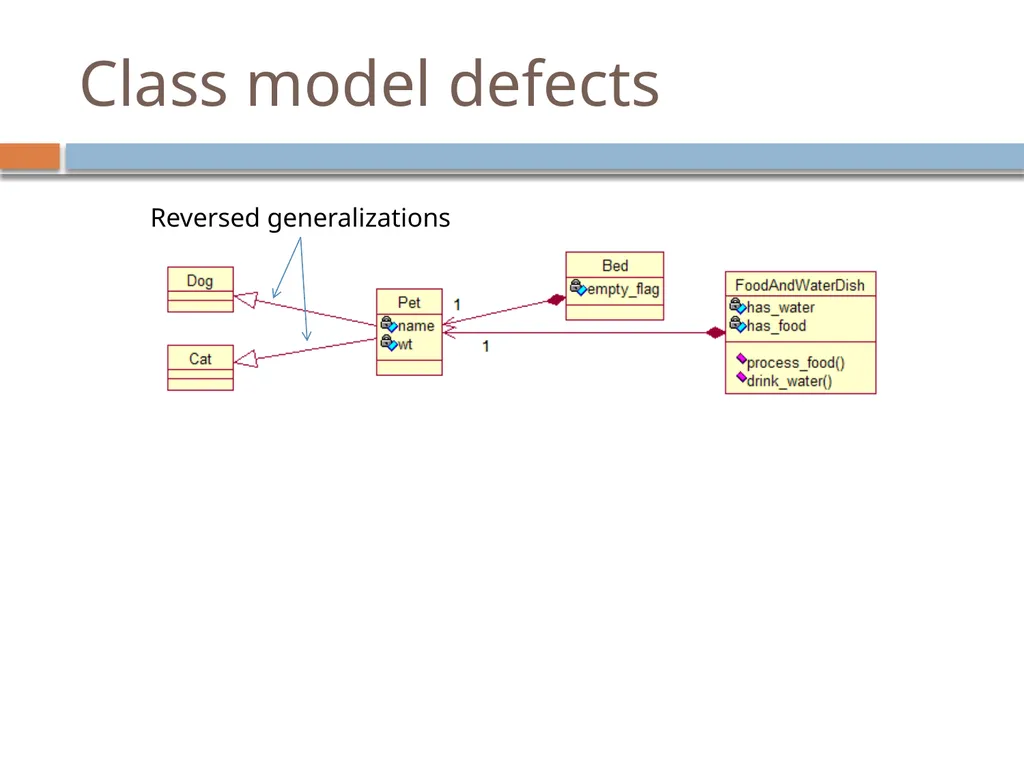
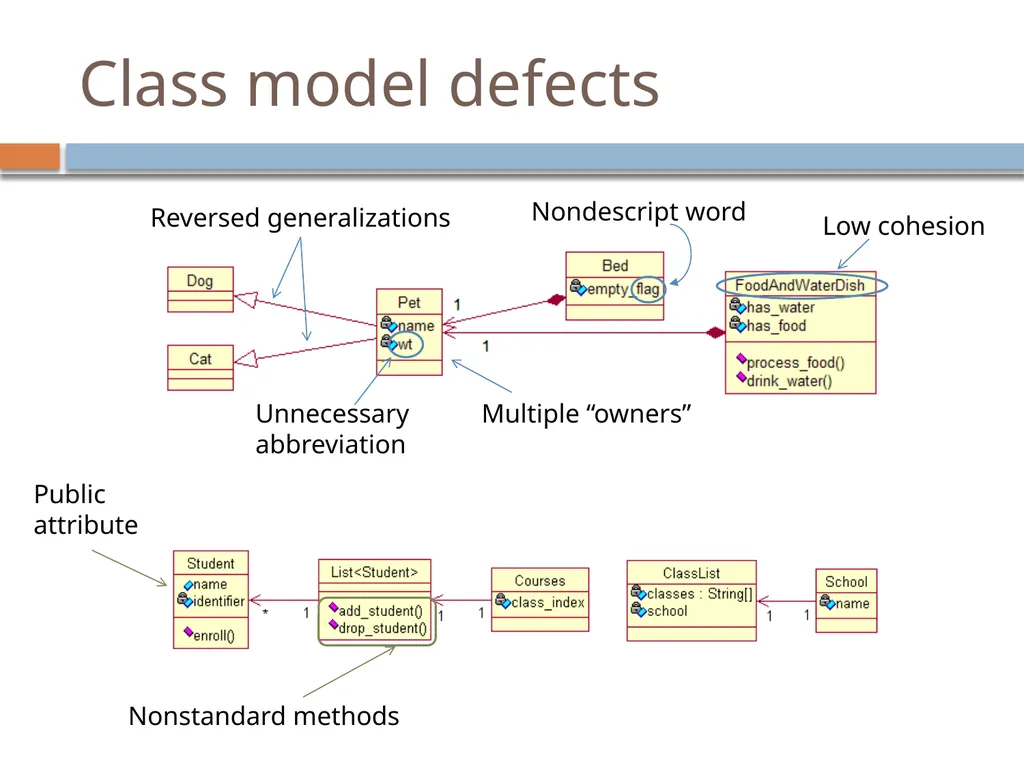
slide11. Class model defects<br>
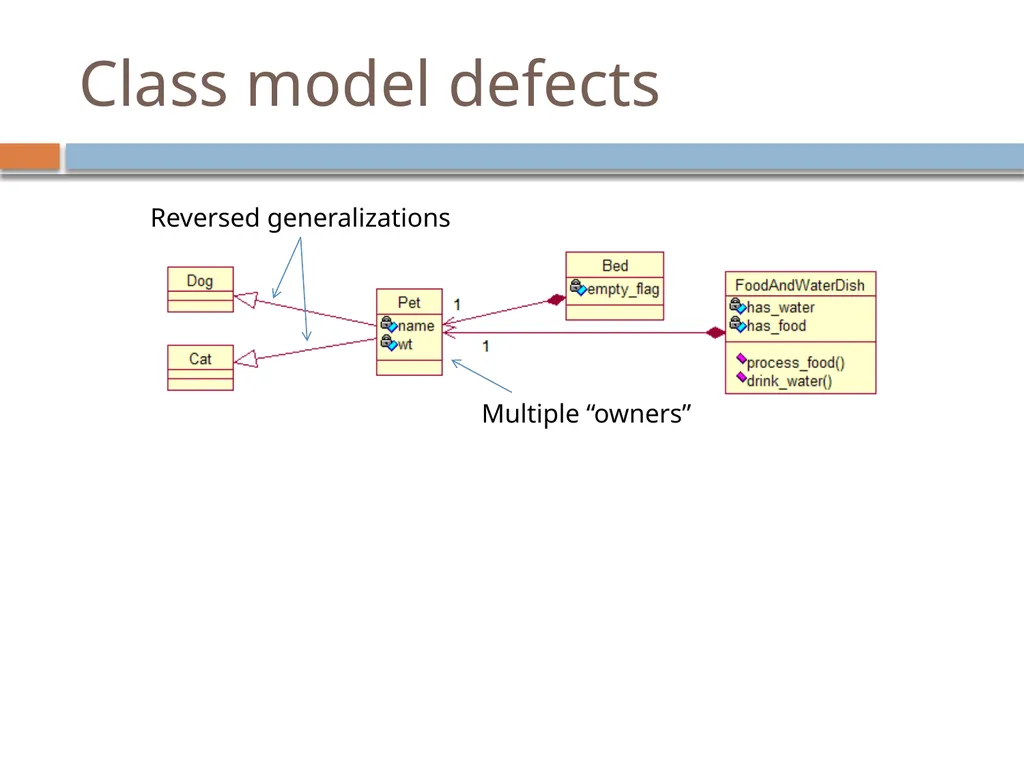
slide12. Class model defects<br>
slide13. Class model defects<br>
slide14. Class model defects<br>
slide15. Class model defects<br>
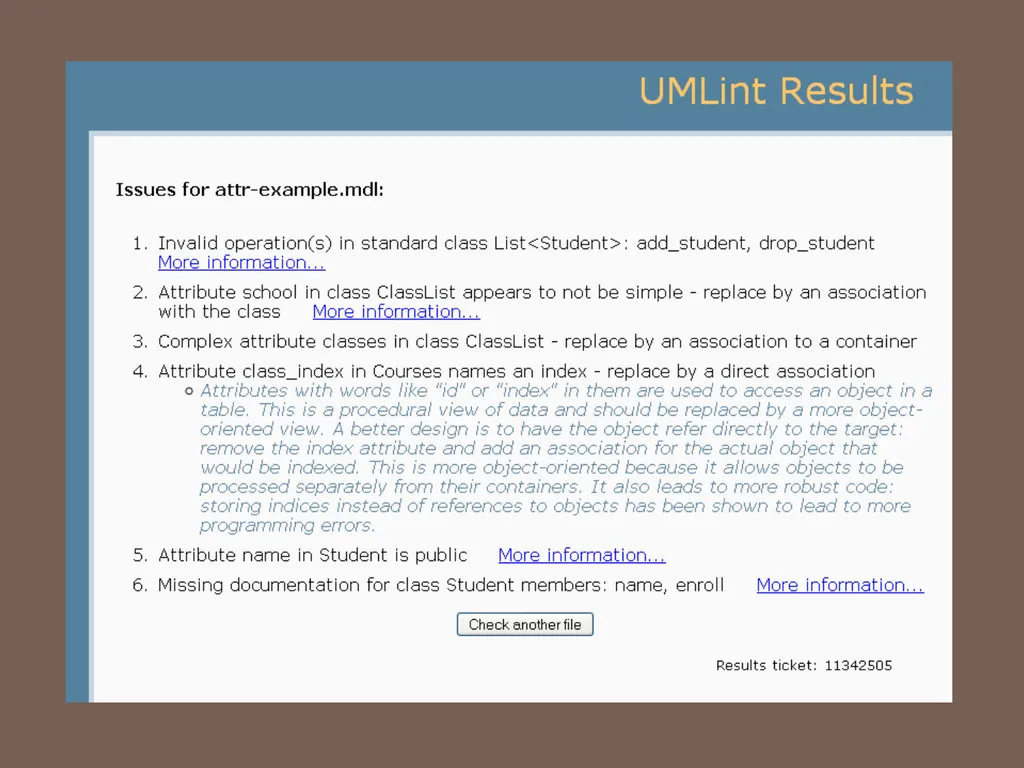
slide16. Class model defects Public
attribute<br>
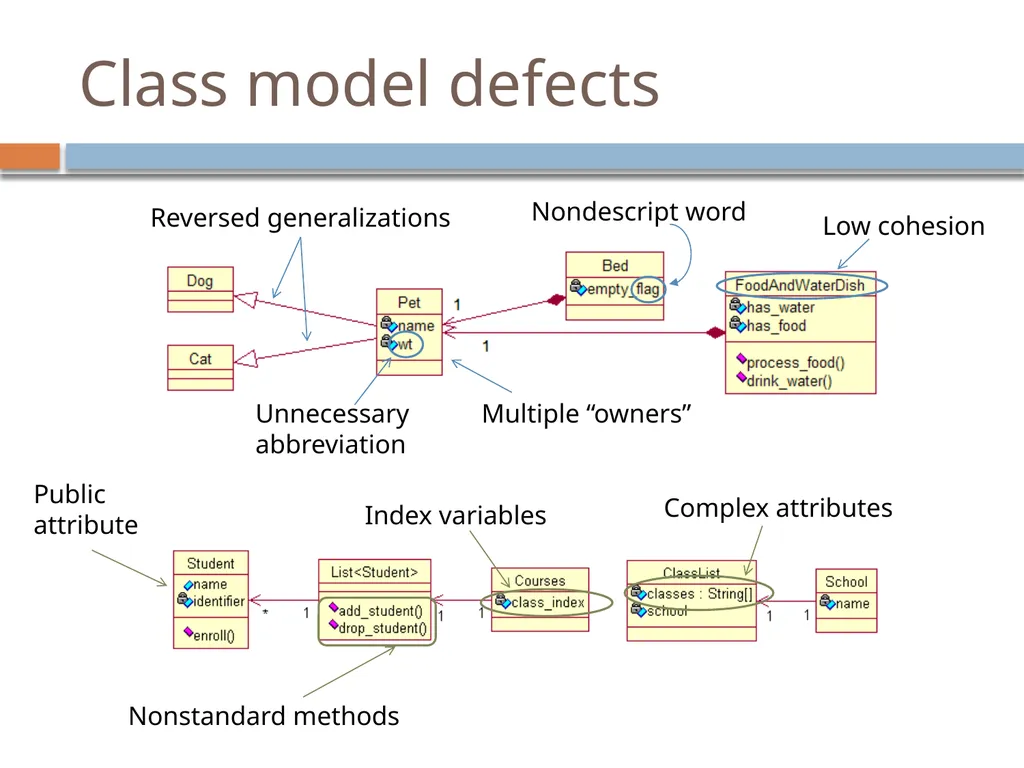
slide17. Class model defects Public
attribute Nonstandard methods<br>
slide18. Class model defects Public
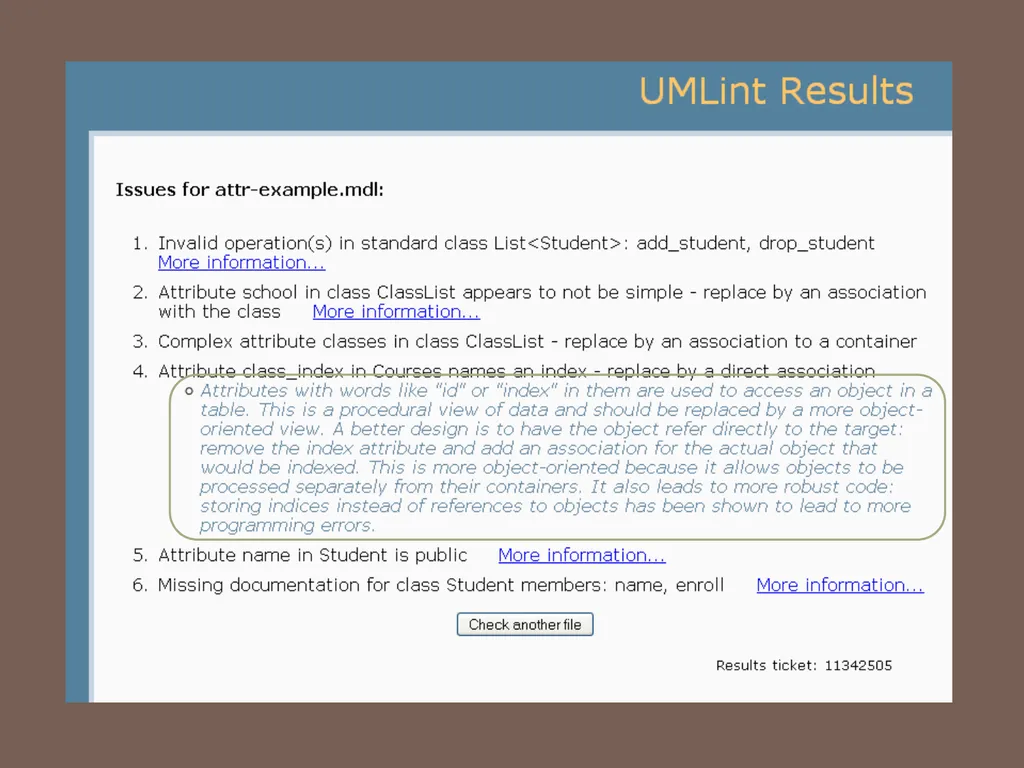
attribute Nonstandard methods Index variables Complex attributes<br>
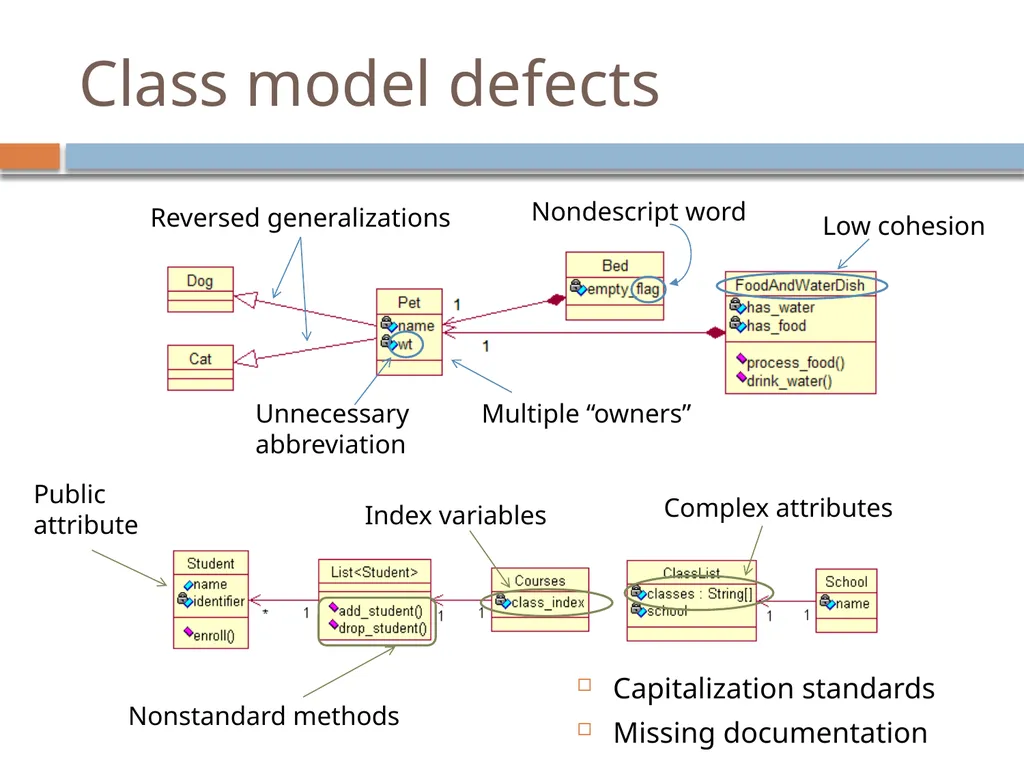
slide19. Class model defects Capitalization standards
Missing documentation Public
attribute Nonstandard methods Index variables Complex attributes<br>
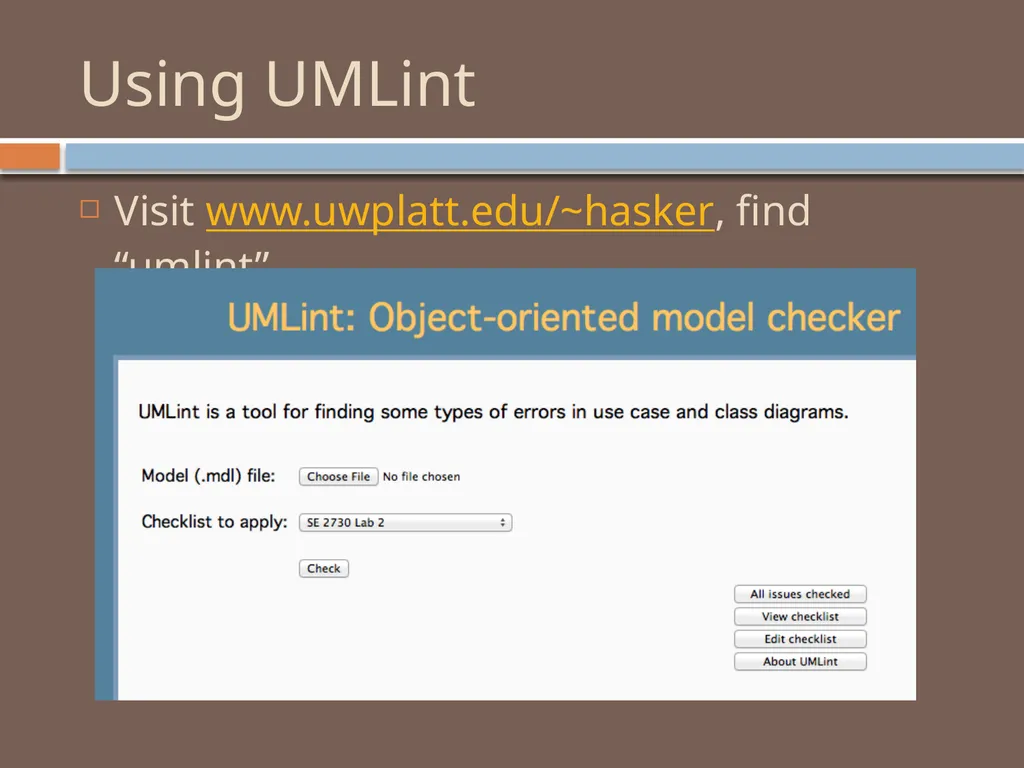
slide20. Using UMLint Visit www.uwplatt.edu/~hasker, find “umlint”<br>
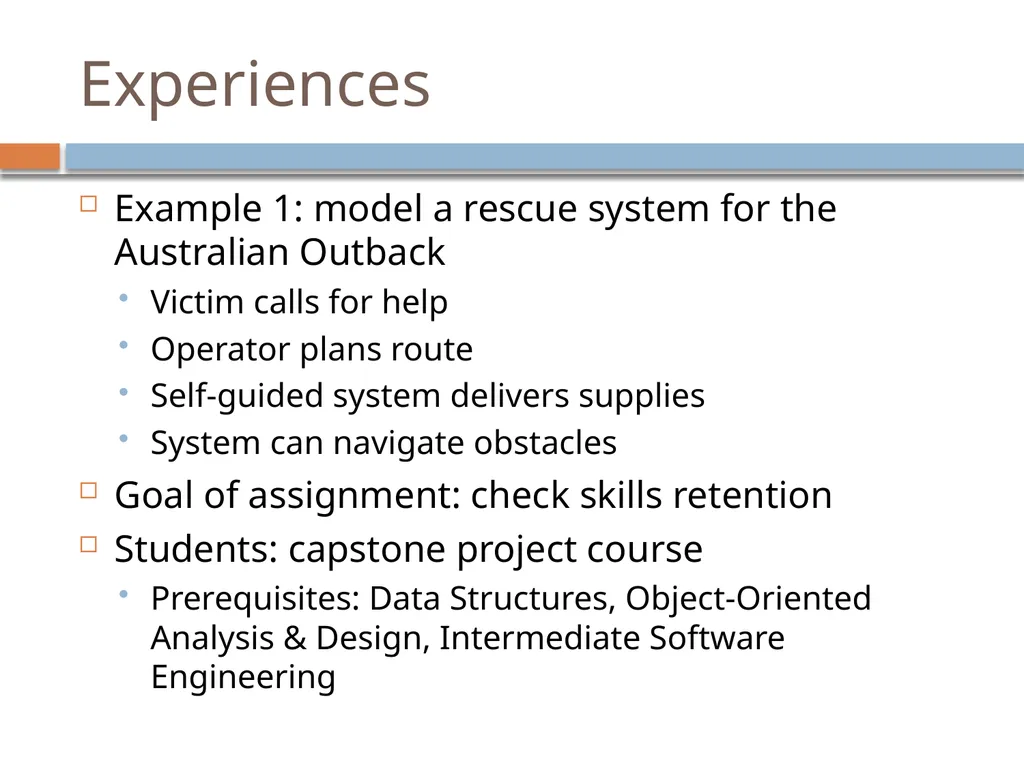
slide23. Experiences Example 1: model a rescue system for the Australian Outback
Victim calls for help
Operator plans route
Self-guided system delivers supplies
System can navigate obstacles
Goal of assignment: check skills retention
Students: capstone project course
Prerequisites: Data Structures, Object-Oriented Analysis & Design, Intermediate Software Engineering<br>
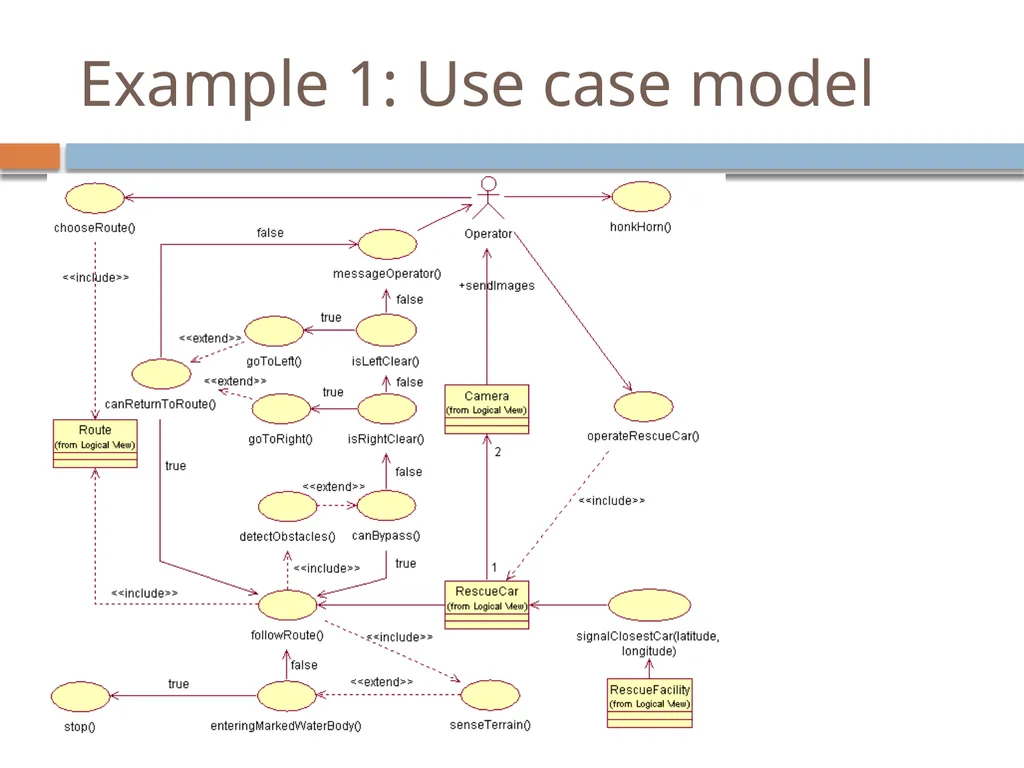
slide24. Example 1: Use case model<br>
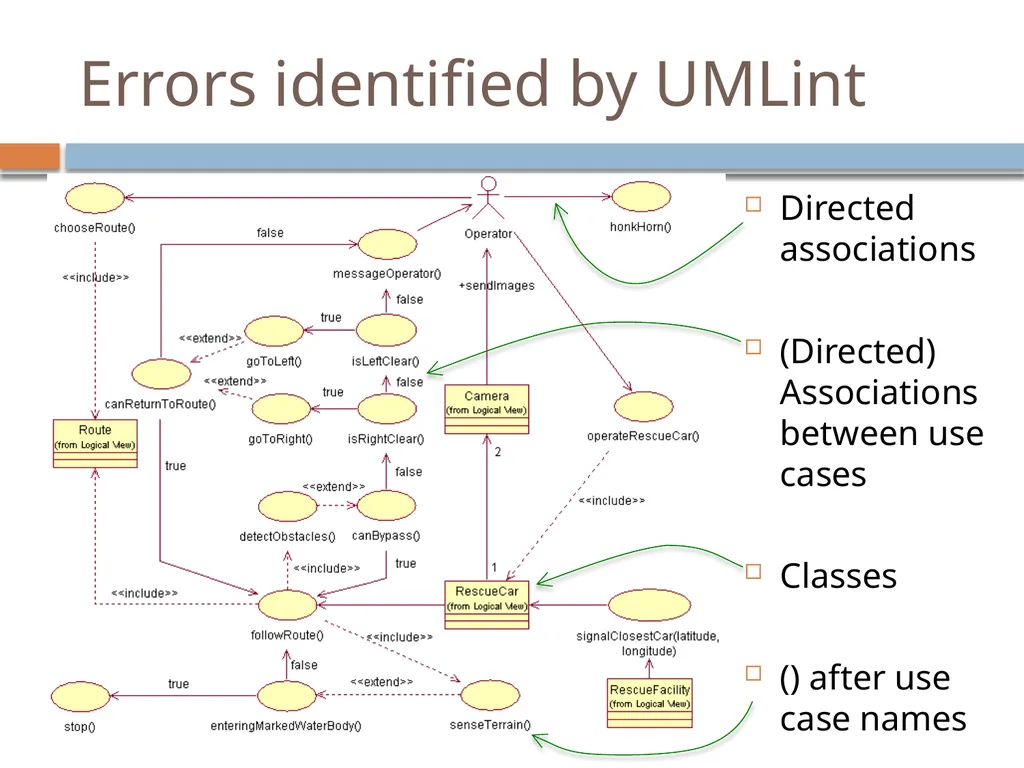
slide25. Errors identified by UMLint Directed associations
(Directed) Associations between use cases
Classes
() after use case names<br>
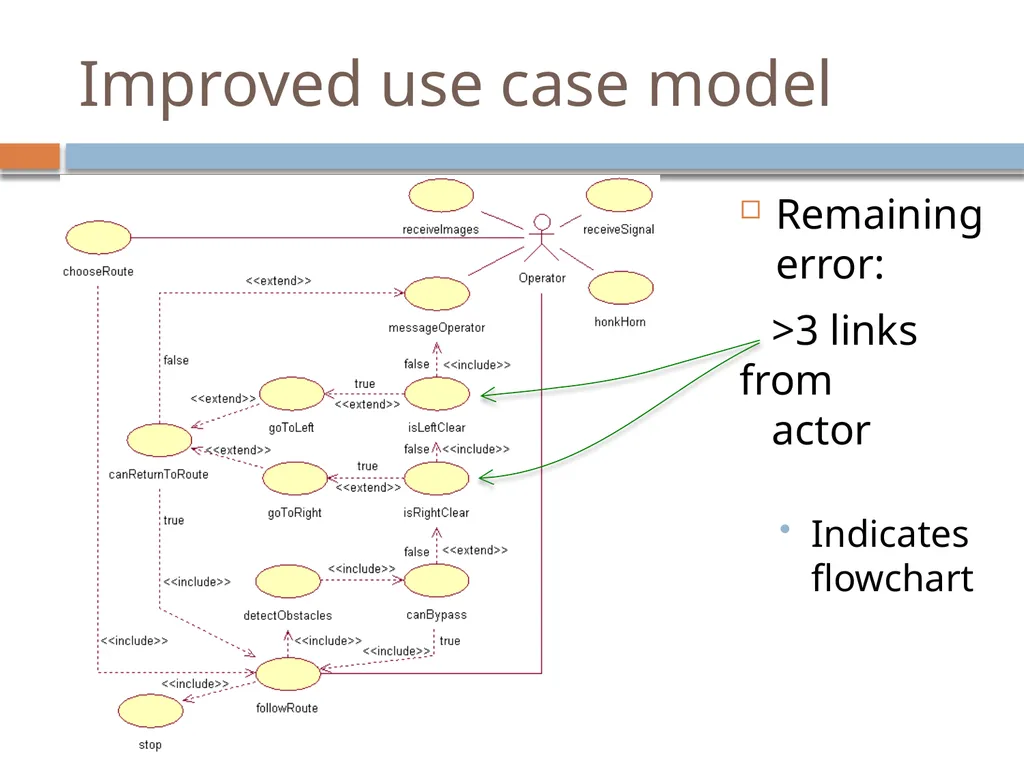
slide26. Improved use case model Remaining error:
>3 links from
actor
Indicates flowchart<br>
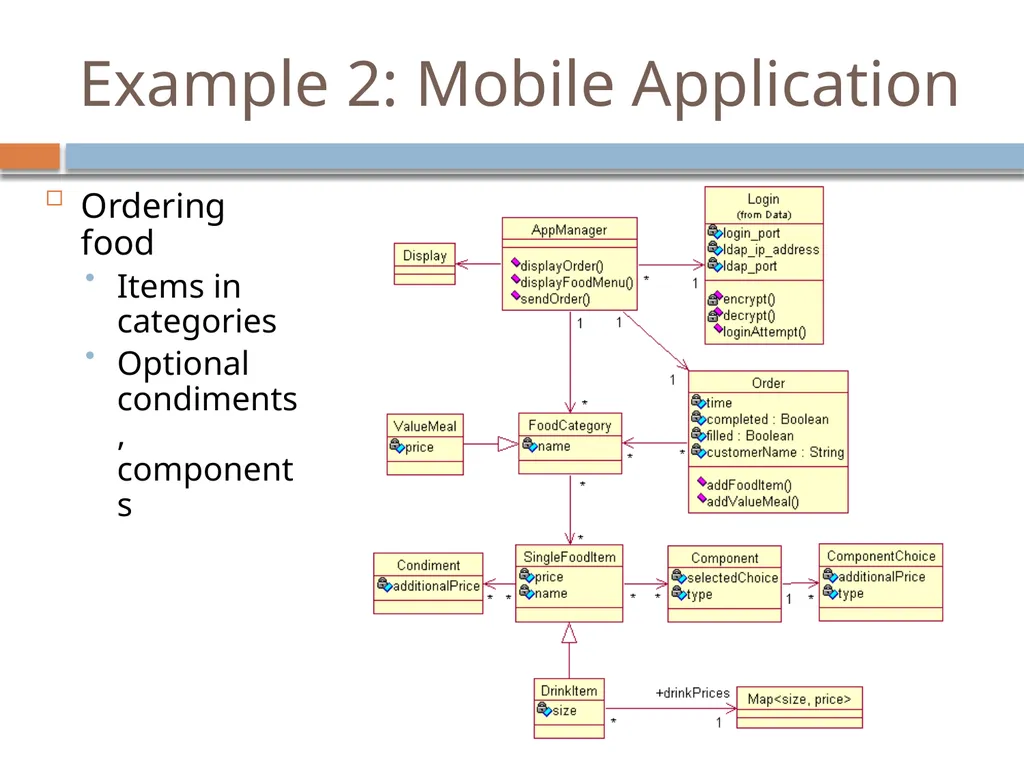
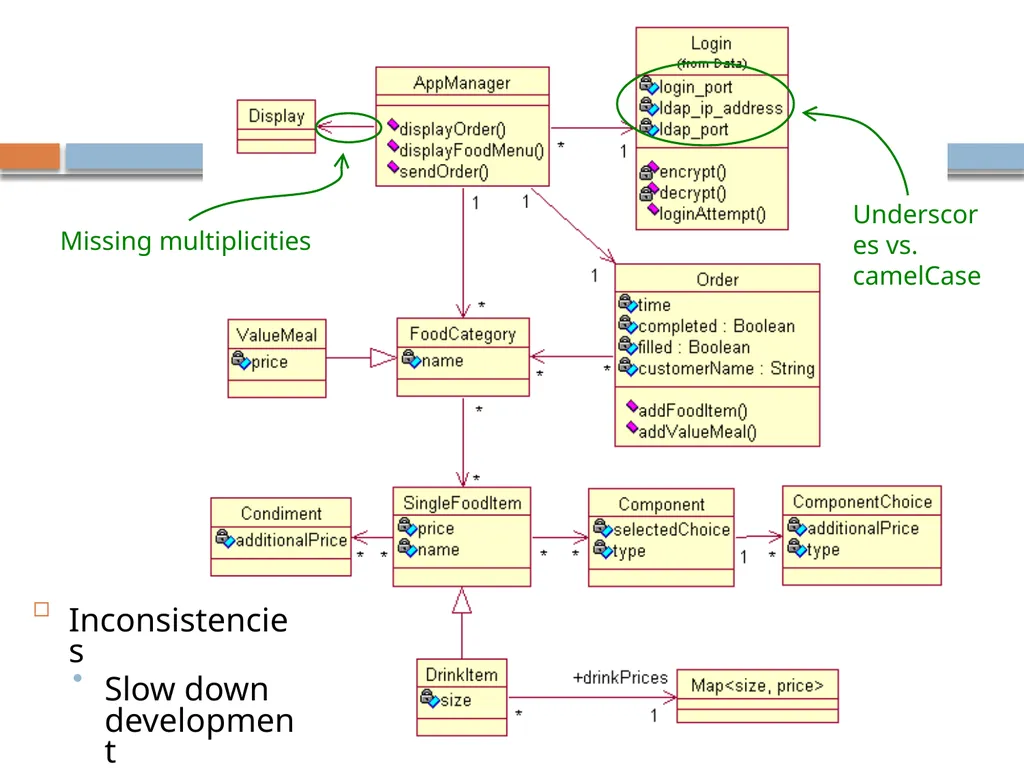
slide27. Example 2: Mobile Application Ordering food
Items in categories
Optional condiments, components<br>
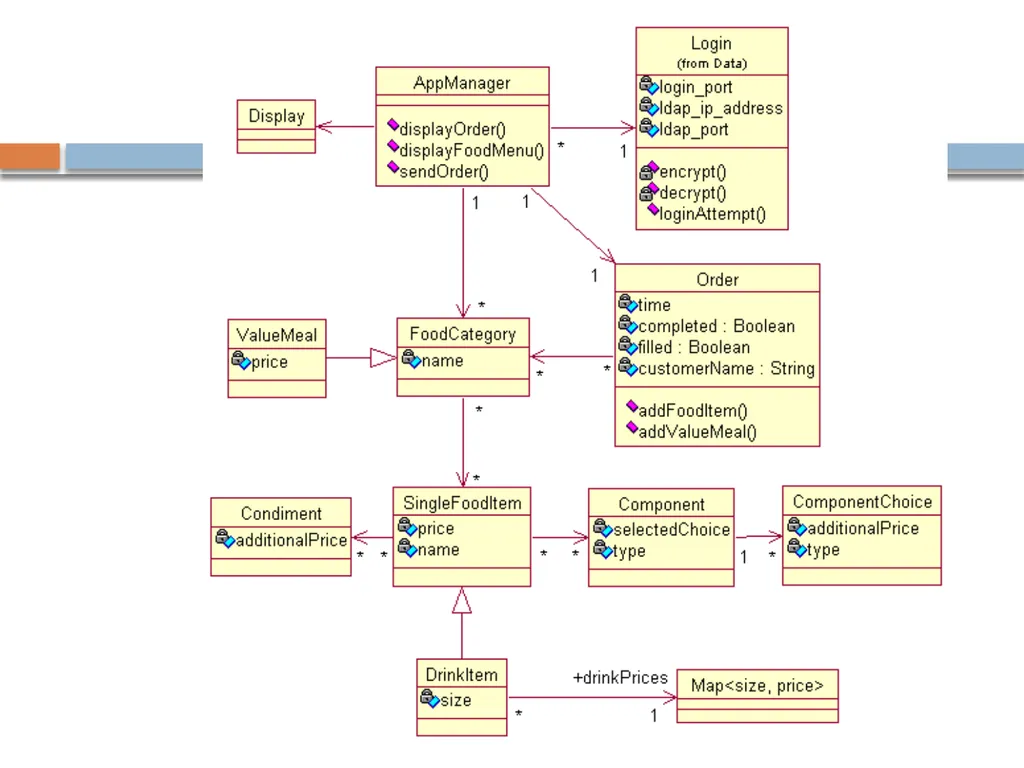
slide29. Underscores vs. camelCase Missing multiplicities Inconsistencies
Slow down development<br>
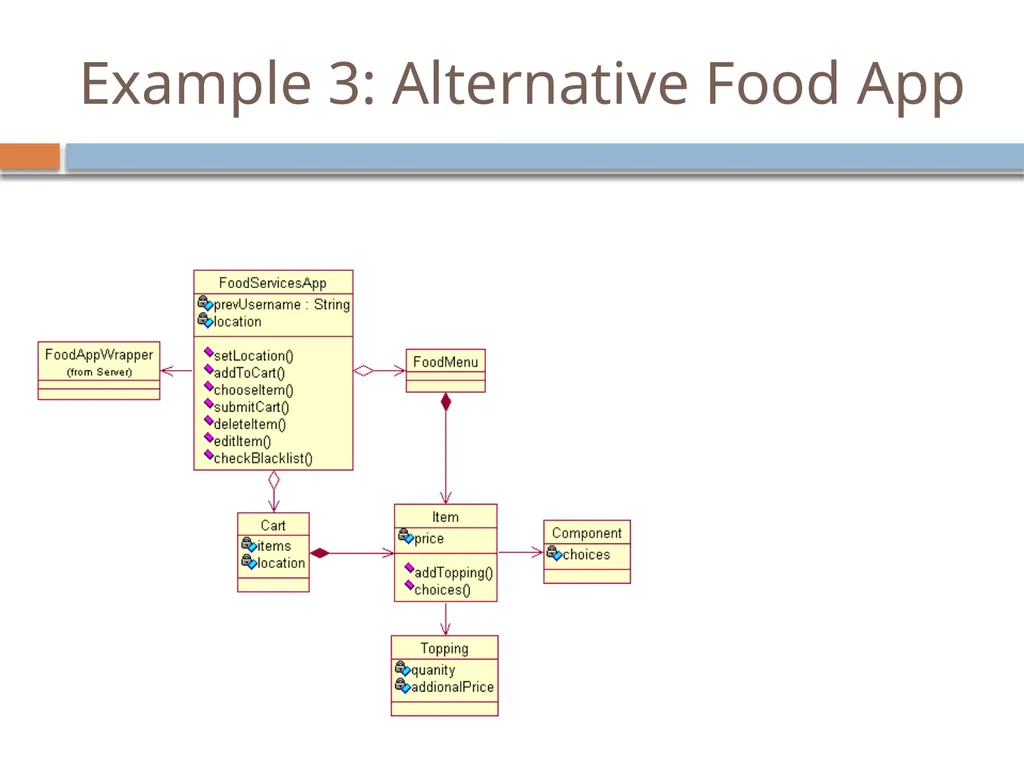
slide30. Example 3: Alternative Food App<br>
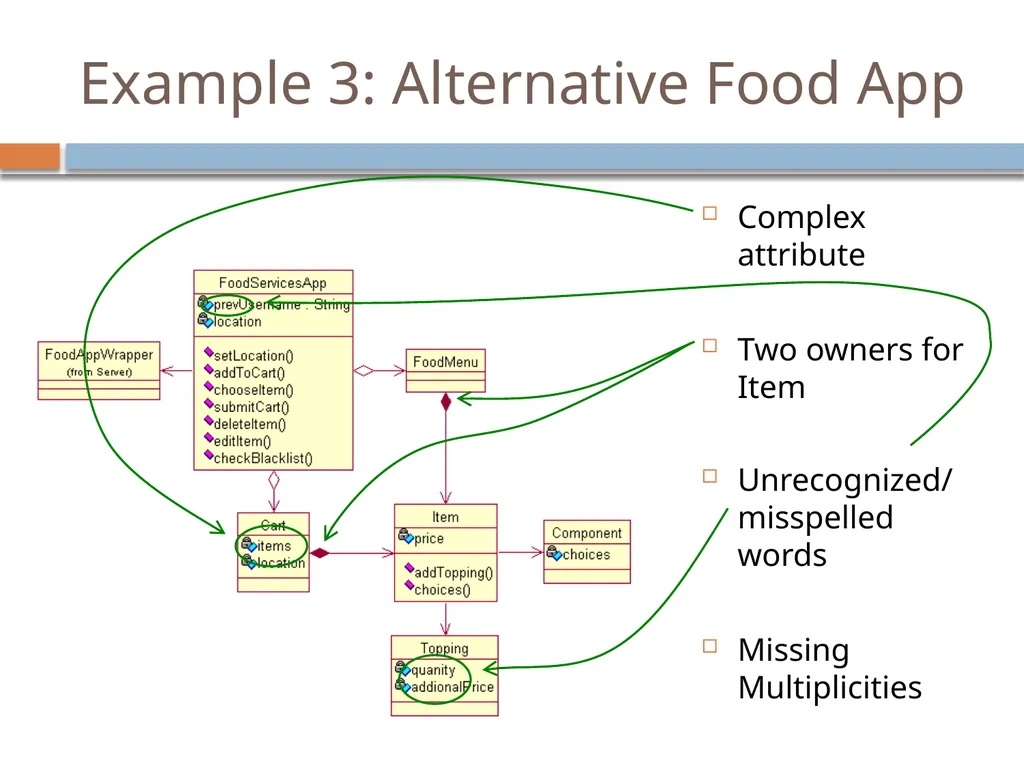
slide31. Example 3: Alternative Food App Complex attribute
Two owners for Item
Unrecognized/ misspelled words
Missing Multiplicities<br>
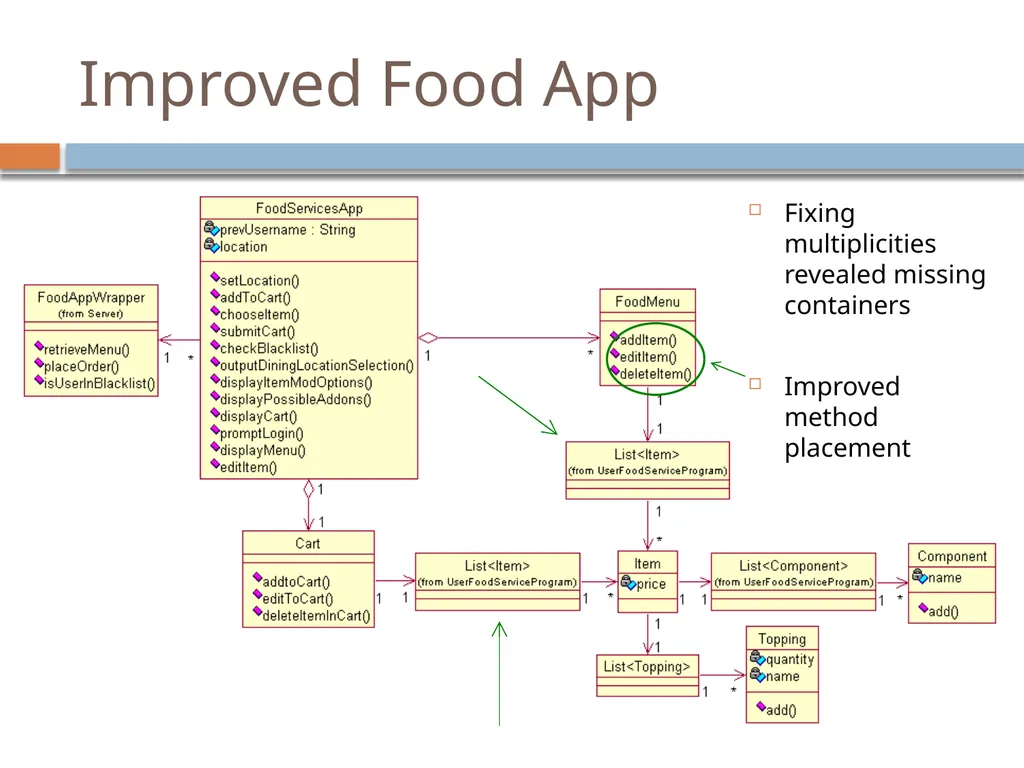
slide32. Improved Food App Fixing multiplicities revealed missing containers
Improved method placement<br>
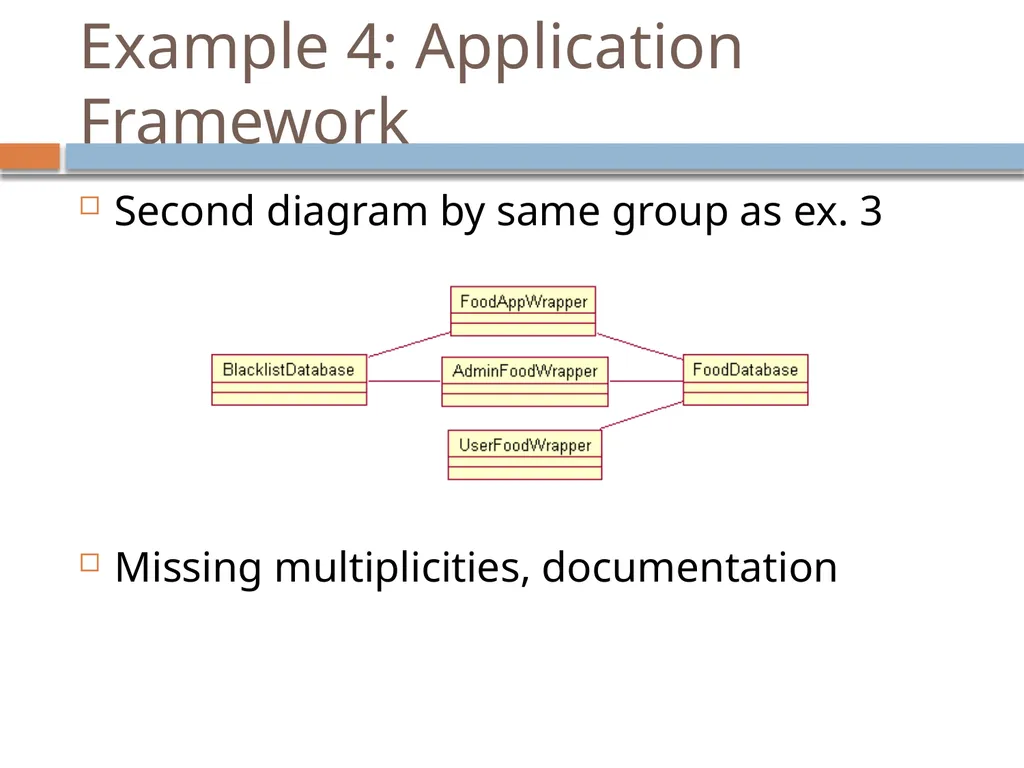
slide33. Example 4: Application Framework Second diagram by same group as ex. 3
Missing multiplicities, documentation<br>
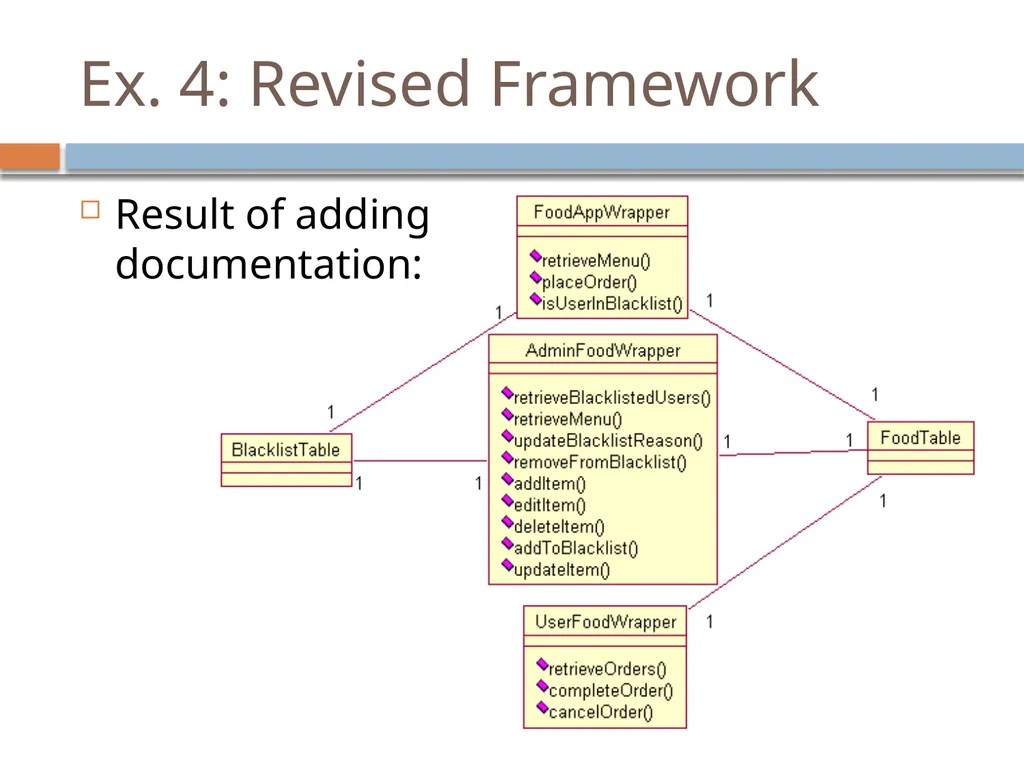
slide34. Ex. 4: Revised Framework Result of adding documentation:<br>
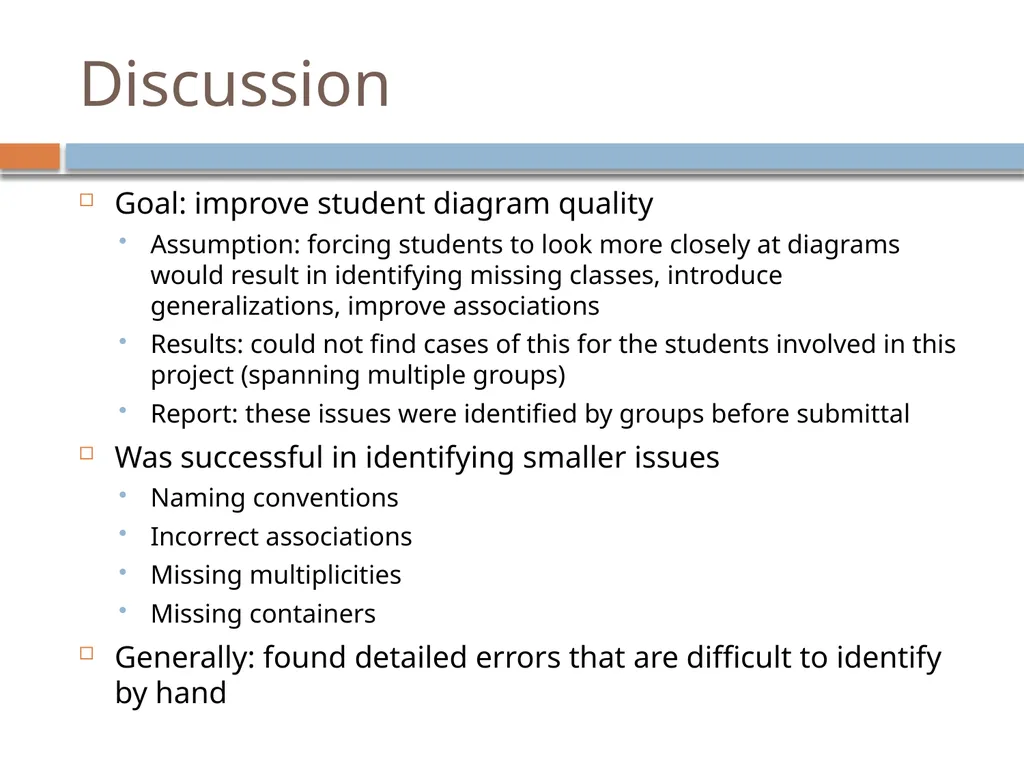
slide35. Discussion Goal: improve student diagram quality
Assumption: forcing students to look more closely at diagrams would result in identifying missing classes, introduce generalizations, improve associations
Results: could not find cases of this for the students involved in this project (spanning multiple groups)
Report: these issues were identified by groups before submittal
Was successful in identifying smaller issues
Naming conventions
Incorrect associations
Missing multiplicities
Missing containers
Generally: found detailed errors that are difficult to identify by hand<br>
slide36. Improvements Improve check for documentation
A single space satisfies this check
Consider using natural language parser
Improve notification of deleted objects
Rose allows deleting object from diagram, not model
Should provide better feedback on where to find these
Provide command-line interface
Current web interface too cumbersome for frequent checks<br>
slide37. Conclusion In practice, UMLint addresses details more than big picture issues in designs
However, did help groups eliminate errors
Group members pointed out UMLint would flag certain choices
Helped remind users of notation
“Basic stuff, but it’s that basic stuff you forget.”<br>

University of Wisconsin – Platteville MICS, 2012<br>
slide2. Motivation Important skill for SE students: constructing, diagramming models
Consider the following class diagram
Reasonable structure, collection of classes<br>
slide3. Motivation Closer inspection:<br>
slide4. Motivation Closer inspection:<br>
slide5. Motivation Closer inspection:<br>
slide6. Motivation Closer inspection:<br>
slide7. Solutions Ideally, the modeling tool would catch such errors
Professional tools (such as IBM Rational Rose used here) must allow for a wide variety of practices
Student tools reduce competitiveness, don’t seem mature
UMLint: identifies potential errors
Inspiration: the C programming utility, lint
Currently focused on class, use case diagrams
Presentation
Overview of issues identified by UMLint
Experiences from the students in using the tool in upper-level classes<br>
slide8. Use case model defects Use case diagrams:
good for introducing diagram “rules”
A pet food dispenser:<br>
slide9. Use case model defects Use case diagrams:
good for introducing diagram “rules”
A pet food dispenser:<br>
slide10. Use case model defects Use case diagrams:
good for introducing diagram “rules”
A pet food dispenser:
Backwards <<extend>>: no route to Block Excessive Eating<br>
slide11. Class model defects<br>
slide12. Class model defects<br>
slide13. Class model defects<br>
slide14. Class model defects<br>
slide15. Class model defects<br>
slide16. Class model defects Public
attribute<br>
slide17. Class model defects Public
attribute Nonstandard methods<br>
slide18. Class model defects Public
attribute Nonstandard methods Index variables Complex attributes<br>
slide19. Class model defects Capitalization standards
Missing documentation Public
attribute Nonstandard methods Index variables Complex attributes<br>
slide20. Using UMLint Visit www.uwplatt.edu/~hasker, find “umlint”<br>
slide23. Experiences Example 1: model a rescue system for the Australian Outback
Victim calls for help
Operator plans route
Self-guided system delivers supplies
System can navigate obstacles
Goal of assignment: check skills retention
Students: capstone project course
Prerequisites: Data Structures, Object-Oriented Analysis & Design, Intermediate Software Engineering<br>
slide24. Example 1: Use case model<br>
slide25. Errors identified by UMLint Directed associations
(Directed) Associations between use cases
Classes
() after use case names<br>
slide26. Improved use case model Remaining error:
>3 links from
actor
Indicates flowchart<br>
slide27. Example 2: Mobile Application Ordering food
Items in categories
Optional condiments, components<br>
slide29. Underscores vs. camelCase Missing multiplicities Inconsistencies
Slow down development<br>
slide30. Example 3: Alternative Food App<br>
slide31. Example 3: Alternative Food App Complex attribute
Two owners for Item
Unrecognized/ misspelled words
Missing Multiplicities<br>
slide32. Improved Food App Fixing multiplicities revealed missing containers
Improved method placement<br>
slide33. Example 4: Application Framework Second diagram by same group as ex. 3
Missing multiplicities, documentation<br>
slide34. Ex. 4: Revised Framework Result of adding documentation:<br>
slide35. Discussion Goal: improve student diagram quality
Assumption: forcing students to look more closely at diagrams would result in identifying missing classes, introduce generalizations, improve associations
Results: could not find cases of this for the students involved in this project (spanning multiple groups)
Report: these issues were identified by groups before submittal
Was successful in identifying smaller issues
Naming conventions
Incorrect associations
Missing multiplicities
Missing containers
Generally: found detailed errors that are difficult to identify by hand<br>
slide36. Improvements Improve check for documentation
A single space satisfies this check
Consider using natural language parser
Improve notification of deleted objects
Rose allows deleting object from diagram, not model
Should provide better feedback on where to find these
Provide command-line interface
Current web interface too cumbersome for frequent checks<br>
slide37. Conclusion In practice, UMLint addresses details more than big picture issues in designs
However, did help groups eliminate errors
Group members pointed out UMLint would flag certain choices
Helped remind users of notation
“Basic stuff, but it’s that basic stuff you forget.”<br>