Font message alert When opening this template, you may see an error message. This means that the font Scala Sans Off. is not, or not correctly, installed on your computer. You can ignore this message. The template will still open and remain
"Font message alert When opening this template, you" is the property of its rightful owner. Permission is granted to
download and print the materials on this website for personal, non-commercial use only, and to display it
on your personal computer provided you do not modify the materials and that you retain all copyright
notices contained in the materials. By downloading content from our website, you accept the terms of this
agreement.
Presentation Transcript
01
Font message alert When opening this template, you may see an error message. This means that the font Scala Sans Off. is not, or not correctly, installed on your computer.
You can ignore this message. The template will still open and remain usable, although the font may not display 100% correctly.
If you want to ensure the correct display, install the font and restart your computer. Then reopen the presentation. Presentation instructions and examples Tilburg University 2025<br>
02
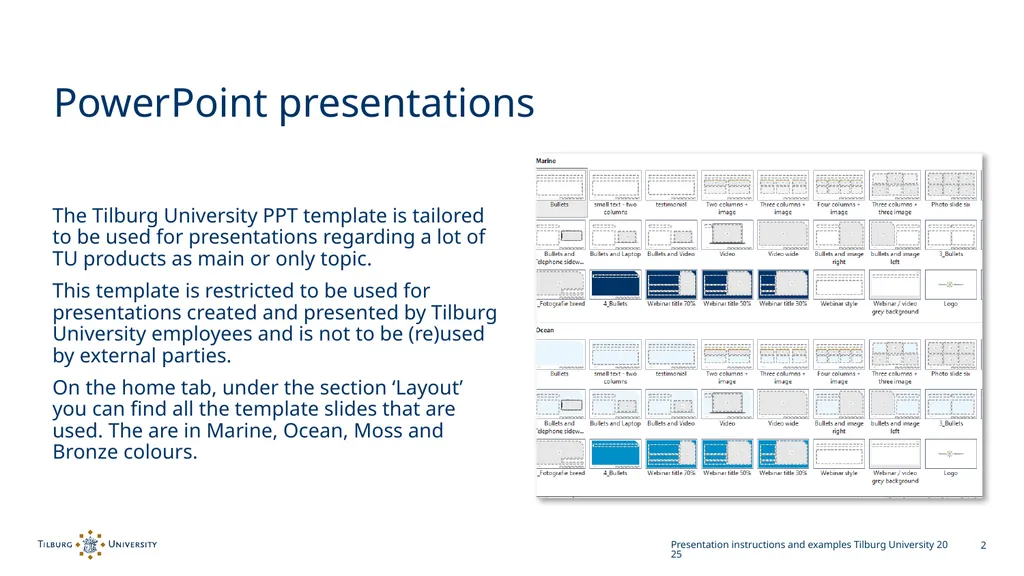
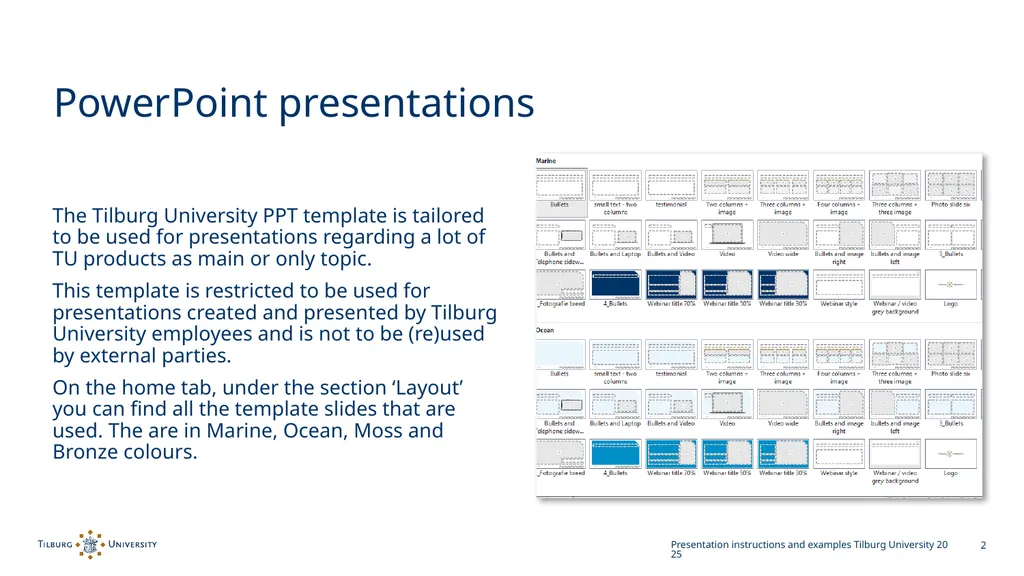
PowerPoint presentations The Tilburg University PPT template is tailored to be used for presentations regarding a lot of TU products as main or only topic.
This template is restricted to be used for presentations created and presented by Tilburg University employees and is not to be (re)used by external parties.
On the home tab, under the section ‘Layout’ you can find all the template slides that are used. The are in Marine, Ocean, Moss and Bronze colours. Presentation instructions and examples Tilburg University 2025<br>
03
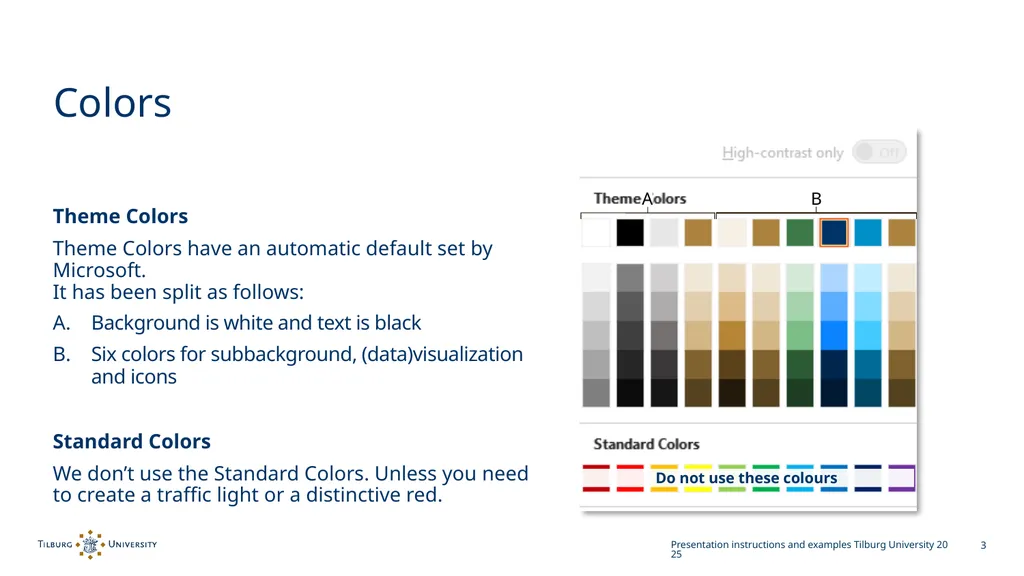
Colors Theme Colors
Theme Colors have an automatic default set by Microsoft. It has been split as follows:
Background is white and text is black
Six colors for subbackground, (data)visualization and icons
Standard Colors
We don’t use the Standard Colors. Unless you need to create a traffic light or a distinctive red. Presentation instructions and examples Tilburg University 2025 B A<br>
04
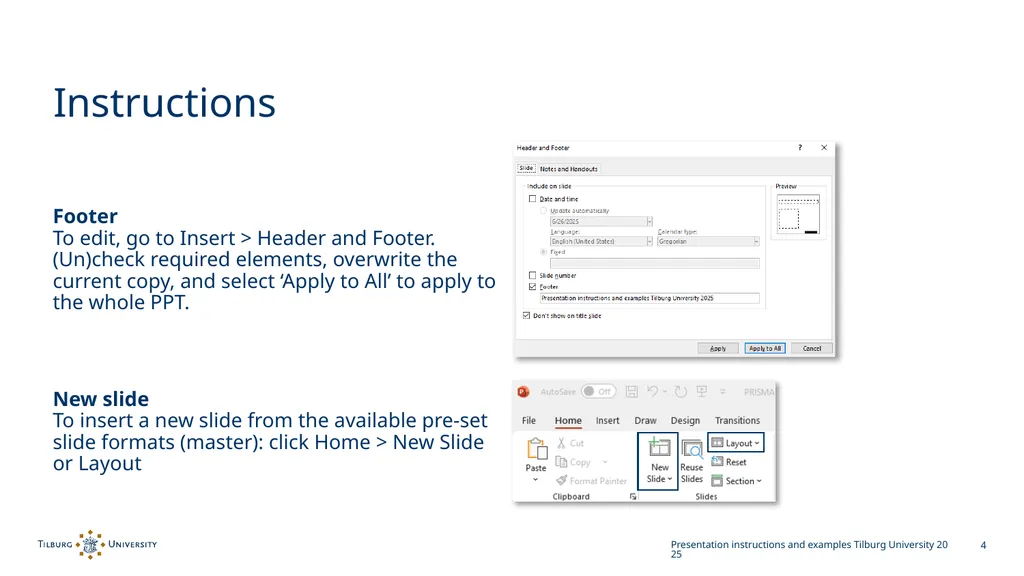
Instructions Footer To edit, go to Insert > Header and Footer. (Un)check required elements, overwrite the current copy, and select ‘Apply to All’ to apply to the whole PPT.
New slide To insert a new slide from the available pre-set slide formats (master): click Home > New Slide or Layout Presentation instructions and examples Tilburg University 2025<br>
05
Example title divided in three lines This is een area for a subtitle
Name Speaker
Date, year.<br>
06
Presentation instructions and examples Tilburg University 2025<br>
07
Presentation instructions and examples Tilburg University 2025<br>
08
Presentation instructions and examples Tilburg University 2025<br>
09
Presentation instructions and examples Tilburg University 2025<br>
10
Presentation instructions and examples Tilburg University 2025<br>
11
Presentation instructions and examples Tilburg University 2025<br>
12
Presentation instructions and examples Tilburg University 2025<br>
13
Presentation instructions and examples Tilburg University 2025<br>
14
Presentation instructions and examples Tilburg University 2025<br>
15
Presentation instructions and examples Tilburg University 2025<br>
16
Presentation instructions and examples Tilburg University 2025<br>
17
Presentation instructions and examples Tilburg University 2025<br>
18
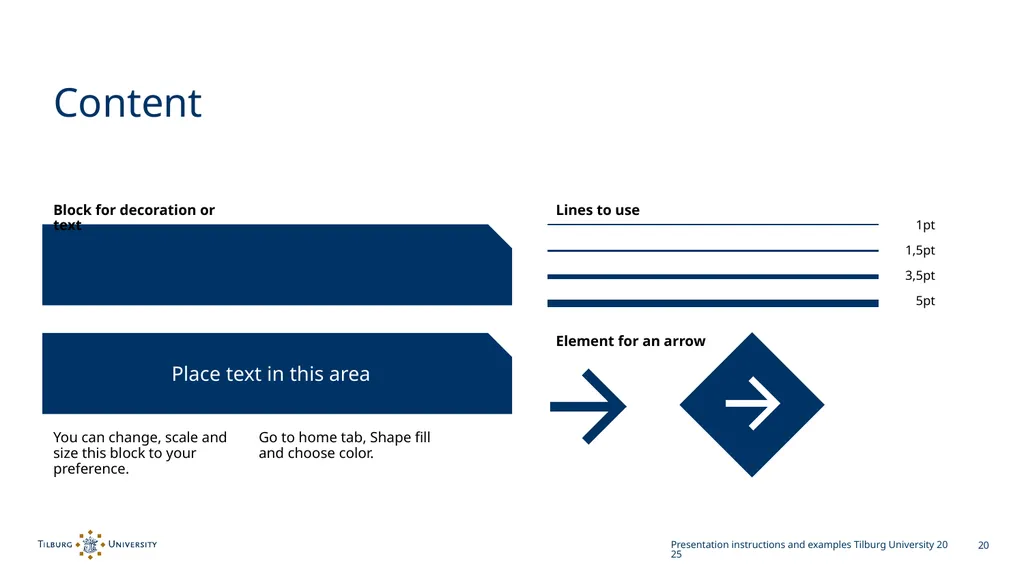
Content Presentation instructions and examples Tilburg University 2025 Block for decoration or text Place text in this area You can change, scale and size this block to your preference. Lines to use Element for an arrow 1pt 1,5pt 3,5pt 5pt Go to home tab, Shape fill and choose color.<br>
19
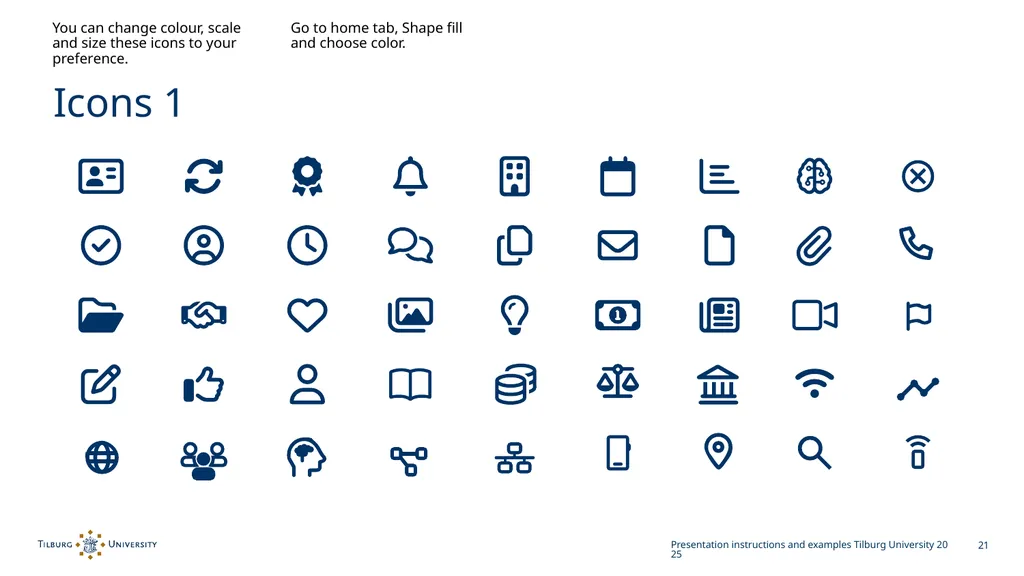
Icons 1 Presentation instructions and examples Tilburg University 2025 You can change colour, scale and size these icons to your preference. Go to home tab, Shape fill and choose color.<br>