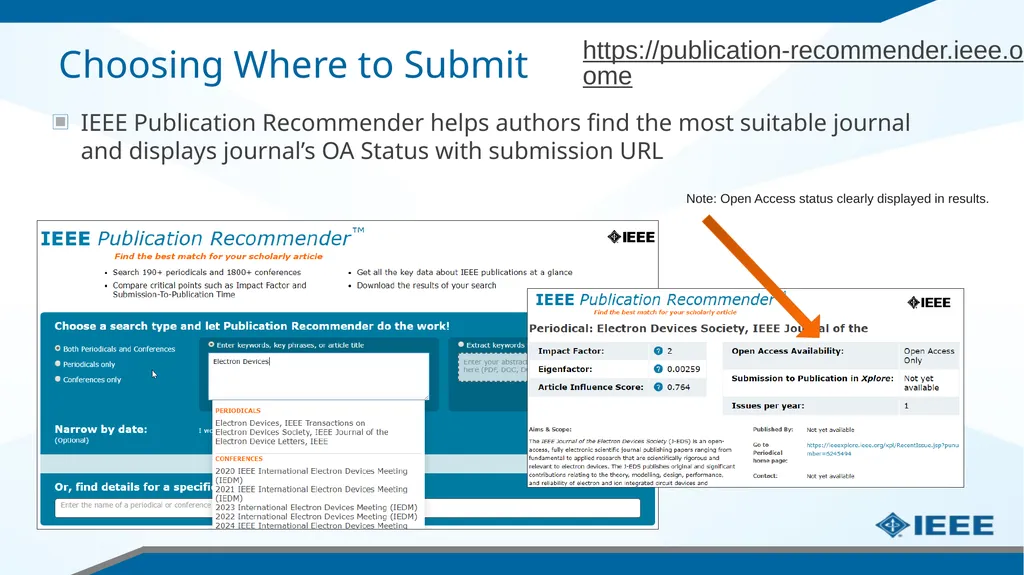
Guide for IEEE Authors in Greece Navigating the open access publication process from submission to acceptance to OA funding Choosing Where to Submit IEEE Publication Recommender helps authors find the most suitable journal and displays
"Guide for IEEE Authors in Greece Navigating the" is the property of its rightful owner. Permission is granted to
download and print the materials on this website for personal, non-commercial use only, and to display it
on your personal computer provided you do not modify the materials and that you retain all copyright
notices contained in the materials. By downloading content from our website, you accept the terms of this
agreement.
Presentation Transcript
01
Guide for IEEE Authors in Greece Navigating the open access publication process from submission to acceptance to OA funding<br>
02
Choosing Where to Submit IEEE Publication Recommender helps authors find the most suitable journal and displays journal’s OA Status with submission URL Note: Open Access status clearly displayed in results. https://publication-recommender.ieee.org/home<br>
03
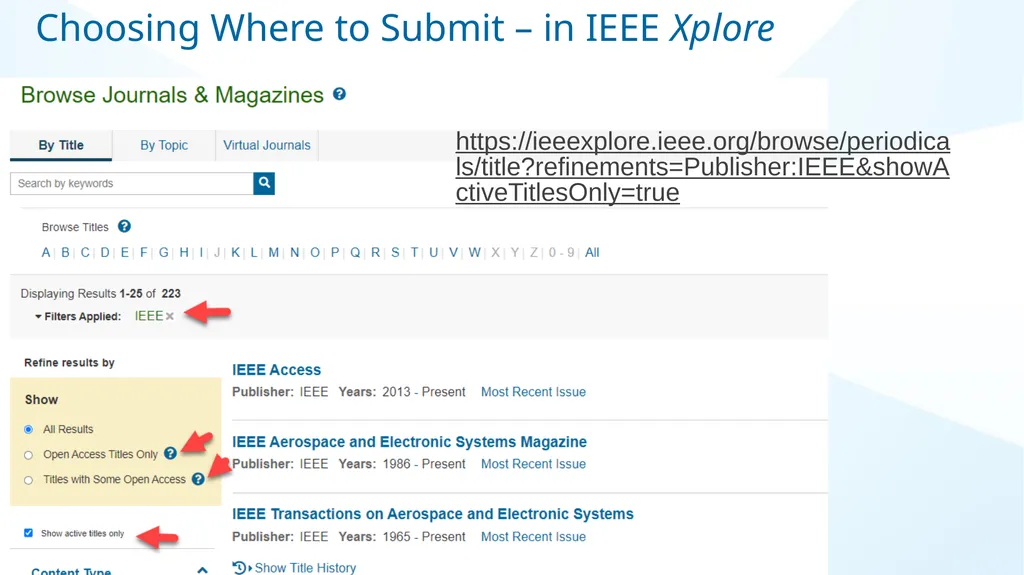
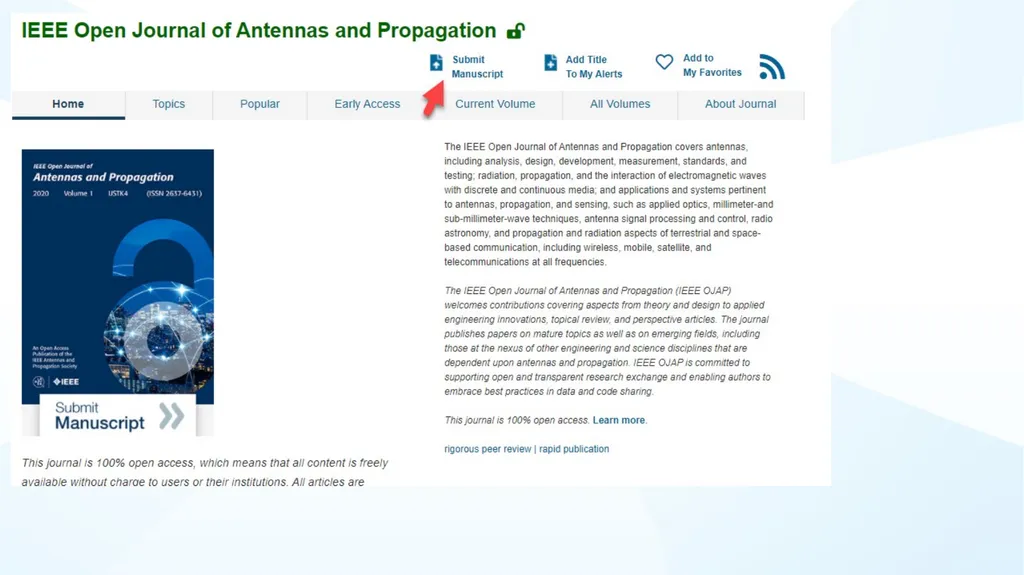
https://ieeexplore.ieee.org/browse/periodicals/title?refinements=Publisher:IEEE&showActiveTitlesOnly=true Choosing Where to Submit – in IEEE Xplore<br>
04
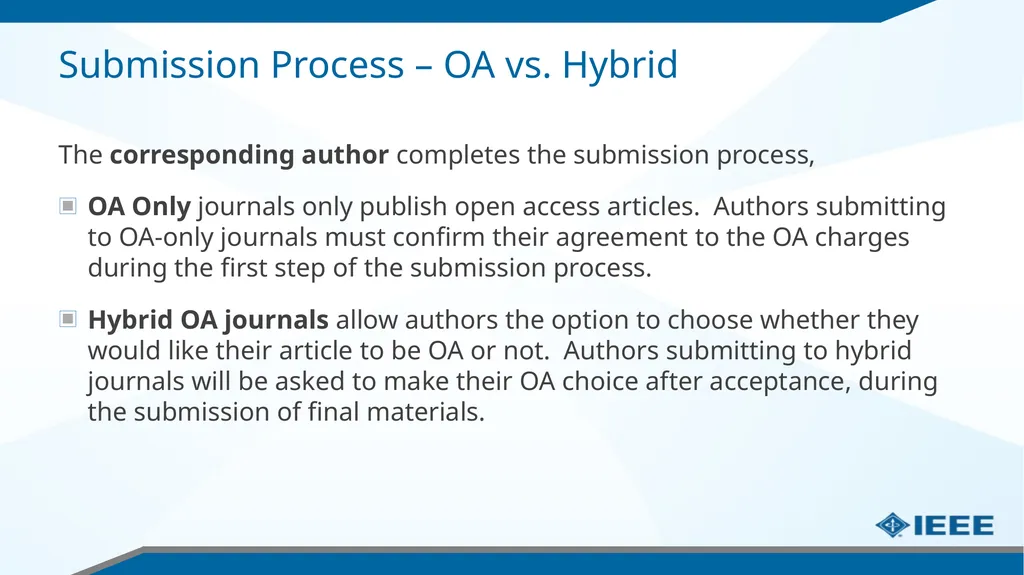
Submission Process – OA vs. Hybrid The corresponding author completes the submission process,
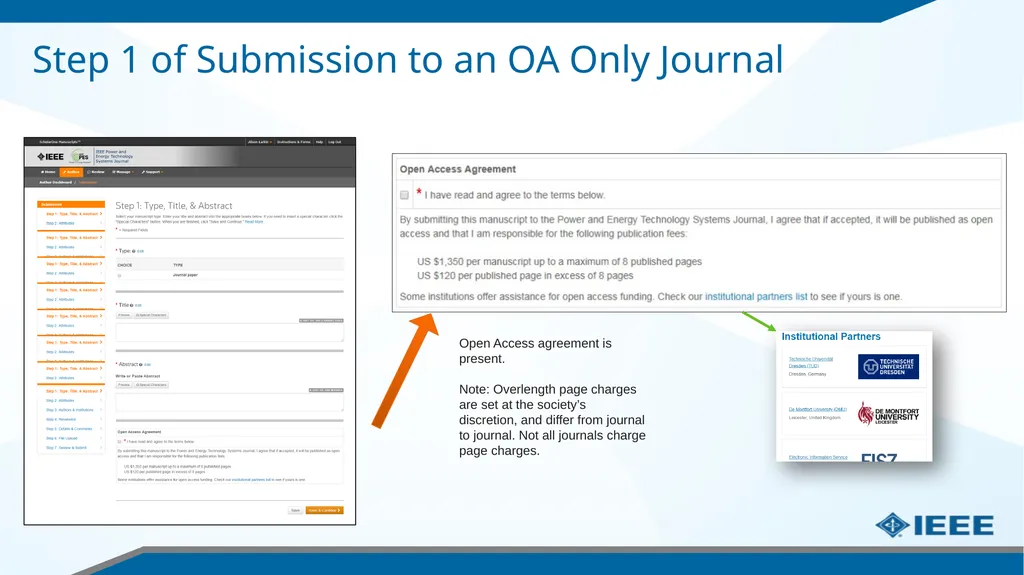
OA Only journals only publish open access articles. Authors submitting to OA-only journals must confirm their agreement to the OA charges during the first step of the submission process.
Hybrid OA journals allow authors the option to choose whether they would like their article to be OA or not. Authors submitting to hybrid journals will be asked to make their OA choice after acceptance, during the submission of final materials.<br>
05
Step 1 of Submission to an OA Only Journal Open Access agreement is present.
Note: Overlength page charges are set at the society’s discretion, and differ from journal to journal. Not all journals charge page charges.<br>
06
Submission process – Step 2 General requirements may vary journal to journal, but there are several key elements that are important to complete at this time to ensure proper Open Access processing later during publication
Assigning Authors
Identifying Institution<br>
07
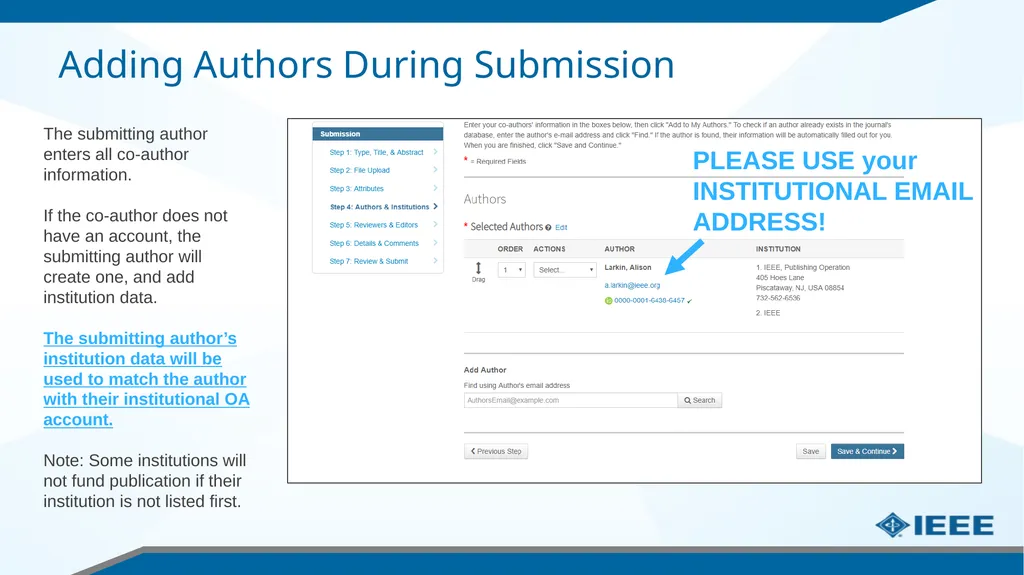
Adding Authors During Submission The submitting author enters all co-author information.
If the co-author does not have an account, the submitting author will create one, and add institution data.
The submitting author’s institution data will be used to match the author with their institutional OA account.
Note: Some institutions will not fund publication if their institution is not listed first. PLEASE USE your INSTITUTIONAL EMAIL ADDRESS!<br>
08
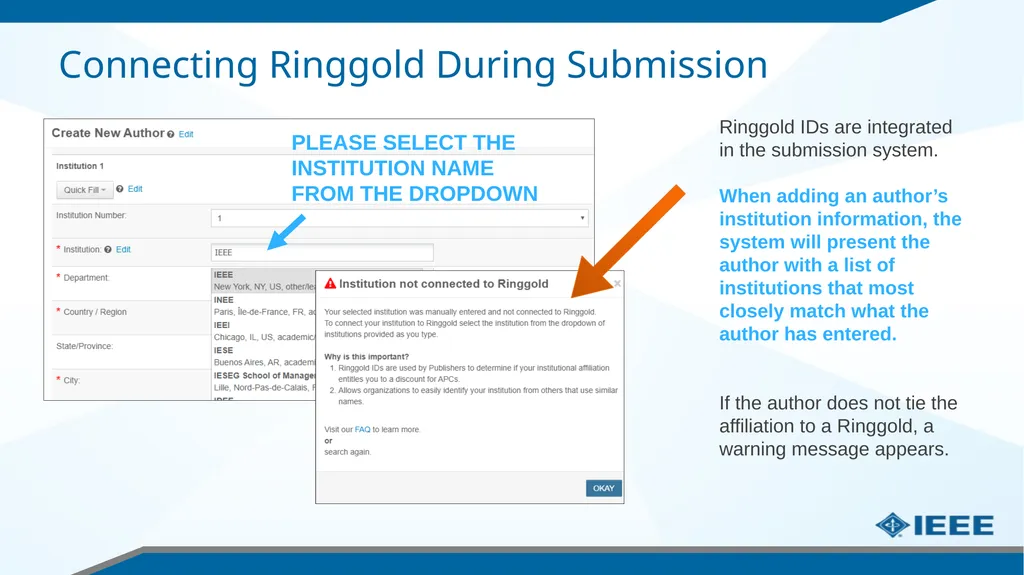
Connecting Ringgold During Submission Ringgold IDs are integrated in the submission system.
When adding an author’s institution information, the system will present the author with a list of institutions that most closely match what the author has entered.
If the author does not tie the affiliation to a Ringgold, a warning message appears. PLEASE SELECT THE INSTITUTION NAME FROM THE DROPDOWN<br>
09
Entering Funding Information at Submission The submitting author will be required to disclose any funding information during submission.<br>
10
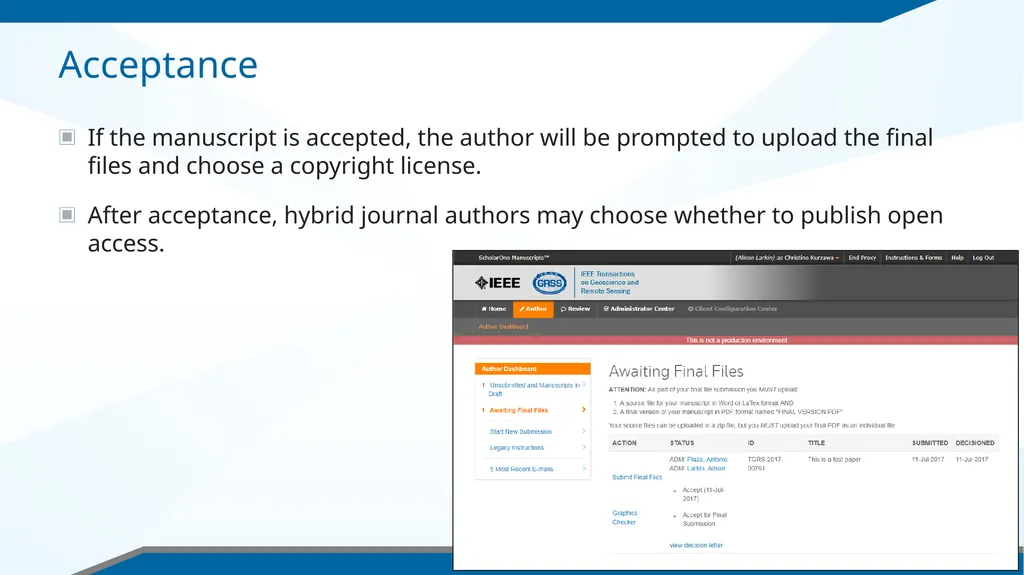
Acceptance If the manuscript is accepted, the author will be prompted to upload the final files and choose a copyright license.
After acceptance, hybrid journal authors may choose whether to publish open access.<br>
11
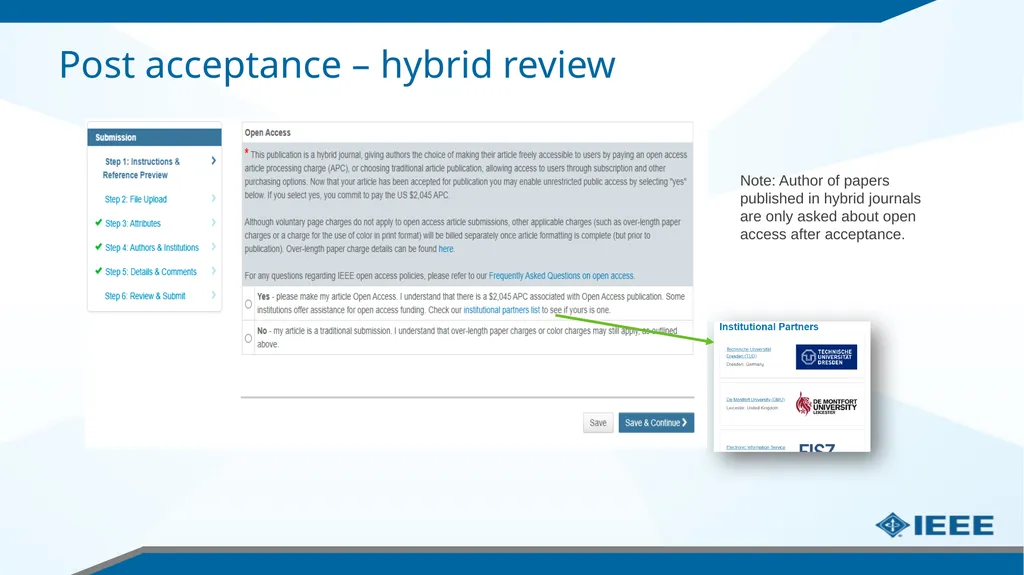
Post acceptance – hybrid review Note: Author of papers published in hybrid journals are only asked about open access after acceptance.<br>
12
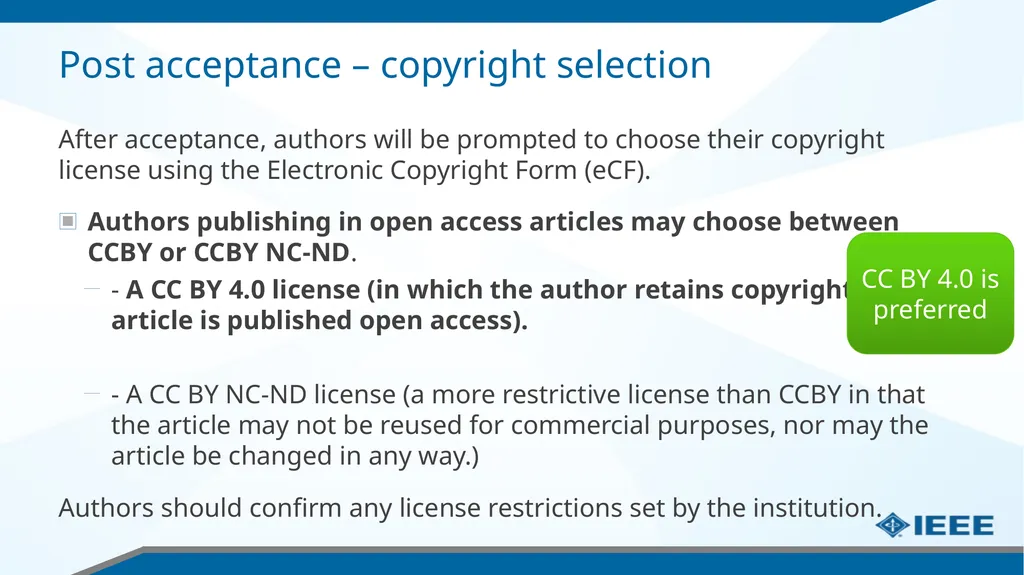
Post acceptance – copyright selection After acceptance, authors will be prompted to choose their copyright license using the Electronic Copyright Form (eCF).
Authors publishing in open access articles may choose between CCBY or CCBY NC-ND.
- A CC BY 4.0 license (in which the author retains copyright and the article is published open access).
- A CC BY NC-ND license (a more restrictive license than CCBY in that the article may not be reused for commercial purposes, nor may the article be changed in any way.)
Authors should confirm any license restrictions set by the institution. CC BY 4.0 is preferred<br>
13
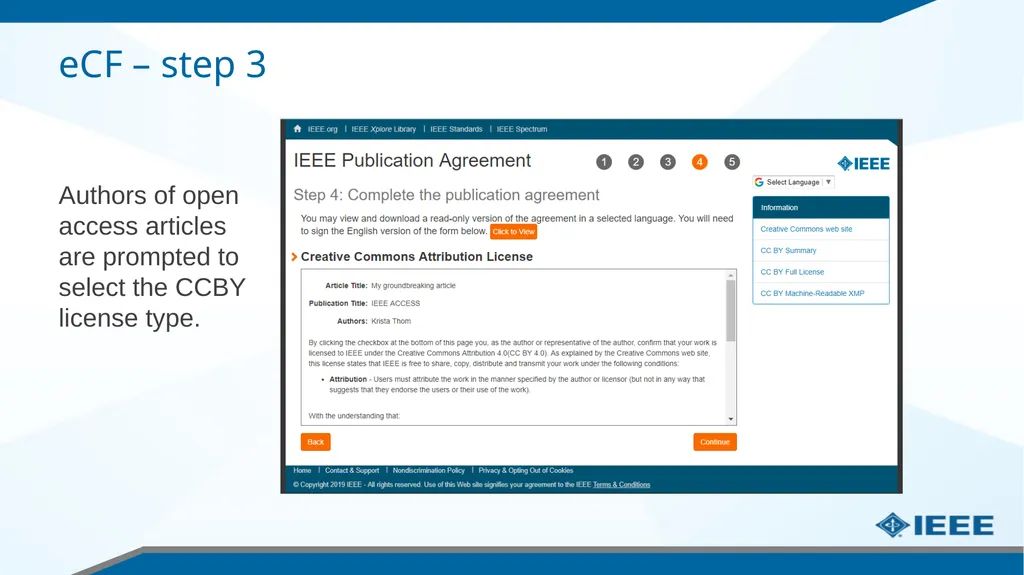
eCF – step 3 Authors of open access articles are prompted to select the CCBY license type.<br>
14
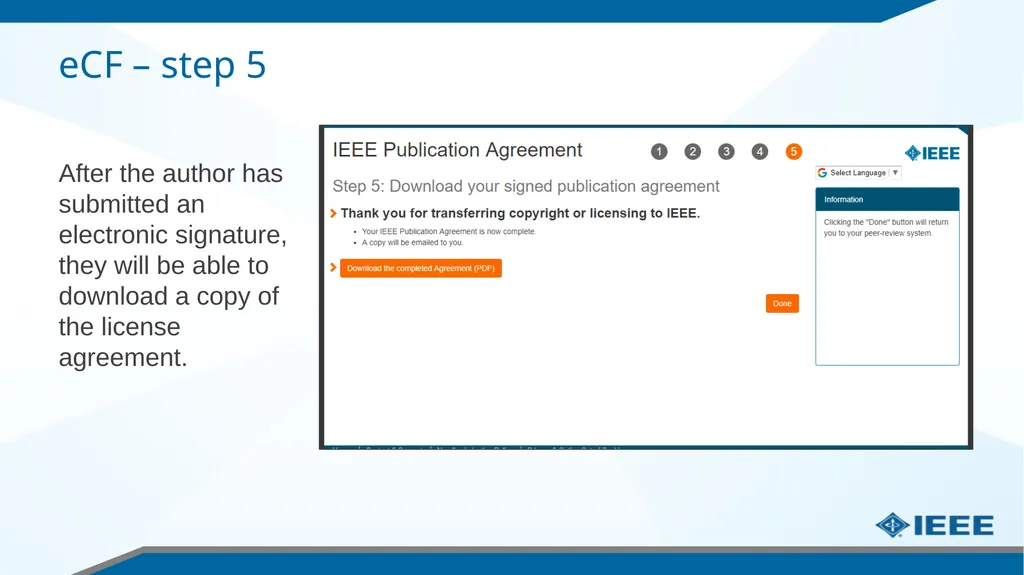
eCF – step 5 After the author has submitted an electronic signature, they will be able to download a copy of the license agreement.<br>
15
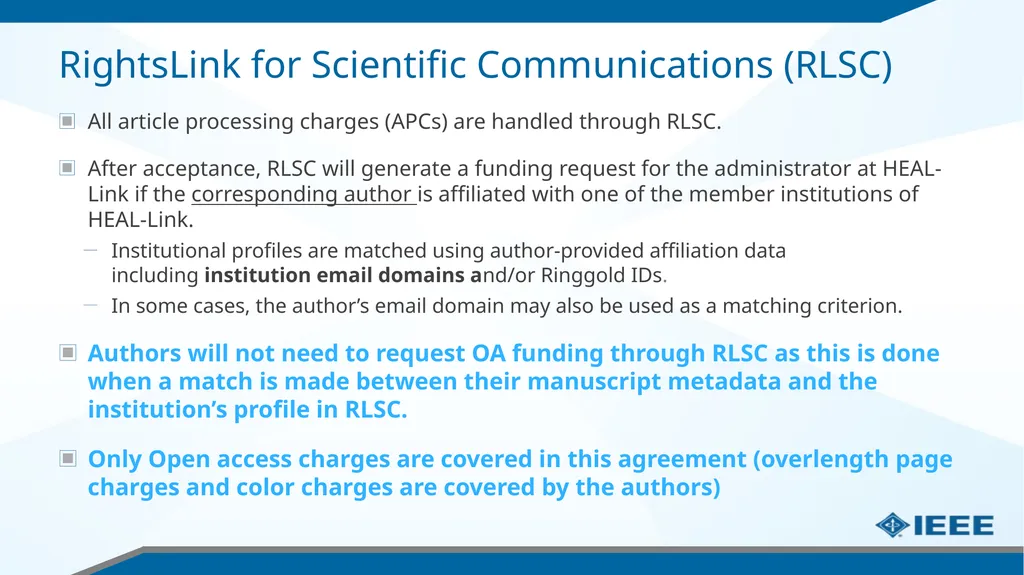
RightsLink for Scientific Communications (RLSC) All article processing charges (APCs) are handled through RLSC.
After acceptance, RLSC will generate a funding request for the administrator at HEAL-Link if the corresponding author is affiliated with one of the member institutions of HEAL-Link.
Institutional profiles are matched using author-provided affiliation data including institution email domains and/or Ringgold IDs.
In some cases, the author’s email domain may also be used as a matching criterion.
Authors will not need to request OA funding through RLSC as this is done when a match is made between their manuscript metadata and the institution’s profile in RLSC.
Only Open access charges are covered in this agreement (overlength page charges and color charges are covered by the authors)<br>
16
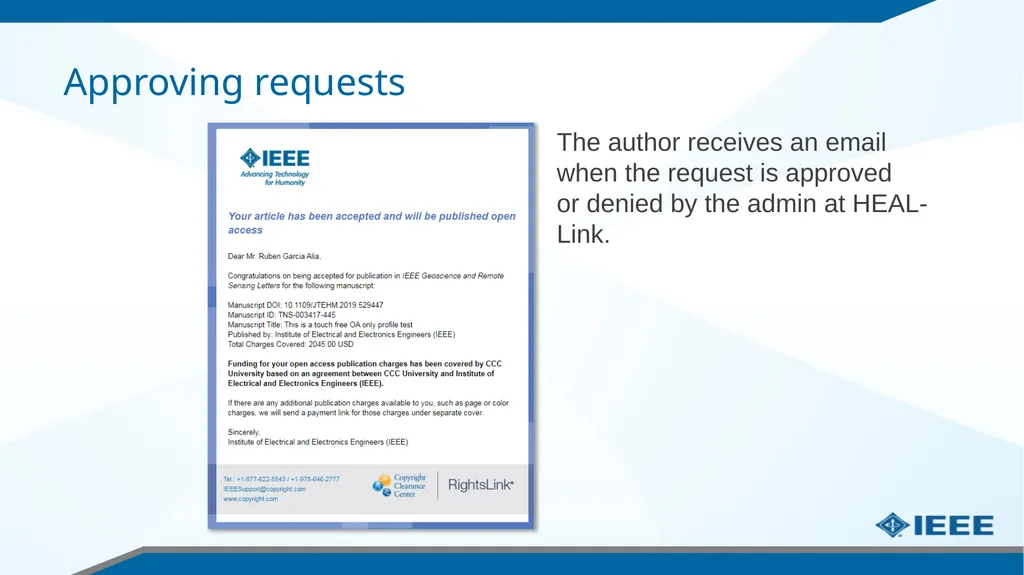
Approving requests The author receives an email when the request is approved or denied by the admin at HEAL-Link.<br>
17
Need additional assistance? IEEE Open Site
https://open.ieee.org/
IEEE Author Center
https://ieeeauthorcenter.ieee.org/
IEEE Xplore Digital Library
https://ieeexplore.ieee.org/
IEEE Publications Recommender
https://publication-recommender.ieee.org/
Scholarly Communication Unit, HEAL-Link
https://scholarly.heal-link.gr/guide/#ieee
HEAL-Link Open Access Agreements
https://www.heal-link.gr/en/open-access-agreements/
Please email onlinesupport@ieee.org with any questions on the agreement or articles<br>