How to Submit Additional Study Submissions -Amendmentsmodifications -Renewals -Closures Office of Research Compliance 2018 How to use this tutorial This tutorial is for researchers (PIs) who already have an approved IRB protocol and wish
"How to Submit Additional Study Submissions" is the property of its rightful owner. Permission is granted to
download and print the materials on this website for personal, non-commercial use only, and to display it
on your personal computer provided you do not modify the materials and that you retain all copyright
notices contained in the materials. By downloading content from our website, you accept the terms of this
agreement.
Presentation Transcript
01
How to Submit Additional Study Submissions -Amendments/modifications -Renewals -Closures Office of Research Compliance 2018<br>
02
How to use this tutorial This tutorial is for researchers (PIs) who already have an approved IRB protocol and wish to submit an amendment/modification, renewal, incident (adverse event) or closure type protocol.
If the protocol has not been reviewed and approved, then the researchers can submit a withdrawal type protocol. That process is similar to what is described here; the details are at the end of this tutorial.
In Cayuse, the first protocol is known as the “initial” study.
Before approval, PIs can withdraw their protocol from further review. Once approved, then the protocol can be amended/modified, renewed, or closed.
Use your keyboard’s left/right/up/down arrow (or your mouse/trackpad scroll or the spacebar) to move through the PowerPoint. Instructions are animated. Office of Research Compliance 2018<br>
03
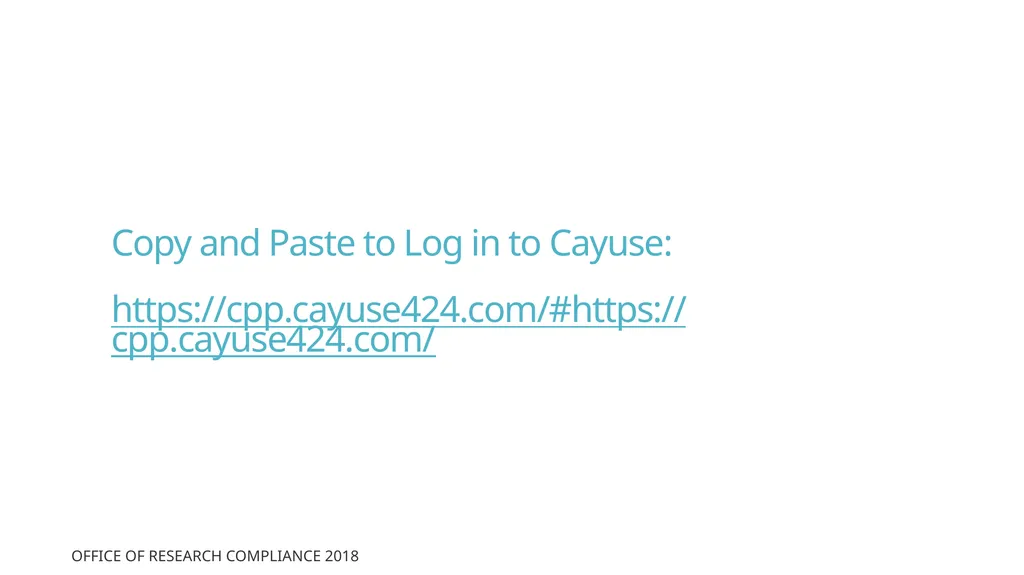
Copy and Paste to Log in to Cayuse:
https://cpp.cayuse424.com/#https://cpp.cayuse424.com/ Office of Research Compliance 2018<br>
04
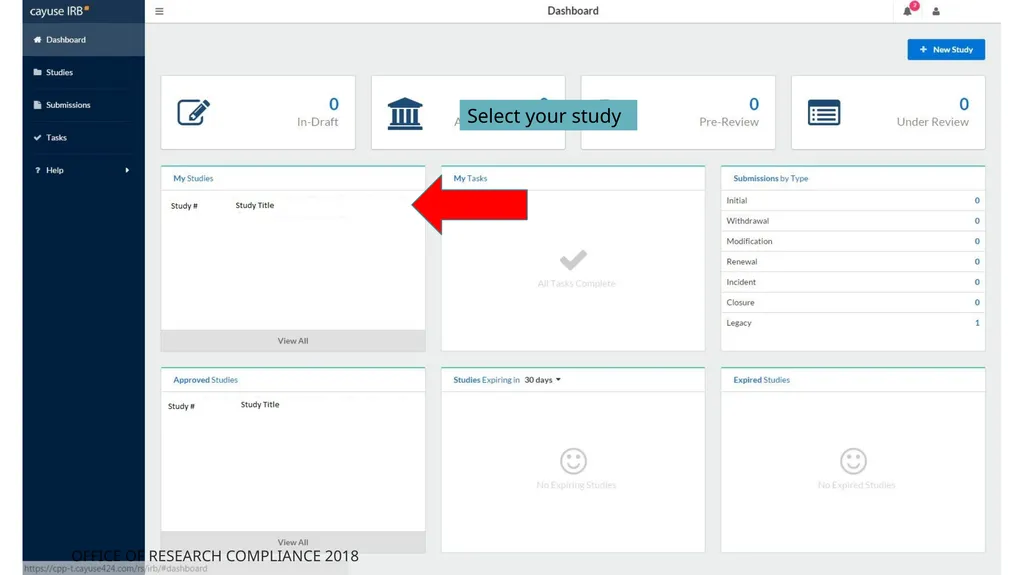
Select your study Office of Research Compliance 2018<br>
05
You’ll be taken to this page. Click on the blue button for “New Submission.” Office of Research Compliance v2-2017 Office of Research Compliance 2018<br>
06
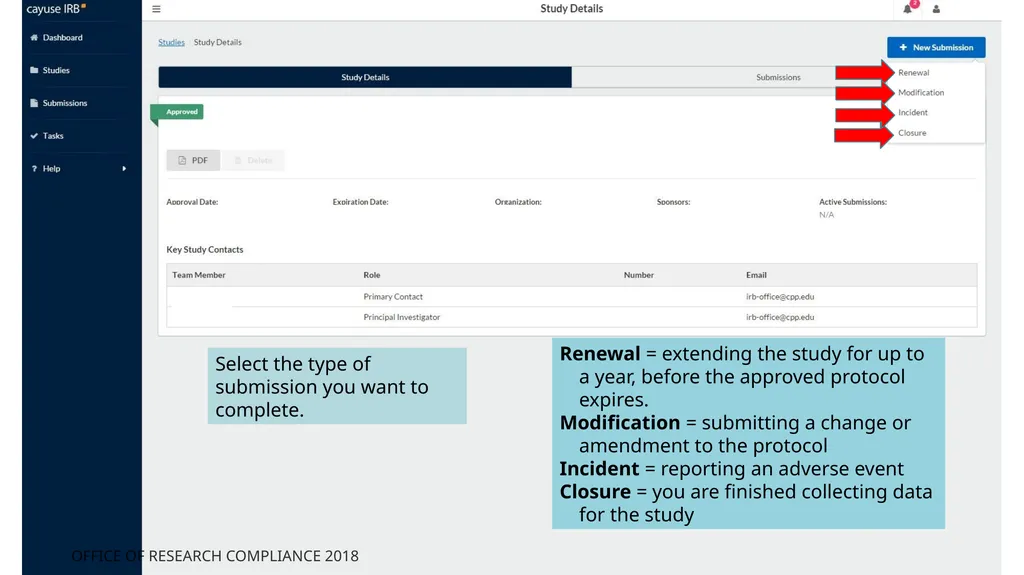
Select the type of submission you want to complete. Renewal = extending the study for up to a year, before the approved protocol expires.
Modification = submitting a change or amendment to the protocol
Incident = reporting an adverse event
Closure = you are finished collecting data for the study Office of Research Compliance 2018<br>
07
You’re taken to this page.
Click on “Edit” to provide details about the submission to the IRB. Office of Research Compliance 2018<br>
08
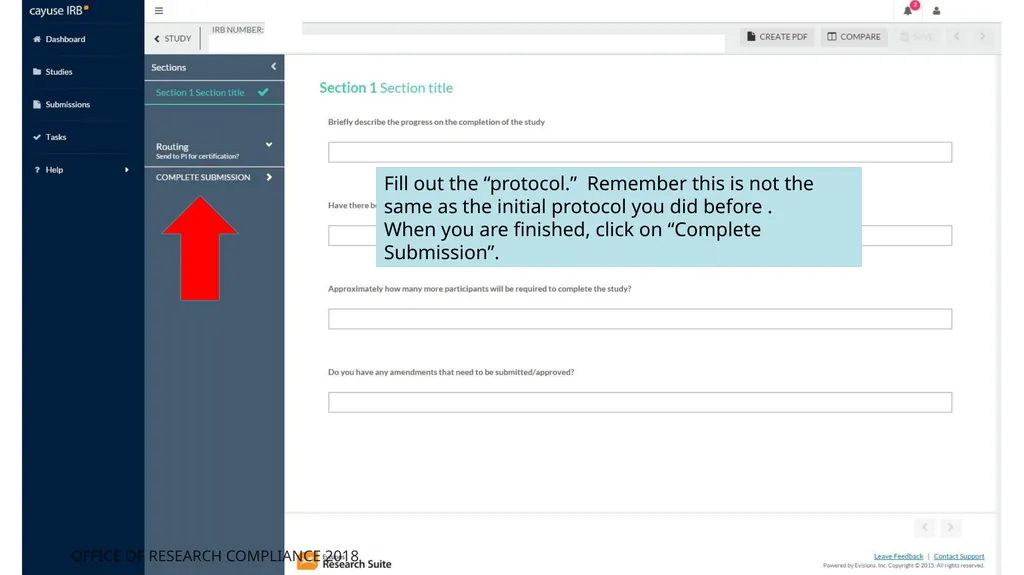
Fill out the “protocol.” Remember this is not the same as the initial protocol you did before .
When you are finished, click on “Complete Submission”. Office of Research Compliance 2018<br>
09
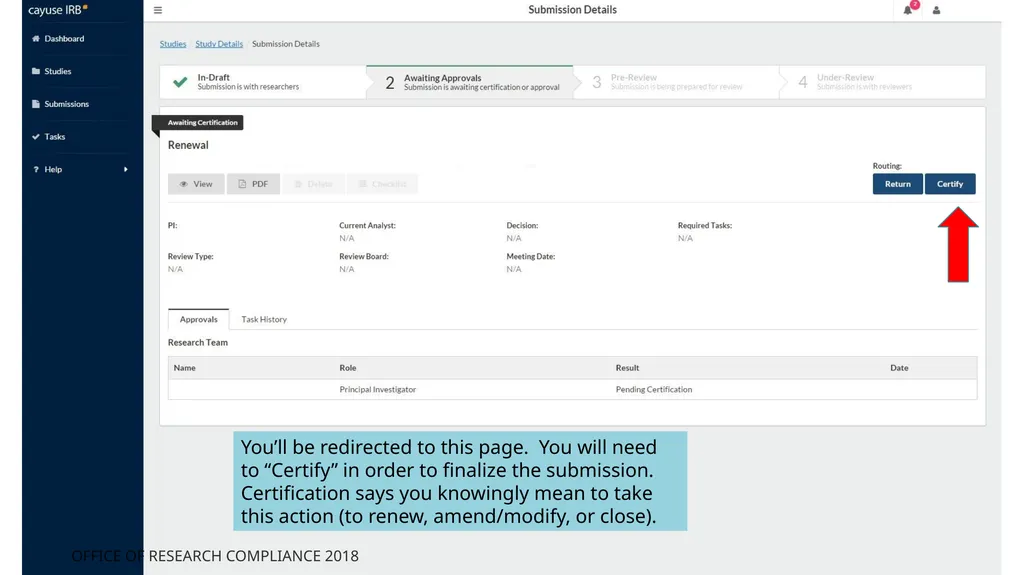
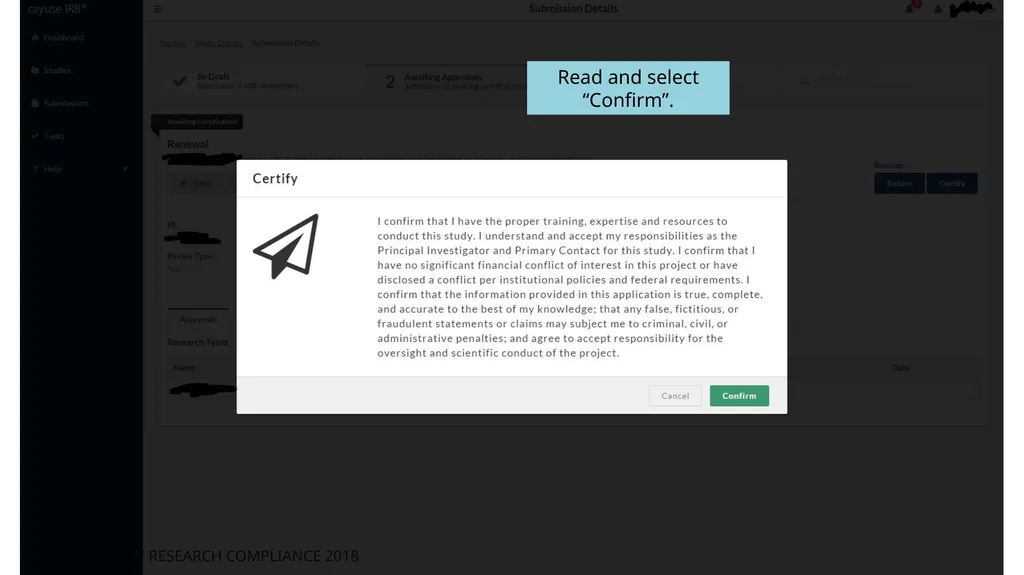
You’ll be redirected to this page. You will need to “Certify” in order to finalize the submission. Certification says you knowingly mean to take this action (to renew, amend/modify, or close). Office of Research Compliance 2018<br>
10
Read and select “Confirm”. Office of Research Compliance 2018<br>
11
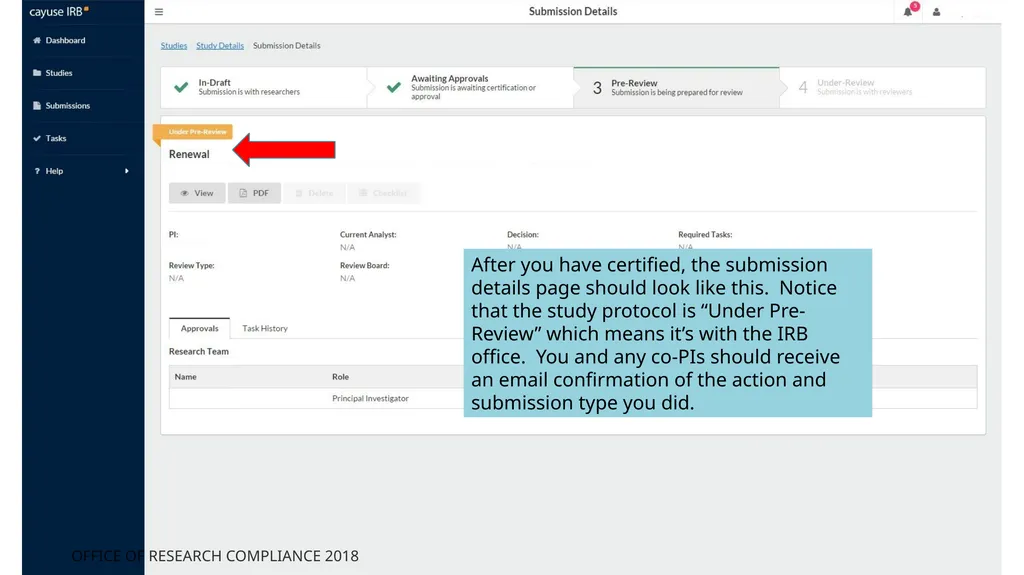
After you have certified, the submission details page should look like this. Notice that the study protocol is “Under Pre-Review” which means it’s with the IRB office. You and any co-PIs should receive an email confirmation of the action and submission type you did. Office of Research Compliance 2018<br>
12
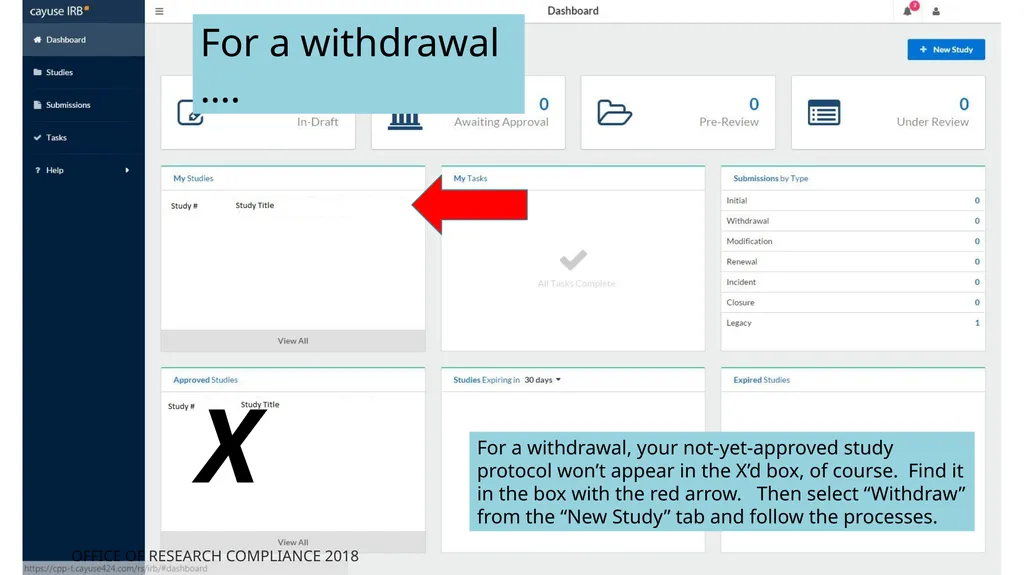
For a withdrawal, your not-yet-approved study protocol won’t appear in the X’d box, of course. Find it in the box with the red arrow. Then select “Withdraw” from the “New Study” tab and follow the processes. X For a withdrawal …. Office of Research Compliance 2018<br>
13
If you have any issues or questions, please contact the IRB Office: irb-office@cpp.edu or (909) 869-4215 (Maya) and for IRB document examples and links, visit our website at http://www.cpp.edu/~research/irb/getting-started-with-a-protocol.shtml Office of Research Compliance 2018<br>