
ICS103: Programming in C Top-Down Design with
Description: ICS103: Programming in C Top-Down Design with Functions Muhamed F. Mudawar Outline Introduction to Functions Library Functions and Code Reuse Top-Down Design and Structure Charts Functions without Arguments or Results Function Prototypes,
Related Topics
Download Presentation
"ICS103: Programming in C Top-Down Design with" is the property of its rightful owner. Permission is granted to download and print the materials on this website for personal, non-commercial use only, and to display it on your personal computer provided you do not modify the materials and that you retain all copyright notices contained in the materials. By downloading content from our website, you accept the terms of this agreement.
Presentation Transcript
slide1. ICS103: Programming in C
Top-Down Design with Functions Muhamed F. Mudawar<br>
slide2. Outline Introduction to Functions
Library Functions and Code Reuse
Top-Down Design and Structure Charts
Functions without Arguments or Results
Function Prototypes, Definitions, and Function Calls
Functions with Input Arguments and a Single Result
Testing Functions and Function Data Area
Advantages of Functions and Common Errors 2<br>
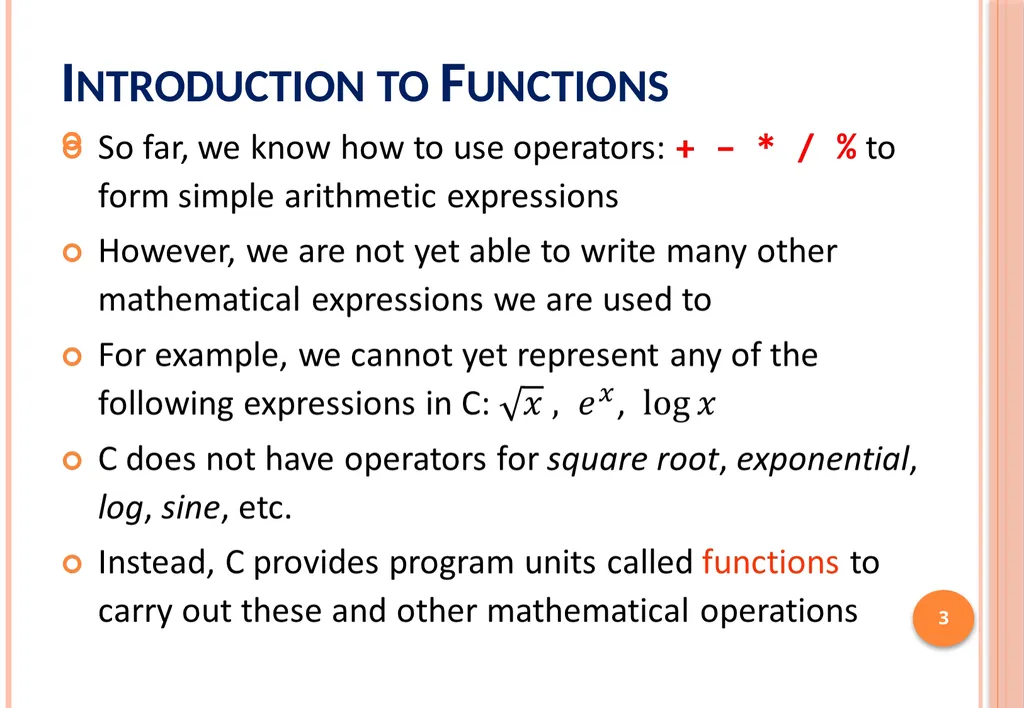
slide3. Introduction to Functions 3<br>
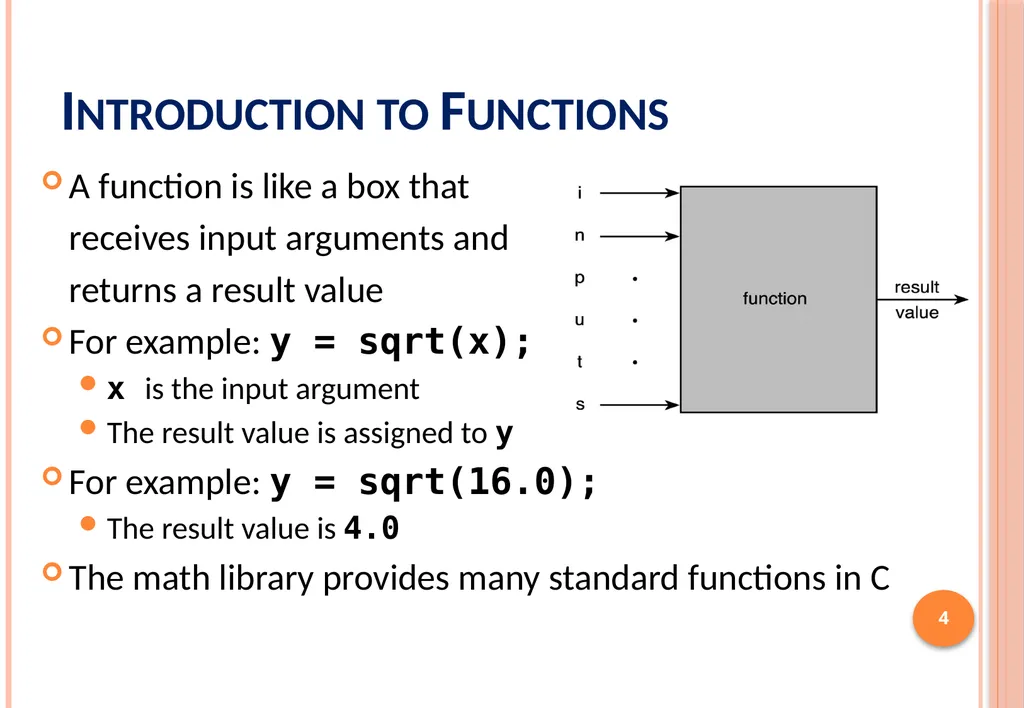
slide4. Introduction to Functions A function is like a box that
receives input arguments and
returns a result value
For example: y = sqrt(x);
x is the input argument
The result value is assigned to y
For example: y = sqrt(16.0);
The result value is 4.0
The math library provides many standard functions in C 4<br>
slide5. Library Functions and Code Reuse The primary goal of software engineering is to write error-free code.
Reusing code that has already been written and tested is one way to achieve this.
C promotes code reuse by providing library functions.
Input/Output functions: printf, scanf , etc.
Mathematical functions: sqrt, exp, log, etc.
String functions: strlen, strcpy, strcmp, etc.
Appendix B lists many C standard library functions 5<br>
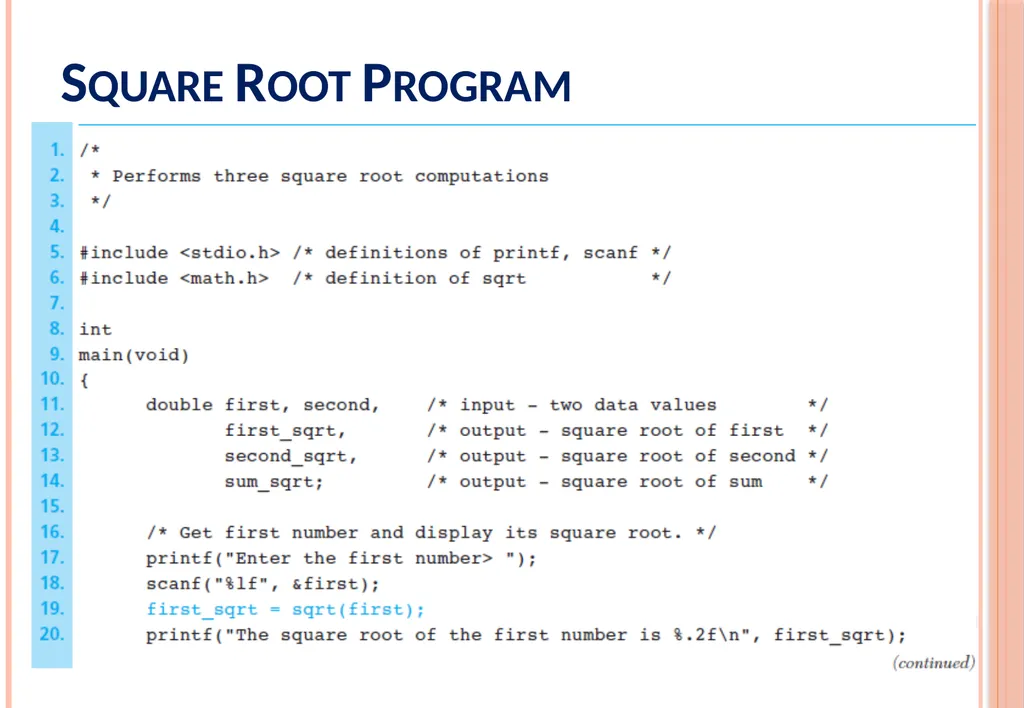
slide6. Square Root Program 6<br>
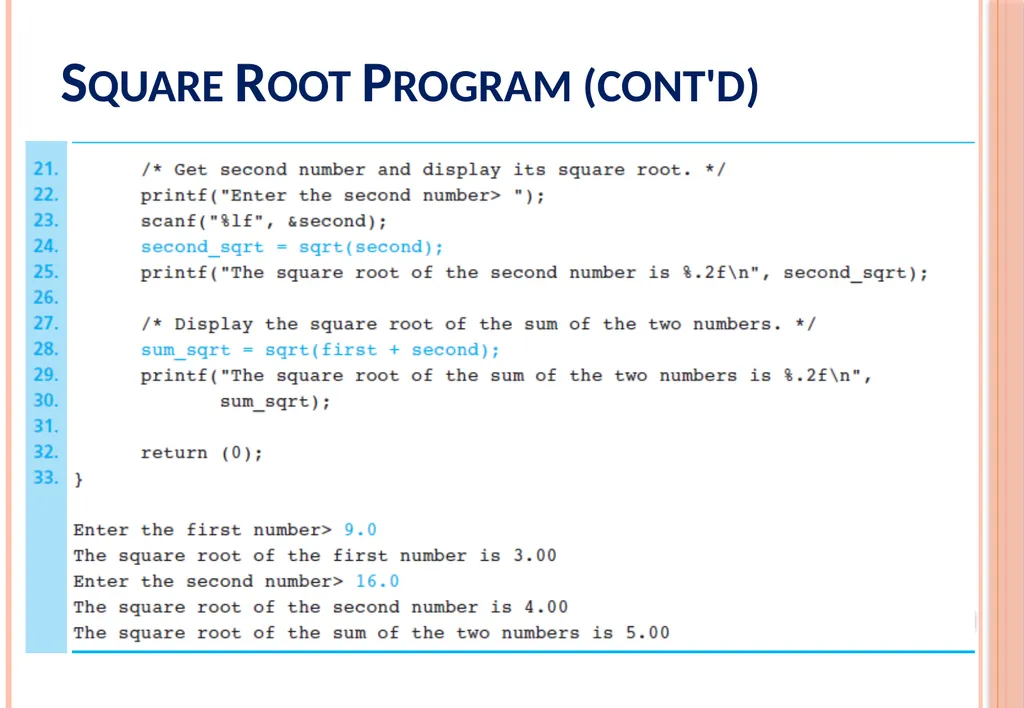
slide7. Square Root Program (cont'd) 7<br>
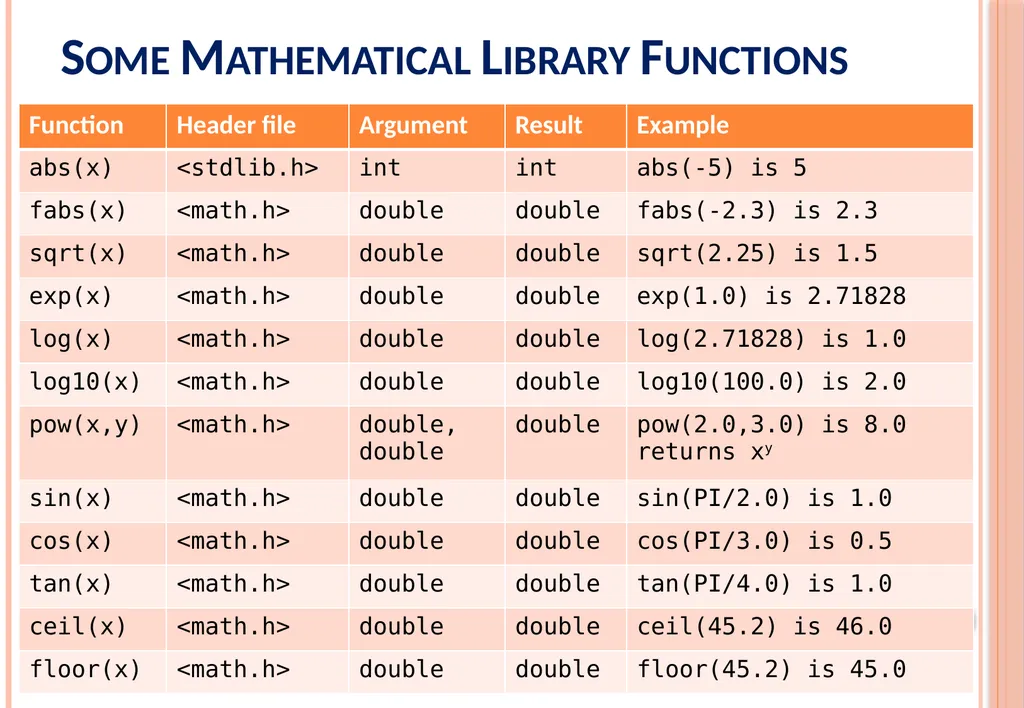
slide8. 8 Some Mathematical Library Functions<br>
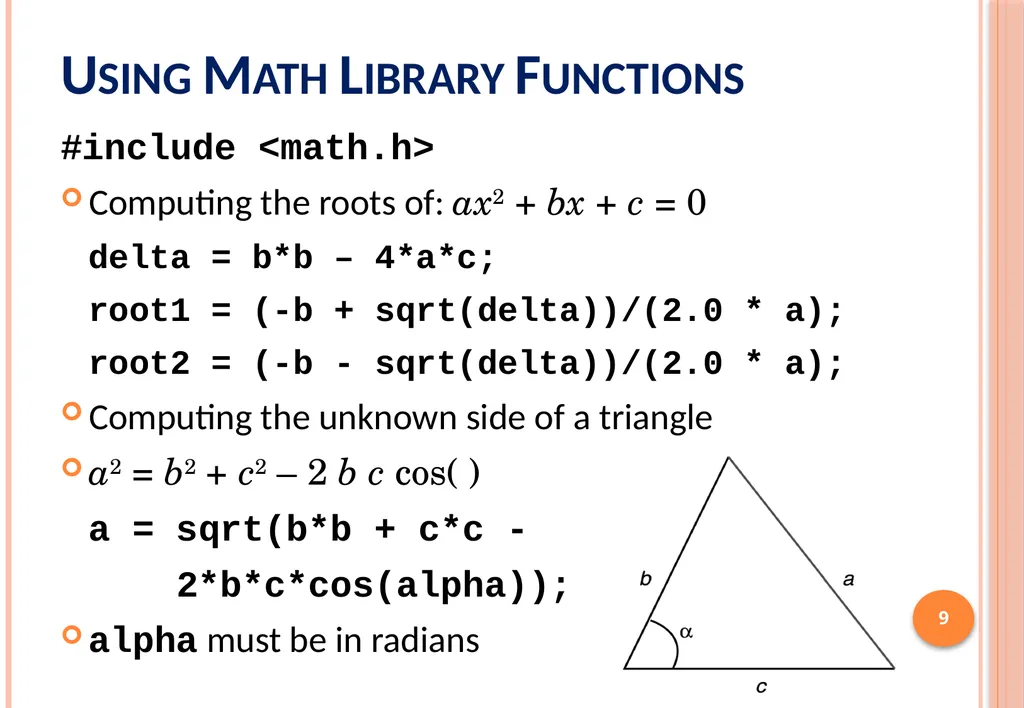
slide9. Using Math Library Functions #include <math.h>
Computing the roots of: ax2 + bx + c = 0
delta = b*b – 4*a*c;
root1 = (-b + sqrt(delta))/(2.0 * a);
root2 = (-b - sqrt(delta))/(2.0 * a);
Computing the unknown side of a triangle
a2 = b2 + c2 – 2 b c cos()
a = sqrt(b*b + c*c -
2*b*c*cos(alpha));
alpha must be in radians 9<br>
slide10. Next . . . Introduction to Functions
Library Functions and Code Reuse
Top-Down Design and Structure Charts
Functions without Arguments or Results
Function Prototypes, Definitions, and Function Calls
Functions with Input Arguments and a Single Result
Testing Functions and Function Data Area
Advantages of Functions and Common Errors 10<br>
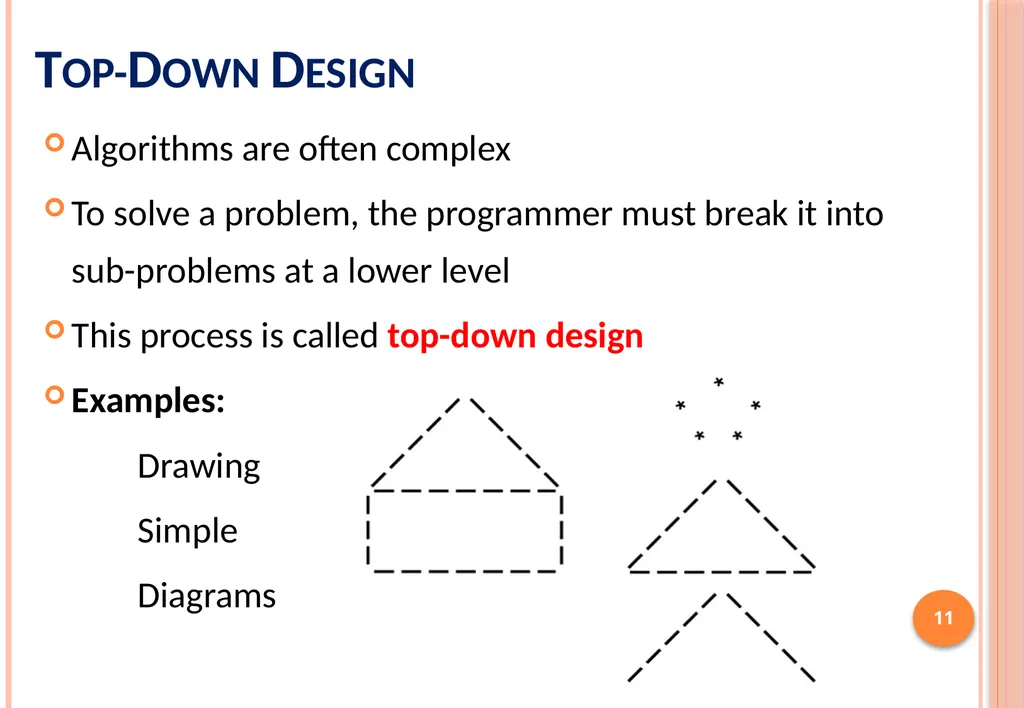
slide11. Top-Down Design Algorithms are often complex
To solve a problem, the programmer must break it into sub-problems at a lower level
This process is called top-down design
Examples:
Drawing
Simple
Diagrams 11<br>
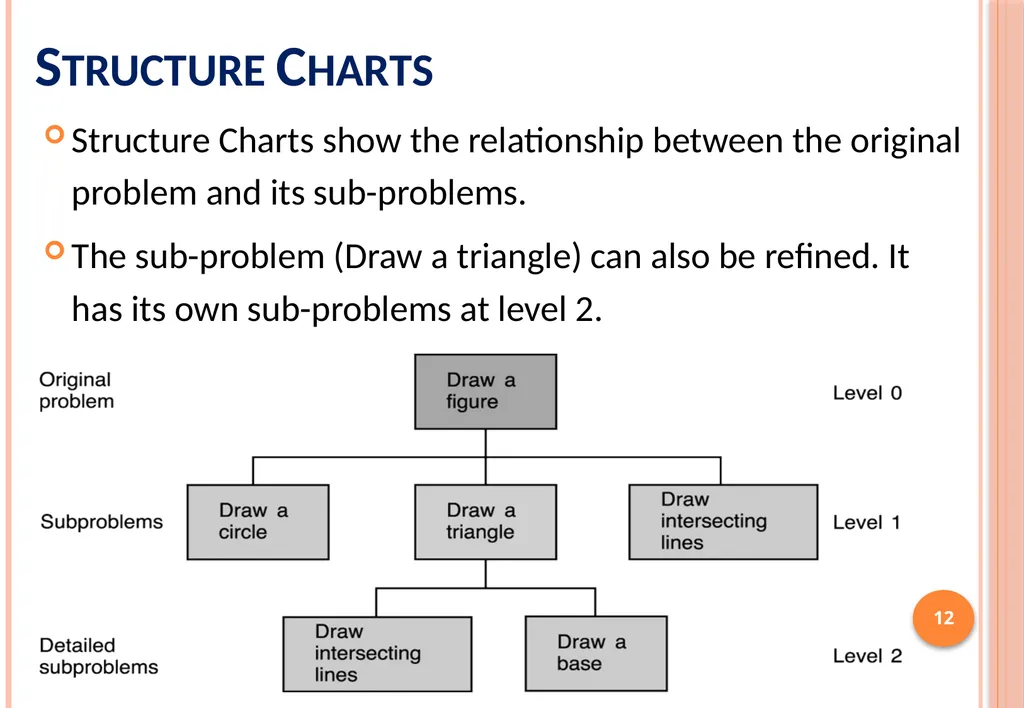
slide12. Structure Charts Structure Charts show the relationship between the original problem and its sub-problems.
The sub-problem (Draw a triangle) can also be refined. It has its own sub-problems at level 2. 12<br>
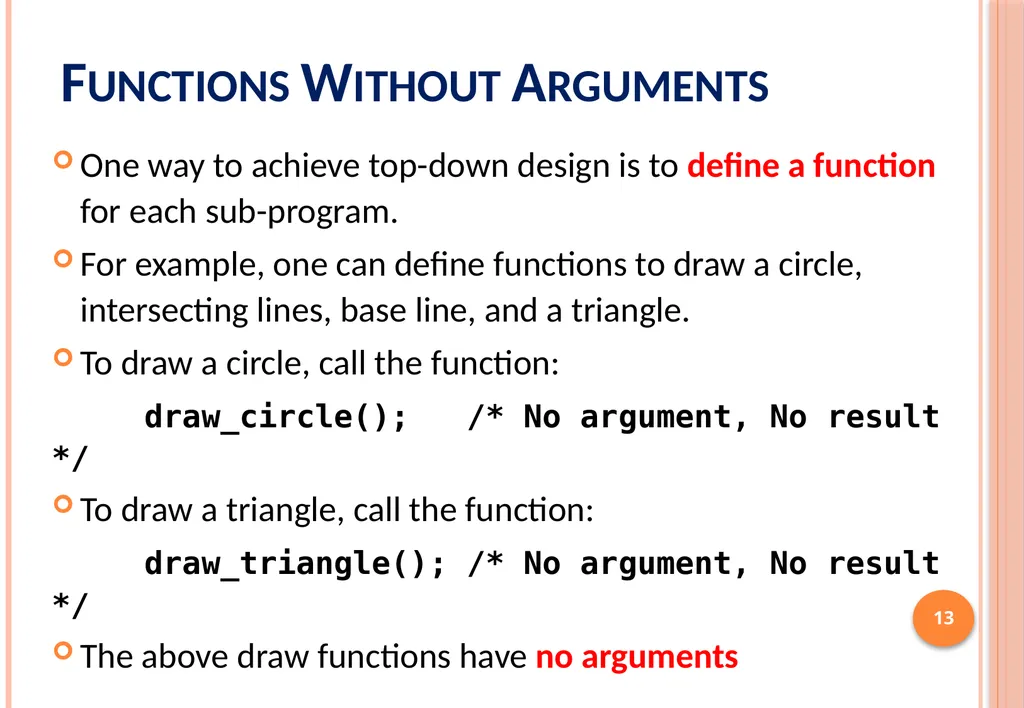
slide13. Functions Without Arguments One way to achieve top-down design is to define a function for each sub-program.
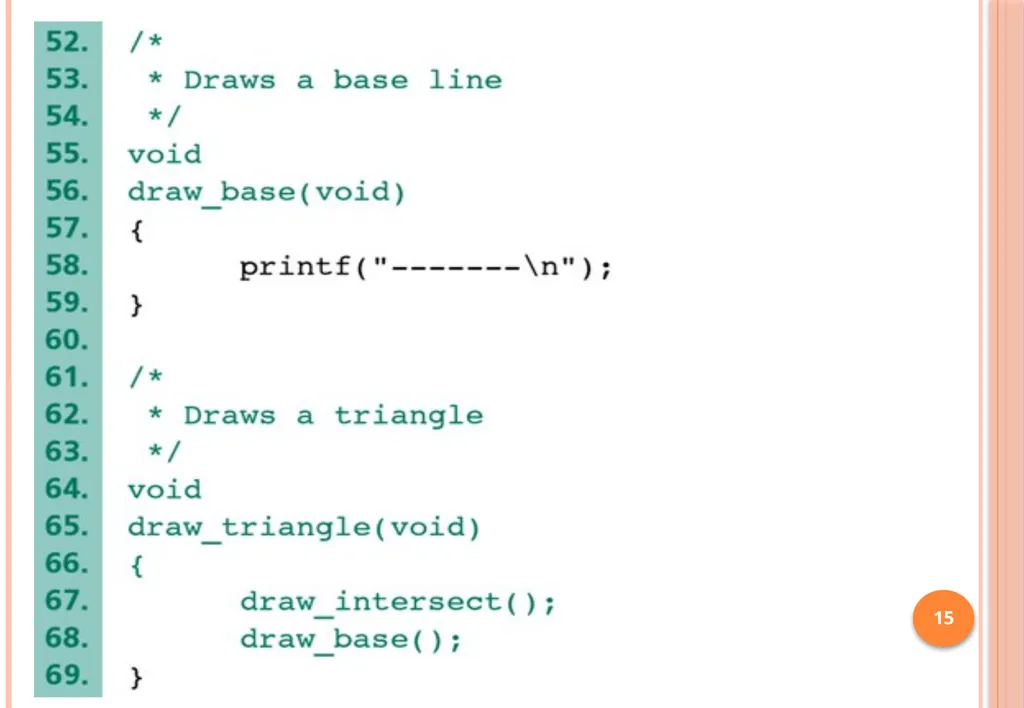
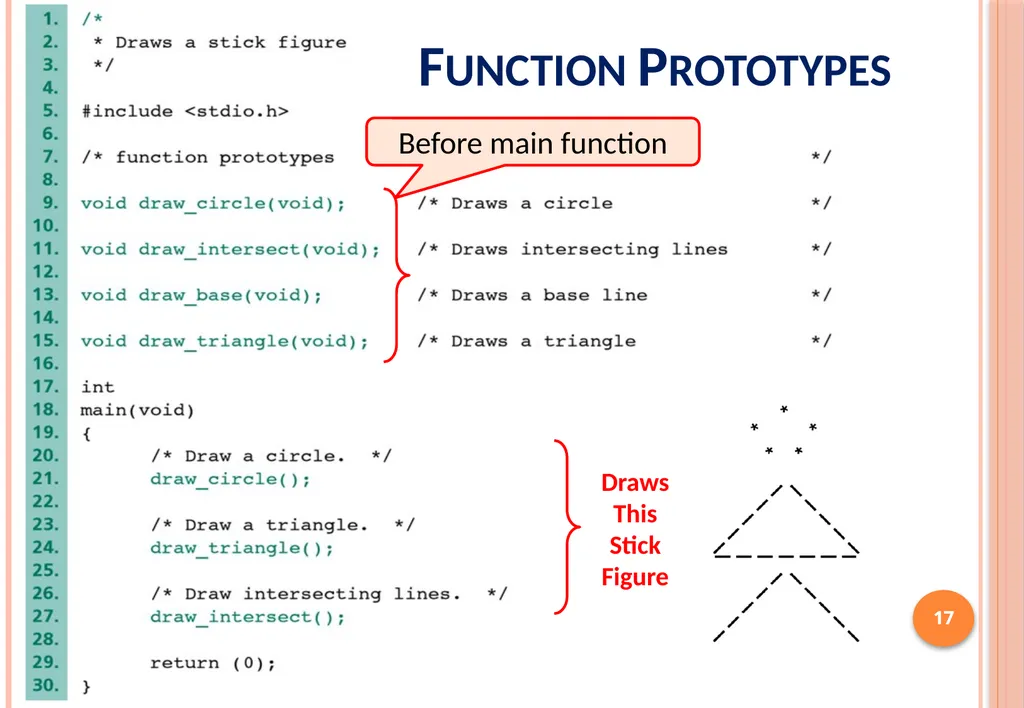
For example, one can define functions to draw a circle, intersecting lines, base line, and a triangle.
To draw a circle, call the function:
draw_circle(); /* No argument, No result */
To draw a triangle, call the function:
draw_triangle(); /* No argument, No result */
The above draw functions have no arguments 13<br>
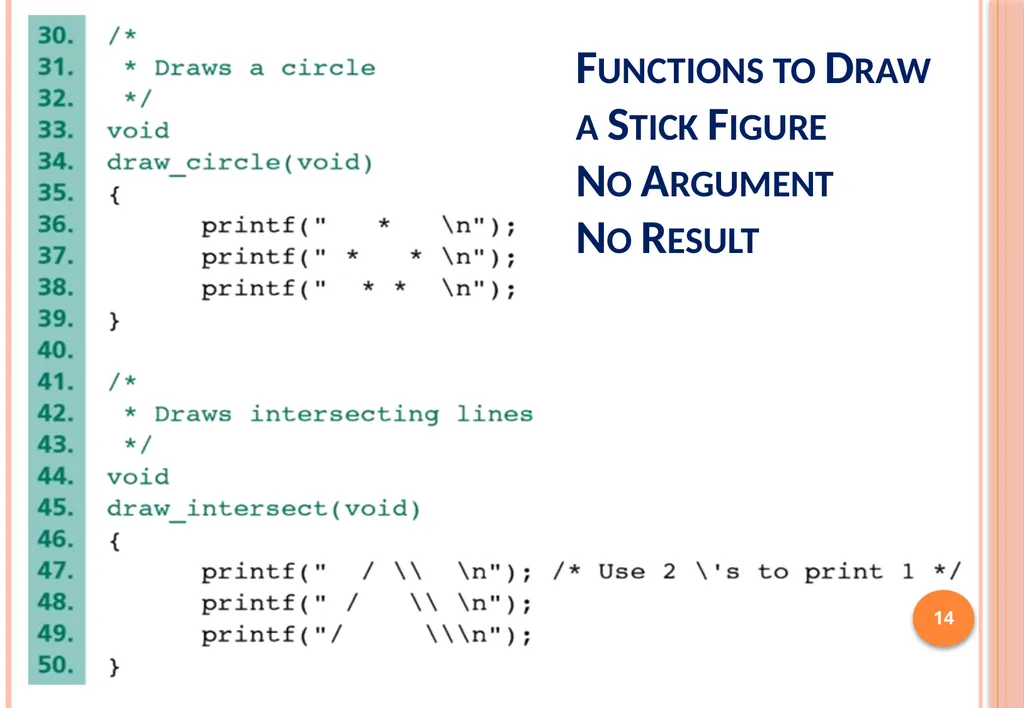
slide14. 14 Functions to Draw a Stick Figure
No Argument
No Result<br>
slide15. 15<br>
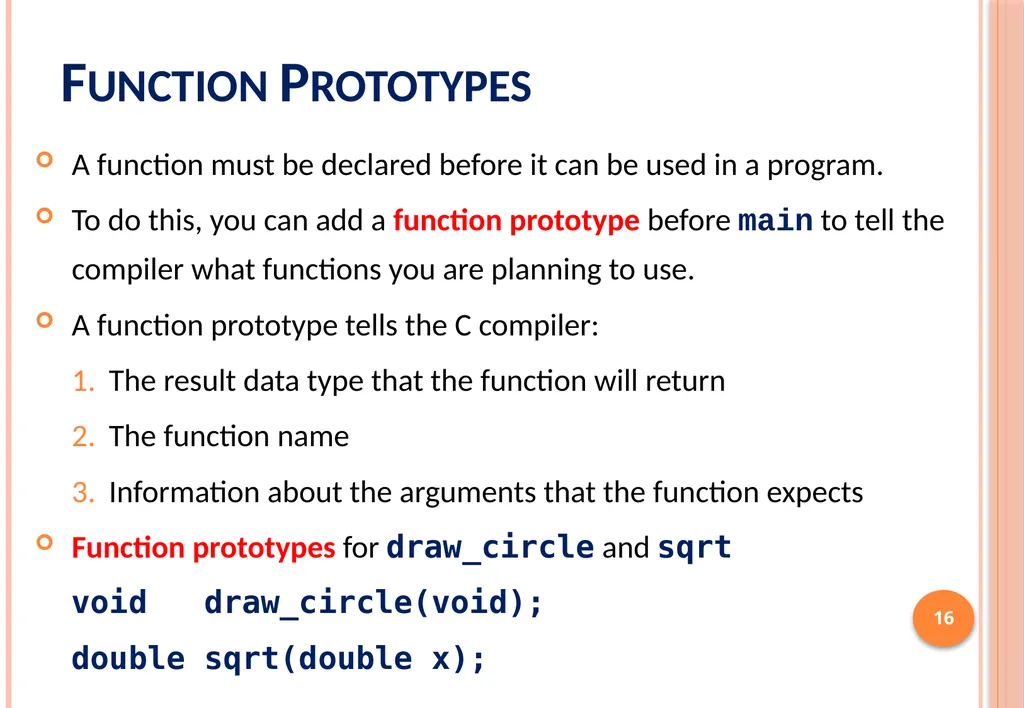
slide16. Function Prototypes A function must be declared before it can be used in a program.
To do this, you can add a function prototype before main to tell the compiler what functions you are planning to use.
A function prototype tells the C compiler:
The result data type that the function will return
The function name
Information about the arguments that the function expects
Function prototypes for draw_circle and sqrt
void draw_circle(void);
double sqrt(double x); 16<br>
slide17. 17 17 Function Prototypes<br>
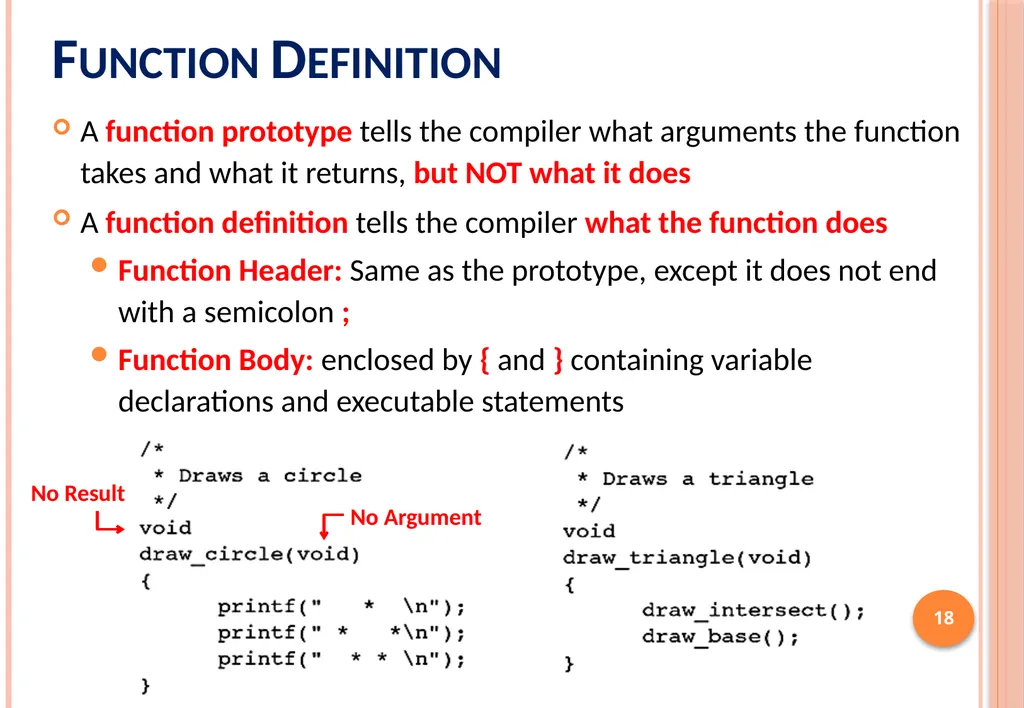
slide18. Function Definition A function prototype tells the compiler what arguments the function takes and what it returns, but NOT what it does
A function definition tells the compiler what the function does
Function Header: Same as the prototype, except it does not end with a semicolon ;
Function Body: enclosed by { and } containing variable declarations and executable statements 18<br>
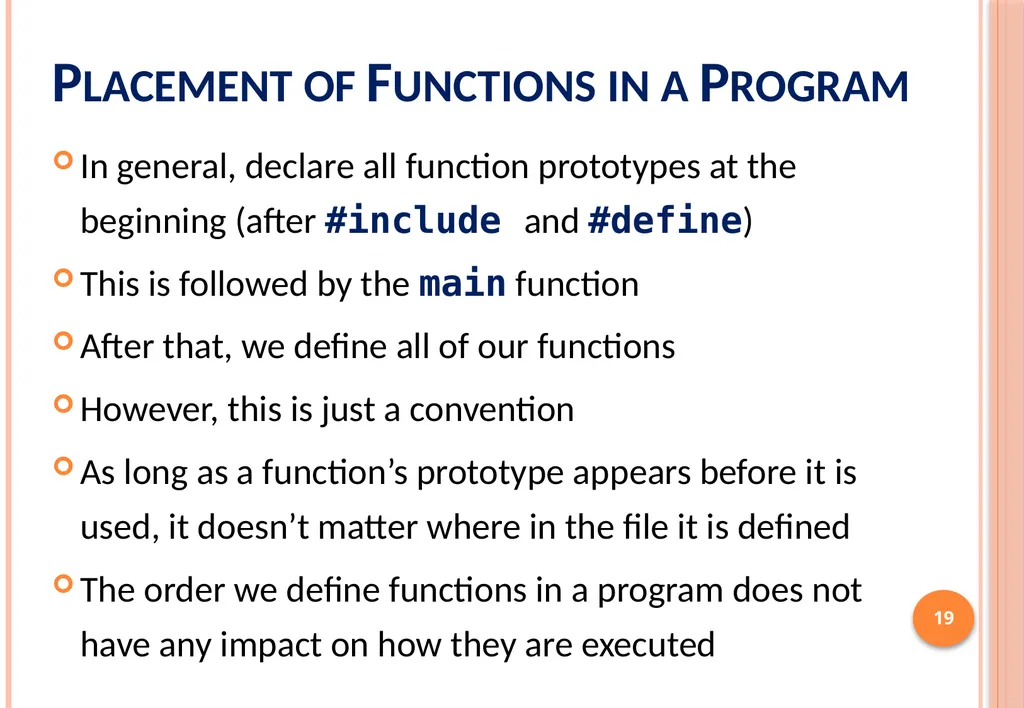
slide19. Placement of Functions in a Program In general, declare all function prototypes at the beginning (after #include and #define)
This is followed by the main function
After that, we define all of our functions
However, this is just a convention
As long as a function’s prototype appears before it is used, it doesn’t matter where in the file it is defined
The order we define functions in a program does not have any impact on how they are executed 19<br>
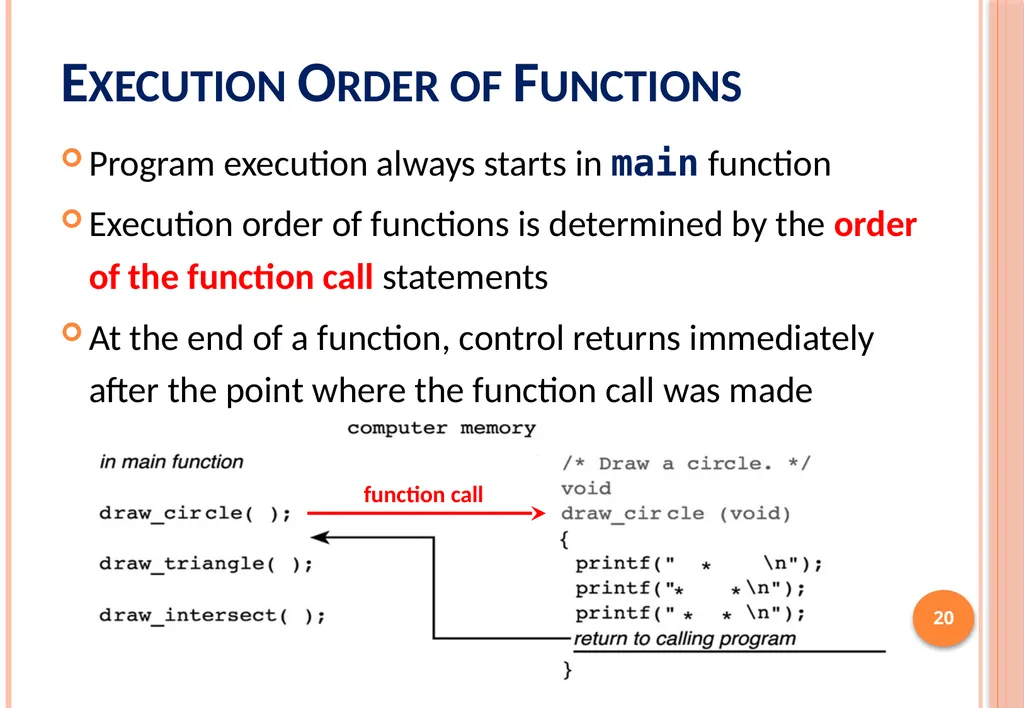
slide20. Execution Order of Functions Program execution always starts in main function
Execution order of functions is determined by the order of the function call statements
At the end of a function, control returns immediately after the point where the function call was made 20<br>
slide21. Next . . . Introduction to Functions
Library Functions and Code Reuse
Top-Down Design and Structure Charts
Functions without Arguments or Results
Function Prototypes, Definitions, and Function Calls
Functions with Input Arguments and a Single Result
Testing Functions and Function Data Area
Advantages of Functions and Common Errors 21<br>
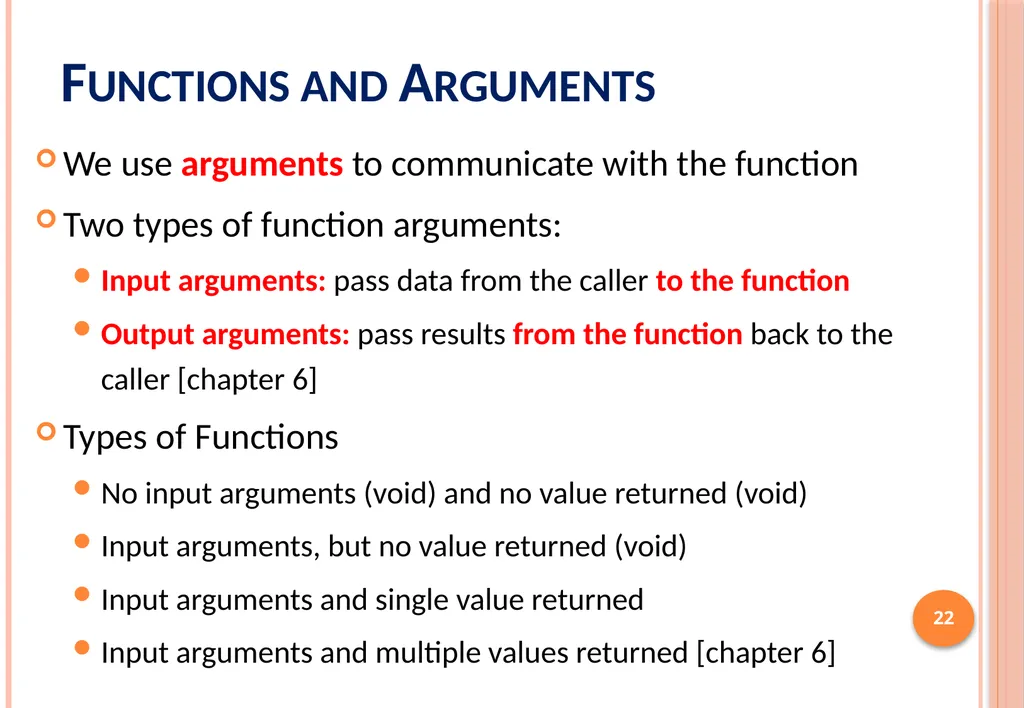
slide22. Functions and Arguments We use arguments to communicate with the function
Two types of function arguments:
Input arguments: pass data from the caller to the function
Output arguments: pass results from the function back to the caller [chapter 6]
Types of Functions
No input arguments (void) and no value returned (void)
Input arguments, but no value returned (void)
Input arguments and single value returned
Input arguments and multiple values returned [chapter 6] 22<br>
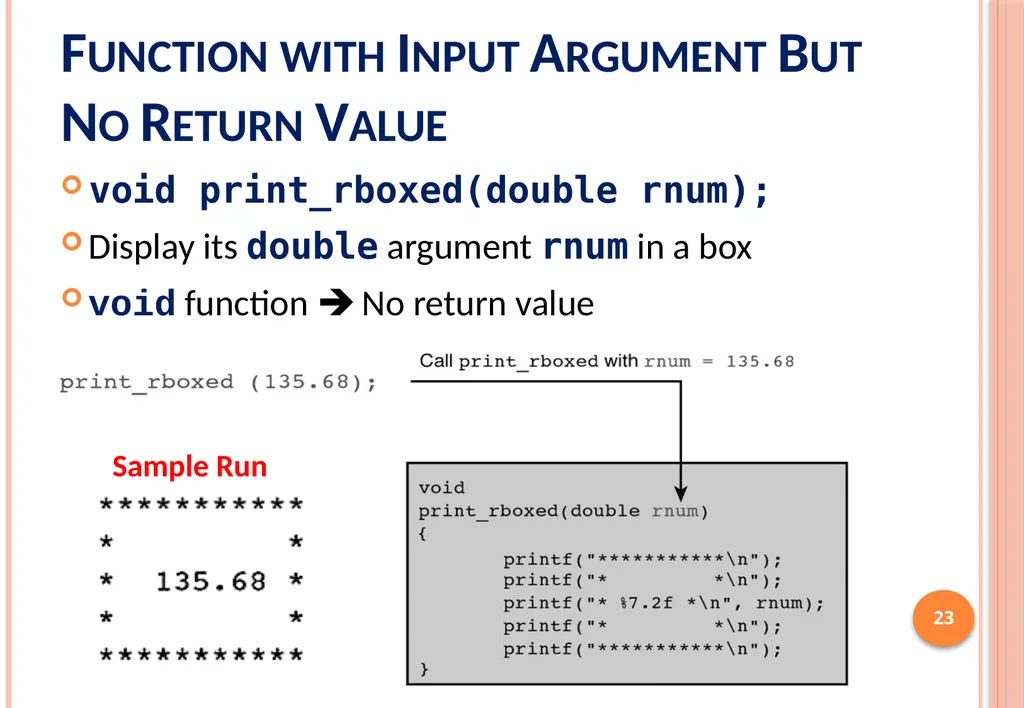
slide23. Function with Input Argument But No Return Value void print_rboxed(double rnum);
Display its double argument rnum in a box
void function No return value 23 Sample Run<br>
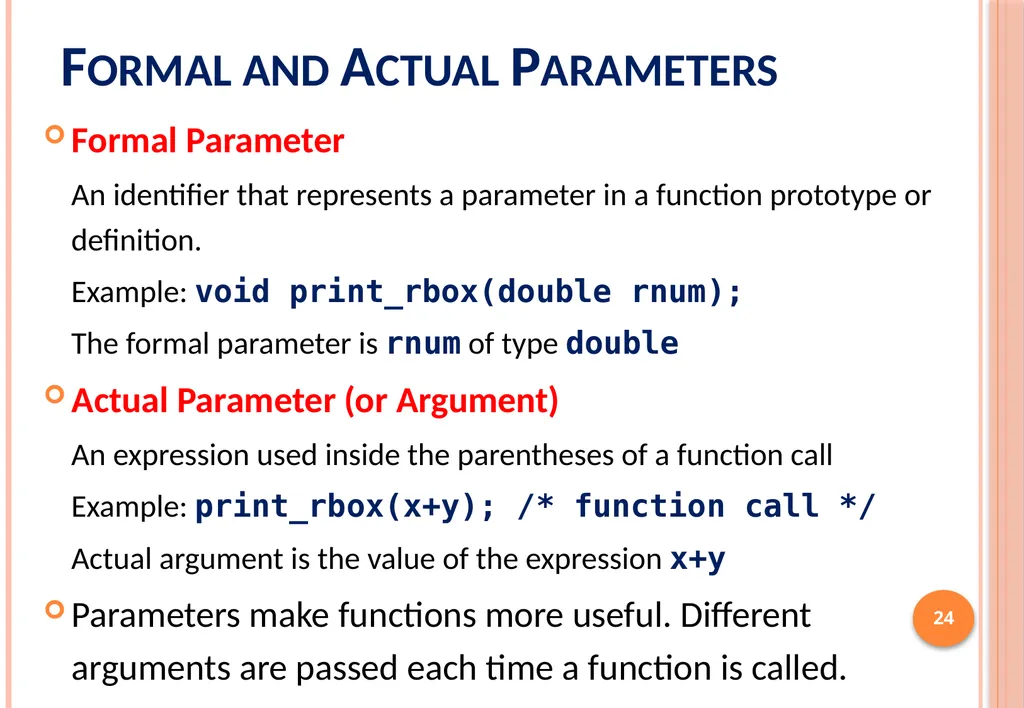
slide24. Formal and Actual Parameters Formal Parameter
An identifier that represents a parameter in a function prototype or definition.
Example: void print_rbox(double rnum);
The formal parameter is rnum of type double
Actual Parameter (or Argument)
An expression used inside the parentheses of a function call
Example: print_rbox(x+y); /* function call */
Actual argument is the value of the expression x+y
Parameters make functions more useful. Different arguments are passed each time a function is called. 24<br>
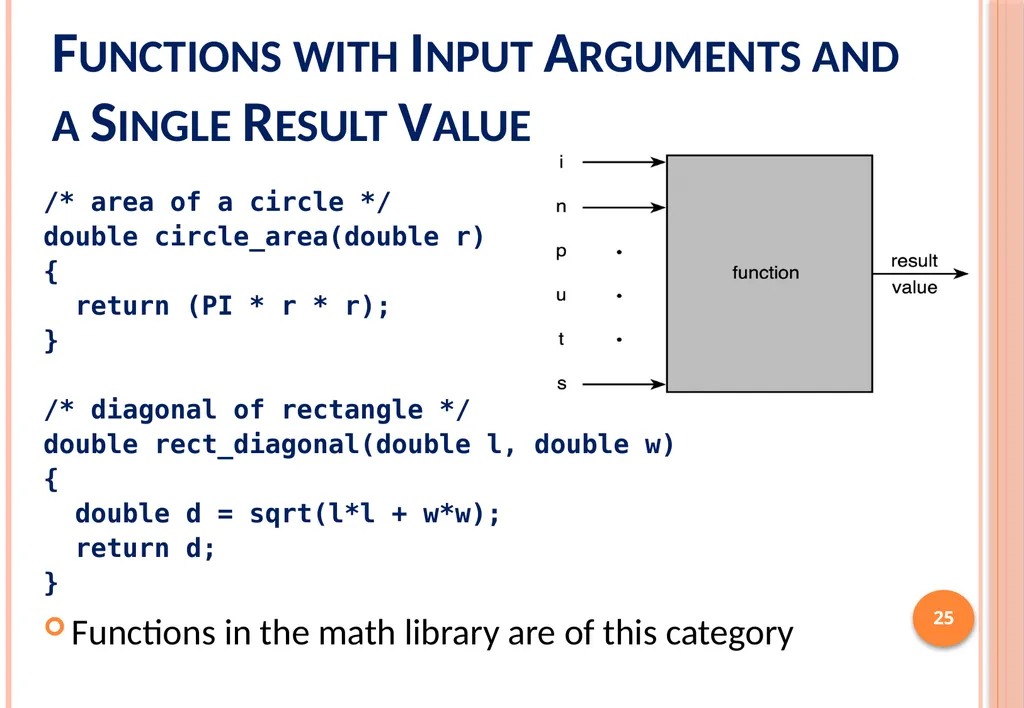
slide25. Functions with Input Arguments and a Single Result Value /* area of a circle */
double circle_area(double r)
{
return (PI * r * r);
}
/* diagonal of rectangle */
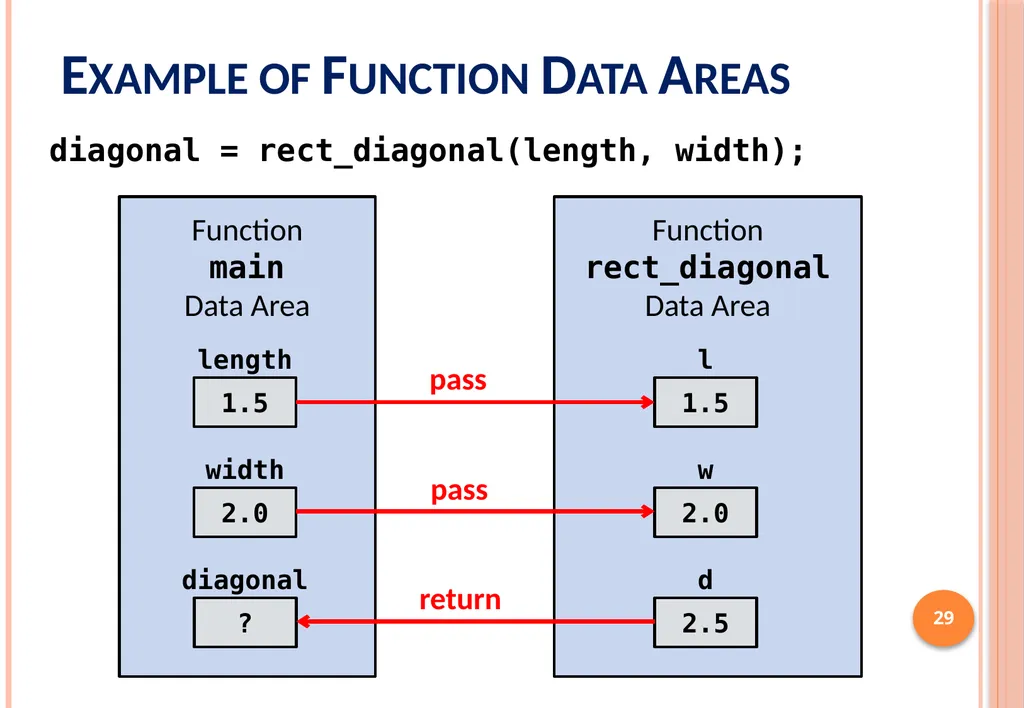
double rect_diagonal(double l, double w)
{
double d = sqrt(l*l + w*w);
return d;
}
Functions in the math library are of this category 25<br>
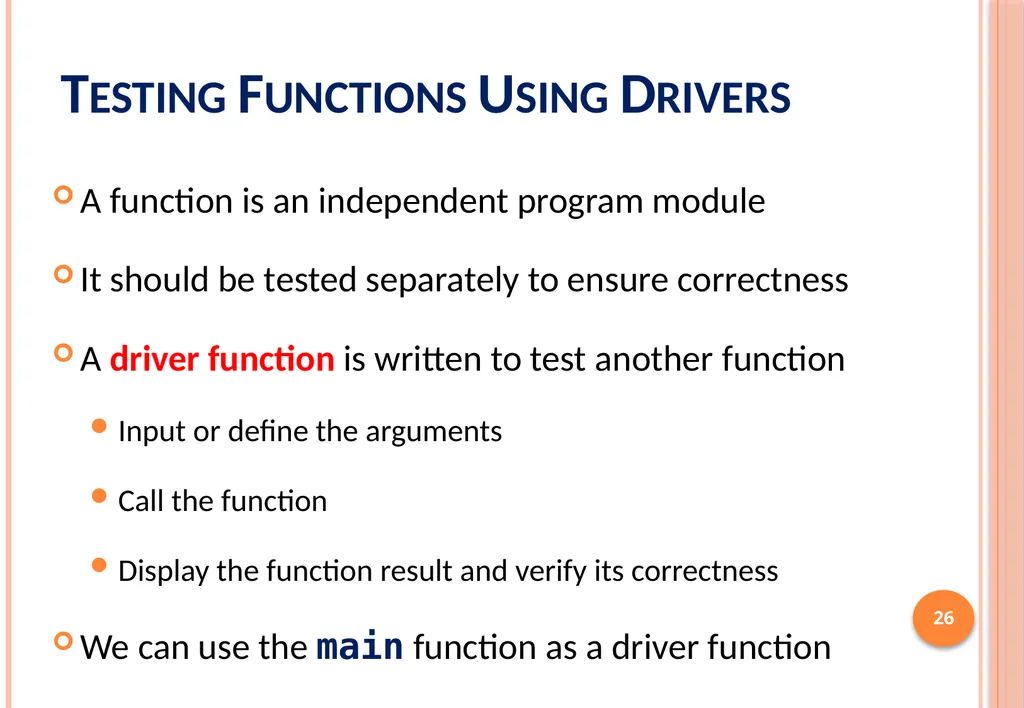
slide26. Testing Functions Using Drivers A function is an independent program module
It should be tested separately to ensure correctness
A driver function is written to test another function
Input or define the arguments
Call the function
Display the function result and verify its correctness
We can use the main function as a driver function 26<br>
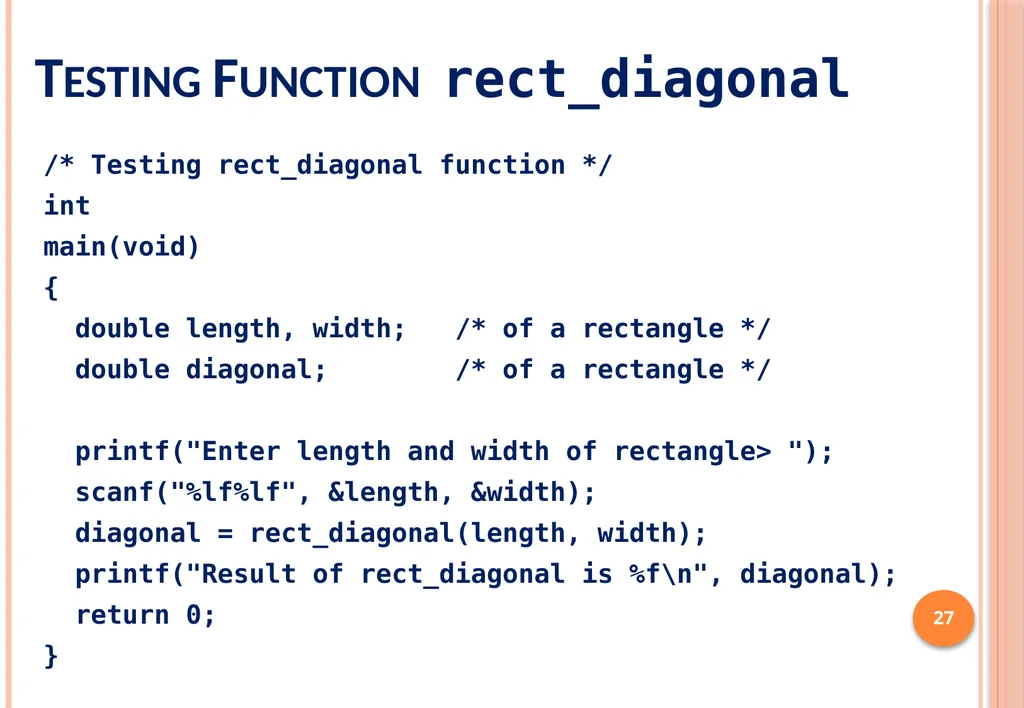
slide27. Testing Function rect_diagonal 27 /* Testing rect_diagonal function */
int
main(void)
{
double length, width; /* of a rectangle */
double diagonal; /* of a rectangle */
printf("Enter length and width of rectangle> ");
scanf("%lf%lf", &length, &width);
diagonal = rect_diagonal(length, width);
printf("Result of rect_diagonal is %f\n", diagonal);
return 0;
}<br>
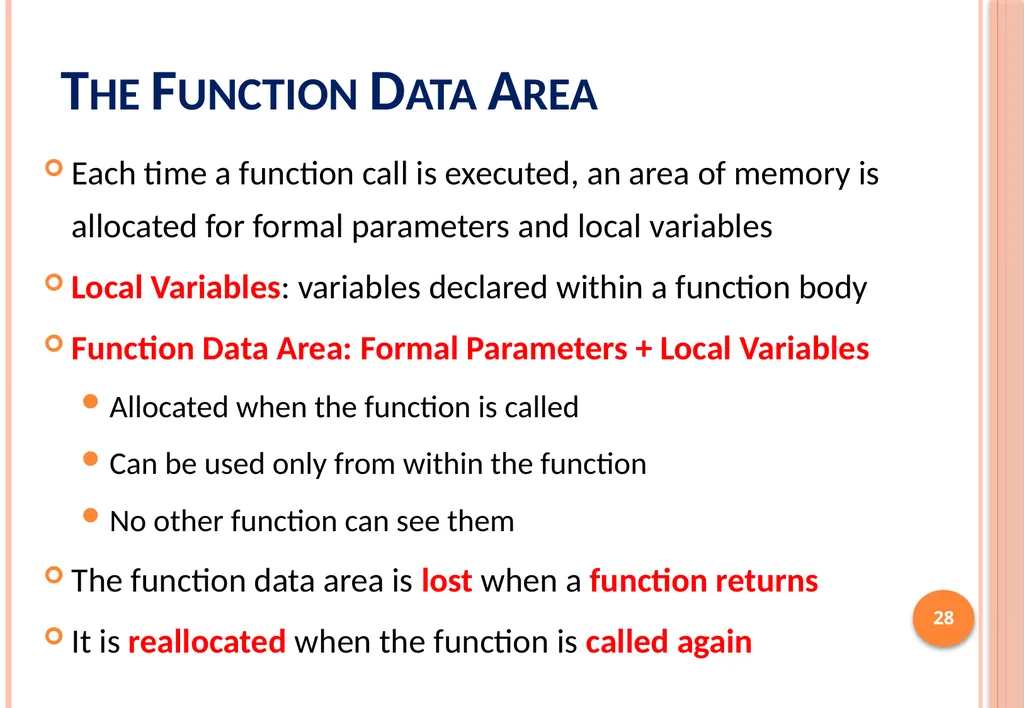
slide28. The Function Data Area Each time a function call is executed, an area of memory is allocated for formal parameters and local variables
Local Variables: variables declared within a function body
Function Data Area: Formal Parameters + Local Variables
Allocated when the function is called
Can be used only from within the function
No other function can see them
The function data area is lost when a function returns
It is reallocated when the function is called again 28<br>
slide29. Example of Function Data Areas 29 diagonal = rect_diagonal(length, width);<br>
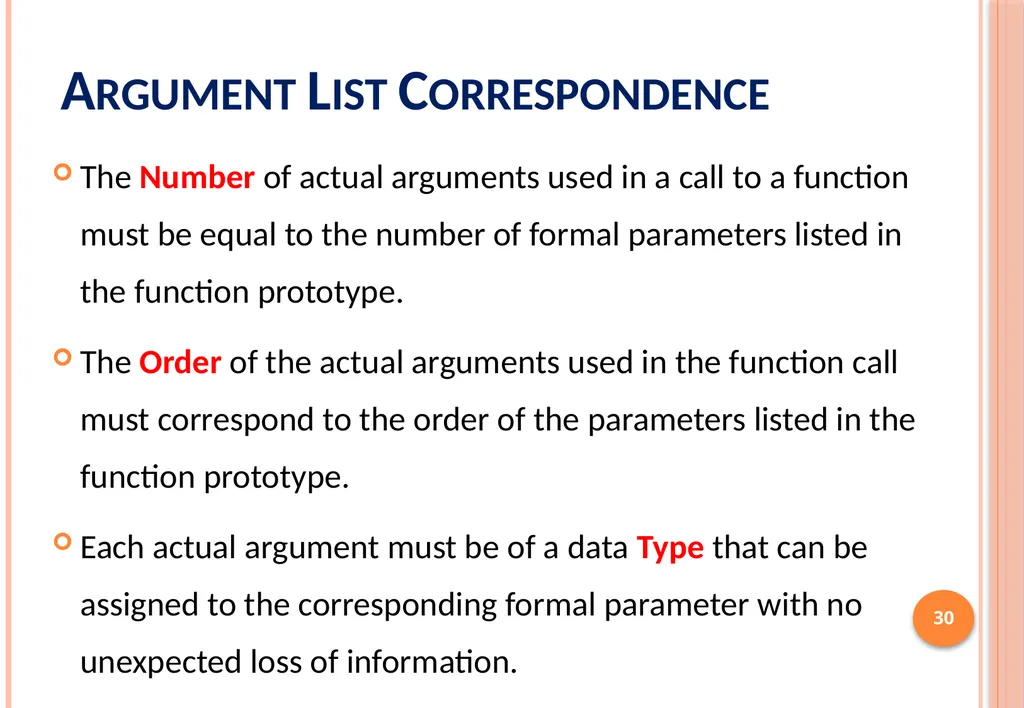
slide30. Argument List Correspondence The Number of actual arguments used in a call to a function must be equal to the number of formal parameters listed in the function prototype.
The Order of the actual arguments used in the function call must correspond to the order of the parameters listed in the function prototype.
Each actual argument must be of a data Type that can be assigned to the corresponding formal parameter with no unexpected loss of information. 30<br>
slide31. Advantages of Functions A large problem can be better solved by breaking it up into several functions (sub-problems)
Easier to write and maintain small functions than writing one large main function
Once you have written and tested a function, it can be reused as a building block for a large program
Well written and tested functions reduce the overall length of the program and the chance of error
Useful functions can be bundled into libraries 31<br>
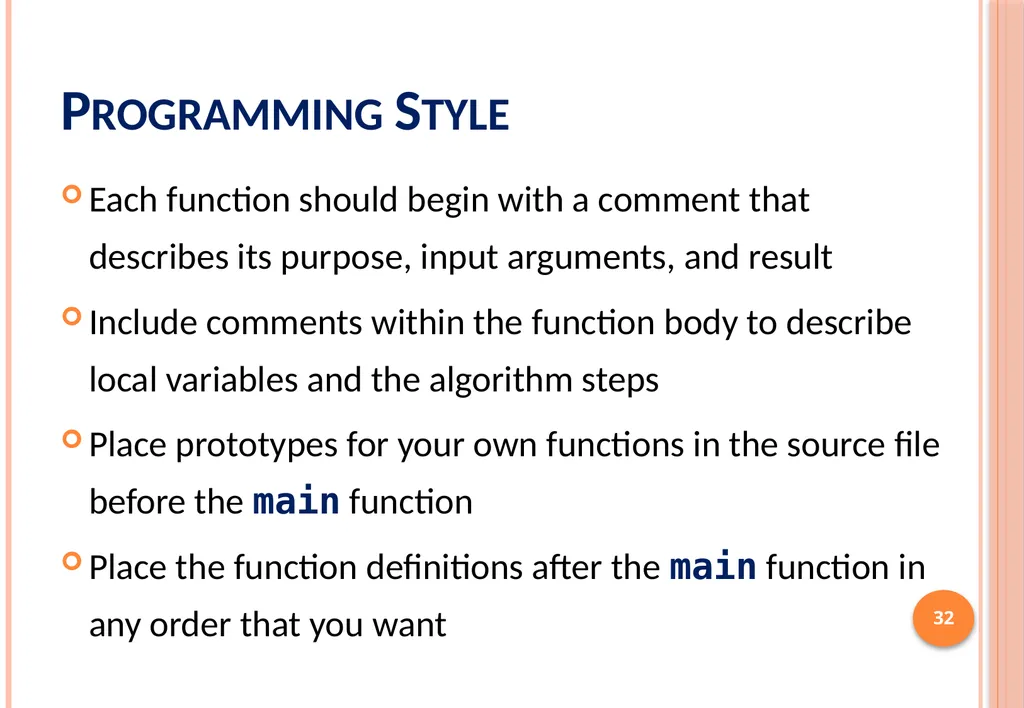
slide32. Programming Style Each function should begin with a comment that describes its purpose, input arguments, and result
Include comments within the function body to describe local variables and the algorithm steps
Place prototypes for your own functions in the source file before the main function
Place the function definitions after the main function in any order that you want 32<br>
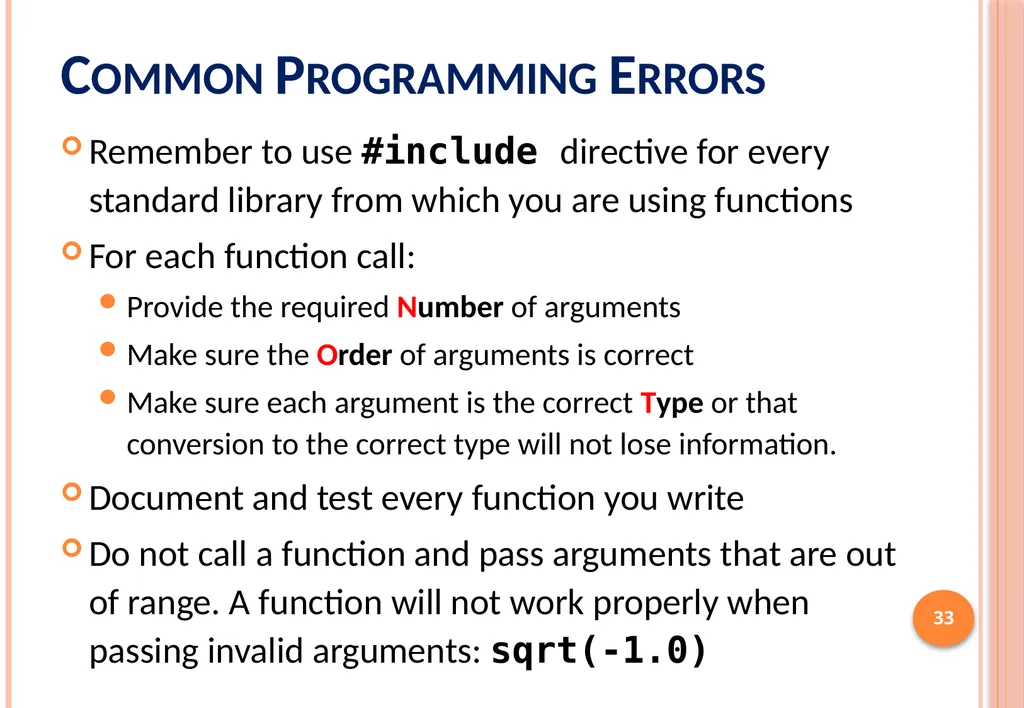
slide33. Common Programming Errors Remember to use #include directive for every standard library from which you are using functions
For each function call:
Provide the required Number of arguments
Make sure the Order of arguments is correct
Make sure each argument is the correct Type or that conversion to the correct type will not lose information.
Document and test every function you write
Do not call a function and pass arguments that are out of range. A function will not work properly when passing invalid arguments: sqrt(-1.0) 33<br>
slide2. Outline Introduction to Functions
Library Functions and Code Reuse
Top-Down Design and Structure Charts
Functions without Arguments or Results
Function Prototypes, Definitions, and Function Calls
Functions with Input Arguments and a Single Result
Testing Functions and Function Data Area
Advantages of Functions and Common Errors 2<br>
slide3. Introduction to Functions 3<br>
slide4. Introduction to Functions A function is like a box that
receives input arguments and
returns a result value
For example: y = sqrt(x);
x is the input argument
The result value is assigned to y
For example: y = sqrt(16.0);
The result value is 4.0
The math library provides many standard functions in C 4<br>
slide5. Library Functions and Code Reuse The primary goal of software engineering is to write error-free code.
Reusing code that has already been written and tested is one way to achieve this.
C promotes code reuse by providing library functions.
Input/Output functions: printf, scanf , etc.
Mathematical functions: sqrt, exp, log, etc.
String functions: strlen, strcpy, strcmp, etc.
Appendix B lists many C standard library functions 5<br>
slide6. Square Root Program 6<br>
slide7. Square Root Program (cont'd) 7<br>
slide8. 8 Some Mathematical Library Functions<br>
slide9. Using Math Library Functions #include <math.h>
Computing the roots of: ax2 + bx + c = 0
delta = b*b – 4*a*c;
root1 = (-b + sqrt(delta))/(2.0 * a);
root2 = (-b - sqrt(delta))/(2.0 * a);
Computing the unknown side of a triangle
a2 = b2 + c2 – 2 b c cos()
a = sqrt(b*b + c*c -
2*b*c*cos(alpha));
alpha must be in radians 9<br>
slide10. Next . . . Introduction to Functions
Library Functions and Code Reuse
Top-Down Design and Structure Charts
Functions without Arguments or Results
Function Prototypes, Definitions, and Function Calls
Functions with Input Arguments and a Single Result
Testing Functions and Function Data Area
Advantages of Functions and Common Errors 10<br>
slide11. Top-Down Design Algorithms are often complex
To solve a problem, the programmer must break it into sub-problems at a lower level
This process is called top-down design
Examples:
Drawing
Simple
Diagrams 11<br>
slide12. Structure Charts Structure Charts show the relationship between the original problem and its sub-problems.
The sub-problem (Draw a triangle) can also be refined. It has its own sub-problems at level 2. 12<br>
slide13. Functions Without Arguments One way to achieve top-down design is to define a function for each sub-program.
For example, one can define functions to draw a circle, intersecting lines, base line, and a triangle.
To draw a circle, call the function:
draw_circle(); /* No argument, No result */
To draw a triangle, call the function:
draw_triangle(); /* No argument, No result */
The above draw functions have no arguments 13<br>
slide14. 14 Functions to Draw a Stick Figure
No Argument
No Result<br>
slide15. 15<br>
slide16. Function Prototypes A function must be declared before it can be used in a program.
To do this, you can add a function prototype before main to tell the compiler what functions you are planning to use.
A function prototype tells the C compiler:
The result data type that the function will return
The function name
Information about the arguments that the function expects
Function prototypes for draw_circle and sqrt
void draw_circle(void);
double sqrt(double x); 16<br>
slide17. 17 17 Function Prototypes<br>
slide18. Function Definition A function prototype tells the compiler what arguments the function takes and what it returns, but NOT what it does
A function definition tells the compiler what the function does
Function Header: Same as the prototype, except it does not end with a semicolon ;
Function Body: enclosed by { and } containing variable declarations and executable statements 18<br>
slide19. Placement of Functions in a Program In general, declare all function prototypes at the beginning (after #include and #define)
This is followed by the main function
After that, we define all of our functions
However, this is just a convention
As long as a function’s prototype appears before it is used, it doesn’t matter where in the file it is defined
The order we define functions in a program does not have any impact on how they are executed 19<br>
slide20. Execution Order of Functions Program execution always starts in main function
Execution order of functions is determined by the order of the function call statements
At the end of a function, control returns immediately after the point where the function call was made 20<br>
slide21. Next . . . Introduction to Functions
Library Functions and Code Reuse
Top-Down Design and Structure Charts
Functions without Arguments or Results
Function Prototypes, Definitions, and Function Calls
Functions with Input Arguments and a Single Result
Testing Functions and Function Data Area
Advantages of Functions and Common Errors 21<br>
slide22. Functions and Arguments We use arguments to communicate with the function
Two types of function arguments:
Input arguments: pass data from the caller to the function
Output arguments: pass results from the function back to the caller [chapter 6]
Types of Functions
No input arguments (void) and no value returned (void)
Input arguments, but no value returned (void)
Input arguments and single value returned
Input arguments and multiple values returned [chapter 6] 22<br>
slide23. Function with Input Argument But No Return Value void print_rboxed(double rnum);
Display its double argument rnum in a box
void function No return value 23 Sample Run<br>
slide24. Formal and Actual Parameters Formal Parameter
An identifier that represents a parameter in a function prototype or definition.
Example: void print_rbox(double rnum);
The formal parameter is rnum of type double
Actual Parameter (or Argument)
An expression used inside the parentheses of a function call
Example: print_rbox(x+y); /* function call */
Actual argument is the value of the expression x+y
Parameters make functions more useful. Different arguments are passed each time a function is called. 24<br>
slide25. Functions with Input Arguments and a Single Result Value /* area of a circle */
double circle_area(double r)
{
return (PI * r * r);
}
/* diagonal of rectangle */
double rect_diagonal(double l, double w)
{
double d = sqrt(l*l + w*w);
return d;
}
Functions in the math library are of this category 25<br>
slide26. Testing Functions Using Drivers A function is an independent program module
It should be tested separately to ensure correctness
A driver function is written to test another function
Input or define the arguments
Call the function
Display the function result and verify its correctness
We can use the main function as a driver function 26<br>
slide27. Testing Function rect_diagonal 27 /* Testing rect_diagonal function */
int
main(void)
{
double length, width; /* of a rectangle */
double diagonal; /* of a rectangle */
printf("Enter length and width of rectangle> ");
scanf("%lf%lf", &length, &width);
diagonal = rect_diagonal(length, width);
printf("Result of rect_diagonal is %f\n", diagonal);
return 0;
}<br>
slide28. The Function Data Area Each time a function call is executed, an area of memory is allocated for formal parameters and local variables
Local Variables: variables declared within a function body
Function Data Area: Formal Parameters + Local Variables
Allocated when the function is called
Can be used only from within the function
No other function can see them
The function data area is lost when a function returns
It is reallocated when the function is called again 28<br>
slide29. Example of Function Data Areas 29 diagonal = rect_diagonal(length, width);<br>
slide30. Argument List Correspondence The Number of actual arguments used in a call to a function must be equal to the number of formal parameters listed in the function prototype.
The Order of the actual arguments used in the function call must correspond to the order of the parameters listed in the function prototype.
Each actual argument must be of a data Type that can be assigned to the corresponding formal parameter with no unexpected loss of information. 30<br>
slide31. Advantages of Functions A large problem can be better solved by breaking it up into several functions (sub-problems)
Easier to write and maintain small functions than writing one large main function
Once you have written and tested a function, it can be reused as a building block for a large program
Well written and tested functions reduce the overall length of the program and the chance of error
Useful functions can be bundled into libraries 31<br>
slide32. Programming Style Each function should begin with a comment that describes its purpose, input arguments, and result
Include comments within the function body to describe local variables and the algorithm steps
Place prototypes for your own functions in the source file before the main function
Place the function definitions after the main function in any order that you want 32<br>
slide33. Common Programming Errors Remember to use #include directive for every standard library from which you are using functions
For each function call:
Provide the required Number of arguments
Make sure the Order of arguments is correct
Make sure each argument is the correct Type or that conversion to the correct type will not lose information.
Document and test every function you write
Do not call a function and pass arguments that are out of range. A function will not work properly when passing invalid arguments: sqrt(-1.0) 33<br>