
Implementing Exchange Server 2013 April 2014 About
AS
Published · 64 slides · 0 views
1 / 1
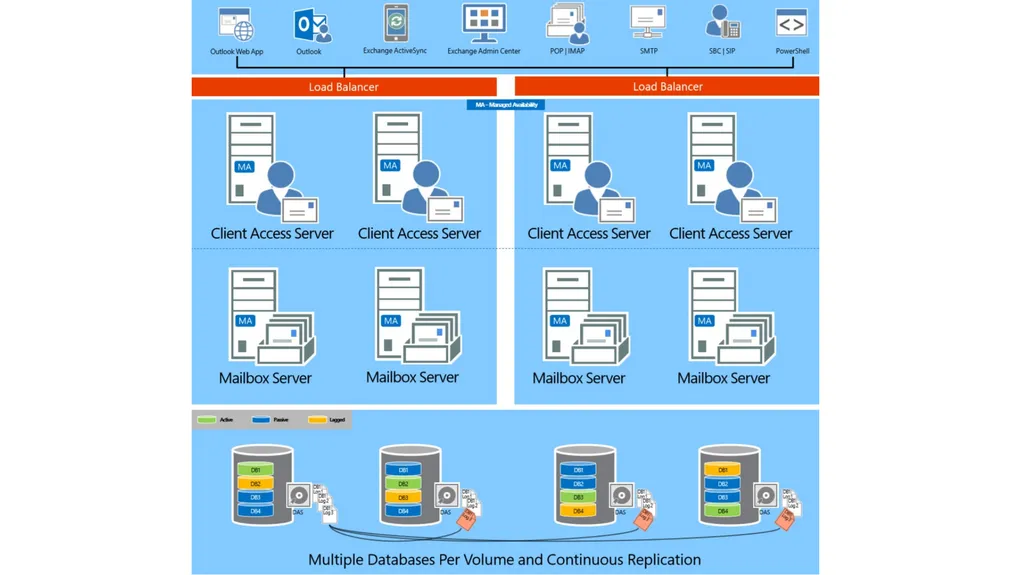




Description
Implementing Exchange Server 2013 April 2014 About the Presenters Abram Jackson Program Manager for the High Availability Microsoft Exchange Server Team Microsoft Corporation Brian Day Senior Program Manager Office Deployment, Adoption
Related Topics
Share
Embed code
Download this presentation From Below
"Implementing Exchange Server 2013 April 2014 About" is the property of its rightful owner. Permission is granted to download and print the materials on this website for personal, non-commercial use only, and to display it on your personal computer provided you do not modify the materials and that you retain all copyright notices contained in the materials. By downloading content from our website, you accept the terms of this agreement.
Presentation Transcript
01
Implementing Exchange Server 2013 April 2014<br>
02
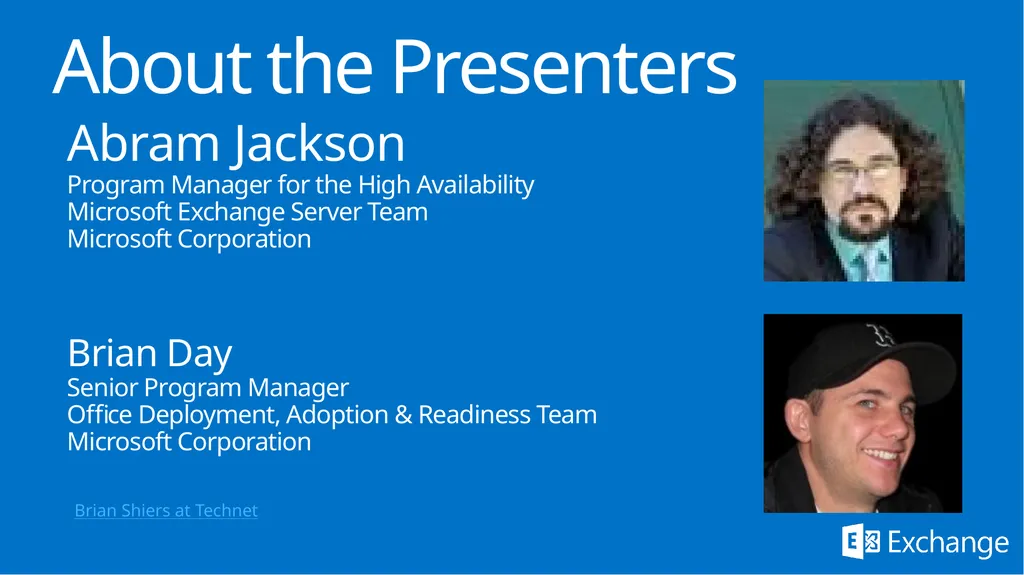
About the Presenters Abram Jackson
Program Manager for the High Availability
Microsoft Exchange Server Team
Microsoft Corporation
Brian Day
Senior Program Manager
Office Deployment, Adoption & Readiness Team
Microsoft Corporation Brian Shiers at Technet<br>
Program Manager for the High Availability
Microsoft Exchange Server Team
Microsoft Corporation
Brian Day
Senior Program Manager
Office Deployment, Adoption & Readiness Team
Microsoft Corporation Brian Shiers at Technet<br>
03
Implementing Exchange Server 2013 April 2014<br>
04
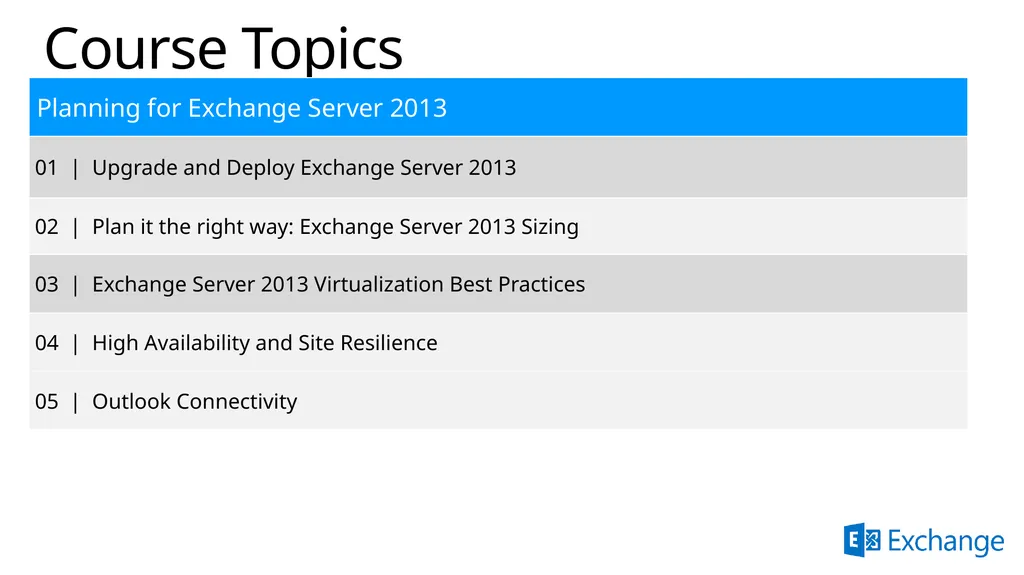
Course Topics<br>
05
High Availability and Site Resilience Abram Jackson – Program Manager, Microsoft
Brian Day – Sr. Program Manager, Microsoft<br>
Brian Day – Sr. Program Manager, Microsoft<br>
06
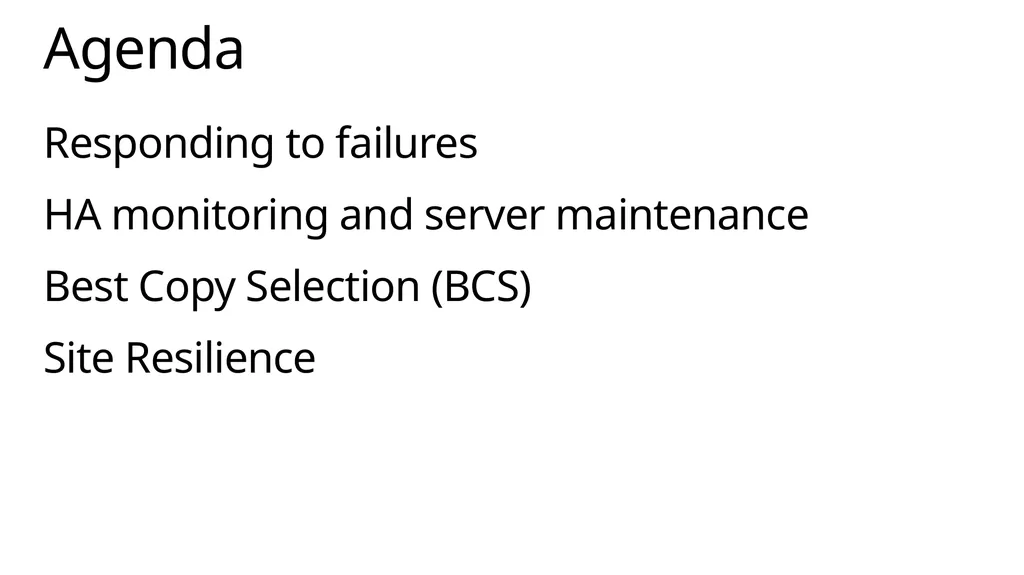
Responding to failures
HA monitoring and server maintenance
Best Copy Selection (BCS)
Site Resilience Agenda<br>
HA monitoring and server maintenance
Best Copy Selection (BCS)
Site Resilience Agenda<br>
07
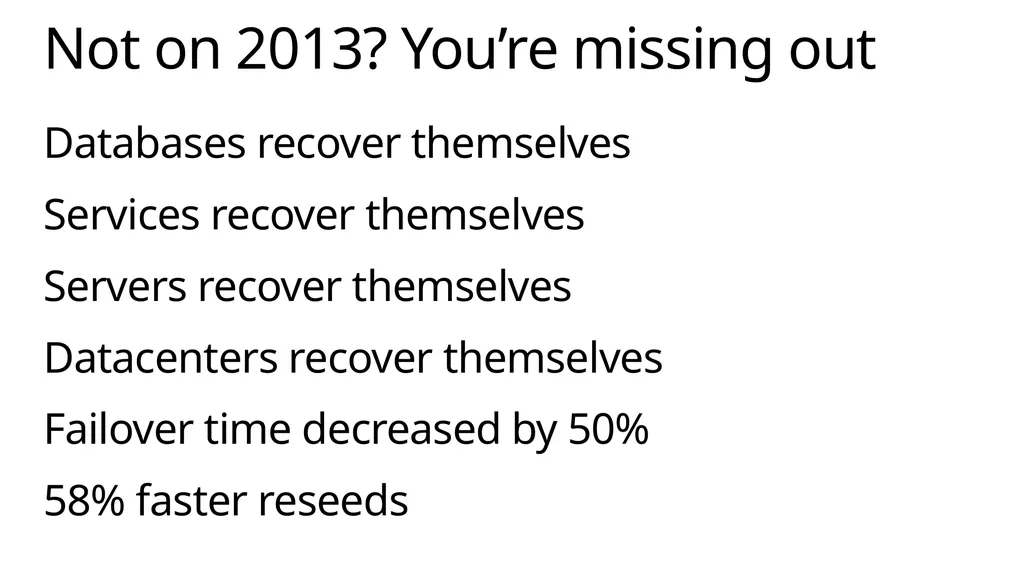
Databases recover themselves
Services recover themselves
Servers recover themselves
Datacenters recover themselves
Failover time decreased by 50%
58% faster reseeds Not on 2013? You’re missing out<br>
Services recover themselves
Servers recover themselves
Datacenters recover themselves
Failover time decreased by 50%
58% faster reseeds Not on 2013? You’re missing out<br>
08
620 checkins since CU1
IP addressless DAGs
Dag Management service
Loose Truncation
New Monitors
Max Preferred Actives
Database Activation Suspended and Move Now What have we been doing since RTM?<br>
IP addressless DAGs
Dag Management service
Loose Truncation
New Monitors
Max Preferred Actives
Database Activation Suspended and Move Now What have we been doing since RTM?<br>
09
Responding to failures<br>
10
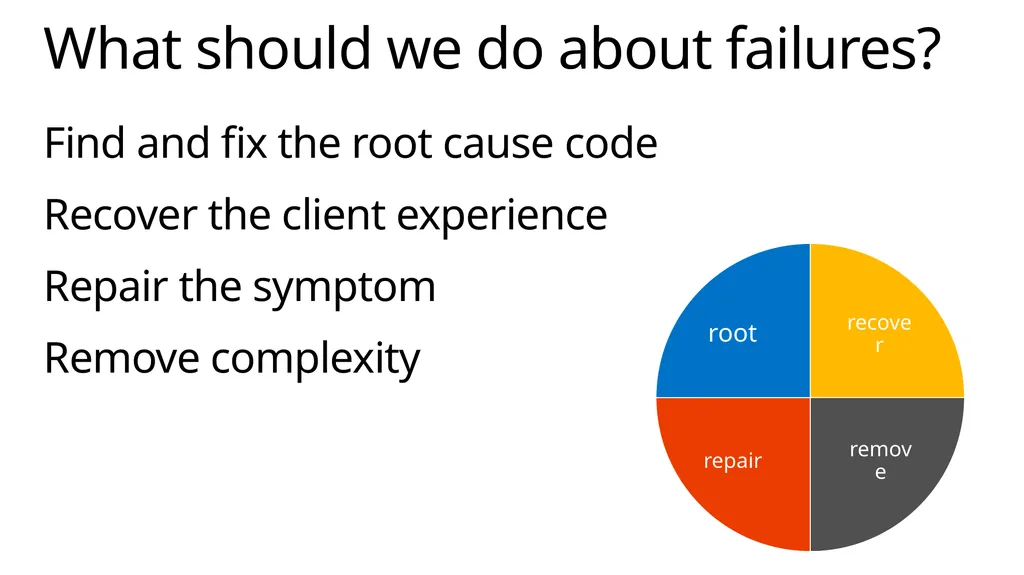
Find and fix the root cause code
Recover the client experience
Repair the symptom
Remove complexity What should we do about failures?<br>
Recover the client experience
Repair the symptom
Remove complexity What should we do about failures?<br>
11
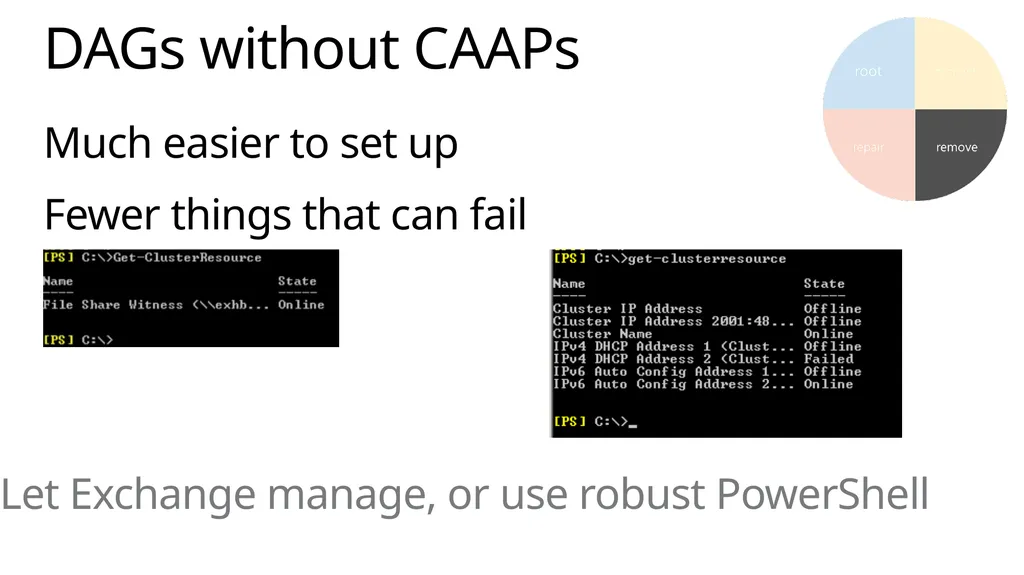
Much easier to set up
Fewer things that can fail DAGs without CAAPs Let Exchange manage, or use robust PowerShell<br>
Fewer things that can fail DAGs without CAAPs Let Exchange manage, or use robust PowerShell<br>
12
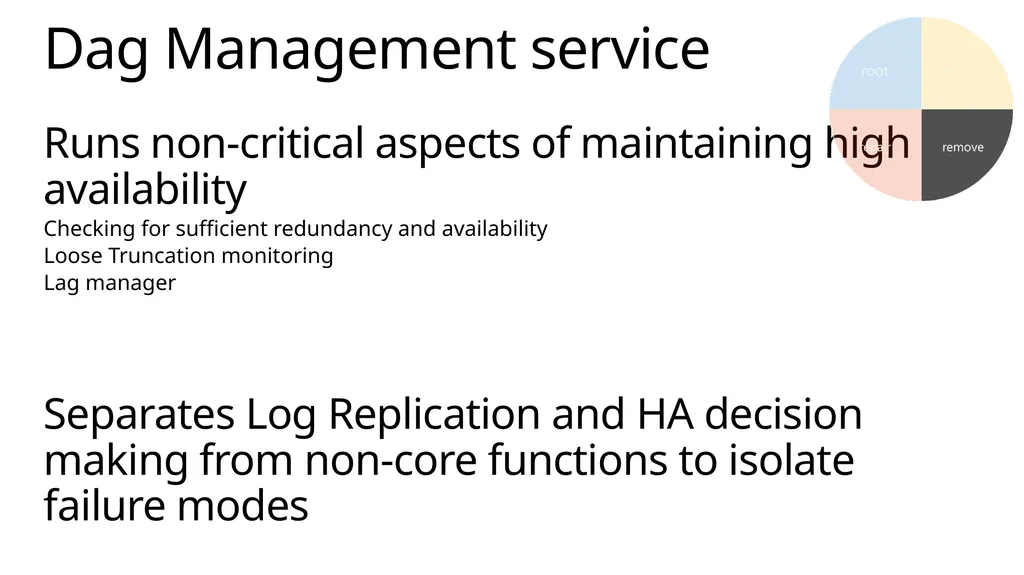
Runs non-critical aspects of maintaining high availability
Checking for sufficient redundancy and availability
Loose Truncation monitoring
Lag manager
Separates Log Replication and HA decision making from non-core functions to isolate failure modes Dag Management service<br>
Checking for sufficient redundancy and availability
Loose Truncation monitoring
Lag manager
Separates Log Replication and HA decision making from non-core functions to isolate failure modes Dag Management service<br>
13
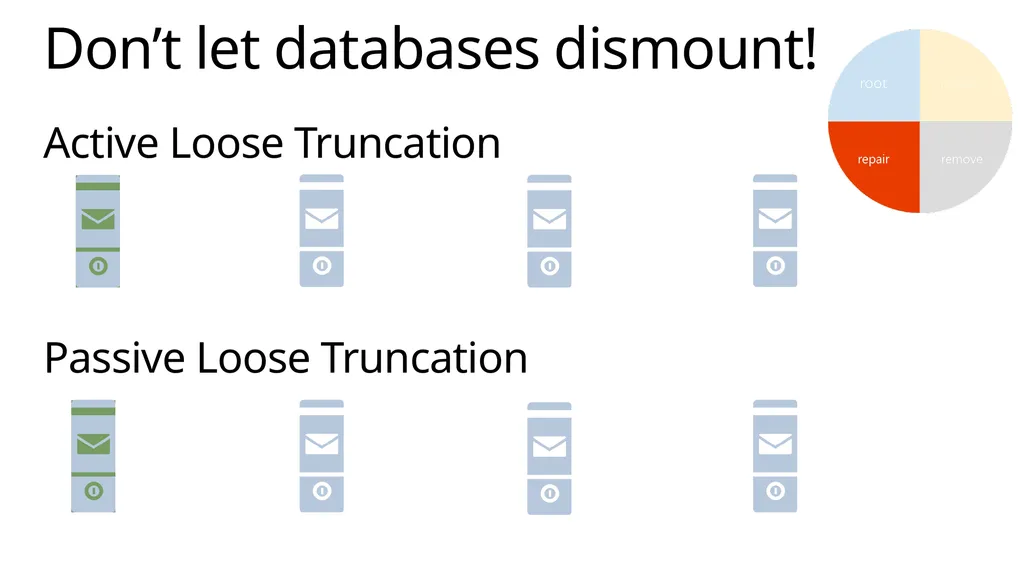
Active Loose Truncation
Passive Loose Truncation Don’t let databases dismount!<br>
Passive Loose Truncation Don’t let databases dismount!<br>
14
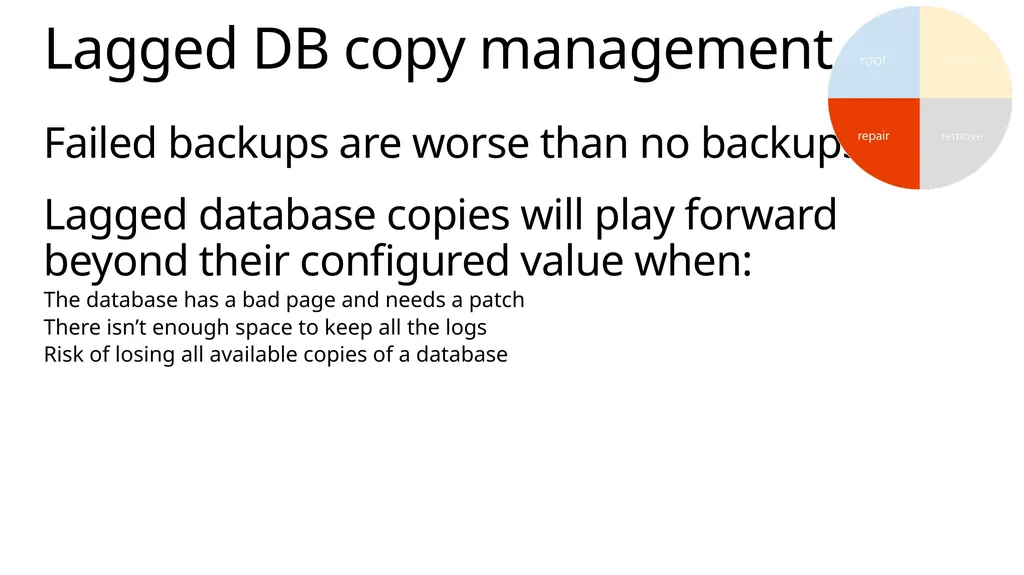
Failed backups are worse than no backups
Lagged database copies will play forward beyond their configured value when:
The database has a bad page and needs a patch
There isn’t enough space to keep all the logs
Risk of losing all available copies of a database Lagged DB copy management<br>
Lagged database copies will play forward beyond their configured value when:
The database has a bad page and needs a patch
There isn’t enough space to keep all the logs
Risk of losing all available copies of a database Lagged DB copy management<br>
15
Restoring redundancy so you don’t have to
Configured by setting mount points for volumes AutoReseed overview In-Use Storage Spares X<br>
Configured by setting mount points for volumes AutoReseed overview In-Use Storage Spares X<br>
16
Demo AutoReseed<br>
17
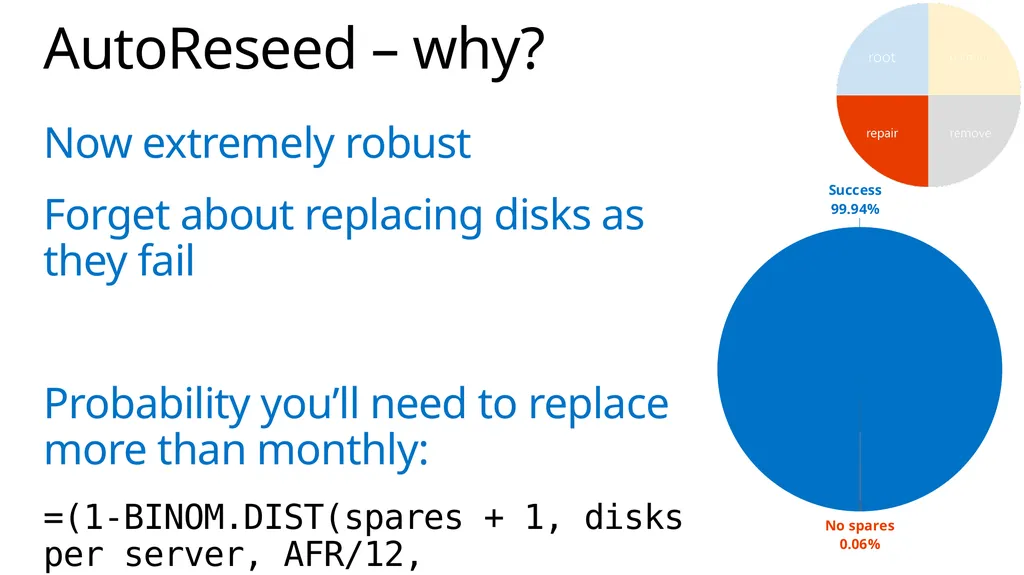
Now extremely robust
Forget about replacing disks as they fail
Probability you’ll need to replace more than monthly:
=(1-BINOM.DIST(spares + 1, disks per server, AFR/12, TRUE))*servers AutoReseed – why?<br>
Forget about replacing disks as they fail
Probability you’ll need to replace more than monthly:
=(1-BINOM.DIST(spares + 1, disks per server, AFR/12, TRUE))*servers AutoReseed – why?<br>
18
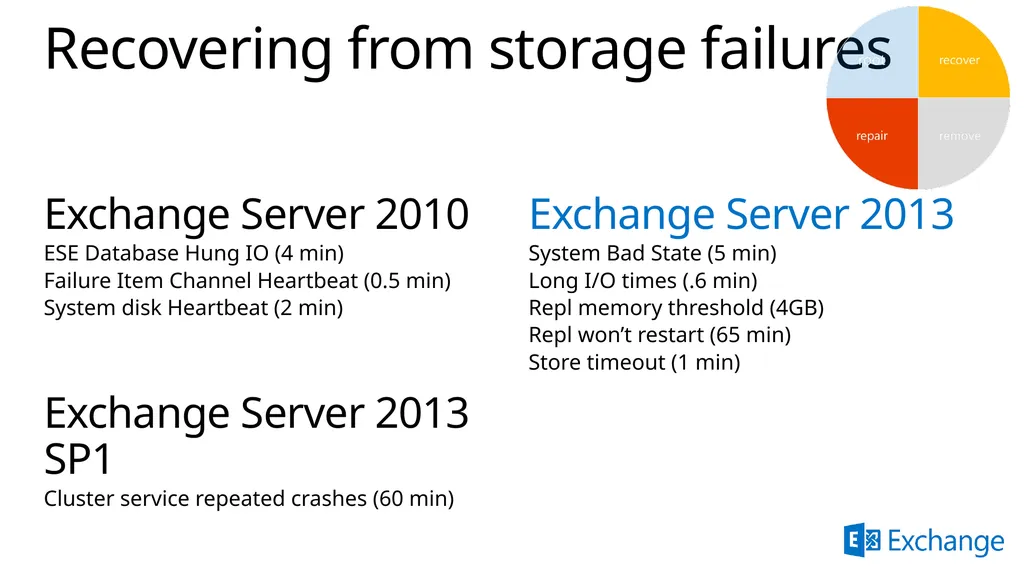
Recovering from storage failures Exchange Server 2010
ESE Database Hung IO (4 min)
Failure Item Channel Heartbeat (0.5 min)
System disk Heartbeat (2 min)
Exchange Server 2013 SP1
Cluster service repeated crashes (60 min) Exchange Server 2013
System Bad State (5 min)
Long I/O times (.6 min)
Repl memory threshold (4GB)
Repl won’t restart (65 min)
Store timeout (1 min)<br>
ESE Database Hung IO (4 min)
Failure Item Channel Heartbeat (0.5 min)
System disk Heartbeat (2 min)
Exchange Server 2013 SP1
Cluster service repeated crashes (60 min) Exchange Server 2013
System Bad State (5 min)
Long I/O times (.6 min)
Repl memory threshold (4GB)
Repl won’t restart (65 min)
Store timeout (1 min)<br>
19
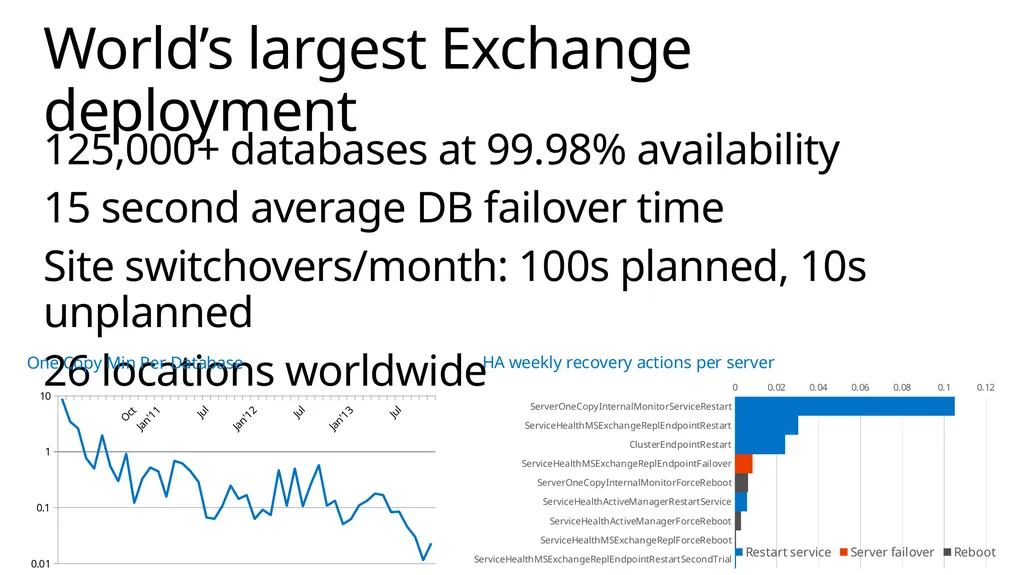
125,000+ databases at 99.98% availability
15 second average DB failover time
Site switchovers/month: 100s planned, 10s unplanned
26 locations worldwide World’s largest Exchange deployment<br>
15 second average DB failover time
Site switchovers/month: 100s planned, 10s unplanned
26 locations worldwide World’s largest Exchange deployment<br>
20
HA monitoring and server maintenance<br>
21
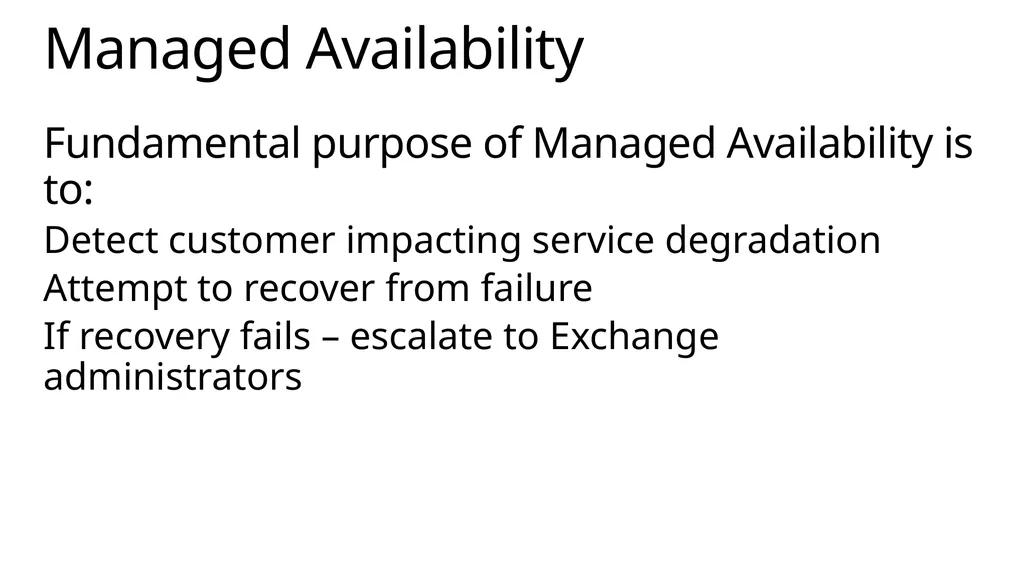
Fundamental purpose of Managed Availability is to:
Detect customer impacting service degradation
Attempt to recover from failure
If recovery fails – escalate to Exchange administrators Managed Availability<br>
Detect customer impacting service degradation
Attempt to recover from failure
If recovery fails – escalate to Exchange administrators Managed Availability<br>
22
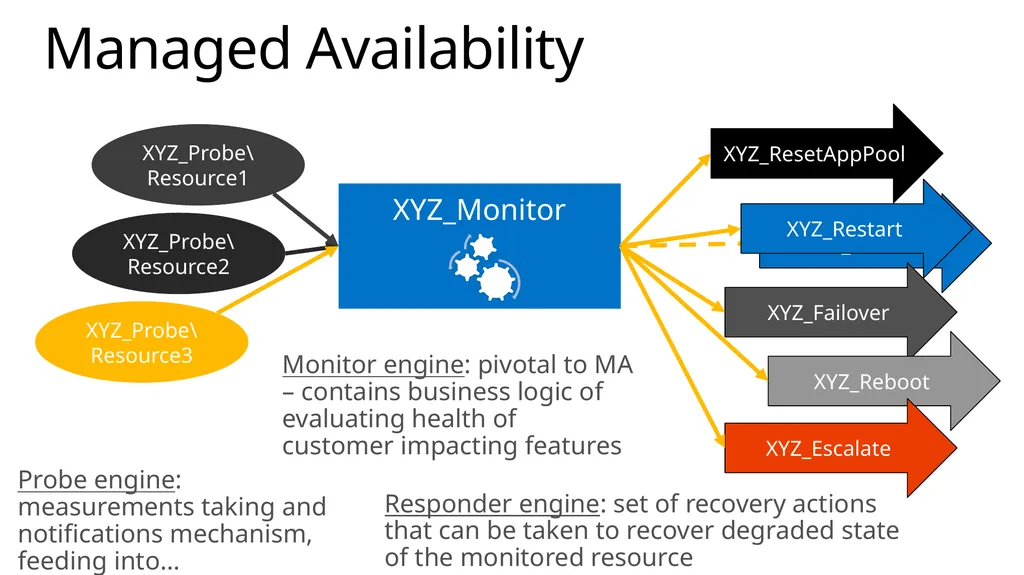
Managed Availability XYZ_ResetAppPool XYZ_Restart XYZ_Restart XYZ_Failover XYZ_Reboot XYZ_Escalate Probe engine: measurements taking and notifications mechanism, feeding into… Monitor engine: pivotal to MA – contains business logic of evaluating health of customer impacting features Responder engine: set of recovery actions that can be taken to recover degraded state of the monitored resource<br>
23
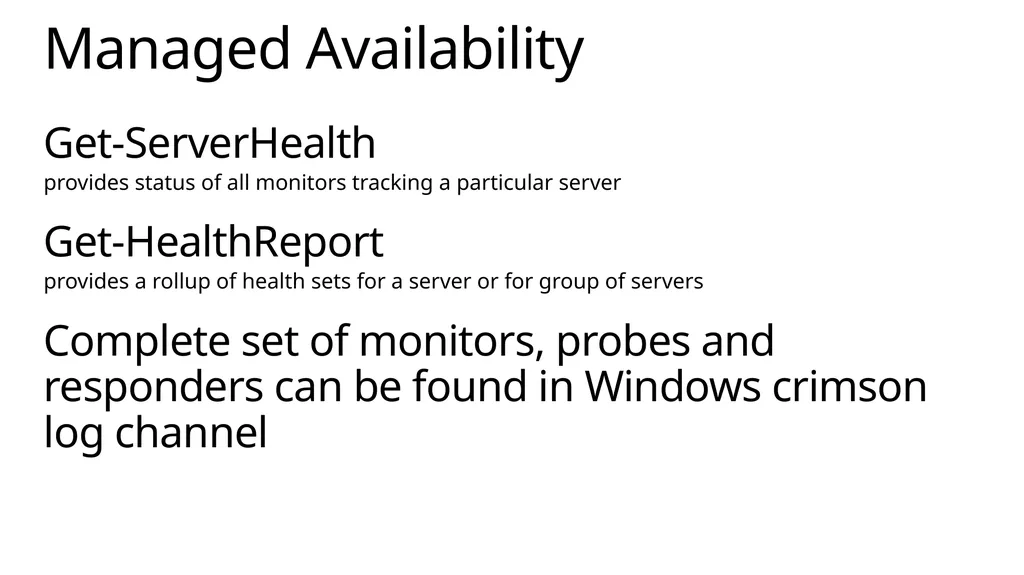
Get-ServerHealth
provides status of all monitors tracking a particular server
Get-HealthReport
provides a rollup of health sets for a server or for group of servers
Complete set of monitors, probes and responders can be found in Windows crimson log channel Managed Availability<br>
provides status of all monitors tracking a particular server
Get-HealthReport
provides a rollup of health sets for a server or for group of servers
Complete set of monitors, probes and responders can be found in Windows crimson log channel Managed Availability<br>
24
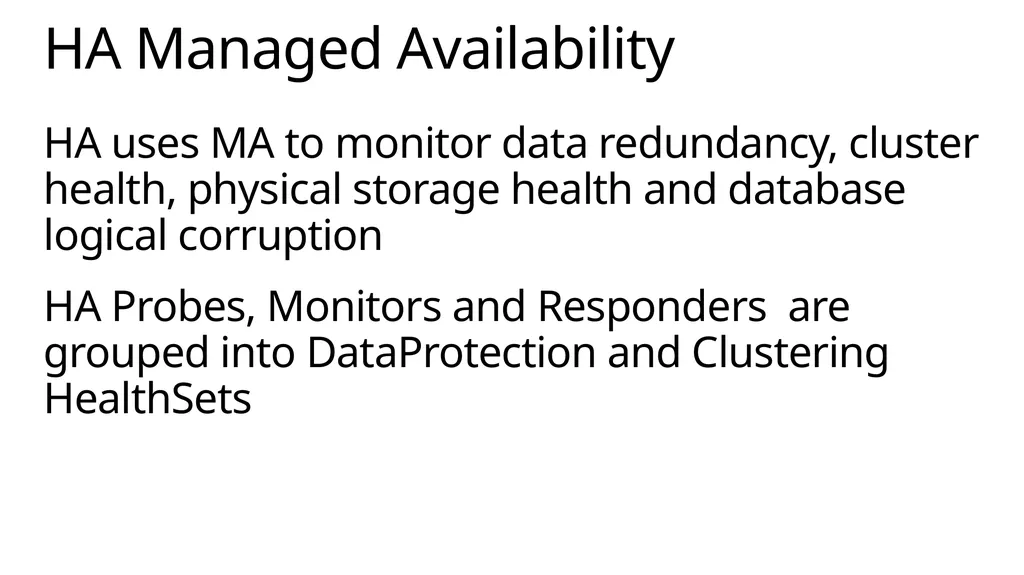
HA uses MA to monitor data redundancy, cluster health, physical storage health and database logical corruption
HA Probes, Monitors and Responders are grouped into DataProtection and Clustering HealthSets HA Managed Availability<br>
HA Probes, Monitors and Responders are grouped into DataProtection and Clustering HealthSets HA Managed Availability<br>
25
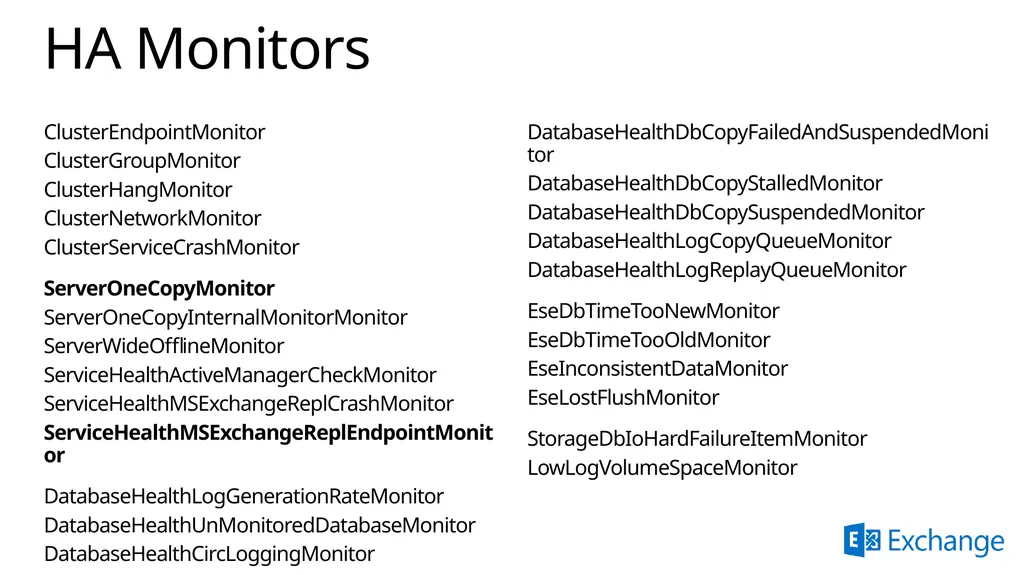
HA Monitors ClusterEndpointMonitor
ClusterGroupMonitor
ClusterHangMonitor
ClusterNetworkMonitor
ClusterServiceCrashMonitor
ServerOneCopyMonitor
ServerOneCopyInternalMonitorMonitor
ServerWideOfflineMonitor
ServiceHealthActiveManagerCheckMonitor
ServiceHealthMSExchangeReplCrashMonitor
ServiceHealthMSExchangeReplEndpointMonitor
DatabaseHealthLogGenerationRateMonitor
DatabaseHealthUnMonitoredDatabaseMonitor
DatabaseHealthCircLoggingMonitor DatabaseHealthDbCopyFailedAndSuspendedMonitor
DatabaseHealthDbCopyStalledMonitor
DatabaseHealthDbCopySuspendedMonitor
DatabaseHealthLogCopyQueueMonitor
DatabaseHealthLogReplayQueueMonitor
EseDbTimeTooNewMonitor
EseDbTimeTooOldMonitor
EseInconsistentDataMonitor
EseLostFlushMonitor
StorageDbIoHardFailureItemMonitor
LowLogVolumeSpaceMonitor<br>
ClusterGroupMonitor
ClusterHangMonitor
ClusterNetworkMonitor
ClusterServiceCrashMonitor
ServerOneCopyMonitor
ServerOneCopyInternalMonitorMonitor
ServerWideOfflineMonitor
ServiceHealthActiveManagerCheckMonitor
ServiceHealthMSExchangeReplCrashMonitor
ServiceHealthMSExchangeReplEndpointMonitor
DatabaseHealthLogGenerationRateMonitor
DatabaseHealthUnMonitoredDatabaseMonitor
DatabaseHealthCircLoggingMonitor DatabaseHealthDbCopyFailedAndSuspendedMonitor
DatabaseHealthDbCopyStalledMonitor
DatabaseHealthDbCopySuspendedMonitor
DatabaseHealthLogCopyQueueMonitor
DatabaseHealthLogReplayQueueMonitor
EseDbTimeTooNewMonitor
EseDbTimeTooOldMonitor
EseInconsistentDataMonitor
EseLostFlushMonitor
StorageDbIoHardFailureItemMonitor
LowLogVolumeSpaceMonitor<br>
26
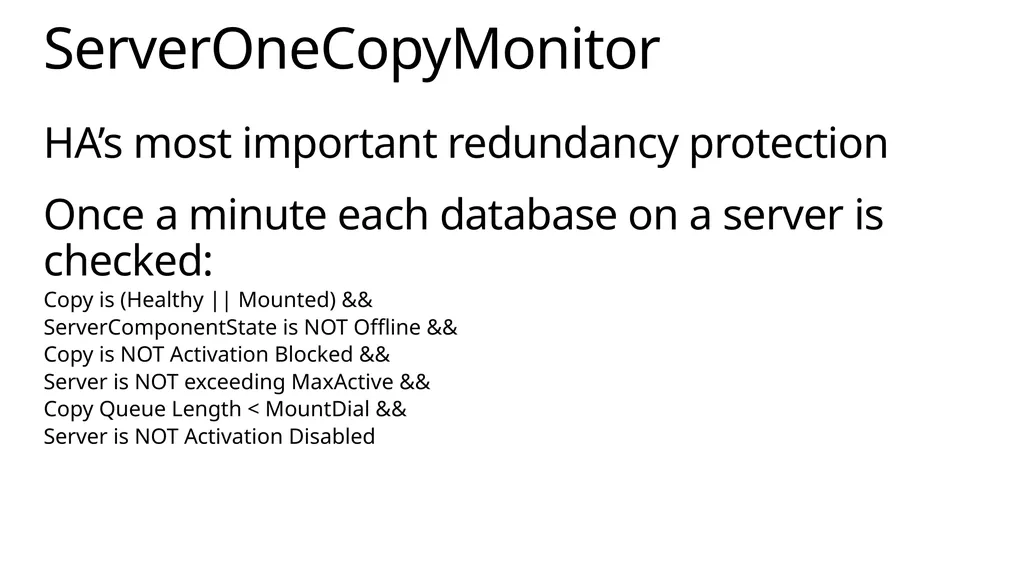
HA’s most important redundancy protection
Once a minute each database on a server is checked:
Copy is (Healthy || Mounted) &&
ServerComponentState is NOT Offline &&
Copy is NOT Activation Blocked &&
Server is NOT exceeding MaxActive &&
Copy Queue Length < MountDial &&
Server is NOT Activation Disabled ServerOneCopyMonitor<br>
Once a minute each database on a server is checked:
Copy is (Healthy || Mounted) &&
ServerComponentState is NOT Offline &&
Copy is NOT Activation Blocked &&
Server is NOT exceeding MaxActive &&
Copy Queue Length < MountDial &&
Server is NOT Activation Disabled ServerOneCopyMonitor<br>
27
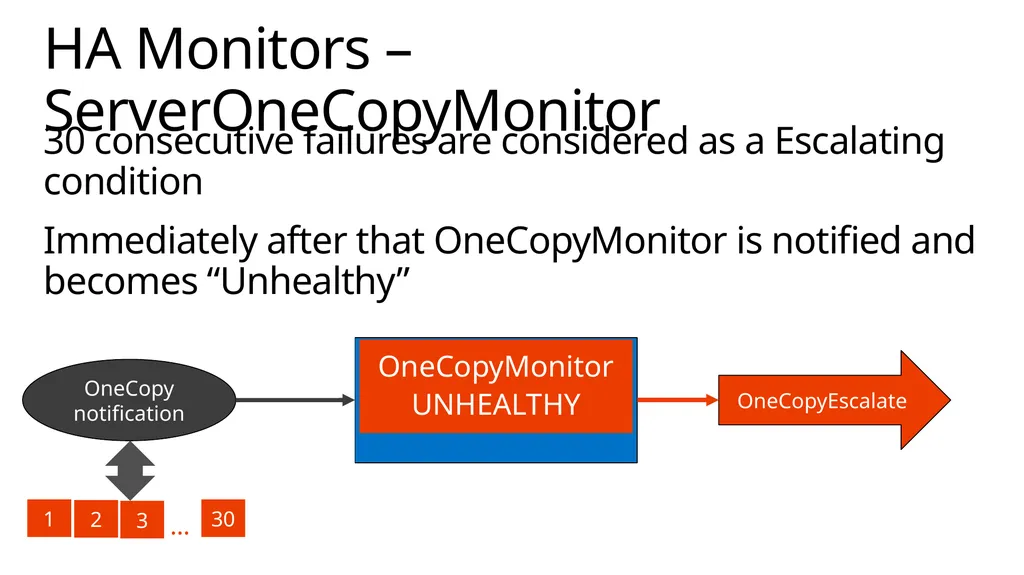
30 consecutive failures are considered as a Escalating condition
Immediately after that OneCopyMonitor is notified and becomes “Unhealthy” HA Monitors – ServerOneCopyMonitor OneCopy notification OneCopyEscalate OneCopyMonitor
Healthy 1 2 3 30 … OneCopyMonitor
UNHEALTHY<br>
Immediately after that OneCopyMonitor is notified and becomes “Unhealthy” HA Monitors – ServerOneCopyMonitor OneCopy notification OneCopyEscalate OneCopyMonitor
Healthy 1 2 3 30 … OneCopyMonitor
UNHEALTHY<br>
28
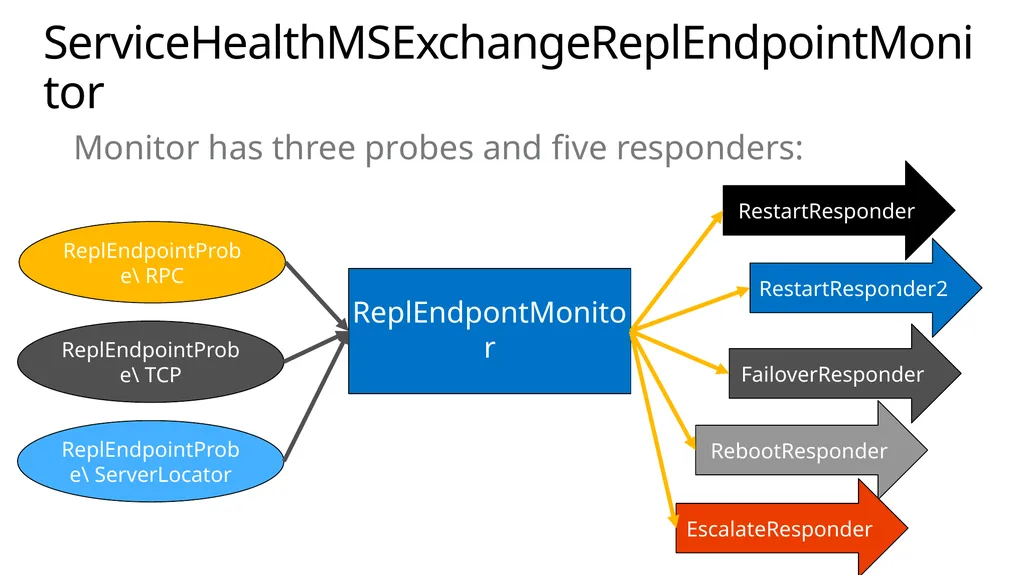
ServiceHealthMSExchangeReplEndpointMonitor Monitor has three probes and five responders: ReplEndpointProbe\ RPC RestartResponder RestartResponder2 FailoverResponder RebootResponder EscalateResponder ReplEndpontMonitor ReplEndpointProbe\ TCP ReplEndpointProbe\ ServerLocator<br>
29
In Exchange 2013 the story is a little bit more complicated than in Exchange 2010
Mailbox Server has multiple roles installed
In order to prevent outages we need to make sure server is not serving any client protocol DAG member maintenance<br>
Mailbox Server has multiple roles installed
In order to prevent outages we need to make sure server is not serving any client protocol DAG member maintenance<br>
30
Put server into maintenance
Set Transport and UM to draining their queues
Set messaging redirection to (preferably) another server in the DAG
Suspend cluster node
Set server to be Activation Disabled
Set server to be Activation Blocked
Set all ServerComponentStates Offline
Confirm
All ServerComponentStates are offline
Server is activation blocked and activation disabled
Cluster node is “Paused”
Transport queues are empty Exchange 2013 server maintenance<br>
Set Transport and UM to draining their queues
Set messaging redirection to (preferably) another server in the DAG
Suspend cluster node
Set server to be Activation Disabled
Set server to be Activation Blocked
Set all ServerComponentStates Offline
Confirm
All ServerComponentStates are offline
Server is activation blocked and activation disabled
Cluster node is “Paused”
Transport queues are empty Exchange 2013 server maintenance<br>
31
Demo High Availability Monitoring<br>
32
Best Copy Selection (BCS)<br>
33
Best Copy and Server Selection What’s the same?
Still Active Manager algorithm
Performed at *over time
Uses extracted system health
Same replication criteria and phases What’s new?
Cap replay queue to limit mount time
New max actives soft limit
BCS criteria includes protocol stack health
Protocol health prioritized to control impact
Tuned replication health criteria thresholds
MA failover responder targets not worse server<br>
Still Active Manager algorithm
Performed at *over time
Uses extracted system health
Same replication criteria and phases What’s new?
Cap replay queue to limit mount time
New max actives soft limit
BCS criteria includes protocol stack health
Protocol health prioritized to control impact
Tuned replication health criteria thresholds
MA failover responder targets not worse server<br>
34
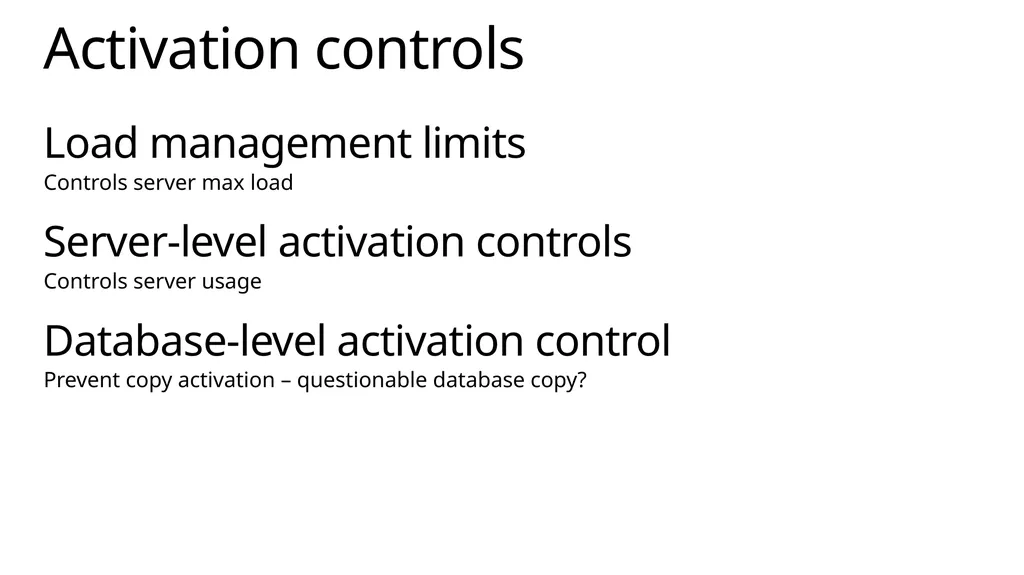
Load management limits
Controls server max load
Server-level activation controls
Controls server usage
Database-level activation control
Prevent copy activation – questionable database copy? Activation controls<br>
Controls server max load
Server-level activation controls
Controls server usage
Database-level activation control
Prevent copy activation – questionable database copy? Activation controls<br>
35
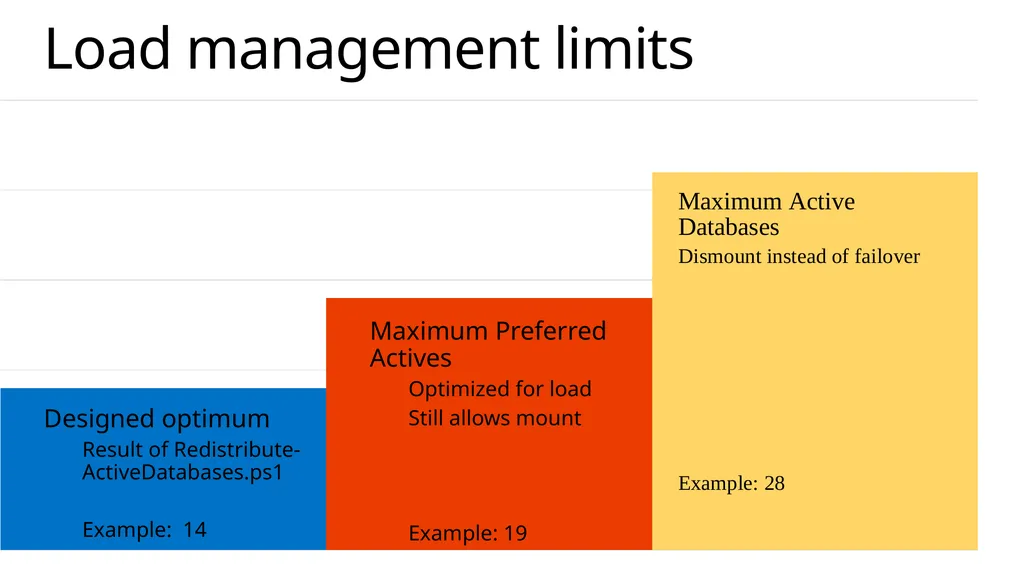
Load management limits Maximum Preferred Actives
Optimized for load
Still allows mount
Example: 19 Designed optimum
Result of Redistribute-ActiveDatabases.ps1
Example: 14<br>
Optimized for load
Still allows mount
Example: 19 Designed optimum
Result of Redistribute-ActiveDatabases.ps1
Example: 14<br>
36
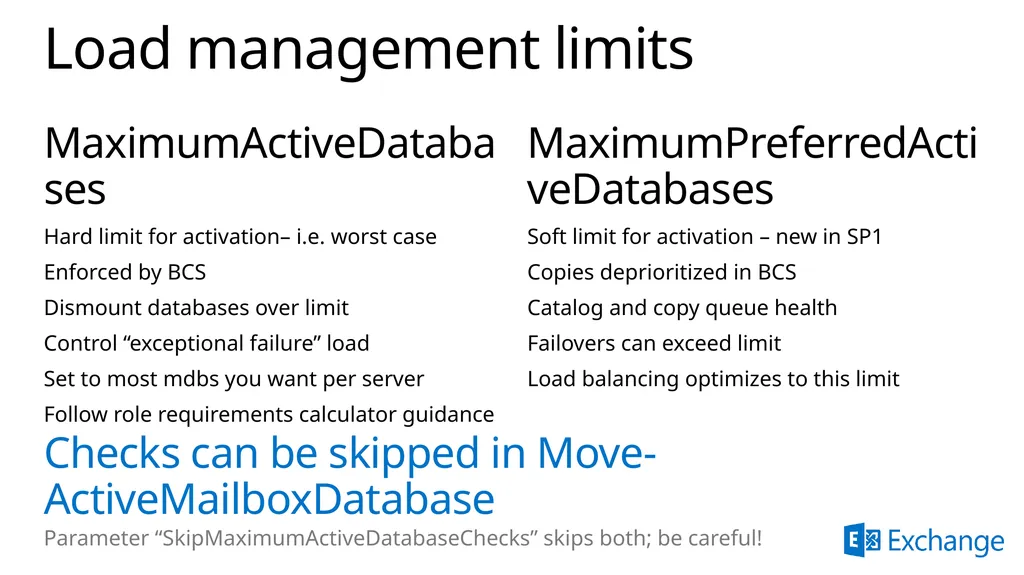
Load management limits MaximumActiveDatabases
Hard limit for activation– i.e. worst case
Enforced by BCS
Dismount databases over limit
Control “exceptional failure” load
Set to most mdbs you want per server
Follow role requirements calculator guidance MaximumPreferredActiveDatabases
Soft limit for activation – new in SP1
Copies deprioritized in BCS
Catalog and copy queue health
Failovers can exceed limit
Load balancing optimizes to this limit Checks can be skipped in Move-ActiveMailboxDatabase
Parameter “SkipMaximumActiveDatabaseChecks” skips both; be careful!<br>
Hard limit for activation– i.e. worst case
Enforced by BCS
Dismount databases over limit
Control “exceptional failure” load
Set to most mdbs you want per server
Follow role requirements calculator guidance MaximumPreferredActiveDatabases
Soft limit for activation – new in SP1
Copies deprioritized in BCS
Catalog and copy queue health
Failovers can exceed limit
Load balancing optimizes to this limit Checks can be skipped in Move-ActiveMailboxDatabase
Parameter “SkipMaximumActiveDatabaseChecks” skips both; be careful!<br>
37
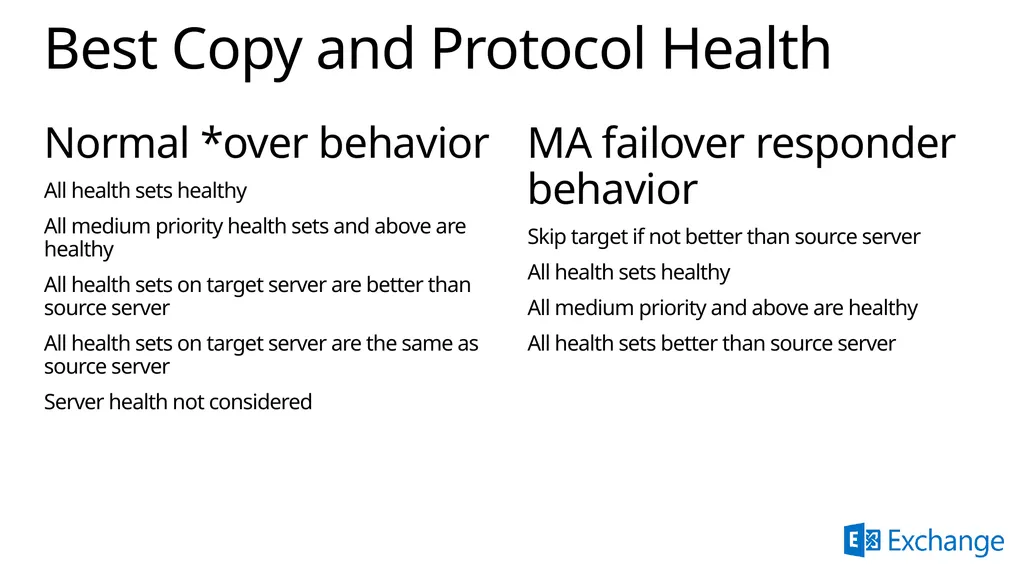
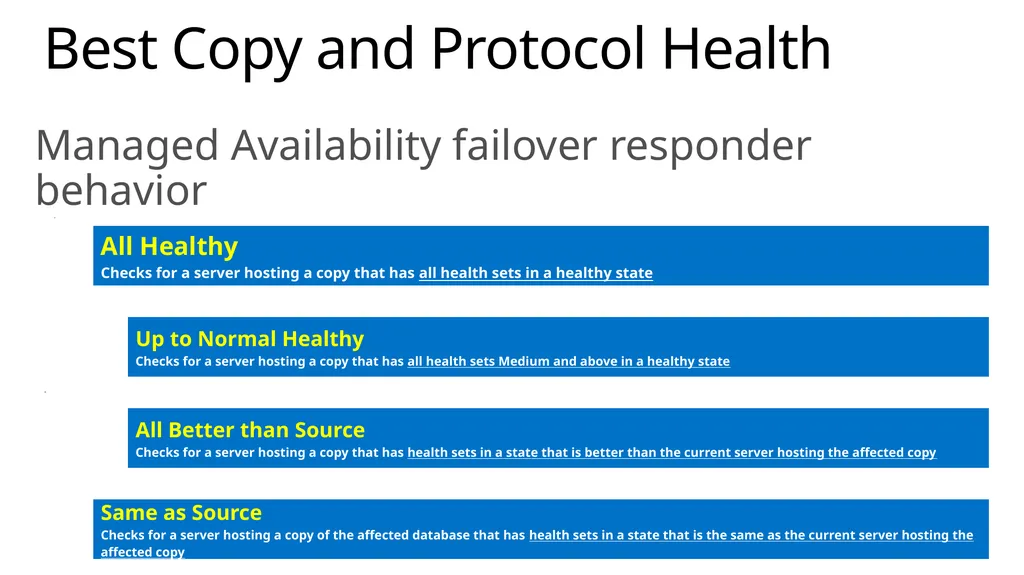
Best Copy and Protocol Health Normal *over behavior
All health sets healthy
All medium priority health sets and above are healthy
All health sets on target server are better than source server
All health sets on target server are the same as source server
Server health not considered MA failover responder behavior
Skip target if not better than source server
All health sets healthy
All medium priority and above are healthy
All health sets better than source server<br>
All health sets healthy
All medium priority health sets and above are healthy
All health sets on target server are better than source server
All health sets on target server are the same as source server
Server health not considered MA failover responder behavior
Skip target if not better than source server
All health sets healthy
All medium priority and above are healthy
All health sets better than source server<br>
38
Site Resilience<br>
39
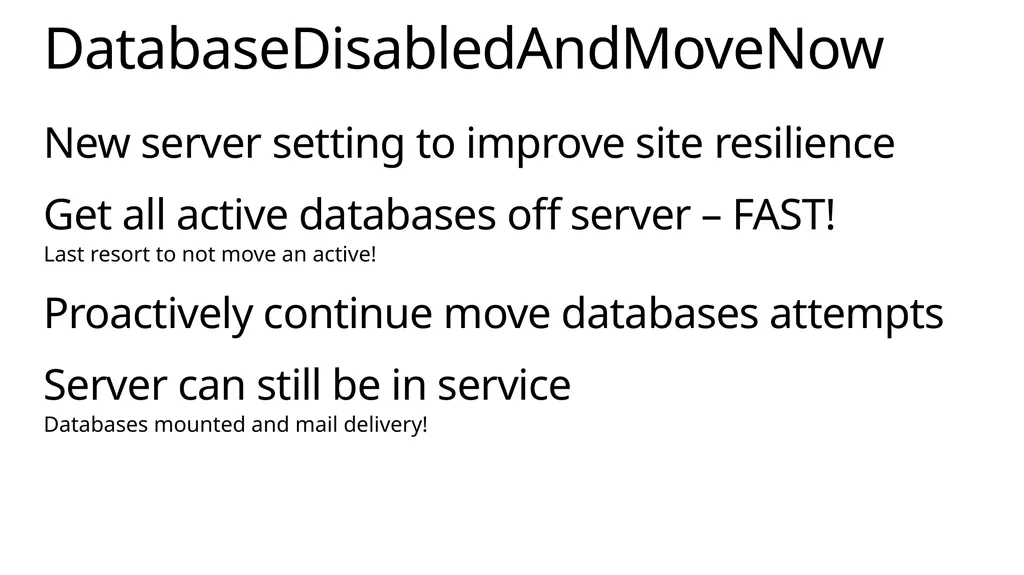
New server setting to improve site resilience
Get all active databases off server – FAST!
Last resort to not move an active!
Proactively continue move databases attempts
Server can still be in service
Databases mounted and mail delivery! DatabaseDisabledAndMoveNow<br>
Get all active databases off server – FAST!
Last resort to not move an active!
Proactively continue move databases attempts
Server can still be in service
Databases mounted and mail delivery! DatabaseDisabledAndMoveNow<br>
40
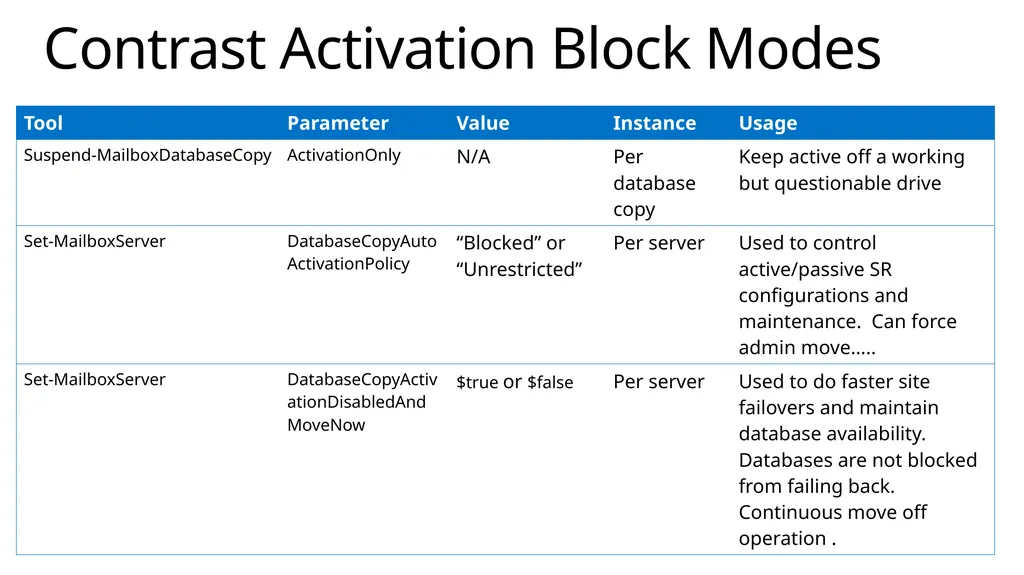
Contrast Activation Block Modes<br>
41
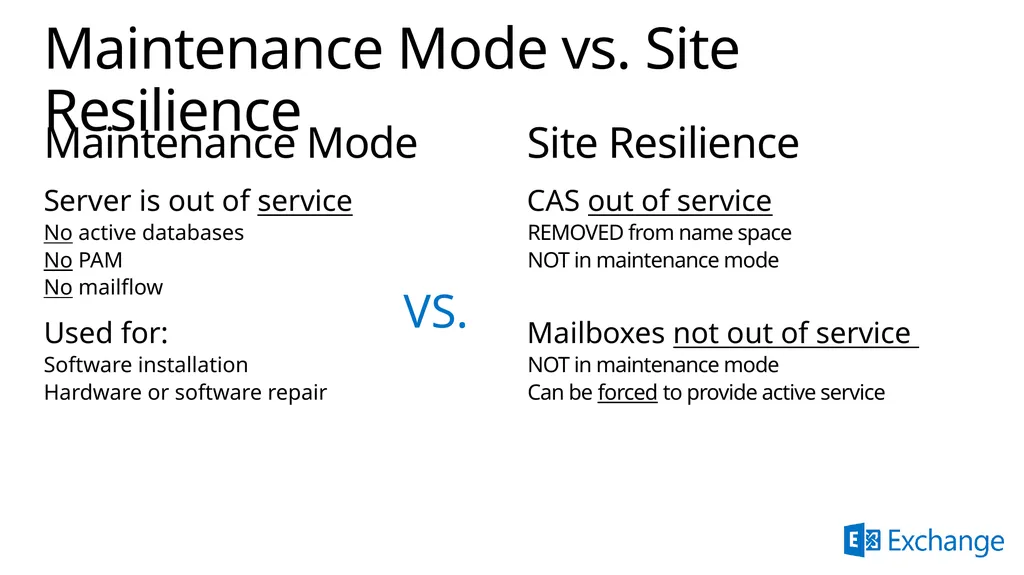
Maintenance Mode vs. Site Resilience Maintenance Mode
Server is out of service
No active databases
No PAM
No mailflow
Used for:
Software installation
Hardware or software repair Site Resilience
CAS out of service
REMOVED from name space
NOT in maintenance mode
Mailboxes not out of service
NOT in maintenance mode
Can be forced to provide active service VS.<br>
Server is out of service
No active databases
No PAM
No mailflow
Used for:
Software installation
Hardware or software repair Site Resilience
CAS out of service
REMOVED from name space
NOT in maintenance mode
Mailboxes not out of service
NOT in maintenance mode
Can be forced to provide active service VS.<br>
42
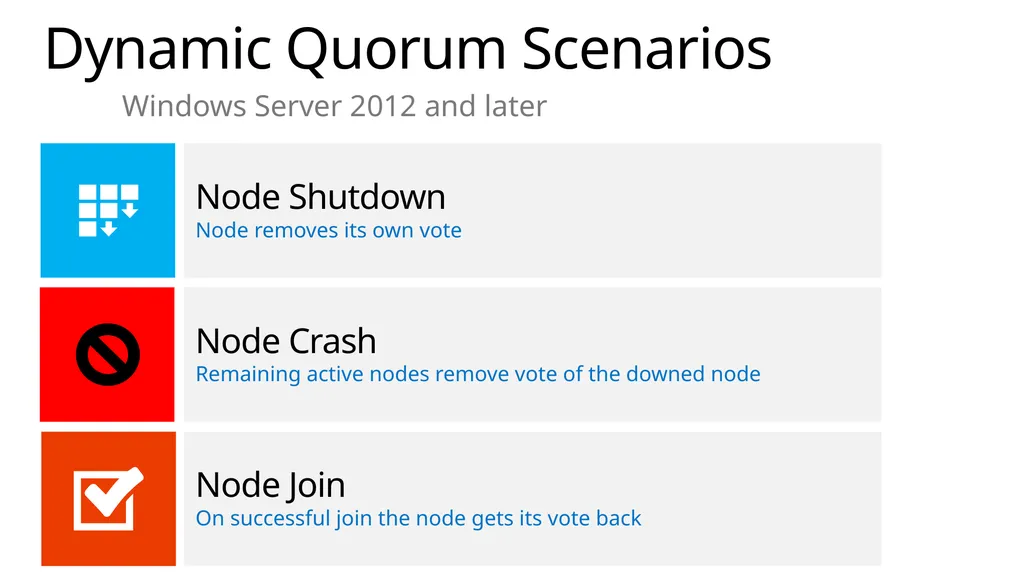
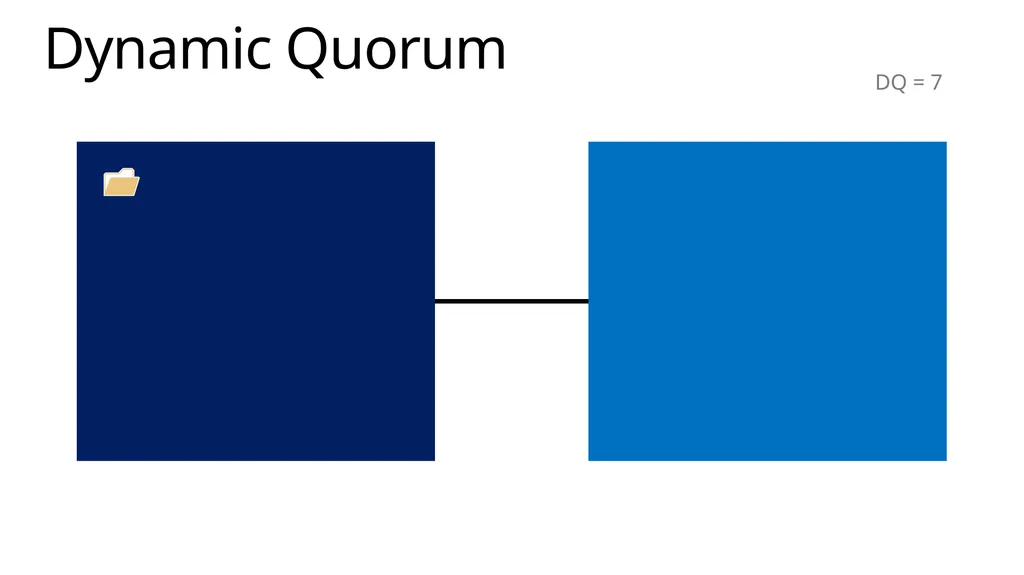
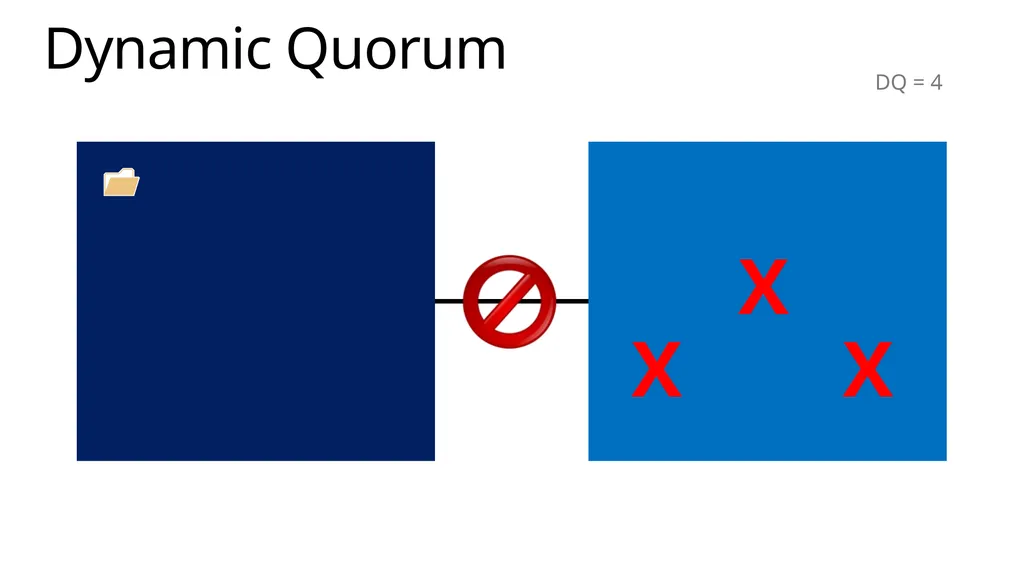
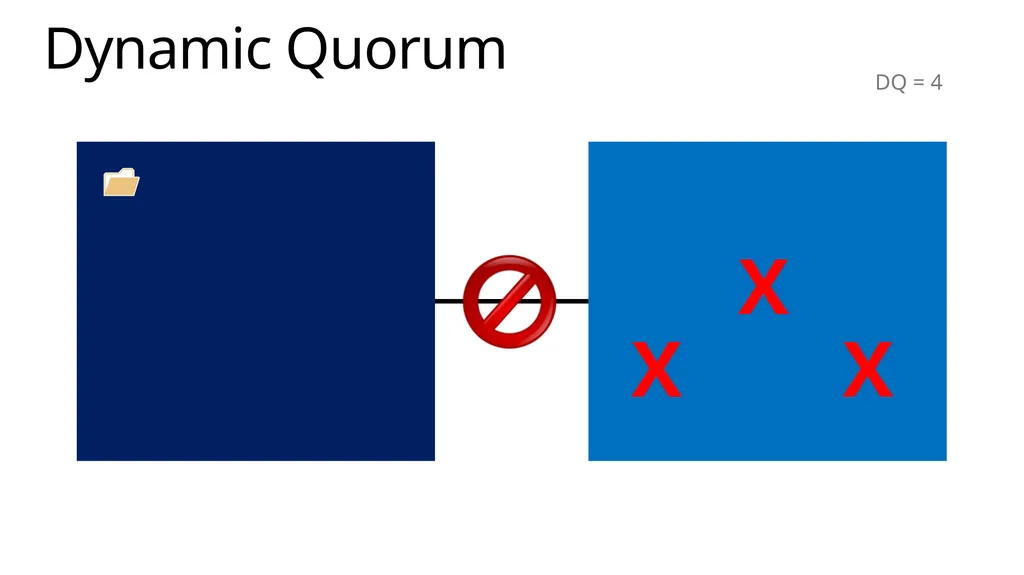
Dynamic Quorum Scenarios Node Shutdown
Node removes its own vote Node Join
On successful join the node gets its vote back Node Crash
Remaining active nodes remove vote of the downed node Windows Server 2012 and later<br>
Node removes its own vote Node Join
On successful join the node gets its vote back Node Crash
Remaining active nodes remove vote of the downed node Windows Server 2012 and later<br>
43
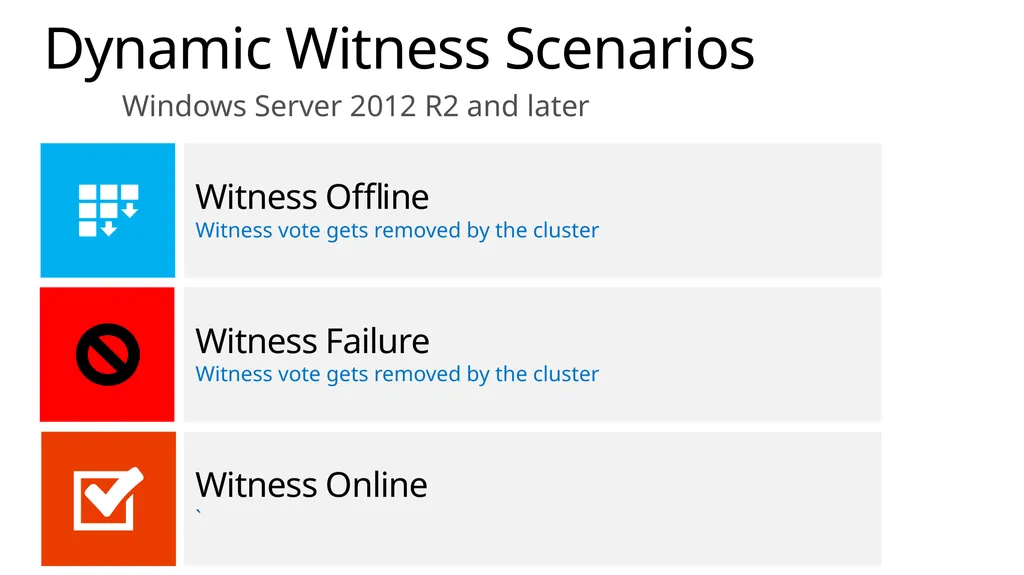
Dynamic Witness Scenarios Witness Offline
Witness vote gets removed by the cluster Witness Online
` Witness Failure
Witness vote gets removed by the cluster Windows Server 2012 R2 and later<br>
Witness vote gets removed by the cluster Witness Online
` Witness Failure
Witness vote gets removed by the cluster Windows Server 2012 R2 and later<br>
44
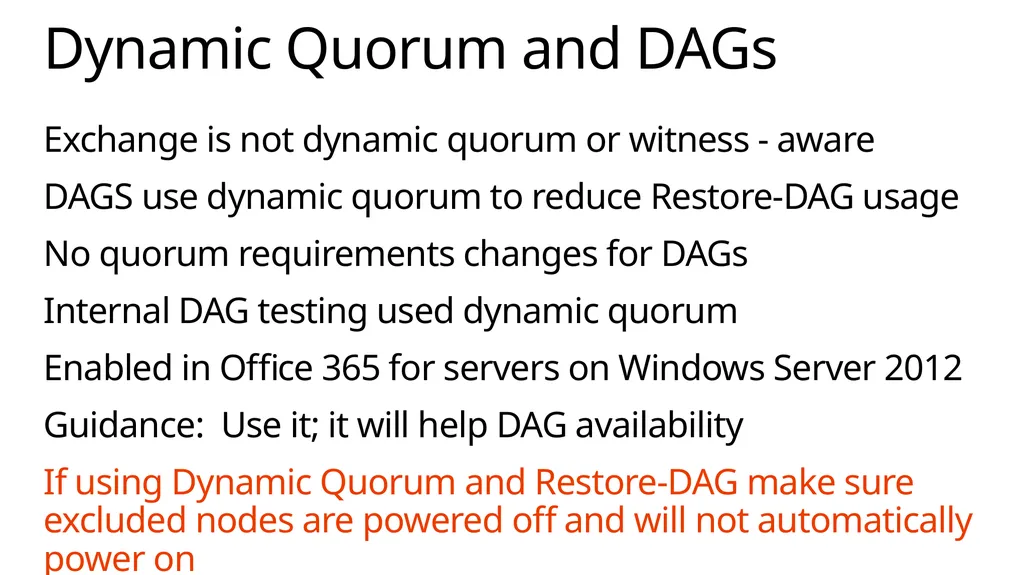
Exchange is not dynamic quorum or witness - aware
DAGS use dynamic quorum to reduce Restore-DAG usage
No quorum requirements changes for DAGs
Internal DAG testing used dynamic quorum
Enabled in Office 365 for servers on Windows Server 2012
Guidance: Use it; it will help DAG availability
If using Dynamic Quorum and Restore-DAG make sure excluded nodes are powered off and will not automatically power on Dynamic Quorum and DAGs<br>
DAGS use dynamic quorum to reduce Restore-DAG usage
No quorum requirements changes for DAGs
Internal DAG testing used dynamic quorum
Enabled in Office 365 for servers on Windows Server 2012
Guidance: Use it; it will help DAG availability
If using Dynamic Quorum and Restore-DAG make sure excluded nodes are powered off and will not automatically power on Dynamic Quorum and DAGs<br>
45
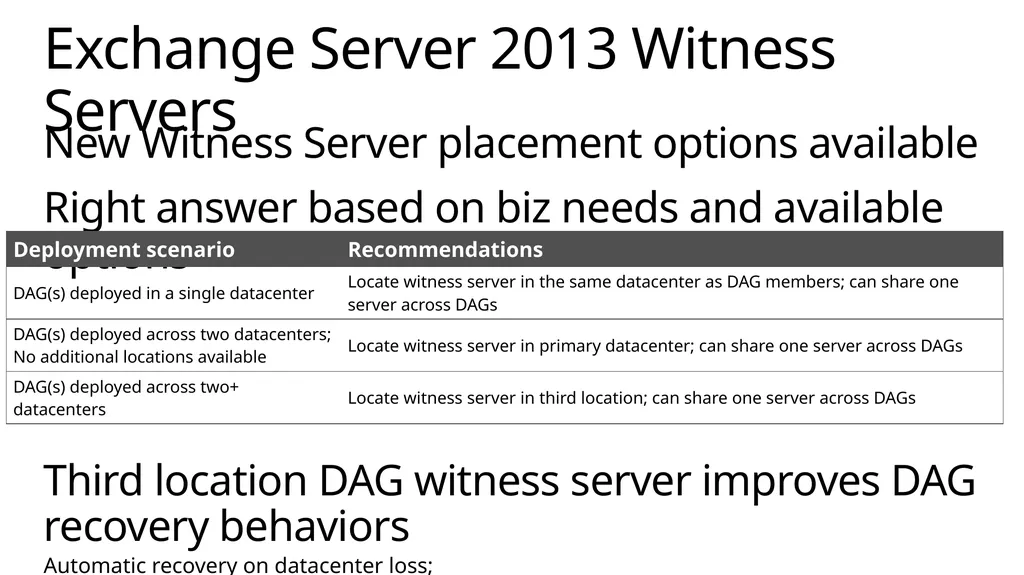
New Witness Server placement options available
Right answer based on biz needs and available options
Third location DAG witness server improves DAG recovery behaviors
Automatic recovery on datacenter loss;
Third location network infrastructure must have independent failure modes Exchange Server 2013 Witness Servers<br>
Right answer based on biz needs and available options
Third location DAG witness server improves DAG recovery behaviors
Automatic recovery on datacenter loss;
Third location network infrastructure must have independent failure modes Exchange Server 2013 Witness Servers<br>
46
Frontend/Backend recovery are independent!!!
DNS resolves to multiple IP addresses
Most protocol access in Exchange Server 2013 is HTTP
HTTP clients have built-in IP failover capabilities
Clients skip past IPs that produce hard TCP failures Site Resilience<br>
DNS resolves to multiple IP addresses
Most protocol access in Exchange Server 2013 is HTTP
HTTP clients have built-in IP failover capabilities
Clients skip past IPs that produce hard TCP failures Site Resilience<br>
47
Admins can switchover by removing VIP from DNS or disabling
Namespace no longer a single point of failure
No dealing with DNS latency
Single or multiple name space options Site Resilience<br>
Namespace no longer a single point of failure
No dealing with DNS latency
Single or multiple name space options Site Resilience<br>
48
Best Practices Automate your recovery logic; make it reliable
Think of it as rack/site maintenance?
Exercise it regularly
Recovery times directly dependent on detection & decision times!
“Flip the bit” – don’t ask repair times, “if outage go…”
Humans are the biggest threat to recovery times<br>
Think of it as rack/site maintenance?
Exercise it regularly
Recovery times directly dependent on detection & decision times!
“Flip the bit” – don’t ask repair times, “if outage go…”
Humans are the biggest threat to recovery times<br>
49
© 2014 Microsoft Corporation. All rights reserved. Microsoft, Windows and other product names are or may be registered trademarks and/or trademarks in the U.S. and/or other countries.
The information herein is for informational purposes only and represents the current view of Microsoft Corporation as of the date of this presentation. Because Microsoft must respond to changing market conditions, it should not be interpreted to be a commitment on the part of Microsoft, and Microsoft cannot guarantee the accuracy of any information provided after the date of this presentation. MICROSOFT MAKES NO WARRANTIES, EXPRESS, IMPLIED OR STATUTORY, AS TO THE INFORMATION IN THIS PRESENTATION.<br>
The information herein is for informational purposes only and represents the current view of Microsoft Corporation as of the date of this presentation. Because Microsoft must respond to changing market conditions, it should not be interpreted to be a commitment on the part of Microsoft, and Microsoft cannot guarantee the accuracy of any information provided after the date of this presentation. MICROSOFT MAKES NO WARRANTIES, EXPRESS, IMPLIED OR STATUTORY, AS TO THE INFORMATION IN THIS PRESENTATION.<br>
50
Appendix<br>
51
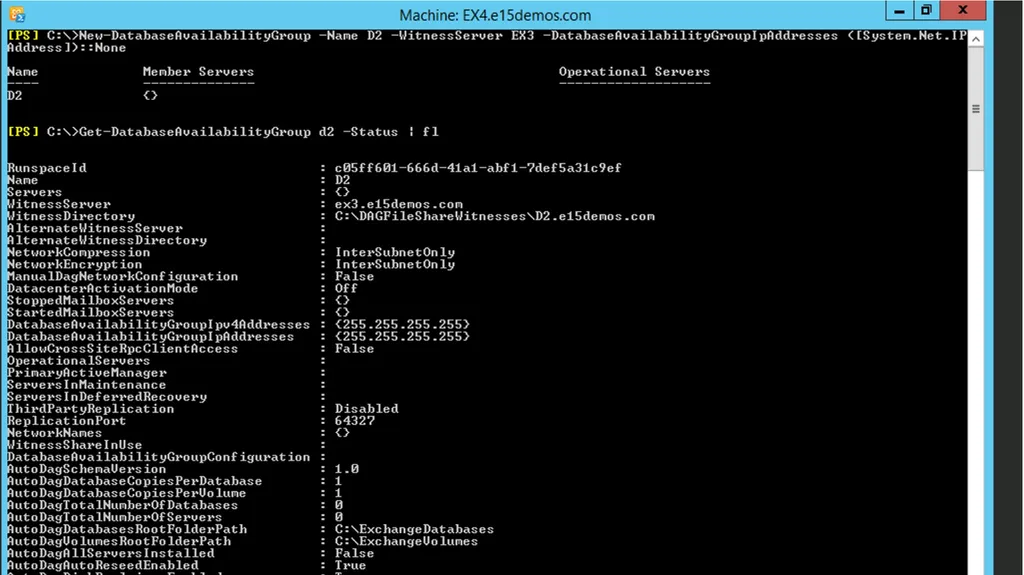
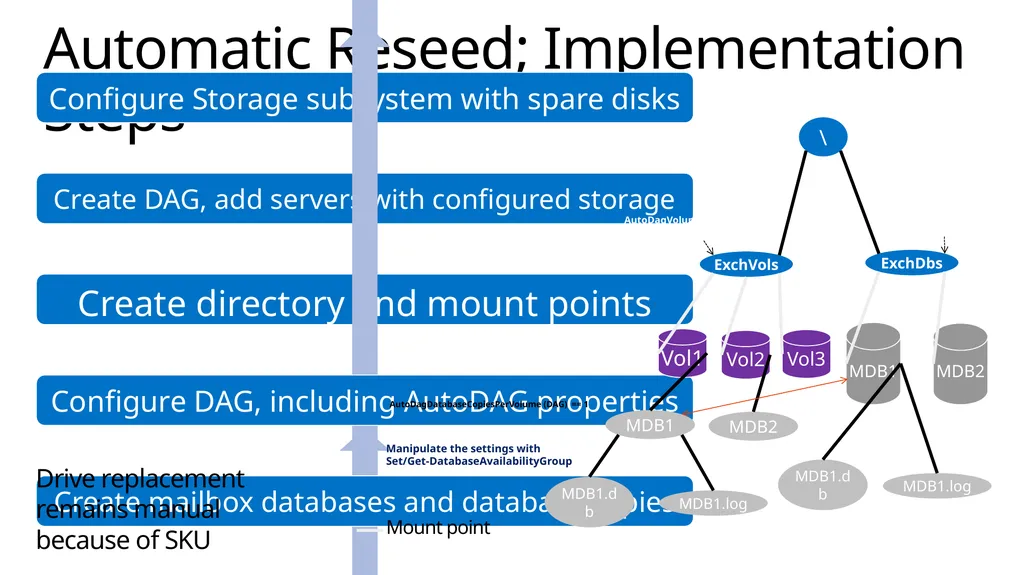
Automatic Reseed; Implementation Steps \ ExchDbs ExchVols Vol1 Vol3 MDB1 MDB2 Mount point MDB1 Vol2 MDB2 MDB1.db MDB1.log MDB1.db MDB1.log AutoDagDatabasesRootFolderPath (DAG) AutoDagVolumesRootFolderPath
(DAG) AutoDagDatabaseCopiesPerVolume (DAG) == 1 Manipulate the settings with Set/Get-DatabaseAvailabilityGroup Drive replacement remains manual because of SKU<br>
(DAG) AutoDagDatabaseCopiesPerVolume (DAG) == 1 Manipulate the settings with Set/Get-DatabaseAvailabilityGroup Drive replacement remains manual because of SKU<br>
52
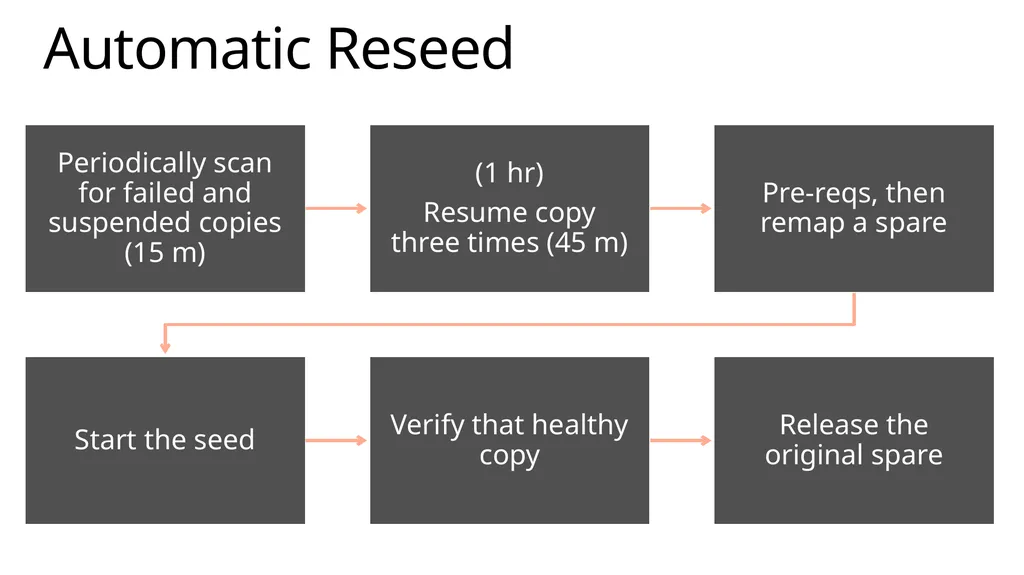
Automatic Reseed Periodically scan for failed and suspended copies (15 m) (1 hr)
Resume copy three times (45 m) Pre-reqs, then remap a spare Start the seed Verify that healthy copy Release the original spare<br>
Resume copy three times (45 m) Pre-reqs, then remap a spare Start the seed Verify that healthy copy Release the original spare<br>
53
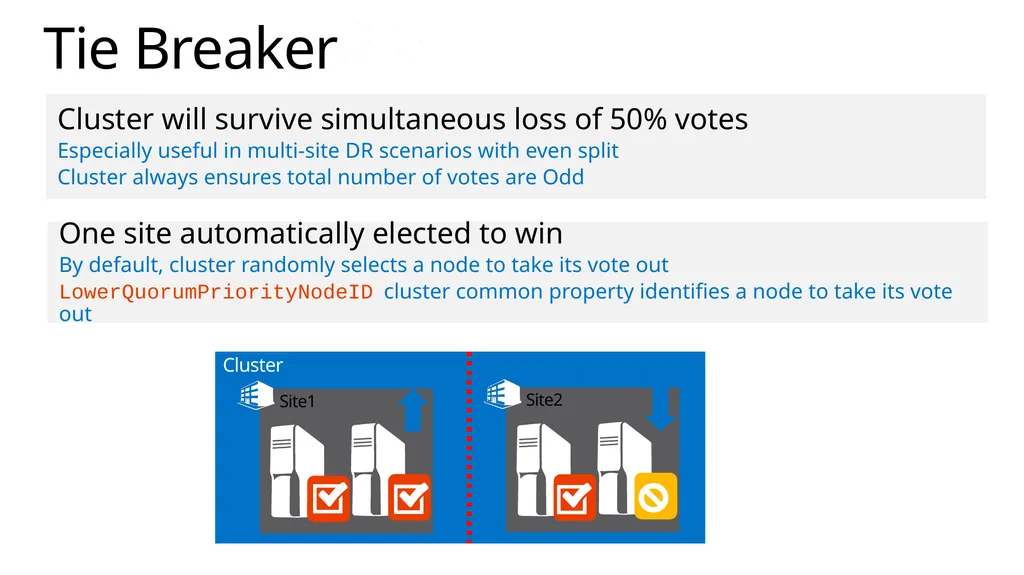
Tie Breaker Cluster will survive simultaneous loss of 50% votes
Especially useful in multi-site DR scenarios with even split
Cluster always ensures total number of votes are Odd One site automatically elected to win
By default, cluster randomly selects a node to take its vote out
LowerQuorumPriorityNodeID cluster common property identifies a node to take its vote out Cluster Site1 Site2<br>
Especially useful in multi-site DR scenarios with even split
Cluster always ensures total number of votes are Odd One site automatically elected to win
By default, cluster randomly selects a node to take its vote out
LowerQuorumPriorityNodeID cluster common property identifies a node to take its vote out Cluster Site1 Site2<br>
54
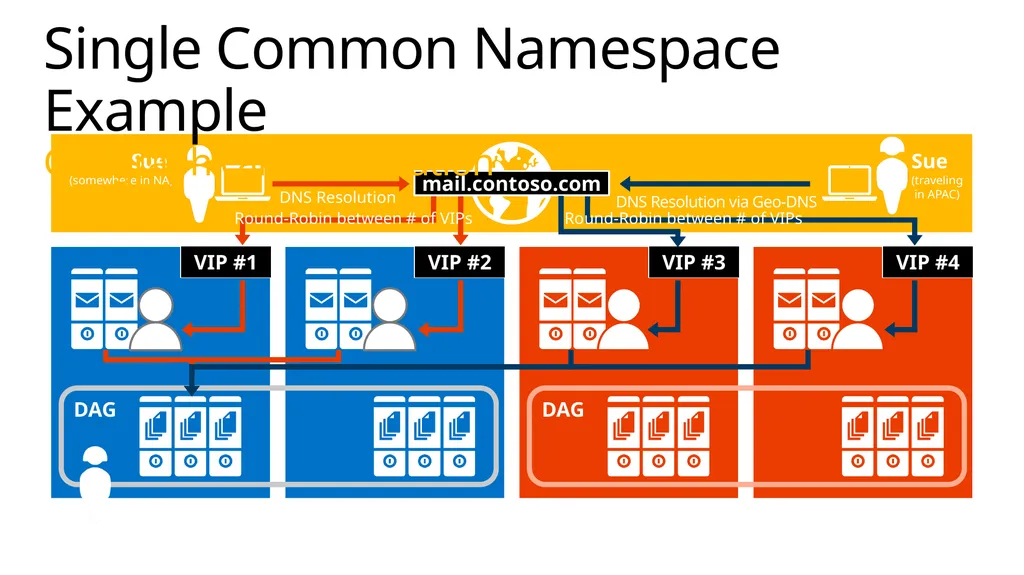
DNS Resolution DAG VIP #1 VIP #2 DNS Resolution via Geo-DNS Round-Robin between # of VIPs DAG VIP #3 VIP #4 Round-Robin between # of VIPs Single Common Namespace Example
Geographical DNS Solution<br>
55
Best Copy and Protocol Health Managed Availability failover responder behavior<br>
56
Dynamic Quorum DQ = 7<br>
57
Dynamic Quorum DQ = 4<br>
58
Dynamic Quorum DQ = 4<br>
59
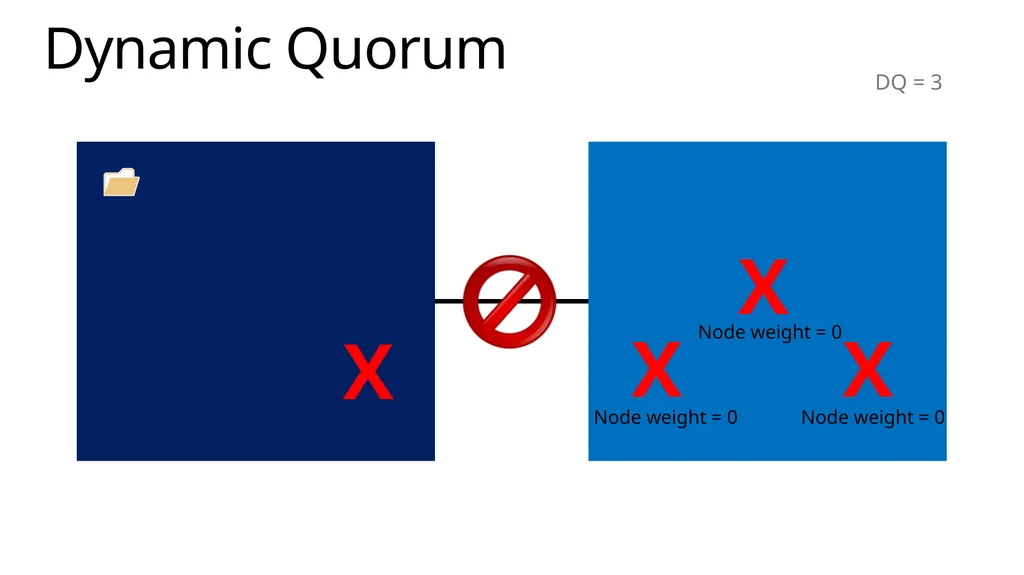
Dynamic Quorum DQ = 3 Node weight = 0 Node weight = 0 Node weight = 0<br>
60
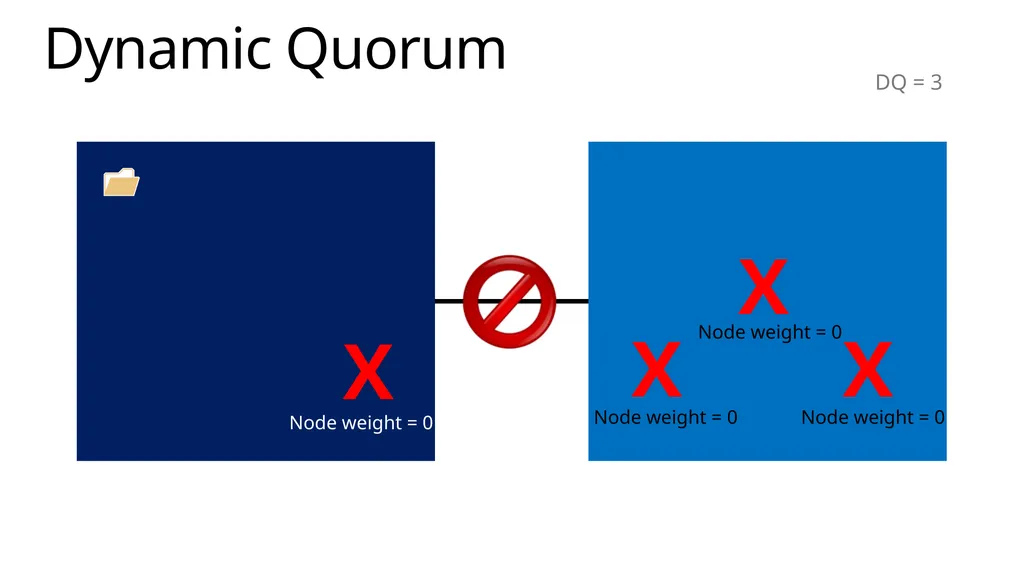
Dynamic Quorum DQ = 3 Node weight = 0 Node weight = 0 Node weight = 0 Node weight = 0<br>
61
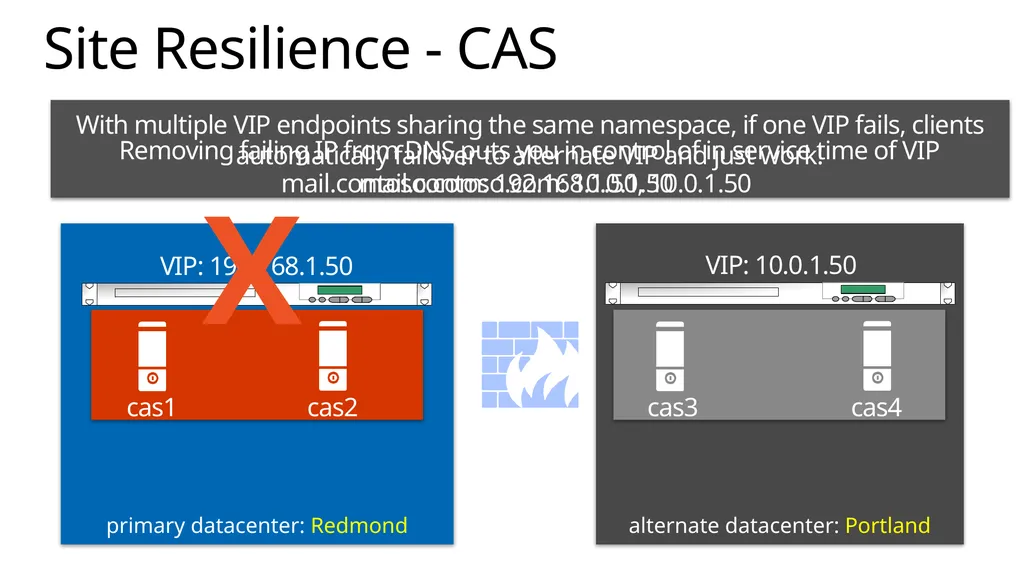
alternate datacenter: Portland primary datacenter: Redmond Site Resilience - CAS cas3 cas4 cas1 cas2 VIP: 192.168.1.50 X VIP: 10.0.1.50 mail.contoso.com: 192.168.1.50, 10.0.1.50 Removing failing IP from DNS puts you in control of in service time of VIP With multiple VIP endpoints sharing the same namespace, if one VIP fails, clients automatically failover to alternate VIP and just work! mail.contoso.com: 10.0.1.50<br>
62
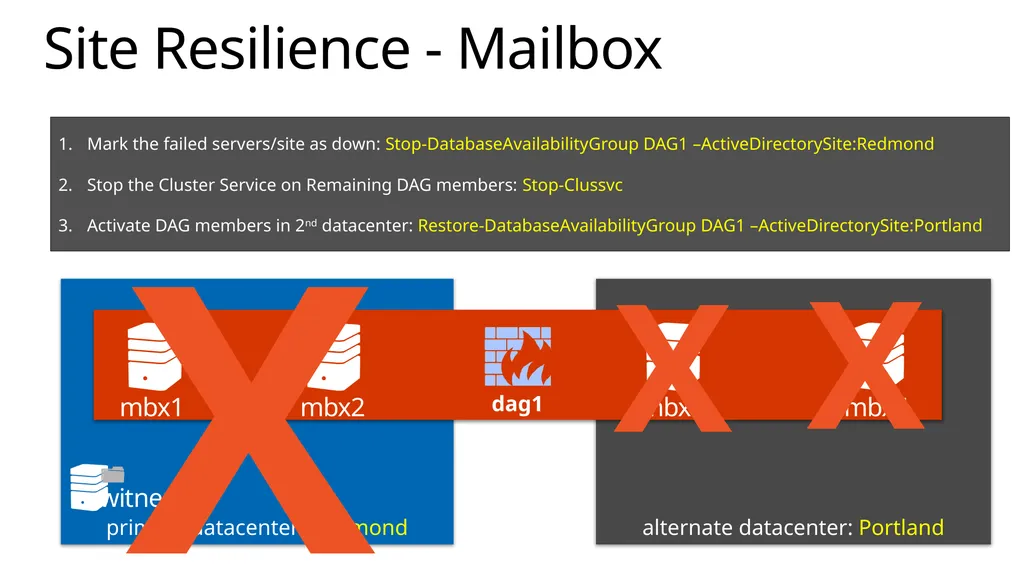
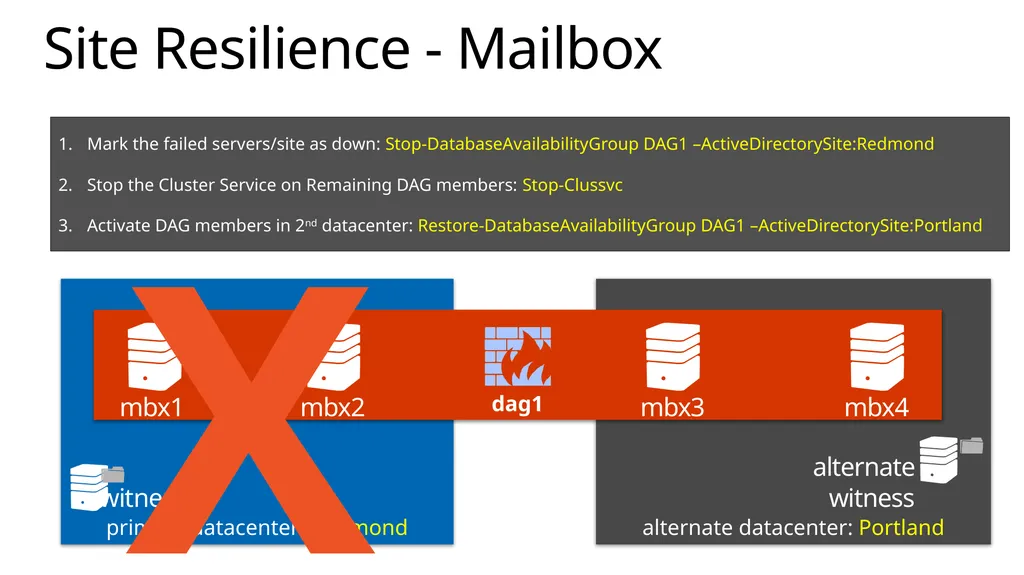
alternate datacenter: Portland primary datacenter: Redmond Site Resilience - Mailbox dag1 witness mbx1 mbx2 mbx3 mbx4 X X X Mark the failed servers/site as down: Stop-DatabaseAvailabilityGroup DAG1 –ActiveDirectorySite:Redmond
Stop the Cluster Service on Remaining DAG members: Stop-Clussvc
Activate DAG members in 2nd datacenter: Restore-DatabaseAvailabilityGroup DAG1 –ActiveDirectorySite:Portland<br>
Stop the Cluster Service on Remaining DAG members: Stop-Clussvc
Activate DAG members in 2nd datacenter: Restore-DatabaseAvailabilityGroup DAG1 –ActiveDirectorySite:Portland<br>
63
alternate datacenter: Portland primary datacenter: Redmond Site Resilience - Mailbox dag1 witness mbx1 mbx2 mbx3 mbx4 X alternate witness Mark the failed servers/site as down: Stop-DatabaseAvailabilityGroup DAG1 –ActiveDirectorySite:Redmond
Stop the Cluster Service on Remaining DAG members: Stop-Clussvc
Activate DAG members in 2nd datacenter: Restore-DatabaseAvailabilityGroup DAG1 –ActiveDirectorySite:Portland<br>
Stop the Cluster Service on Remaining DAG members: Stop-Clussvc
Activate DAG members in 2nd datacenter: Restore-DatabaseAvailabilityGroup DAG1 –ActiveDirectorySite:Portland<br>