
Instructions for Using These Slides These slides
YM
Published · 63 slides · 0 views
1 / 1
Description
Instructions for Using These Slides These slides are intended to assist principals in preparing their school training for test administrators and others involved in MCAS administration. There is no requirement to use these slides; however,
Related Topics
Share
Embed code
Download this presentation From Below
"Instructions for Using These Slides These slides" is the property of its rightful owner. Permission is granted to download and print the materials on this website for personal, non-commercial use only, and to display it on your personal computer provided you do not modify the materials and that you retain all copyright notices contained in the materials. By downloading content from our website, you accept the terms of this agreement.
Presentation Transcript
01
Instructions for Using These Slides These slides are intended to assist principals in preparing their school training for test administrators and others involved in MCAS administration.
There is no requirement to use these slides; however, the information they contain must be conveyed during the training.
Principals may add slides, delete slides, and adjust slides as needed.
Although some slides can be used as is, many are meant to serve as a template to be filled in with school-specific procedures.
Areas where information is meant to be filled in by the school are generally presented in red text.<br>
There is no requirement to use these slides; however, the information they contain must be conveyed during the training.
Principals may add slides, delete slides, and adjust slides as needed.
Although some slides can be used as is, many are meant to serve as a template to be filled in with school-specific procedures.
Areas where information is meant to be filled in by the school are generally presented in red text.<br>
02
MCAS Test Administration Training Session For Test Administrators, Technology Staff, and Other School Personnel
Spring 2025<br>
Spring 2025<br>
03
Today’s Agenda MCAS Updates
Test security requirements – Part I of the Test Administrator’s Manuals (TAMs)
Test administration protocols – Part II of the TAMs
Tasks for test administrators
Local procedures and logistics for MCAS administration
Accessibility and accommodations
Procedures for paper-based testing, if the school is doing PBT
Questions and answers 2<br>
Test security requirements – Part I of the Test Administrator’s Manuals (TAMs)
Test administration protocols – Part II of the TAMs
Tasks for test administrators
Local procedures and logistics for MCAS administration
Accessibility and accommodations
Procedures for paper-based testing, if the school is doing PBT
Questions and answers 2<br>
04
Goals for This Training Understanding procedures to follow before, during, and after testing
Understanding test security requirements and test administration protocols
Knowing which resources to review prior to testing, and how to find answers to questions 3<br>
Understanding test security requirements and test administration protocols
Knowing which resources to review prior to testing, and how to find answers to questions 3<br>
05
MCAS Program Updates Spanish/English tests available in all grades and subjects except ELA
Grades 5 and 8 STE field test performance tasks
Grade 8 Civics will be administered to all grade 8 students as an operational test.
Participation still required for grade 10 but no longer part of competency determination 4<br>
Grades 5 and 8 STE field test performance tasks
Grade 8 Civics will be administered to all grade 8 students as an operational test.
Participation still required for grade 10 but no longer part of competency determination 4<br>
06
MCAS Program Updates (Continued) The MCAS Portal (mcas.cognia.org) is the new test administration management platform beginning in 2025.
Refer to the Crosswalk of Terminology for MCAS Tests Beginning in 2025 (www.doe.mass.edu/mcas/testadmin/crosswalk-of-terminology.pdf).
Many tasks that were part of administering tests through PearsonAccess Next are not necessary in the MCAS Portal. Among these are
Preparing sessions
Starting and stopping sessions
Locking and unlocking sessions
Resuming students
Marking tests complete
New tasks (performed by the test coordinator) include
Creating classes
“Scheduling” classes 5<br>
Refer to the Crosswalk of Terminology for MCAS Tests Beginning in 2025 (www.doe.mass.edu/mcas/testadmin/crosswalk-of-terminology.pdf).
Many tasks that were part of administering tests through PearsonAccess Next are not necessary in the MCAS Portal. Among these are
Preparing sessions
Starting and stopping sessions
Locking and unlocking sessions
Resuming students
Marking tests complete
New tasks (performed by the test coordinator) include
Creating classes
“Scheduling” classes 5<br>
07
New Testing Systems and Terms MCAS Portal – The test administration and management website for district test coordinators, technology coordinators, principals/school test coordinators, test administrators, and other staff as needed (replacement for PearsonAccess Next/PAN)
There is also an MCAS Training Site that can be used to set up practice tests and to practice with tasks that schools will complete in the MCAS Portal.
MCAS Student Kiosk – The student testing platform in which students will take their MCAS tests (replacement for TestNav)
Student logins – Contain the usernames and passwords for students to sign in to the MCAS Student Kiosk for testing (replacement for student testing tickets)
Test administrator logins – Allow a test administrator to access a test in the MCAS Student Kiosk to read aloud or sign the test to students (replacement for proctor testing tickets)
Classes – Groups of students testing together in the same place at the same time (replacement for PAN Sessions) 6<br>
There is also an MCAS Training Site that can be used to set up practice tests and to practice with tasks that schools will complete in the MCAS Portal.
MCAS Student Kiosk – The student testing platform in which students will take their MCAS tests (replacement for TestNav)
Student logins – Contain the usernames and passwords for students to sign in to the MCAS Student Kiosk for testing (replacement for student testing tickets)
Test administrator logins – Allow a test administrator to access a test in the MCAS Student Kiosk to read aloud or sign the test to students (replacement for proctor testing tickets)
Classes – Groups of students testing together in the same place at the same time (replacement for PAN Sessions) 6<br>
08
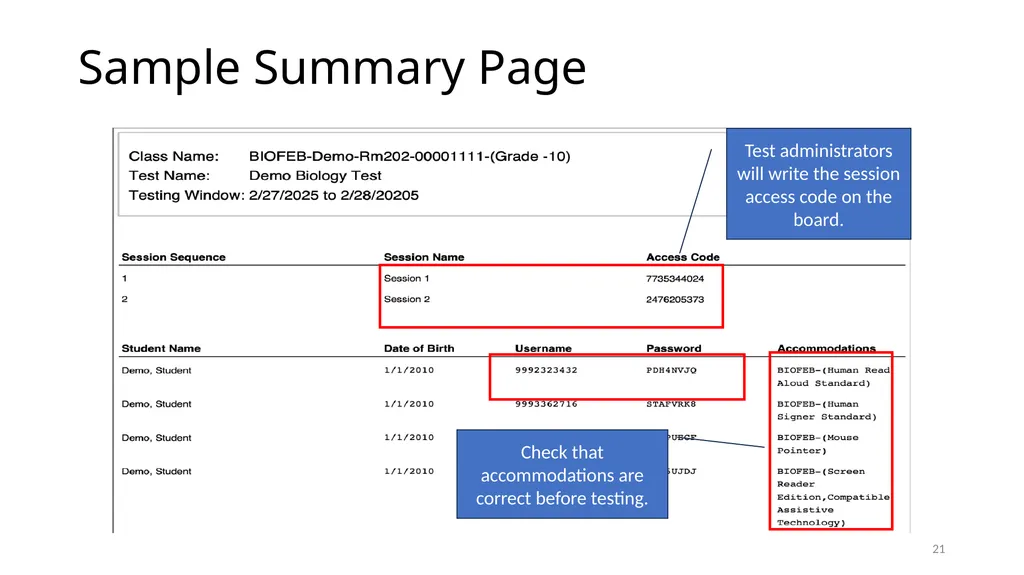
New Testing Procedures After entering their usernames and passwords to sign in to the MCAS Student Kiosk, students will enter a session access code (that test administrators will write on the board) in order to access their tests.
Session 1 and Session 2 will have different session access codes.
Students will have the ability to pause their tests (e.g., during a break or during lunch). If a test is paused for less than 60 minutes, students will only need to enter their passwords to resume testing.
In some circumstances, students or test administrators will need to enter a special password (the “proctor password”) in order for students to sign back in to the test. The proctor password can be found in the MCAS Portal (see pages 173–174 in the CBT TAM). The proctor password is the same for the entire school and changes every day.
Notes entered in the notepad and any highlights made by a student with the highlighter tool will be lost if a student pauses a test for more than 60 minutes, signs out of a test, submits a test, or if there is a circumstance that abruptly closes the kiosk (e.g., the device shutting down due to low battery). 7<br>
Session 1 and Session 2 will have different session access codes.
Students will have the ability to pause their tests (e.g., during a break or during lunch). If a test is paused for less than 60 minutes, students will only need to enter their passwords to resume testing.
In some circumstances, students or test administrators will need to enter a special password (the “proctor password”) in order for students to sign back in to the test. The proctor password can be found in the MCAS Portal (see pages 173–174 in the CBT TAM). The proctor password is the same for the entire school and changes every day.
Notes entered in the notepad and any highlights made by a student with the highlighter tool will be lost if a student pauses a test for more than 60 minutes, signs out of a test, submits a test, or if there is a circumstance that abruptly closes the kiosk (e.g., the device shutting down due to low battery). 7<br>
09
Updates to the TAMs Additional appendices for Spanish/English scripts have been added.
The script for grades 5 and 8 STE has been incorporated into the script for high school Science (in previous years, the script for grades 5 and 8 STE had been combined with the Mathematics script). Now, all ELA tests are together, all Mathematics tests are together, and all Science tests are together.
Script added for new operational Civics test.
See page v of the CBT TAM and page iii of the PBT TAM for the Tables of Contents 8<br>
The script for grades 5 and 8 STE has been incorporated into the script for high school Science (in previous years, the script for grades 5 and 8 STE had been combined with the Mathematics script). Now, all ELA tests are together, all Mathematics tests are together, and all Science tests are together.
Script added for new operational Civics test.
See page v of the CBT TAM and page iii of the PBT TAM for the Tables of Contents 8<br>
10
Training and Documentation Requirement All school personnel involved in MCAS test administration must participate in a school training session before test administration.
Today the following must be documented:
You are being trained.
You received your Test Administrator’s Manual (TAM)/test security requirements.
How will you document staff participation in training? Will the sample DESE forms be used? Electronic forms?
Before today’s session, you received the following:
For test administrators: the TAM for the test(s) you will administer
For hallway monitors and others: test security requirements
For technology staff: test security requirements and relevant technology troubleshooting steps
If you did not receive your documents, let us know. 9<br>
Today the following must be documented:
You are being trained.
You received your Test Administrator’s Manual (TAM)/test security requirements.
How will you document staff participation in training? Will the sample DESE forms be used? Electronic forms?
Before today’s session, you received the following:
For test administrators: the TAM for the test(s) you will administer
For hallway monitors and others: test security requirements
For technology staff: test security requirements and relevant technology troubleshooting steps
If you did not receive your documents, let us know. 9<br>
11
Test Administration Dates Insert dates for student tutorial
Insert dates for practice tests
List test administration dates
List make-up testing dates
Date for student questionnaire (grades 4, 5, 8, and 10) if it will not be administered right after the last session for this grade
See the prescribed high school dates and testing windows for grades 3–8 on the following slides 10<br>
Insert dates for practice tests
List test administration dates
List make-up testing dates
Date for student questionnaire (grades 4, 5, 8, and 10) if it will not be administered right after the last session for this grade
See the prescribed high school dates and testing windows for grades 3–8 on the following slides 10<br>
12
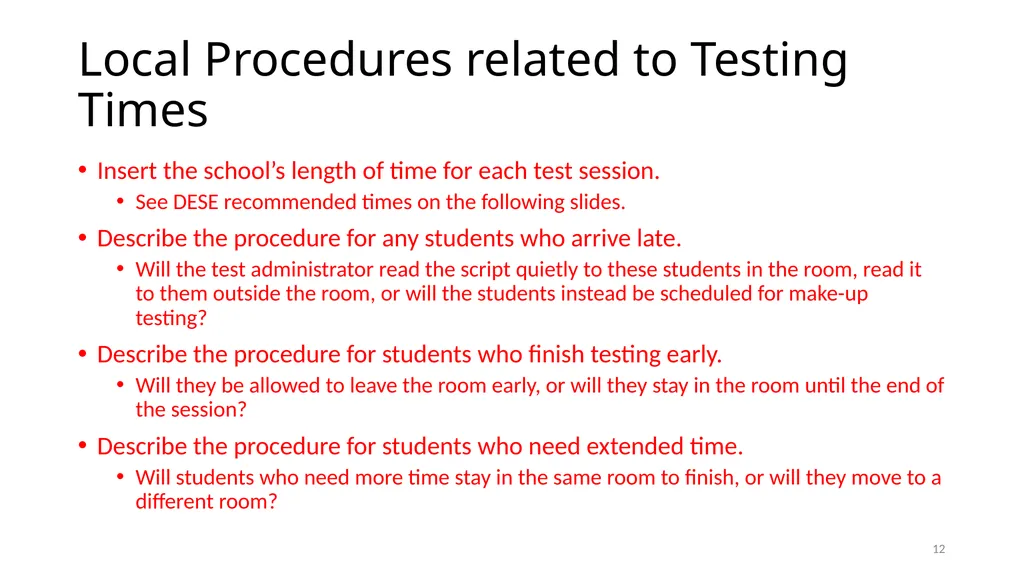
Local Procedures related to Testing Times Insert the school’s length of time for each test session.
See DESE recommended times on the following slides.
Describe the procedure for any students who arrive late.
Will the test administrator read the script quietly to these students in the room, read it to them outside the room, or will the students instead be scheduled for make-up testing?
Describe the procedure for students who finish testing early.
Will they be allowed to leave the room early, or will they stay in the room until the end of the session?
Describe the procedure for students who need extended time.
Will students who need more time stay in the same room to finish, or will they move to a different room? 11<br>
See DESE recommended times on the following slides.
Describe the procedure for any students who arrive late.
Will the test administrator read the script quietly to these students in the room, read it to them outside the room, or will the students instead be scheduled for make-up testing?
Describe the procedure for students who finish testing early.
Will they be allowed to leave the room early, or will they stay in the room until the end of the session?
Describe the procedure for students who need extended time.
Will students who need more time stay in the same room to finish, or will they move to a different room? 11<br>
13
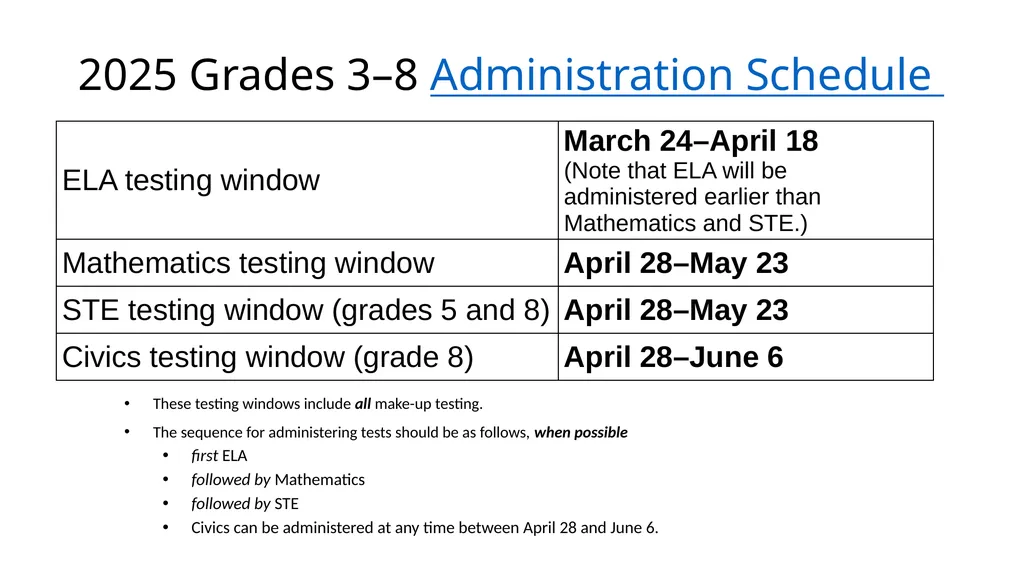
2025 Grades 3–8 Administration Schedule These testing windows include all make-up testing.
The sequence for administering tests should be as follows, when possible
first ELA
followed by Mathematics
followed by STE
Civics can be administered at any time between April 28 and June 6.<br>
The sequence for administering tests should be as follows, when possible
first ELA
followed by Mathematics
followed by STE
Civics can be administered at any time between April 28 and June 6.<br>
14
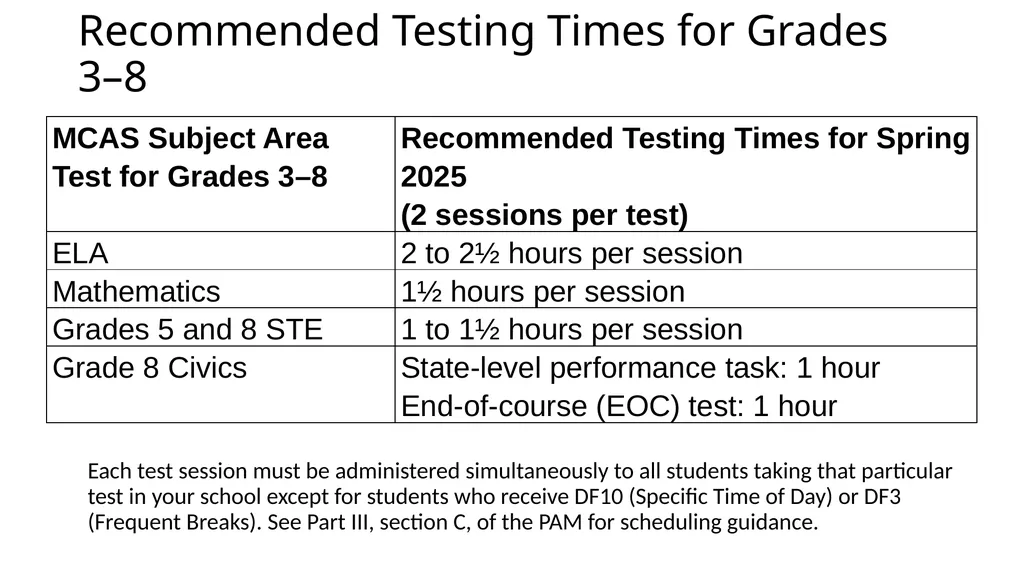
Recommended Testing Times for Grades 3–8 Each test session must be administered simultaneously to all students taking that particular test in your school except for students who receive DF10 (Specific Time of Day) or DF3 (Frequent Breaks). See Part III, section C, of the PAM for scheduling guidance.<br>
15
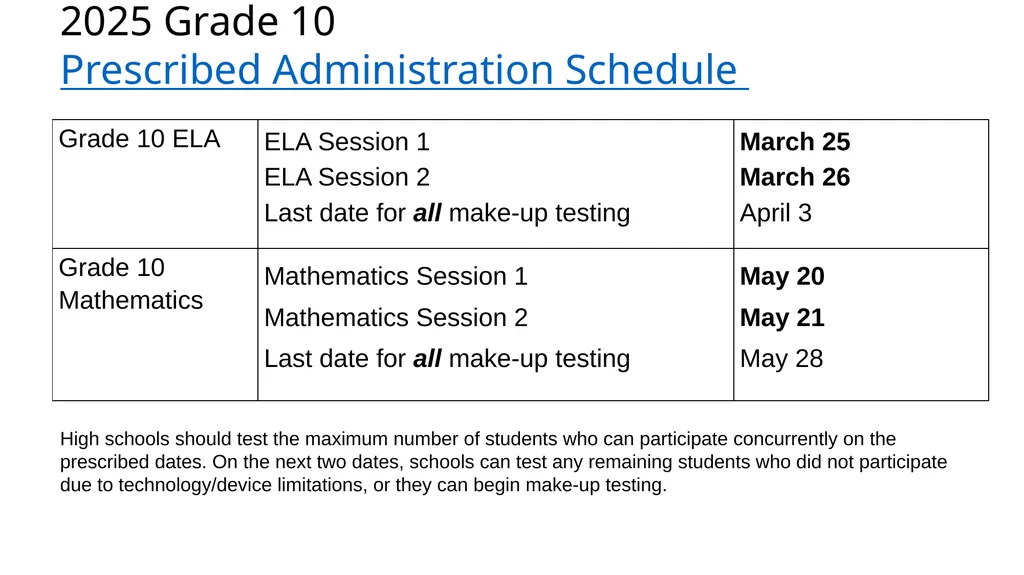
2025 Grade 10 Prescribed Administration Schedule High schools should test the maximum number of students who can participate concurrently on the prescribed dates. On the next two dates, schools can test any remaining students who did not participate due to technology/device limitations, or they can begin make-up testing.<br>
16
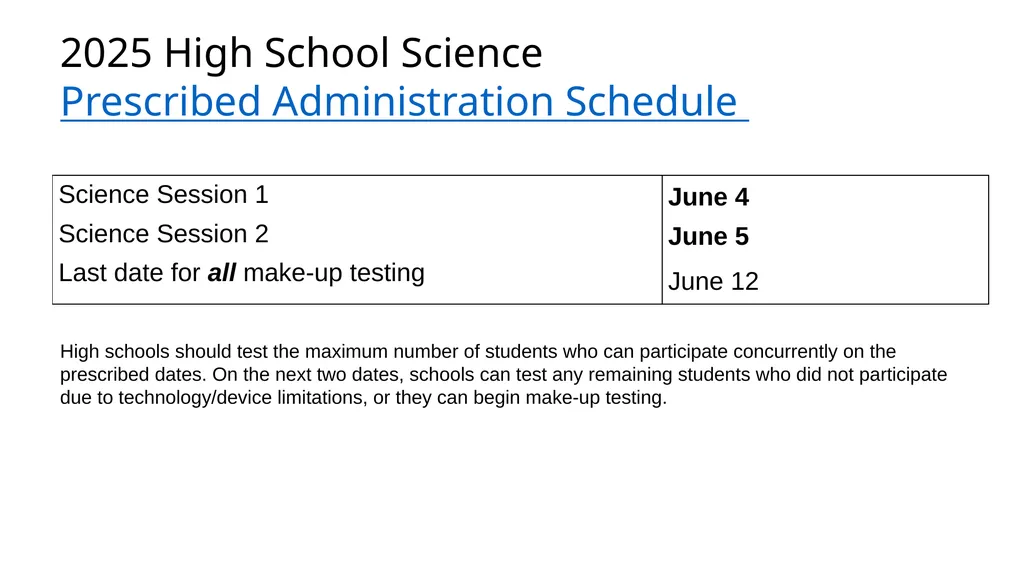
2025 High School Science
Prescribed Administration Schedule High schools should test the maximum number of students who can participate concurrently on the prescribed dates. On the next two dates, schools can test any remaining students who did not participate due to technology/device limitations, or they can begin make-up testing.<br>
17
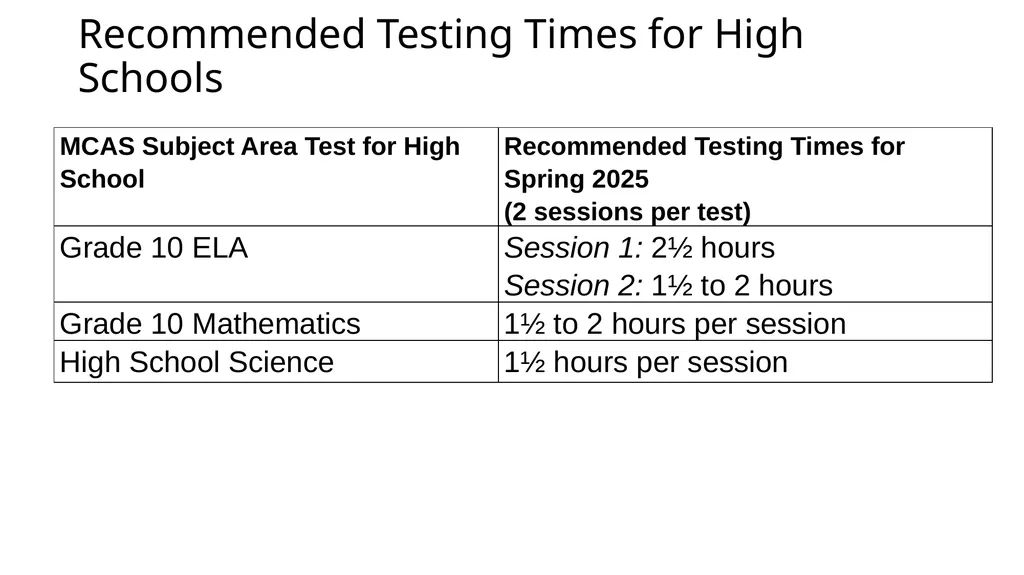
Recommended Testing Times for High Schools<br>
18
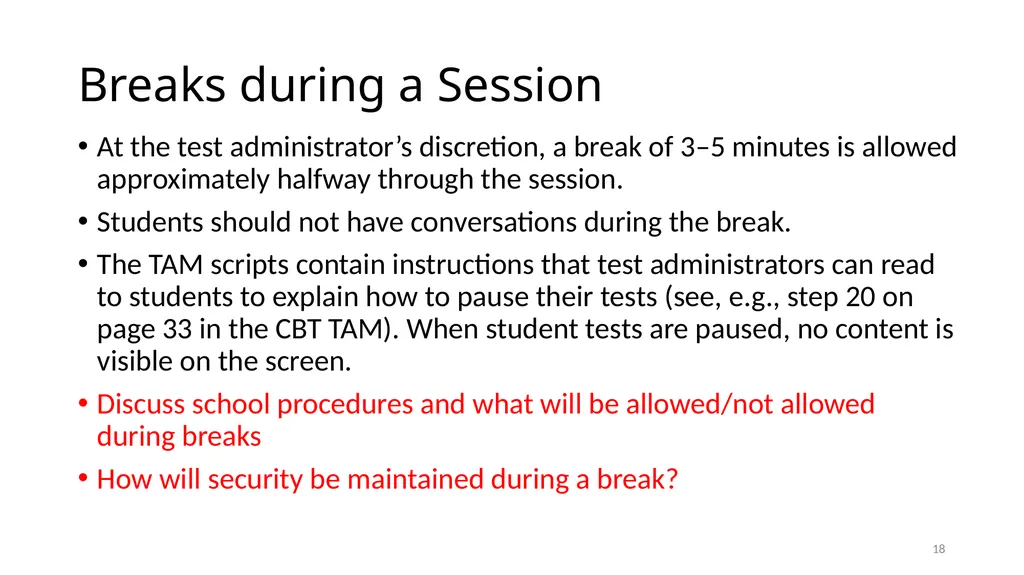
Breaks during a Session At the test administrator’s discretion, a break of 3–5 minutes is allowed approximately halfway through the session.
Students should not have conversations during the break.
The TAM scripts contain instructions that test administrators can read to students to explain how to pause their tests (see, e.g., step 20 on page 33 in the CBT TAM). When student tests are paused, no content is visible on the screen.
Discuss school procedures and what will be allowed/not allowed during breaks
How will security be maintained during a break? 17<br>
Students should not have conversations during the break.
The TAM scripts contain instructions that test administrators can read to students to explain how to pause their tests (see, e.g., step 20 on page 33 in the CBT TAM). When student tests are paused, no content is visible on the screen.
Discuss school procedures and what will be allowed/not allowed during breaks
How will security be maintained during a break? 17<br>
19
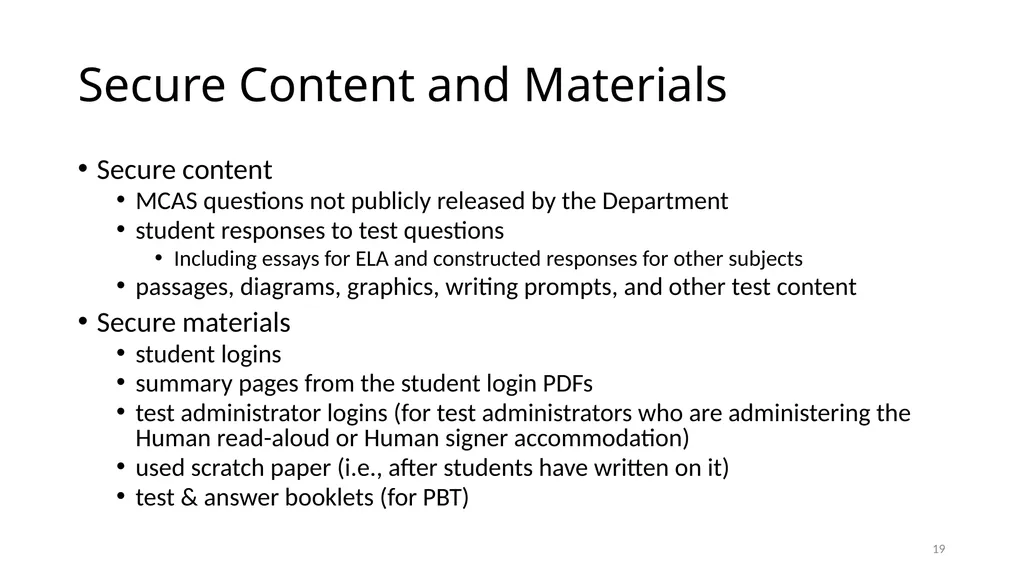
Secure Content and Materials Secure content
MCAS questions not publicly released by the Department
student responses to test questions
Including essays for ELA and constructed responses for other subjects
passages, diagrams, graphics, writing prompts, and other test content
Secure materials
student logins
summary pages from the student login PDFs
test administrator logins (for test administrators who are administering the Human read-aloud or Human signer accommodation)
used scratch paper (i.e., after students have written on it)
test & answer booklets (for PBT) 18<br>
MCAS questions not publicly released by the Department
student responses to test questions
Including essays for ELA and constructed responses for other subjects
passages, diagrams, graphics, writing prompts, and other test content
Secure materials
student logins
summary pages from the student login PDFs
test administrator logins (for test administrators who are administering the Human read-aloud or Human signer accommodation)
used scratch paper (i.e., after students have written on it)
test & answer booklets (for PBT) 18<br>
20
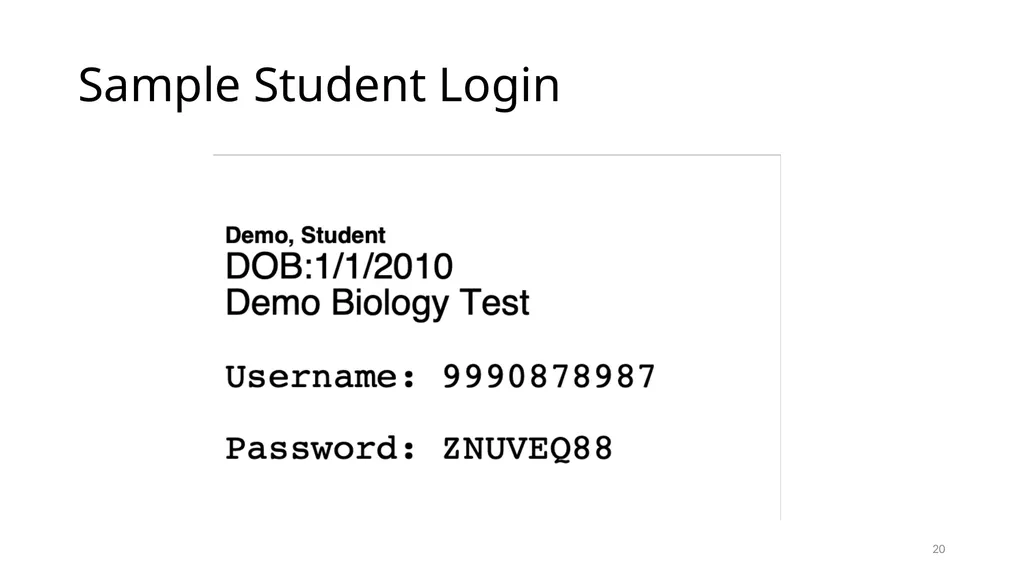
Sample Student Login 19<br>
21
Sample Summary Page 20 Test administrators will write the session access code on the board. Check that accommodations are correct before testing.<br>
22
Test content is confidential. The following things are prohibited: Viewing test content (on screens or in booklets)
Duplicating or reproducing test content
School personnel may not copy questions by hand or photograph them.
Technology staff may not photograph computer screens even when troubleshooting a problem.
Discussing test content with anyone before, during, or after testing
School personnel may not discuss test content with each other.
Teachers may not review unreleased MCAS questions with students.
(e.g., “Were there any questions that you had on Session 1 that you want me to go over?”)
Exception: students reporting a concern about a test question 21<br>
Duplicating or reproducing test content
School personnel may not copy questions by hand or photograph them.
Technology staff may not photograph computer screens even when troubleshooting a problem.
Discussing test content with anyone before, during, or after testing
School personnel may not discuss test content with each other.
Teachers may not review unreleased MCAS questions with students.
(e.g., “Were there any questions that you had on Session 1 that you want me to go over?”)
Exception: students reporting a concern about a test question 21<br>
23
If a Student Reports a Concern About a Test Question If any students report that they have a concern with a test question (i.e., the student thinks there is a problem with the question, or the student is uncomfortable with the content of the question for a non-academic reason)
Note the form number and question number and inform the principal, who will contact DESE for guidance.
Do not reproduce the question itself or the answer choices.
Refrain from discussing the question except as needed to report the issue.
See also page 23 of the CBT TAM. 22<br>
Note the form number and question number and inform the principal, who will contact DESE for guidance.
Do not reproduce the question itself or the answer choices.
Refrain from discussing the question except as needed to report the issue.
See also page 23 of the CBT TAM. 22<br>
24
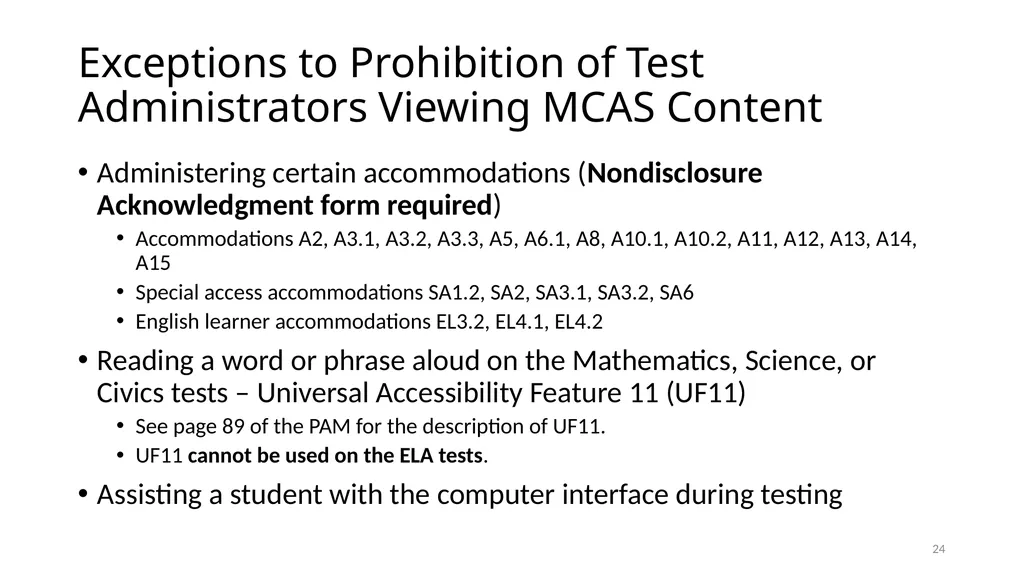
Exceptions to Prohibition of Test Administrators Viewing MCAS Content Administering certain accommodations (Nondisclosure Acknowledgment form required)
Accommodations A2, A3.1, A3.2, A3.3, A5, A6.1, A8, A10.1, A10.2, A11, A12, A13, A14, A15
Special access accommodations SA1.2, SA2, SA3.1, SA3.2, SA6
English learner accommodations EL3.2, EL4.1, EL4.2
Reading a word or phrase aloud on the Mathematics, Science, or Civics tests – Universal Accessibility Feature 11 (UF11)
See page 89 of the PAM for the description of UF11.
UF11 cannot be used on the ELA tests.
Assisting a student with the computer interface during testing 23<br>
Accommodations A2, A3.1, A3.2, A3.3, A5, A6.1, A8, A10.1, A10.2, A11, A12, A13, A14, A15
Special access accommodations SA1.2, SA2, SA3.1, SA3.2, SA6
English learner accommodations EL3.2, EL4.1, EL4.2
Reading a word or phrase aloud on the Mathematics, Science, or Civics tests – Universal Accessibility Feature 11 (UF11)
See page 89 of the PAM for the description of UF11.
UF11 cannot be used on the ELA tests.
Assisting a student with the computer interface during testing 23<br>
25
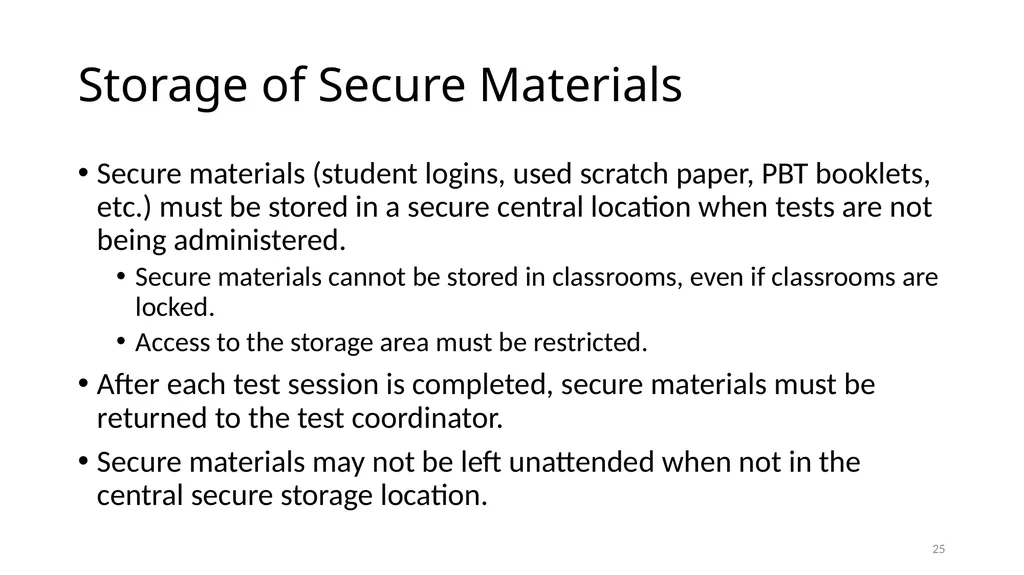
Storage of Secure Materials Secure materials (student logins, used scratch paper, PBT booklets, etc.) must be stored in a secure central location when tests are not being administered.
Secure materials cannot be stored in classrooms, even if classrooms are locked.
Access to the storage area must be restricted.
After each test session is completed, secure materials must be returned to the test coordinator.
Secure materials may not be left unattended when not in the central secure storage location. 24<br>
Secure materials cannot be stored in classrooms, even if classrooms are locked.
Access to the storage area must be restricted.
After each test session is completed, secure materials must be returned to the test coordinator.
Secure materials may not be left unattended when not in the central secure storage location. 24<br>
26
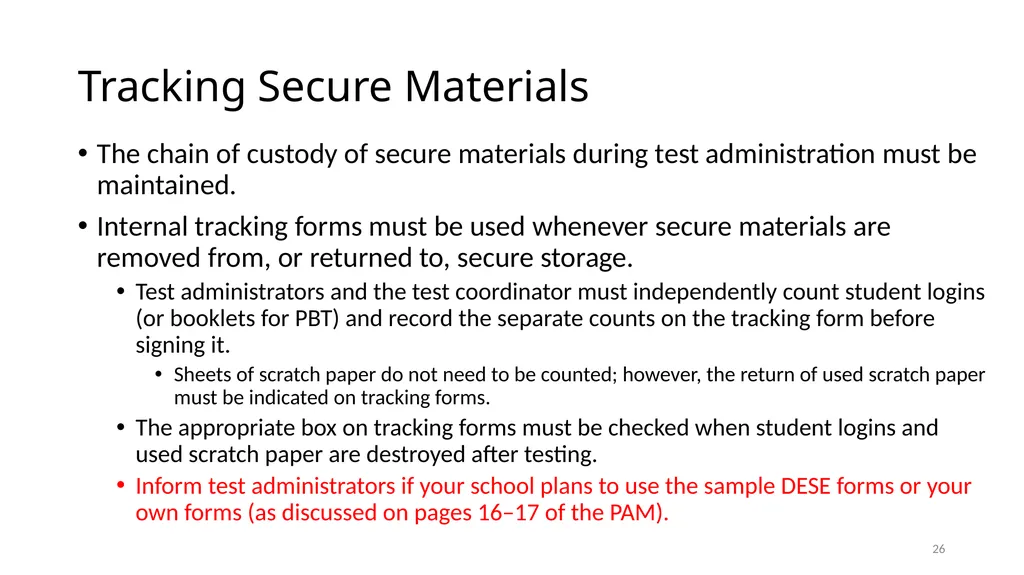
Tracking Secure Materials The chain of custody of secure materials during test administration must be maintained.
Internal tracking forms must be used whenever secure materials are removed from, or returned to, secure storage.
Test administrators and the test coordinator must independently count student logins (or booklets for PBT) and record the separate counts on the tracking form before signing it.
Sheets of scratch paper do not need to be counted; however, the return of used scratch paper must be indicated on tracking forms.
The appropriate box on tracking forms must be checked when student logins and used scratch paper are destroyed after testing.
Inform test administrators if your school plans to use the sample DESE forms or your own forms (as discussed on pages 16–17 of the PAM). 25<br>
Internal tracking forms must be used whenever secure materials are removed from, or returned to, secure storage.
Test administrators and the test coordinator must independently count student logins (or booklets for PBT) and record the separate counts on the tracking form before signing it.
Sheets of scratch paper do not need to be counted; however, the return of used scratch paper must be indicated on tracking forms.
The appropriate box on tracking forms must be checked when student logins and used scratch paper are destroyed after testing.
Inform test administrators if your school plans to use the sample DESE forms or your own forms (as discussed on pages 16–17 of the PAM). 25<br>
27
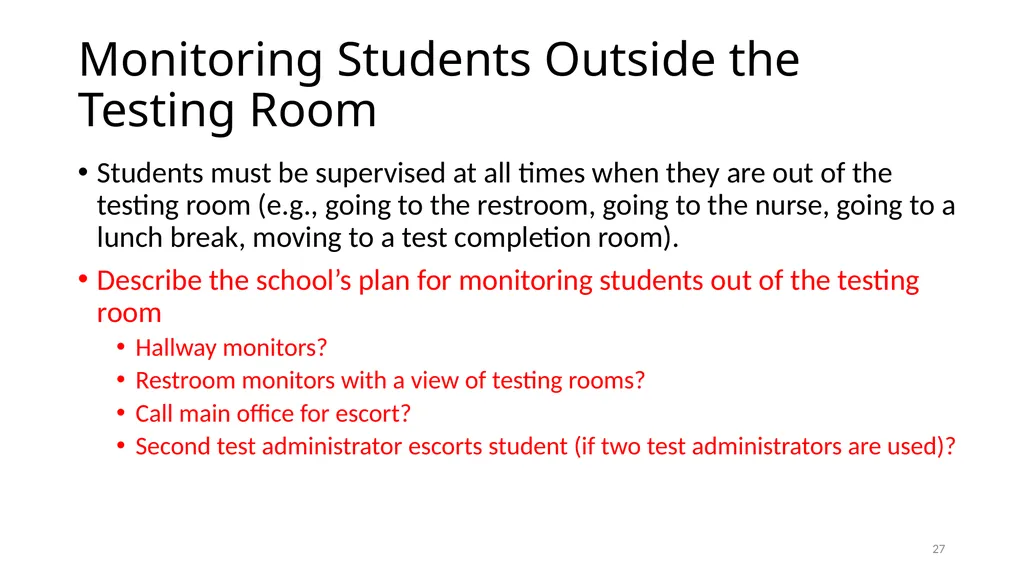
Monitoring Students Outside the Testing Room Students must be supervised at all times when they are out of the testing room (e.g., going to the restroom, going to the nurse, going to a lunch break, moving to a test completion room).
Describe the school’s plan for monitoring students out of the testing room
Hallway monitors?
Restroom monitors with a view of testing rooms?
Call main office for escort?
Second test administrator escorts student (if two test administrators are used)? 26<br>
Describe the school’s plan for monitoring students out of the testing room
Hallway monitors?
Restroom monitors with a view of testing rooms?
Call main office for escort?
Second test administrator escorts student (if two test administrators are used)? 26<br>
28
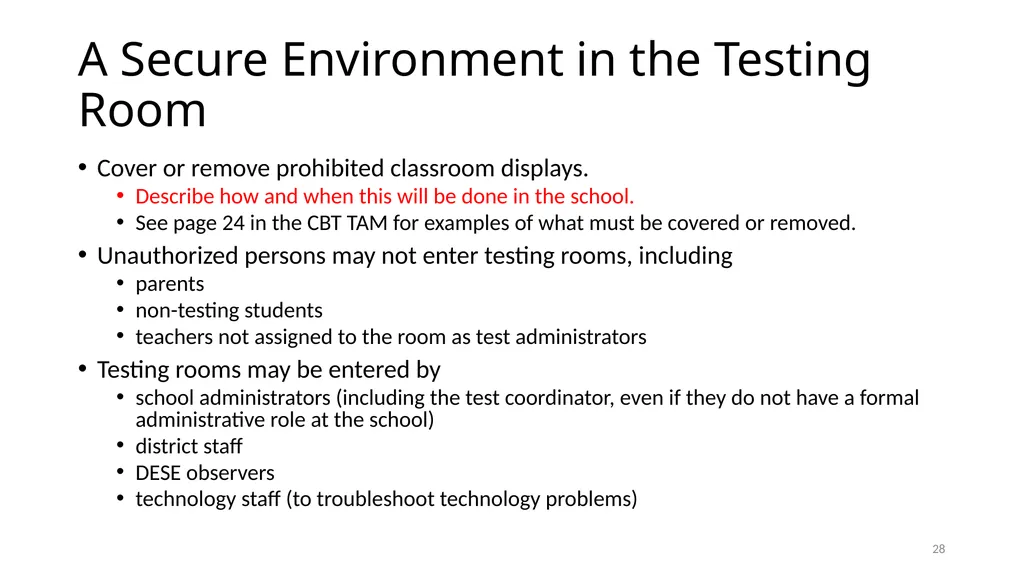
A Secure Environment in the Testing Room Cover or remove prohibited classroom displays.
Describe how and when this will be done in the school.
See page 24 in the CBT TAM for examples of what must be covered or removed.
Unauthorized persons may not enter testing rooms, including
parents
non-testing students
teachers not assigned to the room as test administrators
Testing rooms may be entered by
school administrators (including the test coordinator, even if they do not have a formal administrative role at the school)
district staff
DESE observers
technology staff (to troubleshoot technology problems) 27<br>
Describe how and when this will be done in the school.
See page 24 in the CBT TAM for examples of what must be covered or removed.
Unauthorized persons may not enter testing rooms, including
parents
non-testing students
teachers not assigned to the room as test administrators
Testing rooms may be entered by
school administrators (including the test coordinator, even if they do not have a formal administrative role at the school)
district staff
DESE observers
technology staff (to troubleshoot technology problems) 27<br>
29
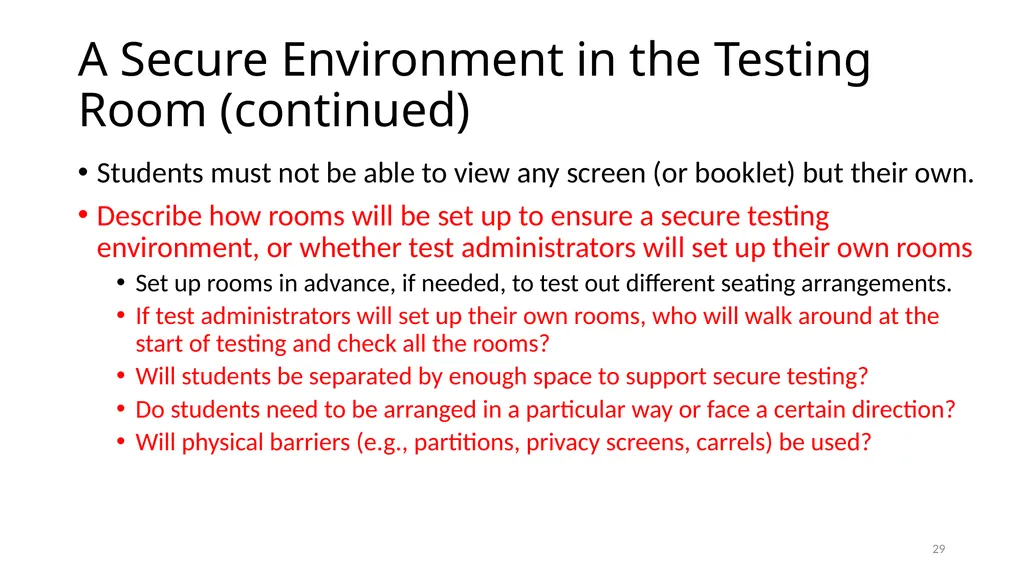
A Secure Environment in the Testing Room (continued) Students must not be able to view any screen (or booklet) but their own.
Describe how rooms will be set up to ensure a secure testing environment, or whether test administrators will set up their own rooms
Set up rooms in advance, if needed, to test out different seating arrangements.
If test administrators will set up their own rooms, who will walk around at the start of testing and check all the rooms?
Will students be separated by enough space to support secure testing?
Do students need to be arranged in a particular way or face a certain direction?
Will physical barriers (e.g., partitions, privacy screens, carrels) be used? 28<br>
Describe how rooms will be set up to ensure a secure testing environment, or whether test administrators will set up their own rooms
Set up rooms in advance, if needed, to test out different seating arrangements.
If test administrators will set up their own rooms, who will walk around at the start of testing and check all the rooms?
Will students be separated by enough space to support secure testing?
Do students need to be arranged in a particular way or face a certain direction?
Will physical barriers (e.g., partitions, privacy screens, carrels) be used? 28<br>
30
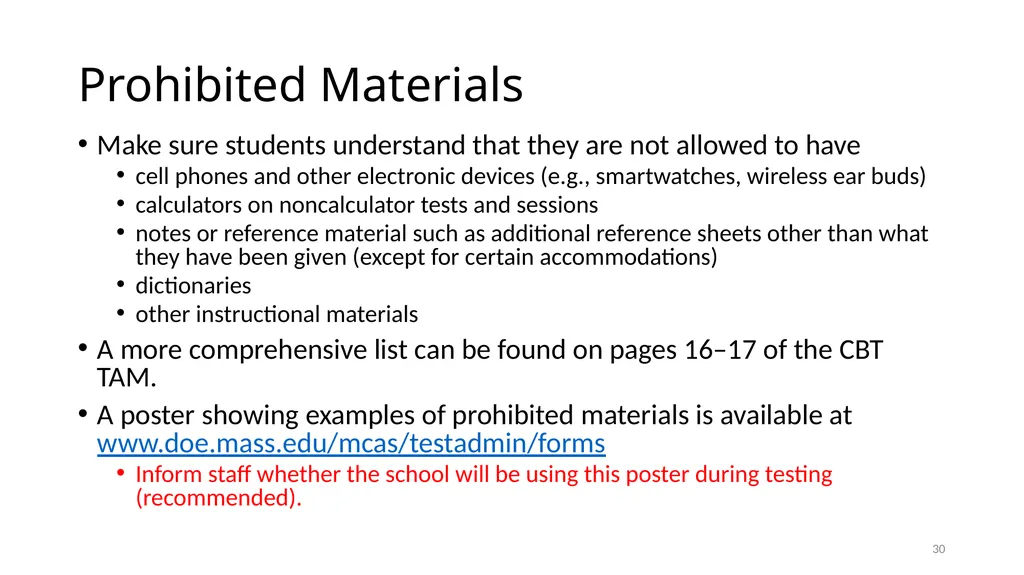
Prohibited Materials Make sure students understand that they are not allowed to have
cell phones and other electronic devices (e.g., smartwatches, wireless ear buds)
calculators on noncalculator tests and sessions
notes or reference material such as additional reference sheets other than what they have been given (except for certain accommodations)
dictionaries
other instructional materials
A more comprehensive list can be found on pages 16–17 of the CBT TAM.
A poster showing examples of prohibited materials is available at www.doe.mass.edu/mcas/testadmin/forms
Inform staff whether the school will be using this poster during testing (recommended). 29<br>
cell phones and other electronic devices (e.g., smartwatches, wireless ear buds)
calculators on noncalculator tests and sessions
notes or reference material such as additional reference sheets other than what they have been given (except for certain accommodations)
dictionaries
other instructional materials
A more comprehensive list can be found on pages 16–17 of the CBT TAM.
A poster showing examples of prohibited materials is available at www.doe.mass.edu/mcas/testadmin/forms
Inform staff whether the school will be using this poster during testing (recommended). 29<br>
31
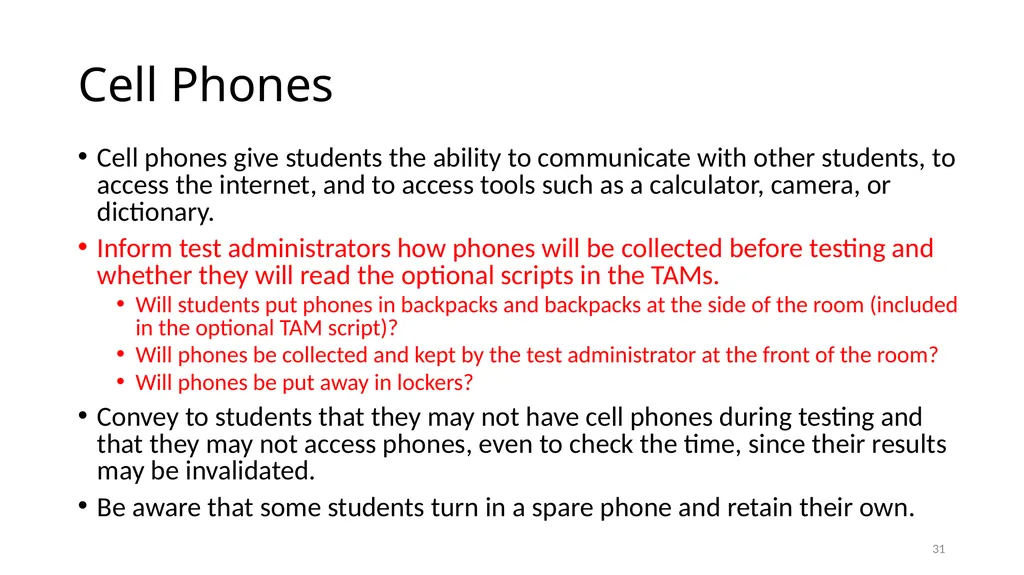
Cell Phones Cell phones give students the ability to communicate with other students, to access the internet, and to access tools such as a calculator, camera, or dictionary.
Inform test administrators how phones will be collected before testing and whether they will read the optional scripts in the TAMs.
Will students put phones in backpacks and backpacks at the side of the room (included in the optional TAM script)?
Will phones be collected and kept by the test administrator at the front of the room?
Will phones be put away in lockers?
Convey to students that they may not have cell phones during testing and that they may not access phones, even to check the time, since their results may be invalidated.
Be aware that some students turn in a spare phone and retain their own. 30<br>
Inform test administrators how phones will be collected before testing and whether they will read the optional scripts in the TAMs.
Will students put phones in backpacks and backpacks at the side of the room (included in the optional TAM script)?
Will phones be collected and kept by the test administrator at the front of the room?
Will phones be put away in lockers?
Convey to students that they may not have cell phones during testing and that they may not access phones, even to check the time, since their results may be invalidated.
Be aware that some students turn in a spare phone and retain their own. 30<br>
32
Allowable Materials Scratch paper (blank, ruled, or graph)
Students receive one sheet of scratch paper at the start of testing. They may have up to three pieces at one time. If students need more than three pages, they will have to turn in sheets.
See page 13 of the CBT TAM for more information about scratch paper.
Pens, pencils, highlighters, colored pencils (for use on scratch paper)
Handheld calculators (for tests and sessions where calculator use is permitted)
The MCAS Student Kiosk provides calculators, but students may use a handheld calculator if they want. (See pages 15 of the CBT TAM for more information.)
Bilingual word-to-word dictionaries (for students who are currently or were ever reported as ELs) 31<br>
Students receive one sheet of scratch paper at the start of testing. They may have up to three pieces at one time. If students need more than three pages, they will have to turn in sheets.
See page 13 of the CBT TAM for more information about scratch paper.
Pens, pencils, highlighters, colored pencils (for use on scratch paper)
Handheld calculators (for tests and sessions where calculator use is permitted)
The MCAS Student Kiosk provides calculators, but students may use a handheld calculator if they want. (See pages 15 of the CBT TAM for more information.)
Bilingual word-to-word dictionaries (for students who are currently or were ever reported as ELs) 31<br>
33
Allowable Materials (Continued) Printed reference sheets (for Introductory Physics and for grades 5–8 and 10 Mathematics)
Although the reference sheet is available by clicking the References icon in the MCAS Student Kiosk, the Department recommends that students also be given printed copies (available at www.doe.mass.edu/mcas/tdd/phys_formula.pdf)
Students are not permitted to use additional reference sheets from class.
Students should not write on their reference sheets; they should use their scratch paper for any figuring they need to do.
Printed copies of equation editor guides and symbol keys (for Mathematics, Grade 8 STE, and Introductory Physics)
Reference sheets, equation editor guides, and symbol keys are available to print from mcas.onlinehelp.cognia.org/practice.
Inform test administrators whether your school is going to give printed reference sheets, equation editor guides, or symbol keys to students. 32<br>
Students are not permitted to use additional reference sheets from class.
Students should not write on their reference sheets; they should use their scratch paper for any figuring they need to do.
Printed copies of equation editor guides and symbol keys (for Mathematics, Grade 8 STE, and Introductory Physics)
Reference sheets, equation editor guides, and symbol keys are available to print from mcas.onlinehelp.cognia.org/practice.
Inform test administrators whether your school is going to give printed reference sheets, equation editor guides, or symbol keys to students. 32<br>
34
Allowable Materials (Continued) Students with accommodation A9 listed in their IEPs or 504 plans—and only these students—may use printed copies of the supplemental reference sheets.
See www.doe.mass.edu/mcas/accessibility/organizers/ for the supplemental reference sheets for accommodation A9.
Supplemental reference sheets may not be filled in before testing. Test administrators should check that students receive “clean” copies of the reference sheets and do not use sheets that have previously been filled in. 33<br>
See www.doe.mass.edu/mcas/accessibility/organizers/ for the supplemental reference sheets for accommodation A9.
Supplemental reference sheets may not be filled in before testing. Test administrators should check that students receive “clean” copies of the reference sheets and do not use sheets that have previously been filled in. 33<br>
35
Additional information about Reference Sheets For grades 5–8 and 10 Mathematics and for Introductory Physics:
Make sure students understand that they can only use reference sheets they are given on test day. Reference sheets that they used in class (even for MCAS preparation) are not allowed.
Make sure that students understand that no other reference materials (e.g., multiplication tables, conversion charts) are allowed during testing.
Students should not write on their reference sheets, but rather should use their scratch paper for any figuring they need to do. 34<br>
Make sure that students understand that no other reference materials (e.g., multiplication tables, conversion charts) are allowed during testing.
Students should not write on their reference sheets, but rather should use their scratch paper for any figuring they need to do. 34<br>
36
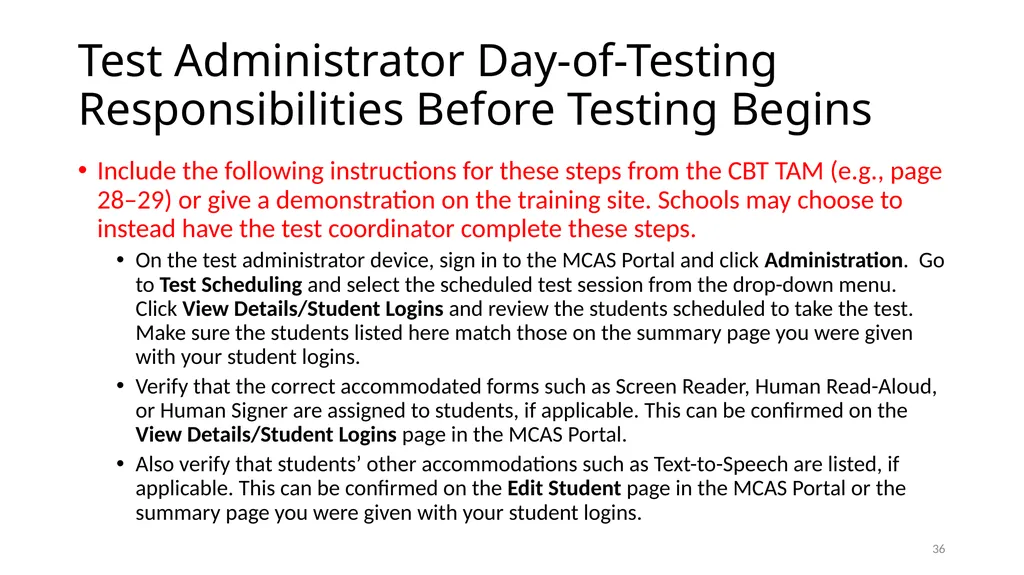
Test Administrator Day-of-Testing Responsibilities Before Testing Begins Include the following instructions for these steps from the CBT TAM (e.g., page 28–29) or give a demonstration on the training site. Schools may choose to instead have the test coordinator complete these steps.
On the test administrator device, sign in to the MCAS Portal and click Administration. Go to Test Scheduling and select the scheduled test session from the drop-down menu. Click View Details/Student Logins and review the students scheduled to take the test. Make sure the students listed here match those on the summary page you were given with your student logins.
Verify that the correct accommodated forms such as Screen Reader, Human Read-Aloud, or Human Signer are assigned to students, if applicable. This can be confirmed on the View Details/Student Logins page in the MCAS Portal.
Also verify that students’ other accommodations such as Text-to-Speech are listed, if applicable. This can be confirmed on the Edit Student page in the MCAS Portal or the summary page you were given with your student logins. 35<br>
On the test administrator device, sign in to the MCAS Portal and click Administration. Go to Test Scheduling and select the scheduled test session from the drop-down menu. Click View Details/Student Logins and review the students scheduled to take the test. Make sure the students listed here match those on the summary page you were given with your student logins.
Verify that the correct accommodated forms such as Screen Reader, Human Read-Aloud, or Human Signer are assigned to students, if applicable. This can be confirmed on the View Details/Student Logins page in the MCAS Portal.
Also verify that students’ other accommodations such as Text-to-Speech are listed, if applicable. This can be confirmed on the Edit Student page in the MCAS Portal or the summary page you were given with your student logins. 35<br>
37
Test Administrator Day-of-Testing Responsibilities Before Testing Begins, continued Ensure that all students have the proper materials.
Verify that students have their correct student login.
Write the session access code on the board.
This can be found in the MCAS Portal and on the printed student summary page.
Collect cell phones and any other prohibited devices. Describe the procedures the school plans to use to prevent students from accessing phones. 36<br>
Verify that students have their correct student login.
Write the session access code on the board.
This can be found in the MCAS Portal and on the printed student summary page.
Collect cell phones and any other prohibited devices. Describe the procedures the school plans to use to prevent students from accessing phones. 36<br>
38
Avoiding Common Issues during Testing At the start of testing, check that students do not have
smartwatches
wireless ear buds
Be especially aware of these issues while monitoring the room:
cell phone use
Observe whether students are looking in their laps or have their hands under their desks, even if they turned in a phone (they may have another one with them).
extra reference sheets/notes
Check that only students with accommodation A9 have a supplemental reference sheet, that these are the approved supplemental reference sheets, and that these supplemental reference sheets are blank when the test begins.
calculators on noncalculator sessions
human read-aloud or text-to-speech on ELA
only available to a very small number of students who have special access accommodation SA1.1 or SA1.2 in their IEPs.
The standard human read-aloud and text-to-speech accommodations (A4 and A5) are NOT available for ELA. 37<br>
smartwatches
wireless ear buds
Be especially aware of these issues while monitoring the room:
cell phone use
Observe whether students are looking in their laps or have their hands under their desks, even if they turned in a phone (they may have another one with them).
extra reference sheets/notes
Check that only students with accommodation A9 have a supplemental reference sheet, that these are the approved supplemental reference sheets, and that these supplemental reference sheets are blank when the test begins.
calculators on noncalculator sessions
human read-aloud or text-to-speech on ELA
only available to a very small number of students who have special access accommodation SA1.1 or SA1.2 in their IEPs.
The standard human read-aloud and text-to-speech accommodations (A4 and A5) are NOT available for ELA. 37<br>
39
Test Administrator Responsibilities During Testing Read the scripts in the TAMs verbatim to students.
Focus full attention on the testing room for the full test session.
Circulate throughout the room periodically to prevent cheating and the use of prohibited materials.
Refrain from coaching students or influencing their responses in any way.
Complete tasks in the MCAS Portal (if needed)
If needed, provide the proctor password (in the CBT TAM see section 4 on page 18, section 6 on page 19, and see pages 173–174 in Appendix E).
Monitor student testing status (Not Started, In Progress, Finished)
Note that test administrators cannot see students’ progress through the test in the MCAS Portal – only their status. 38<br>
Focus full attention on the testing room for the full test session.
Circulate throughout the room periodically to prevent cheating and the use of prohibited materials.
Refrain from coaching students or influencing their responses in any way.
Complete tasks in the MCAS Portal (if needed)
If needed, provide the proctor password (in the CBT TAM see section 4 on page 18, section 6 on page 19, and see pages 173–174 in Appendix E).
Monitor student testing status (Not Started, In Progress, Finished)
Note that test administrators cannot see students’ progress through the test in the MCAS Portal – only their status. 38<br>
40
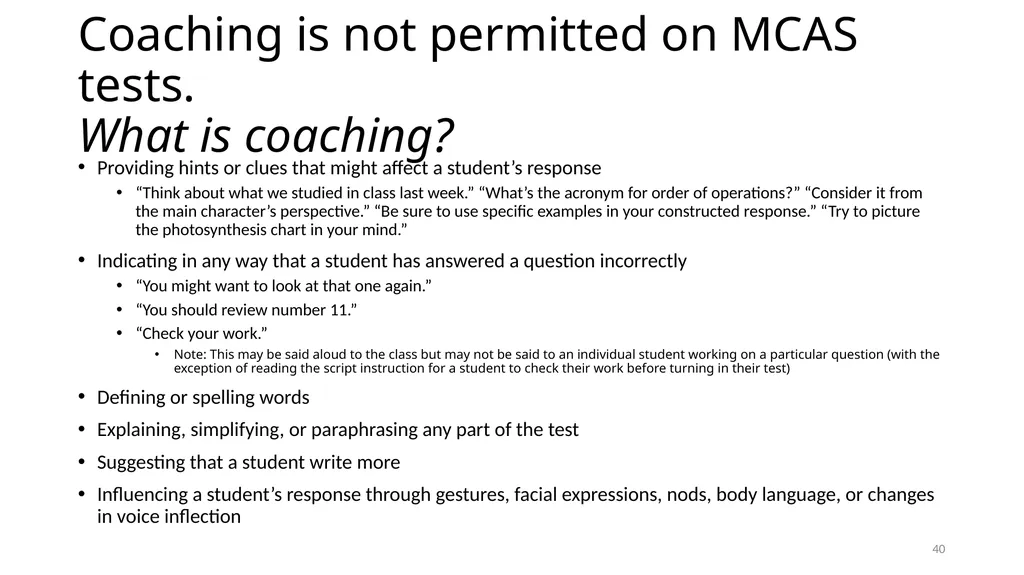
Coaching is not permitted on MCAS tests.
What is coaching? Providing hints or clues that might affect a student’s response
“Think about what we studied in class last week.” “What’s the acronym for order of operations?” “Consider it from the main character’s perspective.” “Be sure to use specific examples in your constructed response.” “Try to picture the photosynthesis chart in your mind.”
Indicating in any way that a student has answered a question incorrectly
“You might want to look at that one again.”
“You should review number 11.”
“Check your work.”
Note: This may be said aloud to the class but may not be said to an individual student working on a particular question (with the exception of reading the script instruction for a student to check their work before turning in their test)
Defining or spelling words
Explaining, simplifying, or paraphrasing any part of the test
Suggesting that a student write more
Influencing a student’s response through gestures, facial expressions, nods, body language, or changes in voice inflection 39<br>
“Think about what we studied in class last week.” “What’s the acronym for order of operations?” “Consider it from the main character’s perspective.” “Be sure to use specific examples in your constructed response.” “Try to picture the photosynthesis chart in your mind.”
Indicating in any way that a student has answered a question incorrectly
“You might want to look at that one again.”
“You should review number 11.”
“Check your work.”
Note: This may be said aloud to the class but may not be said to an individual student working on a particular question (with the exception of reading the script instruction for a student to check their work before turning in their test)
Defining or spelling words
Explaining, simplifying, or paraphrasing any part of the test
Suggesting that a student write more
Influencing a student’s response through gestures, facial expressions, nods, body language, or changes in voice inflection 39<br>
41
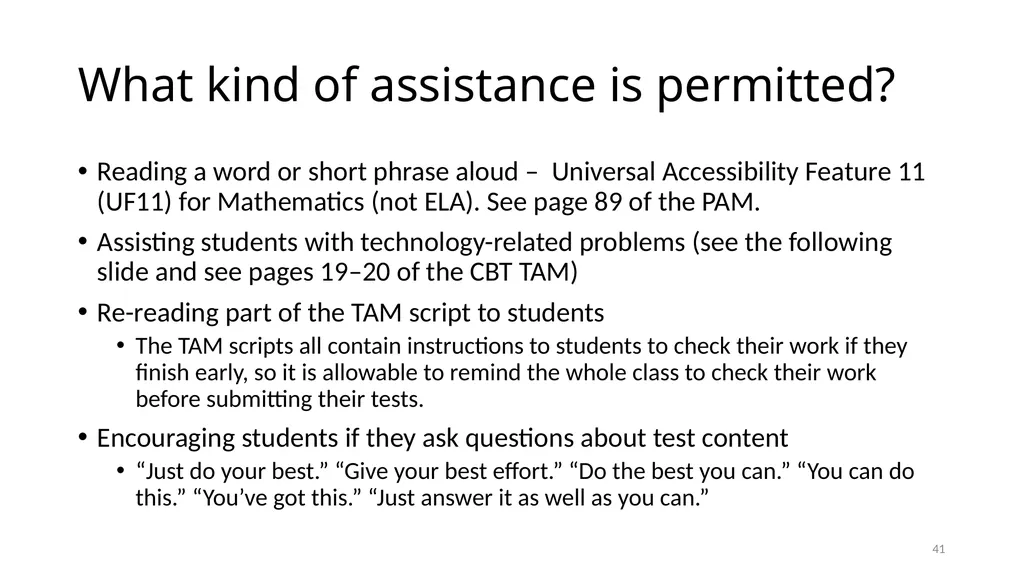
What kind of assistance is permitted? Reading a word or short phrase aloud – Universal Accessibility Feature 11 (UF11) for Mathematics (not ELA). See page 89 of the PAM.
Assisting students with technology-related problems (see the following slide and see pages 19–20 of the CBT TAM)
Re-reading part of the TAM script to students
The TAM scripts all contain instructions to students to check their work if they finish early, so it is allowable to remind the whole class to check their work before submitting their tests.
Encouraging students if they ask questions about test content
“Just do your best.” “Give your best effort.” “Do the best you can.” “You can do this.” “You’ve got this.” “Just answer it as well as you can.” 40<br>
Assisting students with technology-related problems (see the following slide and see pages 19–20 of the CBT TAM)
Re-reading part of the TAM script to students
The TAM scripts all contain instructions to students to check their work if they finish early, so it is allowable to remind the whole class to check their work before submitting their tests.
Encouraging students if they ask questions about test content
“Just do your best.” “Give your best effort.” “Do the best you can.” “You can do this.” “You’ve got this.” “Just answer it as well as you can.” 40<br>
42
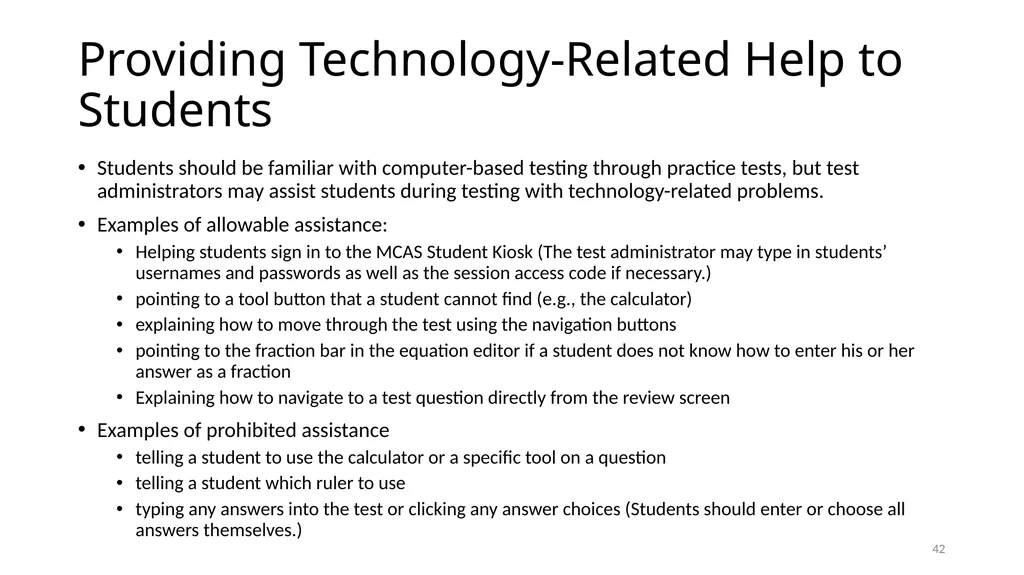
Providing Technology-Related Help to Students Students should be familiar with computer-based testing through practice tests, but test administrators may assist students during testing with technology-related problems.
Examples of allowable assistance:
Helping students sign in to the MCAS Student Kiosk (The test administrator may type in students’ usernames and passwords as well as the session access code if necessary.)
pointing to a tool button that a student cannot find (e.g., the calculator)
explaining how to move through the test using the navigation buttons
pointing to the fraction bar in the equation editor if a student does not know how to enter his or her answer as a fraction
Explaining how to navigate to a test question directly from the review screen
Examples of prohibited assistance
telling a student to use the calculator or a specific tool on a question
telling a student which ruler to use
typing any answers into the test or clicking any answer choices (Students should enter or choose all answers themselves.) 41<br>
Examples of allowable assistance:
Helping students sign in to the MCAS Student Kiosk (The test administrator may type in students’ usernames and passwords as well as the session access code if necessary.)
pointing to a tool button that a student cannot find (e.g., the calculator)
explaining how to move through the test using the navigation buttons
pointing to the fraction bar in the equation editor if a student does not know how to enter his or her answer as a fraction
Explaining how to navigate to a test question directly from the review screen
Examples of prohibited assistance
telling a student to use the calculator or a specific tool on a question
telling a student which ruler to use
typing any answers into the test or clicking any answer choices (Students should enter or choose all answers themselves.) 41<br>
43
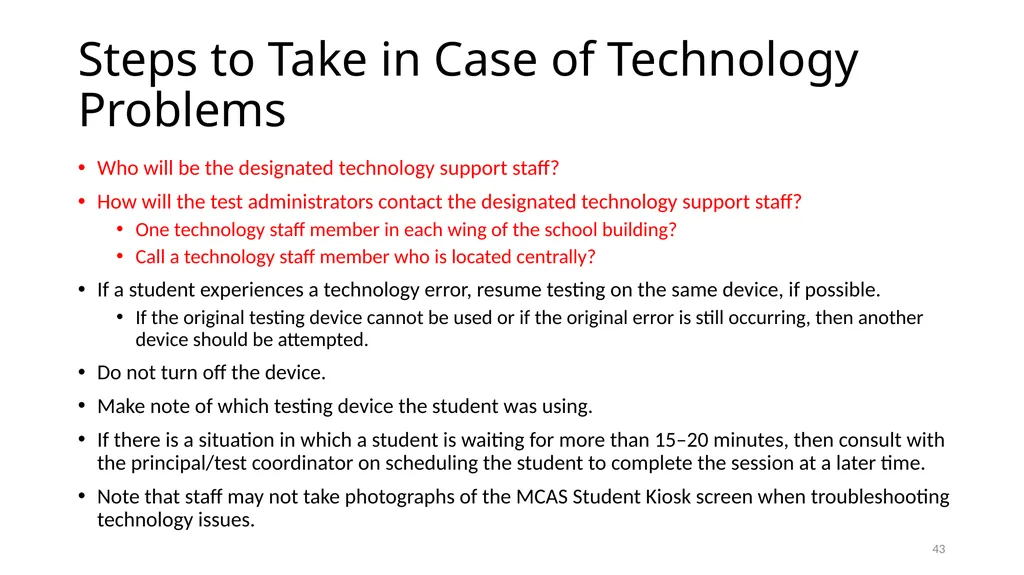
Steps to Take in Case of Technology Problems Who will be the designated technology support staff?
How will the test administrators contact the designated technology support staff?
One technology staff member in each wing of the school building?
Call a technology staff member who is located centrally?
If a student experiences a technology error, resume testing on the same device, if possible.
If the original testing device cannot be used or if the original error is still occurring, then another device should be attempted.
Do not turn off the device.
Make note of which testing device the student was using.
If there is a situation in which a student is waiting for more than 15–20 minutes, then consult with the principal/test coordinator on scheduling the student to complete the session at a later time.
Note that staff may not take photographs of the MCAS Student Kiosk screen when troubleshooting technology issues. 42<br>
How will the test administrators contact the designated technology support staff?
One technology staff member in each wing of the school building?
Call a technology staff member who is located centrally?
If a student experiences a technology error, resume testing on the same device, if possible.
If the original testing device cannot be used or if the original error is still occurring, then another device should be attempted.
Do not turn off the device.
Make note of which testing device the student was using.
If there is a situation in which a student is waiting for more than 15–20 minutes, then consult with the principal/test coordinator on scheduling the student to complete the session at a later time.
Note that staff may not take photographs of the MCAS Student Kiosk screen when troubleshooting technology issues. 42<br>
44
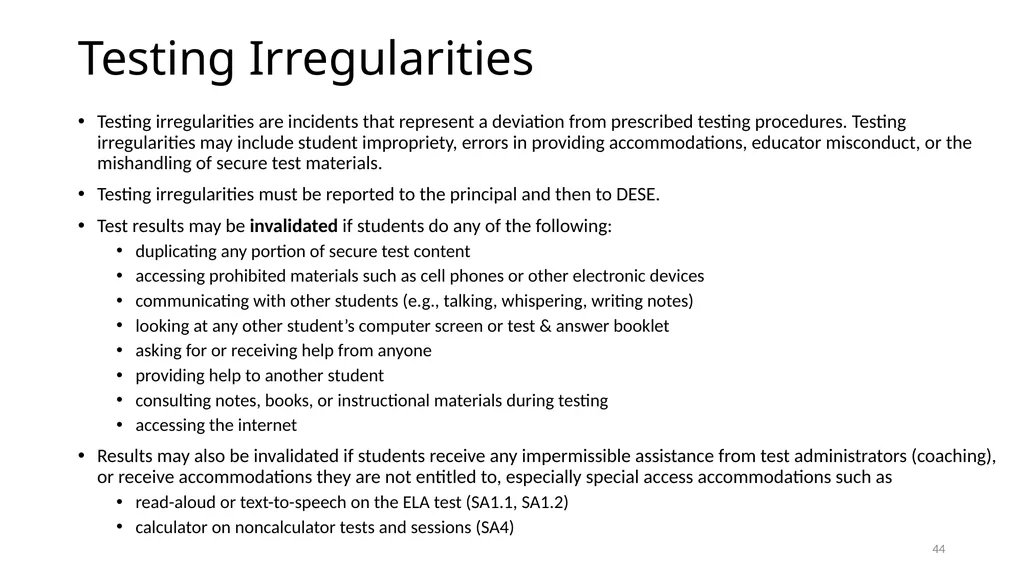
Testing Irregularities Testing irregularities are incidents that represent a deviation from prescribed testing procedures. Testing irregularities may include student impropriety, errors in providing accommodations, educator misconduct, or the mishandling of secure test materials.
Testing irregularities must be reported to the principal and then to DESE.
Test results may be invalidated if students do any of the following:
duplicating any portion of secure test content
accessing prohibited materials such as cell phones or other electronic devices
communicating with other students (e.g., talking, whispering, writing notes)
looking at any other student’s computer screen or test & answer booklet
asking for or receiving help from anyone
providing help to another student
consulting notes, books, or instructional materials during testing
accessing the internet
Results may also be invalidated if students receive any impermissible assistance from test administrators (coaching), or receive accommodations they are not entitled to, especially special access accommodations such as
read-aloud or text-to-speech on the ELA test (SA1.1, SA1.2)
calculator on noncalculator tests and sessions (SA4) 43<br>
Testing irregularities must be reported to the principal and then to DESE.
Test results may be invalidated if students do any of the following:
duplicating any portion of secure test content
accessing prohibited materials such as cell phones or other electronic devices
communicating with other students (e.g., talking, whispering, writing notes)
looking at any other student’s computer screen or test & answer booklet
asking for or receiving help from anyone
providing help to another student
consulting notes, books, or instructional materials during testing
accessing the internet
Results may also be invalidated if students receive any impermissible assistance from test administrators (coaching), or receive accommodations they are not entitled to, especially special access accommodations such as
read-aloud or text-to-speech on the ELA test (SA1.1, SA1.2)
calculator on noncalculator tests and sessions (SA4) 43<br>
45
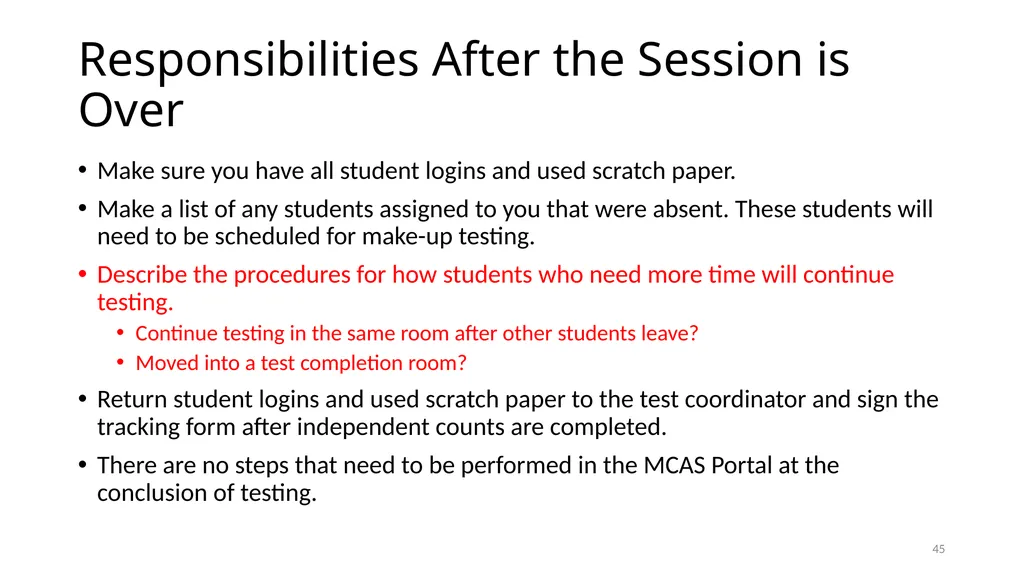
Responsibilities After the Session is Over Make sure you have all student logins and used scratch paper.
Make a list of any students assigned to you that were absent. These students will need to be scheduled for make-up testing.
Describe the procedures for how students who need more time will continue testing.
Continue testing in the same room after other students leave?
Moved into a test completion room?
Return student logins and used scratch paper to the test coordinator and sign the tracking form after independent counts are completed.
There are no steps that need to be performed in the MCAS Portal at the conclusion of testing. 44<br>
Make a list of any students assigned to you that were absent. These students will need to be scheduled for make-up testing.
Describe the procedures for how students who need more time will continue testing.
Continue testing in the same room after other students leave?
Moved into a test completion room?
Return student logins and used scratch paper to the test coordinator and sign the tracking form after independent counts are completed.
There are no steps that need to be performed in the MCAS Portal at the conclusion of testing. 44<br>
46
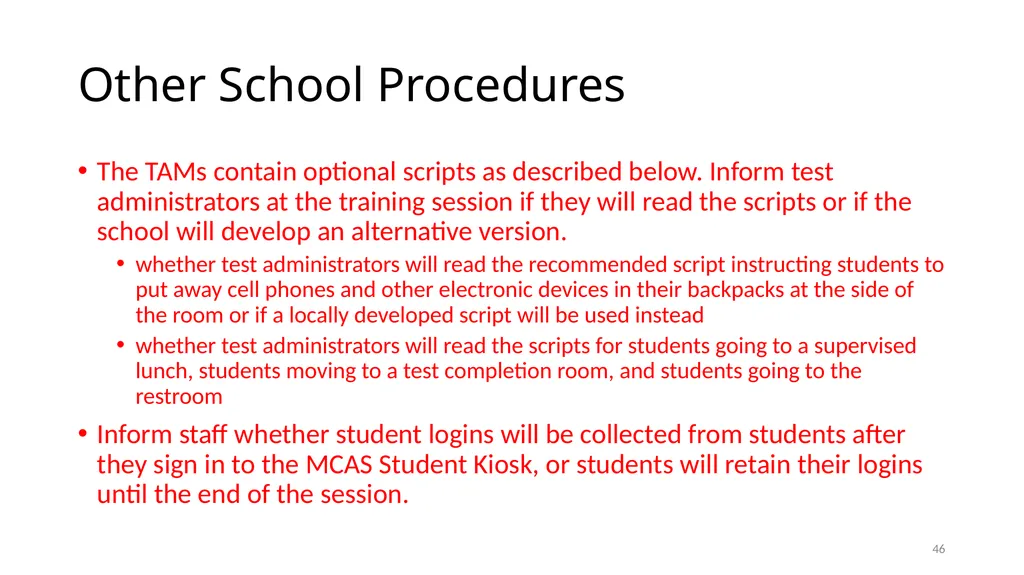
Other School Procedures The TAMs contain optional scripts as described below. Inform test administrators at the training session if they will read the scripts or if the school will develop an alternative version.
whether test administrators will read the recommended script instructing students to put away cell phones and other electronic devices in their backpacks at the side of the room or if a locally developed script will be used instead
whether test administrators will read the scripts for students going to a supervised lunch, students moving to a test completion room, and students going to the restroom
Inform staff whether student logins will be collected from students after they sign in to the MCAS Student Kiosk, or students will retain their logins until the end of the session. 45<br>
whether test administrators will read the recommended script instructing students to put away cell phones and other electronic devices in their backpacks at the side of the room or if a locally developed script will be used instead
whether test administrators will read the scripts for students going to a supervised lunch, students moving to a test completion room, and students going to the restroom
Inform staff whether student logins will be collected from students after they sign in to the MCAS Student Kiosk, or students will retain their logins until the end of the session. 45<br>
47
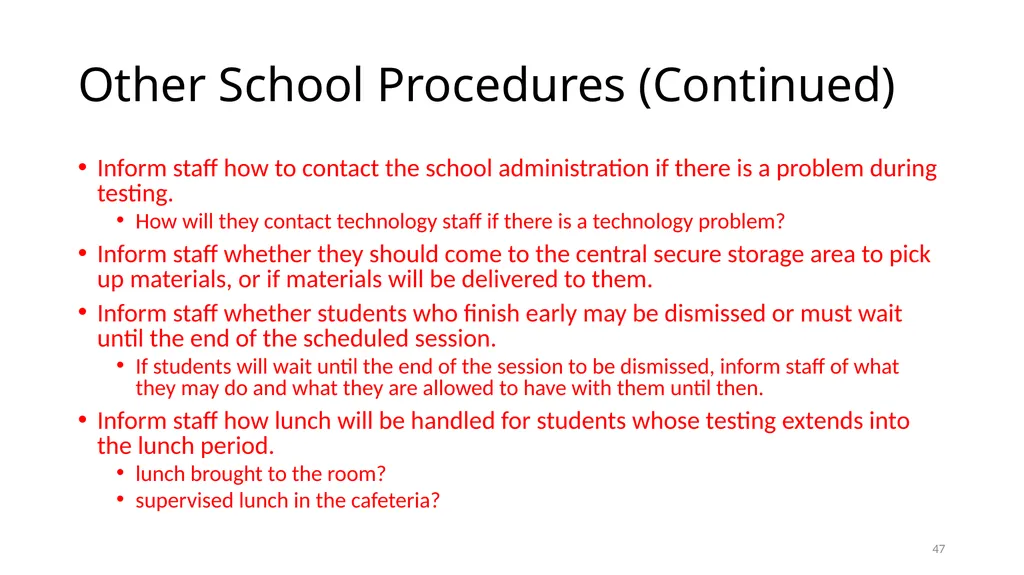
Other School Procedures (Continued) Inform staff how to contact the school administration if there is a problem during testing.
How will they contact technology staff if there is a technology problem?
Inform staff whether they should come to the central secure storage area to pick up materials, or if materials will be delivered to them.
Inform staff whether students who finish early may be dismissed or must wait until the end of the scheduled session.
If students will wait until the end of the session to be dismissed, inform staff of what they may do and what they are allowed to have with them until then.
Inform staff how lunch will be handled for students whose testing extends into the lunch period.
lunch brought to the room?
supervised lunch in the cafeteria? 46<br>
How will they contact technology staff if there is a technology problem?
Inform staff whether they should come to the central secure storage area to pick up materials, or if materials will be delivered to them.
Inform staff whether students who finish early may be dismissed or must wait until the end of the scheduled session.
If students will wait until the end of the session to be dismissed, inform staff of what they may do and what they are allowed to have with them until then.
Inform staff how lunch will be handled for students whose testing extends into the lunch period.
lunch brought to the room?
supervised lunch in the cafeteria? 46<br>
48
Training Resources for Computer-Based Testing Training modules and recordings of training webinars are available at mcas.onlinehelp.cognia.org/training 47<br>
49
Universal and Designated Accessibility Features
for All Students Accessibility Features for All Students
Universal Accessibility Features (UFs) are tools and supports available to all students that are either built into the computer testing platform or provided by a test administrator.
Designated Accessibility Features (DFs) are changes in scheduling, setting, group size, or other conditions of test administration that can be provided to any student at the principal’s discretion. 48<br>
Universal Accessibility Features (UFs) are tools and supports available to all students that are either built into the computer testing platform or provided by a test administrator.
Designated Accessibility Features (DFs) are changes in scheduling, setting, group size, or other conditions of test administration that can be provided to any student at the principal’s discretion. 48<br>
50
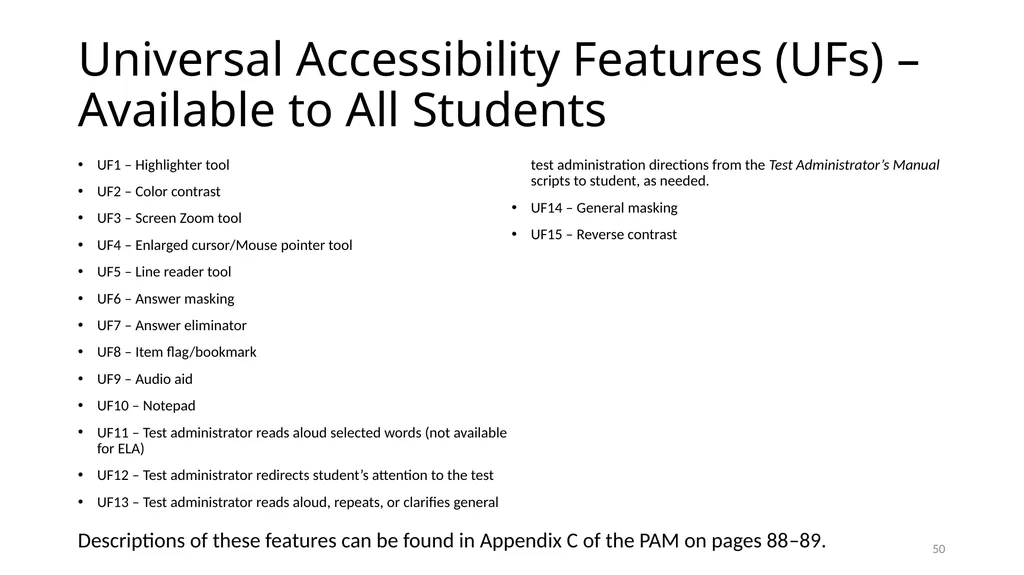
Universal Accessibility Features (UFs) – Available to All Students UF1 – Highlighter tool
UF2 – Color contrast
UF3 – Screen Zoom tool
UF4 – Enlarged cursor/Mouse pointer tool
UF5 – Line reader tool
UF6 – Answer masking
UF7 – Answer eliminator
UF8 – Item flag/bookmark
UF9 – Audio aid
UF10 – Notepad
UF11 – Test administrator reads aloud selected words (not available for ELA)
UF12 – Test administrator redirects student’s attention to the test
UF13 – Test administrator reads aloud, repeats, or clarifies general test administration directions from the Test Administrator’s Manual scripts to student, as needed.
UF14 – General masking
UF15 – Reverse contrast 49 Descriptions of these features can be found in Appendix C of the PAM on pages 88–89.<br>
UF2 – Color contrast
UF3 – Screen Zoom tool
UF4 – Enlarged cursor/Mouse pointer tool
UF5 – Line reader tool
UF6 – Answer masking
UF7 – Answer eliminator
UF8 – Item flag/bookmark
UF9 – Audio aid
UF10 – Notepad
UF11 – Test administrator reads aloud selected words (not available for ELA)
UF12 – Test administrator redirects student’s attention to the test
UF13 – Test administrator reads aloud, repeats, or clarifies general test administration directions from the Test Administrator’s Manual scripts to student, as needed.
UF14 – General masking
UF15 – Reverse contrast 49 Descriptions of these features can be found in Appendix C of the PAM on pages 88–89.<br>
51
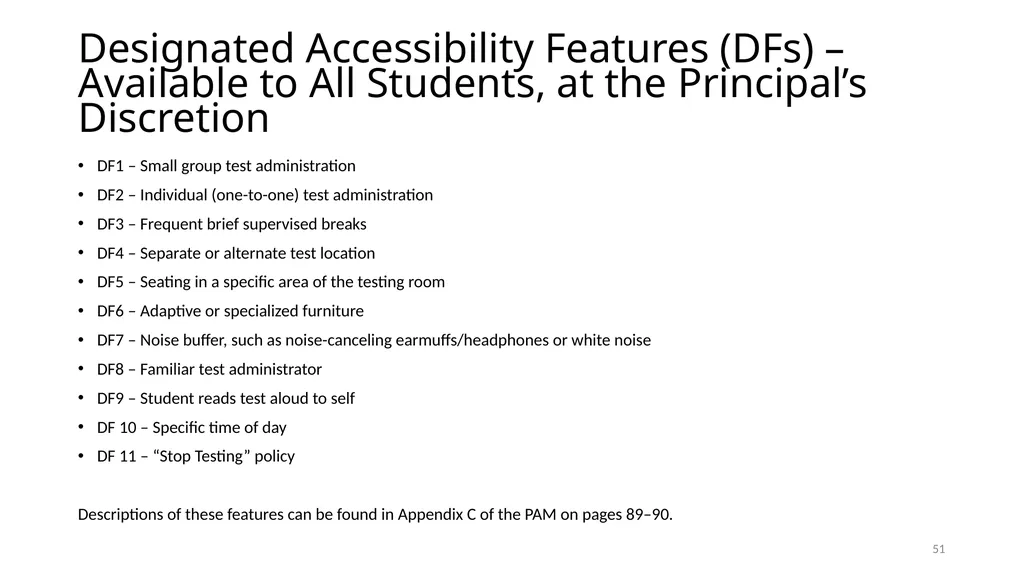
Designated Accessibility Features (DFs) –
Available to All Students, at the Principal’s Discretion DF1 – Small group test administration
DF2 – Individual (one-to-one) test administration
DF3 – Frequent brief supervised breaks
DF4 – Separate or alternate test location
DF5 – Seating in a specific area of the testing room
DF6 – Adaptive or specialized furniture
DF7 – Noise buffer, such as noise-canceling earmuffs/headphones or white noise
DF8 – Familiar test administrator
DF9 – Student reads test aloud to self
DF 10 – Specific time of day
DF 11 – “Stop Testing” policy
Descriptions of these features can be found in Appendix C of the PAM on pages 89–90. 50<br>
DF2 – Individual (one-to-one) test administration
DF3 – Frequent brief supervised breaks
DF4 – Separate or alternate test location
DF5 – Seating in a specific area of the testing room
DF6 – Adaptive or specialized furniture
DF7 – Noise buffer, such as noise-canceling earmuffs/headphones or white noise
DF8 – Familiar test administrator
DF9 – Student reads test aloud to self
DF 10 – Specific time of day
DF 11 – “Stop Testing” policy
Descriptions of these features can be found in Appendix C of the PAM on pages 89–90. 50<br>
52
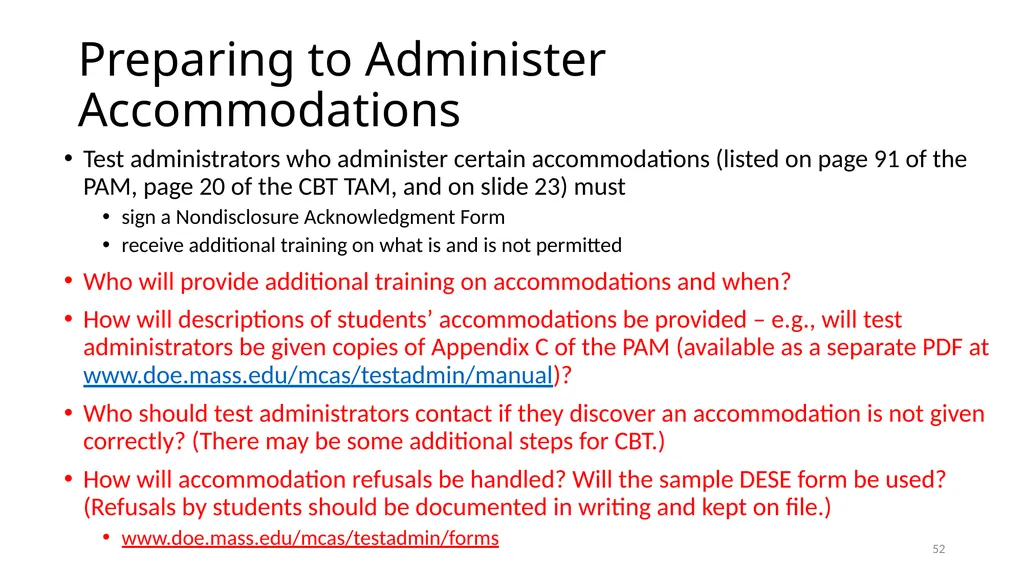
Preparing to Administer Accommodations Test administrators who administer certain accommodations (listed on page 91 of the PAM, page 20 of the CBT TAM, and on slide 23) must
sign a Nondisclosure Acknowledgment Form
receive additional training on what is and is not permitted
Who will provide additional training on accommodations and when?
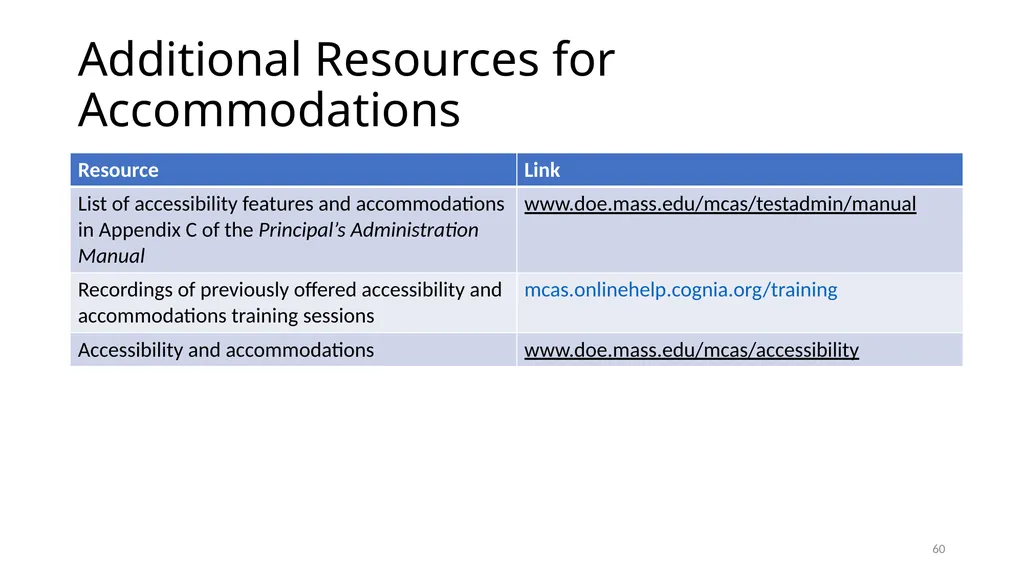
How will descriptions of students’ accommodations be provided – e.g., will test administrators be given copies of Appendix C of the PAM (available as a separate PDF at www.doe.mass.edu/mcas/testadmin/manual)?
Who should test administrators contact if they discover an accommodation is not given correctly? (There may be some additional steps for CBT.)
How will accommodation refusals be handled? Will the sample DESE form be used? (Refusals by students should be documented in writing and kept on file.)
www.doe.mass.edu/mcas/testadmin/forms 51<br>
sign a Nondisclosure Acknowledgment Form
receive additional training on what is and is not permitted
Who will provide additional training on accommodations and when?
How will descriptions of students’ accommodations be provided – e.g., will test administrators be given copies of Appendix C of the PAM (available as a separate PDF at www.doe.mass.edu/mcas/testadmin/manual)?
Who should test administrators contact if they discover an accommodation is not given correctly? (There may be some additional steps for CBT.)
How will accommodation refusals be handled? Will the sample DESE form be used? (Refusals by students should be documented in writing and kept on file.)
www.doe.mass.edu/mcas/testadmin/forms 51<br>
53
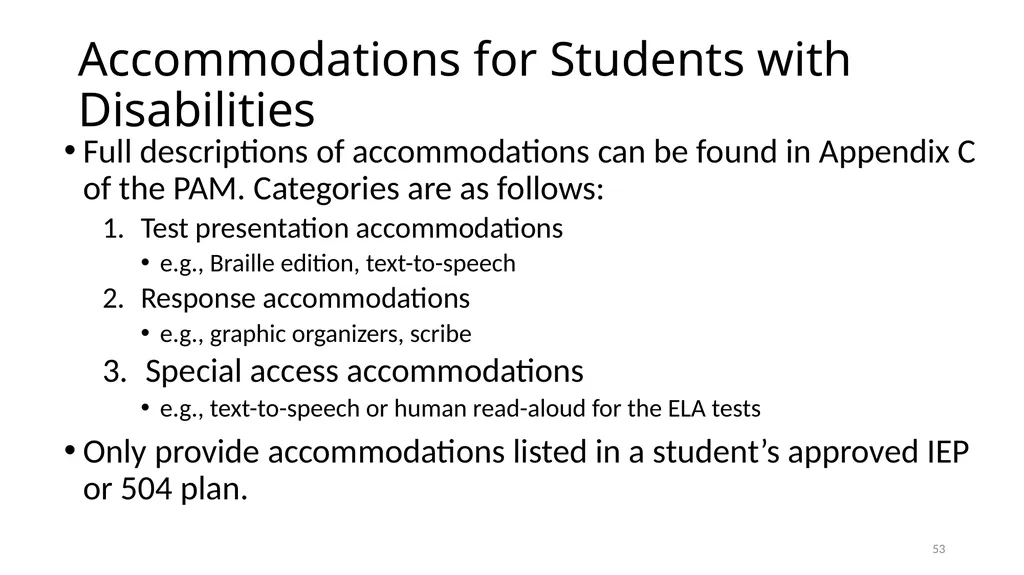
Accommodations for Students with Disabilities Full descriptions of accommodations can be found in Appendix C of the PAM. Categories are as follows:
Test presentation accommodations
e.g., Braille edition, text-to-speech
Response accommodations
e.g., graphic organizers, scribe
Special access accommodations
e.g., text-to-speech or human read-aloud for the ELA tests
Only provide accommodations listed in a student’s approved IEP or 504 plan. 52<br>
Test presentation accommodations
e.g., Braille edition, text-to-speech
Response accommodations
e.g., graphic organizers, scribe
Special access accommodations
e.g., text-to-speech or human read-aloud for the ELA tests
Only provide accommodations listed in a student’s approved IEP or 504 plan. 52<br>
54
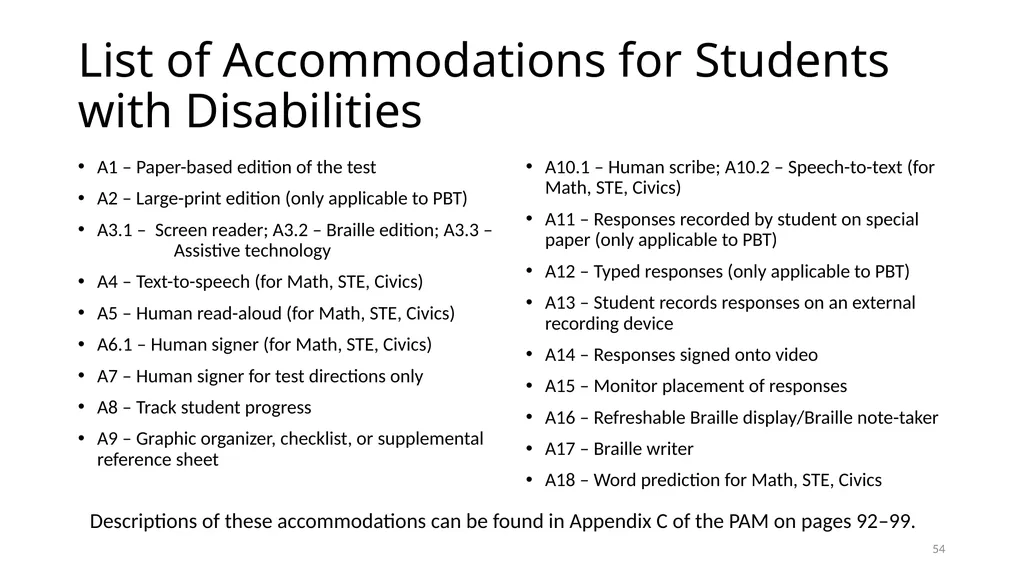
List of Accommodations for Students with Disabilities A1 – Paper-based edition of the test
A2 – Large-print edition (only applicable to PBT)
A3.1 – Screen reader; A3.2 – Braille edition; A3.3 – Assistive technology
A4 – Text-to-speech (for Math, STE, Civics)
A5 – Human read-aloud (for Math, STE, Civics)
A6.1 – Human signer (for Math, STE, Civics)
A7 – Human signer for test directions only
A8 – Track student progress
A9 – Graphic organizer, checklist, or supplemental reference sheet A10.1 – Human scribe; A10.2 – Speech-to-text (for Math, STE, Civics)
A11 – Responses recorded by student on special paper (only applicable to PBT)
A12 – Typed responses (only applicable to PBT)
A13 – Student records responses on an external recording device
A14 – Responses signed onto video
A15 – Monitor placement of responses
A16 – Refreshable Braille display/Braille note-taker
A17 – Braille writer
A18 – Word prediction for Math, STE, Civics 53 Descriptions of these accommodations can be found in Appendix C of the PAM on pages 92–99.<br>
A2 – Large-print edition (only applicable to PBT)
A3.1 – Screen reader; A3.2 – Braille edition; A3.3 – Assistive technology
A4 – Text-to-speech (for Math, STE, Civics)
A5 – Human read-aloud (for Math, STE, Civics)
A6.1 – Human signer (for Math, STE, Civics)
A7 – Human signer for test directions only
A8 – Track student progress
A9 – Graphic organizer, checklist, or supplemental reference sheet A10.1 – Human scribe; A10.2 – Speech-to-text (for Math, STE, Civics)
A11 – Responses recorded by student on special paper (only applicable to PBT)
A12 – Typed responses (only applicable to PBT)
A13 – Student records responses on an external recording device
A14 – Responses signed onto video
A15 – Monitor placement of responses
A16 – Refreshable Braille display/Braille note-taker
A17 – Braille writer
A18 – Word prediction for Math, STE, Civics 53 Descriptions of these accommodations can be found in Appendix C of the PAM on pages 92–99.<br>
55
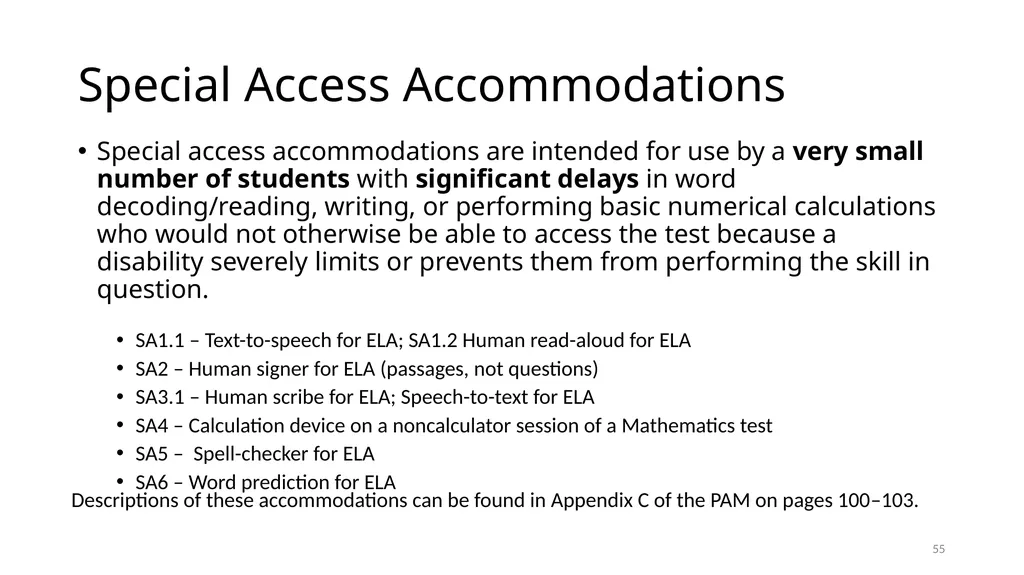
Special Access Accommodations Special access accommodations are intended for use by a very small number of students with significant delays in word decoding/reading, writing, or performing basic numerical calculations who would not otherwise be able to access the test because a disability severely limits or prevents them from performing the skill in question.
SA1.1 – Text-to-speech for ELA; SA1.2 Human read-aloud for ELA
SA2 – Human signer for ELA (passages, not questions)
SA3.1 – Human scribe for ELA; Speech-to-text for ELA
SA4 – Calculation device on a noncalculator session of a Mathematics test
SA5 – Spell-checker for ELA
SA6 – Word prediction for ELA 54 Descriptions of these accommodations can be found in Appendix C of the PAM on pages 100–103.<br>
SA1.1 – Text-to-speech for ELA; SA1.2 Human read-aloud for ELA
SA2 – Human signer for ELA (passages, not questions)
SA3.1 – Human scribe for ELA; Speech-to-text for ELA
SA4 – Calculation device on a noncalculator session of a Mathematics test
SA5 – Spell-checker for ELA
SA6 – Word prediction for ELA 54 Descriptions of these accommodations can be found in Appendix C of the PAM on pages 100–103.<br>
56
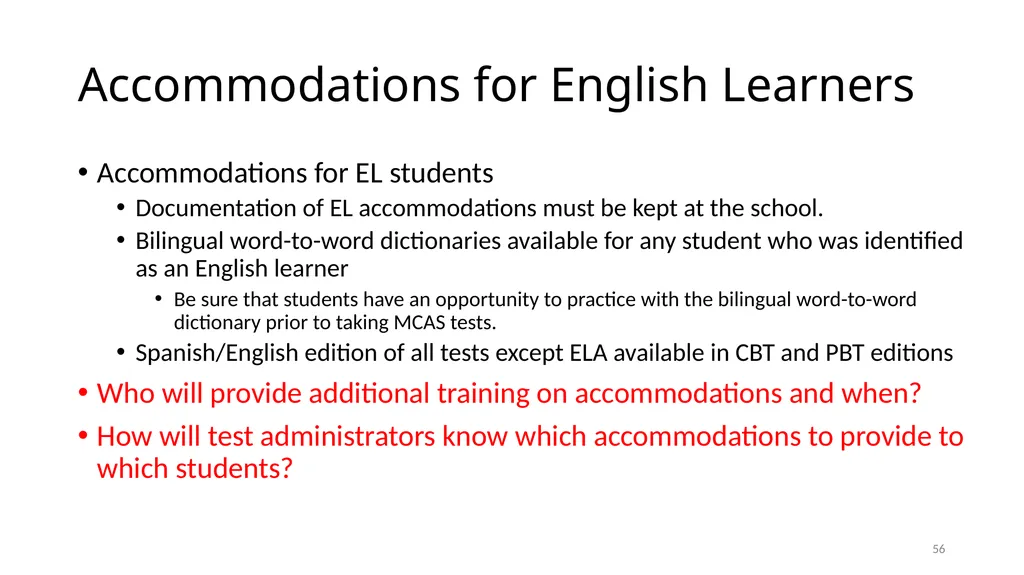
Accommodations for English Learners Accommodations for EL students
Documentation of EL accommodations must be kept at the school.
Bilingual word-to-word dictionaries available for any student who was identified as an English learner
Be sure that students have an opportunity to practice with the bilingual word-to-word dictionary prior to taking MCAS tests.
Spanish/English edition of all tests except ELA available in CBT and PBT editions
Who will provide additional training on accommodations and when?
How will test administrators know which accommodations to provide to which students? 55<br>
Documentation of EL accommodations must be kept at the school.
Bilingual word-to-word dictionaries available for any student who was identified as an English learner
Be sure that students have an opportunity to practice with the bilingual word-to-word dictionary prior to taking MCAS tests.
Spanish/English edition of all tests except ELA available in CBT and PBT editions
Who will provide additional training on accommodations and when?
How will test administrators know which accommodations to provide to which students? 55<br>
57
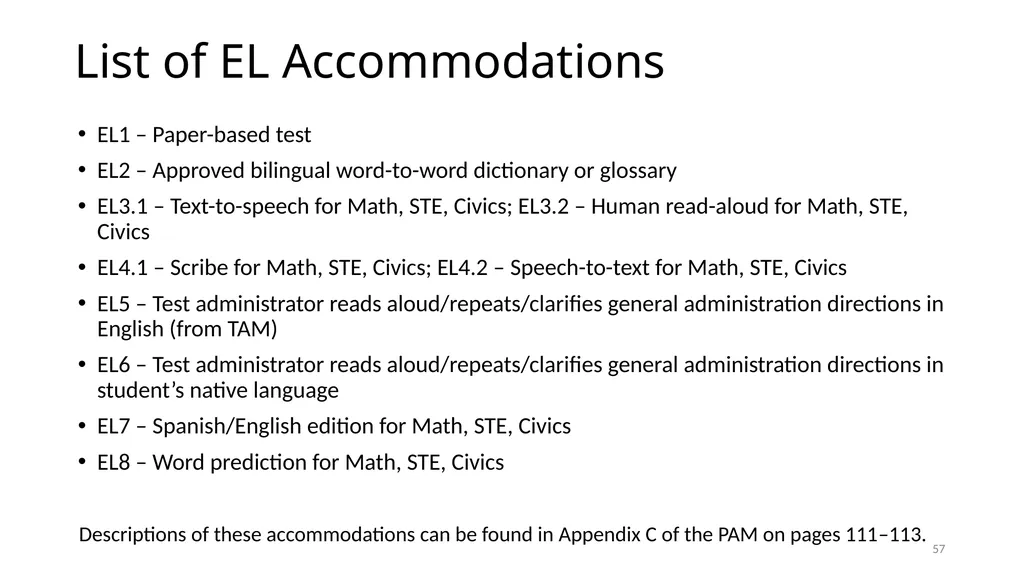
List of EL Accommodations EL1 – Paper-based test
EL2 – Approved bilingual word-to-word dictionary or glossary
EL3.1 – Text-to-speech for Math, STE, Civics; EL3.2 – Human read-aloud for Math, STE, Civics
EL4.1 – Scribe for Math, STE, Civics; EL4.2 – Speech-to-text for Math, STE, Civics
EL5 – Test administrator reads aloud/repeats/clarifies general administration directions in English (from TAM)
EL6 – Test administrator reads aloud/repeats/clarifies general administration directions in student’s native language
EL7 – Spanish/English edition for Math, STE, Civics
EL8 – Word prediction for Math, STE, Civics 56 Descriptions of these accommodations can be found in Appendix C of the PAM on pages 111–113.<br>
EL2 – Approved bilingual word-to-word dictionary or glossary
EL3.1 – Text-to-speech for Math, STE, Civics; EL3.2 – Human read-aloud for Math, STE, Civics
EL4.1 – Scribe for Math, STE, Civics; EL4.2 – Speech-to-text for Math, STE, Civics
EL5 – Test administrator reads aloud/repeats/clarifies general administration directions in English (from TAM)
EL6 – Test administrator reads aloud/repeats/clarifies general administration directions in student’s native language
EL7 – Spanish/English edition for Math, STE, Civics
EL8 – Word prediction for Math, STE, Civics 56 Descriptions of these accommodations can be found in Appendix C of the PAM on pages 111–113.<br>
58
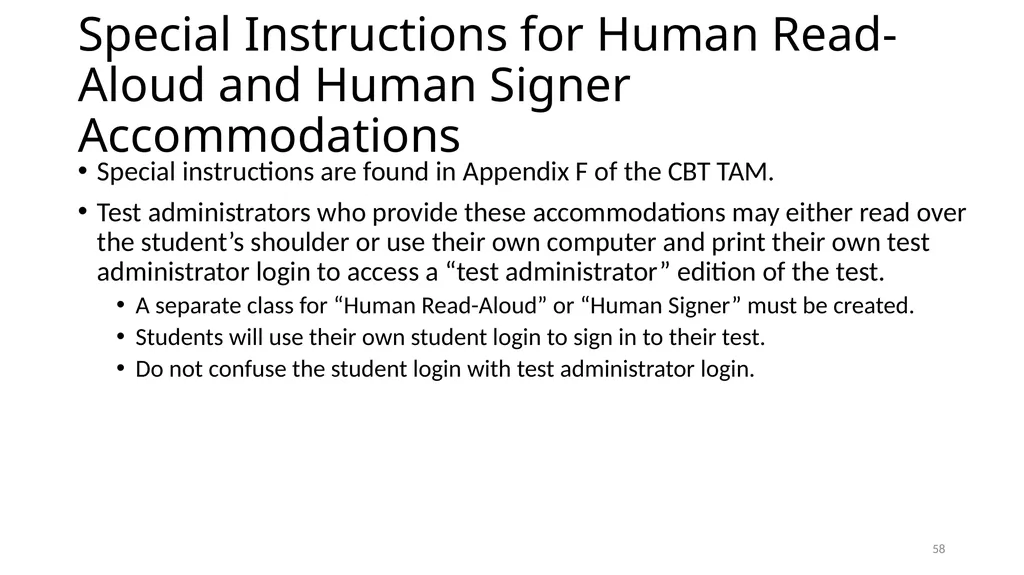
Special Instructions for Human Read-Aloud and Human Signer Accommodations Special instructions are found in Appendix F of the CBT TAM.
Test administrators who provide these accommodations may either read over the student’s shoulder or use their own computer and print their own test administrator login to access a “test administrator” edition of the test.
A separate class for “Human Read-Aloud” or “Human Signer” must be created.
Students will use their own student login to sign in to their test.
Do not confuse the student login with test administrator login. 57<br>
Test administrators who provide these accommodations may either read over the student’s shoulder or use their own computer and print their own test administrator login to access a “test administrator” edition of the test.
A separate class for “Human Read-Aloud” or “Human Signer” must be created.
Students will use their own student login to sign in to their test.
Do not confuse the student login with test administrator login. 57<br>
59
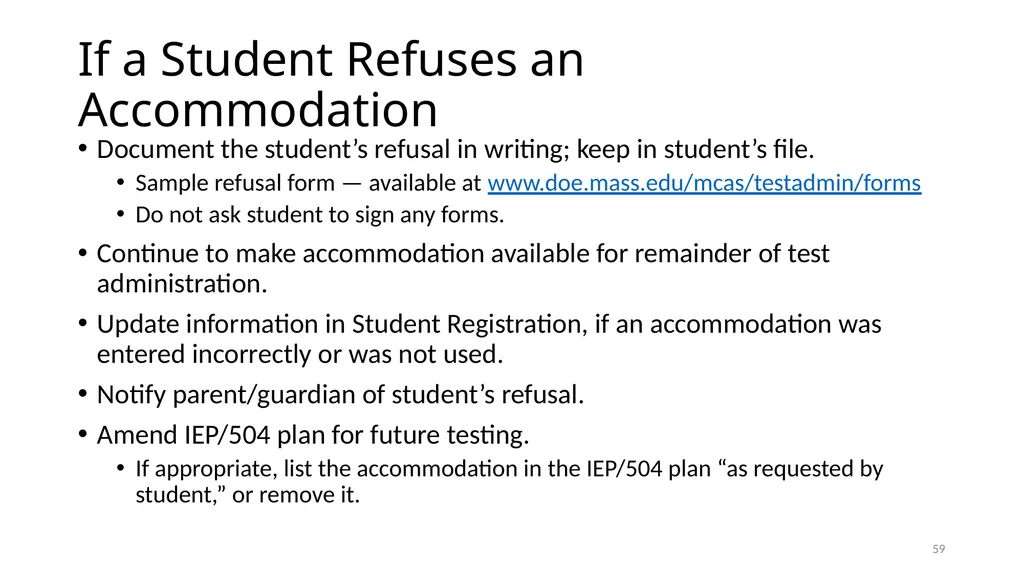
If a Student Refuses an Accommodation Document the student’s refusal in writing; keep in student’s file.
Sample refusal form — available at www.doe.mass.edu/mcas/testadmin/forms
Do not ask student to sign any forms.
Continue to make accommodation available for remainder of test administration.
Update information in Student Registration, if an accommodation was entered incorrectly or was not used.
Notify parent/guardian of student’s refusal.
Amend IEP/504 plan for future testing.
If appropriate, list the accommodation in the IEP/504 plan “as requested by student,” or remove it. 58<br>
Sample refusal form — available at www.doe.mass.edu/mcas/testadmin/forms
Do not ask student to sign any forms.
Continue to make accommodation available for remainder of test administration.
Update information in Student Registration, if an accommodation was entered incorrectly or was not used.
Notify parent/guardian of student’s refusal.
Amend IEP/504 plan for future testing.
If appropriate, list the accommodation in the IEP/504 plan “as requested by student,” or remove it. 58<br>
60
Additional Resources for Accommodations 59<br>
61
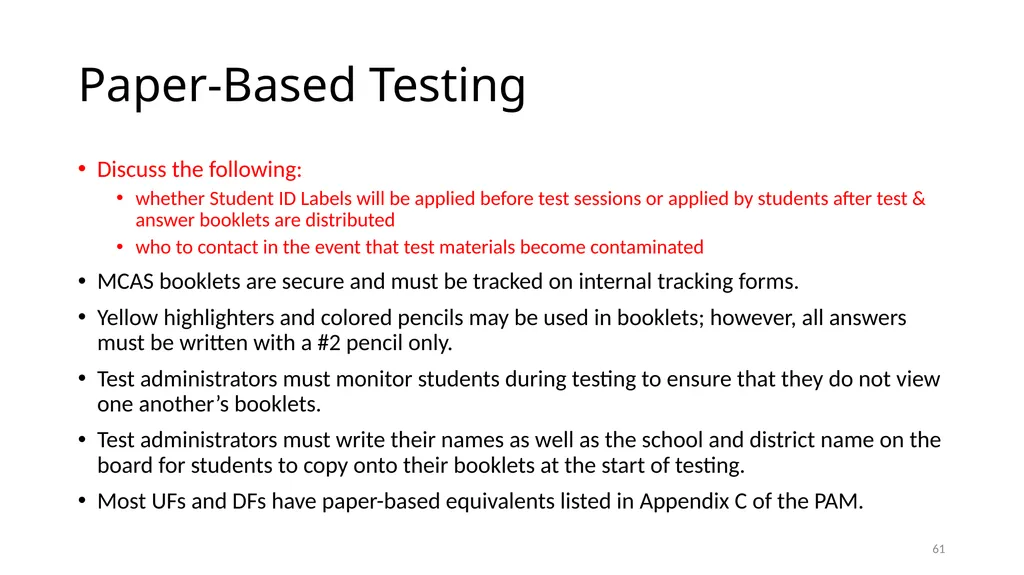
Paper-Based Testing Discuss the following:
whether Student ID Labels will be applied before test sessions or applied by students after test & answer booklets are distributed
who to contact in the event that test materials become contaminated
MCAS booklets are secure and must be tracked on internal tracking forms.
Yellow highlighters and colored pencils may be used in booklets; however, all answers must be written with a #2 pencil only.
Test administrators must monitor students during testing to ensure that they do not view one another’s booklets.
Test administrators must write their names as well as the school and district name on the board for students to copy onto their booklets at the start of testing.
Most UFs and DFs have paper-based equivalents listed in Appendix C of the PAM. 60<br>
whether Student ID Labels will be applied before test sessions or applied by students after test & answer booklets are distributed
who to contact in the event that test materials become contaminated
MCAS booklets are secure and must be tracked on internal tracking forms.
Yellow highlighters and colored pencils may be used in booklets; however, all answers must be written with a #2 pencil only.
Test administrators must monitor students during testing to ensure that they do not view one another’s booklets.
Test administrators must write their names as well as the school and district name on the board for students to copy onto their booklets at the start of testing.
Most UFs and DFs have paper-based equivalents listed in Appendix C of the PAM. 60<br>
62
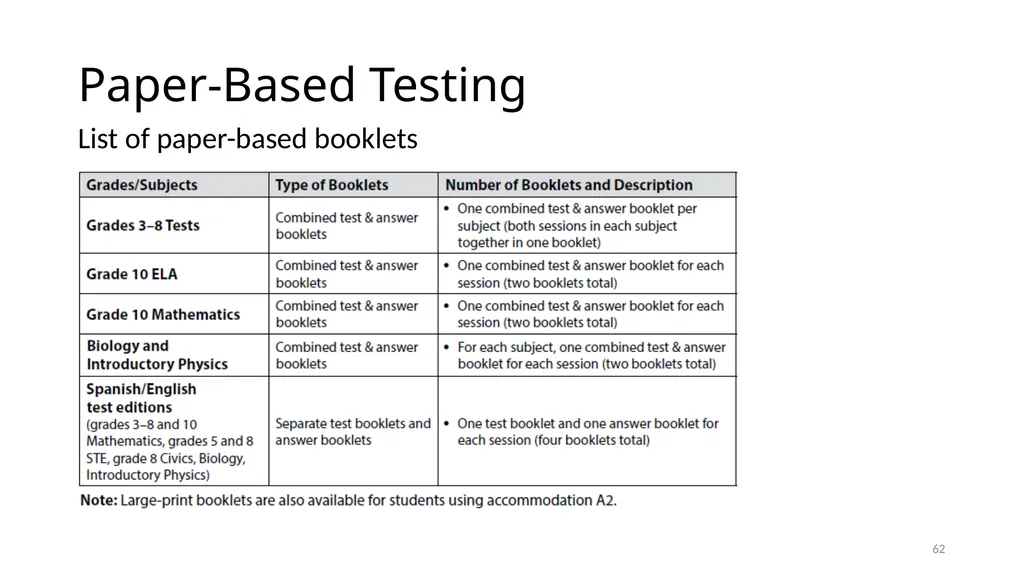
Paper-Based Testing 61 List of paper-based booklets<br>
63
Questions and Answers Opportunity for questions on material covered
Additional topics as needed 62<br>
Additional topics as needed 62<br>