04
Integration Background We’ve been centralizing services, in a quiet way, for years
Replacing the business school’s email service with the central one
Working out agreements with faculties to take care of their labs
Bringing faculty IT service desks in
Increasing the % of workstations that are centrally supported
Sharing positions with faculties<br>
05
What the Initiative is Integrated Service Delivery
IT, Finance, and HR
A new org chart
Central IT accountable for more services
Faculty IT people will report to Central IT
New Partner roles<br>
06
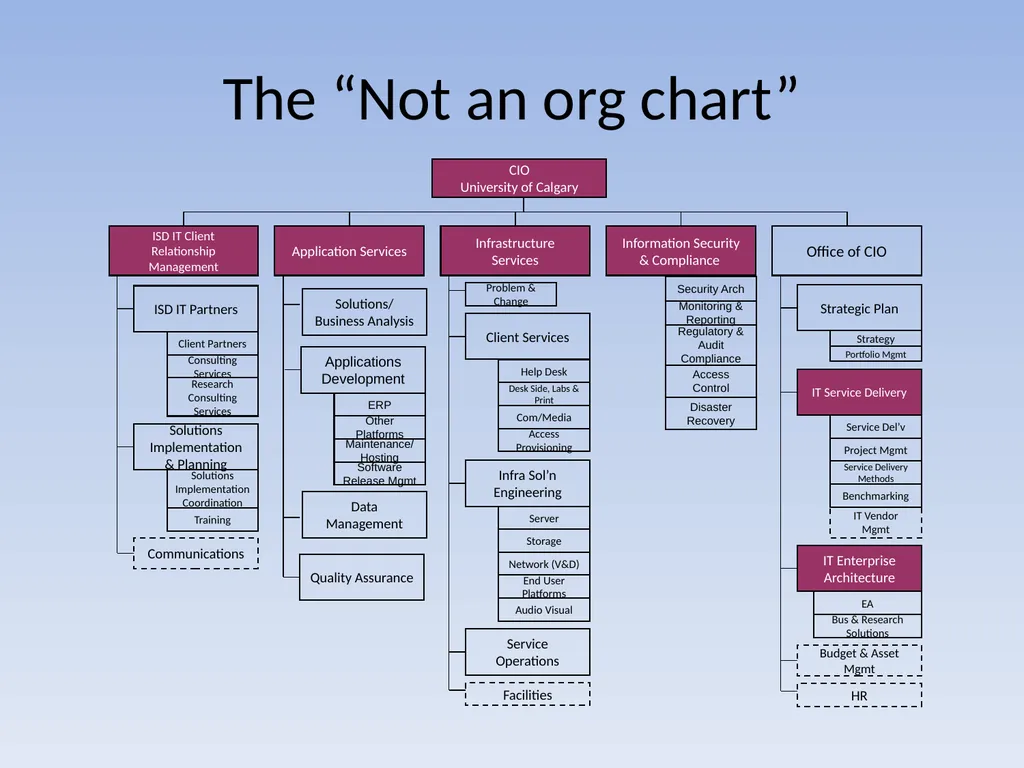
The “Not an org chart” CIO
University of Calgary ISD IT Client
Relationship
Management Application Services Infrastructure Services Information Security & Compliance Office of CIO ISD IT Partners Communications Client Services Infra Sol’n Engineering Strategic Plan Budget & Asset Mgmt Problem & Change Facilities Service Operations Access Provisioning HR IT Vendor Mgmt IT Service Delivery Data Management Solutions/
Business Analysis Solutions Implementation & Planning Quality Assurance IT Enterprise Architecture Help Desk Desk Side, Labs & Print Com/Media Server Storage Network (V&D) End User Platforms Strategy Portfolio Mgmt Service Del’v Project Mgmt Service Delivery Methods Benchmarking EA Bus & Research Solutions Client Partners Consulting Services Solutions Implementation Coordination Training Research Consulting Services Audio Visual<br>
07
Why we are doing it We think that integrating common functions, like;
supporting desktops or labs
managing applications
running infrastructure
…under a single service owner will help us with;
economies of scale
standardization of tools and processes
Risk Management
IT Service Management
Getting people doing more of what they are good at<br>
08
How we are doing it We could go;
Faculty by faculty
Service by Service
We could define boundaries by;
Person
Service
Either way, there are going to be loose ends<br>
09
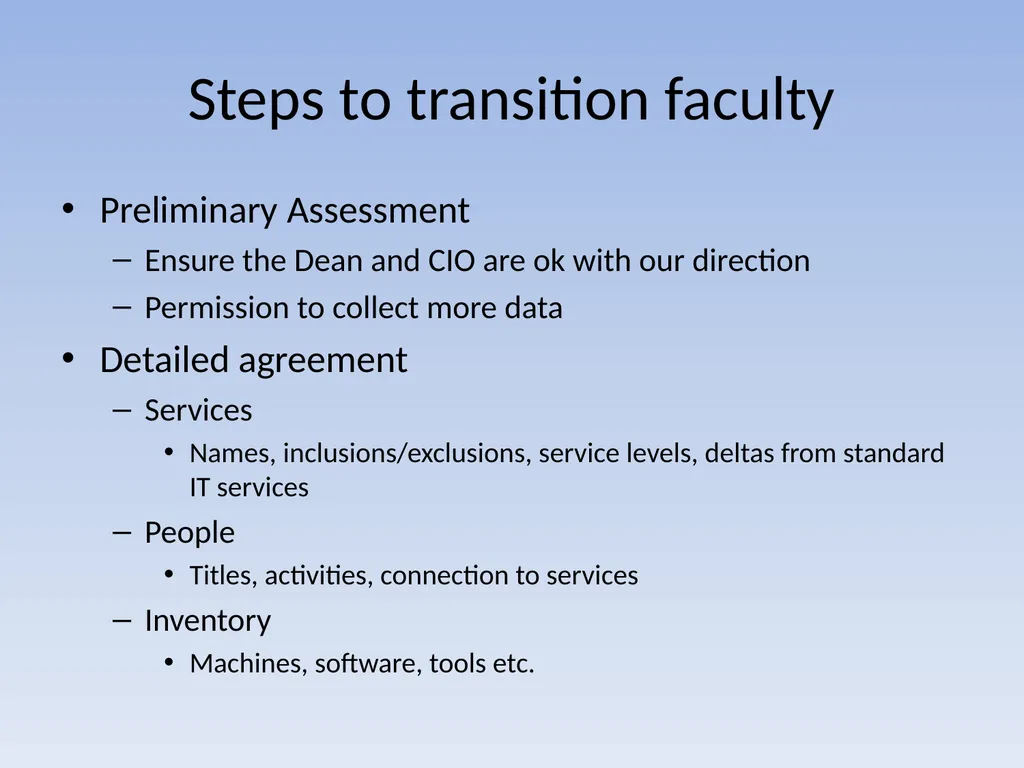
Steps to transition faculty Preliminary Assessment
Ensure the Dean and CIO are ok with our direction
Permission to collect more data
Detailed agreement
Services
Names, inclusions/exclusions, service levels, deltas from standard IT services
People
Titles, activities, connection to services
Inventory
Machines, software, tools etc.<br>
10
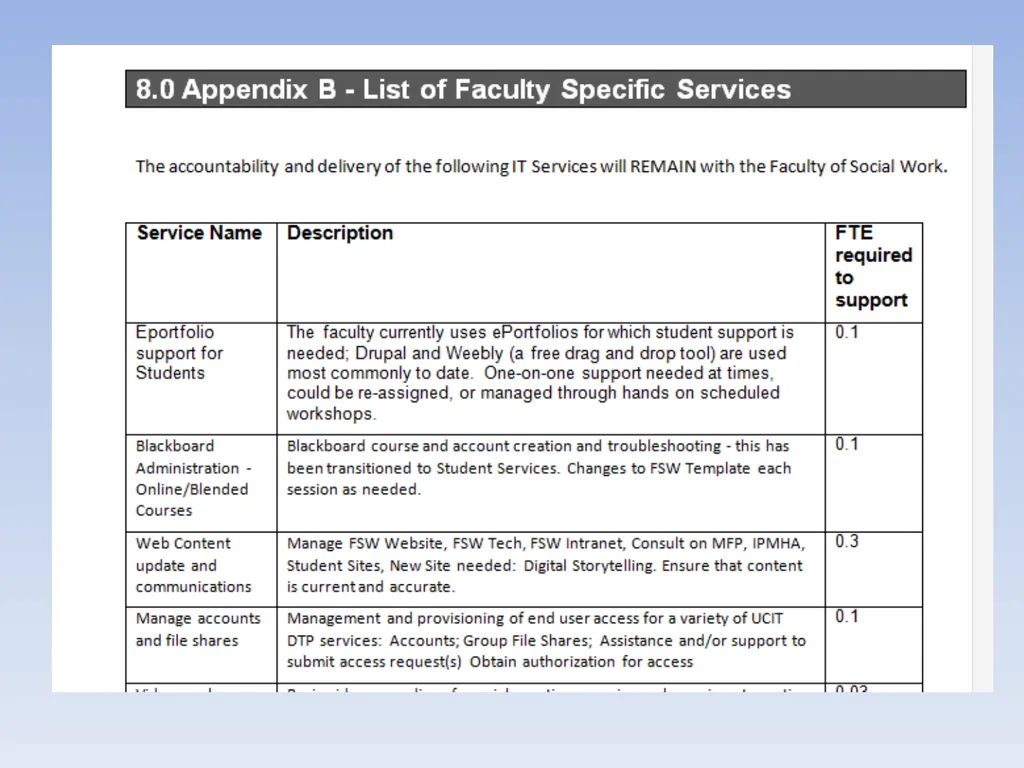
What is in and what is out Services
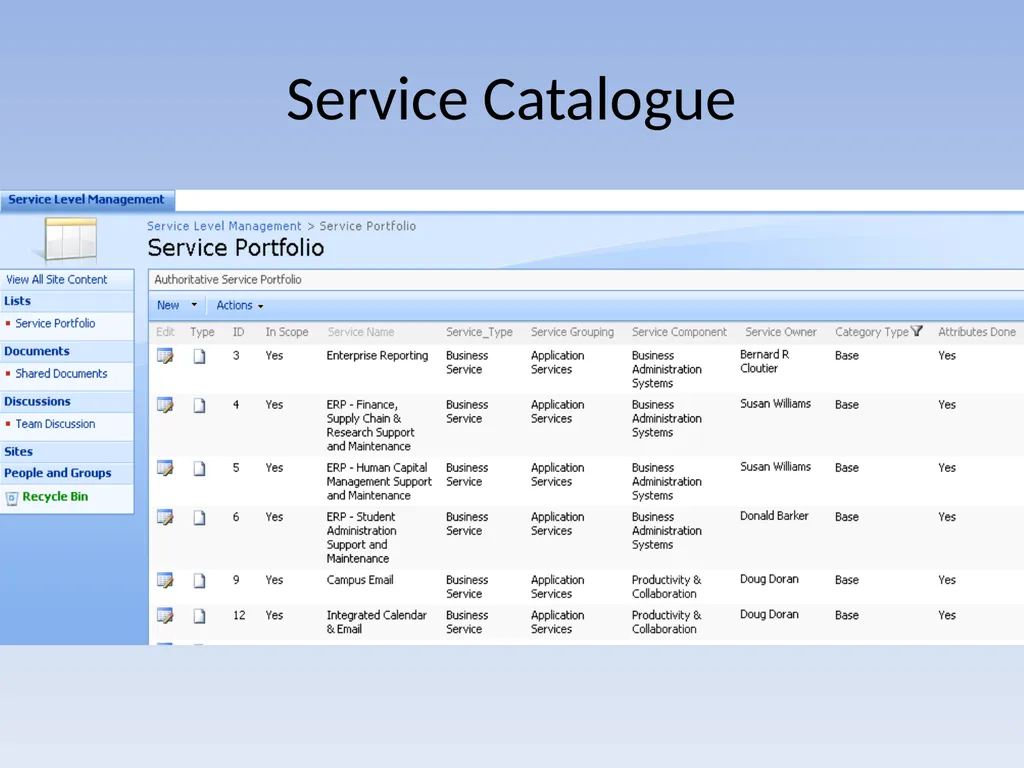
Services in the categories of Base or Supplemental in the Service Catalogue will become IT’s accountability
People
Distributed IT people who are spending more than half of their time delivering Base or Supplemental services will report to IT
Sounds great in principle but is just a starting point
The scope of transition for each faculty needs to be negotiated then agreed between each Dean and the CIO<br>
12
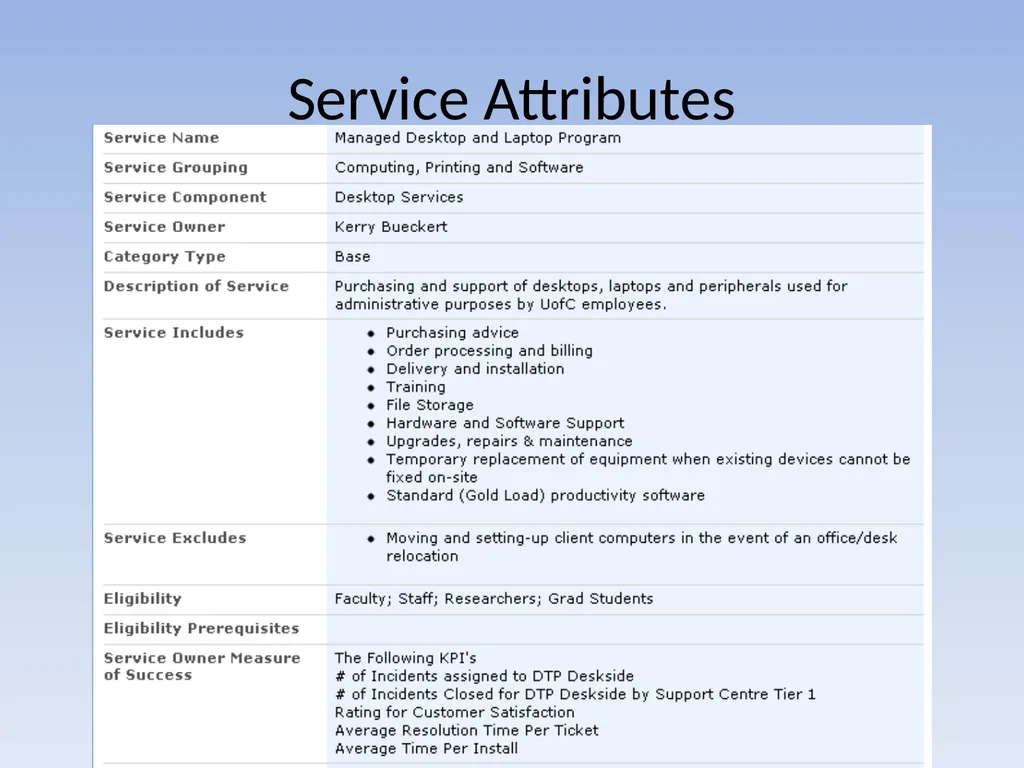
Service Attributes<br>
13
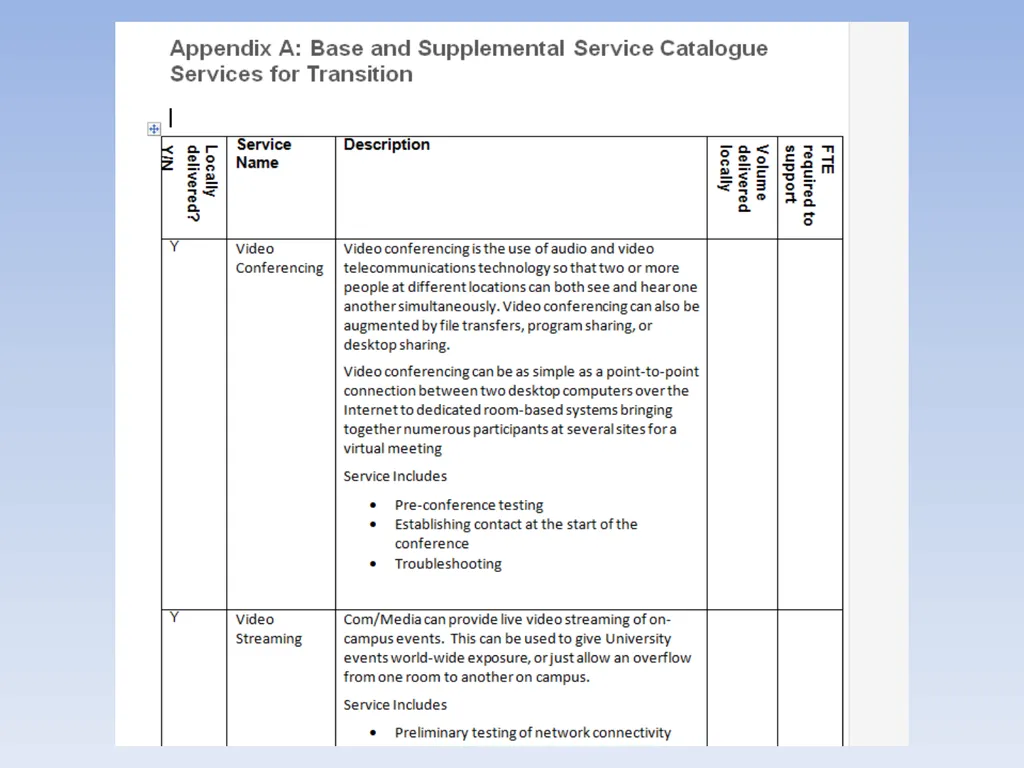
The agreement: Table A<br>
14
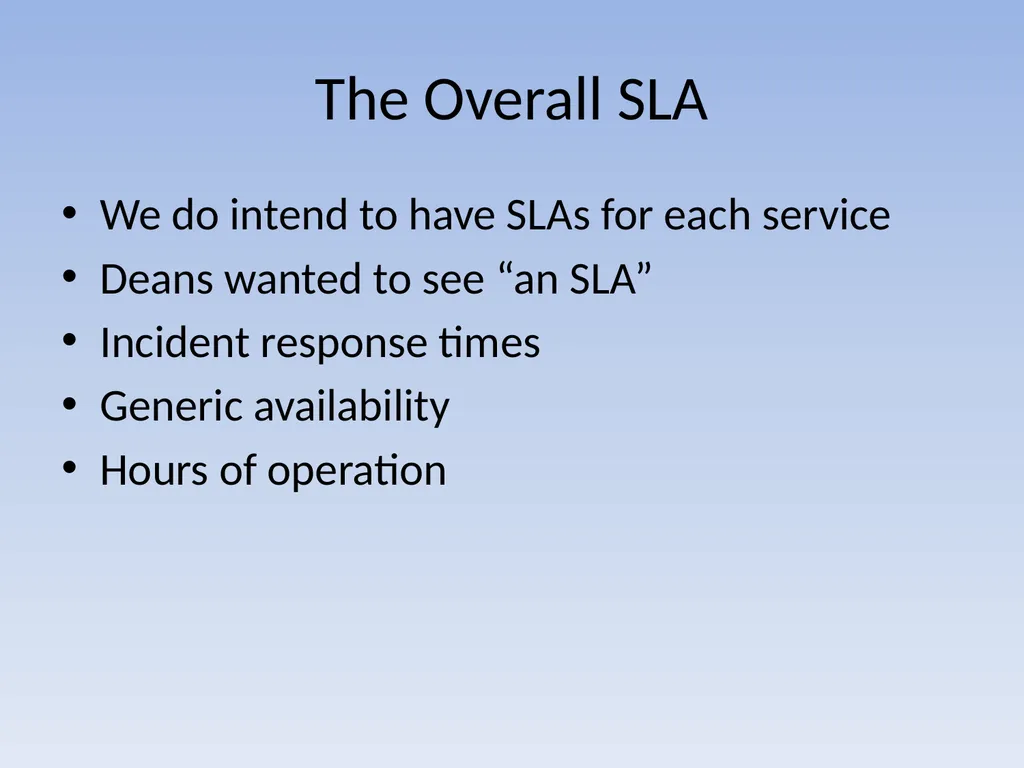
The Overall SLA We do intend to have SLAs for each service
Deans wanted to see “an SLA”
Incident response times
Generic availability
Hours of operation<br>
15
The agreement: Table A<br>
16
Appendix D: Staff Name, title, services and role
Staying with unit or transitioning to central IT
Likely destination directorate<br>
17
Obstacles Questions about Funding
Weak mandate
Too Little trust
Differing services
Differing roles
Differing HR classifications
No common language<br>
18
Obstacles Embryonic IT governance process
Lack of understanding
New IT Leadership team
Active resistance
Passive resistance
Passive-aggressive resistance
Fear<br>
19
Questions About Funding We know that combining services will save the institution money, but we spent a lot of time talking about “who’s budget?”
In the first part of each transition (6 mos to 1 year) the funding for the distributed staff stays with the faculties, the reporting goes to IT<br>
20
Weak Mandate The Deans were not told explicitly “You have to do this.”
Deans Council is a powerful force
We need to do some selling
We need to be flexible
We need to start with the easy ones<br>
21
Too Little Trust Some people in the faculties felt that IT was trying to “put one over” on them
Some people in IT felt that the faculties were trying to take advantage of them
Trust is a commodity, it can be earned and it can be spent
Know if you are already “overdrawn”
Let them know what is in it for them<br>
22
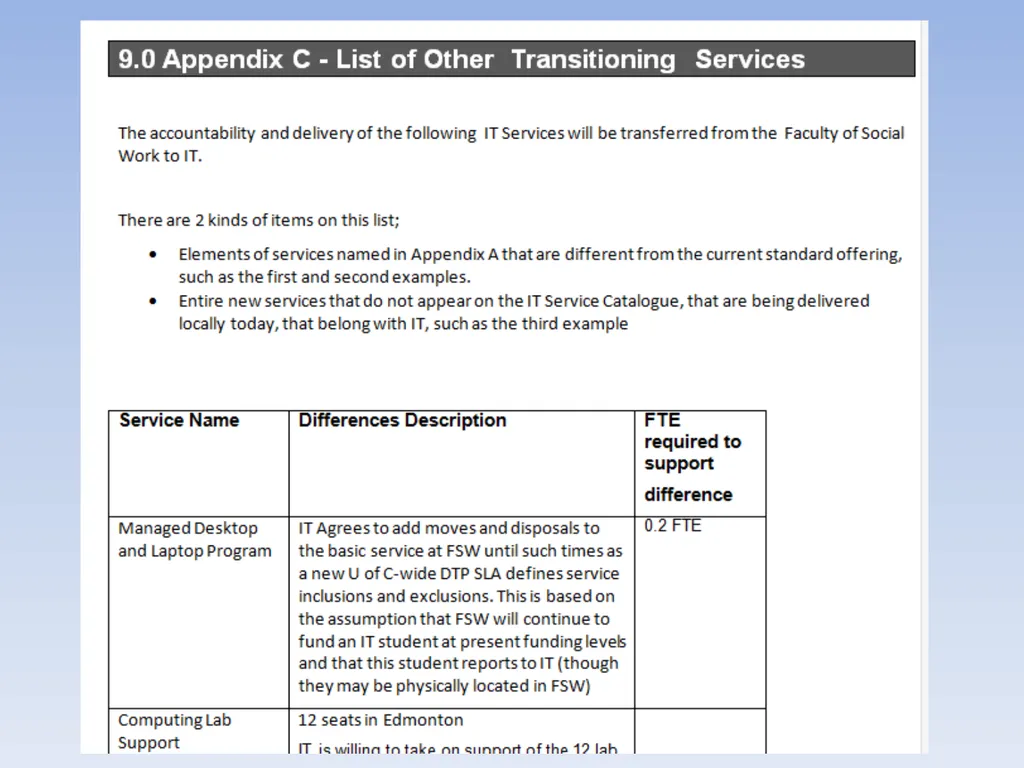
Differing Services Our Desktop Service includes “disposals,” yours does not
Our Videoconferencing makes a technician available at session-start, yours does not
Articulate exactly what the differences are
Both sides should show some flexibility<br>
23
Differing Roles In IT, the DBA and the Enterprise Reporting guys are different people, in the faculty it could be the same person
Don’t try to fix it right away
After IT is accountable for the services, work can be moved as appropriate<br>
24
Differing HR Classifications IT Application Developers are Management and Professional staff, in the faculties, some are AUPE members
People doing similar work in different units are different job-levels and pay rates
Engage HR
Identify the issues
Don’t think you need to fix it immediately<br>
25
No Common Language “Managed Desktop” does not mean the same thing to me as to does to you
IT wants to frame the conversations around the Services, some smaller IT groups talk in terms of activities or even technologies
Use the Service Catalogue
Move conversations about Activites and Technologies to the Services they support<br>
26
Embryonic Governance IT should not be the ones deciding;
which services should be built
what are appropriate service levels
which services should be retired
which services should be base-funded
We are still Waiting For Governance
I don’t have an easy answer<br>
27
Lack of Understanding Or, is that “poor communication?”
Separate your project into 2 parts;
Up till the transfer of accountability for services and staff
After the transfer of accountability
Have a Communication Plan
Execute on the plan
Revisit the plan regularly<br>
28
Fear The new situation has less risk than the old
Risks are transferred from the unit to IT
Communicate well and listen well
If the faculties aren’t nervous, they might not completely understand their risk exposure<br>
29
Your New Team Members Opportunities to do more of what you are good at
On day one your activities and accountabilities do not change
On day one your job profile does not change
It does not necessarily mean you are moving
Your initial connection-point is not forever
You are a new team member
We need your local knowledge<br>
30
New IT Leadership Team Forming
Norming
Storming
Storming
Forming
Storming
….
Name a project sponsor who has the final say<br>
31
Resistance Even “good” change is hard to sell
Get some early victories and don’t be shy about sharing them
Know who is resisting and why
Come back to what’s in it for them
Be flexible and really listen
It is like herding elephants<br>
32
Conclusion Trust is a commodity
Focus on the big services
Make sure everybody is speaking the same language
Don’t underestimate the value of the “quiet approach”<br>