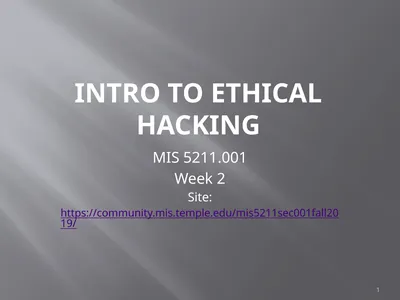
Intro to Ethical Hacking MIS 5211.001 Week 1 Site:
Description: Intro to Ethical Hacking MIS 5211.001 Week 1 Site: http:community.mis.temple.edumis5211sec001f15 Introduction Wade T Mackey Wade.mackeytemple.com 717-682-2925 MIS 5211.001 2 Course Plan MIS 5211.001 3 About the Course Our focus will be
Related Topics
Download Presentation
"Intro to Ethical Hacking MIS 5211.001 Week 1 Site:" is the property of its rightful owner. Permission is granted to download and print the materials on this website for personal, non-commercial use only, and to display it on your personal computer provided you do not modify the materials and that you retain all copyright notices contained in the materials. By downloading content from our website, you accept the terms of this agreement.
Presentation Transcript
slide1. Intro to Ethical Hacking MIS 5211.001
Week 1
Site: http://community.mis.temple.edu/mis5211sec001f15/<br>
slide2. Introduction Wade T Mackey
Wade.mackey@temple.com
717-682-2925 MIS 5211.001 2<br>
slide3. Course Plan MIS 5211.001 3<br>
slide4. About the Course Our focus will be to provide you with an understanding of the process involved in penetration test and the primary tools sets used
Organized around the workflow of a professional tester
Tips for avoiding common pitfalls MIS 5211.001 4<br>
slide5. Caution The tools and techniques discussed and used in this course should only be used on systems you personally own, or have written permission to use.
Some of the tools used have the potential to disrupt or break computer systems. MIS 5211.001 5<br>
slide6. Ethical Hacking What is hacking?
What is Ethical about Hacking MIS 5211.001 6<br>
slide7. My Definition A hacker explores the difference between how something is supposed to work and how it really works. MIS 5211.001 7<br>
slide8. Wikipedia’s Definition In the computer security context, a hacker is someone who seeks and exploits weaknesses in a computer system or computer network. MIS 5211.001 8<br>
slide9. Mindset Successful penetration testers look at the world through a different lens
They think outside the box
They do things differently
They don’t look at the glass as half full or half empty, instead they look at the glass and think “If I hit the glass just right, I can crack it and drain out just what I want. MIS 5211.001 9<br>
slide10. Mindset (Continued) Successful penetration tester also need to have the following work habits
Methodical
Thorough
Careful
Ethical
habitual note taker and documentation fiend
If you can’t duplicate a finding, you didn’t find it! MIS 5211.001 10<br>
slide11. Threat vs. Vulnerability vs. Risk Threat: Any circumstance or event with the potential to adversely impact organizational operations.
Vulnerability: Weakness in an information system, system security procedures, internal controls, or implementation that could be exploited by a threat source.
Risk: A measure of the extent to which an entity is threatened by a potential circumstance or event
A risk exist when a threat actor (or agent) targets a vulnerability
Source: NIST SP 800-30 r1 MIS 5211.001 11<br>
slide12. Threat vs. Vulnerability vs. RiskContinued A penetration tester:
identifies vulnerabilities
Evaluates likely threats
Recommends Mitigation Activities
Recommends corrective actions
In other words, you don’t just say you found something bad. You also have to explain why it is bad and suggest how to fix it. MIS 5211.001 12<br>
slide13. General Types of AttacksActive vs Passive Attacks violate CIA (Confidentiality, Integrity, or Availability.
Active Attack
Manipulates or changes systems or information
Examples – Malware, Spear Phishing, Man-in-the-Middle
Passive Attack
No manipulation or Change
Monitoring only
Example – Sniffing wireless traffic MIS 5211.001 13<br>
slide14. General Types of AttacksInternal vs External Internal
Launched from within an organization
Typically considered insider threat
Could also be a trespasser
External
From the internet
From partners on leased lines
From exposed WiFi MIS 5211.001 14<br>
slide15. Penetration Testing Focused on finding vulnerabilities
Uses many of the same tools and techniques as criminals
Penetration Testing is a subset of Ethical Hacking
Penetration Testing and Ethical Hacking are often used interchangeably
Penetration Testing usually means going a bit further then Ethical Hacking in order to prove a system can be breached and data obtained MIS 5211.001 15<br>
slide16. Security Assessments Generally focused on identifying vulnerabilities without actually compromising systems
Vulnerability Scanning
Architectural Reviews
Configuration Reviews
Code Reviews
Audits MIS 5211.001 16<br>
slide17. Benefits of Assessments Unlikely to crash systems
Staff performing these evaluations often bring different and unique skill sets to the table
Different perspectives on the organization MIS 5211.001 17<br>
slide18. Why Do We Do This Find vulnerabilities before the “Bad” guys do
Ensure management understands the risks in their systems
Informs Security Operations as to what to look for in their monitoring systems
Security Operations is often not informed of work to test if appropriate monitoring is in place MIS 5211.001 18<br>
slide19. What To Do With Findings Document the findings
From the client perspective:
Document issues
Develop action plans
Mitigate
OR
Risk Acceptance MIS 5211.001 19<br>
slide20. Types of Tests Infrastructure (Network)
Web
Dial-Up (War Driving)
Wireless
Social Engineering
Physical
Application MIS 5211.001 20<br>
slide21. Phases Reconnaissance
What technology is in use in the target environment
Scanning
What vulnerabilities exist within the target environment
Exploitation
Can the vulnerabilities be used MIS 5211.001 21<br>
slide22. Going to Far Malicious attackers go further
Maintaining access
Covert Channels
Exfiltrating Data
Covering Tracks MIS 5211.001 22<br>
slide23. Iteration and Following Hunches Phases are not usually this clean
Some jumping around is to be expected
Skilled testers often get a feel for where vulnerabilities may exist based on their experience in similar systems MIS 5211.001 23<br>
slide24. Limitations Penetration Testing can’t find everything
Limited time
Limited scope
Some vulnerabilities are only exposed in specific conditions that may not exist at the time of testing
Testers have different strengths and weaknesses
Some techniques will be off-limits due to potential negative impacts on a target environment MIS 5211.001 24<br>
slide25. LimitationsKnown Vulnerabilities Tool sets only find known vulnerabilities
Few tester have the skill set to find unknown vulnerabilities and develop custom attacks
Even fewer organizations want to fund this level of investigation
May violate terms and conditions of software or hardware licensing MIS 5211.001 25<br>
slide26. Public Methodologies A number of groups publish methodologies for testing systems for vulnerabilities
Can be useful as guidelines for establishing how you pursue testing
Examples:
Open Source Security Testing Methodology Manual (OSSTMM)
http://www.isecom.org/research/osstmm.html
OWASP Testing Framework
https://www.owasp.org/index.php/The_OWASP_Testing_Framework
NIST SP800-115
http://csrc.nist.gov/publications/nistpubs/800-115/SP800-115.pdf
Penetration Testing Framework
http://www.pen-tests.com/penetration-testing-framework.html
Penetration Testing Framework 0.59
http://www.vulnerabilityassessment.co.uk/Penetration%20Test.html MIS 5211.001 26<br>
slide27. Infrastructure for Penetration Testing Software Tools
Hardware
Network Infrastructure
We will cover some basics
Adjust to suite need
Dependent on type of targets and tests MIS 5211.001 27<br>
slide28. Operating Systems Penetration Testers need to shift between multiple operating systems
Some tools are only available on one platform
Some tools may be available on multiple platforms, but work better (or worse) on specific platforms
At a minimum, some Linux and Windows proficiency is needed MIS 5211.001 28<br>
slide29. Software for Testing in this Course Kali 2.0
BackTrack Reborn according to Offensive Security, the providers of Kali
Available at:
http://www.kali.org/downloads/
Kali is large (2.9G), so give yourself some time
VMWare Player
Free for personal use, scroll down
Available at:
http://www.vmware.com/products/player/
VMWare Workstation is available from Temple’s software repository (Good for 1 year). MIS 5211.001 29<br>
slide30. Other Free Tools Many other tools are available
A handful will be required for this class. I will cover them when we get there.
If you go on to do penetration testing, you will likely collect a number of tools
Be careful
Research tool before downloading
Run them in a test environment first MIS 5211.001 30<br>
slide31. Some Sources of Tools and Exploits Exploit Database
http://www.exploit-db.com/
Packet Storm
http://packetstormsecurity.com/
Pentest-Tools
https://pentest-tools.com/home
Security Audit Systems
http://www.security-audit.com/blog/penetration-testing-tools/
I am not endorsing these sites, just making you aware of them. MIS 5211.001 31<br>
slide32. Vulnerability Research US-CERT
https://www.us-cert.gov/
National Vulnerability Database
http://nvd.nist.gov/home.cfm
Mitre CVE
http://cve.mitre.org/
Exploit Database
http://www.exploit-db.com/
CVE Details
http://www.cvedetails.com/ MIS 5211.001 32<br>
slide33. Commercial Tools Many commercial tools are available, for a price
Tenable - Commercial version of Nessus
Qualys – Vulnerability Scanner (alternative to Nessus)
Rapid7 – Commercial Metasploit, Nexpose Vulnerability Scanner
Core Security – Core Impact
HP – Fortify Code Scanner MIS 5211.001 33<br>
slide34. In House Tools Talk to your developers
May have already built scripts and tools
May already own some commercial tools that can be leveraged MIS 5211.001 34<br>
slide35. Going Further With Labs Not needed for this course
Consider building out a hardware lab
Free tools should be tested in a lab before using them in testing
Mimic what you expect to test
Mix up OSs
Does not need to be new equipment, recycle
Good environment to continue learning MIS 5211.001 35<br>
slide36. Machines for Testing Dedicated machines for conducting tests
Not used for normal activity
Do not keep any sensitive information
May be tied up for long periods of time doing scanning
If you expect to do a great deal of scanning, consider a separate server dedicated to scanning MIS 5211.001 36<br>
slide37. Virtual Test Machines Host Machines
VMWare Player
VMWare Workstation
ESX
ZEN
MicroSoft Virtual PC
Guest machines may be ideal for testing
Can be built for test
Can be reset if corrupted
Can be deleted after testing
Can be duplicated if additional guests are need
We will go over setting up VMWare for testing in week three MIS 5211.001 37<br>
slide38. ISPs Many ISPs monitor traffic for malicious activity
Inform your ISP prior to starting Pen Testing
May need to move to a business account
May need to “negotiate” with the ISP MIS 5211.001 38<br>
slide39. Cloud Cloud can be very effective for replicating Distributed Denial of Service attacks
Will require permission form cloud provider or your account may be closed
Cloud providers are reluctant to host Penetration Testing activities
May be possible after some negotiations MIS 5211.001 39<br>
slide40. Infrastructure Firewalls Firewalls may block or minimize the capabilities of penetration testing.
Pen testing activity, especially scanning, can cause performance issues in firewalls
HTTP Proxies may alter encoding
Next Generation firewalls (Like PaloAlto) may perform analysis and drop packets that are not well formed. MIS 5211.001 40<br>
slide41. Host Firewalls Avoid using firewalls on your test network and attack machines
May block activity before it ever leaves your systems
Since this exposes test machines to attack, use a separate, off-network machine to take notes.
Utilize USB drives to transfer information MIS 5211.001 41<br>
slide42. Harden Test Machines Machines in you testing network should be baselined and locked down as much as possible
Keep patching up to date
Turn off all unnecessary ports and services
Increase security settings where possible
Center for Internet Security provides some guidelines
http://www.cisecurity.org/
MicroSoft Baseline Security Analyzer also helps
http://www.microsoft.com/en-us/download/details.aspx?id=7558 MIS 5211.001 42<br>
slide43. Protecting Test Results Consider encrypting test findings as they accumulate
Example
PGP
http://buy.symantec.com/estore/clp/smb_d4v2_9p9s_pgpencryption1_default
BitLocker
http://windows.microsoft.com/en-US/windows7/products/features/bitlocker
Encryption technologies are changing, stay up to date on what works, and what has been broken MIS 5211.001 43<br>
slide44. Clean Test Machines Between Tests When an engagement ends
Move test results off of systems
Scrub systems thorohly
Secure Deletion
Reimage
Revert to baseline
Note: Consider using Solid State Drive w/ Trim turned on, faster and deleted data auto zero’s MIS 5211.001 44<br>
slide45. Penetration Testing Process Preparation
NDAs if applicable
Client concerns
Rules of Engagement
Scope
Written Permission and Acknowledgement of Testing Risks
Testing
Perform Test
Conclusion
Analyze results and retest as needed
Develop report and presentation if needed MIS 5211.001 45<br>
slide46. Permissions Vital that written permission be obtained
Without this you could be held criminally responsible
Good intentions are no defense
Ensure individual granting permission has the authority to do so
Corporate Officer
Director
P&L Responsibility MIS 5211.001 46<br>
slide47. Insurance & Limitation of Liability Permission alone is not sufficient
If you are not working “In-House”
Contract language needs Limitation of Liability language
Time to call in the lawyers
You, or the company you work for will also need liability insurance MIS 5211.001 47<br>
slide48. Rules of Engagement At a minimum
Contact Information
Periodic Debriefing (Daily?)
Dates and Times for Testing
When to start
When to stop
Hours when testing is acceptable
Announced or Unannounced MIS 5211.001 48<br>
slide49. Shunning What if Sys Admins detect testing and attempt to block.
Is this good, or bad?
Stop test, or remove blocks and keep testing?
Verify if client IDS, IPS, or WAF may block attacks
This may be OK if test was focused on effectiveness of these systems
However:
Could cause Denial of Service
Resource consumption
May need to get you traffic excluded from protections to test systems behind these controls MIS 5211.001 49<br>
slide50. Black Box vs Crystal Box Black Box:
No data provided to tester other than target IP Address or URL
Mimics malicious attackers vantage point
Time and resource consuming
Crystal Box:
Tester provided detailed data on systems and architecture
Allows tester to quickly move to value added work
May not uncover data leaked into public space that would have been found during reconnaissance phase MIS 5211.001 50<br>
slide51. Data on Compromised Systems How far should test team go?
Configuration Data
User Info
PII
Should likely stop at configuration data
Testers do have a responsibility to not go past agreed to boundaries
Also applies to sniffer data MIS 5211.001 51<br>
slide52. Observed Tests Is a client representative going to observe all testing
Ensure client data is protected
Inform testers that some area may be off limits
Is client staff going to work with testing team
Client may want their staff to become familiar with tolls and methodology MIS 5211.001 52<br>
slide53. Completing Planning Establish agreement on issues prior to starting
Document the agreement and get sign-off from all parties
Congratulations – You now have your Rules of Engagement, remember that from slide 48 MIS 5211.001 53<br>
slide54. Scope Identify Client Security Concerns
Disclosure?
Availability?
Reputation?
Financial Loss?
Other?
Only the client can tell you what they are really worried about MIS 5211.001 54<br>
slide55. Additional Scope Questions Identify known issues
Do you need to verify them?
Identify likely threats
State Actors
Disgruntled Employees
Determine what to focus on MIS 5211.001 55<br>
slide56. What to Test Determine clear and explicit scope
What to test
Which systems?
Which address space?
Individual hosts?
What to stay away from
Known “brittle” systems
Critical systems MIS 5211.001 56<br>
slide57. Third Parties If third parties are to be tested, they need to provide written permission
If out of scope, need to know who and what they are to avoid them
This is a particular concern in web application testing as sites routinely link or have content hosted form third parties MIS 5211.001 57<br>
slide58. Production vs Test Test environments offer lower risk of impact
May not match production
May respond slower, impacting test efficiency
May not be possible, as only a production system exists MIS 5211.001 58<br>
slide59. How to Test How hard are you going to try
Ping Sweeps
Port Scanning
Vulnerability Scanning
Penetration into Target
Application Level Attacks
Client Side Attacks
Business Logic
Physical
Social Engineering
Denial of Service MIS 5211.001 59<br>
slide60. Internal or Near Internal Testing What about insider threats
Possibilities
Official site visit and granted access
Onsite and breaks in
WiFi
Dial-In
VPN
Citrix
Public Kiosk MIS 5211.001 60<br>
slide61. Client Side Old process focused on servers and infrastructure
More and more focus on client side testing
Can I pivot through a compromised client browser (Think Target)
Can I target vulnerable staff? Or does the client organizing want to provide a willing target to accept the attack (and avoid embarrassing employees) MIS 5211.001 61<br>
slide62. Social Engineering Very powerful
Manipulating employees may impact morale, but also may serve an awareness function
Client needs to think through and consider pros and cons MIS 5211.001 62<br>
slide63. Conducting a Social Engineering Test Explicit written permissions
Defined goal, what are you after?
Develop several scripts and get them vetted by client
Select the right tester
People person
Someone others want to help
Sympathetic MIS 5211.001 63<br>
slide64. Denial of Service Dangerous to test
Often not done because it is already known that systems can be knocked down
If in scope, ensure specifically documented as “in scope”
Consider carving out a subsystem to test so as not to take down entire client MIS 5211.001 64<br>
slide65. Dangerous Exploits Some tests are known to be dangerous
Nessus has separate category of vulnerabilities it can scan for that are known to knock targets of line
Some Metasploit attacks will either succeed or crash the target system
Access testing can lock out users inadvertently MIS 5211.001 65<br>
slide66. Reporting Results Always create a report
It may be the only evidence you where there
Will likely be around a long time
Therefore, make sure it is clean, correct, and reflects well on the effort you put in
Report may make the difference between repeat engagement or no more engagements
Even if “In-House” create the report
Brands your team and their effort MIS 5211.001 66<br>
slide67. Scan Results Are Not A Report Scanning reports may be included in an appendix, but they should not constitute the body of the report
Description of findings, with impact and recommended mitigation go in the body of a report
Don’t accept scanning result ratings at face value.
May need to adjust based on other information developed during test MIS 5211.001 67<br>
slide68. Suggested Format Executive Summary
Introduction
Methodology
How did you do the testing
Findings
Ranked by severity
Recommendations
Conclusion
Clients often want to know how they stack up against their vertical
Appendices (if needed) MIS 5211.001 68<br>
slide69. Executive Summary Most important part of test
Management representatives may never read beyond the summary
Keep it short
1 page, 1.5 at most
Briefly acknowledge test team and client employees who participated
Summarize overall risk posture MIS 5211.001 69<br>
slide70. Executive Summary Include bulleted list of most significant findings
Three to six at most
Framed in terms of business impact
Why does the line of business care about the risks identified
Describe mitigation paths
People
Processes
Technology MIS 5211.001 70<br>
slide71. Screenshots and Illustrations Screenshots or illustrations help capture audience attention and make findings more “real”
Only include “useful” screenshots
Focus on important area, zoom in
Mask are exclude sensitive information
Passwords
User Names
Employee or Customer Data MIS 5211.001 71<br>
slide72. Next Week In the news
TCP/IP and Network Architecture
Google Hacking MIS 5211.001 72<br>
slide73. Questions ? MIS 5211.001 73<br>
Week 1
Site: http://community.mis.temple.edu/mis5211sec001f15/<br>
slide2. Introduction Wade T Mackey
Wade.mackey@temple.com
717-682-2925 MIS 5211.001 2<br>
slide3. Course Plan MIS 5211.001 3<br>
slide4. About the Course Our focus will be to provide you with an understanding of the process involved in penetration test and the primary tools sets used
Organized around the workflow of a professional tester
Tips for avoiding common pitfalls MIS 5211.001 4<br>
slide5. Caution The tools and techniques discussed and used in this course should only be used on systems you personally own, or have written permission to use.
Some of the tools used have the potential to disrupt or break computer systems. MIS 5211.001 5<br>
slide6. Ethical Hacking What is hacking?
What is Ethical about Hacking MIS 5211.001 6<br>
slide7. My Definition A hacker explores the difference between how something is supposed to work and how it really works. MIS 5211.001 7<br>
slide8. Wikipedia’s Definition In the computer security context, a hacker is someone who seeks and exploits weaknesses in a computer system or computer network. MIS 5211.001 8<br>
slide9. Mindset Successful penetration testers look at the world through a different lens
They think outside the box
They do things differently
They don’t look at the glass as half full or half empty, instead they look at the glass and think “If I hit the glass just right, I can crack it and drain out just what I want. MIS 5211.001 9<br>
slide10. Mindset (Continued) Successful penetration tester also need to have the following work habits
Methodical
Thorough
Careful
Ethical
habitual note taker and documentation fiend
If you can’t duplicate a finding, you didn’t find it! MIS 5211.001 10<br>
slide11. Threat vs. Vulnerability vs. Risk Threat: Any circumstance or event with the potential to adversely impact organizational operations.
Vulnerability: Weakness in an information system, system security procedures, internal controls, or implementation that could be exploited by a threat source.
Risk: A measure of the extent to which an entity is threatened by a potential circumstance or event
A risk exist when a threat actor (or agent) targets a vulnerability
Source: NIST SP 800-30 r1 MIS 5211.001 11<br>
slide12. Threat vs. Vulnerability vs. RiskContinued A penetration tester:
identifies vulnerabilities
Evaluates likely threats
Recommends Mitigation Activities
Recommends corrective actions
In other words, you don’t just say you found something bad. You also have to explain why it is bad and suggest how to fix it. MIS 5211.001 12<br>
slide13. General Types of AttacksActive vs Passive Attacks violate CIA (Confidentiality, Integrity, or Availability.
Active Attack
Manipulates or changes systems or information
Examples – Malware, Spear Phishing, Man-in-the-Middle
Passive Attack
No manipulation or Change
Monitoring only
Example – Sniffing wireless traffic MIS 5211.001 13<br>
slide14. General Types of AttacksInternal vs External Internal
Launched from within an organization
Typically considered insider threat
Could also be a trespasser
External
From the internet
From partners on leased lines
From exposed WiFi MIS 5211.001 14<br>
slide15. Penetration Testing Focused on finding vulnerabilities
Uses many of the same tools and techniques as criminals
Penetration Testing is a subset of Ethical Hacking
Penetration Testing and Ethical Hacking are often used interchangeably
Penetration Testing usually means going a bit further then Ethical Hacking in order to prove a system can be breached and data obtained MIS 5211.001 15<br>
slide16. Security Assessments Generally focused on identifying vulnerabilities without actually compromising systems
Vulnerability Scanning
Architectural Reviews
Configuration Reviews
Code Reviews
Audits MIS 5211.001 16<br>
slide17. Benefits of Assessments Unlikely to crash systems
Staff performing these evaluations often bring different and unique skill sets to the table
Different perspectives on the organization MIS 5211.001 17<br>
slide18. Why Do We Do This Find vulnerabilities before the “Bad” guys do
Ensure management understands the risks in their systems
Informs Security Operations as to what to look for in their monitoring systems
Security Operations is often not informed of work to test if appropriate monitoring is in place MIS 5211.001 18<br>
slide19. What To Do With Findings Document the findings
From the client perspective:
Document issues
Develop action plans
Mitigate
OR
Risk Acceptance MIS 5211.001 19<br>
slide20. Types of Tests Infrastructure (Network)
Web
Dial-Up (War Driving)
Wireless
Social Engineering
Physical
Application MIS 5211.001 20<br>
slide21. Phases Reconnaissance
What technology is in use in the target environment
Scanning
What vulnerabilities exist within the target environment
Exploitation
Can the vulnerabilities be used MIS 5211.001 21<br>
slide22. Going to Far Malicious attackers go further
Maintaining access
Covert Channels
Exfiltrating Data
Covering Tracks MIS 5211.001 22<br>
slide23. Iteration and Following Hunches Phases are not usually this clean
Some jumping around is to be expected
Skilled testers often get a feel for where vulnerabilities may exist based on their experience in similar systems MIS 5211.001 23<br>
slide24. Limitations Penetration Testing can’t find everything
Limited time
Limited scope
Some vulnerabilities are only exposed in specific conditions that may not exist at the time of testing
Testers have different strengths and weaknesses
Some techniques will be off-limits due to potential negative impacts on a target environment MIS 5211.001 24<br>
slide25. LimitationsKnown Vulnerabilities Tool sets only find known vulnerabilities
Few tester have the skill set to find unknown vulnerabilities and develop custom attacks
Even fewer organizations want to fund this level of investigation
May violate terms and conditions of software or hardware licensing MIS 5211.001 25<br>
slide26. Public Methodologies A number of groups publish methodologies for testing systems for vulnerabilities
Can be useful as guidelines for establishing how you pursue testing
Examples:
Open Source Security Testing Methodology Manual (OSSTMM)
http://www.isecom.org/research/osstmm.html
OWASP Testing Framework
https://www.owasp.org/index.php/The_OWASP_Testing_Framework
NIST SP800-115
http://csrc.nist.gov/publications/nistpubs/800-115/SP800-115.pdf
Penetration Testing Framework
http://www.pen-tests.com/penetration-testing-framework.html
Penetration Testing Framework 0.59
http://www.vulnerabilityassessment.co.uk/Penetration%20Test.html MIS 5211.001 26<br>
slide27. Infrastructure for Penetration Testing Software Tools
Hardware
Network Infrastructure
We will cover some basics
Adjust to suite need
Dependent on type of targets and tests MIS 5211.001 27<br>
slide28. Operating Systems Penetration Testers need to shift between multiple operating systems
Some tools are only available on one platform
Some tools may be available on multiple platforms, but work better (or worse) on specific platforms
At a minimum, some Linux and Windows proficiency is needed MIS 5211.001 28<br>
slide29. Software for Testing in this Course Kali 2.0
BackTrack Reborn according to Offensive Security, the providers of Kali
Available at:
http://www.kali.org/downloads/
Kali is large (2.9G), so give yourself some time
VMWare Player
Free for personal use, scroll down
Available at:
http://www.vmware.com/products/player/
VMWare Workstation is available from Temple’s software repository (Good for 1 year). MIS 5211.001 29<br>
slide30. Other Free Tools Many other tools are available
A handful will be required for this class. I will cover them when we get there.
If you go on to do penetration testing, you will likely collect a number of tools
Be careful
Research tool before downloading
Run them in a test environment first MIS 5211.001 30<br>
slide31. Some Sources of Tools and Exploits Exploit Database
http://www.exploit-db.com/
Packet Storm
http://packetstormsecurity.com/
Pentest-Tools
https://pentest-tools.com/home
Security Audit Systems
http://www.security-audit.com/blog/penetration-testing-tools/
I am not endorsing these sites, just making you aware of them. MIS 5211.001 31<br>
slide32. Vulnerability Research US-CERT
https://www.us-cert.gov/
National Vulnerability Database
http://nvd.nist.gov/home.cfm
Mitre CVE
http://cve.mitre.org/
Exploit Database
http://www.exploit-db.com/
CVE Details
http://www.cvedetails.com/ MIS 5211.001 32<br>
slide33. Commercial Tools Many commercial tools are available, for a price
Tenable - Commercial version of Nessus
Qualys – Vulnerability Scanner (alternative to Nessus)
Rapid7 – Commercial Metasploit, Nexpose Vulnerability Scanner
Core Security – Core Impact
HP – Fortify Code Scanner MIS 5211.001 33<br>
slide34. In House Tools Talk to your developers
May have already built scripts and tools
May already own some commercial tools that can be leveraged MIS 5211.001 34<br>
slide35. Going Further With Labs Not needed for this course
Consider building out a hardware lab
Free tools should be tested in a lab before using them in testing
Mimic what you expect to test
Mix up OSs
Does not need to be new equipment, recycle
Good environment to continue learning MIS 5211.001 35<br>
slide36. Machines for Testing Dedicated machines for conducting tests
Not used for normal activity
Do not keep any sensitive information
May be tied up for long periods of time doing scanning
If you expect to do a great deal of scanning, consider a separate server dedicated to scanning MIS 5211.001 36<br>
slide37. Virtual Test Machines Host Machines
VMWare Player
VMWare Workstation
ESX
ZEN
MicroSoft Virtual PC
Guest machines may be ideal for testing
Can be built for test
Can be reset if corrupted
Can be deleted after testing
Can be duplicated if additional guests are need
We will go over setting up VMWare for testing in week three MIS 5211.001 37<br>
slide38. ISPs Many ISPs monitor traffic for malicious activity
Inform your ISP prior to starting Pen Testing
May need to move to a business account
May need to “negotiate” with the ISP MIS 5211.001 38<br>
slide39. Cloud Cloud can be very effective for replicating Distributed Denial of Service attacks
Will require permission form cloud provider or your account may be closed
Cloud providers are reluctant to host Penetration Testing activities
May be possible after some negotiations MIS 5211.001 39<br>
slide40. Infrastructure Firewalls Firewalls may block or minimize the capabilities of penetration testing.
Pen testing activity, especially scanning, can cause performance issues in firewalls
HTTP Proxies may alter encoding
Next Generation firewalls (Like PaloAlto) may perform analysis and drop packets that are not well formed. MIS 5211.001 40<br>
slide41. Host Firewalls Avoid using firewalls on your test network and attack machines
May block activity before it ever leaves your systems
Since this exposes test machines to attack, use a separate, off-network machine to take notes.
Utilize USB drives to transfer information MIS 5211.001 41<br>
slide42. Harden Test Machines Machines in you testing network should be baselined and locked down as much as possible
Keep patching up to date
Turn off all unnecessary ports and services
Increase security settings where possible
Center for Internet Security provides some guidelines
http://www.cisecurity.org/
MicroSoft Baseline Security Analyzer also helps
http://www.microsoft.com/en-us/download/details.aspx?id=7558 MIS 5211.001 42<br>
slide43. Protecting Test Results Consider encrypting test findings as they accumulate
Example
PGP
http://buy.symantec.com/estore/clp/smb_d4v2_9p9s_pgpencryption1_default
BitLocker
http://windows.microsoft.com/en-US/windows7/products/features/bitlocker
Encryption technologies are changing, stay up to date on what works, and what has been broken MIS 5211.001 43<br>
slide44. Clean Test Machines Between Tests When an engagement ends
Move test results off of systems
Scrub systems thorohly
Secure Deletion
Reimage
Revert to baseline
Note: Consider using Solid State Drive w/ Trim turned on, faster and deleted data auto zero’s MIS 5211.001 44<br>
slide45. Penetration Testing Process Preparation
NDAs if applicable
Client concerns
Rules of Engagement
Scope
Written Permission and Acknowledgement of Testing Risks
Testing
Perform Test
Conclusion
Analyze results and retest as needed
Develop report and presentation if needed MIS 5211.001 45<br>
slide46. Permissions Vital that written permission be obtained
Without this you could be held criminally responsible
Good intentions are no defense
Ensure individual granting permission has the authority to do so
Corporate Officer
Director
P&L Responsibility MIS 5211.001 46<br>
slide47. Insurance & Limitation of Liability Permission alone is not sufficient
If you are not working “In-House”
Contract language needs Limitation of Liability language
Time to call in the lawyers
You, or the company you work for will also need liability insurance MIS 5211.001 47<br>
slide48. Rules of Engagement At a minimum
Contact Information
Periodic Debriefing (Daily?)
Dates and Times for Testing
When to start
When to stop
Hours when testing is acceptable
Announced or Unannounced MIS 5211.001 48<br>
slide49. Shunning What if Sys Admins detect testing and attempt to block.
Is this good, or bad?
Stop test, or remove blocks and keep testing?
Verify if client IDS, IPS, or WAF may block attacks
This may be OK if test was focused on effectiveness of these systems
However:
Could cause Denial of Service
Resource consumption
May need to get you traffic excluded from protections to test systems behind these controls MIS 5211.001 49<br>
slide50. Black Box vs Crystal Box Black Box:
No data provided to tester other than target IP Address or URL
Mimics malicious attackers vantage point
Time and resource consuming
Crystal Box:
Tester provided detailed data on systems and architecture
Allows tester to quickly move to value added work
May not uncover data leaked into public space that would have been found during reconnaissance phase MIS 5211.001 50<br>
slide51. Data on Compromised Systems How far should test team go?
Configuration Data
User Info
PII
Should likely stop at configuration data
Testers do have a responsibility to not go past agreed to boundaries
Also applies to sniffer data MIS 5211.001 51<br>
slide52. Observed Tests Is a client representative going to observe all testing
Ensure client data is protected
Inform testers that some area may be off limits
Is client staff going to work with testing team
Client may want their staff to become familiar with tolls and methodology MIS 5211.001 52<br>
slide53. Completing Planning Establish agreement on issues prior to starting
Document the agreement and get sign-off from all parties
Congratulations – You now have your Rules of Engagement, remember that from slide 48 MIS 5211.001 53<br>
slide54. Scope Identify Client Security Concerns
Disclosure?
Availability?
Reputation?
Financial Loss?
Other?
Only the client can tell you what they are really worried about MIS 5211.001 54<br>
slide55. Additional Scope Questions Identify known issues
Do you need to verify them?
Identify likely threats
State Actors
Disgruntled Employees
Determine what to focus on MIS 5211.001 55<br>
slide56. What to Test Determine clear and explicit scope
What to test
Which systems?
Which address space?
Individual hosts?
What to stay away from
Known “brittle” systems
Critical systems MIS 5211.001 56<br>
slide57. Third Parties If third parties are to be tested, they need to provide written permission
If out of scope, need to know who and what they are to avoid them
This is a particular concern in web application testing as sites routinely link or have content hosted form third parties MIS 5211.001 57<br>
slide58. Production vs Test Test environments offer lower risk of impact
May not match production
May respond slower, impacting test efficiency
May not be possible, as only a production system exists MIS 5211.001 58<br>
slide59. How to Test How hard are you going to try
Ping Sweeps
Port Scanning
Vulnerability Scanning
Penetration into Target
Application Level Attacks
Client Side Attacks
Business Logic
Physical
Social Engineering
Denial of Service MIS 5211.001 59<br>
slide60. Internal or Near Internal Testing What about insider threats
Possibilities
Official site visit and granted access
Onsite and breaks in
WiFi
Dial-In
VPN
Citrix
Public Kiosk MIS 5211.001 60<br>
slide61. Client Side Old process focused on servers and infrastructure
More and more focus on client side testing
Can I pivot through a compromised client browser (Think Target)
Can I target vulnerable staff? Or does the client organizing want to provide a willing target to accept the attack (and avoid embarrassing employees) MIS 5211.001 61<br>
slide62. Social Engineering Very powerful
Manipulating employees may impact morale, but also may serve an awareness function
Client needs to think through and consider pros and cons MIS 5211.001 62<br>
slide63. Conducting a Social Engineering Test Explicit written permissions
Defined goal, what are you after?
Develop several scripts and get them vetted by client
Select the right tester
People person
Someone others want to help
Sympathetic MIS 5211.001 63<br>
slide64. Denial of Service Dangerous to test
Often not done because it is already known that systems can be knocked down
If in scope, ensure specifically documented as “in scope”
Consider carving out a subsystem to test so as not to take down entire client MIS 5211.001 64<br>
slide65. Dangerous Exploits Some tests are known to be dangerous
Nessus has separate category of vulnerabilities it can scan for that are known to knock targets of line
Some Metasploit attacks will either succeed or crash the target system
Access testing can lock out users inadvertently MIS 5211.001 65<br>
slide66. Reporting Results Always create a report
It may be the only evidence you where there
Will likely be around a long time
Therefore, make sure it is clean, correct, and reflects well on the effort you put in
Report may make the difference between repeat engagement or no more engagements
Even if “In-House” create the report
Brands your team and their effort MIS 5211.001 66<br>
slide67. Scan Results Are Not A Report Scanning reports may be included in an appendix, but they should not constitute the body of the report
Description of findings, with impact and recommended mitigation go in the body of a report
Don’t accept scanning result ratings at face value.
May need to adjust based on other information developed during test MIS 5211.001 67<br>
slide68. Suggested Format Executive Summary
Introduction
Methodology
How did you do the testing
Findings
Ranked by severity
Recommendations
Conclusion
Clients often want to know how they stack up against their vertical
Appendices (if needed) MIS 5211.001 68<br>
slide69. Executive Summary Most important part of test
Management representatives may never read beyond the summary
Keep it short
1 page, 1.5 at most
Briefly acknowledge test team and client employees who participated
Summarize overall risk posture MIS 5211.001 69<br>
slide70. Executive Summary Include bulleted list of most significant findings
Three to six at most
Framed in terms of business impact
Why does the line of business care about the risks identified
Describe mitigation paths
People
Processes
Technology MIS 5211.001 70<br>
slide71. Screenshots and Illustrations Screenshots or illustrations help capture audience attention and make findings more “real”
Only include “useful” screenshots
Focus on important area, zoom in
Mask are exclude sensitive information
Passwords
User Names
Employee or Customer Data MIS 5211.001 71<br>
slide72. Next Week In the news
TCP/IP and Network Architecture
Google Hacking MIS 5211.001 72<br>
slide73. Questions ? MIS 5211.001 73<br>