
Intro to Javascript CS380 1 Client Side Scripting
YM
Published · 40 slides · 0 views
1 / 1
Description
Intro to Javascript CS380 1 Client Side Scripting CS380 2 Why use client-side programming? PHP already allows us to create dynamic web pages. Why also use client-side scripting? client-side scripting (JavaScript) benefits: usability: can
Related Topics
Share
Embed code
Download this presentation From Below
"Intro to Javascript CS380 1 Client Side Scripting" is the property of its rightful owner. Permission is granted to download and print the materials on this website for personal, non-commercial use only, and to display it on your personal computer provided you do not modify the materials and that you retain all copyright notices contained in the materials. By downloading content from our website, you accept the terms of this agreement.
Presentation Transcript
01
Intro to Javascript CS380 1<br>
02
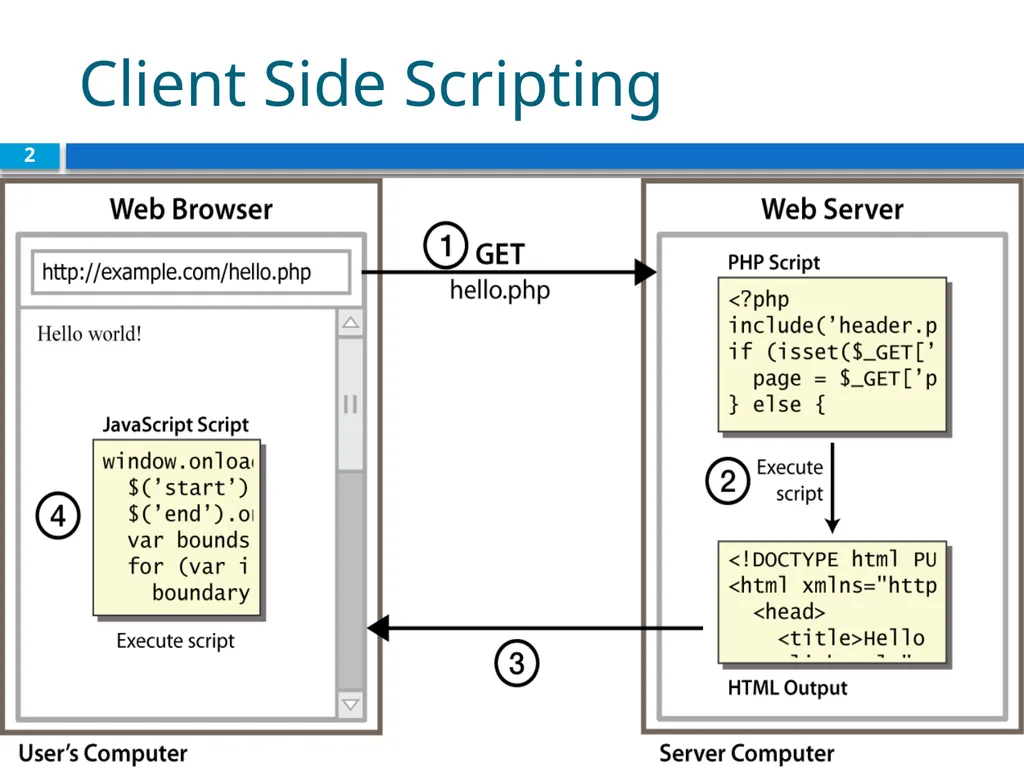
Client Side Scripting CS380 2<br>
03
Why use client-side programming? PHP already allows us to create dynamic web pages. Why also use client-side scripting?
client-side scripting (JavaScript) benefits:
usability: can modify a page without having to post back to the server (faster UI)
efficiency: can make small, quick changes to page without waiting for server
event-driven: can respond to user actions like clicks and key presses CS380 3<br>
client-side scripting (JavaScript) benefits:
usability: can modify a page without having to post back to the server (faster UI)
efficiency: can make small, quick changes to page without waiting for server
event-driven: can respond to user actions like clicks and key presses CS380 3<br>
04
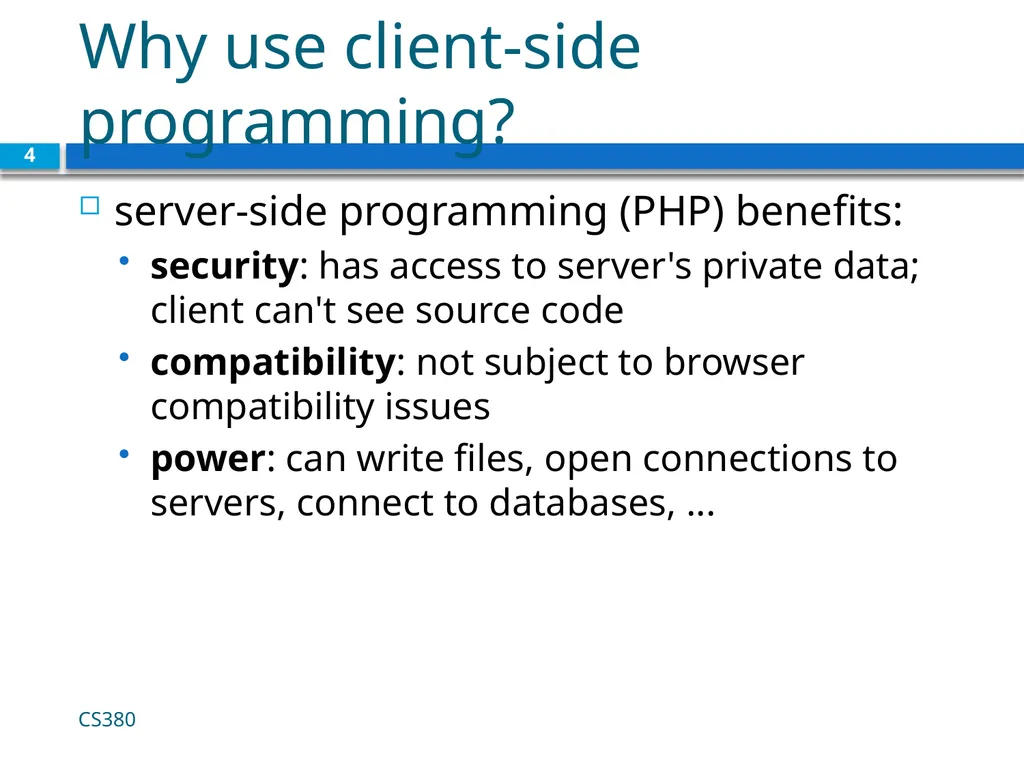
Why use client-side programming? server-side programming (PHP) benefits:
security: has access to server's private data; client can't see source code
compatibility: not subject to browser compatibility issues
power: can write files, open connections to servers, connect to databases, ... CS380 4<br>
security: has access to server's private data; client can't see source code
compatibility: not subject to browser compatibility issues
power: can write files, open connections to servers, connect to databases, ... CS380 4<br>
05
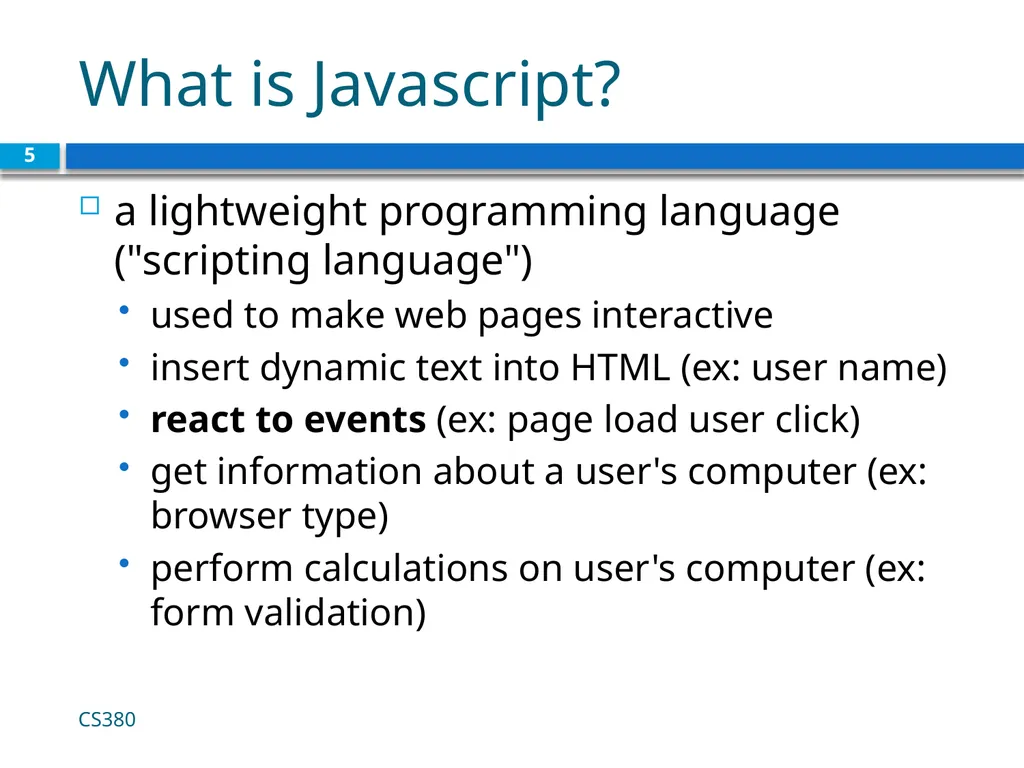
What is Javascript? a lightweight programming language ("scripting language")
used to make web pages interactive
insert dynamic text into HTML (ex: user name)
react to events (ex: page load user click)
get information about a user's computer (ex: browser type)
perform calculations on user's computer (ex: form validation) CS380 5<br>
used to make web pages interactive
insert dynamic text into HTML (ex: user name)
react to events (ex: page load user click)
get information about a user's computer (ex: browser type)
perform calculations on user's computer (ex: form validation) CS380 5<br>
06
What is Javascript? a web standard (but not supported identically by all browsers)
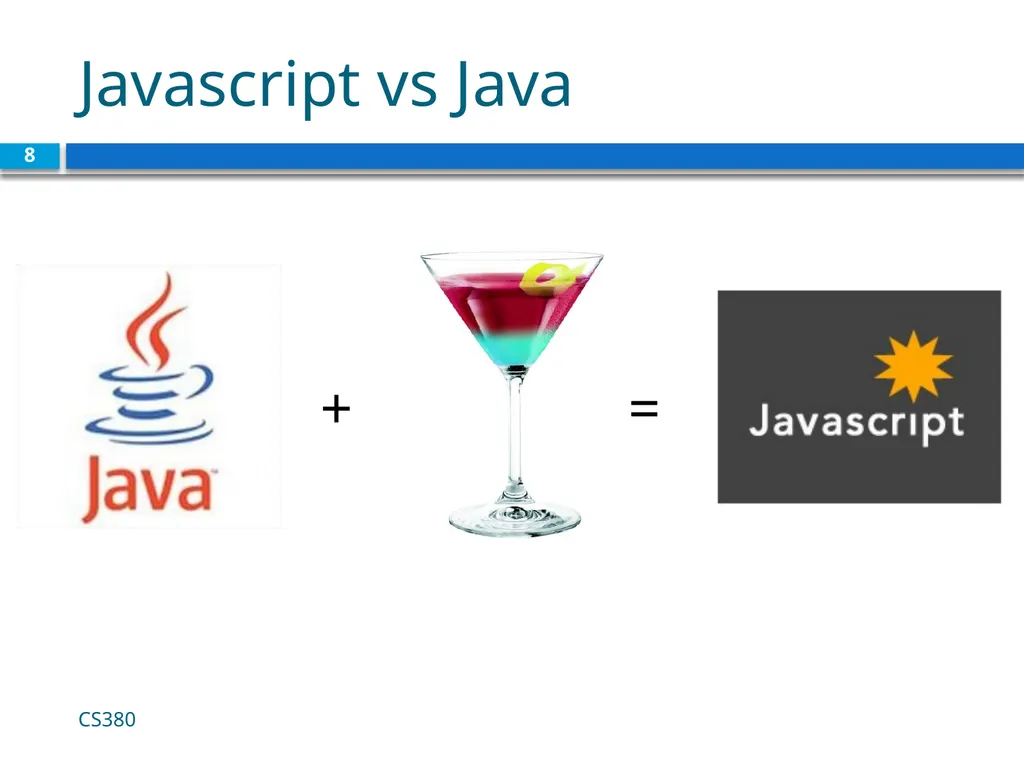
NOT related to Java other than by name and some syntactic similarities CS380 6<br>
NOT related to Java other than by name and some syntactic similarities CS380 6<br>
07
Javascript vs Java interpreted, not compiled
more relaxed syntax and rules
fewer and "looser" data types
variables don't need to be declared
errors often silent (few exceptions)
key construct is the function rather than the class
"first-class" functions are used in many situations
contained within a web page and integrates with its HTML/CSS content CS380 7<br>
more relaxed syntax and rules
fewer and "looser" data types
variables don't need to be declared
errors often silent (few exceptions)
key construct is the function rather than the class
"first-class" functions are used in many situations
contained within a web page and integrates with its HTML/CSS content CS380 7<br>
08
Javascript vs Java CS380 8 + =<br>
09
JavaScript vs. PHP similarities:
both are interpreted, not compiled
both are relaxed about syntax, rules, and types
both are case-sensitive
both have built-in regular expressions for powerful text processing CS380 9<br>
both are interpreted, not compiled
both are relaxed about syntax, rules, and types
both are case-sensitive
both have built-in regular expressions for powerful text processing CS380 9<br>
10
JavaScript vs. PHP differences:
JS is more object-oriented: noun.verb(), less procedural: verb(noun)
JS focuses on user interfaces and interacting with a document; PHP is geared toward HTML output and file/form processing
JS code runs on the client's browser; PHP code runs on the web server CS380 10 JS <3<br>
JS is more object-oriented: noun.verb(), less procedural: verb(noun)
JS focuses on user interfaces and interacting with a document; PHP is geared toward HTML output and file/form processing
JS code runs on the client's browser; PHP code runs on the web server CS380 10 JS <3<br>
11
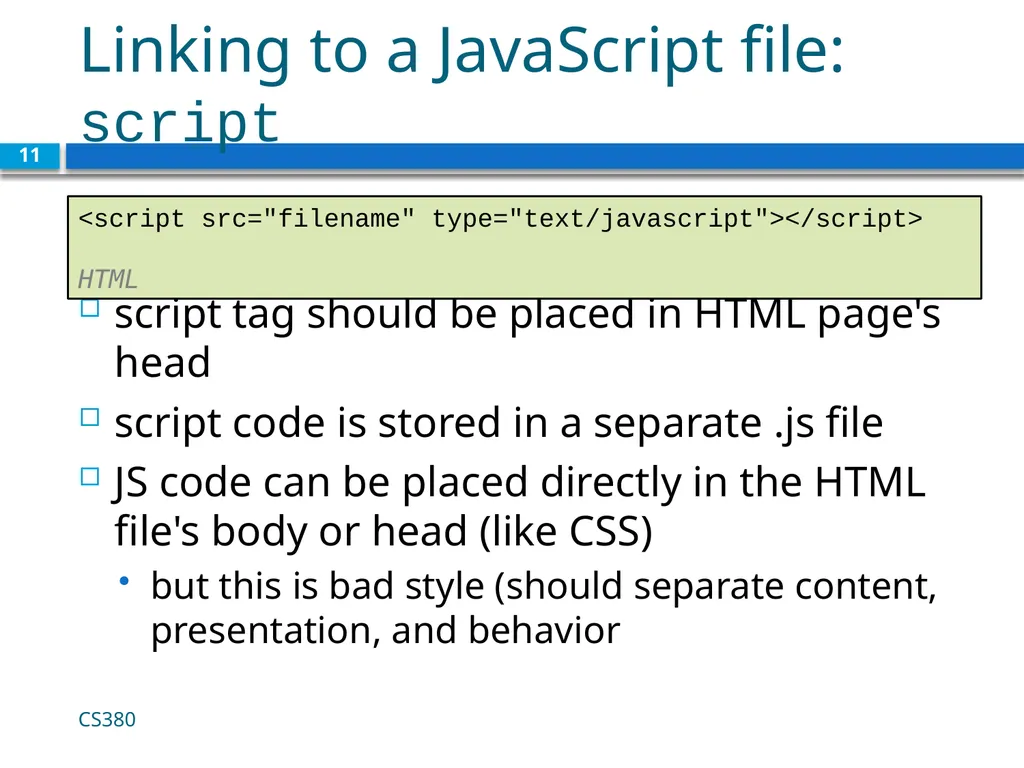
Linking to a JavaScript file: script script tag should be placed in HTML page's head
script code is stored in a separate .js file
JS code can be placed directly in the HTML file's body or head (like CSS)
but this is bad style (should separate content, presentation, and behavior CS380 11 <script src="filename" type="text/javascript"></script> HTML<br>
script code is stored in a separate .js file
JS code can be placed directly in the HTML file's body or head (like CSS)
but this is bad style (should separate content, presentation, and behavior CS380 11 <script src="filename" type="text/javascript"></script> HTML<br>
12
Event-driven programming 12 split breaks apart a string into an array using a delimiter
can also be used with regular expressions (seen later)
join merges an array into a single string, placing a delimiter between them CS380<br>
can also be used with regular expressions (seen later)
join merges an array into a single string, placing a delimiter between them CS380<br>
13
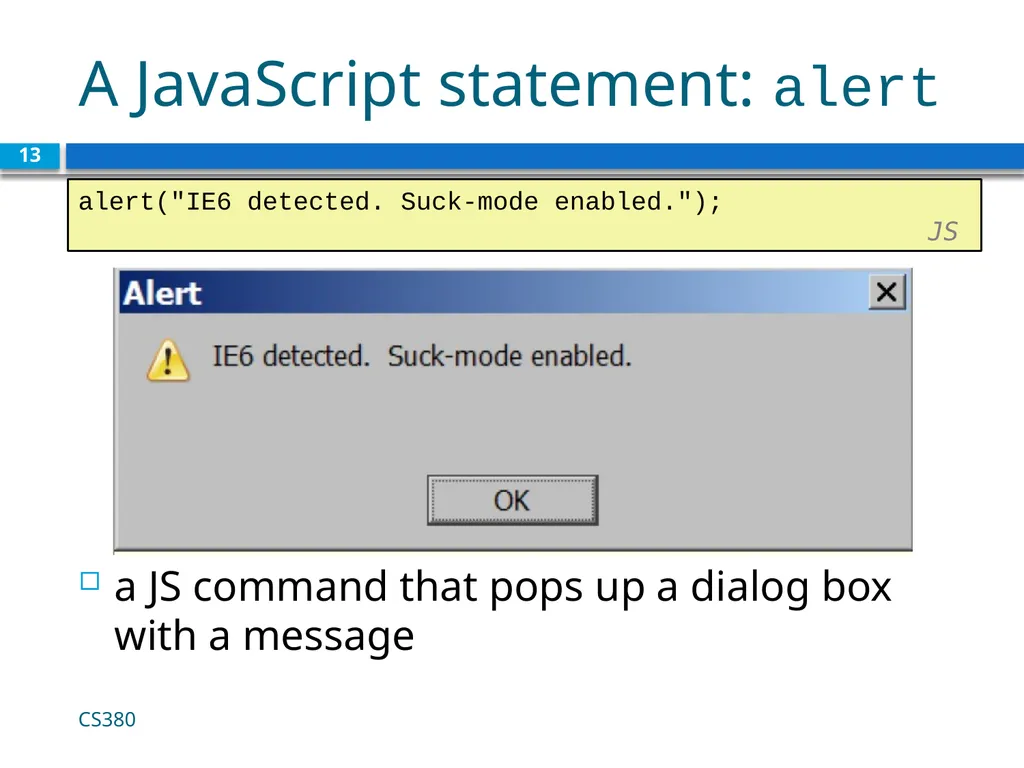
A JavaScript statement: alert a JS command that pops up a dialog box with a message CS380 13 alert("IE6 detected. Suck-mode enabled."); JS<br>
14
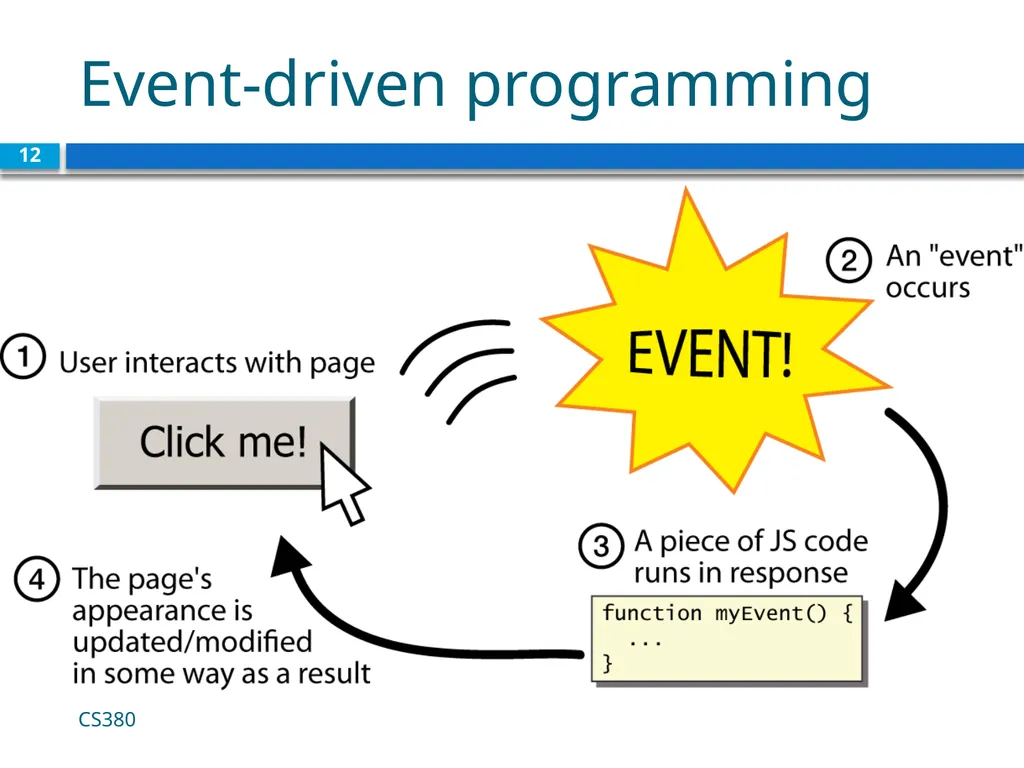
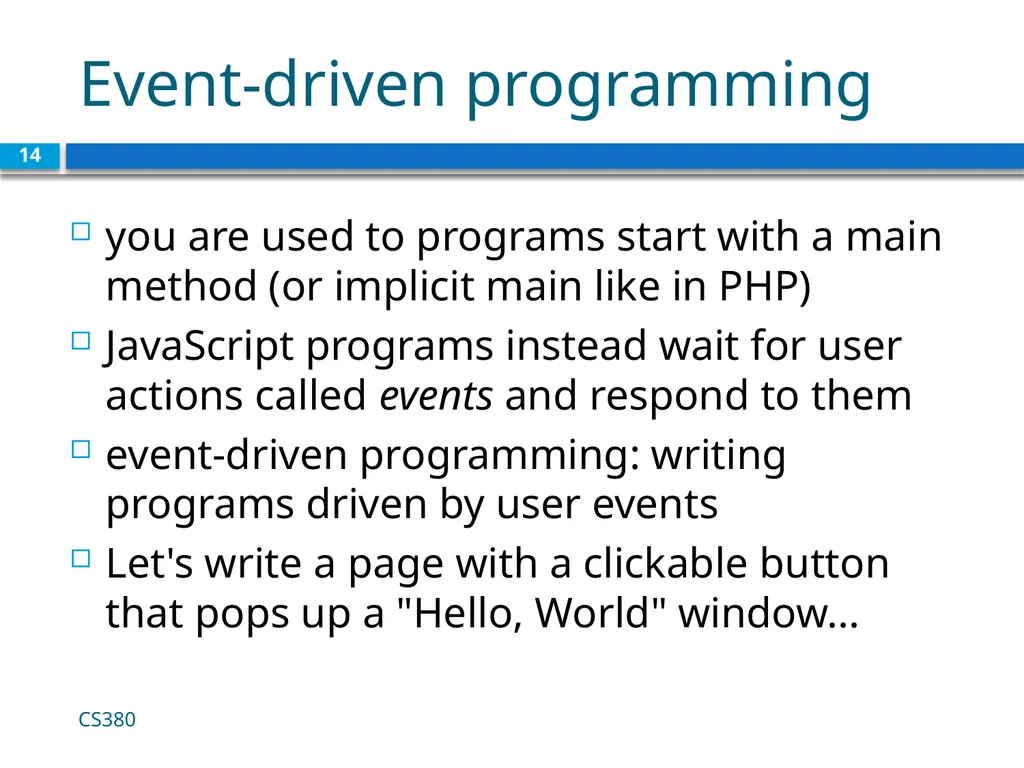
Event-driven programming 14 you are used to programs start with a main method (or implicit main like in PHP)
JavaScript programs instead wait for user actions called events and respond to them
event-driven programming: writing programs driven by user events
Let's write a page with a clickable button that pops up a "Hello, World" window... CS380<br>
JavaScript programs instead wait for user actions called events and respond to them
event-driven programming: writing programs driven by user events
Let's write a page with a clickable button that pops up a "Hello, World" window... CS380<br>
15
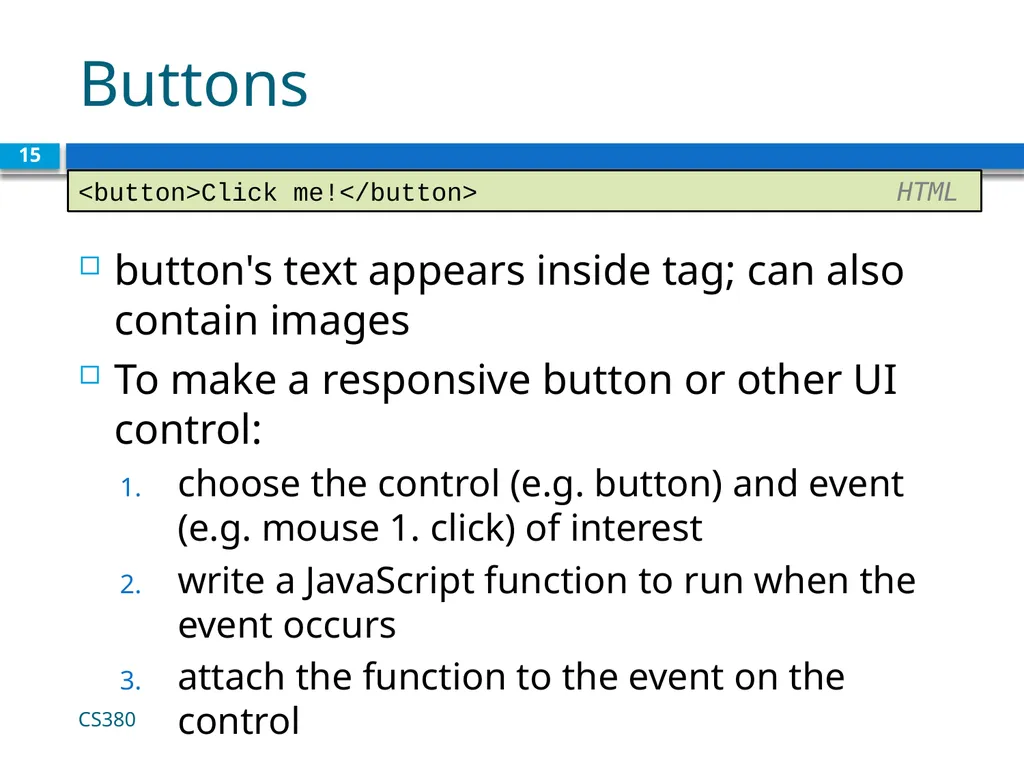
Buttons button's text appears inside tag; can also contain images
To make a responsive button or other UI control:
choose the control (e.g. button) and event (e.g. mouse 1. click) of interest
write a JavaScript function to run when the event occurs
attach the function to the event on the control CS380 15 <button>Click me!</button> HTML<br>
To make a responsive button or other UI control:
choose the control (e.g. button) and event (e.g. mouse 1. click) of interest
write a JavaScript function to run when the event occurs
attach the function to the event on the control CS380 15 <button>Click me!</button> HTML<br>
16
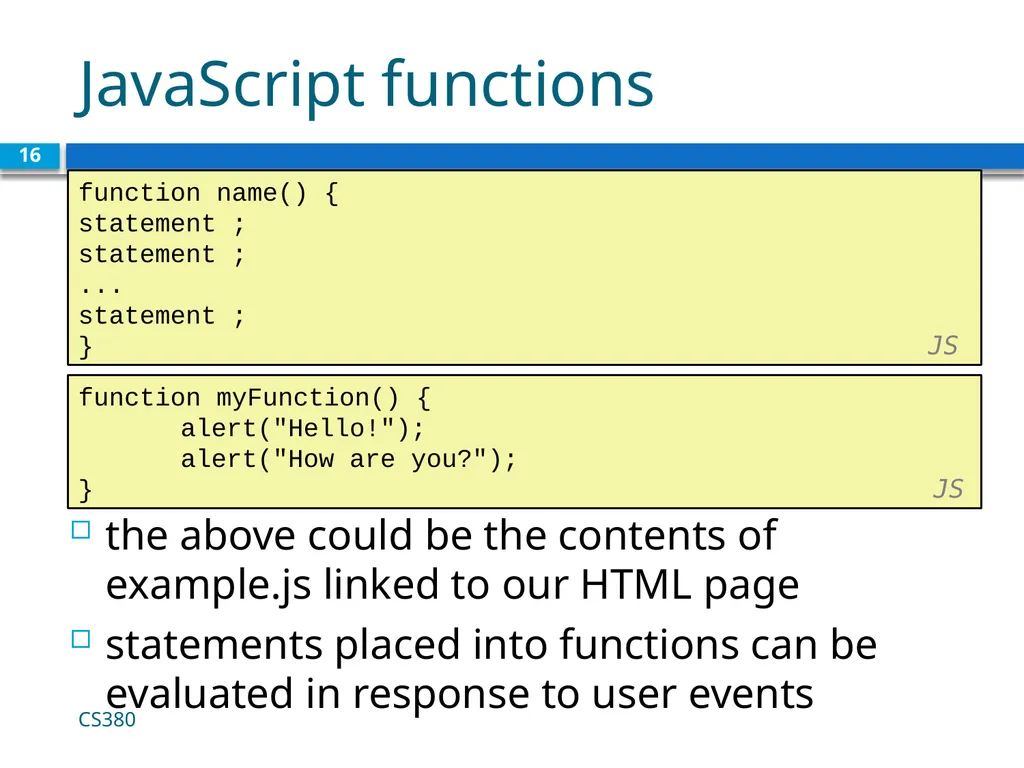
JavaScript functions 16 function name() {
statement ;
statement ;
...
statement ;
} JS the above could be the contents of example.js linked to our HTML page
statements placed into functions can be evaluated in response to user events function myFunction() {
alert("Hello!");
alert("How are you?");
} JS CS380<br>
statement ;
statement ;
...
statement ;
} JS the above could be the contents of example.js linked to our HTML page
statements placed into functions can be evaluated in response to user events function myFunction() {
alert("Hello!");
alert("How are you?");
} JS CS380<br>
17
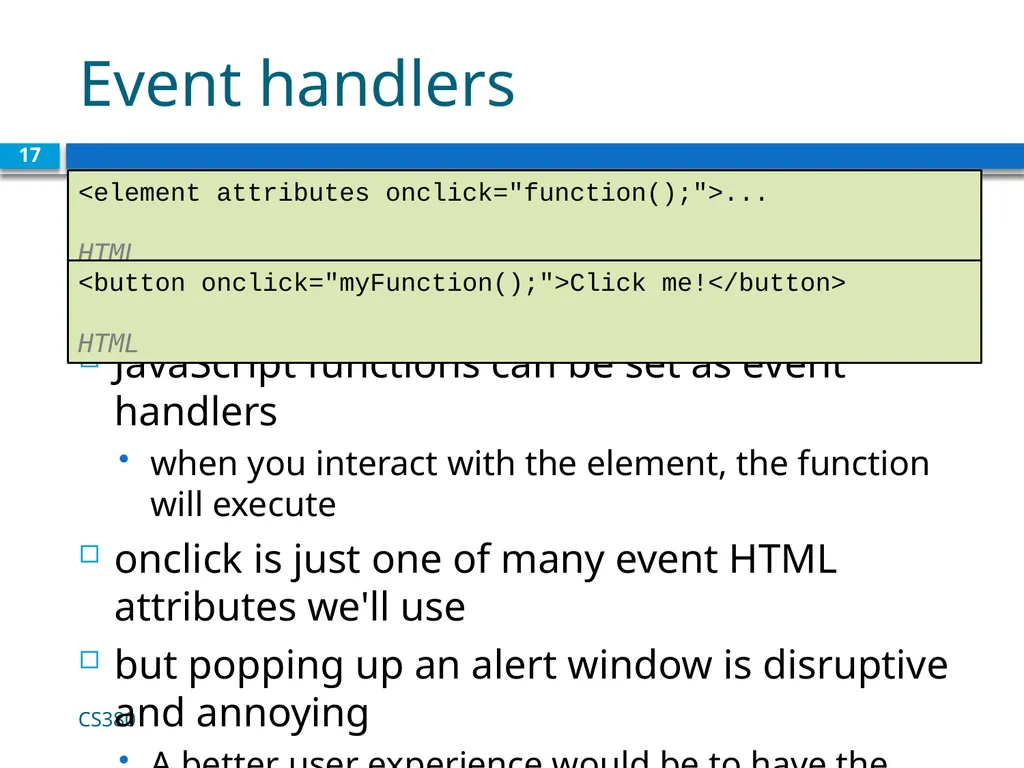
Event handlers JavaScript functions can be set as event handlers
when you interact with the element, the function will execute
onclick is just one of many event HTML attributes we'll use
but popping up an alert window is disruptive and annoying
A better user experience would be to have the message appear on the page... CS380 17 <element attributes onclick="function();">... HTML <button onclick="myFunction();">Click me!</button> HTML<br>
when you interact with the element, the function will execute
onclick is just one of many event HTML attributes we'll use
but popping up an alert window is disruptive and annoying
A better user experience would be to have the message appear on the page... CS380 17 <element attributes onclick="function();">... HTML <button onclick="myFunction();">Click me!</button> HTML<br>
18
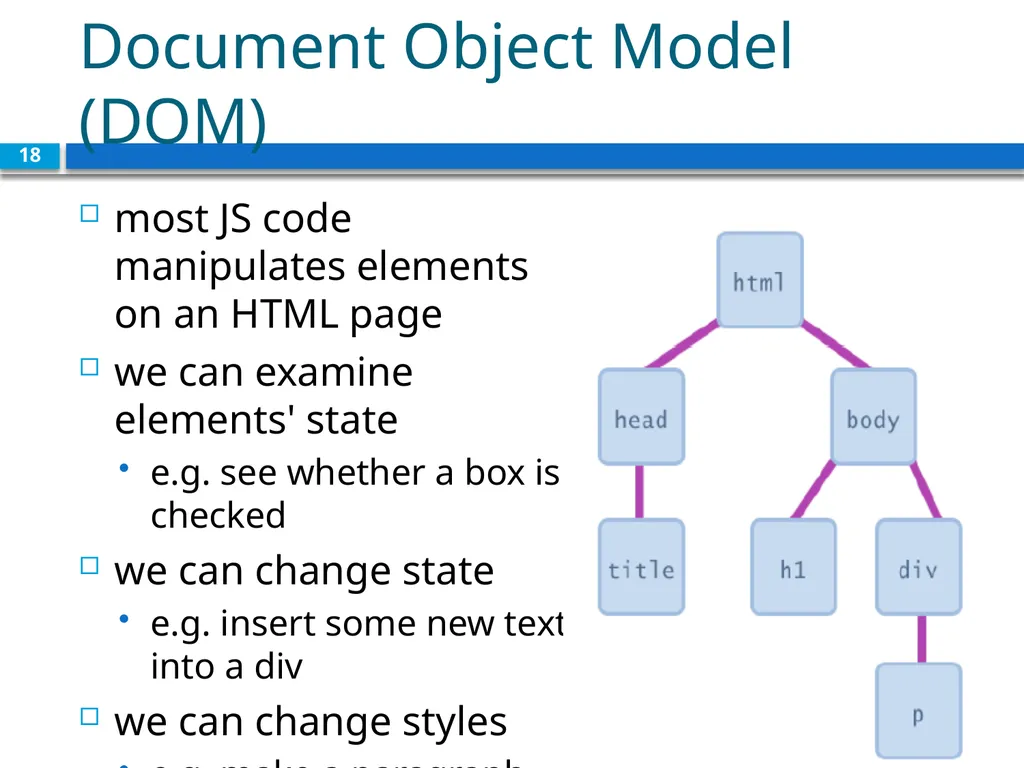
Document Object Model (DOM) most JS code manipulates elements on an HTML page
we can examine elements' state
e.g. see whether a box is checked
we can change state
e.g. insert some new text into a div
we can change styles
e.g. make a paragraph red 18<br>
we can examine elements' state
e.g. see whether a box is checked
we can change state
e.g. insert some new text into a div
we can change styles
e.g. make a paragraph red 18<br>
19
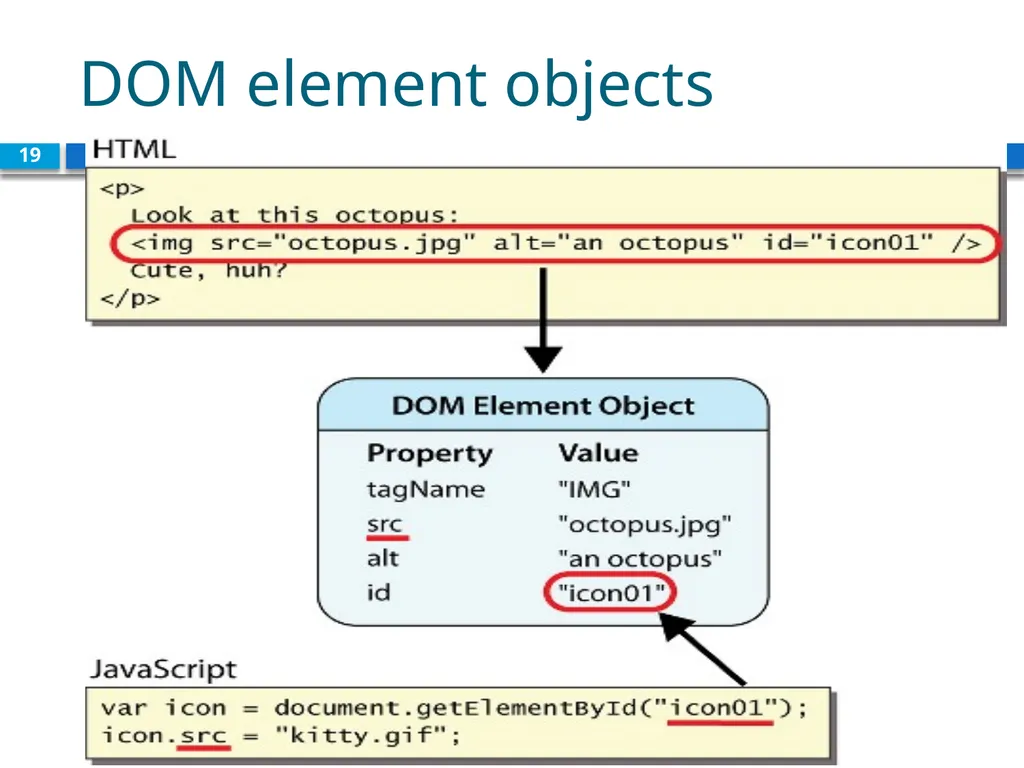
DOM element objects 19<br>
20
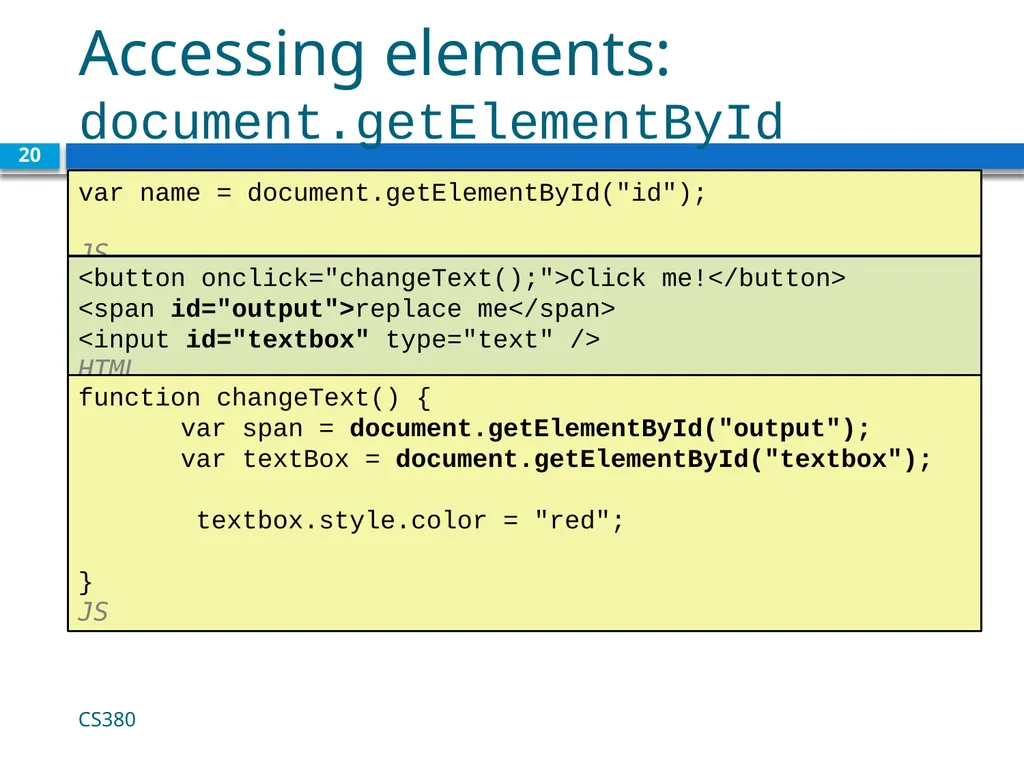
Accessing elements: document.getElementById 20 var name = document.getElementById("id");
JS CS380 <button onclick="changeText();">Click me!</button>
<span id="output">replace me</span>
<input id="textbox" type="text" /> HTML function changeText() {
var span = document.getElementById("output");
var textBox = document.getElementById("textbox");
textbox.style.color = "red";
} JS<br>
JS CS380 <button onclick="changeText();">Click me!</button>
<span id="output">replace me</span>
<input id="textbox" type="text" /> HTML function changeText() {
var span = document.getElementById("output");
var textBox = document.getElementById("textbox");
textbox.style.color = "red";
} JS<br>
21
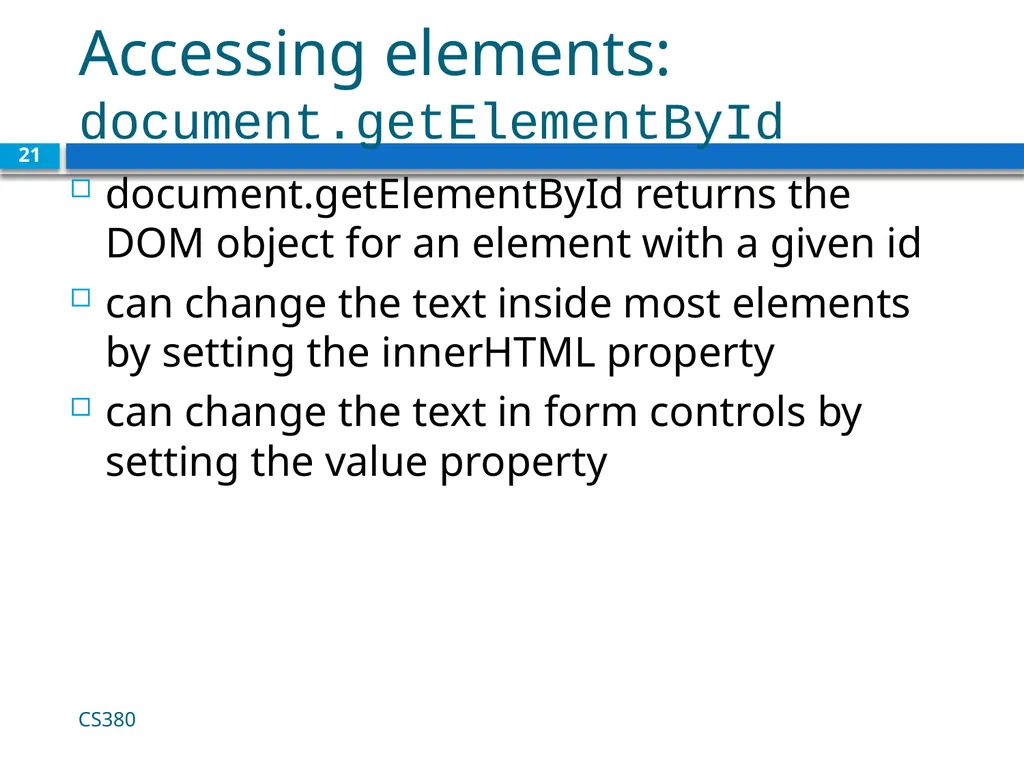
Accessing elements: document.getElementById 21 document.getElementById returns the DOM object for an element with a given id
can change the text inside most elements by setting the innerHTML property
can change the text in form controls by setting the value property CS380<br>
can change the text inside most elements by setting the innerHTML property
can change the text in form controls by setting the value property CS380<br>
22
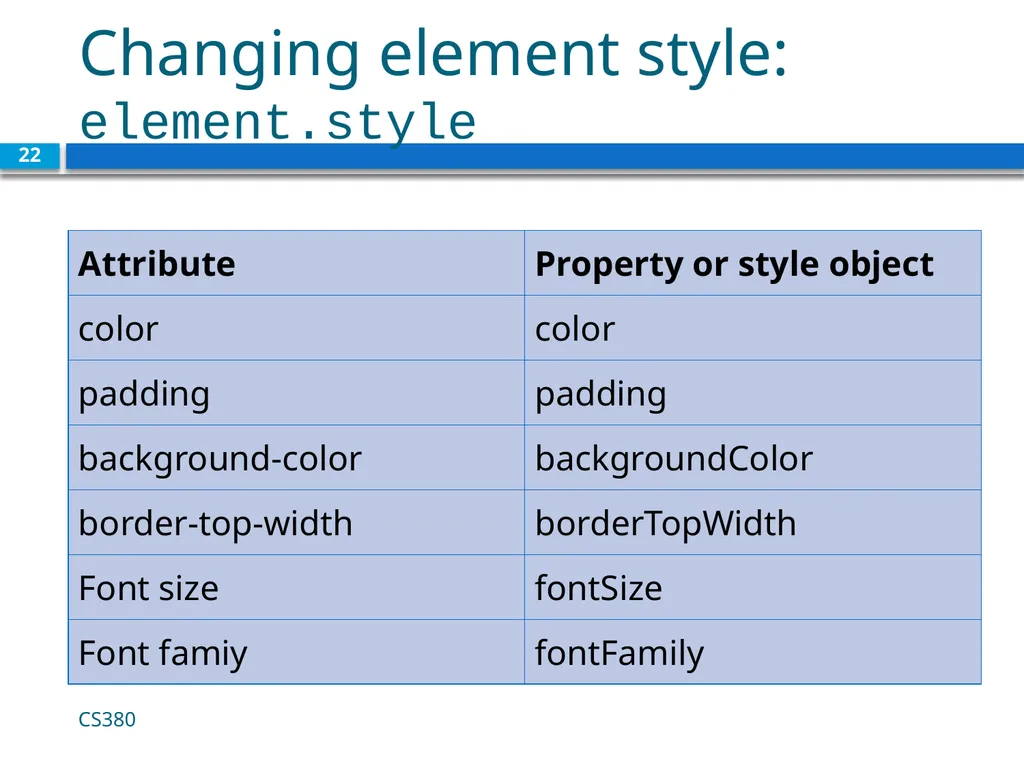
Changing element style: element.style 22 CS380<br>
23
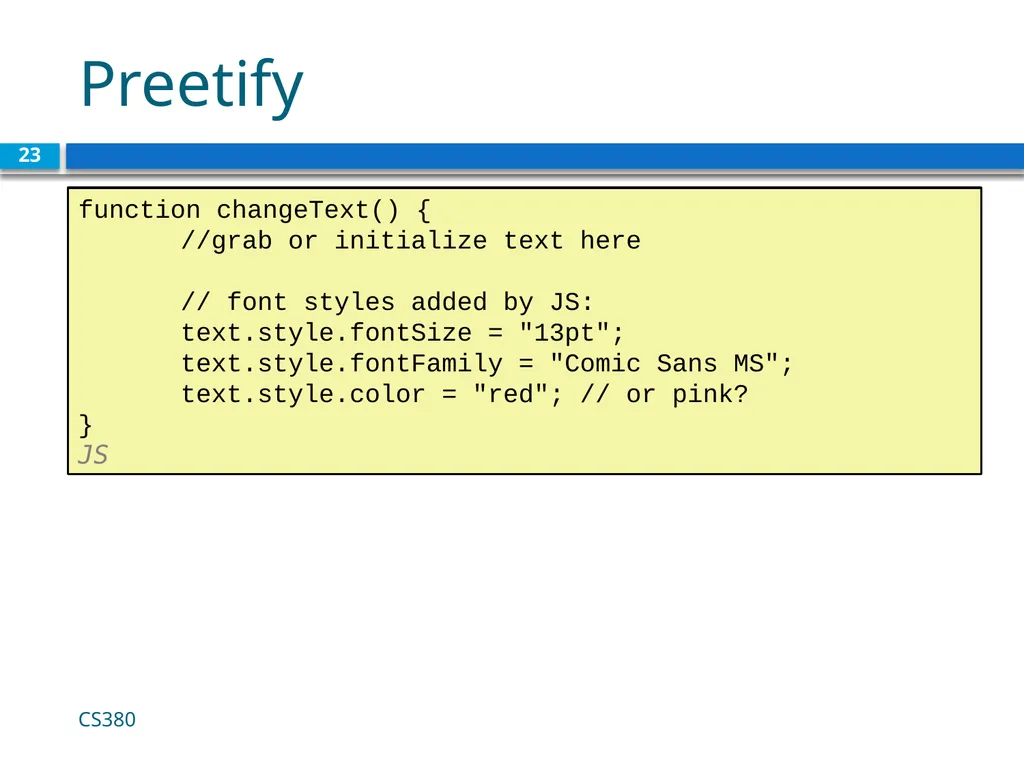
Preetify 23 CS380 function changeText() {
//grab or initialize text here
// font styles added by JS:
text.style.fontSize = "13pt";
text.style.fontFamily = "Comic Sans MS";
text.style.color = "red"; // or pink?
} JS<br>
//grab or initialize text here
// font styles added by JS:
text.style.fontSize = "13pt";
text.style.fontFamily = "Comic Sans MS";
text.style.color = "red"; // or pink?
} JS<br>
24
More Javascript Syntax 24 CS380<br>
25
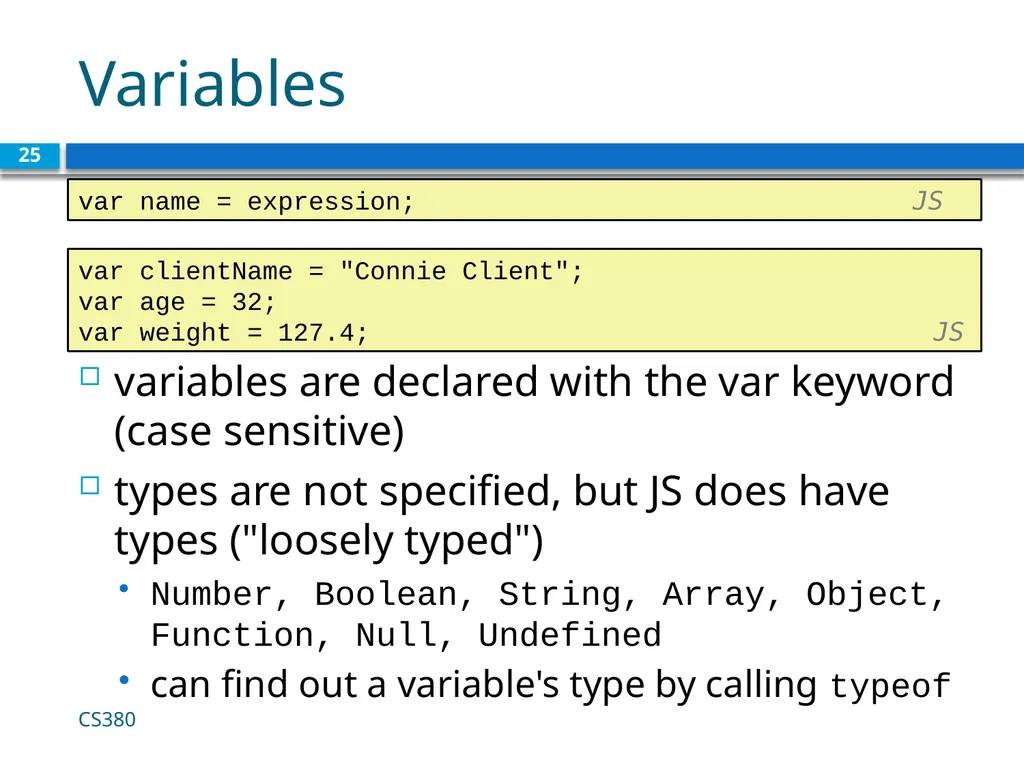
Variables variables are declared with the var keyword (case sensitive)
types are not specified, but JS does have types ("loosely typed")
Number, Boolean, String, Array, Object, Function, Null, Undefined
can find out a variable's type by calling typeof CS380 25 var name = expression; JS var clientName = "Connie Client";
var age = 32;
var weight = 127.4; JS<br>
types are not specified, but JS does have types ("loosely typed")
Number, Boolean, String, Array, Object, Function, Null, Undefined
can find out a variable's type by calling typeof CS380 25 var name = expression; JS var clientName = "Connie Client";
var age = 32;
var weight = 127.4; JS<br>
26
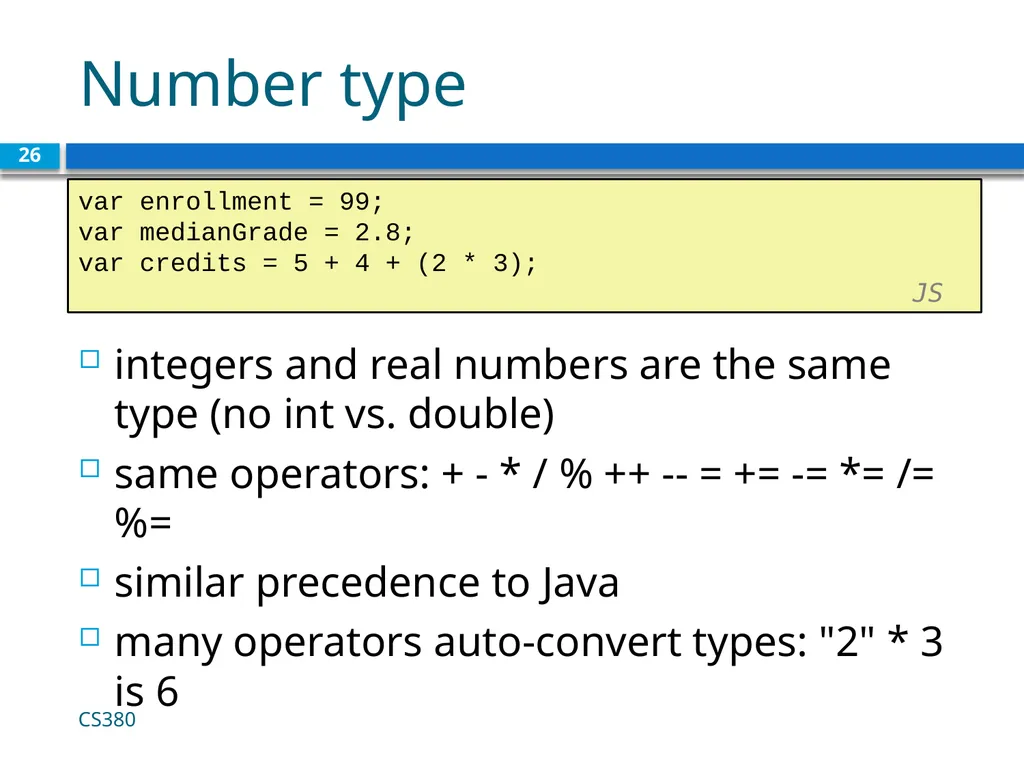
Number type integers and real numbers are the same type (no int vs. double)
same operators: + - * / % ++ -- = += -= *= /= %=
similar precedence to Java
many operators auto-convert types: "2" * 3 is 6 CS380 26 var enrollment = 99;
var medianGrade = 2.8;
var credits = 5 + 4 + (2 * 3); JS<br>
same operators: + - * / % ++ -- = += -= *= /= %=
similar precedence to Java
many operators auto-convert types: "2" * 3 is 6 CS380 26 var enrollment = 99;
var medianGrade = 2.8;
var credits = 5 + 4 + (2 * 3); JS<br>
27
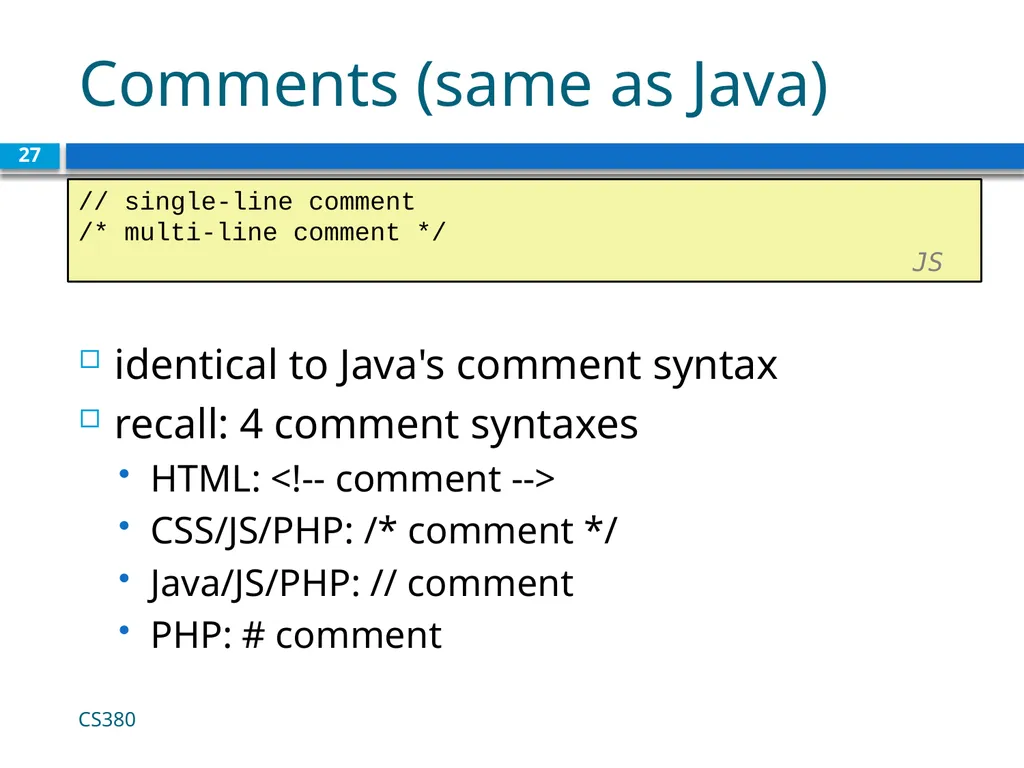
Comments (same as Java) identical to Java's comment syntax
recall: 4 comment syntaxes
HTML: <!-- comment -->
CSS/JS/PHP: /* comment */
Java/JS/PHP: // comment
PHP: # comment CS380 27 // single-line comment
/* multi-line comment */ JS<br>
recall: 4 comment syntaxes
HTML: <!-- comment -->
CSS/JS/PHP: /* comment */
Java/JS/PHP: // comment
PHP: # comment CS380 27 // single-line comment
/* multi-line comment */ JS<br>
28
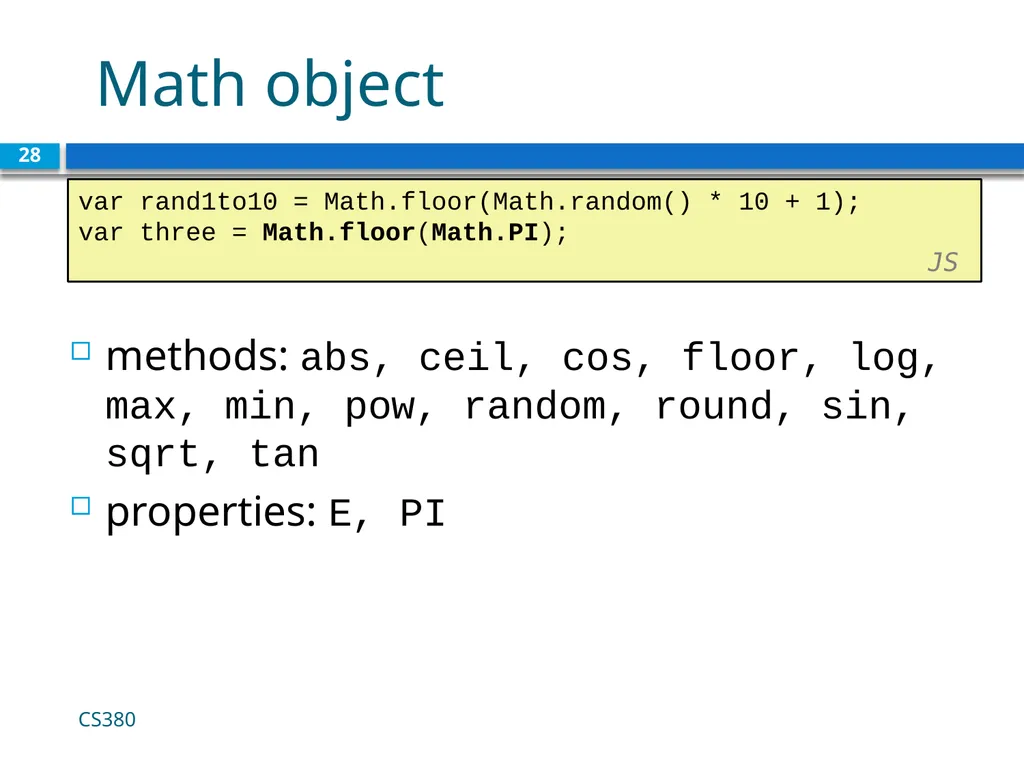
Math object 28 var rand1to10 = Math.floor(Math.random() * 10 + 1);
var three = Math.floor(Math.PI); JS CS380 methods: abs, ceil, cos, floor, log, max, min, pow, random, round, sin, sqrt, tan
properties: E, PI<br>
var three = Math.floor(Math.PI); JS CS380 methods: abs, ceil, cos, floor, log, max, min, pow, random, round, sin, sqrt, tan
properties: E, PI<br>
29
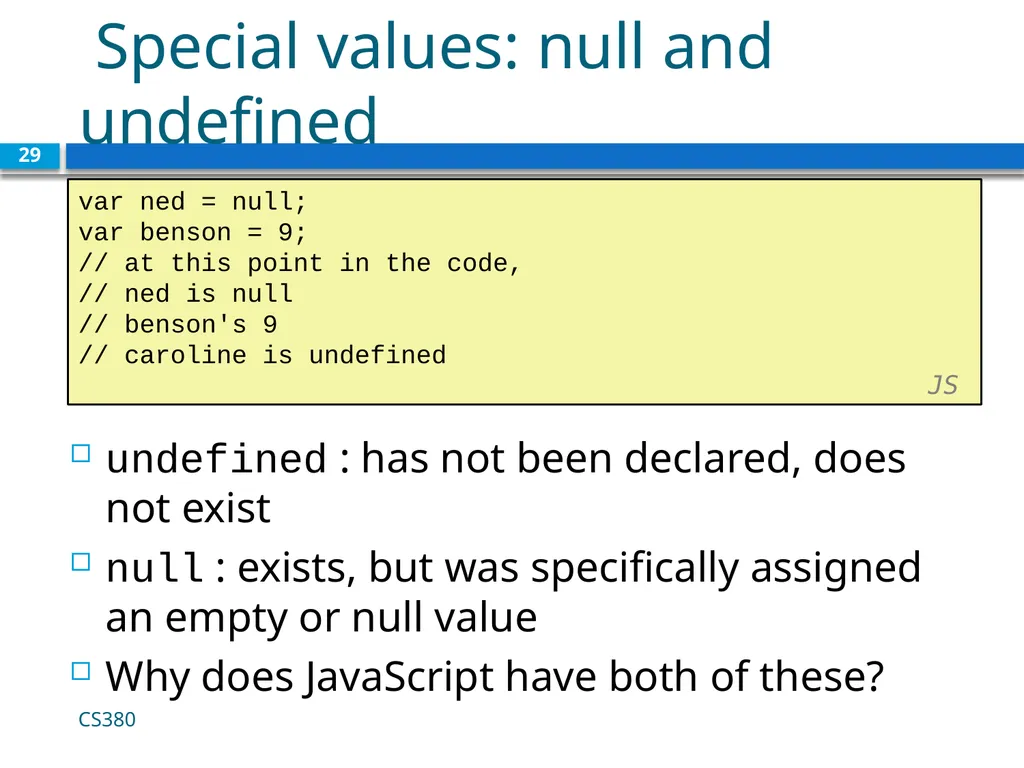
Special values: null and undefined 29 var ned = null;
var benson = 9;
// at this point in the code,
// ned is null
// benson's 9
// caroline is undefined JS CS380 undefined : has not been declared, does not exist
null : exists, but was specifically assigned an empty or null value
Why does JavaScript have both of these?<br>
var benson = 9;
// at this point in the code,
// ned is null
// benson's 9
// caroline is undefined JS CS380 undefined : has not been declared, does not exist
null : exists, but was specifically assigned an empty or null value
Why does JavaScript have both of these?<br>
30
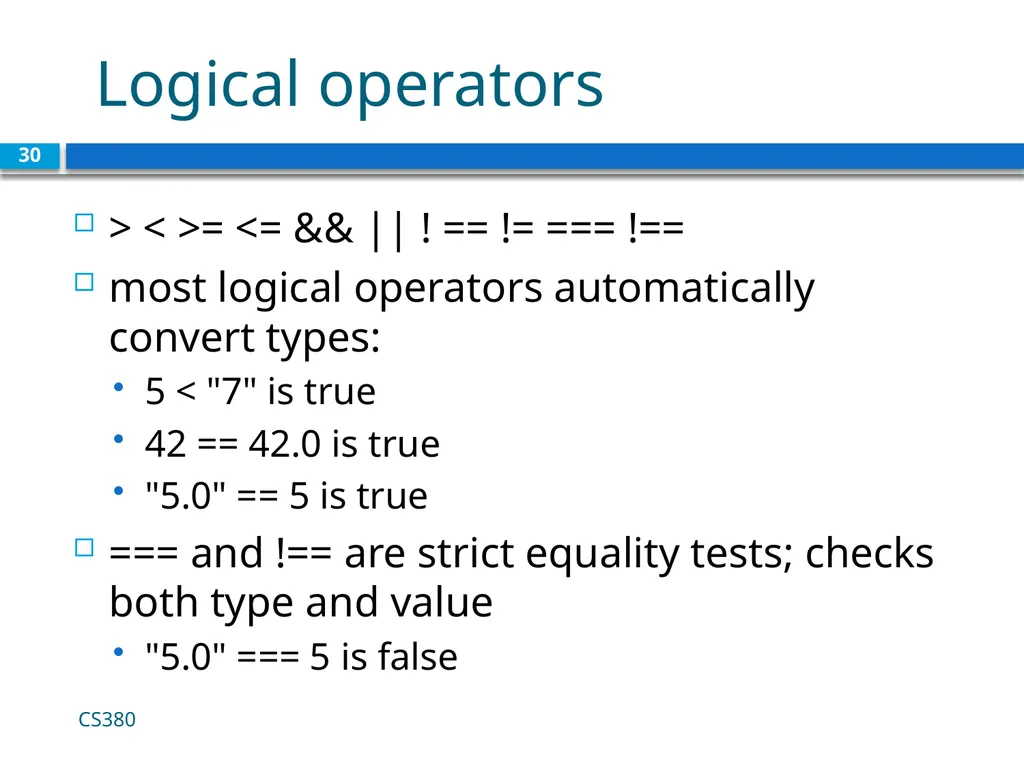
Logical operators 30 CS380 > < >= <= && || ! == != === !==
most logical operators automatically convert types:
5 < "7" is true
42 == 42.0 is true
"5.0" == 5 is true
=== and !== are strict equality tests; checks both type and value
"5.0" === 5 is false<br>
most logical operators automatically convert types:
5 < "7" is true
42 == 42.0 is true
"5.0" == 5 is true
=== and !== are strict equality tests; checks both type and value
"5.0" === 5 is false<br>
31
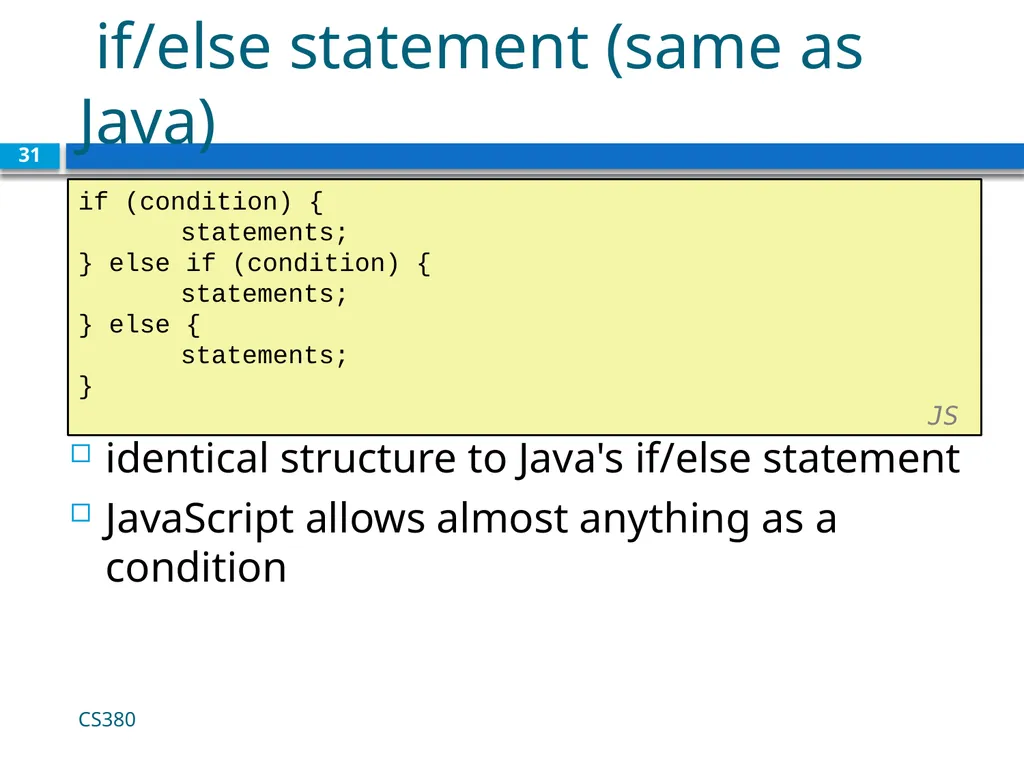
if/else statement (same as Java) 31 if (condition) {
statements;
} else if (condition) {
statements;
} else {
statements;
}
JS CS380 identical structure to Java's if/else statement
JavaScript allows almost anything as a condition<br>
statements;
} else if (condition) {
statements;
} else {
statements;
}
JS CS380 identical structure to Java's if/else statement
JavaScript allows almost anything as a condition<br>
32
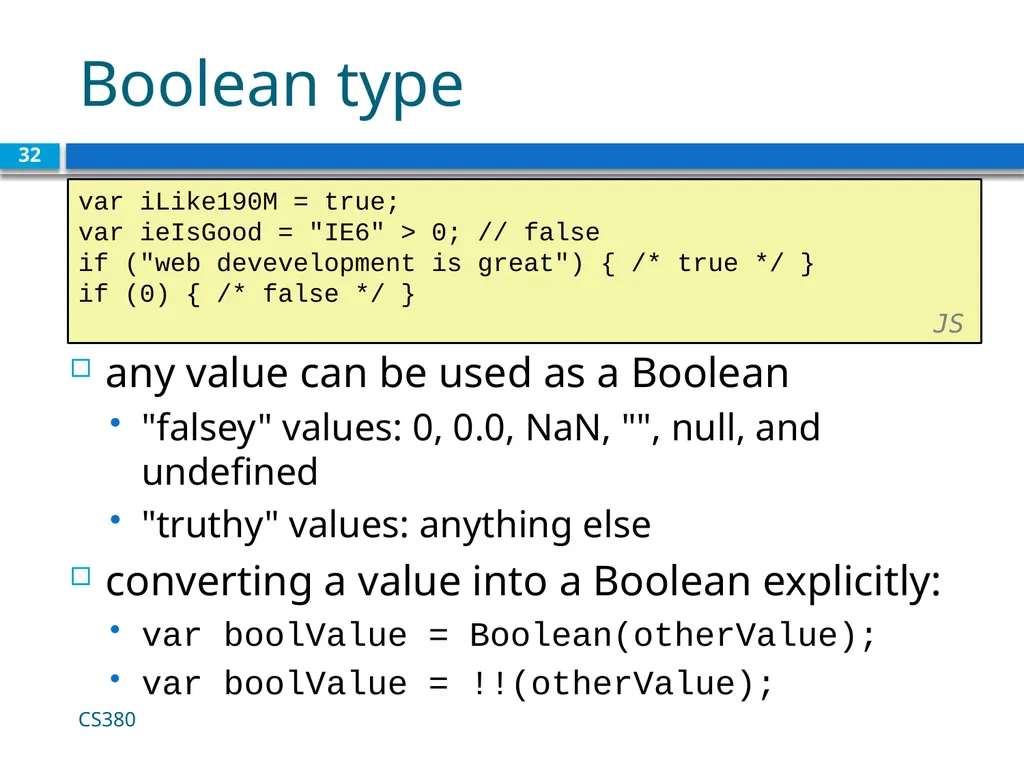
Boolean type 32 var iLike190M = true;
var ieIsGood = "IE6" > 0; // false
if ("web devevelopment is great") { /* true */ }
if (0) { /* false */ } JS CS380 any value can be used as a Boolean
"falsey" values: 0, 0.0, NaN, "", null, and undefined
"truthy" values: anything else
converting a value into a Boolean explicitly:
var boolValue = Boolean(otherValue);
var boolValue = !!(otherValue);<br>
var ieIsGood = "IE6" > 0; // false
if ("web devevelopment is great") { /* true */ }
if (0) { /* false */ } JS CS380 any value can be used as a Boolean
"falsey" values: 0, 0.0, NaN, "", null, and undefined
"truthy" values: anything else
converting a value into a Boolean explicitly:
var boolValue = Boolean(otherValue);
var boolValue = !!(otherValue);<br>
33
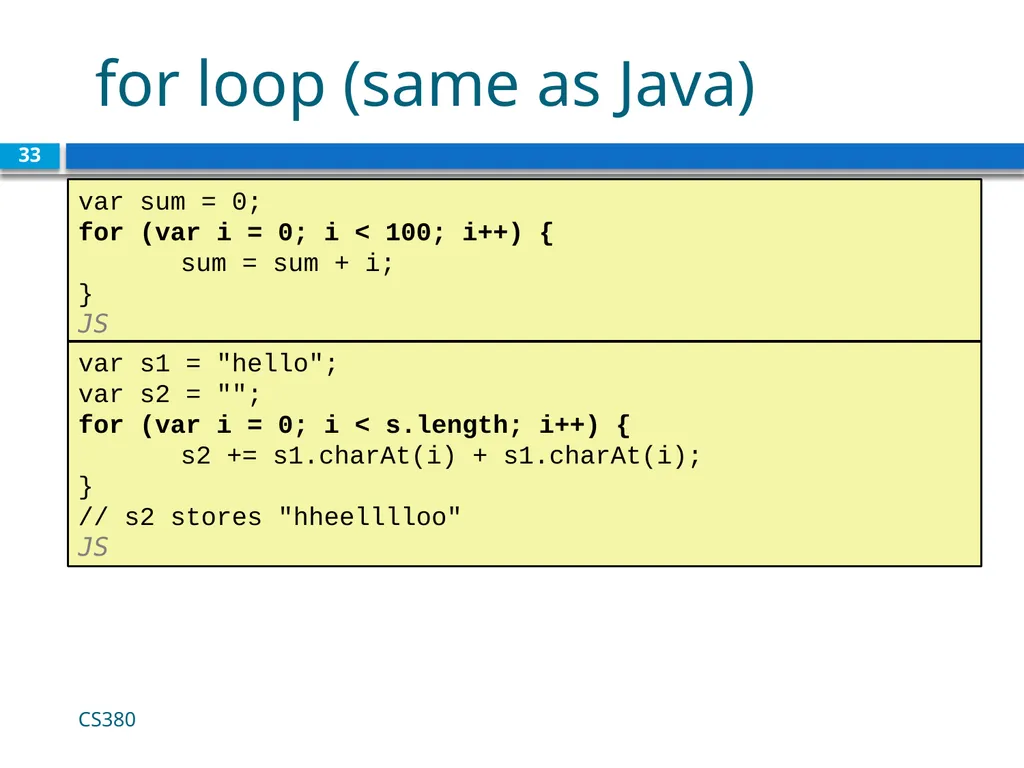
for loop (same as Java) 33 var sum = 0;
for (var i = 0; i < 100; i++) {
sum = sum + i;
} JS var s1 = "hello";
var s2 = "";
for (var i = 0; i < s.length; i++) {
s2 += s1.charAt(i) + s1.charAt(i);
}
// s2 stores "hheelllloo" JS CS380<br>
for (var i = 0; i < 100; i++) {
sum = sum + i;
} JS var s1 = "hello";
var s2 = "";
for (var i = 0; i < s.length; i++) {
s2 += s1.charAt(i) + s1.charAt(i);
}
// s2 stores "hheelllloo" JS CS380<br>
34
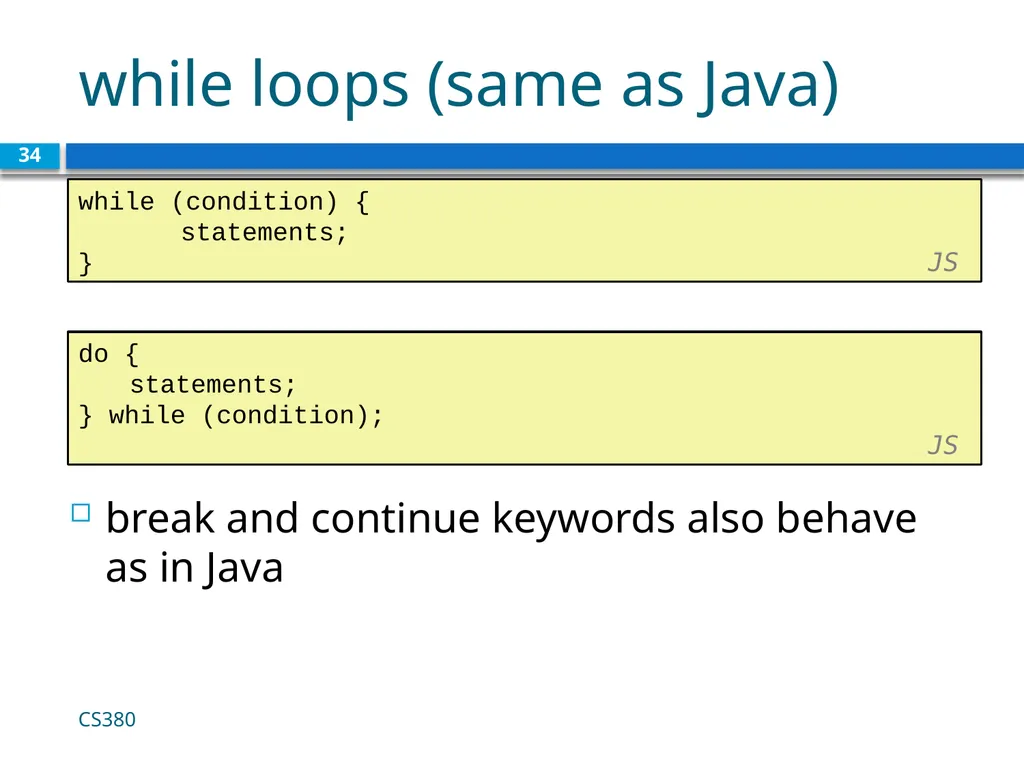
while loops (same as Java) 34 while (condition) {
statements;
} JS CS380 break and continue keywords also behave as in Java do {
statements;
} while (condition); JS<br>
statements;
} JS CS380 break and continue keywords also behave as in Java do {
statements;
} while (condition); JS<br>
35
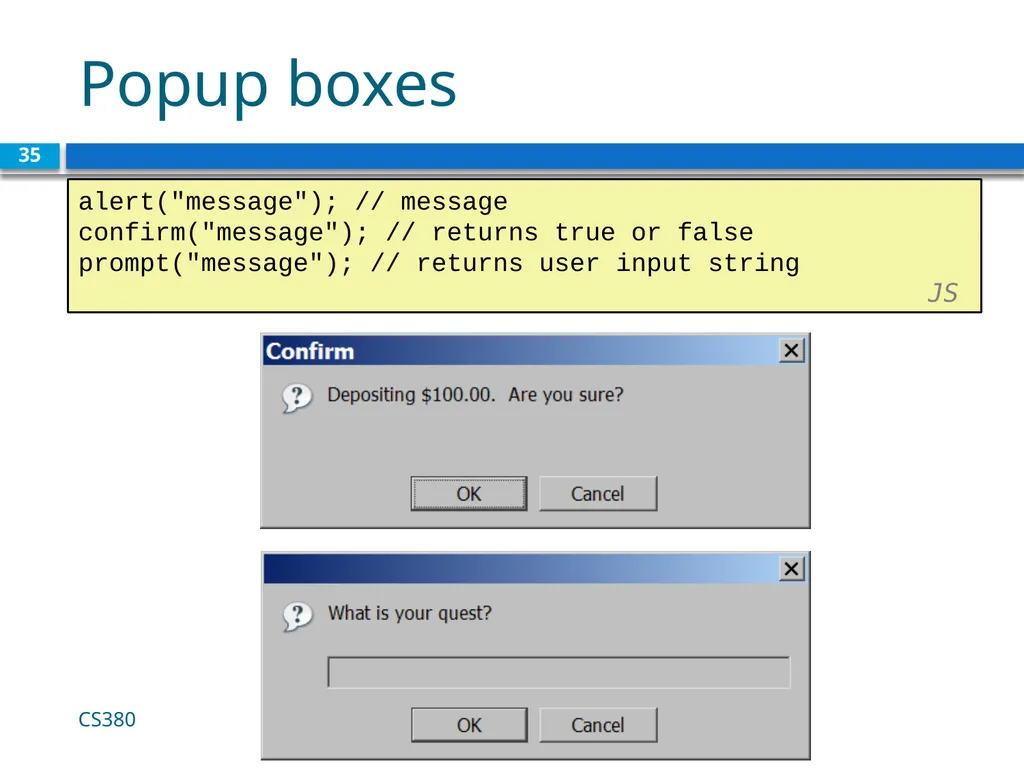
Popup boxes 35 alert("message"); // message
confirm("message"); // returns true or false
prompt("message"); // returns user input string JS CS380<br>
confirm("message"); // returns true or false
prompt("message"); // returns user input string JS CS380<br>
36
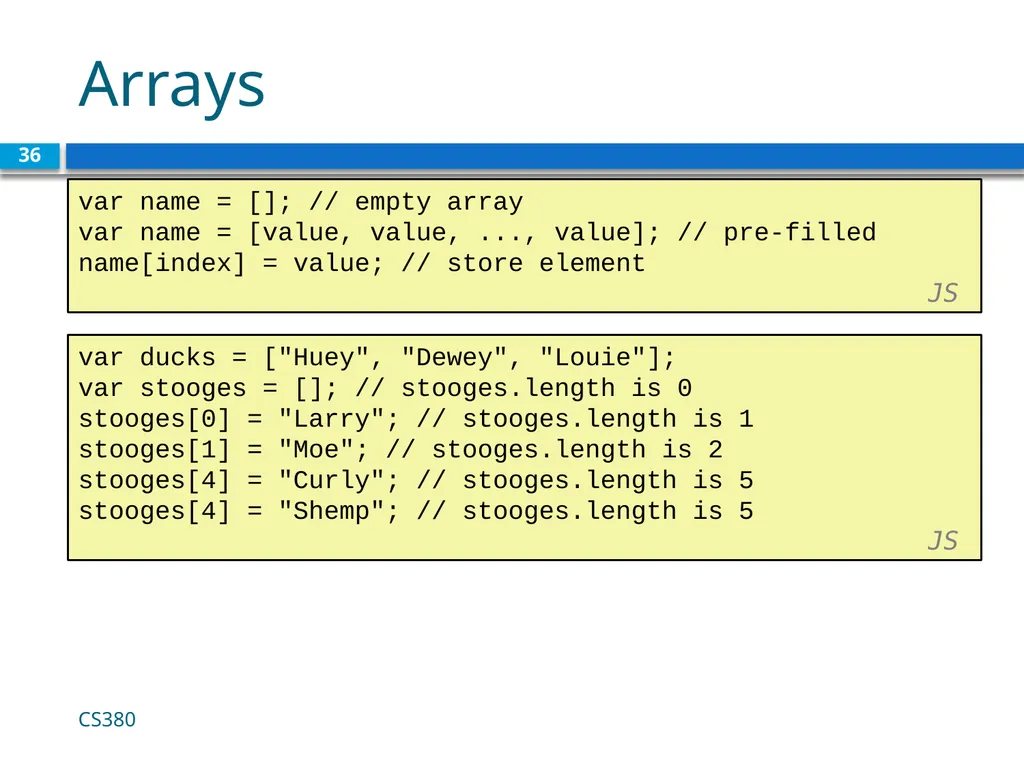
Arrays 36 var name = []; // empty array
var name = [value, value, ..., value]; // pre-filled
name[index] = value; // store element JS CS380 var ducks = ["Huey", "Dewey", "Louie"];
var stooges = []; // stooges.length is 0
stooges[0] = "Larry"; // stooges.length is 1
stooges[1] = "Moe"; // stooges.length is 2
stooges[4] = "Curly"; // stooges.length is 5
stooges[4] = "Shemp"; // stooges.length is 5 JS<br>
var name = [value, value, ..., value]; // pre-filled
name[index] = value; // store element JS CS380 var ducks = ["Huey", "Dewey", "Louie"];
var stooges = []; // stooges.length is 0
stooges[0] = "Larry"; // stooges.length is 1
stooges[1] = "Moe"; // stooges.length is 2
stooges[4] = "Curly"; // stooges.length is 5
stooges[4] = "Shemp"; // stooges.length is 5 JS<br>
37
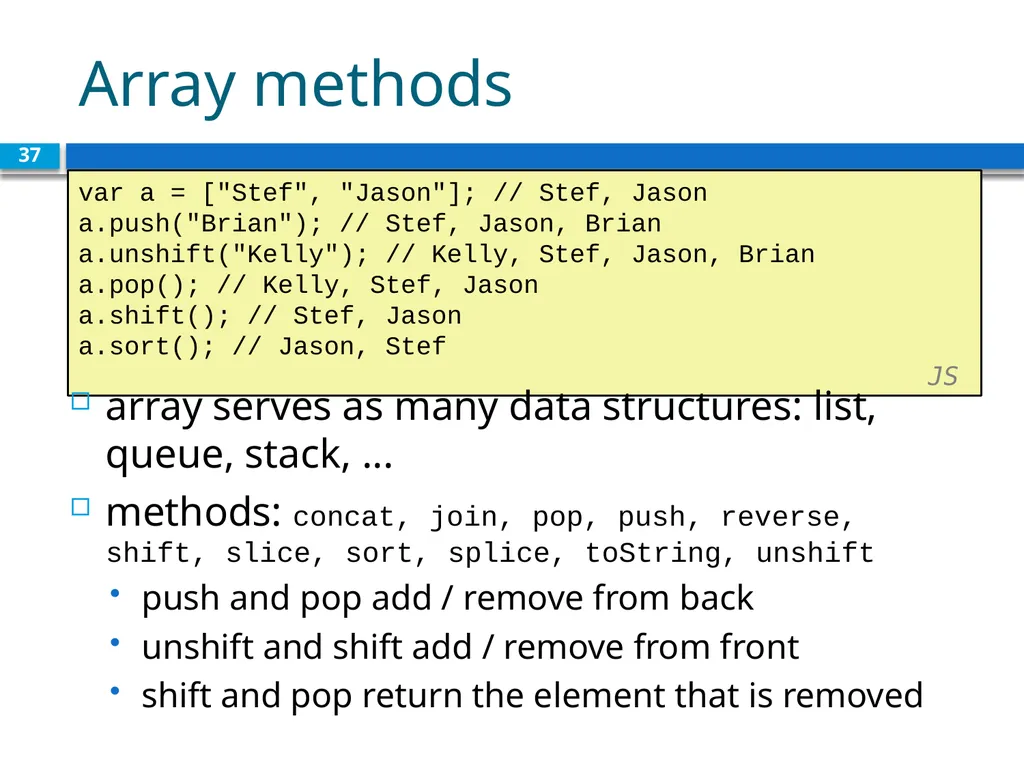
Array methods 37 var a = ["Stef", "Jason"]; // Stef, Jason
a.push("Brian"); // Stef, Jason, Brian
a.unshift("Kelly"); // Kelly, Stef, Jason, Brian
a.pop(); // Kelly, Stef, Jason
a.shift(); // Stef, Jason
a.sort(); // Jason, Stef JS array serves as many data structures: list, queue, stack, ...
methods: concat, join, pop, push, reverse, shift, slice, sort, splice, toString, unshift
push and pop add / remove from back
unshift and shift add / remove from front
shift and pop return the element that is removed<br>
a.push("Brian"); // Stef, Jason, Brian
a.unshift("Kelly"); // Kelly, Stef, Jason, Brian
a.pop(); // Kelly, Stef, Jason
a.shift(); // Stef, Jason
a.sort(); // Jason, Stef JS array serves as many data structures: list, queue, stack, ...
methods: concat, join, pop, push, reverse, shift, slice, sort, splice, toString, unshift
push and pop add / remove from back
unshift and shift add / remove from front
shift and pop return the element that is removed<br>
38
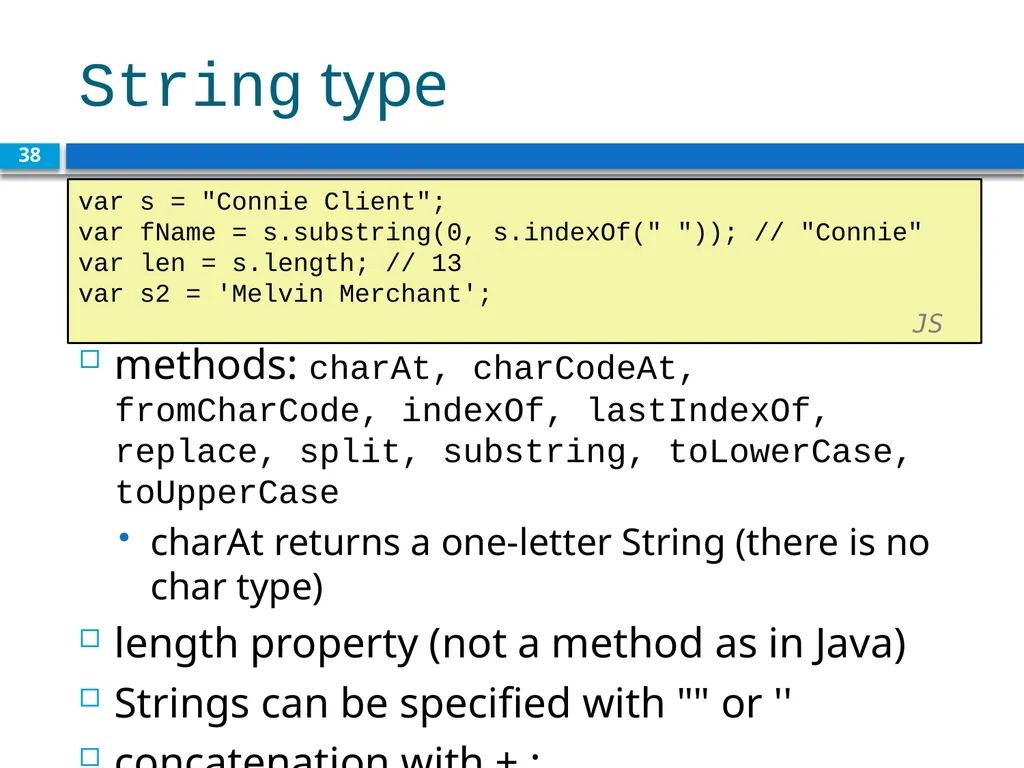
String type methods: charAt, charCodeAt, fromCharCode, indexOf, lastIndexOf, replace, split, substring, toLowerCase, toUpperCase
charAt returns a one-letter String (there is no char type)
length property (not a method as in Java)
Strings can be specified with "" or ''
concatenation with + :
1 + 1 is 2, but "1" + 1 is "11" 38 var s = "Connie Client";
var fName = s.substring(0, s.indexOf(" ")); // "Connie"
var len = s.length; // 13
var s2 = 'Melvin Merchant'; JS<br>
charAt returns a one-letter String (there is no char type)
length property (not a method as in Java)
Strings can be specified with "" or ''
concatenation with + :
1 + 1 is 2, but "1" + 1 is "11" 38 var s = "Connie Client";
var fName = s.substring(0, s.indexOf(" ")); // "Connie"
var len = s.length; // 13
var s2 = 'Melvin Merchant'; JS<br>
39
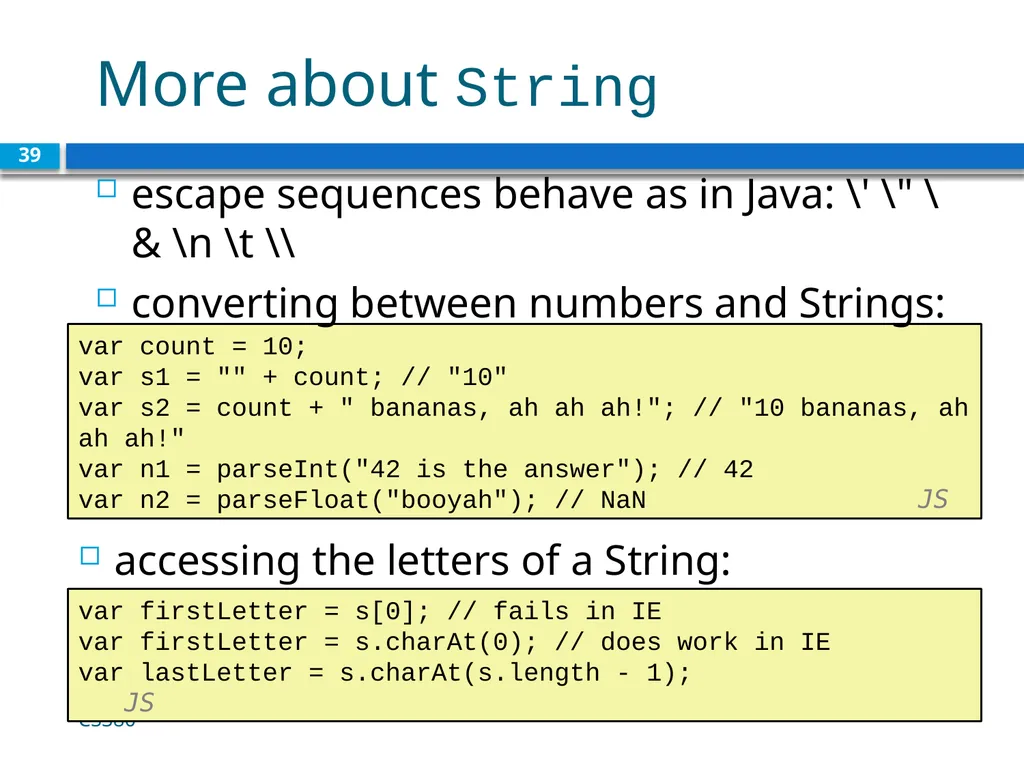
More about String accessing the letters of a String: 39 var count = 10;
var s1 = "" + count; // "10"
var s2 = count + " bananas, ah ah ah!"; // "10 bananas, ah ah ah!"
var n1 = parseInt("42 is the answer"); // 42
var n2 = parseFloat("booyah"); // NaN JS escape sequences behave as in Java: \' \" \& \n \t \\
converting between numbers and Strings: var firstLetter = s[0]; // fails in IE
var firstLetter = s.charAt(0); // does work in IE
var lastLetter = s.charAt(s.length - 1); JS CS380<br>
var s1 = "" + count; // "10"
var s2 = count + " bananas, ah ah ah!"; // "10 bananas, ah ah ah!"
var n1 = parseInt("42 is the answer"); // 42
var n2 = parseFloat("booyah"); // NaN JS escape sequences behave as in Java: \' \" \& \n \t \\
converting between numbers and Strings: var firstLetter = s[0]; // fails in IE
var firstLetter = s.charAt(0); // does work in IE
var lastLetter = s.charAt(s.length - 1); JS CS380<br>
40
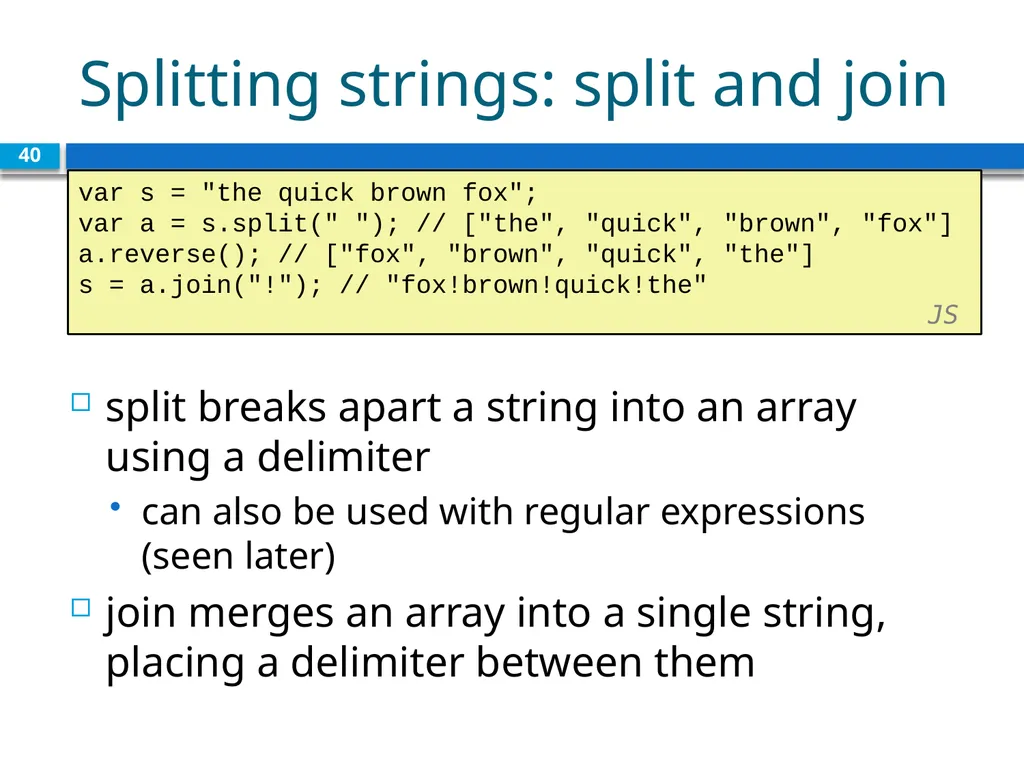
Splitting strings: split and join 40 var s = "the quick brown fox";
var a = s.split(" "); // ["the", "quick", "brown", "fox"]
a.reverse(); // ["fox", "brown", "quick", "the"]
s = a.join("!"); // "fox!brown!quick!the" JS split breaks apart a string into an array using a delimiter
can also be used with regular expressions (seen later)
join merges an array into a single string, placing a delimiter between them<br>
var a = s.split(" "); // ["the", "quick", "brown", "fox"]
a.reverse(); // ["fox", "brown", "quick", "the"]
s = a.join("!"); // "fox!brown!quick!the" JS split breaks apart a string into an array using a delimiter
can also be used with regular expressions (seen later)
join merges an array into a single string, placing a delimiter between them<br>