Intro to Search Engine Optimization (SEO) Elissa Mitchell Digital Marketing Manager Corporate Communications, Inc. About Me Have worked in the Marketing Advertising Public Relations industry for almost 30 years (with 2 years off as a
"Intro to Search Engine Optimization (SEO) Elissa" is the property of its rightful owner. Permission is granted to
download and print the materials on this website for personal, non-commercial use only, and to display it
on your personal computer provided you do not modify the materials and that you retain all copyright
notices contained in the materials. By downloading content from our website, you accept the terms of this
agreement.
Presentation Transcript
01
Intro to Search Engine Optimization (SEO) Elissa Mitchell
Digital Marketing Manager
Corporate Communications, Inc.<br>
02
About Me Have worked in the Marketing / Advertising / Public Relations industry for almost 30 years (with 2 years off as a teacher in a program called New York City Teaching Fellows)
Have been working in digital marketing including SEO for 20 years
Currently working as a Digital Marketing Manager for Corporate Communications, Inc. in Rochester for the last 10 years 2<br>
03
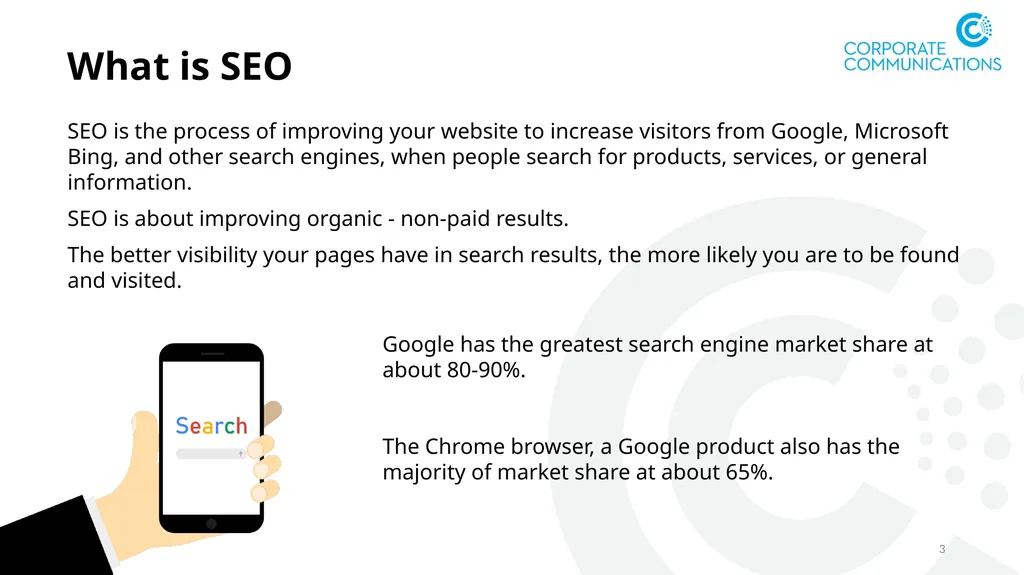
What is SEO SEO is the process of improving your website to increase visitors from Google, Microsoft Bing, and other search engines, when people search for products, services, or general information.
SEO is about improving organic - non-paid results.
The better visibility your pages have in search results, the more likely you are to be found and visited. 3 Google has the greatest search engine market share at about 80-90%.
The Chrome browser, a Google product also has the majority of market share at about 65%.<br>
04
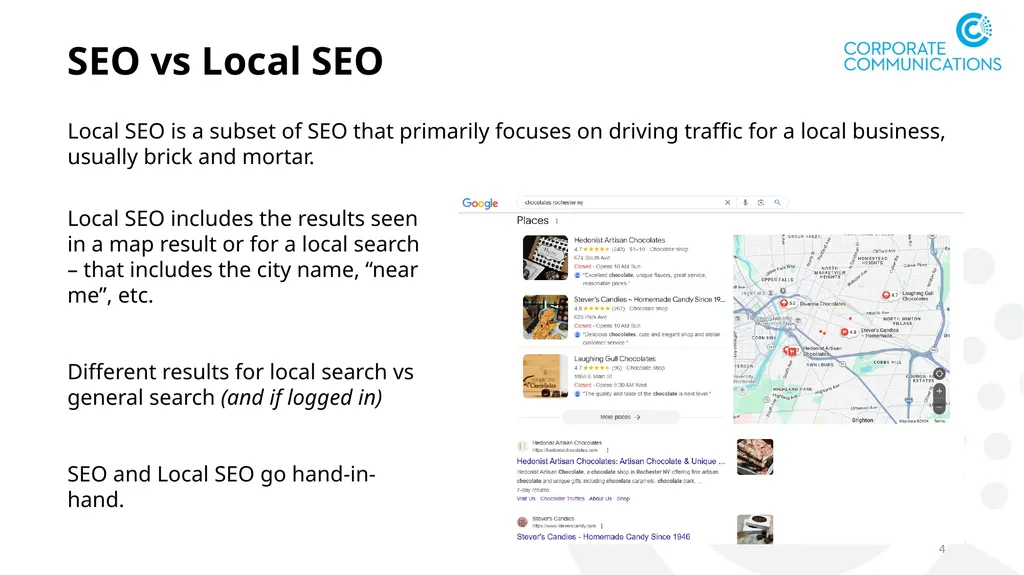
SEO vs Local SEO Local SEO is a subset of SEO that primarily focuses on driving traffic for a local business, usually brick and mortar. 4 Local SEO includes the results seen in a map result or for a local search – that includes the city name, “near me”, etc.
Different results for local search vs general search (and if logged in)
SEO and Local SEO go hand-in-hand.<br>
05
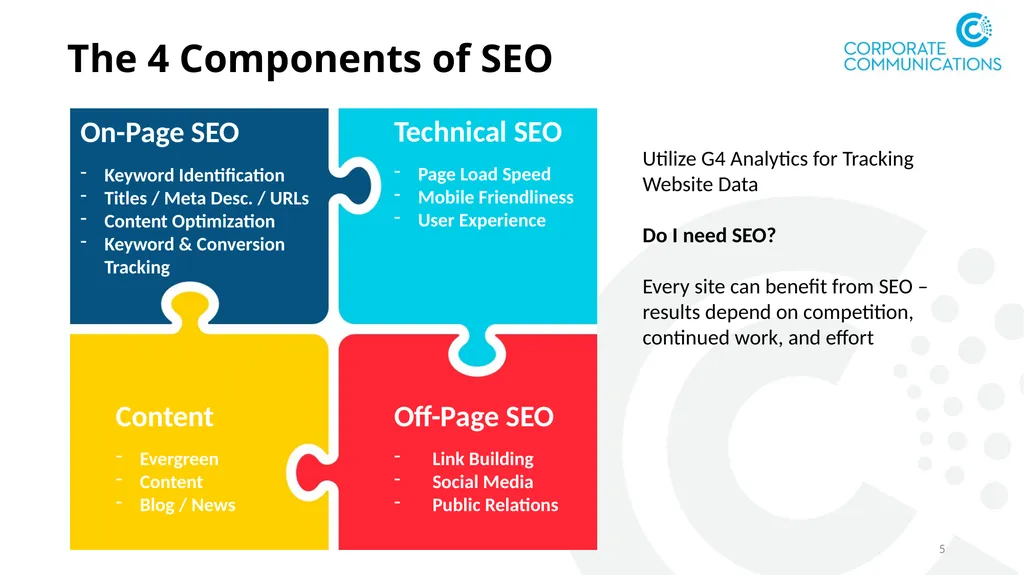
The 4 Components of SEO 5 On-Page SEO
Keyword Identification
Titles / Meta Desc. / URLs
Content Optimization
Keyword & Conversion Tracking Technical SEO
Page Load Speed
Mobile Friendliness
User Experience Content
Evergreen
Content
Blog / News Off-Page SEO
Link Building
Social Media
Public Relations Utilize G4 Analytics for Tracking Website Data
Do I need SEO?
Every site can benefit from SEO – results depend on competition, continued work, and effort<br>
06
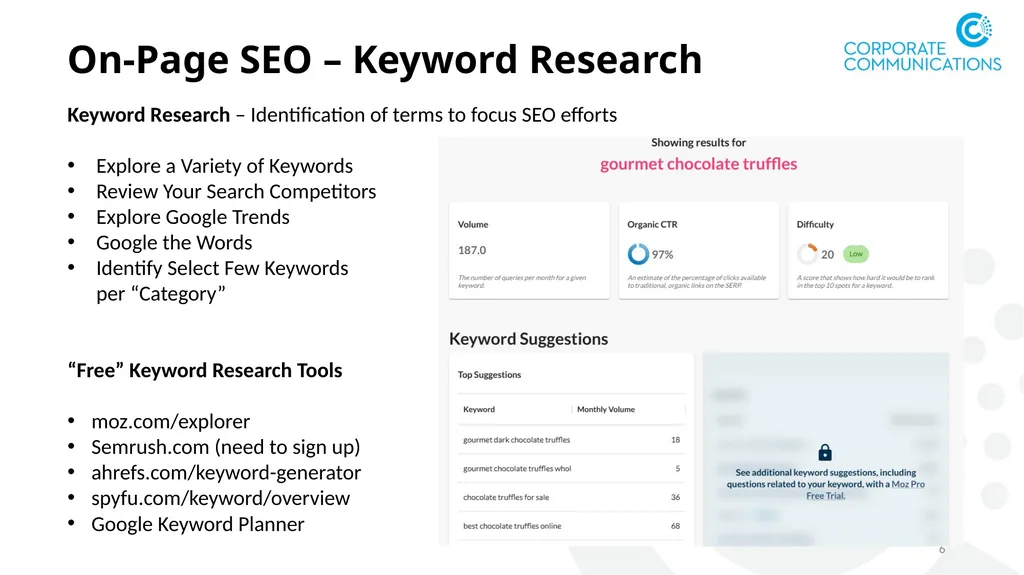
On-Page SEO – Keyword Research 6 Keyword Research – Identification of terms to focus SEO efforts
Explore a Variety of Keywords
Review Your Search Competitors
Explore Google Trends
Google the Words
Identify Select Few Keywords per “Category”
“Free” Keyword Research Tools
moz.com/explorer
Semrush.com (need to sign up)
ahrefs.com/keyword-generator
spyfu.com/keyword/overview
Google Keyword Planner<br>
07
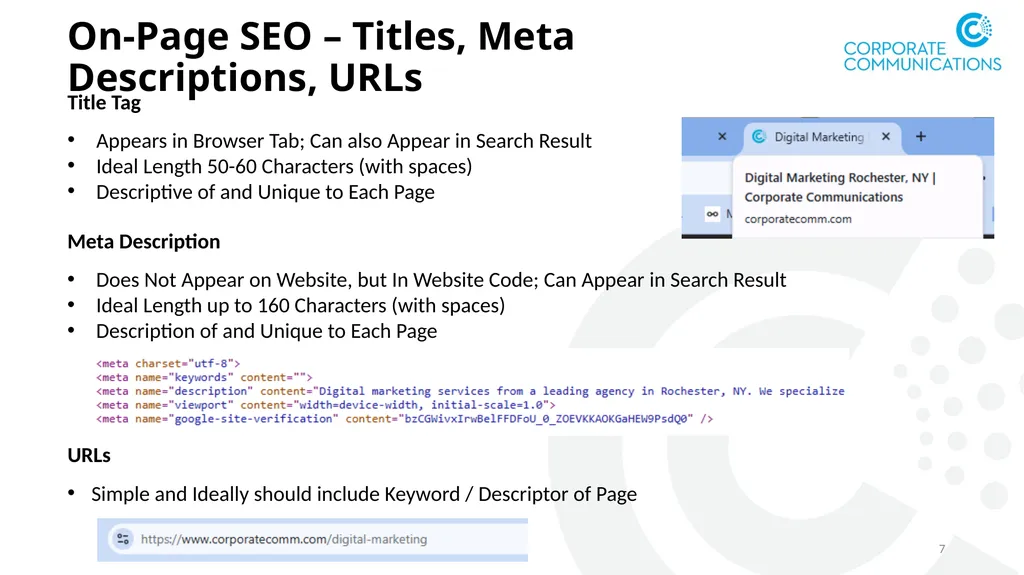
On-Page SEO – Titles, Meta Descriptions, URLs 7 Title Tag
Appears in Browser Tab; Can also Appear in Search Result
Ideal Length 50-60 Characters (with spaces)
Descriptive of and Unique to Each Page Meta Description
Does Not Appear on Website, but In Website Code; Can Appear in Search Result
Ideal Length up to 160 Characters (with spaces)
Description of and Unique to Each Page URLs
Simple and Ideally should include Keyword / Descriptor of Page<br>
08
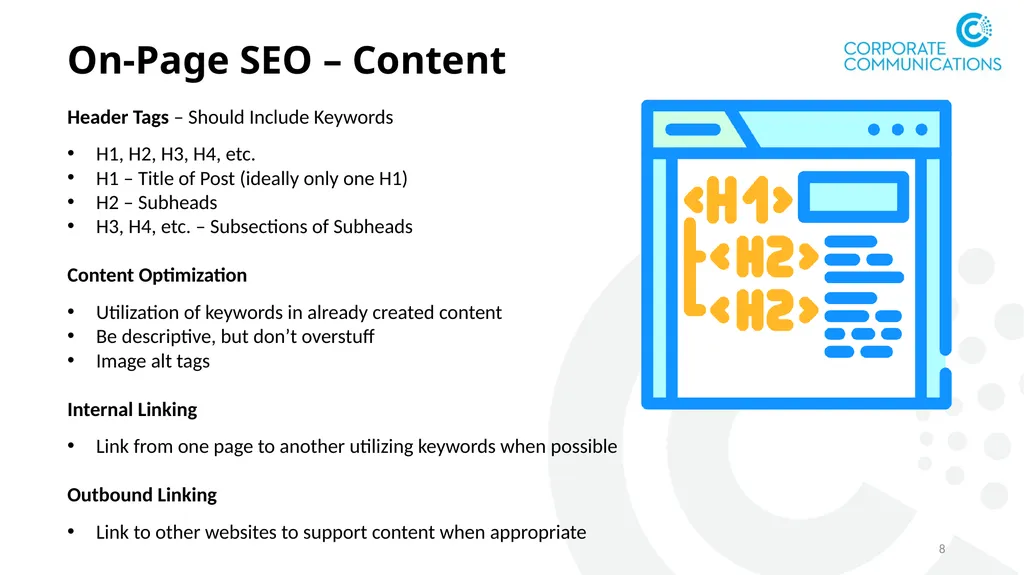
On-Page SEO – Content 8 Header Tags – Should Include Keywords
H1, H2, H3, H4, etc.
H1 – Title of Post (ideally only one H1)
H2 – Subheads
H3, H4, etc. – Subsections of Subheads
Content Optimization
Utilization of keywords in already created content
Be descriptive, but don’t overstuff
Image alt tags
Internal Linking
Link from one page to another utilizing keywords when possible
Outbound Linking
Link to other websites to support content when appropriate<br>
09
On-Page SEO – Conversion and Keyword Tracking 9 Track Conversions
Set up conversion tracking depending on goals
G4 analytics makes conversion tracking easy
Keyword Tracking / Reviewing
Keyword positioning changes based on algorithm updates, competitors, and changes in search landscape
Track keywords to see current rank (if doing manually, be sure to use incognito mode)
Continued keyword research is important; search can change due to fluctuations in term usage (new terms, alternative terms)
Google trends – can tell you current trends based on a keyword
Google Search Console – will tell you current and past positioning in Google Organic results as well as number of clicks / impressions<br>
10
Content – Ongoing Development 10 Types of Content
Evergreen Content – Content that remains relevant and valuable over time; not time-sensitive – usually an additional page on the website that provides deeper information
Blog Posts – Informational content that can be timely, but not news
News Posts – Timely posts that provide news about the business or organization or related products / services
How to Choose Content
Focus on keywords the site is not yet ranking on / has a lower position
Answer questions that are being asked – could result in featured snippet
Consider your target audience – and Google It!
Search the keyword, what are others writing, can you answer / write about it better?
All Content Should be Unique and Quality<br>
11
Off-Page SEO 11 Link Building
Create content that is worth lining to
Share content
Reach out to other websites to share your content
Invite a guest blogger / writer
Public relations
Social Media
Share your content
Utilize keywords
Engage influencers
Use hashtags (though waning influence)<br>
12
SEO - Today and the Future 12 Google and Search Results
Algorithm updates – always happening (www.seroundtable.com)
Search results – continuous testing (elimination and reinstatement of pages, domination of shopping results)
Keywords and Keyword Trends
Keywords can will change over time; continue to monitor – use Google trends to help
Impacts of AI
AI can be helpful, but don’t rely on it to create content
Use AI as a basis for content, determining topics of focus, etc., but make your own
AI is changing search – search results, search reliability<br>
13
Case Study 13 About the Subject
Existing website client who had recently re-designed their website and wanted to begin SEO as a part of the redesign
Service-oriented business in a relatively competitive space
Local business, but can work throughout New York State
Website has been established for many years but had very little done with regards to SEO so there was a lot of opportunity for optimization
SEO work began in the summer of 2023<br>
14
Case Study 14 Process
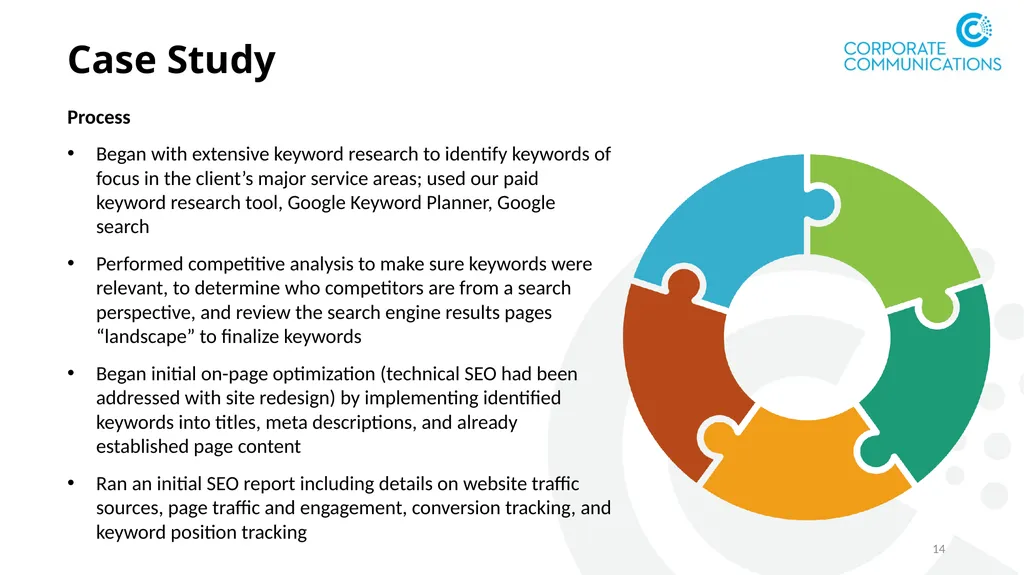
Began with extensive keyword research to identify keywords of focus in the client’s major service areas; used our paid keyword research tool, Google Keyword Planner, Google search
Performed competitive analysis to make sure keywords were relevant, to determine who competitors are from a search perspective, and review the search engine results pages “landscape” to finalize keywords
Began initial on-page optimization (technical SEO had been addressed with site redesign) by implementing identified keywords into titles, meta descriptions, and already established page content
Ran an initial SEO report including details on website traffic sources, page traffic and engagement, conversion tracking, and keyword position tracking<br>
15
Case Study 15 Results
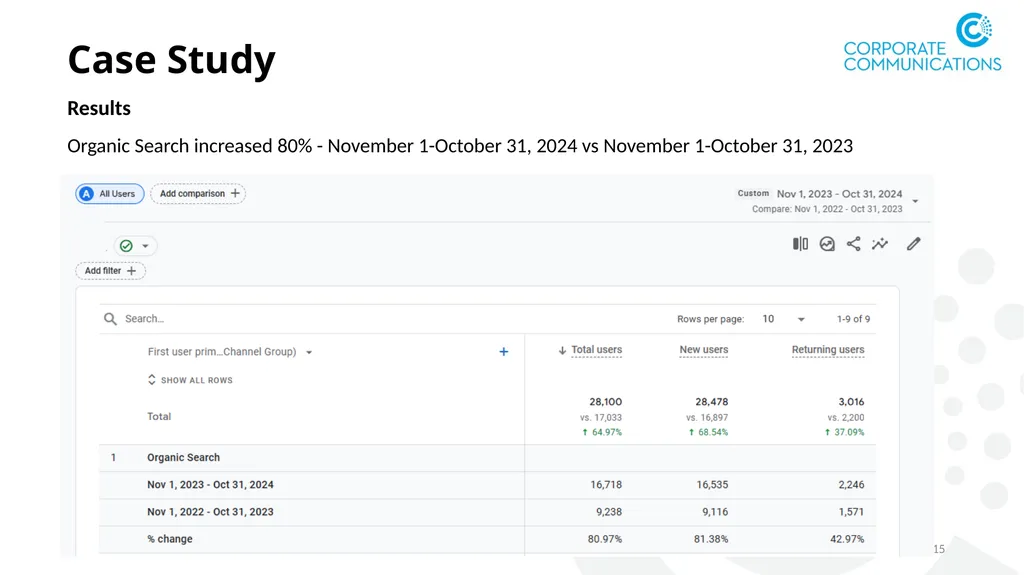
Organic Search increased 80% - November 1-October 31, 2024 vs November 1-October 31, 2023<br>
16
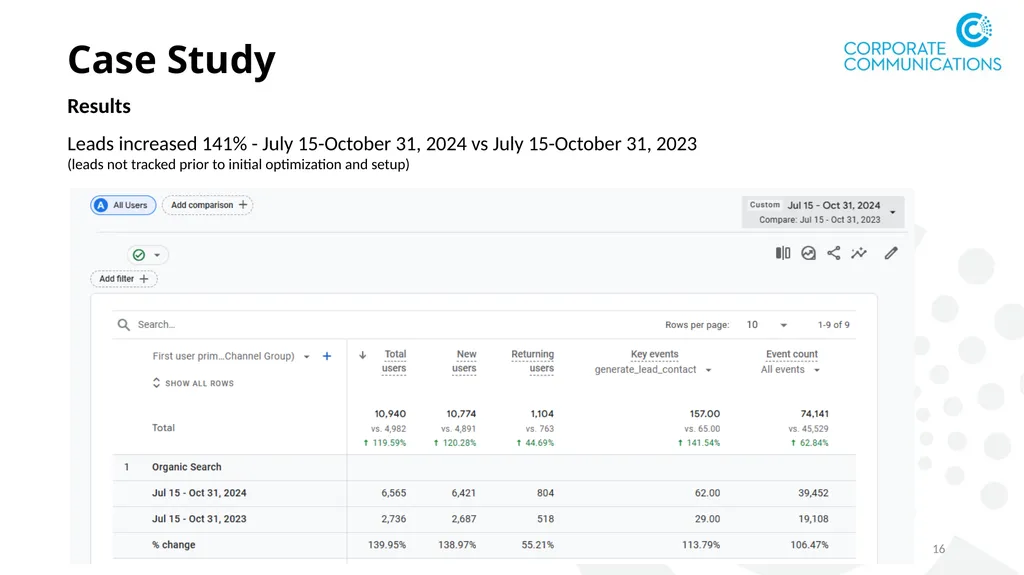
Case Study 16 Results
Leads increased 141% - July 15-October 31, 2024 vs July 15-October 31, 2023
(leads not tracked prior to initial optimization and setup)<br>
17
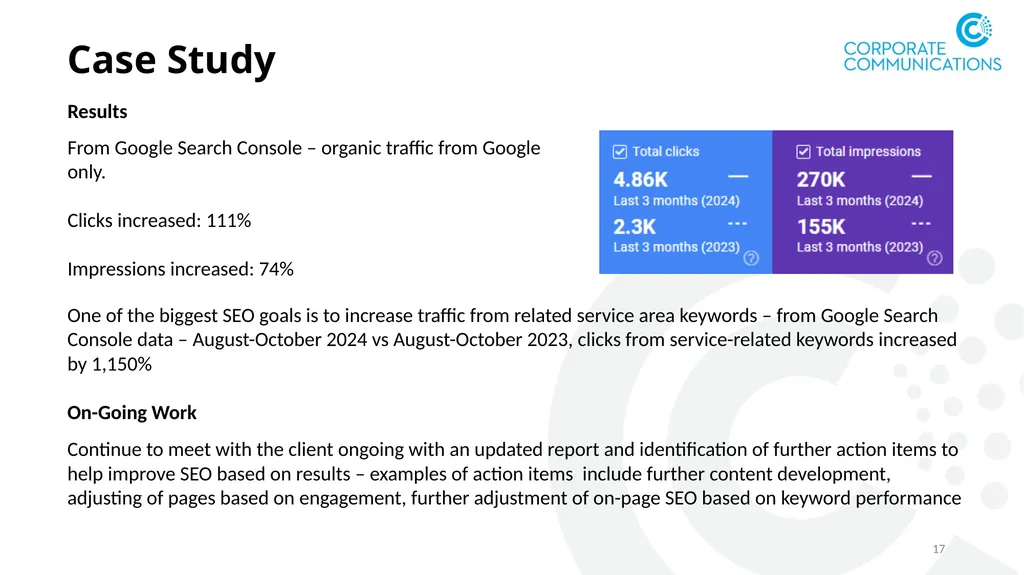
Case Study 17 Results One of the biggest SEO goals is to increase traffic from related service area keywords – from Google Search Console data – August-October 2024 vs August-October 2023, clicks from service-related keywords increased by 1,150%
On-Going Work
Continue to meet with the client ongoing with an updated report and identification of further action items to help improve SEO based on results – examples of action items include further content development, adjusting of pages based on engagement, further adjustment of on-page SEO based on keyword performance From Google Search Console – organic traffic from Google only.