Introduction to Aether 17 Updated: 28 February 2025 Endpoint Security Friends Family Introduction The images in this presentation show updates to WatchGuard Endpoint Security (Advanced EPDR, EPDR, EDR, and EPP) The changes described
"Introduction to Aether 17 Updated: 28 February" is the property of its rightful owner. Permission is granted to
download and print the materials on this website for personal, non-commercial use only, and to display it
on your personal computer provided you do not modify the materials and that you retain all copyright
notices contained in the materials. By downloading content from our website, you accept the terms of this
agreement.
Presentation Transcript
01
Introduction to Aether 17 Updated: 28 February 2025 Endpoint Security – Friends & Family<br>
02
Introduction The images in this presentation show updates to WatchGuard Endpoint Security (Advanced EPDR, EPDR, EDR, and EPP)
The changes described also apply to:
Adaptive Defense / Adaptive Defense 360
Endpoint Protection / Endpoint Protection Plus
This presentation does not describe:
Changes before Aether 17
Panda Partner Center or Aether for Partners
Cytomic products
Some minor bug fixes
For a complete list of enhancements and resolved issues, go to the Release Notes
Adaptive Defense 360 Release Notes<br>
03
Aether 17 Update This update includes:
Zero Trust Application Services – Reclassification Time
Zero Trust Reclassification Notifications
Authorized Files Created by Authorized MSI and EXE Files
Remote Uninstallation for Mac and Linux Computers
Advanced Security Policies Alerts
Disable AutoPlay and AutoRun on External Devices
Knowledge Server Connection Status for Mac and Linux Computers<br>
04
Zero Trust Application Service – Reclassification Time In the History of Blocked Programs list, you can see programs that were blocked during classification and then reclassified as goodware
The time required to reclassify the blocked program is now shown in the Reclassification Time column
On the Blocked Program Details page, you can now see classification information for the program, including:
Classification Technique – How the unknown program was classified (automatically by WatchGuard Collective Intelligence or manually by WatchGuard Lab technicians)
Reclassification Completed – The date and time when reclassification completed
Reclassification Time – The time it took Endpoint Security to classify the unknown program<br>
05
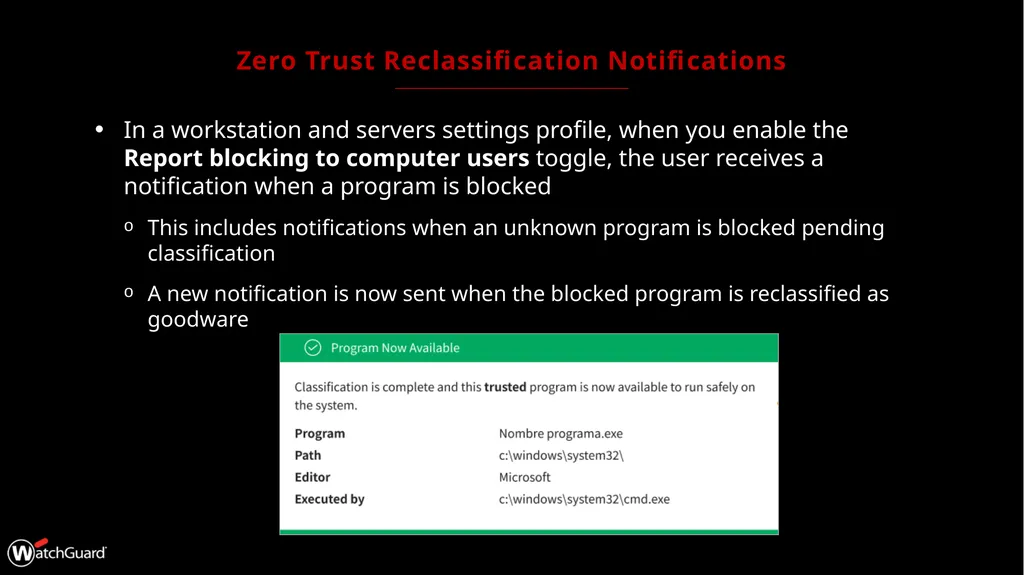
Zero Trust Reclassification Notifications In a workstation and servers settings profile, when you enable the Report blocking to computer users toggle, the user receives a notification when a program is blocked
This includes notifications when an unknown program is blocked pending classification
A new notification is now sent when the blocked program is reclassified as goodware<br>
06
Authorized Files Created by Authorized MSI and EXE Files Authorized software settings enable you to approve the execution of executable binary files, excluding script files, standalone DLLs, and other files
If Endpoint Security blocks a program because it downloads an unknown DLL, you can authorize the executable file specified in the pop-up message shown on the user computer
After the program is authorized, all DLL files and resources that it uses are also authorized
This same behavior now applies to files that originate from an authorized MSI installer or self-extracting EXE file
Processes created by the MSI or EXE file are also authorized<br>
07
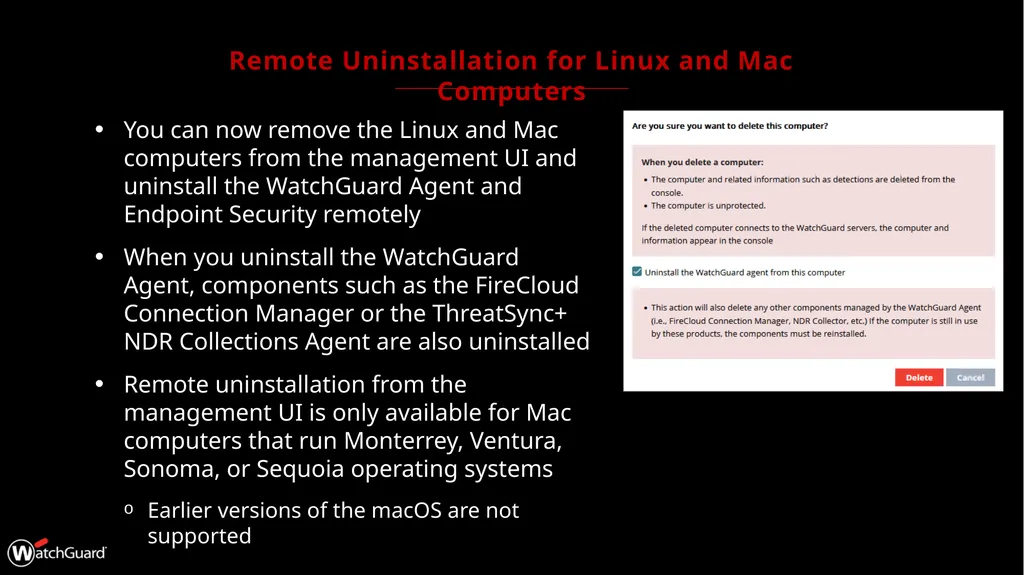
Remote Uninstallation for Linux and Mac Computers You can now remove the Linux and Mac computers from the management UI and uninstall the WatchGuard Agent and Endpoint Security remotely
When you uninstall the WatchGuard Agent, components such as the FireCloud Connection Manager or the ThreatSync+ NDR Collections Agent are also uninstalled
Remote uninstallation from the management UI is only available for Mac computers that run Monterrey, Ventura, Sonoma, or Sequoia operating systems
Earlier versions of the macOS are not supported<br>
08
Advanced Security Policies – Grouped Alerts On the Security dashboard for Advanced EPDR, the Detections by Advanced Security Policies tile shows the number of blocked suspicious scripts and unknown programs that used advanced infection techniques
To prevent the same detection from appearing many times, Advanced EPDR reports the first detection separately
Detections of the same type that are made every hour after the first detection are grouped together in a single detection<br>
09
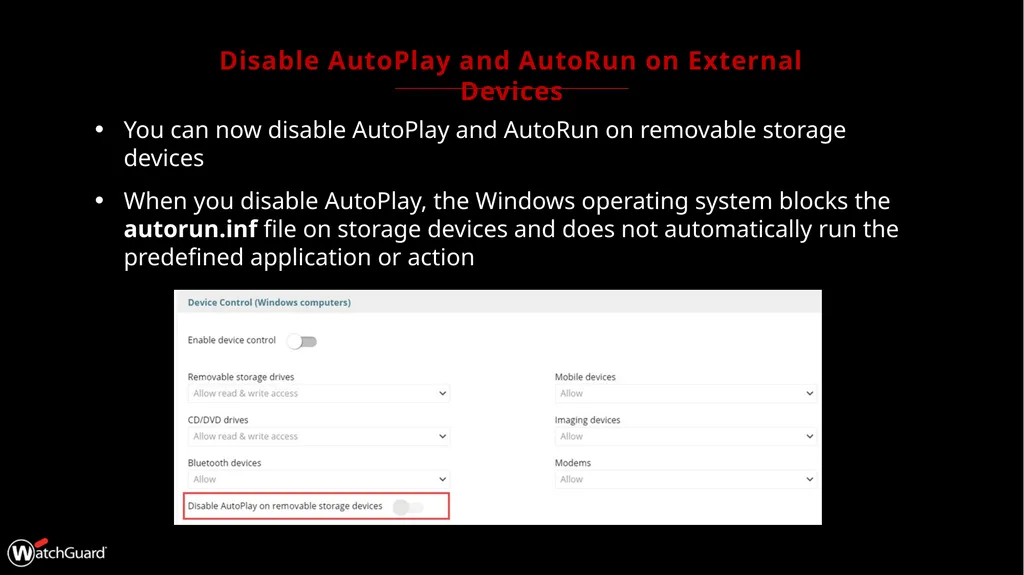
Disable AutoPlay and AutoRun on External Devices You can now disable AutoPlay and AutoRun on removable storage devices
When you disable AutoPlay, the Windows operating system blocks the autorun.inf file on storage devices and does not automatically run the predefined application or action<br>
10
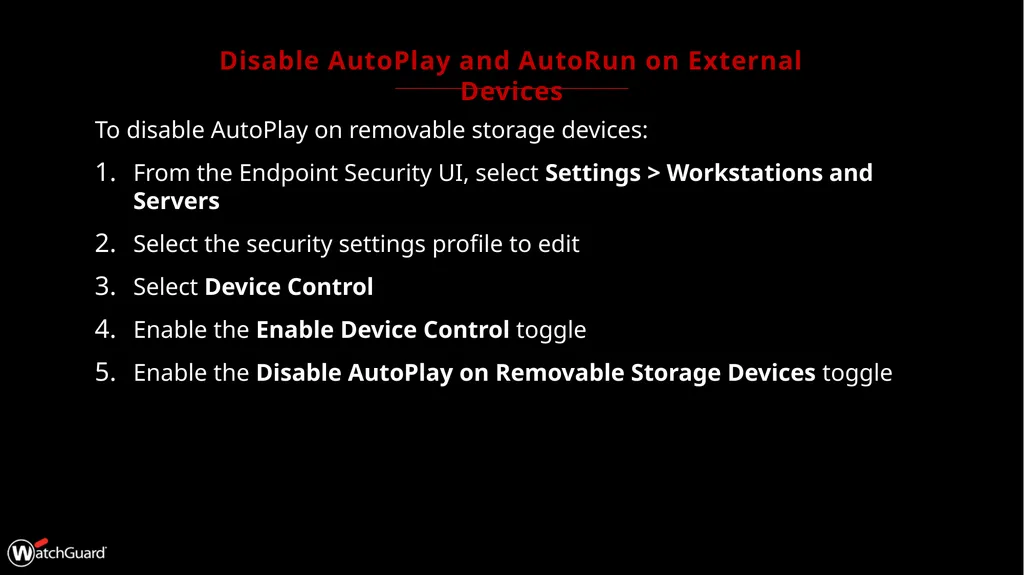
Disable AutoPlay and AutoRun on External Devices To disable AutoPlay on removable storage devices:
From the Endpoint Security UI, select Settings > Workstations and Servers
Select the security settings profile to edit
Select Device Control
Enable the Enable Device Control toggle
Enable the Disable AutoPlay on Removable Storage Devices toggle<br>
11
Knowledge Server Connection Status for Mac and Linux Computers You can configure automatic signature file updates on Windows, Linux and Mac computers in a workstations and servers settings profile
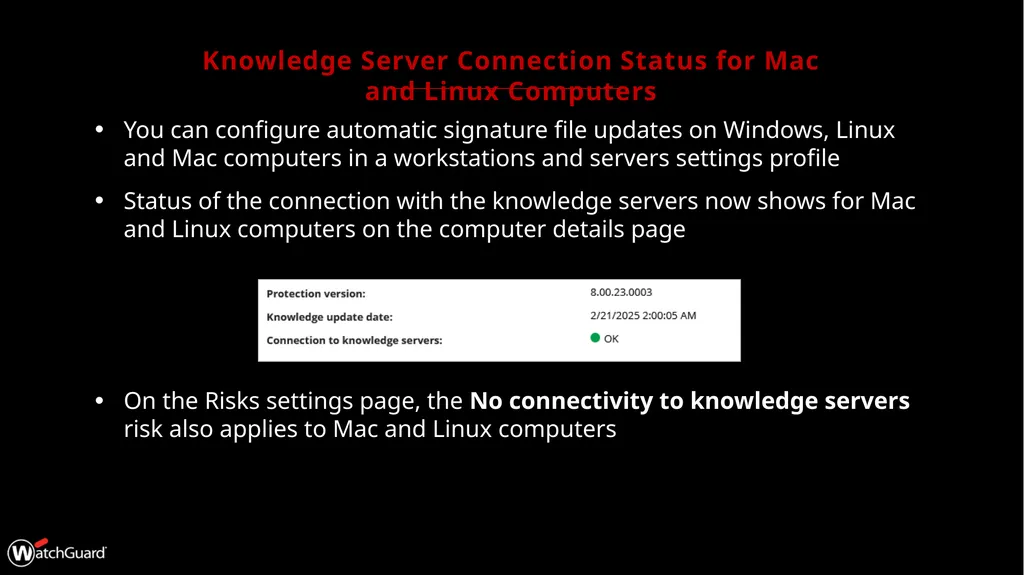
Status of the connection with the knowledge servers now shows for Mac and Linux computers on the computer details page
On the Risks settings page, the No connectivity to knowledge servers risk also applies to Mac and Linux computers<br>