
Introduction to Object Oriented Programming in
MJ
Published · 44 slides · 0 views
1 / 1
Description
Introduction to Object Oriented Programming in Python Object Oriented Programming is a way of computer programming using the idea of objects to represents data and methods. It is also, an approach used for creating neat and reusable code
Related Topics
Share
Embed code
Download this presentation From Below
"Introduction to Object Oriented Programming in" is the property of its rightful owner. Permission is granted to download and print the materials on this website for personal, non-commercial use only, and to display it on your personal computer provided you do not modify the materials and that you retain all copyright notices contained in the materials. By downloading content from our website, you accept the terms of this agreement.
Presentation Transcript
01
Introduction to Object Oriented Programming in Python
Object Oriented Programming is a way of computer programming using the idea of “objects” to represents data and methods. It is also, an approach used for creating neat and reusable code instead of a redundant one.<br>
Object Oriented Programming is a way of computer programming using the idea of “objects” to represents data and methods. It is also, an approach used for creating neat and reusable code instead of a redundant one.<br>
02
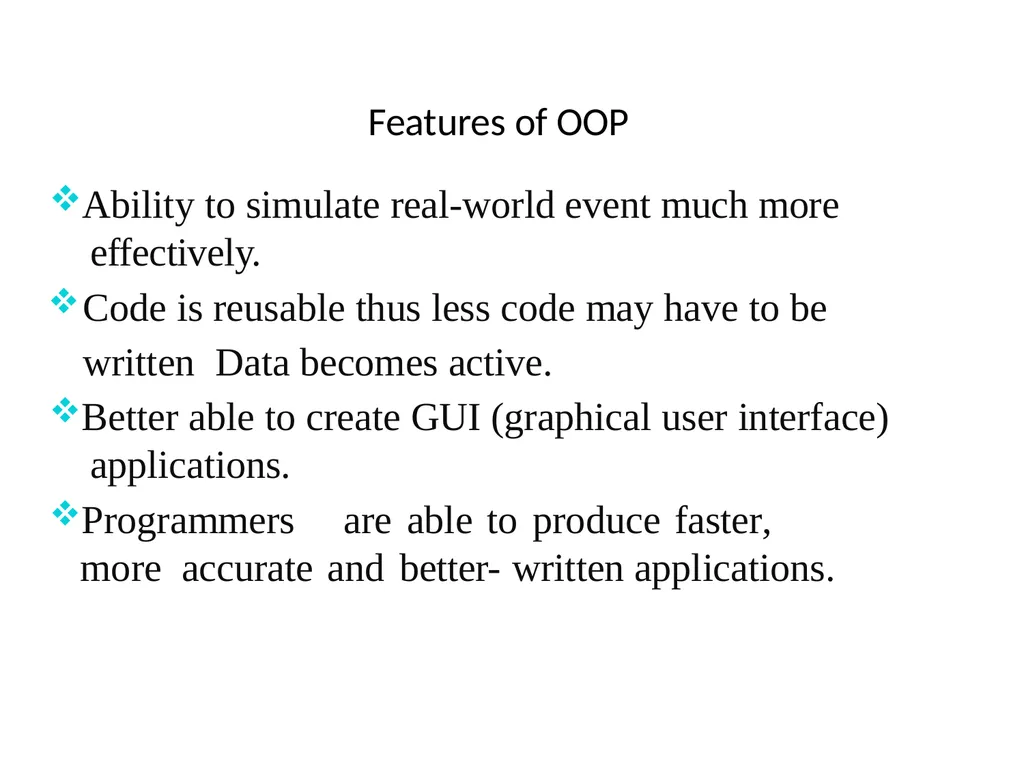
Features of OOP Ability to simulate real-world event much more effectively.
Code is reusable thus less code may have to be written Data becomes active.
Better able to create GUI (graphical user interface) applications.
Programmers are able to produce faster, more accurate and better- written applications.<br>
Code is reusable thus less code may have to be written Data becomes active.
Better able to create GUI (graphical user interface) applications.
Programmers are able to produce faster, more accurate and better- written applications.<br>
03
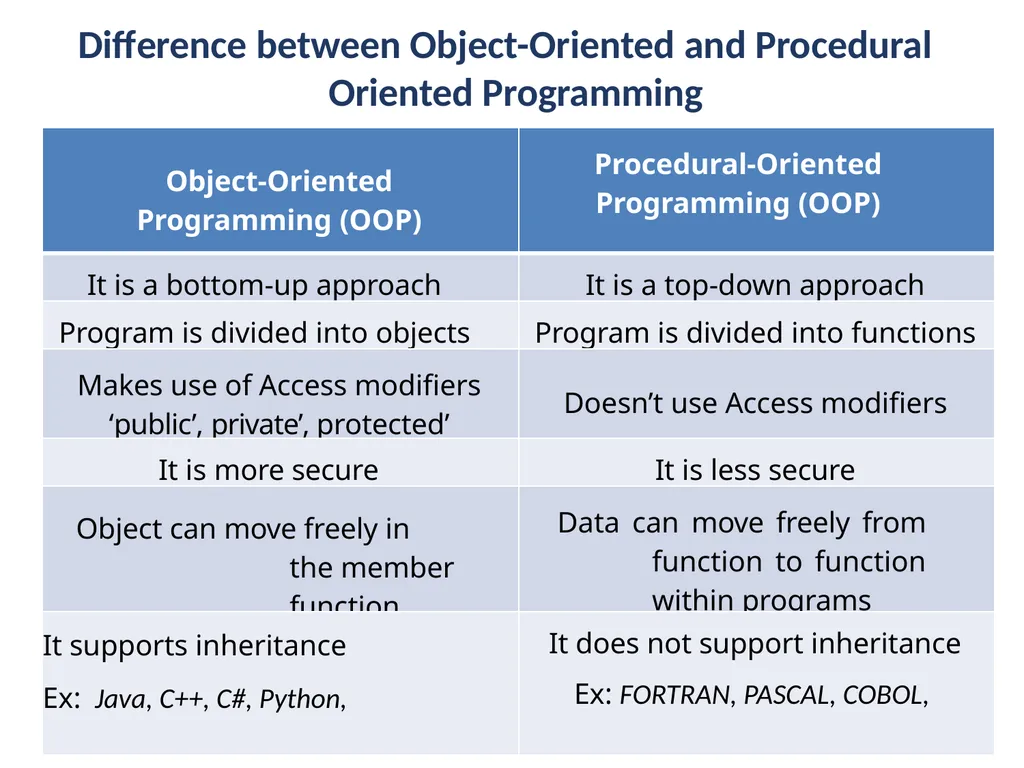
Difference between Object-Oriented and Procedural Oriented Programming<br>
04
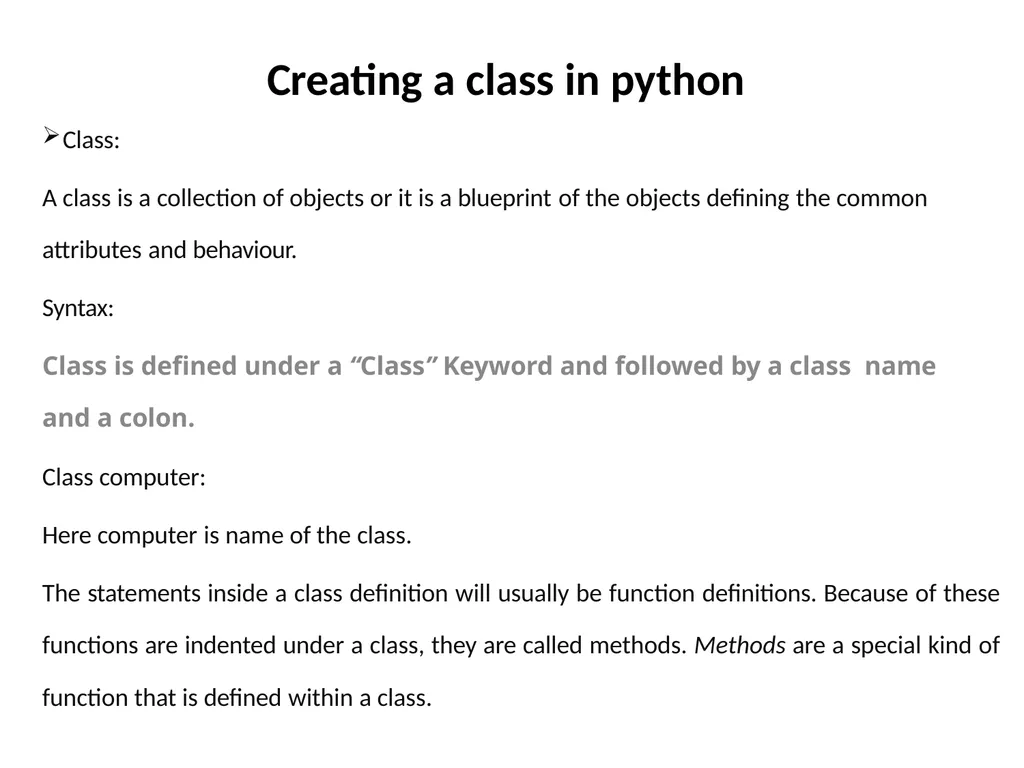
Creating a class in python Class:
A class is a collection of objects or it is a blueprint of the objects defining the common
attributes and behaviour.
Syntax:
Class is defined under a “Class” Keyword and followed by a class name and a colon.
Class computer:
Here computer is name of the class.
The statements inside a class definition will usually be function definitions. Because of these functions are indented under a class, they are called methods. Methods are a special kind of function that is defined within a class.<br>
A class is a collection of objects or it is a blueprint of the objects defining the common
attributes and behaviour.
Syntax:
Class is defined under a “Class” Keyword and followed by a class name and a colon.
Class computer:
Here computer is name of the class.
The statements inside a class definition will usually be function definitions. Because of these functions are indented under a class, they are called methods. Methods are a special kind of function that is defined within a class.<br>
05
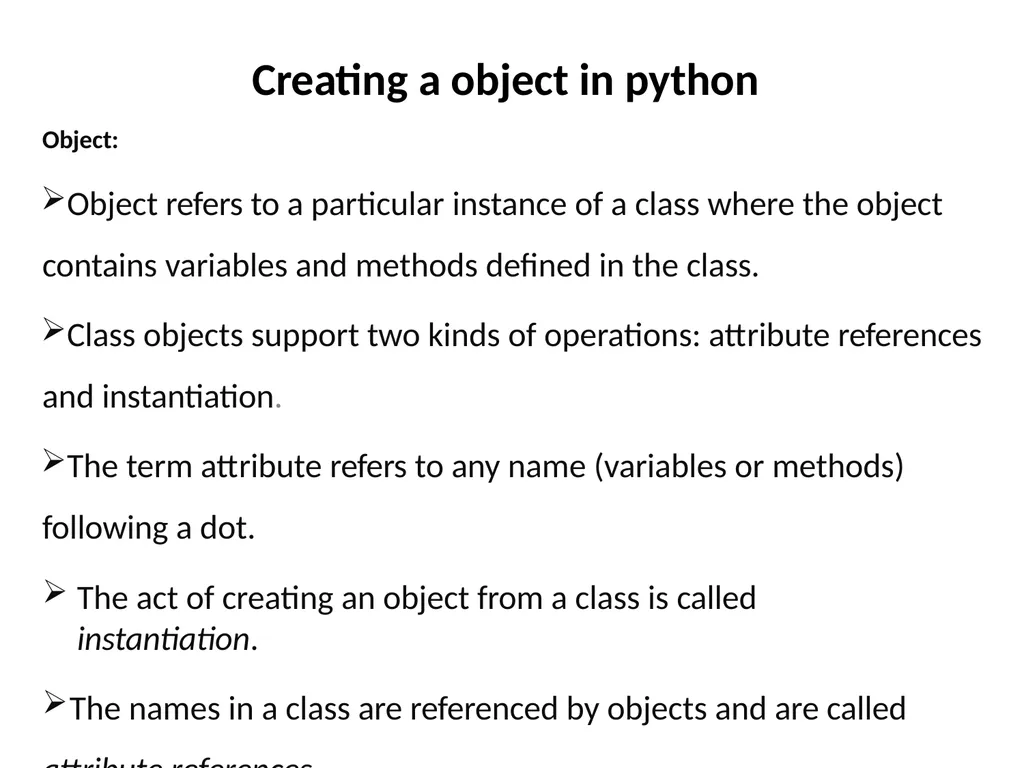
Creating a object in python Object:
Object refers to a particular instance of a class where the object contains variables and methods defined in the class.
Class objects support two kinds of operations: attribute references and instantiation.
The term attribute refers to any name (variables or methods) following a dot.
The act of creating an object from a class is called instantiation.
The names in a class are referenced by objects and are called
attribute references.<br>
Object refers to a particular instance of a class where the object contains variables and methods defined in the class.
Class objects support two kinds of operations: attribute references and instantiation.
The term attribute refers to any name (variables or methods) following a dot.
The act of creating an object from a class is called instantiation.
The names in a class are referenced by objects and are called
attribute references.<br>
06
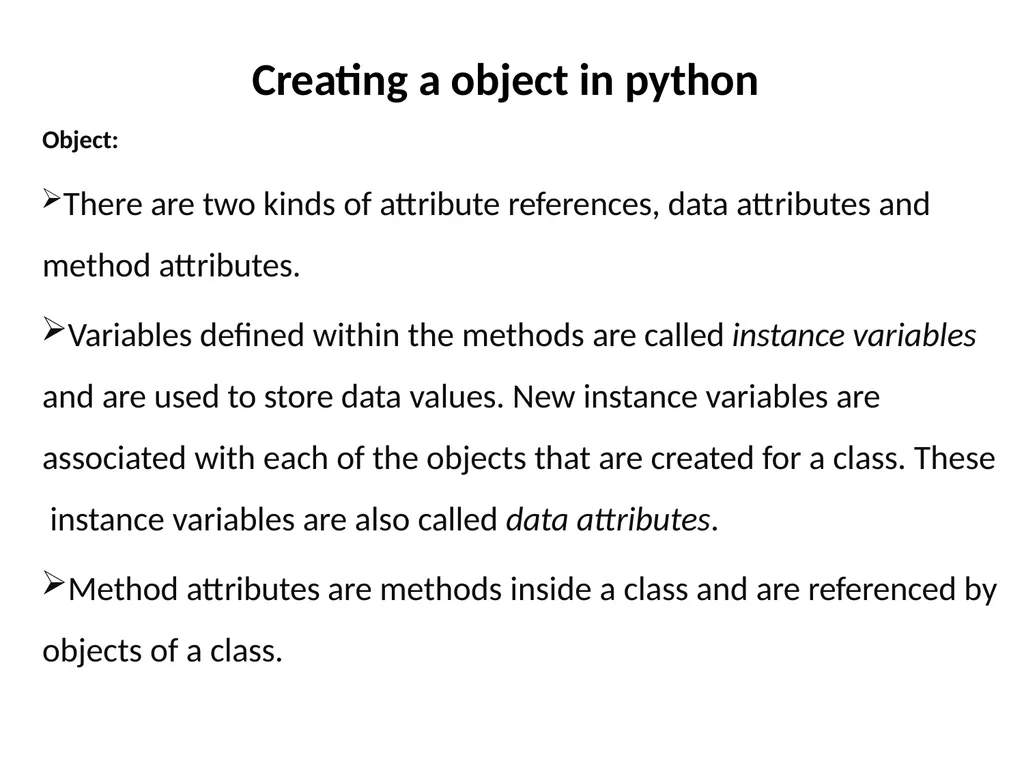
Creating a object in python Object:
There are two kinds of attribute references, data attributes and method attributes.
Variables defined within the methods are called instance variables and are used to store data values. New instance variables are associated with each of the objects that are created for a class. These instance variables are also called data attributes.
Method attributes are methods inside a class and are referenced by objects of a class.<br>
There are two kinds of attribute references, data attributes and method attributes.
Variables defined within the methods are called instance variables and are used to store data values. New instance variables are associated with each of the objects that are created for a class. These instance variables are also called data attributes.
Method attributes are methods inside a class and are referenced by objects of a class.<br>
07
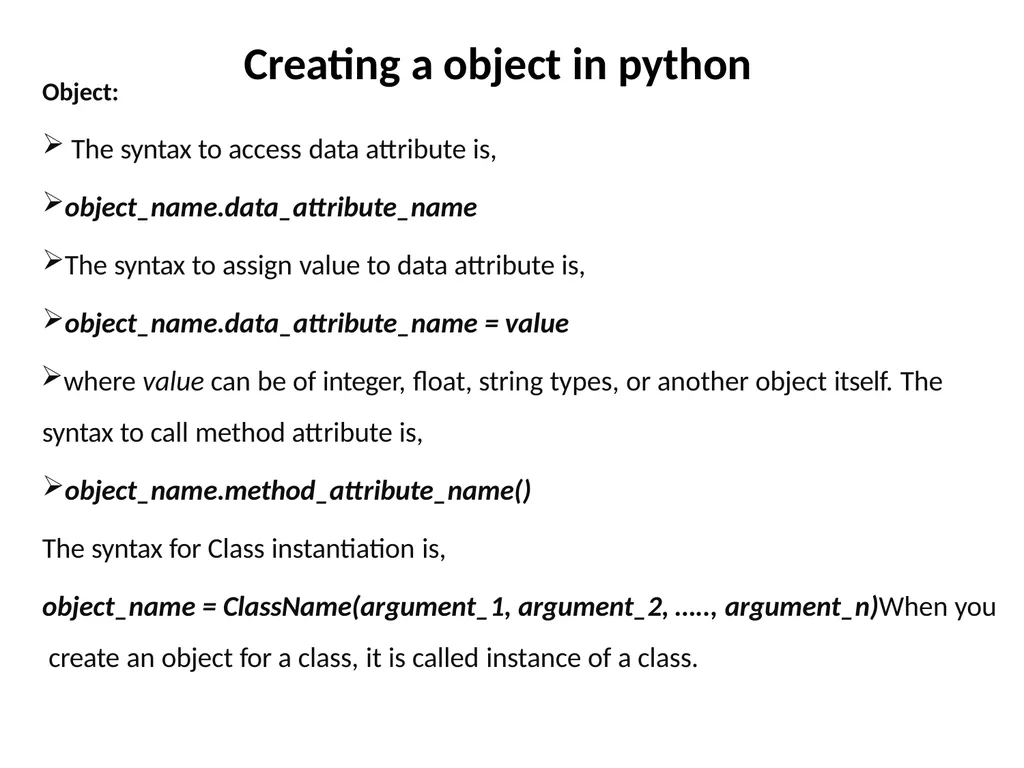
Creating a object in python Object: The syntax to access data attribute is,
object_name.data_attribute_name
The syntax to assign value to data attribute is,
object_name.data_attribute_name = value
where value can be of integer, float, string types, or another object itself. The syntax to call method attribute is,
object_name.method_attribute_name()
The syntax for Class instantiation is,
object_name = ClassName(argument_1, argument_2, ….., argument_n)When you create an object for a class, it is called instance of a class.<br>
object_name.data_attribute_name
The syntax to assign value to data attribute is,
object_name.data_attribute_name = value
where value can be of integer, float, string types, or another object itself. The syntax to call method attribute is,
object_name.method_attribute_name()
The syntax for Class instantiation is,
object_name = ClassName(argument_1, argument_2, ….., argument_n)When you create an object for a class, it is called instance of a class.<br>
08
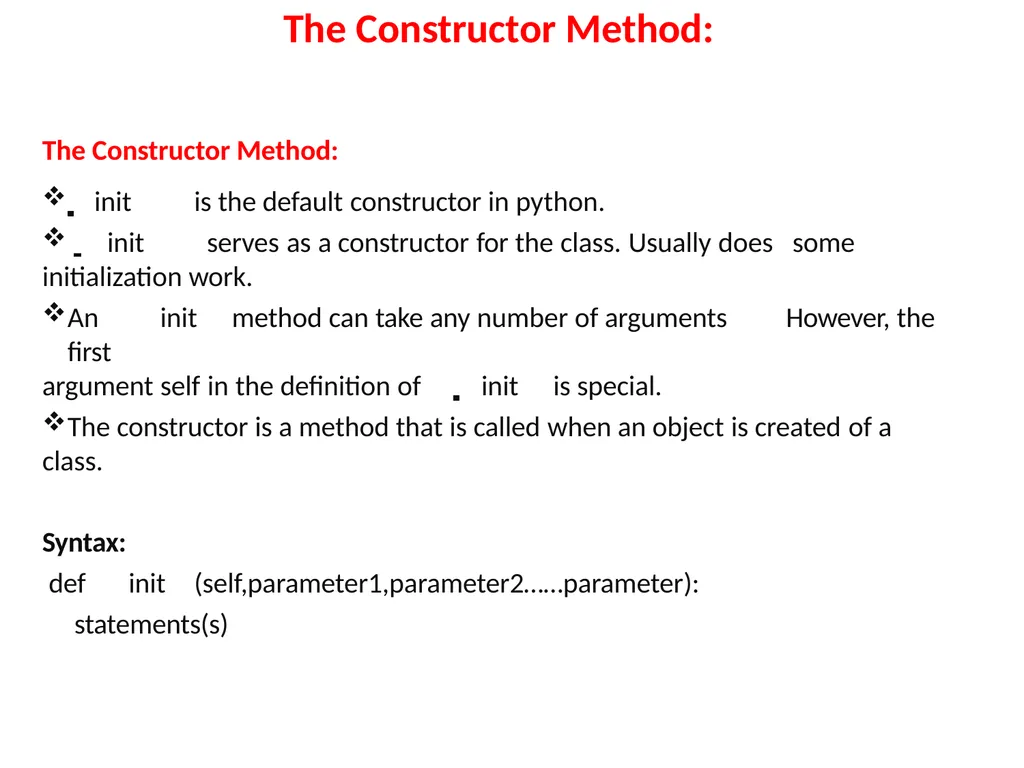
The Constructor Method: The Constructor Method:
init is the default constructor in python.
init serves as a constructor for the class. Usually does some
initialization work.
An init method can take any number of arguments However, the first
argument self in the definition of init is special.
The constructor is a method that is called when an object is created of a
class.
Syntax:
def init (self,parameter1,parameter2……parameter):
statements(s)<br>
init is the default constructor in python.
init serves as a constructor for the class. Usually does some
initialization work.
An init method can take any number of arguments However, the first
argument self in the definition of init is special.
The constructor is a method that is called when an object is created of a
class.
Syntax:
def init (self,parameter1,parameter2……parameter):
statements(s)<br>
09
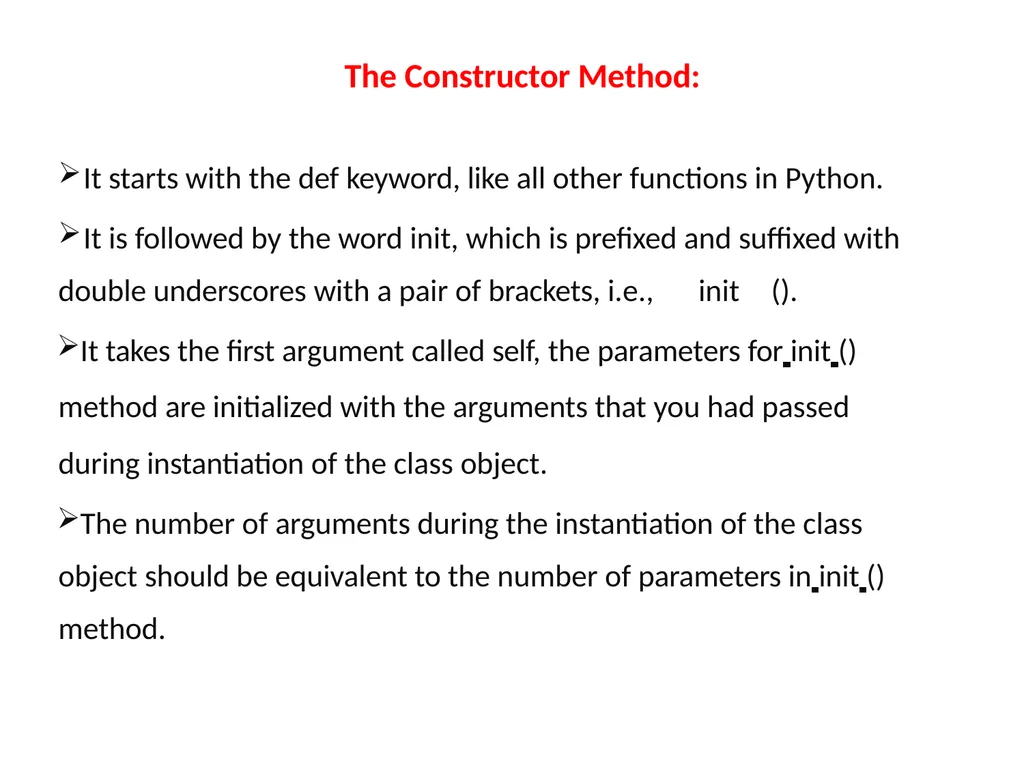
The Constructor Method: It starts with the def keyword, like all other functions in Python.
It is followed by the word init, which is prefixed and suffixed with
double underscores with a pair of brackets, i.e., init ().
It takes the first argument called self, the parameters for init () method are initialized with the arguments that you had passed during instantiation of the class object.
The number of arguments during the instantiation of the class object should be equivalent to the number of parameters in init () method.<br>
It is followed by the word init, which is prefixed and suffixed with
double underscores with a pair of brackets, i.e., init ().
It takes the first argument called self, the parameters for init () method are initialized with the arguments that you had passed during instantiation of the class object.
The number of arguments during the instantiation of the class object should be equivalent to the number of parameters in init () method.<br>
10
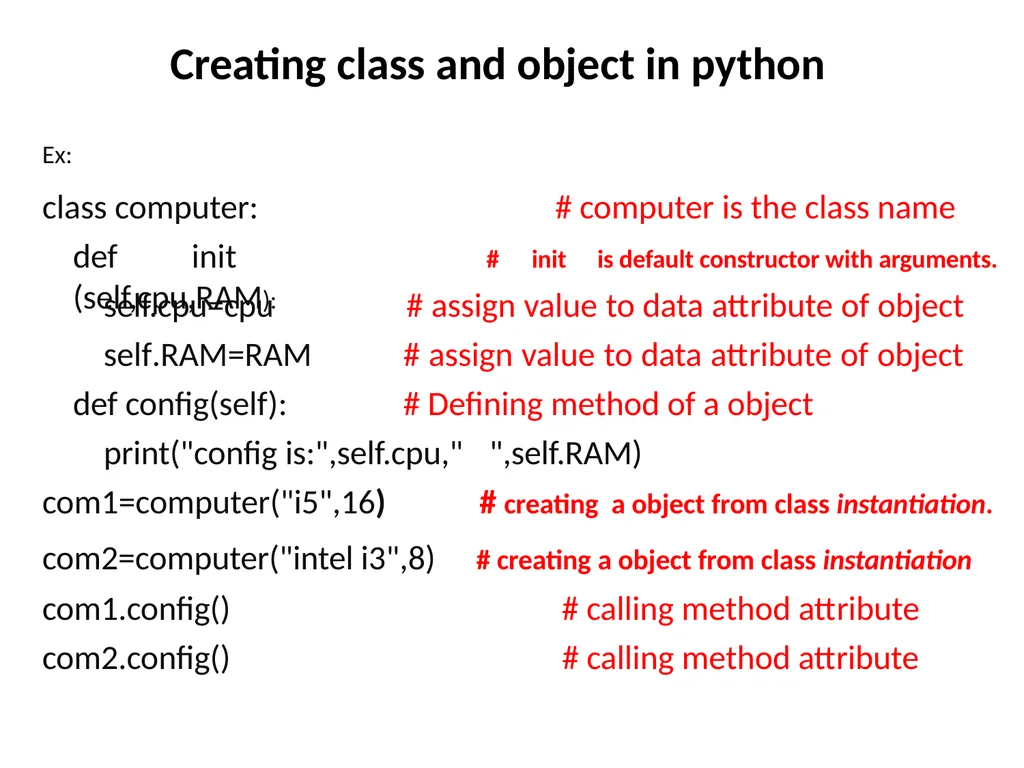
Creating class and object in python Ex: class computer:
def init (self,cpu,RAM): # computer is the class name
# init is default constructor with arguments. self.cpu=cpu self.RAM=RAM
def config(self): # assign value to data attribute of object # assign value to data attribute of object # Defining method of a object print("config is:",self.cpu," com1=computer("i5",16)
com2=computer("intel i3",8) com1.config()
com2.config() ",self.RAM)
# creating a object from class instantiation.
# creating a object from class instantiation
# calling method attribute # calling method attribute<br>
def init (self,cpu,RAM): # computer is the class name
# init is default constructor with arguments. self.cpu=cpu self.RAM=RAM
def config(self): # assign value to data attribute of object # assign value to data attribute of object # Defining method of a object print("config is:",self.cpu," com1=computer("i5",16)
com2=computer("intel i3",8) com1.config()
com2.config() ",self.RAM)
# creating a object from class instantiation.
# creating a object from class instantiation
# calling method attribute # calling method attribute<br>
11
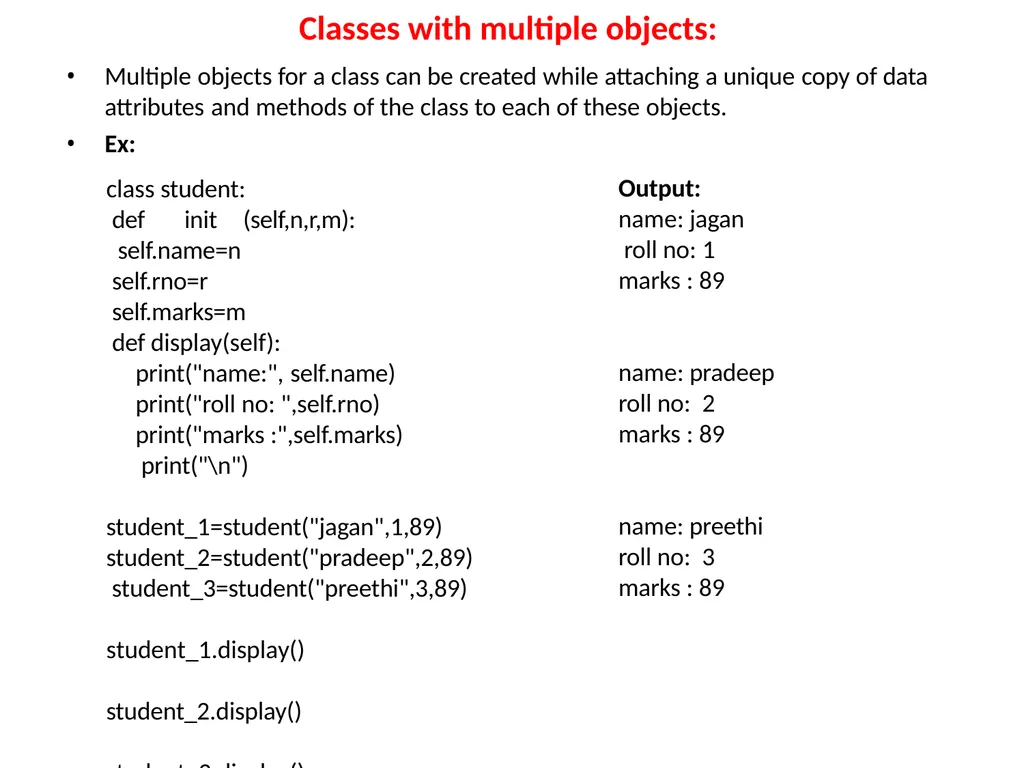
Classes with multiple objects: Multiple objects for a class can be created while attaching a unique copy of data
attributes and methods of the class to each of these objects.
Ex: class student:
def init (self,n,r,m):
self.name=n self.rno=r self.marks=m def display(self):
print("name:", self.name) print("roll no: ",self.rno) print("marks :",self.marks) print("\n") student_1=student("jagan",1,89) student_2=student("pradeep",2,89) student_3=student("preethi",3,89) student_1.display() student_2.display() student_3.display() Output: name: jagan roll no: 1
marks : 89 name: pradeep
roll no: 2
marks : 89 name: preethi
roll no: 3
marks : 89<br>
attributes and methods of the class to each of these objects.
Ex: class student:
def init (self,n,r,m):
self.name=n self.rno=r self.marks=m def display(self):
print("name:", self.name) print("roll no: ",self.rno) print("marks :",self.marks) print("\n") student_1=student("jagan",1,89) student_2=student("pradeep",2,89) student_3=student("preethi",3,89) student_1.display() student_2.display() student_3.display() Output: name: jagan roll no: 1
marks : 89 name: pradeep
roll no: 2
marks : 89 name: preethi
roll no: 3
marks : 89<br>
12
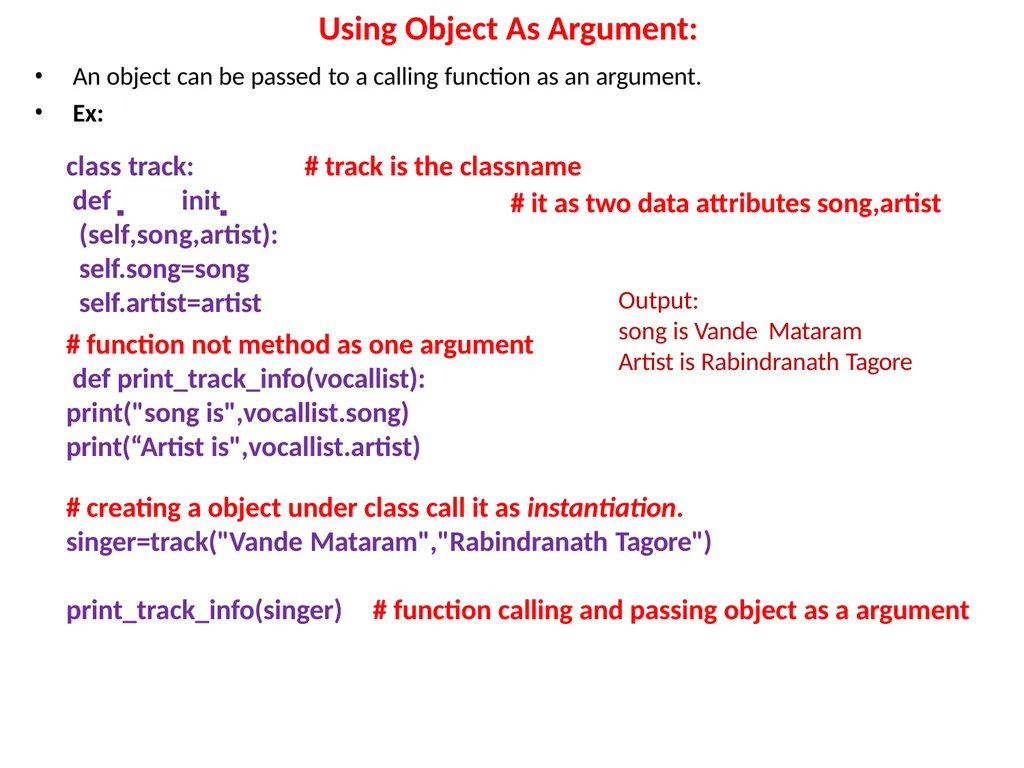
Using Object As Argument: An object can be passed to a calling function as an argument.
Ex:
class track: # track is the classname # it as two data attributes song,artist def init (self,song,artist): self.song=song self.artist=artist # function not method as one argument def print_track_info(vocallist): print("song is",vocallist.song) print(“Artist is",vocallist.artist) # creating a object under class call it as instantiation.
singer=track("Vande Mataram","Rabindranath Tagore")
print_track_info(singer) # function calling and passing object as a argument Output:
song is Vande Mataram Artist is Rabindranath Tagore<br>
Ex:
class track: # track is the classname # it as two data attributes song,artist def init (self,song,artist): self.song=song self.artist=artist # function not method as one argument def print_track_info(vocallist): print("song is",vocallist.song) print(“Artist is",vocallist.artist) # creating a object under class call it as instantiation.
singer=track("Vande Mataram","Rabindranath Tagore")
print_track_info(singer) # function calling and passing object as a argument Output:
song is Vande Mataram Artist is Rabindranath Tagore<br>
13
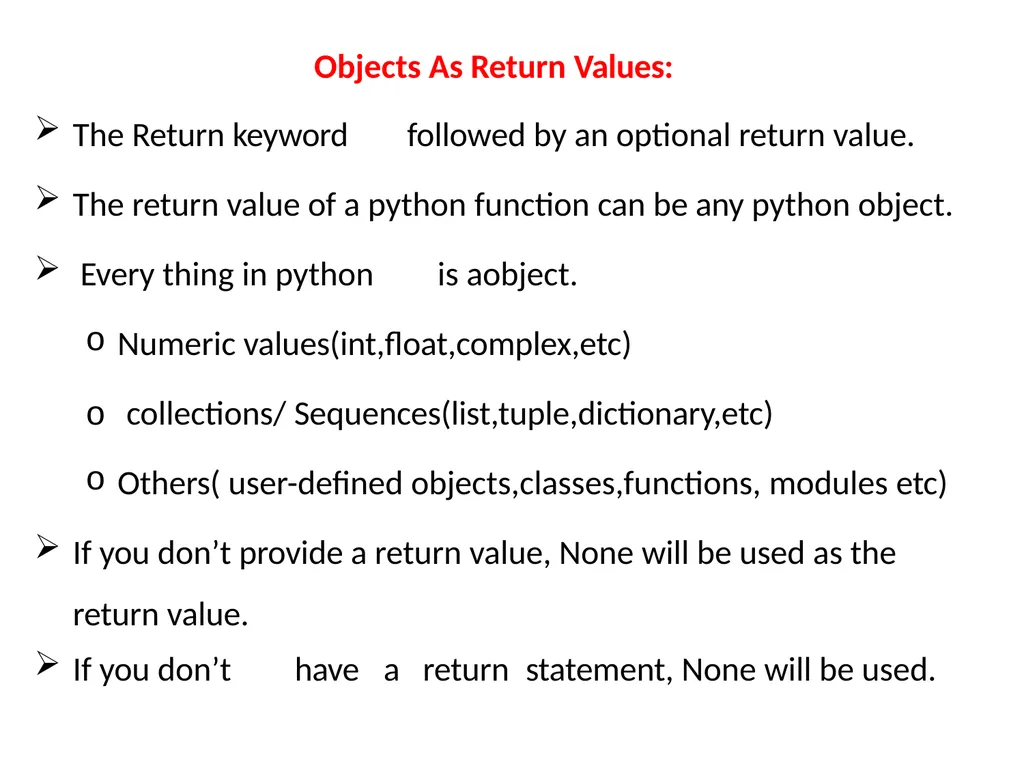
Objects As Return Values: The Return keyword followed by an optional return value.
The return value of a python function can be any python object.
Every thing in python is aobject.
Numeric values(int,float,complex,etc)
o collections/ Sequences(list,tuple,dictionary,etc)
Others( user-defined objects,classes,functions, modules etc)
If you don’t provide a return value, None will be used as the
return value.
If you don’t have a return statement, None will be used.<br>
The return value of a python function can be any python object.
Every thing in python is aobject.
Numeric values(int,float,complex,etc)
o collections/ Sequences(list,tuple,dictionary,etc)
Others( user-defined objects,classes,functions, modules etc)
If you don’t provide a return value, None will be used as the
return value.
If you don’t have a return statement, None will be used.<br>
14
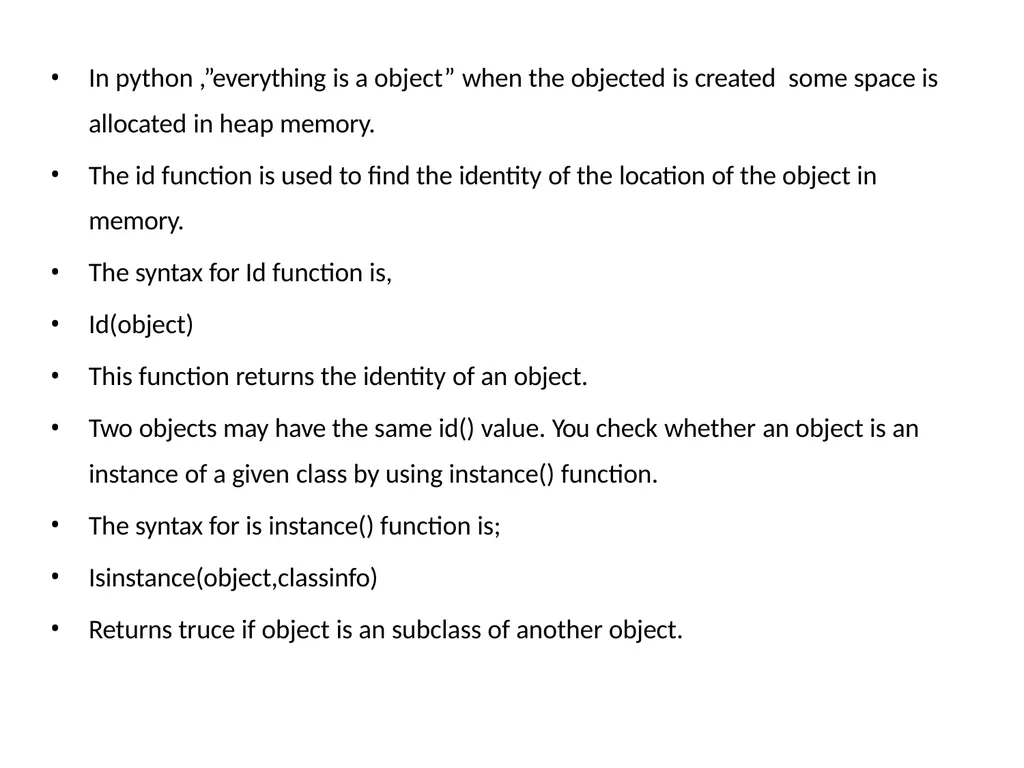
In python ,”everything is a object” when the objected is created some space is
allocated in heap memory.
The id function is used to find the identity of the location of the object in
memory.
The syntax for Id function is,
Id(object)
This function returns the identity of an object.
Two objects may have the same id() value. You check whether an object is an instance of a given class by using instance() function.
The syntax for is instance() function is;
Isinstance(object,classinfo)
Returns truce if object is an subclass of another object.<br>
allocated in heap memory.
The id function is used to find the identity of the location of the object in
memory.
The syntax for Id function is,
Id(object)
This function returns the identity of an object.
Two objects may have the same id() value. You check whether an object is an instance of a given class by using instance() function.
The syntax for is instance() function is;
Isinstance(object,classinfo)
Returns truce if object is an subclass of another object.<br>
15
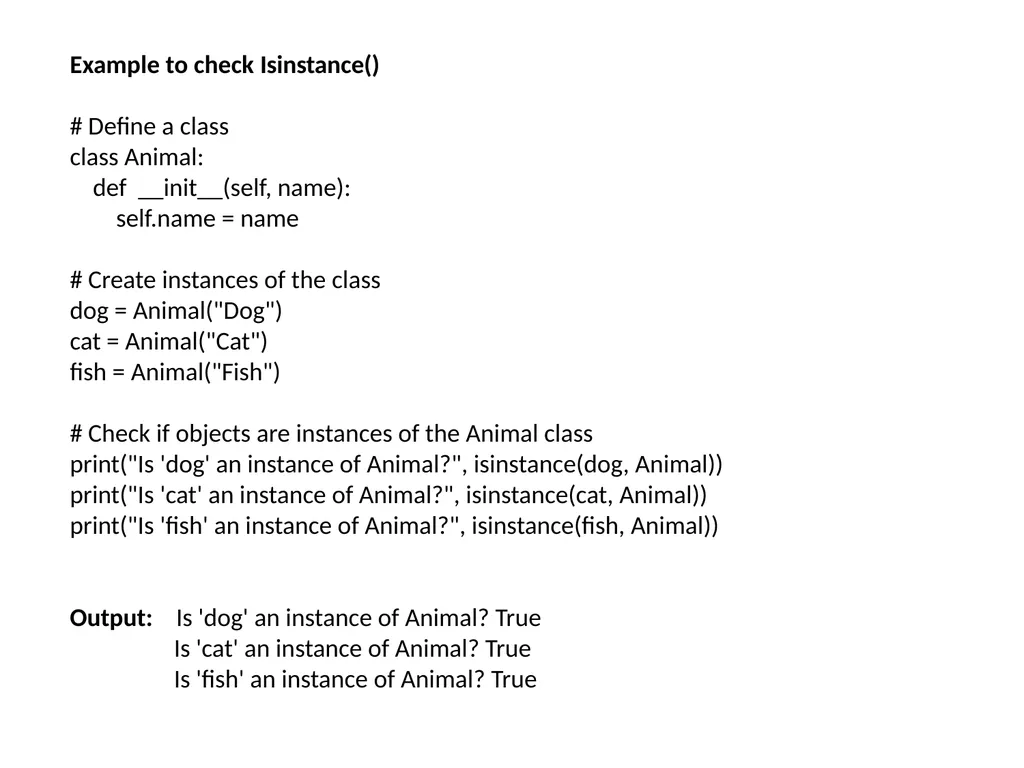
Example to check Isinstance()
# Define a class
class Animal:
def __init__(self, name):
self.name = name
# Create instances of the class
dog = Animal("Dog")
cat = Animal("Cat")
fish = Animal("Fish")
# Check if objects are instances of the Animal class
print("Is 'dog' an instance of Animal?", isinstance(dog, Animal))
print("Is 'cat' an instance of Animal?", isinstance(cat, Animal))
print("Is 'fish' an instance of Animal?", isinstance(fish, Animal))
Output: Is 'dog' an instance of Animal? True
Is 'cat' an instance of Animal? True
Is 'fish' an instance of Animal? True<br>
# Define a class
class Animal:
def __init__(self, name):
self.name = name
# Create instances of the class
dog = Animal("Dog")
cat = Animal("Cat")
fish = Animal("Fish")
# Check if objects are instances of the Animal class
print("Is 'dog' an instance of Animal?", isinstance(dog, Animal))
print("Is 'cat' an instance of Animal?", isinstance(cat, Animal))
print("Is 'fish' an instance of Animal?", isinstance(fish, Animal))
Output: Is 'dog' an instance of Animal? True
Is 'cat' an instance of Animal? True
Is 'fish' an instance of Animal? True<br>
16
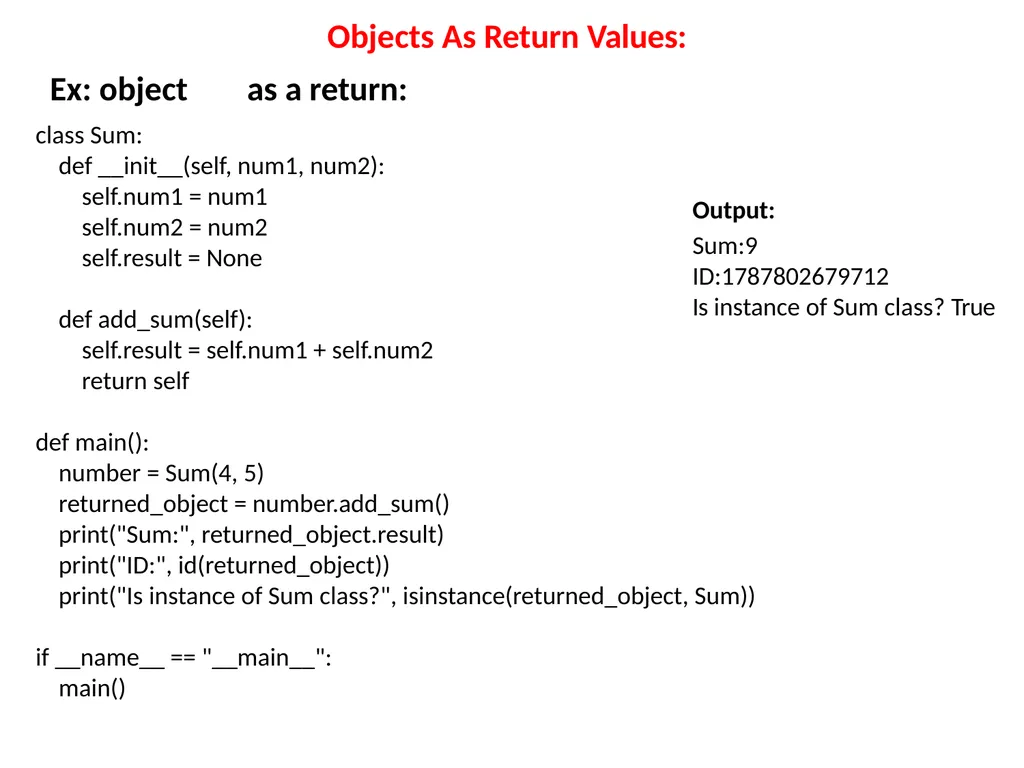
Objects As Return Values: Ex: object as a return: Output: Sum:9
ID:1787802679712
Is instance of Sum class? True class Sum:
def __init__(self, num1, num2):
self.num1 = num1
self.num2 = num2
self.result = None
def add_sum(self):
self.result = self.num1 + self.num2
return self
def main():
number = Sum(4, 5)
returned_object = number.add_sum()
print("Sum:", returned_object.result)
print("ID:", id(returned_object))
print("Is instance of Sum class?", isinstance(returned_object, Sum))
if __name__ == "__main__":
main()<br>
ID:1787802679712
Is instance of Sum class? True class Sum:
def __init__(self, num1, num2):
self.num1 = num1
self.num2 = num2
self.result = None
def add_sum(self):
self.result = self.num1 + self.num2
return self
def main():
number = Sum(4, 5)
returned_object = number.add_sum()
print("Sum:", returned_object.result)
print("ID:", id(returned_object))
print("Is instance of Sum class?", isinstance(returned_object, Sum))
if __name__ == "__main__":
main()<br>
17
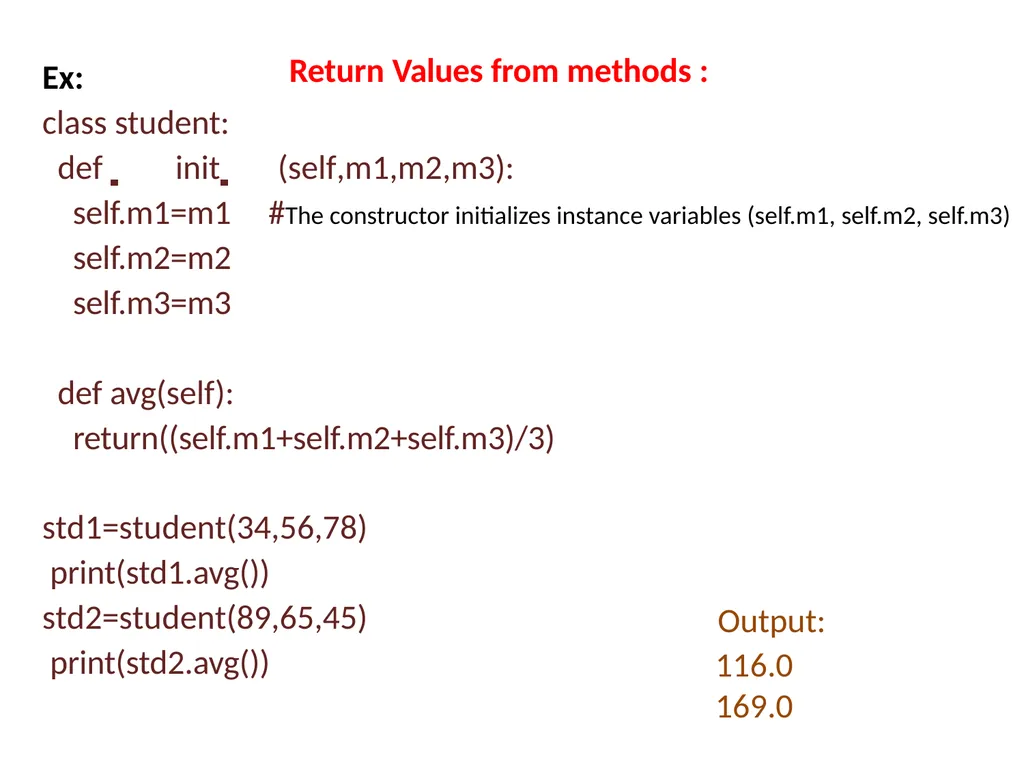
Return Values from methods : Ex:
class student:
def init (self,m1,m2,m3):
self.m1=m1 #The constructor initializes instance variables (self.m1, self.m2, self.m3)
self.m2=m2
self.m3=m3 def avg(self): return((self.m1+self.m2+self.m3)/3)
std1=student(34,56,78) print(std1.avg()) std2=student(89,65,45) print(std2.avg()) Output: 116.0
169.0<br>
class student:
def init (self,m1,m2,m3):
self.m1=m1 #The constructor initializes instance variables (self.m1, self.m2, self.m3)
self.m2=m2
self.m3=m3 def avg(self): return((self.m1+self.m2+self.m3)/3)
std1=student(34,56,78) print(std1.avg()) std2=student(89,65,45) print(std2.avg()) Output: 116.0
169.0<br>
18
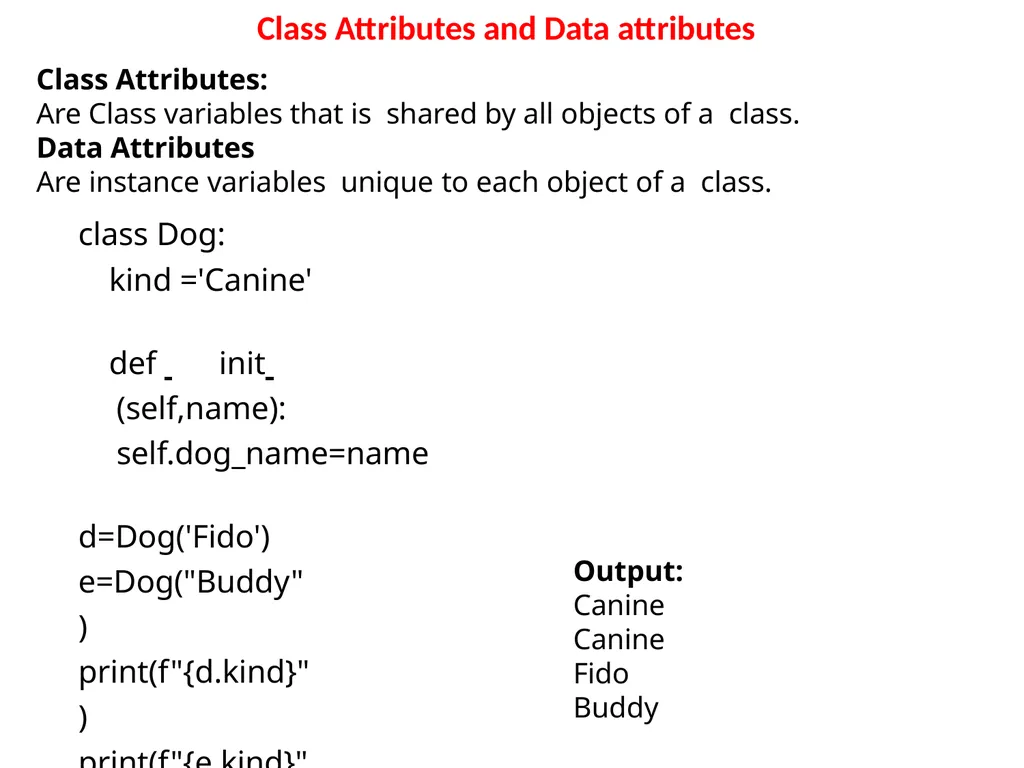
Class Attributes and Data attributes class Dog:
kind ='Canine'
def init (self,name): self.dog_name=name
d=Dog('Fido') e=Dog("Buddy") print(f"{d.kind}")
print(f"{e.kind}")
print(f"{d.dog_name}")
print(f"{e.dog_name}") Class Attributes:
Are Class variables that is shared by all objects of a class.
Data Attributes
Are instance variables unique to each object of a class. Output:
Canine
Canine
Fido
Buddy<br>
kind ='Canine'
def init (self,name): self.dog_name=name
d=Dog('Fido') e=Dog("Buddy") print(f"{d.kind}")
print(f"{e.kind}")
print(f"{d.dog_name}")
print(f"{e.dog_name}") Class Attributes:
Are Class variables that is shared by all objects of a class.
Data Attributes
Are instance variables unique to each object of a class. Output:
Canine
Canine
Fido
Buddy<br>
19
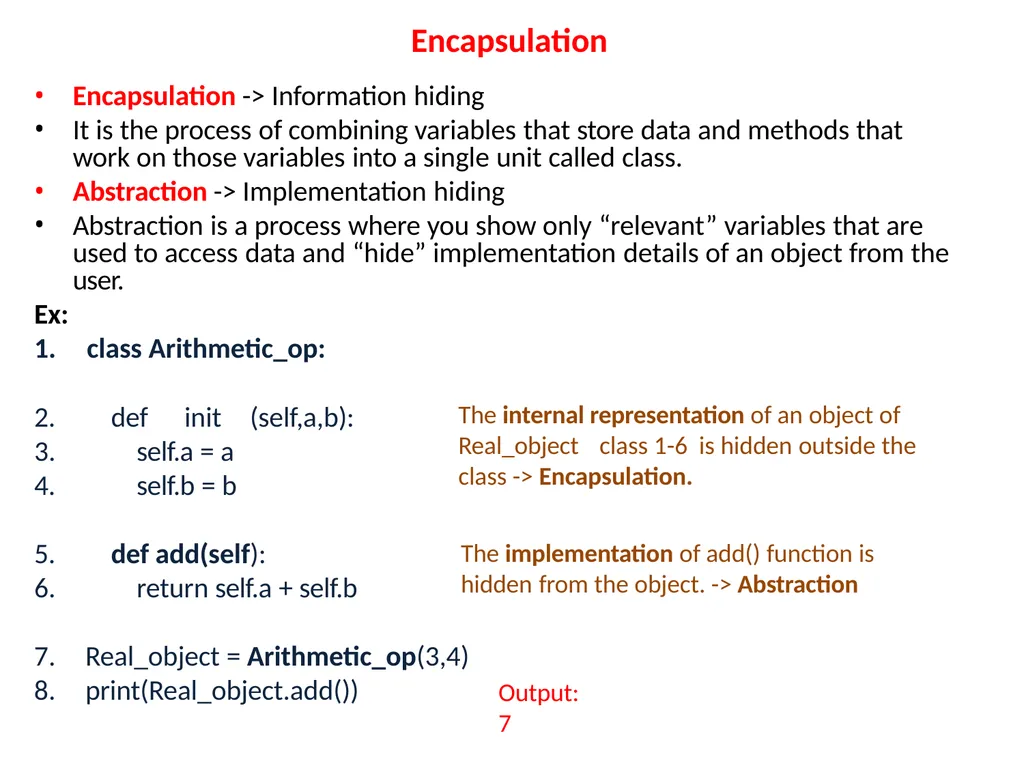
Encapsulation Encapsulation -> Information hiding
It is the process of combining variables that store data and methods that work on those variables into a single unit called class.
Abstraction -> Implementation hiding
Abstraction is a process where you show only “relevant” variables that are used to access data and “hide” implementation details of an object from the user. Ex:
1. class Arithmetic_op: 2.
3.
4. def init (self,a,b):
self.a = a
self.b = b 5.
6. def add(self):
return self.a + self.b Real_object = Arithmetic_op(3,4)
print(Real_object.add()) The internal representation of an object of Real_object class 1-6 is hidden outside the class -> Encapsulation. The implementation of add() function is
hidden from the object. -> Abstraction Output:
7<br>
It is the process of combining variables that store data and methods that work on those variables into a single unit called class.
Abstraction -> Implementation hiding
Abstraction is a process where you show only “relevant” variables that are used to access data and “hide” implementation details of an object from the user. Ex:
1. class Arithmetic_op: 2.
3.
4. def init (self,a,b):
self.a = a
self.b = b 5.
6. def add(self):
return self.a + self.b Real_object = Arithmetic_op(3,4)
print(Real_object.add()) The internal representation of an object of Real_object class 1-6 is hidden outside the class -> Encapsulation. The implementation of add() function is
hidden from the object. -> Abstraction Output:
7<br>
20
Inheritance: Inheritance is a powerful feature in object oriented programming
It generally means “inheriting or transfer of characteristics from
parent to child class without any modification”.
The new class is called the derived/child class and the one from
which it is derived is called a parent/base class.
Syntax of derived class:
Class DerivedClassName(BaseClassName):
<statement-1>
.
.
.
<statement-N><br>
It generally means “inheriting or transfer of characteristics from
parent to child class without any modification”.
The new class is called the derived/child class and the one from
which it is derived is called a parent/base class.
Syntax of derived class:
Class DerivedClassName(BaseClassName):
<statement-1>
.
.
.
<statement-N><br>
21
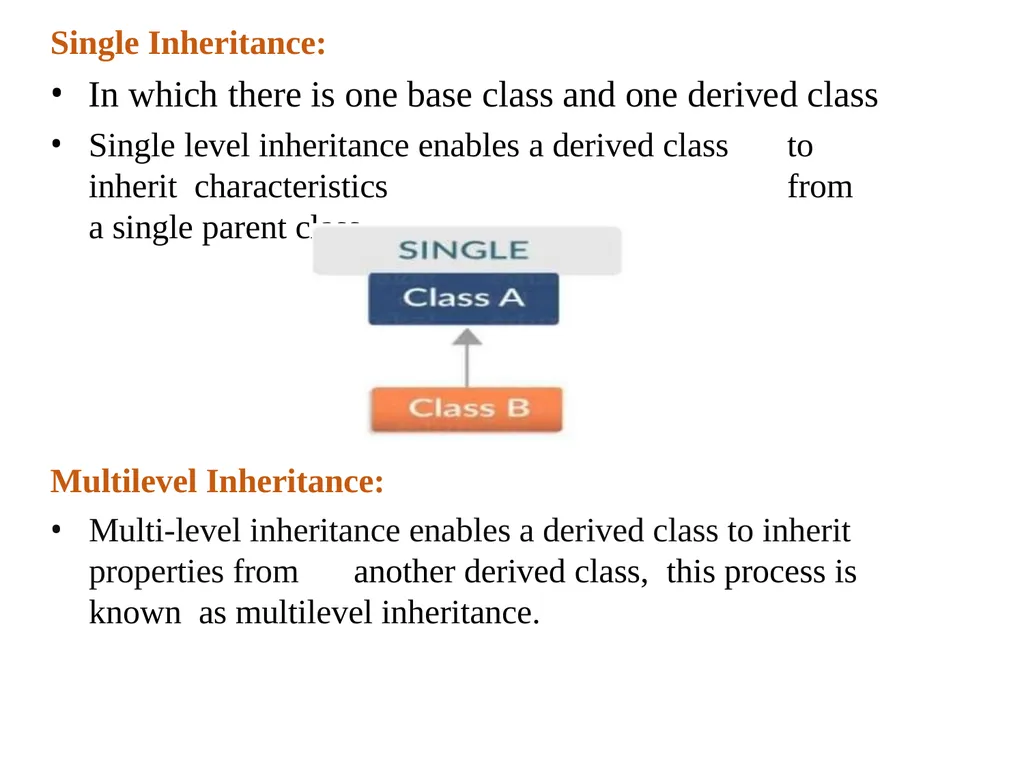
Single Inheritance: In which there is one base class and one derived class
Single level inheritance enables a derived class to inherit characteristics from a single parent class. Multilevel Inheritance:
Multi-level inheritance enables a derived class to inherit properties from another derived class, this process is known as multilevel inheritance.<br>
Single level inheritance enables a derived class to inherit characteristics from a single parent class. Multilevel Inheritance:
Multi-level inheritance enables a derived class to inherit properties from another derived class, this process is known as multilevel inheritance.<br>
22
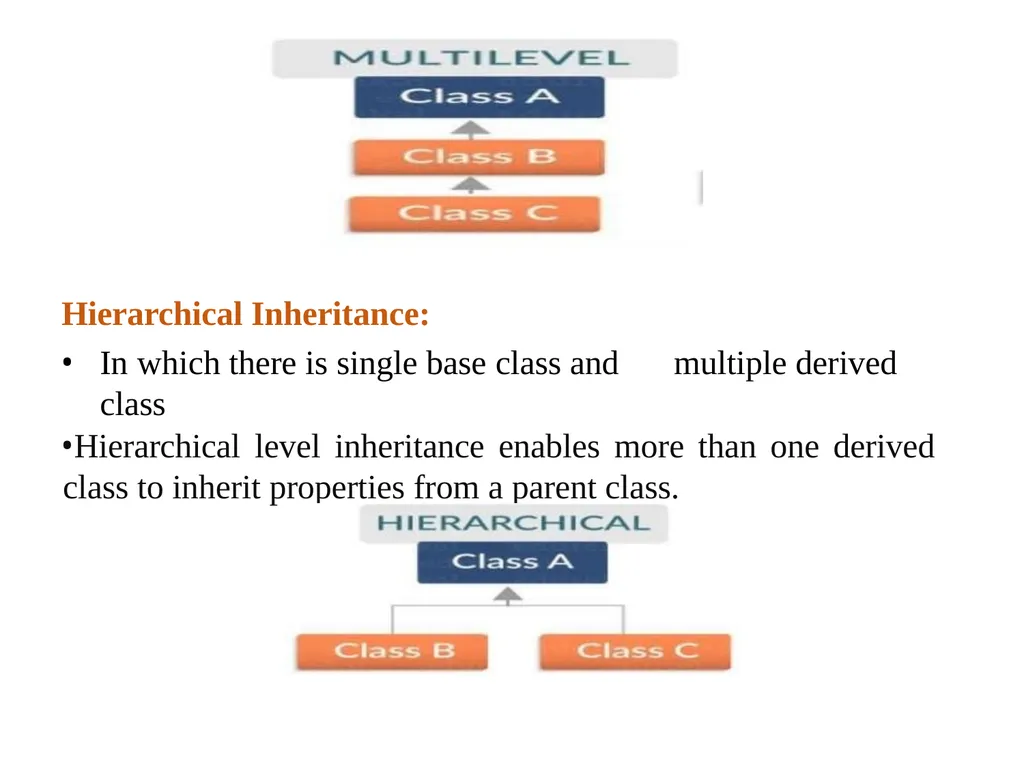
Hierarchical Inheritance:
In which there is single base class and multiple derived class
Hierarchical level inheritance enables more than one derived class to inherit properties from a parent class.<br>
In which there is single base class and multiple derived class
Hierarchical level inheritance enables more than one derived class to inherit properties from a parent class.<br>
23
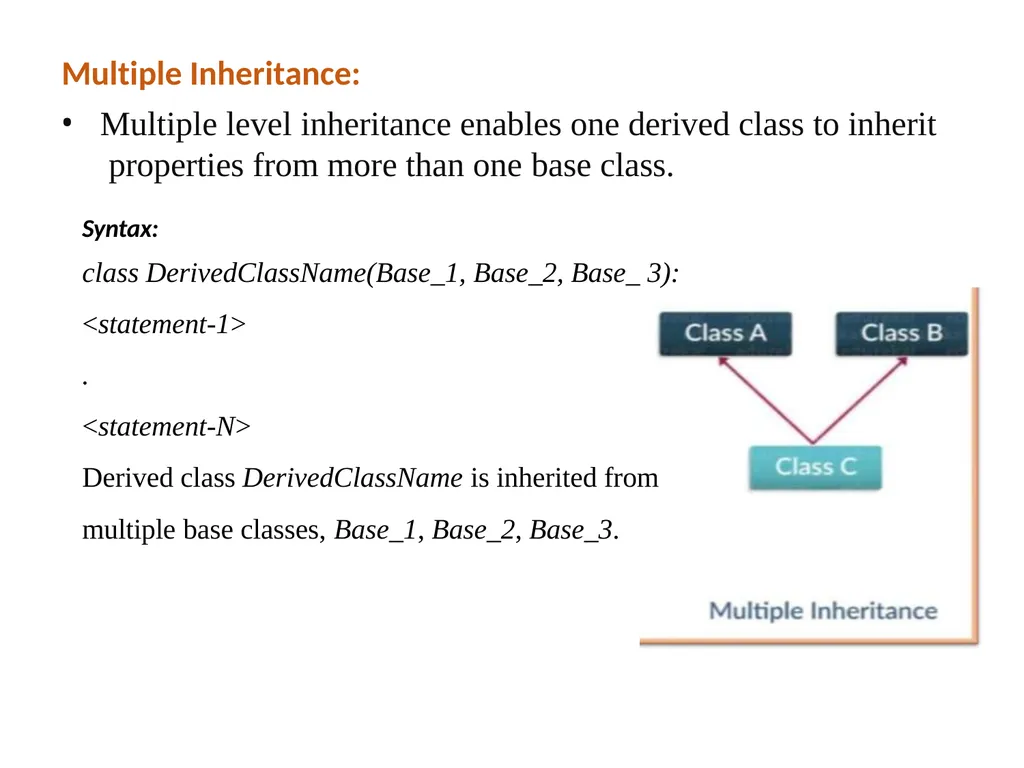
Multiple Inheritance: Multiple level inheritance enables one derived class to inherit properties from more than one base class.
Syntax:
class DerivedClassName(Base_1, Base_2, Base_ 3):
<statement-1>
.
<statement-N>
Derived class DerivedClassName is inherited from
multiple base classes, Base_1, Base_2, Base_3.<br>
Syntax:
class DerivedClassName(Base_1, Base_2, Base_ 3):
<statement-1>
.
<statement-N>
Derived class DerivedClassName is inherited from
multiple base classes, Base_1, Base_2, Base_3.<br>
24
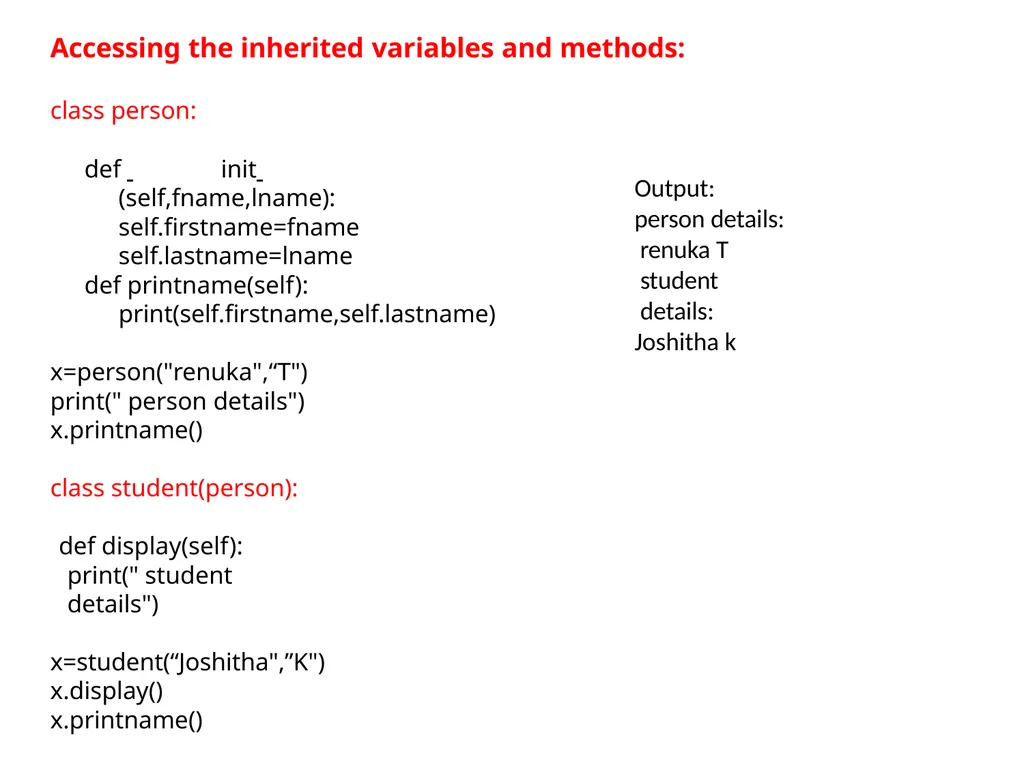
Accessing the inherited variables and methods: class person: def init (self,fname,lname): self.firstname=fname self.lastname=lname def printname(self):
print(self.firstname,self.lastname) x=person("renuka",“T") print(" person details") x.printname()
class student(person): def display(self):
print(" student details")
x=student(“Joshitha",”K")
x.display()
x.printname() Output: person details: renuka T
student details:
Joshitha k<br>
print(self.firstname,self.lastname) x=person("renuka",“T") print(" person details") x.printname()
class student(person): def display(self):
print(" student details")
x=student(“Joshitha",”K")
x.display()
x.printname() Output: person details: renuka T
student details:
Joshitha k<br>
25
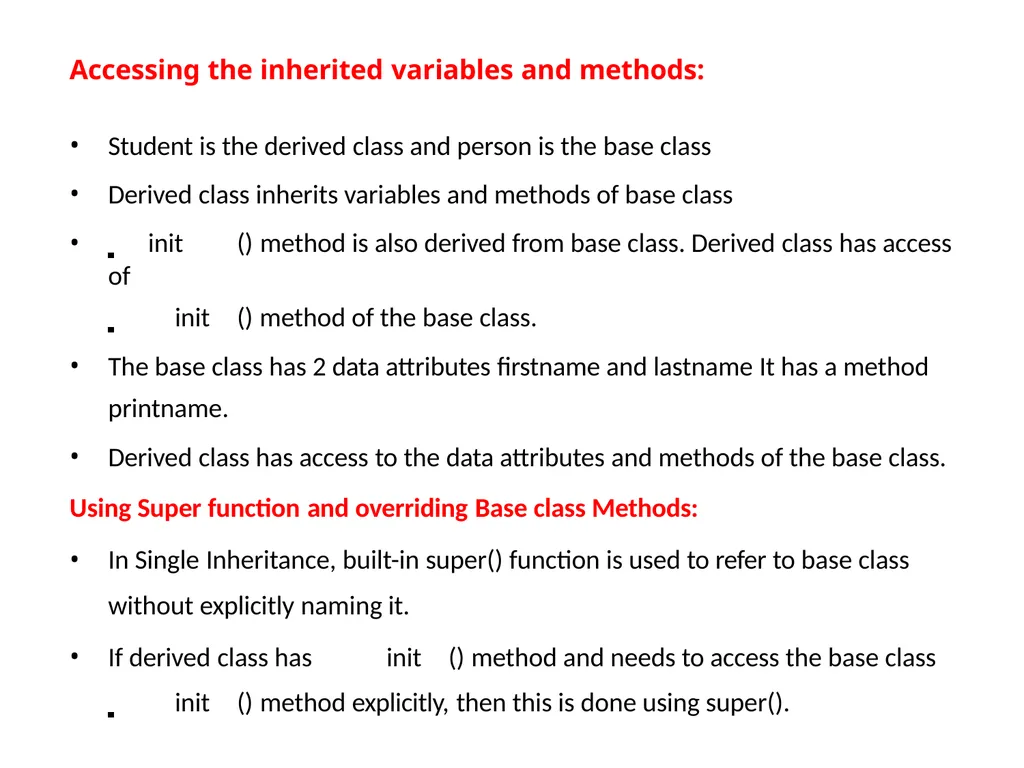
Accessing the inherited variables and methods:
Student is the derived class and person is the base class
Derived class inherits variables and methods of base class
init () method is also derived from base class. Derived class has access of
init () method of the base class.
The base class has 2 data attributes firstname and lastname It has a method
printname.
Derived class has access to the data attributes and methods of the base class.
Using Super function and overriding Base class Methods:
In Single Inheritance, built-in super() function is used to refer to base class
without explicitly naming it.
If derived class has init () method and needs to access the base class
init () method explicitly, then this is done using super().<br>
Student is the derived class and person is the base class
Derived class inherits variables and methods of base class
init () method is also derived from base class. Derived class has access of
init () method of the base class.
The base class has 2 data attributes firstname and lastname It has a method
printname.
Derived class has access to the data attributes and methods of the base class.
Using Super function and overriding Base class Methods:
In Single Inheritance, built-in super() function is used to refer to base class
without explicitly naming it.
If derived class has init () method and needs to access the base class
init () method explicitly, then this is done using super().<br>
26
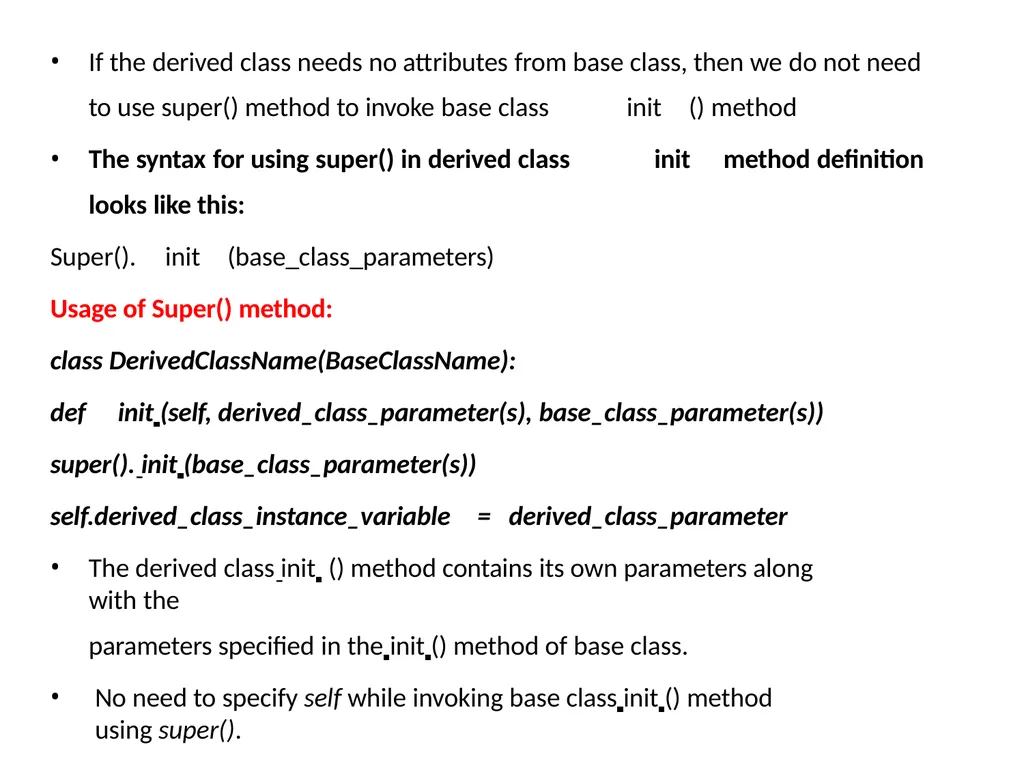
If the derived class needs no attributes from base class, then we do not need
to use super() method to invoke base class init () method
The syntax for using super() in derived class init method definition
looks like this:
Super(). init (base_class_parameters)
Usage of Super() method:
class DerivedClassName(BaseClassName):
def init (self, derived_class_parameter(s), base_class_parameter(s)) super(). init (base_class_parameter(s)) self.derived_class_instance_variable = derived_class_parameter
The derived class init () method contains its own parameters along with the
parameters specified in the init () method of base class.
No need to specify self while invoking base class init () method using super().<br>
to use super() method to invoke base class init () method
The syntax for using super() in derived class init method definition
looks like this:
Super(). init (base_class_parameters)
Usage of Super() method:
class DerivedClassName(BaseClassName):
def init (self, derived_class_parameter(s), base_class_parameter(s)) super(). init (base_class_parameter(s)) self.derived_class_instance_variable = derived_class_parameter
The derived class init () method contains its own parameters along with the
parameters specified in the init () method of base class.
No need to specify self while invoking base class init () method using super().<br>
27
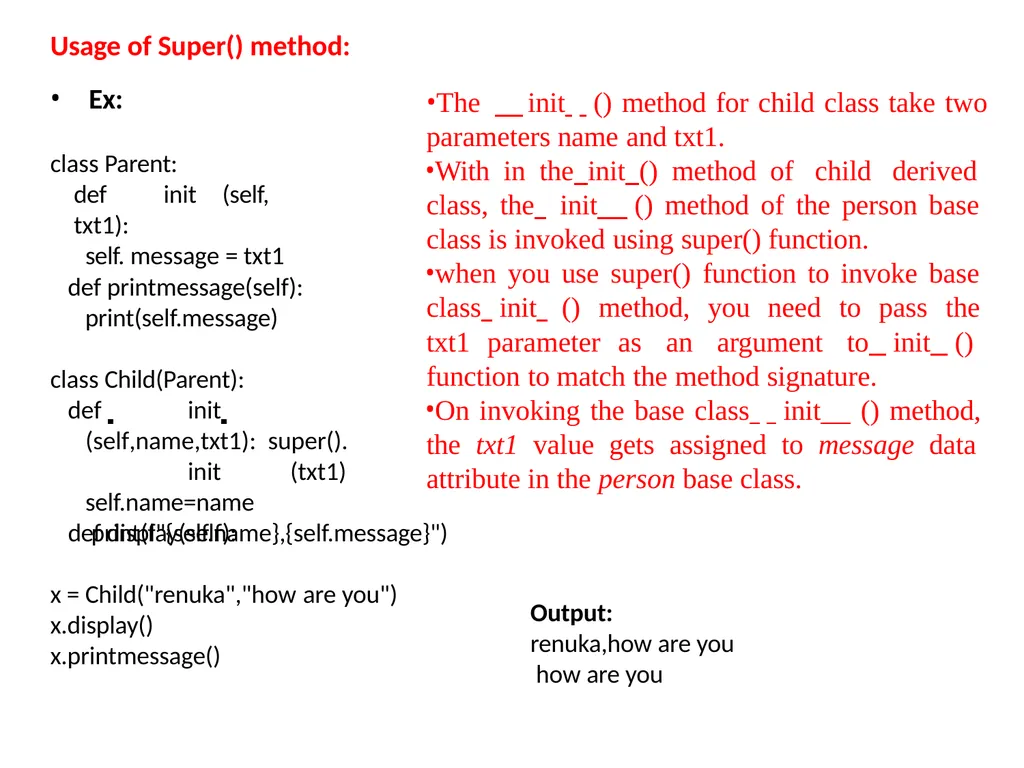
Usage of Super() method: Ex:
class Parent:
def init (self, txt1):
self. message = txt1 def printmessage(self): print(self.message) class Child(Parent):
def init (self,name,txt1): super(). init (txt1) self.name=name
def display(self): print(f"{self.name},{self.message}") x = Child("renuka","how are you")
x.display()
x.printmessage() Output: renuka,how are you how are you The init () method for child class take two
parameters name and txt1.
With in the init () method of child derived class, the init () method of the person base class is invoked using super() function.
when you use super() function to invoke base class init () method, you need to pass the txt1 parameter as an argument to init () function to match the method signature.
On invoking the base class init () method, the txt1 value gets assigned to message data attribute in the person base class.<br>
class Parent:
def init (self, txt1):
self. message = txt1 def printmessage(self): print(self.message) class Child(Parent):
def init (self,name,txt1): super(). init (txt1) self.name=name
def display(self): print(f"{self.name},{self.message}") x = Child("renuka","how are you")
x.display()
x.printmessage() Output: renuka,how are you how are you The init () method for child class take two
parameters name and txt1.
With in the init () method of child derived class, the init () method of the person base class is invoked using super() function.
when you use super() function to invoke base class init () method, you need to pass the txt1 parameter as an argument to init () function to match the method signature.
On invoking the base class init () method, the txt1 value gets assigned to message data attribute in the person base class.<br>
28
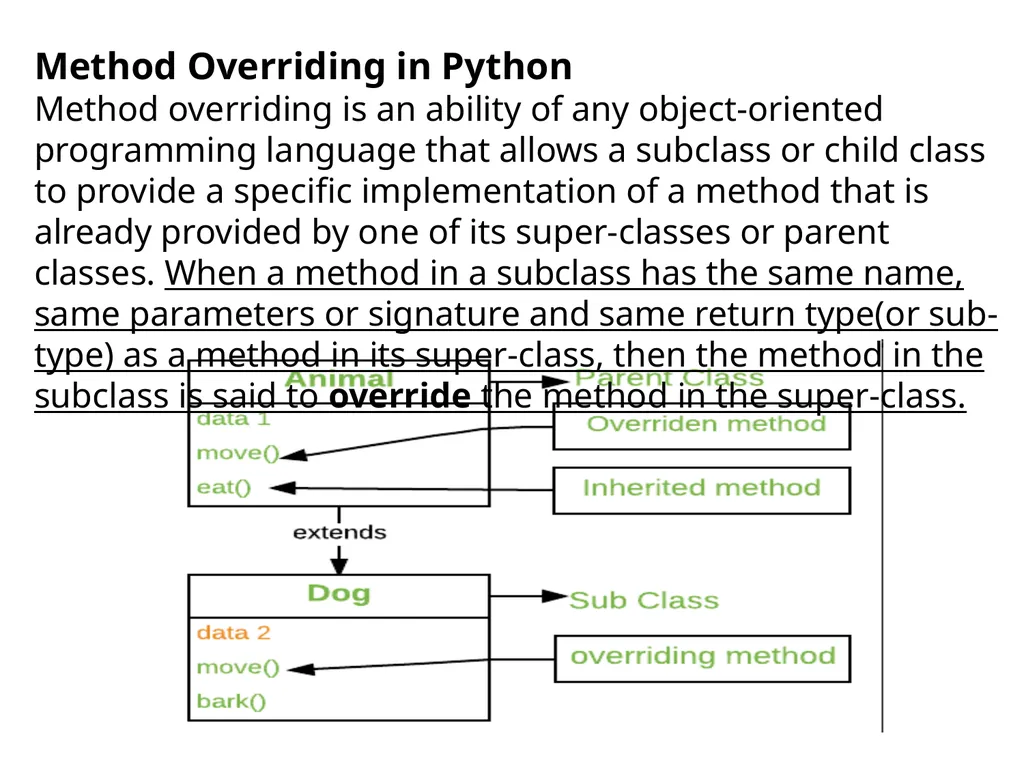
Method Overriding in Python
Method overriding is an ability of any object-oriented programming language that allows a subclass or child class to provide a specific implementation of a method that is already provided by one of its super-classes or parent classes. When a method in a subclass has the same name, same parameters or signature and same return type(or sub-type) as a method in its super-class, then the method in the subclass is said to override the method in the super-class.<br>
Method overriding is an ability of any object-oriented programming language that allows a subclass or child class to provide a specific implementation of a method that is already provided by one of its super-classes or parent classes. When a method in a subclass has the same name, same parameters or signature and same return type(or sub-type) as a method in its super-class, then the method in the subclass is said to override the method in the super-class.<br>
29
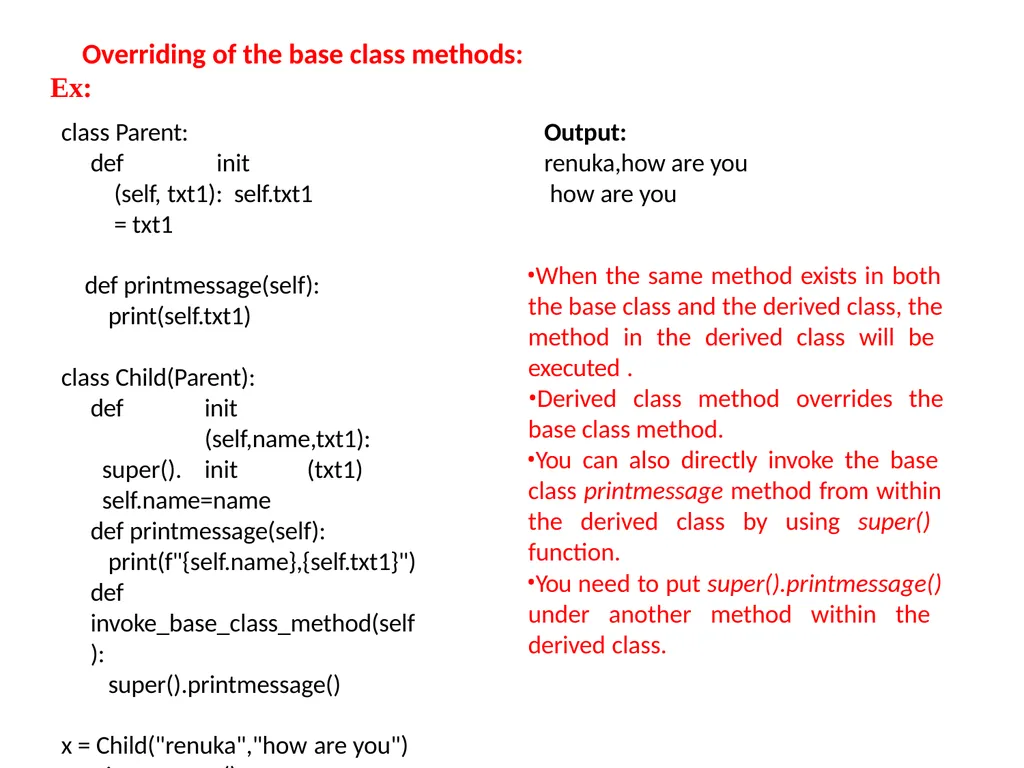
Overriding of the base class methods:
Ex: class Parent:
def init (self, txt1): self.txt1 = txt1
def printmessage(self):
print(self.txt1)
class Child(Parent):
def init (self,name,txt1): super(). init (txt1) self.name=name
def printmessage(self): print(f"{self.name},{self.txt1}")
def invoke_base_class_method(self):
super().printmessage()
x = Child("renuka","how are you") x.printmessage() x.invoke_base_class_method() Output:
renuka,how are you how are you
When the same method exists in both the base class and the derived class, the method in the derived class will be executed .
Derived class method overrides the
base class method.
You can also directly invoke the base class printmessage method from within the derived class by using super() function.
You need to put super().printmessage() under another method within the derived class.<br>
Ex: class Parent:
def init (self, txt1): self.txt1 = txt1
def printmessage(self):
print(self.txt1)
class Child(Parent):
def init (self,name,txt1): super(). init (txt1) self.name=name
def printmessage(self): print(f"{self.name},{self.txt1}")
def invoke_base_class_method(self):
super().printmessage()
x = Child("renuka","how are you") x.printmessage() x.invoke_base_class_method() Output:
renuka,how are you how are you
When the same method exists in both the base class and the derived class, the method in the derived class will be executed .
Derived class method overrides the
base class method.
You can also directly invoke the base class printmessage method from within the derived class by using super() function.
You need to put super().printmessage() under another method within the derived class.<br>
30
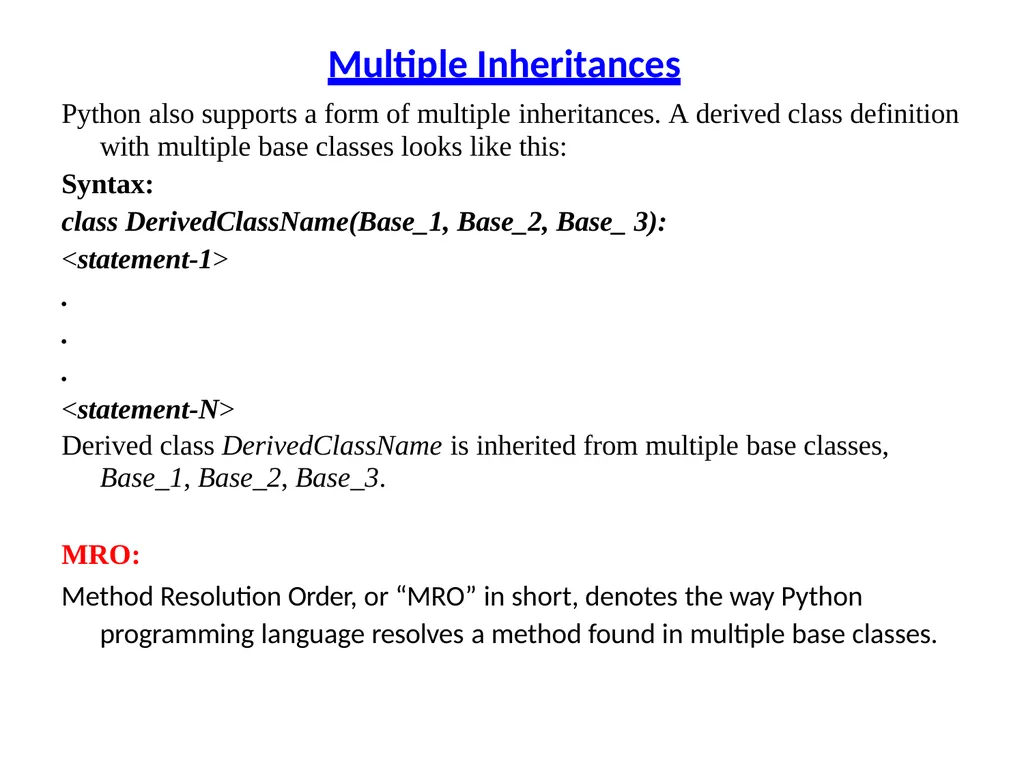
Multiple Inheritances Python also supports a form of multiple inheritances. A derived class definition
with multiple base classes looks like this:
Syntax:
class DerivedClassName(Base_1, Base_2, Base_ 3):
<statement-1>
.
.
.
<statement-N>
Derived class DerivedClassName is inherited from multiple base classes,
Base_1, Base_2, Base_3.
MRO:
Method Resolution Order, or “MRO” in short, denotes the way Python programming language resolves a method found in multiple base classes.<br>
with multiple base classes looks like this:
Syntax:
class DerivedClassName(Base_1, Base_2, Base_ 3):
<statement-1>
.
.
.
<statement-N>
Derived class DerivedClassName is inherited from multiple base classes,
Base_1, Base_2, Base_3.
MRO:
Method Resolution Order, or “MRO” in short, denotes the way Python programming language resolves a method found in multiple base classes.<br>
31
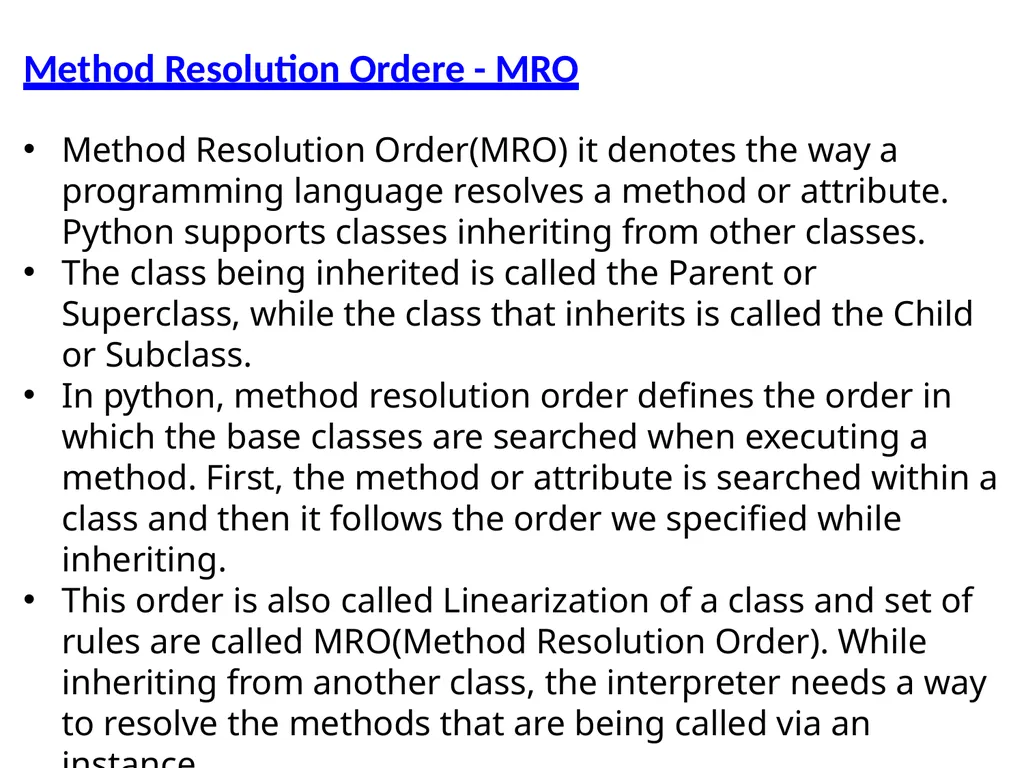
Method Resolution Ordere - MRO Method Resolution Order(MRO) it denotes the way a programming language resolves a method or attribute. Python supports classes inheriting from other classes.
The class being inherited is called the Parent or Superclass, while the class that inherits is called the Child or Subclass.
In python, method resolution order defines the order in which the base classes are searched when executing a method. First, the method or attribute is searched within a class and then it follows the order we specified while inheriting.
This order is also called Linearization of a class and set of rules are called MRO(Method Resolution Order). While inheriting from another class, the interpreter needs a way to resolve the methods that are being called via an instance.<br>
The class being inherited is called the Parent or Superclass, while the class that inherits is called the Child or Subclass.
In python, method resolution order defines the order in which the base classes are searched when executing a method. First, the method or attribute is searched within a class and then it follows the order we specified while inheriting.
This order is also called Linearization of a class and set of rules are called MRO(Method Resolution Order). While inheriting from another class, the interpreter needs a way to resolve the methods that are being called via an instance.<br>
32
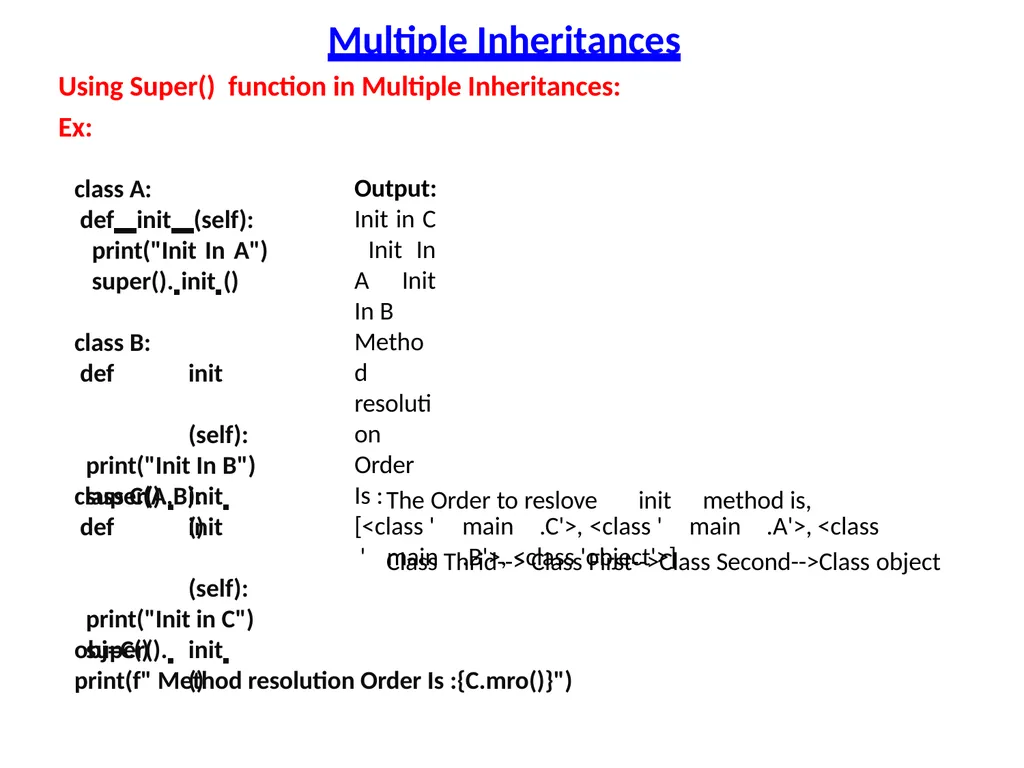
Multiple Inheritances Using Super() function in Multiple Inheritances:
Ex: class A:
def init (self): print("Init In A") super(). init () class B:
def init (self): print("Init In B") super(). init () class C(A,B):
def init (self): print("Init in C") super(). init () obj=C()
print(f" Method resolution Order Is :{C.mro()}") Output:
Init in C Init In A Init In B
Method resolution Order Is :
[<class ' main .C'>, <class ' main .A'>, <class ' main .B'>, <class 'object'>] The Order to reslove init method is, Class Thrid--> Class First-->Class Second-->Class object<br>
Ex: class A:
def init (self): print("Init In A") super(). init () class B:
def init (self): print("Init In B") super(). init () class C(A,B):
def init (self): print("Init in C") super(). init () obj=C()
print(f" Method resolution Order Is :{C.mro()}") Output:
Init in C Init In A Init In B
Method resolution Order Is :
[<class ' main .C'>, <class ' main .A'>, <class ' main .B'>, <class 'object'>] The Order to reslove init method is, Class Thrid--> Class First-->Class Second-->Class object<br>
33
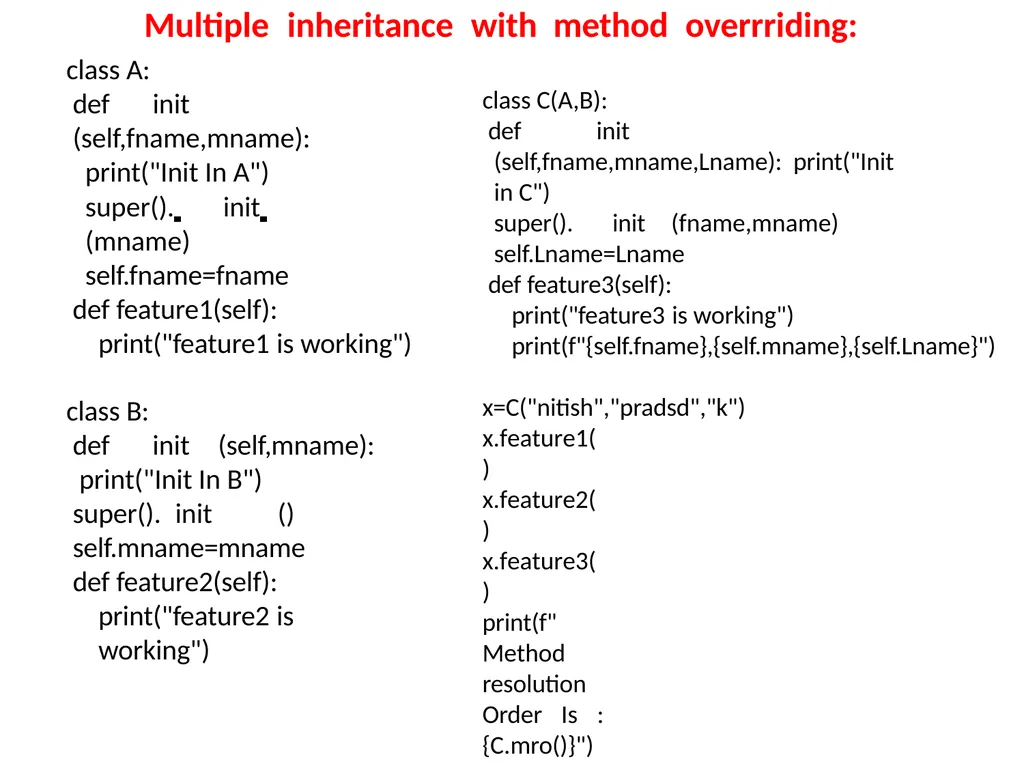
Multiple inheritance with method overrriding: class A:
def init (self,fname,mname):
print("Init In A")
super(). init (mname) self.fname=fname
def feature1(self): print("feature1 is working")
class B:
def init (self,mname):
print("Init In B") super(). init () self.mname=mname def feature2(self):
print("feature2 is working") class C(A,B):
def init (self,fname,mname,Lname): print("Init in C")
super(). init (fname,mname)
self.Lname=Lname
def feature3(self):
print("feature3 is working") print(f"{self.fname},{self.mname},{self.Lname}")
x=C("nitish","pradsd","k")
x.feature1() x.feature2() x.feature3()
print(f" Method resolution Order Is :{C.mro()}")<br>
def init (self,fname,mname):
print("Init In A")
super(). init (mname) self.fname=fname
def feature1(self): print("feature1 is working")
class B:
def init (self,mname):
print("Init In B") super(). init () self.mname=mname def feature2(self):
print("feature2 is working") class C(A,B):
def init (self,fname,mname,Lname): print("Init in C")
super(). init (fname,mname)
self.Lname=Lname
def feature3(self):
print("feature3 is working") print(f"{self.fname},{self.mname},{self.Lname}")
x=C("nitish","pradsd","k")
x.feature1() x.feature2() x.feature3()
print(f" Method resolution Order Is :{C.mro()}")<br>
34
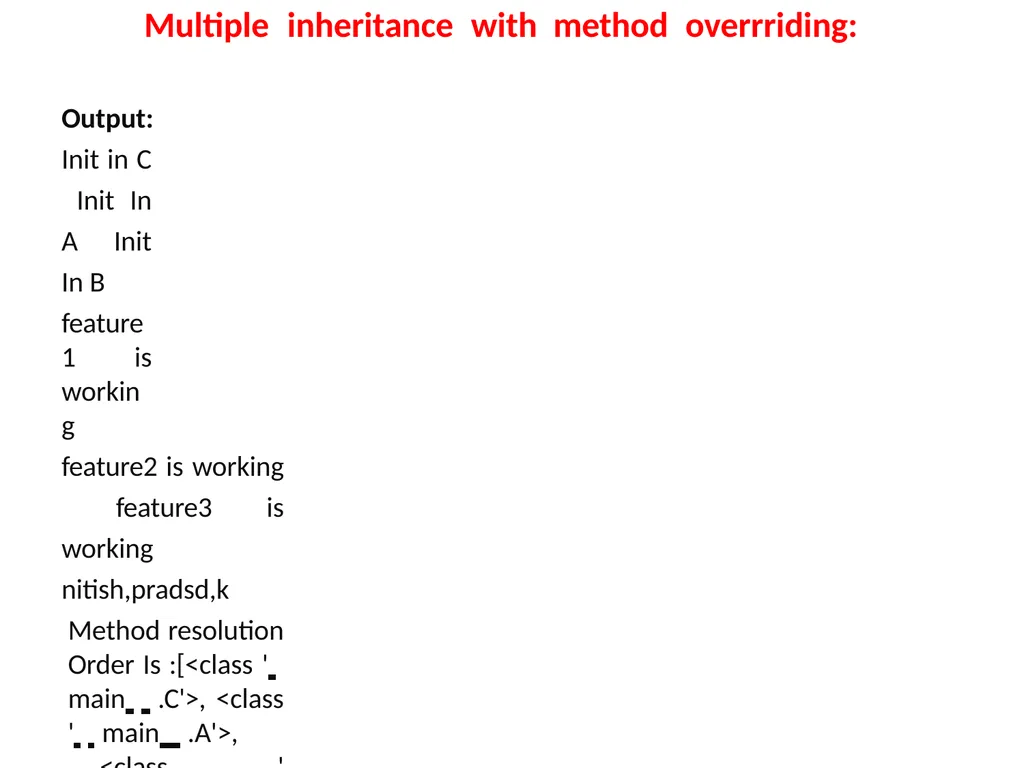
Multiple inheritance with method overrriding: Output:
Init in C Init In A Init In B
feature1 is working
feature2 is working feature3 is working nitish,pradsd,k
Method resolution Order Is :[<class ' main .C'>, <class ' main .A'>,
<class ' main .B'>, <class 'object'>]<br>
Init in C Init In A Init In B
feature1 is working
feature2 is working feature3 is working nitish,pradsd,k
Method resolution Order Is :[<class ' main .C'>, <class ' main .A'>,
<class ' main .B'>, <class 'object'>]<br>
35
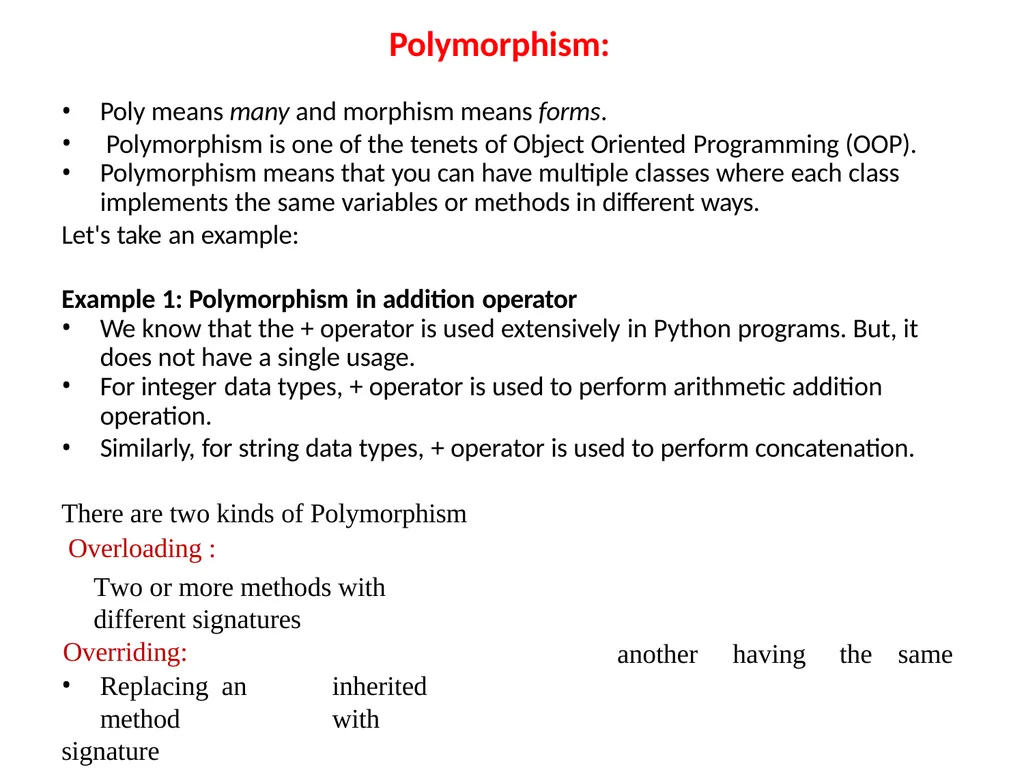
Polymorphism: Poly means many and morphism means forms.
Polymorphism is one of the tenets of Object Oriented Programming (OOP).
Polymorphism means that you can have multiple classes where each class
implements the same variables or methods in different ways.
Let's take an example:
Example 1: Polymorphism in addition operator
We know that the + operator is used extensively in Python programs. But, it
does not have a single usage.
For integer data types, + operator is used to perform arithmetic addition
operation.
Similarly, for string data types, + operator is used to perform concatenation. There are two kinds of Polymorphism Overloading :
Two or more methods with different signatures
Overriding:
Replacing an inherited method with
signature another having the same<br>
Polymorphism is one of the tenets of Object Oriented Programming (OOP).
Polymorphism means that you can have multiple classes where each class
implements the same variables or methods in different ways.
Let's take an example:
Example 1: Polymorphism in addition operator
We know that the + operator is used extensively in Python programs. But, it
does not have a single usage.
For integer data types, + operator is used to perform arithmetic addition
operation.
Similarly, for string data types, + operator is used to perform concatenation. There are two kinds of Polymorphism Overloading :
Two or more methods with different signatures
Overriding:
Replacing an inherited method with
signature another having the same<br>
36
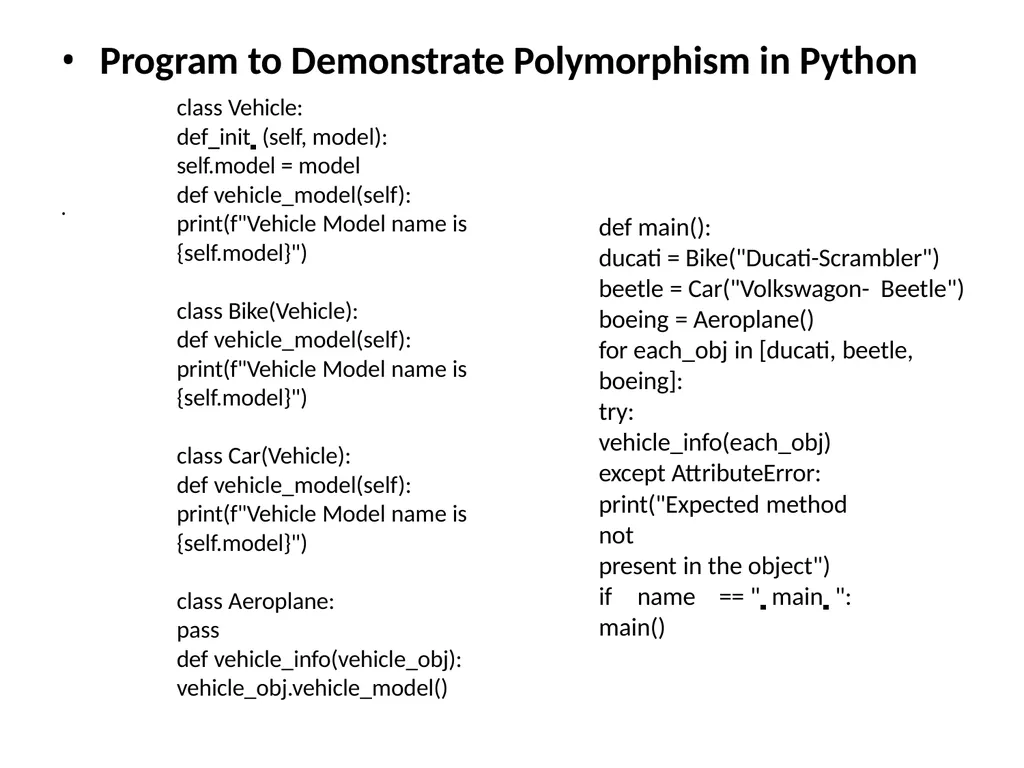
• Program to Demonstrate Polymorphism in Python
class Vehicle:
def init (self, model):
self.model = model
def vehicle_model(self): print(f"Vehicle Model name is
{self.model}") class Bike(Vehicle):
def vehicle_model(self): print(f"Vehicle Model name is
{self.model}") class Car(Vehicle):
def vehicle_model(self): print(f"Vehicle Model name is
{self.model}") class Aeroplane:
pass
def vehicle_info(vehicle_obj):
vehicle_obj.vehicle_model() def main():
ducati = Bike("Ducati-Scrambler") beetle = Car("Volkswagon- Beetle")
boeing = Aeroplane()
for each_obj in [ducati, beetle,
boeing]:
try: vehicle_info(each_obj) except AttributeError:
print("Expected method not
present in the object")
if name == " main ":
main()<br>
class Vehicle:
def init (self, model):
self.model = model
def vehicle_model(self): print(f"Vehicle Model name is
{self.model}") class Bike(Vehicle):
def vehicle_model(self): print(f"Vehicle Model name is
{self.model}") class Car(Vehicle):
def vehicle_model(self): print(f"Vehicle Model name is
{self.model}") class Aeroplane:
pass
def vehicle_info(vehicle_obj):
vehicle_obj.vehicle_model() def main():
ducati = Bike("Ducati-Scrambler") beetle = Car("Volkswagon- Beetle")
boeing = Aeroplane()
for each_obj in [ducati, beetle,
boeing]:
try: vehicle_info(each_obj) except AttributeError:
print("Expected method not
present in the object")
if name == " main ":
main()<br>
37
OUTPUT
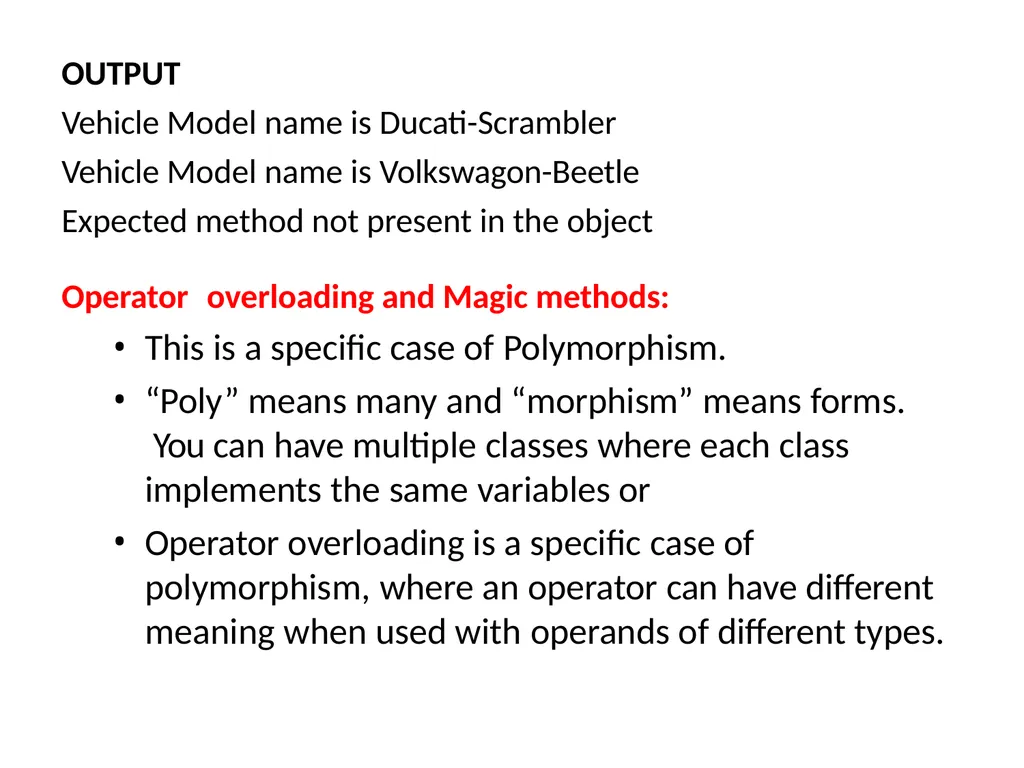
Vehicle Model name is Ducati-Scrambler Vehicle Model name is Volkswagon-Beetle Expected method not present in the object Operator overloading and Magic methods:
This is a specific case of Polymorphism.
“Poly” means many and “morphism” means forms. You can have multiple classes where each class implements the same variables or
Operator overloading is a specific case of polymorphism, where an operator can have different meaning when used with operands of different types.<br>
Vehicle Model name is Ducati-Scrambler Vehicle Model name is Volkswagon-Beetle Expected method not present in the object Operator overloading and Magic methods:
This is a specific case of Polymorphism.
“Poly” means many and “morphism” means forms. You can have multiple classes where each class implements the same variables or
Operator overloading is a specific case of polymorphism, where an operator can have different meaning when used with operands of different types.<br>
38
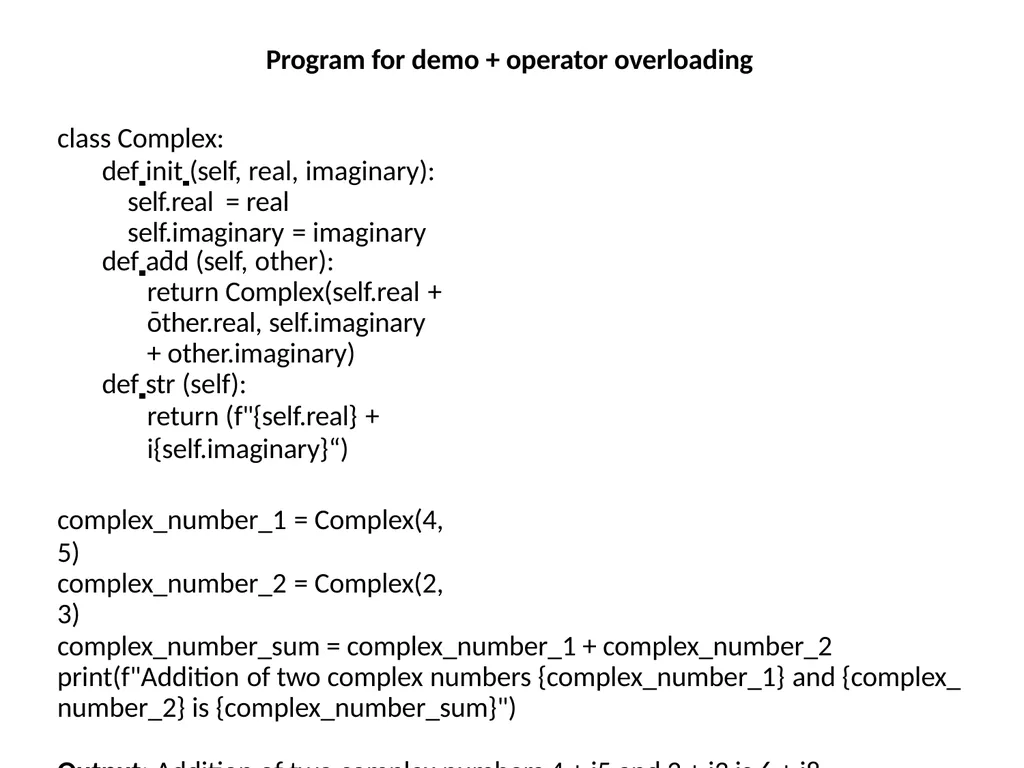
Program for demo + operator overloading class Complex:
def init (self, real, imaginary): self.real = real self.imaginary = imaginary
def add (self, other):
return Complex(self.real + other.real, self.imaginary + other.imaginary)
def str (self):
return (f"{self.real} + i{self.imaginary}“)
complex_number_1 = Complex(4, 5)
complex_number_2 = Complex(2, 3)
complex_number_sum = complex_number_1 + complex_number_2 print(f"Addition of two complex numbers {complex_number_1} and {complex_ number_2} is {complex_number_sum}")
Output: Addition of two complex numbers 4 + i5 and 2 + i3 is 6 + i8<br>
def init (self, real, imaginary): self.real = real self.imaginary = imaginary
def add (self, other):
return Complex(self.real + other.real, self.imaginary + other.imaginary)
def str (self):
return (f"{self.real} + i{self.imaginary}“)
complex_number_1 = Complex(4, 5)
complex_number_2 = Complex(2, 3)
complex_number_sum = complex_number_1 + complex_number_2 print(f"Addition of two complex numbers {complex_number_1} and {complex_ number_2} is {complex_number_sum}")
Output: Addition of two complex numbers 4 + i5 and 2 + i3 is 6 + i8<br>
39
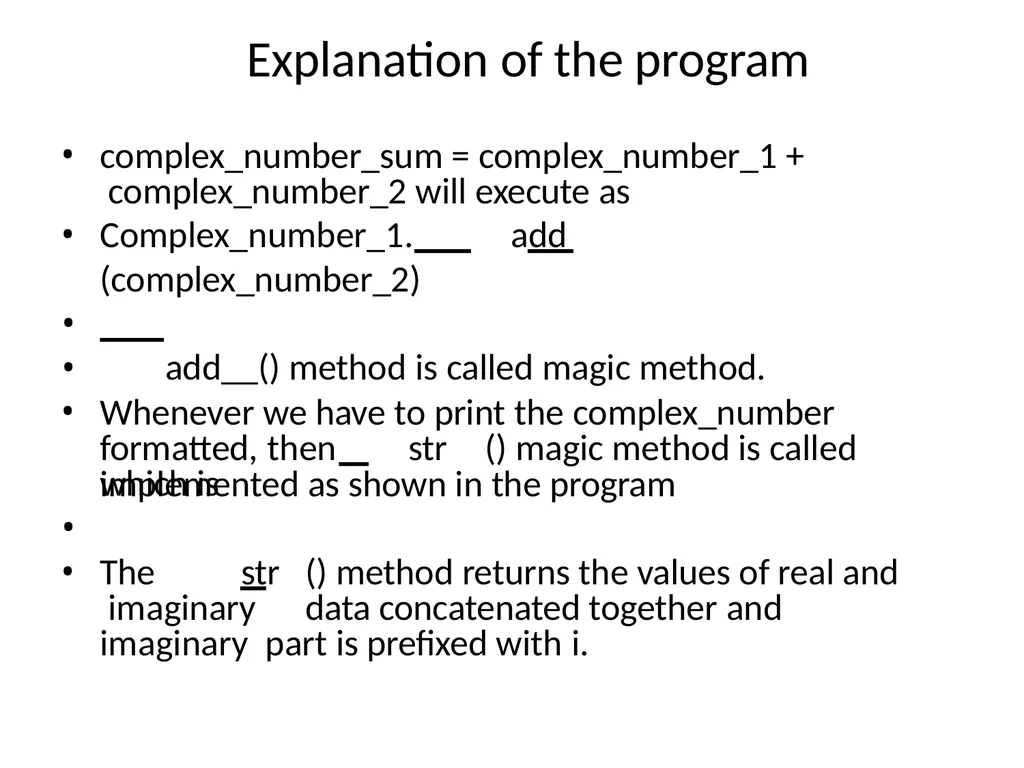
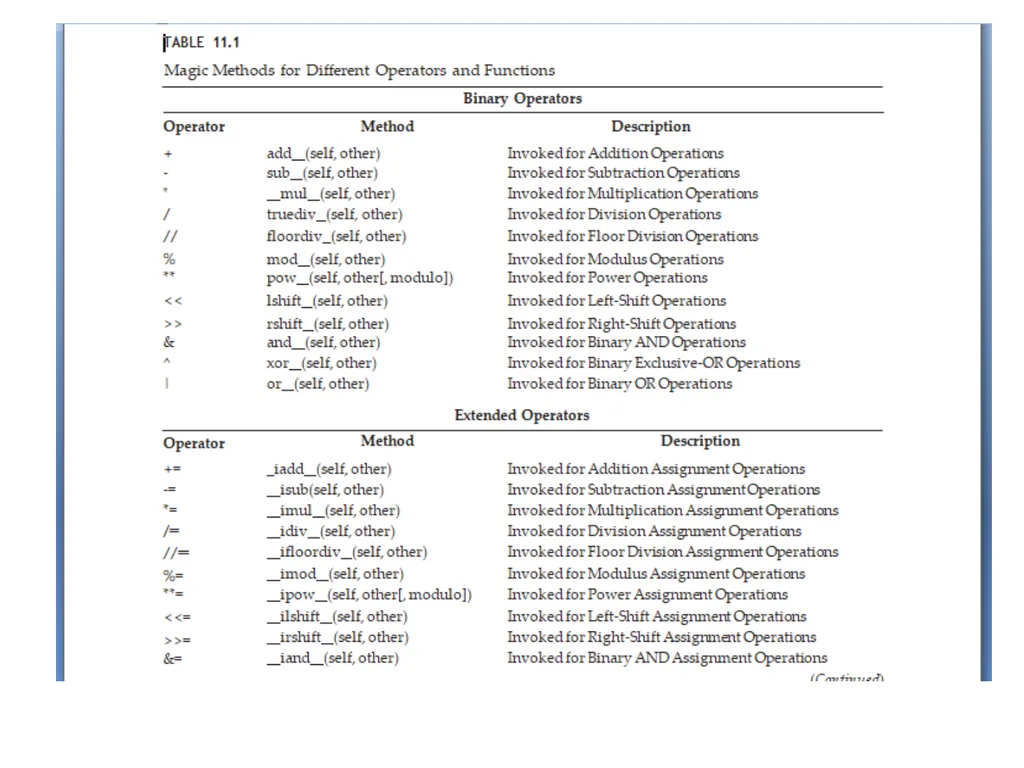
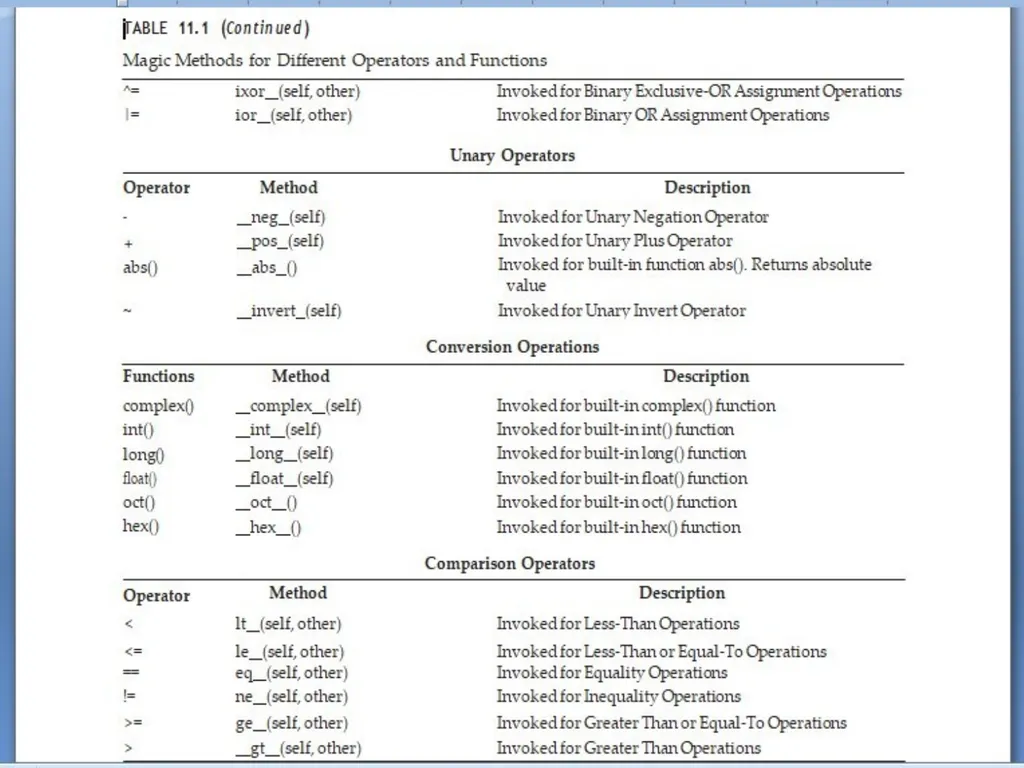
Explanation of the program complex_number_sum = complex_number_1 + complex_number_2 will execute as
Complex_number_1. add (complex_number_2)
add__() method is called magic method. •
•
Whenever we have to print the complex_number formatted, then str () magic method is called which is implemented as shown in the program
•
The str () method returns the values of real and imaginary data concatenated together and imaginary part is prefixed with i.<br>
Complex_number_1. add (complex_number_2)
add__() method is called magic method. •
•
Whenever we have to print the complex_number formatted, then str () magic method is called which is implemented as shown in the program
•
The str () method returns the values of real and imaginary data concatenated together and imaginary part is prefixed with i.<br>
40
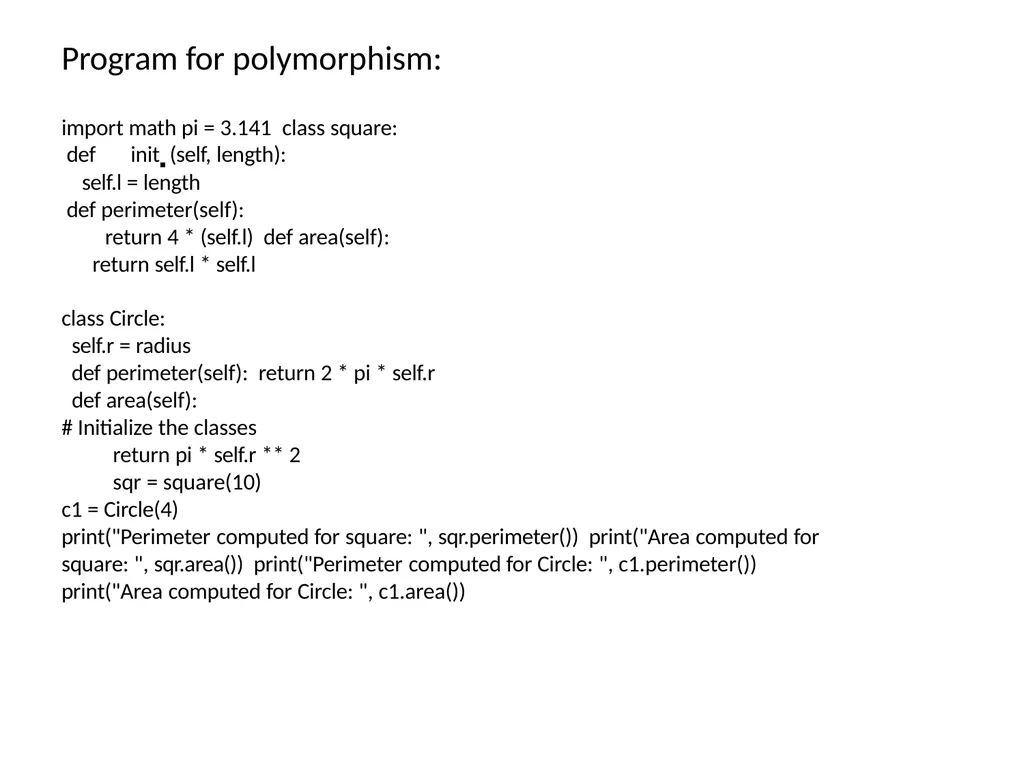
Program for polymorphism: import math pi = 3.141 class square:
def init (self, length):
self.l = length
def perimeter(self):
return 4 * (self.l) def area(self):
return self.l * self.l
class Circle:
self.r = radius
def perimeter(self): return 2 * pi * self.r
def area(self):
# Initialize the classes
return pi * self.r ** 2
sqr = square(10)
c1 = Circle(4)
print("Perimeter computed for square: ", sqr.perimeter()) print("Area computed for square: ", sqr.area()) print("Perimeter computed for Circle: ", c1.perimeter()) print("Area computed for Circle: ", c1.area())<br>
def init (self, length):
self.l = length
def perimeter(self):
return 4 * (self.l) def area(self):
return self.l * self.l
class Circle:
self.r = radius
def perimeter(self): return 2 * pi * self.r
def area(self):
# Initialize the classes
return pi * self.r ** 2
sqr = square(10)
c1 = Circle(4)
print("Perimeter computed for square: ", sqr.perimeter()) print("Area computed for square: ", sqr.area()) print("Perimeter computed for Circle: ", c1.perimeter()) print("Area computed for Circle: ", c1.area())<br>
41
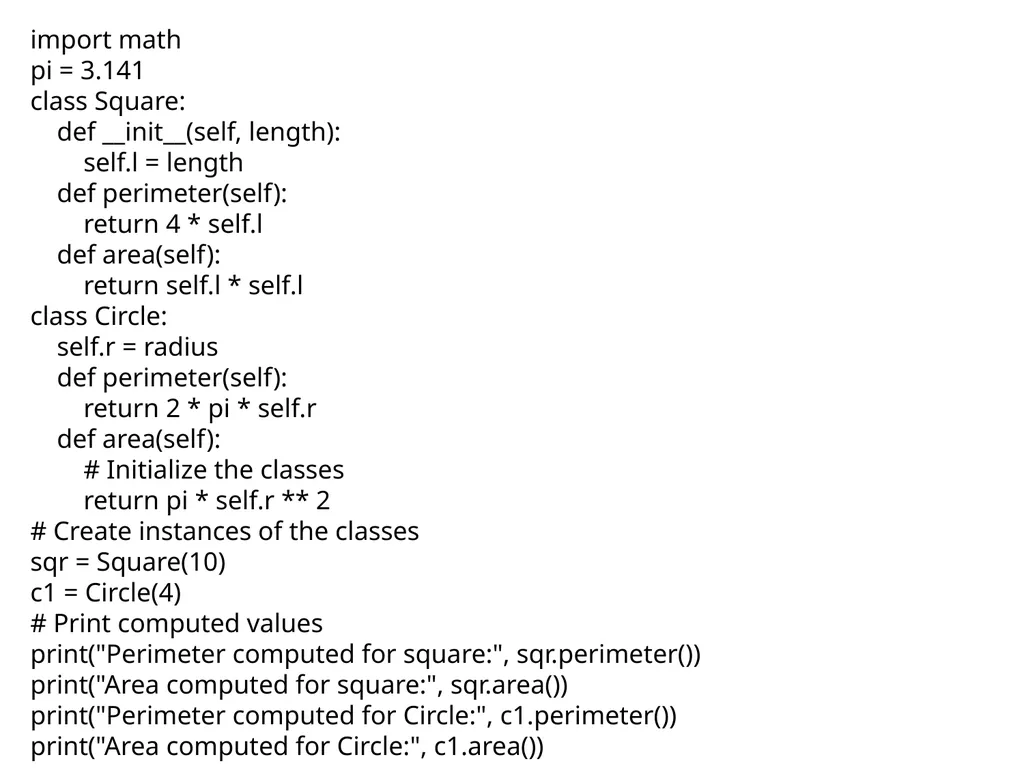
import math
pi = 3.141
class Square:
def __init__(self, length):
self.l = length
def perimeter(self):
return 4 * self.l
def area(self):
return self.l * self.l
class Circle:
self.r = radius
def perimeter(self):
return 2 * pi * self.r
def area(self):
# Initialize the classes
return pi * self.r ** 2
# Create instances of the classes
sqr = Square(10)
c1 = Circle(4)
# Print computed values
print("Perimeter computed for square:", sqr.perimeter())
print("Area computed for square:", sqr.area())
print("Perimeter computed for Circle:", c1.perimeter())
print("Area computed for Circle:", c1.area())<br>
pi = 3.141
class Square:
def __init__(self, length):
self.l = length
def perimeter(self):
return 4 * self.l
def area(self):
return self.l * self.l
class Circle:
self.r = radius
def perimeter(self):
return 2 * pi * self.r
def area(self):
# Initialize the classes
return pi * self.r ** 2
# Create instances of the classes
sqr = Square(10)
c1 = Circle(4)
# Print computed values
print("Perimeter computed for square:", sqr.perimeter())
print("Area computed for square:", sqr.area())
print("Perimeter computed for Circle:", c1.perimeter())
print("Area computed for Circle:", c1.area())<br>
42
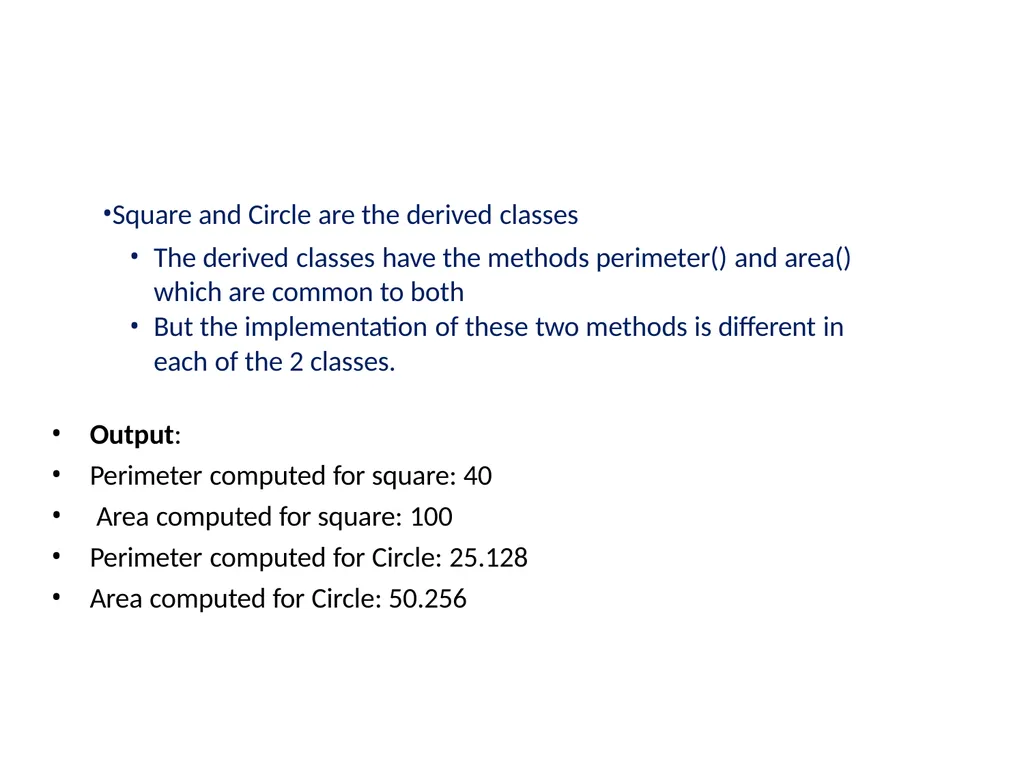
Square and Circle are the derived classes
The derived classes have the methods perimeter() and area() which are common to both
But the implementation of these two methods is different in each of the 2 classes.
Output:
Perimeter computed for square: 40
Area computed for square: 100
Perimeter computed for Circle: 25.128
Area computed for Circle: 50.256<br>
The derived classes have the methods perimeter() and area() which are common to both
But the implementation of these two methods is different in each of the 2 classes.
Output:
Perimeter computed for square: 40
Area computed for square: 100
Perimeter computed for Circle: 25.128
Area computed for Circle: 50.256<br>