
JFR Faculty Hire Business Plan Template Training
TD
Published · 34 slides · 0 views

1 / 1



Description
JFR Faculty Hire Business Plan Template Training v17.03 April 8, 2015 Prepared by Richard M. Nuttall Associate Dean of Finance UAMS College of Medicine General Principles Always start with the latest template as this will become more and
Related Topics
Share
Embed code
Download this presentation From Below
"JFR Faculty Hire Business Plan Template Training" is the property of its rightful owner. Permission is granted to download and print the materials on this website for personal, non-commercial use only, and to display it on your personal computer provided you do not modify the materials and that you retain all copyright notices contained in the materials. By downloading content from our website, you accept the terms of this agreement.
Presentation Transcript
01
JFR Faculty Hire Business Plan Template Training v17.03 April 8, 2015
Prepared by Richard M. Nuttall
Associate Dean of Finance UAMS
College of Medicine<br>
Prepared by Richard M. Nuttall
Associate Dean of Finance UAMS
College of Medicine<br>
02
General Principles
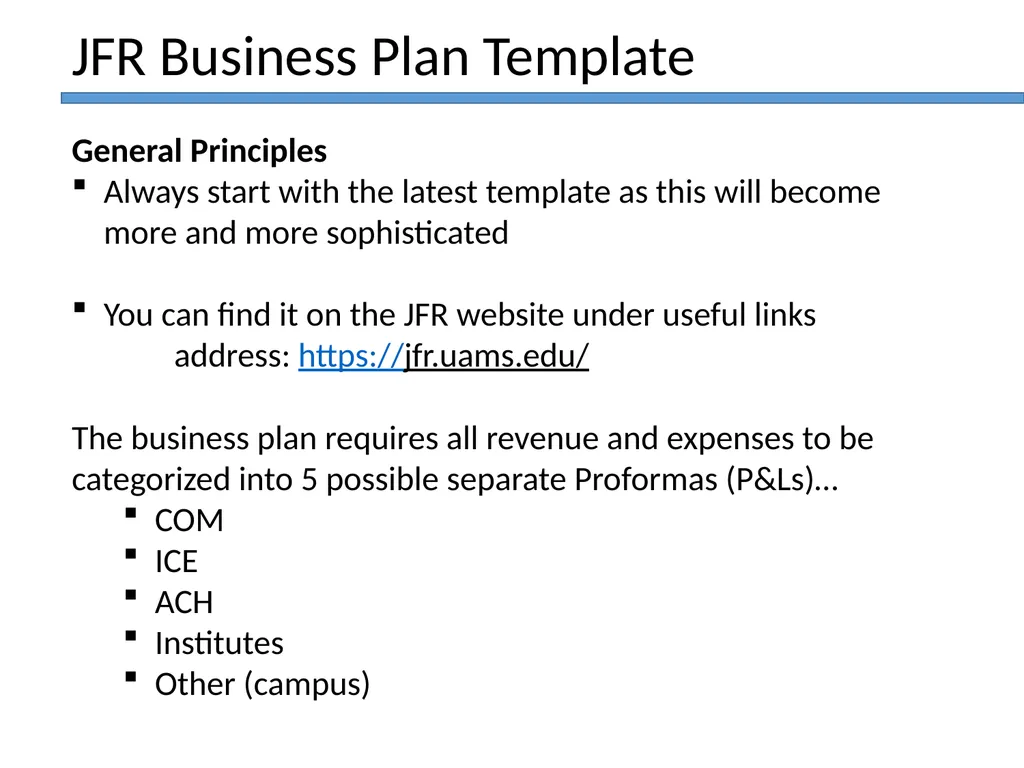
Always start with the latest template as this will become more and more sophisticated
You can find it on the JFR website under useful links
address: https://jfr.uams.edu/
The business plan requires all revenue and expenses to be categorized into 5 possible separate Proformas (P&Ls)…
COM
ICE
ACH
Institutes
Other (campus) JFR Business Plan Template<br>
Always start with the latest template as this will become more and more sophisticated
You can find it on the JFR website under useful links
address: https://jfr.uams.edu/
The business plan requires all revenue and expenses to be categorized into 5 possible separate Proformas (P&Ls)…
COM
ICE
ACH
Institutes
Other (campus) JFR Business Plan Template<br>
03
General Principles…continued
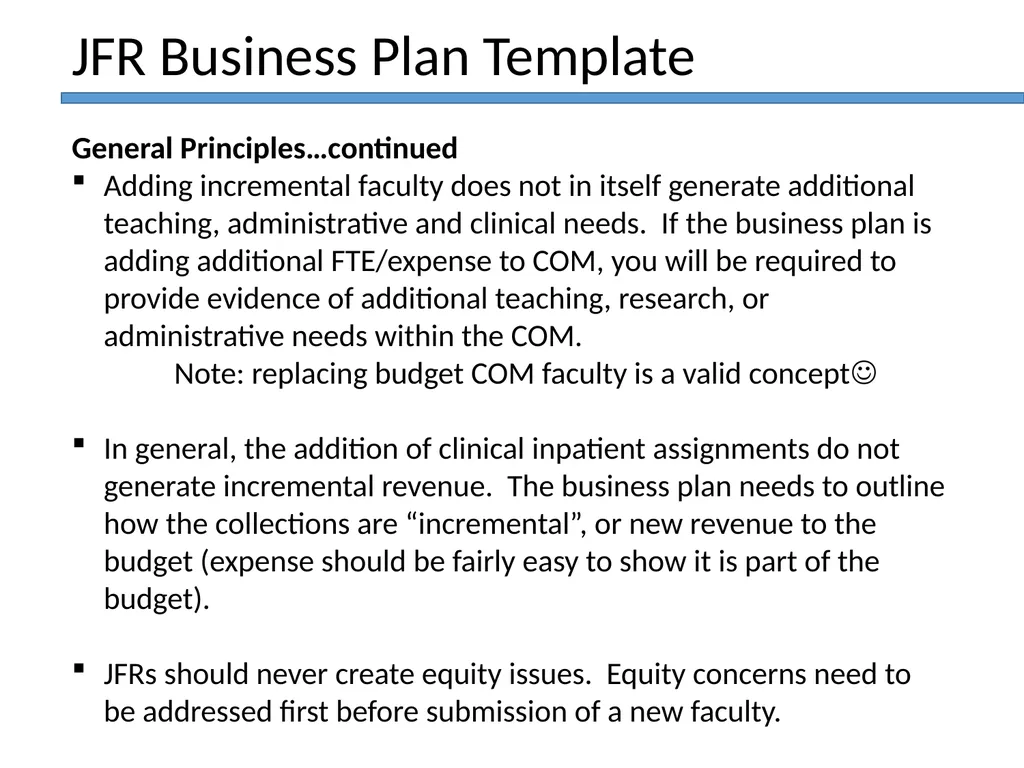
Adding incremental faculty does not in itself generate additional teaching, administrative and clinical needs. If the business plan is adding additional FTE/expense to COM, you will be required to provide evidence of additional teaching, research, or administrative needs within the COM.
Note: replacing budget COM faculty is a valid concept
In general, the addition of clinical inpatient assignments do not generate incremental revenue. The business plan needs to outline how the collections are “incremental”, or new revenue to the budget (expense should be fairly easy to show it is part of the budget).
JFRs should never create equity issues. Equity concerns need to be addressed first before submission of a new faculty. JFR Business Plan Template<br>
Adding incremental faculty does not in itself generate additional teaching, administrative and clinical needs. If the business plan is adding additional FTE/expense to COM, you will be required to provide evidence of additional teaching, research, or administrative needs within the COM.
Note: replacing budget COM faculty is a valid concept
In general, the addition of clinical inpatient assignments do not generate incremental revenue. The business plan needs to outline how the collections are “incremental”, or new revenue to the budget (expense should be fairly easy to show it is part of the budget).
JFRs should never create equity issues. Equity concerns need to be addressed first before submission of a new faculty. JFR Business Plan Template<br>
04
General Principles…continued
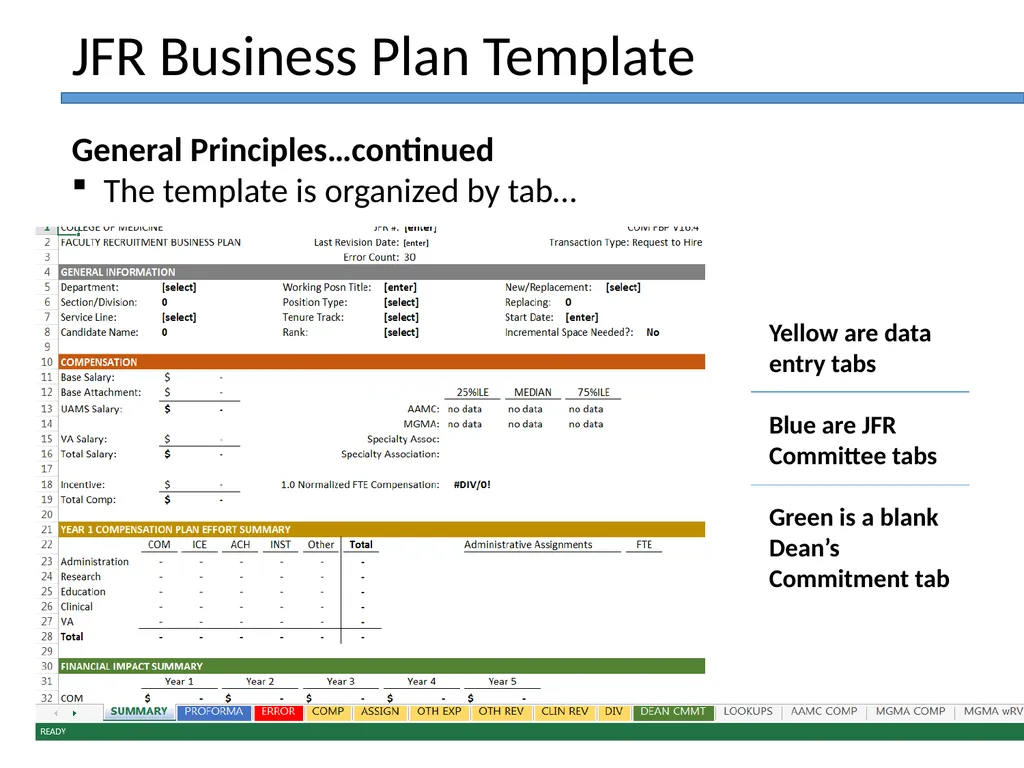
The template is organized by tab… JFR Business Plan Template Yellow are data entry tabs
Blue are JFR Committee tabs
Green is a blank Dean’s Commitment tab<br>
The template is organized by tab… JFR Business Plan Template Yellow are data entry tabs
Blue are JFR Committee tabs
Green is a blank Dean’s Commitment tab<br>
05
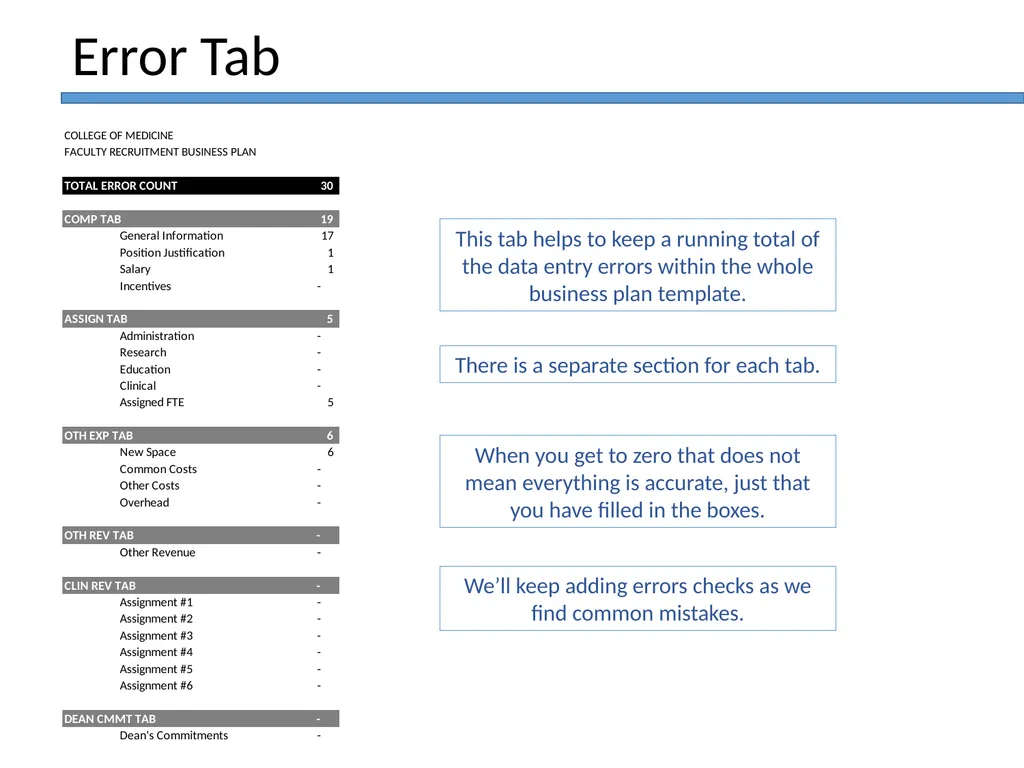
Error Tab This tab helps to keep a running total of the data entry errors within the whole business plan template. There is a separate section for each tab. We’ll keep adding errors checks as we find common mistakes. When you get to zero that does not mean everything is accurate, just that you have filled in the boxes.<br>
06
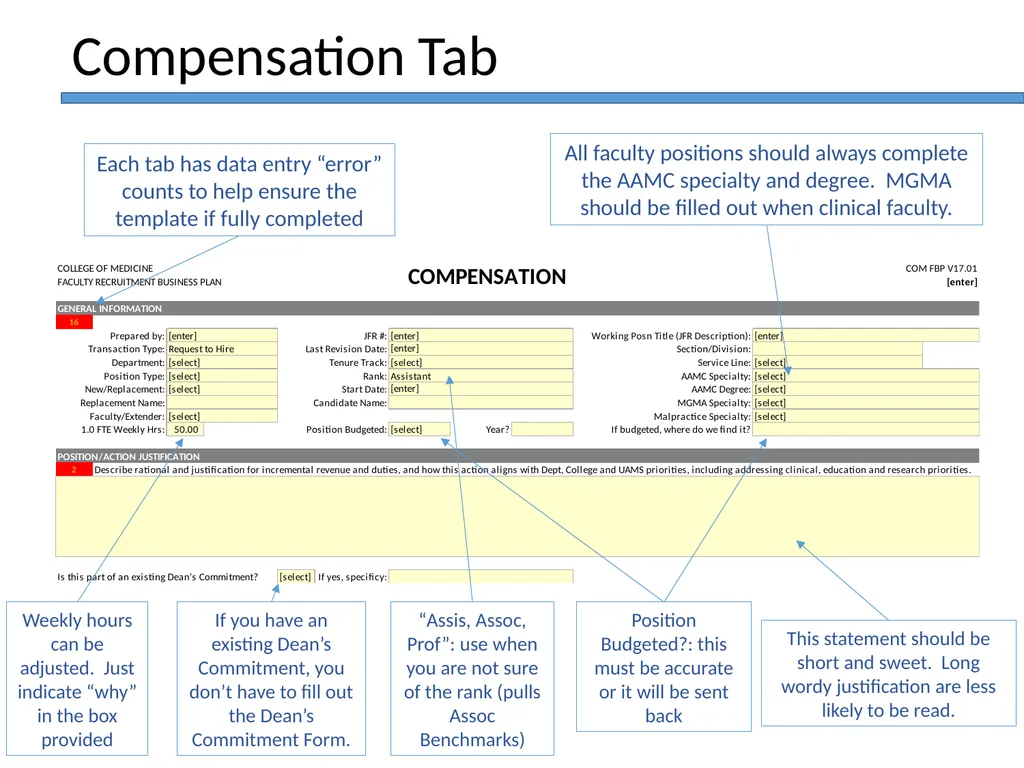
“Assis, Assoc, Prof”: use when you are not sure of the rank (pulls Assoc Benchmarks) Position Budgeted?: this must be accurate or it will be sent back This statement should be short and sweet. Long wordy justification are less likely to be read. Weekly hours can be adjusted. Just indicate “why” in the box provided Compensation Tab Each tab has data entry “error” counts to help ensure the template if fully completed All faculty positions should always complete the AAMC specialty and degree. MGMA should be filled out when clinical faculty. If you have an existing Dean’s Commitment, you don’t have to fill out the Dean’s Commitment Form.<br>
07
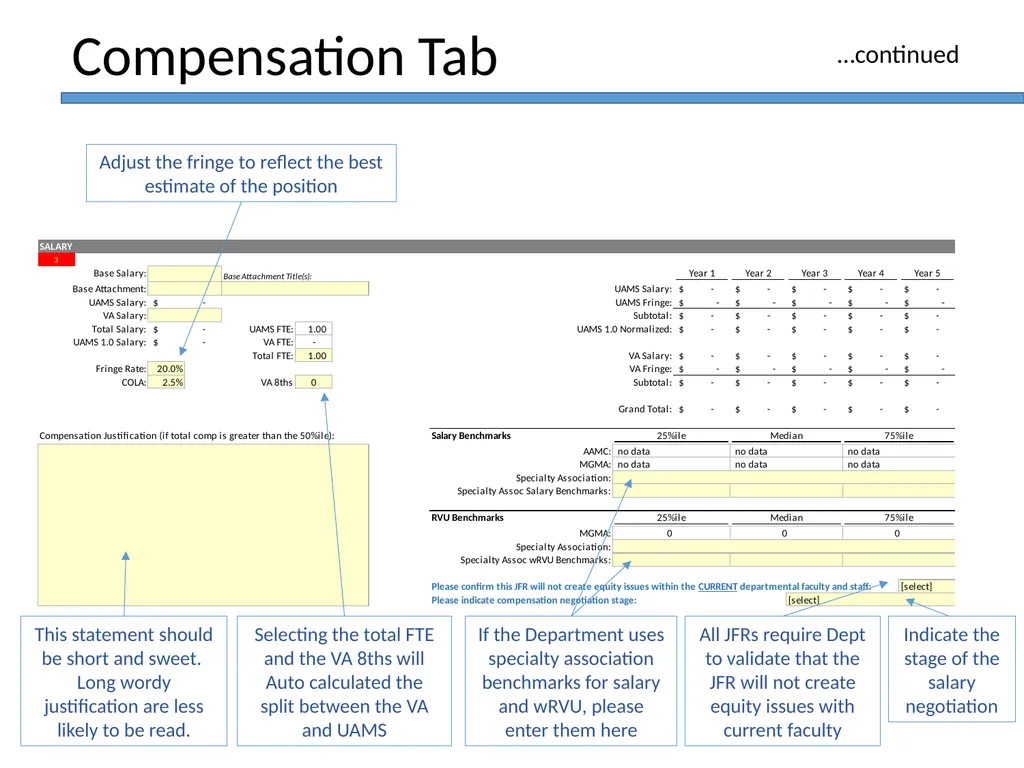
Selecting the total FTE and the VA 8ths will Auto calculated the split between the VA and UAMS If the Department uses specialty association benchmarks for salary and wRVU, please enter them here This statement should be short and sweet. Long wordy justification are less likely to be read. Compensation Tab Adjust the fringe to reflect the best estimate of the position …continued All JFRs require Dept to validate that the JFR will not create equity issues with current faculty Indicate the stage of the salary negotiation<br>
08
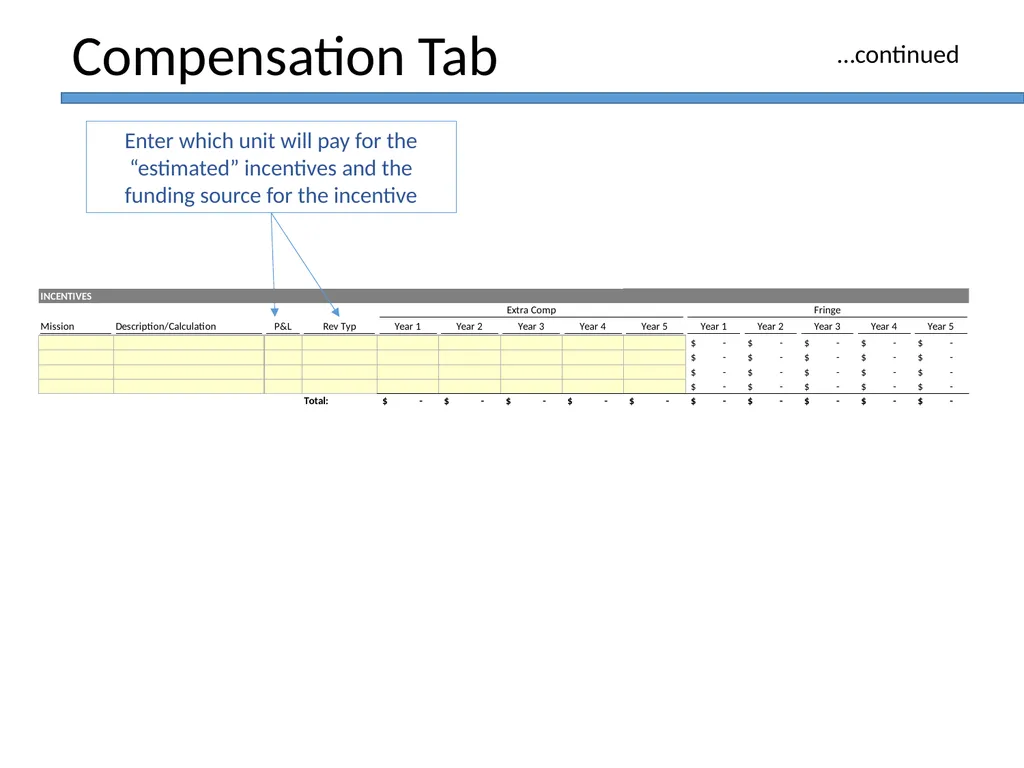
Compensation Tab Enter which unit will pay for the “estimated” incentives and the funding source for the incentive …continued<br>
09
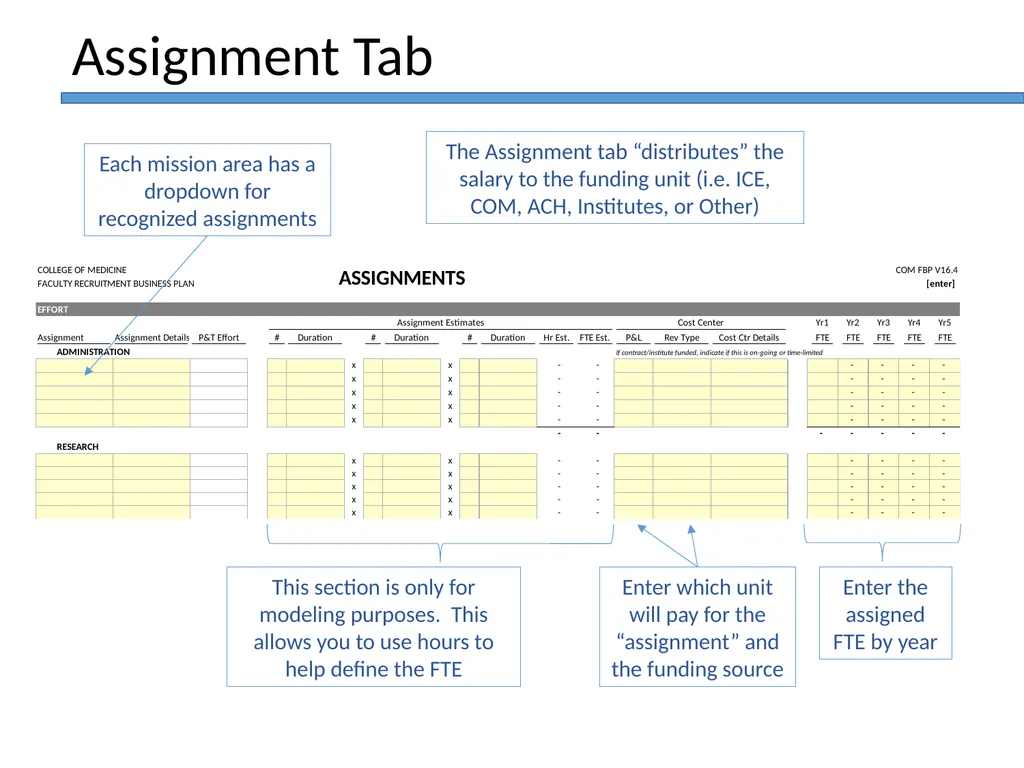
This section is only for modeling purposes. This allows you to use hours to help define the FTE Enter the assigned FTE by year Assignment Tab Each mission area has a dropdown for recognized assignments The Assignment tab “distributes” the salary to the funding unit (i.e. ICE, COM, ACH, Institutes, or Other) Enter which unit will pay for the “assignment” and the funding source<br>
10
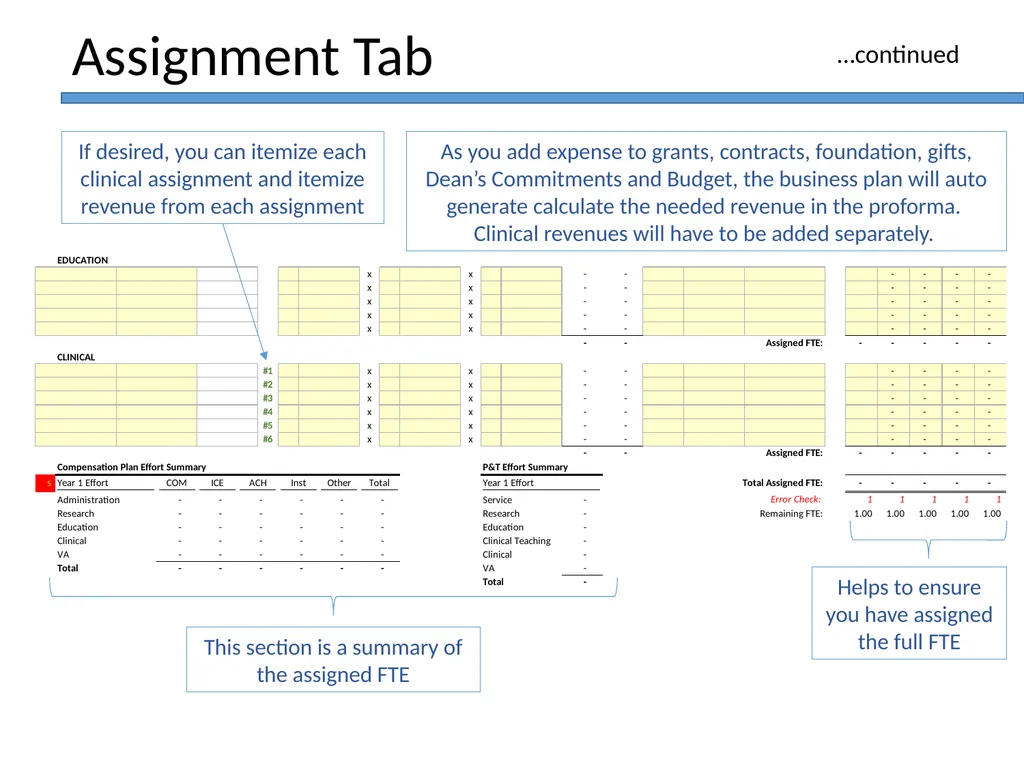
This section is a summary of the assigned FTE Helps to ensure you have assigned the full FTE Assignment Tab If desired, you can itemize each clinical assignment and itemize revenue from each assignment …continued As you add expense to grants, contracts, foundation, gifts, Dean’s Commitments and Budget, the business plan will auto generate calculate the needed revenue in the proforma. Clinical revenues will have to be added separately.<br>
11
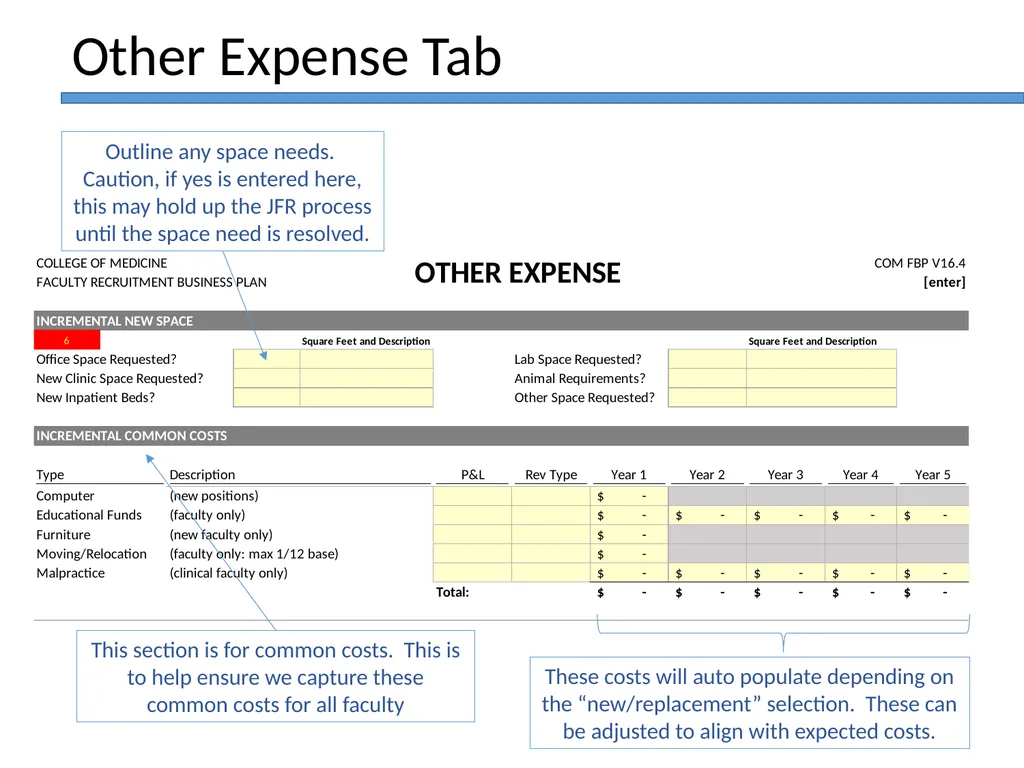
This section is for common costs. This is to help ensure we capture these common costs for all faculty Other Expense Tab Outline any space needs. Caution, if yes is entered here, this may hold up the JFR process until the space need is resolved. These costs will auto populate depending on the “new/replacement” selection. These can be adjusted to align with expected costs.<br>
12
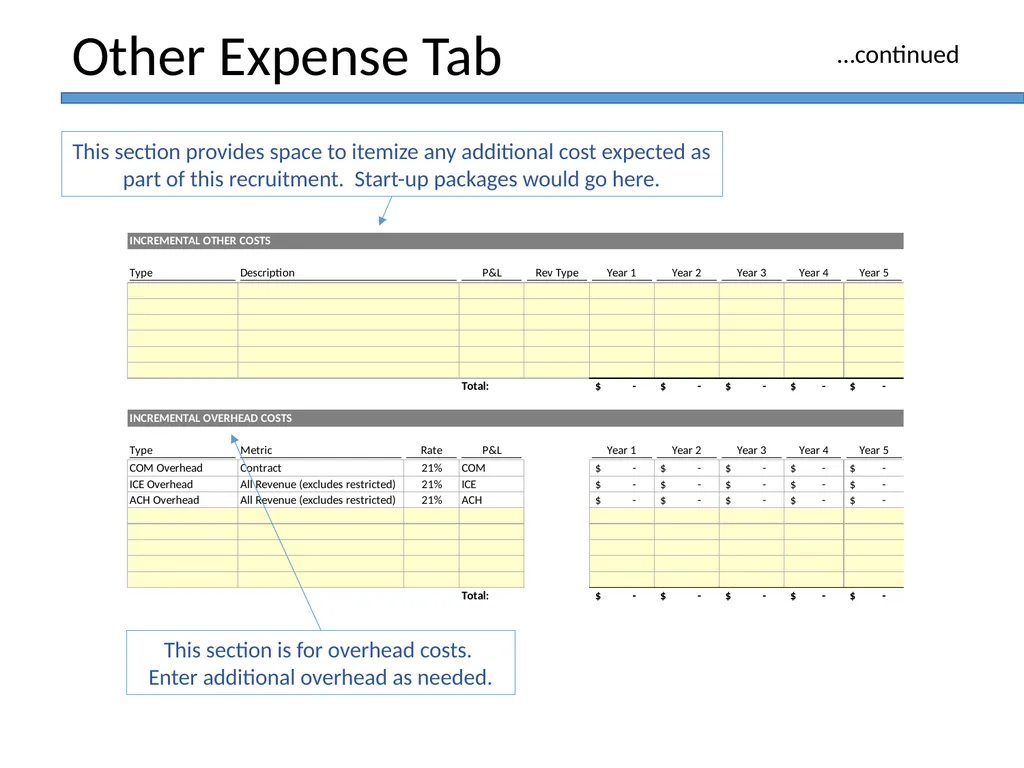
This section is for overhead costs. Enter additional overhead as needed. Other Expense Tab This section provides space to itemize any additional cost expected as part of this recruitment. Start-up packages would go here. …continued<br>
13
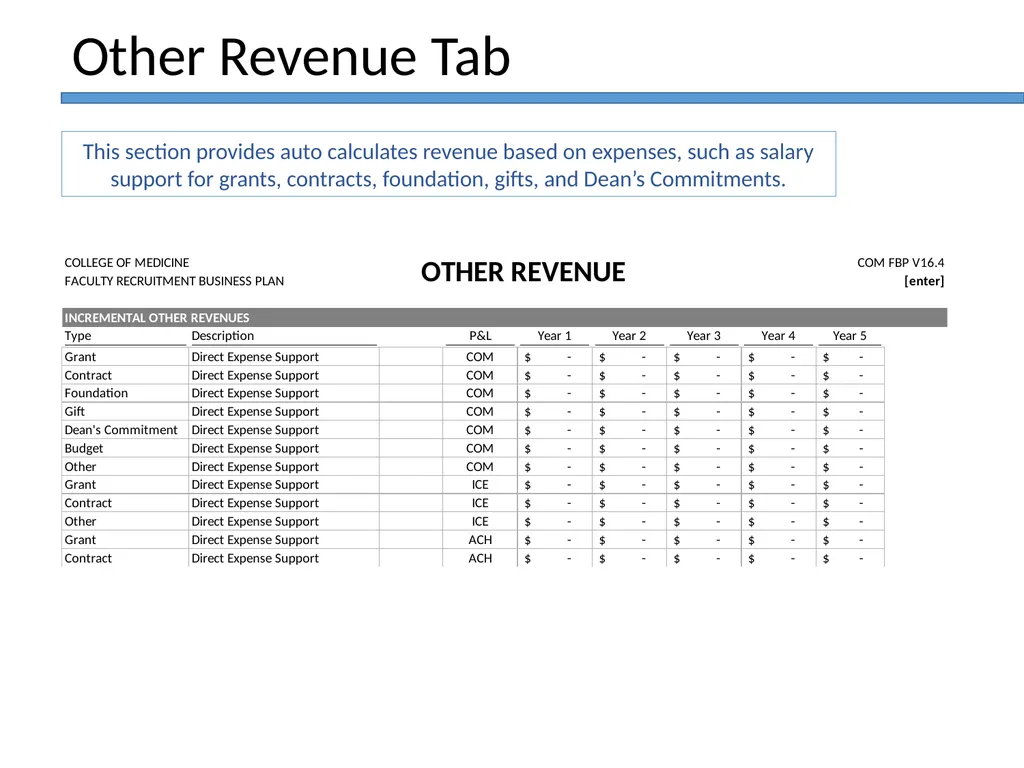
Other Revenue Tab This section provides auto calculates revenue based on expenses, such as salary support for grants, contracts, foundation, gifts, and Dean’s Commitments.<br>
14
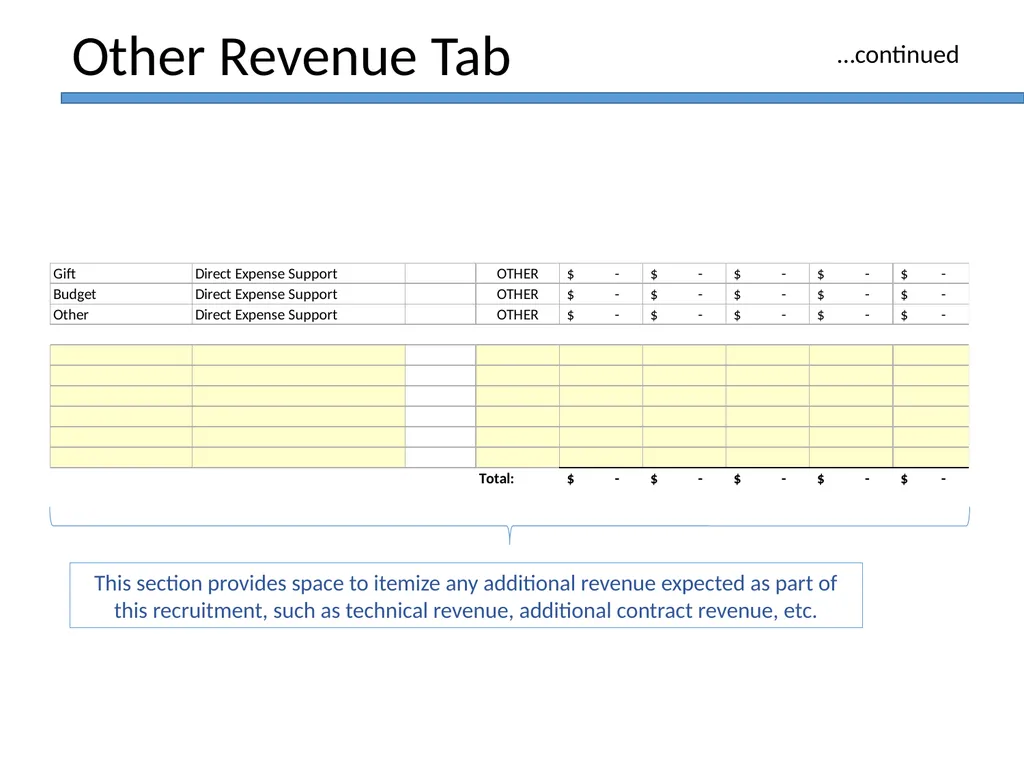
Other Revenue Tab This section provides space to itemize any additional revenue expected as part of this recruitment, such as technical revenue, additional contract revenue, etc. …continued<br>
15
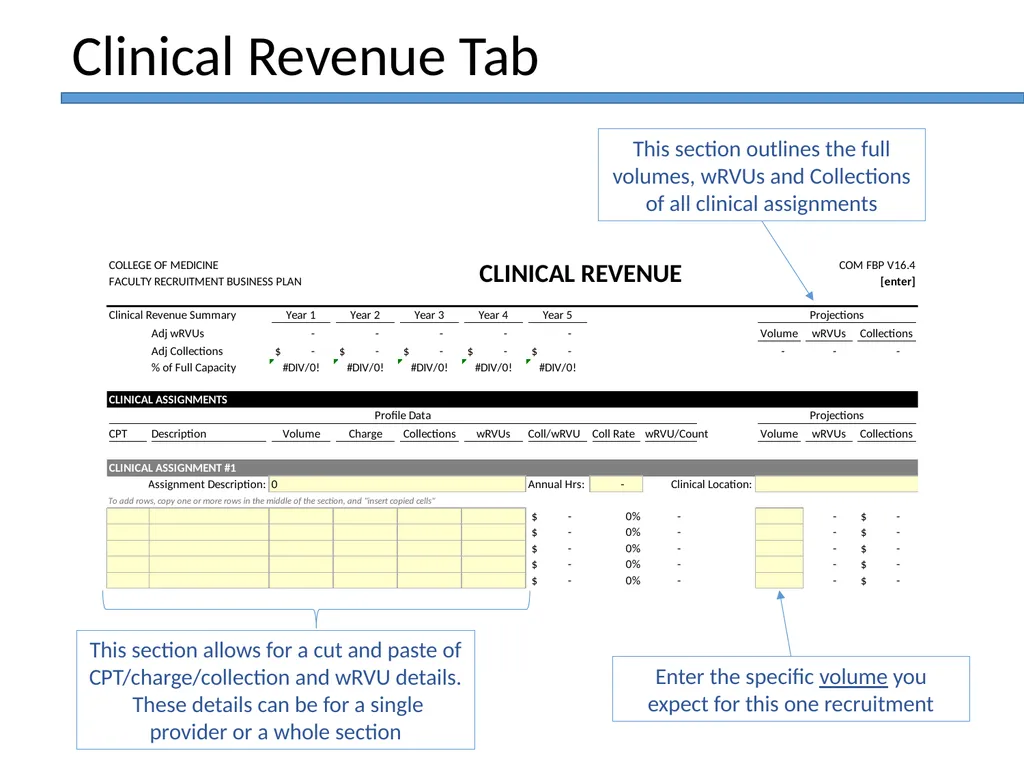
This section allows for a cut and paste of CPT/charge/collection and wRVU details. These details can be for a single provider or a whole section Clinical Revenue Tab This section outlines the full volumes, wRVUs and Collections of all clinical assignments Enter the specific volume you expect for this one recruitment<br>
16
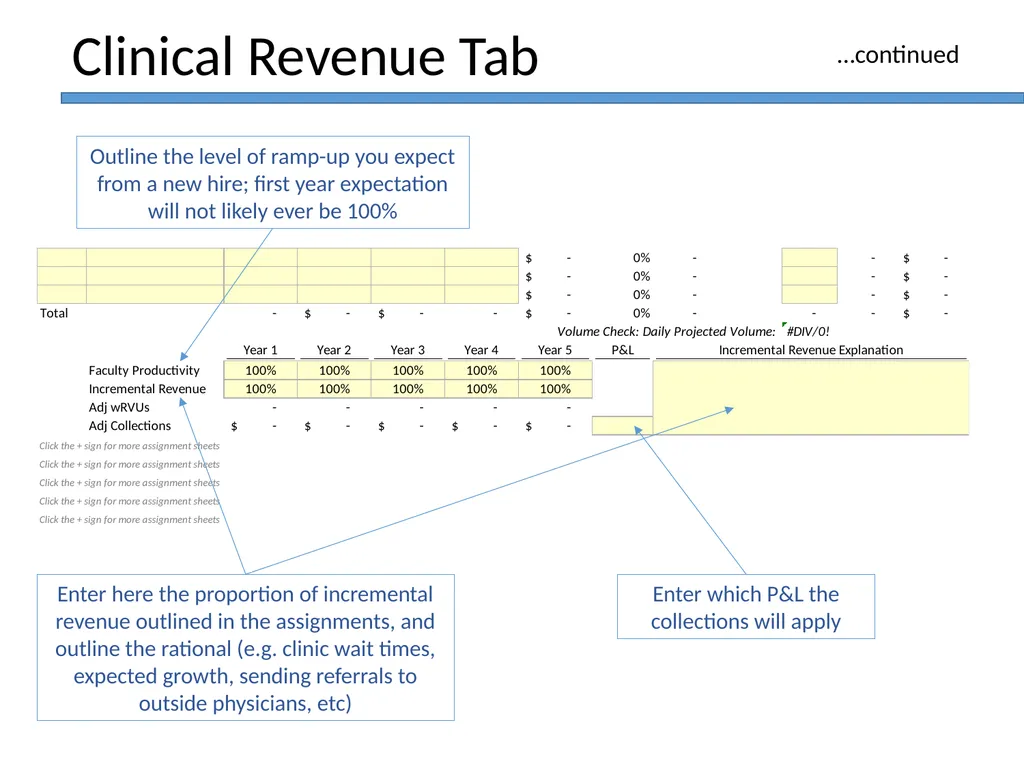
Enter here the proportion of incremental revenue outlined in the assignments, and outline the rational (e.g. clinic wait times, expected growth, sending referrals to outside physicians, etc) Clinical Revenue Tab Outline the level of ramp-up you expect from a new hire; first year expectation will not likely ever be 100% Enter which P&L the collections will apply …continued<br>
17
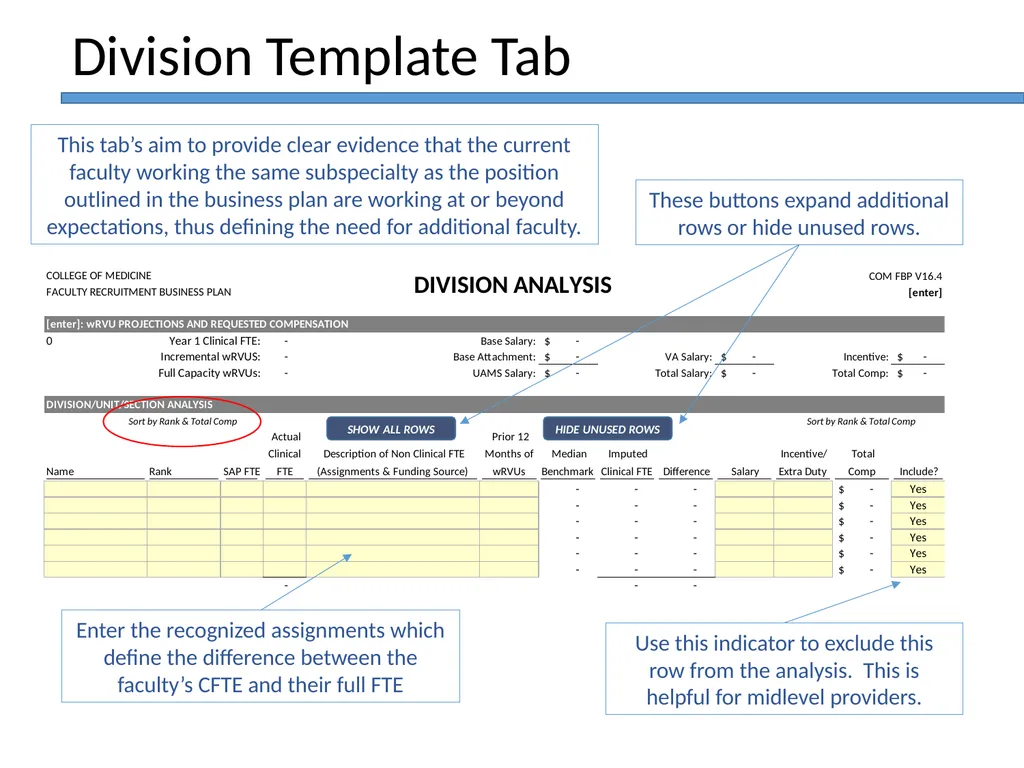
Enter the recognized assignments which define the difference between the faculty’s CFTE and their full FTE Division Template Tab These buttons expand additional rows or hide unused rows. Use this indicator to exclude this row from the analysis. This is helpful for midlevel providers. This tab’s aim to provide clear evidence that the current faculty working the same subspecialty as the position outlined in the business plan are working at or beyond expectations, thus defining the need for additional faculty.<br>
18
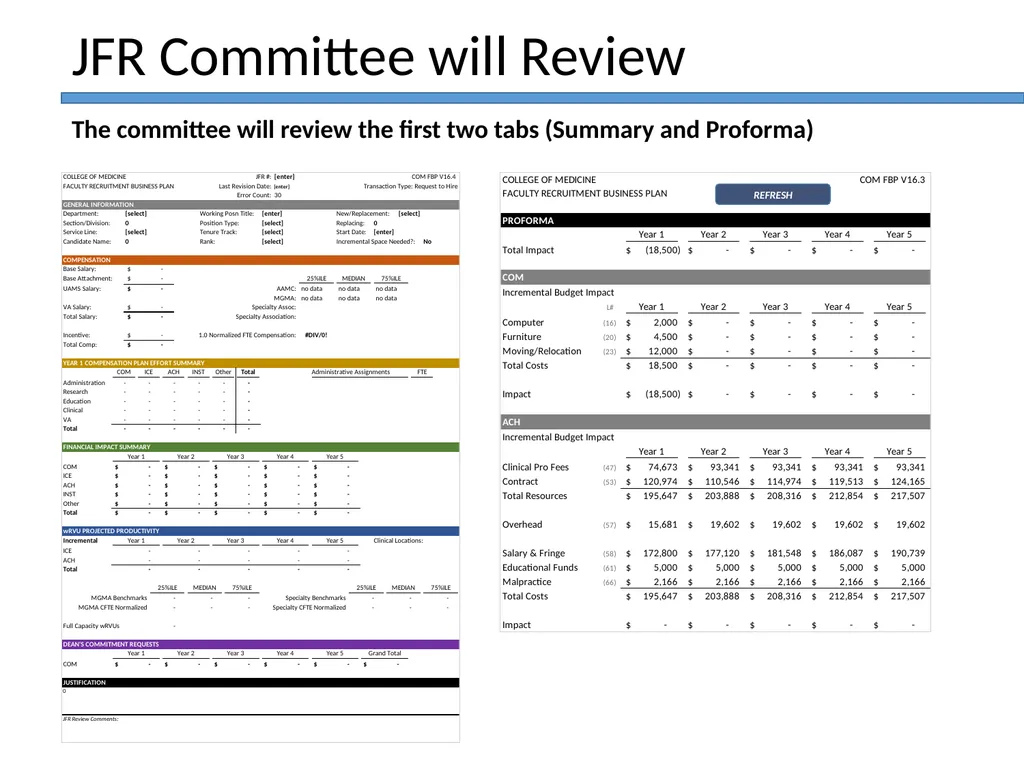
JFR Committee will Review The committee will review the first two tabs (Summary and Proforma)<br>
19
JFR Faculty Appointment Action Template Training v17.02 August 16, 2016
Prepared by Richard M. Nuttall
Associate Dean of Finance UAMS
College of Medicine<br>
Prepared by Richard M. Nuttall
Associate Dean of Finance UAMS
College of Medicine<br>
20
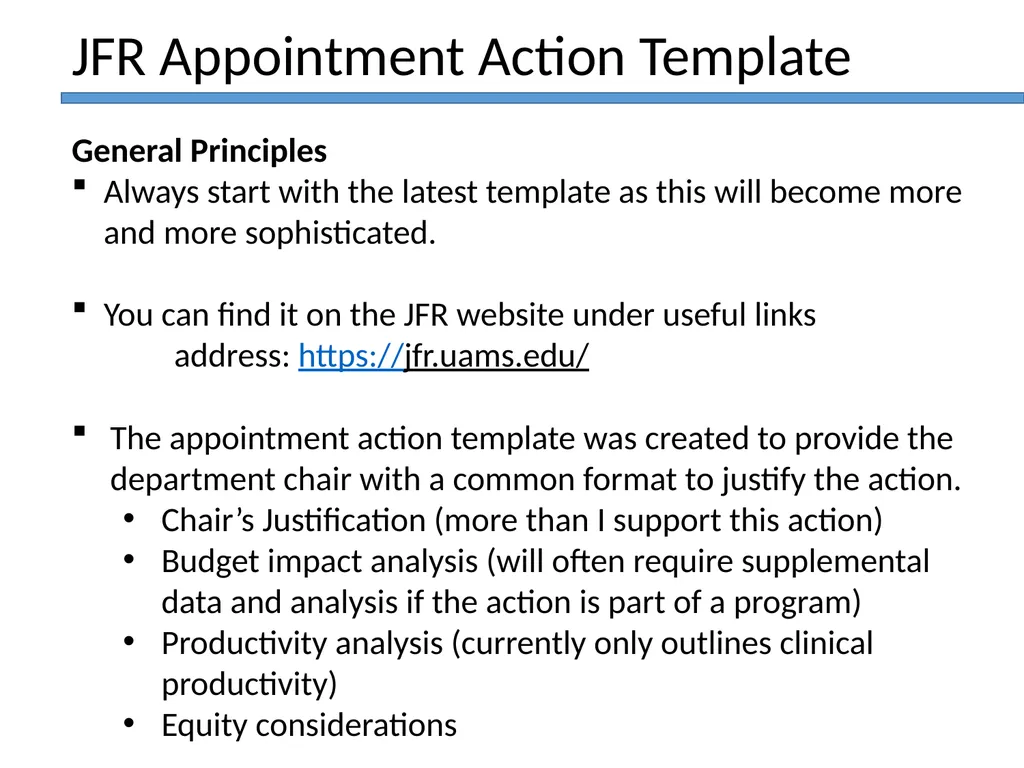
General Principles
Always start with the latest template as this will become more and more sophisticated.
You can find it on the JFR website under useful links
address: https://jfr.uams.edu/
The appointment action template was created to provide the department chair with a common format to justify the action.
Chair’s Justification (more than I support this action)
Budget impact analysis (will often require supplemental data and analysis if the action is part of a program)
Productivity analysis (currently only outlines clinical productivity)
Equity considerations JFR Appointment Action Template<br>
Always start with the latest template as this will become more and more sophisticated.
You can find it on the JFR website under useful links
address: https://jfr.uams.edu/
The appointment action template was created to provide the department chair with a common format to justify the action.
Chair’s Justification (more than I support this action)
Budget impact analysis (will often require supplemental data and analysis if the action is part of a program)
Productivity analysis (currently only outlines clinical productivity)
Equity considerations JFR Appointment Action Template<br>
21
General Principles…continued
Appropriate approval documentation is required to be uploaded (email or MOU) if an appointment action is impacting more than just the department’s budget: ICE, institutes, campus, VA, etc.
An approval of an appointment action does not provide the entity with additional resources or funding, unless specified by a separate agreement.
JFR appointment actions should never create equity issues. Equity concerns need to be addressed first before submission of any appointment actions. JFR Appointment Action Template<br>
Appropriate approval documentation is required to be uploaded (email or MOU) if an appointment action is impacting more than just the department’s budget: ICE, institutes, campus, VA, etc.
An approval of an appointment action does not provide the entity with additional resources or funding, unless specified by a separate agreement.
JFR appointment actions should never create equity issues. Equity concerns need to be addressed first before submission of any appointment actions. JFR Appointment Action Template<br>
22
General Principles…continued
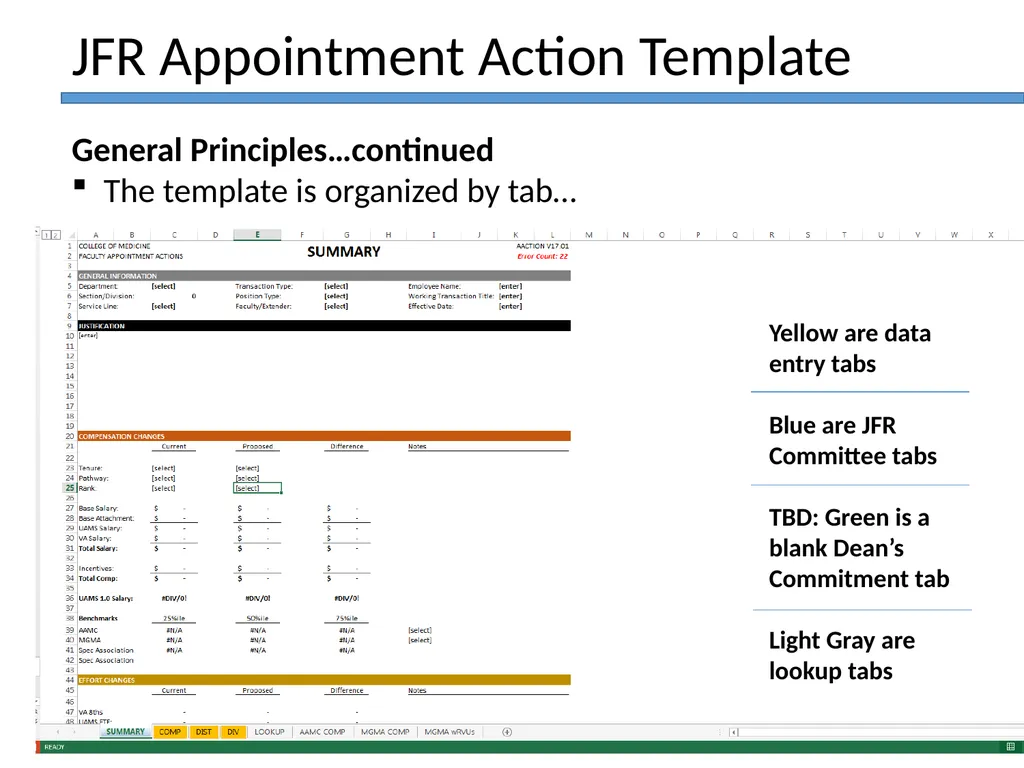
The template is organized by tab… JFR Appointment Action Template Yellow are data entry tabs
Blue are JFR Committee tabs
TBD: Green is a blank Dean’s Commitment tab
Light Gray are lookup tabs<br>
The template is organized by tab… JFR Appointment Action Template Yellow are data entry tabs
Blue are JFR Committee tabs
TBD: Green is a blank Dean’s Commitment tab
Light Gray are lookup tabs<br>
23
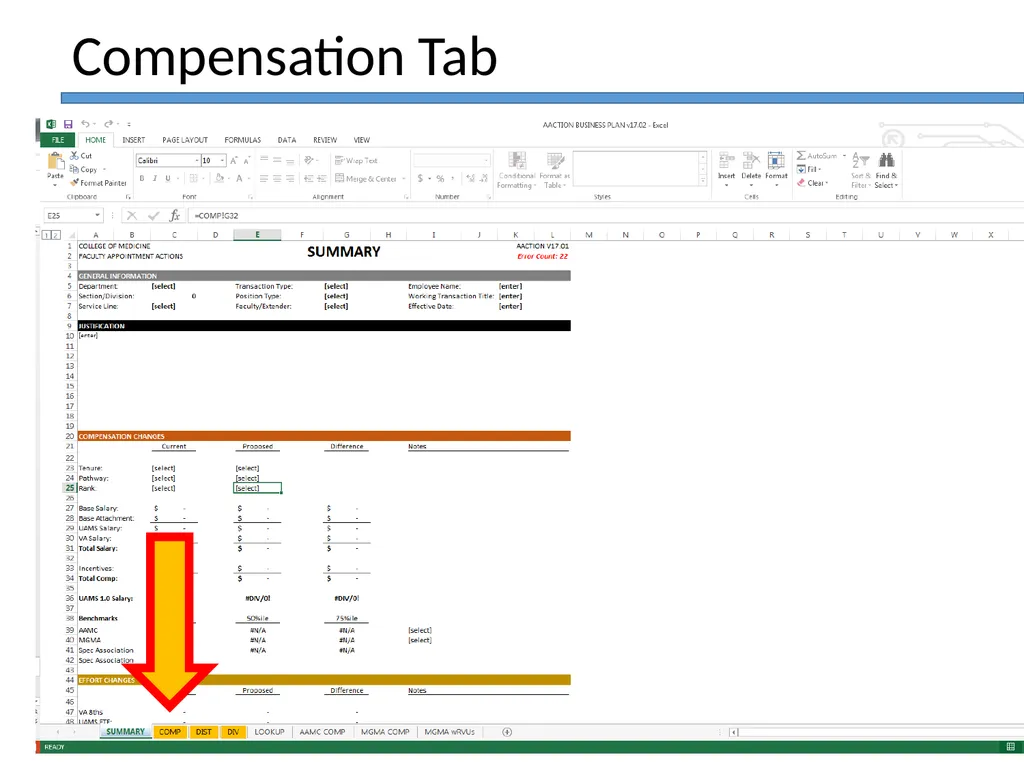
Compensation Tab<br>
24
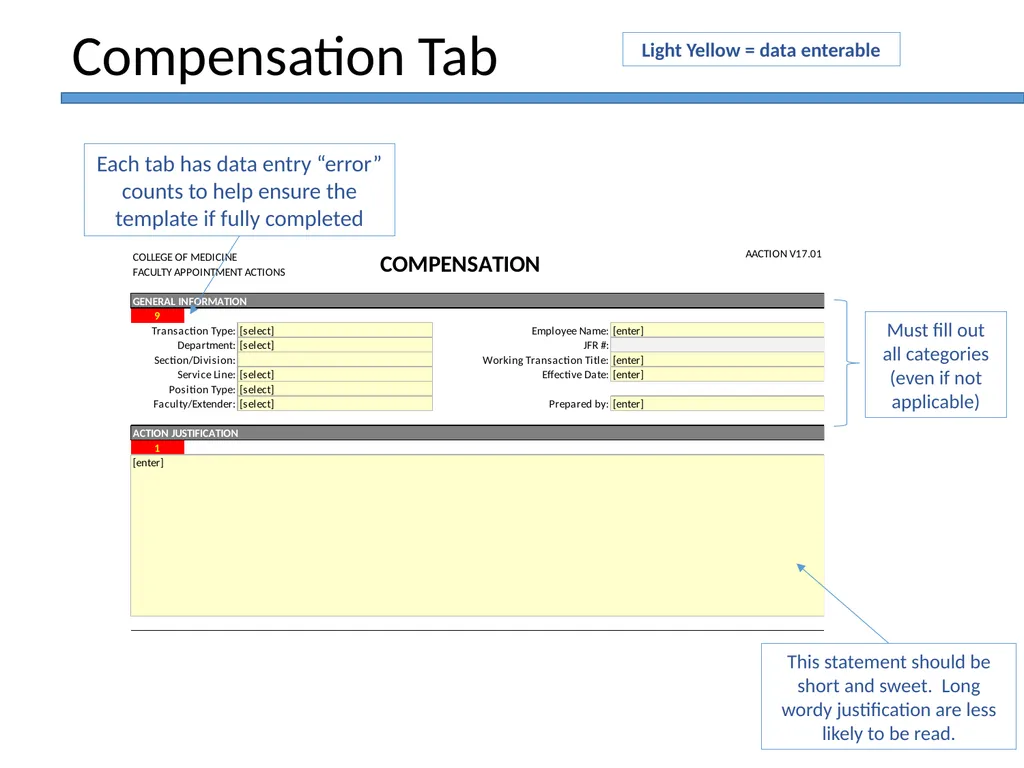
This statement should be short and sweet. Long wordy justification are less likely to be read. Compensation Tab Each tab has data entry “error” counts to help ensure the template if fully completed Must fill out all categories (even if not applicable) Light Yellow = data enterable<br>
25
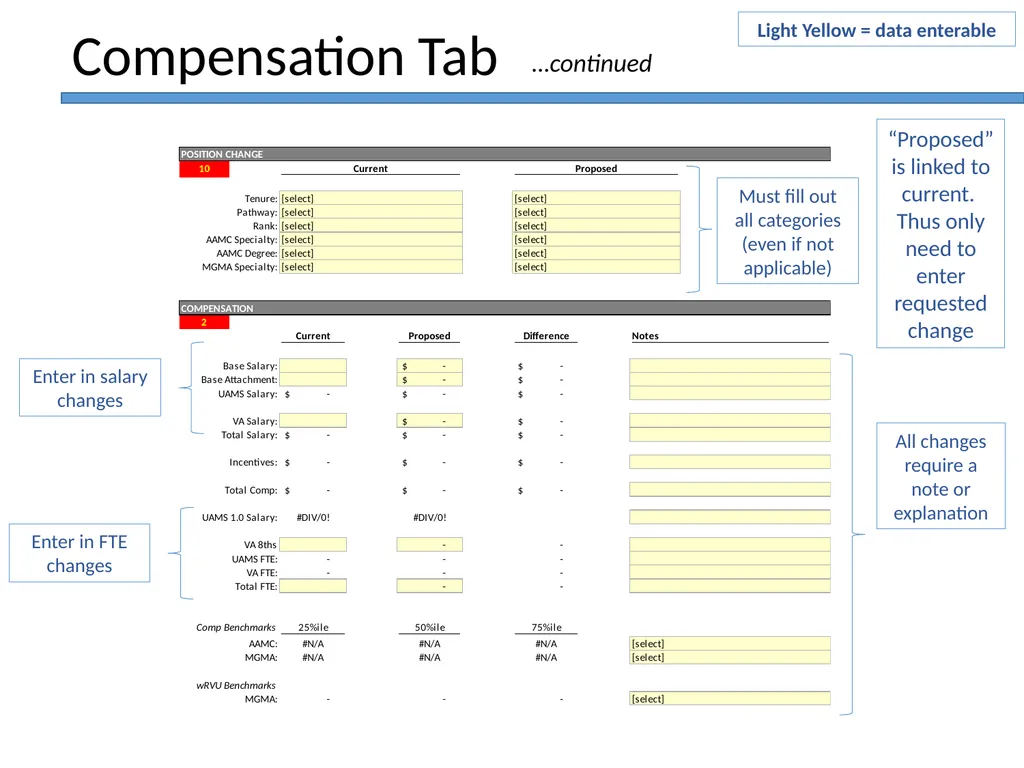
All changes require a note or explanation Compensation Tab “Proposed” is linked to current. Thus only need to enter requested change Must fill out all categories (even if not applicable) Light Yellow = data enterable Enter in salary changes Enter in FTE changes …continued<br>
26
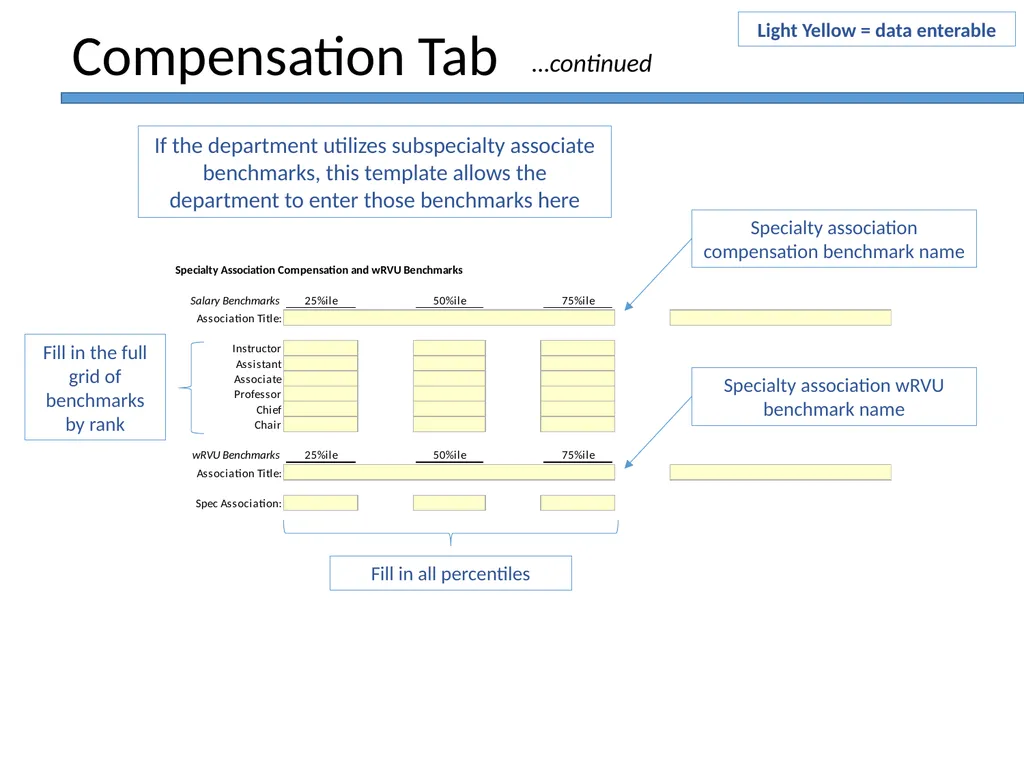
Compensation Tab If the department utilizes subspecialty associate benchmarks, this template allows the department to enter those benchmarks here Light Yellow = data enterable Fill in the full grid of benchmarks by rank Fill in all percentiles …continued Specialty association compensation benchmark name Specialty association wRVU benchmark name<br>
27
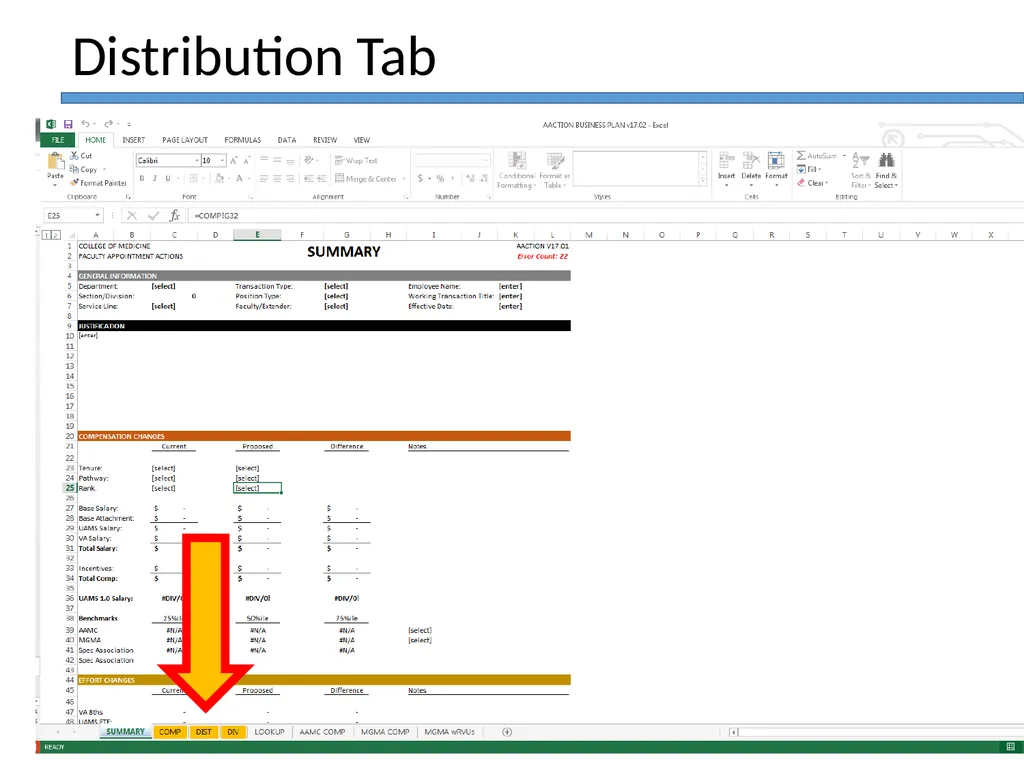
Distribution Tab<br>
28
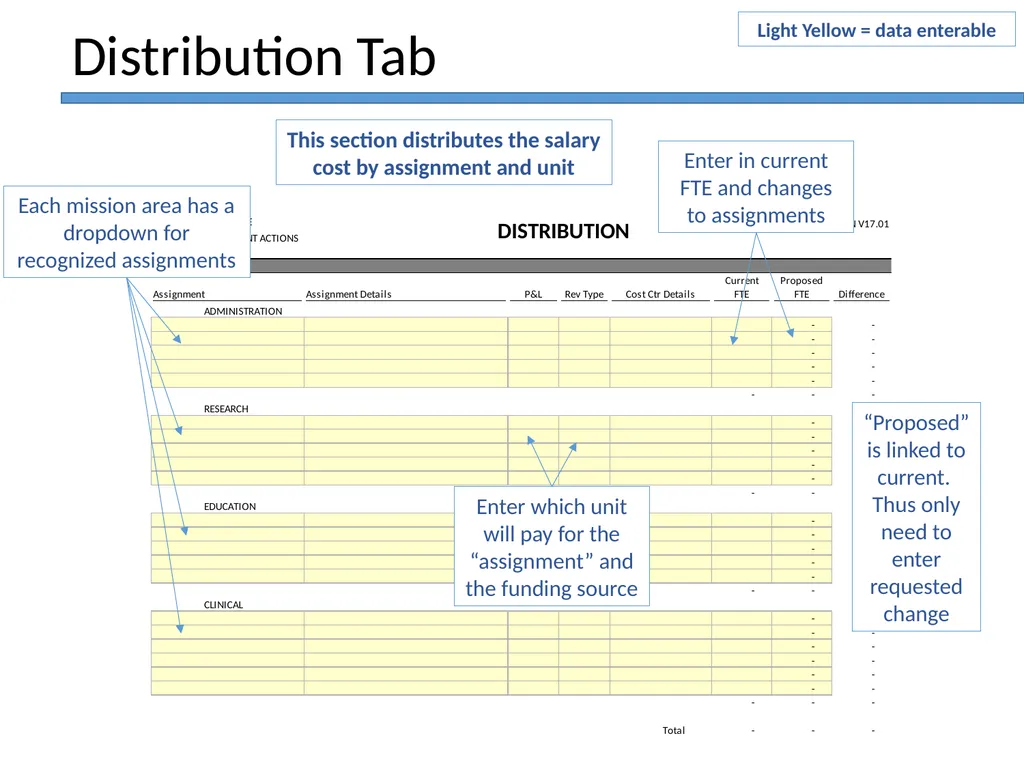
Distribution Tab Each mission area has a dropdown for recognized assignments Enter which unit will pay for the “assignment” and the funding source Enter in current FTE and changes to assignments “Proposed” is linked to current. Thus only need to enter requested change This section distributes the salary cost by assignment and unit Light Yellow = data enterable<br>
29
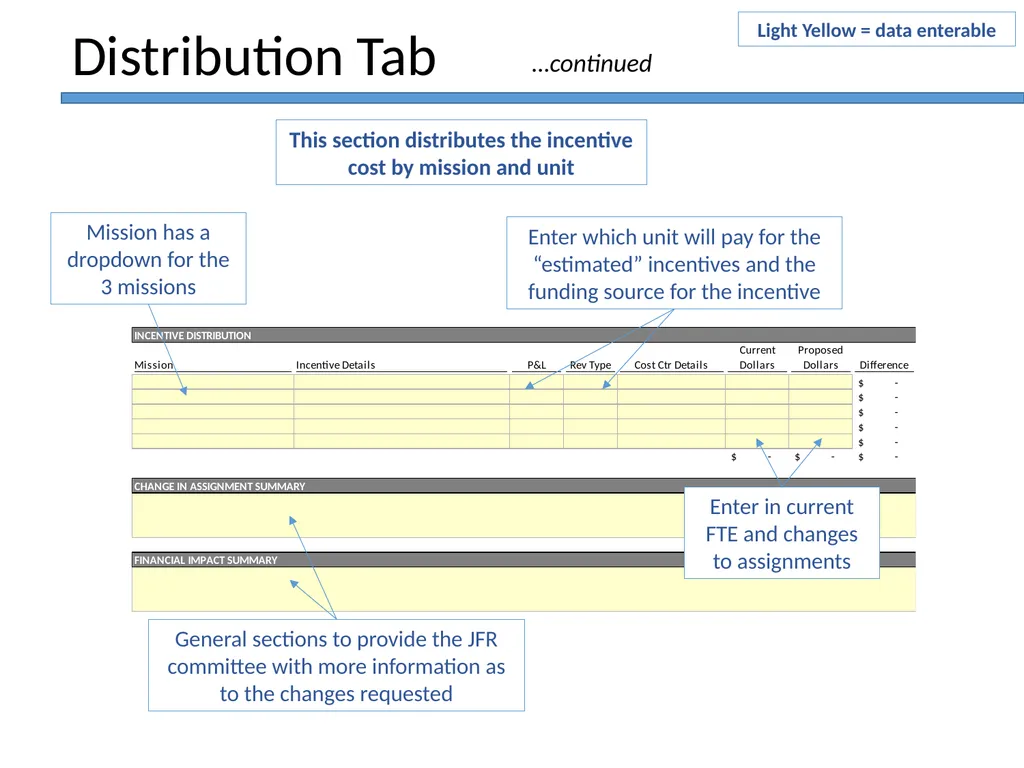
Distribution Tab Mission has a dropdown for the 3 missions This section distributes the incentive cost by mission and unit …continued Light Yellow = data enterable Enter which unit will pay for the “estimated” incentives and the funding source for the incentive Enter in current FTE and changes to assignments General sections to provide the JFR committee with more information as to the changes requested<br>
30
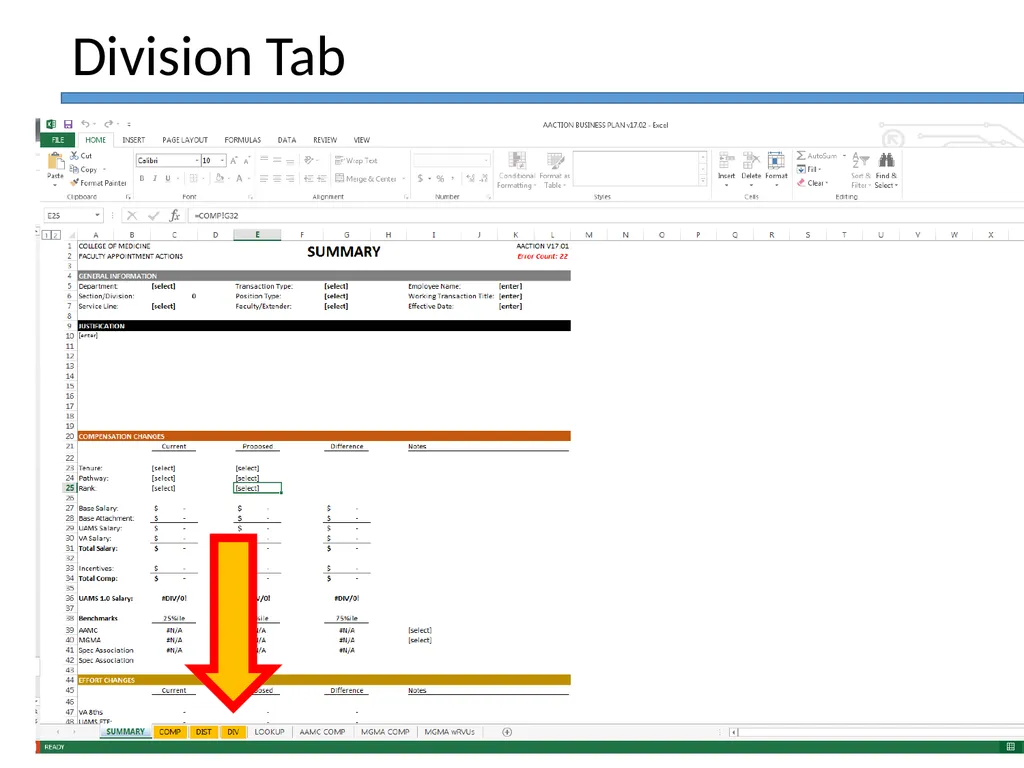
Division Tab<br>
31
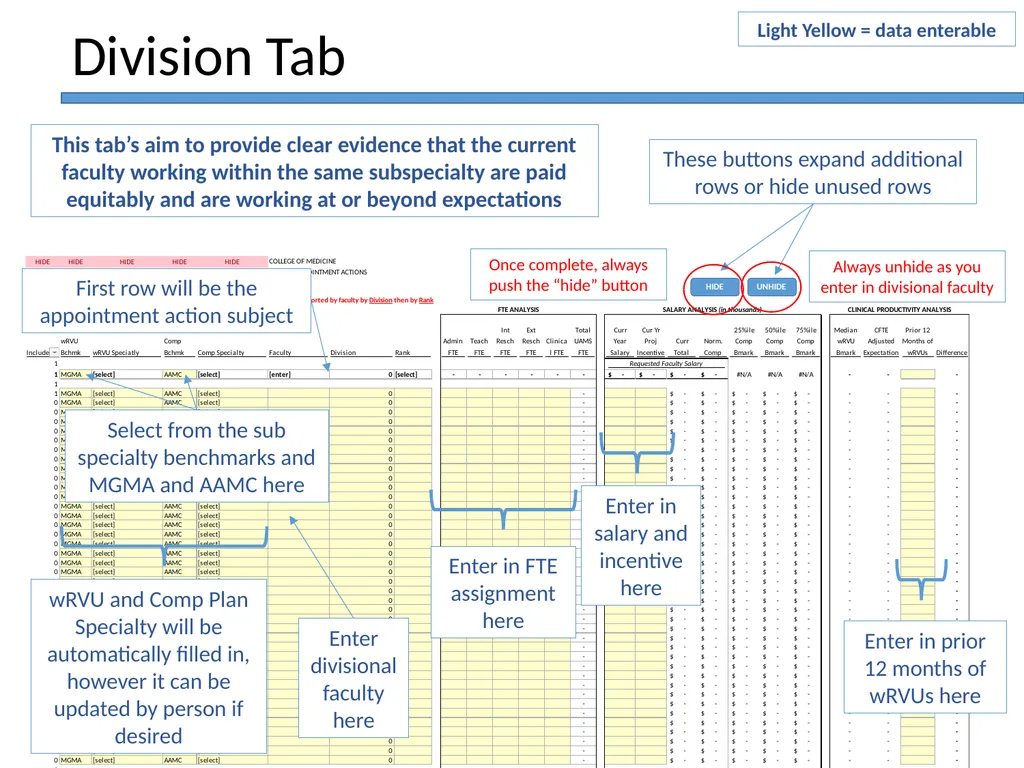
First row will be the appointment action subject Division Tab These buttons expand additional rows or hide unused rows Enter in prior 12 months of wRVUs here This tab’s aim to provide clear evidence that the current faculty working within the same subspecialty are paid equitably and are working at or beyond expectations Always unhide as you enter in divisional faculty wRVU and Comp Plan Specialty will be automatically filled in, however it can be updated by person if desired Select from the sub specialty benchmarks and MGMA and AAMC here Enter in FTE assignment here Enter in salary and incentive here Light Yellow = data enterable Once complete, always push the “hide” button Enter divisional faculty here<br>
32
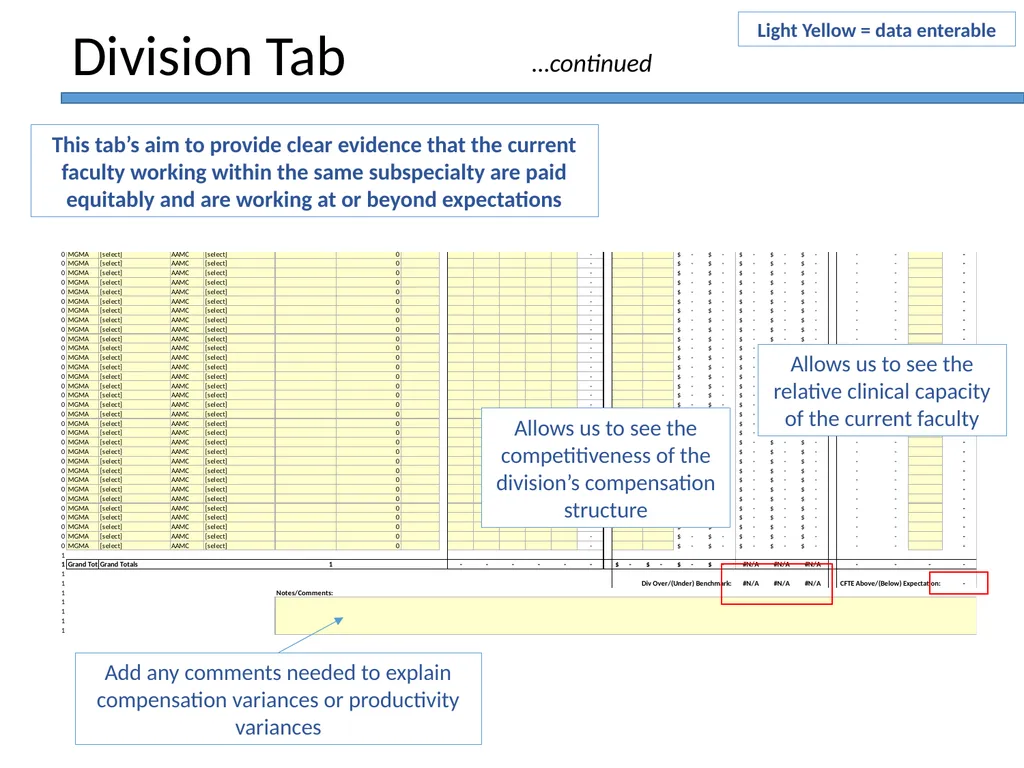
Allows us to see the competitiveness of the division’s compensation structure Division Tab This tab’s aim to provide clear evidence that the current faculty working within the same subspecialty are paid equitably and are working at or beyond expectations Add any comments needed to explain compensation variances or productivity variances Allows us to see the relative clinical capacity of the current faculty …continued Light Yellow = data enterable<br>
33
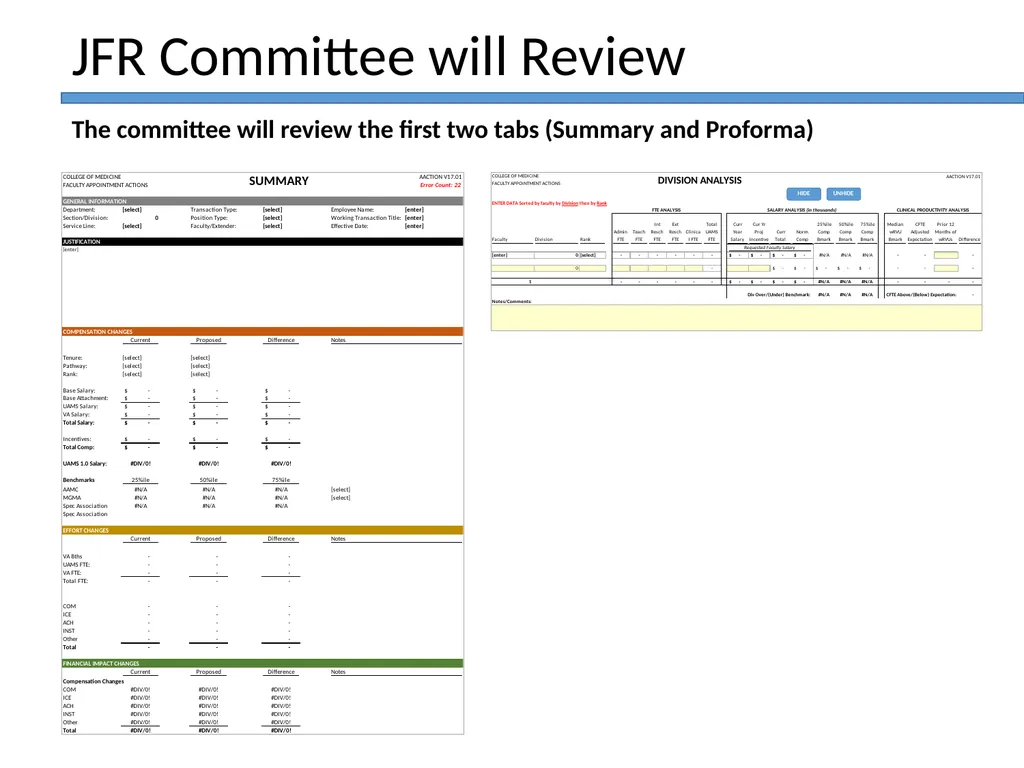
JFR Committee will Review The committee will review the first two tabs (Summary and Proforma)<br>
34
The end<br>