
Lecture 12: Model-based tools: Creating the UI
KB
Published · 33 slides · 0 views
1 / 1
Description
Lecture 12: Model-based tools: Creating the UI Automatically Brad Myers 05-830 Advanced User Interface Software 1 Model-Based Tools Overview Programmer describes the operation of the system or the user interface in a specification language
Related Topics
Share
Embed code
Download this presentation From Below
"Lecture 12: Model-based tools: Creating the UI" is the property of its rightful owner. Permission is granted to download and print the materials on this website for personal, non-commercial use only, and to display it on your personal computer provided you do not modify the materials and that you retain all copyright notices contained in the materials. By downloading content from our website, you accept the terms of this agreement.
Presentation Transcript
01
Lecture 12:
Model-based tools:
Creating the UI Automatically Brad Myers
05-830 Advanced User Interface Software 1<br>
05-830 Advanced User Interface Software 1<br>
02
Model-Based Tools Overview
Programmer describes the operation of the system or the user interface in a specification language = the "model".
model is a high-level description
usually declarative (listing parts and relationships)
System automatically creates the interface
Uses a low-level toolkit for the widgets 2<br>
Programmer describes the operation of the system or the user interface in a specification language = the "model".
model is a high-level description
usually declarative (listing parts and relationships)
System automatically creates the interface
Uses a low-level toolkit for the widgets 2<br>
03
Goals: High-level description of an interface is easier to write than low-level toolkit code
Automatic generation may produce better UIs than programmers
Allow separation of UI design (embodied in rules) from UI contents (supplied by the programmer)
Support dynamic creation of objects
define templates or prototypes
Increase re-use since design rules shared by multiple applications
Tools can reason over the specification to produce extra stuff:
Automatic generation of help, undo, etc.
Transform interface into different but functionally equivalent interface
Enabling and disabling of widgets
Enforcement or checking of design guidelines- consistency, completeness
Enforces consistency since rules will pick similar objects for similar situations
Automatic adjustment to different screen sizes, etc., since rules can take this into account
Automatic analysis for quality
NGOMSL analysis : GLEAN (Kieras, UIST'95) 3<br>
Automatic generation may produce better UIs than programmers
Allow separation of UI design (embodied in rules) from UI contents (supplied by the programmer)
Support dynamic creation of objects
define templates or prototypes
Increase re-use since design rules shared by multiple applications
Tools can reason over the specification to produce extra stuff:
Automatic generation of help, undo, etc.
Transform interface into different but functionally equivalent interface
Enabling and disabling of widgets
Enforcement or checking of design guidelines- consistency, completeness
Enforces consistency since rules will pick similar objects for similar situations
Automatic adjustment to different screen sizes, etc., since rules can take this into account
Automatic analysis for quality
NGOMSL analysis : GLEAN (Kieras, UIST'95) 3<br>
04
Overview, cont. Related to the "Declarative" approach discussed in previous lecture
but here system has some intelligence or knowledge so less has to be specified by the programmer.
Different types:
Dialog box creators: Mickey, DON, Jade (lots of others)
Representations of the full UI: ITS, UIDE, Humanoid, MasterMind
New: Create from XML, using more sophisticated algorithms
Covered in next lecture 4<br>
but here system has some intelligence or knowledge so less has to be specified by the programmer.
Different types:
Dialog box creators: Mickey, DON, Jade (lots of others)
Representations of the full UI: ITS, UIDE, Humanoid, MasterMind
New: Create from XML, using more sophisticated algorithms
Covered in next lecture 4<br>
05
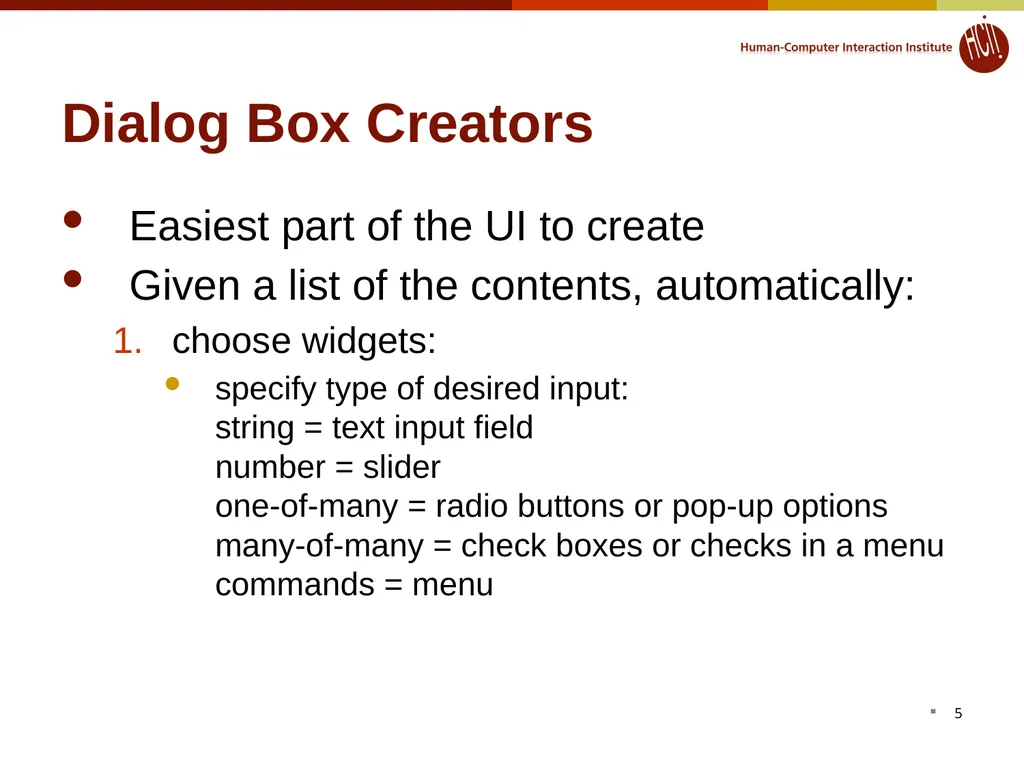
Dialog Box Creators Easiest part of the UI to create
Given a list of the contents, automatically:
choose widgets:
specify type of desired input: string = text input field number = slider one-of-many = radio buttons or pop-up options many-of-many = check boxes or checks in a menu commands = menu 5<br>
Given a list of the contents, automatically:
choose widgets:
specify type of desired input: string = text input field number = slider one-of-many = radio buttons or pop-up options many-of-many = check boxes or checks in a menu commands = menu 5<br>
06
Dialog Box Creators, cont. arrange widgets
based on look-and-feel guidelines
where OK goes
which commands go in which menus
based on good graphic design principles.
set variables
to reduce the number of callbacks necessary 6<br>
based on look-and-feel guidelines
where OK goes
which commands go in which menus
based on good graphic design principles.
set variables
to reduce the number of callbacks necessary 6<br>
07
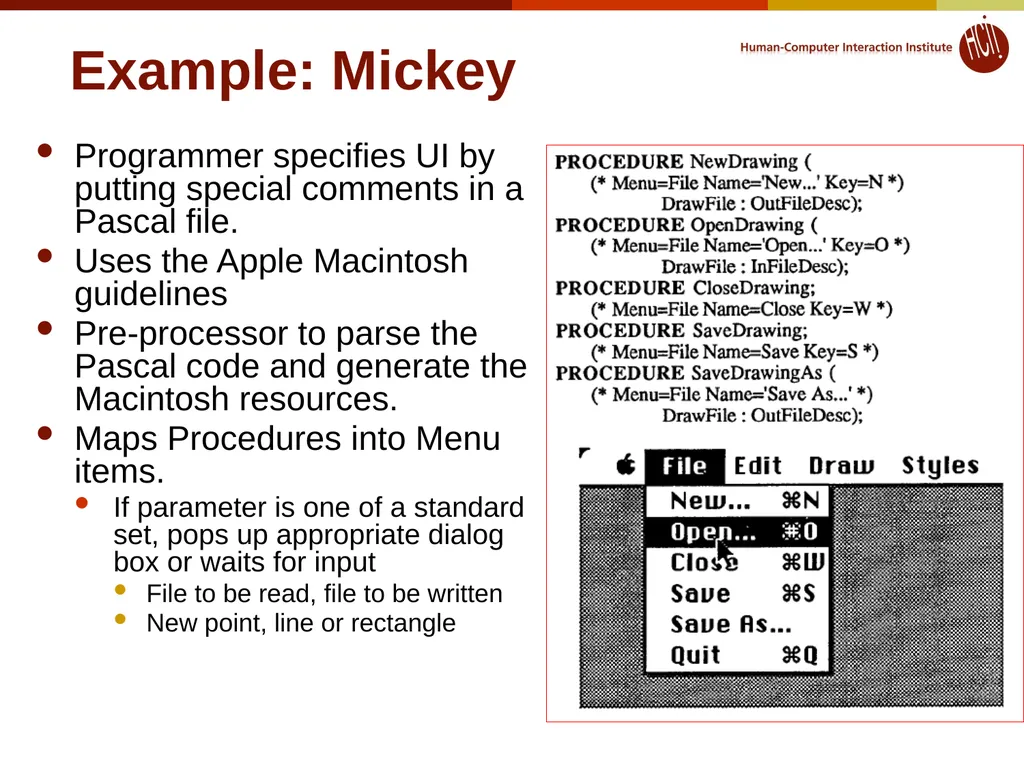
Example: Mickey Programmer specifies UI by
putting special comments in a
Pascal file.
Uses the Apple Macintosh guidelines
Pre-processor to parse the Pascal code and generate the Macintosh resources.
Maps Procedures into Menu items.
If parameter is one of a standard set, pops up appropriate dialog box or waits for input
File to be read, file to be written
New point, line or rectangle 7<br>
Uses the Apple Macintosh guidelines
Pre-processor to parse the Pascal code and generate the Macintosh resources.
Maps Procedures into Menu items.
If parameter is one of a standard set, pops up appropriate dialog box or waits for input
File to be read, file to be written
New point, line or rectangle 7<br>
08
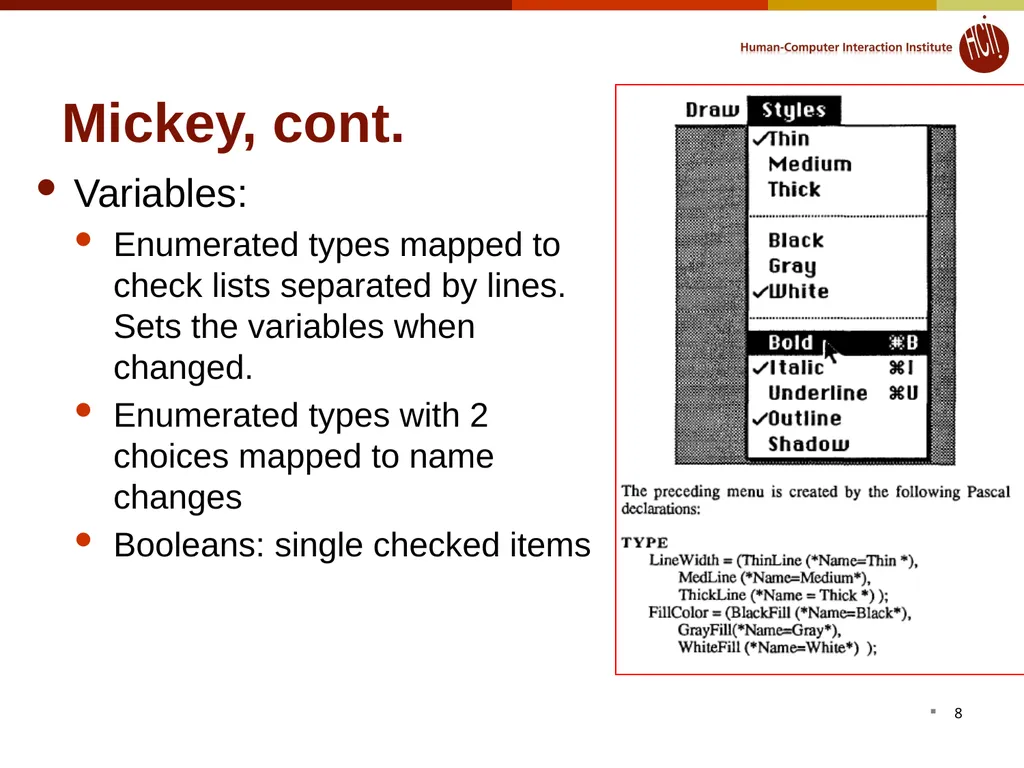
Mickey, cont. Variables:
Enumerated types mapped to check lists separated by lines. Sets the variables when changed.
Enumerated types with 2 choices mapped to name changes
Booleans: single checked items 8<br>
Enumerated types mapped to check lists separated by lines. Sets the variables when changed.
Enumerated types with 2 choices mapped to name changes
Booleans: single checked items 8<br>
09
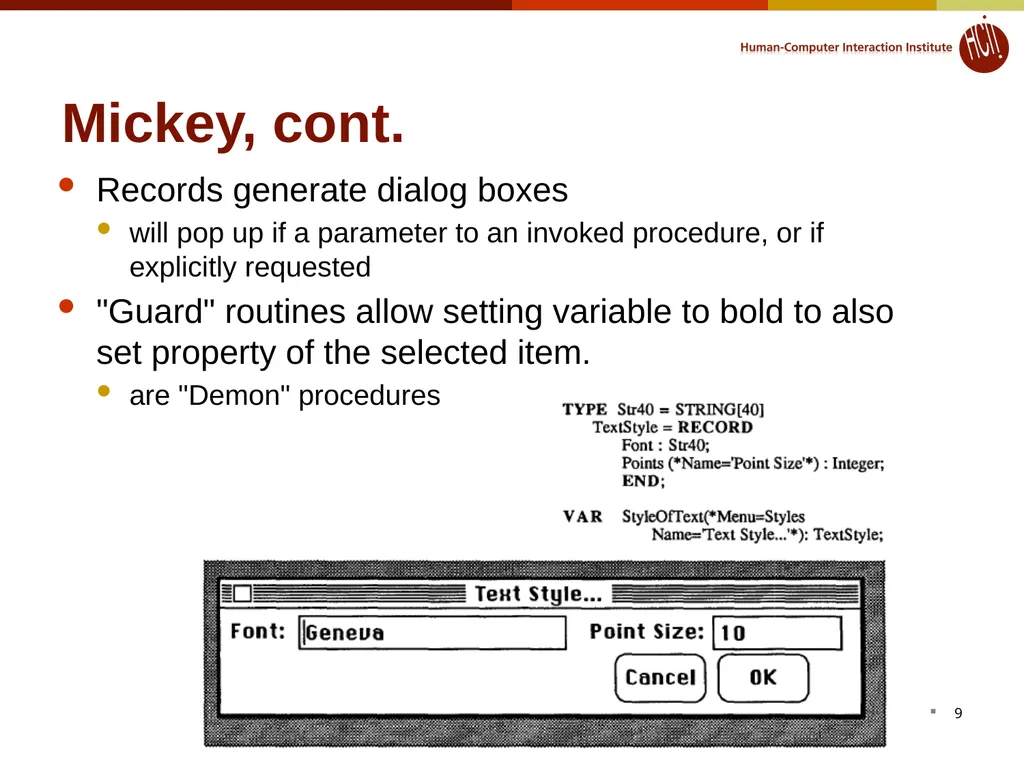
Mickey, cont. Records generate dialog boxes
will pop up if a parameter to an invoked procedure, or if explicitly requested
"Guard" routines allow setting variable to bold to also set property of the selected item.
are "Demon" procedures 9<br>
will pop up if a parameter to an invoked procedure, or if explicitly requested
"Guard" routines allow setting variable to bold to also set property of the selected item.
are "Demon" procedures 9<br>
10
Mickey, cont. Graying out items using a built-in procedural service routine
Evaluation
+ Don't have to worry about resources, etc.
+ Easy to keep code and resources in sync.
- Very limited range
- Generation Rules hardwired, so if UI not good enough, have to edit the generated code or resources.
- Settings are right in the code, so can't be changed by user or internationalized.
- Have to learn special comment forms and commands.
- Long pre-process, compile, link, test loop. 10<br>
Evaluation
+ Don't have to worry about resources, etc.
+ Easy to keep code and resources in sync.
- Very limited range
- Generation Rules hardwired, so if UI not good enough, have to edit the generated code or resources.
- Settings are right in the code, so can't be changed by user or internationalized.
- Have to learn special comment forms and commands.
- Long pre-process, compile, link, test loop. 10<br>
11
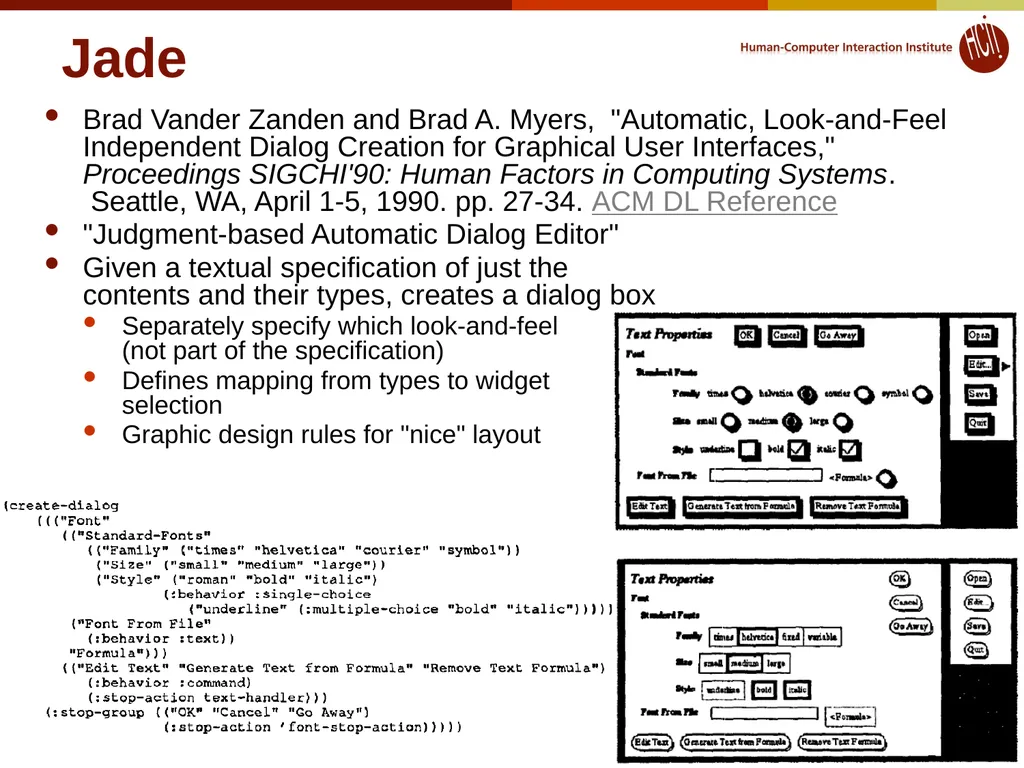
Jade Brad Vander Zanden and Brad A. Myers, "Automatic, Look-and-Feel Independent Dialog Creation for Graphical User Interfaces," Proceedings SIGCHI'90: Human Factors in Computing Systems. Seattle, WA, April 1-5, 1990. pp. 27-34. ACM DL Reference
"Judgment-based Automatic Dialog Editor"
Given a textual specification of just the contents and their types, creates a dialog box
Separately specify which look-and-feel (not part of the specification)
Defines mapping from types to widget selection
Graphic design rules for "nice" layout 11<br>
"Judgment-based Automatic Dialog Editor"
Given a textual specification of just the contents and their types, creates a dialog box
Separately specify which look-and-feel (not part of the specification)
Defines mapping from types to widget selection
Graphic design rules for "nice" layout 11<br>
12
Jade, cont. Graphical editor can be used afterwards to add decorations
Retained if the specification is edited since refer to higher-level abstractions of specification
Also designed to support dynamic creation of dialog boxes when a program generates the contents list.
Can specify constraints to compute "enabled" based on values of other widgets
"Stop-action" for call-backs
Evaluation
+ Don't have to worry about layout, etc.
- Have to use rigid syntax for specification 12<br>
Retained if the specification is edited since refer to higher-level abstractions of specification
Also designed to support dynamic creation of dialog boxes when a program generates the contents list.
Can specify constraints to compute "enabled" based on values of other widgets
"Stop-action" for call-backs
Evaluation
+ Don't have to worry about layout, etc.
- Have to use rigid syntax for specification 12<br>
13
DON (Won Chul Kim & Foley, InterCHI'93, pp. 430-437)
ACM DL Reference
Ultimate in dialog box layout
Kim's PhD thesis
Works with OpenLook and devGuide
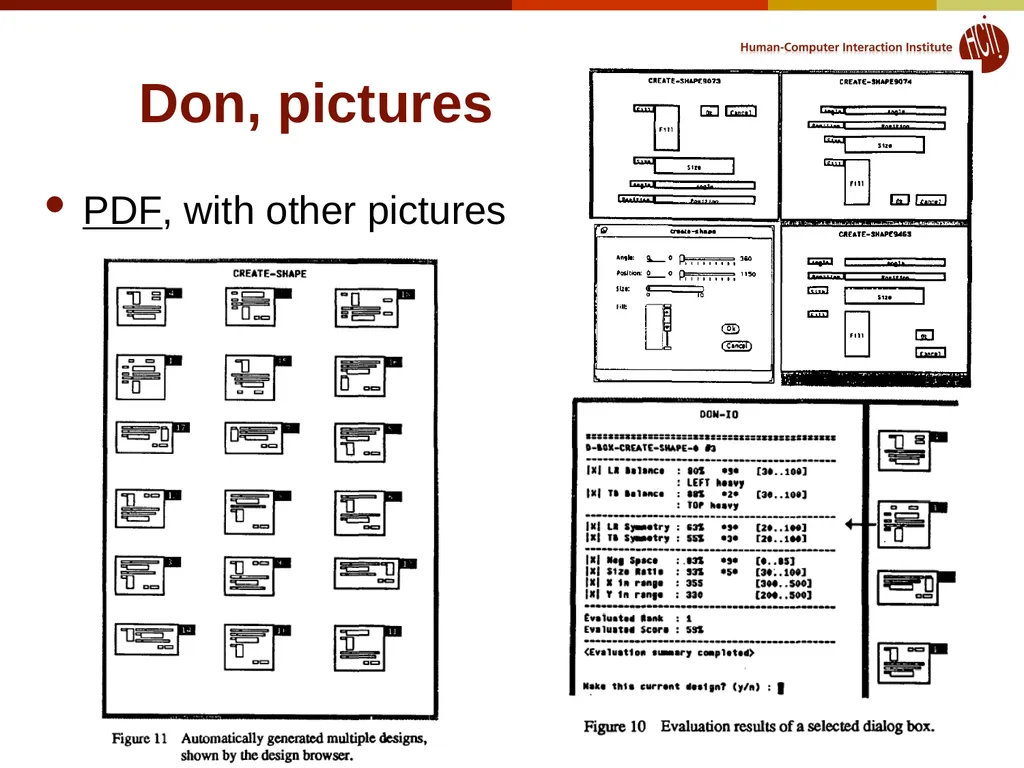
Allows interactive designer guidance (preferences) on sizes, layout, widget choice, etc.
Can also choose among proposed layouts
Sophisticated 2-D layout
Tries to balance dialog box
Groupings of related items
Effective use of white space (even margins, minimize wasted space)
Generates multiple designs and uses an evaluation metric to choose. 13<br>
ACM DL Reference
Ultimate in dialog box layout
Kim's PhD thesis
Works with OpenLook and devGuide
Allows interactive designer guidance (preferences) on sizes, layout, widget choice, etc.
Can also choose among proposed layouts
Sophisticated 2-D layout
Tries to balance dialog box
Groupings of related items
Effective use of white space (even margins, minimize wasted space)
Generates multiple designs and uses an evaluation metric to choose. 13<br>
14
Don, pictures PDF, with other pictures 14<br>
15
Generating Full UI These next tools require a specification of the full UI
Usually have rule-based components
Specifications are in a special language 15<br>
Usually have rule-based components
Specifications are in a special language 15<br>
16
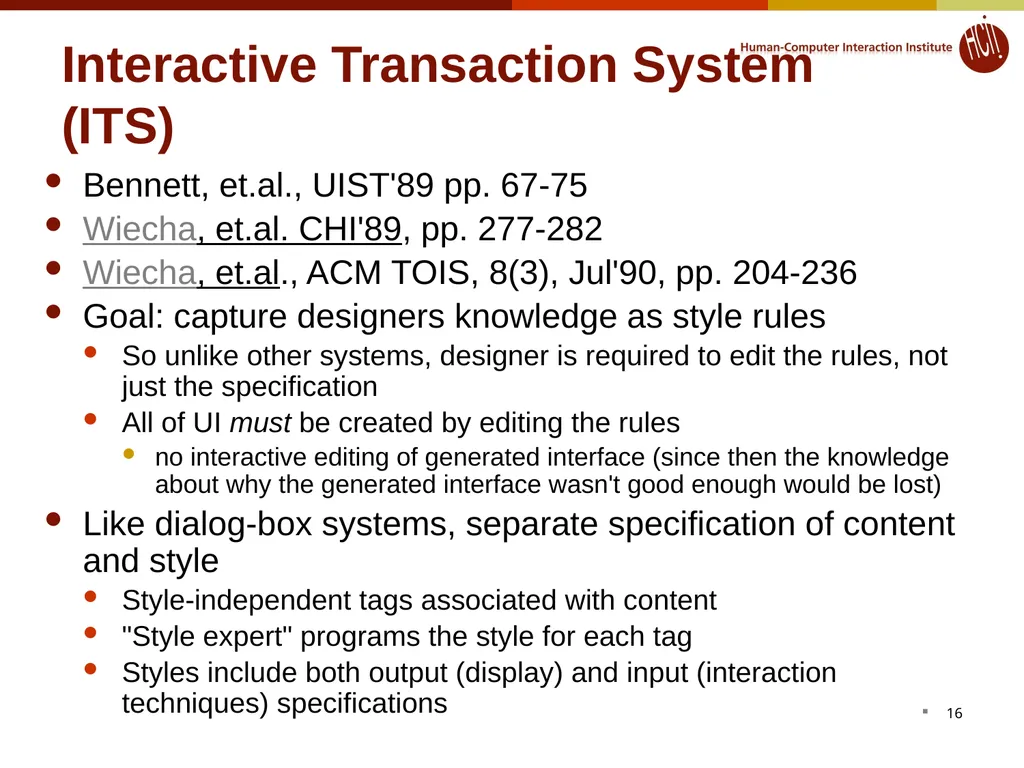
Interactive Transaction System (ITS) Bennett, et.al., UIST'89 pp. 67-75
Wiecha, et.al. CHI'89, pp. 277-282
Wiecha, et.al., ACM TOIS, 8(3), Jul'90, pp. 204-236
Goal: capture designers knowledge as style rules
So unlike other systems, designer is required to edit the rules, not just the specification
All of UI must be created by editing the rules
no interactive editing of generated interface (since then the knowledge about why the generated interface wasn't good enough would be lost)
Like dialog-box systems, separate specification of content and style
Style-independent tags associated with content
"Style expert" programs the style for each tag
Styles include both output (display) and input (interaction techniques) specifications 16<br>
Wiecha, et.al. CHI'89, pp. 277-282
Wiecha, et.al., ACM TOIS, 8(3), Jul'90, pp. 204-236
Goal: capture designers knowledge as style rules
So unlike other systems, designer is required to edit the rules, not just the specification
All of UI must be created by editing the rules
no interactive editing of generated interface (since then the knowledge about why the generated interface wasn't good enough would be lost)
Like dialog-box systems, separate specification of content and style
Style-independent tags associated with content
"Style expert" programs the style for each tag
Styles include both output (display) and input (interaction techniques) specifications 16<br>
17
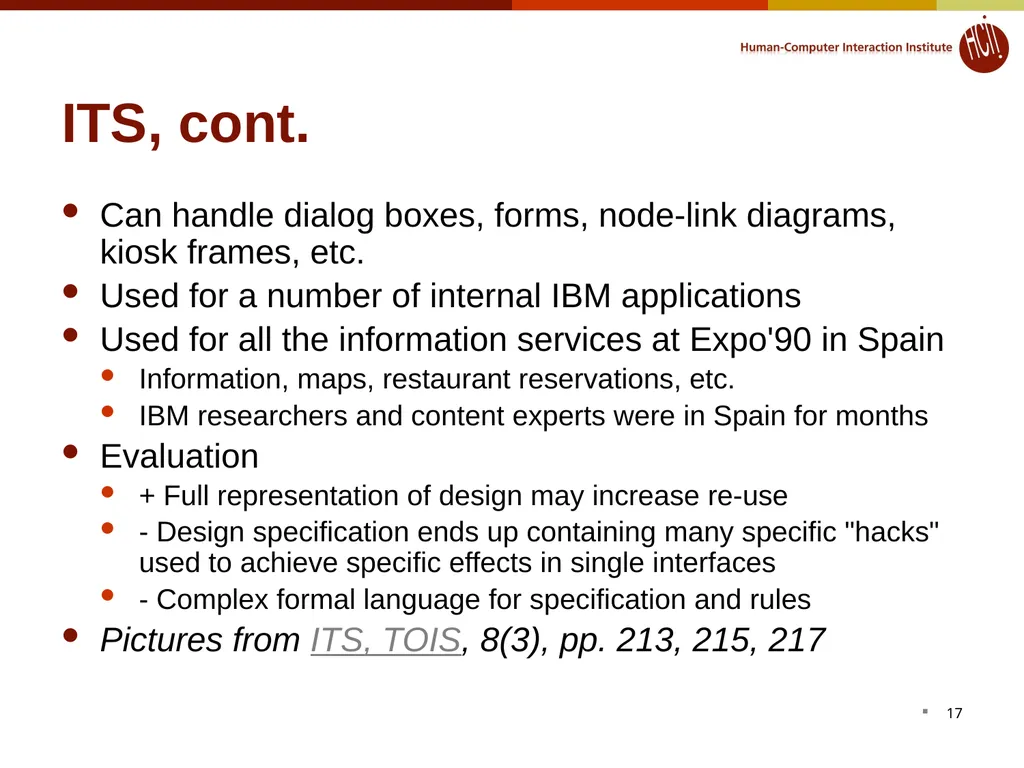
ITS, cont. Can handle dialog boxes, forms, node-link diagrams, kiosk frames, etc.
Used for a number of internal IBM applications
Used for all the information services at Expo'90 in Spain
Information, maps, restaurant reservations, etc.
IBM researchers and content experts were in Spain for months
Evaluation
+ Full representation of design may increase re-use
- Design specification ends up containing many specific "hacks" used to achieve specific effects in single interfaces
- Complex formal language for specification and rules
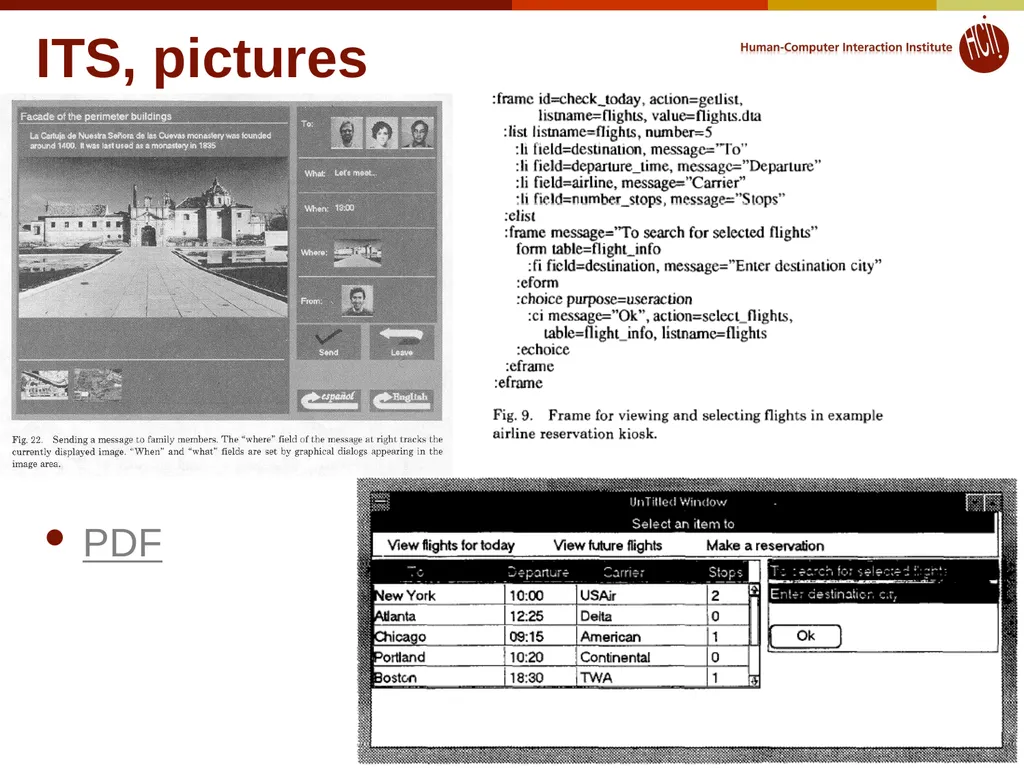
Pictures from ITS, TOIS, 8(3), pp. 213, 215, 217 17<br>
Used for a number of internal IBM applications
Used for all the information services at Expo'90 in Spain
Information, maps, restaurant reservations, etc.
IBM researchers and content experts were in Spain for months
Evaluation
+ Full representation of design may increase re-use
- Design specification ends up containing many specific "hacks" used to achieve specific effects in single interfaces
- Complex formal language for specification and rules
Pictures from ITS, TOIS, 8(3), pp. 213, 215, 217 17<br>
18
ITS, pictures PDF 18<br>
19
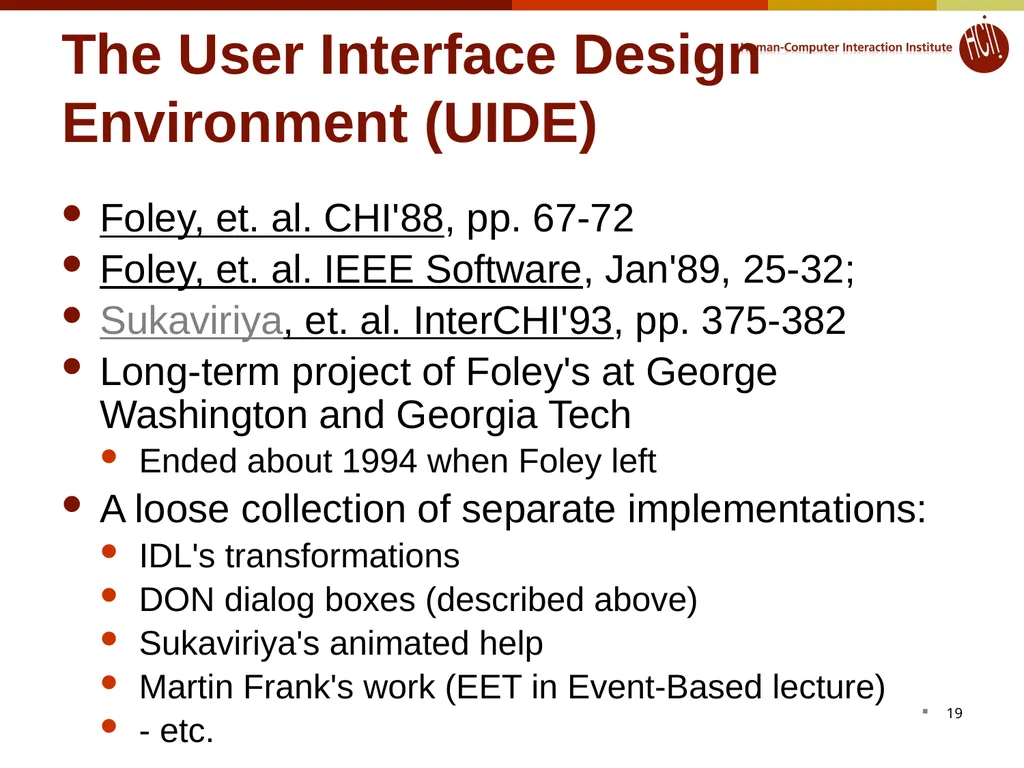
The User Interface Design Environment (UIDE) Foley, et. al. CHI'88, pp. 67-72
Foley, et. al. IEEE Software, Jan'89, 25-32;
Sukaviriya, et. al. InterCHI'93, pp. 375-382
Long-term project of Foley's at George Washington and Georgia Tech
Ended about 1994 when Foley left
A loose collection of separate implementations:
IDL's transformations
DON dialog boxes (described above)
Sukaviriya's animated help
Martin Frank's work (EET in Event-Based lecture)
- etc. 19<br>
Foley, et. al. IEEE Software, Jan'89, 25-32;
Sukaviriya, et. al. InterCHI'93, pp. 375-382
Long-term project of Foley's at George Washington and Georgia Tech
Ended about 1994 when Foley left
A loose collection of separate implementations:
IDL's transformations
DON dialog boxes (described above)
Sukaviriya's animated help
Martin Frank's work (EET in Event-Based lecture)
- etc. 19<br>
20
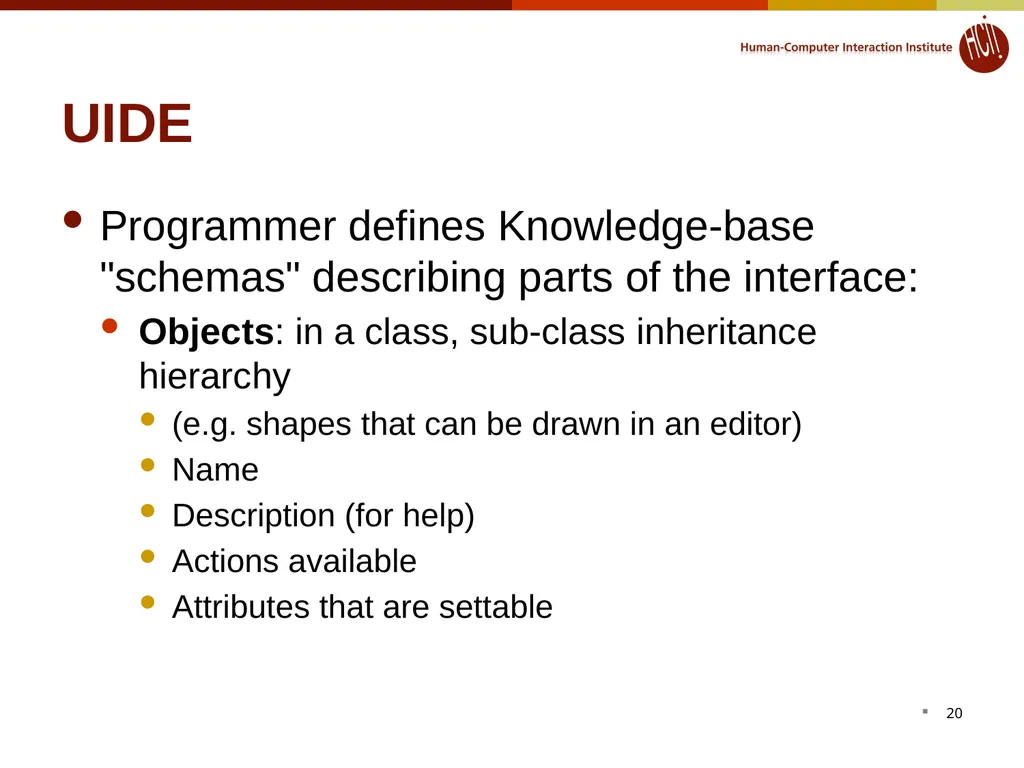
UIDE Programmer defines Knowledge-base "schemas" describing parts of the interface:
Objects: in a class, sub-class inheritance hierarchy
(e.g. shapes that can be drawn in an editor)
Name
Description (for help)
Actions available
Attributes that are settable 20<br>
Objects: in a class, sub-class inheritance hierarchy
(e.g. shapes that can be drawn in an editor)
Name
Description (for help)
Actions available
Attributes that are settable 20<br>
21
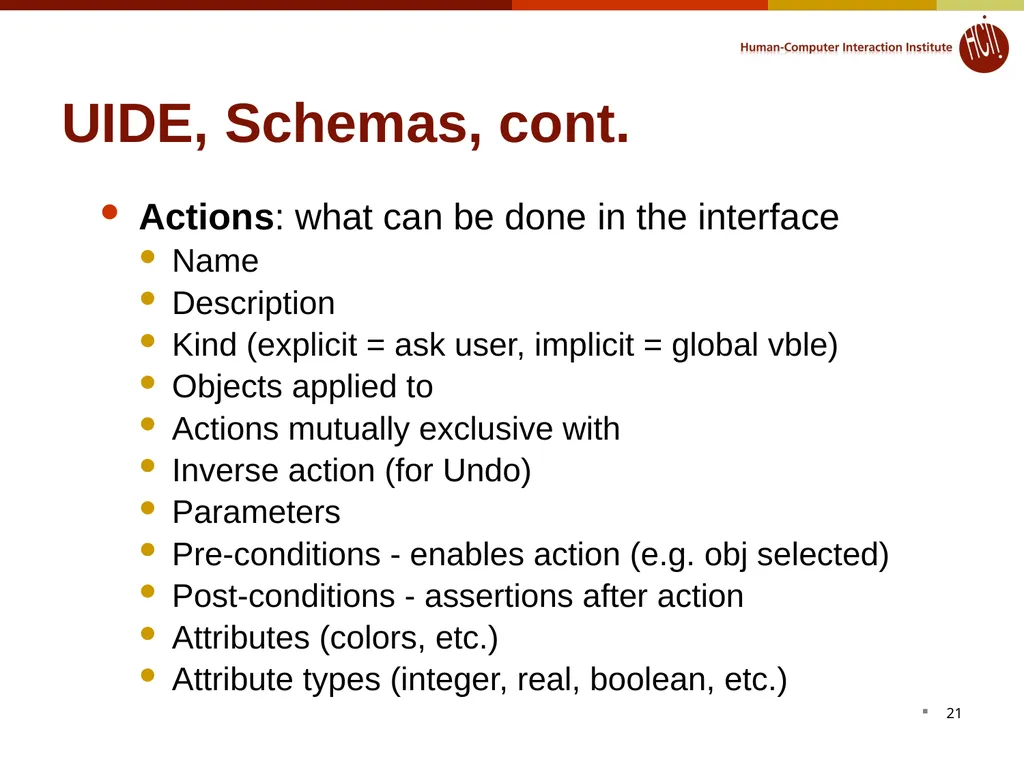
UIDE, Schemas, cont. Actions: what can be done in the interface
Name
Description
Kind (explicit = ask user, implicit = global vble)
Objects applied to
Actions mutually exclusive with
Inverse action (for Undo)
Parameters
Pre-conditions - enables action (e.g. obj selected)
Post-conditions - assertions after action
Attributes (colors, etc.)
Attribute types (integer, real, boolean, etc.) 21<br>
Name
Description
Kind (explicit = ask user, implicit = global vble)
Objects applied to
Actions mutually exclusive with
Inverse action (for Undo)
Parameters
Pre-conditions - enables action (e.g. obj selected)
Post-conditions - assertions after action
Attributes (colors, etc.)
Attribute types (integer, real, boolean, etc.) 21<br>
22
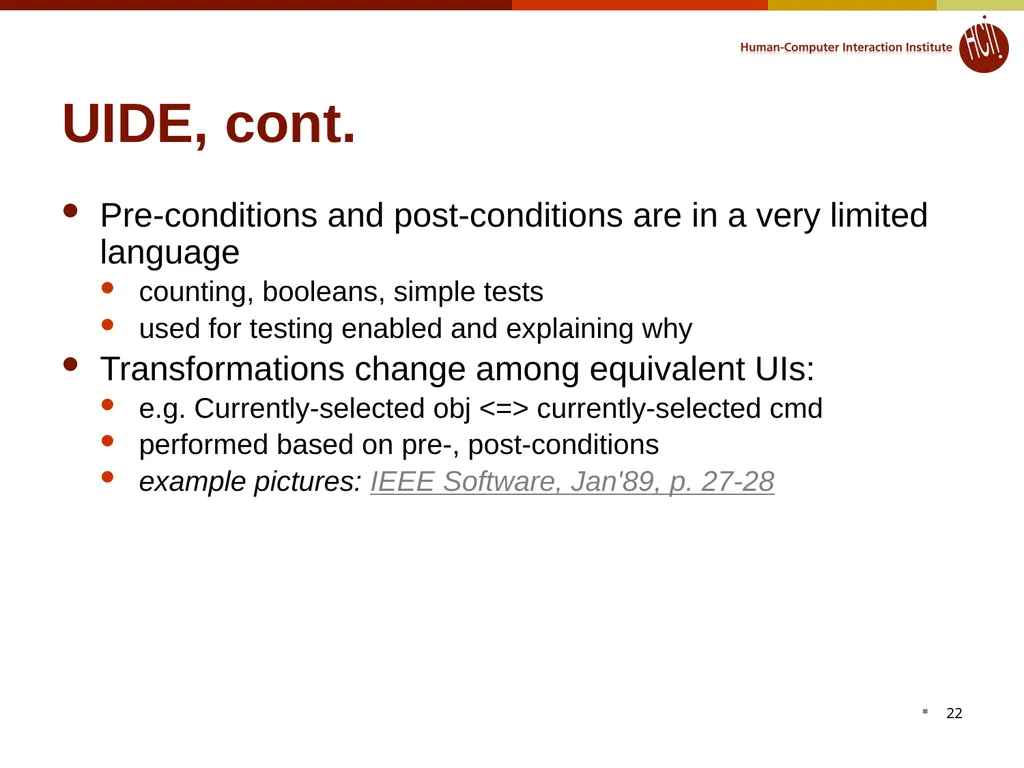
UIDE, cont. Pre-conditions and post-conditions are in a very limited language
counting, booleans, simple tests
used for testing enabled and explaining why
Transformations change among equivalent UIs:
e.g. Currently-selected obj <=> currently-selected cmd
performed based on pre-, post-conditions
example pictures: IEEE Software, Jan'89, p. 27-28 22<br>
counting, booleans, simple tests
used for testing enabled and explaining why
Transformations change among equivalent UIs:
e.g. Currently-selected obj <=> currently-selected cmd
performed based on pre-, post-conditions
example pictures: IEEE Software, Jan'89, p. 27-28 22<br>
23
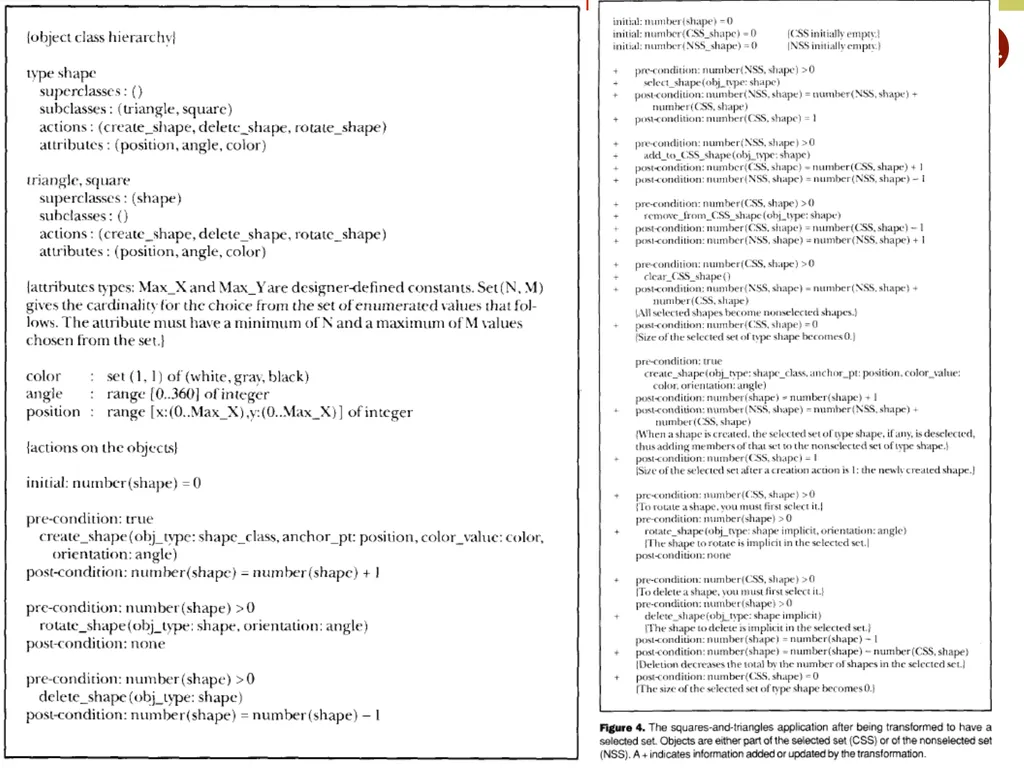
Pictures from UIDE 23<br>
24
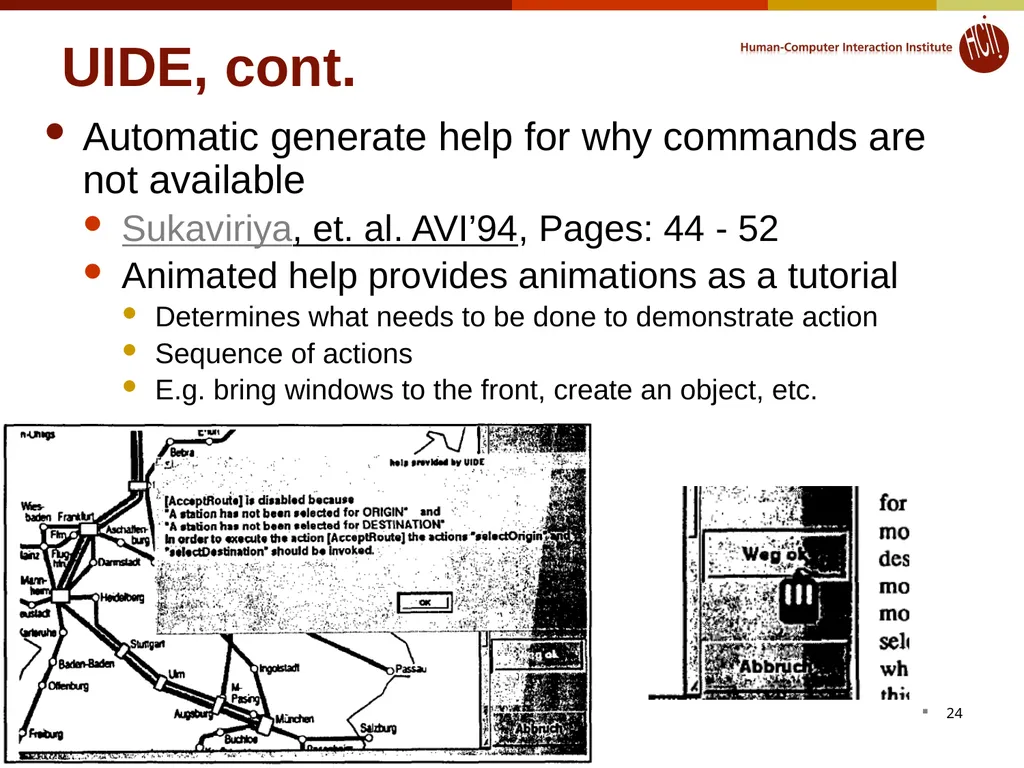
UIDE, cont. Automatic generate help for why commands are not available
Sukaviriya, et. al. AVI’94, Pages: 44 - 52
Animated help provides animations as a tutorial
Determines what needs to be done to demonstrate action
Sequence of actions
E.g. bring windows to the front, create an object, etc. 24<br>
Sukaviriya, et. al. AVI’94, Pages: 44 - 52
Animated help provides animations as a tutorial
Determines what needs to be done to demonstrate action
Sequence of actions
E.g. bring windows to the front, create an object, etc. 24<br>
25
UIDE Evaluation
+ Support for more than dialog boxes
- Pre and post condition language is weak
can't express the test "if the selected object is a polygon..."
- Model language is a new, difficult language to learn 25<br>
+ Support for more than dialog boxes
- Pre and post condition language is weak
can't express the test "if the selected object is a polygon..."
- Model language is a new, difficult language to learn 25<br>
26
Humanoid Szekely, et. al. UIST'90, pp. 1-9
Szekely, et. al. CHI'92, pp. 507-514
Szekely, et. al. InterCHI'93, pp. 383-390
High-level UIMS for Manufacturing Applications Needing Organized Iterative Development
Model application data and interaction similar to UIDE
Model whole application: semantics + interface 26<br>
Szekely, et. al. CHI'92, pp. 507-514
Szekely, et. al. InterCHI'93, pp. 383-390
High-level UIMS for Manufacturing Applications Needing Organized Iterative Development
Model application data and interaction similar to UIDE
Model whole application: semantics + interface 26<br>
27
Humanoid, cont. Four main components of model:
Presentation
Manipulation: what user can do, and what affects are
Sequencing: order in which manipulations are enabled
some constraints inferred, others specified
Action side effects: what happens
System picks generic interaction techniques immediately using "templates"
Designer can refine interface iteratively by creating more specific sub-classes:
Single-Command-Input-With-Alternatives
Single-Command-Input-With-Few-Alternatives
Allows exploration with incomplete designs 27<br>
Presentation
Manipulation: what user can do, and what affects are
Sequencing: order in which manipulations are enabled
some constraints inferred, others specified
Action side effects: what happens
System picks generic interaction techniques immediately using "templates"
Designer can refine interface iteratively by creating more specific sub-classes:
Single-Command-Input-With-Alternatives
Single-Command-Input-With-Few-Alternatives
Allows exploration with incomplete designs 27<br>
28
Humanoid, cont. Interactive structure-editor to help with building the models
Was used for a number of large-scale (in-house) applications (unlike UIDE)
Evaluation
+ Much richer specification language than UIDE
- More complex to define interfaces (more to learn)
but interactive tools help
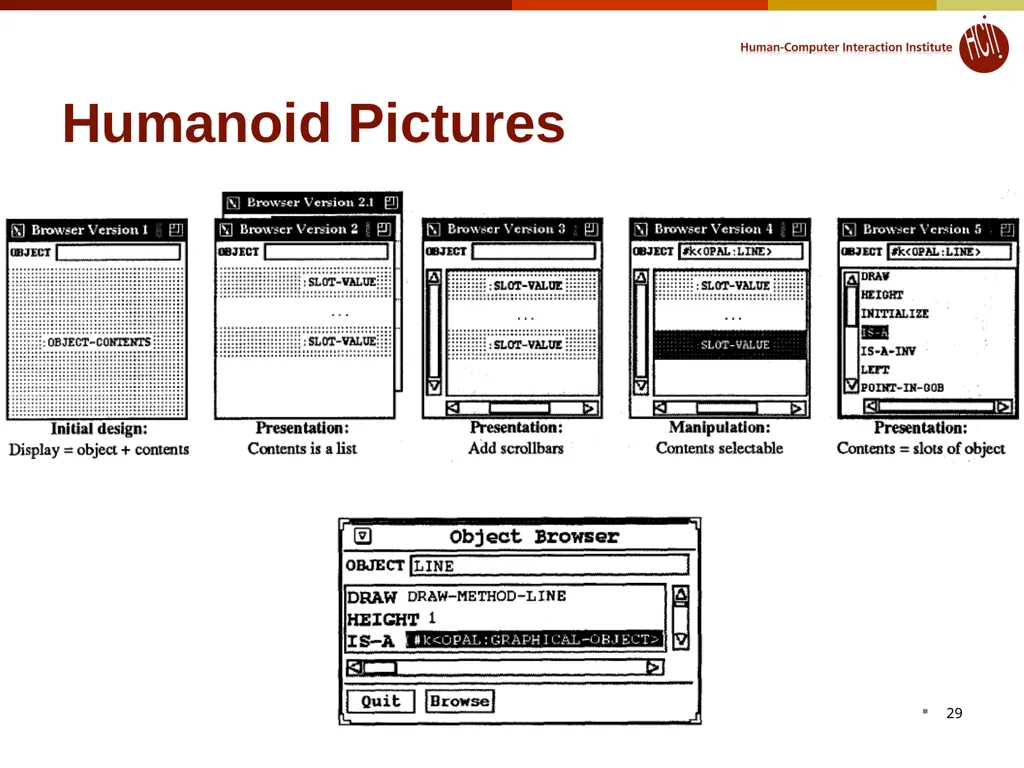
Pictures from Humanoid, CHI'93 pp. 384 28<br>
Was used for a number of large-scale (in-house) applications (unlike UIDE)
Evaluation
+ Much richer specification language than UIDE
- More complex to define interfaces (more to learn)
but interactive tools help
Pictures from Humanoid, CHI'93 pp. 384 28<br>
29
Humanoid Pictures 29<br>
30
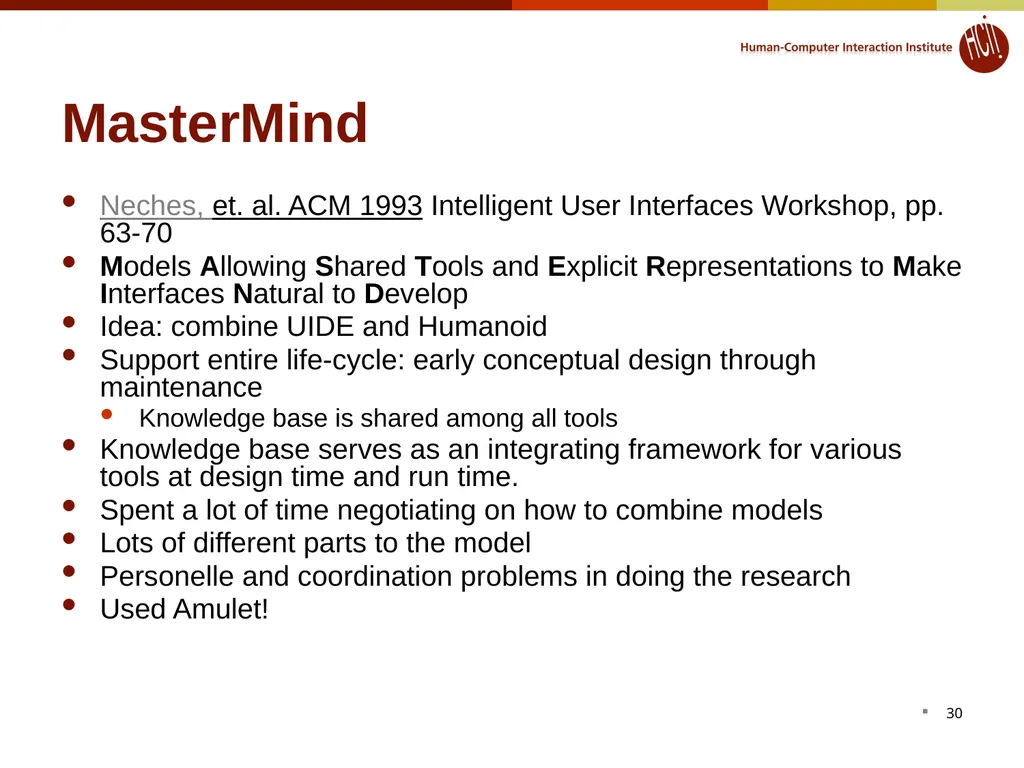
MasterMind Neches, et. al. ACM 1993 Intelligent User Interfaces Workshop, pp. 63-70
Models Allowing Shared Tools and Explicit Representations to Make Interfaces Natural to Develop
Idea: combine UIDE and Humanoid
Support entire life-cycle: early conceptual design through maintenance
Knowledge base is shared among all tools
Knowledge base serves as an integrating framework for various tools at design time and run time.
Spent a lot of time negotiating on how to combine models
Lots of different parts to the model
Personelle and coordination problems in doing the research
Used Amulet! 30<br>
Models Allowing Shared Tools and Explicit Representations to Make Interfaces Natural to Develop
Idea: combine UIDE and Humanoid
Support entire life-cycle: early conceptual design through maintenance
Knowledge base is shared among all tools
Knowledge base serves as an integrating framework for various tools at design time and run time.
Spent a lot of time negotiating on how to combine models
Lots of different parts to the model
Personelle and coordination problems in doing the research
Used Amulet! 30<br>
31
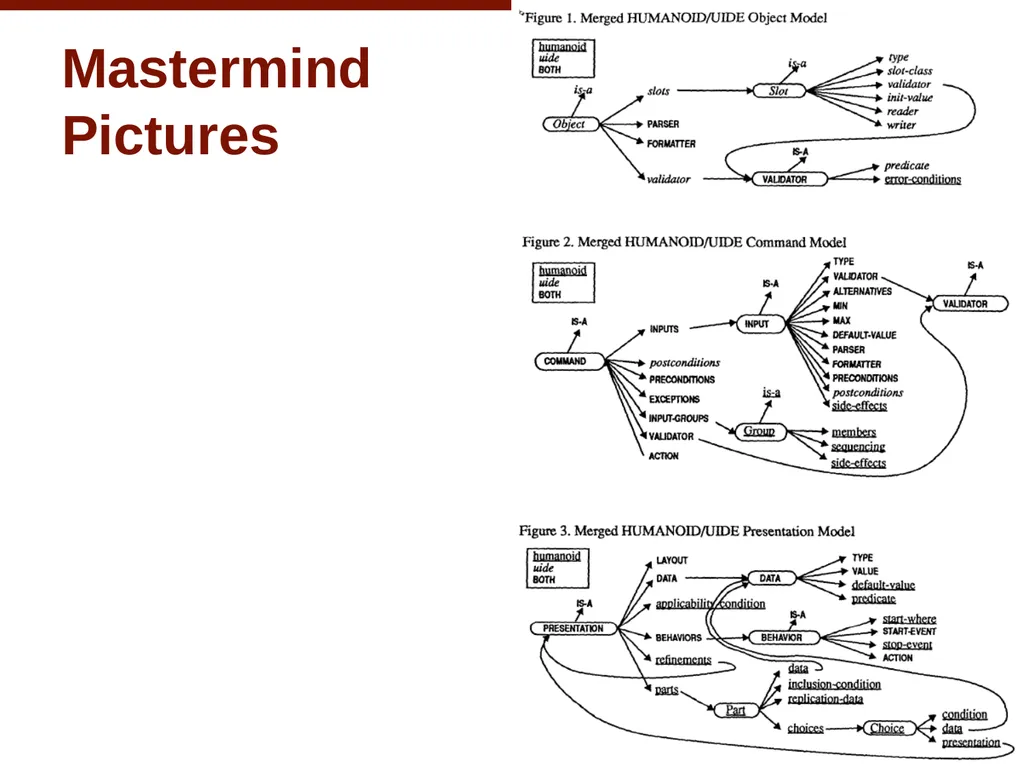
Mastermind
Pictures 31<br>
32
Others To some extent, web browsers to "model-based" layout from HTML
Takes size of window into account a little
Some user preferences (link color, etc.)
Could do a lot more
XML is a "model" of the data
Provide semantics to the content:
uPnP, Salutation
Jini kind-of, but includes UI?
More widely varying screens and interaction types may increase need for model-based design
E.g., WAP for cell-phones
Also for widely varying I/O devices:
wall-size to cell-phone
even different Windows CE sizes
Current PhD work of Jeff Nichols: "Personal Universal Controller"
These will be covered in next lecture 32<br>
Takes size of window into account a little
Some user preferences (link color, etc.)
Could do a lot more
XML is a "model" of the data
Provide semantics to the content:
uPnP, Salutation
Jini kind-of, but includes UI?
More widely varying screens and interaction types may increase need for model-based design
E.g., WAP for cell-phones
Also for widely varying I/O devices:
wall-size to cell-phone
even different Windows CE sizes
Current PhD work of Jeff Nichols: "Personal Universal Controller"
These will be covered in next lecture 32<br>
33
Model-based systems advantages/disadvantages + Separate specification of UI from content
+ Automatic reformatting, retargeting for different platforms, customization to users
+ May allow programmers (non-experts) to write specification and have a good UI automatically created
But this didn’t really work out
– Result is often unpredictable
– Often UI can be worse UI than hand-drawn
– Sometimes model is larger than the code it would replace
– Model often in a different language that must be learned 33<br>
+ Automatic reformatting, retargeting for different platforms, customization to users
+ May allow programmers (non-experts) to write specification and have a good UI automatically created
But this didn’t really work out
– Result is often unpredictable
– Often UI can be worse UI than hand-drawn
– Sometimes model is larger than the code it would replace
– Model often in a different language that must be learned 33<br>