
Loops and Iteration Chapter 5 Python for Everybody
LV
Published · 53 slides · 0 views
1 / 1
Description
Loops and Iteration Chapter 5 Python for Everybody www.py4e.com Repeated Steps Program: n 5 while n 0 : print(n) n n 1 print(Blastoff!) print(n) n 0 ? Loops (repeated steps) have iteration variables that change each time through
Related Topics
Share
Embed code
Download this presentation From Below
"Loops and Iteration Chapter 5 Python for Everybody" is the property of its rightful owner. Permission is granted to download and print the materials on this website for personal, non-commercial use only, and to display it on your personal computer provided you do not modify the materials and that you retain all copyright notices contained in the materials. By downloading content from our website, you accept the terms of this agreement.
Presentation Transcript
01
Loops and Iteration Chapter 5 Python for Everybody
www.py4e.com<br>
www.py4e.com<br>
02
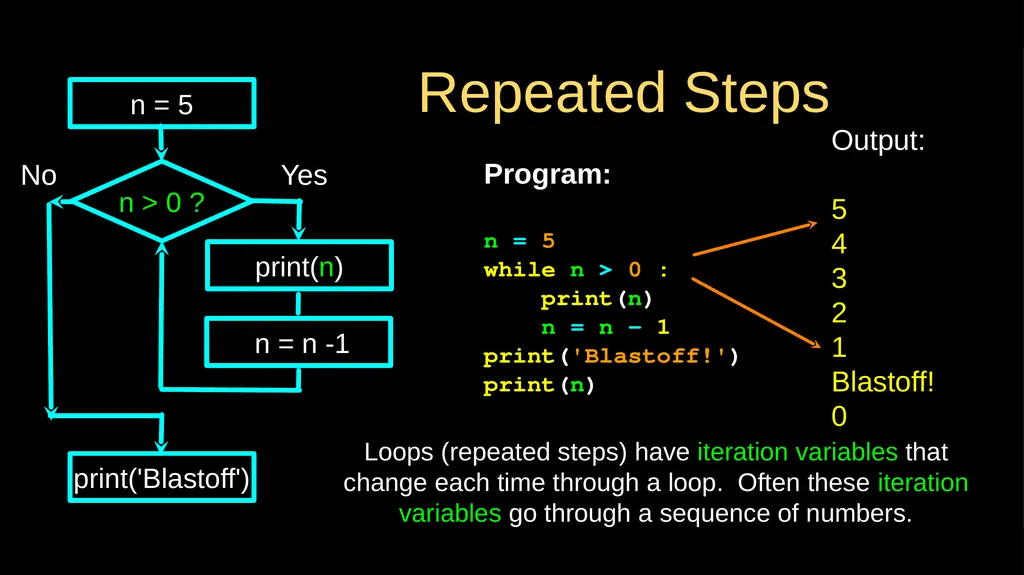
Repeated Steps Program:
n = 5
while n > 0 :
print(n)
n = n – 1
print('Blastoff!')
print(n) n > 0 ? Loops (repeated steps) have iteration variables that change each time through a loop. Often these iteration variables go through a sequence of numbers. No print('Blastoff') Yes n = 5 print(n) Output:
5
4
3
2
1
Blastoff!
0 n = n -1<br>
n = 5
while n > 0 :
print(n)
n = n – 1
print('Blastoff!')
print(n) n > 0 ? Loops (repeated steps) have iteration variables that change each time through a loop. Often these iteration variables go through a sequence of numbers. No print('Blastoff') Yes n = 5 print(n) Output:
5
4
3
2
1
Blastoff!
0 n = n -1<br>
03
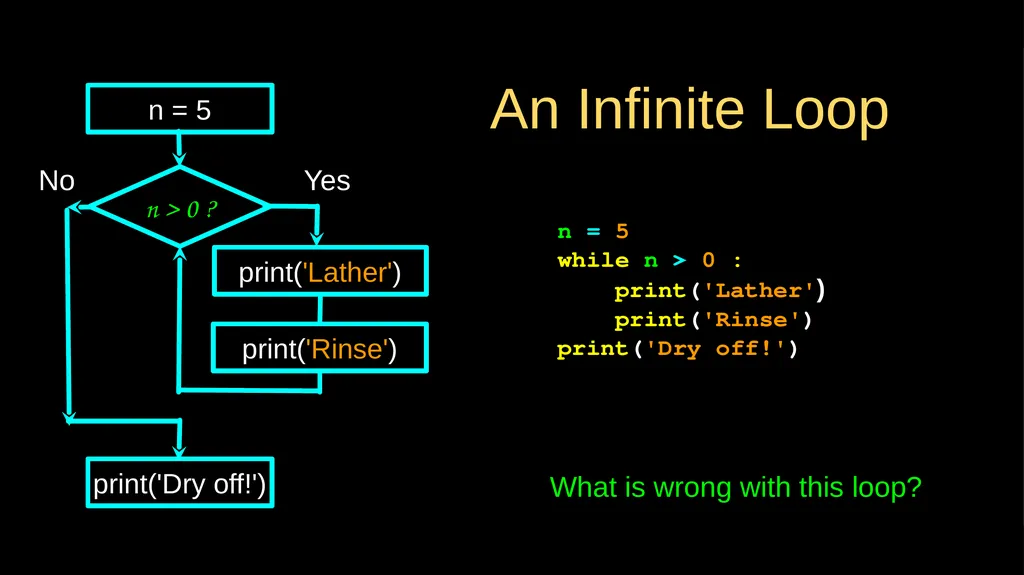
An Infinite Loop n = 5
while n > 0 :
print('Lather')
print('Rinse')
print('Dry off!') n > 0 ? No print('Dry off!') Yes n = 5 print('Lather') print('Rinse') What is wrong with this loop?<br>
while n > 0 :
print('Lather')
print('Rinse')
print('Dry off!') n > 0 ? No print('Dry off!') Yes n = 5 print('Lather') print('Rinse') What is wrong with this loop?<br>
04
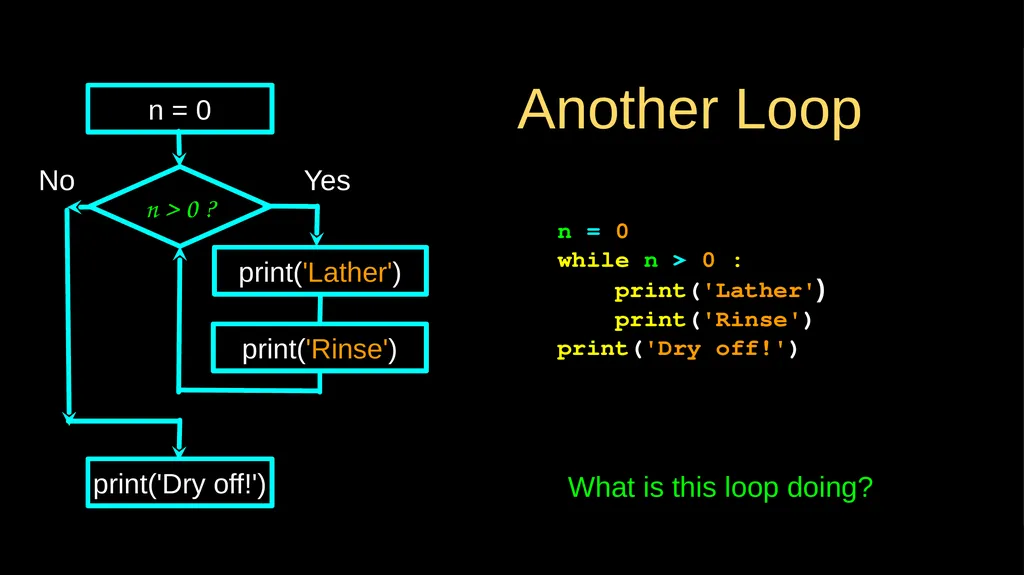
Another Loop n = 0
while n > 0 :
print('Lather')
print('Rinse')
print('Dry off!') n > 0 ? No print('Dry off!') Yes n = 0 print('Lather') print('Rinse') What is this loop doing?<br>
while n > 0 :
print('Lather')
print('Rinse')
print('Dry off!') n > 0 ? No print('Dry off!') Yes n = 0 print('Lather') print('Rinse') What is this loop doing?<br>
05
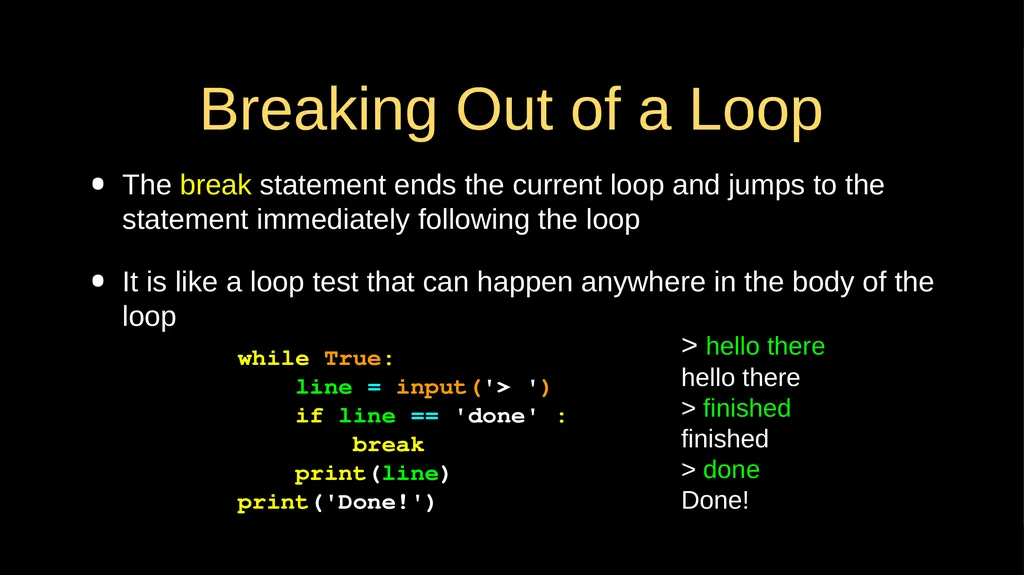
Breaking Out of a Loop The break statement ends the current loop and jumps to the statement immediately following the loop
It is like a loop test that can happen anywhere in the body of the loop > hello there
hello there
> finished
finished
> done
Done! while True:
line = input('> ')
if line == 'done' :
break
print(line)
print('Done!')<br>
It is like a loop test that can happen anywhere in the body of the loop > hello there
hello there
> finished
finished
> done
Done! while True:
line = input('> ')
if line == 'done' :
break
print(line)
print('Done!')<br>
06
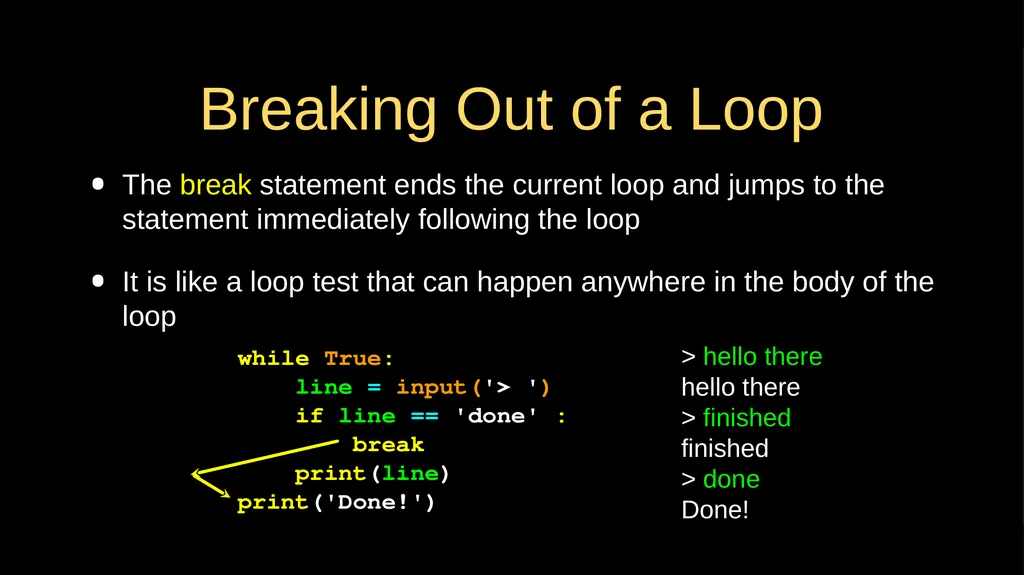
Breaking Out of a Loop The break statement ends the current loop and jumps to the statement immediately following the loop
It is like a loop test that can happen anywhere in the body of the loop > hello there
hello there
> finished
finished
> done
Done! while True:
line = input('> ')
if line == 'done' :
break
print(line)
print('Done!')<br>
It is like a loop test that can happen anywhere in the body of the loop > hello there
hello there
> finished
finished
> done
Done! while True:
line = input('> ')
if line == 'done' :
break
print(line)
print('Done!')<br>
07
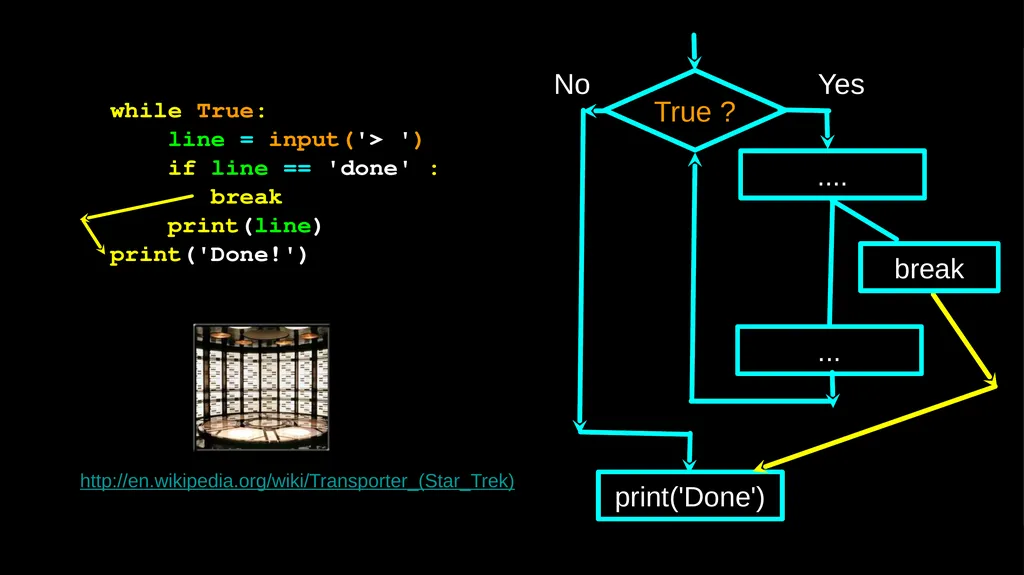
True ? No print('Done') Yes .... ... while True:
line = input('> ')
if line == 'done' :
break
print(line)
print('Done!') http://en.wikipedia.org/wiki/Transporter_(Star_Trek) break<br>
line = input('> ')
if line == 'done' :
break
print(line)
print('Done!') http://en.wikipedia.org/wiki/Transporter_(Star_Trek) break<br>
08
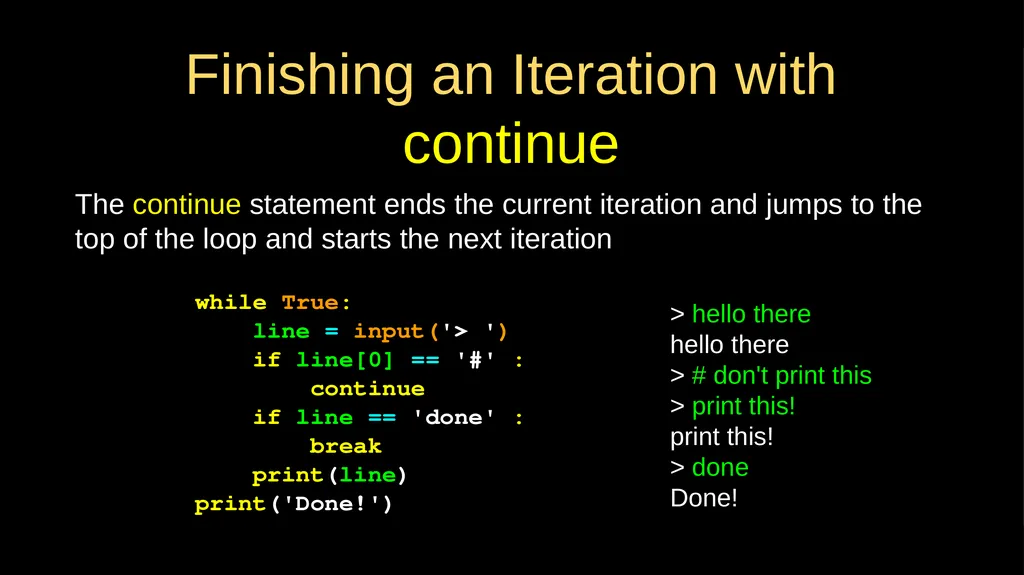
Finishing an Iteration with continue The continue statement ends the current iteration and jumps to the top of the loop and starts the next iteration while True:
line = input('> ')
if line[0] == '#' :
continue
if line == 'done' :
break
print(line)
print('Done!') > hello there
hello there
> # don't print this
> print this!
print this!
> done
Done!<br>
line = input('> ')
if line[0] == '#' :
continue
if line == 'done' :
break
print(line)
print('Done!') > hello there
hello there
> # don't print this
> print this!
print this!
> done
Done!<br>
09
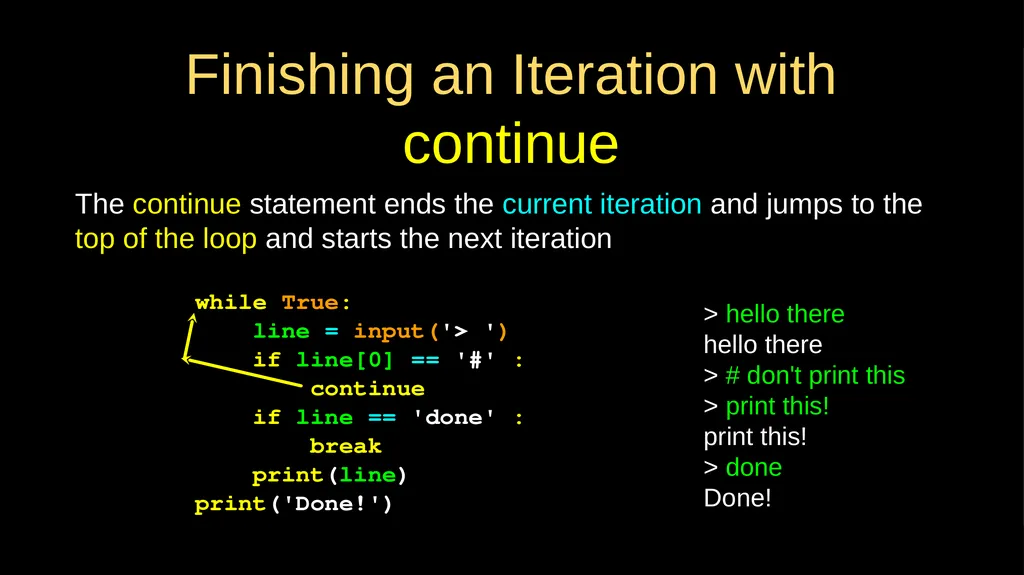
Finishing an Iteration with continue The continue statement ends the current iteration and jumps to the top of the loop and starts the next iteration while True:
line = input('> ')
if line[0] == '#' :
continue
if line == 'done' :
break
print(line)
print('Done!') > hello there
hello there
> # don't print this
> print this!
print this!
> done
Done!<br>
line = input('> ')
if line[0] == '#' :
continue
if line == 'done' :
break
print(line)
print('Done!') > hello there
hello there
> # don't print this
> print this!
print this!
> done
Done!<br>
10
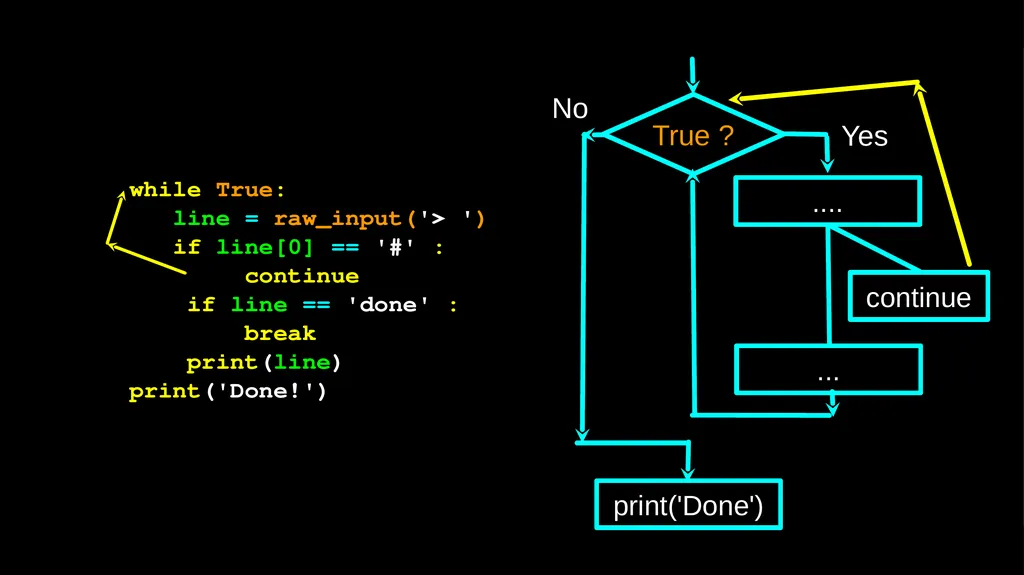
True ? No print('Done') Yes while True:
line = raw_input('> ')
if line[0] == '#' :
continue
if line == 'done' :
break
print(line)
print('Done!') ... .... continue<br>
line = raw_input('> ')
if line[0] == '#' :
continue
if line == 'done' :
break
print(line)
print('Done!') ... .... continue<br>
11
Indefinite Loops While loops are called “indefinite loops” because they keep going until a logical condition becomes False
The loops we have seen so far are pretty easy to examine to see if they will terminate or if they will be “infinite loops”
Sometimes it is a little harder to be sure if a loop will terminate<br>
The loops we have seen so far are pretty easy to examine to see if they will terminate or if they will be “infinite loops”
Sometimes it is a little harder to be sure if a loop will terminate<br>
12
Definite Loops Iterating over a set of items…<br>
13
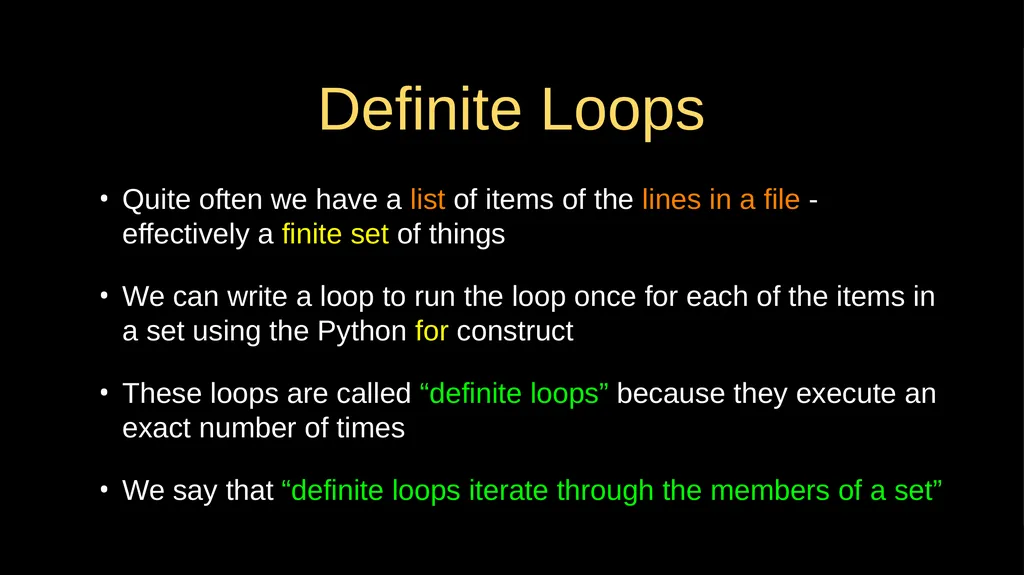
Definite Loops Quite often we have a list of items of the lines in a file - effectively a finite set of things
We can write a loop to run the loop once for each of the items in a set using the Python for construct
These loops are called “definite loops” because they execute an exact number of times
We say that “definite loops iterate through the members of a set”<br>
We can write a loop to run the loop once for each of the items in a set using the Python for construct
These loops are called “definite loops” because they execute an exact number of times
We say that “definite loops iterate through the members of a set”<br>
14
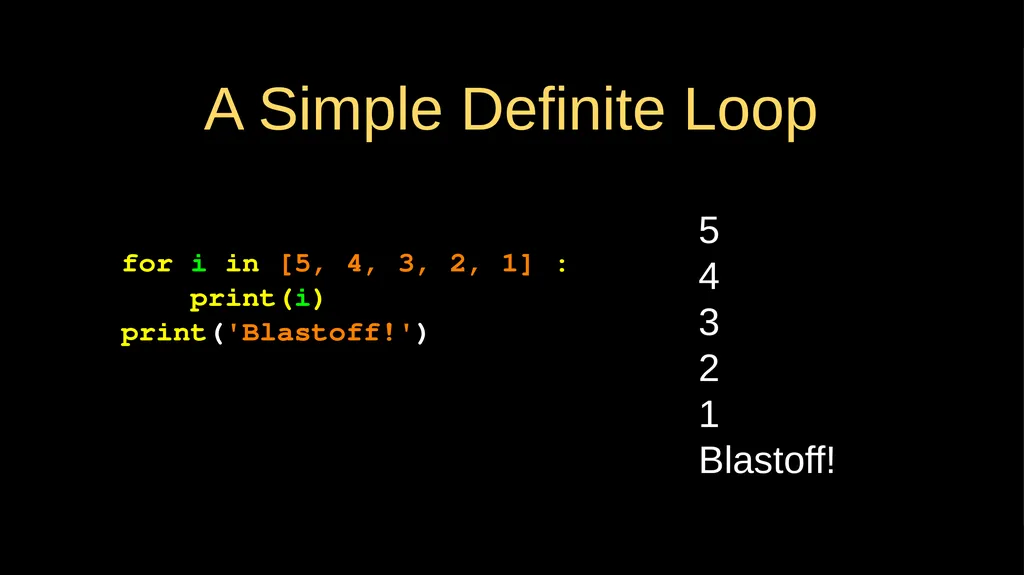
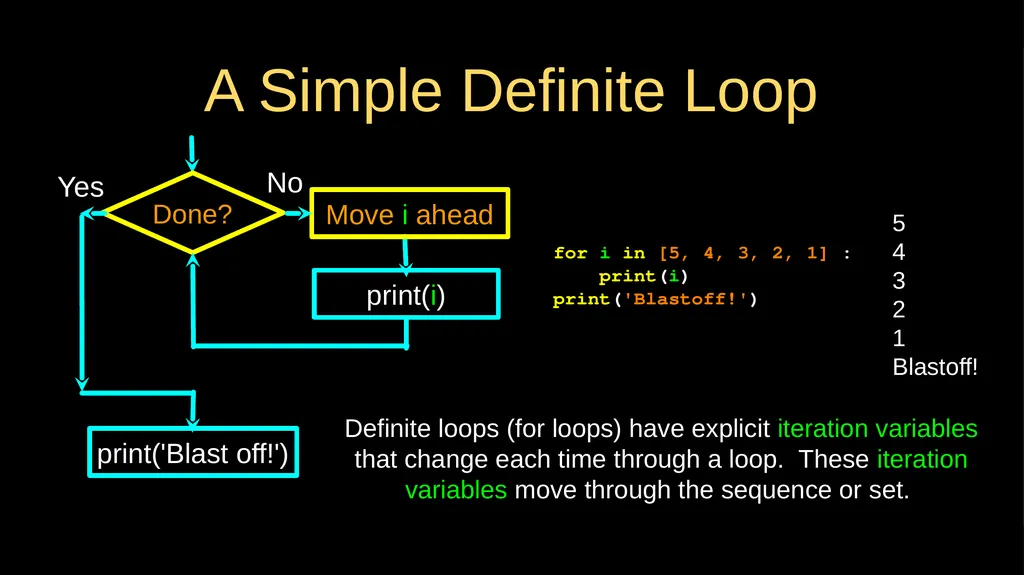
A Simple Definite Loop for i in [5, 4, 3, 2, 1] :
print(i)
print('Blastoff!') 5
4
3
2
1
Blastoff!<br>
print(i)
print('Blastoff!') 5
4
3
2
1
Blastoff!<br>
15
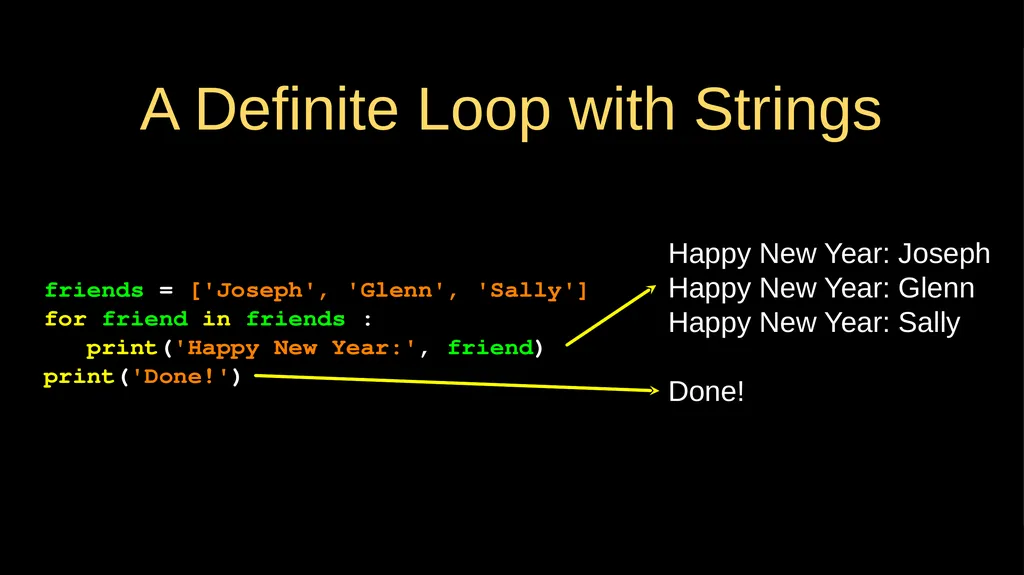
A Definite Loop with Strings friends = ['Joseph', 'Glenn', 'Sally']
for friend in friends :
print('Happy New Year:', friend)
print('Done!') Happy New Year: Joseph Happy New Year: Glenn
Happy New Year: Sally
Done!<br>
for friend in friends :
print('Happy New Year:', friend)
print('Done!') Happy New Year: Joseph Happy New Year: Glenn
Happy New Year: Sally
Done!<br>
16
A Simple Definite Loop for i in [5, 4, 3, 2, 1] :
print(i)
print('Blastoff!') 5
4
3
2
1
Blastoff! Done? Yes print('Blast off!') print(i) No Move i ahead Definite loops (for loops) have explicit iteration variables that change each time through a loop. These iteration variables move through the sequence or set.<br>
print(i)
print('Blastoff!') 5
4
3
2
1
Blastoff! Done? Yes print('Blast off!') print(i) No Move i ahead Definite loops (for loops) have explicit iteration variables that change each time through a loop. These iteration variables move through the sequence or set.<br>
17
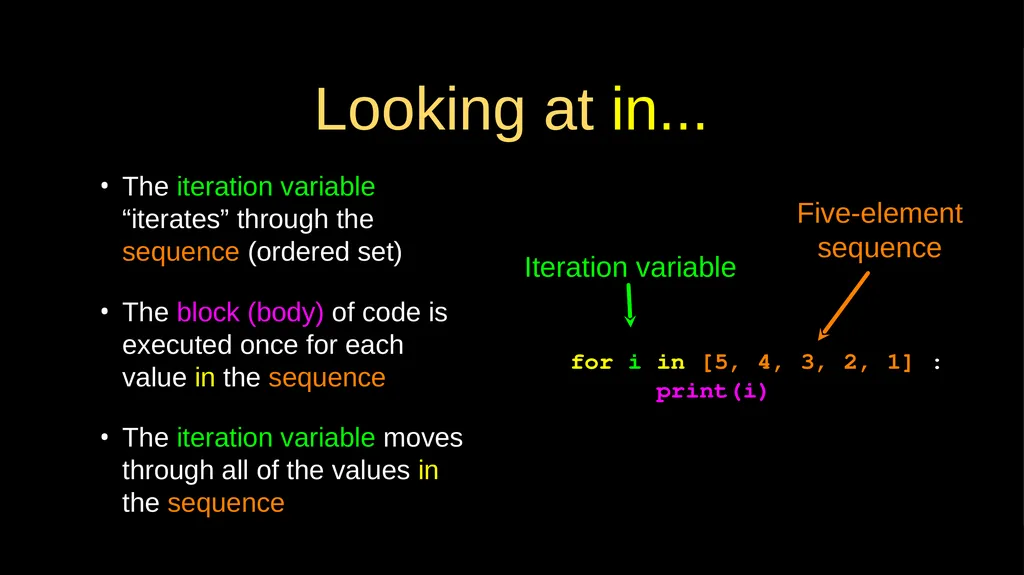
Looking at in... The iteration variable “iterates” through the sequence (ordered set)
The block (body) of code is executed once for each value in the sequence
The iteration variable moves through all of the values in the sequence for i in [5, 4, 3, 2, 1] :
print(i) Iteration variable Five-element sequence<br>
The block (body) of code is executed once for each value in the sequence
The iteration variable moves through all of the values in the sequence for i in [5, 4, 3, 2, 1] :
print(i) Iteration variable Five-element sequence<br>
18
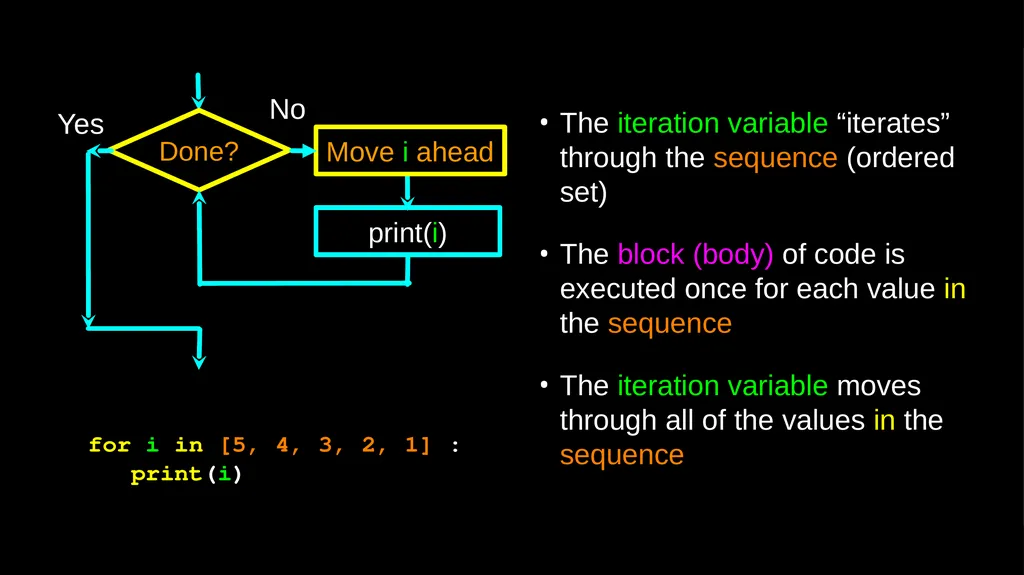
Done? Yes print(i) No Move i ahead The iteration variable “iterates” through the sequence (ordered set)
The block (body) of code is executed once for each value in the sequence
The iteration variable moves through all of the values in the sequence for i in [5, 4, 3, 2, 1] :
print(i)<br>
The block (body) of code is executed once for each value in the sequence
The iteration variable moves through all of the values in the sequence for i in [5, 4, 3, 2, 1] :
print(i)<br>
19
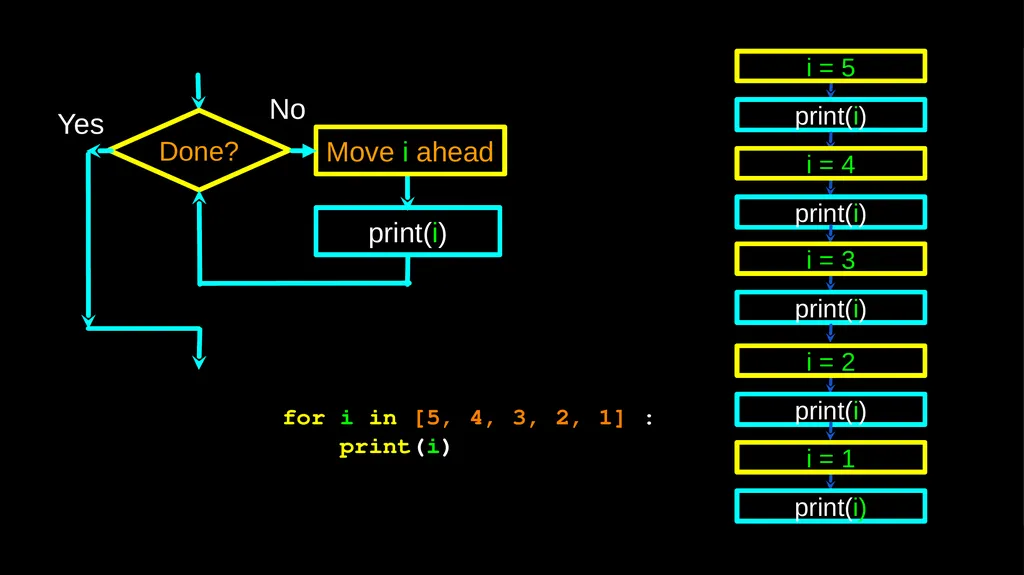
for i in [5, 4, 3, 2, 1] :
print(i) Done? Yes print(i) No Move i ahead<br>
print(i) Done? Yes print(i) No Move i ahead<br>
20
Loop Idioms:
What We Do in Loops
Note: Even though these examples are simple, the patterns apply to all kinds of loops<br>
Note: Even though these examples are simple, the patterns apply to all kinds of loops<br>
21
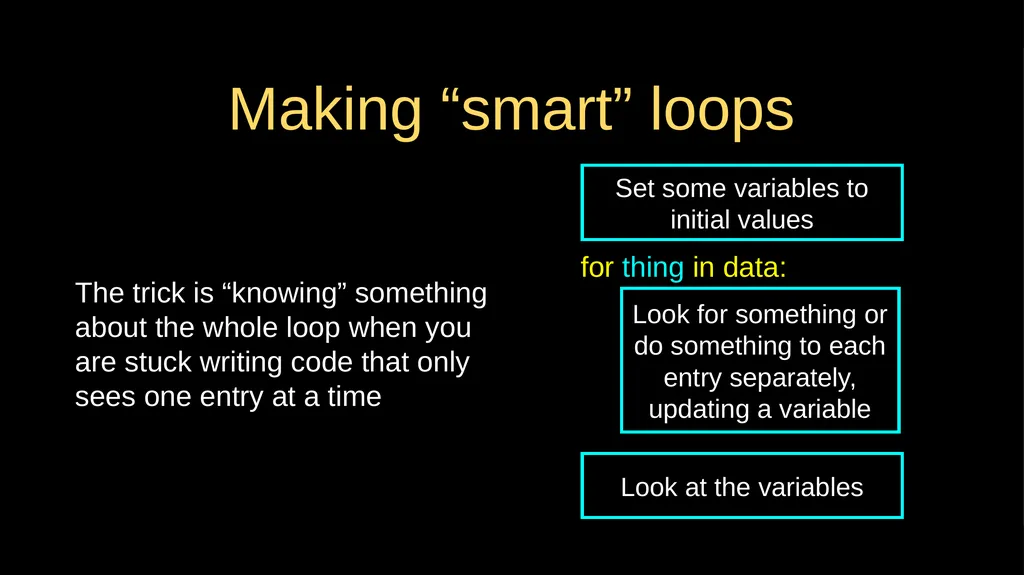
Making “smart” loops The trick is “knowing” something about the whole loop when you are stuck writing code that only sees one entry at a time Set some variables to initial values Look for something or do something to each entry separately, updating a variable for thing in data: Look at the variables<br>
22
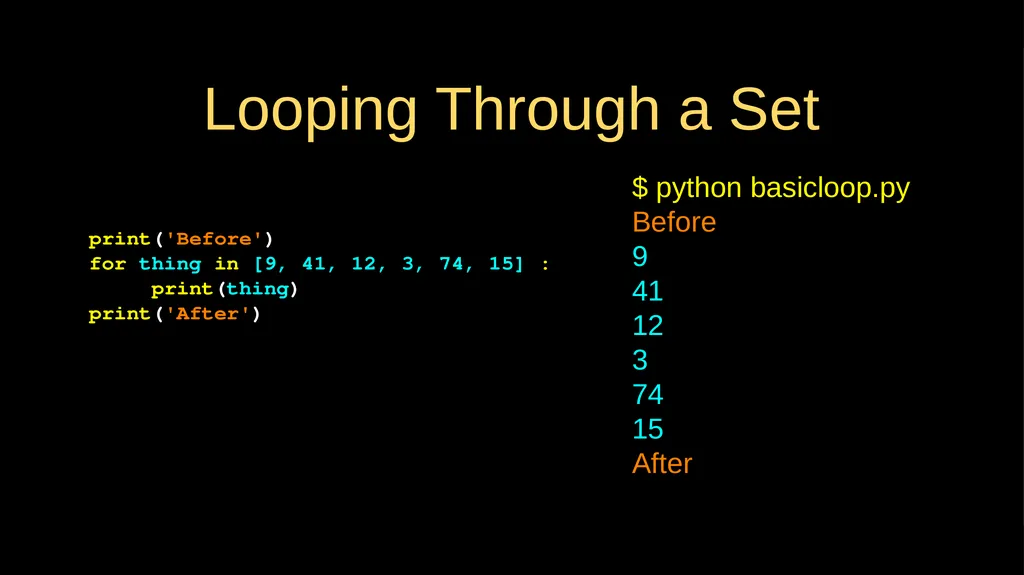
Looping Through a Set print('Before')
for thing in [9, 41, 12, 3, 74, 15] :
print(thing)
print('After') $ python basicloop.py
Before
9
41
12
3
74
15
After<br>
for thing in [9, 41, 12, 3, 74, 15] :
print(thing)
print('After') $ python basicloop.py
Before
9
41
12
3
74
15
After<br>
23
What is the Largest Number?<br>
24
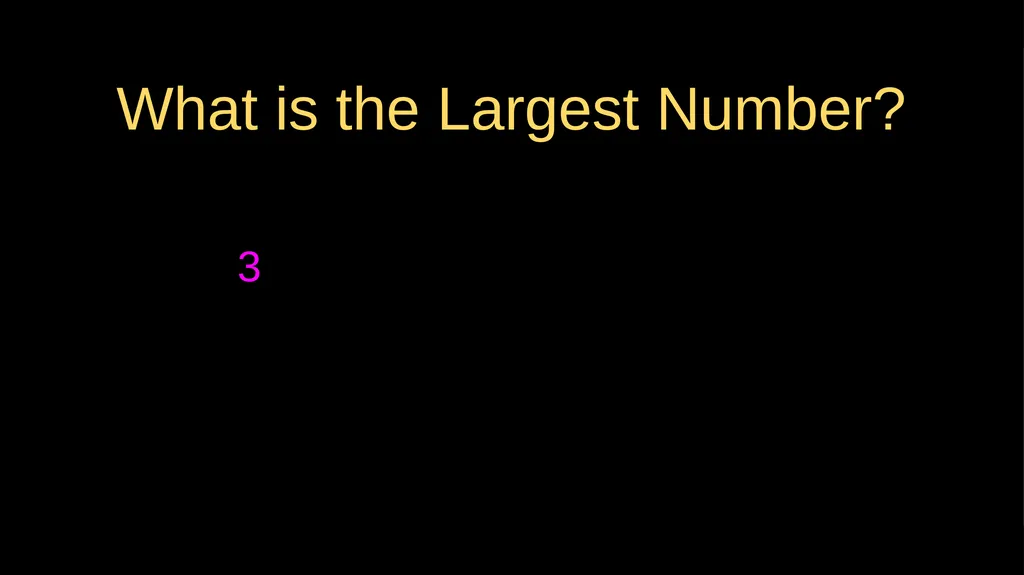
3 What is the Largest Number?<br>
25
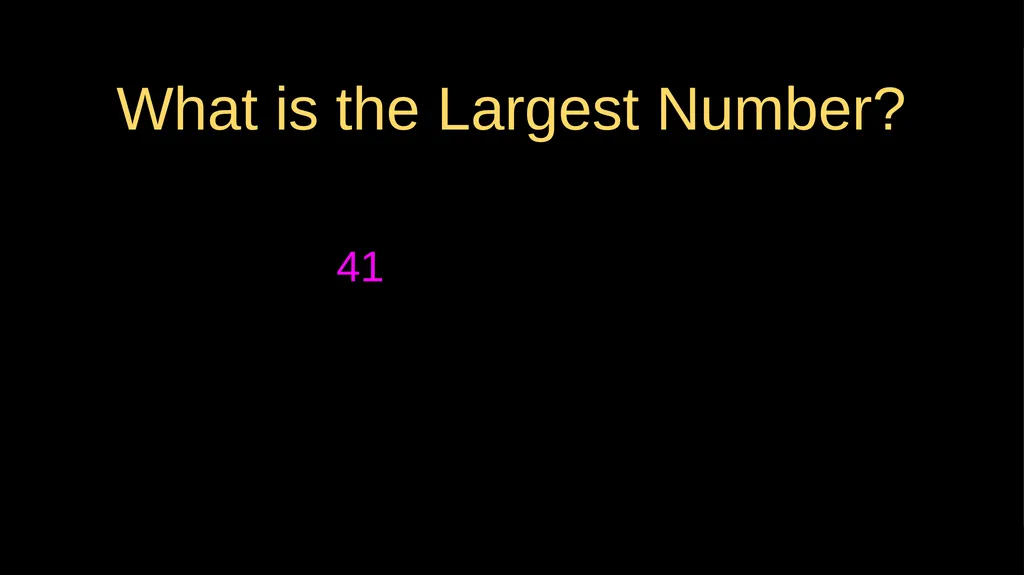
What is the Largest Number? 41<br>
26
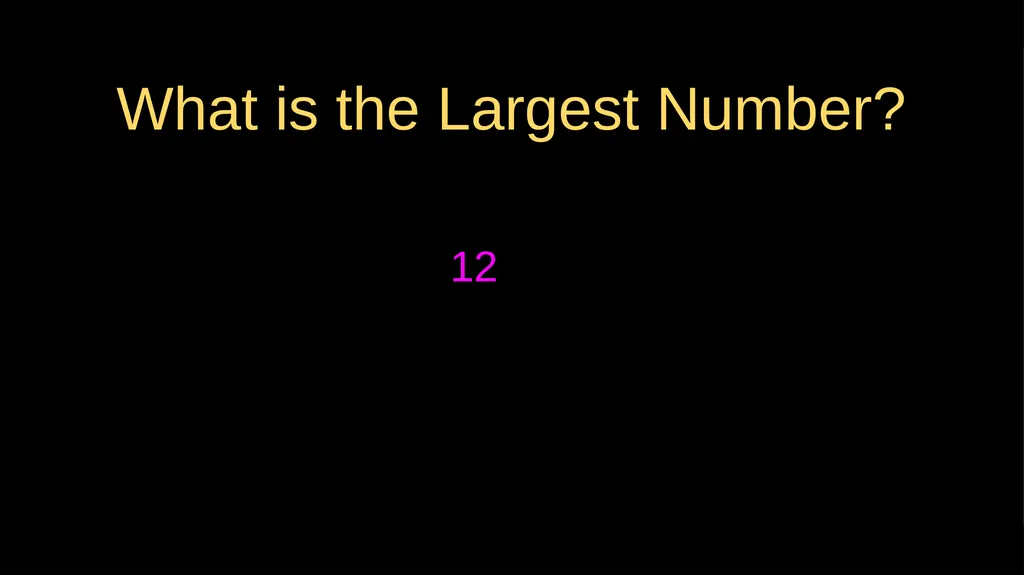
What is the Largest Number? 12<br>
27
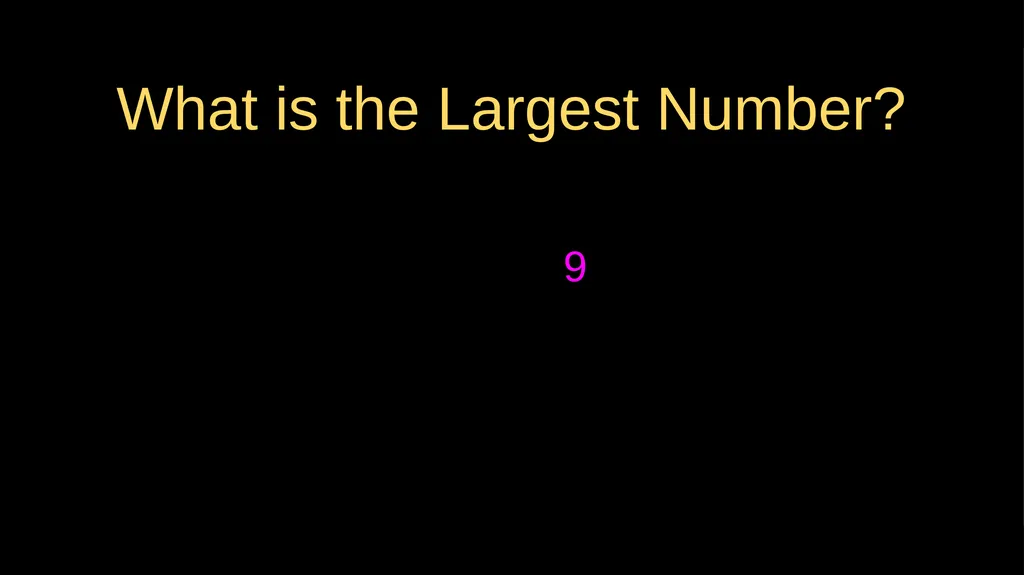
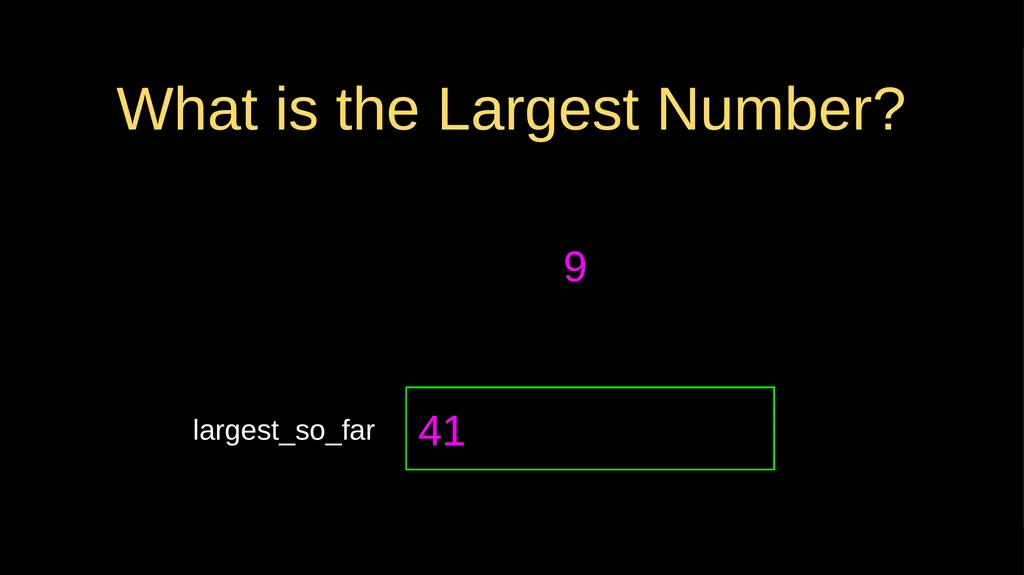
What is the Largest Number? 9<br>
28
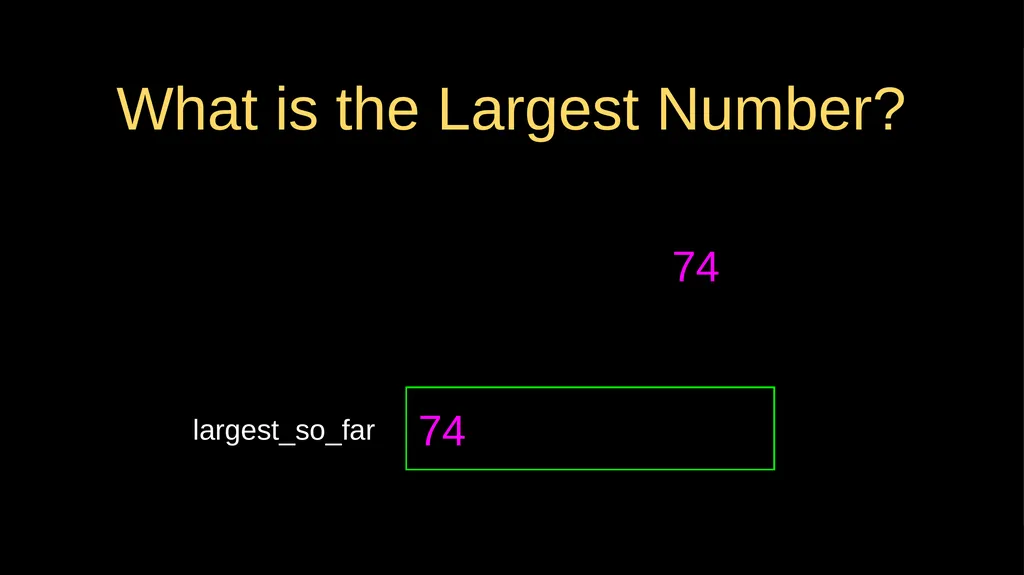
What is the Largest Number? 74<br>
29
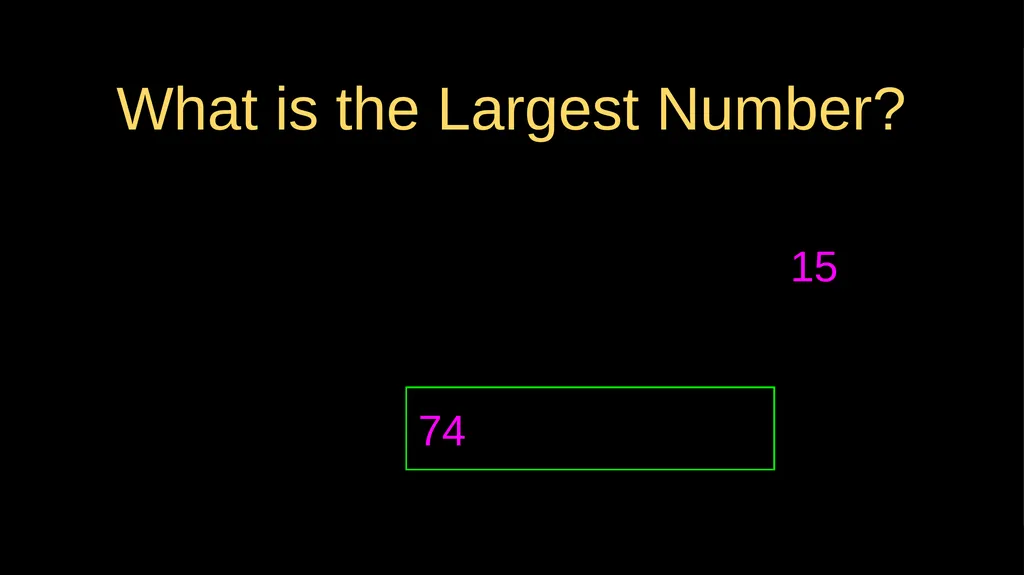
What is the Largest Number? 15<br>
30
What is the Largest Number?<br>
31
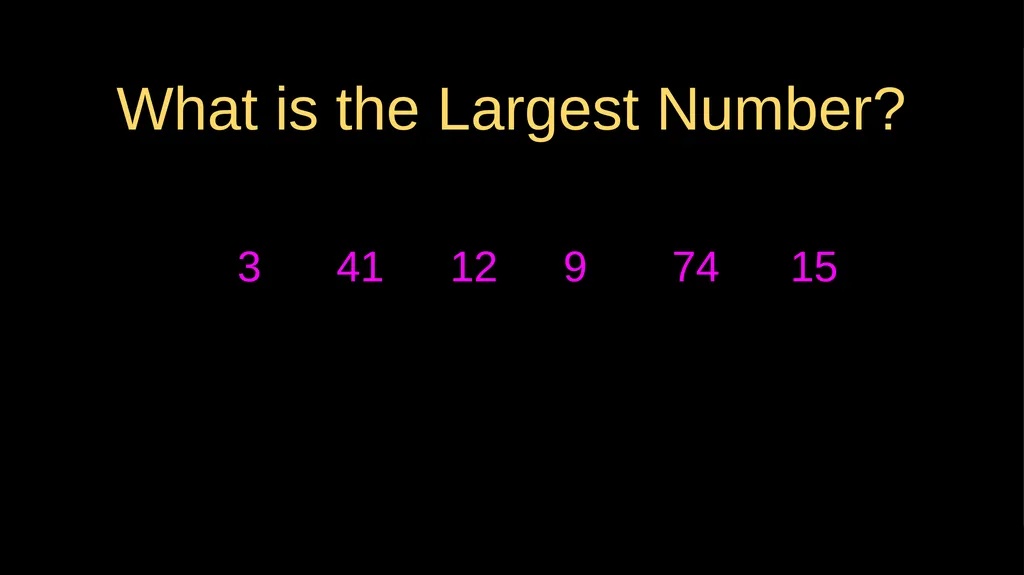
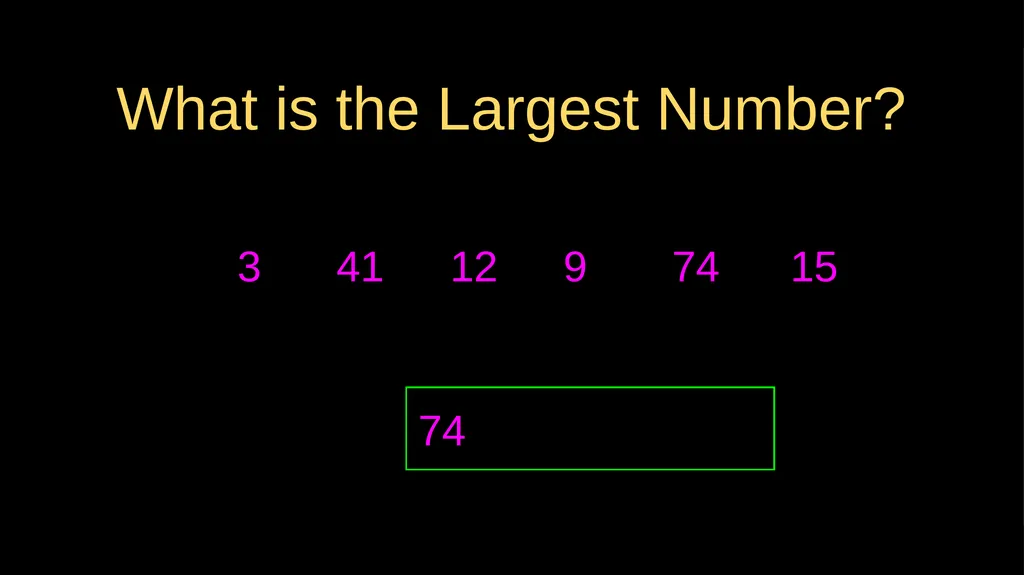
3 What is the Largest Number? 41 12 9 74 15<br>
32
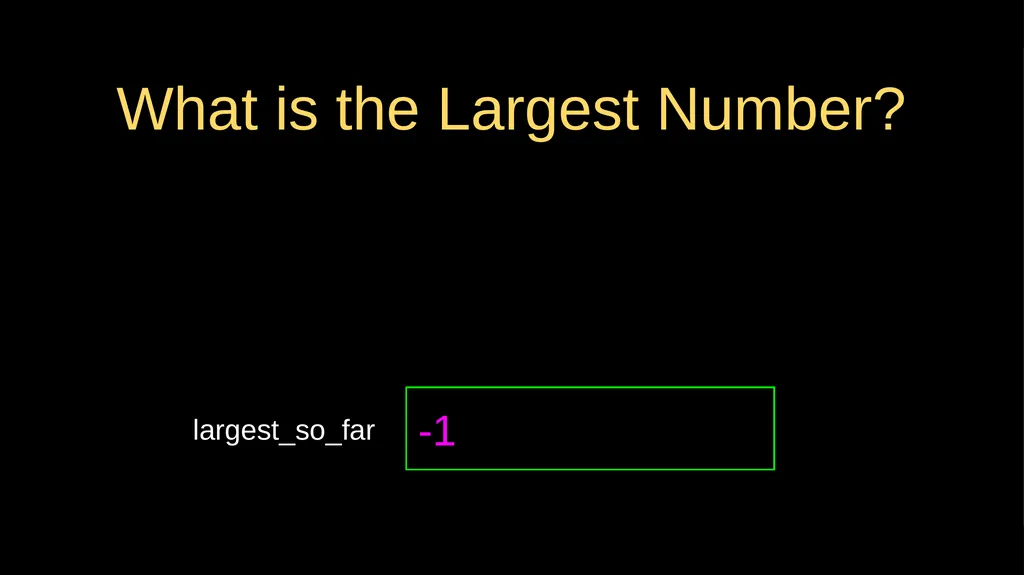
What is the Largest Number? largest_so_far -1<br>
33
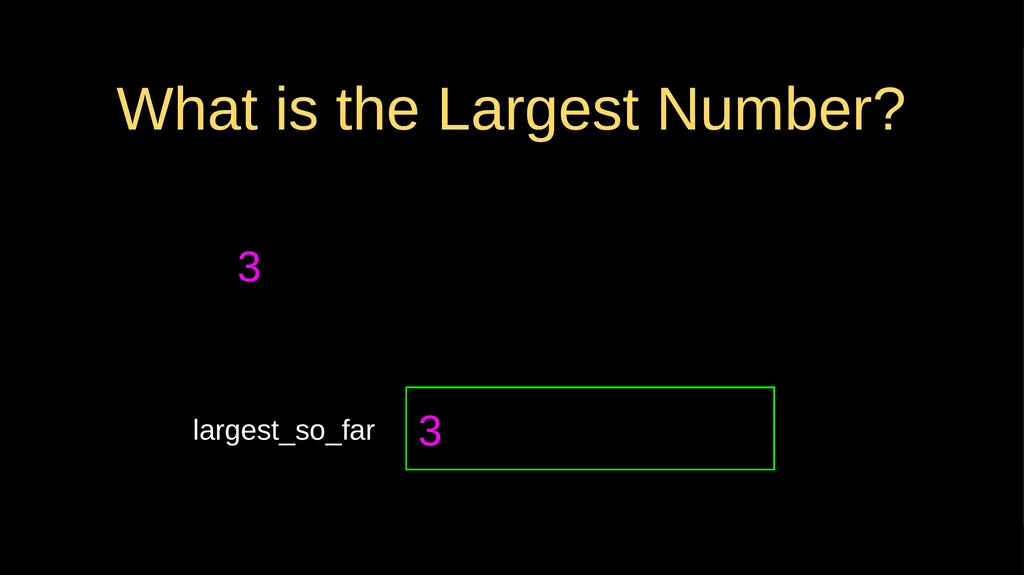
3 What is the Largest Number? largest_so_far 3<br>
34
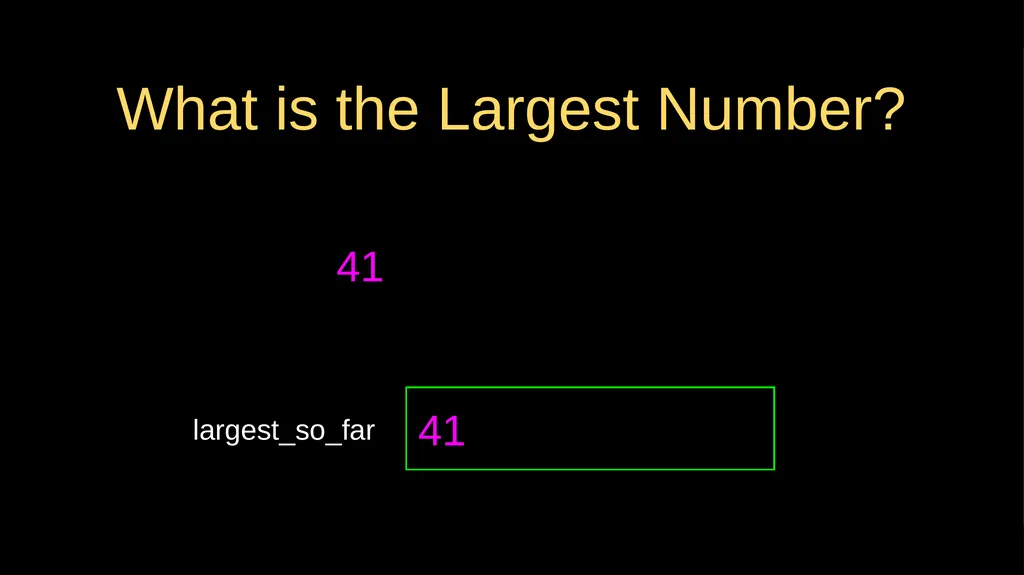
What is the Largest Number? 41 largest_so_far 41<br>
35
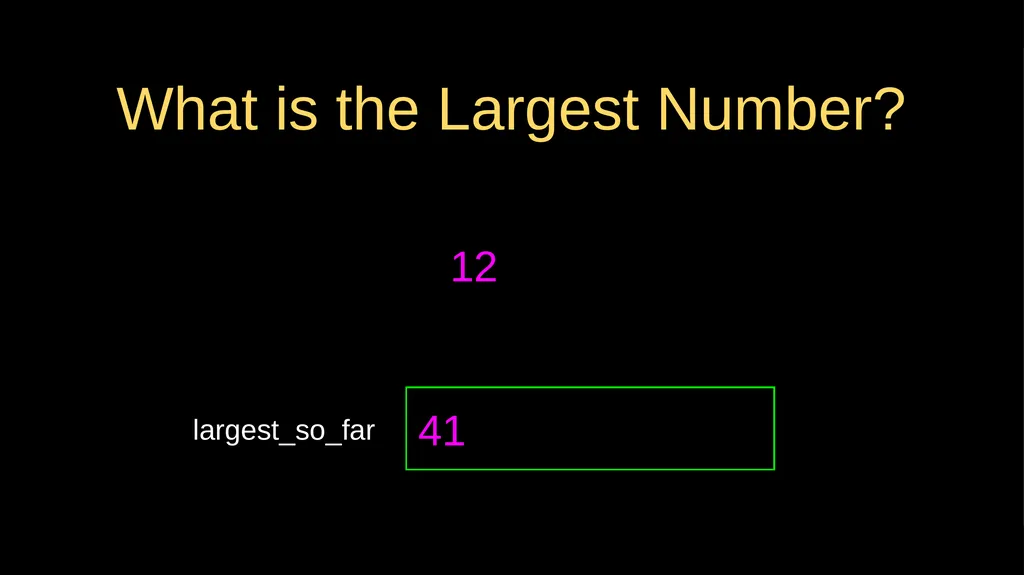
What is the Largest Number? 12 largest_so_far 41<br>
36
What is the Largest Number? 9 largest_so_far 41<br>
37
What is the Largest Number? 74 largest_so_far 74<br>
38
What is the Largest Number? 15 74<br>
39
3 What is the Largest Number? 41 12 9 74 15 74<br>
40
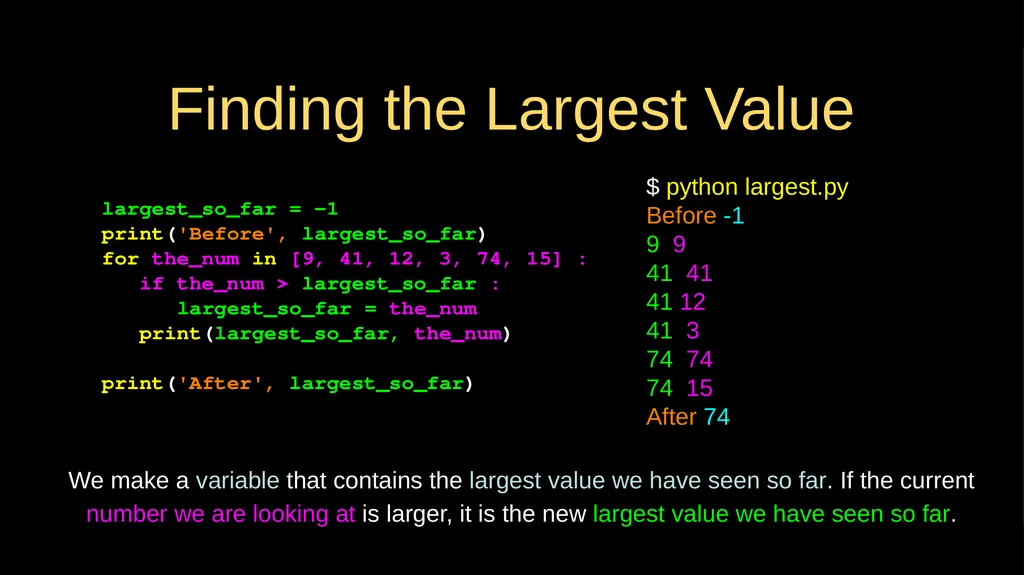
Finding the Largest Value largest_so_far = -1
print('Before', largest_so_far)
for the_num in [9, 41, 12, 3, 74, 15] :
if the_num > largest_so_far :
largest_so_far = the_num
print(largest_so_far, the_num)
print('After', largest_so_far) $ python largest.py
Before -1
9 9
41 41
41 12
41 3
74 74
74 15
After 74 We make a variable that contains the largest value we have seen so far. If the current number we are looking at is larger, it is the new largest value we have seen so far.<br>
print('Before', largest_so_far)
for the_num in [9, 41, 12, 3, 74, 15] :
if the_num > largest_so_far :
largest_so_far = the_num
print(largest_so_far, the_num)
print('After', largest_so_far) $ python largest.py
Before -1
9 9
41 41
41 12
41 3
74 74
74 15
After 74 We make a variable that contains the largest value we have seen so far. If the current number we are looking at is larger, it is the new largest value we have seen so far.<br>
41
More Loop Patterns…<br>
42
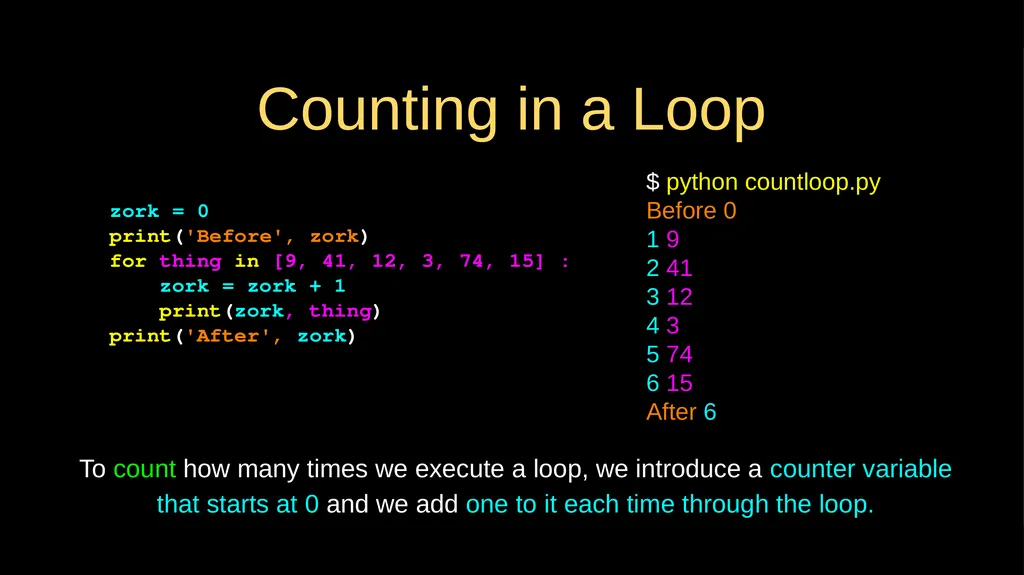
Counting in a Loop zork = 0
print('Before', zork)
for thing in [9, 41, 12, 3, 74, 15] :
zork = zork + 1
print(zork, thing)
print('After', zork) $ python countloop.py
Before 0
1 9
2 41
3 12
4 3
5 74
6 15
After 6 To count how many times we execute a loop, we introduce a counter variable that starts at 0 and we add one to it each time through the loop.<br>
print('Before', zork)
for thing in [9, 41, 12, 3, 74, 15] :
zork = zork + 1
print(zork, thing)
print('After', zork) $ python countloop.py
Before 0
1 9
2 41
3 12
4 3
5 74
6 15
After 6 To count how many times we execute a loop, we introduce a counter variable that starts at 0 and we add one to it each time through the loop.<br>
43
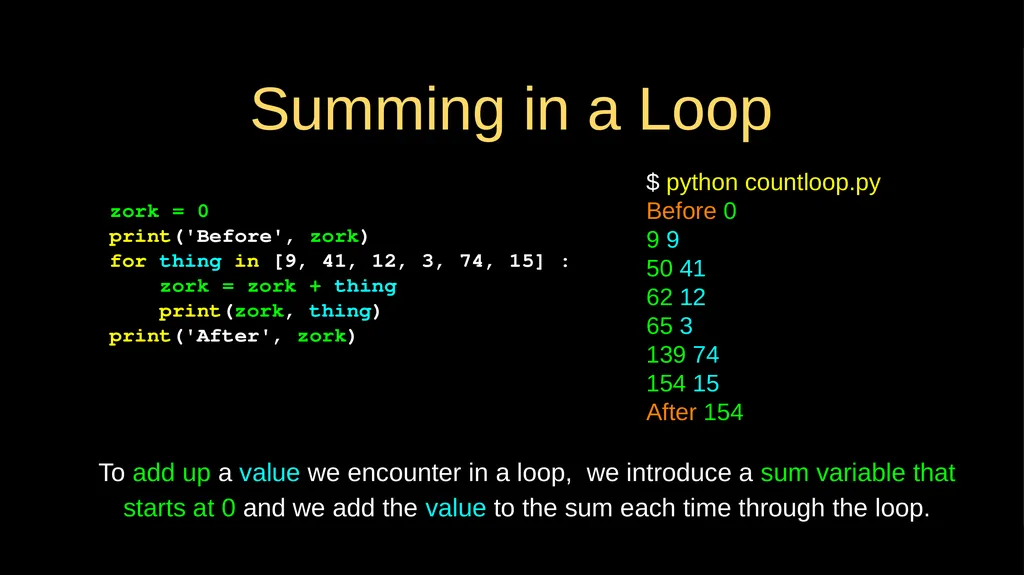
Summing in a Loop zork = 0
print('Before', zork)
for thing in [9, 41, 12, 3, 74, 15] :
zork = zork + thing
print(zork, thing)
print('After', zork) $ python countloop.py
Before 0
9 9
50 41
62 12
65 3
139 74
154 15
After 154 To add up a value we encounter in a loop, we introduce a sum variable that starts at 0 and we add the value to the sum each time through the loop.<br>
print('Before', zork)
for thing in [9, 41, 12, 3, 74, 15] :
zork = zork + thing
print(zork, thing)
print('After', zork) $ python countloop.py
Before 0
9 9
50 41
62 12
65 3
139 74
154 15
After 154 To add up a value we encounter in a loop, we introduce a sum variable that starts at 0 and we add the value to the sum each time through the loop.<br>
44
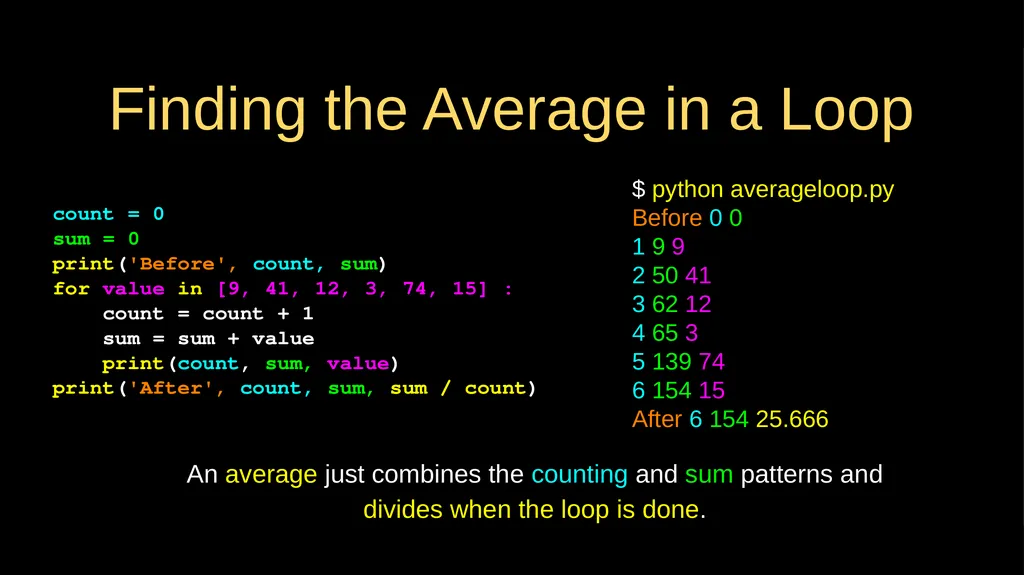
Finding the Average in a Loop count = 0
sum = 0
print('Before', count, sum)
for value in [9, 41, 12, 3, 74, 15] :
count = count + 1
sum = sum + value
print(count, sum, value)
print('After', count, sum, sum / count) $ python averageloop.py
Before 0 0
1 9 9
2 50 41
3 62 12
4 65 3
5 139 74
6 154 15
After 6 154 25.666 An average just combines the counting and sum patterns and divides when the loop is done.<br>
sum = 0
print('Before', count, sum)
for value in [9, 41, 12, 3, 74, 15] :
count = count + 1
sum = sum + value
print(count, sum, value)
print('After', count, sum, sum / count) $ python averageloop.py
Before 0 0
1 9 9
2 50 41
3 62 12
4 65 3
5 139 74
6 154 15
After 6 154 25.666 An average just combines the counting and sum patterns and divides when the loop is done.<br>
45
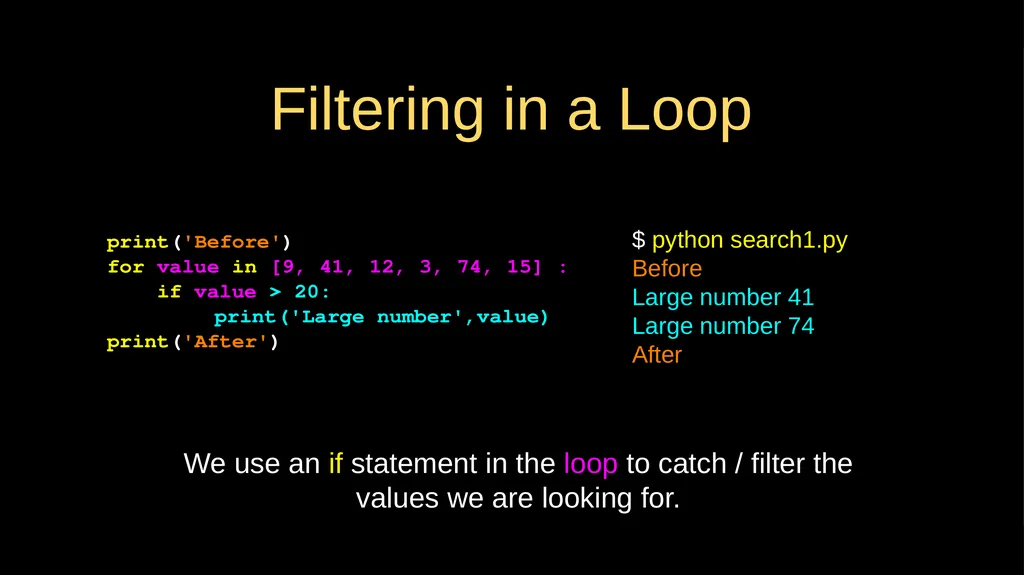
Filtering in a Loop print('Before')
for value in [9, 41, 12, 3, 74, 15] :
if value > 20:
print('Large number',value)
print('After') $ python search1.py
Before
Large number 41
Large number 74
After We use an if statement in the loop to catch / filter the values we are looking for.<br>
for value in [9, 41, 12, 3, 74, 15] :
if value > 20:
print('Large number',value)
print('After') $ python search1.py
Before
Large number 41
Large number 74
After We use an if statement in the loop to catch / filter the values we are looking for.<br>
46
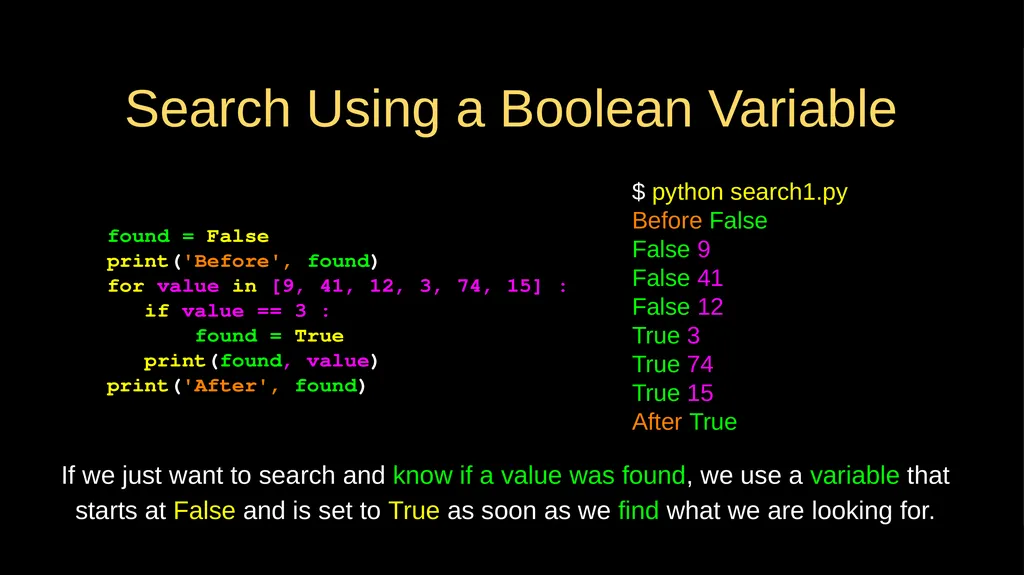
Search Using a Boolean Variable found = False
print('Before', found)
for value in [9, 41, 12, 3, 74, 15] :
if value == 3 :
found = True
print(found, value)
print('After', found) $ python search1.py
Before False
False 9
False 41
False 12
True 3
True 74
True 15
After True If we just want to search and know if a value was found, we use a variable that starts at False and is set to True as soon as we find what we are looking for.<br>
print('Before', found)
for value in [9, 41, 12, 3, 74, 15] :
if value == 3 :
found = True
print(found, value)
print('After', found) $ python search1.py
Before False
False 9
False 41
False 12
True 3
True 74
True 15
After True If we just want to search and know if a value was found, we use a variable that starts at False and is set to True as soon as we find what we are looking for.<br>
47
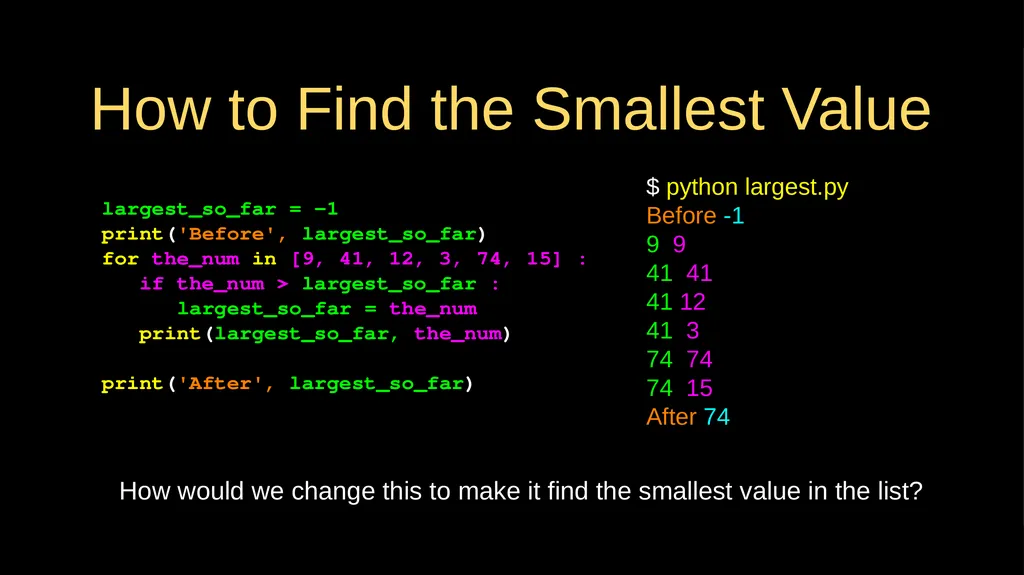
How to Find the Smallest Value largest_so_far = -1
print('Before', largest_so_far)
for the_num in [9, 41, 12, 3, 74, 15] :
if the_num > largest_so_far :
largest_so_far = the_num
print(largest_so_far, the_num)
print('After', largest_so_far) $ python largest.py
Before -1
9 9
41 41
41 12
41 3
74 74
74 15
After 74 How would we change this to make it find the smallest value in the list?<br>
print('Before', largest_so_far)
for the_num in [9, 41, 12, 3, 74, 15] :
if the_num > largest_so_far :
largest_so_far = the_num
print(largest_so_far, the_num)
print('After', largest_so_far) $ python largest.py
Before -1
9 9
41 41
41 12
41 3
74 74
74 15
After 74 How would we change this to make it find the smallest value in the list?<br>
48
Finding the Smallest Value smallest_so_far = -1
print('Before', smallest_so_far)
for the_num in [9, 41, 12, 3, 74, 15] :
if the_num < smallest_so_far :
smallest_so_far = the_num
print(smallest_so_far, the_num)
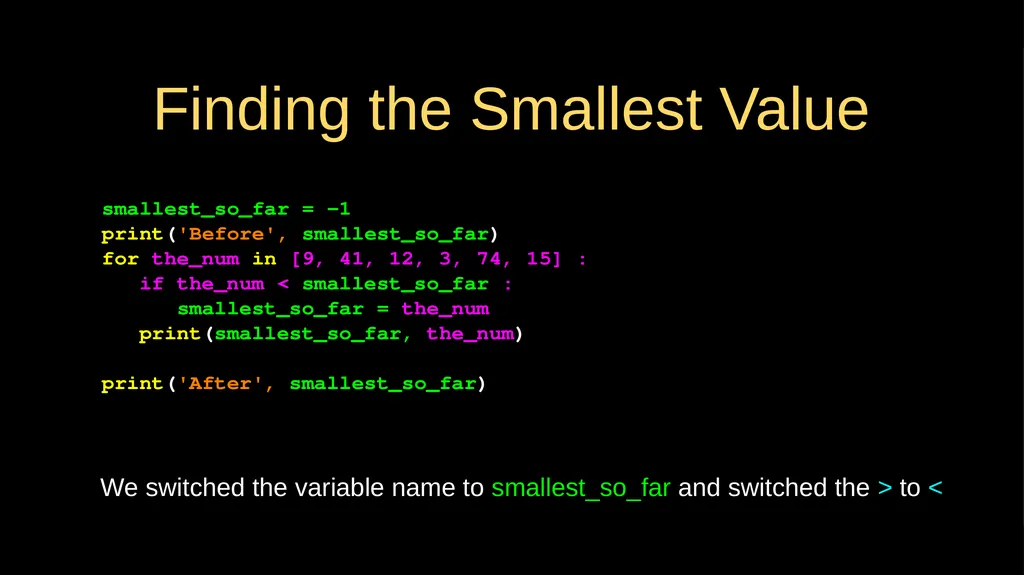
print('After', smallest_so_far) We switched the variable name to smallest_so_far and switched the > to <<br>
print('Before', smallest_so_far)
for the_num in [9, 41, 12, 3, 74, 15] :
if the_num < smallest_so_far :
smallest_so_far = the_num
print(smallest_so_far, the_num)
print('After', smallest_so_far) We switched the variable name to smallest_so_far and switched the > to <<br>
49
Finding the Smallest Value smallest_so_far = -1
print('Before', smallest_so_far)
for the_num in [9, 41, 12, 3, 74, 15] :
if the_num < smallest_so_far :
smallest_so_far = the_num
print(smallest_so_far, the_num)
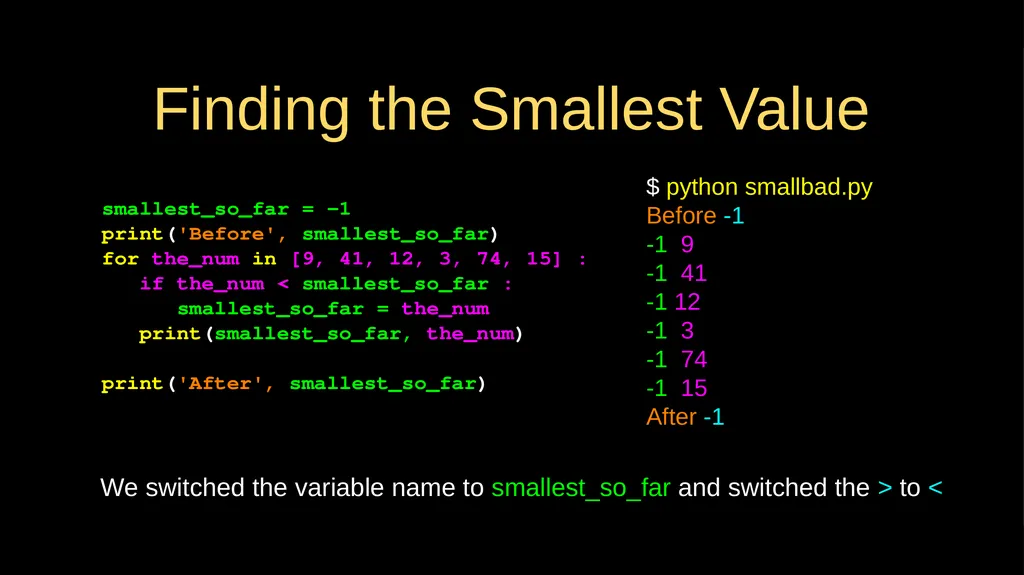
print('After', smallest_so_far) We switched the variable name to smallest_so_far and switched the > to < $ python smallbad.py
Before -1
-1 9
-1 41
-1 12
-1 3
-1 74
-1 15
After -1<br>
print('Before', smallest_so_far)
for the_num in [9, 41, 12, 3, 74, 15] :
if the_num < smallest_so_far :
smallest_so_far = the_num
print(smallest_so_far, the_num)
print('After', smallest_so_far) We switched the variable name to smallest_so_far and switched the > to < $ python smallbad.py
Before -1
-1 9
-1 41
-1 12
-1 3
-1 74
-1 15
After -1<br>
50
smallest = None
print('Before')
for value in [9, 41, 12, 3, 74, 15] :
if smallest is None :
smallest = value
elif value < smallest :
smallest = value
print(smallest, value)
print('After', smallest) $ python smallest.py
Before
9 9
9 41
9 12
3 3
3 74
3 15
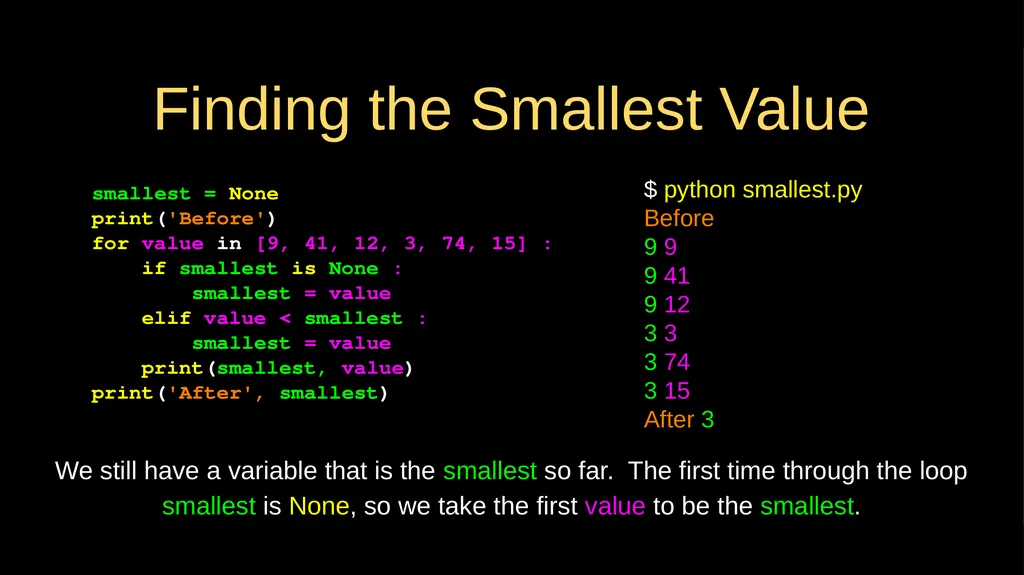
After 3 We still have a variable that is the smallest so far. The first time through the loop smallest is None, so we take the first value to be the smallest. Finding the Smallest Value<br>
print('Before')
for value in [9, 41, 12, 3, 74, 15] :
if smallest is None :
smallest = value
elif value < smallest :
smallest = value
print(smallest, value)
print('After', smallest) $ python smallest.py
Before
9 9
9 41
9 12
3 3
3 74
3 15
After 3 We still have a variable that is the smallest so far. The first time through the loop smallest is None, so we take the first value to be the smallest. Finding the Smallest Value<br>
51
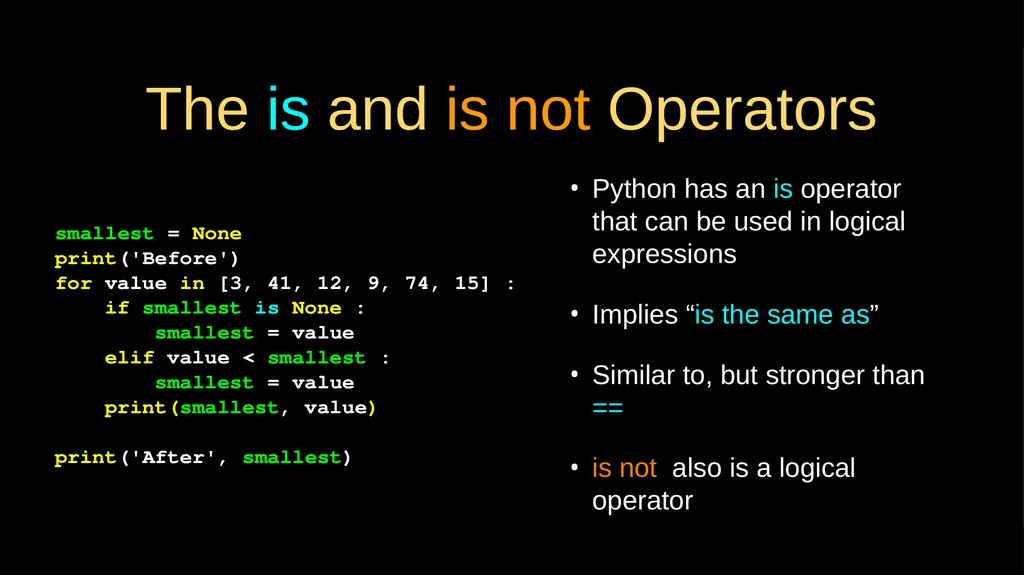
The is and is not Operators Python has an is operator that can be used in logical expressions
Implies “is the same as”
Similar to, but stronger than ==
is not also is a logical operator smallest = None
print('Before')
for value in [3, 41, 12, 9, 74, 15] :
if smallest is None :
smallest = value
elif value < smallest :
smallest = value
print(smallest, value)
print('After', smallest)<br>
Implies “is the same as”
Similar to, but stronger than ==
is not also is a logical operator smallest = None
print('Before')
for value in [3, 41, 12, 9, 74, 15] :
if smallest is None :
smallest = value
elif value < smallest :
smallest = value
print(smallest, value)
print('After', smallest)<br>
52
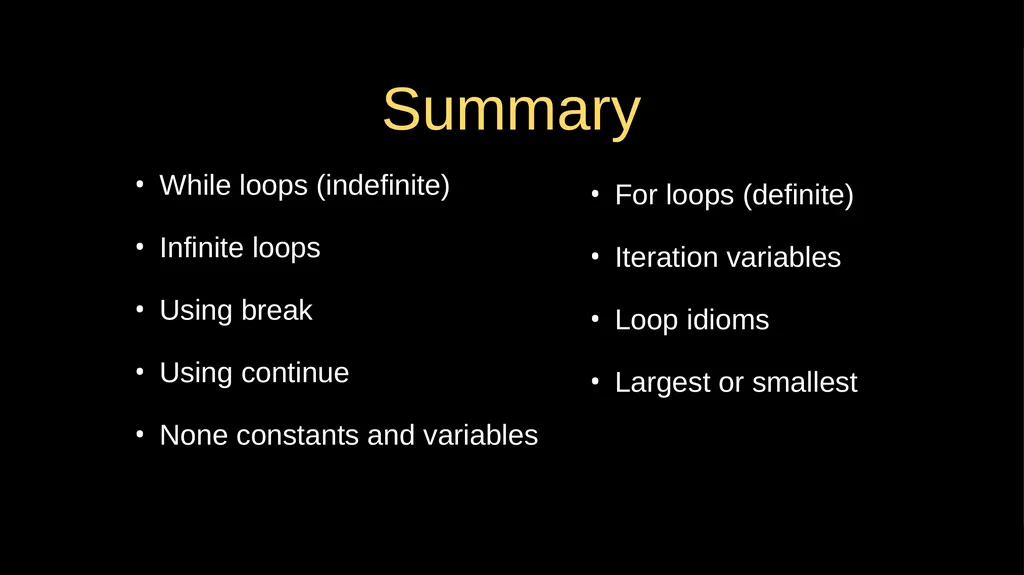
Summary While loops (indefinite)
Infinite loops
Using break
Using continue
None constants and variables For loops (definite)
Iteration variables
Loop idioms
Largest or smallest<br>
Infinite loops
Using break
Using continue
None constants and variables For loops (definite)
Iteration variables
Loop idioms
Largest or smallest<br>
53
Acknowledgements / Contributions These slides are Copyright 2010- Charles R. Severance (www.dr-chuck.com) of the University of Michigan School of Information and open.umich.edu and made available under a Creative Commons Attribution 4.0 License. Please maintain this last slide in all copies of the document to comply with the attribution requirements of the license. If you make a change, feel free to add your name and organization to the list of contributors on this page as you republish the materials.
Initial Development: Charles Severance, University of Michigan School of Information
… Insert new Contributors and Translators here ...<br>
Initial Development: Charles Severance, University of Michigan School of Information
… Insert new Contributors and Translators here ...<br>