
Marketing for Golf Management Chapter 3: Social
BR
Published · 17 slides · 0 views

1 / 1
Description
Marketing for Golf Management Chapter 3: Social Media and Marketing 3.0 Learning Objectives In this chapter, we will: Review different marketing technologies within the golf industry. List the nine steps of an e-mail campaign. Demonstrate
Related Topics
Share
Embed code
Download this presentation From Below
"Marketing for Golf Management Chapter 3: Social" is the property of its rightful owner. Permission is granted to download and print the materials on this website for personal, non-commercial use only, and to display it on your personal computer provided you do not modify the materials and that you retain all copyright notices contained in the materials. By downloading content from our website, you accept the terms of this agreement.
Presentation Transcript
01
Marketing for Golf Management Chapter 3: Social Media and Marketing<br>
02
3.0 Learning Objectives In this chapter, we will:
Review different marketing technologies within the golf industry.
List the nine steps of an e-mail campaign.
Demonstrate best practices for executing an e-mail campaign.
Describe how PPC (pay per click) works.
Outline what makes up a PPC advertisement.
Explain why e-CRM (electronic customer relationship management) is an important part of business.
Discuss how businesses put a value on CRM (customer relationship management) for their organizations.<br>
Review different marketing technologies within the golf industry.
List the nine steps of an e-mail campaign.
Demonstrate best practices for executing an e-mail campaign.
Describe how PPC (pay per click) works.
Outline what makes up a PPC advertisement.
Explain why e-CRM (electronic customer relationship management) is an important part of business.
Discuss how businesses put a value on CRM (customer relationship management) for their organizations.<br>
03
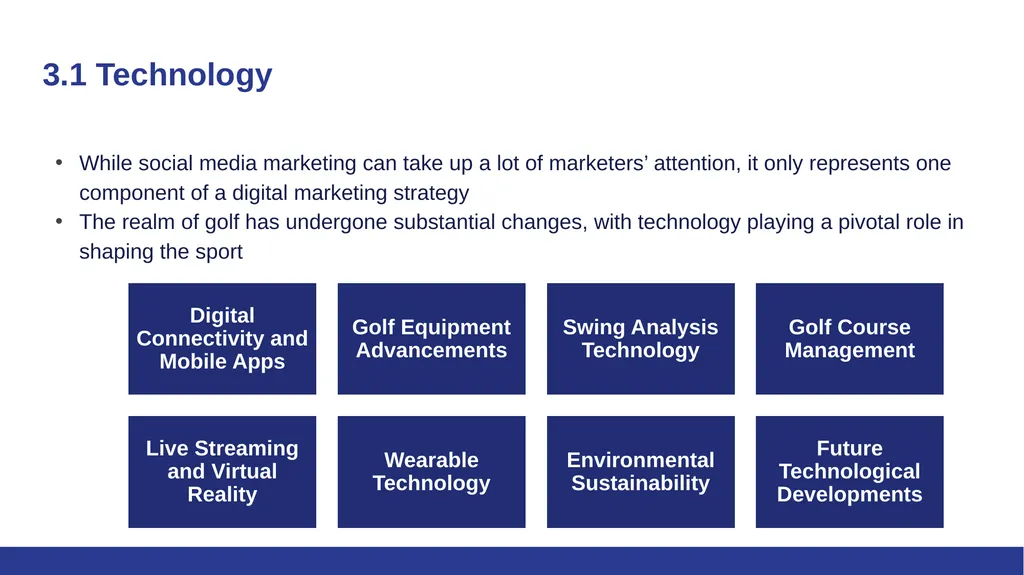
3.1 Technology While social media marketing can take up a lot of marketers’ attention, it only represents one component of a digital marketing strategy
The realm of golf has undergone substantial changes, with technology playing a pivotal role in shaping the sport<br>
The realm of golf has undergone substantial changes, with technology playing a pivotal role in shaping the sport<br>
04
3.2 Email Marketing Email Marketing is a form of direct marketing that utilizes electronic means to deliver commercial messages to an audience
At its core, email marketing is a tool for customer relationship management (CRM)
Used effectively, this extension of permission-based marketing can deliver one of the highest returns on investment (ROI) of any eMarketing activity.
The power comes from the fact that it is the following:
Extremely cost-effective due to a low cost per contact
Highly targeted
Customizable on a mass scale
Completely measurable
Every email your organization sends should be considered part of your holistic email marketing strategy (i.e. transactional emails, newsletters, promotional emails)
There are two types of commercial emails: promotional emails and retention-based emails<br>
At its core, email marketing is a tool for customer relationship management (CRM)
Used effectively, this extension of permission-based marketing can deliver one of the highest returns on investment (ROI) of any eMarketing activity.
The power comes from the fact that it is the following:
Extremely cost-effective due to a low cost per contact
Highly targeted
Customizable on a mass scale
Completely measurable
Every email your organization sends should be considered part of your holistic email marketing strategy (i.e. transactional emails, newsletters, promotional emails)
There are two types of commercial emails: promotional emails and retention-based emails<br>
05
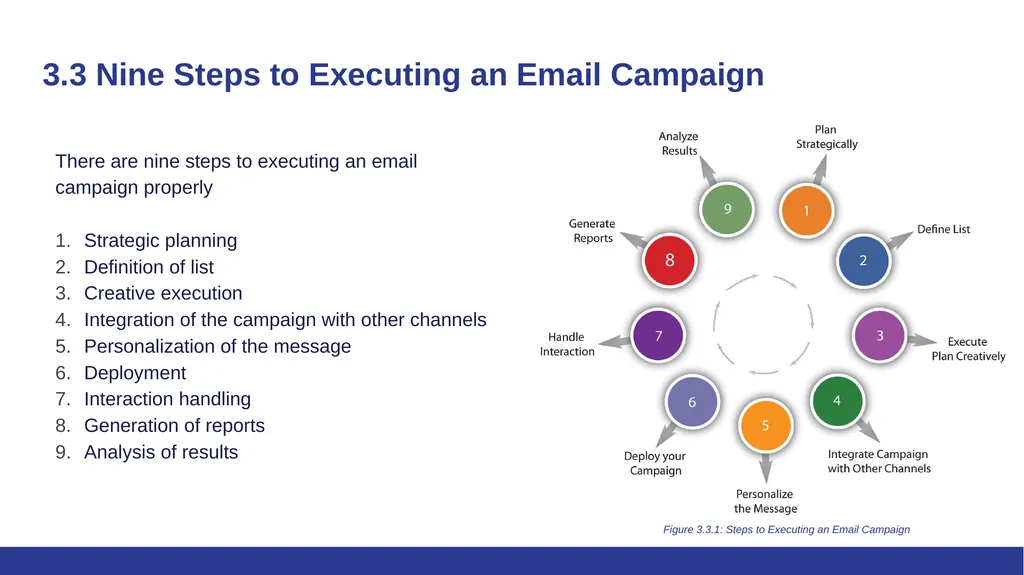
3.3 Nine Steps to Executing an Email Campaign There are nine steps to executing an email campaign properly
Strategic planning
Definition of list
Creative execution
Integration of the campaign with other channels
Personalization of the message
Deployment
Interaction handling
Generation of reports
Analysis of results Figure 3.3.1: Steps to Executing an Email Campaign<br>
Strategic planning
Definition of list
Creative execution
Integration of the campaign with other channels
Personalization of the message
Deployment
Interaction handling
Generation of reports
Analysis of results Figure 3.3.1: Steps to Executing an Email Campaign<br>
06
3.3 Step 1: Strategic Planning Define campaign goals
Identify key performance indicators (KPIs), also known as key success indicators (KSIs)
Promotional emails will usually have an immediate goal:
Users make a purchase
Users download a white paper
Users request further information
KPIs for newsletters:
Open rate
Click-through rate
Forwarded emails
Return on Investment (ROI)
A successful email campaign is most likely to be the one geared at retaining and creating a long-term relationship with the reader.<br>
Identify key performance indicators (KPIs), also known as key success indicators (KSIs)
Promotional emails will usually have an immediate goal:
Users make a purchase
Users download a white paper
Users request further information
KPIs for newsletters:
Open rate
Click-through rate
Forwarded emails
Return on Investment (ROI)
A successful email campaign is most likely to be the one geared at retaining and creating a long-term relationship with the reader.<br>
07
3.3 Step 2: Definition of List Obtain genuine opt-in permission for email campaigns
The subscriber list is the most valuable asset
Explicit permission is crucial to avoid reputation damage and legal issues
Key considerations for the database entry:
First name, surname, and title
Date permission granted
Source of permission
Country
Telephone number
Date of birth
Attract prospects with strategic opt-in methods, like website sign-up forms<br>
The subscriber list is the most valuable asset
Explicit permission is crucial to avoid reputation damage and legal issues
Key considerations for the database entry:
First name, surname, and title
Date permission granted
Source of permission
Country
Telephone number
Date of birth
Attract prospects with strategic opt-in methods, like website sign-up forms<br>
08
3.3 Step 3: Creative Execution Email formats: HTML (graphics, interactive) and text (plain)
HTML emails can contain images, fonts, and hyperlinks
Text emails are plain (only text), smaller, and simpler
Parts of an Email:
Header: Build familiarity and trust. Use a personalized company email address
Subject line: Crucial for identification and enticing readers. Avoid spam trigger words
Personalized greeting: Boost responses with specific user greetings
Body: Avoid excessive images and ensure text is readable without image loading
Footer: Standardize for consistency. Include contact info and privacy policy
Unsubscribe link: Mandatory in all commercial emails
Interactive emails are best constructed with lightweight HTML capability allowing the email to open quickly
The structure must allow readers to scan and navigate the email easily<br>
HTML emails can contain images, fonts, and hyperlinks
Text emails are plain (only text), smaller, and simpler
Parts of an Email:
Header: Build familiarity and trust. Use a personalized company email address
Subject line: Crucial for identification and enticing readers. Avoid spam trigger words
Personalized greeting: Boost responses with specific user greetings
Body: Avoid excessive images and ensure text is readable without image loading
Footer: Standardize for consistency. Include contact info and privacy policy
Unsubscribe link: Mandatory in all commercial emails
Interactive emails are best constructed with lightweight HTML capability allowing the email to open quickly
The structure must allow readers to scan and navigate the email easily<br>
09
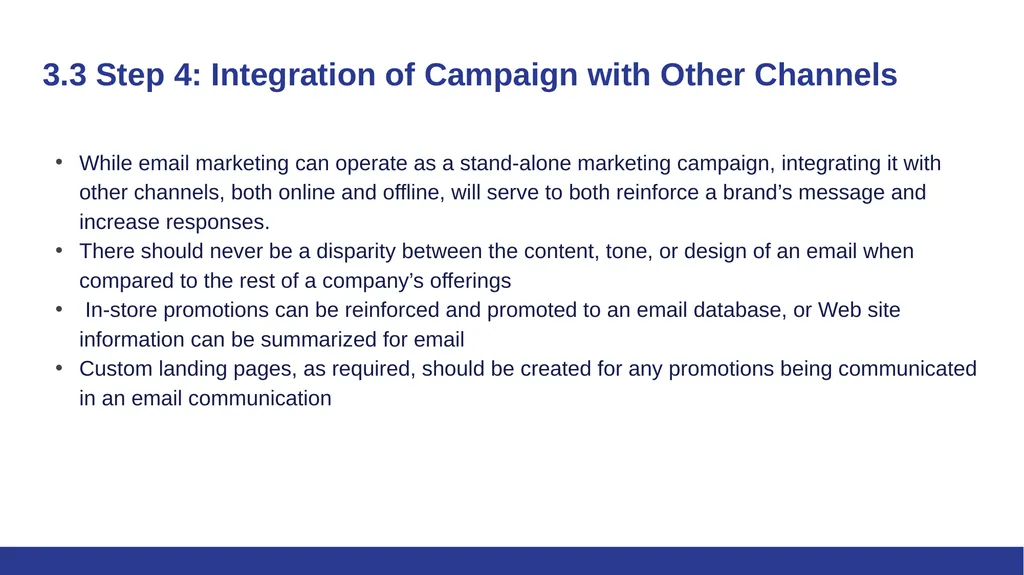
3.3 Step 4: Integration of Campaign with Other Channels While email marketing can operate as a stand-alone marketing campaign, integrating it with other channels, both online and offline, will serve to both reinforce a brand’s message and increase responses.
There should never be a disparity between the content, tone, or design of an email when compared to the rest of a company’s offerings
In-store promotions can be reinforced and promoted to an email database, or Web site information can be summarized for email
Custom landing pages, as required, should be created for any promotions being communicated in an email communication<br>
There should never be a disparity between the content, tone, or design of an email when compared to the rest of a company’s offerings
In-store promotions can be reinforced and promoted to an email database, or Web site information can be summarized for email
Custom landing pages, as required, should be created for any promotions being communicated in an email communication<br>
10
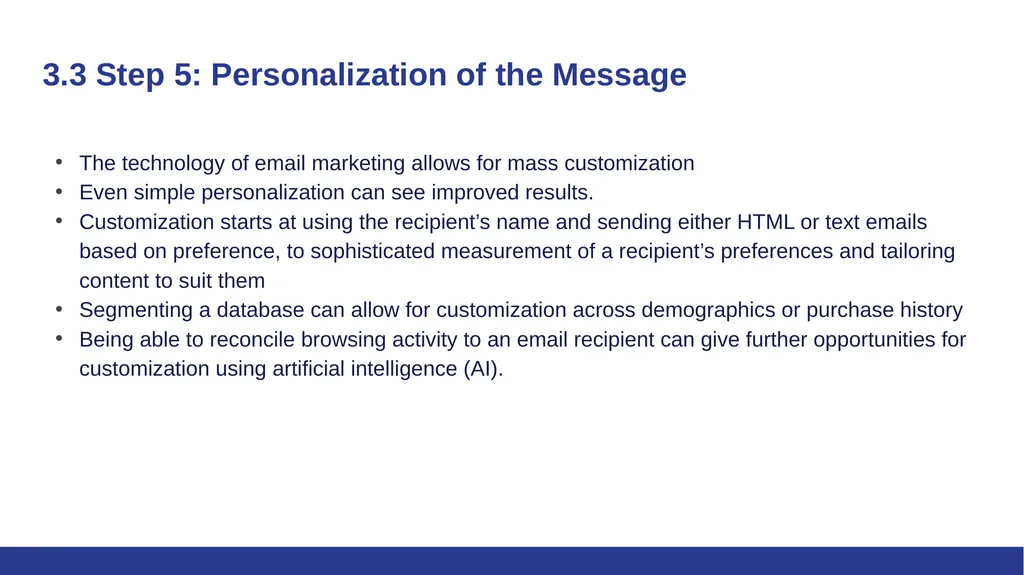
3.3 Step 5: Personalization of the Message The technology of email marketing allows for mass customization
Even simple personalization can see improved results.
Customization starts at using the recipient’s name and sending either HTML or text emails based on preference, to sophisticated measurement of a recipient’s preferences and tailoring content to suit them
Segmenting a database can allow for customization across demographics or purchase history
Being able to reconcile browsing activity to an email recipient can give further opportunities for customization using artificial intelligence (AI).<br>
Even simple personalization can see improved results.
Customization starts at using the recipient’s name and sending either HTML or text emails based on preference, to sophisticated measurement of a recipient’s preferences and tailoring content to suit them
Segmenting a database can allow for customization across demographics or purchase history
Being able to reconcile browsing activity to an email recipient can give further opportunities for customization using artificial intelligence (AI).<br>
11
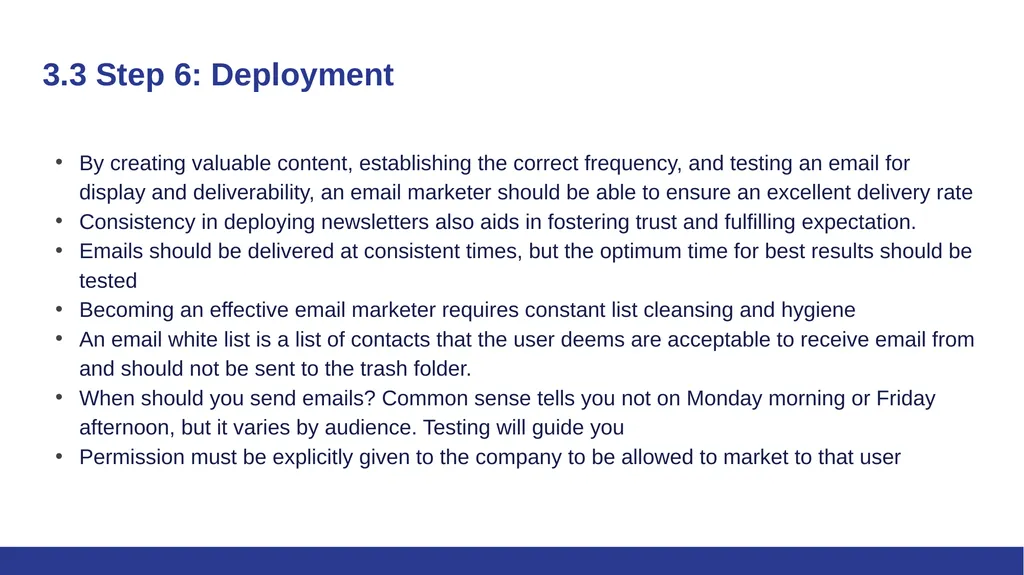
3.3 Step 6: Deployment By creating valuable content, establishing the correct frequency, and testing an email for display and deliverability, an email marketer should be able to ensure an excellent delivery rate
Consistency in deploying newsletters also aids in fostering trust and fulfilling expectation.
Emails should be delivered at consistent times, but the optimum time for best results should be tested
Becoming an effective email marketer requires constant list cleansing and hygiene
An email white list is a list of contacts that the user deems are acceptable to receive email from and should not be sent to the trash folder.
When should you send emails? Common sense tells you not on Monday morning or Friday afternoon, but it varies by audience. Testing will guide you
Permission must be explicitly given to the company to be allowed to market to that user<br>
Consistency in deploying newsletters also aids in fostering trust and fulfilling expectation.
Emails should be delivered at consistent times, but the optimum time for best results should be tested
Becoming an effective email marketer requires constant list cleansing and hygiene
An email white list is a list of contacts that the user deems are acceptable to receive email from and should not be sent to the trash folder.
When should you send emails? Common sense tells you not on Monday morning or Friday afternoon, but it varies by audience. Testing will guide you
Permission must be explicitly given to the company to be allowed to market to that user<br>
12
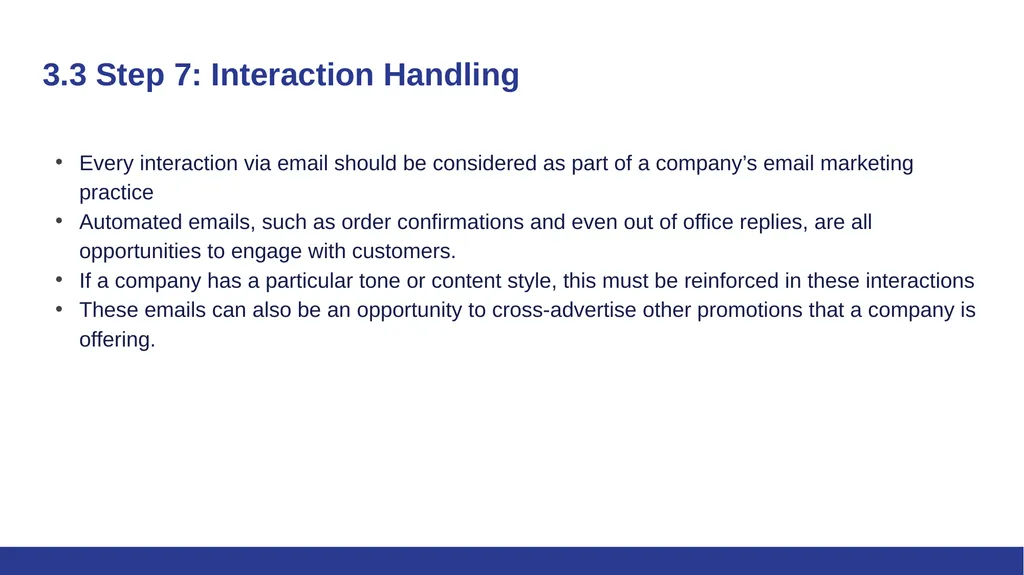
3.3 Step 7: Interaction Handling Every interaction via email should be considered as part of a company’s email marketing practice
Automated emails, such as order confirmations and even out of office replies, are all opportunities to engage with customers.
If a company has a particular tone or content style, this must be reinforced in these interactions
These emails can also be an opportunity to cross-advertise other promotions that a company is offering.<br>
Automated emails, such as order confirmations and even out of office replies, are all opportunities to engage with customers.
If a company has a particular tone or content style, this must be reinforced in these interactions
These emails can also be an opportunity to cross-advertise other promotions that a company is offering.<br>
13
3.3 Step 8: Report Generation As with all things eMarketing, tracking, analyzing, and optimizing is key to growth
Email tracking systems produce statistics in a user-friendly manner
The following are key measurables for understanding the performance of email campaigns:
Number of emails delivered
Number of bounces
Number of unique emails opened
Unsubscribes
Pass-on rate: The percentage of e-mails that are forwarded
Click-through rates and conversion<br>
Email tracking systems produce statistics in a user-friendly manner
The following are key measurables for understanding the performance of email campaigns:
Number of emails delivered
Number of bounces
Number of unique emails opened
Unsubscribes
Pass-on rate: The percentage of e-mails that are forwarded
Click-through rates and conversion<br>
14
3.3 Step 9: Analysis of Results Once the reports have been generated, it is time to work out what the numbers are revealing and to use this information to improve the next e-mail sent out.
With email marketing, split testing across a host of factors will enable campaign optimization. The following are some factors to test:
Open rates across different subject lines and delivery times
Optimal number of links in an email for click-through rates and conversions
Different copy styles and copy length
The effect of video on delivery rates, open rates, and conversions<br>
With email marketing, split testing across a host of factors will enable campaign optimization. The following are some factors to test:
Open rates across different subject lines and delivery times
Optimal number of links in an email for click-through rates and conversions
Different copy styles and copy length
The effect of video on delivery rates, open rates, and conversions<br>
15
3.4 Pay per Click Advertising Pay-per-click (PPC) advertising is an advertising system where the advertisers pay only for each click on their advertisements
PPC advertising is keyword-based, which is based on the search term that a user enters into a search engine
For the advertiser, the beauty of PPC advertising on search engines is that their advertisements are displayed when potential customers have already expressed intent
Advertisers can choose to have their advertisements displayed on the search network only or they can select to have the advertisements displayed on the content network
Text PPC advertisements follow the same basic structure:
Heading
Two lines of advertisement copy,
Which can be displayed on one line
www.DisplayURL.com<br>
PPC advertising is keyword-based, which is based on the search term that a user enters into a search engine
For the advertiser, the beauty of PPC advertising on search engines is that their advertisements are displayed when potential customers have already expressed intent
Advertisers can choose to have their advertisements displayed on the search network only or they can select to have the advertisements displayed on the content network
Text PPC advertisements follow the same basic structure:
Heading
Two lines of advertisement copy,
Which can be displayed on one line
www.DisplayURL.com<br>
16
3.4 Pay per Click Advertising - How It Works Search engines have their own pay-per-click (PPC) advertising, for instance, Google has AdWords.
With PPC advertising, the advertiser does the following:
Creates the content for an advertisement
Select the keywords. This is a word found within a search query
Chooses the maximum amount they are willing to pay for a click on the advertisement
The search engine algorithm does the following:
Check the advertisement for compliance to editorial guidelines
Advertises relevant search queries
Determines the rank, or position, of the advertisement based on the advertiser’s maximum bid and the relevance of the advertisement (which includes factors such as click-through rate [CTR], ad copy, keywords, and landing-page relevance to the search)<br>
With PPC advertising, the advertiser does the following:
Creates the content for an advertisement
Select the keywords. This is a word found within a search query
Chooses the maximum amount they are willing to pay for a click on the advertisement
The search engine algorithm does the following:
Check the advertisement for compliance to editorial guidelines
Advertises relevant search queries
Determines the rank, or position, of the advertisement based on the advertiser’s maximum bid and the relevance of the advertisement (which includes factors such as click-through rate [CTR], ad copy, keywords, and landing-page relevance to the search)<br>
17
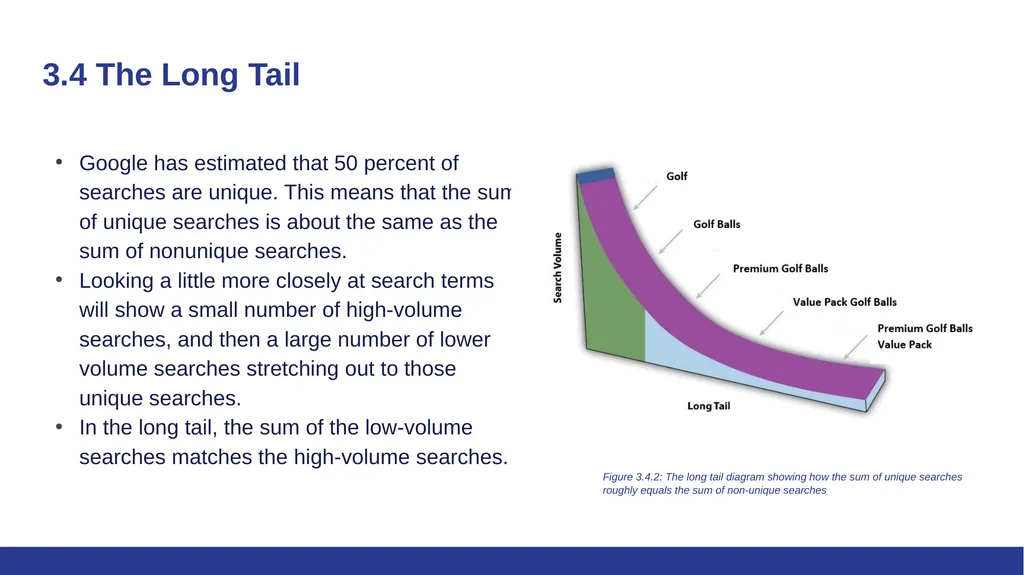
3.4 The Long Tail Google has estimated that 50 percent of searches are unique. This means that the sum of unique searches is about the same as the sum of nonunique searches.
Looking a little more closely at search terms will show a small number of high-volume searches, and then a large number of lower volume searches stretching out to those unique searches.
In the long tail, the sum of the low-volume searches matches the high-volume searches. Figure 3.4.2: The long tail diagram showing how the sum of unique searches roughly equals the sum of non-unique searches<br>
Looking a little more closely at search terms will show a small number of high-volume searches, and then a large number of lower volume searches stretching out to those unique searches.
In the long tail, the sum of the low-volume searches matches the high-volume searches. Figure 3.4.2: The long tail diagram showing how the sum of unique searches roughly equals the sum of non-unique searches<br>