MatFlow Introduction 2021.03.05 What is MatFlow? Open-source Python Code for computational materials science Runs on HPC system (CSF at Manchester) Users specify some tasks to run in a workflow (YAML file) Main output is a workflow HDF5
"MatFlow Introduction 2021.03.05 What is MatFlow?" is the property of its rightful owner. Permission is granted to
download and print the materials on this website for personal, non-commercial use only, and to display it
on your personal computer provided you do not modify the materials and that you retain all copyright
notices contained in the materials. By downloading content from our website, you accept the terms of this
agreement.
Presentation Transcript
01
MatFlow Introduction 2021.03.05<br>
02
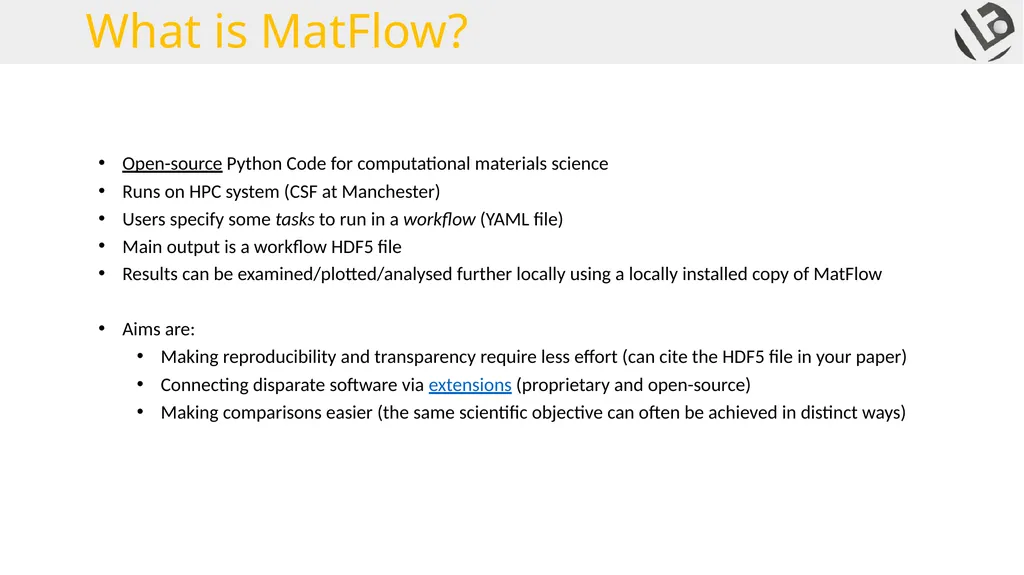
What is MatFlow? Open-source Python Code for computational materials science
Runs on HPC system (CSF at Manchester)
Users specify some tasks to run in a workflow (YAML file)
Main output is a workflow HDF5 file
Results can be examined/plotted/analysed further locally using a locally installed copy of MatFlow
Aims are:
Making reproducibility and transparency require less effort (can cite the HDF5 file in your paper)
Connecting disparate software via extensions (proprietary and open-source)
Making comparisons easier (the same scientific objective can often be achieved in distinct ways)<br>
03
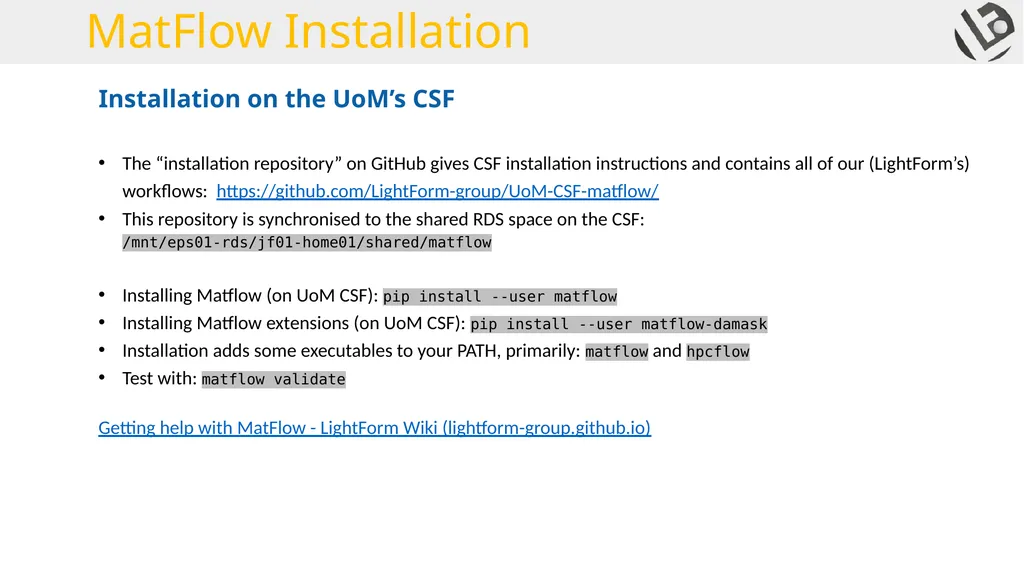
MatFlow Installation The “installation repository” on GitHub gives CSF installation instructions and contains all of our (LightForm’s) workflows: https://github.com/LightForm-group/UoM-CSF-matflow/
This repository is synchronised to the shared RDS space on the CSF: /mnt/eps01-rds/jf01-home01/shared/matflow
Installing Matflow (on UoM CSF): pip install --user matflow
Installing Matflow extensions (on UoM CSF): pip install --user matflow-damask
Installation adds some executables to your PATH, primarily: matflow and hpcflow
Test with: matflow validate
Getting help with MatFlow - LightForm Wiki (lightform-group.github.io) Installation on the UoM’s CSF<br>
04
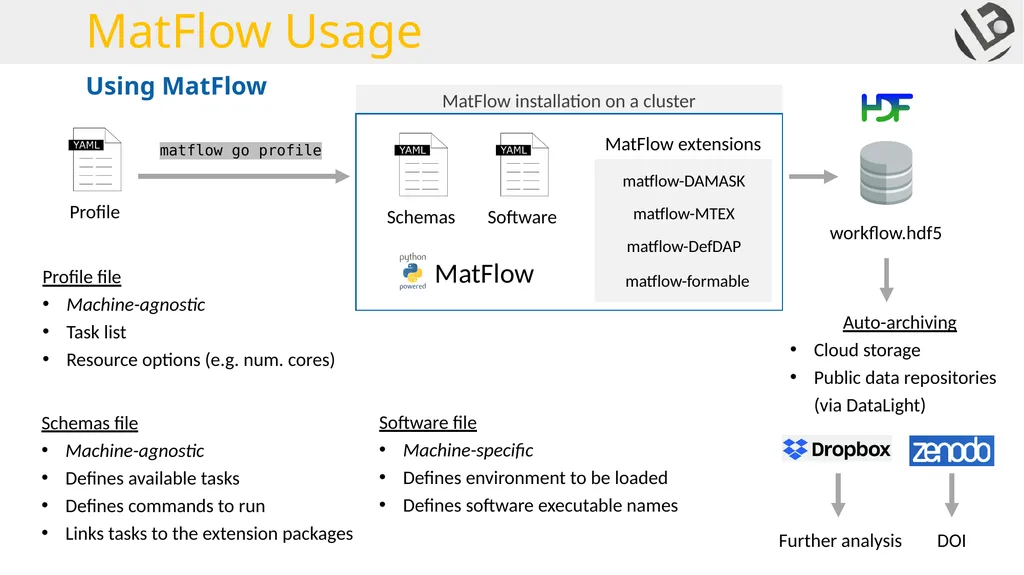
MatFlow Usage Using MatFlow Profile file
Machine-agnostic
Task list
Resource options (e.g. num. cores) Schemas file
Machine-agnostic
Defines available tasks
Defines commands to run
Links tasks to the extension packages Software file
Machine-specific
Defines environment to be loaded
Defines software executable names<br>
05
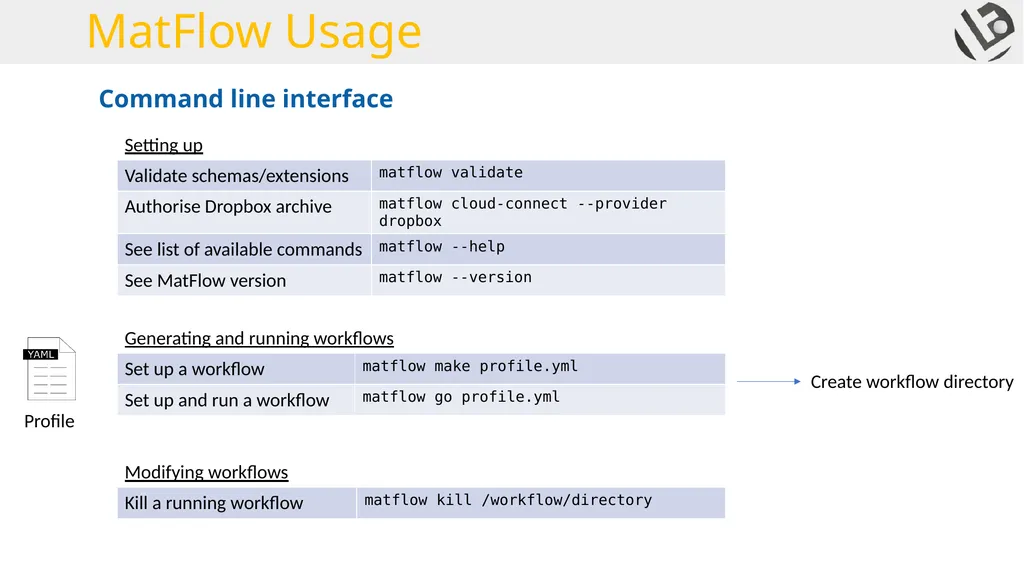
MatFlow Usage Generating and running workflows Setting up Modifying workflows Create workflow directory Command line interface<br>
06
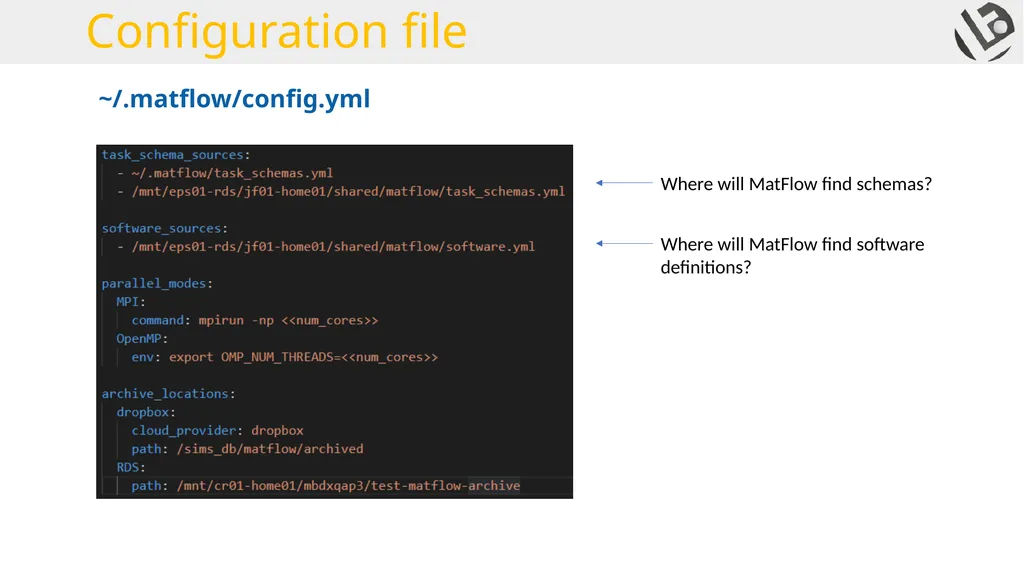
Configuration file ~/.matflow/config.yml Where will MatFlow find schemas? Where will MatFlow find software definitions?<br>
07
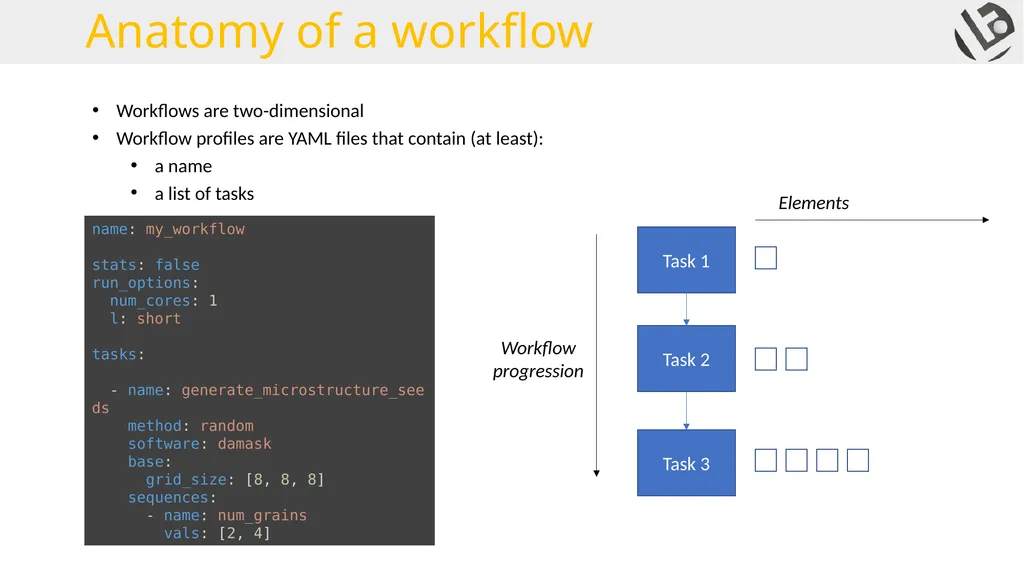
Workflows are two-dimensional
Workflow profiles are YAML files that contain (at least):
a name
a list of tasks name: my_workflow
stats: false
run_options:
num_cores: 1
l: short
tasks:
- name: generate_microstructure_seeds
method: random
software: damask
base:
grid_size: [8, 8, 8]
sequences:
- name: num_grains
vals: [2, 4] Anatomy of a workflow<br>
08
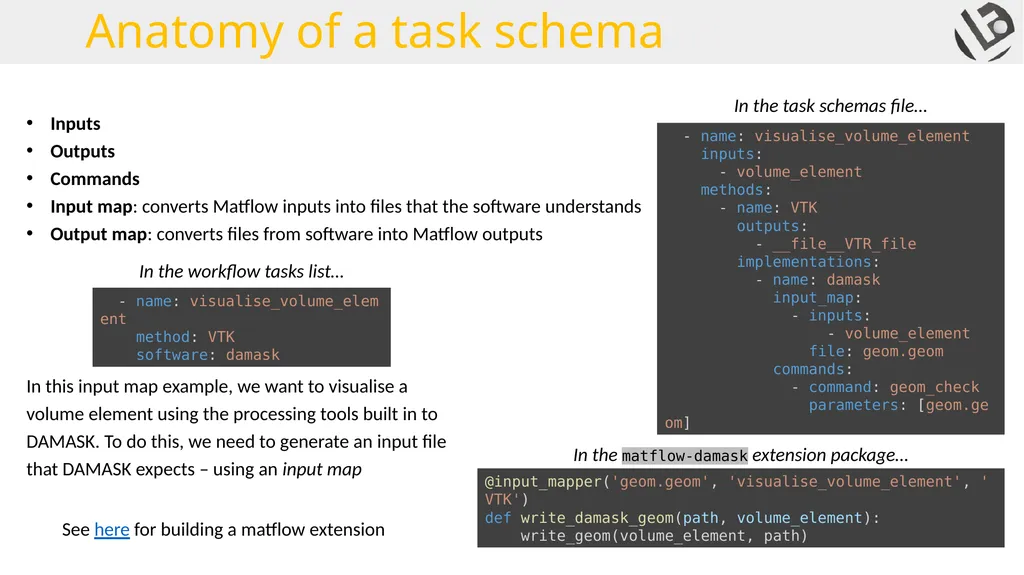
Inputs
Outputs
Commands
Input map: converts Matflow inputs into files that the software understands
Output map: converts files from software into Matflow outputs In this input map example, we want to visualise a volume element using the processing tools built in to DAMASK. To do this, we need to generate an input file that DAMASK expects – using an input map See here for building a matflow extension Anatomy of a task schema<br>
09
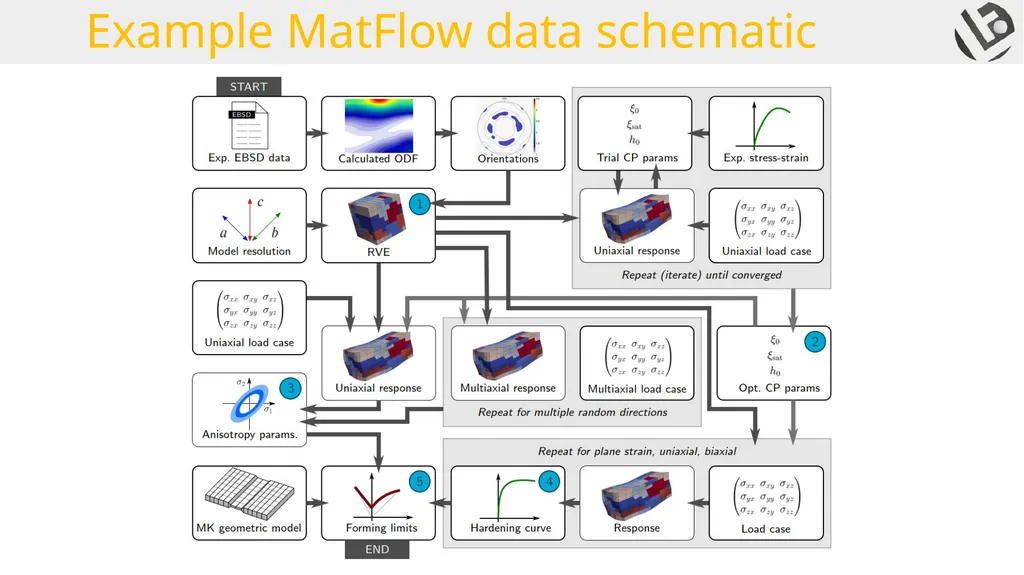
Example MatFlow data schematic<br>
10
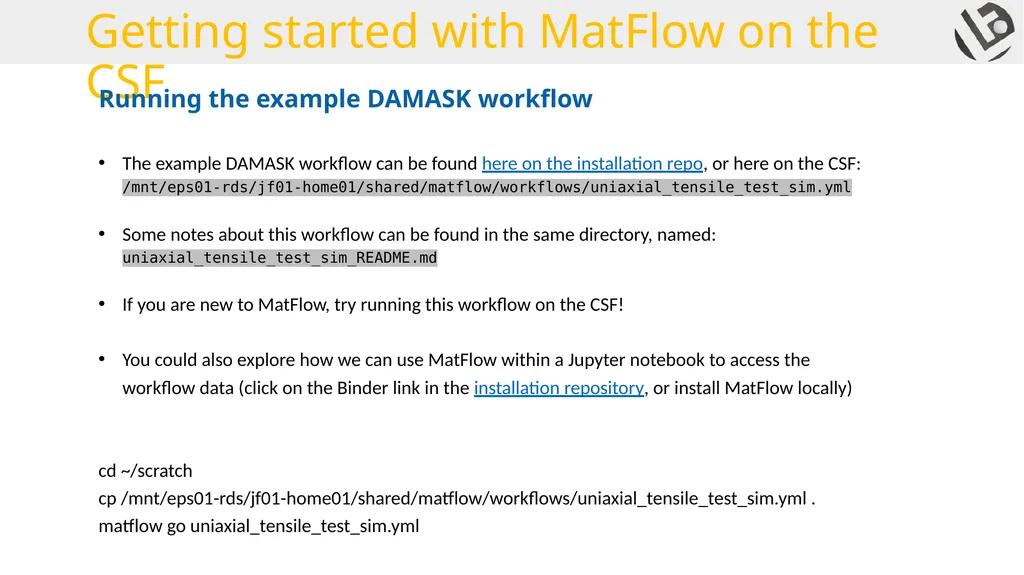
Getting started with MatFlow on the CSF The example DAMASK workflow can be found here on the installation repo, or here on the CSF: /mnt/eps01-rds/jf01-home01/shared/matflow/workflows/uniaxial_tensile_test_sim.yml
Some notes about this workflow can be found in the same directory, named: uniaxial_tensile_test_sim_README.md
If you are new to MatFlow, try running this workflow on the CSF!
You could also explore how we can use MatFlow within a Jupyter notebook to access the workflow data (click on the Binder link in the installation repository, or install MatFlow locally)
cd ~/scratch
cp /mnt/eps01-rds/jf01-home01/shared/matflow/workflows/uniaxial_tensile_test_sim.yml .
matflow go uniaxial_tensile_test_sim.yml Running the example DAMASK workflow<br>